


Teaching Technology to SeniorsTips for preparing and Presenting computer classes for older adultsRoseAleta Laurell
What Kinds of training are you currently providing?
Essential skills for training seniorsPatience
Patience
Patience
RespectGetting Mentally Ready
Rules for ClassesThree Rules 1. Ask stupid questions  2. Cheat 3. Make Mistakes
“If in an educational situation, an adult’s experience is ignored, not valued, not made use of, it is not just the experience that is being rejected, it is the person.”~Malcolm Knowles~
Learning Styles and NeedsAuditory
Visual
Tactile or KinestheticWhat are the Fruits of Your Learning/Personality Style? InventoryDeveloped by Dr. Linda Karges-Bone
Physical Issues facing seniorsVision
Hearing
Mobility especially arthritic hands
Mental acuity
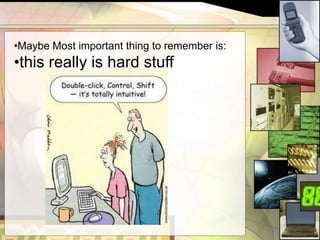
Resistance to learning new thingsMaybe Most important thing to remember is:
this really is hard stuffWhy Bother?Because Seniors are:Smart
Motivated
Committed
Excited
Tenacious
GRATEFULhttp://www.facebook.com/group.php?gid=117174371637369
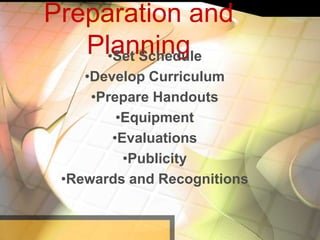
Preparation and PlanningSet Schedule
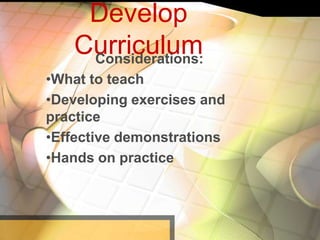
Develop Curriculum
Prepare Handouts
Equipment
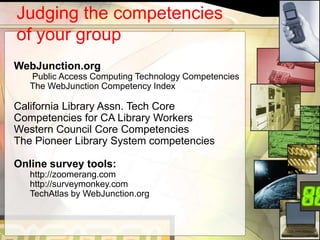
Evaluations
Publicity
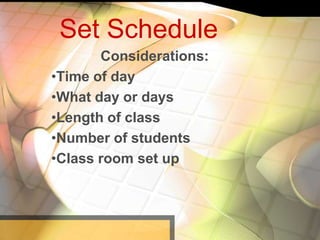
Rewards and RecognitionsSet ScheduleConsiderations:Time of day

Teaching technology to seniors prensentation

Editor's Notes

  • #3 Please share with us the kinds of training you are currently doing or planning on doing
  • #6 Your attitude is the most important thing you take into the classroomIf you could do your training with an empty room, then you need to start overIf you are bored chances are your students will be tooDon’t be afraid to laugh at mistakes, celebrate victories and to get excited.Attitude is contagious
  • #7 If you are thinking it, chances are someone else is as wellLook at the other persons computer, help each otherWe all learn from making mistakes
  • #8 Malcolm Knowles is considered the guru or father of adult educationShow respect for your students and their life experiences. Get them to share their histories with you and the classUse their experiences to draw analogies when introducing a new concept.A word of caution: Many seniors want to tell you their whole life story, which for the most part is engaging and interesting, but sometimes you will have someone who dominates an entire class period with talking about themselves. Learn to use tact and courtsey to cut them off. This is a hard skill and you don’t want to be viewed as the didactic teacher but sometimes you just have to do it.
  • #9 Technology makes people feel really vulnerableWe all need to have feelings of accomplishment and successNobody wants to feel stupid
  • #10 Share the fruits assessment.
  • #11 Take survey how many are currently providing training or are planning to begin training?
  • #15 Will depend on your other programs and your library scheduleMorningsPlease share some experiences with setting schedules
  • #16 Problem not what to teach but there’s too much to teachLots of exercises and practice onlineWhen using exercises, be sure to get someone else to independently take the test to be sure you’ve got it right.Exercises should be very simple. Small chunks of information at a time.cover only one skill. i.e., attaching a picture of email. Creating a folder, etc.Try to provide a good clear demonstration of new skillsGive them plenty of time to practiceTry to build on each skill so they learn to use a variety of different skills to accomplish a another. i.e. , learn to use email, then teach them how to save a picture in a folder. Then progress to using email to send a picture.Many times you will need to go back and refresh them on skills they’ve learned.I don’t use a prepared script. It’s not necessary. You want them to feel like you are talking to them not lecturing.Also questions and problems that you didn’t anticipate will guide the direction the class takes. Be prepared for flexibility and don’t be so rigid that you force march them through a lesson. Be sensitive to the ebb and flow of what’s happening in the classroom. Always listen carefully to what they are telling you and the problems they are encountering.Be prepared to move around the room to provide one on one help. To point at their screen. A big flustration will be having a class of 5 or ten people and you are telling one person to “Just go ahead and hit enter.” Then the whole class assumes you are talking to them and they follow that instruction. Be prepared for that.
  • #17 I’ve found that students like handouts very much. They like to have something to take home to refer too.Larger fonts are betterKeep handouts simple and very graphicWrite instructions in short chunks of text, not long narrativesKeep handout to one topic onlyI use PowerPoint to make my handouts.
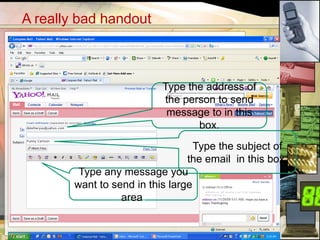
  • #18 What’s wrong with this handout???
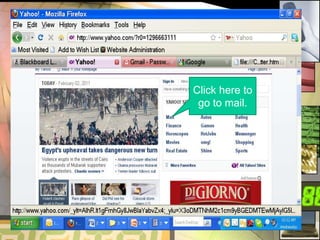
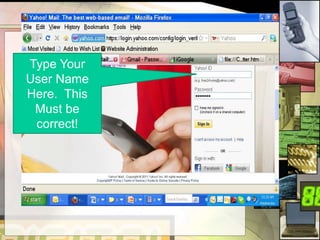
  • #19 I prepare my demonstrations in power point and use them for handouts as well, it saves a some time to do it this way.This is better. Large type font. I used the accessibility tools in Windows to make this slide.Go one step at a time using screen shots to illustrate each step.
  • #20 Multiple call outs on instructions can be confusing
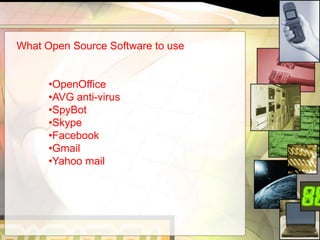
  • #21 Equipment requirements can be as simple or as extensive as your budget will allow. I’ve provided training on the floor of the library, which is not a good arrangement but it can be done and it costs nothing. However, if you get into providing assistive software this can add up to a big expense and only you can decide if it’s worth it.I have recently set up a new lab in my library and I’m using all open source software. I purchased no additional software for the computer. I’m using OpenOffice, AVG, SpyBot, Skype and of course Facebook and online email. The reason for this is that often we have found that students will go out and purchase a computer, not realizing that don’t have MicroSoft Office, or Norton and of course they come loaded with all this software for 30 days preview use and then they don’t understand why it doesn’t work after a while. Also the additional expense of software can often prevent someone from buying a new computer. For this reason we stress the use of open source and it gives them an experience closer to the one they might have on a home computer.
  • #22 There seems little reason to spend precious dollars on expensive software when chances are it will never be used and only serves to confuse most people. When a student opens the “All Programs” function and to be presented with a long list of programs it only confuses them.I try to always teach how to use all programs, but will most often put an application on the desktop just for ease of access to the program.
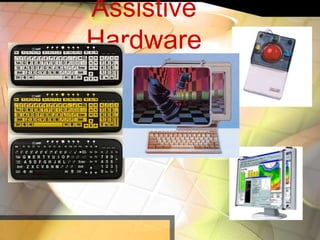
  • #24 These are expensive, but certainly a great investment if you can afford them.
  • #25 Evaluations come in all sorts of flavors. You want to be able to assess where your students are when they begin. This requires some type of evaluation, often they will be modest in their assessment of their own skills. I don’t test in the beginning. Afterall, they are here to learn, if they knew all this stuff they wouldn’t be coming to us. However, I do recommend using exercises to allow you some method of assessing this progress. These don’t have to be presented as test, but as exercises to help them retain the skill. If you are reporting to a granting agency then you will obviously you will have to develop some other evaluation tools to use. My advice is to go easy on using the term test. You should try to avoid any test or exercise that could make a student feel inadequate. You should approach evaluation with gentle hands and a kind heart. Nothing promotes learning like the feeling of success.
  • #26 Some resources to use and adapt to do assessment of your students skillsThese are listed in your resource guide. It occurred to me that using an online tool such as zoomerang, could be a fun as well as informative way to assessing your students progress. I’ve never used these, but think there is an online tool that could be fun.
  • #27 This is an important part of your planning. Deciding whether to pitch the program to seniors is a decision you will have to make based on your community. I have never done it that way, but that’s the way it worked out. I guess I suffer from that ingrained library culture of all things to all people and somehow it strikes me as exclusive in a way. However, many libraries have used it successful. As library leaders yourself I’m sure you’ve all gone through this process yourselves about determining who your target audiences is and where to reach them.
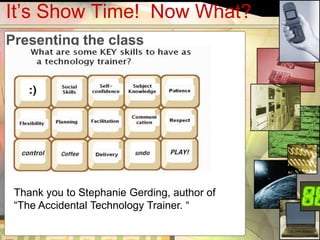
  • #30 This is a short and humorous approach to teaching seniors.