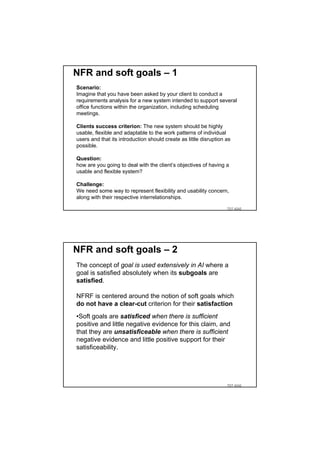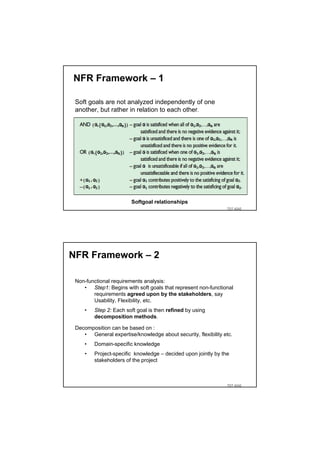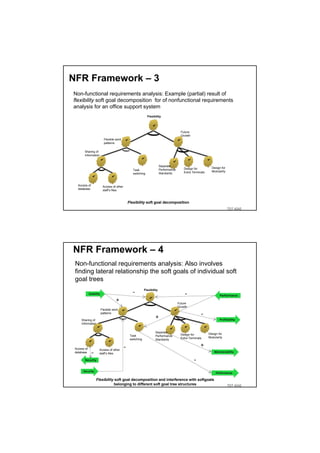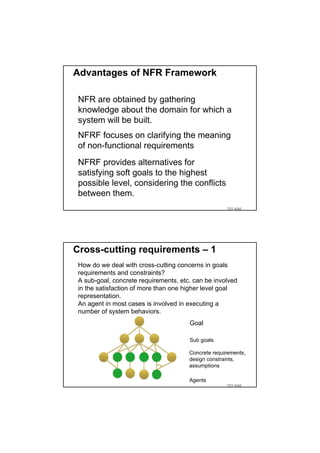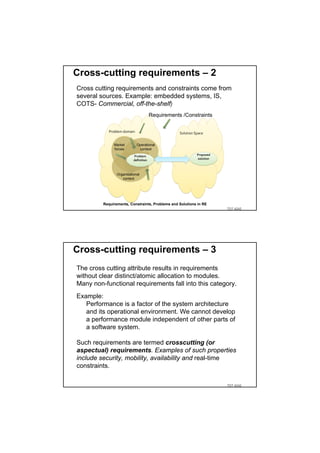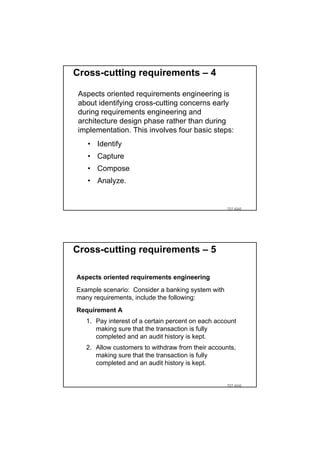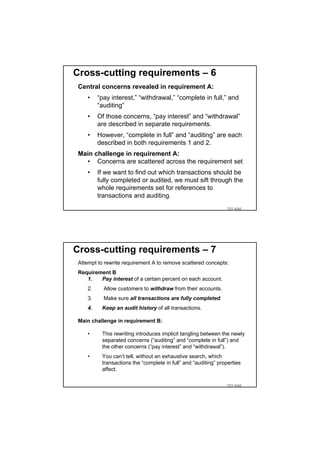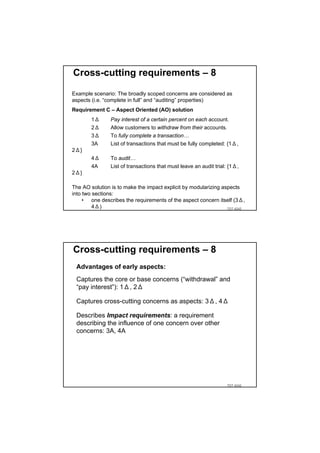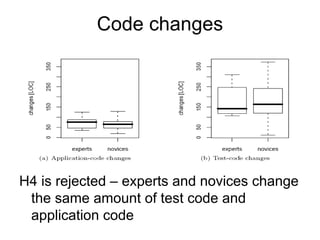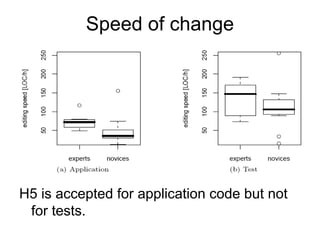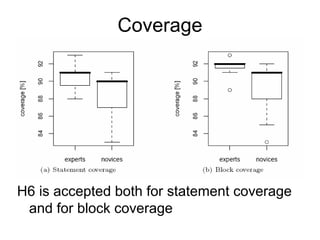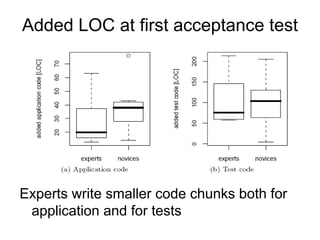
TDT 4242

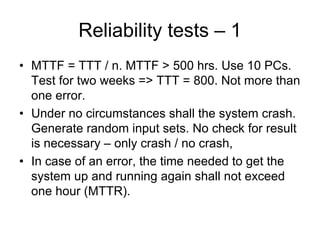
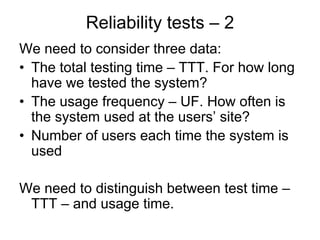
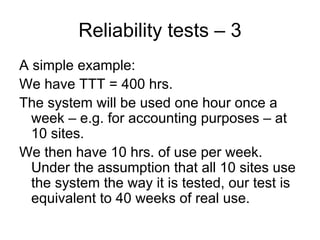
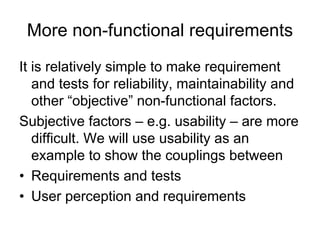
Tor Stålhane
Course contents
The course consists of two parts:
• Requirements – a description of what we
   shall develop: 11 lectures
• Tests – a description of how we will
   check that we have developed what the
   customer required: 19 lectures
The curriculum consists of
• A set of slides
• Copies of journal articles
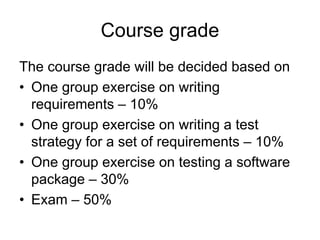
Course grade
The course grade will be decided based on
• One group exercise on writing
  requirements – 10%
• One group exercise on writing a test
  strategy for a set of requirements – 10%
• One group exercise on testing a software
  package – 30%
• Exam – 50%
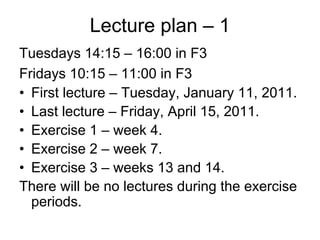
Lecture plan – 1
Tuesdays 14:15 – 16:00 in F3
Fridays 10:15 – 11:00 in F3
• First lecture – Tuesday, January 11, 2011.
• Last lecture – Friday, April 15, 2011.
• Exercise 1 – week 4.
• Exercise 2 – week 7.
• Exercise 3 – weeks 13 and 14.
There will be no lectures during the exercise
  periods.
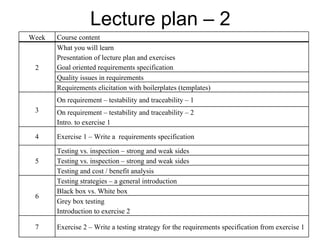
Lecture plan – 2
Week   Course content
       What you will learn
       Presentation of lecture plan and exercises
 2     Goal oriented requirements specification
       Quality issues in requirements
       Requirements elicitation with boilerplates (templates)
       On requirement – testability and traceability – 1
 3     On requirement – testability and traceability – 2
       Intro. to exercise 1

 4     Exercise 1 – Write a requirements specification

       Testing vs. inspection – strong and weak sides
 5     Testing vs. inspection – strong and weak sides
       Testing and cost / benefit analysis
       Testing strategies – a general introduction
       Black box vs. White box
 6
       Grey box testing
       Introduction to exercise 2

 7     Exercise 2 – Write a testing strategy for the requirements specification from exercise 1
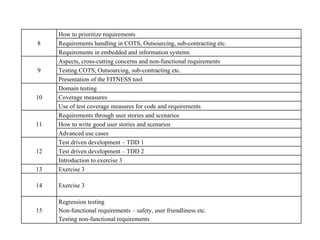
How to prioritize requirements
8    Requirements handling in COTS, Outsourcing, sub-contracting etc.
     Requirements in embedded and information systems
     Aspects, cross-cutting concerns and non-functional requirements
9    Testing COTS, Outsourcing, sub-contracting etc.
     Presentation of the FITNESS tool
     Domain testing
10   Coverage measures
     Use of test coverage measures for code and requirements
     Requirements through user stories and scenarios
11   How to write good user stories and scenarios
     Advanced use cases
     Test driven development – TDD 1
12   Test driven development – TDD 2
     Introduction to exercise 3
13   Exercise 3

14   Exercise 3

     Regression testing
15   Non-functional requirements – safety, user friendliness etc.
     Testing non-functional requirements
Main theme
The main message of this course is that
  requirements and tests are two sides of
  the same coin.
• Requirements without tests will be
  ignored.
• Tests without requirements are
  meaningless.
The need for traceability
It must be possible to trace
  – From test to requirement. Why do we need
    this test?
  – From requirement to test.
     • Where is this requirement tested?
     • Staus: How many of the tests for this requirement
       has been executed successfully?
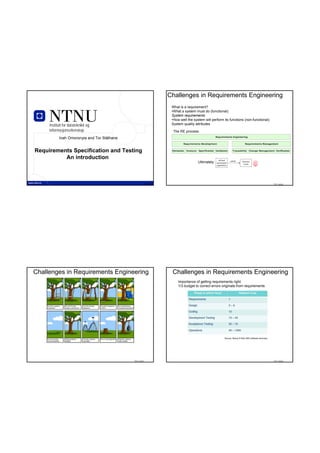
Challenges in Requirements Engineering
                                                                    What is a requirement?
                                                                    •What a system must do (functional):
                                                                    System requirements
                                                                    •How well the system will perform its functions (non-functional):
     Institutt for datateknikk og                                   System quality attributes
     informasjonsvitenskap                                           The RE process:
           Inah Omoronyia and Tor Stålhane


Requirements Specification and Testing
          An introduction                                                                            defined      satisfy
                                                                                     Ultimately:   operational
                                                                                                                              business
                                                                                                                               needs
                                                                                                   capabilities


               TDT 4242                                 TDT 4242                                                                                           TDT 4242


Challenges in Requirements Engineering                              Challenges in Requirements Engineering
                                                                        Importance of getting requirements right:
                                                                        1/3 budget to correct errors originate from requirements


                                                                                                            Source: Benoy R Nair (IBS software services)


                                             TDT 4242                                                                                                      TDT 4242
Challenges in Requirements Engineering                                                  Challenges in Requirements Engineering
 Factors that make a software project challenging:                                       Why projects are cancelled:


                              Source: Benoy R Nair (IBS software services)                                                 Source: Benoy R Nair (IBS software services)


                                                                             TDT 4242                                                                                     TDT 4242


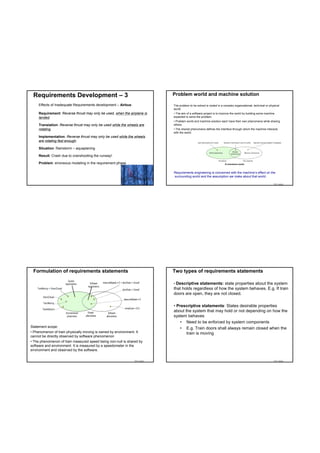
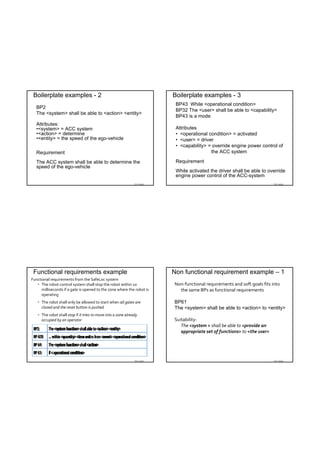
Requirements Development - 1                                                            Requirements Development – 2
 Requirements Elicitation:                                                               Effects of Inadequate Requirements development – Ariane 5:
 The process of discovering the requirements for a system by                             (An expendable launch system used to deliver payloads into
 communication with customers, system users and others who have a                        geostationary transfer orbit or low Earth orbit)
 stake in the system development.
                                                                                         Ariane 5 succeeded Ariane 4. Wrong implicit assumptions about the
 Requirements gathering techniques                                                       parameters, in particular the horizontal velocity that were safe for
                                                                                         Ariane 4 but not Ariane 5.
     •   Methodical extraction of concrete requirements from high                            •   horizontal velocity exceeded the maximum value for a 16 bit unsigned integer
         level goals                                                                             when it was converted from it's signed 64 bit representation.
     •   Requirements quality metrics                                                        •   Ariane 5: component (requirements) should have been designed for reuse –
                                                                                                 but the context of reuse was not specified.

                                                                                         Cost of poor requirements in Ariane 5
                                                                                            • Data overflow on launch
                                                                                            • Self-destruction of the complete system
                                                                                            • Loss > 500 Million EUR


                                                                             TDT 4242                                                                                     TDT 4242
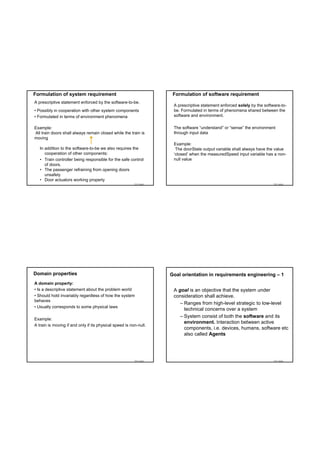
Requirements Development – 3                                              Problem world and machine solution

     Effects of Inadequate Requirements development – Airbus:              The problem to be solved is rooted in a complex organizational, technical or physical
                                                                           world.
     Requirement: Reverse thrust may only be used, when the airplane is    • The aim of a software project is to improve the world by building some machine
     landed.                                                               expected to solve the problem.
                                                                           • Problem world and machine solution each have their own phenomena while sharing
     Translation: Reverse thrust may only be used while the wheels are     others.
     rotating.                                                             • The shared phenomena defines the interface through which the machine interacts
                                                                           with the world.
     Implementation: Reverse thrust may only be used while the wheels
     are rotating fast enough.

     Situation: Rainstorm – aquaplaning

     Result: Crash due to overshooting the runway!

     Problem: erroneous modeling in the requirement phase                                                           E-commerce world


                                                                           Requirements engineering is concerned with the machine’s effect on the
                                                                           surrounding world and the assumption we make about that world.

                                                                TDT 4242                                                                                   TDT 4242


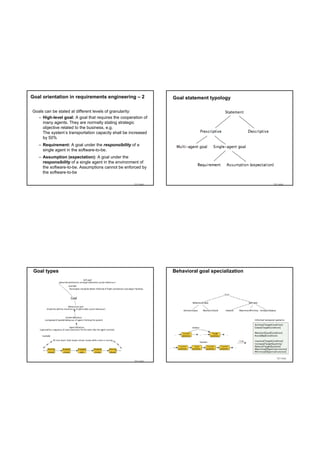
 Formulation of requirements statements                                    Two types of requirements statements

                                                                           • Descriptive statements: state properties about the system
                                                                           that holds regardless of how the system behaves. E.g. If train
                                                                           doors are open, they are not closed.

                                                                           • Prescriptive statements: States desirable properties
                                                                           about the system that may hold or not depending on how the
                                                                           system behaves
                                                                               • Need to be enforced by system components
Statement scope:                                                               • E.g. Train doors shall always remain closed when the
• Phenomenon of train physically moving is owned by environment. It               train is moving
cannot be directly observed by software phenomenon
• The phenomenon of train measured speed being non-null is shared by
software and environment. It is measured by a speedometer in the
environment and observed by the software.


                                                                TDT 4242                                                                                   TDT 4242
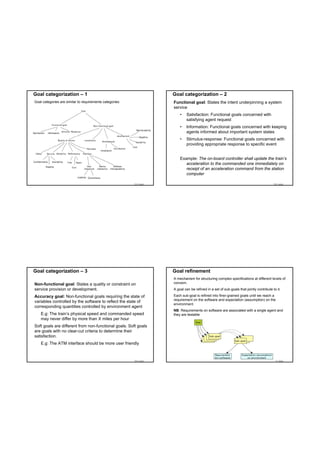
Formulation of system requirement                                    Formulation of software requirement
A prescriptive statement enforced by the software-to-be.
                                                                     A prescriptive statement enforced solely by the software-to-
• Possibly in cooperation with other system components               be. Formulated in terms of phenomena shared between the
• Formulated in terms of environment phenomena                       software and environment.

Example:                                                             The software “understand” or “sense” the environment
All train doors shall always remain closed while the train is        through input data
moving
                                                                     Example:
   In addition to the software-to-be we also requires the             The doorState output variable shall always have the value
      cooperation of other components:                               ‘closed’ when the measuredSpeed input variable has a non-
   • Train controller being responsible for the safe control         null value
      of doors.
   • The passenger refraining from opening doors
      unsafely
   • Door actuators working properly
                                                         TDT 4242                                                         TDT 4242


Domain properties                                                   Goal orientation in requirements engineering – 1
A domain property:
• Is a descriptive statement about the problem world                 A goal is an objective that the system under
• Should hold invariably regardless of how the system                consideration shall achieve.
behaves
                                                                        – Ranges from high-level strategic to low-level
• Usually corresponds to some physical laws
                                                                          technical concerns over a system
                                                                        – System consist of both the software and its
Example:
                                                                          environment. Interaction between active
A train is moving if and only if its physical speed is non-null.
                                                                          components, i.e. devices, humans, software etc
                                                                          also called Agents


                                                         TDT 4242                                                         TDT 4242
Goal orientation in requirements engineering – 2                Goal statement typology

Goals can be stated at different levels of granularity:
  – High-level goal: A goal that requires the cooperation of
     many agents. They are normally stating strategic
     objective related to the business, e.g.
     The system’s transportation capacity shall be increased
     by 50%
   – Requirement: A goal under the responsibility of a
     single agent in the software-to-be.
   – Assumption (expectation): A goal under the
     responsibility of a single agent in the environment of
     the software-to-be. Assumptions cannot be enforced by
     the software-to-be

                                                     TDT 4242                                    TDT 4242


 Goal types                                                     Behavioral goal specialization


                                                                                                   TDT 4242
                                                     TDT 4242
Goal categorization – 1                                              Goal categorization – 2
Goal categories are similar to requirements categories:              Functional goal: States the intent underpinning a system
                                                                     service
                                                                         •   Satisfaction: Functional goals concerned with
                                                                             satisfying agent request
                                                                         •   Information: Functional goals concerned with keeping
                                                                             agents informed about important system states
                                                                         •   Stimulus-response: Functional goals concerned with
                                                                             providing appropriate response to specific event


                                                                         Example: The on-board controller shall update the train’s
                                                                            acceleration to the commanded one immediately on
                                                                            receipt of an acceleration command from the station
                                                                            computer

                                                          TDT 4242                                                                        TDT 4242


Goal categorization – 3                                              Goal refinement
                                                                     A mechanism for structuring complex specifications at different levels of
Non-functional goal: States a quality or constraint on               concern.
service provision or development.                                    A goal can be refined in a set of sub-goals that jointly contribute to it.

Accuracy goal: Non-functional goals requiring the state of           Each sub-goal is refined into finer-grained goals until we reach a
                                                                     requirement on the software and expectation (assumption) on the
variables controlled by the software to reflect the state of
                                                                     environment.
corresponding quantities controlled by environment agent
                                                                     NB: Requirements on software are associated with a single agent and
    E.g: The train’s physical speed and commanded speed              they are testable
    may never differ by more than X miles per hour
Soft goals are different from non-functional goals. Soft goals
are goals with no clear-cut criteria to determine their
satisfaction.
    E.g: The ATM interface should be more user friendly


                                                          TDT 4242                                                                        TDT 4242
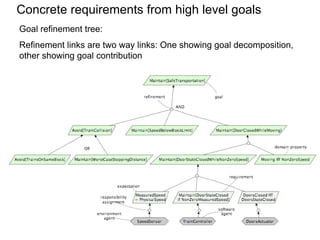
Goal refinement tree – 1
Goal refinement: Example
                                        Refinement links are two way links: One showing goal decomposition, the
                                        other showing goal contribution


                  TDT 4242
                                                                                                     TDT 4242


Goal refinement tree – 2
Goal feature annotation
                                        Requirements quality metrics – 1 


                                        Qualitative Goal‐Requirements tracing:
                                          An approach to requirements 
                                           refinement/abstraction that makes it 
                                           less likely to generate trace links that 
                                           are ambiguous, inconsistent, opaque, 
                                           noisy, incomplete or with forward 
                                           referencing items

                             TDT 4242                                                                TDT 4242
Requirements quality metrics – 2                                  Requirements quality metrics – 3
                                                                    Forward Referencing: Requirement items that make
                                                                      use of problem world domain features that are not yet
                                                                      defined.
                                                                      E, C and D need to be mapped to a requirement item


                                                       TDT 4242                                                         TDT 4242


Requirements quality metrics – 4                                  Requirements quality metrics – 5
  Opacity: Requirement items for which rational or 
   dependencies are invisible.
                                                                    Noise: Requirement items that yield no information on 
  Multiple unrelated concept mapping. A is not related to B           problem world features. X refers to a concept
                                                                      undefined in the domain


                                                       TDT 4242                                                         TDT 4242
Requirements quality metrics – 6                              Requirements quality metrics
   Completeness: The needs of a prescribed                       Quality metrics on a requirements set provides useful 
    system are fully covered by requirement                       understanding, tracking and control of requirements 
    items without any undesirable outcome.                        improvement process.

     No requirement item mentions the goal
     concept Z


                                                   TDT 4242


Where do the goals come from?                                 Summary
   We get goals from:
                                                               Goals can be defined at different levels of
   • Preliminary analysis of the current system.                abstraction
   • Systematically by searching intentional keywords 
                                                               There are two types of goals: Behavioral or soft goal
     in documents provided, interview transcripts etc. 
     E.g. ‘objective’, ‘purpose’, ‘in order to’.
   • Iterative refinement and abstraction of high‐level        There are several categories of goals, e.g.
     goals: By asking the how and why question.                  • Functional and non-functional
     Results in a goal refinement tree                           • Goal refinement provides a natural mechanism
   • Approaches: KAOS – Goal driven requirements                   for structuring complex specifications at
     acquisition.                                                  different levels of concern:
                                                                 • Goal refinement graph

                                                   TDT 4242                                                          TDT 4242
Requirements
                                                                                                                               There are three levels of requirements:
                                                                                                                               • Informal – e.g. Natural language (NL): free text,
                                                                                                                                 no rules apply
                         Institutt for datateknikk og
                         informasjonsvitenskap                                                                                 • Semiformal
                                                                                                                                 • Guided Natural Language (GNL): free text but
                               Inah Omoronyia and Tor Stålhane                                                                     allowable terms are defined by a vocabulare
                                                                                                                                 • Boilerplates (BP): structured text and an
                                                                                                                                   ontology – vocabulary plus relationships
                           Guided Natural Language                                                                                 between terms
                                     and
                                                                                                                               • Formal: e.g. state diagrams or predicate logic
                           Requirement Boilerplates


                                   TDT 4242                                                                         TDT 4242                                                  TDT 4242


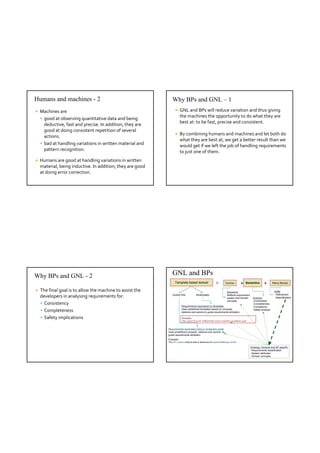
    Requirements elicitation                                                                                                   Humans and machines – 1
Step 1:                         Step 2:                                 Step 3:                             Step 4:            Given the amount and complexity of RE, we 
Capture                         Transfer Requirements and               Refine the requirements model       Create a
Requirements in                 functions into a semi-formal            and derive detailed requirements    preliminary          need to automate as much as possible.
Natural Language                requirements model                                                          design model
                                                                                                            based on the
                                                                                                            requirement
                                                                                                            model (to be
                                                                                                                               Humans and machines have different strong 
Req.012: The system
shall enable cabin                  Function 1      Function 2           Function 1                         used and            and weak points.
temperature regulation                                                                                      refined in
between 15°C and 30°C
            …
                                     Req 001
                                     Req 002
                                                     Req 011
                                                     Req 028                Function 1a      Req 001.01
                                                                                                            SP3)               We want to elicit and analyze requirements in a 
                                     Req 012         Req 050
            …
Req.124: Cabin
                                       …               …                    Function 1b
                                                                                             Req 001.02
                                                                                             ….
                                                                                                                                way that allows both parties to build on their 
                                     Req 124           …
temperature shall not
exceed 35°                                                                  Function 1c                                         strong sides.

    Parallel Steps:
    Apply dictionary with common vocabulary; validate and check Requirements consistency and completeness
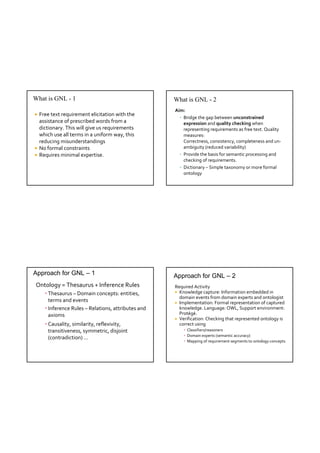
Humans and machines - 2                                          Why BPs and GNL – 1
   Machines are                                                       GNL and BPs will reduce variation and thus giving 
     good at observing quantitative data and being 
                                                                        the machines the opportunity to do what they are 
      deductive, fast and precise. In addition, they are                best at: to be fast, precise and consistent. 
      good at doing consistent repetition of several 
                                                                       By combining humans and machines and let both do 
      actions.
                                                                        what they are best at, we get a better result than we 
     bad at handling variations in written material and 
                                                                        would get if we left the job of handling requirements 
      pattern recognition.                                              to just one of them. 
   Humans are good at handling variations in written 
    material, being inductive. In addition, they are good 
    at doing error correction.


Why BPs and GNL - 2                                              GNL and BPs
                                                                   Template based textual                        =          Syntax           +    Semantics         +        Meta Model

   The final goal is to allow the machine to assist the                                                                     Keywords:                                        RMM
                                                                                                                                                                              - Refinement
    developers in analysing requirements for:                    Guided RSL               Boilerplates                       Reflects requirement,
                                                                                                                             system and domain            Analysis            - Specialization
                                                                                                                             concepts                     -Correctness
     Consistency                                                                                                                                         -Completeness
                                                                          Requirements expressed on templates                                             -Consistency
     Completeness                                                        Uses predefined templates based on concepts,
                                                                          relations and axioms to guide requirements elicitation
                                                                                                                                                          -Safety analysis


     Safety implications                                                  Example: 
                                                                           The <system function> shall provide <system capability> to achieve <goal> 


                                                             Requirements expressed using a vocabulary guide
                                                             Uses predefined concepts, relations and axioms to
                                                             guide requirements elicitation
                                                             Example:
                                                             The ACC system shall be able to determine the speed of the ego-vehicle.

                                                                                                                                                        Ontology: General and SP specific
                                                                                                                                                        - Requirements classification
                                                                                                                                                        - System attributes
                                                                                                                                                        - Domain concepts
What is GNL - 1                                      What is GNL - 2
                                                     Aim:
 Free text requirement elicitation with the 
                                                       • Bridge the gap between unconstrained 
  assistance of prescribed words from a                  expression and quality checking when 
  dictionary. This will give us requirements             representing requirements as free text. Quality 
  which use all terms in a uniform way, this             measures:
  reducing misunderstandings                             Correctness, consistency, completeness and un‐
 No formal constraints                                  ambiguity (reduced variability)
 Requires minimal expertise.                          • Provide the basis for semantic processing and 
                                                         checking of requirements.
                                                       • Dictionary – Simple taxonomy or more formal 
                                                         ontology


Approach for GNL – 1                                 Approach for GNL – 2
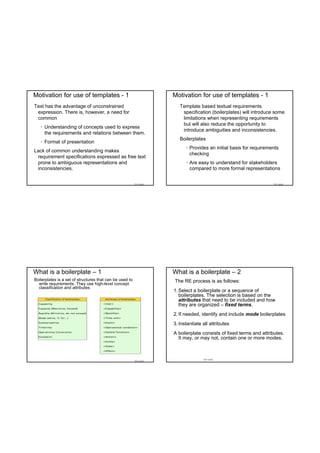
Ontology = Thesaurus + Inference Rules               Required Activity
    • Thesaurus – Domain concepts: entities,          Knowledge capture: Information embedded in 
                                                       domain events from domain experts and ontologist
      terms and events                                Implementation: Formal representation of captured 
    • Inference Rules – Relations, attributes and      knowledge. Language: OWL, Support environment: 
      axioms                                           Protégé.
                                                      Verification: Checking that represented ontology is 
    • Causality, similarity, reflexivity,              correct using
      transitiveness, symmetric, disjoint                • Classifiers/reasoners
                                                         • Domain experts (semantic accuracy)
      (contradiction) …
                                                         • Mapping of requirement segments to ontology concepts
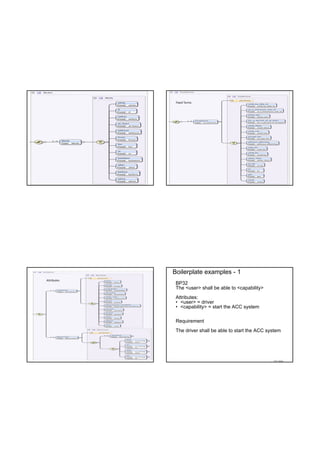
Motivation for use of templates - 1                                  Motivation for use of templates - 1
Text has the advantage of unconstrained                                 Template based textual requirements
 expression. There is, however, a need for                               specification (boilerplates) will introduce some
 common                                                                  limitations when representing requirements
                                                                         but will also reduce the opportunity to
   • Understanding of concepts used to express
                                                                         introduce ambiguities and inconsistencies.
     the requirements and relations between them.
                                                                        Boilerplates
   • Format of presentation
                                                                           • Provides an initial basis for requirements
Lack of common understanding makes
                                                                             checking
 requirement specifications expressed as free text
 prone to ambiguous representations and                                    • Are easy to understand for stakeholders
 inconsistencies.                                                            compared to more formal representations


                                                          TDT 4242                                                  TDT 4242


What is a boilerplate – 1                                            What is a boilerplate – 2
Boilerplates is a set of structures that can be used to              The RE process is as follows:
  write requirements. They use high-level concept
  classification and attributes
                                                                     1. Select a boilerplate or a sequence of
                                                                        boilerplates. The selection is based on the
                                                                        attributes that need to be included and how
                                                                        they are organized – fixed terms.
                                                                     2. If needed, identify and include mode boilerplates
                                                                     3. Instantiate all attributes
                                                                     A boilerplate consists of fixed terms and attributes.
                                                                       It may, or may not, contain one or more modes.


                                                                                    TDT 4242
                                                          TDT 4242
Fixed Terms


             Boilerplate examples - 1
Attributes
              BP32
              The <user> shall be able to <capability>
              Attributes:
              • <user> = driver
              • <capability> = start the ACC system

              Requirement
              The driver shall be able to start the ACC system


                                                          TDT 4242
Boilerplate examples - 2                                                 Boilerplate examples - 3
                                                                           BP43 While <operational condition>
  BP2
                                                                           BP32 The <user> shall be able to <capability>
  The <system> shall be able to <action> <entity>
                                                                           BP43 is a mode
  Attributes:
  •<system> = ACC system                                                   Attributes
  •<action> = determine                                                    • <operational condition> = activated
  •<entity> = the speed of the ego-vehicle                                 • <user> = driver
                                                                           • <capability> = override engine power control of
  Requirement                                                                              the ACC system

  The ACC system shall be able to determine the                            Requirement
  speed of the ego-vehicle
                                                                           While activated the driver shall be able to override
                                                                           engine power control of the ACC-system
                                                               TDT 4242                                                    TDT 4242


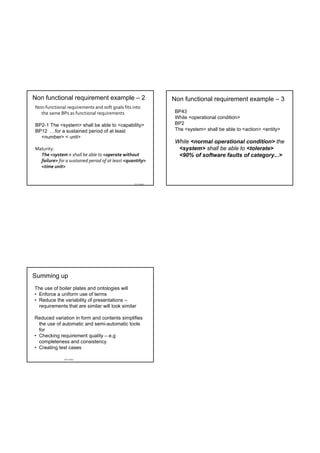
 Functional requirements example                                          Non functional requirement example – 1
Functional requirements from the SafeLoc system
    The robot control system shall stop the robot within 10              Non‐functional requirements and soft goals fits into 
     milliseconds if a gate is opened to the zone where the robot is        the same BPs as functional requirements
     operating
    The robot shall only be allowed to start when all gates are          BP61
     closed and the reset button is pushed                                The <system> shall be able to <action> to <entity>
    The robot shall stop if it tries to move into a zone already 
     occupied by an operator                                              Suitability: 
                                                                             The <system > shall be able to <provide an 
                                                                             appropriate set of functions> to <the user>


                                                               TDT 4242                                                    TDT 4242
Non functional requirement example – 2                       Non functional requirement example – 3
Non‐functional requirements and soft goals fits into 
  the same BPs as functional requirements                     BP43
                                                              While <operational condition>
BP2-1 The <system> shall be able to <capability>              BP2
BP12 …for a sustained period of at least                      The <system> shall be able to <action> <entity>
  <number> < unit>
                                                              While <normal operational condition> the
Maturity:                                                      <system> shall be able to <tolerate>
  The <system > shall be able to <operate without              <90% of software faults of category...>
  failure> for a sustained period of at least <quantity> 
  <time unit> 


                                                  TDT 4242


Summing up
The use of boiler plates and ontologies will
• Enforce a uniform use of terms
• Reduce the variability of presentations –
  requirements that are similar will look similar

Reduced variation in form and contents simplifies
  the use of automatic and semi-automatic tools
  for
• Checking requirement quality – e.g
  completeness and consistency
• Creating test cases

              TDT 4242
What is requirements traceability


                                                                                “Requirements traceability refers to the ability 
                                                                                 to describe and follow the life of a 
        Institutt for datateknikk og                                             requirement, in both a forwards and 
        informasjonsvitenskap                                                    backwards direction, i.e. from its origins, 
              Inah Omoronyia and Tor Stålhane                                    through its development and specification, to 
                                                                                 its subsequent deployment and use, and 
         Requirements Traceability                                               through periods of on‐going refinement and 
                                                                                 iteration in any of these phases.”
                                                                                                            Gotel and Finkelstein

                  TDT 4242                                          TDT 4242                                                                     TDT 4242


Traceability Goals - 1                                                         Traceability Goals – 2
 • Project Management                                                            • Validation
    – Status: “When will we finish?” and “what will it cost?”                       – finding and removing conflicts between requirements
    – Quality: “How close are we to our requirements?”                              – completeness of requirements
                                                                                        • derived requirements cover higher level requirements
 • QA manager                                                                           • each requirement is covered by part of the product
    – Improve Quality: “What can we do better?”                                  • Verification
 • Change Management                                                                – assure that all requirements are fulfilled
    – Versioning, documentation of changes (Why? What?                           • System Inspection
      When?)
                                                                                    – identify alternatives and compromises
    – Change Impact analysis
                                                                                 • Certification/Audits
 • Reuse
                                                                                    – proof of being compliant to standards
    – Variants and product families
    – Requirements can be targeted for reuse

                                                         TDT 4242                                                                                TDT 4242
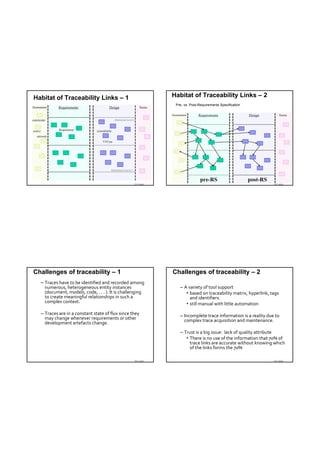
Habitat of Traceability Links – 1                            Habitat of Traceability Links – 2
                                                              Pre- vs. Post-Requirements Specification


                                                  TDT 4242                                                     TDT 4242


Challenges of traceability – 1                               Challenges of traceability – 2
  – Traces have to be identified and recorded among 
    numerous, heterogeneous entity instances                    – A variety of tool support 
    (document, models, code, . . . ). It is challenging            • based on traceability matrix, hyperlink, tags 
    to create meaningful relationships in such a                     and identifiers.
    complex context.                                               • still manual with little automation
  – Traces are in a constant state of flux since they           – Incomplete trace information is a reality due to 
    may change whenever requirements or other                     complex trace acquisition and maintenance.
    development artefacts change.
                                                                – Trust is a big issue:  lack of quality attribute
                                                                   • There is no use of the information that 70% of 
                                                                     trace links are accurate without knowing which 
                                                                     of the links forms the 70%

                                                  TDT 4242                                                     TDT 4242
Challenges of traceability – 3                                                 Challenges of traceability – 4
 Different stakeholders usage viewpoint (different questions                    Different stakeholders usage viewpoint (different questions 
    asked by different stakeholders):                                              asked by different stakeholders):
                                                                                • Validation:
 • QA management:                                                                   – Tracability can be used as a pointer to the quality of 
    – “how close are we to our requirements” and “what can we                         requirements:
      do better” to improve quality.                                                    • Completeness, ambiguity, correctness/noise, 
 • Change management                                                                      inconsistency, forward referencing, opacity
    – Tracking down the effect of each change  to each involved                     – Ensures that every requirement has been targeted by at 
      component that might require adaptations to the change,                         least one part of the product
      recertification or just retesting to proof functionality.                 • Verification
 • Reuse:                                                                          – Checking that constraints are not violated (in most cases 
    – Pointing out those aspects of a reused component that                          this is an extension of validation context)
      need to be adapted to the new system requirements.
                                                                                • Certification/Audit
    – Even the requirements themselves can be targeted for 
      reuse.                                                                    • Testing, maintenance (reverse engineering)

                                                                 TDT 4242                                                              TDT 4242


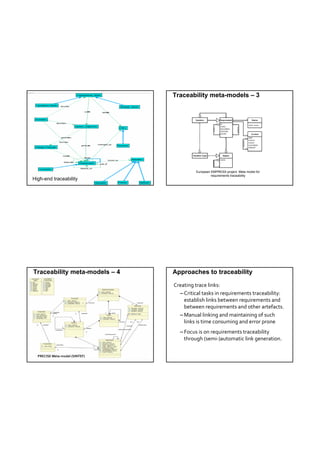
Traceability meta-models – 1                                                   Traceability meta-models – 2
• A model is an abstraction of phenomena in the real world; a 
  meta model is yet another abstraction, highlighting properties 
  of the model itself.
• Meta‐models for traceability are often used as the basis for 
  the traceability methodologies and frameworks:
   – Define what type of artefacts should be traced.
   – Define what type of relations could be established between these
     artefacts. 
                                                     Traceability Meta Model


                                                                                                                       Low-end traceability
                                                                                               TDT 4242
                                                                 TDT 4242
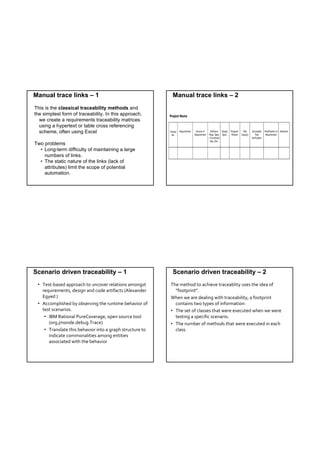
Traceability meta-models – 3


                                         European EMPRESS project: Meta model for
                                                  requirements traceability
High-end traceability
                 TDT 4242


Traceability meta-models – 4    Approaches to traceability

                                Creating trace links:
                                  – Critical tasks in requirements traceability: 
                                    establish links between requirements and 
                                    between requirements and other artefacts. 
                                  – Manual linking and maintaining of such 
                                    links is time consuming and error prone
                                  – Focus is on requirements traceability 
                                    through (semi‐)automatic link generation. 

  PRECISE Meta‐model (SINTEF)
Manual trace links – 1                                     Manual trace links – 2
This is the classical traceability methods and
the simplest form of traceability. In this approach,
  we create a requirements traceability matrices
  using a hypertext or table cross referencing
  scheme, often using Excel

Two problems
  • Long-term difficulty of maintaining a large
    numbers of links.
  • The static nature of the links (lack of
    attributes) limit the scope of potential
    automation.


Scenario driven traceability – 1                           Scenario driven traceability – 2
 • Test‐based approach to uncover relations amongst        The method to achieve traceablity uses the idea of 
   requirements, design and code artifacts (Alexander        “footprint”. 
   Egyed )                                                 When we are dealing with traceability, a footprint  
 • Accomplished by observing the runtime behavior of         contains two types of information:
   test scenarios.                                         • The set of classes that were executed when we were 
    • IBM Rational PureCoverage, open source tool            testing a specific scenario.
      (org.jmonde.debug.Trace)                             • The number of methods that were executed in each 
    • Translate this behavior into a graph structure to      class.  
      indicate commonalities among entities 
      associated with the behavior
Footprints – 1                                         Footprints – 2
E.g. scenario A uses 10 methods in class CAboutDlg     Only classes are registered – e.g scenario [s3] uses
  and 3 methods in Csettings Dlg                        classes C, J, R and U


 Footprints – 3                                         Footprints – 4
Some problems:                                         Based on the footprint table, we can make a
                                                         requirements-to-class trace table
• There might be scenarios that do not cover any
  requirement – e.g. [s3]
• There are scenarios that belong to several
  requirements, e.g. [s9]

Such scenarios will get separate rows in the trace
  matrix and will be marked with an F (Fixed) or a P
  (Probable), depending on how sure we are that a
  certain class belongs to this scenario.
Footprints – 5                                          Development footprints - 1
Each test scenario will leave a footprint. If we make   A solution that enables the project to construct
  one test scenario per requirement, then we get one      traceability information during development has
  footprint per requirement.                              been suggested by I. Omoronyia et al.
                                                        The method requires that each developer
We can make the footprints more fine grained and        • Always identifies which requirement – e.g. use case
 thus get more information by using methods or            – he is currently working on
 code chunks instead for classes.                       • Only works at one use case at a time

This will require more work but also more – better –
  traceability information.


 Development footprints - 2                              Development footprints - 3
The result will be similar to the scenario testing      We can extract more info from the development
  footprint table.                                        process in order to understand better what has
The resulting table will show which documents,            been going on in the project. The next slides shows
  classes etc. have been accessed during work on        • Types of access: C – Create, U – Update and V –
  this particular requirement – e.g. use case.            View
Main problem: “false” accesses – e.g. a developer       • Timeline – e.g. date or time
  looks at some of the code of another requirement      • Person – who did what and, more important, who
  for info.                                               will have expertise on what?
                                                        Each line in the table will show
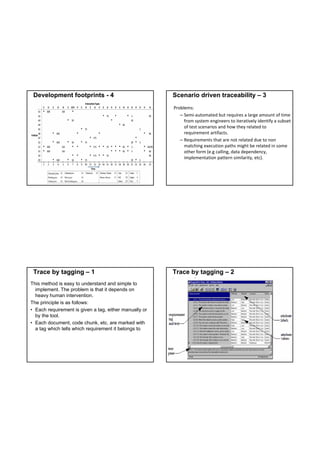
Development footprints - 4                             Scenario driven traceability – 3
                                                        Problems:
                                                           – Semi‐automated but requires a large amount of time 
                                                             from system engineers to iteratively identify a subset 
                                                             of test scenarios and how they related to 
                                                             requirement artifacts.
                                                           – Requirements that are not related due to non 
                                                             matching execution paths might be related in some 
                                                             other form (e.g calling, data dependency, 
                                                             implementation pattern similarity, etc).


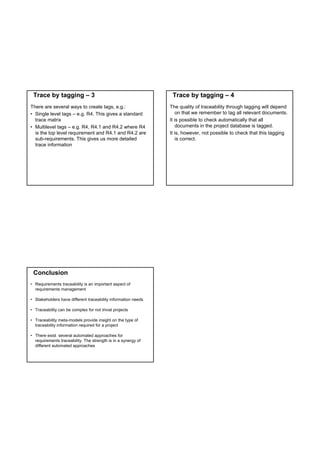
 Trace by tagging – 1                                   Trace by tagging – 2
This method is easy to understand and simple to
  implement. The problem is that it depends on
  heavy human intervention.
The principle is as follows:
• Each requirement is given a tag, either manually or
  by the tool.
• Each document, code chunk, etc. are marked with
  a tag which tells which requirement it belongs to
Trace by tagging – 3                                           Trace by tagging – 4
There are several ways to create tags, e.g.:                   The quality of traceability through tagging will depend
• Single level tags – e.g. R4. This gives a standard               on that we remember to tag all relevant documents.
  trace matrix                                                 It is possible to check automatically that all
• Multilevel tags – e.g. R4, R4.1 and R4.2 where R4                documents in the project database is tagged.
  is the top level requirement and R4.1 and R4.2 are           It is, however, not possible to check that this tagging
  sub-requirements. This gives us more detailed                    is correct.
  trace information


 Conclusion
• Requirements traceability is an important aspect of
  requirements management

• Stakeholders have different traceability information needs

• Traceability can be complex for not trivial projects

• Traceability meta-models provide insight on the type of
  traceability information required for a project

• There exist several automated approaches for
  requirements traceability. The strength is in a synergy of
  different automated approaches
Tor Stålhane
Requirements Specification and Testing
        Requirements testability
Testability definition
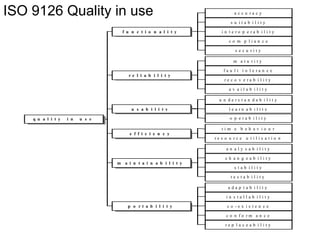
According to ISO 9126, testability is defined
 as:
Testability: The capability of the software
 product to enable modified software to be
 validated.

NOTE - Values of this sub-characteristic
 may be altered by the modifications under
 consideration.
Testability concerns
Testability touches upon two areas of concern:
• How easy is it to test the implementation?
• How test‐friendly is the requirement?

These two concerns are not independent and 
  need to be considered together. We will first 
  look at it from the requirements side.
Testability
Three basic ways to check that we have achieved our
  goals:
• Executing a test. Give input, observe and check
  output. A test can be a
   – Black box test
   – White box test
   – Grey box test
• Run experiments
• Inspect the code and other artifacts
Usually, we will include all of these activities in the
  term testing
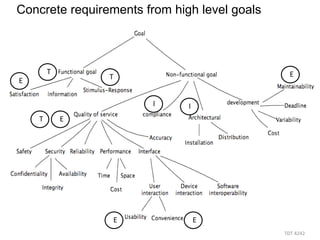
When to use what
The diagram on the next slide is a high level
  overview of when to use
• T – Tests. Input / output. Involves the
  computer system and peripherals.
• E – Experiments. Input / output but
  involves also the users.
• I – Inspections. Evaluation based on
  documents.
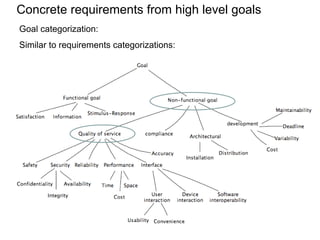
Concrete requirements from high level goals


        T                                       E
E               T


                       I      I
    T       E


                 E                E
                                              TDT 4242 
Testability
In order to be testable, a requirement needs
  to be stated in a precise way. For some
  requirements this is in place right from the
  start:
  When the ACC system is turned on, the
   “Active” light on the dashboard shall be
   turned on.
In other cases we need to change a
  requirement to get a testable version.
  The system shall be easy to use.
Testability challenges - 1
Some requirements are more difficult to test
  than others. Problems might rise due to:
• Volume of tests needed, e.g. response
  time or storage capacity.
• Type of event to be tested, e.g. error
  handling or safety mechanisms.
• The required state of the system before
  testing, e.g. a rare failure state or a certain
  transaction history.
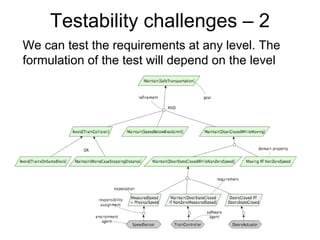
Testability challenges – 2
We can test the requirements at any level. The
formulation of the test will depend on the level
Making a requirement testable – 1
One way to make requirements testable is
  the “Design by Objective” method
  introduced by Tom Gilb.
The method is simple in principle but is in
  some cases difficult to use. There are two
  problems
• The resulting tests can in some be rather
  extensive and thus quite costly.
• The method requires access to the
  system’s end users.
Making a requirement testable – 2
1. What do you mean by <requirement>?
   This will give us either (a) a testable
   requirement or (b) a set of testable and
   non-testable sub-requirements.
2. In case (a) we are finished. In case (b) we
   will repeat question 1 for each non-
   testable sub-requirement
Making a requirement testable – 3
Requirement: Reverse thrust may only be
 used, when the airplane is landed.

The important questions are
• “How do you define landed?”
• Who should you ask – e.g. pilots, airplane
  construction engineers, or airplane
  designers?
Requirements for testability – 1  
First and foremost:
The customer needs to know what he wants
  and why he wants it. In some cases it is
  easier to test if the user actually has
  achieved his goal than to test that the
  system implements the requirement.
Unfortunately, the “why”-part is usually not
  stated as part of a requirement.
Requirements for testability – 2
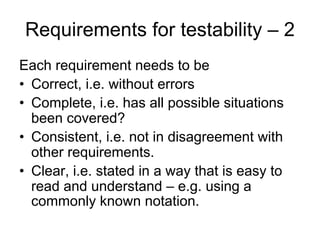
Each requirement needs to be
• Correct, i.e. without errors
• Complete, i.e. has all possible situations
  been covered?
• Consistent, i.e. not in disagreement with
  other requirements.
• Clear, i.e. stated in a way that is easy to
  read and understand – e.g. using a
  commonly known notation.
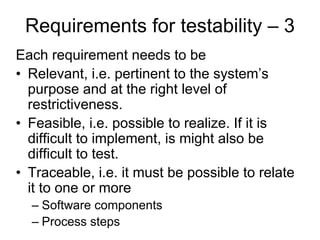
Requirements for testability – 3
Each requirement needs to be
• Relevant, i.e. pertinent to the system’s
  purpose and at the right level of
  restrictiveness.
• Feasible, i.e. possible to realize. If it is
  difficult to implement, is might also be
  difficult to test.
• Traceable, i.e. it must be possible to relate
  it to one or more
  – Software components
  – Process steps
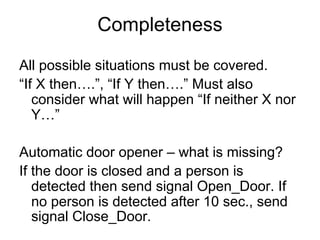
Completeness
All possible situations must be covered.
“If X then….”, “If Y then….” Must also
   consider what will happen “If neither X nor
   Y…”

Automatic door opener – what is missing?
If the door is closed and a person is
   detected then send signal Open_Door. If
   no person is detected after 10 sec., send
   signal Close_Door.
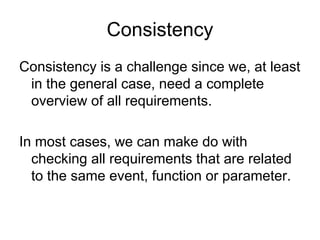
Consistency
Consistency is a challenge since we, at least
 in the general case, need a complete
 overview of all requirements.

In most cases, we can make do with
  checking all requirements that are related
  to the same event, function or parameter.
Clear – 1
This is mainly a question of representation
  such as choice of
• Diagram notation
• Description language
• Level of details
Who shall understand the requirement?
• Customers
• Developers, including hired-in consultants
• Testers
Clear – 2
Simple example:
Print the “accounts ledger” for all accounts

This requirement is perfectly clear for
 developers who are working in the banking
 business.
Other developers might experience some
 problems.
Relevant
Two questions are important:
• Do we really need this requirement?
• Is it at the right level of strictness – i.e. not
  too strict and not too lax.
Only the second question is important for
  the tester.
• Too strict means more work for the
  developers
• Too lax means more work for the tester.
Feasible
This question is really related to the contract but
  we should also consider it here – can we really
  do this?
Testers can contribute to the feasibility question by
  asking how it should be tested. This will help /
  force everybody involved to make the
  requirement more clear and thus improve on the
  requirement.
Requirements that are difficult to tests are also
  usually difficult to implement – mainly because
  they are badly defined.
Some sound advice 
The following set of advices on requirements and 
  testability are quoted from Ludwig Consulting 
  Services, LLC.

They are not a definition and not “the final words”
  on requirements testability. Instead, they should 
  be used as a checklist. 
That one of the following rules are not obeyed does 
  not mean that the requirement is wrong. It 
  should, however, be reviewed for potential 
  problems. 
Modifying Phrases
Words and phrases that include: 
• as appropriate
• if practical
• as required
• to the extent necessary / practical.
 Their meaning 
• is subject to interpretation 
• make the requirement optional 
Phrases like "at a minimum" only ensure the minimum, 
   while "shall be considered" only requires the 
   contractor to think about it.
Vague Words
Vague words inject confusion. Examples of frequently 
  used vague verbs are: 
• manage 
• track
• handle 
• flag 

Information systems receive, store, calculate, report, and 
   transmit data. Use words that express what the system 
   must do. 
Requirement: The system shall process ABC data to the 
   extent necessary to store it in an appropriate form for 
   future access. 
Correction: The system shall edit ABC data. 
Pronouns With No Reference
Example: It shall be displayed. 

When this occurs, the writer is usually relying on 
  a nearby requirement in the requirements 
  document for the meaning of "it." 
As requirements are assigned for 
  implementation, they are often reordered and 
  regrouped, and the defining requirement is no 
  longer nearby.
Passive Voice
Requirements should be written in active voice, 
  which clearly shows X does or provides Y.

Passive voice: Z shall be calculated. 

Active voice: the system shall calculate Z.
Negative Requirements
Everything outside the system is what the system 
  does not do. 
Testing would have to continue forever to prove 
  that the system does not do something. 
State what the system does. Substitute an active 
  verb that expresses what the system must do. 
• Change "the system shall not allow X," to "the 
  system shall prevent Y." 
• Use the prefix "un," such as: The system shall 
  reject unauthorized users. 
Assumptions and Comparisons – 1 
The requirement "the system shall increase 
  throughput by 15%" sounds testable, but isn't. 

The assumption is "over current system 
  throughput." By comparing to another 
  system, the meaning of the requirement 
  changes when the other system changes
Assumptions and Comparisons – 2 
An example, sometimes found in requests for 
  proposals, is: 
"The system shall address the future needs of 
  users." 
The writer is probably thinking ahead to after the 
  contract is awarded. The requirement is 
  meaningless because whenever it is read, it will 
  point to the future. 
A requirement on change management included in 
  the project management processes, would make 
  more sense than making it a requirement for the 
  system.
Indefinite Pronouns
Indefinite pronouns are “stand in” for unnamed people or
things, which makes their meaning subject to interpretation.
Some of these may find their way into requirements:


•   All                       •   Everybody
•   Another                   •   Everyone
•   Any                       •   Everything
•   Anybody                   •   Few
•   Anything                  •   Many 
•   Each                      •   Most
•    Either                   •   Much 
•    Every 
The implementation
We will shortly look at four concerns related to 
  implementation and testability:
• Autonomy of the system under test
• Observability of the testing progress
• Re‐test efficiency 
• Test restartability  
Autonomy – 1  
How many other systems are needed to test this 
   requirement? 
It is best if it can be tested using only the SUT 
   and the autonomy and testability is 
   successively reduced as the number of other, 
   necessary systems increase. 
If the other systems needed are difficult to 
   include at the present we will have to write 
   more or less complex stubs. 
Example – 1  
Requirement: “If the door is closed and a
  person is detected then send signal
  Open_Door”
• Sensors and actuators can be tested in
  the lab.
• The system with a simulated actuator:
  simulate a “person detected” signal on the
  sensor and check if a Open_Door signal is
  sent to the actuator.
Example – 2 
We can build a complete system – door, sensor, 
  door motor and software system and test by
• Letting persons approach the sensor
• Check if the door opens
  – Early enough
  – Fast enough 
Observability 
How easy is it to observe the 
• Progress of the test execution?
  This is important for tests that do not produce 
  output – e.g. the requirement is only 
  concerned with an internal state change or 
  update of a database. 
• Results of the test?
   Important for tests where the output is 
  dependent on an internal state or database 
  content. 
Re‐test effiencey 
Retest efficiency is concerned with how easy it is 
  to perform the “test – check – change – re‐
  test” cycle.  
This includes 
• Observability – observe the test result
• Traceability – identify all tests related to the 
  change  
Test restartability 
This is mostly a question of check points in the 
  code. How easy is it to 
• Stop the test temporarily
• Study current state and output
• Start the test again from
  – The point where it was stopped
  – Start 
Final comments
That a requirement is testable does not
  necessarily mean that it is easy to test.
In order to have testable requirements it is
  important that
• The testers are involved right from the
  start of the project. It is difficult to add
  testability later.
• The tests are an integrated part of the
  requirement
Introduction to exercise 1

        Tor Stålhane
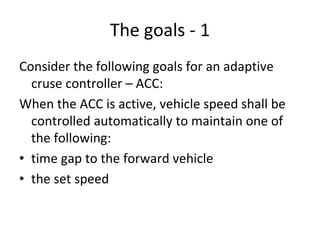
The goals ‐ 1
Consider the following goals for an adaptive 
  cruse controller – ACC:
When the ACC is active, vehicle speed shall be 
  controlled automatically to maintain one of 
  the following:
• time gap to the forward vehicle 
• the set speed
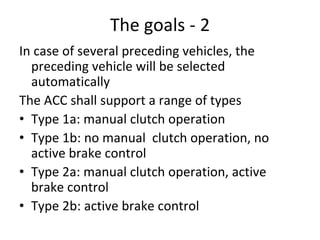
The goals ‐ 2
In case of several preceding vehicles, the 
  preceding vehicle will be selected 
  automatically
The ACC shall support a range of types
• Type 1a: manual clutch operation
• Type 1b: no manual  clutch operation, no 
  active brake control
• Type 2a: manual clutch operation, active 
  brake control
• Type 2b: active brake control
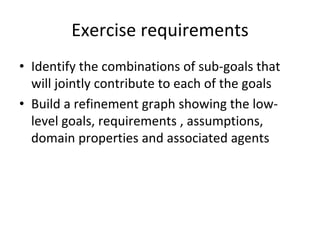
Exercise requirements 
• Identify the combinations of sub‐goals that 
  will jointly contribute to each of the goals
• Build a refinement graph showing the low‐
  level goals, requirements , assumptions, 
  domain properties and associated agents
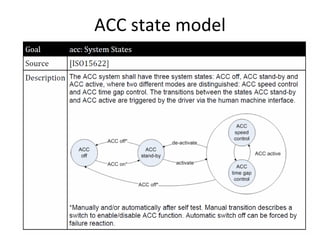
ACC state model
Test vs. inspection
      Part 1 
    Tor Stålhane
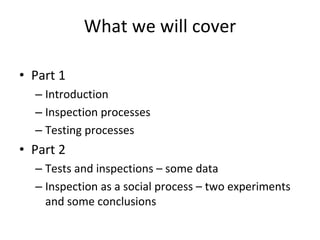
What we will cover

• Part 1 
  – Introduction 
  – Inspection processes
  – Testing processes 
• Part 2
  – Tests and inspections – some data
  – Inspection as a social process – two experiments 
    and some conclusions
Introduction 
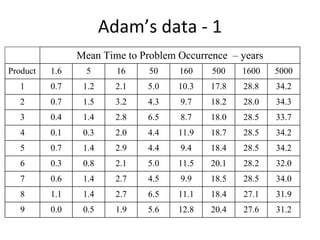
Adam’s data ‐ 1
                Mean Time to Problem Occurrence – years
Product   1.6     5      16    50    160    500    1600   5000
   1      0.7    1.2     2.1   5.0   10.3   17.8   28.8   34.2
   2      0.7    1.5     3.2   4.3   9.7    18.2   28.0   34.3
   3      0.4    1.4     2.8   6.5   8.7    18.0   28.5   33.7
   4      0.1    0.3     2.0   4.4   11.9   18.7   28.5   34.2
   5      0.7    1.4     2.9   4.4   9.4    18.4   28.5   34.2
   6      0.3    0.8     2.1   5.0   11.5   20.1   28.2   32.0
   7      0.6    1.4     2.7   4.5   9.9    18.5   28.5   34.0
   8      1.1    1.4     2.7   6.5   11.1   18.4   27.1   31.9
   9      0.0    0.5     1.9   5.6   12.8   20.4   27.6   31.2
Adams’ data – 2  
The main information that you get from the 
  table on the previous slide is that
• Some defects are important because they will 
  happen quite often.
• Most defects are not important since they will 
  happen seldom.

        How can we tell the difference?
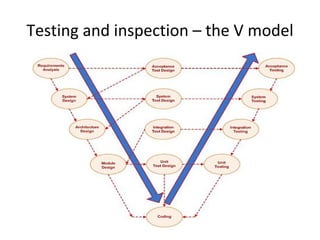
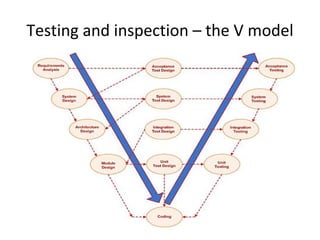
Testing and inspection – the V model
Testing and inspection – 1 
The important message here is that testing 
  cannot always be done. 
In the first, important phases, we have nothing 
  to execute and will thus always have to do 
  some type of inspection. 
This might be considered one of the weaknesses 
  of traditional software engineering over Agile 
  development. 
Testing and inspection – 2  
In order to understand the main differences 
  between testing and inspection, we should 
  consider Fit’s list.
Based on this, we will give a short discussion of 
  the relative merits of testing and inspection.
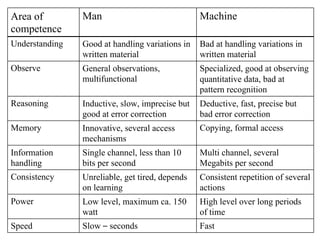
Area of         Man                              Machine
competence
Understanding   Good at handling variations in   Bad at handling variations in
                written material                 written material
Observe         General observations,            Specialized, good at observing
                multifunctional                  quantitative data, bad at
                                                 pattern recognition
Reasoning       Inductive, slow, imprecise but   Deductive, fast, precise but
                good at error correction         bad error correction
Memory          Innovative, several access       Copying, formal access
                mechanisms
Information     Single channel, less than 10     Multi channel, several
handling        bits per second                  Megabits per second
Consistency     Unreliable, get tired, depends   Consistent repetition of several
                on learning                      actions
Power           Low level, maximum ca. 150       High level over long periods
                watt                             of time
Speed           Slow – seconds                   Fast
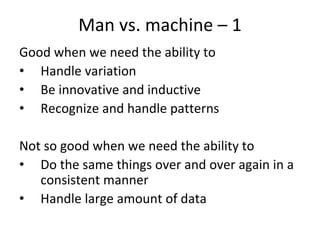
Man vs. machine – 1  
Good when we need the ability to 
• Handle variation
• Be innovative and inductive
• Recognize and handle patterns

Not so good when we need the ability to
• Do the same things over and over again in a 
   consistent manner
• Handle large amount of data
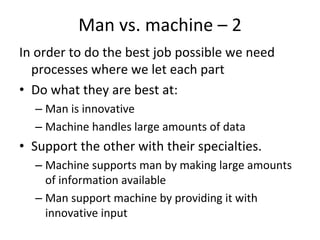
Man vs. machine – 2  
In order to do the best job possible we need 
  processes where we let each part
• Do what they are best at:
  – Man is innovative
  – Machine handles large amounts of data 
• Support the other with their specialties.
  – Machine supports man by making large amounts 
    of information available
  – Man support machine by providing it with 
    innovative input
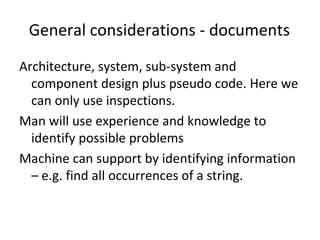
General considerations ‐ documents
Architecture, system, sub‐system and 
  component design plus pseudo code. Here we 
  can only use inspections. 
Man will use experience and knowledge to 
  identify possible problems 
Machine can support by identifying information 
  – e.g. find all occurrences of a string. 
General considerations – code (1)
For executable code, we can use inspection, 
  testing or a combination of both. 
The size and complexity – degree of dynamism –
  of the code will, to a large degree, decide our 
  choice.
Other important factors are the degree of 
  experience with 
• The programming language
• The algorithms used 
General considerations – code (2)
Simple code
• Start with inspection – all code
• Design and run tests
Complex code
• Start with inspection – focus on algorithm and 
  logic
• Decide test completeness criteria – we cannot 
  test everything
• Design and run tests 
Inspection processes
Inspections – 1  
The term “inspection” is often used in a rather 
  imprecise manner. We will look at three types 
  of inspection:
• Walkthrough
• Informal inspection – also called informal 
  review
• Formal inspection – also called formal review 
  or just inspection
The first two types are usually project internal 
  while the last one is used as a final acceptance 
  activity for a document. 
Inspections – 2
For all types of inspections:
• The quality of the results depends on the 
  experience and knowledge of the participants. 
  “Garbage in – Garbage out”
• It might be a good idea to involve customer 
  representatives.
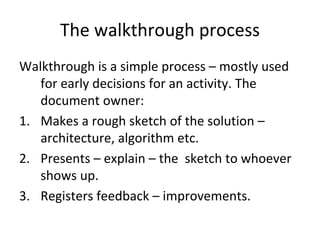
The walkthrough process 
Walkthrough is a simple process – mostly used 
   for early decisions for an activity. The 
   document owner:
1. Makes a rough sketch of the solution –
   architecture, algorithm etc. 
2. Presents – explain – the  sketch to whoever 
   shows up. 
3. Registers feedback – improvements.  
Walkthrough – pros and cons
Pros:
• Easy and inexpensive. Needs no extra 
  preparation.
• Collect ideas at an early stage of 
  development.
Cons:
• No commitment from the participants
• May collect many loose or irrelevant ideas 
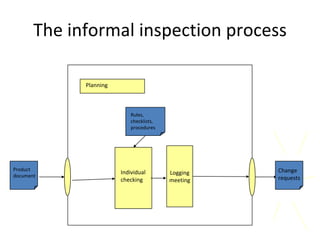
The informal inspection process

             Planning


                            Rules,
                            checklists,
                            procedures


Product                                             Change
                        Individual        Logging
document                                            requests
                        checking          meeting
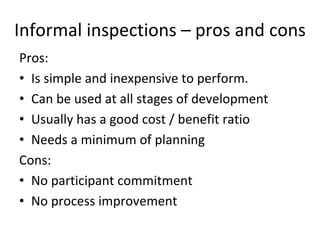
Informal inspections – pros and cons
Pros:
• Is simple and inexpensive to perform.
• Can be used at all stages of development
• Usually has a good cost / benefit ratio
• Needs a minimum of planning
Cons:
• No participant commitment 
• No process improvement
The formal inspection process
The formal inspection process described below 
  is – with small variations – the most 
  commonly used. The version shown on the 
  following slides stem from T. Gilb and D. 
  Graham. 
We recommend this process as the final 
  acceptance process for all important 
  documents
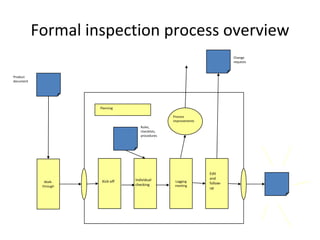
Formal inspection process overview
                                                                            Change
                                                                            requests


Product 
document


                      Planning

                                                   Process 
                                                   improvements
                                     Rules,
                                     checklists,
                                     procedures


                                                                  Edit 
                                  Individual                      and 
             Walk‐     Kick‐off                     Logging
                                                                  follow‐
            through               checking          meeting
                                                                  up
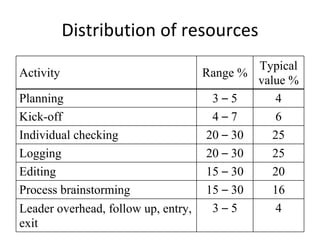
Distribution of resources 
                                           Typical
Activity                           Range %
                                           value %
Planning                            3–5       4
Kick-off                            4–7       6
Individual checking                20 – 30    25
Logging                            20 – 30    25
Editing                            15 – 30    20
Process brainstorming              15 – 30    16
Leader overhead, follow up, entry,  3–5        4
exit
Initiating the inspection process
• The inspection process starts with a “request 
  for inspection” from the author to the QA 
  responsible.
• The QA responsible appoints an inspection 
  leader.
• First step is always to check that the 
  document is fit for inspection.
Planning
Important planning points are:
• Who should participate in the inspections
  – Who is interested?
  – Who have time available for preparation and 
    meetings?
  – Who has the necessary knowledge concerning 
    application, language, tools, methods?
Kick‐off
Important activities here are:
• Distribution of necessary documents:
  – Documents that shall be inspected
  – Requirements
  – Applicable standards and checklists
• Assignment of roles and jobs
• Setting targets for resources, deadlines etc.
Individual checking
This is the main activity of the inspection. Each 
  participant read the document to look for  
• Potential errors ‐ inconsistencies with 
  requirements or common application 
  experience
• Lack of adherence to company standards or 
  good workmanship
Logging meeting
The logging meeting has three purposes:
• Log issues already discovered by inspection 
  participants
• Discover new issues based on discussions 
  and new information that arises during the 
  logging meeting.
• Identify possible improvement to the 
  inspection or development process.
Improve the product ‐ 1
The author receives the log from the inspection 
  meeting. All items ‐ issues ‐ in the log are 
  categorised as one of the following:
• Errors in the author’s document.
• Errors in someone else’s document.
• Misunderstandings in the inspection team.
Improve the product ‐ 2
• Errors in own document:
  Make appropriate corrections
• Errors in someone else’s documents:
  Inform the owner of this document.
• Misunderstandings in the inspection team:
  Improve document to avoid further 
  misunderstandings.
Checking the changes
This is the responsibility of the inspection 
  leader. He must assure that all issues raised 
  in the log are disposed of in a satisfactory 
  manner:
• The documents that have been inspected
• Related documents ‐ including standards 
  and checklists
• Suggested process improvements 
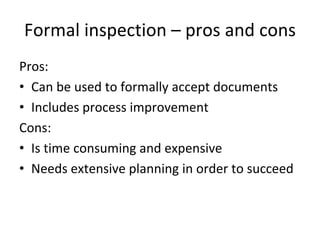
Formal inspection – pros and cons
Pros:
• Can be used to formally accept documents
• Includes process improvement 
Cons:
• Is time consuming and expensive
• Needs extensive planning in order to succeed
Testing processes 
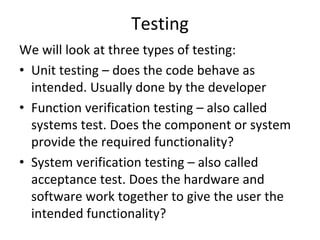
Testing 
We will look at three types of testing:
• Unit testing – does the code behave as 
  intended. Usually done by the developer
• Function verification testing – also called 
  systems test. Does the component or system 
  provide the required functionality?
• System verification testing – also called 
  acceptance test. Does the hardware and 
  software work together to give the user the 
  intended functionality?
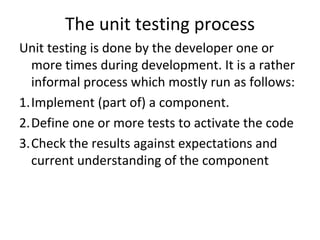
The unit testing process
Unit testing is done by the developer one or 
  more times during development. It is a rather 
  informal process which mostly run as follows:
1.Implement (part of) a component.
2.Define one or more tests to activate the code
3.Check the results against expectations and 
  current understanding of the component
Unit testing – pros and cons
Pros:
• Simple way to check that the code works.
• Can be used together with coding in an 
  iterative manner.
Cons:
• Will only test the developer’s understanding 
  of the spec.
• May need stubs or drivers in order to test
The system test process
A systems test has the following steps:
1. Based on the requirements, identify
  –   Test for each requirement, including error handling
  –   Initial state, expected result and final state
2. Identify dependencies between tests
3. Identify acceptance criteria for test suite 
4. Run tests and check results against 
  –   Acceptance criteria for each test
  –   Acceptance criteria for the test suite
Systems test – pros and cons
Pros:
• Tests system’s behavior against customer 
  requirements.
Cons:
• It is a black box test. If we find an error, the 
  systems test must be followed by extensive 
  debugging
The acceptance test process
The acceptance test usually has three actvities –
  both involving the customer or his 
  representatives:
• Rerun the systems test at the customer’s site.
• Use the system to solve a set of real‐world 
  tasks.
• Try to break the system – by stressing it or by 
  feeding it large amounts of illegal input
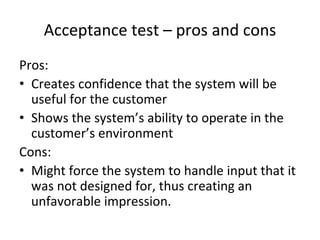
Acceptance test – pros and cons
Pros:
• Creates confidence that the system will be 
  useful for the customer
• Shows the system’s ability to operate in the 
  customer’s environment
Cons:
• Might force the system to handle input that it 
  was not designed for, thus creating an 
  unfavorable impression.
Test vs. inspection
      Part 2
    Tor Stålhane
Testing and inspection
 A short data analysis 
Test and inspections – some terms
First we need to understand two important 
  terms – defect types and triggers.
After this we will look at inspection data and 
  test data from three activity types, organized 
  according to type of defect and trigger. 
We need the defect categories to compare test 
  and inspections – where is what best?
Defect categories
This presentation uses eight defect categories:
• Wrong or missing assignment
• Wrong or missing data validation
• Error in algorithm – no design change is necessary
• Wrong timing or sequencing
• Interface problems
• Functional error – design change is needed
• Build, package or merge problem
• Documentation problem
Triggers 
We will use different triggers for test and 
 inspections. In addition – white box and black 
 box tests will use different triggers. 

We will get back to triggers and black box / 
 white box testing later in the course.
Inspection triggers
• Design conformance
• Understanding details
   – Operation and semantics
   – Side effects
   – Concurrency
• Backward compatibility – earlier versions of this 
  system
• Lateral compatibility – other, similar systems
• Rare situations
• Document consistency and completeness
• Language dependencies
Test triggers – black box 
• Test coverage
• Sequencing – two code chunks in sequence
• Interaction – two code chunks in parallel
• Data variation – variations over a simple test 
  case
• Side effects – unanticipated effects of a simple 
  test case
Test triggers – white box
• Simple path coverage
• Combinational path coverage – same path 
  covered several times but with different 
  inputs
• Side effect ‐ unanticipated effects of a simple 
  path coverage
Testing and inspection – the V model
Inspection data
We will look at inspection data from three 
  development activities:
• High level design: architectural design 
• Low level design: design of subsystems, 
  components – modules – and data models
• Implementation: realization, writing code  

This is the left hand side of the V‐model
Test data 
We will look at test data from three 
  development activities:
• Unit testing: testing a small unit like a method 
  or a class
• Function verification testing: functional 
  testing of a component, a system or a 
  subsystem
• System verification testing: testing the total 
  system, including hardware and users.  
This is the right hand side of the V‐model
What did we find 
The next tables will, for each of the assigned 
  development activities, show the following 
  information:
• Development activity
• The three most efficient triggers

First for inspection and then for testing
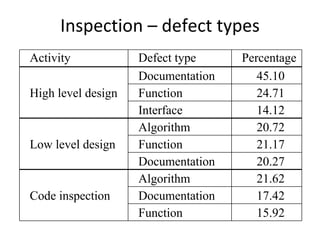
Inspection – defect types
Activity            Defect type     Percentage
                    Documentation      45.10
High level design   Function           24.71
                    Interface          14.12
                    Algorithm          20.72
Low level design    Function           21.17
                    Documentation      20.27
                    Algorithm          21.62
Code inspection     Documentation      17.42
                    Function           15.92
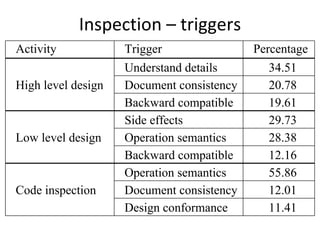
Inspection – triggers 
Activity            Trigger                Percentage
                    Understand details       34.51
High level design   Document consistency     20.78
                    Backward compatible      19.61
                    Side effects             29.73
Low level design    Operation semantics      28.38
                    Backward compatible      12.16
                    Operation semantics      55.86
Code inspection     Document consistency     12.01
                    Design conformance       11.41
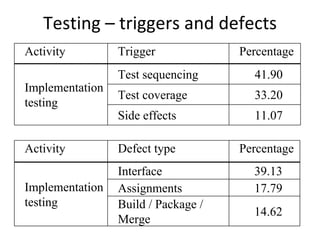
Testing – triggers and defects 
Activity         Trigger             Percentage
                 Test sequencing       41.90
Implementation
                 Test coverage         33.20
testing
                 Side effects          11.07

Activity         Defect type         Percentage
                 Interface             39.13
Implementation   Assignments           17.79
testing          Build / Package /
                                       14.62
                 Merge
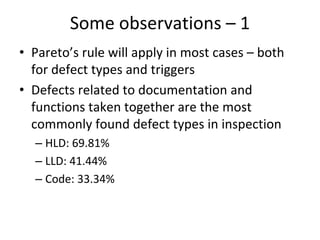
Some observations – 1  
• Pareto’s rule will apply in most cases – both 
  for defect types and triggers
• Defects related to documentation and 
  functions taken together are the most 
  commonly found defect types in inspection
  – HLD: 69.81%
  – LLD: 41.44%
  – Code: 33.34%
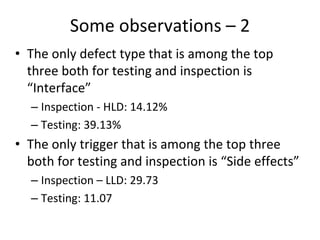
Some observations – 2 
• The only defect type that is among the top 
  three both for testing and inspection is 
  “Interface”
  – Inspection ‐ HLD: 14.12%
  – Testing: 39.13% 
• The only trigger that is among the top three 
  both for testing and inspection is “Side effects”
  – Inspection – LLD: 29.73
  – Testing: 11.07
Summary 
Testing and inspection are different activities. 
  By and large, they
• Need different triggers
• Use different mind sets
• Find different types of defects  

Thus, we need both activities in order to get a 
  high quality product
Inspection as a social process 
Inspection as a social process
Inspections is a people‐intensive process. Thus, 
  we cannot consider only technical details – we 
  also need to consider how people
• Interact
• Cooperate
Data sources 
We will base our discuss on data from two 
  experiments:
• UNSW – three experiments with 200 students. 
  Focus was on process gain versus process loss.
• NTNU – two experiments 
  – NTNU 1 with 20 students. Group size and the use 
    of checklists.
  – NTNU 2 with 40 students. Detection probabilities 
    for different defect types.
The UNSW data
The programs inspected were 
• 150 lines long with 19 seeded defects 
• 350 lines long with seeded 38 defects
1. Each student inspected the code individually and 
    turned in an inspection report.
2. The students were randomly assigned to one out 
    of 40 groups – three persons per group. 
3. Each group inspected the code together and 
    turned in a group inspection report. 
Gain and loss ‐ 1
In order to discuss process gain and process 
  loss, we need two terms:
• Nominal group (NG) – a group of persons that 
  will later participate in a real group but are 
  currently working alone.
• Real group (RG) – a group of people in direct 
  communication, working together.
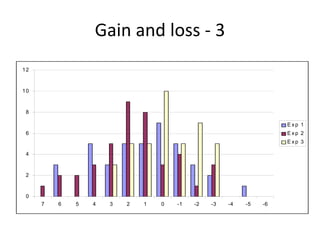
Gain and loss ‐2
The next diagram show the distribution of the 
  difference NG – RG. Note that the
• Process loss can be as large as 7 defects
• Process gain can be as large as 5 defects

Thus, there are large opportunities and large 
  dangers. 
Gain and loss ‐ 3
12


10


 8

                                                                   Exp 1
 6                                                                 Exp 2
                                                                   Exp 3

 4


 2


 0
     7   6   5   4   3   2   1   0   -1   -2   -3   -4   -5   -6
Gain and loss ‐ 4
If we pool the data from all experiments, we 
   find that the probability for:
• Process loss is 53 %
• Process gain is 30 %

Thus, if we must choose, it is better to drop the 
  group part of the inspection process. 
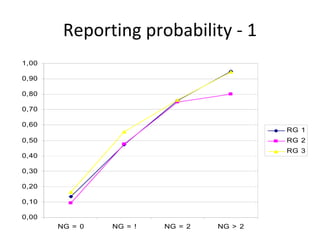
Reporting probability ‐ 1 
1,00

0,90

0,80

0,70

0,60
                                           RG 1
0,50                                       RG 2
                                           RG 3
0,40

0,30

0,20

0,10

0,00
       NG = 0   NG = !   NG = 2   NG > 2
Reporting probability ‐ 2
It is a 10% probability of reporting a defect even 
   if nobody found it during their preparations.
It is a 80 % to 95% probability of reporting a 
   defect that is found by everybody in the 
   nominal group during preparations. 
Reporting probability ‐ 3
The table and diagram opens up for two 
  possible interpretations:
• We have a, possibly silent, voting process. The 
  majority decides what is reported from the 
  group and what is not. 
• The defect reporting process is controlled by 
  group pressure. If nobody else have found it, 
  it is hard for a single person to get it included 
  in the final report. 
A closer look ‐ 1
The next diagram shows that when we have 
• Process loss, we find few new defects during 
  the meeting but remove many 
• Process gain, we find, many new defects 
  during the meeting but remove just a few
• Process stability, we find and remove roughly 
  the same amount during the meeting.
New, retained and removed defects
50

45

40

35

30
                                        RG > NG
25                                      RG = NG

20                                      RG < NG

15

10

5

0
         New       Retained   Removed
A closer look ‐ 2
It seems that groups can be split according to 
   the following characteristics 
• Process gain 
  – All individual contributions are accepted.
  – Find many new defects.
• Process loss 
  – Minority contributions are ignored
  – Find few new defects. 
A closer look ‐ 3
A group with process looses is double negative. 
  It rejects minority opinions and thus most 
  defects found by just a few of the participants 
  during:
• Individual preparation.
• The group meeting.
The participants can be good at finding defects –
  the problem is the group process.
The NTNU‐1 data
We had 20 students in the experiment. The 
   program to inspect was130 lines long. We 
   seeded 13 defects in the program.
1. We used groups of two, three and five 
   students. 
2. Half the groups used a tailored checklist.
3. Each group inspected the code and turned in 
   an inspection report.
Group size and check lists ‐ 1 
We studied two effects:
• The size of the inspection team. Small groups 
  (2 persons) versus large groups (5 persons)
• The use of checklists or not
In addition we considered the combined effect –
  the factor interaction.
DoE‐table 
                                   Number of
Group size      Use of
                            AXB      defects
    A        checklists B
                                    reported

    -             -          +        7

    -             +          -        9

   +              -          -        13

   +              +          +        11
Group size and check lists ‐ 2
Simple arithmetic gives us the following results:
• Group size effect – small vs. large ‐ is 4.
• Check list effect – use vs. no use – is 0.
• Interaction – large groups with check lists vs. 
  small group without – is ‐2.
Standard deviation is 1.7. Two standard 
  deviations – 5% confidence – rules out 
  everything but group size. 
The NTNU‐2 data
We had 40 students in the experiment. The 
   program to inspect was130 lines long. We 
   seeded 12 defects in the program.
1. We had 20 PhD students and 20 third year 
   software engineering students.
2. Each student inspected the code individually 
   and turned in an inspection report. 
Defect types 
The 12 seeded defects were of one of the 
  following types:
• Wrong code – e.g. wrong parameter
• Extra code ‐ e.g. unused variable
• Missing code – e.g. no exception handling 

There was four defects of each type. 
How often is each defect found
0,90

0,80

0,70

0,60

0,50
                                                                      low experience

0,40                                                                  high experience


0,30

0,20

0,10

0,00
       D3   D4   D8   D10   D2   D5   D9   D12   D1   D6   D7   D11
Who finds what – and why
First and foremost we need to clarify what we 
  mean by high and low experience. 
• High experience – PhD students. 
• Low experience ‐ third and fourth year 
  students in software engineering. 
High experience, in our case, turned out to 
  mean less recent hands‐on development 
  experience.
Hands‐on experience
The plot shows us that:
• People with recent hands‐on experience are 
  better at finding missing code
• People with more engineering education are 
  better at finding extra – unnecessary – code.
• Experience does not matter when finding 
  wrong code statements.
Testing and Cost / Benefit

        Tor Stålhane
Why cost / benefit – 1
For most “real” software systems, the
  number of possible inputs is large.
Thus, we can use a large amount of
  resources on testing and still expect to get
  some extra benefit from the next test.
At some point, however, we will reach a
  point where the cost of the next test will be
  larger – maybe even much lager – that the
  benefit that we can expect to receive.
Why cost / benefit – 2
The reason for cost / benefit analysis is the
  need to answer the question:
     “When should we stop testing?”
In economic terms, this can be answered by
• Comparing costs and benefits for the next
  test
• Stop when the cost is greater than the
  expected benefits
Why cost / benefit – 3
The result of a cost / benefit analysis will
 depend strongly on which costs and
 benefits we choose to include.
Thus, a cost / benefit analysis can never be
 completely objective.
Which costs should be included
As a minimum we need to include costs to
• Develop new tests
• Run new tests
• Correct newly discovered defects
In addition we may include costs incurred by
• Not being able to use the personnel for
  other, more profitable activities
• Dissatisfied customers – bad-will, bad PR
Which benefits should be included
As a minimum we need to include benefits
  from
• Finding the defects before release – lower
  correction costs
In addition we may include benefits from
• Better reputation in the marketplace
• More satisfied customers
• Alternative use of free personnel
  resources
Cost / benefit
When the costs and benefits are identified,
 the decision can be made based on the
 value of the difference:
             Benefits – costs

The main challenge is how to identify the
 important costs and benefits.
Several alternatives
One of the important benefits of stopping
 testing is alternative uses of freed
 personnel resources – e.g. develop a new
 product or improve an existing product.
Thus, there can be several possible costs
 and benefits. They are best compared
 using the concept of leverage.

Leverage = (Benefit – Cost) / Cost
Hard costs and “soft” benefits
The main problem for a cost / benefits
  analysis of testing is that
• Many of the costs are “now” and easy to
  identify and enumerate
• Many of the benefits are “later” and difficult
  to identify and enumerate.
How to assign value to “soft” benefits
Many of the ”hard” benefits are related to
 saving money. However,
 The company’s main goal cannot be to
                save money.

The main goals are about increasing e.g.
• Profit or shareholder value
• Market shares
• Market reputation
Creation of value
Improving market share or reputation,
  building a strong brand etc. is all about
  value creation. This is achieved through
  creativity and for this we need people.

Thus, moving people from testing and error
 correction to development is not about
 saving money but about creating new
 value.
“Soft” benefits
To assign value to soft benefits we need to:
• Identify important company goals and
  factors (means) contributing to these goals
• Map the factors onto events related to
  testing
• Ask the company what they would be
  willing to pay to
  – Get an increase of a certain factor – e.g.
    market share
  – Avoid a increase of a certain factor – e.g.
    customer complaints
“Soft” benefits – example (1)
Goal and mean identification
• Important company goal: Increase sales
• Testing benefit: Better reputation in the
  market place
The important questions are:
• How much will a product with fewer
  defects contribute to the company’s
  reputation?
• How much will this increase in reputation
  increase sales?
“Soft” benefits – example (2)
The answers to the to latest questions will
 have to be answered by management.
Usually they will not be able to give you a
 number but they will, in most cases, be
 able to give you an interval.
Thus, the answer to the question “How
 much will this increase in reputation
 increase sales?” can be something like
 10% to 30%, which then can be used for a
 benefit assessment.
Simple cost / benefit
Assess
• Cost = assessed total costs
• Benefits(low) =
  hard benefits + minimum soft benefits

This is a good idea if Cost < Benefits(low)
Testing and information – 1
As said earlier – cost / benefits are used to
  decide when to stop testing.
For this decision, we need to consider to
  parameters:
• P(wrong) – the probability of making the
  wrong decisions.
• Cost(wrong) – the cost of making the
  wrong decision.
Testing and information – 2
Before running a test we need to consider
 what more information we will have if the
 test case (1) fails or (2) runs OK.

Wrong approach: Make a test, run it and
 see what we can learn.

Right approach: What info do we need?
 Design and run test designed to get the
 needed info.
Testing and information – 3
Based on cost and probability, we can
 compute the risk of the decision:

      Risk = P(wrong) * Cost(wrong)
The risk should be added to the costs in the
 cost / benefit analysis, e.g. in the leverage
 expression.
The value of information
Without any information, the probability of
   making the wrong decision will be 0.5.
We can decrease this probability by
   collecting more information. In our case
   this means running more tests.
It is, however, important to remember that
   running more tests also will increase our
   costs. Thus, the two factors risk and cost
   need to be considered together.
Regret
As the name implies, regret is the assessed
 value of something we regret we did not
 do. In cost / benefit analysis, it is an
 opportunity that we did not grab.
The question used to assess the value of
 the regret is:

“If you do not grab this opportunity, how
    much would you be willing to pay to
           have it another time?”
Leverage, risk and regret
We can easily include the assessed risk and
 regret in the leverage computation:
Total benefit = Regret + Benefit
Total cost = Risk + Cost

L = (Total benefit – Total cost) / Total cost
Advanced cost / benefit
To reduce the complexity of the problem, we
  will assume that
• The cost of a wrong decision is constant
• The benefits are constant until a time T.
  After T, the benefits will drop to 0, e.g.
  because a “window of opportunity” has
  been closed.
• P(wrong) decreases exponentially with the
  money invested in information collection.
Example - 1

250,00
200,00
150,00
100,00
                                                     Risk
 50,00
                                                     Money spent
  0,00
                                                     Benefit
 -50,00 1 3 5 7 9 11 13 15 17 19 21 23 25 27 29 31
                                                     Total
-100,00
-150,00
-200,00
-250,00
Example – 2

250,00                                                             We see that everything
200,00                                                             done after day 7 is a
150,00                                                             waste of time and
100,00
                                                     Risk
                                                                   resources.
 50,00
                                                     Money spent   After this, we spend
  0,00
 -50,00 1 3 5 7 9 11 13 15 17 19 21 23 25 27 29 31
                                                     Benefit       money getting rid of
                                                     Total
-100,00                                                            a steadily smaller
-150,00                                                            risk.
-200,00
-250,00
Summary
• Understand the company’s goals. Saving
  money is probably not the most important
  one.
• Include all benefits. Use available
  company knowledge and experience.
• More knowledge has both a benefit and a
  cost.
Writing a Test Strategy

      Tor Stålhane
Why a testing strategy
We need a testing strategy to help
• System and software testers plus Test‐and‐
  Evaluation staff to determine the overall test 
  strategy when developing or modifying a 
  software intensive system 
• Project stakeholders – customers and senior 
  management – to approve the test strategy
• Testers and system and software analysis to 
  determine
   – Test objectives
   – Qualification requirements
   – Verification and validation criteria
Testing strategy concepts
We will discuss the following concepts:
• Purpose of a test strategy
• Testing focus
• Contents of a test strategy
• Software integrity levels
• Test objectives and priorities
Purpose of a test strategy – 1 
The test strategy is important in order to
• Obtain consensus on test goals and objectives 
  from stakeholders – e.g. management, 
  developers, testers, customers and users
• Manage expectations right from the start
• Be sure that we are heading in the right 
  direction
• Identify the type of tests to be conducted at 
  all test levels
Purpose of a test strategy – 2
When we write a test strategy is important to 
  remember that:
• Whatever we do, some kind of test strategy will 
  emerge. Thus, we might as well specify the one 
  we think is the best one
• A documented strategy is the most effective way 
  to get an early agreement on goals and objectives
• We need to address:
  – Human factors – usability
  – Interoperability, except for stand‐alone systems 
Testing focus 
Our focus will depend on which stakeholder we 
  are considering at the moment:
• Users – acceptance test and operational tests
• Analysts – systems test, qualification tests
• Designer – integration tests
• Programmer – unit tests
The main point is that we need to define the 
  stakeholder first – then the tests to be run.
Contents of a test strategy – 1 
The following is a list of what can be specified in 
  a test strategy. Not all of it is needed in all 
  cases – only use what is necessary.
• Project plan, risks and activities
• Relevant regulations – depending ofn 
  application area
• Required processes and standards
• Supporting guide lines 
Contents of a test strategy – 2
• Stakeholders – e.g. users, testers, maintainers 
  – and  their objectives
• Necessary resources – people, computers
• Test levels and phases
• Test environment – e.g. lab equipment
• Completion criteria for each phase
• Required documentation and review method 
  for each document
Software integrity level
There are several ways to define software 
  integrity levels. When we choose an integrity 
  level this will strongly influence the way we do 
  testing.
We will look at three definitions of integrity 
  levels:
• IEEE 1012 – general software
• ISO 26262 – automotive software
• IEC 61508 – general safety critical software  
IEEE 1012 – general software
• 4, High – some functions affect critical system 
  performance.
• 3, Major – some functions affects important 
  system performance
• 2, Moderate – some functions effect system 
  performance but workarounds can be 
  implemented to compensate.
• 1, Low – some functions have noticeable 
  effect on system performance but creates 
  only inconveniences
V&V Activities 
                             Development
                                             Design   Implementation   Test level
V&V activity                 requirements
                                              level        level
                                 level

SW Integrity Level           4   3 2 1 4 3 2 1        4   3   2   1    4 3 2    1

Acceptance test execution                                              X X X

Acceptance test plan         X   X X

Interface analysis           X   X X        X X X     X   X X

Management and review
                             X   X          X X       X   X            X X
support
Management review of
                             X   X X        X X X X X     X X     X
V&V
ISO 26262 – automotive software
The ASIL level – A, B, C or D – is the outcome of 
  the combination of three factors:
• S – Severity. How dangerous is a event
• E – Probability. How likely is the event
• C – Controllability. How easy the event to 
  control if it occurs    
Finding the ASIL level
Severity      Probability    C1   C2   C3

                  E1         QM   QM   QM
                  E2         QM   QM   QM
  S1
                  E3         QM   QM   A
                  E4         QM   A    B
                  E1         QM   QM   QM
                  E2         QM   QM   A
  S2
                  E3         QM   A    B
                  E4         A    B    C
                  E1         QM   QM   A
                  E2         QM   A    B
  S3
                  E3         A    B    C
                  E4         B    C    D
Methods for software integration 
                testing
Methods and Measures             According         ASIL
                                 to req.
                                             A    B    C    D

1      Requirements based test   9.4.4       ++   ++   ++   ++

2      External interface test   9.4.4       +    ++   ++   ++

3      Fault injection test      9.4.4       +    +    ++   ++

4      Error guessing test       9.4.4       +    +    ++   ++
Methods for software unit testing

Methods and Measures                     According       ASIL
                                         to req.     A   B   C   D
1   Functional tests                     8.4.2       See table 8.2

2   Structural coverage                  8.4.2       See table 8.3

3   Resource usage measurement           8.4.2       +   +   +   ++

4   Back-to-back test between simulation 8.4.2       +   +   ++ ++
      model and code, if applicable
IEC 61508 – safety critical software
      Safety     High demand or continuous mode of
  integrity                     operation
    level
                  (Probability of a dangerous failure per
                                       hour)
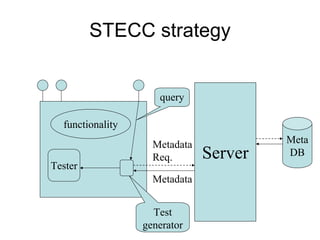
     4                           10 -9 to  10 -8

     3                           10 -8 to  10 -7

     2                              10 -7 to  10 -6

     1                           10 -6 to  10 -5


PFDavg = Ft / Fnp . The table above, together with this
value decides the SIL level.
Detailed design 
Technique/Measure                                  Ref       SIL1     SIL2      SIL3     SIL4
1a Structured methods including for example,      C.2.1
   JSD, MASCOT, SADT and Yourdon                              HR       HR       HR        HR
1b Semi-formal methods                          Table B.7      R       HR       HR        HR
1c Formal methods including for example,          C.2.4       ---       R        R        HR
   CCS, CSP, HOL, LOTOS, OBJ, temporal
   logic, VDM and Z
2 Computer-aided design tools                     B.3.5        R        R       HR        HR
3   Defensive programming                         C.2.5       ---       R       HR        HR
4   Modular approach                            Table B.9     HR       HR       HR        HR
5   Design and coding standards                 Table B.1     R        HR       HR        HR
6   Structured programming                        C.2.7       HR       HR       HR        HR
7   Use of trusted/verified software modules     C.2.10       R        HR       HR        HR
    and components (if available)                C.4.5


Appropriate techniques/measures shall be selected according to the safety integrity level.
Alternate or equivalent techniques/measures are indicated by a letter following the number. Only
one of the alternate or equivalent techniques/measures has to be satisfied.
Module testing and integration 
Technique/Measure                                  Ref       SIL1      SIL2     SIL3      SIL4
1   Probabilistic testing                         C.5.1       ---       R        R        HR

2    Dynamic analysis and testing                 B.6.5        R        HR       HR       HR
                                                Table B.2
3    Data recording and analysis                  C.5.2       HR        HR       HR       HR
4    Functional and black box testing             B.5.1       HR        HR       HR       HR
                                                  B.5.2
                                                Table B.3


5    Performance testing                         C.5.20        R        R        HR       HR
                                                Table B.6
6    Interface testing                            C.5.3        R        R        HR       HR


a) Software module and integration testing are verification activities (see table A.9).
b) A numbered technique/measure shall be selected according to the safety integrity level.
c) Appropriate techniques/measures shall be selected according to the safety integrity level.
Test objectives and priorities
Only in rather special cases can we test all input 
  – binary input / output and few parameters. 
  Thus, we need to know 
• The overall objective of testing
• The objective of every test case
• The test case design techniques needed to 
  achieve our goals in a systematic way.
The test objectives are our requirements 
  specification for testing.
Test data selection
One of the important decisions in selecting a 
  test strategy is how to select test data. We 
  will look at five popular methods
• Random testing
• Domain partition testing
• Risk based testing
• User profile testing
• Bach’s heuristic risk‐based testing
Random testing
The idea of random testing is simple:
1. Define all input parameters – e.g. integer, real, string
2. Use a random test / number generator to produce 
   inputs to the SUT
The main problem with this method is the lack of an 
   oracle to check the results against. Thus, manual 
   checking is necessary.
The method is mostly used for crash testing 
   (robustness testing) – will the system survive this 
   input?
Domain partition testing – 1 
Definitions:
• A domain is a set of input values for which the 
  program performs the same computation for 
  every number of the set. We want to define 
  the domains so that the program performs 
  different computations on adjacent domains
• A program is said to have a domain error if the 
  program incorrectly performs input 
  classification – selects the wrong domain
Domain testing – simple example
aX   2
          bX  c  0

 If a >< 0, this equation has the following solution

     b          b2     c
X               2
                     
     2a         4a     a

Otherwise we have that
      c
X  
      b
Testing domains 
                          A  = 0
                          a >< 0
A = 0
a=0


                                   b2      c
                                        A = 0  0
                                        
                     D3            4a 2    a

        D1


                D2


                                     b2 c
                                       A = 0 0
                                        
                                     4a2 a
Risk based testing 
The idea of risk based testing is to 
1.Identify the risk or cost of not delivering a 
  certain functionality.
2.Use this info to prioritize tests. We will cover 
  this in more details later under “Test 
  prioritation”
User profile testing
The main idea with this type of testing is to 
  generate tests that mirror the user’s way of 
  using the system. 
Consider a situation where we know that the 
  users in 80% of all case 
• Fetch a table from the database
• Update one or more info items
• Save the table back to the database
Then 80% of all tests should test these three 
  actions. 
Bach’s risk‐based testing
Bach’s heuristics is based on his experience as a 
  tester.  Based on this experience he has 
  identified
• A generic risk list – things that are important 
  to test
• A risk catalogue – things that often go wrong

We will give a short summary of the first of 
 Bach’s lists.  
Bach’s generic risk list – 1  
Look out for anything that is:
• Complex – large, intricate or convoluted
• New – no past history in this product
• Changed – anything that has been tampered with or 
  “improved”
• Upstream dependency – a failure here will cascade 
  through the system
• Downstream dependency – sensitive to failure in the 
  rest of the system
• Critical – a failure here will cause serious damage
Bach’s generic risk list – 2
• Precise – must meet the requirements exactly
• Popular – will be used a lot
• Strategic – of special importance to the users or 
  customers
• Third‐party – developed outside the project
• Distributed – spread out over time or space but still 
  required to work together
• Buggy – known to have a lot of problems
• Recent failure – has a recent history of failures.
Test and system level – 1  
Test and system level – 2
From the diagram on the previous slide we see 
  that we can test on the
• Electronics level – e.g. DoorActuator sends the 
  right signal
• State / signal level – e.g. door is closed iff
  DoorStateClosed
• Logical level – e.g. the door remain closed as 
  long as the speed is non‐zero
• Safety level – e.g. the door remain closed as 
  long as the train is moving
Acknowledgement 

The first part of this presentation is mainly 
  taken from Gregory T. Daich’s presentation 
  “Defining a Software Testing Strategy”, 30 
  April 2002.
White Box and Black Box
        Testing 
       Tor Stålhane
What is White Box testing 
White box testing is testing where we use the 
  info available from the code of the 
  component to generate tests.
This info is usually used to achieve coverage in 
  one way or another – e.g.
• Code coverage
• Path coverage
• Decision coverage
Debugging will always be white‐box testing 
Coverage report. Example – 1 
Coverage report. Example – 2 
McCabe’s cyclomatic complexity
Mathematically, the cyclomatic complexity of a structured 
program is defined with reference to a directed graph
containing the basic blocks of the program, with an edge 
between two basic blocks if control may pass from the first 
to the second (the control flow graph of the program). The 
complexity is then defined as:

   v(G) = E − N + 2P
   v(G) = cyclomatic complexity
   E = the number of edges of the graph
   N = the number of nodes of the graph
   P = the number of connected components
Graph example 
  We have eight nodes – N = 8 –
  nine edges – E = 9 – and we have
  only one component – P = 1.

  Thus, we have
  v(G) = 9 – 8 + 2 = 3.
Simple case ‐ 1

                    S1;
     S1
                    IF P1 THEN S2 ELSE S3
                    S4;
          P1
S2             S3


                    One predicate – P1. v(G) = 2
     S4             Two test cases can cover all code
Simple case – 2  

                     S1;
      S1
                     IF P1 THEN X := a/c ELSE S3;
                     S4;
           P1
a/c             S3
                     One predicate – P1. v(G) = 2
                     Two test cases will cover all paths
      S4             but not all cases. What about the
                     case c = 0?
Statement coverage – 1      
IF in_data > 10                 P1

    {out_data = 4;}
                           S1        S2
ELSE 
    {out_data = 5;}
                                P2
IF out_data == 8           S3        empty

   {update_panel();}

How can we obtain full statement coverage?
Statement  coverage – 2  
out_data = 0
IF in_data > 10
   {out_data = 4;}
update_panel();

If we set in_data to 12 we will have full 
   statement coverage. What is the problem? 
Decision coverage
IF (in_data > 10 OR sub_mode ==3)
    {out_data = 4;}                              P1
                                         P1‐1
ELSE
                                P1‐2
    {…..} 
                                        empty 
                                                 empty 

                                   S1
We need to cover all decisions 
Using v(G)
The minimum number of paths through the 
  code is v(G).
As long as the code graph is a DAG – Directed 
  Acyclic Graph – the maximum number of 
  paths is 2**|{predicates}|

Thus, we have that
V(G) < number of paths <  2**|{predicates}|
Problem – the loop

     S1
                         S1;
                         DO
          P1
                           IF P1 THEN S2 ELSE S3;
S2                  S3     S4
                         OD UNTIL P2
                         S5;
     S4
               P2
                         No DAG. v(G) = 3 and Max
     S5
                         is 4 but there is an “infinite”
                         number of paths.
Nested decisions 
                      S1;
     S1               IF P1 THEN S2 ELSE
                         S3;
      P1        S3       IF P2 THEN S4 ELSE S5
S2
                      FI
      S4   P2
                      S6;
                 S5
                      v(G) = 3, while Max = 4.
     S6               Three test case will cover all
                      paths.
Using a decision table – 1
A decision table is a general technique used to 
   achieve full path coverage. It will, however, 
   in many cases, lead to over‐testing. 
The idea is simple. 
1. Make a table of all predicates.
2. Insert all combinations of True / False – 1 / 0 
   – for each predicate
3. Construct a test for each combination.  
Using a decision table – 2  
P1    P2   P3   Test description or reference
 0     0    0
0     0    1
0     1    0
0     1    1
1     0    0
1     0    1
1     1    0
1     1    1
Using a decision table – 3
Three things to remember: The approach as it is 
   presented here will only work for
• Situations where we have binary decisions.
• Small chunks of code – e.g. class methods 
   and small components. It will be too 
   laborious for large chunks of code.

Note that code that is difficult to reach –
   difficult to construct the necessary 
   predicates – may  not be needed as part of 
   the system. 
Decision table example

                           P1   P2   Test description or
     S1                              reference
                            0   0    S1, S3, S5, S6
      P1          S3
                            0   1    S1, S3, S4, S6
S2
      S4                    1   0    S1, S2, S6
             P2
                   S5       1   1    S1, S2, S6

     S6
                        The last test is not necessary
What about loops
Loops are the great problem in white box 
   testing. It is common practice to test the 
   system going through each loop 
• 0 times – loop code never executed
• 1 time – loop code executed once
• 5 times – loop code executed several times
• 20 times – loop code executed “many” times
Error messages
Since we have access to the code we should
1. Identify all error conditions
2. Provoke each identified error condition
3. Check if the error is treated in a satisfactory 
    manner – e.g. that the error message is 
    clear, to the point and helpful for the 
    intended users.
What is Black Box testing
Black box testing is also called functional testing. 
  The main ideas are simple:
1.Define initial component state, input and 
  expected output for the test.
2.Set the component in the required state.
3.Give the defined input
4.Observe the output and compare to the 
  expected output. 
Info for Black Box testing
That we do not have access to the code does 
  not mean that one test is just as good as the 
  other one. We should consider the following 
  info:
• Algorithm understanding
• Parts of the solutions that are difficult to 
  implement 
• Special – often seldom occurring – cases.
Clues from the algorithm
We should consider two pieces of info:
• Difficult parts of the algorithm used
• Borders between different types of solution –
  e.g. if P1 then use S1 else use S2. Here we 
  need to consider if the predicate is
  – Correct, i.e. contain the right variables
  – Complete, i.e. contains all necessary conditions 
Black Box vs. White Box testing
We can contrast the two methods as follows:
• White Box testing
  – Understanding the implemented code.
  – Checking the implementation 
  – Debugging
• Black Box testing
  – Understanding the algorithm used.
  – Checking the solution – functional testing
Testing real time systems
W‐T. Tsai et al. have suggested a pattern based 
  way of testing real time / embedded systems. 
They have introduced eight patterns. Using 
  these they have shown through experiments 
  that, using these eight patterns, they 
  identified on the average 95% of all defects. 
  We will have a look at three of the patterns.
Together, these three patterns discovered 60% 
  of all defects found   
Basic scenario pattern ‐ BSP
           PreCondition == true / {Set activation time}


                 IsTimeout == true / [report fail]
 Check for                                              Check
precondition                                         post-condition


               PostCondition == true / [report success]
BSP – example 
Requirement to be tested:
If the alarm is disarmed using the remote 
   controller, then the driver and passenger 
   doors are unlocked.
• Precondition: the alarm is disarmed using the 
   remote controller
• Post‐condition: the driver and passenger 
   doors are unlocked
Key‐event service pattern ‐ KSP
    KeyEventOccurred / [SetActivationTime]

                                          Check
                                       precondition
                                                           PreCondition == true


Check for key                                            Check
   event                                              post-condition
                  IsTimeout == true / [report fail]


                PostCondition == true / [report success]
KSP‐ example 
Requirement to be tested:
When either of the doors are opened, if the 
  ignition is turned on by car key, then the 
  alarm horn beeps three times 
• Precondition: either of the doors are opened
• Key‐event: the ignition is turned on by car key
• Post‐condition: the alarm horn beeps three 
  times 
Timed key‐event service pattern ‐ TKSP
    KeyEventOccurred / [SetActivationTime]

                                            Check
                                         precondition
                                                             PreCondition == true

                DurationExpired /
                [report not exercised]

Check for key                                               Check
   event                                                 post-condition
                     IsTimeout == true / [report fail]


                 PostCondition == true / [report success]
TKSP – example (1) 
Requirement to be tested:
When driver and passenger doors remain 
  unlocked, if within 0.5 seconds after the lock 
  command is issued by remote controller or 
  car key, then the alarm horn will beep once 
TKSP – example (2)
• Precondition: driver and passenger doors 
  remain unlocked
• Key‐event: lock command is issued by remote 
  controller or car key
• Duration: 0.5 seconds 
• Post‐condition: the alarm horn will beep once 
Grey Box testing

   Tor Stålhane
What is Grey Box testing
Grey Box testing is testing done with limited 
  knowledge of the internal of the system.  
Grey Box testers have access to detailed design 
  documents with information beyond 
  requirements documents.
Grey Box tests are generated based on 
  information such as state‐based models or 
  architecture diagrams of the target system. 
State based testing 
The tests are derived from a state model of the 
  system. We can derive the state model in several 
  way, e.g. from 
• Expected system behavior
• State part of a UML design or requirements 
  specification.
• Other state diagrams

Most system will, however, have a large number of 
 states
Binder’s state control faults – 1  
Binder has make a list of common state –related 
  problems in software systems. This list may be 
  used as an input to
• State based testing
• State machine or code inspection 
Binder’s state control faults – 2 
• Missing or incorrect 
  – Transitions – new state is legal but incorrect
  – Events – valid message ignored
• Extra, missing or corrupt state – unpredictable 
  behavior
• Sneak path – message accepted when it 
  should not be accepted 
• Illegal message failure – unexpected message 
  causes a failure
• Trap door – system accepts undefined 
  message. 
State test criteria
We can choose one or more of the following 
  test selection criteria:
• All states – testing passes through all states
• All events – testing forces all events to occur 
  at least once
• All actions – testing forces all actions to be 
  produced at least once
State test strategies
All round‐trip paths
• All transition sequences beginning and ending  
  in the same state
• All simple paths from initial to final state
This strategy will help you to find
• All invalid or missing states
• Some extra states
• All event an action faults 
Round‐trip path tree – 1  
A round‐trip path tree 
• Is built form a state transition diagram
• Includes all round‐trip paths
  – Transition sequences beginning and ending in the 
    same state
  – Simple paths for initial to final state. If a loop is 
    present, we use only one iteration
• Is used to 
  – Check conformance to explicit behavioral models
  – Find sneak paths 
Round‐trip path tree – 2
A test strategy based on round‐trip path trees 
  will reveal:
• All state control faults
• All sneak paths – messages are accepted when 
  they should not 
• Many corrupt states ‐ unpredictable behavior
Challenge for round‐trip path testing
In order to test a system based on state 
  transitions via triggers, predicates (guards) 
  and activities, we need to be able to observe 
  and register these entities. 
Thus, we may need to include “points of 
  observations” in the code that gives us access 
  to the necessary information.   
Round‐trip tree – small example
                                                        


            

                                                        A
                                            a[p1] / w
            A               B
a[p1] / w


                                                        B       A
                b[p2] / u


                                            C

                                b[p2] / u

            C               

                                      A                B   A       
Transitions 
Each transition in a state diagram has the form
trigger‐signature [guard] / activity. All parts are 
   optional
• trigger‐signature: usually a single event that 
   triggers a potential change of state.
• guard: a Boolean condition that must be true 
   for the transition to take place.
• activity: an action that is performed during 
   the transition. 
Test description – 1 
Each test completes one branch of the round‐
  trip tree – from  to . The necessary 
  transitions  describes the test case. 
                                           


The table on the next slide                A

  shows the test case for 
   ‐> A ‐> C ‐> A                 C       B       A


                               A          B   A       
Test description – 2 
            ID       Start          Event               Condition   Reaction            New
                     state                                                              state
            1                  constructor                 -               -             A
            2          A             a                     p1               w             C
            3          C             b                     p2               u             A

                                                                                    
                 
                                      a[p1] / w
                                                                                    A

                 A                      B
                                                                                    B           A
                                            b[p2] / u


                                                                        C
a[p1] / w


                        b[p2] / u

                                                                                                    
                 C                                                 A              B      A
Sneak path test cases
A sneak path – message accepted when it 
  should not be accepted – can occur if 
• There is an unspecified transition
• The transition occur even if the guard 
  predicate is false 
Sneak path test description 
            ID       Start            Event                  Condition         Reaction       New
                     state                                                                    state
            1                    constructor                    -                -             A
                                                                                Error
            2         A                 c                       p1                             A
                                                                               message
                                                                                Error
            3         A                 a                    p1 - false                        A
                                                                               message

                                                                                         
                                            a[p1] / w

                                                                                          A
                                                                           a[p1] / w
                 A                           B
                                                 b[p2] / u
a[p1] / w


                                                                               C          B       A

                          b[p2] / u                            b[p2] / u

                 C                                                        A             B   A       
State diagram for a sensor ‐ 1





                                 C


     E             D
                                    B


             A
State diagram for a sensor ‐ 2


         E       D         C


         A                  B
Sensor round‐trip path tree
                                               


                                               A
           [no sensor alarm] / test                    [sensor alarm] / sound alarm


                               E                                B
                                         [false alarm] / test       [alarm OK / request reset]
[test fails] / replace
                                   [test OK]
                                                   E
                                                                       C
             D
                         [test fails] / replace                                [ACK] / reset
  / test                                               [test OK]
                                         D
                                                                                      
  E                                                  
                                    / test
                             E
Acknowledgement 
Most of the previous presentation is based on a 
 slide set from the University of Ottawa, 
 Canada
Mutation testing

   Tor Stålhane
Type 1 mutation testing – 1 
Type 1 mutation testing is done as follows:
1. Write a chunk of code
2. Write a set of tests 
3. Test and correct until the test suite runs 
   without errors
4. Change a random part of the code – e.g. a 
   “+” to a “‐”. This is called a code mutant. We 
   will only consider mutants that compiles 
   without error messages  
5. Run the test suite again
Type 1 mutation testing – 2
6. If the tests suite
  – runs without errors, then we need to extend the 
    test suite until we discover the defect.
  – diagnoses the defect and got back to step 4 to 
    create a new mutant.
The test process stops when all of X new 
   mutants are discovered by the current test 
   suite.
Type 2 mutation testing 
Type 2 mutation testing – also called “fuzzing” –
  has many ideas in common with random 
  testing. The main difference is that:
• Random testing requires us to generate 
  random tests from scratch.
• Type 2 mutation testing starts with an input 
  that works OK and then change part of it in a 
  random way.  
Software functions are not continuous 
When we discuss mutation testing, it is 
  important to remember that a function 
  implemented in software is not continuous. 
  E.g. x = 2.00 and x = 1.99 can give dramatically 
  different results.
A small changes in input can have a large effect 
  on the output. 
Type 2 mutation testing example – 1 
SUT – a system for computing F(x) – takes an 
  input consisting of 
• F – a three character string identifying a 
  probability distribution function.
• A real number x. The allowed value range will 
  depend on F, e.g. if F = “ exp”, then x must be 
  a positive number, while if F = “nor”, then x 
  may be any number.  
Type 2 mutation testing example – 2
We can perform type 2 mutation testing as follows:
1. Run a test with input <“exp”, 3>
2. Check that the result is correct
3. Make a mutant by drawing a random integer value 1 
   (F) or 2 (x). 
  –   If we draw a 1, generate a random integer n from 0 to 10 – string size – and 
      generate a random string of length n
  –   If we draw a 2, generate a random real value x

4. Compute F(x)
5. Check the result – especially any error messages
6. If we are satisfied then stop, otherwise repeat from 
   step 3
Mutant testing strategies – 1  
The number of possible mutants is large. In 
  order to have a reasonably sized test set there 
  are several strategies for reducing the number 
  of mutated systems of components.
The following slides will give a short description 
  of these strategies. Those who will use the 
  strategies should consult the paper by 
  Papdakis and Malevris on mutation testing.
Mutant testing strategies – 2 
Mutation testing strategies are either of the first 
  order or the second order.
• First order strategy – perform a random 
  selection of a portion of the generated 
  mutants – e.g. 10% or 20%.
• Second order strategy – combine two mutants 
  to get one component to test. The strategy 
  will differ depending on how we choose the 
  mutants. 
Assumptions 
The following strategies assume that
• Different mutants of the same code can be 
  combined – i.e. they do not concern the same 
  operator, ID etc. 
• Mutants that do not introduce errors – e.g. 
  mutations of comments – are removed from 
  the mutant set. 
Second order mutation testing – 1  
• Random Mix: combine two mutants selected 
  at random from the mutant set. Delete after 
  selection to avoid choosing the same mutant 
  twice. 
• First2Last: sort all mutants according to code 
  line number. Combine the first with the last, 
  the second with the second‐to‐last and so on.
• Same Node: same as Random Mix but 
  selected from the same code block  
Second order mutation testing – 2 
• Same Unit: same as Random Mix but selected 
  from the same unit – e.g. class or method
• DiffOp: same as Random Mix but we select 
  mutants where different operators are 
  mutated – e.g. one mutation of a “+” and one 
  mutation of a “>”.  
The strategies described above can also be 
  combined – e.g. SU_DiffOp consists of using 
  the DiffOp strategy but only on two mutation 
  from the same unit 
Effectiveness measures
  We will use two measures for mutant test 
   effectiveness – test effectiveness and cost 
   effectiveness. 
  Note that low values implies good results –
   number of exposed faults is large.
                         No. of testcases
Test Effectiven ess 
                      No. of Exposed Faults


                         No. of testcases  No. of Equivalent Mutants
 Cost Effectiven ess 
                                     No. of Exposed Faults
Comments to First Order mutants
Selecting 10% of all generated mutants is best 
  both with regard to cost effectiveness and 
  test effectiveness.
Strong Mutation – using all generated mutants –
  is the worst. 
Comments to Second Order mutants
• SU_F2Last – Same Unit and First combined 
  with Last – scores highest on test 
  effectiveness
• Random Mix – score highest on cost 
  effectiveness 
• No second order strategy is more effective 
  than the Rand(10%) strategy. Here we have 
  that FD = No. of test cases / 1.34
Tests prioritization 

     Tor Stålhane
How to prioritize 
There are several ways to prioritize tests. We 
  will, however, focus on risk based 
  prioritization. 
This lecture will cover
• An introduction to risk assessment
• How to use risk as a prioritization mechanism 
  for tests
• A small example 
Risk‐Based Testing
Risk‐based testing is not a new concept. Most 
  companies that develop or buy software think 
  risk, albeit often in an unstructured, 
  undocumented manner.

Only companies with a tradition for using risk 
 analysis will use systematic methods for 
 handling risk through analysis and testing. 
Risk and stakeholders
Risk has only meaning as a relationship between 
  a system and its environment. Thus, what is a 
  risk, how often it will occur and how 
  important it is, will vary between stakeholders
Even though the probability of an event is a 
  system characteristic, the consequences will 
  vary. 
Thus, we need to identify and prioritize all 
  stakeholders before we start to discuss and 
  analyze risk.    
Stakeholders ‐ 1 
We have two main groups of stakeholders, each 
  with their own concerns if a risk is allowed to 
  become a problem, e.g.:
• Customers: lose money, either directly – e.g. 
  an expensive failure – or indirectly – losing 
  business.
• The company that develops the system: lose 
  business – e.g. lose marked shares.
Stakeholders  ‐ 2
All stakeholders must be involved in the risk 
  assessment process. They will have different 
  areas of expertise and experience. Thus, the 
  methods we use must be simple to:
• Use – no long training period needed.
• Understand – people don’t have confidence in 
  something they don’t understand.
Risk identification 
We start with the system’s use cases. Prepare 
    the use case diagram for the function to be 
    analyzed. Each participant should familiarize 
    himself with the use case diagram.
Start with a warm‐up exercise, for instance 
    going through results from previous risk 
    identification processes. The warm‐up 
    exercise will help us to clear up 
    misunderstandings and agree on a common 
    process 
Use case – high level example 
                 Review
                Treatment
                   Plan


                 Review
                Drug Data


                 Review
    Doctor      Documents


                 Review
                Diagnoses


                  Order
                  Tests


                 Send
         Lab     Test
                Results
Use case – detailed example 
                        Update existing
                          schedule


                                                                                  Create new
                                                                                   schedule

                                         Re(schedule) train
                                  conflicting schedules


Control center                <<extends>>
operator


            Change the schedule
                 of a train
                                                        <<extends>>

                                                                       Change the schedule
                                                                  of a track maintenance activity
Risk identification from use cases
For each function we need to consider:
• How can this function fail? Identify failure 
   modes and what part of the code will 
   contribute to this failure mode. 
• What is the probability that there are 
   defects in this part of the code?
• Which consequences can this failure have 
   for the stakeholders? 
• Document results in a consequence table.
• Assess the severity of each failure mode.
Consequence Table
                      Subsystem:                              Consequences

 Function    Failure mode description     Code involved     User   Cust.   Dev.

What the     How the function may       System parts
user wants   fail                       involved.
to achieve                              How likely is it
                                        that they will
                                        cause the failure
                                        mode
Risk assessment ‐ 1
Even though risk assessment is a subjective 
  activity it is not about throwing out any 
  number that you want. 
To be useful, a risk assessment must be
• Based on relevant experience.
• Anchored in real world data.
• The result of a documented and agreed‐upon 
  process.
                                            12
Risk assessment ‐ 2
Risk assessment uses the participants’
  experience and knowledge to answer 
  questions such as
• Can this really happen; e.g. has it happened 
  before?
• Can we describe a possible cause ‐
  consequence chain for the event?
• How bad can it get?
• How often has this happened in the past?
                                                  13
How to make an assessment 
We will look at the two main methods for risk 
  assessment:
• Qualitative risk assessment based on
  – The probability / consequence matrix
  – The GALE (Globally At Least Equivalent) method
• Quantitative risk assessment based on the 
  CORAS model 
Qualitative assessment 
We can assess consequences, probabilities and 
  benefits qualitatively in two ways. We can 
  use:
• Categories – e.g. High, Medium and Low
• Numbers – e.g. values from 1 to 10. Note that 
  this does not make the assessment 
  quantitative – it is just another way to 
  document the assessments. 

                                               15
Categories – 1 
When using categories, it is important to give a 
  short description for what each category 
  implies. E.g. it is not enough to say “High 
  consequences”. We must relate it to 
  something already known, e.g.
• Project size
• Company turn‐over
• Company profit 
                                                16
Categories – 2
Two simple examples:
• Consequences: we will use the category 
  “High” if the consequence will gravely 
  endanger the profitability of the project.
• Probability: we will use the category “Low” if 
  the event can occur but only in extreme cases.   


                                                17
Consequences and probability ‐ 1

                  Consequences

Probability   H       M          L

    H         H       H          M
    M         H       M          L
    L         M       L          L

                                     18
Consequences and probability ‐ 2
The multiplication table is used to rank the risks. 
  It  can not tell us how large they are.
In the general case, we should only use 
  resources on risks that are above a certain, 
  predefined level – e.g. M or H.


                                                  19
The GALE method
The GALE method is a method for making 
  decision about introducing or not introducing 
  a change in e.g. a process or construction.
We will, however, only use the scoring scheme 
  for risk assessment. 
The scoring scheme focuses on deviations from 
  the current average. This is reasonable, given 
  that the method is mainly concerned with 
  comparing status quo to a new situation.
                                                20
The GALE risk index
The GALE risk index is computed based on our 
  assessment of an incident’s 
• Frequency score – how often will the event 
  occur. The event here is a defect that has not 
  been removed.
• Probability score – what is the probability that 
  the event will cause a problem
• Severity score – how serious is the problem. 
The risk index I = FE + PE + S
Frequency score for event 
    Frequency
                       Occurrences per project         FE
       class
Very frequent   200     Every project                  6
Frequent        100     Every few projects             5
Probable        40      Every 10th project             4
Occasional      10      Every 100th project            3
Remote          1       A few times in the company’s
                                                       2
                        lifetime 
Improbable      0.2     One or two times during the
                                                       1
                        company’s lifetime
Incredible      0.01    Once in the company’s
                                                       0
                        lifetime 
                                                            22
Probability score for problem 
 Classification                Interpretation                PE
Probable          It is probable that this event, if it 
                  occurs, will cause a problem               3

Occasional        The event, if it occurs, will 
                  occasionally cause a problem               2

Remote            There is a remote chance that this 
                  event, if it occurs, will cause a          1
                  problem 
Improbable        It is improbable that this event, if it 
                  occurs, will cause a problem               0

                                                                  23
Severity score for event 
  Severity
                             Interpretation             S
   class 
Severe         The portion of occurring problems that
               have serious consequences is much        2
               larger than average
Average        The portion of occurring problems that
               have serious consequences is similar     1
               to our average
Minor          The portion of occurring problems that
               have serious consequences is much        0
               lower than average

                                                            24
The CORAS model – 1 
CORAS was developed as a framework for 
 assessment of security risks.
What should concern us here, however, is how 
 CORAS relates the qualitative risk categories, 
 not to absolute values, but to the company’s 
 turn‐over.


                                               25
The CORAS model – 2 
Quantitative risks and opportunities give us real 
  values. The usefulness of this is, however, 
  limited since it is 
• Difficult to find real values for all risks. 
• Not obvious how we can compare qualitative 
  and quantitative risks.
When we use the CORAS tables, it is important 
  to remember that developers, customers and 
  users will have  different values – e.g. 
  different company incomes.                    26
The CORAS consequence table
Consequence values
  Category    Insignificant      Minor          Moderate           Major       Catastrophic


Measured
related to     0.0 – 0.1%     0.1 – 1.0%          1 – 5%           5 – 10%      10 – 100%
income

                                             Reduce the
Measured                                     resources of one   Close down
              No impact on
loss due to                                  or more            departments or Out of
              business.       Lost profits
impact on                                    departments        business       business
              Minor delays
business                                     Loss of a couple   sectors
                                             of customers


                                                                                          27
The CORAS frequency table ‐ 1
As we will see on the next slide, CORAS allows 
  us to interpret frequency in two ways:
• The number of unwanted incidents per year –
  e.g. the number of times a function will fail.
• The failing portion of demands – related to 
  e.g. number of service demands to a system.  


                                               28
The CORAS frequency table ‐ 2
Frequency values
                                                                         Almost
  Category          Rare      Unlikely       Possible       Likely
                                                                         certain
Number of
unwanted
                   1/100    1/100 – 1/50      1/50 ‐ 1       1 ‐ 12       > 12
incidents per
Year

Number of
unwanted
                   1/1000      (1/500)         1/50         (1/25)         1/1
incidents per
demand

                            Each                                      Every
                 Unwanted                  Each five     Each tenth
Interpretation              thousand                                  second
                 incident                  times the     time the
of number of                time the                                  time the
                 never                     system is     system is
demands                     system is                                 system is
                 occurs                    used          used
                            used                                      used

                                                                                   29
CORAS ‐ Example
Yearly income: NOK 100 000 000.—
Consequence of failure: Minor => 0.001 to 0.01
Frequency of failure: Possible => 1 per year – 2 
  per 100 year.  
Max risk= 108 * 0.01 * 1 = NOK 1 000 000.—

Min risk = 108 * 0.001 * 1/50 = NOK 2 000.—
An alternative consequence table
We have been introducing risk based testing in a 
  Norwegian company that develops software 
  that is used in health care. This company have 
  made a table including:
• Service receiver – the patient
• Service provider – the hospital
• Developing company – e.g. the software 
  developers 
Consequence Levels

Consequence    Service receiver   Service provider      Developing
   level                                                 company
              One person killed
                                Several persons
              or several                                 Bad press
  High – 3                      killed or many
              persons seriously                        Lose customer
                                seriously injured
              injured
                                  User looks bad to     Dissatisfied
              One person
Medium – 2                        his superior(s) or   customers or
              seriously injured
                                  large sums lost          users
                                  Minor irritant,
                                  small amount of
  Low – 1     Minor irritant                                 -
                                  money lost or
                                  wasted
Earlier test experiences – Worry 
                  list
Testing is a sampling process. Thus, if we find a 
  lot of defects in a component or sub‐system, 
  we should conclude that this component has 
  many defects.

The conclusion will not necessarily be the same 
  if we conclude based on the number of 
  defects found in an inspection.
The Worry List
                             Consequences

                      High (3)   Medium     Low (1)
                                   (2)

              High
              10 -
 Number      Medium
 of errors    3–9
registered
              Low
              0-2
Testing and resources 
We will always have limited resources for 
 testing. This is made worse by the fact that 
 testing often starts late in the project  

We make best use of the available resources by 
 trying to minimize the total system‐related 
 risk.
Risk‐Based Testing – 1 
Risk‐based testing has the following steps
• Identify how the product interact with its 
  environment. This is necessary to understand 
  failure consequences
• Identify and rank risks – probability and 
  consequence. If this is a white box or grey box 
  test we should also identify possible cause‐
  event chains to understand the failure 
  mechanisms. 
Risk‐Based Testing – 2 
• Define tests that can be used to ensure that 
  the code defect probability is low.
  – Black box test – apply e.g. random testing or 
    domain testing.
  – White box or grey box test – make sure that all 
    identified cause‐event chains are exercised. 
• Run the tests – highest risk first
ATM example – 1 
ATM example – 2 
              Subsystem: ATM transaction                  Consequences

  Function      Failure mode description      Code      User   Cust   Dev.
                                            involved
Withdrawal   Withdraw more than allowed    W-1, M-1      L      M      H
             Wrong amount registered       Acc-1, M-1    H      H      H
             Wrong account                 Acc-2         L      H      H


Deposit      Wrong amount registered       M-1, V-1      H      H      H
             Wrong account                 Acc-2         H      H      H


Inquiry      Wrong account                 Acc-2, V-1    M      L      M
             Wrong value returned          V-1, M-1      M      M      M
ATM example – 3
 Frequency                                               Classification               Interpretation                 PE
                      Occurrences per project       FE
    class
Very           200     Every project                     Probable         It is probable that this event, if it 
                                                    6                     occurs, will cause a problem               3
Frequent
Frequent       100     Every few projects           5    Occasional       The event, if it occurs, will 
                                                                          occasionally cause a problem               2
Probable       40      Every 10th project           4
Occasional     10      Every 100th project          3    Remote           There is a remote chance that this 
Remote         1       A few times in the                                 event, if it occurs, will cause a          1
                       company’s lifetime           2                     problem 

Improbable     0.2     One or two times during           Improbable       It is improbable that this event, if it 
                                                    1                     occurs, will cause a problem               0
                       The company’s lifetime

Incredible     0.01    Once in the company’s
                       lifetime                     0


   Function                            Components                         S           FE          PE           I
   Deposit – wrong
                                       M-1, V-1                           2            4           3           9
   amount registered
   Inquiry – wrong
                                       Acc-2, V-1                         1            3           2           6
   account
Institutt for datateknikk og
        informasjonsvitenskap
              Inah Omoronyia and Tor Stålhane


             Requirements Handling


                  TDT 4242                                        TDT 4242


Requirements Handling - 1

Characteristics of an effective RE process:
• Minimizes the occurrence of requirements errors
• Mitigates the impact of requirements change
• Is critical to the success of any development project.

The goal of the RE process is to ensure that requirement
for a system can be allocated to a particular software
component that assumes responsibility for satisfying the
requirement. When such allocation is possible:
• The resulting software is well modularized.
• The modules have clear interfaces
• All requirements are clearly separated.


                                                       TDT 4242
Requirements Handling – 2

 Criteria for good requirements handling
 • Handle the view points of the system-to-be
 • Handle non-functional requirements and soft
 goals
 • Handles the identification and handling of
 crosscutting and non-crosscutting requirements
 • Handles the impact of COTS, outsourcing and
 sub-contracting


                                                    TDT 4242


Viewpoints, perspectives and views
 • Viewpoint is defined as a standing position used by
 an individual when examining a universe of
 discourse – in our case the combination of the agent
 and the view that the agent holds

 • A perspective is defined as a set of facts observed
 and modelled according to a particular aspect of
 reality
 • A view is defined as an integration of these
 perspectives
 •A viewpoint language is used to represent the
 viewpoints
                                                    TDT 4242
Example: Train break viewpoints
Consider the requirements for a system to be installed on a
  train which will automatically stop the train if it goes
  through a red light
   • Driver Requirements from the train driver on the
       system
    •   Trackside equipment Requirements from trackside
        equipment which must interface with the system to be
        installed
    •   Safety engineer Safety requirements for the system
    •   Existing on-board systems Compatibility
        requirements
    •   Braking characteristics Requirements which are
        derived from the braking characteristics of a train.
                                                        TDT 4242


Example: ATM Viewpoints
• Bank customers
• Representatives of other banks
• Hardware and software maintenance engineers
• Marketing department
• Bank managers and counter staff
• Database administrators and security staff
• Communications engineers
• Personnel department


                                                        TDT 4242
Types of viewpoints
 Data sources or sinks
    Viewpoints that are responsible for producing or
       consuming data. Analysis involves checking that
       data is produced and consumed and that
       assumptions about the source and sink of data
       are valid
 Representation frameworks
   Viewpoints that represent particular types of system
       model (e.g. State machine representation).
       Particularly suitable for real-time systems
 Receivers of services
   Viewpoints that are external to the system and
       receive services from it. Most suited to interactive
       systems
                                                        TDT 4242


The VORD method – 1
 VORD is a method designed as a service-
 oriented framework for requirements elicitation
 and analysis.


  Viewpoint      Viewpoint       Viewpoint     Viewpoint System 
Identification   Structuring   Documentation       mapping


                                                        TDT 4242
The VORD method – 2
  1.Viewpoint identification
     Discover viewpoints which receive system services
        and identify the services provided to each
        viewpoint
  2.Viewpoint structuring
     Group related viewpoints into a hierarchy. Common
        services are provided at higher-levels in the
        hierarchy
  3.Viewpoint documentation
     Refine the description of the identified viewpoints
        and services
  4.Viewpoint-system mapping
     Transform the analysis to an object-oriented design


                                                                             TDT 4242


 VORD standard forms

Viewpoint template                           Service template
Reference: The view point name               Reference: The service name
Attributes: Attributes providing             Rationale: Reason why the service is
viewpoint information                        provided.
Events: A reference to a set of event        Specification: Reference to a list of
scenarios describing how the system reacts   service specifications. These may be
to viewpoint events                          expressed in different notations.
Services: A reference to a set of service    Viewpoints: A List of viewpoint names
descriptions                                 receiving the service
Sub-VPs: The names of sub-viewpoints         Non-functional requirements: Reference
                                             to a set of non-functional requirements
                                             which constrain the service.
                                             Provider: Reference to a list of system
                                             objects which provide the service.

                                                                             TDT 4242
Viewpoint: Service Information

        ACCOUNT                 FOREIGN
         HOLDER                CUSTOMER                     BANK TELLER
Service list             Service list                  Service list
Withdraw cash            Withdraw cash                 Run diagnostics
Query balance            Query balance                 Add cash
Order checks                                           Add paper
Send message                                           Send message
Transaction list
Order statement
Transfer funds


                                                                         TDT 4242


 Viewpoint hierarchy


Services                                    All
                                         Viewpoints
Query balance
Withdraw cash

                        Customer                             Bank staff
Services
Order checks
Send message
                   Account     Account        Teller       Manager          Enginee
Transaction list    holder      holder                                         r
Order statement
Transfer funds

                                                                         TDT 4242
Customer/cash withdrawal


Reference:  Customer                       Reference: Cash withdrawal
Attributes:  Account number; PIN; Start    Rationale: To improve customer service
     transaction                           and reduce paperwork
Events: Select service;                    Specification: Users choose this service
         Cancel transaction;               by pressing the cash withdrawal button.
         End transaction                   They then enter the amount required. This
                                           is confirmed and, if funds allow, the
Services: Cash withdrawal                  balance is delivered.
       Balance inquiry                     Viewpoints: Customer
Sub‐Viewpoints:                            Non-functional requirements: Deliver
         Account holder                    cash within 1minute of amount being
                                           confirmed
         Foreign customer
                                           Provider: __________


                                                                           TDT 4242


  Requirement handling – Viewpoint

    Advantages of viewpoint-oriented approaches in
    requirements handling:
    Assist in understanding and controlling the complexity by
    separating interests of various actors

    Explicitly recognise the diversity of sources of requirements

    Provide a mechanism for organising and structuring this
    diverse information

    Imparts a sense of thoroughness (completeness)

    Provide a means for requirements sources or stakeholders to
    identify and check their contribution to the requirements
                                                                           TDT 4242
NFR and soft goals – 1
Scenario:
Imagine that you have been asked by your client to conduct a
requirements analysis for a new system intended to support several
office functions within the organization, including scheduling
meetings.

Clients success criterion: The new system should be highly
usable, flexible and adaptable to the work patterns of individual
users and that its introduction should create as little disruption as
possible.

Question:
how are you going to deal with the client’s objectives of having a
usable and flexible system?

Challenge:
We need some way to represent flexibility and usability concern,
along with their respective interrelationships.

                                                                   TDT 4242


NFR and soft goals – 2
The concept of goal is used extensively in AI where a
goal is satisfied absolutely when its subgoals are
satisfied.

NFRF is centered around the notion of soft goals which
do not have a clear-cut criterion for their satisfaction
•Soft goals are satisficed when there is sufficient
positive and little negative evidence for this claim, and
that they are unsatisficeable when there is sufficient
negative evidence and little positive support for their
satisficeability.


                                                                   TDT 4242
NFR Framework – 1

 Soft goals are not analyzed independently of one
 another, but rather in relation to each other.


                        Softgoal relationships
                                                               TDT 4242


NFR Framework – 2

 Non-functional requirements analysis:
    • Step1: Begins with soft goals that represent non-functional
        requirements agreed upon by the stakeholders, say
        Usability, Flexibility, etc.
    •   Step 2: Each soft goal is then refined by using
        decomposition methods.

 Decomposition can be based on :
    • General expertise/knowledge about security, flexibility etc.
    •   Domain-specific knowledge
    •   Project-specific knowledge – decided upon jointly by the
        stakeholders of the project


                                                               TDT 4242
NFR Framework – 3
Non-functional requirements analysis: Example (partial) result of
flexibility soft goal decomposition for of nonfunctional requirements
analysis for an office support system
                                                                   Flexibility


                                                                         ✔

                                                                                                 Future
                                                                                                 Growth
                             Flexible work       ✔                                           ✔
                             patterns

        Sharing of
        Information
                         ✔                                     ✔                                       ✔               ✔
                                                                                        ✔
                                                                               Separate
                                                                                                  Design for               Design for
                                                       Task                    Performance
                                                                                                  Extra Terminals          Modularity
                                                       switching               Standards
                 ✔                  ✔


   Access of              Access of other
   database               staff’s files


                                                 Flexibility soft goal decomposition
                                                                                                                                        TDT 4242


NFR Framework – 4
 Non-functional requirements analysis: Also involves
 finding lateral relationship the soft goals of individual soft
 goal trees
                                                                 Flexibility
             Usability
                                                       -                                           -                            Performance
                                                                     ✔
                                        +                                                    Future
                                                                                             Growth
                         Flexible work       ✔                                           ✔
                         patterns
                                                                                                               -
     Sharing of
                                                                          +                                                     Profitability
     Information
                     ✔                                     ✔                                       ✔               ✔
                                                                                    ✔
                                                                          Separate                                     Design for
                                                     Task                 Performance         Design for
                                                                                              Extra Terminals          Modularity
                                                     switching            Standards
             ✔                  ✔

 Access of                                   -                                                                 +
                      Access of other
 database      -      staff’s files
                                                                                                                            Maintainability

        Security                                                                                           -
       Security                                                                                                              Performance

                     Flexibility soft goal decomposition and interference with softgoals
                                belonging to different soft goal tree structures                                                        TDT 4242
Advantages of NFR Framework

 NFR are obtained by gathering
 knowledge about the domain for which a
 system will be built.
 NFRF focuses on clarifying the meaning
 of non-functional requirements
 NFRF provides alternatives for
 satisfying soft goals to the highest
 possible level, considering the conflicts
 between them.
                                                     TDT 4242


Cross-cutting requirements – 1
 How do we deal with cross-cutting concerns in goals
 requirements and constraints?
 A sub-goal, concrete requirements, etc. can be involved
 in the satisfaction of more than one higher level goal
 representation.
 An agent in most cases is involved in executing a
 number of system behaviors.
                                       Goal

                                       Sub goals

                                       Concrete requirements,
                                       design constraints,
                                       assumptions

                                       Agents
                                                     TDT 4242
Cross-cutting requirements – 2
Cross cutting requirements and constraints come from
several sources. Example: embedded systems, IS,
COTS- Commercial, off-the-shelf)
                                       Requirements /Constraints


            Problem domain                         Solution Space

              Market         Operational
              forces          context

                          Problem                            Proposed 
                          definition                          solution


                Organisational
                   context


         Requirements, Constraints, Problems and Solutions in RE
                                                                         TDT 4242


Cross-cutting requirements – 3
The cross cutting attribute results in requirements
without clear distinct/atomic allocation to modules.
Many non-functional requirements fall into this category.
Example:
   Performance is a factor of the system architecture
   and its operational environment. We cannot develop
   a performance module independent of other parts of
   a software system.

Such requirements are termed crosscutting (or
aspectual) requirements. Examples of such properties
include security, mobility, availability and real-time
constraints.

                                                                         TDT 4242
Cross-cutting requirements – 4

 Aspects oriented requirements engineering is
 about identifying cross-cutting concerns early
 during requirements engineering and
 architecture design phase rather than during
 implementation. This involves four basic steps:
   • Identify
   • Capture
   • Compose
   • Analyze.


                                                   TDT 4242


Cross-cutting requirements – 5

Aspects oriented requirements engineering
Example scenario: Consider a banking system with
many requirements, include the following:
Requirement A
   1. Pay interest of a certain percent on each account
      making sure that the transaction is fully
      completed and an audit history is kept.
   2. Allow customers to withdraw from their accounts,
      making sure that the transaction is fully
      completed and an audit history is kept.


                                                   TDT 4242
Cross-cutting requirements – 6
 Central concerns revealed in requirement A:
    •    “pay interest,” “withdrawal,” “complete in full,” and
         “auditing”
    •    Of those concerns, “pay interest” and “withdrawal”
         are described in separate requirements.
    •    However, “complete in full” and “auditing” are each
         described in both requirements 1 and 2.
 Main challenge in requirement A:
   • Concerns are scattered across the requirement set
    •    If we want to find out which transactions should be
         fully completed or audited, we must sift through the
         whole requirements set for references to
         transactions and auditing.
                                                                TDT 4242


Cross-cutting requirements – 7
 Attempt to rewrite requirement A to remove scattered concepts:
 Requirement B
    1.   Pay interest of a certain percent on each account.
    2.     Allow customers to withdraw from their accounts.
    3.     Make sure all transactions are fully completed.
    4.    Keep an audit history of all transactions.

 Main challenge in requirement B:

    •     This rewriting introduces implicit tangling between the newly
          separated concerns (“auditing” and “complete in full”) and
          the other concerns (“pay interest” and “withdrawal”).
    •     You can’t tell, without an exhaustive search, which
          transactions the “complete in full” and “auditing” properties
          affect.

                                                                TDT 4242
Cross-cutting requirements – 8

Example scenario: The broadly scoped concerns are considered as
aspects (i.e. “complete in full” and “auditing” properties)
Requirement C – Aspect Oriented (AO) solution
        1Δ      Pay interest of a certain percent on each account.
        2Δ      Allow customers to withdraw from their accounts.
        3Δ      To fully complete a transaction…
        3A      List of transactions that must be fully completed: {1Δ,
2Δ}
        4Δ      To audit…
        4A      List of transactions that must leave an audit trial: {1Δ,
2Δ}

The AO solution is to make the impact explicit by modularizing aspects
into two sections:
     • one describes the requirements of the aspect concern itself (3Δ,
         4Δ)                                                     TDT 4242


Cross-cutting requirements – 8
 Advantages of early aspects:
 Captures the core or base concerns (“withdrawal” and
 “pay interest”): 1Δ, 2Δ

 Captures cross-cutting concerns as aspects: 3Δ, 4Δ

 Describes Impact requirements: a requirement
 describing the influence of one concern over other
 concerns: 3A, 4A


                                                                   TDT 4242
Requirements for COTS – 1

• As the size and complexity of systems
  grow, the use of commercial off the shelf
  (COTS) components is being viewed as a
  possible solution.
• In this case requirements are constrained
  by the availability of suitable COTS
  component.
• Early evaluation of candidate COTS
  software products is a key aspect of the
  system development lifecycle.


                                              TDT 4242


Requirements for COTS – 2

The impact of using COTS based components
  is expected to vary with the domain:
  • For business applications a large,
    pervasive COTS product may be used to
    deliver one or more requirements (e.g.,
    MS Office, Oracle, Netscape, etc.).
  • For embedded real time or safety critical
    domains, the COTS components are
    expected to be small and require large
    amounts of glue code to integrate the
    COTS components with the rest of the
    system
                                              TDT 4242
Requirements for COTS – 3
Problems with COTS:
•   An organizations have limited access to product’s
    internal design.
•   The description of commercial packages is sometimes
    incomplete and confusing.
•   Customers have limited chance to verify in advance
    whether the desired requirements are met.
•   Most selection decisions are based on subjective
    judgments, such as current partnerships and
    successful vendor marketing.


                                                       TDT 4242


Requirements for COTS – 4
Advantages of COTS:
•   We get a product that has been tested many times by
    real-world users with consequent improvement in
    software quality.


                                                       TDT 4242
Requirements for COTS - example


                                                       TDT 4242


Requirements for outsourcing – 1

This is a management strategy by which an organization
outsources/contracts out major, non-core functions to
specialized, efficient service providers and third parties.
It is a rapidly growing market all over the world.
   •   Onshore outsourcing:
       outsourcing a project within own country
   •   Offshore outsourcing:
       Includes outsourcing services offered by countries
       outside Europe, typically overseas
   •   Nearshore outsourcing:
       E.g., for Scandinavian countries nearshore might be
       Baltic countries

                                                       TDT 4242
Requirements for outsourcing – 2

Phases:
  • Selection: This is about selecting the subcontractor
     and is synonymous to tendering.

   •   Monitoring: This phase starts with the signed
       contract and follows the subcontractor’s work till the
       product is delivered.

   •   Completion: It includes acceptance and installation
       of the product, and in many cases also the
       maintenance of the product over its lifetime


                                                       TDT 4242


Requirements for outsourcing – 3

Advantages:
  • Cost savings
  • Improving service delivery and quality (is
    gaining in importance)
  • Keeping pace with technological innovation

Disadvantage:
   • Companies will lose control over business
     process and in-house expertise.


                                                       TDT 4242
Conclusion
There are several approaches for identifying and handling
   requirements that are inherently complex,
   interdependent and multi-faceted.
   •   Viewpoints aims to explicitly model the interest of
       various actors.
   •   Non-functional requirements framework focuses on
       modeling of soft goals and clarifying their meaning
   •   Early aspects focuses on identifying cross-cutting
       concerns in requirements at the early phase of a
       project lifecycle.
   •   There is additional requirements handling
       consideration when using COTS components,
       outsourcing or sub-contracting
                                                        TDT 4242
COTS testing

 Tor Stålhane
Some used approaches

•   Component meta-data approach.
•   Retro-components approach.
•   Built-in test (BIT) approach.
•   The STECC strategy.
•   COTS
What is Meta-data
In general, meta-data are any data related to
  a component that is not code. Commonly
  used meta-data are for instance:
• State diagrams
• Quality of Service information
• Pseudo code and algorithms
• Test logs – what has been tested?
• Usage patterns – how has the component
  been used up till now?
Comments on Meta-data
Meta-data can take up a considerable
  amount of storage. Thus, they are
• An integrated part of the component
• Stored separately and have to be down-
  loaded when needed.
Component meta-data – 1

      Component


       Binary code    Call graphs,
                      Testing info.
                        done by
                        provider
           Metadata
Component meta-data – 2

Component


functionality
                                        Meta
                Metadata req
                               server   DB

                  Metadata
Assessment based on meta-data
• Round trip path tests based on state
  diagrams
• Functional tests based on algorithms or
  pseudo code
• Tests relevance assessment based on test
  logs
Retrospectors
A retrospector is a tool that records the
  testing and execution history of a
  component. The information is stored as
  meta-data.
A retro-component is a software component
  with a retrospector.
Retro-components approach


Component


functionality
                                         Meta
                Metadata req
                and test data
                                server   DB

                  Metadata
Using the retrospectors
• By collecting usage info we have a better
  basis for defect removal and testing
• For COTS component users, the
  retrospector will give important info on
  – How the component was testes – e.g. instead
    of a test log
  – How the component has been used by others.
    This will tell us whether we are going to use
    the componet in a new way => high risk
Built-In Test – BIT
We will focus on BIT – RTT (Run Time
  Testability).
We need two sets of tests:
• In the component, to test that its
  environment behaves as expected
• In the component’s clients, to test that the
  component implements the semantics that
  its clients have been developed to expect
Testing the component
The test consists of the following steps:
• Bring the component to the starting state
  for the test
• Run the test
• Check that the
  – results are as expected
  – final state is as expected
BIT-description for a gearbox
Selecting tests
We need to consider two points:
• The quality of the test – the more
  comprehensive the better. Unfortunately
  more comprehensive => larger
• The size of the test – the faster the better.
  Unfortunatelly faster => smaller

The solution is to have several sets of tests
 that are run at different occasions.
Test weight configuration
BIT architecture – 1
We have the following components:
• The component, with one or more interfaces and
  implementation of functionality
• BIT-RTT provides support for the testing
• External tester – runs the tests needed
• Handler – takes care of errors, exceptions, fail-
  safe behavior etc.
• Constructor – initialization of components such
  as external testers and handlers
BIT architecture – 2
BIT dead-lock testing
Disadvantages of BIT
• Static nature.
• Generally do not ensure that tests are
  conducted as required by the component
  user
• The component provider makes some
  assumptions concerning the requirements
  of the component user, which again might
  be wrong or inaccurate.
What is STECC
STECC stands for “Self TEsting Cots
  Components”.
The method has much in common with BIT.
  The main difference is that
• BIT is static – we rerun one or more
  already defined tests.
• STECC is dynamic – we generate new
  tests based on a description. We may also
  interact with the tester.
STECC strategy


                     query

  functionality
                    Metadata            Meta
                    Req.       Server   DB
Tester
                    Metadata


                    Test
                  generator
Assessing COTS – 1
When considering a candidate component,
    developers need to ask three key questions:
     Does the component meet the developer’s
    needs?
     Is the quality of the component high enough?
    What impact will the component have on the
    system?
It is practical to consider the answers to these
    questions for several relevant scenarios
Assessing COTS – 2
Black box test reduction using
    Input-output Analysis
• Random Testing is not complete.
• To perform complete functional
  testing, the number of test cases can
  be reduced by Input-output Analysis.

We can indentify I/O relationships by using
 static analysis or execution analysis of
 program.
Final test set
Outsourcing, subcontracting and 
             COTS

           Tor Stålhane
Contents 
We will cover the following topics
• Testing as a confidence building activity
• Testing and outsourcing
• Testing COTS components
• Sequential testing
• Simple Bayesian methods  
Responsibility 
It is important to bear in mind that
• The company that brings the product to the 
   marketplace carries full responsibility for the 
   product’s quality. 
• It is only possible to seek redress from the 
   company we outsourced to if we can show 
   that they did not fulfill their contract
Testing and confidence 
The role of testing during:
• Development – find and remove defects.
• Acceptance – build confidence in the component

When we use testing for COTS or components 
 where the development has been outsourced or 
 developed by a subcontractor, we want to build 
 confidence.  
A product trustworthiness pattern 

 System 
 definition    Product is    Trustworthiness
               trustworthy   definition 

Environment 
definition 


    Product      Process     People 
    related      related     related
Means to create product trust
Based on the product trust pattern, we see that 
  we build trust based on 
• The product itself – e.g. a COTS component
• The process – how it was developed and 
  tested
• People – the personnel that developed and 
  tested the component 
A process trustworthiness pattern 

            Activity is     Trustworthiness
            trustworthy     definition 


            Argument by
                            Process 
            considering
                            definition
            process 


Team is       Method       Process is
competent     address      traceable
              problem
Means to create process trust
If we apply the pattern on the previous slide we 
   see that trust in the process stems from three 
   sources:
• Who does it – “Team is competent”
• How is it done – “Method addresses problem”
• We can check that the process is used 
   correctly – “Process is traceable”
Testing and outsourcing 
If we outsource development, testing need to 
   be an integrated part of the development 
   process. Testing is thus a contract question. 
If we apply the trustworthiness pattern, we 
   need to include requirements for
• The component ‐ what
• The competence of the personnel – who
• The process – how
Outsourcing requirements ‐ 1 
When drawing up an outsourcing contract we 
  should include:
• Personnel requirements – the right persons 
  for the job. We need to see the CV for each 
  person.
• Development process – including testing. The 
  trust can come from
  – A certificate – e.g. ISO 9001
  – Our own process audits 
Outsourcing requirements ‐ 2
Last but not least, we need to see and inspect 
  some important artifacts:
• Project plan – when shall they do what?
• Test strategy – how will they test our  
  component requirements?
• Test plan – how will the tests be run?
• Test log – what were the results of the tests?
Trust in the component 

The trust we have in the component will depend 
  on how satisfied we are with the answers to 
  the questions on the previous slide.
We can, however, also build our trust on earlier 
  experience with the company. The more we 
  trust the company based on earlier 
  experiences, the less rigor we will need in the 
  contract.    
Testing COTS
We can test COTS by using e.g. black box testing 
  or domain partition testing.
Experience has shown that we will get the 
  greatest benefit from our effort by focusing 
  on tests for
• Internal robustness
• External robustness
Robustness – 1 
There are several ways to categorize these two 
  robustness modes. We will use the following 
  definitions:
• Internal robustness – the ability to handle 
  faults in the component or its environment. 
  Here we will need wrappers, fault injection 
  etc.
• External robustness – the ability to handle 
  faulty input. Here we will only need the 
  component “as is”
Robustness – 2
The importance of the two types of robustness 
  will vary over component types.
• Internal robustness ‐ components that are 
  only visible inside the system border
• External robustness – components that are 
  part of the user interface.
Internal robustness testing 
Internal robustness is the ability to
• Survive all erroneous situations, e.g.
  – Memory faults – both code and data
  – Failing function calls, including calls to OS 
    functions
• Go to a defined, safe state after having given 
  the error message
• Continued after the erroneous situation with 
  a minimum loss of information. 
Why do we need a wrapper
By using a wrapper, we obtain some important 
  effects:
• We control the component’s input, even 
  though the component is inserted into the 
  real system. 
• We can collect and report input and output 
  from the component.
• We can manipulate the exception handling 
  and effect this component only.
What is a wrapper – 1  
A wrapper has two essential characteristics 
• An implementation that defines the functionality 
  that we wish to access. This may, or may not be an 
  object (one example of a non‐object implementation 
  would be a DLL whose functions we need to access). 
• The “wrapper” class that provides an object interface 
  to access the implementation and methods to 
  manage the implementation. The client calls a 
  method on the wrapper which access the 
  implementation as needed to fulfill the request. 
What is a wrapper – 2 
A wrapper provides interface for, and services to,
behavior that is defined elsewhere
Fault injection – 1 
On order to test robustness, we need to be able 
  to modify the component’s code – usually 
  through fault injection. 
A fault is an abnormal condition or defect which 
  may lead to a failure.
Fault injection involves the deliberate insertion 
  of faults or errors into a computer system in 
  order to determine its response. The goal is 
  not to recreate the conditions that produced 
  the fault
Fault injection – 2 
There are two steps to Fault Injection:
• Identify the set of faults that can occur
  within an application, module, class,
  method. E.g. if the application does not use
  the network then there’s no point in
  injecting network faults
• Exercise those faults to evaluate how the
  application responds. Does the application
  detect the fault, is it isolated and does the
  application recover?
Example
byte[] readFile() throws IOException {
  ...
  final InputStream is = new FileInputStream(…);
  ...
  while((offset < bytes.length) &&
       (numRead = is.read(bytes,offset,(bytes.length-offset))) >=0)
  offset += numRead;
  ...
  is.close();
  return bytes;
}


What could go wrong with this code?

• new FileInputStream() can throw FileNotFoundException
• InputStream.read() can throw IOException and
  IndexOutOfBoundsException and can return -1 for end of file
• is.close() can throw IOException
Fault injection – 3
• Change the code
  – Replace the call to InputStream.read()
    with some local instrumented method
  – Create our own instrumented InputStream
    subclass possibly using mock objects
  – Inject the subclass via IoC (requires some
    framework such as PicoContainer or Spring)
• Comment out the code and replace with
  throw new IOException()
Fault injection – 4 
Fault injection doesn’t have to be all on or
  all off. Logic can be coded around injected
  faults, e.g. for InputStream.read():
• Throw IOException after n bytes are
  read
• Return -1 (EOF) one byte before the
  actual EOF occurs
• Sporadically mutate the read bytes
External robustness testing – 1  
Error handling must be tested to show that
• Wrong input gives an error message
• The error message is understandable for the 
  intended users
• Continued after the error with a minimum 
  loss of information.
External robustness testing – 2 
External robustness is the ability to
• Survive the input of faulty data – no crash
• Give an easy‐to‐understand error message 
  that helps the user to correct the error in the 
  input 
• Go to a defined state
• Continue after the erroneous situation with a 
  minimum loss of information.
Easy‐to‐understand message – 1 

While all the other characteristics of the 
  external robustness are easy too test, the 
  error message requirement can only be tested 
  by involving the users.
We need to know which info the user needs in 
  order to:
• Correct the faulty input
• Carry on with his work from the component’s 
  current state
Easy‐to‐understand message – 2 
The simple way to test the error messages is to 
  have a user to
• Start working on a real task 
• Insert an error in the input at some point 
  during this task
We can then observe how the user tries to get 
  out of the situation and how satisfied he is 
  with the assistance he get from the 
  component.  
Sequential testing 
In order to use sequential testing we need:
• Target failure rate p1
• Unacceptable failure rate p2 and p2 > p1
• The acceptable probability of doing a type I or 
  type II decision error –  and hese two 
  values are used to compute a and b, given as 

                            1 
    a  ln          b  ln
             1              
Background ‐ 1 
We will assume that the probability of  failure is 
  Binomially distributed. We have:
                 n x
                  p (1  p)n x
 f ( x, p, n)   
                 x
The probability of and the probability of 
  observing the number‐of‐defects sequence x1, 
  x2,…xn can be written as 
                            N               N

                              xi        Nnxi
f ( x1, x2 ,...xN , p, n)  Cp i1 (1 p) i1
Background ‐ 2
We will base our test on the log likelihood ratio, 
 which is defined as:
         f (xi , p1, n)
ln   ln
                           N
                                    p1       N
                                                    1 p1
                             xi ln   Nn   xi  ln
           f (xi , p2 , n) i1 p2  i1  1 p2
For the sake of simplicity, we introduce 
         p1           1  p1
  u ln , v  ln
         p2          1  p2
The test statistics 
Using the notation from the previous slide, we 
  find that
                                  n
b  ln   a  b  Nnv (u  v) xi  a  Nnv
                                 i 1

b  Mv      N
                        a  Mv
 uv
          i 1
                   xi 
                         uv
We have p1, p2 << 1 and can thus use the 
 approximations  ln(1‐p) = ‐p, v = (p2 – p1) and 
 further that (u – v) = u 
Sequential test – example 
We will use  = 0.05 and  = 0.20. This will give 
  us a = ‐1.6 and b = 2.8.
We want a failure rate p1 = 10‐3 and will not 
  accept a component with a failure rate p2
  higher than 2*10‐3. Thus we have u = ‐ 0.7 and 
  v = 10‐3.
The lines for the “no decision” area are
• xi(reject) = ‐ 4.0 + M*10‐3
• xi(accept) = 2.3 + M*10‐3
Sequential test – example 
      x


2.3


                                        M
                   4*103
‐4.0
                           Accept
Sequential testing ‐ summary
• Testing software – e.g. p < 10‐3:
  The method needs a large number of tests. It 
  should thus only be used for testing robustness 
  based on automatically generated random 
  input.
• Inspecting documents – e.g. p < 10‐1:
  The method  will give useful results even when 
  inspecting a reasonable number of documents
Simple Bayesian methods 
Instead of building our trust on only test results, 
  contractual obligations or past experience, we 
  can combine these three factors. 
The easy way to do this is to use Bayesian 
  statistics.
We will give a short intro to Bayesian statistics 
  and show one example of how it can be 
  applied to software testing
Bayes theorem
In a simplified version., Bayes’ theorem says 
  that 
  P (B | A)  P ( A | B )P (B )

When we want to estimate B, we will use the 
 likelihood of our observations as our P(B|A) 
 and use P(B) to model our prior knowledge.  
A Bayes model for reliability
For reliability it is common to use a Beta 
  distribution for the reliability and a Binomial 
  distribution for the number of observed 
  failures. This gives us the following results:
                            nx     1               1
P( X | obs)  p (1 p)
                   x
                                  p (1 p)

                       x 1             nx 1
     P( X | obs)  p            (1 p)
Estimates 
A priori we have that 
 ^        
 R 
         
If x is the number of successes and n is the total 
   number of tests, we have posteriori, that
 ^       x
 R 
         n
Some Beta probabilities
Testing for reliability 
We will use a Beta distribution to model our 
  prior knowledge. The knowledge is related to 
  the company that developed the component 
  or system, e.g.
• How competent are the developers
• How good is their process, e.g. 
  – Are they ISO 9001 certified
  – Have we done a quality audit 
• What is our earlier experience with this 
  company
Modeling our confidence
Several handbooks on Bayesian analysis contain 
  tables where we specify two out of three 
  values:
• R1: our mean expected reliability
• R2: our upper 5% limit. P(R > R2) = 0.05
• R3: our lower 5% limit. P(R < R3) = 0.05
When we know our R‐values, we can read the 
  two parameters n0 and x0 out of a table.
The result 
We an now find the two parameters for the 
   prior Beta distribution as:
•  = x0
•  = n0 – x0
if we run N tests and observe x successes then 
   the Bayesian estimate for the reliability is:
R = (x + x0) / (N + n0)
Sequential test with Bayes
We can combine the info supplied by the 
 Bayesian model with a standard sequential 
 test chart by starting at (n0 ‐ x0, n0) instead of 
 starting at origo as shown in the example on 
 the next slide. Note ‐ we need to use n0 ‐ x0, 
 since we are counting failures
We have the same number of tests necessary, 
 but n0 of them are virtual and stems from our 
 confidence in the company.
Sequential test with Bayes – example 
       x


 2.3


                                  M
            n0   4*103
 ‐4.0
                         Accept
Domain testing

Tor Stålhane & ‘Wande Daramola
Domain testing revisited
We have earlier looked at domain testing as
 a simple strategy for selecting test cases.
 We will now take this a step further.

Testers have frequently observed that
 domain boundaries are particularly fault
 prone and should therefore be carefully
 checked.
Predicates
We will assume that all predicates are
 simple. This implies that they contain only
 one relational operator. Allowable
 operators are =, <>, >=, <=, < and >.

Predicates that are not simple can be split
  into two or more simple predicates.
Path conditions
Each path thorough a system is defined by a
 path condition – the conjunction of all
 predicates encountered along this path.

An input traverses a path if and only if the
 path condition is fulfilled.
The path condition defines a path domain,
 which is the set of all inputs that cause
 the path to be executed.
Path domains – 1
A path domain is surrounded by a boundary,
  consisting of one or more borders where
  each border corresponds to a predicate.
A border is
• Closed if defined by a predicate containing
  =, <=, or >=. Closed borders belong to the
  path domain.
• Open if defined by a predicate containing
  <>, <, or >. Open borders do not belong to
  the path domain.
Path domains – 2
Note the difference between open and
 closed domains.

Closed: what is       Open: what is off the line
on the line belongs   – below or above –
to the domain         belongs to the domain


                             X
         X
                                    X
Domain error
A domain error occurs if an input traverses the
  wrong path through the program (i.e. a specific
  input data causes the program to execute an undesired
  path).
We have no way to know the correct borders and
 there is no unique correct version of the
 program.
When domain error occurs along a path, it
 may be thought of as being caused by one
 of the given borders being different from
 the correct one.
Path domains
          P1

S1             S2      P1 and P2: {S1, S3,S4}

                       P1 and not P2: {S1, S3, S5}
     S3
                       not P1 and P2: {S2, S3, S4}
          P2
                       not P1 and not P2: {S2, S3, S5}
S4             S5
ON and OFF points – 1
The test strategy is a strategy for selecting
  ON and OFF points, defined as follows:
• ON point for a
  – Closed border lies on the border
  – Open border lies close to the border and
    satisfies the inequality relation
• OFF point lies close to the border and on
  the open side or – alternatively – does not
  satisfy the path condition associated with
  this border
ON and OFF points – 2
The ON and OFF points are used as follows:
• For testing a closed border we use
  – Two ON points to identify the border
  – One OFF point, to test that the correct border
    does not lie on the open side of the border
• For testing an open border the role of the
  ON and OFF points are reversed.
The strategy can be extended to N-
  dimensional space by using N ON points
ON and OFF points – 3
If the border line has V vertices, we will need
• One ON point close to each vertex.
• One OFF point per vertex at a uniform
   distance from the border.

In all cases, it is important that the OFF
  points are as close as possible to the ON
  points
Example – two-dimensional space


                                                     Correct border


                  OFF


         ON


                                 ON                 Given border


Example for an open border: <>, < or >. Border outside the line
Example – two-dimensional space


                                                     Correct border


                  OFF


         ON


                                 ON                  Given border
                  OFF


Example for an closed border: “=“ predicate. Border on the line
The problem of size
The main problem with this strategy is the
  cost. Let us assume we have 20 input
  variables with 10 predicates. Then the
  suggested strategy would need:
• For each > or <: 20 ON points and one
  OFF point
• For each = or <>: 20 ON points plus two or
  three OFF points
Ten predicates would require 210 – 230 test
  cases.
The problem of precision
The strategy described require the ON
 points to lie exactly on the border.
For any pair of real numbers, there is always
 a third real number that lies between them.
 For a computer, however, this is not the
 case, due to limited precision.
Thus, there exist borders for which no ON
 point can be represented in the computer.
A simplified strategy
We will drop the requirement that the border
  can be exactly identified. Then we can
  also drop the requirement that the ON
  point lies exactly on the border. This
  remove the precision problem.
In addition we can reduce the number of
  points by one per border. The only error
  that will not be detected is if the real
  border passes between an ON and an
  OFF point. Thus, these two points need to
  be close.
Simplified use of On and OFF points

       OFF                 OFF


>, <               =, <>
       ON                  ON

                           OFF
Effectiveness

       OFF          Assume that
                   • m1 is the smallest real value
>, <                • m2 is the largest real value
       ON

                    The length of L, called M, is
                    M = m2 – m1 +1
             L
                     P(not detect) =  / M
Code containing array references
Code segment. The array b has 10 elements
i = x + 3;
IF b[i] <=5 THEN ,,,
ELSE …
We need three predicates:
b[x + 3] <= 5 – the original predicate
• x + 3 >= 1 – not below lower bound
• x + 3 <= 10 – not above upper bound
Non-linear borders – 1
Everything discussed till now has been
  based on the assumption that the real
  border is linear. If this is not true, the
  domain strategy might fail.
In the example on the next slide, the ON
  points are on the border, OFF point is off
  the border but nevertheless the given
  border is wrong.
Non-linear borders – 2
            Correct border


     OFF


ON


            ON               Given border
A simple algorithm
We can apply domain testing as follows:
1. Select a test case and run it. This will
   cause one path to be traversed.
2. Identify the borders of this path and test
   them with ON and OFF points
3. If the OFF point belongs to a new path
   then this path is selected for testing
   otherwise check another OFF point.
4. Terminate when no new path can be
   found
Simple algorithm - example
                    IF x in A THEN S1
                    ELSE
            A
                    IF x in B THEN S2
                1
                    ELSE
    2
                    S3
            B
C

        3
When to use domain testing
Domain testing, as it is described here,
 requires that we know how the input
 partition the input space into input
 domains.
Thus, it is only possible to use it for small
 chunks of code.
Acknowledgement
This set of slides is based on the paper
“A Simplified Domain-Testing Strategy”
by B. Jeng and E.J. Weyuker.
Path selection criteria

Tor Stålhane & ‘Wande Daramola
Why path selection criteria
Doing white box testing (Control flow testing,
 data flow testing, coverage testing) using
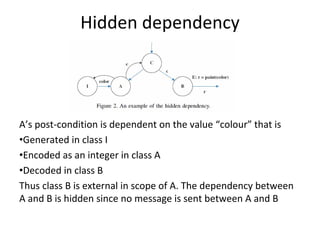
 the test-all-paths strategy can be a tedious
 and expensive affair. The strategies
 discussed here are alternative ways to
 reduce the number of paths to be tested.
As with all white box tests, it should only be
 used for small chunks of code – less than
 say 200 lines.
Data flow testing -1
• Data flow testing is a powerful tool to
  detect improper use of data values due to
  coding errors.

 main() {
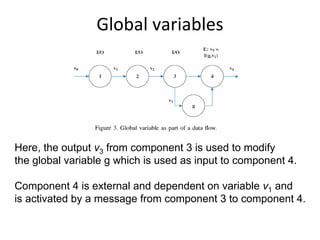
            int x;
            if (x==42){ ...}
     }
Data flow testing -2
• Variables that contain data values have a defined life
  cycle. They are created, they are used, and they are
  killed (destroyed) - Scope
  {                // begin outer block
       int x;       // x is defined as an integer within this outer block
       …;          // x can be accessed here
       {             // begin inner block
          int y;          // y is defined within this inner block
          ...;            // both x and y can be accessed here
        }       // y is automatically destroyed at the end of this block  ...;
       …; // x can still be accessed, but y is gone
  }            // x is automatically destroyed
Static data flow testing
• Variables can be used
   – in computation
   – in conditionals

• Possibilities for the first occurrence of a variable
  through a program path
   – ~d the variable does not exist, then it is defined (d)
   – ~u the variable does not exist, then it is used (u)
   – ~k the variable does not exist, then it is killed or
         destroyed (k)
define, use, kill (duk) – 1
We define three usages of a variable:
• d – define the variable
• u – use the variable
• k – kill the variable.
A large part of those who use this approach
  will only use define and use – du.
Based on the usages we can define a set of
  patterns potential problems.
duk – 2
We have the following nine patterns:
•   dd: define and then define again – error
•   dk: define and then kill – error
•   ku: kill and then used – error
•   kk: kill and then kill again – error
•   du: define and then use – OK
•   kd: kill and then redefine – OK
•   ud: use and then redefine – OK
•   uk: use and then kill – OK
•   uu: use and then use – OK
Example: Static data flow testing


For each variable within the
module we will examine
define-use-kill patterns along
the control flow paths
Example cont’d:
          Consider variable x as we traverse the left and then the right path


~define correct, the normal case
define-define suspicious, perhaps
a programming error
define-use correct, the normal
case


                       ddu                                       du
duk examples (x) – 1

                    Define x                    Define x


                                Define x
Define x                Use x                         Use x
                                Use x
Use x


                                           du
           ddu
Example Cont’d: Consider variable y


~use         major blunder
use-define   acceptable
define-use   correct, the normal case
use-kill     acceptable


                                        uduk   udk
duk examples (y)- 2


Use y                    Use y


                       Define y
 Define y

 Use y                     Use y


  Kill y                   Kill y
                                    udk
             uduk
Example Cont’d:     Consider variable z


~kill programming error

kill-use    major blunder

use-use correct, the normal
        case

use-define acceptable

kill-kill   probably a
            programming error

kill-define   acceptable

define-use correct, the normal
                   case


                                kuuud                    kkduud
duk examples (z) - 3


                                                    Kill z
   Kill z


                         Kill z     Use z                    Kill z
Use z
                         Define z                            Define z

                                            Use z
        Use z

                                            Use z
         Use z


                                        Define z
        Define z
                      kuuud
                                                     kkduud
Dynamic data flow testing
       Test strategy – 1
Based on the three usages we can define a
  total of seven testing strategies. We will
  have a quick look at each
• All definitions (AD): test cases cover each
  definition of each variable for at least one
  use of the variable.
• All predicate-uses (APU): there is at least
  one path of each definition to p-use of the
  variable
Test strategy – 2
• All computational uses (ACU): there is at
  least one path of each variable to each c-
  use of the variable
• All p-use/some c-use (APU+C): there is at
  least one path of each variable to each c-
  use of the variable. If there are any
  variable definitions that are not covered
  then cover a c-use
Test strategy – 3
• All c-uses/some p-uses (ACU+P): there is
  at least one path of each variable to each
  c-use of the variable. If there are any
  variable definitions that are not covered
  then cover a p-use.
• All uses (AU): there is at least one path of
  each variable to each c-use and each p-
  use of the variable.
Test strategy – 4
• All du paths (ADUP): test cases cover
  every simple sub-path from each variable
  definition to every p-use and c-use of that
  variable.

Note that the “kill” usage is not included in
 any of the test strategies.
Application of test strategies – 1
All definitions       Define x           All p-use           Define x
All c-use


     p-use y                                 p-use y
     Kill z                                  Kill z

Define x                               Define x                    Kill z
                            Kill z
c-use x                                c-use x                     c-use x
                            c-use x
c-use z                                c-use z                     Define z
                            Define z
    Define y                               Define y
    p-use z                                p-use z

            c-use                                  c-use
            c-use z                                c-use z

           Kill y                                 Kill y
           Define z                               Define z
Application of test strategies – 2
ACU                   Define x
APU+C


     p-use y
     Kill z

Define x                    Kill z
c-use x                     c-use x
c-use z                     Define z
    Define y
    p-use z
            c-use
            c-use z

           Kill y
           Define z
Relationship between strategies
                                 All paths


                               All du-paths


                                 All uses


  All c/some p                                      All p/some c


                                                     All p-uses
     All c-uses                  All defs

                                                      Branch

The higher up in the hierarchy, the better is the
test strategy                                       Statement
Acknowledgement
The material on the duk patterns and testing
 strategies are taken from a presentation
 made by L. Williams at the North Carolina
 State University.
Available at: http://agile.csc.ncsu.edu/testing/DataFlowTesting.pdf

Further Reading:
An Introduction to data flow testing – Janvi Badlaney et al., 2006
Available at: ftp://ftp.ncsu.edu/pub/tech/2006/TR-2006-22.pdf
Use of coverage measures

       Tor Stålhane
Model – 1
We will use the following notation:
• c: a coverage measure
• r(c): reliability
• 1 – r(c): failure rate
• r(c) = 1 – k*exp(-b*c)

Thus, we also have that
ln[1 – r(c)] = ln(k) – b*c
Model – 2
The equation ln[1 – r(c)] = ln(k) – b*c is of
  the same type as Y = α*X + β.
We can thus use linear regression to
  estimate the parameters k and b by doing
  as follows:
1.Use linear regression to estimate α and β
2.We then have
  – k = exp(α)
  – b=-β
Coverage measures considered
We have studied the following coverage
  measures:
• Statement coverage:
  percentage of statements executed.
• Branch coverage:
  percentage of branches executed
• LCSAJ
  Linear Code Sequence And Jump
Statement coverage
                            Scatterplot of -ln(F5) vs Statment
          13


          12


          11
-ln(F5)


          10


           9


           8


           7
               0,3    0,4        0,5      0,6      0,7      0,8   0,9   1,0
                                           Statment
Graph summary
                     Scatterplot of -ln(F5) vs Statment; Branch; LCSAJ
                                                 0,0   0,2   0,4   0,6   0,8
                           Statment                           Branch

                                                                               12


                                                                               10


                                                                               8
-ln(F5)


                             LCSAJ

          12


          10


           8

               0,0   0,2   0,4       0,6   0,8
Equation summary
Statements:
-ln(F) = 6.5 + 6.4 Cstatement, R2(adj) = 85.3

Branches:
-ln(F) = 7.5 + 6.2 Cbranches, R2(adj) = 82.6

LCSAJ
-ln(F) = 6.5 + 6.4 CLCSAJ, R2(adj) = 77.8
Usage patterns – 1
Not all parts of the code are used equally
 often. When it comes to reliability, we will
 get the greatest effect if we have a high
 coverage for the code that is used most
 often.
This also explains why companies or user
 groups disagrees so much when
 discussing the reliability of a software
 product.
Usage patterns – 2
                                                  input
                                                  domain


                                      X

                 X
                                  X
                                              X
          X


                                          X
                      X       X
Input          X
space A
                          X


          Corrected
Usage patterns – 3
As long as we do not change our input
 space – usage pattern – we will
 experience no further errors.
New user groups with new ways to use the
 system will experience new errors.
Usage patterns – 4
                                   input
                                   domain
 Input
 space B               X

               X
                   X
                               X
           X


                           X
Input
space A
Extended model – 1
We will use the following notation:
• c: coverage measure
• r(c): reliability
• 1 – r(c): failure rate
• r(c) = 1 – k*exp(-a*p*c)
• p: the strength of the relationship between
  c and r. p will depend the coupling
  between coverage and faults.
• a: scaling constant
Extended model – 2
      R(C)                       Residual
                                 unreliability


  1
             Large p


                       Small p


1-k


                                                       C
      0.0                                        1.0
Extended model - comments
The following relation holds:
ln[1 – r(c)] = ln(k) – a*p*c
• Strong coupling between coverage and
  faults will increase the effect of test
  coverage on the reliability.
• Weak coupling will create a residual gap
  for reliability that cannot be fixed by more
  testing, only by increasing the coupling
  factor p – thus changing the usage
  pattern.
Bishop’s coverage model – 1
Bishop’s model for predicting remaining
  errors is different from the models we have
  looked at earlier. It has a
• Simpler relationship between number of
  remaining errors and coverage
• More complex relationship between
  number of tests and achieved coverage
Bishop’s coverage model – 2
We will use f = P(executed code fails). Thus,
  the number of observed errors will depend
  on three factors
• Whether the code
  – Is executed – C
  – Fails during execution – f
• Coupling between coverage and faults - p
N0 – N(n) = F(f, C(n, p))
C(n) = 1 – 1/(1 + knp)
Bishop’s coverage model – 3
Based on the assumptions and expression
 previously presented , we find that
N 0  N (n)           1  C (n)
             1 p
    N0          f  [1  C ( n)](1  f p )
If we use the expression on the previous
   slide to eliminate C(n) we get
N 0  N (n)            1
             1
    N0           k ( nf ) p  1
A limit result
It is possible to show that the following
   relation holds under a rather wide set of
   conditions:
                        e
                MTTFt     t
                        ˆ
                        N0
The initial number of defects – N0 – must be
 estimated e.g. based on experience from
 earlier projects as number of defects per
 KLOC.
An example from telecom
Domain Testing
Some examples


Software Testing and QA Theory and Practice (Chapter 6: Domain Testing)   © Naik & Tripathy   1
Example code


int codedomain(int x, int y){
      int c, d, k
      c = x + y;
      if (c > 5) d = c - x/2;
      else       d = c + x/2;
      if (d >= c + 2) k = x + d/2;
      else          k = y + d/4;
      return(k);
    }

               Software Testing and QA Theory and Practice (Chapter 6: Domain Testing)   © Naik & Tripathy   2
Example graph
                                 Initialize: x, y             1


                                                              2
                                     c = x + y

                                    P1                3                            P1:   x + y > 5
                     False                                  True
                                         c > 5
               5                                                      4
                d = c + x/2                           d = c - x/2


P1: False                                                                          P1: True
                                  P2                  6
P2: x >= 4           False                                  True                   P2: x <= -4
                                    d >= c + 2
               8                                                          7
               k = y + d/4                            k = x + d/2


                                                  9
                                    return (k)


             Software Testing and QA Theory and Practice (Chapter 6: Domain Testing)         © Naik & Tripathy   3
Example domains
    12 14
                TT
                                             TF


                                                                                                P2 (P1 = False )
    67


                                                                                                P1

                                                                                                P2 (P1 = True )
    ...
    -1 0 1


y


                      FF
                                                                      FT
    -7 -6


        -7 -6    -4          -1          0     1            ... 4                  7
                                        x
                      Software Testing and QA Theory and Practice (Chapter 6: Domain Testing)         © Naik & Tripathy   4
Types of Domain Errors
•   Closure error
     – A closure error occurs if a boundary is open when the intention is to have a
       closed boundary, or vice versa.
     – Example: The relational operator ≤ is implemented as <.
•   Shifted-boundary error
     – A shifted boundary error occurs when the implemented boundary is parallel
       to the intended boundary.
     – Example: Let the intended boundary be x + y > 4, whereas the actual
       boundary is x + y > 5.
•   Tilted-boundary error
     – A tilted-boundary error occurs if the constant coefficients of the variables in
       a predicate defining a boundary take up wrong values.
     – Example: Let the intended boundary be x + 0.5*y > 5, whereas the actual
       boundary is x + y > 5.


                      Software Testing and QA Theory and Practice (Chapter 6: Domain Testing)   © Naik & Tripathy   5
ON and OFF Points – 1
•   Idea
     – Data points on or near a boundary are most sensitive to domain errors.
     – Sensitive means a data point falling in the wrong domain.
     – The objective is to identify the data points most sensitive to domain errors so
       that errors can be detected by examining the program with those input values.
     – Based on the above idea, we define two kinds of data points: ON and OFF.
•   ON point
     – It is a point on the boundary or very close to the boundary if
          • a point can be chosen to lie exactly on the boundary, then choose it. This
             requires the boundary inequality to have an exact solution.
          • an inequality leads to an approximate solution, choose a point very
             close to the boundary.


                      Software Testing and QA Theory and Practice (Chapter 6: Domain Testing)   © Naik & Tripathy   6
ON and OFF Points – 2
•   ON point
     – It is a point on the boundary or very close to the boundary.
          • If a point can be chosen to lie exactly on the boundary, then choose it.
             This requires the boundary inequality to have an exact solution.
          • If an inequality leads to an approximate solution, choose a point very
             close to the boundary.
     – Example: Consider the boundary x + 7*y ≥ 6.
          • For x = -1, the predicate gives us an exact solution of y = 1. Therefore
             the point (-1, 1) lies on the boundary.
          • For x = 0, the predicate leads us to an approximate solution y =
             0.8571428… . Since y does not have an exact solution, we can truncate
             it to 0.857 or round it off to 0.858. Notice that (0, 0.857) does not
             satisfy the predicate, whereas (0, 0.858) does satisfy. Thus, (0, 0.858)
             is an ON point which lies very close to the boundary. And, the on point
             lies outside the domain.


                      Software Testing and QA Theory and Practice (Chapter 6: Domain Testing)   © Naik & Tripathy   7
ON and OFF Points – 3
•   OFF point
     – An OFF point of a boundary lies away from the boundary.
     – While choosing an OFF point, we must consider whether the boundary is
       open or closed w.r.t. the domain of interest.
         • Open: An OFF point of the boundary is an interior point inside the
           domain within an ε-distance from the boundary. (ε ≡ small)
         • Closed: An OFF point of that boundary is an exterior point outside the
           boundary with an ε-distance.
     – Example (Closed): Consider a domain D1 with a boundary x + 7*y ≥ 6. An
       OFF point lies outside the domain. (-1, 0.99) lies outside D1.
     – Example (Open): Consider a domain D2 that is adjacent to D1 above with an
       open boundary x + 7*y < 6. (-1, 0.99) lies inside D2.


                     Software Testing and QA Theory and Practice (Chapter 6: Domain Testing)   © Naik & Tripathy   8
ON and OFF Points – example
                             Boundary:
                      Open with respect to D1
                     Closed with respect to D2


        domain D1 (x < 4)                    domain D2 (x >= 4)
                                       1111111
                                       0000000
                                       1111111
                                       0000000
                                       1111111
                                       0000000
                                          B
                                          x
                                       1111111
                                       0000000
                                       1111111
                                       0000000
                              C
                                  x                                           x-axix
                                       1111111
                                       0000000
                                       ε
                                       1111111
                                       0000000
                                       1111111
                                       0000000
                                       1111111
                                       0000000
                                        x
                                       1111111
                                       0000000
                                       A

                                       1111111
                                       0000000
                                            4

      An ON point for D1 and D2 (very close to the boundary)
  An ON point for D1 and D2 (lying exactly on the boundary)

An OFF point for D1 and D2 (lying away from the boundary)

          Software Testing and QA Theory and Practice (Chapter 6: Domain Testing)      © Naik & Tripathy   9
Test Selection Criterion – 1
•   Closed inequality boundary
     – 1.a Boundary shift resulting in a
       reduced domain


                                                                     Test          Actual         Expected      Fault
                                                                     data          output         output        detected
         D2, f2                      Expected boundary
                                                                     A             f1(A)          f1(A)         No


             xC
                                                                     B             f1(B)          f1(B)         No
     x             x
     A              B
                                      Actual boundary
                                                                     C             f2(C)          f1(C)         Yes
                            (Closed with respect to D1)
         D1, f1


                        Software Testing and QA Theory and Practice (Chapter 6: Domain Testing)              © Naik & Tripathy   10
Test Selection Criterion – 2
•   Closed inequality boundary
     – 1.b Boundary shift resulting in an
       enlarged domain
                                                               Test data        Actual           Expected         Fault
                                                                                output           output           detected
                                                               A                f1(A)            f2(A)            Yes
         D2, f2
                                    Actual boundary            B                f1(B)            f2(B)            Yes
             xC           (Closed with respect to D1)
     x            x                                            C                f2(C)            f2(C)            No
     A             B


         D1, f1                      Expected boundary


                       Software Testing and QA Theory and Practice (Chapter 6: Domain Testing)              © Naik & Tripathy   11
Test Selection Criterion – 3
•   Closed inequality boundary
        – 1.c Tilted boundary
                                                                Test data Actual                  Expected         Fault
                                                                          output                  output           detected

                                       Expected boundary        A               f1(A)             f1(A)            No
        D2, f2

                                                                B               f1(B)             f2(B)            Yes

             xC
    x              x                                            C               f2(C)             f2(C)            No
    A               B
                                      Actual boundary
         D1, f1               (Closed with respect to D1)


                        Software Testing and QA Theory and Practice (Chapter 6: Domain Testing)              © Naik & Tripathy   12
Test Selection Criterion – 4
•   Closed inequality boundary
        – 1.d Closure error
                                                                  Test data Actual                  Expected        Fault
                                                                            output                  output          detected

                                                                  A               f2(A)             f1(A)           Yes


        D2, f2                   Expected boundary                B               f2(B)             f1(B)           Yes
                                 (closed with respect to D1)
    x            x                                                C               f1(C)             f1(C)           No
    A       x    B
            C                    Actual boundary
                                 (open with respect to D1)
        D1, f1


                          Software Testing and QA Theory and Practice (Chapter 6: Domain Testing)              © Naik & Tripathy   13
Test Selection Criterion – 5
•   Open inequality boundary
     – 2.a Boundary shift resulting in a
       reduced domain
                                                                  Test data Actual                 Expected      Fault
                                                                            output                 output        detected

                                                                  A               f2(A)            f1(A)         Yes
        D2, f2                       Expected boundary

                                                                  B               f2(B)            f1(B)         Yes

    x               x
    A       x        B                                            C               f1(C)            f1(C)         No
                C                    Actual boundary
                           (Open with respect to D1)
        D1, f1


                         Software Testing and QA Theory and Practice (Chapter 6: Domain Testing)           © Naik & Tripathy   14
Test Selection Criterion – 6
•       Open inequality boundary
         – 2.b Boundary shift resulting in an
           enlarged domain                                         Test data Actual                  Expected         Fault
                                                                             output                  output           detected

                                                                   A               f2(A)             f2(A)            No


        D2, f2                                                     B               f2(B)             f2(B)            No
                                   Actual boundary
                                   (open with respect to D1)
    x             x                                                C               f1(C)             f2(C)            Yes
    A       x    B
            C
                                   Expected boundary
        D1, f1


                           Software Testing and QA Theory and Practice (Chapter 6: Domain Testing)              © Naik & Tripathy   15
Test Selection Criterion – 7
•       Open inequality boundary
          – 2.c Tilted boundary
                                                                   Test data Actual                  Expected         Fault
                                                                             output                  output           detected

                                                                   A               f2(A)             f1(A)            Yes

        D2, f2                    Expected boundary
                                                                   B               f2(B)             f2(B)            No
                                  Actual boundary
                                  (open with respect to D1)
    x             x                                                C               f1(C)             f1(C)            No
    A       x    B
            C

        D1, f1


                           Software Testing and QA Theory and Practice (Chapter 6: Domain Testing)              © Naik & Tripathy   16
Test Selection Criterion – 8
•       Open inequality boundary
           – 2.d Closure error
                                                                     Test data Actual                  Expected         Fault
                                                                               output                  output           detected

                                                                     A               f1(A)             f2(A)            Yes
        D2, f2

               C                 Expected boundary
           x                     (open with respect to D1)           B               f1(B)             f2(B)            Yes
    x              x
    A              B
                                 Actual boundary                     C               f2(C)             f2(C)            No
                                 (closed with respect to D1)
        D1, f1


                             Software Testing and QA Theory and Practice (Chapter 6: Domain Testing)              © Naik & Tripathy   17
Test Selection Criterion – 9
•   Equality border


                          Domain D3
                          defined by an equality boundary
                          and associated computation f3
       Open       x
                      B
     D2, f2 x C
                  xD
          Ax       Open
                     D1, f1


                             Software Testing and QA Theory and Practice (Chapter 6: Domain Testing)   © Naik & Tripathy   18
Agenda

                                                                                                       •Key principles of agile requirements

                                                                                                       •User stories
        Institutt for datateknikk og
                                                                                                       •INVEST
        informasjonsvitenskap
                                                                                                       •Prioritizing stories
            Inah Omoronyia and Tor Stålhane
                                                                                                       •User story mapping

    Agile requirements through user                                                                    •Challenges

           stories and scenarios                                                                       •Conclusion


                  TDT 4242                                                              TDT 4242                                                                           TDT 4242


Key Principles for Agile Requirements                                                              Requirements are a Communication Problem

                                                                                                         • Written requirements
•   Active user involvement is imperative                                                                    –   can be well thought through, reviewed and edited
                                                                                                             –   provide a permanent record
•   Agile teams must be empowered to make decisions                                                          –   are easily shared with groups of people
•   Requirements emerge and evolve as software is developed                                                  –   time consuming to produce 
                                                                                                             –   may be less relevant or superseded over time
•   Agile requirements are ‘barely sufficient’
                                                                                                             –   can be easily misinterpreted
•   Requirements are developed in small pieces
                                                                                                         • Verbal requirements
•   Enough’s enough – apply the 80/20 rule
                                                                                                             –   instantaneous feedback and clarification
•   Cooperation, collaboration and communication                                                             –   information‐packed exchange
    between all team members is essential                                                                    –   easier to clarify and gain common understanding
                                                                                                             –   easily adapted to any new information known at the time
                                                                                                             –   can spark ideas about problems and opportunities


                                                                                                                     What is a User Story?
                                                                                                   •      A concise, written description of a piece of 
                User Stories                                                                              functionality that will be valuable to a user (or owner) 
                                                                                                          of the software.
                                                                                                   •      Stories are:
    seek to combine the strengths                                                                         – User’s needs
 of written and verbal communication,                                                                     – Product descriptions
where possible supported by a picture.                                                                    – Planning items
                                  * Kent Beck coined the term user stories in Extreme
                                                                                                          – Tokens for a conversation
                                            Programming Explained 1st Edition, 1999
                                                                                                          – Mechanisms for deferring conversation
User Story Cards have 3 parts                                                        User Story Template – 1 
 1.   Description  ‐ A written description of the user story  for planning    ‐     As a [user role] I want to [goal]
      purposes and as a reminder                                                    so I can [reason]
                                                                              -     As a [type of user] I want to [perform some task] so
 2.   Conversation ‐ A section for capturing further information about the          that I can [reach some goal]
      user story and details of any conversations

 3.   Confirmation ‐ A section to convey what tests will be carried out to 
      confirm the user story is complete and working as expected                  Example: 
                                                                                  • As a registered user I want to log in
                                                                                    so I can access subscriber‐only content


          User Story Template – 2                                                          User Story Description
                                                                                  Steps:

• Who (user role)                                                                 • Start with a title.
                                                                                  • Add a concise description using the templates.
• What (goal)                                                                     • Add other relevant notes, specifications, or sketches 

• Why (reason)                                                                    • Before building software write acceptance criteria
         • gives clarity as to why a feature is useful
                                                                                    (how do we know when we’re done?)
         • can influence how a feature should function
         • can give you ideas for other useful features 
           that support the user's goals


            Example: Front of Card                                                         Example: Back of Card
How detailed should a User Story be?                                           INVEST in Good User Stories
                                                                          • Independent – User Stories should be as independent as possible.
Detailed enough                                                           • Negotiable – a User Story is not a contract. It is not a detailed specification. 
• For the team to start working from                                        It is a reminder of features for the team to discuss and collaborate to clarify 
                                                                            the details near the time of development.
• To establish further details and clarifications                         • Valuable – User Stories should be valuable to the user (or owner) of the 
  at the time of development.                                               solution. They should be written in user language. They should be features, 
                                                                            not tasks.
                                                                          • Estimatable – User Stories need to be possible to estimate. They need to 
                                                                            provide enough information to estimate, without being too detailed.
                                                                          • Small – User Stories should be small. Not too small and not too big.
                                                                          • Testable – User Stories need to be worded in a way that is testable, i.e. not 
                                                                            too subjective and to provide clear details of how the User Story will be 
                                                                            tested. 


          Prioritize stories in a backlog                                                User Story Mapping – 1 
• Agile customers or product                                             • User Story Mapping is an approach to Organize and
  owner prioritize stories in a                                            Prioritize user stories
  backlog
                                                                         • Unlike typical user story backlogs, Story Maps: 
• A collection of stories for a                                                 – make the workflow or value chain visible
  software product is referred                                                  – show the relationships of larger stories to their child 
  to as the product backlog                                                       stories
• The backlog is prioritized so                                                 – help confirm the completeness of your backlog
  that the most valuable items                                                  – provide a useful context for prioritization
  have the highest priorities                                                   – plan releases in complete and valuable slices of 
                                                                                  functionality.

 15                                                                       16


               User Story Mapping – 2                                                    User Story Mapping – 3 
                                                                         Overlap user tasks vertically if a user may do one of several tasks at 
 Spatial arrangement:                                                        approximately the same time
      – By arranging activity and task‐centric story cards spatially,    If in telling the story I say the systems’ user typically “does this or 
        we can identify bigger stories                                       this or this, and then does that”. “or” signal a stacking 
      – Arrange activities left to right in the order you’d explain          vertically, and “then” signal stepping horizontally.
        them to someone when asked the question: “What do 
        people do with this system?”

                                                                                                           time

                              time


 17                                                                       18
User Story Mapping – 4                                     User Story Mapping ‐ prioritizing 
 The map shows decomposition and typical flow across the
 entire system.                                                                 Prioritizing  based on product goal
                                                                                     – Product goals describe what outcome or 
                                                                                       benefit is received by the organization after 
                                       time                                            the product is put into use
                                                                                     – Use product goals to identify candidate  
                                                                                       incremental releases, where each release 
                                     Below each activity, or large                     delivers some benefit 
                                     story are the child stories that 
                                     make it up


   Reading the activities across the top of the system helps
   us understand end-to-end use of the system.
  19                                                                            20


           User Story Mapping ‐ prioritizing                                            From user story to test case
       – Create horizontal swim‐lanes to group features into releases
                                                                                We can also use templates to write test cases 
       – Arrange features vertically by necessity from the user’s 
         perspective
                                                                                  for the use stories. One tool that employs 
       – Split tasks into parts that can be deferred till later releases          such templates is CUCUMBER. The template is 
       – Use the product goals to identify slices that incrementally realize      as follows:
         product goals.
                                                                                Scenario: a short description of the test scenario
                                                                                Given: test preconditions
necessary
                                                                                When: test action – input
      less
 optional                                                                       Then: test result – output
             optionality


                                                                                And: can be used to include more than one 
     more                                                                         precondition, input or output.  
 optional
  21


                           CUCUMBER example                                                        Agile – Challenges 

  Scenario: memory BIT                                                                  • Active user involvement can be demanding on the user 
                                                                                          representative's time and require a big commitment for 
  When: we have inserted a memory fault                                                   the duration of the project.

  And: run a memory BIT                                                                 • Iterations can be a substantial overhead if the 
                                                                                          deployment cost are large
  Then: the memory fault flag should be set                                             • Agile requirements are barely sufficient:
  And: the system should move to the error state                                            – This can mean less information available to new starters in 
                                                                                              the team about features and how they should work.

                                                                                        • Usually not suitable for projects with high developer 
                                                                                          turnover with long‐term maintenance contract
                                                                                        • Arguably not suitable for safety critical systems.

                                                                                                                                              24
User Stories Summary
• User Stories combine written and verbal communications, 
  supported with a picture where possible.
• User Stories should describe features that are of value to the 
  user, written in the user’s language.
• User Stories detail just enough information and no more.
• Details are deferred and captured through collaboration 
  just in time for development.
• Test cases should be written before development, when the 
  User Story is written.
• User Stories should be Independent, Negotiable, Valuable, 
  Estimatable, Small and Testable.
Advanced use cases

                                                                                           Use cases:
                                                                                              •   Based on work of Ivar Jacobson
                                                                                              •   Based on experience at Ericsson building
           Institutt for datateknikk og                                                           telephony systems
           informasjonsvitenskap                                                              •   Recommended refs:
               Inah Omoronyia and Tor Stålhane                                                    •   Writing Effective Use Cases, by Alistair
                                                                                                      Cockburn, Addison-Wesley, 2001
                Advanced Use cases                                                                •   http://www.usecases.org


                     TDT 4242                                                  TDT 4242                                                                     TDT 4242


Advanced use cases vocabulary – 1                                                         Advanced use cases vocabulary – 2
                                                                                          Use Case – A sequence of actions that the system performs that 
Actor – External parties that interact with the system                                      yields an observable result of value to an actor. 
         Roles are not job titles (roles cuts across job titles)                         Use Case Model  contains: Actors list, packages, diagrams, use 
         Actors are not individual persons (e.g. John) but                                 cases, views
          stimulates the system to react (primary actor)
                                                                                          A Use Case Model includes structured use case descriptions that 
         You normally don’t have control over primary actors                               are grounded in well‐defined concepts constrained by 
                                                                                            requirements and scope
         Roles responds to the system’s requests (secondary 
          actor) normally used by the system to get the job done

An actor don’t have to be a person – it can also be e.g. another                                                Use case
                                                                                                                              Concepts     Constraints
                                                                                                               descriptions              and requirements
  system or sub‐system.


                                                                    TDT 4242                                                                                TDT 4242
Finding Actors – 2
            Finding Actors – 1

Important questions                                             Focus initially on human and other primary actors 
   Who uses the system?                                        Group individuals according to their common tasks 
                                                                 and system use
   Who gets information from the system?
                                                                Name and define their common role
   Who provides information to the system?
                                                                Identify systems that initiate interactions with the 
   What other systems use the system?
                                                                 system
   Who installs, starts up, or maintains the system?
                                                                Identify other systems used to accomplish the 
                                                                 system’s tasks


                                                  TDT 4242                                                           TDT 4242


             Finding use cases                                     Key points for use cases - 1

   Describe the functions that the user wants from             Building use cases is an iterative process
    the system
   Describe the operations that create, read, update,          You usually don’t get it right at the first time.
    and delete information
                                                                Developing use cases should be looked at as an 
   Describe how actors are notified of changes to the 
                                                                 iterative process where you work and refine.
    internal state of the system
   Describe how actors communicate information                 Involve the stakeholders in each iteration
    about events that the system must know about


                                                  TDT 4242                                                           TDT 4242
Key points for use cases – 2                                                        Key points for use cases – 3
                                                                                                                               Note:
                                                                                                                               Association relationships only 
Define use case actors.                                                               Define your use case Actor Goals         show which actors interact with 
                                                                                                                               the system to perform a given use 
UML visual notations are commonly used.                                                                                        case.
                                                                                                                               Association relationship DO NOT
Start by defining key actors:                                                                                                  model the flow of data between 
                                                                                                                               the actor and the system.
                                                                                                                               A directed association 
                                                                                                                               relationship only shows if the 
                                                                                                                               system or the actor initiates the 
                                                                                                                               connection.


                                                         An actor can be a system 
                                                         because the system 
                                                         plays another role in the 
                                                         context of your new 
                                                         system and also interact 
                                                         with other actors


                          Key users
                                                                      TDT 4242                                                                   TDT 4242


   Reuse opportunity for use cases – 1                                                Reuse opportunity for use cases – 2
                                                                                       Relationships between use cases:
There is duplicate behavior in both the buyer and seller which includes 
                                                                                            Dependency – The behavior of one use case is 
  "create an account" and "search listings".
                                                                                             affected by another. Being logged into the 
Extract a more general user that has the duplicate behavior and then the 
  actors will "inherit" this behavior from the new user.
                                                                                             system is a pre‐condition to performing online 
                                                                                             transactions. Make a Payment depends on 
                                                                                             Log In
                                                                                               Include – One use case incorporates the 
                                                                                                behavior of another at a specific point. Make a 
                                                                                                Payment includes Validate Funds Availability


                                                                      TDT 4242                                                                   TDT 4242
Reuse opportunity for use cases – 3
                                                                                                           Extend
Relationships between use cases:
        Extends – One use case extends the behavior of 
         another at a specified point, e.g. Make a 
                                                                                                                 Respond to emergency
         Recurring Payment and Make a Fixed 
                                                                                                                    communication down
         Payment both extend the Make a Payment
         use case
                                                                                       Control center
        Generalize – One use case inherits the behavior                               operator
         of another; it can be used interchangeably with 
                                                                                                                <<extends>>
         its “parent” use case, e.g.  Check Password and 
         Retinal Scan generalize Validate User                                                                     Request arrives
                                                                                                                   through radio or phone


                                                                       TDT 4242


                          Generalize                                                                    Adding details 

                                                                                  We can add details to a use case diagram by splitting 
                        Request (re)scheduling                                     uses cases into three types of objects.  
                        of maintenance


  Maintenance                                         Proposed time                    Boundary object     Control object Entity object
  worker                                              not acceptable


                      Changes in time
                      consumption or personnel


  Already scheduled                              Ask for new
  - reschedule                                   suggestion
Adding details – example                            From UC to SD – 1
   Input and output via boundary objects
   Validate input and output via control objects
   Save via entity objects 
              Main page             Validate   Web server


               Result page   Show   Update     Database


               From UC to SD – 2                            From UC to SD – 3
Use case index                                             Use case diagrams – pros and cons
Create a use case index
    Every use case has several attributes relating to the use      Simple use case diagrams are
     case itself and to the project                                  Easy to understand
    At the project level, these attributes include scope,           Easy to draw
     complexity, status and priority.

                                                                    Complex use case diagrams – diagrams
                                                                     containing <<include>>> and <<extend>> are 
                                                                     difficult to understand for most stakeholders.
                                                                    Use case diagrams do not show the sequence 
                                                                     of actions 


                                                        TDT 4242


          Textual use cases - 1                                                 Textual use cases - 2
Identify the key components of your use case. The                  Examples of alternative flow are:
  actual use case is a textual representation
                                                                         While a customer places an order, their credit 
                                                                          card failed 
                                                                         While a customer places an order, their user 
                                                                          session times out 
                                                                         While a customer uses an ATM machine, the 
                                                                          machine runs out of receipts and needs to warn 
                                                                          the customer

                                                                   Alternative flow can also be handled by using 
                                                                     <<extend>> and <<include>>

                                                        TDT 4242                                                          TDT 4242
Textual use cases – 3                                               Textual use case – example 
                                                                                      Use case name                          Review treatment plan
Most textual use cases fit the following pattern:                                     Use case actor                         Doctor
                                                                                      User action                            System action
                                                                                      1. Request treatment plan for          2.   Check if patient X has this doctor
                                                                                         patient X                           3.   Check if there is a treatment plan for
                                    Request with data                                                                             patient X
                                                                                                                             4.   Return requested document
                                                   Validate
                                                                                      5.     Doctor reviews treatment plan

                                                                                      Exceptional paths
                                                  Change
                                                                                                                             2.1 This is not this doctor’s patient
                                                                                                                             2.2 Give error message
                                    Respond with result                                                                      This ends the use case
                                                                                                                             3.1 No treatment plan exists for this patient
                                                                                                                             This ends the use case


Textual use case <<extend>>                                                          Textual use case <<include>>
                                                                                     Use case name        Controller
Use case name      Respond to                    Use case name    Respond to radio                                                    Use case name        BIT
                   System                                         emergency call     Use case actor       NA
                   emergency call                                                                                                     Use case actor       NA
                                                 Use case actor   Operator           Start timer
Use case actor     Operator                                                                                                           Get test pattern A
                                                 User action      System action      Get data
User action        System action                                                                                                      Write test pattern
                                                 Receive radio                       Action necessary?
                   System OK =>                  message                             Yes => Set Actuator                              Read test pattern
                      Receive system
                      signal                     Act on message                      Timer expired ?
                                                                                                                                      Compare patterns
                   System Down =>                                                          No => BIT
                      Use radio                  Send response                                                                             Difference => Set error
                                                                                     Check error status                                                  status
Receive system                                   End REC – 2
message                                                                                    On => Error handling                       End BIT
Act on message                                                                       End Controller
Send response
End REC – 1
Mis-Use cases
        Textual use cases – pros and cons
                                                                                                                   Aims to Identify possible misuse scenarios of the 
                                                                                                                    system
   Complex textual use cases                                                                                       The concept was created in the 1990s by Guttorm
    Are easier to understand than most complex                                                                     Sindre, NTNU and Andreas L. Opdahl, UiB.
     use case diagrams                                                                                             The basic concept describes the steps of performing 
    Are easy to transform into UML sequence                                                                        a malicious act against a system
     diagrams                                                                                                      The process is the same as you would describe an act 
    Require more work to develop                                                                                   that the system is supposed to perform in a use case
    Show the sequence of actions


                                                                                                                                                                             TDT 4242


                                                                                                                         Mis-Use cases example – 2
  Mis‐Use cases example – 1
                                                                                                                    Mis‐use cases are mostly used to capture security and safety 
                                              Pressure relief valve to air
            Operator’s panel
                                                                                                                     requirements
                                                       Set critical
                                                       pressure


                                                           Fill tank

                                      Valve control


                               Aut. level                                                    Steam to process


                                            Water                             Manual valve
                                            level

                                            Pressure

 Operator                                   Temp


                                                    Heater


220 Volt AC                                                                  Empty tank
                                                                             to sewer
                               Thermostat                                                                                                                                    TDT 4242
Textual misuse case                                                                             Why misuse case – 1 
U C name       Respond to over-pressure

User actions   Sys Response        Threats                         Mitigations                         A misuse case is used in three ways:
               Alarm operator o   System fails to set alarm;       Have two independent alarms;         Identify threats – e.g. “System fails to set  
               high pressure      Operator fails to notice alarm   Test alarms regularly;
                                                                   Use both audio and visual cues;       alarm”. 
                                                                   Alarm also outside control room
                                                                                                         At this stage we do not care how this error 
Operator                          Operator fails to react (e.g.,   Alarm backup operator
gives                             ill, unconscious)                Automatic sanity check, disallow      can arise.
command to                        Operator gives wrong             filling at high pressure
empty tank                        command, e.g., filling tank                                           Identify new requirements – e.g. “System 
               System opens       System fails to relay
                                  command to valve;
                                                                                                         shall have two independent alarms”. 
               Valve to sewer
                                  Valve is stuck                                                         This is a high level requirement. How it is 
Operator                           Operator misreads and           Maintain alarm until situation is
reads                              stops emptying too soon         normal                                realized is not discussed now. 
pressure


                       Why misuse case – 2                                                             Misuse case – pros and cons 
    Identify new tests – e.g.                                                                         Misuse cases will help us to
      Disable one of the alarms                                                                        Focus on possible problems
      Create an alarm condition                                                                        Helps us to identify defenses and mitigations
      Check if the other alarm is set
     This is just the test strategy. How it is realized 
                                                                                                       Misuse cases can get large and complex –
       cannot be decided before we have decided how                                                     especially the misuse case diagrams.
       we shall implement the requirement.  
Use-Case Maps                                                      Use-Case Maps – path
   Definition:  A visual representation of the requirements                                   Start
                                                                                               Point
                                                                                                                                Path                           End
                                                                                                                                                               Point
    of a system, using a precisely defined set of symbols for 
    responsibilities, system components, and sequences.
                                                                                           …                                …          Responsibility
   Links behavior and structure in an explicit and visual 
    way                                                                                    …                                …          Direction Arrow


   UCM paths: Architectural entities that describe causal                                 …                                …          Timestamp Point
    relationships between responsibilities, which are bound                                …                                …
    to underlying organizational structures of abstract                                                                                Failure Point

    components.                                                                            …                                …
                                                                                                                                       Shared Responsibility

    UCM paths are intended to bridge the gap between                                                       UCM Path Elements
    requirements (use cases) and detailed design

                                                                              TDT 4242                                                                                  TDT 4242


 Use Case Maps example - path                                                                   Use‐Case Maps – AND / OR
    Mainly consist of path elements and components
                            UCM Example: Commuting                                                 OR-Fork
                                                                                                & Guarding                  …          …
                                                                                                Conditions
                                                                                                              [C1]                                        OR-Join
                     home                    transport     elevator                                                  [C2]
                                                                                               …                            …          …                            …
                           secure                            take                                            [C3]
ready
                           home
                                               commute
                                                             elevator                                                       …          …
to                                                                               in
leave                        X                      X           X
                                                                                 cubicle                                    …          …
home                                                                                           AND-Fork                                                  AND-Join

                                                                                                …                           …          …                            …
                                                                                                                            …          …
        Basic Path                  Responsibility Point         Component                                UCM Forks and Joins
    (from circle to bar)                                          (generic)

                                                                              TDT 4242
UCM example – AND / OR                                                              Use‐Case Maps – IN / OUT
             UCM Example: Commute - Bus (Plug-in)
                                                                                          …          IN1                OUT1
                                                                                                                                   …         Static Stub &
                  person
                                                                                                                                             Segments ID
                                     read
                                    Dilbert
                                         X
 transport                                                                                …          IN1                OUT1       …
                                                                                                                                             Dynamic Stub
                                    take 95                           take 182
                                         X
                                                                        X
                                    take 97                                                         S{IN1}                                                     E{OUT1}
                                         X
                                                                                                                        Plug-in Map


 AND Fork                  OR Fork                   OR Join          AND Join
                                                                                                 UCM Stubs and Plug-ins


                UCM example – IN / OUT                                                      Use‐Case Maps – coordination
                        UCM Example: Commuting
                                                                                                                                                               Timeout Path
                                                                                       Waiting                                     Waiting
                 home                    transport        elevator                      Path        Waiting Place                   Path
                                                                                                                                                    Timer
                   secure                                    take
                                          commute
ready               home                                   elevator
                                                                                                                    Continuation                             Continuation
  to                                                                           in                                                                                   Path
                                                                                                                           Path
leave                                                                        cubicle       Trigger                                     Timer
                                                                                           Path (asynchronous)                         Release
home
                                                                                                                                       (synchronous)


 stay
home                                                                                                 UCM Waiting Places and Timers
                  Dynamic Stub                        Static Stub
                    (selection policy)
Use Case Map                                                                   Use Case Maps – example 1
                   Dynamic Structures
                                                                                       Contains pre‐conditions 
                    Generic UCM Example                                                or triggering causes

                                                slot A                  Slot                                                                                                                         bars 
                                                                                                                                                                                                     representing 
                       create                  create                (component)
start                                                                                                                                                                                                post‐conditions 
                                                   +
                           +                                                                                                                                                                         or
                                                                                        path traces through a system                                                                                 resulting effects
                                 pool A               move out                          of objects to explain a causal 
         slot B                                                                         sequence, leaving behind a 
                           +                                                            visual signature.
           move into            move into
                        copy                                       Pool                                                           Example of Use Case map                      •       causal chains of responsibilities 
             -                                                   (component)                                                                                                           (crosses, representing actions, 
                                                                                                                                                                                       tasks, or functions to be 
         destroy                             pool B                                                                                                                                    performed)
                                       -                                                                                                                                       •       Responsibilities are normally 
                                                                                   •      A component is responsible to perform the action, task, or
                                                                                                                                                                                       bound to component when the 
                                                                  end                     function represented by the responsibility.
                                   destroy                                                                                                                                             cross is inside the component
                                                                                   •      Start points may have preconditions attached, while
    Dynamic Responsibilities and Dynamic Components                                       responsibilities and end points can have post-conditions.

                                                                                                                                                                                                        TDT 4242


                                                                                                      Use Case Maps – example
   The influence of chosen elements                                                      User

                                                                                                                                                                                               [not requested]
                                                                                                                                                 [moving]
                                                                                                                                                                                                      moving
 The elements we choose to include in our                                                                                                                     door close
                                                                                                                                                                                      motor up

   model will decide the use case map but will                                                        below
                                                                                                                                                     decide on
                                                                                                                                                      direction                       motor down
                                                                                            above
   not necessarily influence the actions needed.                                                                                               [stationary]

                                                                                                                                                                                                     [requested]
   The following examples are meant to                                                                   in
                                                                                                      elevator
                                                                                                                              add to list
                                                                                                                                                                                                      motor
                                                                                                                          no requests                                                                 stop
   illustrate this.                                                                                                                                                                                    door
                                                                                                                                                      [more requests]                                  open
 Two elements are always needed:                                                                                                [else]
                                                                                                                                                             door
                                                                                                                                                        closing-delay
                                                                                                                                                                                                  remove
                                                                                            at requested                                                                                          from list
  User – requesting service                                                                     floor

  Arrival sensor – indicates when the elevator                                                                      The elevator control system case study is adapted from Hassan
                                                                                                                                                                                               Arrival Sensor
                                                                                                                     Gomaa's Designing Concurrent, Distributed, And Real-Time
   arrives at the chosen floor.                                                                                      Applications with UML (p459-462), copyright Hassan Gomaa 2001,
                                                                                                                     published by Addison Wesley. Used with permission.
                                                                                                                                                                                                 approaching
                                                                                                                                                                                                    floor
                                                                                                                                 Select Destination
Model 1 – scheduler                                                                    Model 1 – Use Case Map
                                                                                       User                   Scheduler
  User                  Scheduler                             Arrival Sensor                     down                       [requested]                     Arrival Sensor
                                                                                          up                  [not requested]
                         [not requested] [requested]                                                                             moving                     approaching
                                                              approaching                                      select                                          floor
         down                                                    floor
  up                                                                                             at floor     elevator
                          select            moving
         at floor        elevator                                                                below                    already                      Elevator
                                                                  Elevator              above                     add to on list
                                                                                                                   list           decide on            door
                                                                                                                                   direction           close
         below                                                                                      in                  [on list]
above                                                                                            elevator
                                  add to                                                                      [else]
                                   list                                                                                               stationary-
            in                                                                          at requested                                   memory           motor
         elevator                                                                            floor                                                       up
                                                                                                                                                          motor
                                                                                                                               door                       down
                                                                                                                          closing-delay
at requested                                                                                                             remove from list
     floor                       remove from list
                                                                          motor                                           Service Personnel
                                                                                                                                  switch on                      motor
                                                                          stop                                                                                   stop


                                                                    door open                                 Arch. Alternative (I)                              door open


        Model 2 – scheduler and status & plan                                                               Model 2 – Use Case Map
                                                                                       User
User                Scheduler                                                                                          Status & Plan
                                     Status & Plan                                               down
                                                                                          up                 Scheduler [not requested]             [requested]
                     select         [not requested] [requested]       Arrival Sensor
          down      elevator                                                                                  select                                             Arrival Sensor
   up                                                                                                        elevator                  Elev. Control
                                                                                                 at floor
                                                                                                                          already                                approaching
                     Elev. Mgr             Elev. Control                                                                   on list          moving                  floor
         at floor                                                                                below        Elev. Mgr
                                                                                         above                            [on list]
                                                                   Elevator
                                                                                                                                       decide on             Elevator
                                                                                                    in                                 direction
         below                                                                                                                [else]                         door
                                                                                                 elevator                                                    close
 above              Status & Plan                                                                            Status & Plan
                                                                                                                                              stationary-
                                                                                                                 add to                        memory
            in                                                                                                    list
         elevator       add to                                                           at requested
                                                                                                                                         door                motor
                         list                                                                 floor
                                                                                                                                       closing-               up
                                                                                                                                                               motor
                                                                                                                                        delay                  down
                                                                                                             remove
                                                                                                             from list
 at requested        remove
      floor          from list                                            motor                                                 Service Personnel
                                                                          stop                                                        switch on
                                                                                                                                                                     motor
                                                                                                                                                                     stop
                                     Service Personnel
                                            switch on               door open                                 Arch. Alternative (II)                              door open
Summary – 1                                                           Summary – 2
     Use Cases benefits:
                                                                               What Use Cases Cannot Do
        Promote customer involvement
                                                                                    Use Cases are best used to describe system 
        Use cases describe a system from an external usage 
                                                                                     functionality from a task‐oriented perspective
         perspective
        They can be organized according to their relevance,                        They do not describe:
         frequency of use, and perceived value to the system’s users                    user interfaces

        System features can be correlated with how they are used                       performance goals
         within specific use cases                                                      application architecture

        Impacts of adding and/or removing features on system                           non‐functional requirements
         usability can be analyzed


                                                                   TDT 4242                                                      TDT 4242


55


                    Acknowledgement 

     Most of the slides on use case maps has been 
      taken from a presentation written by D. 
      Amyoty, University of Ottawa

        Daniel Amyot, Gunter Mussbacher
        damyot@site.uottawa.ca
         http://www.UseCaseMaps.org

                                                           Trondheim, Norway

                       TDT 4242
Test Driven development

       Tor Stålhane
What we will cover
We will cover three aspects of testing
• Testing for green-field projects. This is
  TDD as it was originally understood and
  used.
• Testing for changing legacy code
• TDD and acceptance testing
Development and testing
From a TDD point of view, it is unreasonable
  to separate testing and implementation.
When we decide on a implementation
  strategy, we have also indirectly chosen a
  test strategy.
The reason for this is that we have to build
  tests for what we later will implement.
Why TDD
Important advantages of TDD are that it
  encourages:
• Writing clear requirements
• Development in small steps. This will
  make debugging easier since we will have
  small code chunks to debug.
• Minimalistic code and enforce the YAGNI
  principle – “You Ain’t Gonna Need It”
Green field projects
What is a green field project?
A green field project is a project where we
  start out with a clean slate. We are thus
  free to select such things as programming
  language, architecture, development
  method and detailed design.
In reality, however, we are often bound by
  such things as company policy, available
  tools and methods and our knowledge and
  experience.
Where to start
TDD operates with four pairs of strategies
  which encompass testing and code. We
  will look at each pair in some detail.
• Details vs. the “big picture”
• Uncertain territory vs. the familiar
• Highest values vs. the low-hanging fruits
• Happy paths vs. error situations.
Details vs. the “big picture”
•  Start with the details:
   Solve all the small problems before we
   combine them into a component
• Start with the “big picture”:
   Solve the design problems – e.g.
   component structure and then include all
   the details
In most cases, we will start with writing tests
   and then code for our greatest concerns.
Uncertain territory vs. the familiar – 1
The question is about priorities:
• Exploring uncertain territory – reduce risk.
• The familiar – what is best understood –
  will in many cases bring larger user
  benefits faster.
We an thus look at this as a cost/benefit
  problem – reduced risk vs. immediate
  benefits. We will write test and then code
  in a way that give us the best cost/benefit
  ratio
Uncertain territory vs. the familiar – 2
The main principle is to postpone important
  decisions as long as possible – but not
  longer.
In the mean time we should collect info, so
  as to have as much knowledge as
  possible when the decisions have to be
  made.
Uncertain territory vs. the familiar – 3

                                p2
                                         Earn N


  Wait            Spend X
                                          Lose M
                                1 - p2

             p1        Earn N


 Act now
                       Lose M
           1 – p1
                                     X  ( N  M )( p 2  p1)
Highest value vs. “low-hanging
             fruits”
This is a variation of the previous topic – familiar
  vs. unknown – and is thus also a cost/benefit
  question.
Going for the “low-hanging fruits”, we can
  demonstrate a lot of functionality early in the
  project without spending too many resources.
Since it is easier to write both tests and code for
  the “low-hanging fruits”, this is the popular
  alternative
Happy paths vs. error situations.
The choice between a happy path and an error
  situation is mostly an easy choice.
Even if the robustness requirements are extreme,
  we will first need tests and code that do
  something useful for the user.
There are exceptions – situations where we will
  need the error handling quite early. A typical
  example is a log-on function where we need
  error handling like “unknown user” and wrong
  password right from the start.
Essential TDD concepts
We will walk through the following concepts:
• Fixtures
• Test doubles
• Guidelines for a testable design
• Unit test patterns
• Legacy code
Fixtures
A fixture is a set of objects that we have
  instantiated for our tests to use.
This, a fixture is a piece of code that we
  want to test.
Test Doubles - 1
A test double is an object “stand-in”. Typical
  features are that it:
• Looks like the real thing from the outside
• Execute faster
• Is easier to develop and maintain

Test doubles are used for two types of
  testing:
• State based testing
• Interaction based testing
Test Doubles - 2
We can sum up state based and interaction
  based testing in that we use
• Interaction based testing to verify how an
  object talks to its collaborators. Am I using
  the objects around me correctly?
• State based testing to test how well the
  object listens. Am I responding correctly to
  the input and responses that I get from
  others?
Test Doubles – 3
We have three types of test doubles:
• Stubs: the simplest possible
  implementation of an interface
• Fakes: more sophisticated than a “stub” –
  e.g. an alternative, simpler implementation
• Mocks: more sophisticated than a “fake”. It
  can contain
  – Assertions
  – The ability to return hard coded values
  – A fake implementation of the logic
Why use test doubles – 1
Important reasons:
• Can test an object without writing all its
  environment
• Allows a stepwise implementation as we
  successively replace more and more
  doubles
• When something is wrong we can be
  almost sure that the problem is in the new
  object and not in its environment.
Why use test doubles – 2
           Double 1            Double 1

Real 1                Real 1
           Double 2            Double 2


Double 3    1                    2
                      Real 2


           Real 3              Real 3

 Real 1               Real 1
           Double 2            Real 4


Real 2          3     Real 2     4
Unit-testing patterns – 1
The most important unit test patters are
 assertion patters. A typical example is
 shown below.

public static void
  assertEquals(java.lang.String expected,
                   java.lang.String actual)

Asserts that two strings are equal. Throws
 an AssertionFailedError if not.
Unit-testing patterns – 2
Sourceforge uses six basic assertions:
• assertFalse. Check that the condition is false
• assertTrue. Check that the condition is true
• assertEquals. Check that two parameters are
  equal.
• assertNotEquals. Check that two parameters are
  not equal.
• assertNotSame. Check that two objects do not
  refer to the same object
• fail. Fail a test
Unit-testing patterns – 3
In the general case, an assertion should be
  placed
• As close as possible to the new code – for
  instance right after the last statement.
• Right after each important new chunk of
  code.
The intention is to discover any error as
  soon as possible in order to reduce the
  debugging effort
Unit-testing patterns – 4
It is important to discover any error as soon
   as possible. By doing this we have less
   code to go through in order to find the
   cause of the error.
In order to achieve this, we need assertions
   whenever we want to check that we are on
   the right course.
Assertion types
An assertion’s type depends on its usage.
  The most important types are:
• Resulting state assertion
• Guard assertion
• Delta assertion
• Custom assertion
• Interaction assertion
Resulting state assertion
The main idea here is to
1. Execute some functionality
2. Check that the resulting state is as
   expected. This is done using one or
   more assertions – most often
   assertEquals assertions.
Guard assertion
The guard assertion is used to check that our
  assumptions of what the status is before
  executing the new code is correct. E.g.:

assertTrue(java.lang.String message,
           boolean condition)

New code to be tested

assertNotSame(java.lang.Object expected,
               java.lang.Object actual)
Delta assertion – 1
A delta assertion is an assertion where we,
  instead of checking an absolute value,
  checks the expected delta – change – of
  the value. This has at least two
  advantages:
• We do not need a “magic number” in the
  test.
• The test will be more robust to changes in
  the code.
Delta assertion – 2
test_var_1 = current value
new code which, among other things,
  increase the current value by x
assertEquals(test_var_1, test_var_1 + x)

This assertion will hold whatever value we
 have for test_var_1.
Custom assertion – 1
Custom assertion covers a wide range of
  customized assertion patterns – also
  called “fuzzy assertions”.
• Con: they have to be tailored to the
  assertion that we want to make.
• Pro:
  – They can cover a wide range of important test
    situations.
  – Over time we can build up a library of custom
    assertions thus reducing the need for writing
    new ones.
Custom assertion – 2
In most cases we can obtain the custom
  assertion effect by using more complex
  predicates and expressions in the usual
  assertions. However, the custom assertion
  will enable better error handling and allow
  more informative error messages.
Custom assertion – example
custom_assertInrange(in_value,
                     message)

assertTrue(message, (in_value < max) &&
                     (in_value > min))

As the conditions get more complex, the
 custom assertion becomes a more
 attractive alternative
Interaction assertion – 1
The interaction assertion does not check
   that our code works as expected.
Its role is to check that our code cooperate
   with our collaborator objects as expected.
This can be done using any of the assertion
   patterns that we have discussed earlier,
   e.g. assertFalse, assertSame,
   assertEquals or assertTrue.
Interaction assertion – 2
A typical case where we would use an
  interaction assertion is as follows:
• We download a freeware component plus
  some documentation.
• Based on the documentation we believe
  that if we do “A” then the component will
  return “B”.
• Use an assertion to check if this is true.
Keep or throw away – 1
We need to decide whether we want to keep
  the assertion in the production code or not.
• Pro keeping it:
  Will quickly diagnose new errors.
• Con keeping it:
  May need updates when the code is
  changed, e.g. during maintenance
Keep or throw away – 2
The decision may vary depending on the
  assertion pattern used.
E.g. the delta pattern and the custom pattern
  will be more robust against code changes
  than for instance the resulting state
  pattern, especially if it contains one or
  more magic numbers.
Legacy code
Legacy code – 1
Much of the development done – may be
 even most of the development done – is
 changing an existing code base.
TDD assumes that we write tests, then write
 code and then run the tests. This
 approach is not useful for legacy code and
 we cannot use TDD directly as described
 earlier.
Legacy code – 2
The following process should be used:
1. Identify the change point in the legacy
   code
2. Identify an inflection point
3. Cover the identified inflection point
  – Break internal dependencies
  – Break external dependencies
  – Write tests
4. Make changes
5. Refactor covered code
Legacy code – 3
Note that the test in step 3 on the previous
 slide are not tests to check your changes.

These tests are called characterization tests.
 Their purpose is to help you understand
 the behavior of the current code. We could
 thus apply interaction assertion patterns
 even if there may be no real interactions
Inflection points – 1
An inflection point – also called a test point
 – is defined as follows:
An inflection point is a point downstream
 from the change point in your code where
 you can detect any change in the code’s
 behavior relevant to your changes.
Everything else considered equal, we will
 prefer an inflection point as close as
 possible to the change point.
Inflection points – 2
We will use a remote inflection point if we
 e.g. are concerned with side effects from
 our changes. The side effects may show
 up only late in the execution and thus a
 distant inflection point will be a better
 solution.
Test and change
As we change the legacy code we will use
  both the characterization tests and the
  new-code tests.
• New code tests to check that our changes
  have the intended effect
• Characterization tests to check that we o
  not break any of the behavior that we want
  to keep.
Acceptance testing
The TDD acceptance testing process


                          Write tests for
    Pick a user story
                          the story


      Implement         Automate tests
      functionality
TDD acceptance testing
We will look in more details on the three first
  steps of the process:
• Pick a user story
• Write tests for the story
• Automate tests
Pick a user story – 1
We have already partly covered this in an
  earlier section – “Where to start”. Thus, in
  many cases, the user stories already are
  prioritized.
Otherwise, the user stories should be
  prioritized based on:
• Business value – what is it worth to the
  customer.
• Technical risk – how difficult is it to
  implement.
Pick a user story – 2
More formally, we can use business value
  and technical risk to assess the leverage
  of each user story:
Leverage =
(Business value – Tech. risk) / Tech. risk
Pick a user story – 3
When we reach this stage in system
 development, developers, testers and
 customers already have had a lot of
 informal discussions on what the customer
 needs, when and why.
This knowledge will be included in the
 decision of which user story to pick next.
Write tests for the story – 1
One common way to do this is as follows:
• Sit down with the customer and describe
  the most important scenarios for this user
  story.
• Reach an agreement on what functionality
  needs to be implemented in order to
  realize each scenario.
Write tests for the story – 2
The results of the process described on the
  previous slide are:
• A set of well defined tests – a testing plan
  for the user story
• Expected results – acceptance criteria –
  for each test. This must include both:
  – Expected output
  – Expected new system state
Automate the tests
How to automate tests will depend on the
  tools used. A the present, it seems that
  table presentation ala FITNESS are much
  used. In all cases we need:
• Id of function to be tested
• Input parameters
• Expected result
See also the earlier FITNESS presentation
Summing up
The most important thing to remember about
 TDD is that the concept contains both
 testing and development.
This does not imply that we must use an
 agile development process.
However, it implies that we must consider
 implementation and testing as two parallel
 activities – we cannot ignore one and only
 focus on the other.
Acknowledgement
Most of the content of these slides are taken
 from chapters 4 and 5 in the book “Test
 Driven” by L. Koskella.

More on assertions can be found at
http://junit-addons.sourceforge.net/junitx/framework/Assert.html
The effect of experience on
      the use of TDD

          Tor Stålhane
          According to
    M.M. Muller and A. Høfner
Goal
Is TDD a techniques that just anybody can
  use and immediately achieve good
  results?
Or
Is TDD a technique that will help
  experienced developers to perform better
  that they otherwise would?

The reported experiment tries to find
 answers to these questions.
Participants
• Novice group – 11 students from an XP
  course.
• Experts – 7 experienced developers.

Statistically, the two groups are too small to
  identify small to medium effects. For large
  effects, however, 28 persons will be
  enough.
The development task – 1
Each participant should develop a control system
  for an elevator. The system has:
• A request component – activated when we press
  the up or down button
• A job component – activated when we pushes
  the selected floor button
• A state machine with the states
  –   Driving up
  –   Driving down
  –   Waiting
  –   Open
The development task – 2
For each cycle of the state machine, the system
  fetches a list of requests and jobs.
The participants received
• A state transition diagram
• A program skeleton that contained the
  implementation of the three states “driving up”,
  “driving down” and “waiting” as mock objects
The experiment participants should implement
  code for the state “Open”.
Research hypothesis – 1
H1: Experts have a higher degree of
   conformance to the TDD rules than
   novices have.
H2: The experts have a shorter development
   cycle than the novices have.
H3: The experts have a smaller variation in
   cycle length than the novices have
H4: The experts have less code changes
   than the novices have
Research hypothesis – 2
H5: The experts are faster than the novices
   when it comes to code changing – lines
   of code changed per hour
H6: The tests developed by the experts has
   a higher coverage than the tests
   developed by the novices.
Conformance to TDD rules
This was measured as follows:
                    | TDD changes |  | refactorings |
  TDD conformance 
                             | all chamgs |

• TDD changes:
  – change in methods which were previously called by a
    test that failed
  – new methods that were later called by a test that failed
• Refactoring: changes in the structure of the code
  but not its observable behavior.
What is a box plot
In order to read some of the diagrams that
  follows, you need to understand a box plot.
   K1                        Outlayer


                                                *


                                    K3
                        Median
  K1 – 1.5(K3 – K1)
                                        K3 + 1.5(K3 – K1)
Small box plot example
  A total of 24 observations
  • M: median
  • K1: first quartile
  • K2: second quartile – the same as the median
  • K3: third quartile


x x   x    x   xx    x   x   x     x   x   xx   x    x   xx   x xx
                             x x           x    x


                    K1             M            K3
TDD conformance results – 1
TDD conformance results – 2


H1 is confirmed – experts are more conform
 to the method than the novices are
Development cycle


H2 and H3 are confirmed – experts work
 faster and more consistent
Code changes


H4 is rejected – experts and novices change
 the same amount of test code and
 application code
Speed of change


H5 is accepted for application code but not
 for tests.
Coverage


H6 is accepted both for statement coverage
 and for block coverage
Added LOC at first acceptance test


Experts write smaller code chunks both for
 application and for tests
Failed tests at first acceptance test


Novices wrote many tests that did not fail.
Do TDD like a pro
• Improve refactoring. Change structure, not
  behavior.
• Strive for high test coverage.
• Write small chunks of code and tests
• Focus on missing functionality - write tests
  that will fail
Regression testing

    Tor Stållhane
What is regression testing – 1
Regression testing is testing done to check
  that a system update does not re-
  introduce errors that have been corrected
  earlier.
All – or almost all – regression tests aim at
  checking
• Functionality – black box tests.
• Architecture – grey box tests
What is regression testing – 2
Since they are supposed to test all
  functionality and all previously done
  changes, regression tests are usually
  large.
Thus, regression testing needs automatic
• Execution – no human intervention
• Checking. Leaving the checking to
  developers will not work.
Automating regression tests – 1
We face the same challenge when doing
 automating regression test as we face
 when doing automatic test checking in
 general:
Which parts of each output should be
 checked against the oracle?
This question gets more important as we
 need to have more version of the same
 test due to system variability.
Automating regression tests – 2
Some alternatives: check
• Only result-part, e.g. numbers and
  generated text
• Result part plus text used for explanation
  or as lead texts
• Any of the above plus its position on the
  print-out or screen
Automating regression tests – 3
Simple but annoying – and some times
  expensive – problems are e.g.
• Use of date in the test output
• Changes in number of blanks or line shifts
• Other format changes
• Changes in lead texts
Automating regression tests – 3
A simple solution could be to use assertions.
  This is, however, not a good alternative
  since the assertion will have to be
• Inside the system all the time – extra
  space and execution time
• Only in the test version – one extra version
  per variation to maintain.
Automating regression tests – 4
The answer to the question on the previous
  slide is to parameterize the test results.
Instead of using a complete output file as
  the oracle we use:
• A tool to extract the relevant info from the
  output file
• Compare the extracted info with the info
  stored in the oracle
Automating regression tests – 5
                Build results
Test data       for version x


Build tests
for version x


Run tests
for version x   Compare         Verdict
Run all regression tests
Since a regression test is large, it is always a need
  to identify which parts of the regression tests
  need to be run after a change – e.g. an error
  correction.
Thus, traceability – which components are used to
  realize which functionality or requirement – is
  important info for two reasons:
• Save execution time. Fast and cheap hardware
  is, however, steadily reducing this need.
• Know which tests to change when we change
  functionality.
Improving the regression test
Once we have a regression test, it is
  important to update it each time we
• Fix a bug
• Add, change or remove functionality
• Change platform

If we create variants of the system, we also
   need to create parallel variants of the
   regression test suite.
Bug fixing – 1
When somebody reports a bug, the first
  activity is to reproduce it – preferably with
  the simplest input sequence possible.
When the bug is reproduced, we need to
  make a new entry in the regression test.
  This entry will be one of the following
• The original reported input sequence
• The simplest possible input sequence
Bug fixing – 2
• The original reported input sequence
  – Pro: is the real thing and will tell us something
    about how the system is used in real life.
  – Con: can be large, complex and difficult to
    understand
• The simplest possible input sequence
  – Pro: is (usually) simple to understand
  – Con: is an artificial input sequence and has no
    info beside being able to reproduce a reported
    bug
Firewall for regression testing

            Tor Stålhane
            According to
  White, Jaber, Robinson and Rajlich 
Why fire walls in regression testing
Most regression tests are large and time‐
consuming to run. The concept of a “fire wall” is 
used to reduce the set of classes – or 
components – that need to be tested.  
A fire wall in regression testing separates the 
classes that depend on the class that is changed 
from the rest. 
There are two central concepts – dependency
and encoding
Simple fire wall rules 
Rules for the fire wall in object‐oriented systems:
1.Given two successive versions of an OO‐system, 
identify the classes that have changed
2.If a changed class is part of an inheritance hierarchy 
we must also consider descendants of the changed class 
as changed
3.For each changed class, identify all classes that send a 
message to the changed class or receive messages from 
a changed class and include them inside the fire wall
Simple fire wall example  
The extended fire wall 
The extended fire wall is identified by the three 
rules for constructing a simple fire wall plus
4.Identify all data paths to and from a modified 
class
5.Find all external classes in scope of the 
modified class and include them in the extended 
fire wall
In order to identify an external class, we need 
some definitions.  
Dependency 
The main concept to understand when we apply 
the fire wall idea, is the idea of dependency. 
The main question is:
Is the component dealing with the plain values 
of the input
or
Must the component account for how those 
inputs were generated
Definitions – 1  
Let C be a component with inputs {Ii}, outputs 
{Oj} and post‐conditions {Qk}
If Q  {Qk} and I  {Ii} so that Q depends on I and 
on a value generated by a component C1 that is 
connected to I through a data flow through one 
or more intermediary component C2,…Cm then 
•I is an encoded input
•C is an external component in scope of C2 and 
visa versa
Definitions – 2 
No component C1 => I is a plain input, i.e. not 
encoded
All inputs of C are plain => C is an I/O component 
C is external in scope of D and there is no 
message sent from C to D => there is a hidden 
dependency between C and D.  

                            I                   I
                 …
c1        c2           cm       c     c1               c
I is an encode input                       I is a plain input
Dependency example – 1   
Component 1 generates the key k, which is converted to an
integer in component 2. Component 3 converts the integer
to a hash address A. Component 4 uses the hash address to
do a table look-up to generate the value f(k).
Dependency example – 1  


The post condition of component 4 depends on 
k, generated by component 1 => input A is 
encoded by component 2.
Component 4 is an external in scope of 
component 2 and visa versa. 
r = f(k) but k is changed by component 2
Hidden dependency 


A’s post‐condition is dependent on the value “colour” that is 
•Generated in class I
•Encoded as an integer in class A
•Decoded in class B 
Thus class B is external in scope of A. The dependency between 
A and B is hidden since no message is sent between A and B
Global variables


Here, the output v3 from component 3 is used to modify
the global variable g which is used as input to component 4.

Component 4 is external and dependent on variable v1 and
is activated by a message from component 3 to component 4.
Extended fire wall – example 
Simpel and Extended fire wall – 1 
In order to test the concepts of Simple and 
Extended Fire wall, the authors tested several 
builds of a TelComm system. This system had 
already been tested by the developers using 
their standard test suite. 
•Common – found using both TFW and EFW:    8 
errors
•Found only using EFW: 4 errors. Two of these 
had not been found by the company’s test 
suite.   
Simpel and Extended fire wall – 2 
Simpel and Extended fire wall – 3 
In the following table, total time for testing is 
the sum of 
•Analysis time – identifying the fire wall
•Testing time is time needed for
   – test setup
   – test execution
   – analysis of the test results.
EFW testing requires approximately
•20 – 30% more tests
•40 – 50% more person hours 
Simpel and Extended fire wall – 4 


• TFW: 46 person hours, 8 errors
  => 5.7 person hours per error found
• EFW: 58 person hours, 12 errors
  => 4.8 person hours per error found
Simpel and Extended fire wall – 5 


For TFW some testes were reused from the
company’s original test suite
All extra tests needed for EFW were written
from scratch.
Simpel and Extended fire wall – 6 


New system – 13 common errors and 3 errors
found only by EFW
Simpel and Extended fire wall – 7


• TFW: 93 person hours, 13 errors
  => 7.2 person hours per error found
• EFW: 120 person hours, 16 errors
  => 7.5 person hours per error found
Conclusion 
• Extended Fire Wall testing (EFW) finds more 
  errors that Simple Fire Wall (FWT) testing
• The cost in person hours per error found is 
  approximately the same – 5 to 8 person hours 
  all in all per error
• Both EFW and FWT 
  – should only be used to test updates and changes
  – assumes that the initial test suite and the tested 
    software are of a high quality.  
Non-functional requirements

         Tor Stålhane
Concrete requirements from high level goals
Goal categorization:
Similar to requirements categorizations:
What is a non-functional requirement
There are many way to categorize and
 discuss non-functional requirements. We
 will limit ourselves to the definitions used
 by the standard ISO 9126.
There are other definitions in use but the
 differences are not dramatic.
The ISO model is a factor – criteria – metrics
 model. Only the first two levels are shown
 in the diagram.
Non-functional requirements and
             quality
For ISO 9126, non-functional requirements
 are closely linked to “quality in use”.
Quality in use is the users experience when
 using the system. Since the users’
 experience is subjective, many of the
 quality factors will also be subjective.
This is not an ideal situation but it is a
 situation that we have to live with.
ISO 9126 Quality in use                                                   a c c u ra c y

                                                                         s u itab ility

                                    f u n c t i o n a l i t y        in te ro p e ra b ility

                                                                        co m p lian ce

                                                                           s e c u rity

                                                                          m a tu rity

                                                                     fa u lt to le ra n c e
                                       re l i a b i l i t y
                                                                      re c o v e ra b ility

                                                                        av ailab ility

                                                                   u n de rs ta n da b ility

                                        u s a b i l i t y               le a rn a b ility

    q u a l i t y   i n   u s e                                         o p e ra b ility

                                                                     tim e b eh av io u r
                                       e f f i c i e n c y
                                                                  re s o u rc e u tilis a tio n

                                                                       an aly s ab ility

                                                                      ch an g eab ility
                                  m a i n t a i n a b i l i t y
                                                                          s tab ility

                                                                         tes tab ility

                                                                       adap tab ility

                                                                       in s tallab ility

                                      p o rt a b i l i t y             c o -e x is te n c e

                                                                       c o n fo rm a n c e

                                                                      re p la c e a b ility
Concrete requirements from high level goals
Goal refinement tree:
Refinement links are two way links: One showing goal decomposition,
other showing goal contribution
Functionality – factor
The capability of the software to provide
   functions which meet stated and implied
   needs when the software is used under
   specified conditions.
Functionality – criteria
•   Suitability: The capability of the software to provide
    an appropriate set of functions for specified tasks and
    user objectives.
•   Accuracy: The capability of the software to provide
    the right or agreed.
•   Interoperability: The capability of the software to
    interact with one or more specified systems.
•   Compliance: The capability of the software to adhere
    to application related standards, conventions or
    regulations in laws and similar prescriptions.
•   Security: The capability of the software to prevent
    unintended access and resist deliberate attacks
    intended to gain unauthorised access to confidential
    information, or to make unauthorised modifications to
    information or to the program so as to provide the
    attacker with some advantage or so as to deny service
    to legitimate users.
Reliability – factor
The capability of the software to maintain the level
  of performance of the system when used under
  specified conditions

Wear or ageing does not occur in software.
 Limitations in reliability are due to faults in
 requirements, design, and implementation.
 Failures due to these faults depend on the way
 the software product is used and the program
 options selected rather than on elapsed time.
Reliability – criteria
•   Maturity: The capability of the software to avoid failure
    as a result of faults in the software.
•   Fault tolerance: The capability of the software to
    maintain a specified level of performance in cases of
    software faults or of infringement of its specified
    interface.
•   Recoverability: The capability of the software to re-
    establish its level of performance and recover the data
    directly affected in the case of a failure.
•   Availability: The capability of the software to be in a
    state to perform a required function at a given point in
    time, under stated conditions of use.
Usability – factor
The capability of the software to be
 understood, learned, used and liked by
 the user, when used under specified
 conditions.
Some aspects of functionality, reliability and
 efficiency will also affect usability, but for
 the purposes of this International Standard
 are not classified as usability.
Usability – criteria
•   Understandability: The capability of the
    software product to enable the user to
    understand whether the software is suitable,
    and how it can be used for particular tasks and
    conditions of use.
•   Learnability: The capability of the software
    product to enable the user to learn its
    application
•   Operability: The capability of the software
    product to enable the user to operate and
    control it.
•   Likeability: The capability of the software
    product to be liked by the user.
Efficiency – factor
The capability of the software to provide the
 required performance relative to the
 amount of resources used, under stated
 conditions

Resources may include other software
 products, hardware facilities, materials,
 (e.g. print paper, diskettes).
Efficiency – criteria
•   Time behaviour: The capability of the
    software to provide appropriate response
    and processing times and throughput
    rates when performing its function, under
    stated conditions.
•   Resource utilisation: The capability of
    the software to use appropriate
    resources in an appropriate time when
    the software performs its function under
    stated conditions.
Maintainability – factor
The capability of the software to be
 modified.

Modifications may include corrections,
 improvements or adaptation of the
 software to changes in environment, and
 in requirements and functional
 specifications.
Maintainability – criteria
•   Changeability: The capability of the
    software product to enable a specified
    modification to be implemented.
•   Stability: The capability of the software
    to minimise unexpected effects from
    modifications of the software
•   Testability: The capability of the
    software product to enable modified
    software to be validated.
Portability – factor
The capability of software to be transferred
 from one environment to another.

The environment may include
 organisational, hardware or software
 environment.
Portability – criteria
•   Adaptability: The capability of the software to be
    modified for different specified environments without
    applying actions or means other than those provided
    for this purpose for the software considered.
•   Installability: The capability of the software to be
    installed in a specified environment.
•   Co-existence: The capability of the software to co-
    exist with other independent software in a common
    environment sharing common resources
•   Conformance: The capability of the software to
    adhere to standards or conventions relating to
    portability.
•   Replaceability: The capability of the software to be
    used in place of other specified software in the
    environment of that software.
Setting requirements – 1
We can set non-functional requirements in
  at least three ways – to
• The way the system behaves – user level
• The way the product is developed –
  process level
• The way the software is – product or
  metrics level
Setting requirements – 2
If we will state requirements that are
   testable, we at least need to go to the
   criteria level.
In order to demonstrate how this can be
   done we will look at two important factors
   – maintainability and reliability.
What follows is only an example. There are
   several other ways to set reliability and
   maintainability requirements.
Setting requirements – 3
The method used in the example is based
 on T. Gilb’s ideas of MbO – Management
 by Objectives. We start with the
 requirement – e.g. the system shall be
 easy to maintain.
We then follow up with “what do you mean
 by…” until we reach something that is
 observable and thus testable.
Setting requirements – 4
When we use MbO or other, related
  techniques for setting requirements we will
  in most cases have a situation where:
• The user will have to participate in the
  tests in one way or another.
• There will be a strong link between
  requirement and test. In many cases the
  requirement will be the test.
The MbO – customer view
Requirement: “The system shall be easy to
   maintain”
Q: What do you mean by “easy to maintain”
A: No error identification and correction shall
   need more than two person-days.
   Note – other changes are not mentioned.

For the customer, these requirements are
   OK.
The MbO – developer view
Our next step is to ask the developers how
  they will achieve this requirement. For
  maintainability this can be requirements on
• Maximum class size
• Coupling and cohesion
• Self-documenting names for all entities
• Etc.
Maintainability requirements - 1
• Changeability:
  No error shall need more than one person-
  days to identify and fix
• Stability:
  Not more than 10% of the corrections shall
  have side-effects
• Testability:
  The correction shall need no more than
  one person-day of testing. This includes all
  necessary regression testing
Reliability requirements
• Maturity:
  MTTF = TTT / n. MTTF > 500 hrs.
• Fault tolerance:
  Under no circumstances shall the system crash.
• Recoverability:
  In case of an error, the time needed to get the
  system up and running again shall not exceed
  one hour (MTTR).
• Availability:
  MTTF /(MTTF + MTTR) > 0.998
Reliability tests – 1
• MTTF = TTT / n. MTTF > 500 hrs. Use 10 PCs.
  Test for two weeks => TTT = 800. Not more than
  one error.
• Under no circumstances shall the system crash.
  Generate random input sets. No check for result
  is necessary – only crash / no crash,
• In case of an error, the time needed to get the
  system up and running again shall not exceed
  one hour (MTTR).
Reliability tests – 2
We need to consider three data:
• The total testing time – TTT. For how long
  have we tested the system?
• The usage frequency – UF. How often is
  the system used at the users’ site?
• Number of users each time the system is
  used

We need to distinguish between test time –
 TTT – and usage time.
Reliability tests – 3
A simple example:
We have TTT = 400 hrs.
The system will be used one hour once a
  week – e.g. for accounting purposes – at
  10 sites.
We then have 10 hrs. of use per week.
  Under the assumption that all 10 sites use
  the system the way it is tested, our test is
  equivalent to 40 weeks of real use.
More non-functional requirements
It is relatively simple to make requirement
   and tests for reliability, maintainability and
   other “objective” non-functional factors.
Subjective factors – e.g. usability – are more
   difficult. We will use usability as an
   example to show the couplings between
• Requirements and tests
• User perception and requirements
Usability requirements – 1
• Understandability: The capability of the
  software product to enable the user to
  understand whether the software is suitable, and
  how it can be used for particular tasks and
  conditions of use.
• Learnability: The capability of the software
  product to enable the user to learn its application
• Operability: The capability of the software
  product to enable the user to operate and
  control it.
• Likeability: The capability of the software
  product to be liked by the user.
Usability requirements – 2
We see that all the usability criteria are subjective.
  As a consequence of this, the tests will also
  have a strong component of subjectivism.
• Understand
   – Whether the software is suitable for a particular task
   – How it can be used for particular tasks
   – Under which conditions it can be used
• Learn its application
• Operate and control it (the software)
• Is the software product liked by the user
Requirements – first step
The first step is to apply the MbO for each
  criteria. We will look at two of the
  requirements:
• Learn its application
  What to our mean by “learn application”
• Is the software product liked by the user
  What do you mean by “liked”?
Requirements – second step
• Learn application: Can use the system
  after a one week course.
  Use the system for two weeks and then
  solve a set of standardized problems.
• Like application: Score high on a likeability
  scale – e.g. 90 % score 7 or higher on a
  scale from 1 to 10 – after a one week
  course and two weeks of real use.
Requirements – to remember
The test says much more about the
  requirement than the requirement itself
  does.
We need to
• Develop a course, a set of standardized
  problems and a likeability questionnaire.
• Include the customer’s participation in the
  test into the contract. Who will pay for
  this?
Scenario testing

   Tor Stålhane
Scenario testing – 1
There are two types of scenario testing.
• Type 1 – scenarios used as to define
  input/output sequences. They have quite a
  lot in common with requirements
  elicitation.
• Type 2 – scenarios used as a script for a
  sequence of real actions in a real or
  simulated environment
Scenario testing – 2
As we will see later, quite a lot of what is
 needed in order to write a good scenario is
 closely related to what is needed to write
 good requirements.
One of the reasons why scenario testing is
 so efficient may be that we, in some
 sense, repeat the requirements process
 but with other people involved.
Writing a scenario – 1
Some rules for writing a good scenario:
• List possible users – analyze their
  interest and objectives
• List system events. How does the
  system handle them?
• List special events. What
  accommodations does the system make
  for these?
Writing a scenario – 2
• List benefits and create end-to-end tasks
  to achieve them
• Work alongside users and to see how they
  work and what they do
• Read about what systems like this is
  supposed to do
• Create a mock business. Treat it as real
  and process its data
Users
When we later say users, we mean the
 prospective users – those who will later
 use the system that we are currently
 developing and testing.
What we need to do is to understand how
 the system is used by its real users.
List possible users
For each identified user, identify his
 interests. A user will value the system if it
 furthers his interests.
Focus on one interest at the time. Identify
 the user’s objectives.
How can we test that each objective is easy
 to achieve?
List system events
An event is any occurrence that the system
  is supposed to respond to.
E.g. for a real time system – anything that
  generates an interrupt is an event.
For each event we need to understand
• Its purpose
• What the system is supposed to do ith it
• Rules related to the event
List special events
Special events are events that are
 predictable but unusual. They require
 special handling.
They will also require special circumstances
 in order to be triggered. Make sure the
 scenario includes at least the most
 important of these circumstances.
List benefits
What are the benefits that the system is
  supposed to provide to the users?
Ask the stakeholders about their opinions.
Watch out for
• Misunderstandings
• Conflicts – e.g. between groups of users
  or between users and customers.
Work alongside real users
Observe then at their work. What do they
• Usually do during a working day
• Have problems with
• How do they usually solve their problems
These observations help us to understand
  the users and give use ideas for
  scenarios.
Read about this type of systems
Before writing a scenario it is important to
  have knowledge on
• What is the new system supposed to do –
  system requirements.
• What does other, similar systems do –
  system expectations. This knowledge can
  be obtained through books, manuals etc.
Create a mock business
To crate a mock business we need first of all
 need good knowledge of how the business
 works. The mock business must be
 realistic even if it isn’t real. It might be
 necessary to use external consultants.
Creating a mock business takes a lot of
 resources but can give valuable results.
Risks of scenario testing – 1
Scenario testing is not good for tesing new
 code. If we hit a bug early in the scenario
 test, the rest of the test will most likely
 have to be postponed until the bug is
 fixed.
The we can resume the testing and go on
 until we find a new bug and so on.
Thus, scenario testing should mainly be
 used as an acceptance test.
Risks of scenario testing – 2
A scenario test aims to cover all or part of
  the functionality in a system. It does not
  consider code coverage of any kind.
Scenario tests discover more design errors
  than coding errors. Thus, it is not useful for
  e.g. regression testing or testing a new fix.
Scenario testing type 1 – 1
When we do scenario testing type 1, we use
  the scenarios to write transactions as
  sequences of
• Input
• Expected output

The result can e.g. be an extremely detailed
 textual use case.
Scenario testing type 2 – 1
When it comes to realism, scenario testing
  type 2 is the ultimate testing method. The
  goal of scenario testing is to test how the
  system will behave
• In real word situations – described by
  scenarios
• With real users, supplied by the system
  owner
• With real customers – if necessary
Scenario testing type 2 – 2
A scenario tests is done as follows:
The environment is arranged according to the
  scenario description. Customers are instructed
  as needed.
A person – the game master – reads out each step
  of the scenario.
Users and customers react to the situations
  created by the game master.
The events resulting from each scenario is
  documented – e.g. by a video camera or by one
  or more observers – for later assessment.
Scenarios
The number of possible scenarios is large.
 Which scenarios we select depends on the
 customer’s priorities. In addition, since
 scenario tests are expensive, we can
 usually just afford to run a few.
Scenarios are most efficient when we want
 to test requirements involving a strong
 interaction with the systems environment –
 users, customers, networks, file servers, a
 stressful work situation etc.
Scenario example – 1
Requirement – MTTR < 1 hr.
Scenario for order handling system:
• We have 50 Mb. of information on the
  system’s hard disk.
• When we are registering a new order, we
  suddenly loose the electrical power.
• At the same time several customers call
  us on the phone to enquire the status of
  their order.
Scenario example – 2
When we run the scenario one or more
  times, we want to measure the time from
  the power loss to the system is fully
  operational again.
The test may identify problems pertaining to:
• Operational routines – e.g back-up
• Operator training – stress handling
• Customer handling
• What about the half-filled-in order?
Acknowledgement
Most of the material on scenario test type 1
 is taken from “An Introduction to Scenario
 Testing” by C. Kaner.
Requirements	
  and	
  Testing	
  TDT	
  4242	
  
Exercise	
  1:	


Consider	
  the	
  following	
  goals	
  in	
  an	
  Adaptive	
  Cruise	
  Control	
  system	
  for	
  vehicles	
  
stated	
  below:	
  
     a) Identify	
  the	
  combination	
  of	
  sub-­‐goals	
  that	
  would	
  jointly	
  contribute	
  to	
  
          each	
  of	
  the	
  goals.	
  
     b) Build	
  a	
  refinement	
  graph	
  showing	
  low-­‐level	
  and	
  high-­‐level	
  goals,	
  
          requirements,	
  assumptions,	
  domain	
  properties	
  and	
  associated	
  agents.	


          Hint:	
  	
  
          Identify	
  behavioural	
  goals	
  and	
  soft	
  goals.	
  
          Identify	
  functional	
  and	
  non-­‐functional	
  goals.	


Goal	
             acc:	
  control	
  basis	
  
Source	
               [ISO15622]	
  
Description	
   When ACC is active, vehicle speed shall be controlled automatically either to

                              •   maintain	
  time	
  gap	
  to	
  a	
  forward	
  vehicle,	
  or	
  to	
  
                              •   maintain	
  the	
  set	
  speed	
  

                       whichever speed is lower.


Goal	
                 acc:	
  System	
  States	
  
Source	
               [ISO15622]	
  
Description	
   The ACC system shall have three system states: ACC off, ACC stand-by and
                       ACC active, where two different modes are distinguished: ACC speed control
                       and ACC time gap control. The transitions between the states ACC stand-by
                       and ACC active are triggered by the driver via the human machine interface.


                       *Manually and/or automatically after self test. Manual transition describes a
                       switch to enable/disable ACC function. Automatic switch off can be forced by
                       failure reaction.


Goal	
            acc:	
  control	
  preceding	
  vehicle	
  
Source	
          [ISO15622]	
  
Description	
   In case of several preceding vehicles, the preceding vehicle to be followed
                  shall be selected automatically.


Goal	
          acc:	
  functional	
  types	
  
Source	
        [ISO15622]	
  
Description	
   The ACC shall support a range of types:

                     1. Type	
  1a:	
  manual	
  clutch	
  operation	
  
                     2. Type	
  1b:	
  no	
  manual	
  clutch	
  operation,	
  no	
  active	
  brake	
  control	
  
                     3. Type	
  2a:	
  manual	
  clutch	
  operation,	
  active	
  brake	
  control	
  
                     4. Type	
  2b:	
  active	
  brake	
  control


Notes:	
  
     1. To	
  be	
  completed	
  in	
  week	
  4	


     2. Need	
  to	
  understand	
  ISO	
  15622	
  –	
  Transport	
  information	
  and	
  control	
  
           systems:	
  Adaptive	
  Cruise	
  Control	
  Systems	
  –	
  performance	
  requirements	
  
           and	
  test	
  procedures.	


TDT 4242
Assignment 2 – Testing strategy
           Tor Stålhane
Exercise  
Write a test strategy for the ACC requirements written in exercise 1. 
  Each group shall deliver a document containing:
• The ACC requirements
• The test strategy, which must contain
    – Stake holders description, e.g.
        – Developers – find defects
        – Operators – create confidence
    – A test plan – include all activities
    – Test levels to be used – e.g. system, sub‐system, components, classes
    – Documentation needed for each level
    – Test environment for each level
    – What will be tested, why and how – white box, black box, grey box 
      etc. 
    – Completion criteria for each test level
Exercise 3

Tor Stålhane
What is SoCam – 1
              Factory personnel


Factory
              CM


                            Network


                                               Garage
                                               personnel


                                      Garage
What is SoCam – 2
                        FACTORY

           CM                                  Factory
                                               personnel


Software           Action           Vehicle
 archive          database          database


Software        Action DB         Vehicle DB
components
                ECU serial no.    ECU serial no.
                SW serial no.     SW serial no.
                                  Vehicle ID
What is SoCam – 3
                 GARAGE


                 Garage system


                                       Vehicle
                      Customer
                                         info
                      database


Vehicle DB        Customer DB        Vehicle DB

ECU serial no.    Customer name      ECU serial no.
SW serial no.     Customer address   SW serial no.
Vehicle ID        Vehicle ID         Vehicle ID
What to do - 1
On the course home page, under heading
  “Exercise 3” you will find
• Code and necessary information for
  building the system SoCam
• The top-level requirements and some
  scenarios of SoCam
What to do – 2
Your job is to
• Define and document a test strategy
• Test SoCam using this strategy
• Document the results.
• Pass a final verdict on the system’s
  shipping readiness. If you find any defects,
  these should be prioritized for correction.
Problems
If you have problems with installing or
running the system you should contact:
First:
"Thorbjørn Sæther" <thorbjsa@stud.ntnu.no>


Only if Thorbjørn cannot solve the problem
"Petter Westby" <petterw@stud.ntnu.no>
SOCAM setup


Preparation
To make the SOCAM software ready for testing, some simple steps must be taken:

  1. Import the socam directory as a new Eclipse project.

  2. Add jar files from lib subfolder to project build path.

  3. Build the project.

  4. Run CreateFactoryDB.java

  5. Run CreateGarageDB.java

  6. Run InsertTestDataFactoryDb.java

  7. Run InsertTestDataGarageDb.java


Running the software
To run the factory side software, launch FactoryProjectPanel.java. A factory server can be
created with the ”connect” menu item. To run the Garage side software that connects to the
factory server, run ProjectPanel.java, and connect to the server with the ”connect” menu
item.
    In both of the applications, the local database can be loaded with the menu item ”Log
on”.


                                             1
Side 1 av 11


NTNU                                                             Faculty of Physics, Informatics and
   Norwegian University of Science and                                                  Mathematics
   Technology

                                                        Department of Computer and Information
     ENGLISH                                                                           Sciences


Sensurfrist: 2010-06-29


                               Exam in
               TDT 4242 Software Requirements and Testing


                                 Tuesday June 8, 2010
                                  9:00 am – 1:00 pm


Aids allowed C:
        Pocket calculators allowed
        Specified material allowed.
        All printed and handwritten material is specified as allowed


Contact person during the exam:
      Professor Tor Stålhane, phone 73594484


                                        Good Luck!
Side 2 av 11


Introduction
In this exam you can score a maximum of 70 points. The rest of the total possible score of 100
points for the semester comes from the compulsory exercises.

If you feel that any of the problems require information that you do not find in the text, then
you should
• Document the necessary assumptions
• Explain why you need them

Your answers should be brief and to the point.

Problem 1 – Requirements engineering (20 points)
Toga Islands airspace is divided into four zones (centres), and each zone is divided into
sectors. Also within each zone are portions of airspace, about 50 miles (80.5 km) in diameter,
called TRACON (Terminal Radar Approach CONtrol) airspaces. Within each TRACON
airspace there is a number of airports, each of which has its own airspace with a 5-mile (8-
km) radius.

For jet powered airliners flying within Toga airspace, the cruising altitudes typically vary
between approximately 25,000 feet and 40,000 feet. All other engines are only allowed to fly
at a cruising altitude below 25,000 feet. Allowable cruising altitude is dependent on the speed
of the aircraft.

Consider the goal model fragment of an air traffic control system for Toga Islands in the
diagram in appendix 1. The parent goal roughly states that aircraft routes should be
sufficiently separated. The refinement is intended to produce sub-goals for continually
separating routes based on different kinds of conflicts that can rise among routes. The goal
Achieve[RouteConflictsPredicted] roughly states that the air traffic control system should be
able to predict route conflicts associated with aircraft flying within Toga airspace.

1a –– 15 points
1. Identify the parent goal of the goal Maintain[SufficientRouteSeparation].

Maintain[SafeFlight] is considered to be the right answer. With logical reasons, marks
should also be given for answers such as: Achive[RouteOptimisation]
Maintain[RouteEfficiency]

2. Based on the description provided above, identify two refinement nodes from the sub-goal
   Achieve[RouteConflictsPredicted].

Ideally it is expected that students will use the parameters in the description above (zone,
sector, airport_airspace, cruising_altitute, type_of_engine, speed_of_aircraft) to derive
subgoal, concrete requirement, design constraint or an expectation. Example:
• Maintain[WorstCaseConflictDistance] (sub-goal)
• Achieve[CompareSpeedofAircraft if same zone and same cruising_altitude] (concrete
    requirement)
• Achieve[CompareEngineType if same sector and cruising_altitude] (concrete
    requirement)
Side 3 av 11


1b –– 5 points
For each of the refinement nodes identified in (1a-2) explain whether this is a sub-goal,
concrete requirement, design constraint or an expectation. Explain why you give each node
their characteristic.

Reasons should align with the definition of goals, concrete requirement, design constraint
or expectation:
• Subgoal:
       o Is an objective the system under consideration should achieve
       o Ranges from high-level strategic to low-level technical concerns over a system
       o A goal that requires the cooperation of many agents.
• Concrete Requirement:
       o Normally atomic and cannot be decomposed into further sub-goals.
       o A goal under the responsibility of a single agent in the software-to-be.
• Assumption (expectation):
       o A goal under the responsibility of a single agent in the environment of the
           software-to-be.
       o Assumptions cannot be enforced by the software-to-be
• Design constraint
       o Refers to some limitation on the conditions under which a system is developed,
           or on the requirements of the system.

Problem 2 – Testing methods (20 points)
Some developers in our company have just developed a large and important method – a
switch based implementation of a state machine. We have access to all code and all
documentation – among other things the use cases, the sequence diagrams and the state charts
for all components. In addition, we have a tool that can automatically draw the code graph for
the method. The final graph is annotated with the predicates of each branching point.

2a – Methods choice – 10 points
1. There are several ways to define the necessary tests – e.g. black box testing, white box
   testing, round-trip path tree and domain testing. Select two test methods that can be used
   for the situation described above and give a short discussion of their strong and weak
   sides. Select one of these two methods for the scenario described above. Explain why you
   choose this method.

Two useful methods are round-trip path tree and full path coverage.

Full path coverage consists of the following steps:
• Create a table with one row for each predicate value combination – e.g. FFF, FFT,
    FTF, FTT, TFF, TFT, TTF, and TTT for three predicates.
• Select input data that realizes each predicate value combination.
• Run all the tests and check the results
Strong points: full path coverage, simple to implement, we have some too support for this
Weak points: may create a several redundant test cases

Round trip patch tree consist of the following steps:
• Generate the roundtrip path tree
Side 4 av 11


• Generate one test set for each legal set of predicates – each complete branch.
• Generate one test set for each illegal set of predicates
• Run the tests and check the results
Strong points: can test both good data and error handling, can discover sneak paths
Weak points: manual creation of the roundtrip path tree

The only weak point for the roundtrip path tree is the manual creation of the tree. If the
state diagram is small – e.g. less than 15 states – I would select the round trip path method,
otherwise I would select the full path coverage method, since this has some tool support.

2. Why is 100% code coverage in most cases not good enough as a stop criterion for testing?
   Which coverage measure would you use and why?

Code coverage is not a sufficient coverage measure since it is possible to have full code
coverage and still miss out a lot of paths. As a minimum I would choose full path coverage
since this will guarantee that all paths through the code are executed at least once. Loops
will need special treatment – e.g. all loops executed at least 0 times, 12 times and 20 (many)
times.

2b – Testing methods – 10 points
1. Explain how you would use domain testing in the enclosed code example – see appendix
   3.

The program in appendix 3 has four input domains:
• D1: a = b = 0, which is a line in the three-dimensional space – F1
• D2: a = 0 and b >< 0, which a plane in the three-dimensional space – F2
• D3: b*b >= 4*ac – F3
• D4: b*b < 4*ac – F4

Note that with these domain definitions, a = 0, b = 0 formally belongs to both D1 and D3.
The division b>/(2*a) requires, however, that a >< 0. Thus, it would be more appropriate to
define:
• D3: b*b >= 4*ac and a >< 0.
• D4: b*b < 4*ac and a >< 0.
Side 5 av 11


                                      b
Domains for a fixed c   -value


                                 D2
                                               D3
                                                              2* sqrt(ac )


                                                    D4
                                          D1
                                                                       a

                                                    D4
                D3

                                 D2


The standard domain testing assumption is that: data in Di => result from Fi.
The domain diagram can be drawn in a two-dimensional space for any fixed c-value.
• Tests for D1: ON-point a = b = 0 =>F1, OFF-points: a=0, b = 0.0001 => not F1,
   a = 0.0001, b = 0 => not F1
• Tests for D2: ON-point: a = 0, b = 0.0001 => F2, OFF-points: a = b = 0 => not F2,
   a = 0.0001, b = 0 => not F2
• Tests for D3: ON-point: a = 1, b = 2, c = 1 => F3, OFF-points: a = 1, b = 1, c = 1 => not
   F3, a = 4, b = 3, c = 1 => not F3
• Tests for D4: ON-point: a = 1, b = 1.001, c = 1 => F4, OFF-points: a = 1, b = 2.1, c = 1
   => not F4, a = -1, b = 1, c 0 1 => not F4.

Alternatively, we could define the four domains based on the four predicates, named so that
Pi corresponds to Di in the list above. This would give us D1: T---, D2: FT--, D3: FFTF
and D4: FFFT.

2. Use the round trip path tree method to generate the testes needed for the state diagram
   shown in appendix 2.

See diagram below.
Side 6 av 11


                                 α


                                 A
             cancelled
                                     term started


                   ω             B
                                           class ended
     student dropped
      [size > 0]

                   B                                C
                                                               closed
                                       student dropped
                                       [size = 0]
                                 ω                                      ω


ID       Start state     Event                      Condition      Result   New state

 1       α               Constructor                -              -        Α

 2       A               Cancelled                  -              -        ω

 3       A               Term started               -              -        B

 4       B               Student dropped            Size = 0       -        ω

 5       D               Student dropped            Size > 0       -        B

Note that the table is just an example – it is not complete.

Problem 3 – Testing management (30 points)
Our company has a large amount of expertise on testing. Thus, testing other companies’
products has become a major source of income for us. Our testers are especially good at using
all types of assertions during testing.

A large company that specializes in development of software for industrial automation has put
a large test job out for tender. The code will be developed in Java. The test job contains the
following activities:
• Testing of all classes before integration. Unit testing of individual methods has already
    been done
• Integrating and testing the subsystems
• Testing the total system, consisting of all the subsystems integrated.
• Construct the first version and necessary infrastructure for a regression test.
Side 7 av 11


In addition to convincing the other company that we can deliver according to contract, it is
also important for us to define a believable set of completeness and success criteria for the
tests.

We have access to all code and all documentation – among other things the use cases, the
sequence diagrams and the state charts for all components.

Describe the following:
1. The way we will argue that the outsourcing company can have confidence in our results
   and recommendations – e.g. our recommendations on delivery / no delivery.

The argument of confidence is based on three pillars:
• Who we are: description of our testing experience – e.g. our wide experience with
   testing methods and tools
• What we have done: a description of our track record – i.e. the testing we earlier have
   done for other companies.
• How we will do the job: the methods and tools we will use for each job described in the
   list above plus a description of the test strategy and test plan.

2. The test strategy that we will use for the
      a. Integration test
      b. Acceptance test.

Acceptance test:
The acceptance test for functional requirements will take the users’ goals as its starting
point. We will test each goal by identifying all functions that participate in the system’s
ability to meet this goal and then
• Test each function
• Have the customer participate in assessing whether the combined functionality will
    enable him to meet his goals.

Non-functional requirements will be tested by
• Deriving measurable requirements from each non-functional requirement. This will
   be done by using the “What do you mean by…” approach as many times as
   necessary.
• Testing the measurable requirements
• Checking that each measurable requirement meets the customers requirements and
   expectations.

Integration test:
We will use interaction assertions for integration testing – assertTrue, assertFalse,
assertSame, assertEquals. These assertions will check that each component give the info
that its environment expected due to the requirements at this level.

3. The acceptance criteria that we will use for both of the abovementioned tests.

Integration test: The integration acceptance criterion will be that
• When a subsystem – part that is integrated – is evoked, all assertion will behave as
    expected. During the integration test, all subsystems will be evoked at least once.
Side 8 av 11


Acceptance test: two acceptance criteria:
• 100% requirements coverage – all requirements that are derived from the
   customer’s goals are covered. This will include all error handling.
• The results of the acceptance test is accepted in full by both the developers and their
   customers
Side 9 av 11


Appendix 1 – Goal model fragment


 Figure 1 Goal Model fragment for Toga air traffic control system
Side 10 av 11


Appendix 2 – State diagram
Side 11 av 11


Appendix 3 – Code fragment
Pseudo code for solving a second degree equation aX2 + bX + c = 0.

equation_solver(a, b, c, x1, x2)
{
 real a, b, c.x1, x2

if (a = 0 and b = 0) then
{
   write(" no solution")
  exit
}

if (a = 0 and b =/= 0) then
{
  x1 = c / b
  x2 = x1
  exit
}

rad = b*b - 4*a*c

if (rad >= 0) then
{
  x1 = -b/(2*a) - sqrt(rad)
  x2 = -b/(2*a) + sqrt(rad)
  exit
}
else
{
   write ("no real roots")
  exit
}

}

Tdt4242

  • 1.
  • 2.
    Course contents The courseconsists of two parts: • Requirements – a description of what we shall develop: 11 lectures • Tests – a description of how we will check that we have developed what the customer required: 19 lectures The curriculum consists of • A set of slides • Copies of journal articles
  • 3.
    Course grade The coursegrade will be decided based on • One group exercise on writing requirements – 10% • One group exercise on writing a test strategy for a set of requirements – 10% • One group exercise on testing a software package – 30% • Exam – 50%
  • 4.
    Lecture plan –1 Tuesdays 14:15 – 16:00 in F3 Fridays 10:15 – 11:00 in F3 • First lecture – Tuesday, January 11, 2011. • Last lecture – Friday, April 15, 2011. • Exercise 1 – week 4. • Exercise 2 – week 7. • Exercise 3 – weeks 13 and 14. There will be no lectures during the exercise periods.
  • 5.
    Lecture plan –2 Week Course content What you will learn Presentation of lecture plan and exercises 2 Goal oriented requirements specification Quality issues in requirements Requirements elicitation with boilerplates (templates) On requirement – testability and traceability – 1 3 On requirement – testability and traceability – 2 Intro. to exercise 1 4 Exercise 1 – Write a requirements specification Testing vs. inspection – strong and weak sides 5 Testing vs. inspection – strong and weak sides Testing and cost / benefit analysis Testing strategies – a general introduction Black box vs. White box 6 Grey box testing Introduction to exercise 2 7 Exercise 2 – Write a testing strategy for the requirements specification from exercise 1
  • 6.
    How to prioritizerequirements 8 Requirements handling in COTS, Outsourcing, sub-contracting etc. Requirements in embedded and information systems Aspects, cross-cutting concerns and non-functional requirements 9 Testing COTS, Outsourcing, sub-contracting etc. Presentation of the FITNESS tool Domain testing 10 Coverage measures Use of test coverage measures for code and requirements Requirements through user stories and scenarios 11 How to write good user stories and scenarios Advanced use cases Test driven development – TDD 1 12 Test driven development – TDD 2 Introduction to exercise 3 13 Exercise 3 14 Exercise 3 Regression testing 15 Non-functional requirements – safety, user friendliness etc. Testing non-functional requirements
  • 7.
    Main theme The mainmessage of this course is that requirements and tests are two sides of the same coin. • Requirements without tests will be ignored. • Tests without requirements are meaningless.
  • 8.
    The need fortraceability It must be possible to trace – From test to requirement. Why do we need this test? – From requirement to test. • Where is this requirement tested? • Staus: How many of the tests for this requirement has been executed successfully?
  • 9.
    Challenges in RequirementsEngineering What is a requirement? •What a system must do (functional): System requirements •How well the system will perform its functions (non-functional): Institutt for datateknikk og System quality attributes informasjonsvitenskap The RE process: Inah Omoronyia and Tor Stålhane Requirements Specification and Testing An introduction defined satisfy Ultimately: operational business needs capabilities TDT 4242 TDT 4242 TDT 4242 Challenges in Requirements Engineering Challenges in Requirements Engineering Importance of getting requirements right: 1/3 budget to correct errors originate from requirements Source: Benoy R Nair (IBS software services) TDT 4242 TDT 4242
  • 10.
    Challenges in RequirementsEngineering Challenges in Requirements Engineering Factors that make a software project challenging: Why projects are cancelled: Source: Benoy R Nair (IBS software services) Source: Benoy R Nair (IBS software services) TDT 4242 TDT 4242 Requirements Development - 1 Requirements Development – 2 Requirements Elicitation: Effects of Inadequate Requirements development – Ariane 5: The process of discovering the requirements for a system by (An expendable launch system used to deliver payloads into communication with customers, system users and others who have a geostationary transfer orbit or low Earth orbit) stake in the system development. Ariane 5 succeeded Ariane 4. Wrong implicit assumptions about the Requirements gathering techniques parameters, in particular the horizontal velocity that were safe for Ariane 4 but not Ariane 5. • Methodical extraction of concrete requirements from high • horizontal velocity exceeded the maximum value for a 16 bit unsigned integer level goals when it was converted from it's signed 64 bit representation. • Requirements quality metrics • Ariane 5: component (requirements) should have been designed for reuse – but the context of reuse was not specified. Cost of poor requirements in Ariane 5 • Data overflow on launch • Self-destruction of the complete system • Loss > 500 Million EUR TDT 4242 TDT 4242
  • 11.
    Requirements Development –3 Problem world and machine solution Effects of Inadequate Requirements development – Airbus: The problem to be solved is rooted in a complex organizational, technical or physical world. Requirement: Reverse thrust may only be used, when the airplane is • The aim of a software project is to improve the world by building some machine landed. expected to solve the problem. • Problem world and machine solution each have their own phenomena while sharing Translation: Reverse thrust may only be used while the wheels are others. rotating. • The shared phenomena defines the interface through which the machine interacts with the world. Implementation: Reverse thrust may only be used while the wheels are rotating fast enough. Situation: Rainstorm – aquaplaning Result: Crash due to overshooting the runway! Problem: erroneous modeling in the requirement phase E-commerce world Requirements engineering is concerned with the machine’s effect on the surrounding world and the assumption we make about that world. TDT 4242 TDT 4242 Formulation of requirements statements Two types of requirements statements • Descriptive statements: state properties about the system that holds regardless of how the system behaves. E.g. If train doors are open, they are not closed. • Prescriptive statements: States desirable properties about the system that may hold or not depending on how the system behaves • Need to be enforced by system components Statement scope: • E.g. Train doors shall always remain closed when the • Phenomenon of train physically moving is owned by environment. It train is moving cannot be directly observed by software phenomenon • The phenomenon of train measured speed being non-null is shared by software and environment. It is measured by a speedometer in the environment and observed by the software. TDT 4242 TDT 4242
  • 12.
    Formulation of systemrequirement Formulation of software requirement A prescriptive statement enforced by the software-to-be. A prescriptive statement enforced solely by the software-to- • Possibly in cooperation with other system components be. Formulated in terms of phenomena shared between the • Formulated in terms of environment phenomena software and environment. Example: The software “understand” or “sense” the environment All train doors shall always remain closed while the train is through input data moving Example: In addition to the software-to-be we also requires the The doorState output variable shall always have the value cooperation of other components: ‘closed’ when the measuredSpeed input variable has a non- • Train controller being responsible for the safe control null value of doors. • The passenger refraining from opening doors unsafely • Door actuators working properly TDT 4242 TDT 4242 Domain properties Goal orientation in requirements engineering – 1 A domain property: • Is a descriptive statement about the problem world A goal is an objective that the system under • Should hold invariably regardless of how the system consideration shall achieve. behaves – Ranges from high-level strategic to low-level • Usually corresponds to some physical laws technical concerns over a system – System consist of both the software and its Example: environment. Interaction between active A train is moving if and only if its physical speed is non-null. components, i.e. devices, humans, software etc also called Agents TDT 4242 TDT 4242
  • 13.
    Goal orientation inrequirements engineering – 2 Goal statement typology Goals can be stated at different levels of granularity: – High-level goal: A goal that requires the cooperation of many agents. They are normally stating strategic objective related to the business, e.g. The system’s transportation capacity shall be increased by 50% – Requirement: A goal under the responsibility of a single agent in the software-to-be. – Assumption (expectation): A goal under the responsibility of a single agent in the environment of the software-to-be. Assumptions cannot be enforced by the software-to-be TDT 4242 TDT 4242 Goal types Behavioral goal specialization TDT 4242 TDT 4242
  • 14.
    Goal categorization –1 Goal categorization – 2 Goal categories are similar to requirements categories: Functional goal: States the intent underpinning a system service • Satisfaction: Functional goals concerned with satisfying agent request • Information: Functional goals concerned with keeping agents informed about important system states • Stimulus-response: Functional goals concerned with providing appropriate response to specific event Example: The on-board controller shall update the train’s acceleration to the commanded one immediately on receipt of an acceleration command from the station computer TDT 4242 TDT 4242 Goal categorization – 3 Goal refinement A mechanism for structuring complex specifications at different levels of Non-functional goal: States a quality or constraint on concern. service provision or development. A goal can be refined in a set of sub-goals that jointly contribute to it. Accuracy goal: Non-functional goals requiring the state of Each sub-goal is refined into finer-grained goals until we reach a requirement on the software and expectation (assumption) on the variables controlled by the software to reflect the state of environment. corresponding quantities controlled by environment agent NB: Requirements on software are associated with a single agent and E.g: The train’s physical speed and commanded speed they are testable may never differ by more than X miles per hour Soft goals are different from non-functional goals. Soft goals are goals with no clear-cut criteria to determine their satisfaction. E.g: The ATM interface should be more user friendly TDT 4242 TDT 4242
  • 15.
    Goal refinement tree– 1 Goal refinement: Example Refinement links are two way links: One showing goal decomposition, the other showing goal contribution TDT 4242 TDT 4242 Goal refinement tree – 2 Goal feature annotation Requirements quality metrics – 1  Qualitative Goal‐Requirements tracing: An approach to requirements  refinement/abstraction that makes it  less likely to generate trace links that  are ambiguous, inconsistent, opaque,  noisy, incomplete or with forward  referencing items TDT 4242 TDT 4242
  • 16.
    Requirements quality metrics – 2 Requirements quality metrics – 3 Forward Referencing: Requirement items that make use of problem world domain features that are not yet defined. E, C and D need to be mapped to a requirement item TDT 4242 TDT 4242 Requirements quality metrics – 4 Requirements quality metrics – 5 Opacity: Requirement items for which rational or  dependencies are invisible. Noise: Requirement items that yield no information on  Multiple unrelated concept mapping. A is not related to B problem world features. X refers to a concept undefined in the domain TDT 4242 TDT 4242
  • 17.
    Requirements quality metrics – 6 Requirements quality metrics Completeness: The needs of a prescribed  Quality metrics on a requirements set provides useful  system are fully covered by requirement  understanding, tracking and control of requirements  items without any undesirable outcome. improvement process. No requirement item mentions the goal concept Z TDT 4242 Where do the goals come from? Summary We get goals from: Goals can be defined at different levels of • Preliminary analysis of the current system. abstraction • Systematically by searching intentional keywords  There are two types of goals: Behavioral or soft goal in documents provided, interview transcripts etc.  E.g. ‘objective’, ‘purpose’, ‘in order to’. • Iterative refinement and abstraction of high‐level  There are several categories of goals, e.g. goals: By asking the how and why question.  • Functional and non-functional Results in a goal refinement tree • Goal refinement provides a natural mechanism • Approaches: KAOS – Goal driven requirements  for structuring complex specifications at acquisition. different levels of concern: • Goal refinement graph TDT 4242 TDT 4242
  • 18.
    Requirements There are three levels of requirements: • Informal – e.g. Natural language (NL): free text, no rules apply Institutt for datateknikk og informasjonsvitenskap • Semiformal • Guided Natural Language (GNL): free text but Inah Omoronyia and Tor Stålhane allowable terms are defined by a vocabulare • Boilerplates (BP): structured text and an ontology – vocabulary plus relationships Guided Natural Language between terms and • Formal: e.g. state diagrams or predicate logic Requirement Boilerplates TDT 4242 TDT 4242 TDT 4242 Requirements elicitation Humans and machines – 1 Step 1: Step 2: Step 3: Step 4: Given the amount and complexity of RE, we  Capture Transfer Requirements and Refine the requirements model Create a Requirements in functions into a semi-formal and derive detailed requirements preliminary need to automate as much as possible. Natural Language requirements model design model based on the requirement model (to be Humans and machines have different strong  Req.012: The system shall enable cabin Function 1 Function 2 Function 1 used and and weak points. temperature regulation refined in between 15°C and 30°C … Req 001 Req 002 Req 011 Req 028 Function 1a Req 001.01 SP3) We want to elicit and analyze requirements in a  Req 012 Req 050 … Req.124: Cabin … … Function 1b Req 001.02 …. way that allows both parties to build on their  Req 124 … temperature shall not exceed 35° Function 1c strong sides. Parallel Steps: Apply dictionary with common vocabulary; validate and check Requirements consistency and completeness
  • 19.
    Humans and machines- 2 Why BPs and GNL – 1  Machines are   GNL and BPs will reduce variation and thus giving   good at observing quantitative data and being  the machines the opportunity to do what they are  deductive, fast and precise. In addition, they are  best at: to be fast, precise and consistent.  good at doing consistent repetition of several   By combining humans and machines and let both do  actions. what they are best at, we get a better result than we   bad at handling variations in written material and  would get if we left the job of handling requirements  pattern recognition. to just one of them.   Humans are good at handling variations in written  material, being inductive. In addition, they are good  at doing error correction. Why BPs and GNL - 2 GNL and BPs Template based textual = Syntax + Semantics + Meta Model  The final goal is to allow the machine to assist the  Keywords: RMM - Refinement developers in analysing requirements for: Guided RSL Boilerplates Reflects requirement, system and domain Analysis - Specialization concepts -Correctness  Consistency -Completeness Requirements expressed on templates -Consistency  Completeness  Uses predefined templates based on concepts, relations and axioms to guide requirements elicitation -Safety analysis  Safety implications  Example:  The <system function> shall provide <system capability> to achieve <goal>  Requirements expressed using a vocabulary guide Uses predefined concepts, relations and axioms to guide requirements elicitation Example: The ACC system shall be able to determine the speed of the ego-vehicle. Ontology: General and SP specific - Requirements classification - System attributes - Domain concepts
  • 20.
    What is GNL- 1 What is GNL - 2 Aim:  Free text requirement elicitation with the  • Bridge the gap between unconstrained  assistance of prescribed words from a  expression and quality checking when  dictionary. This will give us requirements  representing requirements as free text. Quality  which use all terms in a uniform way, this  measures: reducing misunderstandings  Correctness, consistency, completeness and un‐  No formal constraints ambiguity (reduced variability)  Requires minimal expertise. • Provide the basis for semantic processing and  checking of requirements. • Dictionary – Simple taxonomy or more formal  ontology Approach for GNL – 1 Approach for GNL – 2 Ontology = Thesaurus + Inference Rules Required Activity • Thesaurus – Domain concepts: entities,   Knowledge capture: Information embedded in  domain events from domain experts and ontologist terms and events  Implementation: Formal representation of captured  • Inference Rules – Relations, attributes and  knowledge. Language: OWL, Support environment:  axioms Protégé.  Verification: Checking that represented ontology is  • Causality, similarity, reflexivity,  correct using transitiveness, symmetric, disjoint  • Classifiers/reasoners • Domain experts (semantic accuracy) (contradiction) … • Mapping of requirement segments to ontology concepts
  • 21.
    Motivation for useof templates - 1 Motivation for use of templates - 1 Text has the advantage of unconstrained Template based textual requirements expression. There is, however, a need for specification (boilerplates) will introduce some common limitations when representing requirements but will also reduce the opportunity to • Understanding of concepts used to express introduce ambiguities and inconsistencies. the requirements and relations between them. Boilerplates • Format of presentation • Provides an initial basis for requirements Lack of common understanding makes checking requirement specifications expressed as free text prone to ambiguous representations and • Are easy to understand for stakeholders inconsistencies. compared to more formal representations TDT 4242 TDT 4242 What is a boilerplate – 1 What is a boilerplate – 2 Boilerplates is a set of structures that can be used to The RE process is as follows: write requirements. They use high-level concept classification and attributes 1. Select a boilerplate or a sequence of boilerplates. The selection is based on the attributes that need to be included and how they are organized – fixed terms. 2. If needed, identify and include mode boilerplates 3. Instantiate all attributes A boilerplate consists of fixed terms and attributes. It may, or may not, contain one or more modes. TDT 4242 TDT 4242
  • 22.
    Fixed Terms Boilerplate examples - 1 Attributes BP32 The <user> shall be able to <capability> Attributes: • <user> = driver • <capability> = start the ACC system Requirement The driver shall be able to start the ACC system TDT 4242
  • 23.
    Boilerplate examples -2 Boilerplate examples - 3 BP43 While <operational condition> BP2 BP32 The <user> shall be able to <capability> The <system> shall be able to <action> <entity> BP43 is a mode Attributes: •<system> = ACC system Attributes •<action> = determine • <operational condition> = activated •<entity> = the speed of the ego-vehicle • <user> = driver • <capability> = override engine power control of Requirement the ACC system The ACC system shall be able to determine the Requirement speed of the ego-vehicle While activated the driver shall be able to override engine power control of the ACC-system TDT 4242 TDT 4242 Functional requirements example Non functional requirement example – 1 Functional requirements from the SafeLoc system  The robot control system shall stop the robot within 10  Non‐functional requirements and soft goals fits into  milliseconds if a gate is opened to the zone where the robot is  the same BPs as functional requirements operating  The robot shall only be allowed to start when all gates are  BP61 closed and the reset button is pushed The <system> shall be able to <action> to <entity>  The robot shall stop if it tries to move into a zone already  occupied by an operator Suitability:  The <system > shall be able to <provide an  appropriate set of functions> to <the user> TDT 4242 TDT 4242
  • 24.
    Non functional requirementexample – 2 Non functional requirement example – 3 Non‐functional requirements and soft goals fits into  the same BPs as functional requirements BP43 While <operational condition> BP2-1 The <system> shall be able to <capability> BP2 BP12 …for a sustained period of at least The <system> shall be able to <action> <entity> <number> < unit> While <normal operational condition> the Maturity: <system> shall be able to <tolerate> The <system > shall be able to <operate without  <90% of software faults of category...> failure> for a sustained period of at least <quantity>  <time unit>  TDT 4242 Summing up The use of boiler plates and ontologies will • Enforce a uniform use of terms • Reduce the variability of presentations – requirements that are similar will look similar Reduced variation in form and contents simplifies the use of automatic and semi-automatic tools for • Checking requirement quality – e.g completeness and consistency • Creating test cases TDT 4242
  • 25.
    What is requirementstraceability “Requirements traceability refers to the ability  to describe and follow the life of a  Institutt for datateknikk og requirement, in both a forwards and  informasjonsvitenskap backwards direction, i.e. from its origins,  Inah Omoronyia and Tor Stålhane through its development and specification, to  its subsequent deployment and use, and  Requirements Traceability through periods of on‐going refinement and  iteration in any of these phases.” Gotel and Finkelstein TDT 4242 TDT 4242 TDT 4242 Traceability Goals - 1 Traceability Goals – 2 • Project Management • Validation – Status: “When will we finish?” and “what will it cost?” – finding and removing conflicts between requirements – Quality: “How close are we to our requirements?” – completeness of requirements • derived requirements cover higher level requirements • QA manager • each requirement is covered by part of the product – Improve Quality: “What can we do better?” • Verification • Change Management – assure that all requirements are fulfilled – Versioning, documentation of changes (Why? What?  • System Inspection When?) – identify alternatives and compromises – Change Impact analysis • Certification/Audits • Reuse – proof of being compliant to standards – Variants and product families – Requirements can be targeted for reuse TDT 4242 TDT 4242
  • 26.
    Habitat of TraceabilityLinks – 1 Habitat of Traceability Links – 2 Pre- vs. Post-Requirements Specification TDT 4242 TDT 4242 Challenges of traceability – 1 Challenges of traceability – 2 – Traces have to be identified and recorded among  numerous, heterogeneous entity instances  – A variety of tool support  (document, models, code, . . . ). It is challenging  • based on traceability matrix, hyperlink, tags  to create meaningful relationships in such a  and identifiers. complex context. • still manual with little automation – Traces are in a constant state of flux since they  – Incomplete trace information is a reality due to  may change whenever requirements or other  complex trace acquisition and maintenance. development artefacts change. – Trust is a big issue:  lack of quality attribute • There is no use of the information that 70% of  trace links are accurate without knowing which  of the links forms the 70% TDT 4242 TDT 4242
  • 27.
    Challenges of traceability– 3 Challenges of traceability – 4 Different stakeholders usage viewpoint (different questions  Different stakeholders usage viewpoint (different questions  asked by different stakeholders): asked by different stakeholders): • Validation: • QA management:  – Tracability can be used as a pointer to the quality of  – “how close are we to our requirements” and “what can we  requirements: do better” to improve quality. • Completeness, ambiguity, correctness/noise,  • Change management inconsistency, forward referencing, opacity – Tracking down the effect of each change  to each involved  – Ensures that every requirement has been targeted by at  component that might require adaptations to the change,  least one part of the product recertification or just retesting to proof functionality.  • Verification • Reuse: – Checking that constraints are not violated (in most cases  – Pointing out those aspects of a reused component that  this is an extension of validation context) need to be adapted to the new system requirements. • Certification/Audit – Even the requirements themselves can be targeted for  reuse. • Testing, maintenance (reverse engineering) TDT 4242 TDT 4242 Traceability meta-models – 1 Traceability meta-models – 2 • A model is an abstraction of phenomena in the real world; a  meta model is yet another abstraction, highlighting properties  of the model itself. • Meta‐models for traceability are often used as the basis for  the traceability methodologies and frameworks: – Define what type of artefacts should be traced. – Define what type of relations could be established between these artefacts.  Traceability Meta Model Low-end traceability TDT 4242 TDT 4242
  • 28.
    Traceability meta-models –3 European EMPRESS project: Meta model for requirements traceability High-end traceability TDT 4242 Traceability meta-models – 4 Approaches to traceability Creating trace links: – Critical tasks in requirements traceability:  establish links between requirements and  between requirements and other artefacts.  – Manual linking and maintaining of such  links is time consuming and error prone – Focus is on requirements traceability  through (semi‐)automatic link generation.  PRECISE Meta‐model (SINTEF)
  • 29.
    Manual trace links– 1 Manual trace links – 2 This is the classical traceability methods and the simplest form of traceability. In this approach, we create a requirements traceability matrices using a hypertext or table cross referencing scheme, often using Excel Two problems • Long-term difficulty of maintaining a large numbers of links. • The static nature of the links (lack of attributes) limit the scope of potential automation. Scenario driven traceability – 1 Scenario driven traceability – 2 • Test‐based approach to uncover relations amongst  The method to achieve traceablity uses the idea of  requirements, design and code artifacts (Alexander  “footprint”.  Egyed ) When we are dealing with traceability, a footprint   • Accomplished by observing the runtime behavior of  contains two types of information: test scenarios.  • The set of classes that were executed when we were  • IBM Rational PureCoverage, open source tool  testing a specific scenario. (org.jmonde.debug.Trace) • The number of methods that were executed in each  • Translate this behavior into a graph structure to  class.   indicate commonalities among entities  associated with the behavior
  • 30.
    Footprints – 1 Footprints – 2 E.g. scenario A uses 10 methods in class CAboutDlg Only classes are registered – e.g scenario [s3] uses and 3 methods in Csettings Dlg classes C, J, R and U Footprints – 3 Footprints – 4 Some problems: Based on the footprint table, we can make a requirements-to-class trace table • There might be scenarios that do not cover any requirement – e.g. [s3] • There are scenarios that belong to several requirements, e.g. [s9] Such scenarios will get separate rows in the trace matrix and will be marked with an F (Fixed) or a P (Probable), depending on how sure we are that a certain class belongs to this scenario.
  • 31.
    Footprints – 5 Development footprints - 1 Each test scenario will leave a footprint. If we make A solution that enables the project to construct one test scenario per requirement, then we get one traceability information during development has footprint per requirement. been suggested by I. Omoronyia et al. The method requires that each developer We can make the footprints more fine grained and • Always identifies which requirement – e.g. use case thus get more information by using methods or – he is currently working on code chunks instead for classes. • Only works at one use case at a time This will require more work but also more – better – traceability information. Development footprints - 2 Development footprints - 3 The result will be similar to the scenario testing We can extract more info from the development footprint table. process in order to understand better what has The resulting table will show which documents, been going on in the project. The next slides shows classes etc. have been accessed during work on • Types of access: C – Create, U – Update and V – this particular requirement – e.g. use case. View Main problem: “false” accesses – e.g. a developer • Timeline – e.g. date or time looks at some of the code of another requirement • Person – who did what and, more important, who for info. will have expertise on what? Each line in the table will show
  • 32.
    Development footprints -4 Scenario driven traceability – 3 Problems: – Semi‐automated but requires a large amount of time  from system engineers to iteratively identify a subset  of test scenarios and how they related to  requirement artifacts. – Requirements that are not related due to non  matching execution paths might be related in some  other form (e.g calling, data dependency,  implementation pattern similarity, etc). Trace by tagging – 1 Trace by tagging – 2 This method is easy to understand and simple to implement. The problem is that it depends on heavy human intervention. The principle is as follows: • Each requirement is given a tag, either manually or by the tool. • Each document, code chunk, etc. are marked with a tag which tells which requirement it belongs to
  • 33.
    Trace by tagging– 3 Trace by tagging – 4 There are several ways to create tags, e.g.: The quality of traceability through tagging will depend • Single level tags – e.g. R4. This gives a standard on that we remember to tag all relevant documents. trace matrix It is possible to check automatically that all • Multilevel tags – e.g. R4, R4.1 and R4.2 where R4 documents in the project database is tagged. is the top level requirement and R4.1 and R4.2 are It is, however, not possible to check that this tagging sub-requirements. This gives us more detailed is correct. trace information Conclusion • Requirements traceability is an important aspect of requirements management • Stakeholders have different traceability information needs • Traceability can be complex for not trivial projects • Traceability meta-models provide insight on the type of traceability information required for a project • There exist several automated approaches for requirements traceability. The strength is in a synergy of different automated approaches
  • 34.
    Tor Stålhane Requirements Specificationand Testing Requirements testability
  • 35.
    Testability definition According to ISO9126, testability is defined as: Testability: The capability of the software product to enable modified software to be validated. NOTE - Values of this sub-characteristic may be altered by the modifications under consideration.
  • 36.
  • 37.
    Testability Three basic waysto check that we have achieved our goals: • Executing a test. Give input, observe and check output. A test can be a – Black box test – White box test – Grey box test • Run experiments • Inspect the code and other artifacts Usually, we will include all of these activities in the term testing
  • 38.
    When to usewhat The diagram on the next slide is a high level overview of when to use • T – Tests. Input / output. Involves the computer system and peripherals. • E – Experiments. Input / output but involves also the users. • I – Inspections. Evaluation based on documents.
  • 39.
    Concrete requirements fromhigh level goals T E E T I I T E E E TDT 4242 
  • 40.
    Testability In order tobe testable, a requirement needs to be stated in a precise way. For some requirements this is in place right from the start: When the ACC system is turned on, the “Active” light on the dashboard shall be turned on. In other cases we need to change a requirement to get a testable version. The system shall be easy to use.
  • 41.
    Testability challenges -1 Some requirements are more difficult to test than others. Problems might rise due to: • Volume of tests needed, e.g. response time or storage capacity. • Type of event to be tested, e.g. error handling or safety mechanisms. • The required state of the system before testing, e.g. a rare failure state or a certain transaction history.
  • 42.
    Testability challenges –2 We can test the requirements at any level. The formulation of the test will depend on the level
  • 43.
    Making a requirementtestable – 1 One way to make requirements testable is the “Design by Objective” method introduced by Tom Gilb. The method is simple in principle but is in some cases difficult to use. There are two problems • The resulting tests can in some be rather extensive and thus quite costly. • The method requires access to the system’s end users.
  • 44.
    Making a requirementtestable – 2 1. What do you mean by <requirement>? This will give us either (a) a testable requirement or (b) a set of testable and non-testable sub-requirements. 2. In case (a) we are finished. In case (b) we will repeat question 1 for each non- testable sub-requirement
  • 45.
    Making a requirementtestable – 3 Requirement: Reverse thrust may only be used, when the airplane is landed. The important questions are • “How do you define landed?” • Who should you ask – e.g. pilots, airplane construction engineers, or airplane designers?
  • 46.
    Requirements for testability – 1   First andforemost: The customer needs to know what he wants and why he wants it. In some cases it is easier to test if the user actually has achieved his goal than to test that the system implements the requirement. Unfortunately, the “why”-part is usually not stated as part of a requirement.
  • 47.
    Requirements for testability– 2 Each requirement needs to be • Correct, i.e. without errors • Complete, i.e. has all possible situations been covered? • Consistent, i.e. not in disagreement with other requirements. • Clear, i.e. stated in a way that is easy to read and understand – e.g. using a commonly known notation.
  • 48.
    Requirements for testability– 3 Each requirement needs to be • Relevant, i.e. pertinent to the system’s purpose and at the right level of restrictiveness. • Feasible, i.e. possible to realize. If it is difficult to implement, is might also be difficult to test. • Traceable, i.e. it must be possible to relate it to one or more – Software components – Process steps
  • 49.
    Completeness All possible situationsmust be covered. “If X then….”, “If Y then….” Must also consider what will happen “If neither X nor Y…” Automatic door opener – what is missing? If the door is closed and a person is detected then send signal Open_Door. If no person is detected after 10 sec., send signal Close_Door.
  • 50.
    Consistency Consistency is achallenge since we, at least in the general case, need a complete overview of all requirements. In most cases, we can make do with checking all requirements that are related to the same event, function or parameter.
  • 51.
    Clear – 1 Thisis mainly a question of representation such as choice of • Diagram notation • Description language • Level of details Who shall understand the requirement? • Customers • Developers, including hired-in consultants • Testers
  • 52.
    Clear – 2 Simpleexample: Print the “accounts ledger” for all accounts This requirement is perfectly clear for developers who are working in the banking business. Other developers might experience some problems.
  • 53.
    Relevant Two questions areimportant: • Do we really need this requirement? • Is it at the right level of strictness – i.e. not too strict and not too lax. Only the second question is important for the tester. • Too strict means more work for the developers • Too lax means more work for the tester.
  • 54.
    Feasible This question isreally related to the contract but we should also consider it here – can we really do this? Testers can contribute to the feasibility question by asking how it should be tested. This will help / force everybody involved to make the requirement more clear and thus improve on the requirement. Requirements that are difficult to tests are also usually difficult to implement – mainly because they are badly defined.
  • 55.
    Some sound advice  The following set of advices on requirements and  testability are quoted from Ludwig Consulting  Services, LLC. They are not a definition and not “the final words” on requirements testability. Instead, they should  be used as a checklist.  That one of the following rules are not obeyed does  not mean that the requirement is wrong. It  should, however, be reviewed for potential  problems. 
  • 56.
    Modifying Phrases Words and phrases that include:  • as appropriate • if practical •as required • to the extent necessary / practical. Their meaning  • is subject to interpretation  • make the requirement optional  Phrases like "at a minimum" only ensure the minimum,  while "shall be considered" only requires the  contractor to think about it.
  • 57.
    Vague Words Vague words inject confusion. Examples of frequently  used vague verbs are:  •manage  • track • handle  • flag  Information systems receive, store, calculate, report, and  transmit data. Use words that express what the system  must do.  Requirement: The system shall process ABC data to the  extent necessary to store it in an appropriate form for  future access.  Correction: The system shall edit ABC data. 
  • 58.
    Pronouns With No Reference Example: It shall be displayed.  When this occurs, the writer is usually relying on  a nearby requirement in the requirements  document for the meaning of "it."  As requirements are assigned for  implementation, they are often reordered and  regrouped, and the defining requirement is no  longer nearby.
  • 59.
  • 60.
    Negative Requirements Everything outside the system is what the system  does not do.  Testing would have to continue forever to prove  that the system does not do something.  State what the system does. Substitute an active  verb that expresses what the system must do.  • Change "the system shall not allow X," to "the  system shall prevent Y."  • Use the prefix "un," such as: The system shall  reject unauthorized users. 
  • 61.
    Assumptions and Comparisons – 1  The requirement "the system shall increase  throughput by 15%" sounds testable, but isn't.  The assumption is "over current system  throughput." By comparing to another  system, the meaning of the requirement  changes when the other system changes
  • 62.
    Assumptions and Comparisons – 2  An example, sometimes found in requests for  proposals, is:  "The system shall address the future needs of  users."  The writer is probably thinking ahead to after the  contract is awarded. The requirement is  meaningless because whenever it is read, it will  point to the future.  A requirement on change management included in  the project management processes, would make  more sense than making it a requirement for the  system.
  • 63.
    Indefinite Pronouns Indefinite pronouns are“stand in” for unnamed people or things, which makes their meaning subject to interpretation. Some of these may find their way into requirements: • All • Everybody • Another • Everyone • Any • Everything • Anybody • Few • Anything • Many  • Each • Most • Either • Much  • Every 
  • 64.
    The implementation We will shortly look at four concerns related to  implementation and testability: •Autonomy of the system under test • Observability of the testing progress • Re‐test efficiency  • Test restartability  
  • 65.
    Autonomy – 1   How many other systems are needed to test this  requirement?  It is best if it can be tested using only the SUT  and the autonomy and testability is  successively reduced as the number of other,  necessary systems increase.  If the other systems needed are difficult to  include at the present we will have to write  more or less complex stubs. 
  • 66.
    Example – 1   Requirement: “Ifthe door is closed and a person is detected then send signal Open_Door” • Sensors and actuators can be tested in the lab. • The system with a simulated actuator: simulate a “person detected” signal on the sensor and check if a Open_Door signal is sent to the actuator.
  • 67.
    Example – 2  We can build a complete system – door, sensor,  door motor and software system and test by • Letting persons approach the sensor • Check if the door opens – Early enough – Fast enough 
  • 68.
    Observability  How easy is it to observe the  • Progress of the test execution? This is important for tests that do not produce  output – e.g. the requirement is only  concerned with an internal state change or  update of a database.  • Results of the test? Important for tests where the output is  dependent on an internal state or database  content. 
  • 69.
    Re‐test effiencey  Retest efficiency is concerned with how easy it is  to perform the “test –check – change – re‐ test” cycle.   This includes  • Observability – observe the test result • Traceability – identify all tests related to the  change  
  • 70.
    Test restartability  This is mostly a question of check points in the  code. How easy is it to  •Stop the test temporarily • Study current state and output • Start the test again from – The point where it was stopped – Start 
  • 71.
    Final comments That arequirement is testable does not necessarily mean that it is easy to test. In order to have testable requirements it is important that • The testers are involved right from the start of the project. It is difficult to add testability later. • The tests are an integrated part of the requirement
  • 72.
  • 73.
    The goals ‐ 1 Consider the following goals for an adaptive  cruse controller – ACC: When the ACC is active, vehicle speed shall be  controlled automatically to maintain one of  the following: • time gap to the forward vehicle  • the set speed
  • 74.
    The goals ‐ 2 In case of several preceding vehicles, the  preceding vehicle will be selected  automatically The ACC shall support a range of types • Type 1a: manual clutch operation • Type 1b: no manual  clutch operation, no  active brake control • Type 2a: manual clutch operation, active  brake control • Type 2b: active brake control
  • 75.
    Exercise requirements  • Identify the combinations of sub‐goals that  will jointly contribute to each of the goals • Build a refinement graph showing the low‐ level goals, requirements , assumptions,  domain properties and associated agents
  • 76.
  • 77.
    Test vs. inspection Part 1  Tor Stålhane
  • 78.
    What we will cover • Part 1  – Introduction  – Inspection processes – Testing processes  • Part 2 – Tests and inspections – some data – Inspection as a social process – two experiments  and some conclusions
  • 79.
  • 80.
    Adam’s data ‐ 1 Mean Time to Problem Occurrence – years Product 1.6 5 16 50 160 500 1600 5000 1 0.7 1.2 2.1 5.0 10.3 17.8 28.8 34.2 2 0.7 1.5 3.2 4.3 9.7 18.2 28.0 34.3 3 0.4 1.4 2.8 6.5 8.7 18.0 28.5 33.7 4 0.1 0.3 2.0 4.4 11.9 18.7 28.5 34.2 5 0.7 1.4 2.9 4.4 9.4 18.4 28.5 34.2 6 0.3 0.8 2.1 5.0 11.5 20.1 28.2 32.0 7 0.6 1.4 2.7 4.5 9.9 18.5 28.5 34.0 8 1.1 1.4 2.7 6.5 11.1 18.4 27.1 31.9 9 0.0 0.5 1.9 5.6 12.8 20.4 27.6 31.2
  • 81.
    Adams’ data – 2   The main information that you get from the  table on the previous slide is that • Some defects are important because they will  happen quite often. • Most defects are not important since they will  happen seldom. How can we tell the difference?
  • 82.
  • 83.
    Testing and inspection – 1  The important message here is that testing  cannot always be done.  In the first, important phases, we have nothing  to execute and will thus always have to do  some type of inspection.  This might be considered one of the weaknesses  of traditional software engineering over Agile  development. 
  • 84.
    Testing and inspection – 2   In order to understand the main differences  between testing and inspection, we should  consider Fit’s list. Based on this, we will give a short discussion of  the relative merits of testing and inspection.
  • 85.
    Area of Man Machine competence Understanding Good at handling variations in Bad at handling variations in written material written material Observe General observations, Specialized, good at observing multifunctional quantitative data, bad at pattern recognition Reasoning Inductive, slow, imprecise but Deductive, fast, precise but good at error correction bad error correction Memory Innovative, several access Copying, formal access mechanisms Information Single channel, less than 10 Multi channel, several handling bits per second Megabits per second Consistency Unreliable, get tired, depends Consistent repetition of several on learning actions Power Low level, maximum ca. 150 High level over long periods watt of time Speed Slow – seconds Fast
  • 86.
    Man vs. machine – 1   Good when we need the ability to  • Handle variation •Be innovative and inductive • Recognize and handle patterns Not so good when we need the ability to • Do the same things over and over again in a  consistent manner • Handle large amount of data
  • 87.
    Man vs. machine – 2   In order to do the best job possible we need  processes where we let each part • Do what they are best at: – Man is innovative – Machine handles large amounts of data  • Support the other with their specialties. – Machine supports man by making large amounts  of information available – Man support machine by providing it with  innovative input
  • 88.
    General considerations ‐ documents Architecture, system, sub‐system and  component design plus pseudo code. Here we  can only use inspections.  Man will use experience and knowledge to  identify possible problems  Machine can support by identifying information  – e.g. find all occurrences of a string. 
  • 89.
    General considerations – code (1) For executable code, we can use inspection,  testing or a combination of both.  The size and complexity – degree of dynamism – of the code will, to a large degree, decide our  choice. Other important factors are the degree of  experience with  • The programming language • The algorithms used 
  • 90.
    General considerations – code (2) Simple code • Start with inspection –all code • Design and run tests Complex code • Start with inspection – focus on algorithm and  logic • Decide test completeness criteria – we cannot  test everything • Design and run tests 
  • 91.
  • 92.
    Inspections – 1   The term “inspection” is often used in a rather  imprecise manner. We will look at three types  of inspection: • Walkthrough • Informal inspection – also called informal  review • Formal inspection – also called formal review  or just inspection The first two types are usually project internal  while the last one is used as a final acceptance  activity for a document. 
  • 93.
    Inspections – 2 For all types of inspections: • The quality of the results depends on the  experience and knowledge of the participants.  “Garbage in – Garbage out” • It might be a good idea to involve customer  representatives.
  • 94.
    The walkthrough process  Walkthrough is a simple process – mostly used  for early decisions for an activity. The  document owner: 1. Makes a rough sketch of the solution – architecture, algorithm etc.  2. Presents – explain – the  sketch to whoever  shows up.  3. Registers feedback – improvements.  
  • 95.
    Walkthrough – pros and cons Pros: • Easy and inexpensive. Needs no extra  preparation. • Collect ideas at an early stage of  development. Cons: • No commitment from the participants • May collect many loose or irrelevant ideas 
  • 96.
    The informal inspection process Planning Rules, checklists, procedures Product  Change Individual Logging document requests checking meeting
  • 97.
    Informal inspections – pros and cons Pros: • Is simple and inexpensive to perform. •Can be used at all stages of development • Usually has a good cost / benefit ratio • Needs a minimum of planning Cons: • No participant commitment  • No process improvement
  • 98.
    The formal inspection process The formal inspection process described below  is –with small variations – the most  commonly used. The version shown on the  following slides stem from T. Gilb and D.  Graham.  We recommend this process as the final  acceptance process for all important  documents
  • 99.
    Formal inspection process overview Change requests Product  document Planning Process  improvements Rules, checklists, procedures Edit  Individual and  Walk‐ Kick‐off Logging follow‐ through checking meeting up
  • 100.
    Distribution of resources  Typical Activity Range % value % Planning 3–5 4 Kick-off 4–7 6 Individual checking 20 – 30 25 Logging 20 – 30 25 Editing 15 – 30 20 Process brainstorming 15 – 30 16 Leader overhead, follow up, entry, 3–5 4 exit
  • 101.
    Initiating the inspection process • The inspection process starts with a “request  for inspection” from the author to the QA  responsible. • The QA responsible appoints an inspection  leader. • First step is always to check that the  document is fit for inspection.
  • 102.
    Planning Important planning points are: • Who should participate in the inspections – Who is interested? – Who have time available for preparation and  meetings? – Who has the necessary knowledge concerning  application, language, tools, methods?
  • 103.
    Kick‐off Important activities here are: • Distribution of necessary documents: – Documents that shall be inspected – Requirements – Applicable standards and checklists • Assignment of roles and jobs • Setting targets for resources, deadlines etc.
  • 104.
    Individual checking This is the main activity of the inspection. Each  participant read the document to look for   •Potential errors ‐ inconsistencies with  requirements or common application  experience • Lack of adherence to company standards or  good workmanship
  • 105.
    Logging meeting The logging meeting has three purposes: • Log issues already discovered by inspection  participants • Discover new issues based on discussions  and new information that arises during the  logging meeting. • Identify possible improvement to the  inspection or development process.
  • 106.
    Improve the product ‐ 1 The author receives the log from the inspection  meeting. All items ‐ issues ‐ in the log are  categorised as one of the following: • Errors in the author’s document. • Errors in someone else’s document. • Misunderstandings in the inspection team.
  • 107.
    Improve the product ‐ 2 • Errors in own document: Make appropriate corrections • Errors in someone else’s documents: Inform the owner of this document. • Misunderstandings in the inspection team: Improve document to avoid further  misunderstandings.
  • 108.
    Checking the changes This is the responsibility of the inspection  leader. He must assure that all issues raised  in the log are disposed of in a satisfactory  manner: • The documents that have been inspected • Related documents ‐ including standards  and checklists • Suggested process improvements 
  • 109.
    Formal inspection – pros and cons Pros: • Can be used to formally accept documents •Includes process improvement  Cons: • Is time consuming and expensive • Needs extensive planning in order to succeed
  • 110.
  • 111.
    Testing  We will look at three types of testing: • Unit testing – does the code behave as  intended. Usually done by the developer • Function verification testing – also called  systems test. Does the component or system  provide the required functionality? • System verification testing – also called  acceptance test. Does the hardware and  software work together to give the user the  intended functionality?
  • 112.
    The unit testing process Unit testing is done by the developer one or  more times during development. It is a rather  informal process which mostly run as follows: 1.Implement (part of) a component. 2.Define one or more tests to activate the code 3.Check the results against expectations and  current understanding of the component
  • 113.
    Unit testing – pros and cons Pros: • Simple way to check that the code works. •Can be used together with coding in an  iterative manner. Cons: • Will only test the developer’s understanding  of the spec. • May need stubs or drivers in order to test
  • 114.
    The system test process A systems test has the following steps: 1. Based on the requirements, identify – Test for each requirement, including error handling – Initial state, expected result and final state 2. Identify dependencies between tests 3. Identify acceptance criteria for test suite  4. Run tests and check results against  – Acceptance criteria for each test – Acceptance criteria for the test suite
  • 115.
    Systems test – pros and cons Pros: • Tests system’s behavior against customer  requirements. Cons: • It is a black box test. If we find an error, the  systems test must be followed by extensive  debugging
  • 116.
    The acceptance test process The acceptance test usually has three actvities – both involving the customer or his  representatives: • Rerun the systems test at the customer’s site. • Use the system to solve a set of real‐world  tasks. • Try to break the system – by stressing it or by  feeding it large amounts of illegal input
  • 117.
    Acceptance test – pros and cons Pros: • Creates confidence that the system will be  useful for the customer • Shows the system’s ability to operate in the  customer’s environment Cons: • Might force the system to handle input that it  was not designed for, thus creating an  unfavorable impression.
  • 118.
    Test vs. inspection Part 2 Tor Stålhane
  • 119.
  • 120.
    Test and inspections – some terms First we need to understand two important  terms – defect types and triggers. After this we will look at inspection data and  test data from three activity types, organized  according to type of defect and trigger.  We need the defect categories to compare test  and inspections – where is what best?
  • 121.
    Defect categories This presentation uses eight defect categories: • Wrong or missing assignment • Wrong or missing data validation •Error in algorithm – no design change is necessary • Wrong timing or sequencing • Interface problems • Functional error – design change is needed • Build, package or merge problem • Documentation problem
  • 122.
    Triggers  We will use different triggers for test and  inspections. In addition – white box and black  box tests will use different triggers.  We will get back to triggers and black box /  white box testing later in the course.
  • 123.
    Inspection triggers • Design conformance • Understanding details – Operation and semantics – Side effects – Concurrency • Backward compatibility – earlier versions of this  system • Lateral compatibility – other, similar systems • Rare situations • Document consistency and completeness • Language dependencies
  • 124.
    Test triggers – black box  • Test coverage •Sequencing – two code chunks in sequence • Interaction – two code chunks in parallel • Data variation – variations over a simple test  case • Side effects – unanticipated effects of a simple  test case
  • 125.
    Test triggers – white box • Simple path coverage •Combinational path coverage – same path  covered several times but with different  inputs • Side effect ‐ unanticipated effects of a simple  path coverage
  • 126.
  • 127.
    Inspection data We will look at inspection data from three  development activities: •High level design: architectural design  • Low level design: design of subsystems,  components – modules – and data models • Implementation: realization, writing code   This is the left hand side of the V‐model
  • 128.
    Test data  We will look at test data from three  development activities: •Unit testing: testing a small unit like a method  or a class • Function verification testing: functional  testing of a component, a system or a  subsystem • System verification testing: testing the total  system, including hardware and users.   This is the right hand side of the V‐model
  • 129.
    What did we find  The next tables will, for each of the assigned  development activities, show the following  information: • Development activity • The three most efficient triggers First for inspection and then for testing
  • 130.
    Inspection – defect types Activity Defect type Percentage Documentation 45.10 High level design Function 24.71 Interface 14.12 Algorithm 20.72 Low level design Function 21.17 Documentation 20.27 Algorithm 21.62 Code inspection Documentation 17.42 Function 15.92
  • 131.
    Inspection – triggers  Activity Trigger Percentage Understand details 34.51 High level design Document consistency 20.78 Backward compatible 19.61 Side effects 29.73 Low level design Operation semantics 28.38 Backward compatible 12.16 Operation semantics 55.86 Code inspection Document consistency 12.01 Design conformance 11.41
  • 132.
    Testing – triggers and defects  Activity Trigger Percentage Test sequencing 41.90 Implementation Test coverage 33.20 testing Side effects 11.07 Activity Defect type Percentage Interface 39.13 Implementation Assignments 17.79 testing Build / Package / 14.62 Merge
  • 133.
    Some observations – 1   • Pareto’s rule will apply in most cases –both  for defect types and triggers • Defects related to documentation and  functions taken together are the most  commonly found defect types in inspection – HLD: 69.81% – LLD: 41.44% – Code: 33.34%
  • 134.
    Some observations – 2  • The only defect type that is among the top  three both for testing and inspection is  “Interface” – Inspection ‐ HLD: 14.12% – Testing: 39.13%  • The only trigger that is among the top three  both for testing and inspection is “Side effects” – Inspection – LLD: 29.73 – Testing: 11.07
  • 135.
    Summary  Testing and inspection are different activities.  By and large, they •Need different triggers • Use different mind sets • Find different types of defects   Thus, we need both activities in order to get a  high quality product
  • 136.
  • 137.
  • 138.
    Data sources  We will base our discuss on data from two  experiments: •UNSW – three experiments with 200 students.  Focus was on process gain versus process loss. • NTNU – two experiments  – NTNU 1 with 20 students. Group size and the use  of checklists. – NTNU 2 with 40 students. Detection probabilities  for different defect types.
  • 139.
    The UNSW data The programs inspected were  • 150 lines long with 19 seeded defects  • 350 lines long with seeded 38 defects 1.Each student inspected the code individually and  turned in an inspection report. 2. The students were randomly assigned to one out  of 40 groups – three persons per group.  3. Each group inspected the code together and  turned in a group inspection report. 
  • 140.
    Gain and loss ‐ 1 In order to discuss process gain and process  loss, we need two terms: • Nominal group (NG) – a group of persons that  will later participate in a real group but are  currently working alone. • Real group (RG) – a group of people in direct  communication, working together.
  • 141.
    Gain and loss ‐2 The next diagram show the distribution of the  difference NG –RG. Note that the • Process loss can be as large as 7 defects • Process gain can be as large as 5 defects Thus, there are large opportunities and large  dangers. 
  • 142.
    Gain and loss ‐ 3 12 10 8 Exp 1 6 Exp 2 Exp 3 4 2 0 7 6 5 4 3 2 1 0 -1 -2 -3 -4 -5 -6
  • 143.
    Gain and loss ‐ 4 If we pool the data from all experiments, we  find that the probability for: • Process loss is 53 % • Process gain is 30 % Thus, if we must choose, it is better to drop the  group part of the inspection process. 
  • 144.
    Reporting probability ‐ 1  1,00 0,90 0,80 0,70 0,60 RG 1 0,50 RG 2 RG 3 0,40 0,30 0,20 0,10 0,00 NG = 0 NG = ! NG = 2 NG > 2
  • 145.
    Reporting probability ‐ 2 It is a 10% probability of reporting a defect even  if nobody found it during their preparations. It is a 80 % to 95% probability of reporting a  defect that is found by everybody in the  nominal group during preparations. 
  • 146.
    Reporting probability ‐ 3 The table and diagram opens up for two  possible interpretations: • We have a, possibly silent, voting process. The  majority decides what is reported from the  group and what is not.  • The defect reporting process is controlled by  group pressure. If nobody else have found it,  it is hard for a single person to get it included  in the final report. 
  • 147.
    A closer look ‐ 1 The next diagram shows that when we have  • Process loss, we find few new defects during  the meeting but remove many  • Process gain, we find, many new defects  during the meeting but remove just a few • Process stability, we find and remove roughly  the same amount during the meeting.
  • 148.
    New, retained and removed defects 50 45 40 35 30 RG > NG 25 RG = NG 20 RG < NG 15 10 5 0 New Retained Removed
  • 149.
    A closer look ‐ 2 It seems that groups can be split according to  the following characteristics  • Process gain  – All individual contributions are accepted. – Find many new defects. • Process loss  – Minority contributions are ignored – Find few new defects. 
  • 150.
    A closer look ‐ 3 A group with process looses is double negative.  It rejects minority opinions and thus most  defects found by just a few of the participants  during: • Individual preparation. • The group meeting. The participants can be good at finding defects – the problem is the group process.
  • 151.
    The NTNU‐1 data We had 20 students in the experiment. The  program to inspect was130 lines long. We  seeded 13 defects in the program. 1. We used groups of two, three and five  students.  2. Half the groups used a tailored checklist. 3. Each group inspected the code and turned in  an inspection report.
  • 152.
    Group size and check lists ‐ 1  We studied two effects: • The size of the inspection team. Small groups  (2 persons) versus large groups (5 persons) • The use of checklists or not In addition we considered the combined effect – the factor interaction.
  • 153.
    DoE‐table  Number of Group size Use of AXB defects A checklists B reported - - + 7 - + - 9 + - - 13 + + + 11
  • 154.
    Group size and check lists ‐ 2 Simple arithmetic gives us the following results: • Group size effect –small vs. large ‐ is 4. • Check list effect – use vs. no use – is 0. • Interaction – large groups with check lists vs.  small group without – is ‐2. Standard deviation is 1.7. Two standard  deviations – 5% confidence – rules out  everything but group size. 
  • 155.
    The NTNU‐2 data We had 40 students in the experiment. The  program to inspect was130 lines long. We  seeded 12 defects in the program. 1. We had 20 PhD students and 20 third year  software engineering students. 2. Each student inspected the code individually  and turned in an inspection report. 
  • 156.
    Defect types  The 12 seeded defects were of one of the  following types: •Wrong code – e.g. wrong parameter • Extra code ‐ e.g. unused variable • Missing code – e.g. no exception handling  There was four defects of each type. 
  • 157.
    How often is each defect found 0,90 0,80 0,70 0,60 0,50 low experience 0,40 high experience 0,30 0,20 0,10 0,00 D3 D4 D8 D10 D2 D5 D9 D12 D1 D6 D7 D11
  • 158.
    Who finds what – and why First and foremost we need to clarify what we  mean by high and low experience.  • High experience – PhD students.  • Low experience ‐ third and fourth year  students in software engineering.  High experience, in our case, turned out to  mean less recent hands‐on development  experience.
  • 159.
    Hands‐on experience The plot shows us that: • People with recent hands‐on experience are  better at finding missing code • People with more engineering education are  better at finding extra – unnecessary – code. • Experience does not matter when finding  wrong code statements.
  • 160.
    Testing and Cost/ Benefit Tor Stålhane
  • 161.
    Why cost /benefit – 1 For most “real” software systems, the number of possible inputs is large. Thus, we can use a large amount of resources on testing and still expect to get some extra benefit from the next test. At some point, however, we will reach a point where the cost of the next test will be larger – maybe even much lager – that the benefit that we can expect to receive.
  • 162.
    Why cost /benefit – 2 The reason for cost / benefit analysis is the need to answer the question: “When should we stop testing?” In economic terms, this can be answered by • Comparing costs and benefits for the next test • Stop when the cost is greater than the expected benefits
  • 163.
    Why cost /benefit – 3 The result of a cost / benefit analysis will depend strongly on which costs and benefits we choose to include. Thus, a cost / benefit analysis can never be completely objective.
  • 164.
    Which costs shouldbe included As a minimum we need to include costs to • Develop new tests • Run new tests • Correct newly discovered defects In addition we may include costs incurred by • Not being able to use the personnel for other, more profitable activities • Dissatisfied customers – bad-will, bad PR
  • 165.
    Which benefits shouldbe included As a minimum we need to include benefits from • Finding the defects before release – lower correction costs In addition we may include benefits from • Better reputation in the marketplace • More satisfied customers • Alternative use of free personnel resources
  • 166.
    Cost / benefit Whenthe costs and benefits are identified, the decision can be made based on the value of the difference: Benefits – costs The main challenge is how to identify the important costs and benefits.
  • 167.
    Several alternatives One ofthe important benefits of stopping testing is alternative uses of freed personnel resources – e.g. develop a new product or improve an existing product. Thus, there can be several possible costs and benefits. They are best compared using the concept of leverage. Leverage = (Benefit – Cost) / Cost
  • 168.
    Hard costs and“soft” benefits The main problem for a cost / benefits analysis of testing is that • Many of the costs are “now” and easy to identify and enumerate • Many of the benefits are “later” and difficult to identify and enumerate.
  • 169.
    How to assignvalue to “soft” benefits Many of the ”hard” benefits are related to saving money. However, The company’s main goal cannot be to save money. The main goals are about increasing e.g. • Profit or shareholder value • Market shares • Market reputation
  • 170.
    Creation of value Improvingmarket share or reputation, building a strong brand etc. is all about value creation. This is achieved through creativity and for this we need people. Thus, moving people from testing and error correction to development is not about saving money but about creating new value.
  • 171.
    “Soft” benefits To assignvalue to soft benefits we need to: • Identify important company goals and factors (means) contributing to these goals • Map the factors onto events related to testing • Ask the company what they would be willing to pay to – Get an increase of a certain factor – e.g. market share – Avoid a increase of a certain factor – e.g. customer complaints
  • 172.
    “Soft” benefits –example (1) Goal and mean identification • Important company goal: Increase sales • Testing benefit: Better reputation in the market place The important questions are: • How much will a product with fewer defects contribute to the company’s reputation? • How much will this increase in reputation increase sales?
  • 173.
    “Soft” benefits –example (2) The answers to the to latest questions will have to be answered by management. Usually they will not be able to give you a number but they will, in most cases, be able to give you an interval. Thus, the answer to the question “How much will this increase in reputation increase sales?” can be something like 10% to 30%, which then can be used for a benefit assessment.
  • 174.
    Simple cost /benefit Assess • Cost = assessed total costs • Benefits(low) = hard benefits + minimum soft benefits This is a good idea if Cost < Benefits(low)
  • 175.
    Testing and information– 1 As said earlier – cost / benefits are used to decide when to stop testing. For this decision, we need to consider to parameters: • P(wrong) – the probability of making the wrong decisions. • Cost(wrong) – the cost of making the wrong decision.
  • 176.
    Testing and information– 2 Before running a test we need to consider what more information we will have if the test case (1) fails or (2) runs OK. Wrong approach: Make a test, run it and see what we can learn. Right approach: What info do we need? Design and run test designed to get the needed info.
  • 177.
    Testing and information– 3 Based on cost and probability, we can compute the risk of the decision: Risk = P(wrong) * Cost(wrong) The risk should be added to the costs in the cost / benefit analysis, e.g. in the leverage expression.
  • 178.
    The value ofinformation Without any information, the probability of making the wrong decision will be 0.5. We can decrease this probability by collecting more information. In our case this means running more tests. It is, however, important to remember that running more tests also will increase our costs. Thus, the two factors risk and cost need to be considered together.
  • 179.
    Regret As the nameimplies, regret is the assessed value of something we regret we did not do. In cost / benefit analysis, it is an opportunity that we did not grab. The question used to assess the value of the regret is: “If you do not grab this opportunity, how much would you be willing to pay to have it another time?”
  • 180.
    Leverage, risk andregret We can easily include the assessed risk and regret in the leverage computation: Total benefit = Regret + Benefit Total cost = Risk + Cost L = (Total benefit – Total cost) / Total cost
  • 181.
    Advanced cost /benefit To reduce the complexity of the problem, we will assume that • The cost of a wrong decision is constant • The benefits are constant until a time T. After T, the benefits will drop to 0, e.g. because a “window of opportunity” has been closed. • P(wrong) decreases exponentially with the money invested in information collection.
  • 182.
    Example - 1 250,00 200,00 150,00 100,00 Risk 50,00 Money spent 0,00 Benefit -50,00 1 3 5 7 9 11 13 15 17 19 21 23 25 27 29 31 Total -100,00 -150,00 -200,00 -250,00
  • 183.
    Example – 2 250,00 We see that everything 200,00 done after day 7 is a 150,00 waste of time and 100,00 Risk resources. 50,00 Money spent After this, we spend 0,00 -50,00 1 3 5 7 9 11 13 15 17 19 21 23 25 27 29 31 Benefit money getting rid of Total -100,00 a steadily smaller -150,00 risk. -200,00 -250,00
  • 184.
    Summary • Understand thecompany’s goals. Saving money is probably not the most important one. • Include all benefits. Use available company knowledge and experience. • More knowledge has both a benefit and a cost.
  • 185.
  • 186.
    Why a testing strategy We need a testing strategy to help • System and software testers plus Test‐and‐ Evaluation staff to determine the overall test  strategy when developing or modifying a  software intensive system  • Project stakeholders – customers and senior  management – to approve the test strategy • Testers and system and software analysis to  determine – Test objectives – Qualification requirements – Verification and validation criteria
  • 187.
    Testing strategy concepts We will discuss the following concepts: • Purpose of a test strategy • Testing focus •Contents of a test strategy • Software integrity levels • Test objectives and priorities
  • 188.
    Purpose of a test strategy – 1  The test strategy is important in order to • Obtain consensus on test goals and objectives  from stakeholders – e.g. management,  developers, testers, customers and users • Manage expectations right from the start • Be sure that we are heading in the right  direction • Identify the type of tests to be conducted at  all test levels
  • 189.
    Purpose of a test strategy – 2 When we write a test strategy is important to  remember that: • Whatever we do, some kind of test strategy will  emerge. Thus, we might as well specify the one  we think is the best one • A documented strategy is the most effective way  to get an early agreement on goals and objectives • We need to address: – Human factors – usability – Interoperability, except for stand‐alone systems 
  • 190.
    Testing focus  Our focus will depend on which stakeholder we  are considering at the moment: •Users – acceptance test and operational tests • Analysts – systems test, qualification tests • Designer – integration tests • Programmer – unit tests The main point is that we need to define the  stakeholder first – then the tests to be run.
  • 191.
    Contents of a test strategy – 1  The following is a list of what can be specified in  a test strategy. Not all of it is needed in all  cases – only use what is necessary. • Project plan, risks and activities • Relevant regulations – depending ofn  application area • Required processes and standards • Supporting guide lines 
  • 192.
    Contents of a test strategy – 2 • Stakeholders –e.g. users, testers, maintainers  – and  their objectives • Necessary resources – people, computers • Test levels and phases • Test environment – e.g. lab equipment • Completion criteria for each phase • Required documentation and review method  for each document
  • 193.
    Software integrity level There are several ways to define software  integrity levels. When we choose an integrity  level this will strongly influence the way we do  testing. We will look at three definitions of integrity  levels: • IEEE 1012 – general software • ISO 26262 – automotive software • IEC 61508 – general safety critical software  
  • 194.
    IEEE 1012 – general software • 4, High –some functions affect critical system  performance. • 3, Major – some functions affects important  system performance • 2, Moderate – some functions effect system  performance but workarounds can be  implemented to compensate. • 1, Low – some functions have noticeable  effect on system performance but creates  only inconveniences
  • 195.
    V&V Activities  Development Design Implementation Test level V&V activity requirements level level level SW Integrity Level 4 3 2 1 4 3 2 1 4 3 2 1 4 3 2 1 Acceptance test execution X X X Acceptance test plan X X X Interface analysis X X X X X X X X X Management and review X X X X X X X X support Management review of X X X X X X X X X X X V&V
  • 196.
    ISO 26262 – automotive software The ASIL level – A, B, C or D –is the outcome of  the combination of three factors: • S – Severity. How dangerous is a event • E – Probability. How likely is the event • C – Controllability. How easy the event to  control if it occurs    
  • 197.
    Finding the ASIL level Severity   Probability  C1 C2 C3 E1 QM QM QM E2 QM QM QM S1 E3 QM QM A E4 QM A B E1 QM QM QM E2 QM QM A S2 E3 QM A B E4 A B C E1 QM QM A E2 QM A B S3 E3 A B C E4 B C D
  • 198.
    Methods for software integration  testing Methods and Measures According ASIL to req. A B C D 1 Requirements based test 9.4.4 ++ ++ ++ ++ 2 External interface test 9.4.4 + ++ ++ ++ 3 Fault injection test 9.4.4 + + ++ ++ 4 Error guessing test 9.4.4 + + ++ ++
  • 199.
    Methods for software unit testing Methods and Measures According ASIL to req. A B C D 1 Functional tests 8.4.2 See table 8.2 2 Structural coverage 8.4.2 See table 8.3 3 Resource usage measurement 8.4.2 + + + ++ 4 Back-to-back test between simulation 8.4.2 + + ++ ++ model and code, if applicable
  • 200.
    IEC 61508 – safety critical software Safety High demand or continuous mode of integrity operation level (Probability of a dangerous failure per hour) 4  10 -9 to  10 -8 3  10 -8 to  10 -7 2  10 -7 to  10 -6 1  10 -6 to  10 -5 PFDavg = Ft / Fnp . The table above, together with this value decides the SIL level.
  • 201.
    Detailed design  Technique/Measure Ref SIL1 SIL2 SIL3 SIL4 1a Structured methods including for example, C.2.1 JSD, MASCOT, SADT and Yourdon HR HR HR HR 1b Semi-formal methods Table B.7 R HR HR HR 1c Formal methods including for example, C.2.4 --- R R HR CCS, CSP, HOL, LOTOS, OBJ, temporal logic, VDM and Z 2 Computer-aided design tools B.3.5 R R HR HR 3 Defensive programming C.2.5 --- R HR HR 4 Modular approach Table B.9 HR HR HR HR 5 Design and coding standards Table B.1 R HR HR HR 6 Structured programming C.2.7 HR HR HR HR 7 Use of trusted/verified software modules C.2.10 R HR HR HR and components (if available) C.4.5 Appropriate techniques/measures shall be selected according to the safety integrity level. Alternate or equivalent techniques/measures are indicated by a letter following the number. Only one of the alternate or equivalent techniques/measures has to be satisfied.
  • 202.
    Module testing and integration  Technique/Measure Ref SIL1 SIL2 SIL3 SIL4 1 Probabilistic testing C.5.1 --- R R HR 2 Dynamic analysis and testing B.6.5 R HR HR HR Table B.2 3 Data recording and analysis C.5.2 HR HR HR HR 4 Functional and black box testing B.5.1 HR HR HR HR B.5.2 Table B.3 5 Performance testing C.5.20 R R HR HR Table B.6 6 Interface testing C.5.3 R R HR HR a) Software module and integration testing are verification activities (see table A.9). b) A numbered technique/measure shall be selected according to the safety integrity level. c) Appropriate techniques/measures shall be selected according to the safety integrity level.
  • 203.
    Test objectives and priorities Only in rather special cases can we test all input  –binary input / output and few parameters.  Thus, we need to know  • The overall objective of testing • The objective of every test case • The test case design techniques needed to  achieve our goals in a systematic way. The test objectives are our requirements  specification for testing.
  • 204.
    Test data selection One of the important decisions in selecting a  test strategy is how to select test data. We  will look at five popular methods • Random testing • Domain partition testing • Risk based testing • User profile testing • Bach’s heuristic risk‐based testing
  • 205.
    Random testing The idea of random testing is simple: 1. Define all input parameters – e.g. integer, real, string 2.Use a random test / number generator to produce  inputs to the SUT The main problem with this method is the lack of an  oracle to check the results against. Thus, manual  checking is necessary. The method is mostly used for crash testing  (robustness testing) – will the system survive this  input?
  • 206.
    Domain partition testing – 1  Definitions: • A domain is a set of input values for which the  program performs the same computation for  every number of the set. We want to define  the domains so that the program performs  different computations on adjacent domains • A program is said to have a domain error if the  program incorrectly performs input  classification – selects the wrong domain
  • 207.
    Domain testing – simple example aX 2  bX  c  0 If a >< 0, this equation has the following solution b b2 c X   2  2a 4a a Otherwise we have that c X   b
  • 208.
    Testing domains  A  = 0 a >< 0 A = 0 a=0 b2 c A = 0  0  D3 4a 2 a D1 D2 b2 c A = 0 0  4a2 a
  • 209.
    Risk based testing  The idea of risk based testing is to  1.Identify the risk or cost of not delivering a  certain functionality. 2.Use this info to prioritize tests. We will cover  this in more details later under “Test  prioritation”
  • 210.
    User profile testing The main idea with this type of testing is to  generate tests that mirror the user’s way of  using the system.  Consider a situation where we know that the  users in 80% of all case  • Fetch a table from the database • Update one or more info items • Save the table back to the database Then 80% of all tests should test these three  actions. 
  • 211.
    Bach’s risk‐based testing Bach’s heuristics is based on his experience as a  tester.  Based on this experience he has  identified • A generic risk list – things that are important  to test • A risk catalogue – things that often go wrong We will give a short summary of the first of  Bach’s lists.  
  • 212.
    Bach’s generic risk list – 1   Look out for anything that is: • Complex –large, intricate or convoluted • New – no past history in this product • Changed – anything that has been tampered with or  “improved” • Upstream dependency – a failure here will cascade  through the system • Downstream dependency – sensitive to failure in the  rest of the system • Critical – a failure here will cause serious damage
  • 213.
    Bach’s generic risk list – 2 • Precise –must meet the requirements exactly • Popular – will be used a lot • Strategic – of special importance to the users or  customers • Third‐party – developed outside the project • Distributed – spread out over time or space but still  required to work together • Buggy – known to have a lot of problems • Recent failure – has a recent history of failures.
  • 214.
  • 215.
    Test and system level – 2 From the diagram on the previous slide we see  that we can test on the • Electronics level – e.g. DoorActuator sends the  right signal • State / signal level – e.g. door is closed iff DoorStateClosed • Logical level – e.g. the door remain closed as  long as the speed is non‐zero • Safety level – e.g. the door remain closed as  long as the train is moving
  • 216.
    Acknowledgement  The first part of this presentation is mainly  taken from Gregory T. Daich’spresentation  “Defining a Software Testing Strategy”, 30  April 2002.
  • 217.
    White Box and Black Box Testing  Tor Stålhane
  • 218.
    What is White Box testing  White box testing is testing where we use the  info available from the code of the  component to generate tests. This info is usually used to achieve coverage in  one way or another – e.g. • Code coverage • Path coverage • Decision coverage Debugging will always be white‐box testing 
  • 219.
  • 220.
  • 221.
    McCabe’s cyclomatic complexity Mathematically, the cyclomatic complexity of a structured  program is defined with reference to a directed graph containing the basic blocksof the program, with an edge  between two basic blocks if control may pass from the first  to the second (the control flow graph of the program). The  complexity is then defined as: v(G) = E − N + 2P v(G) = cyclomatic complexity E = the number of edges of the graph N = the number of nodes of the graph P = the number of connected components
  • 222.
    Graph example  Wehave eight nodes – N = 8 – nine edges – E = 9 – and we have only one component – P = 1. Thus, we have v(G) = 9 – 8 + 2 = 3.
  • 223.
    Simple case ‐ 1 S1; S1 IF P1 THEN S2 ELSE S3 S4; P1 S2 S3 One predicate – P1. v(G) = 2 S4 Two test cases can cover all code
  • 224.
    Simple case – 2   S1; S1 IF P1 THEN X := a/c ELSE S3; S4; P1 a/c S3 One predicate – P1. v(G) = 2 Two test cases will cover all paths S4 but not all cases. What about the case c = 0?
  • 225.
    Statement coverage – 1       IF in_data > 10  P1 {out_data = 4;} S1 S2 ELSE  {out_data = 5;} P2 IF out_data == 8  S3 empty {update_panel();} How can we obtain full statement coverage?
  • 226.
    Statement  coverage – 2   out_data = 0 IF in_data > 10 {out_data = 4;} update_panel(); If we set in_data to 12 we will have full  statement coverage. What is the problem? 
  • 227.
    Decision coverage IF (in_data > 10 OR sub_mode ==3) {out_data = 4;} P1 P1‐1 ELSE P1‐2 {…..}  empty  empty  S1 We need to cover all decisions 
  • 228.
    Using v(G) The minimum number of paths through the  code is v(G). As long as the code graph is a DAG –Directed  Acyclic Graph – the maximum number of  paths is 2**|{predicates}| Thus, we have that V(G) < number of paths <  2**|{predicates}|
  • 229.
    Problem – the loop S1 S1; DO P1 IF P1 THEN S2 ELSE S3; S2 S3 S4 OD UNTIL P2 S5; S4 P2 No DAG. v(G) = 3 and Max S5 is 4 but there is an “infinite” number of paths.
  • 230.
    Nested decisions  S1; S1 IF P1 THEN S2 ELSE S3; P1 S3 IF P2 THEN S4 ELSE S5 S2 FI S4 P2 S6; S5 v(G) = 3, while Max = 4. S6 Three test case will cover all paths.
  • 231.
    Using a decision table – 1 A decision table is a general technique used to  achieve full path coverage. It will, however,  in many cases, lead to over‐testing.  The idea is simple.  1. Make a table of all predicates. 2. Insert all combinations of True / False – 1 / 0  – for each predicate 3. Construct a test for each combination.  
  • 232.
    Using a decision table – 2   P1 P2 P3 Test description or reference 0 0 0 0 0 1 0 1 0 0 1 1 1 0 0 1 0 1 1 1 0 1 1 1
  • 233.
    Using a decision table – 3 Three things to remember: The approach as it is  presented here will only work for • Situations where we have binary decisions. • Small chunks of code – e.g. class methods  and small components. It will be too  laborious for large chunks of code. Note that code that is difficult to reach – difficult to construct the necessary  predicates – may  not be needed as part of  the system. 
  • 234.
    Decision table example P1 P2 Test description or S1 reference 0 0 S1, S3, S5, S6 P1 S3 0 1 S1, S3, S4, S6 S2 S4 1 0 S1, S2, S6 P2 S5 1 1 S1, S2, S6 S6 The last test is not necessary
  • 235.
    What about loops Loops are the great problem in white box  testing. It is common practice to test the  system going through each loop  • 0 times – loop code never executed • 1 time – loop code executed once • 5 times – loop code executed several times • 20 times – loop code executed “many” times
  • 236.
    Error messages Since we have access to the code we should 1. Identify all error conditions 2. Provoke each identified error condition 3.Check if the error is treated in a satisfactory  manner – e.g. that the error message is  clear, to the point and helpful for the  intended users.
  • 237.
    What is Black Box testing Black box testing is also called functional testing.  The main ideas are simple: 1.Define initial component state, input and  expected output for the test. 2.Set the component in the required state. 3.Give the defined input 4.Observe the output and compare to the  expected output. 
  • 238.
    Info for Black Box testing That we do not have access to the code does  not mean that one test is just as good as the  other one. We should consider the following  info: • Algorithm understanding • Parts of the solutions that are difficult to  implement  • Special – often seldom occurring – cases.
  • 239.
    Clues from the algorithm We should consider two pieces of info: • Difficult parts of the algorithm used • Borders between different types of solution – e.g. if P1 then use S1 else use S2. Here we  need to consider if the predicate is – Correct, i.e. contain the right variables – Complete, i.e. contains all necessary conditions 
  • 240.
    Black Box vs. White Box testing We can contrast the two methods as follows: • White Box testing – Understanding the implemented code. – Checking the implementation  – Debugging • Black Box testing – Understanding the algorithm used. – Checking the solution – functional testing
  • 241.
    Testing real time systems W‐T. Tsai et al. have suggested a pattern based  way of testing real time / embedded systems.  They have introduced eight patterns. Using  these they have shown through experiments  that, using these eight patterns, they  identified on the average 95% of all defects.  We will have a look at three of the patterns. Together, these three patterns discovered 60%  of all defects found   
  • 242.
    Basic scenario pattern ‐ BSP PreCondition == true / {Set activation time} IsTimeout == true / [report fail] Check for Check precondition post-condition PostCondition == true / [report success]
  • 243.
    BSP – example  Requirement to be tested: If the alarm is disarmed using the remote  controller, then the driver and passenger  doors are unlocked. • Precondition: the alarm is disarmed using the  remote controller • Post‐condition: the driver and passenger  doors are unlocked
  • 244.
    Key‐event service pattern ‐ KSP KeyEventOccurred / [SetActivationTime] Check precondition PreCondition == true Check for key Check event post-condition IsTimeout == true / [report fail] PostCondition == true / [report success]
  • 245.
    KSP‐ example  Requirement to be tested: When either of the doors are opened, if the  ignition is turned on by car key, then the  alarm horn beeps three times  • Precondition: either of the doors are opened • Key‐event: the ignition is turned on by car key • Post‐condition: the alarm horn beeps three  times 
  • 246.
    Timed key‐event service pattern ‐ TKSP KeyEventOccurred / [SetActivationTime] Check precondition PreCondition == true DurationExpired / [report not exercised] Check for key Check event post-condition IsTimeout == true / [report fail] PostCondition == true / [report success]
  • 247.
    TKSP – example (1)  Requirement to be tested: When driver and passenger doors remain  unlocked, if within 0.5 seconds after the lock  command is issued by remote controller or  car key, then the alarm horn will beep once 
  • 248.
    TKSP – example (2) • Precondition: driver and passenger doors  remain unlocked • Key‐event: lock command is issued by remote  controller or car key • Duration: 0.5 seconds  • Post‐condition: the alarm horn will beep once 
  • 249.
    Grey Box testing Tor Stålhane
  • 250.
    What is Grey Box testing Grey Box testing is testing done with limited  knowledge of the internal of the system.   Grey Box testers have access to detailed design  documents with information beyond  requirements documents. Grey Box tests are generated based on  information such as state‐based models or  architecture diagrams of the target system. 
  • 251.
    State based testing  The tests are derived from a state model of the  system. We can derive the state model in several  way, e.g. from  • Expected system behavior • State part of a UML design or requirements  specification. • Other state diagrams Most system will, however, have a large number of  states
  • 252.
    Binder’s state control faults – 1   Binder has make a list of common state –related  problems in software systems. This list may be  used as an input to • State based testing • State machine or code inspection 
  • 253.
    Binder’s state control faults – 2  • Missing or incorrect  – Transitions – new state is legal but incorrect – Events – valid message ignored • Extra, missing or corrupt state – unpredictable  behavior • Sneak path – message accepted when it  should not be accepted  • Illegal message failure – unexpected message  causes a failure • Trap door – system accepts undefined  message. 
  • 254.
    State test criteria We can choose one or more of the following  test selection criteria: •All states – testing passes through all states • All events – testing forces all events to occur  at least once • All actions – testing forces all actions to be  produced at least once
  • 255.
    State test strategies All round‐trip paths • All transition sequences beginning and ending   in the same state • All simple paths from initial to final state This strategy will help you to find • All invalid or missing states • Some extra states • All event an action faults 
  • 256.
    Round‐trip path tree – 1   A round‐trip path tree  • Is built form a state transition diagram •Includes all round‐trip paths – Transition sequences beginning and ending in the  same state – Simple paths for initial to final state. If a loop is  present, we use only one iteration • Is used to  – Check conformance to explicit behavioral models – Find sneak paths 
  • 257.
    Round‐trip path tree – 2 A test strategy based on round‐trip path trees  will reveal: • All state control faults • All sneak paths – messages are accepted when  they should not  • Many corrupt states ‐ unpredictable behavior
  • 258.
    Challenge for round‐trip path testing In order to test a system based on state  transitions via triggers, predicates (guards)  and activities, we need to be able to observe  and register these entities.  Thus, we may need to include “points of  observations” in the code that gives us access  to the necessary information.   
  • 259.
    Round‐trip tree – small example   A a[p1] / w A B a[p1] / w B A b[p2] / u C b[p2] / u C  A  B A 
  • 260.
    Transitions  Each transition in a state diagram has the form trigger‐signature [guard] / activity. All parts are  optional • trigger‐signature: usually a single event that  triggers a potential change of state. • guard: a Boolean condition that must be true  for the transition to take place. • activity: an action that is performed during  the transition. 
  • 261.
    Test description – 1  Each test completes one branch of the round‐ trip tree – from  to . The necessary  transitions  describes the test case.   The table on the next slide  A shows the test case for   ‐> A ‐> C ‐> A C B A A  B A 
  • 262.
    Test description – 2  ID Start Event Condition Reaction New state state 1  constructor - - A 2 A a p1 w C 3 C b p2 u A   a[p1] / w A A B B A b[p2] / u C a[p1] / w b[p2] / u  C  A  B A
  • 263.
    Sneak path test cases A sneak path – message accepted when it  should not be accepted – can occur if  • There is an unspecified transition • The transition occur even if the guard  predicate is false 
  • 264.
    Sneak path test description  ID Start Event Condition Reaction New state state 1  constructor - - A Error 2 A c p1 A message Error 3 A a p1 - false A message   a[p1] / w A a[p1] / w A B b[p2] / u a[p1] / w C B A b[p2] / u b[p2] / u C  A  B A 
  • 265.
  • 266.
  • 267.
    Sensor round‐trip path tree  A [no sensor alarm] / test [sensor alarm] / sound alarm E B [false alarm] / test [alarm OK / request reset] [test fails] / replace [test OK] E  C D [test fails] / replace [ACK] / reset / test [test OK] D  E  / test E
  • 268.
  • 269.
    Mutation testing Tor Stålhane
  • 270.
    Type 1 mutation testing – 1  Type 1 mutation testing is done as follows: 1. Write a chunk of code 2.Write a set of tests  3. Test and correct until the test suite runs  without errors 4. Change a random part of the code – e.g. a  “+” to a “‐”. This is called a code mutant. We  will only consider mutants that compiles  without error messages   5. Run the test suite again
  • 271.
    Type 1 mutation testing – 2 6. If the tests suite – runs without errors, then we need to extend the  test suite until we discover the defect. – diagnoses the defect and got back to step 4 to  create a new mutant. The test process stops when all of X new  mutants are discovered by the current test  suite.
  • 272.
    Type 2 mutation testing  Type 2 mutation testing – also called “fuzzing” – has many ideas in common with random  testing. The main difference is that: • Random testing requires us to generate  random tests from scratch. • Type 2 mutation testing starts with an input  that works OK and then change part of it in a  random way.  
  • 273.
    Software functions are not continuous  When we discuss mutation testing, it is  important to remember that a function  implemented in software is not continuous.  E.g. x = 2.00 and x = 1.99 can give dramatically  different results. A small changes in input can have a large effect  on the output. 
  • 274.
    Type 2 mutation testing example – 1  SUT – a system for computing F(x) –takes an  input consisting of  • F – a three character string identifying a  probability distribution function. • A real number x. The allowed value range will  depend on F, e.g. if F = “ exp”, then x must be  a positive number, while if F = “nor”, then x  may be any number.  
  • 275.
    Type 2 mutation testing example – 2 We can perform type 2 mutation testing as follows: 1. Run a test with input <“exp”, 3> 2.Check that the result is correct 3. Make a mutant by drawing a random integer value 1  (F) or 2 (x).  – If we draw a 1, generate a random integer n from 0 to 10 – string size – and  generate a random string of length n – If we draw a 2, generate a random real value x 4. Compute F(x) 5. Check the result – especially any error messages 6. If we are satisfied then stop, otherwise repeat from  step 3
  • 276.
    Mutant testing strategies – 1   The number of possible mutants is large. In  order to have a reasonably sized test set there  are several strategies for reducing the number  of mutated systems of components. The following slides will give a short description  of these strategies. Those who will use the  strategies should consult the paper by  Papdakis and Malevris on mutation testing.
  • 277.
    Mutant testing strategies – 2  Mutation testing strategies are either of the first  order or the second order. • First order strategy – perform a random  selection of a portion of the generated  mutants – e.g. 10% or 20%. • Second order strategy – combine two mutants  to get one component to test. The strategy  will differ depending on how we choose the  mutants. 
  • 278.
    Assumptions  The following strategies assume that • Different mutants of the same code can be  combined – i.e. they do not concern the same  operator, ID etc.  • Mutants that do not introduce errors – e.g.  mutations of comments – are removed from  the mutant set. 
  • 279.
    Second order mutation testing – 1   • Random Mix: combine two mutants selected  at random from the mutant set. Delete after  selection to avoid choosing the same mutant  twice.  • First2Last: sort all mutants according to code  line number. Combine the first with the last,  the second with the second‐to‐last and so on. • Same Node: same as Random Mix but  selected from the same code block  
  • 280.
    Second order mutation testing – 2  • Same Unit: same as Random Mix but selected  from the same unit – e.g. class or method • DiffOp: same as Random Mix but we select  mutants where different operators are  mutated – e.g. one mutation of a “+” and one  mutation of a “>”.   The strategies described above can also be  combined – e.g. SU_DiffOp consists of using  the DiffOp strategy but only on two mutation  from the same unit 
  • 281.
    Effectiveness measures We will use two measures for mutant test  effectiveness – test effectiveness and cost  effectiveness.  Note that low values implies good results – number of exposed faults is large. No. of testcases Test Effectiven ess  No. of Exposed Faults No. of testcases  No. of Equivalent Mutants Cost Effectiven ess  No. of Exposed Faults
  • 283.
    Comments to First Order mutants Selecting 10% of all generated mutants is best  both with regard to cost effectiveness and  test effectiveness. Strong Mutation – using all generated mutants – is the worst. 
  • 285.
    Comments to Second Order mutants • SU_F2Last – Same Unit and First combined  with Last – scores highest on test  effectiveness • Random Mix – score highest on cost  effectiveness  • No second order strategy is more effective  than the Rand(10%) strategy. Here we have  that FD = No. of test cases / 1.34
  • 286.
  • 287.
    How to prioritize  There are several ways to prioritize tests. We  will, however, focus on risk based  prioritization.  This lecture will cover • An introduction to risk assessment • How to use risk as a prioritization mechanism  for tests • A small example 
  • 288.
    Risk‐Based Testing Risk‐based testing is not a new concept. Most  companies that develop or buy software think  risk, albeit often in an unstructured,  undocumented manner. Only companies with a tradition for using risk  analysis will use systematic methods for  handling risk through analysis and testing. 
  • 289.
    Risk and stakeholders Risk has only meaning as a relationship between  a system and its environment. Thus, what is a  risk, how often it will occur and how  important it is, will vary between stakeholders Even though the probability of an event is a  system characteristic, the consequences will  vary.  Thus, we need to identify and prioritize all  stakeholders before we start to discuss and  analyze risk.    
  • 290.
    Stakeholders ‐ 1  We have two main groups of stakeholders, each  with their own concerns if a risk is allowed to  become a problem, e.g.: • Customers: lose money, either directly – e.g.  an expensive failure – or indirectly – losing  business. • The company that develops the system: lose  business – e.g. lose marked shares.
  • 291.
    Stakeholders  ‐ 2 All stakeholders must be involved in the risk  assessment process. They will have different  areas of expertise and experience. Thus, the  methods we use must be simple to: • Use – no long training period needed. • Understand – people don’t have confidence in  something they don’t understand.
  • 292.
    Risk identification  We start with the system’s use cases. Prepare  the use case diagram for the function to be  analyzed. Each participant should familiarize  himself with the use case diagram. Start with a warm‐up exercise, for instance  going through results from previous risk  identification processes. The warm‐up  exercise will help us to clear up  misunderstandings and agree on a common  process 
  • 293.
    Use case – high level example  Review Treatment Plan Review Drug Data Review Doctor Documents Review Diagnoses Order Tests Send Lab Test Results
  • 294.
    Use case – detailed example  Update existing schedule Create new schedule Re(schedule) train conflicting schedules Control center <<extends>> operator Change the schedule of a train <<extends>> Change the schedule of a track maintenance activity
  • 295.
    Risk identification from use cases For each function we need to consider: • How can this function fail? Identify failure  modes and what part of the code will  contribute to this failure mode.  • What is the probability that there are  defects in this part of the code? • Which consequences can this failure have  for the stakeholders?  • Document results in a consequence table. • Assess the severity of each failure mode.
  • 296.
    Consequence Table Subsystem: Consequences Function Failure mode description Code involved User Cust. Dev. What the How the function may System parts user wants fail involved. to achieve How likely is it that they will cause the failure mode
  • 297.
    Risk assessment ‐ 1 Even though risk assessment is a subjective  activity it is not about throwing out any  number that you want.  To be useful, a risk assessment must be • Based on relevant experience. • Anchored in real world data. • The result of a documented and agreed‐upon  process. 12
  • 298.
    Risk assessment ‐ 2 Risk assessment uses the participants’ experience and knowledge to answer  questions such as • Can this really happen; e.g. has it happened  before? • Can we describe a possible cause ‐ consequence chain for the event? • How bad can it get? • How often has this happened in the past? 13
  • 299.
    How to make an assessment  We will look at the two main methods for risk  assessment: •Qualitative risk assessment based on – The probability / consequence matrix – The GALE (Globally At Least Equivalent) method • Quantitative risk assessment based on the  CORAS model 
  • 300.
    Qualitative assessment  We can assess consequences, probabilities and  benefits qualitatively in two ways. We can  use: • Categories – e.g. High, Medium and Low • Numbers – e.g. values from 1 to 10. Note that  this does not make the assessment  quantitative – it is just another way to  document the assessments.  15
  • 301.
    Categories – 1  When using categories, it is important to give a  short description for what each category  implies. E.g. it is not enough to say “High  consequences”. We must relate it to  something already known, e.g. • Project size • Company turn‐over • Company profit  16
  • 302.
    Categories – 2 Two simple examples: • Consequences: we will use the category  “High” if the consequence will gravely  endanger the profitability of the project. • Probability: we will use the category “Low” if  the event can occur but only in extreme cases.    17
  • 303.
    Consequences and probability ‐ 1 Consequences Probability H M L H H H M M H M L L M L L 18
  • 304.
    Consequences and probability ‐ 2 The multiplication table is used to rank the risks.  It  can not tell us how large they are. In the general case, we should only use  resources on risks that are above a certain,  predefined level – e.g. M or H. 19
  • 305.
    The GALE method The GALE method is a method for making  decision about introducing or not introducing  a change in e.g. a process or construction. We will, however, only use the scoring scheme  for risk assessment.  The scoring scheme focuses on deviations from  the current average. This is reasonable, given  that the method is mainly concerned with  comparing status quo to a new situation. 20
  • 306.
    The GALE risk index The GALE risk index is computed based on our  assessment of an incident’s  •Frequency score – how often will the event  occur. The event here is a defect that has not  been removed. • Probability score – what is the probability that  the event will cause a problem • Severity score – how serious is the problem.  The risk index I = FE + PE + S
  • 307.
    Frequency score for event  Frequency Occurrences per project FE class Very frequent 200 Every project 6 Frequent  100 Every few projects 5 Probable  40 Every 10th project 4 Occasional  10 Every 100th project 3 Remote 1 A few times in the company’s 2 lifetime  Improbable   0.2 One or two times during the 1 company’s lifetime Incredible  0.01 Once in the company’s 0 lifetime  22
  • 308.
    Probability score for problem  Classification Interpretation PE Probable  It is probable that this event, if it  occurs, will cause a problem  3 Occasional  The event, if it occurs, will  occasionally cause a problem 2 Remote  There is a remote chance that this  event, if it occurs, will cause a  1 problem  Improbable  It is improbable that this event, if it  occurs, will cause a problem  0 23
  • 309.
    Severity score for event  Severity Interpretation S class  Severe  The portion of occurring problems that have serious consequences is much 2 larger than average Average  The portion of occurring problems that have serious consequences is similar 1 to our average Minor  The portion of occurring problems that have serious consequences is much 0 lower than average 24
  • 310.
    The CORAS model – 1  CORAS was developed as a framework for  assessment of security risks. What should concern us here, however, is how  CORAS relates the qualitative risk categories,  not to absolute values, but to the company’s  turn‐over. 25
  • 311.
    The CORAS model – 2  Quantitative risks and opportunities give us real  values. The usefulness of this is, however,  limited since it is  • Difficult to find real values for all risks.  • Not obvious how we can compare qualitative  and quantitative risks. When we use the CORAS tables, it is important  to remember that developers, customers and  users will have  different values – e.g.  different company incomes.  26
  • 312.
    The CORAS consequence table Consequence values Category Insignificant Minor Moderate Major Catastrophic Measured related to 0.0 – 0.1% 0.1 – 1.0% 1 – 5% 5 – 10% 10 – 100% income Reduce the Measured resources of one Close down No impact on loss due to or more departments or Out of business. Lost profits impact on departments business business Minor delays business Loss of a couple sectors of customers 27
  • 313.
    The CORAS frequency table ‐ 1 As we will see on the next slide, CORAS allows  us to interpret frequency in two ways: • The number of unwanted incidents per year – e.g. the number of times a function will fail. • The failing portion of demands – related to  e.g. number of service demands to a system.   28
  • 314.
    The CORAS frequency table ‐ 2 Frequency values Almost Category Rare Unlikely Possible Likely certain Number of unwanted 1/100 1/100 – 1/50 1/50 ‐ 1 1 ‐ 12 > 12 incidents per Year Number of unwanted 1/1000 (1/500) 1/50 (1/25) 1/1 incidents per demand Each Every Unwanted Each five Each tenth Interpretation thousand second incident times the time the of number of time the time the never system is system is demands system is system is occurs used used used used 29
  • 315.
    CORAS ‐ Example Yearly income: NOK 100 000 000.— Consequence of failure: Minor => 0.001 to 0.01 Frequency of failure: Possible => 1 per year – 2  per 100 year.   Max risk= 108 * 0.01 * 1 = NOK 1 000 000.— Min risk = 108 * 0.001 * 1/50 = NOK 2 000.—
  • 316.
    An alternative consequence table We have been introducing risk based testing in a  Norwegian company that develops software  that is used in health care. This company have  made a table including: • Service receiver – the patient • Service provider – the hospital • Developing company – e.g. the software  developers 
  • 317.
    Consequence Levels Consequence Service receiver Service provider Developing level company One person killed Several persons or several Bad press High – 3 killed or many persons seriously Lose customer seriously injured injured User looks bad to Dissatisfied One person Medium – 2 his superior(s) or customers or seriously injured large sums lost users Minor irritant, small amount of Low – 1 Minor irritant - money lost or wasted
  • 318.
    Earlier test experiences – Worry  list Testing is a sampling process. Thus, if we find a  lot of defects in a component or sub‐system,  we should conclude that this component has  many defects. The conclusion will not necessarily be the same  if we conclude based on the number of  defects found in an inspection.
  • 319.
    The Worry List Consequences High (3) Medium Low (1) (2) High 10 - Number Medium of errors 3–9 registered Low 0-2
  • 320.
  • 321.
    Risk‐Based Testing – 1  Risk‐based testing has the following steps • Identify how the product interact with its  environment. This is necessary to understand  failure consequences • Identify and rank risks – probability and  consequence. If this is a white box or grey box  test we should also identify possible cause‐ event chains to understand the failure  mechanisms. 
  • 322.
    Risk‐Based Testing – 2  • Define tests that can be used to ensure that  the code defect probability is low. – Black box test – apply e.g. random testing or  domain testing. – White box or grey box test – make sure that all  identified cause‐event chains are exercised.  • Run the tests – highest risk first
  • 323.
  • 324.
    ATM example – 2  Subsystem: ATM transaction Consequences Function Failure mode description Code User Cust Dev. involved Withdrawal Withdraw more than allowed W-1, M-1 L M H Wrong amount registered Acc-1, M-1 H H H Wrong account Acc-2 L H H Deposit Wrong amount registered M-1, V-1 H H H Wrong account Acc-2 H H H Inquiry Wrong account Acc-2, V-1 M L M Wrong value returned V-1, M-1 M M M
  • 325.
    ATM example – 3 Frequency Classification Interpretation PE Occurrences per project FE class Very 200 Every project Probable  It is probable that this event, if it  6 occurs, will cause a problem  3 Frequent Frequent  100 Every few projects 5 Occasional  The event, if it occurs, will  occasionally cause a problem 2 Probable  40 Every 10th project 4 Occasional  10 Every 100th project 3 Remote  There is a remote chance that this  Remote 1 A few times in the event, if it occurs, will cause a  1 company’s lifetime  2 problem  Improbable   0.2 One or two times during Improbable  It is improbable that this event, if it  1 occurs, will cause a problem  0 The company’s lifetime Incredible  0.01 Once in the company’s lifetime  0 Function Components S FE PE I Deposit – wrong M-1, V-1 2 4 3 9 amount registered Inquiry – wrong Acc-2, V-1 1 3 2 6 account
  • 326.
    Institutt for datateknikkog informasjonsvitenskap Inah Omoronyia and Tor Stålhane Requirements Handling TDT 4242 TDT 4242 Requirements Handling - 1 Characteristics of an effective RE process: • Minimizes the occurrence of requirements errors • Mitigates the impact of requirements change • Is critical to the success of any development project. The goal of the RE process is to ensure that requirement for a system can be allocated to a particular software component that assumes responsibility for satisfying the requirement. When such allocation is possible: • The resulting software is well modularized. • The modules have clear interfaces • All requirements are clearly separated. TDT 4242
  • 327.
    Requirements Handling –2 Criteria for good requirements handling • Handle the view points of the system-to-be • Handle non-functional requirements and soft goals • Handles the identification and handling of crosscutting and non-crosscutting requirements • Handles the impact of COTS, outsourcing and sub-contracting TDT 4242 Viewpoints, perspectives and views • Viewpoint is defined as a standing position used by an individual when examining a universe of discourse – in our case the combination of the agent and the view that the agent holds • A perspective is defined as a set of facts observed and modelled according to a particular aspect of reality • A view is defined as an integration of these perspectives •A viewpoint language is used to represent the viewpoints TDT 4242
  • 328.
    Example: Train breakviewpoints Consider the requirements for a system to be installed on a train which will automatically stop the train if it goes through a red light • Driver Requirements from the train driver on the system • Trackside equipment Requirements from trackside equipment which must interface with the system to be installed • Safety engineer Safety requirements for the system • Existing on-board systems Compatibility requirements • Braking characteristics Requirements which are derived from the braking characteristics of a train. TDT 4242 Example: ATM Viewpoints • Bank customers • Representatives of other banks • Hardware and software maintenance engineers • Marketing department • Bank managers and counter staff • Database administrators and security staff • Communications engineers • Personnel department TDT 4242
  • 329.
    Types of viewpoints Data sources or sinks Viewpoints that are responsible for producing or consuming data. Analysis involves checking that data is produced and consumed and that assumptions about the source and sink of data are valid Representation frameworks Viewpoints that represent particular types of system model (e.g. State machine representation). Particularly suitable for real-time systems Receivers of services Viewpoints that are external to the system and receive services from it. Most suited to interactive systems TDT 4242 The VORD method – 1 VORD is a method designed as a service- oriented framework for requirements elicitation and analysis. Viewpoint  Viewpoint  Viewpoint  Viewpoint System  Identification Structuring Documentation mapping TDT 4242
  • 330.
    The VORD method– 2 1.Viewpoint identification Discover viewpoints which receive system services and identify the services provided to each viewpoint 2.Viewpoint structuring Group related viewpoints into a hierarchy. Common services are provided at higher-levels in the hierarchy 3.Viewpoint documentation Refine the description of the identified viewpoints and services 4.Viewpoint-system mapping Transform the analysis to an object-oriented design TDT 4242 VORD standard forms Viewpoint template Service template Reference: The view point name Reference: The service name Attributes: Attributes providing Rationale: Reason why the service is viewpoint information provided. Events: A reference to a set of event Specification: Reference to a list of scenarios describing how the system reacts service specifications. These may be to viewpoint events expressed in different notations. Services: A reference to a set of service Viewpoints: A List of viewpoint names descriptions receiving the service Sub-VPs: The names of sub-viewpoints Non-functional requirements: Reference to a set of non-functional requirements which constrain the service. Provider: Reference to a list of system objects which provide the service. TDT 4242
  • 331.
    Viewpoint: Service Information ACCOUNT FOREIGN HOLDER CUSTOMER BANK TELLER Service list Service list Service list Withdraw cash Withdraw cash Run diagnostics Query balance Query balance Add cash Order checks Add paper Send message Send message Transaction list Order statement Transfer funds TDT 4242 Viewpoint hierarchy Services All Viewpoints Query balance Withdraw cash Customer Bank staff Services Order checks Send message Account Account Teller Manager Enginee Transaction list holder holder r Order statement Transfer funds TDT 4242
  • 332.
    Customer/cash withdrawal Reference:  Customer Reference: Cash withdrawal Attributes:  Account number; PIN; Start  Rationale: To improve customer service transaction and reduce paperwork Events: Select service;  Specification: Users choose this service Cancel transaction;  by pressing the cash withdrawal button. End transaction They then enter the amount required. This is confirmed and, if funds allow, the Services: Cash withdrawal balance is delivered. Balance inquiry Viewpoints: Customer Sub‐Viewpoints: Non-functional requirements: Deliver Account holder cash within 1minute of amount being confirmed Foreign customer Provider: __________ TDT 4242 Requirement handling – Viewpoint Advantages of viewpoint-oriented approaches in requirements handling: Assist in understanding and controlling the complexity by separating interests of various actors Explicitly recognise the diversity of sources of requirements Provide a mechanism for organising and structuring this diverse information Imparts a sense of thoroughness (completeness) Provide a means for requirements sources or stakeholders to identify and check their contribution to the requirements TDT 4242
  • 333.
    NFR and softgoals – 1 Scenario: Imagine that you have been asked by your client to conduct a requirements analysis for a new system intended to support several office functions within the organization, including scheduling meetings. Clients success criterion: The new system should be highly usable, flexible and adaptable to the work patterns of individual users and that its introduction should create as little disruption as possible. Question: how are you going to deal with the client’s objectives of having a usable and flexible system? Challenge: We need some way to represent flexibility and usability concern, along with their respective interrelationships. TDT 4242 NFR and soft goals – 2 The concept of goal is used extensively in AI where a goal is satisfied absolutely when its subgoals are satisfied. NFRF is centered around the notion of soft goals which do not have a clear-cut criterion for their satisfaction •Soft goals are satisficed when there is sufficient positive and little negative evidence for this claim, and that they are unsatisficeable when there is sufficient negative evidence and little positive support for their satisficeability. TDT 4242
  • 334.
    NFR Framework –1 Soft goals are not analyzed independently of one another, but rather in relation to each other. Softgoal relationships TDT 4242 NFR Framework – 2 Non-functional requirements analysis: • Step1: Begins with soft goals that represent non-functional requirements agreed upon by the stakeholders, say Usability, Flexibility, etc. • Step 2: Each soft goal is then refined by using decomposition methods. Decomposition can be based on : • General expertise/knowledge about security, flexibility etc. • Domain-specific knowledge • Project-specific knowledge – decided upon jointly by the stakeholders of the project TDT 4242
  • 335.
    NFR Framework –3 Non-functional requirements analysis: Example (partial) result of flexibility soft goal decomposition for of nonfunctional requirements analysis for an office support system Flexibility ✔ Future Growth Flexible work ✔ ✔ patterns Sharing of Information ✔ ✔ ✔ ✔ ✔ Separate Design for Design for Task Performance Extra Terminals Modularity switching Standards ✔ ✔ Access of Access of other database staff’s files Flexibility soft goal decomposition TDT 4242 NFR Framework – 4 Non-functional requirements analysis: Also involves finding lateral relationship the soft goals of individual soft goal trees Flexibility Usability - - Performance ✔ + Future Growth Flexible work ✔ ✔ patterns - Sharing of + Profitability Information ✔ ✔ ✔ ✔ ✔ Separate Design for Task Performance Design for Extra Terminals Modularity switching Standards ✔ ✔ Access of - + Access of other database - staff’s files Maintainability Security - Security Performance Flexibility soft goal decomposition and interference with softgoals belonging to different soft goal tree structures TDT 4242
  • 336.
    Advantages of NFRFramework NFR are obtained by gathering knowledge about the domain for which a system will be built. NFRF focuses on clarifying the meaning of non-functional requirements NFRF provides alternatives for satisfying soft goals to the highest possible level, considering the conflicts between them. TDT 4242 Cross-cutting requirements – 1 How do we deal with cross-cutting concerns in goals requirements and constraints? A sub-goal, concrete requirements, etc. can be involved in the satisfaction of more than one higher level goal representation. An agent in most cases is involved in executing a number of system behaviors. Goal Sub goals Concrete requirements, design constraints, assumptions Agents TDT 4242
  • 337.
    Cross-cutting requirements –2 Cross cutting requirements and constraints come from several sources. Example: embedded systems, IS, COTS- Commercial, off-the-shelf) Requirements /Constraints Problem domain Solution Space Market Operational forces context Problem  Proposed  definition solution Organisational context Requirements, Constraints, Problems and Solutions in RE TDT 4242 Cross-cutting requirements – 3 The cross cutting attribute results in requirements without clear distinct/atomic allocation to modules. Many non-functional requirements fall into this category. Example: Performance is a factor of the system architecture and its operational environment. We cannot develop a performance module independent of other parts of a software system. Such requirements are termed crosscutting (or aspectual) requirements. Examples of such properties include security, mobility, availability and real-time constraints. TDT 4242
  • 338.
    Cross-cutting requirements –4 Aspects oriented requirements engineering is about identifying cross-cutting concerns early during requirements engineering and architecture design phase rather than during implementation. This involves four basic steps: • Identify • Capture • Compose • Analyze. TDT 4242 Cross-cutting requirements – 5 Aspects oriented requirements engineering Example scenario: Consider a banking system with many requirements, include the following: Requirement A 1. Pay interest of a certain percent on each account making sure that the transaction is fully completed and an audit history is kept. 2. Allow customers to withdraw from their accounts, making sure that the transaction is fully completed and an audit history is kept. TDT 4242
  • 339.
    Cross-cutting requirements –6 Central concerns revealed in requirement A: • “pay interest,” “withdrawal,” “complete in full,” and “auditing” • Of those concerns, “pay interest” and “withdrawal” are described in separate requirements. • However, “complete in full” and “auditing” are each described in both requirements 1 and 2. Main challenge in requirement A: • Concerns are scattered across the requirement set • If we want to find out which transactions should be fully completed or audited, we must sift through the whole requirements set for references to transactions and auditing. TDT 4242 Cross-cutting requirements – 7 Attempt to rewrite requirement A to remove scattered concepts: Requirement B 1. Pay interest of a certain percent on each account. 2. Allow customers to withdraw from their accounts. 3. Make sure all transactions are fully completed. 4. Keep an audit history of all transactions. Main challenge in requirement B: • This rewriting introduces implicit tangling between the newly separated concerns (“auditing” and “complete in full”) and the other concerns (“pay interest” and “withdrawal”). • You can’t tell, without an exhaustive search, which transactions the “complete in full” and “auditing” properties affect. TDT 4242
  • 340.
    Cross-cutting requirements –8 Example scenario: The broadly scoped concerns are considered as aspects (i.e. “complete in full” and “auditing” properties) Requirement C – Aspect Oriented (AO) solution 1Δ Pay interest of a certain percent on each account. 2Δ Allow customers to withdraw from their accounts. 3Δ To fully complete a transaction… 3A List of transactions that must be fully completed: {1Δ, 2Δ} 4Δ To audit… 4A List of transactions that must leave an audit trial: {1Δ, 2Δ} The AO solution is to make the impact explicit by modularizing aspects into two sections: • one describes the requirements of the aspect concern itself (3Δ, 4Δ) TDT 4242 Cross-cutting requirements – 8 Advantages of early aspects: Captures the core or base concerns (“withdrawal” and “pay interest”): 1Δ, 2Δ Captures cross-cutting concerns as aspects: 3Δ, 4Δ Describes Impact requirements: a requirement describing the influence of one concern over other concerns: 3A, 4A TDT 4242
  • 341.
    Requirements for COTS– 1 • As the size and complexity of systems grow, the use of commercial off the shelf (COTS) components is being viewed as a possible solution. • In this case requirements are constrained by the availability of suitable COTS component. • Early evaluation of candidate COTS software products is a key aspect of the system development lifecycle. TDT 4242 Requirements for COTS – 2 The impact of using COTS based components is expected to vary with the domain: • For business applications a large, pervasive COTS product may be used to deliver one or more requirements (e.g., MS Office, Oracle, Netscape, etc.). • For embedded real time or safety critical domains, the COTS components are expected to be small and require large amounts of glue code to integrate the COTS components with the rest of the system TDT 4242
  • 342.
    Requirements for COTS– 3 Problems with COTS: • An organizations have limited access to product’s internal design. • The description of commercial packages is sometimes incomplete and confusing. • Customers have limited chance to verify in advance whether the desired requirements are met. • Most selection decisions are based on subjective judgments, such as current partnerships and successful vendor marketing. TDT 4242 Requirements for COTS – 4 Advantages of COTS: • We get a product that has been tested many times by real-world users with consequent improvement in software quality. TDT 4242
  • 343.
    Requirements for COTS- example TDT 4242 Requirements for outsourcing – 1 This is a management strategy by which an organization outsources/contracts out major, non-core functions to specialized, efficient service providers and third parties. It is a rapidly growing market all over the world. • Onshore outsourcing: outsourcing a project within own country • Offshore outsourcing: Includes outsourcing services offered by countries outside Europe, typically overseas • Nearshore outsourcing: E.g., for Scandinavian countries nearshore might be Baltic countries TDT 4242
  • 344.
    Requirements for outsourcing– 2 Phases: • Selection: This is about selecting the subcontractor and is synonymous to tendering. • Monitoring: This phase starts with the signed contract and follows the subcontractor’s work till the product is delivered. • Completion: It includes acceptance and installation of the product, and in many cases also the maintenance of the product over its lifetime TDT 4242 Requirements for outsourcing – 3 Advantages: • Cost savings • Improving service delivery and quality (is gaining in importance) • Keeping pace with technological innovation Disadvantage: • Companies will lose control over business process and in-house expertise. TDT 4242
  • 345.
    Conclusion There are severalapproaches for identifying and handling requirements that are inherently complex, interdependent and multi-faceted. • Viewpoints aims to explicitly model the interest of various actors. • Non-functional requirements framework focuses on modeling of soft goals and clarifying their meaning • Early aspects focuses on identifying cross-cutting concerns in requirements at the early phase of a project lifecycle. • There is additional requirements handling consideration when using COTS components, outsourcing or sub-contracting TDT 4242
  • 346.
  • 347.
    Some used approaches • Component meta-data approach. • Retro-components approach. • Built-in test (BIT) approach. • The STECC strategy. • COTS
  • 348.
    What is Meta-data Ingeneral, meta-data are any data related to a component that is not code. Commonly used meta-data are for instance: • State diagrams • Quality of Service information • Pseudo code and algorithms • Test logs – what has been tested? • Usage patterns – how has the component been used up till now?
  • 349.
    Comments on Meta-data Meta-datacan take up a considerable amount of storage. Thus, they are • An integrated part of the component • Stored separately and have to be down- loaded when needed.
  • 350.
    Component meta-data –1 Component Binary code Call graphs, Testing info. done by provider Metadata
  • 351.
    Component meta-data –2 Component functionality Meta Metadata req server DB Metadata
  • 352.
    Assessment based onmeta-data • Round trip path tests based on state diagrams • Functional tests based on algorithms or pseudo code • Tests relevance assessment based on test logs
  • 353.
    Retrospectors A retrospector isa tool that records the testing and execution history of a component. The information is stored as meta-data. A retro-component is a software component with a retrospector.
  • 354.
    Retro-components approach Component functionality Meta Metadata req and test data server DB Metadata
  • 355.
    Using the retrospectors •By collecting usage info we have a better basis for defect removal and testing • For COTS component users, the retrospector will give important info on – How the component was testes – e.g. instead of a test log – How the component has been used by others. This will tell us whether we are going to use the componet in a new way => high risk
  • 356.
    Built-In Test –BIT We will focus on BIT – RTT (Run Time Testability). We need two sets of tests: • In the component, to test that its environment behaves as expected • In the component’s clients, to test that the component implements the semantics that its clients have been developed to expect
  • 357.
    Testing the component Thetest consists of the following steps: • Bring the component to the starting state for the test • Run the test • Check that the – results are as expected – final state is as expected
  • 358.
  • 359.
    Selecting tests We needto consider two points: • The quality of the test – the more comprehensive the better. Unfortunately more comprehensive => larger • The size of the test – the faster the better. Unfortunatelly faster => smaller The solution is to have several sets of tests that are run at different occasions.
  • 360.
  • 361.
    BIT architecture –1 We have the following components: • The component, with one or more interfaces and implementation of functionality • BIT-RTT provides support for the testing • External tester – runs the tests needed • Handler – takes care of errors, exceptions, fail- safe behavior etc. • Constructor – initialization of components such as external testers and handlers
  • 362.
  • 363.
  • 364.
    Disadvantages of BIT •Static nature. • Generally do not ensure that tests are conducted as required by the component user • The component provider makes some assumptions concerning the requirements of the component user, which again might be wrong or inaccurate.
  • 365.
    What is STECC STECCstands for “Self TEsting Cots Components”. The method has much in common with BIT. The main difference is that • BIT is static – we rerun one or more already defined tests. • STECC is dynamic – we generate new tests based on a description. We may also interact with the tester.
  • 366.
    STECC strategy query functionality Metadata Meta Req. Server DB Tester Metadata Test generator
  • 367.
    Assessing COTS –1 When considering a candidate component, developers need to ask three key questions: Does the component meet the developer’s needs? Is the quality of the component high enough? What impact will the component have on the system? It is practical to consider the answers to these questions for several relevant scenarios
  • 368.
  • 369.
    Black box testreduction using Input-output Analysis • Random Testing is not complete. • To perform complete functional testing, the number of test cases can be reduced by Input-output Analysis. We can indentify I/O relationships by using static analysis or execution analysis of program.
  • 372.
  • 373.
  • 374.
  • 375.
    Responsibility  It is important to bear in mind that • The company that brings the product to the  marketplace carries full responsibility for the  product’s quality.  • It is only possible to seek redress from the  company we outsourced to if we can show  that they did not fulfill their contract
  • 376.
    Testing and confidence  The role of testing during: • Development – find and remove defects. •Acceptance – build confidence in the component When we use testing for COTS or components  where the development has been outsourced or  developed by a subcontractor, we want to build  confidence.  
  • 377.
    A product trustworthiness pattern  System  definition  Product is  Trustworthiness trustworthy definition  Environment  definition  Product  Process  People  related related related
  • 378.
    Means to create product trust Based on the product trust pattern, we see that  we build trust based on  •The product itself – e.g. a COTS component • The process – how it was developed and  tested • People – the personnel that developed and  tested the component 
  • 379.
    A process trustworthiness pattern  Activity is  Trustworthiness trustworthy definition  Argument by Process  considering definition process  Team is  Method  Process is competent address traceable problem
  • 380.
    Means to create process trust If we apply the pattern on the previous slide we  see that trust in the process stems from three  sources: • Who does it – “Team is competent” • How is it done – “Method addresses problem” • We can check that the process is used  correctly – “Process is traceable”
  • 381.
    Testing and outsourcing  If we outsource development, testing need to  be an integrated part of the development  process. Testing is thus a contract question.  If we apply the trustworthiness pattern, we  need to include requirements for • The component ‐ what • The competence of the personnel – who • The process – how
  • 382.
    Outsourcing requirements ‐ 1  When drawing up an outsourcing contract we  should include: • Personnel requirements – the right persons  for the job. We need to see the CV for each  person. • Development process – including testing. The  trust can come from – A certificate – e.g. ISO 9001 – Our own process audits 
  • 383.
    Outsourcing requirements ‐ 2 Last but not least, we need to see and inspect  some important artifacts: • Project plan – when shall they do what? • Test strategy – how will they test our   component requirements? • Test plan – how will the tests be run? • Test log – what were the results of the tests?
  • 384.
    Trust in the component  The trust we have in the component will depend  on how satisfied we are with the answers to  the questions on the previous slide. We can, however, also build our trust on earlier  experience with the company. The more we  trust the company based on earlier  experiences, the less rigor we will need in the  contract.    
  • 385.
    Testing COTS We can test COTS by using e.g. black box testing  or domain partition testing. Experience has shown that we will get the  greatest benefit from our effort by focusing  on tests for • Internal robustness • External robustness
  • 386.
    Robustness – 1  There are several ways to categorize these two  robustness modes. We will use the following  definitions: • Internal robustness – the ability to handle  faults in the component or its environment.  Here we will need wrappers, fault injection  etc. • External robustness – the ability to handle  faulty input. Here we will only need the  component “as is”
  • 387.
    Robustness – 2 The importance of the two types of robustness  will vary over component types. • Internal robustness ‐ components that are  only visible inside the system border • External robustness – components that are  part of the user interface.
  • 388.
    Internal robustness testing  Internal robustness is the ability to • Survive all erroneous situations, e.g. – Memory faults – both code and data – Failing function calls, including calls to OS  functions • Go to a defined, safe state after having given  the error message • Continued after the erroneous situation with  a minimum loss of information. 
  • 389.
    Why do we need a wrapper By using a wrapper, we obtain some important  effects: •We control the component’s input, even  though the component is inserted into the  real system.  • We can collect and report input and output  from the component. • We can manipulate the exception handling  and effect this component only.
  • 390.
    What is a wrapper – 1   A wrapper has two essential characteristics  • An implementation that defines the functionality  that we wish to access. This may, or may not be an  object (one example of a non‐object implementation  would be a DLL whose functions we need to access).  • The “wrapper” class that provides an object interface  to access the implementation and methods to  manage the implementation. The client calls a  method on the wrapper which access the  implementation as needed to fulfill the request. 
  • 391.
    What is a wrapper – 2  A wrapperprovides interface for, and services to, behavior that is defined elsewhere
  • 392.
    Fault injection – 1  On order to test robustness, we need to be able  to modify the component’s code – usually  through fault injection.  A fault is an abnormal condition or defect which  may lead to a failure. Fault injection involves the deliberate insertion  of faults or errors into a computer system in  order to determine its response. The goal is  not to recreate the conditions that produced  the fault
  • 393.
    Fault injection – 2  There aretwo steps to Fault Injection: • Identify the set of faults that can occur within an application, module, class, method. E.g. if the application does not use the network then there’s no point in injecting network faults • Exercise those faults to evaluate how the application responds. Does the application detect the fault, is it isolated and does the application recover?
  • 394.
    Example byte[] readFile() throwsIOException { ... final InputStream is = new FileInputStream(…); ... while((offset < bytes.length) && (numRead = is.read(bytes,offset,(bytes.length-offset))) >=0) offset += numRead; ... is.close(); return bytes; } What could go wrong with this code? • new FileInputStream() can throw FileNotFoundException • InputStream.read() can throw IOException and IndexOutOfBoundsException and can return -1 for end of file • is.close() can throw IOException
  • 395.
    Fault injection – 3 • Changethe code – Replace the call to InputStream.read() with some local instrumented method – Create our own instrumented InputStream subclass possibly using mock objects – Inject the subclass via IoC (requires some framework such as PicoContainer or Spring) • Comment out the code and replace with throw new IOException()
  • 396.
    Fault injection – 4  Fault injectiondoesn’t have to be all on or all off. Logic can be coded around injected faults, e.g. for InputStream.read(): • Throw IOException after n bytes are read • Return -1 (EOF) one byte before the actual EOF occurs • Sporadically mutate the read bytes
  • 397.
    External robustness testing – 1   Error handling must be tested to show that • Wrong input gives an error message •The error message is understandable for the  intended users • Continued after the error with a minimum  loss of information.
  • 398.
    External robustness testing – 2  External robustness is the ability to • Survive the input of faulty data –no crash • Give an easy‐to‐understand error message  that helps the user to correct the error in the  input  • Go to a defined state • Continue after the erroneous situation with a  minimum loss of information.
  • 399.
    Easy‐to‐understand message – 1  While all the other characteristics of the  external robustness are easy too test, the  error message requirement can only be tested  by involving the users. We need to know which info the user needs in  order to: • Correct the faulty input • Carry on with his work from the component’s  current state
  • 400.
    Easy‐to‐understand message – 2  The simple way to test the error messages is to  have a user to • Start working on a real task  • Insert an error in the input at some point  during this task We can then observe how the user tries to get  out of the situation and how satisfied he is  with the assistance he get from the  component.  
  • 401.
    Sequential testing  In order to use sequential testing we need: • Target failure rate p1 • Unacceptable failure rate p2and p2 > p1 • The acceptable probability of doing a type I or  type II decision error –  and hese two  values are used to compute a and b, given as   1  a  ln b  ln 1 
  • 402.
    Background ‐ 1  We will assume that the probability of  failure is  Binomially distributed. We have:  n x   p (1  p)n x f ( x, p, n)     x The probability of and the probability of  observing the number‐of‐defects sequence x1,  x2,…xn can be written as  N N xi Nnxi f ( x1, x2 ,...xN , p, n)  Cp i1 (1 p) i1
  • 403.
    Background ‐ 2 We will base our test on the log likelihood ratio,  which is defined as:  f (xi , p1, n) ln   ln N p1  N  1 p1   xi ln   Nn   xi  ln  f (xi , p2 , n) i1 p2  i1  1 p2 For the sake of simplicity, we introduce  p1 1  p1 u ln , v  ln p2 1  p2
  • 404.
    The test statistics  Using the notation from the previous slide, we  find that n b  ln   a  b  Nnv (u  v) xi  a  Nnv i 1 b  Mv N a  Mv uv  i 1 xi  uv We have p1, p2 << 1 and can thus use the  approximations  ln(1‐p) = ‐p, v = (p2 – p1) and  further that (u – v) = u 
  • 405.
    Sequential test – example  We will use  = 0.05 and = 0.20. This will give  us a = ‐1.6 and b = 2.8. We want a failure rate p1 = 10‐3 and will not  accept a component with a failure rate p2 higher than 2*10‐3. Thus we have u = ‐ 0.7 and  v = 10‐3. The lines for the “no decision” area are • xi(reject) = ‐ 4.0 + M*10‐3 • xi(accept) = 2.3 + M*10‐3
  • 406.
    Sequential test – example  x 2.3 M 4*103 ‐4.0 Accept
  • 407.
    Sequential testing ‐ summary • Testing software –e.g. p < 10‐3: The method needs a large number of tests. It  should thus only be used for testing robustness  based on automatically generated random  input. • Inspecting documents – e.g. p < 10‐1: The method  will give useful results even when  inspecting a reasonable number of documents
  • 408.
    Simple Bayesian methods  Instead of building our trust on only test results,  contractual obligations or past experience, we  can combine these three factors.  The easy way to do this is to use Bayesian  statistics. We will give a short intro to Bayesian statistics  and show one example of how it can be  applied to software testing
  • 409.
    Bayes theorem In a simplified version., Bayes’ theorem says  that  P (B | A)  P ( A | B )P (B ) When we want to estimate B, we will use the  likelihood of our observations as our P(B|A)  and use P(B) to model our prior knowledge.  
  • 410.
    A Bayes model for reliability For reliability it is common to use a Beta  distribution for the reliability and a Binomial  distribution for the number of observed  failures. This gives us the following results: nx  1  1 P( X | obs)  p (1 p) x p (1 p) x 1 nx 1 P( X | obs)  p (1 p)
  • 411.
    Estimates  A priori we have that  ^  R     If x is the number of successes and n is the total  number of tests, we have posteriori, that ^   x R      n
  • 412.
  • 413.
    Testing for reliability  We will use a Beta distribution to model our  prior knowledge. The knowledge is related to  the company that developed the component  or system, e.g. • How competent are the developers • How good is their process, e.g.  – Are they ISO 9001 certified – Have we done a quality audit  • What is our earlier experience with this  company
  • 414.
    Modeling our confidence Several handbooks on Bayesian analysis contain  tables where we specify two out of three  values: • R1: our mean expected reliability • R2: our upper 5% limit. P(R > R2) = 0.05 • R3: our lower 5% limit. P(R < R3) = 0.05 When we know our R‐values, we can read the  two parameters n0 and x0 out of a table.
  • 416.
    The result  We an now find the two parameters for the  prior Beta distribution as: •  = x0 •  = n0 – x0 if we run N tests and observe x successes then  the Bayesian estimate for the reliability is: R = (x + x0) / (N + n0)
  • 417.
    Sequential test with Bayes We can combine the info supplied by the  Bayesian model with a standard sequential  test chart by starting at (n0‐ x0, n0) instead of  starting at origo as shown in the example on  the next slide. Note ‐ we need to use n0 ‐ x0,  since we are counting failures We have the same number of tests necessary,  but n0 of them are virtual and stems from our  confidence in the company.
  • 418.
    Sequential test with Bayes – example  x 2.3 M n0 4*103 ‐4.0 Accept
  • 419.
    Domain testing Tor Stålhane& ‘Wande Daramola
  • 420.
    Domain testing revisited Wehave earlier looked at domain testing as a simple strategy for selecting test cases. We will now take this a step further. Testers have frequently observed that domain boundaries are particularly fault prone and should therefore be carefully checked.
  • 421.
    Predicates We will assumethat all predicates are simple. This implies that they contain only one relational operator. Allowable operators are =, <>, >=, <=, < and >. Predicates that are not simple can be split into two or more simple predicates.
  • 422.
    Path conditions Each paththorough a system is defined by a path condition – the conjunction of all predicates encountered along this path. An input traverses a path if and only if the path condition is fulfilled. The path condition defines a path domain, which is the set of all inputs that cause the path to be executed.
  • 423.
    Path domains –1 A path domain is surrounded by a boundary, consisting of one or more borders where each border corresponds to a predicate. A border is • Closed if defined by a predicate containing =, <=, or >=. Closed borders belong to the path domain. • Open if defined by a predicate containing <>, <, or >. Open borders do not belong to the path domain.
  • 424.
    Path domains –2 Note the difference between open and closed domains. Closed: what is Open: what is off the line on the line belongs – below or above – to the domain belongs to the domain X X X
  • 425.
    Domain error A domainerror occurs if an input traverses the wrong path through the program (i.e. a specific input data causes the program to execute an undesired path). We have no way to know the correct borders and there is no unique correct version of the program. When domain error occurs along a path, it may be thought of as being caused by one of the given borders being different from the correct one.
  • 426.
    Path domains P1 S1 S2 P1 and P2: {S1, S3,S4} P1 and not P2: {S1, S3, S5} S3 not P1 and P2: {S2, S3, S4} P2 not P1 and not P2: {S2, S3, S5} S4 S5
  • 427.
    ON and OFFpoints – 1 The test strategy is a strategy for selecting ON and OFF points, defined as follows: • ON point for a – Closed border lies on the border – Open border lies close to the border and satisfies the inequality relation • OFF point lies close to the border and on the open side or – alternatively – does not satisfy the path condition associated with this border
  • 428.
    ON and OFFpoints – 2 The ON and OFF points are used as follows: • For testing a closed border we use – Two ON points to identify the border – One OFF point, to test that the correct border does not lie on the open side of the border • For testing an open border the role of the ON and OFF points are reversed. The strategy can be extended to N- dimensional space by using N ON points
  • 429.
    ON and OFFpoints – 3 If the border line has V vertices, we will need • One ON point close to each vertex. • One OFF point per vertex at a uniform distance from the border. In all cases, it is important that the OFF points are as close as possible to the ON points
  • 430.
    Example – two-dimensionalspace Correct border OFF ON ON Given border Example for an open border: <>, < or >. Border outside the line
  • 431.
    Example – two-dimensionalspace Correct border OFF ON ON Given border OFF Example for an closed border: “=“ predicate. Border on the line
  • 432.
    The problem ofsize The main problem with this strategy is the cost. Let us assume we have 20 input variables with 10 predicates. Then the suggested strategy would need: • For each > or <: 20 ON points and one OFF point • For each = or <>: 20 ON points plus two or three OFF points Ten predicates would require 210 – 230 test cases.
  • 433.
    The problem ofprecision The strategy described require the ON points to lie exactly on the border. For any pair of real numbers, there is always a third real number that lies between them. For a computer, however, this is not the case, due to limited precision. Thus, there exist borders for which no ON point can be represented in the computer.
  • 434.
    A simplified strategy Wewill drop the requirement that the border can be exactly identified. Then we can also drop the requirement that the ON point lies exactly on the border. This remove the precision problem. In addition we can reduce the number of points by one per border. The only error that will not be detected is if the real border passes between an ON and an OFF point. Thus, these two points need to be close.
  • 435.
    Simplified use ofOn and OFF points OFF OFF >, < =, <> ON ON OFF
  • 436.
    Effectiveness OFF Assume that  • m1 is the smallest real value >, < • m2 is the largest real value ON The length of L, called M, is M = m2 – m1 +1 L P(not detect) =  / M
  • 437.
    Code containing arrayreferences Code segment. The array b has 10 elements i = x + 3; IF b[i] <=5 THEN ,,, ELSE … We need three predicates: b[x + 3] <= 5 – the original predicate • x + 3 >= 1 – not below lower bound • x + 3 <= 10 – not above upper bound
  • 438.
    Non-linear borders –1 Everything discussed till now has been based on the assumption that the real border is linear. If this is not true, the domain strategy might fail. In the example on the next slide, the ON points are on the border, OFF point is off the border but nevertheless the given border is wrong.
  • 439.
    Non-linear borders –2 Correct border OFF ON ON Given border
  • 440.
    A simple algorithm Wecan apply domain testing as follows: 1. Select a test case and run it. This will cause one path to be traversed. 2. Identify the borders of this path and test them with ON and OFF points 3. If the OFF point belongs to a new path then this path is selected for testing otherwise check another OFF point. 4. Terminate when no new path can be found
  • 441.
    Simple algorithm -example IF x in A THEN S1 ELSE A IF x in B THEN S2 1 ELSE 2 S3 B C 3
  • 442.
    When to usedomain testing Domain testing, as it is described here, requires that we know how the input partition the input space into input domains. Thus, it is only possible to use it for small chunks of code.
  • 443.
    Acknowledgement This set ofslides is based on the paper “A Simplified Domain-Testing Strategy” by B. Jeng and E.J. Weyuker.
  • 444.
    Path selection criteria TorStålhane & ‘Wande Daramola
  • 445.
    Why path selectioncriteria Doing white box testing (Control flow testing, data flow testing, coverage testing) using the test-all-paths strategy can be a tedious and expensive affair. The strategies discussed here are alternative ways to reduce the number of paths to be tested. As with all white box tests, it should only be used for small chunks of code – less than say 200 lines.
  • 446.
    Data flow testing-1 • Data flow testing is a powerful tool to detect improper use of data values due to coding errors. main() { int x; if (x==42){ ...} }
  • 447.
    Data flow testing-2 • Variables that contain data values have a defined life cycle. They are created, they are used, and they are killed (destroyed) - Scope { // begin outer block int x; // x is defined as an integer within this outer block …; // x can be accessed here { // begin inner block int y; // y is defined within this inner block ...; // both x and y can be accessed here } // y is automatically destroyed at the end of this block ...; …; // x can still be accessed, but y is gone } // x is automatically destroyed
  • 448.
    Static data flowtesting • Variables can be used – in computation – in conditionals • Possibilities for the first occurrence of a variable through a program path – ~d the variable does not exist, then it is defined (d) – ~u the variable does not exist, then it is used (u) – ~k the variable does not exist, then it is killed or destroyed (k)
  • 449.
    define, use, kill(duk) – 1 We define three usages of a variable: • d – define the variable • u – use the variable • k – kill the variable. A large part of those who use this approach will only use define and use – du. Based on the usages we can define a set of patterns potential problems.
  • 450.
    duk – 2 Wehave the following nine patterns: • dd: define and then define again – error • dk: define and then kill – error • ku: kill and then used – error • kk: kill and then kill again – error • du: define and then use – OK • kd: kill and then redefine – OK • ud: use and then redefine – OK • uk: use and then kill – OK • uu: use and then use – OK
  • 451.
    Example: Static dataflow testing For each variable within the module we will examine define-use-kill patterns along the control flow paths
  • 452.
    Example cont’d: Consider variable x as we traverse the left and then the right path ~define correct, the normal case define-define suspicious, perhaps a programming error define-use correct, the normal case ddu du
  • 453.
    duk examples (x)– 1 Define x Define x Define x Define x Use x Use x Use x Use x du ddu
  • 454.
    Example Cont’d: Considervariable y ~use major blunder use-define acceptable define-use correct, the normal case use-kill acceptable uduk udk
  • 455.
    duk examples (y)-2 Use y Use y Define y Define y Use y Use y Kill y Kill y udk uduk
  • 456.
    Example Cont’d: Consider variable z ~kill programming error kill-use major blunder use-use correct, the normal case use-define acceptable kill-kill probably a programming error kill-define acceptable define-use correct, the normal case kuuud kkduud
  • 457.
    duk examples (z)- 3 Kill z Kill z Kill z Use z Kill z Use z Define z Define z Use z Use z Use z Use z Define z Define z kuuud kkduud
  • 458.
    Dynamic data flowtesting Test strategy – 1 Based on the three usages we can define a total of seven testing strategies. We will have a quick look at each • All definitions (AD): test cases cover each definition of each variable for at least one use of the variable. • All predicate-uses (APU): there is at least one path of each definition to p-use of the variable
  • 459.
    Test strategy –2 • All computational uses (ACU): there is at least one path of each variable to each c- use of the variable • All p-use/some c-use (APU+C): there is at least one path of each variable to each c- use of the variable. If there are any variable definitions that are not covered then cover a c-use
  • 460.
    Test strategy –3 • All c-uses/some p-uses (ACU+P): there is at least one path of each variable to each c-use of the variable. If there are any variable definitions that are not covered then cover a p-use. • All uses (AU): there is at least one path of each variable to each c-use and each p- use of the variable.
  • 461.
    Test strategy –4 • All du paths (ADUP): test cases cover every simple sub-path from each variable definition to every p-use and c-use of that variable. Note that the “kill” usage is not included in any of the test strategies.
  • 462.
    Application of teststrategies – 1 All definitions Define x All p-use Define x All c-use p-use y p-use y Kill z Kill z Define x Define x Kill z Kill z c-use x c-use x c-use x c-use x c-use z c-use z Define z Define z Define y Define y p-use z p-use z c-use c-use c-use z c-use z Kill y Kill y Define z Define z
  • 463.
    Application of teststrategies – 2 ACU Define x APU+C p-use y Kill z Define x Kill z c-use x c-use x c-use z Define z Define y p-use z c-use c-use z Kill y Define z
  • 464.
    Relationship between strategies All paths All du-paths All uses All c/some p All p/some c All p-uses All c-uses All defs Branch The higher up in the hierarchy, the better is the test strategy Statement
  • 465.
    Acknowledgement The material onthe duk patterns and testing strategies are taken from a presentation made by L. Williams at the North Carolina State University. Available at: http://agile.csc.ncsu.edu/testing/DataFlowTesting.pdf Further Reading: An Introduction to data flow testing – Janvi Badlaney et al., 2006 Available at: ftp://ftp.ncsu.edu/pub/tech/2006/TR-2006-22.pdf
  • 466.
    Use of coveragemeasures Tor Stålhane
  • 467.
    Model – 1 Wewill use the following notation: • c: a coverage measure • r(c): reliability • 1 – r(c): failure rate • r(c) = 1 – k*exp(-b*c) Thus, we also have that ln[1 – r(c)] = ln(k) – b*c
  • 468.
    Model – 2 Theequation ln[1 – r(c)] = ln(k) – b*c is of the same type as Y = α*X + β. We can thus use linear regression to estimate the parameters k and b by doing as follows: 1.Use linear regression to estimate α and β 2.We then have – k = exp(α) – b=-β
  • 469.
    Coverage measures considered Wehave studied the following coverage measures: • Statement coverage: percentage of statements executed. • Branch coverage: percentage of branches executed • LCSAJ Linear Code Sequence And Jump
  • 470.
    Statement coverage Scatterplot of -ln(F5) vs Statment 13 12 11 -ln(F5) 10 9 8 7 0,3 0,4 0,5 0,6 0,7 0,8 0,9 1,0 Statment
  • 471.
    Graph summary Scatterplot of -ln(F5) vs Statment; Branch; LCSAJ 0,0 0,2 0,4 0,6 0,8 Statment Branch 12 10 8 -ln(F5) LCSAJ 12 10 8 0,0 0,2 0,4 0,6 0,8
  • 472.
    Equation summary Statements: -ln(F) =6.5 + 6.4 Cstatement, R2(adj) = 85.3 Branches: -ln(F) = 7.5 + 6.2 Cbranches, R2(adj) = 82.6 LCSAJ -ln(F) = 6.5 + 6.4 CLCSAJ, R2(adj) = 77.8
  • 473.
    Usage patterns –1 Not all parts of the code are used equally often. When it comes to reliability, we will get the greatest effect if we have a high coverage for the code that is used most often. This also explains why companies or user groups disagrees so much when discussing the reliability of a software product.
  • 474.
    Usage patterns –2 input domain X X X X X X X X Input X space A X Corrected
  • 475.
    Usage patterns –3 As long as we do not change our input space – usage pattern – we will experience no further errors. New user groups with new ways to use the system will experience new errors.
  • 476.
    Usage patterns –4 input domain Input space B X X X X X X Input space A
  • 477.
    Extended model –1 We will use the following notation: • c: coverage measure • r(c): reliability • 1 – r(c): failure rate • r(c) = 1 – k*exp(-a*p*c) • p: the strength of the relationship between c and r. p will depend the coupling between coverage and faults. • a: scaling constant
  • 478.
    Extended model –2 R(C) Residual unreliability 1 Large p Small p 1-k C 0.0 1.0
  • 479.
    Extended model -comments The following relation holds: ln[1 – r(c)] = ln(k) – a*p*c • Strong coupling between coverage and faults will increase the effect of test coverage on the reliability. • Weak coupling will create a residual gap for reliability that cannot be fixed by more testing, only by increasing the coupling factor p – thus changing the usage pattern.
  • 480.
    Bishop’s coverage model– 1 Bishop’s model for predicting remaining errors is different from the models we have looked at earlier. It has a • Simpler relationship between number of remaining errors and coverage • More complex relationship between number of tests and achieved coverage
  • 481.
    Bishop’s coverage model– 2 We will use f = P(executed code fails). Thus, the number of observed errors will depend on three factors • Whether the code – Is executed – C – Fails during execution – f • Coupling between coverage and faults - p N0 – N(n) = F(f, C(n, p)) C(n) = 1 – 1/(1 + knp)
  • 482.
    Bishop’s coverage model– 3 Based on the assumptions and expression previously presented , we find that N 0  N (n) 1  C (n)  1 p N0 f  [1  C ( n)](1  f p ) If we use the expression on the previous slide to eliminate C(n) we get N 0  N (n) 1  1 N0 k ( nf ) p  1
  • 483.
    A limit result Itis possible to show that the following relation holds under a rather wide set of conditions: e MTTFt  t ˆ N0 The initial number of defects – N0 – must be estimated e.g. based on experience from earlier projects as number of defects per KLOC.
  • 484.
  • 485.
    Domain Testing Some examples SoftwareTesting and QA Theory and Practice (Chapter 6: Domain Testing) © Naik & Tripathy 1
  • 486.
    Example code int codedomain(intx, int y){ int c, d, k c = x + y; if (c > 5) d = c - x/2; else d = c + x/2; if (d >= c + 2) k = x + d/2; else k = y + d/4; return(k); } Software Testing and QA Theory and Practice (Chapter 6: Domain Testing) © Naik & Tripathy 2
  • 487.
    Example graph Initialize: x, y 1 2 c = x + y P1 3 P1: x + y > 5 False True c > 5 5 4 d = c + x/2 d = c - x/2 P1: False P1: True P2 6 P2: x >= 4 False True P2: x <= -4 d >= c + 2 8 7 k = y + d/4 k = x + d/2 9 return (k) Software Testing and QA Theory and Practice (Chapter 6: Domain Testing) © Naik & Tripathy 3
  • 488.
    Example domains 12 14 TT TF P2 (P1 = False ) 67 P1 P2 (P1 = True ) ... -1 0 1 y FF FT -7 -6 -7 -6 -4 -1 0 1 ... 4 7 x Software Testing and QA Theory and Practice (Chapter 6: Domain Testing) © Naik & Tripathy 4
  • 489.
    Types of DomainErrors • Closure error – A closure error occurs if a boundary is open when the intention is to have a closed boundary, or vice versa. – Example: The relational operator ≤ is implemented as <. • Shifted-boundary error – A shifted boundary error occurs when the implemented boundary is parallel to the intended boundary. – Example: Let the intended boundary be x + y > 4, whereas the actual boundary is x + y > 5. • Tilted-boundary error – A tilted-boundary error occurs if the constant coefficients of the variables in a predicate defining a boundary take up wrong values. – Example: Let the intended boundary be x + 0.5*y > 5, whereas the actual boundary is x + y > 5. Software Testing and QA Theory and Practice (Chapter 6: Domain Testing) © Naik & Tripathy 5
  • 490.
    ON and OFFPoints – 1 • Idea – Data points on or near a boundary are most sensitive to domain errors. – Sensitive means a data point falling in the wrong domain. – The objective is to identify the data points most sensitive to domain errors so that errors can be detected by examining the program with those input values. – Based on the above idea, we define two kinds of data points: ON and OFF. • ON point – It is a point on the boundary or very close to the boundary if • a point can be chosen to lie exactly on the boundary, then choose it. This requires the boundary inequality to have an exact solution. • an inequality leads to an approximate solution, choose a point very close to the boundary. Software Testing and QA Theory and Practice (Chapter 6: Domain Testing) © Naik & Tripathy 6
  • 491.
    ON and OFFPoints – 2 • ON point – It is a point on the boundary or very close to the boundary. • If a point can be chosen to lie exactly on the boundary, then choose it. This requires the boundary inequality to have an exact solution. • If an inequality leads to an approximate solution, choose a point very close to the boundary. – Example: Consider the boundary x + 7*y ≥ 6. • For x = -1, the predicate gives us an exact solution of y = 1. Therefore the point (-1, 1) lies on the boundary. • For x = 0, the predicate leads us to an approximate solution y = 0.8571428… . Since y does not have an exact solution, we can truncate it to 0.857 or round it off to 0.858. Notice that (0, 0.857) does not satisfy the predicate, whereas (0, 0.858) does satisfy. Thus, (0, 0.858) is an ON point which lies very close to the boundary. And, the on point lies outside the domain. Software Testing and QA Theory and Practice (Chapter 6: Domain Testing) © Naik & Tripathy 7
  • 492.
    ON and OFFPoints – 3 • OFF point – An OFF point of a boundary lies away from the boundary. – While choosing an OFF point, we must consider whether the boundary is open or closed w.r.t. the domain of interest. • Open: An OFF point of the boundary is an interior point inside the domain within an ε-distance from the boundary. (ε ≡ small) • Closed: An OFF point of that boundary is an exterior point outside the boundary with an ε-distance. – Example (Closed): Consider a domain D1 with a boundary x + 7*y ≥ 6. An OFF point lies outside the domain. (-1, 0.99) lies outside D1. – Example (Open): Consider a domain D2 that is adjacent to D1 above with an open boundary x + 7*y < 6. (-1, 0.99) lies inside D2. Software Testing and QA Theory and Practice (Chapter 6: Domain Testing) © Naik & Tripathy 8
  • 493.
    ON and OFFPoints – example Boundary: Open with respect to D1 Closed with respect to D2 domain D1 (x < 4) domain D2 (x >= 4) 1111111 0000000 1111111 0000000 1111111 0000000 B x 1111111 0000000 1111111 0000000 C x x-axix 1111111 0000000 ε 1111111 0000000 1111111 0000000 1111111 0000000 x 1111111 0000000 A 1111111 0000000 4 An ON point for D1 and D2 (very close to the boundary) An ON point for D1 and D2 (lying exactly on the boundary) An OFF point for D1 and D2 (lying away from the boundary) Software Testing and QA Theory and Practice (Chapter 6: Domain Testing) © Naik & Tripathy 9
  • 494.
    Test Selection Criterion– 1 • Closed inequality boundary – 1.a Boundary shift resulting in a reduced domain Test Actual Expected Fault data output output detected D2, f2 Expected boundary A f1(A) f1(A) No xC B f1(B) f1(B) No x x A B Actual boundary C f2(C) f1(C) Yes (Closed with respect to D1) D1, f1 Software Testing and QA Theory and Practice (Chapter 6: Domain Testing) © Naik & Tripathy 10
  • 495.
    Test Selection Criterion– 2 • Closed inequality boundary – 1.b Boundary shift resulting in an enlarged domain Test data Actual Expected Fault output output detected A f1(A) f2(A) Yes D2, f2 Actual boundary B f1(B) f2(B) Yes xC (Closed with respect to D1) x x C f2(C) f2(C) No A B D1, f1 Expected boundary Software Testing and QA Theory and Practice (Chapter 6: Domain Testing) © Naik & Tripathy 11
  • 496.
    Test Selection Criterion– 3 • Closed inequality boundary – 1.c Tilted boundary Test data Actual Expected Fault output output detected Expected boundary A f1(A) f1(A) No D2, f2 B f1(B) f2(B) Yes xC x x C f2(C) f2(C) No A B Actual boundary D1, f1 (Closed with respect to D1) Software Testing and QA Theory and Practice (Chapter 6: Domain Testing) © Naik & Tripathy 12
  • 497.
    Test Selection Criterion– 4 • Closed inequality boundary – 1.d Closure error Test data Actual Expected Fault output output detected A f2(A) f1(A) Yes D2, f2 Expected boundary B f2(B) f1(B) Yes (closed with respect to D1) x x C f1(C) f1(C) No A x B C Actual boundary (open with respect to D1) D1, f1 Software Testing and QA Theory and Practice (Chapter 6: Domain Testing) © Naik & Tripathy 13
  • 498.
    Test Selection Criterion– 5 • Open inequality boundary – 2.a Boundary shift resulting in a reduced domain Test data Actual Expected Fault output output detected A f2(A) f1(A) Yes D2, f2 Expected boundary B f2(B) f1(B) Yes x x A x B C f1(C) f1(C) No C Actual boundary (Open with respect to D1) D1, f1 Software Testing and QA Theory and Practice (Chapter 6: Domain Testing) © Naik & Tripathy 14
  • 499.
    Test Selection Criterion– 6 • Open inequality boundary – 2.b Boundary shift resulting in an enlarged domain Test data Actual Expected Fault output output detected A f2(A) f2(A) No D2, f2 B f2(B) f2(B) No Actual boundary (open with respect to D1) x x C f1(C) f2(C) Yes A x B C Expected boundary D1, f1 Software Testing and QA Theory and Practice (Chapter 6: Domain Testing) © Naik & Tripathy 15
  • 500.
    Test Selection Criterion– 7 • Open inequality boundary – 2.c Tilted boundary Test data Actual Expected Fault output output detected A f2(A) f1(A) Yes D2, f2 Expected boundary B f2(B) f2(B) No Actual boundary (open with respect to D1) x x C f1(C) f1(C) No A x B C D1, f1 Software Testing and QA Theory and Practice (Chapter 6: Domain Testing) © Naik & Tripathy 16
  • 501.
    Test Selection Criterion– 8 • Open inequality boundary – 2.d Closure error Test data Actual Expected Fault output output detected A f1(A) f2(A) Yes D2, f2 C Expected boundary x (open with respect to D1) B f1(B) f2(B) Yes x x A B Actual boundary C f2(C) f2(C) No (closed with respect to D1) D1, f1 Software Testing and QA Theory and Practice (Chapter 6: Domain Testing) © Naik & Tripathy 17
  • 502.
    Test Selection Criterion– 9 • Equality border Domain D3 defined by an equality boundary and associated computation f3 Open x B D2, f2 x C xD Ax Open D1, f1 Software Testing and QA Theory and Practice (Chapter 6: Domain Testing) © Naik & Tripathy 18
  • 503.
    Agenda •Key principles of agile requirements •User stories Institutt for datateknikk og •INVEST informasjonsvitenskap •Prioritizing stories Inah Omoronyia and Tor Stålhane •User story mapping Agile requirements through user •Challenges stories and scenarios •Conclusion TDT 4242 TDT 4242 TDT 4242 Key Principles for Agile Requirements Requirements are a Communication Problem • Written requirements • Active user involvement is imperative – can be well thought through, reviewed and edited – provide a permanent record • Agile teams must be empowered to make decisions – are easily shared with groups of people • Requirements emerge and evolve as software is developed – time consuming to produce  – may be less relevant or superseded over time • Agile requirements are ‘barely sufficient’ – can be easily misinterpreted • Requirements are developed in small pieces • Verbal requirements • Enough’s enough – apply the 80/20 rule – instantaneous feedback and clarification • Cooperation, collaboration and communication  – information‐packed exchange between all team members is essential – easier to clarify and gain common understanding – easily adapted to any new information known at the time – can spark ideas about problems and opportunities What is a User Story? • A concise, written description of a piece of  User Stories functionality that will be valuable to a user (or owner)  of the software. • Stories are: seek to combine the strengths – User’s needs of written and verbal communication, – Product descriptions where possible supported by a picture. – Planning items * Kent Beck coined the term user stories in Extreme – Tokens for a conversation Programming Explained 1st Edition, 1999 – Mechanisms for deferring conversation
  • 504.
    User Story Cards have 3 parts User Story Template – 1  1. Description  ‐ A written description of the user story  for planning  ‐ As a [user role] I want to [goal] purposes and as a reminder so I can [reason] - As a [type of user] I want to [perform some task] so 2. Conversation ‐ A section for capturing further information about the  that I can [reach some goal] user story and details of any conversations 3. Confirmation ‐ A section to convey what tests will be carried out to  confirm the user story is complete and working as expected Example:  • As a registered user I want to log in so I can access subscriber‐only content User Story Template – 2  User Story Description Steps: • Who (user role)  • Start with a title. • Add a concise description using the templates. • What (goal) • Add other relevant notes, specifications, or sketches  • Why (reason) • Before building software write acceptance criteria • gives clarity as to why a feature is useful (how do we know when we’re done?) • can influence how a feature should function • can give you ideas for other useful features  that support the user's goals Example: Front of Card Example: Back of Card
  • 505.
    How detailed should a User Story be? INVEST in Good User Stories • Independent – User Stories should be as independent as possible. Detailed enough  • Negotiable – a User Story is not a contract. It is not a detailed specification.  • For the team to start working from  It is a reminder of features for the team to discuss and collaborate to clarify  the details near the time of development. • To establish further details and clarifications • Valuable – User Stories should be valuable to the user (or owner) of the  at the time of development. solution. They should be written in user language. They should be features,  not tasks. • Estimatable – User Stories need to be possible to estimate. They need to  provide enough information to estimate, without being too detailed. • Small – User Stories should be small. Not too small and not too big. • Testable – User Stories need to be worded in a way that is testable, i.e. not  too subjective and to provide clear details of how the User Story will be  tested.  Prioritize stories in a backlog User Story Mapping – 1  • Agile customers or product  • User Story Mapping is an approach to Organize and owner prioritize stories in a  Prioritize user stories backlog • Unlike typical user story backlogs, Story Maps:  • A collection of stories for a  – make the workflow or value chain visible software product is referred  – show the relationships of larger stories to their child  to as the product backlog stories • The backlog is prioritized so  – help confirm the completeness of your backlog that the most valuable items  – provide a useful context for prioritization have the highest priorities – plan releases in complete and valuable slices of  functionality. 15 16 User Story Mapping – 2  User Story Mapping – 3  Overlap user tasks vertically if a user may do one of several tasks at  Spatial arrangement: approximately the same time – By arranging activity and task‐centric story cards spatially,  If in telling the story I say the systems’ user typically “does this or  we can identify bigger stories this or this, and then does that”. “or” signal a stacking  – Arrange activities left to right in the order you’d explain  vertically, and “then” signal stepping horizontally. them to someone when asked the question: “What do  people do with this system?” time time 17 18
  • 506.
    User Story Mapping – 4  User Story Mapping ‐ prioritizing  The map shows decomposition and typical flow across the entire system. Prioritizing  based on product goal – Product goals describe what outcome or  benefit is received by the organization after  time the product is put into use – Use product goals to identify candidate   incremental releases, where each release  Below each activity, or large  delivers some benefit  story are the child stories that  make it up Reading the activities across the top of the system helps us understand end-to-end use of the system. 19 20 User Story Mapping ‐ prioritizing  From user story to test case – Create horizontal swim‐lanes to group features into releases We can also use templates to write test cases  – Arrange features vertically by necessity from the user’s  perspective for the use stories. One tool that employs  – Split tasks into parts that can be deferred till later releases such templates is CUCUMBER. The template is  – Use the product goals to identify slices that incrementally realize  as follows: product goals. Scenario: a short description of the test scenario Given: test preconditions necessary When: test action – input less optional Then: test result – output optionality And: can be used to include more than one  more precondition, input or output.   optional 21 CUCUMBER example Agile – Challenges  Scenario: memory BIT • Active user involvement can be demanding on the user  representative's time and require a big commitment for  When: we have inserted a memory fault the duration of the project. And: run a memory BIT  • Iterations can be a substantial overhead if the  deployment cost are large Then: the memory fault flag should be set  • Agile requirements are barely sufficient: And: the system should move to the error state – This can mean less information available to new starters in  the team about features and how they should work. • Usually not suitable for projects with high developer  turnover with long‐term maintenance contract • Arguably not suitable for safety critical systems. 24
  • 507.
    User Stories Summary • User Stories combine written and verbal communications,  supported with a picture where possible. • User Stories should describe features that are of value to the  user, written in the user’s language. • User Stories detail just enough information and no more. • Details are deferred and captured through collaboration  just in time for development. • Test cases should be written before development, when the  User Story is written. • User Stories should be Independent, Negotiable, Valuable,  Estimatable, Small and Testable.
  • 508.
    Advanced use cases Use cases: • Based on work of Ivar Jacobson • Based on experience at Ericsson building Institutt for datateknikk og telephony systems informasjonsvitenskap • Recommended refs: Inah Omoronyia and Tor Stålhane • Writing Effective Use Cases, by Alistair Cockburn, Addison-Wesley, 2001 Advanced Use cases • http://www.usecases.org TDT 4242 TDT 4242 TDT 4242 Advanced use cases vocabulary – 1 Advanced use cases vocabulary – 2 Use Case – A sequence of actions that the system performs that  Actor – External parties that interact with the system yields an observable result of value to an actor.   Roles are not job titles (roles cuts across job titles) Use Case Model  contains: Actors list, packages, diagrams, use   Actors are not individual persons (e.g. John) but  cases, views stimulates the system to react (primary actor) A Use Case Model includes structured use case descriptions that   You normally don’t have control over primary actors are grounded in well‐defined concepts constrained by  requirements and scope  Roles responds to the system’s requests (secondary  actor) normally used by the system to get the job done An actor don’t have to be a person – it can also be e.g. another  Use case Concepts Constraints descriptions and requirements system or sub‐system. TDT 4242 TDT 4242
  • 509.
    Finding Actors –2 Finding Actors – 1 Important questions   Focus initially on human and other primary actors   Who uses the system?  Group individuals according to their common tasks  and system use  Who gets information from the system?  Name and define their common role  Who provides information to the system?  Identify systems that initiate interactions with the   What other systems use the system? system  Who installs, starts up, or maintains the system?  Identify other systems used to accomplish the  system’s tasks TDT 4242 TDT 4242 Finding use cases Key points for use cases - 1  Describe the functions that the user wants from   Building use cases is an iterative process the system  Describe the operations that create, read, update,   You usually don’t get it right at the first time. and delete information  Developing use cases should be looked at as an   Describe how actors are notified of changes to the  iterative process where you work and refine. internal state of the system  Describe how actors communicate information   Involve the stakeholders in each iteration about events that the system must know about TDT 4242 TDT 4242
  • 510.
    Key points foruse cases – 2 Key points for use cases – 3 Note: Association relationships only  Define use case actors. Define your use case Actor Goals show which actors interact with  the system to perform a given use  UML visual notations are commonly used. case. Association relationship DO NOT Start by defining key actors: model the flow of data between  the actor and the system. A directed association  relationship only shows if the  system or the actor initiates the  connection. An actor can be a system  because the system  plays another role in the  context of your new  system and also interact  with other actors Key users TDT 4242 TDT 4242 Reuse opportunity for use cases – 1 Reuse opportunity for use cases – 2 Relationships between use cases: There is duplicate behavior in both the buyer and seller which includes   Dependency – The behavior of one use case is  "create an account" and "search listings". affected by another. Being logged into the  Extract a more general user that has the duplicate behavior and then the  actors will "inherit" this behavior from the new user. system is a pre‐condition to performing online  transactions. Make a Payment depends on  Log In  Include – One use case incorporates the  behavior of another at a specific point. Make a  Payment includes Validate Funds Availability TDT 4242 TDT 4242
  • 511.
    Reuse opportunity foruse cases – 3 Extend Relationships between use cases:  Extends – One use case extends the behavior of  another at a specified point, e.g. Make a  Respond to emergency Recurring Payment and Make a Fixed  communication down Payment both extend the Make a Payment use case Control center  Generalize – One use case inherits the behavior  operator of another; it can be used interchangeably with  <<extends>> its “parent” use case, e.g.  Check Password and  Retinal Scan generalize Validate User Request arrives through radio or phone TDT 4242 Generalize  Adding details  We can add details to a use case diagram by splitting  Request (re)scheduling uses cases into three types of objects.   of maintenance Maintenance Proposed time Boundary object Control object Entity object worker not acceptable Changes in time consumption or personnel Already scheduled Ask for new - reschedule suggestion
  • 512.
    Adding details – example  From UC to SD – 1  Input and output via boundary objects  Validate input and output via control objects  Save via entity objects  Main page Validate Web server Result page Show Update Database From UC to SD – 2 From UC to SD – 3
  • 513.
    Use case index Use case diagrams – pros and cons Create a use case index  Every use case has several attributes relating to the use  Simple use case diagrams are case itself and to the project   Easy to understand  At the project level, these attributes include scope,   Easy to draw complexity, status and priority. Complex use case diagrams – diagrams containing <<include>>> and <<extend>> are  difficult to understand for most stakeholders. Use case diagrams do not show the sequence  of actions  TDT 4242 Textual use cases - 1 Textual use cases - 2 Identify the key components of your use case. The  Examples of alternative flow are: actual use case is a textual representation  While a customer places an order, their credit  card failed   While a customer places an order, their user  session times out   While a customer uses an ATM machine, the  machine runs out of receipts and needs to warn  the customer Alternative flow can also be handled by using  <<extend>> and <<include>> TDT 4242 TDT 4242
  • 514.
    Textual use cases – 3  Textual use case – example  Use case name Review treatment plan Most textual use cases fit the following pattern: Use case actor Doctor User action System action 1. Request treatment plan for 2. Check if patient X has this doctor patient X 3. Check if there is a treatment plan for Request with data patient X 4. Return requested document Validate 5. Doctor reviews treatment plan Exceptional paths Change 2.1 This is not this doctor’s patient 2.2 Give error message Respond with result This ends the use case 3.1 No treatment plan exists for this patient This ends the use case Textual use case <<extend>> Textual use case <<include>> Use case name Controller Use case name Respond to Use case name Respond to radio Use case name BIT System emergency call Use case actor NA emergency call Use case actor NA Use case actor Operator Start timer Use case actor Operator Get test pattern A User action System action Get data User action System action Write test pattern Receive radio Action necessary? System OK => message Yes => Set Actuator Read test pattern Receive system signal Act on message Timer expired ? Compare patterns System Down => No => BIT Use radio Send response Difference => Set error Check error status status Receive system End REC – 2 message On => Error handling End BIT Act on message End Controller Send response End REC – 1
  • 515.
    Mis-Use cases Textual use cases – pros and cons  Aims to Identify possible misuse scenarios of the  system Complex textual use cases   The concept was created in the 1990s by Guttorm  Are easier to understand than most complex  Sindre, NTNU and Andreas L. Opdahl, UiB. use case diagrams  The basic concept describes the steps of performing   Are easy to transform into UML sequence  a malicious act against a system diagrams  The process is the same as you would describe an act   Require more work to develop that the system is supposed to perform in a use case  Show the sequence of actions TDT 4242 Mis-Use cases example – 2 Mis‐Use cases example – 1 Mis‐use cases are mostly used to capture security and safety  Pressure relief valve to air Operator’s panel requirements Set critical pressure Fill tank Valve control Aut. level Steam to process Water Manual valve level Pressure Operator Temp Heater 220 Volt AC Empty tank to sewer Thermostat TDT 4242
  • 516.
    Textual misuse case Why misuse case – 1  U C name Respond to over-pressure User actions Sys Response Threats Mitigations A misuse case is used in three ways: Alarm operator o System fails to set alarm; Have two independent alarms;  Identify threats – e.g. “System fails to set   high pressure Operator fails to notice alarm Test alarms regularly; Use both audio and visual cues; alarm”.  Alarm also outside control room At this stage we do not care how this error  Operator Operator fails to react (e.g., Alarm backup operator gives ill, unconscious) Automatic sanity check, disallow can arise. command to Operator gives wrong filling at high pressure empty tank command, e.g., filling tank  Identify new requirements – e.g. “System  System opens System fails to relay command to valve; shall have two independent alarms”.  Valve to sewer Valve is stuck This is a high level requirement. How it is  Operator Operator misreads and Maintain alarm until situation is reads stops emptying too soon normal realized is not discussed now.  pressure Why misuse case – 2 Misuse case – pros and cons   Identify new tests – e.g.  Misuse cases will help us to  Disable one of the alarms  Focus on possible problems  Create an alarm condition  Helps us to identify defenses and mitigations  Check if the other alarm is set This is just the test strategy. How it is realized  Misuse cases can get large and complex – cannot be decided before we have decided how  especially the misuse case diagrams. we shall implement the requirement.  
  • 517.
    Use-Case Maps Use-Case Maps – path  Definition:  A visual representation of the requirements  Start Point Path End Point of a system, using a precisely defined set of symbols for  responsibilities, system components, and sequences. … … Responsibility  Links behavior and structure in an explicit and visual  way … … Direction Arrow  UCM paths: Architectural entities that describe causal  … … Timestamp Point relationships between responsibilities, which are bound  … … to underlying organizational structures of abstract  Failure Point components. … … Shared Responsibility UCM paths are intended to bridge the gap between  UCM Path Elements requirements (use cases) and detailed design TDT 4242 TDT 4242 Use Case Maps example - path Use‐Case Maps – AND / OR Mainly consist of path elements and components UCM Example: Commuting OR-Fork & Guarding … … Conditions [C1] OR-Join home transport elevator [C2] … … … … secure take [C3] ready home commute elevator … … to in leave X X X cubicle … … home AND-Fork AND-Join … … … … … … Basic Path Responsibility Point Component UCM Forks and Joins (from circle to bar) (generic) TDT 4242
  • 518.
    UCM example – AND / OR Use‐Case Maps – IN / OUT UCM Example: Commute - Bus (Plug-in) … IN1 OUT1 … Static Stub & person Segments ID read Dilbert X transport … IN1 OUT1 … Dynamic Stub take 95 take 182 X X take 97 S{IN1} E{OUT1} X Plug-in Map AND Fork OR Fork OR Join AND Join UCM Stubs and Plug-ins UCM example – IN / OUT Use‐Case Maps – coordination UCM Example: Commuting Timeout Path Waiting Waiting home transport elevator Path Waiting Place Path Timer secure take commute ready home elevator Continuation Continuation to in Path Path leave cubicle Trigger Timer Path (asynchronous) Release home (synchronous) stay home UCM Waiting Places and Timers Dynamic Stub Static Stub (selection policy)
  • 519.
    Use Case Map   Use Case Maps – example 1 Dynamic Structures Contains pre‐conditions  Generic UCM Example or triggering causes slot A Slot bars  representing  create create (component) start post‐conditions  + + or path traces through a system  resulting effects pool A move out of objects to explain a causal  slot B sequence, leaving behind a  + visual signature. move into move into copy Pool Example of Use Case map • causal chains of responsibilities  - (component) (crosses, representing actions,  tasks, or functions to be  destroy pool B performed) - • Responsibilities are normally  • A component is responsible to perform the action, task, or bound to component when the  end function represented by the responsibility. destroy cross is inside the component • Start points may have preconditions attached, while Dynamic Responsibilities and Dynamic Components responsibilities and end points can have post-conditions. TDT 4242 Use Case Maps – example The influence of chosen elements  User [not requested] [moving] moving The elements we choose to include in our  door close motor up model will decide the use case map but will  below decide on direction motor down above not necessarily influence the actions needed.  [stationary] [requested] The following examples are meant to  in elevator add to list motor no requests stop illustrate this. door [more requests] open Two elements are always needed: [else] door closing-delay remove at requested from list  User – requesting service floor  Arrival sensor – indicates when the elevator  The elevator control system case study is adapted from Hassan Arrival Sensor Gomaa's Designing Concurrent, Distributed, And Real-Time arrives at the chosen floor. Applications with UML (p459-462), copyright Hassan Gomaa 2001, published by Addison Wesley. Used with permission. approaching floor Select Destination
  • 520.
    Model 1 – scheduler Model 1 – Use Case Map User Scheduler User Scheduler Arrival Sensor down [requested] Arrival Sensor up [not requested] [not requested] [requested] moving approaching approaching select floor down floor up at floor elevator select moving at floor elevator below already Elevator Elevator above add to on list list decide on door direction close below in [on list] above elevator add to [else] list stationary- in at requested memory motor elevator floor up motor door down closing-delay at requested remove from list floor remove from list motor Service Personnel switch on motor stop stop door open Arch. Alternative (I) door open Model 2 – scheduler and status & plan Model 2 – Use Case Map User User Scheduler Status & Plan Status & Plan down up Scheduler [not requested] [requested] select [not requested] [requested] Arrival Sensor down elevator select Arrival Sensor up elevator Elev. Control at floor already approaching Elev. Mgr Elev. Control on list moving floor at floor below Elev. Mgr above [on list] Elevator decide on Elevator in direction below [else] door elevator close above Status & Plan Status & Plan stationary- add to memory in list elevator add to at requested door motor list floor closing- up motor delay down remove from list at requested remove floor from list motor Service Personnel stop switch on motor stop Service Personnel switch on door open Arch. Alternative (II) door open
  • 521.
    Summary – 1 Summary – 2 Use Cases benefits: What Use Cases Cannot Do  Promote customer involvement  Use Cases are best used to describe system   Use cases describe a system from an external usage  functionality from a task‐oriented perspective perspective  They can be organized according to their relevance,   They do not describe: frequency of use, and perceived value to the system’s users  user interfaces  System features can be correlated with how they are used   performance goals within specific use cases   application architecture  Impacts of adding and/or removing features on system   non‐functional requirements usability can be analyzed TDT 4242 TDT 4242 55 Acknowledgement  Most of the slides on use case maps has been  taken from a presentation written by D.  Amyoty, University of Ottawa  Daniel Amyot, Gunter Mussbacher  damyot@site.uottawa.ca http://www.UseCaseMaps.org Trondheim, Norway TDT 4242
  • 522.
  • 523.
    What we willcover We will cover three aspects of testing • Testing for green-field projects. This is TDD as it was originally understood and used. • Testing for changing legacy code • TDD and acceptance testing
  • 524.
    Development and testing Froma TDD point of view, it is unreasonable to separate testing and implementation. When we decide on a implementation strategy, we have also indirectly chosen a test strategy. The reason for this is that we have to build tests for what we later will implement.
  • 525.
    Why TDD Important advantagesof TDD are that it encourages: • Writing clear requirements • Development in small steps. This will make debugging easier since we will have small code chunks to debug. • Minimalistic code and enforce the YAGNI principle – “You Ain’t Gonna Need It”
  • 526.
  • 527.
    What is agreen field project? A green field project is a project where we start out with a clean slate. We are thus free to select such things as programming language, architecture, development method and detailed design. In reality, however, we are often bound by such things as company policy, available tools and methods and our knowledge and experience.
  • 528.
    Where to start TDDoperates with four pairs of strategies which encompass testing and code. We will look at each pair in some detail. • Details vs. the “big picture” • Uncertain territory vs. the familiar • Highest values vs. the low-hanging fruits • Happy paths vs. error situations.
  • 529.
    Details vs. the“big picture” • Start with the details: Solve all the small problems before we combine them into a component • Start with the “big picture”: Solve the design problems – e.g. component structure and then include all the details In most cases, we will start with writing tests and then code for our greatest concerns.
  • 530.
    Uncertain territory vs.the familiar – 1 The question is about priorities: • Exploring uncertain territory – reduce risk. • The familiar – what is best understood – will in many cases bring larger user benefits faster. We an thus look at this as a cost/benefit problem – reduced risk vs. immediate benefits. We will write test and then code in a way that give us the best cost/benefit ratio
  • 531.
    Uncertain territory vs.the familiar – 2 The main principle is to postpone important decisions as long as possible – but not longer. In the mean time we should collect info, so as to have as much knowledge as possible when the decisions have to be made.
  • 532.
    Uncertain territory vs.the familiar – 3 p2 Earn N Wait Spend X Lose M 1 - p2 p1 Earn N Act now Lose M 1 – p1 X  ( N  M )( p 2  p1)
  • 533.
    Highest value vs.“low-hanging fruits” This is a variation of the previous topic – familiar vs. unknown – and is thus also a cost/benefit question. Going for the “low-hanging fruits”, we can demonstrate a lot of functionality early in the project without spending too many resources. Since it is easier to write both tests and code for the “low-hanging fruits”, this is the popular alternative
  • 534.
    Happy paths vs.error situations. The choice between a happy path and an error situation is mostly an easy choice. Even if the robustness requirements are extreme, we will first need tests and code that do something useful for the user. There are exceptions – situations where we will need the error handling quite early. A typical example is a log-on function where we need error handling like “unknown user” and wrong password right from the start.
  • 535.
    Essential TDD concepts Wewill walk through the following concepts: • Fixtures • Test doubles • Guidelines for a testable design • Unit test patterns • Legacy code
  • 536.
    Fixtures A fixture isa set of objects that we have instantiated for our tests to use. This, a fixture is a piece of code that we want to test.
  • 537.
    Test Doubles -1 A test double is an object “stand-in”. Typical features are that it: • Looks like the real thing from the outside • Execute faster • Is easier to develop and maintain Test doubles are used for two types of testing: • State based testing • Interaction based testing
  • 538.
    Test Doubles -2 We can sum up state based and interaction based testing in that we use • Interaction based testing to verify how an object talks to its collaborators. Am I using the objects around me correctly? • State based testing to test how well the object listens. Am I responding correctly to the input and responses that I get from others?
  • 539.
    Test Doubles –3 We have three types of test doubles: • Stubs: the simplest possible implementation of an interface • Fakes: more sophisticated than a “stub” – e.g. an alternative, simpler implementation • Mocks: more sophisticated than a “fake”. It can contain – Assertions – The ability to return hard coded values – A fake implementation of the logic
  • 540.
    Why use testdoubles – 1 Important reasons: • Can test an object without writing all its environment • Allows a stepwise implementation as we successively replace more and more doubles • When something is wrong we can be almost sure that the problem is in the new object and not in its environment.
  • 541.
    Why use testdoubles – 2 Double 1 Double 1 Real 1 Real 1 Double 2 Double 2 Double 3 1 2 Real 2 Real 3 Real 3 Real 1 Real 1 Double 2 Real 4 Real 2 3 Real 2 4
  • 542.
    Unit-testing patterns –1 The most important unit test patters are assertion patters. A typical example is shown below. public static void assertEquals(java.lang.String expected, java.lang.String actual) Asserts that two strings are equal. Throws an AssertionFailedError if not.
  • 543.
    Unit-testing patterns –2 Sourceforge uses six basic assertions: • assertFalse. Check that the condition is false • assertTrue. Check that the condition is true • assertEquals. Check that two parameters are equal. • assertNotEquals. Check that two parameters are not equal. • assertNotSame. Check that two objects do not refer to the same object • fail. Fail a test
  • 544.
    Unit-testing patterns –3 In the general case, an assertion should be placed • As close as possible to the new code – for instance right after the last statement. • Right after each important new chunk of code. The intention is to discover any error as soon as possible in order to reduce the debugging effort
  • 545.
    Unit-testing patterns –4 It is important to discover any error as soon as possible. By doing this we have less code to go through in order to find the cause of the error. In order to achieve this, we need assertions whenever we want to check that we are on the right course.
  • 546.
    Assertion types An assertion’stype depends on its usage. The most important types are: • Resulting state assertion • Guard assertion • Delta assertion • Custom assertion • Interaction assertion
  • 547.
    Resulting state assertion Themain idea here is to 1. Execute some functionality 2. Check that the resulting state is as expected. This is done using one or more assertions – most often assertEquals assertions.
  • 548.
    Guard assertion The guardassertion is used to check that our assumptions of what the status is before executing the new code is correct. E.g.: assertTrue(java.lang.String message, boolean condition) New code to be tested assertNotSame(java.lang.Object expected, java.lang.Object actual)
  • 549.
    Delta assertion –1 A delta assertion is an assertion where we, instead of checking an absolute value, checks the expected delta – change – of the value. This has at least two advantages: • We do not need a “magic number” in the test. • The test will be more robust to changes in the code.
  • 550.
    Delta assertion –2 test_var_1 = current value new code which, among other things, increase the current value by x assertEquals(test_var_1, test_var_1 + x) This assertion will hold whatever value we have for test_var_1.
  • 551.
    Custom assertion –1 Custom assertion covers a wide range of customized assertion patterns – also called “fuzzy assertions”. • Con: they have to be tailored to the assertion that we want to make. • Pro: – They can cover a wide range of important test situations. – Over time we can build up a library of custom assertions thus reducing the need for writing new ones.
  • 552.
    Custom assertion –2 In most cases we can obtain the custom assertion effect by using more complex predicates and expressions in the usual assertions. However, the custom assertion will enable better error handling and allow more informative error messages.
  • 553.
    Custom assertion –example custom_assertInrange(in_value, message) assertTrue(message, (in_value < max) && (in_value > min)) As the conditions get more complex, the custom assertion becomes a more attractive alternative
  • 554.
    Interaction assertion –1 The interaction assertion does not check that our code works as expected. Its role is to check that our code cooperate with our collaborator objects as expected. This can be done using any of the assertion patterns that we have discussed earlier, e.g. assertFalse, assertSame, assertEquals or assertTrue.
  • 555.
    Interaction assertion –2 A typical case where we would use an interaction assertion is as follows: • We download a freeware component plus some documentation. • Based on the documentation we believe that if we do “A” then the component will return “B”. • Use an assertion to check if this is true.
  • 556.
    Keep or throwaway – 1 We need to decide whether we want to keep the assertion in the production code or not. • Pro keeping it: Will quickly diagnose new errors. • Con keeping it: May need updates when the code is changed, e.g. during maintenance
  • 557.
    Keep or throwaway – 2 The decision may vary depending on the assertion pattern used. E.g. the delta pattern and the custom pattern will be more robust against code changes than for instance the resulting state pattern, especially if it contains one or more magic numbers.
  • 558.
  • 559.
    Legacy code –1 Much of the development done – may be even most of the development done – is changing an existing code base. TDD assumes that we write tests, then write code and then run the tests. This approach is not useful for legacy code and we cannot use TDD directly as described earlier.
  • 560.
    Legacy code –2 The following process should be used: 1. Identify the change point in the legacy code 2. Identify an inflection point 3. Cover the identified inflection point – Break internal dependencies – Break external dependencies – Write tests 4. Make changes 5. Refactor covered code
  • 561.
    Legacy code –3 Note that the test in step 3 on the previous slide are not tests to check your changes. These tests are called characterization tests. Their purpose is to help you understand the behavior of the current code. We could thus apply interaction assertion patterns even if there may be no real interactions
  • 562.
    Inflection points –1 An inflection point – also called a test point – is defined as follows: An inflection point is a point downstream from the change point in your code where you can detect any change in the code’s behavior relevant to your changes. Everything else considered equal, we will prefer an inflection point as close as possible to the change point.
  • 563.
    Inflection points –2 We will use a remote inflection point if we e.g. are concerned with side effects from our changes. The side effects may show up only late in the execution and thus a distant inflection point will be a better solution.
  • 564.
    Test and change Aswe change the legacy code we will use both the characterization tests and the new-code tests. • New code tests to check that our changes have the intended effect • Characterization tests to check that we o not break any of the behavior that we want to keep.
  • 565.
  • 566.
    The TDD acceptancetesting process Write tests for Pick a user story the story Implement Automate tests functionality
  • 567.
    TDD acceptance testing Wewill look in more details on the three first steps of the process: • Pick a user story • Write tests for the story • Automate tests
  • 568.
    Pick a userstory – 1 We have already partly covered this in an earlier section – “Where to start”. Thus, in many cases, the user stories already are prioritized. Otherwise, the user stories should be prioritized based on: • Business value – what is it worth to the customer. • Technical risk – how difficult is it to implement.
  • 569.
    Pick a userstory – 2 More formally, we can use business value and technical risk to assess the leverage of each user story: Leverage = (Business value – Tech. risk) / Tech. risk
  • 570.
    Pick a userstory – 3 When we reach this stage in system development, developers, testers and customers already have had a lot of informal discussions on what the customer needs, when and why. This knowledge will be included in the decision of which user story to pick next.
  • 571.
    Write tests forthe story – 1 One common way to do this is as follows: • Sit down with the customer and describe the most important scenarios for this user story. • Reach an agreement on what functionality needs to be implemented in order to realize each scenario.
  • 572.
    Write tests forthe story – 2 The results of the process described on the previous slide are: • A set of well defined tests – a testing plan for the user story • Expected results – acceptance criteria – for each test. This must include both: – Expected output – Expected new system state
  • 573.
    Automate the tests Howto automate tests will depend on the tools used. A the present, it seems that table presentation ala FITNESS are much used. In all cases we need: • Id of function to be tested • Input parameters • Expected result See also the earlier FITNESS presentation
  • 574.
    Summing up The mostimportant thing to remember about TDD is that the concept contains both testing and development. This does not imply that we must use an agile development process. However, it implies that we must consider implementation and testing as two parallel activities – we cannot ignore one and only focus on the other.
  • 575.
    Acknowledgement Most of thecontent of these slides are taken from chapters 4 and 5 in the book “Test Driven” by L. Koskella. More on assertions can be found at http://junit-addons.sourceforge.net/junitx/framework/Assert.html
  • 576.
    The effect ofexperience on the use of TDD Tor Stålhane According to M.M. Muller and A. Høfner
  • 577.
    Goal Is TDD atechniques that just anybody can use and immediately achieve good results? Or Is TDD a technique that will help experienced developers to perform better that they otherwise would? The reported experiment tries to find answers to these questions.
  • 578.
    Participants • Novice group– 11 students from an XP course. • Experts – 7 experienced developers. Statistically, the two groups are too small to identify small to medium effects. For large effects, however, 28 persons will be enough.
  • 579.
    The development task– 1 Each participant should develop a control system for an elevator. The system has: • A request component – activated when we press the up or down button • A job component – activated when we pushes the selected floor button • A state machine with the states – Driving up – Driving down – Waiting – Open
  • 580.
    The development task– 2 For each cycle of the state machine, the system fetches a list of requests and jobs. The participants received • A state transition diagram • A program skeleton that contained the implementation of the three states “driving up”, “driving down” and “waiting” as mock objects The experiment participants should implement code for the state “Open”.
  • 581.
    Research hypothesis –1 H1: Experts have a higher degree of conformance to the TDD rules than novices have. H2: The experts have a shorter development cycle than the novices have. H3: The experts have a smaller variation in cycle length than the novices have H4: The experts have less code changes than the novices have
  • 582.
    Research hypothesis –2 H5: The experts are faster than the novices when it comes to code changing – lines of code changed per hour H6: The tests developed by the experts has a higher coverage than the tests developed by the novices.
  • 583.
    Conformance to TDDrules This was measured as follows: | TDD changes |  | refactorings | TDD conformance  | all chamgs | • TDD changes: – change in methods which were previously called by a test that failed – new methods that were later called by a test that failed • Refactoring: changes in the structure of the code but not its observable behavior.
  • 584.
    What is abox plot In order to read some of the diagrams that follows, you need to understand a box plot. K1 Outlayer * K3 Median K1 – 1.5(K3 – K1) K3 + 1.5(K3 – K1)
  • 585.
    Small box plotexample A total of 24 observations • M: median • K1: first quartile • K2: second quartile – the same as the median • K3: third quartile x x x x xx x x x x x xx x x xx x xx x x x x K1 M K3
  • 586.
  • 587.
    TDD conformance results– 2 H1 is confirmed – experts are more conform to the method than the novices are
  • 588.
    Development cycle H2 andH3 are confirmed – experts work faster and more consistent
  • 589.
    Code changes H4 isrejected – experts and novices change the same amount of test code and application code
  • 590.
    Speed of change H5is accepted for application code but not for tests.
  • 591.
    Coverage H6 is acceptedboth for statement coverage and for block coverage
  • 592.
    Added LOC atfirst acceptance test Experts write smaller code chunks both for application and for tests
  • 593.
    Failed tests atfirst acceptance test Novices wrote many tests that did not fail.
  • 594.
    Do TDD likea pro • Improve refactoring. Change structure, not behavior. • Strive for high test coverage. • Write small chunks of code and tests • Focus on missing functionality - write tests that will fail
  • 595.
    Regression testing Tor Stållhane
  • 596.
    What is regressiontesting – 1 Regression testing is testing done to check that a system update does not re- introduce errors that have been corrected earlier. All – or almost all – regression tests aim at checking • Functionality – black box tests. • Architecture – grey box tests
  • 597.
    What is regressiontesting – 2 Since they are supposed to test all functionality and all previously done changes, regression tests are usually large. Thus, regression testing needs automatic • Execution – no human intervention • Checking. Leaving the checking to developers will not work.
  • 598.
    Automating regression tests– 1 We face the same challenge when doing automating regression test as we face when doing automatic test checking in general: Which parts of each output should be checked against the oracle? This question gets more important as we need to have more version of the same test due to system variability.
  • 599.
    Automating regression tests– 2 Some alternatives: check • Only result-part, e.g. numbers and generated text • Result part plus text used for explanation or as lead texts • Any of the above plus its position on the print-out or screen
  • 600.
    Automating regression tests– 3 Simple but annoying – and some times expensive – problems are e.g. • Use of date in the test output • Changes in number of blanks or line shifts • Other format changes • Changes in lead texts
  • 601.
    Automating regression tests– 3 A simple solution could be to use assertions. This is, however, not a good alternative since the assertion will have to be • Inside the system all the time – extra space and execution time • Only in the test version – one extra version per variation to maintain.
  • 602.
    Automating regression tests– 4 The answer to the question on the previous slide is to parameterize the test results. Instead of using a complete output file as the oracle we use: • A tool to extract the relevant info from the output file • Compare the extracted info with the info stored in the oracle
  • 603.
    Automating regression tests– 5 Build results Test data for version x Build tests for version x Run tests for version x Compare Verdict
  • 604.
    Run all regressiontests Since a regression test is large, it is always a need to identify which parts of the regression tests need to be run after a change – e.g. an error correction. Thus, traceability – which components are used to realize which functionality or requirement – is important info for two reasons: • Save execution time. Fast and cheap hardware is, however, steadily reducing this need. • Know which tests to change when we change functionality.
  • 605.
    Improving the regressiontest Once we have a regression test, it is important to update it each time we • Fix a bug • Add, change or remove functionality • Change platform If we create variants of the system, we also need to create parallel variants of the regression test suite.
  • 606.
    Bug fixing –1 When somebody reports a bug, the first activity is to reproduce it – preferably with the simplest input sequence possible. When the bug is reproduced, we need to make a new entry in the regression test. This entry will be one of the following • The original reported input sequence • The simplest possible input sequence
  • 607.
    Bug fixing –2 • The original reported input sequence – Pro: is the real thing and will tell us something about how the system is used in real life. – Con: can be large, complex and difficult to understand • The simplest possible input sequence – Pro: is (usually) simple to understand – Con: is an artificial input sequence and has no info beside being able to reproduce a reported bug
  • 608.
    Firewall for regression testing Tor Stålhane According to White, Jaber, Robinson and Rajlich 
  • 609.
    Why fire walls in regression testing Most regression tests are large and time‐ consuming to run. The concept of a “fire wall” is  used to reduce the set of classes – or  components –that need to be tested.   A fire wall in regression testing separates the  classes that depend on the class that is changed  from the rest.  There are two central concepts – dependency and encoding
  • 610.
  • 611.
  • 612.
  • 613.
  • 614.
    Definitions – 1   Let C be a component with inputs {Ii}, outputs  {Oj} and post‐conditions {Qk} If Q  {Qk} and I {Ii} so that Q depends on I and  on a value generated by a component C1 that is  connected to I through a data flow through one  or more intermediary component C2,…Cm then  •I is an encoded input •C is an external component in scope of C2 and  visa versa
  • 615.
  • 616.
    Dependency example – 1    Component 1generates the key k, which is converted to an integer in component 2. Component 3 converts the integer to a hash address A. Component 4 uses the hash address to do a table look-up to generate the value f(k).
  • 617.
  • 618.
  • 619.
    Global variables Here, the outputv3 from component 3 is used to modify the global variable g which is used as input to component 4. Component 4 is external and dependent on variable v1 and is activated by a message from component 3 to component 4.
  • 620.
  • 621.
  • 622.
  • 623.
    Simpel and Extended fire wall – 3  In the following table, total time for testing is  the sum of  •Analysis time – identifying the fire wall •Testing time is time needed for – test setup – test execution – analysis of the test results. EFW testing requires approximately •20 – 30% more tests •40 – 50% more person hours 
  • 624.
    Simpel and Extended fire wall – 4  • TFW:46 person hours, 8 errors => 5.7 person hours per error found • EFW: 58 person hours, 12 errors => 4.8 person hours per error found
  • 625.
    Simpel and Extended fire wall – 5  For TFWsome testes were reused from the company’s original test suite All extra tests needed for EFW were written from scratch.
  • 626.
    Simpel and Extended fire wall – 6  New system– 13 common errors and 3 errors found only by EFW
  • 627.
    Simpel and Extended fire wall – 7 • TFW:93 person hours, 13 errors => 7.2 person hours per error found • EFW: 120 person hours, 16 errors => 7.5 person hours per error found
  • 628.
    Conclusion  • Extended Fire Wall testing (EFW) finds more  errors that Simple Fire Wall (FWT) testing • The cost in person hours per error found is  approximately the same – 5 to 8 person hours  all in all per error • Both EFW and FWT  – should only be used to test updates and changes – assumes that the initial test suite and the tested  software are of a high quality.  
  • 629.
  • 630.
    Concrete requirements fromhigh level goals Goal categorization: Similar to requirements categorizations:
  • 631.
    What is anon-functional requirement There are many way to categorize and discuss non-functional requirements. We will limit ourselves to the definitions used by the standard ISO 9126. There are other definitions in use but the differences are not dramatic. The ISO model is a factor – criteria – metrics model. Only the first two levels are shown in the diagram.
  • 632.
    Non-functional requirements and quality For ISO 9126, non-functional requirements are closely linked to “quality in use”. Quality in use is the users experience when using the system. Since the users’ experience is subjective, many of the quality factors will also be subjective. This is not an ideal situation but it is a situation that we have to live with.
  • 633.
    ISO 9126 Qualityin use a c c u ra c y s u itab ility f u n c t i o n a l i t y in te ro p e ra b ility co m p lian ce s e c u rity m a tu rity fa u lt to le ra n c e re l i a b i l i t y re c o v e ra b ility av ailab ility u n de rs ta n da b ility u s a b i l i t y le a rn a b ility q u a l i t y i n u s e o p e ra b ility tim e b eh av io u r e f f i c i e n c y re s o u rc e u tilis a tio n an aly s ab ility ch an g eab ility m a i n t a i n a b i l i t y s tab ility tes tab ility adap tab ility in s tallab ility p o rt a b i l i t y c o -e x is te n c e c o n fo rm a n c e re p la c e a b ility
  • 634.
    Concrete requirements fromhigh level goals Goal refinement tree: Refinement links are two way links: One showing goal decomposition, other showing goal contribution
  • 635.
    Functionality – factor Thecapability of the software to provide functions which meet stated and implied needs when the software is used under specified conditions.
  • 636.
    Functionality – criteria • Suitability: The capability of the software to provide an appropriate set of functions for specified tasks and user objectives. • Accuracy: The capability of the software to provide the right or agreed. • Interoperability: The capability of the software to interact with one or more specified systems. • Compliance: The capability of the software to adhere to application related standards, conventions or regulations in laws and similar prescriptions. • Security: The capability of the software to prevent unintended access and resist deliberate attacks intended to gain unauthorised access to confidential information, or to make unauthorised modifications to information or to the program so as to provide the attacker with some advantage or so as to deny service to legitimate users.
  • 637.
    Reliability – factor Thecapability of the software to maintain the level of performance of the system when used under specified conditions Wear or ageing does not occur in software. Limitations in reliability are due to faults in requirements, design, and implementation. Failures due to these faults depend on the way the software product is used and the program options selected rather than on elapsed time.
  • 638.
    Reliability – criteria • Maturity: The capability of the software to avoid failure as a result of faults in the software. • Fault tolerance: The capability of the software to maintain a specified level of performance in cases of software faults or of infringement of its specified interface. • Recoverability: The capability of the software to re- establish its level of performance and recover the data directly affected in the case of a failure. • Availability: The capability of the software to be in a state to perform a required function at a given point in time, under stated conditions of use.
  • 639.
    Usability – factor Thecapability of the software to be understood, learned, used and liked by the user, when used under specified conditions. Some aspects of functionality, reliability and efficiency will also affect usability, but for the purposes of this International Standard are not classified as usability.
  • 640.
    Usability – criteria • Understandability: The capability of the software product to enable the user to understand whether the software is suitable, and how it can be used for particular tasks and conditions of use. • Learnability: The capability of the software product to enable the user to learn its application • Operability: The capability of the software product to enable the user to operate and control it. • Likeability: The capability of the software product to be liked by the user.
  • 641.
    Efficiency – factor Thecapability of the software to provide the required performance relative to the amount of resources used, under stated conditions Resources may include other software products, hardware facilities, materials, (e.g. print paper, diskettes).
  • 642.
    Efficiency – criteria • Time behaviour: The capability of the software to provide appropriate response and processing times and throughput rates when performing its function, under stated conditions. • Resource utilisation: The capability of the software to use appropriate resources in an appropriate time when the software performs its function under stated conditions.
  • 643.
    Maintainability – factor Thecapability of the software to be modified. Modifications may include corrections, improvements or adaptation of the software to changes in environment, and in requirements and functional specifications.
  • 644.
    Maintainability – criteria • Changeability: The capability of the software product to enable a specified modification to be implemented. • Stability: The capability of the software to minimise unexpected effects from modifications of the software • Testability: The capability of the software product to enable modified software to be validated.
  • 645.
    Portability – factor Thecapability of software to be transferred from one environment to another. The environment may include organisational, hardware or software environment.
  • 646.
    Portability – criteria • Adaptability: The capability of the software to be modified for different specified environments without applying actions or means other than those provided for this purpose for the software considered. • Installability: The capability of the software to be installed in a specified environment. • Co-existence: The capability of the software to co- exist with other independent software in a common environment sharing common resources • Conformance: The capability of the software to adhere to standards or conventions relating to portability. • Replaceability: The capability of the software to be used in place of other specified software in the environment of that software.
  • 647.
    Setting requirements –1 We can set non-functional requirements in at least three ways – to • The way the system behaves – user level • The way the product is developed – process level • The way the software is – product or metrics level
  • 648.
    Setting requirements –2 If we will state requirements that are testable, we at least need to go to the criteria level. In order to demonstrate how this can be done we will look at two important factors – maintainability and reliability. What follows is only an example. There are several other ways to set reliability and maintainability requirements.
  • 649.
    Setting requirements –3 The method used in the example is based on T. Gilb’s ideas of MbO – Management by Objectives. We start with the requirement – e.g. the system shall be easy to maintain. We then follow up with “what do you mean by…” until we reach something that is observable and thus testable.
  • 650.
    Setting requirements –4 When we use MbO or other, related techniques for setting requirements we will in most cases have a situation where: • The user will have to participate in the tests in one way or another. • There will be a strong link between requirement and test. In many cases the requirement will be the test.
  • 651.
    The MbO –customer view Requirement: “The system shall be easy to maintain” Q: What do you mean by “easy to maintain” A: No error identification and correction shall need more than two person-days. Note – other changes are not mentioned. For the customer, these requirements are OK.
  • 652.
    The MbO –developer view Our next step is to ask the developers how they will achieve this requirement. For maintainability this can be requirements on • Maximum class size • Coupling and cohesion • Self-documenting names for all entities • Etc.
  • 653.
    Maintainability requirements -1 • Changeability: No error shall need more than one person- days to identify and fix • Stability: Not more than 10% of the corrections shall have side-effects • Testability: The correction shall need no more than one person-day of testing. This includes all necessary regression testing
  • 654.
    Reliability requirements • Maturity: MTTF = TTT / n. MTTF > 500 hrs. • Fault tolerance: Under no circumstances shall the system crash. • Recoverability: In case of an error, the time needed to get the system up and running again shall not exceed one hour (MTTR). • Availability: MTTF /(MTTF + MTTR) > 0.998
  • 655.
    Reliability tests –1 • MTTF = TTT / n. MTTF > 500 hrs. Use 10 PCs. Test for two weeks => TTT = 800. Not more than one error. • Under no circumstances shall the system crash. Generate random input sets. No check for result is necessary – only crash / no crash, • In case of an error, the time needed to get the system up and running again shall not exceed one hour (MTTR).
  • 656.
    Reliability tests –2 We need to consider three data: • The total testing time – TTT. For how long have we tested the system? • The usage frequency – UF. How often is the system used at the users’ site? • Number of users each time the system is used We need to distinguish between test time – TTT – and usage time.
  • 657.
    Reliability tests –3 A simple example: We have TTT = 400 hrs. The system will be used one hour once a week – e.g. for accounting purposes – at 10 sites. We then have 10 hrs. of use per week. Under the assumption that all 10 sites use the system the way it is tested, our test is equivalent to 40 weeks of real use.
  • 658.
    More non-functional requirements Itis relatively simple to make requirement and tests for reliability, maintainability and other “objective” non-functional factors. Subjective factors – e.g. usability – are more difficult. We will use usability as an example to show the couplings between • Requirements and tests • User perception and requirements
  • 659.
    Usability requirements –1 • Understandability: The capability of the software product to enable the user to understand whether the software is suitable, and how it can be used for particular tasks and conditions of use. • Learnability: The capability of the software product to enable the user to learn its application • Operability: The capability of the software product to enable the user to operate and control it. • Likeability: The capability of the software product to be liked by the user.
  • 660.
    Usability requirements –2 We see that all the usability criteria are subjective. As a consequence of this, the tests will also have a strong component of subjectivism. • Understand – Whether the software is suitable for a particular task – How it can be used for particular tasks – Under which conditions it can be used • Learn its application • Operate and control it (the software) • Is the software product liked by the user
  • 661.
    Requirements – firststep The first step is to apply the MbO for each criteria. We will look at two of the requirements: • Learn its application What to our mean by “learn application” • Is the software product liked by the user What do you mean by “liked”?
  • 662.
    Requirements – secondstep • Learn application: Can use the system after a one week course. Use the system for two weeks and then solve a set of standardized problems. • Like application: Score high on a likeability scale – e.g. 90 % score 7 or higher on a scale from 1 to 10 – after a one week course and two weeks of real use.
  • 663.
    Requirements – toremember The test says much more about the requirement than the requirement itself does. We need to • Develop a course, a set of standardized problems and a likeability questionnaire. • Include the customer’s participation in the test into the contract. Who will pay for this?
  • 664.
    Scenario testing Tor Stålhane
  • 665.
    Scenario testing –1 There are two types of scenario testing. • Type 1 – scenarios used as to define input/output sequences. They have quite a lot in common with requirements elicitation. • Type 2 – scenarios used as a script for a sequence of real actions in a real or simulated environment
  • 666.
    Scenario testing –2 As we will see later, quite a lot of what is needed in order to write a good scenario is closely related to what is needed to write good requirements. One of the reasons why scenario testing is so efficient may be that we, in some sense, repeat the requirements process but with other people involved.
  • 667.
    Writing a scenario– 1 Some rules for writing a good scenario: • List possible users – analyze their interest and objectives • List system events. How does the system handle them? • List special events. What accommodations does the system make for these?
  • 668.
    Writing a scenario– 2 • List benefits and create end-to-end tasks to achieve them • Work alongside users and to see how they work and what they do • Read about what systems like this is supposed to do • Create a mock business. Treat it as real and process its data
  • 669.
    Users When we latersay users, we mean the prospective users – those who will later use the system that we are currently developing and testing. What we need to do is to understand how the system is used by its real users.
  • 670.
    List possible users Foreach identified user, identify his interests. A user will value the system if it furthers his interests. Focus on one interest at the time. Identify the user’s objectives. How can we test that each objective is easy to achieve?
  • 671.
    List system events Anevent is any occurrence that the system is supposed to respond to. E.g. for a real time system – anything that generates an interrupt is an event. For each event we need to understand • Its purpose • What the system is supposed to do ith it • Rules related to the event
  • 672.
    List special events Specialevents are events that are predictable but unusual. They require special handling. They will also require special circumstances in order to be triggered. Make sure the scenario includes at least the most important of these circumstances.
  • 673.
    List benefits What arethe benefits that the system is supposed to provide to the users? Ask the stakeholders about their opinions. Watch out for • Misunderstandings • Conflicts – e.g. between groups of users or between users and customers.
  • 674.
    Work alongside realusers Observe then at their work. What do they • Usually do during a working day • Have problems with • How do they usually solve their problems These observations help us to understand the users and give use ideas for scenarios.
  • 675.
    Read about thistype of systems Before writing a scenario it is important to have knowledge on • What is the new system supposed to do – system requirements. • What does other, similar systems do – system expectations. This knowledge can be obtained through books, manuals etc.
  • 676.
    Create a mockbusiness To crate a mock business we need first of all need good knowledge of how the business works. The mock business must be realistic even if it isn’t real. It might be necessary to use external consultants. Creating a mock business takes a lot of resources but can give valuable results.
  • 677.
    Risks of scenariotesting – 1 Scenario testing is not good for tesing new code. If we hit a bug early in the scenario test, the rest of the test will most likely have to be postponed until the bug is fixed. The we can resume the testing and go on until we find a new bug and so on. Thus, scenario testing should mainly be used as an acceptance test.
  • 678.
    Risks of scenariotesting – 2 A scenario test aims to cover all or part of the functionality in a system. It does not consider code coverage of any kind. Scenario tests discover more design errors than coding errors. Thus, it is not useful for e.g. regression testing or testing a new fix.
  • 679.
    Scenario testing type1 – 1 When we do scenario testing type 1, we use the scenarios to write transactions as sequences of • Input • Expected output The result can e.g. be an extremely detailed textual use case.
  • 680.
    Scenario testing type2 – 1 When it comes to realism, scenario testing type 2 is the ultimate testing method. The goal of scenario testing is to test how the system will behave • In real word situations – described by scenarios • With real users, supplied by the system owner • With real customers – if necessary
  • 681.
    Scenario testing type2 – 2 A scenario tests is done as follows: The environment is arranged according to the scenario description. Customers are instructed as needed. A person – the game master – reads out each step of the scenario. Users and customers react to the situations created by the game master. The events resulting from each scenario is documented – e.g. by a video camera or by one or more observers – for later assessment.
  • 682.
    Scenarios The number ofpossible scenarios is large. Which scenarios we select depends on the customer’s priorities. In addition, since scenario tests are expensive, we can usually just afford to run a few. Scenarios are most efficient when we want to test requirements involving a strong interaction with the systems environment – users, customers, networks, file servers, a stressful work situation etc.
  • 683.
    Scenario example –1 Requirement – MTTR < 1 hr. Scenario for order handling system: • We have 50 Mb. of information on the system’s hard disk. • When we are registering a new order, we suddenly loose the electrical power. • At the same time several customers call us on the phone to enquire the status of their order.
  • 684.
    Scenario example –2 When we run the scenario one or more times, we want to measure the time from the power loss to the system is fully operational again. The test may identify problems pertaining to: • Operational routines – e.g back-up • Operator training – stress handling • Customer handling • What about the half-filled-in order?
  • 685.
    Acknowledgement Most of thematerial on scenario test type 1 is taken from “An Introduction to Scenario Testing” by C. Kaner.
  • 686.
    Requirements  and  Testing  TDT  4242   Exercise  1:         Consider  the  following  goals  in  an  Adaptive  Cruise  Control  system  for  vehicles   stated  below:   a) Identify  the  combination  of  sub-­‐goals  that  would  jointly  contribute  to   each  of  the  goals.   b) Build  a  refinement  graph  showing  low-­‐level  and  high-­‐level  goals,   requirements,  assumptions,  domain  properties  and  associated  agents.     Hint:     Identify  behavioural  goals  and  soft  goals.   Identify  functional  and  non-­‐functional  goals.       Goal   acc:  control  basis   Source   [ISO15622]   Description   When ACC is active, vehicle speed shall be controlled automatically either to • maintain  time  gap  to  a  forward  vehicle,  or  to   • maintain  the  set  speed   whichever speed is lower.     Goal   acc:  System  States   Source   [ISO15622]   Description   The ACC system shall have three system states: ACC off, ACC stand-by and ACC active, where two different modes are distinguished: ACC speed control and ACC time gap control. The transitions between the states ACC stand-by and ACC active are triggered by the driver via the human machine interface. *Manually and/or automatically after self test. Manual transition describes a switch to enable/disable ACC function. Automatic switch off can be forced by failure reaction.        
  • 687.
    Goal   acc:  control  preceding  vehicle   Source   [ISO15622]   Description   In case of several preceding vehicles, the preceding vehicle to be followed shall be selected automatically.       Goal   acc:  functional  types   Source   [ISO15622]   Description   The ACC shall support a range of types: 1. Type  1a:  manual  clutch  operation   2. Type  1b:  no  manual  clutch  operation,  no  active  brake  control   3. Type  2a:  manual  clutch  operation,  active  brake  control   4. Type  2b:  active  brake  control   Notes:   1. To  be  completed  in  week  4     2. Need  to  understand  ISO  15622  –  Transport  information  and  control   systems:  Adaptive  Cruise  Control  Systems  –  performance  requirements   and  test  procedures.      
  • 688.
  • 689.
    Exercise   Write a test strategy for the ACC requirements written in exercise 1.  Each group shall deliver a document containing: •The ACC requirements • The test strategy, which must contain – Stake holders description, e.g. – Developers – find defects – Operators – create confidence – A test plan – include all activities – Test levels to be used – e.g. system, sub‐system, components, classes – Documentation needed for each level – Test environment for each level – What will be tested, why and how – white box, black box, grey box  etc.  – Completion criteria for each test level
  • 690.
  • 691.
    What is SoCam– 1 Factory personnel Factory CM Network Garage personnel Garage
  • 692.
    What is SoCam– 2 FACTORY CM Factory personnel Software Action Vehicle archive database database Software Action DB Vehicle DB components ECU serial no. ECU serial no. SW serial no. SW serial no. Vehicle ID
  • 693.
    What is SoCam– 3 GARAGE Garage system Vehicle Customer info database Vehicle DB Customer DB Vehicle DB ECU serial no. Customer name ECU serial no. SW serial no. Customer address SW serial no. Vehicle ID Vehicle ID Vehicle ID
  • 694.
    What to do- 1 On the course home page, under heading “Exercise 3” you will find • Code and necessary information for building the system SoCam • The top-level requirements and some scenarios of SoCam
  • 695.
    What to do– 2 Your job is to • Define and document a test strategy • Test SoCam using this strategy • Document the results. • Pass a final verdict on the system’s shipping readiness. If you find any defects, these should be prioritized for correction.
  • 696.
    Problems If you haveproblems with installing or running the system you should contact: First: "Thorbjørn Sæther" <thorbjsa@stud.ntnu.no> Only if Thorbjørn cannot solve the problem "Petter Westby" <petterw@stud.ntnu.no>
  • 697.
    SOCAM setup Preparation To makethe SOCAM software ready for testing, some simple steps must be taken: 1. Import the socam directory as a new Eclipse project. 2. Add jar files from lib subfolder to project build path. 3. Build the project. 4. Run CreateFactoryDB.java 5. Run CreateGarageDB.java 6. Run InsertTestDataFactoryDb.java 7. Run InsertTestDataGarageDb.java Running the software To run the factory side software, launch FactoryProjectPanel.java. A factory server can be created with the ”connect” menu item. To run the Garage side software that connects to the factory server, run ProjectPanel.java, and connect to the server with the ”connect” menu item. In both of the applications, the local database can be loaded with the menu item ”Log on”. 1
  • 698.
    Side 1 av11 NTNU Faculty of Physics, Informatics and Norwegian University of Science and Mathematics Technology Department of Computer and Information ENGLISH Sciences Sensurfrist: 2010-06-29 Exam in TDT 4242 Software Requirements and Testing Tuesday June 8, 2010 9:00 am – 1:00 pm Aids allowed C: Pocket calculators allowed Specified material allowed. All printed and handwritten material is specified as allowed Contact person during the exam: Professor Tor Stålhane, phone 73594484 Good Luck!
  • 699.
    Side 2 av11 Introduction In this exam you can score a maximum of 70 points. The rest of the total possible score of 100 points for the semester comes from the compulsory exercises. If you feel that any of the problems require information that you do not find in the text, then you should • Document the necessary assumptions • Explain why you need them Your answers should be brief and to the point. Problem 1 – Requirements engineering (20 points) Toga Islands airspace is divided into four zones (centres), and each zone is divided into sectors. Also within each zone are portions of airspace, about 50 miles (80.5 km) in diameter, called TRACON (Terminal Radar Approach CONtrol) airspaces. Within each TRACON airspace there is a number of airports, each of which has its own airspace with a 5-mile (8- km) radius. For jet powered airliners flying within Toga airspace, the cruising altitudes typically vary between approximately 25,000 feet and 40,000 feet. All other engines are only allowed to fly at a cruising altitude below 25,000 feet. Allowable cruising altitude is dependent on the speed of the aircraft. Consider the goal model fragment of an air traffic control system for Toga Islands in the diagram in appendix 1. The parent goal roughly states that aircraft routes should be sufficiently separated. The refinement is intended to produce sub-goals for continually separating routes based on different kinds of conflicts that can rise among routes. The goal Achieve[RouteConflictsPredicted] roughly states that the air traffic control system should be able to predict route conflicts associated with aircraft flying within Toga airspace. 1a –– 15 points 1. Identify the parent goal of the goal Maintain[SufficientRouteSeparation]. Maintain[SafeFlight] is considered to be the right answer. With logical reasons, marks should also be given for answers such as: Achive[RouteOptimisation] Maintain[RouteEfficiency] 2. Based on the description provided above, identify two refinement nodes from the sub-goal Achieve[RouteConflictsPredicted]. Ideally it is expected that students will use the parameters in the description above (zone, sector, airport_airspace, cruising_altitute, type_of_engine, speed_of_aircraft) to derive subgoal, concrete requirement, design constraint or an expectation. Example: • Maintain[WorstCaseConflictDistance] (sub-goal) • Achieve[CompareSpeedofAircraft if same zone and same cruising_altitude] (concrete requirement) • Achieve[CompareEngineType if same sector and cruising_altitude] (concrete requirement)
  • 700.
    Side 3 av11 1b –– 5 points For each of the refinement nodes identified in (1a-2) explain whether this is a sub-goal, concrete requirement, design constraint or an expectation. Explain why you give each node their characteristic. Reasons should align with the definition of goals, concrete requirement, design constraint or expectation: • Subgoal: o Is an objective the system under consideration should achieve o Ranges from high-level strategic to low-level technical concerns over a system o A goal that requires the cooperation of many agents. • Concrete Requirement: o Normally atomic and cannot be decomposed into further sub-goals. o A goal under the responsibility of a single agent in the software-to-be. • Assumption (expectation): o A goal under the responsibility of a single agent in the environment of the software-to-be. o Assumptions cannot be enforced by the software-to-be • Design constraint o Refers to some limitation on the conditions under which a system is developed, or on the requirements of the system. Problem 2 – Testing methods (20 points) Some developers in our company have just developed a large and important method – a switch based implementation of a state machine. We have access to all code and all documentation – among other things the use cases, the sequence diagrams and the state charts for all components. In addition, we have a tool that can automatically draw the code graph for the method. The final graph is annotated with the predicates of each branching point. 2a – Methods choice – 10 points 1. There are several ways to define the necessary tests – e.g. black box testing, white box testing, round-trip path tree and domain testing. Select two test methods that can be used for the situation described above and give a short discussion of their strong and weak sides. Select one of these two methods for the scenario described above. Explain why you choose this method. Two useful methods are round-trip path tree and full path coverage. Full path coverage consists of the following steps: • Create a table with one row for each predicate value combination – e.g. FFF, FFT, FTF, FTT, TFF, TFT, TTF, and TTT for three predicates. • Select input data that realizes each predicate value combination. • Run all the tests and check the results Strong points: full path coverage, simple to implement, we have some too support for this Weak points: may create a several redundant test cases Round trip patch tree consist of the following steps: • Generate the roundtrip path tree
  • 701.
    Side 4 av11 • Generate one test set for each legal set of predicates – each complete branch. • Generate one test set for each illegal set of predicates • Run the tests and check the results Strong points: can test both good data and error handling, can discover sneak paths Weak points: manual creation of the roundtrip path tree The only weak point for the roundtrip path tree is the manual creation of the tree. If the state diagram is small – e.g. less than 15 states – I would select the round trip path method, otherwise I would select the full path coverage method, since this has some tool support. 2. Why is 100% code coverage in most cases not good enough as a stop criterion for testing? Which coverage measure would you use and why? Code coverage is not a sufficient coverage measure since it is possible to have full code coverage and still miss out a lot of paths. As a minimum I would choose full path coverage since this will guarantee that all paths through the code are executed at least once. Loops will need special treatment – e.g. all loops executed at least 0 times, 12 times and 20 (many) times. 2b – Testing methods – 10 points 1. Explain how you would use domain testing in the enclosed code example – see appendix 3. The program in appendix 3 has four input domains: • D1: a = b = 0, which is a line in the three-dimensional space – F1 • D2: a = 0 and b >< 0, which a plane in the three-dimensional space – F2 • D3: b*b >= 4*ac – F3 • D4: b*b < 4*ac – F4 Note that with these domain definitions, a = 0, b = 0 formally belongs to both D1 and D3. The division b>/(2*a) requires, however, that a >< 0. Thus, it would be more appropriate to define: • D3: b*b >= 4*ac and a >< 0. • D4: b*b < 4*ac and a >< 0.
  • 702.
    Side 5 av11 b Domains for a fixed c -value D2 D3 2* sqrt(ac ) D4 D1 a D4 D3 D2 The standard domain testing assumption is that: data in Di => result from Fi. The domain diagram can be drawn in a two-dimensional space for any fixed c-value. • Tests for D1: ON-point a = b = 0 =>F1, OFF-points: a=0, b = 0.0001 => not F1, a = 0.0001, b = 0 => not F1 • Tests for D2: ON-point: a = 0, b = 0.0001 => F2, OFF-points: a = b = 0 => not F2, a = 0.0001, b = 0 => not F2 • Tests for D3: ON-point: a = 1, b = 2, c = 1 => F3, OFF-points: a = 1, b = 1, c = 1 => not F3, a = 4, b = 3, c = 1 => not F3 • Tests for D4: ON-point: a = 1, b = 1.001, c = 1 => F4, OFF-points: a = 1, b = 2.1, c = 1 => not F4, a = -1, b = 1, c 0 1 => not F4. Alternatively, we could define the four domains based on the four predicates, named so that Pi corresponds to Di in the list above. This would give us D1: T---, D2: FT--, D3: FFTF and D4: FFFT. 2. Use the round trip path tree method to generate the testes needed for the state diagram shown in appendix 2. See diagram below.
  • 703.
    Side 6 av11 α A cancelled term started ω B class ended student dropped [size > 0] B C closed student dropped [size = 0] ω ω ID Start state Event Condition Result New state 1 α Constructor - - Α 2 A Cancelled - - ω 3 A Term started - - B 4 B Student dropped Size = 0 - ω 5 D Student dropped Size > 0 - B Note that the table is just an example – it is not complete. Problem 3 – Testing management (30 points) Our company has a large amount of expertise on testing. Thus, testing other companies’ products has become a major source of income for us. Our testers are especially good at using all types of assertions during testing. A large company that specializes in development of software for industrial automation has put a large test job out for tender. The code will be developed in Java. The test job contains the following activities: • Testing of all classes before integration. Unit testing of individual methods has already been done • Integrating and testing the subsystems • Testing the total system, consisting of all the subsystems integrated. • Construct the first version and necessary infrastructure for a regression test.
  • 704.
    Side 7 av11 In addition to convincing the other company that we can deliver according to contract, it is also important for us to define a believable set of completeness and success criteria for the tests. We have access to all code and all documentation – among other things the use cases, the sequence diagrams and the state charts for all components. Describe the following: 1. The way we will argue that the outsourcing company can have confidence in our results and recommendations – e.g. our recommendations on delivery / no delivery. The argument of confidence is based on three pillars: • Who we are: description of our testing experience – e.g. our wide experience with testing methods and tools • What we have done: a description of our track record – i.e. the testing we earlier have done for other companies. • How we will do the job: the methods and tools we will use for each job described in the list above plus a description of the test strategy and test plan. 2. The test strategy that we will use for the a. Integration test b. Acceptance test. Acceptance test: The acceptance test for functional requirements will take the users’ goals as its starting point. We will test each goal by identifying all functions that participate in the system’s ability to meet this goal and then • Test each function • Have the customer participate in assessing whether the combined functionality will enable him to meet his goals. Non-functional requirements will be tested by • Deriving measurable requirements from each non-functional requirement. This will be done by using the “What do you mean by…” approach as many times as necessary. • Testing the measurable requirements • Checking that each measurable requirement meets the customers requirements and expectations. Integration test: We will use interaction assertions for integration testing – assertTrue, assertFalse, assertSame, assertEquals. These assertions will check that each component give the info that its environment expected due to the requirements at this level. 3. The acceptance criteria that we will use for both of the abovementioned tests. Integration test: The integration acceptance criterion will be that • When a subsystem – part that is integrated – is evoked, all assertion will behave as expected. During the integration test, all subsystems will be evoked at least once.
  • 705.
    Side 8 av11 Acceptance test: two acceptance criteria: • 100% requirements coverage – all requirements that are derived from the customer’s goals are covered. This will include all error handling. • The results of the acceptance test is accepted in full by both the developers and their customers
  • 706.
    Side 9 av11 Appendix 1 – Goal model fragment Figure 1 Goal Model fragment for Toga air traffic control system
  • 707.
    Side 10 av11 Appendix 2 – State diagram
  • 708.
    Side 11 av11 Appendix 3 – Code fragment Pseudo code for solving a second degree equation aX2 + bX + c = 0. equation_solver(a, b, c, x1, x2) { real a, b, c.x1, x2 if (a = 0 and b = 0) then { write(" no solution") exit } if (a = 0 and b =/= 0) then { x1 = c / b x2 = x1 exit } rad = b*b - 4*a*c if (rad >= 0) then { x1 = -b/(2*a) - sqrt(rad) x2 = -b/(2*a) + sqrt(rad) exit } else { write ("no real roots") exit } }