HOW TABLEAU CHANGED MY LIFE
Tableau Seattle Customer Event
INTRODUCTION
@russellspangler
russellspangler@gmail.com
www.linkedin.com/in/russellspangler/
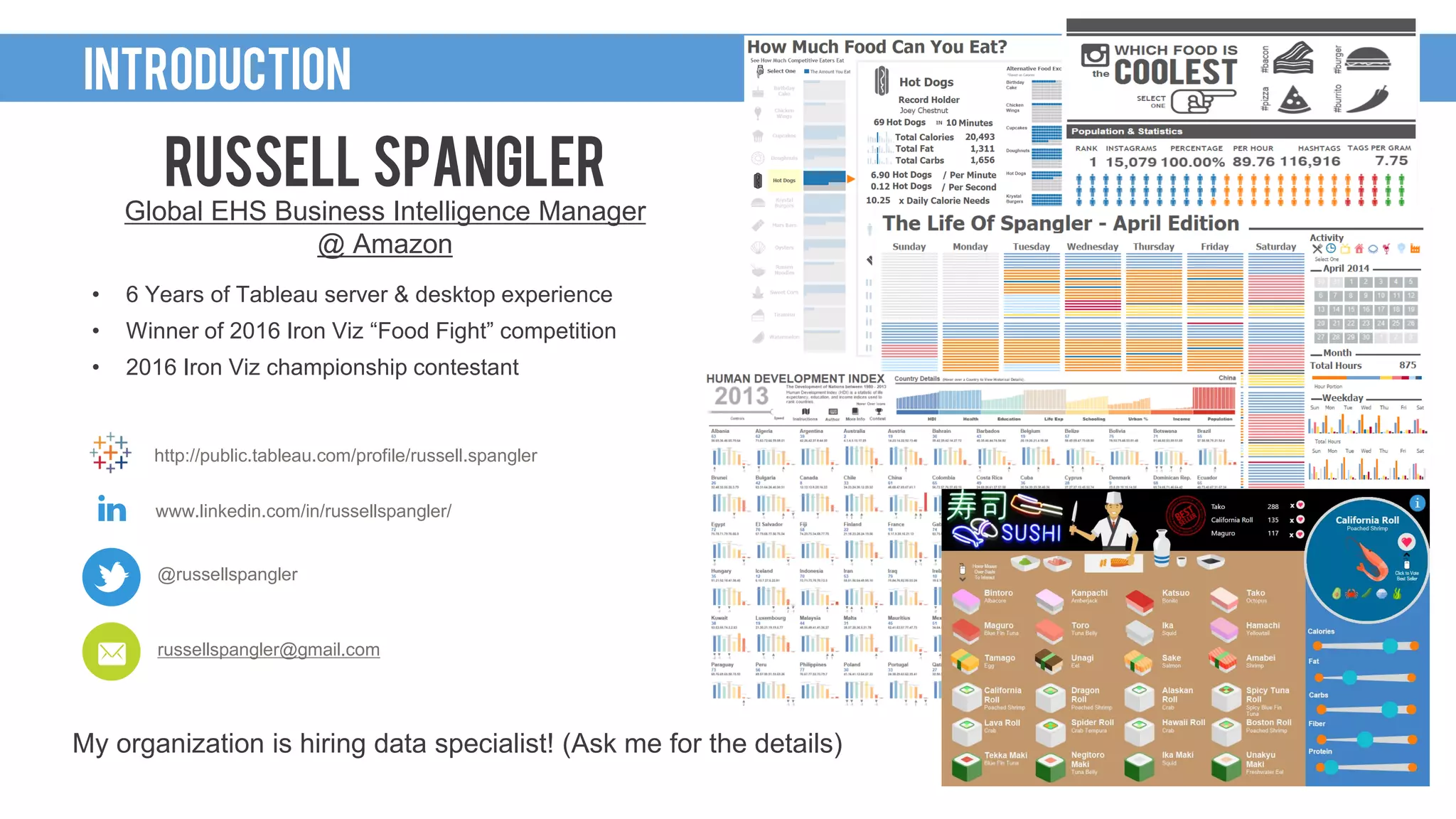
RUSSELL SPANGLER
Global EHS Business Intelligence Manager
@ Amazon
• 6 Years of Tableau server & desktop experience
• Winner of 2016 Iron Viz “Food Fight” competition
• 2016 Iron Viz championship contestant
http://public.tableau.com/profile/russell.spangler
My organization is hiring data specialist! (Ask me for the details)
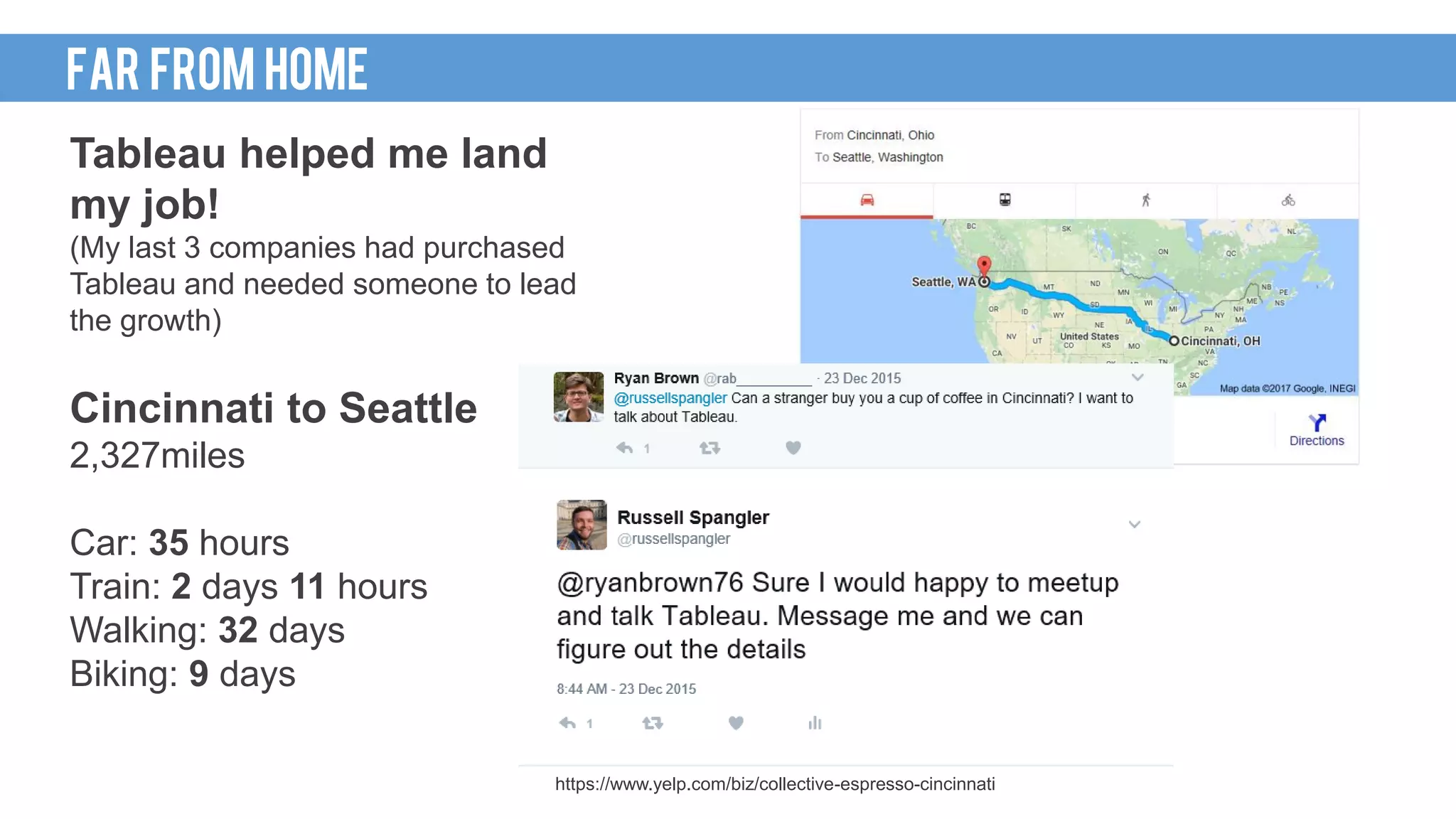
CINCINNATI TO SEATTLE
Tableau helped me land
my job!
(My last 3 companies had purchased
Tableau and needed someone to lead
the growth)
Cincinnati to Seattle
2,327miles
Car: 35 hours
Train: 2 days 11 hours
Walking: 32 days
Biking: 9 days
FAR FROM HOME
https://www.yelp.com/biz/collective-espresso-cincinnati
HOWI GOT HERE
I’m a data person.
My Experience
Masters of Science, Information Systems
Bachelor of Science, Information Systems
MY BACKGROUND
Minitab
Excel
Crystal Reports
SSRS
Microstrategy
SAS/JMP
COBOL
Perl
VB6
Java
ASP.net/C#
SQL
SQL
Analytics (R)
Python
Data Visualization (Tableau)
Graphic Design
Cloud based tools (AWS / Azure)
Recommendations
http://stevensanne.com/data-viz-in-6-weeks-wk-3-perception-cognition/ http://blog.fusioncharts.com/2014/03/how-we-decode-visual-information-podv/
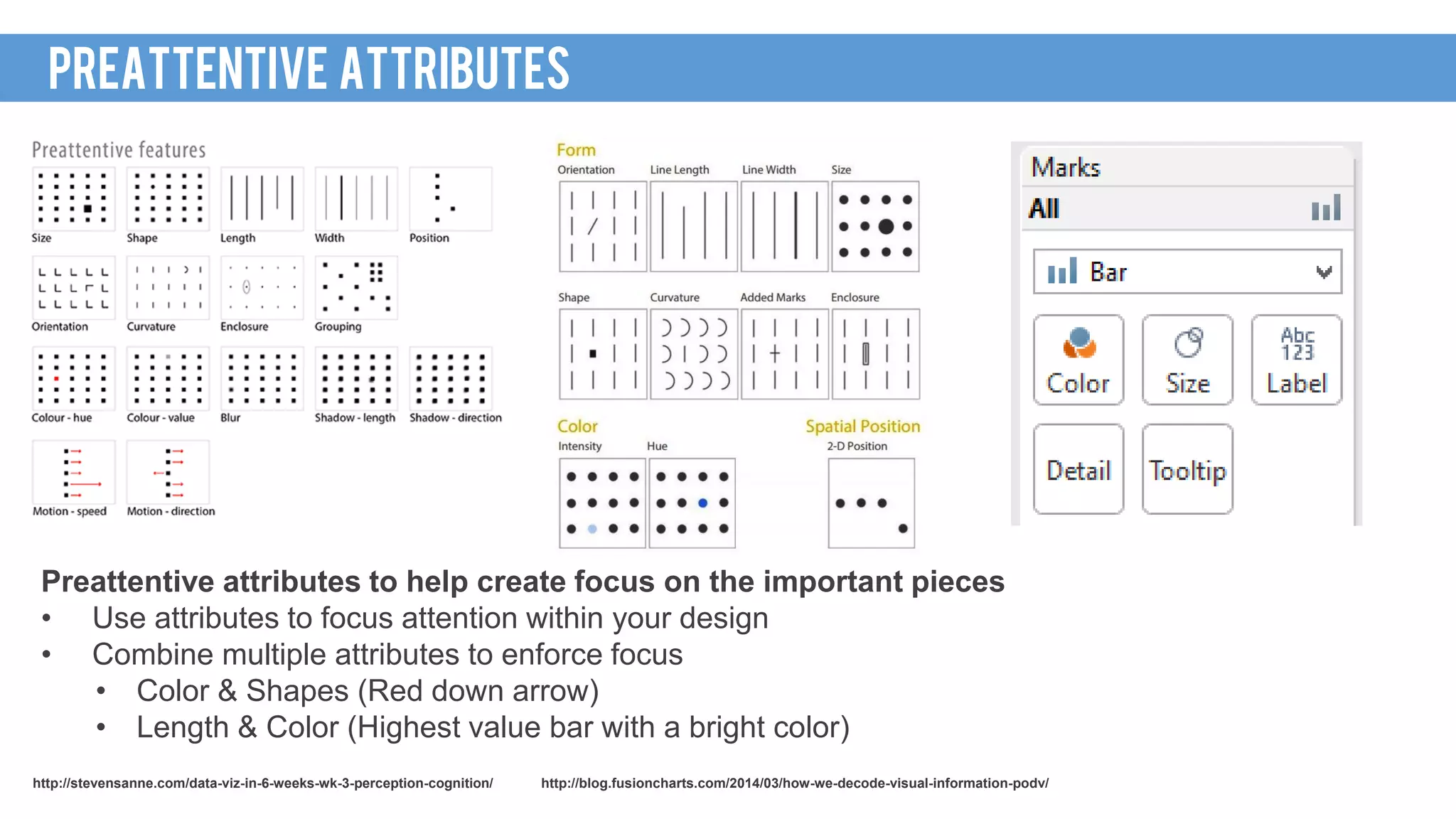
Preattentive ATTRIBUTES
Preattentive attributes to help create focus on the important pieces
• Use attributes to focus attention within your design
• Combine multiple attributes to enforce focus
• Color & Shapes (Red down arrow)
• Length & Color (Highest value bar with a bright color)
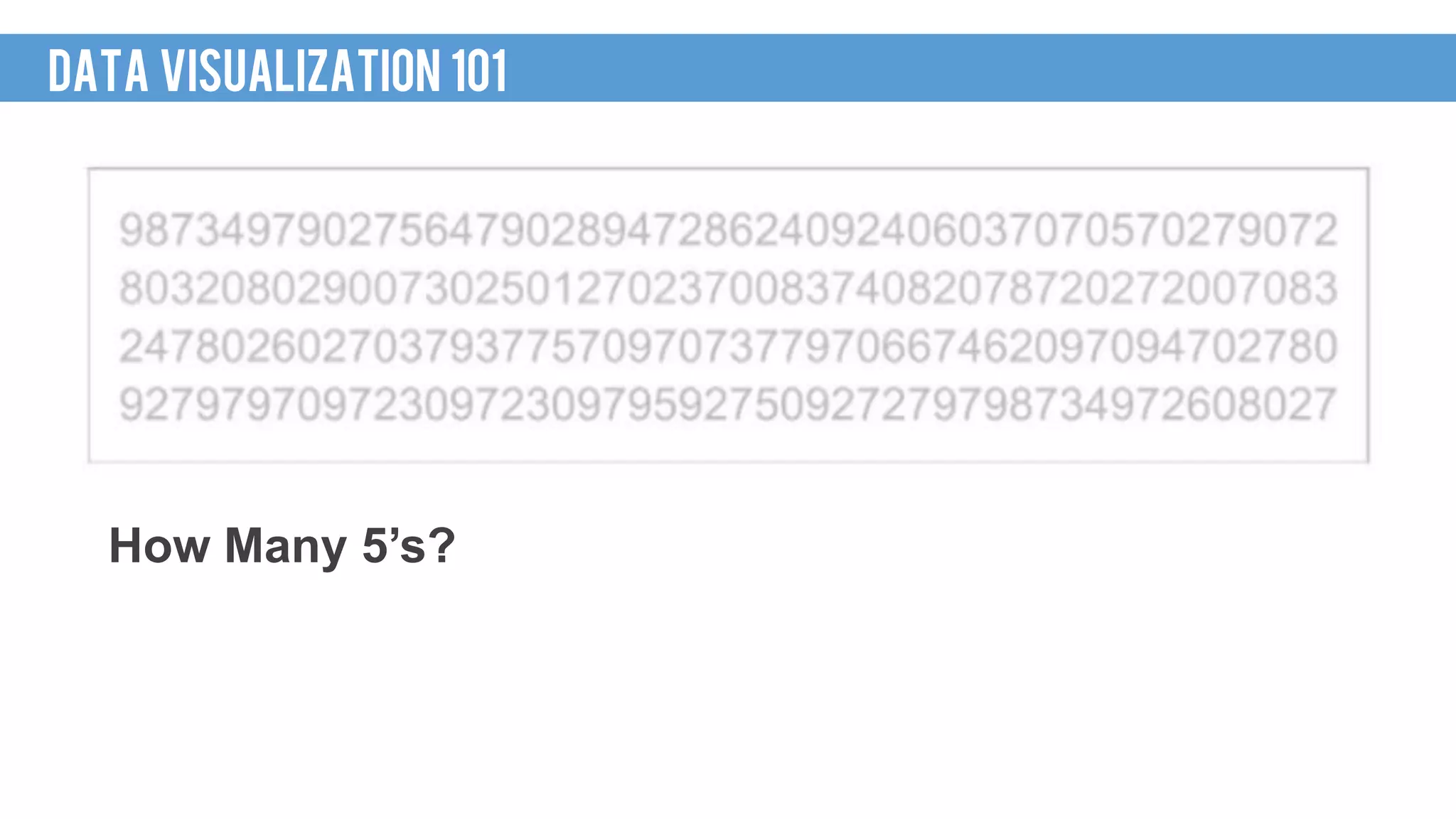
PreATTENTIVE ATTRIBUTE TEST
How Many 5’s?
DATA VISUALIZATION 101
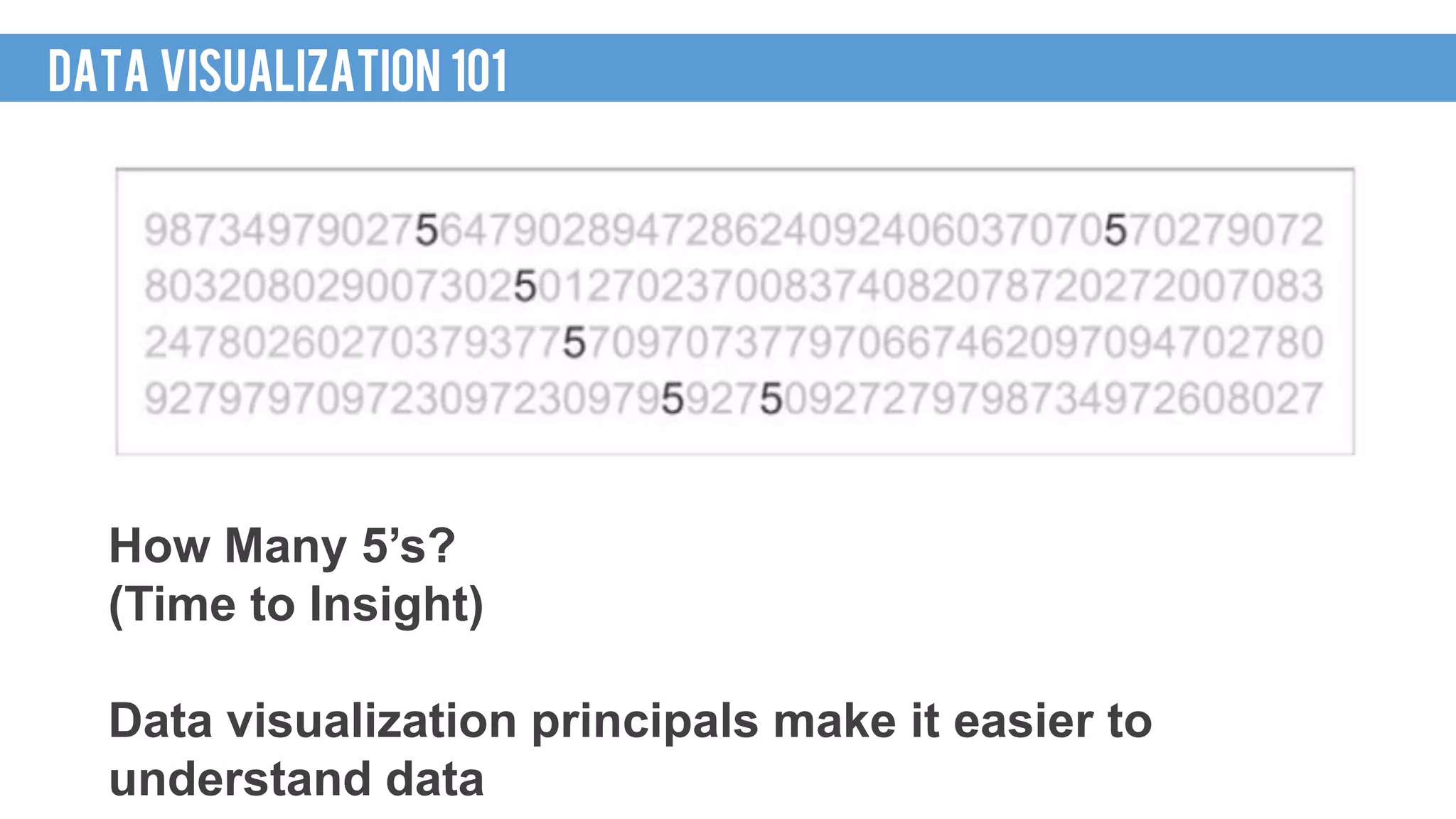
How Many 5’s?
(Time to Insight)
Data visualization principals make it easier to
understand data
DATA VISUALIZATION 101
HOW I GOT HERE
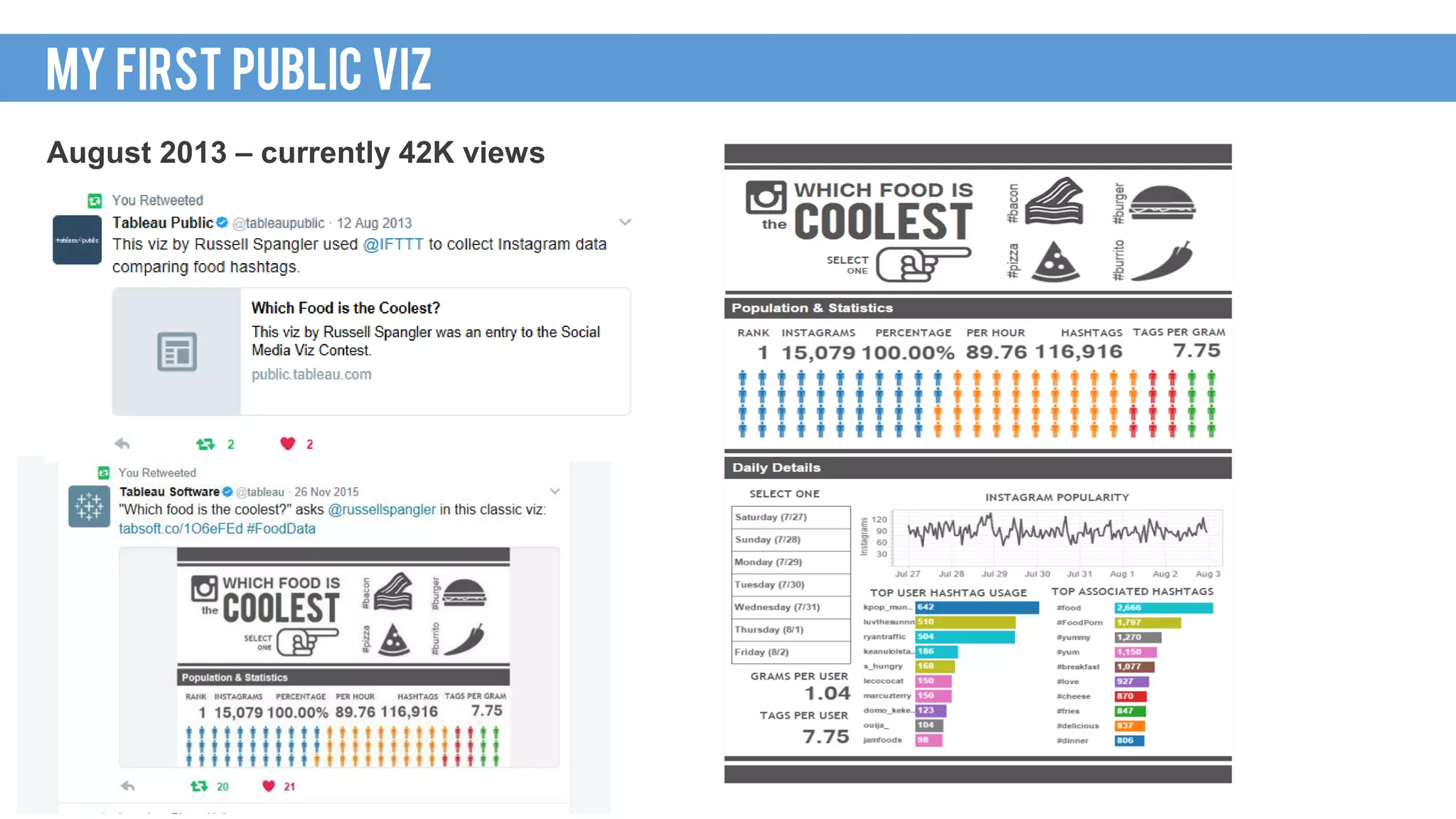
August 2013 – currently 42K views
MY FIRST PUBLIC VIZ
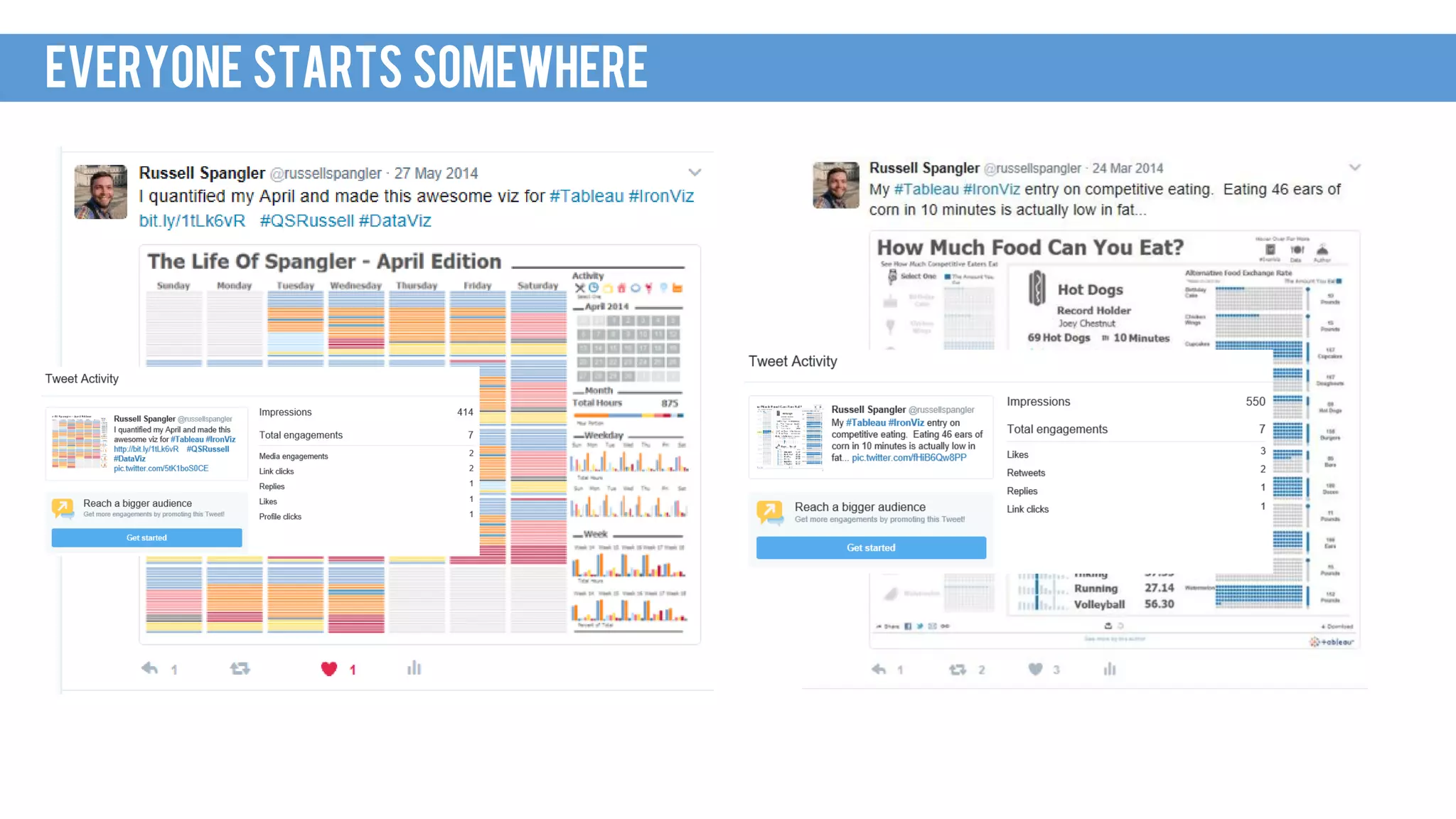
EVERYONE STARTS SOMEWHERE
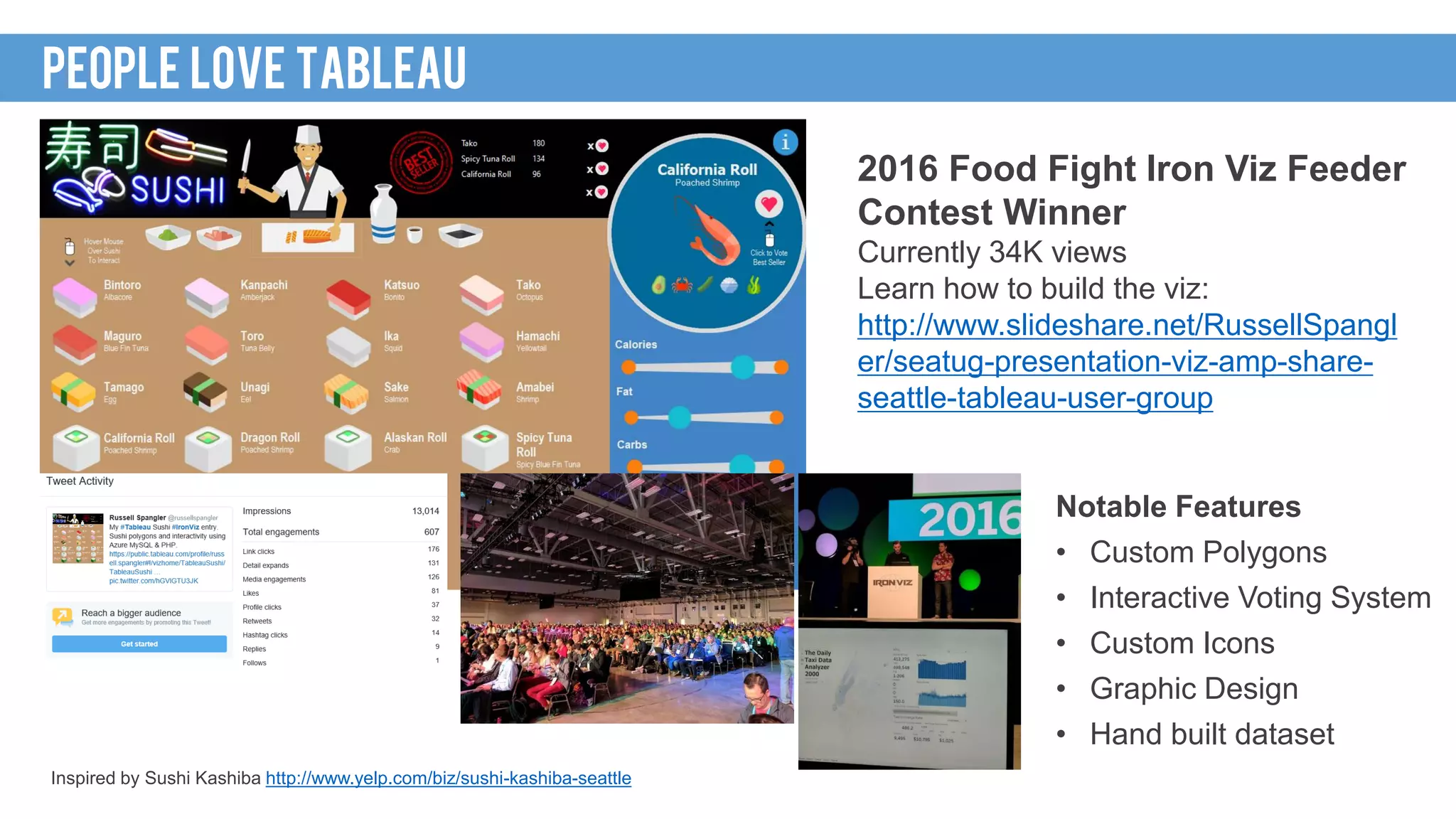
2016 Food Fight Iron Viz Feeder
Contest Winner
Currently 34K views
Learn how to build the viz:
http://www.slideshare.net/RussellSpangl
er/seatug-presentation-viz-amp-share-
seattle-tableau-user-group
Inspired by Sushi Kashiba http://www.yelp.com/biz/sushi-kashiba-seattle
PEOPLE LOVE TABLEAU
Notable Features
• Custom Polygons
• Interactive Voting System
• Custom Icons
• Graphic Design
• Hand built dataset
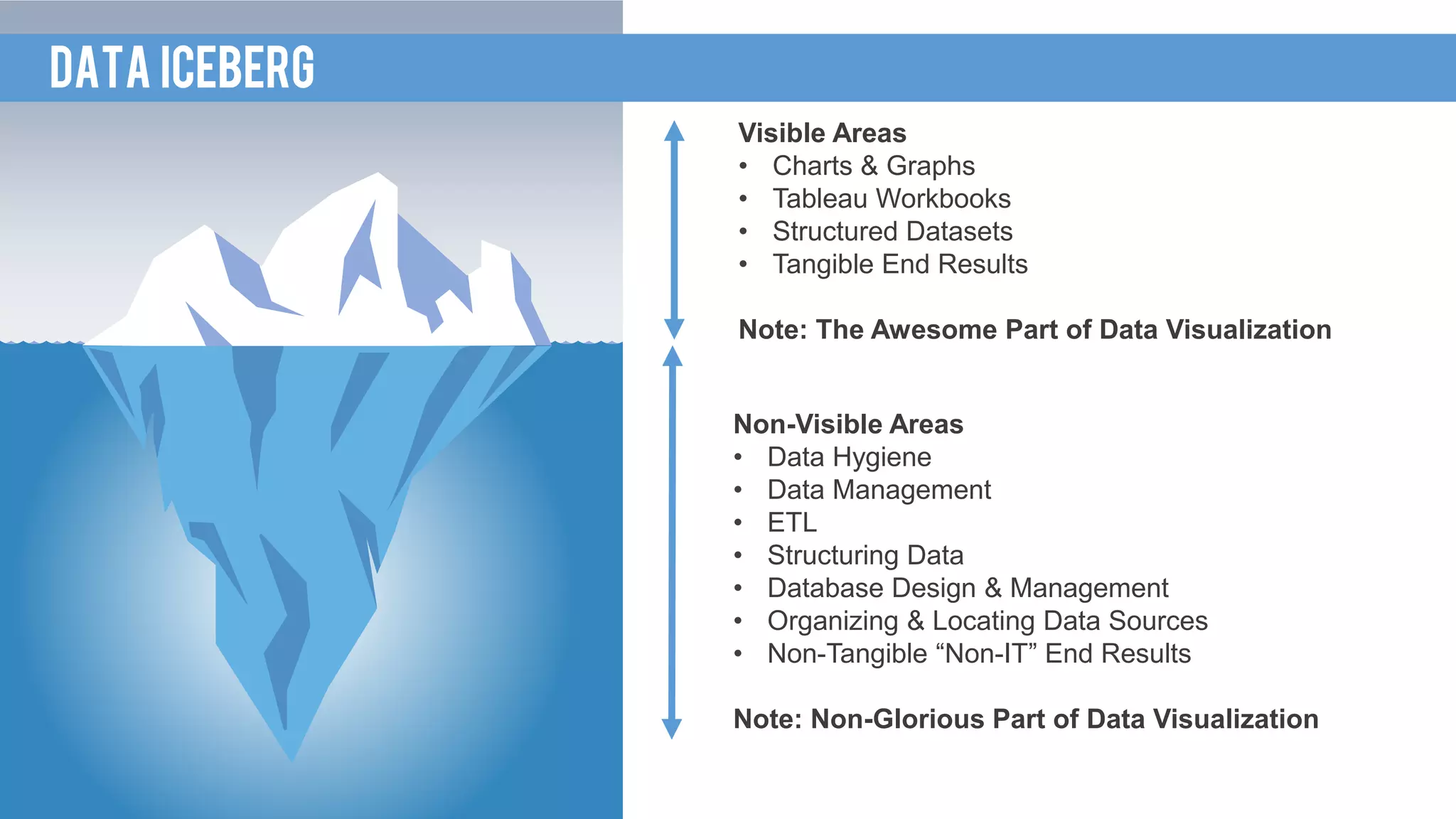
Visible Areas
• Charts & Graphs
• Tableau Workbooks
• Structured Datasets
• Tangible End Results
Note: The Awesome Part of Data Visualization
Non-Visible Areas
• Data Hygiene
• Data Management
• ETL
• Structuring Data
• Database Design & Management
• Organizing & Locating Data Sources
• Non-Tangible “Non-IT” End Results
Note: Non-Glorious Part of Data Visualization
DATA ICEBERG
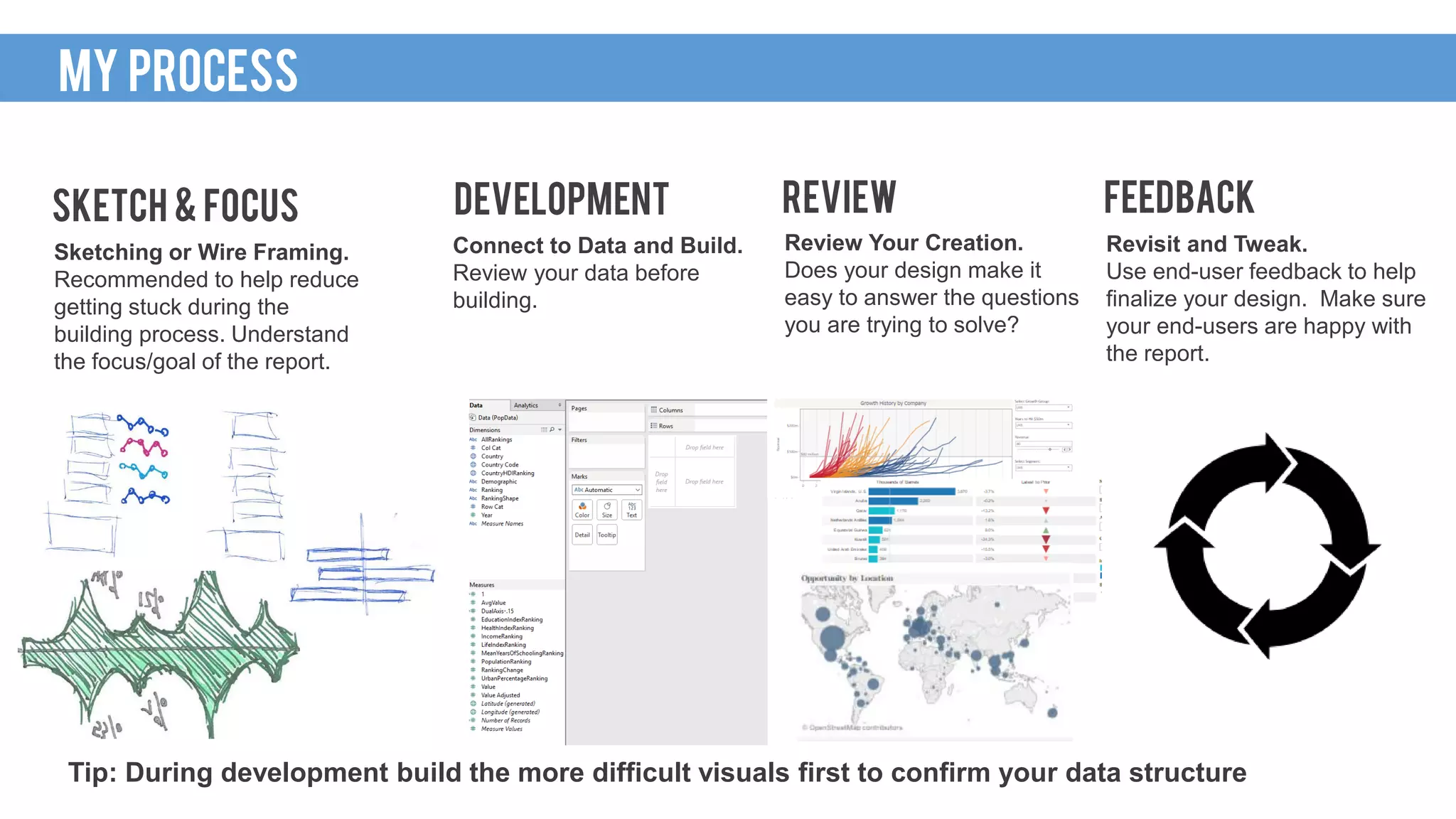
Sketching or Wire Framing.
Recommended to help reduce
getting stuck during the
building process. Understand
the focus/goal of the report.
SKETCH & FOCUS
Connect to Data and Build.
Review your data before
building.
DEVELOPMENT
Revisit and Tweak.
Use end-user feedback to help
finalize your design. Make sure
your end-users are happy with
the report.
FEEDBACK
Review Your Creation.
Does your design make it
easy to answer the questions
you are trying to solve?
REVIEW
Tip: During development build the more difficult visuals first to confirm your data structure
MY PROCESS
WHAT IS TABLEAU
• Better charts and graphs
• Advanced analytics
• Requires data to be
structured
VISUALS
• Calculated measures
• Custom data connections
• Command line server
administration and automation
PROGRAMMING
• Data visualization tool
• Server product provides a
centralized reporting portal
• Scalable server architecture
Software
• R integration
• Basic forecasting
• Drag and drop interface
DATA MINING
• Interactive (dashboard actions)
• Allows discovery
Extras
• Copy & paste
• Live connection
• Extract (fast snapshot /
refreshable)
• Predefined data connections
(easy to setup data feeds)
DATA
WHY IS TABLEAU AWESOME
Leverage Tableau’s strengths
• Keep it Simple: basic chart types (lines & bars) with a high level of execution
• Design: Make it look great (at least better than Excel)
• Color: Use a modern but simple color palette
• Create Interactivity: Use dashboard actions
• Make it Meaningful: Focus on the end user and goals
• Build Trust: double check your data & numbers
The 30* second test
• Dashboards should be clear and easy to understand (if you don’t know what
you are looking at within 30 seconds, the design could be too complicated)
• *Exact timing target varies
FIRST REPORT STRATEGY
WAKE UP CALL
The Test
• Display a current report and ask questions regarding the data
• Time how long it takes for people to answer
• Display a newly designed report and ask similar questions regarding the data
• Time the results & compare
Time to Insight (quantify your return!)
• The time it take end users to answer their questions
• The value of time of end users and the reduction of time your reports can provide
• 1 report reduces 15 minutes of work for 20 end users each week = savings of 5 hrs/wk or 260
hrs/yr
• The higher up the end user is in the organization normally equates for the need for faster
insights
Tip: Reach the “AHA” moment when people realize current reports might not be the best
TEST YOUR VIZ
Non-analytical users want to use Tableau to understand their data
Areas of interest
• Self-service reporting
• Real-time reports
• Remove dependency on developers
• Centralized reporting portals
• Large amounts of data
• Variety of data sources
• Compatibility with AWS / cloud products
• Development speed / rapid prototypes
• Intuitive features for users
• Automation capability
• Interactive reports / data discovery
MY EXPERIENCE
Hurdles
• Legacy products and legacy reports
• Cultural change for better data
visualization practices
• Cost
• Large scale data management
• Security
• Trust in the data and the new product
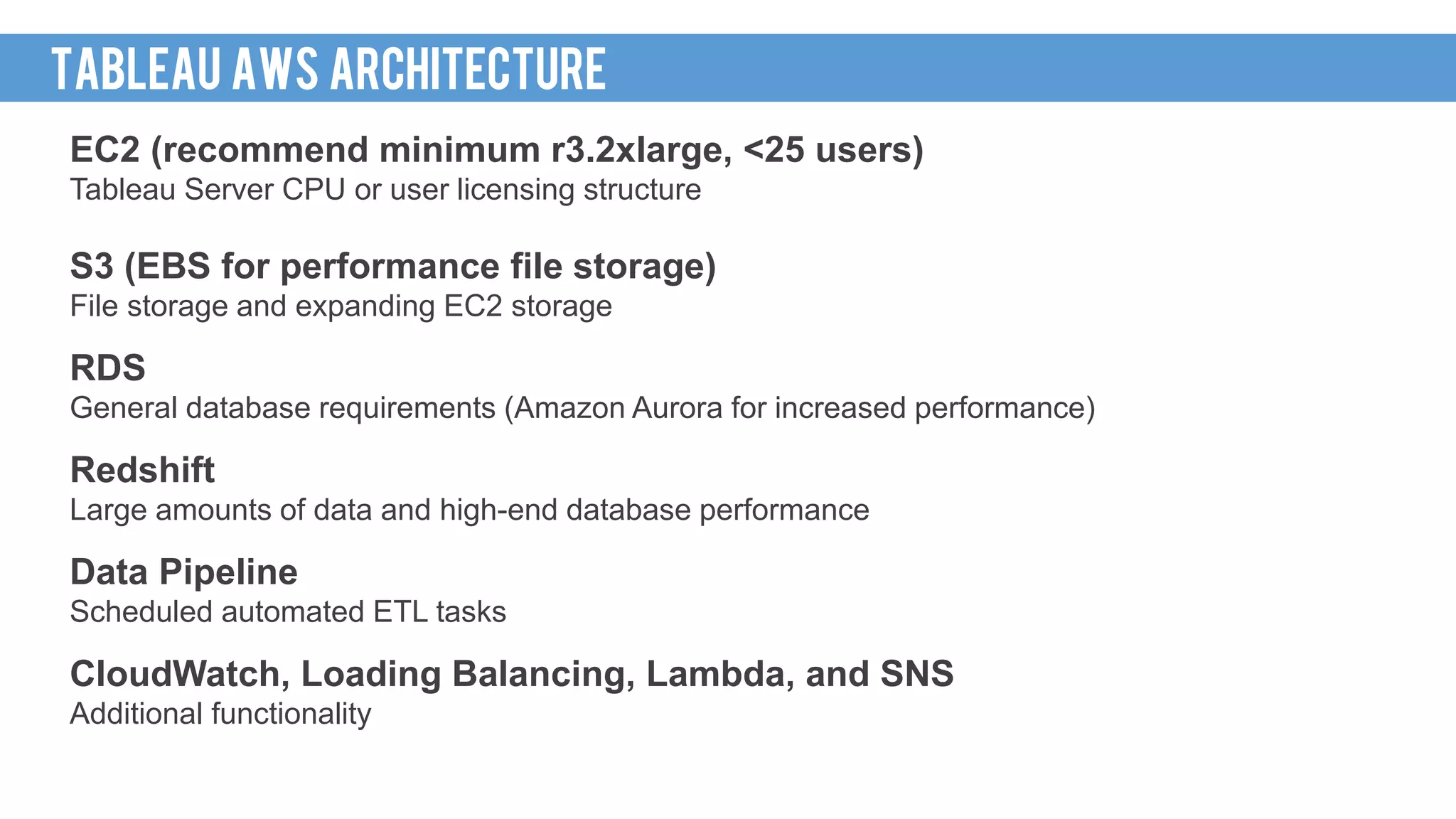
EC2 (recommend minimum r3.2xlarge, <25 users)
Tableau Server CPU or user licensing structure
S3 (EBS for performance file storage)
File storage and expanding EC2 storage
RDS
General database requirements (Amazon Aurora for increased performance)
Redshift
Large amounts of data and high-end database performance
Data Pipeline
Scheduled automated ETL tasks
CloudWatch, Loading Balancing, Lambda, and SNS
Additional functionality
TABLEAU AWS architecture
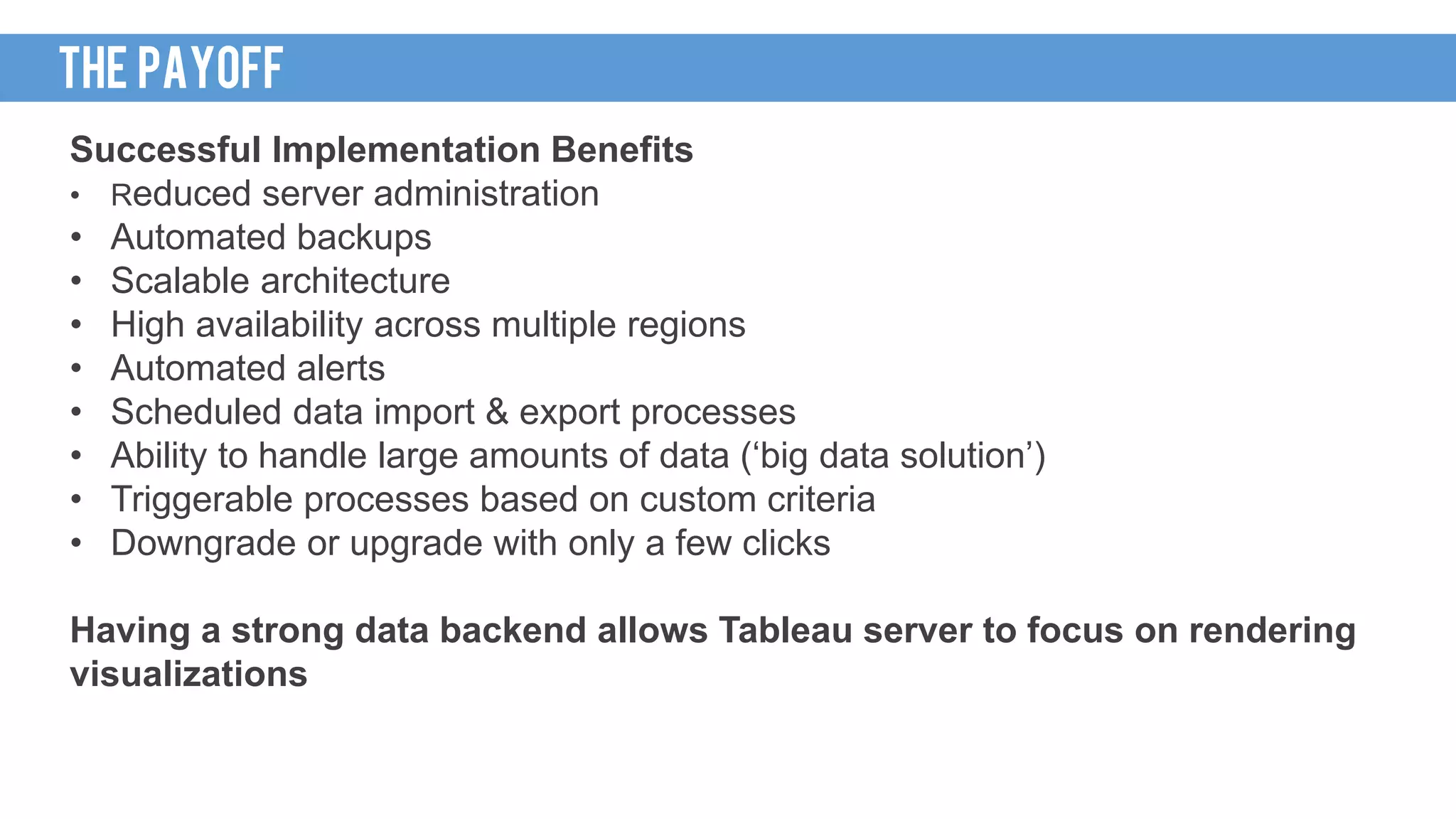
Successful Implementation Benefits
• Reduced server administration
• Automated backups
• Scalable architecture
• High availability across multiple regions
• Automated alerts
• Scheduled data import & export processes
• Ability to handle large amounts of data (‘big data solution’)
• Triggerable processes based on custom criteria
• Downgrade or upgrade with only a few clicks
Having a strong data backend allows Tableau server to focus on rendering
visualizations
THE PAYOFF
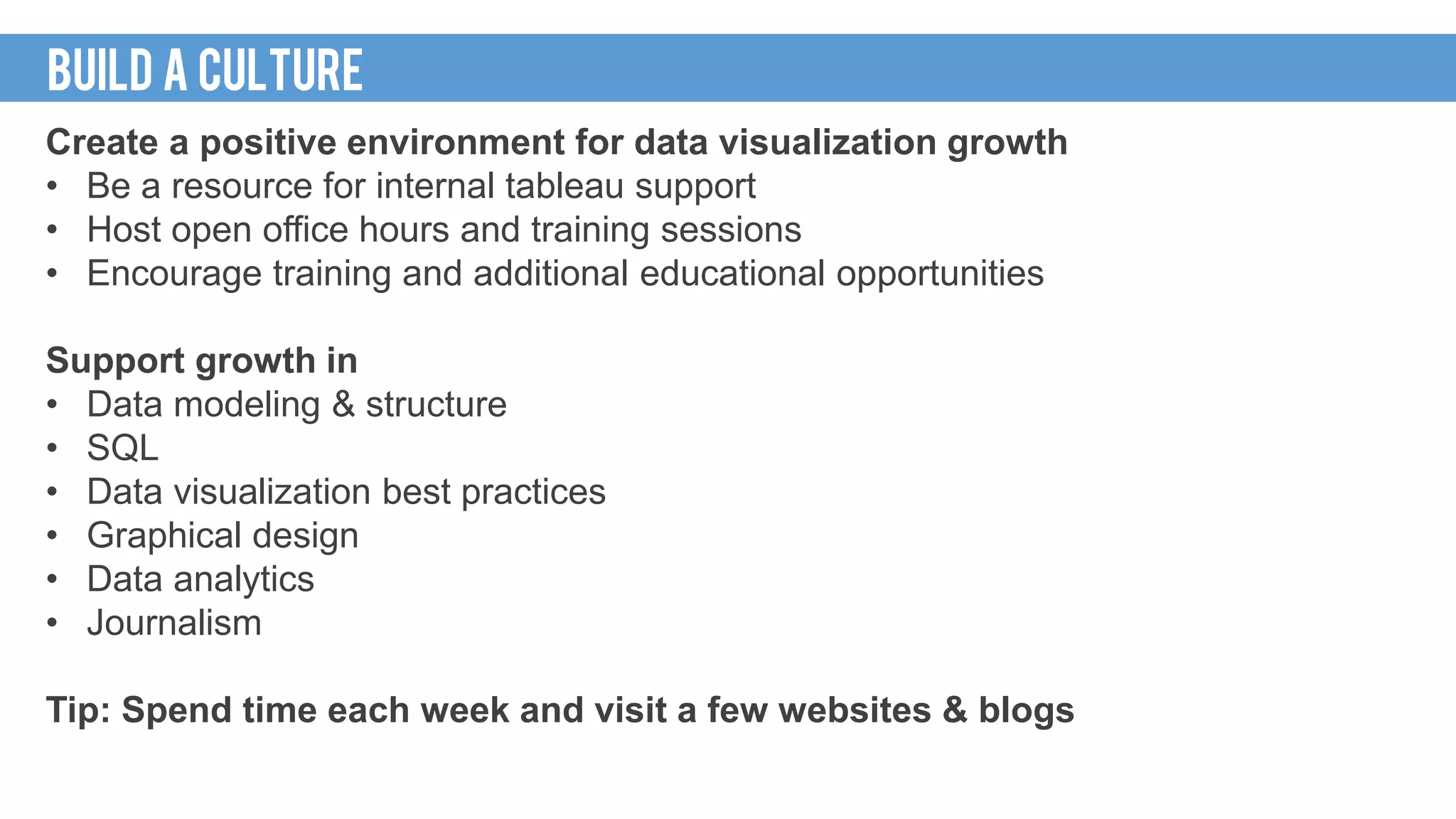
Create a positive environment for data visualization growth
• Be a resource for internal tableau support
• Host open office hours and training sessions
• Encourage training and additional educational opportunities
Support growth in
• Data modeling & structure
• SQL
• Data visualization best practices
• Graphical design
• Data analytics
• Journalism
Tip: Spend time each week and visit a few websites & blogs
BUILD A CULTURE
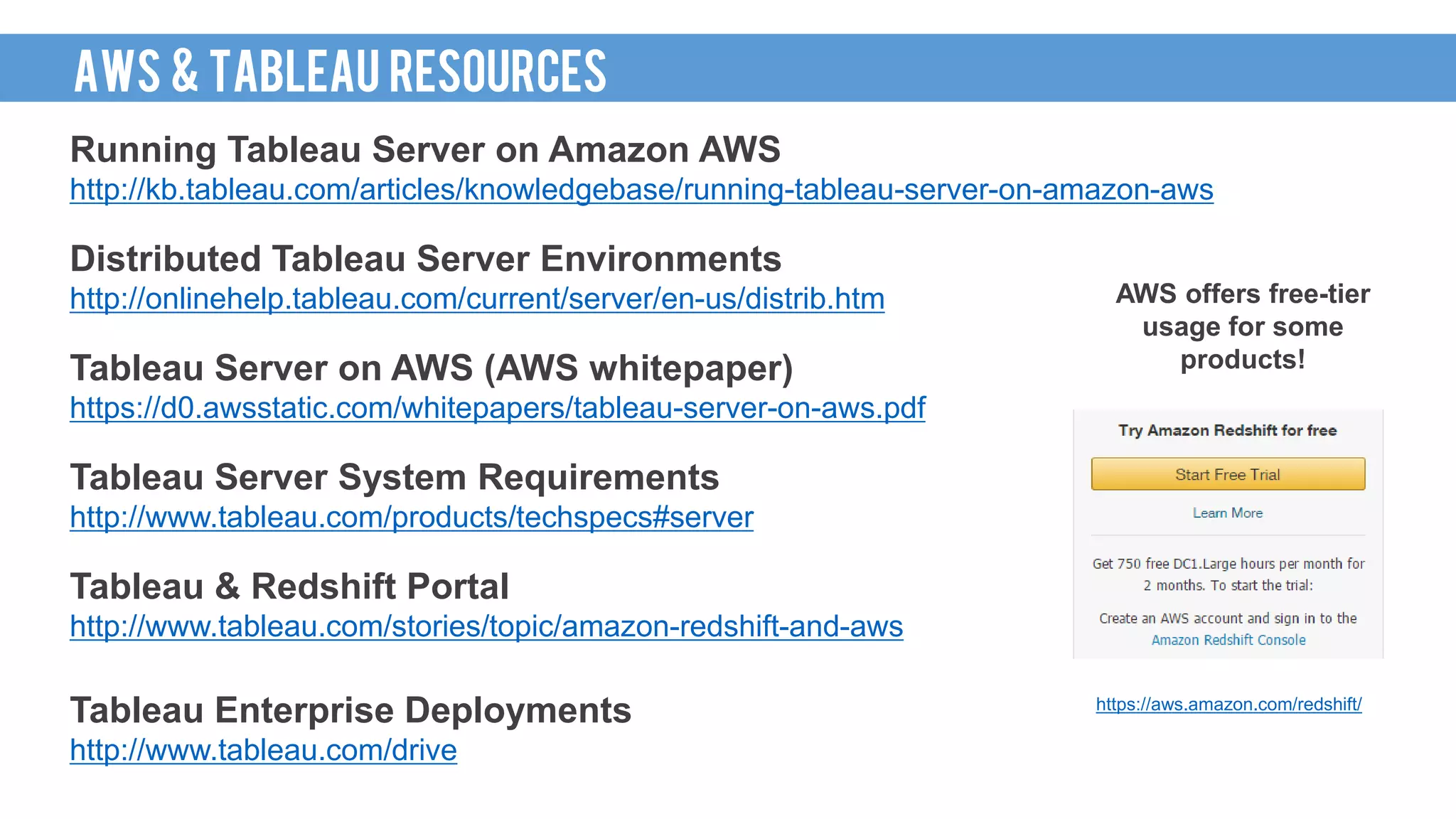
Running Tableau Server on Amazon AWS
http://kb.tableau.com/articles/knowledgebase/running-tableau-server-on-amazon-aws
Distributed Tableau Server Environments
http://onlinehelp.tableau.com/current/server/en-us/distrib.htm
Tableau Server on AWS (AWS whitepaper)
https://d0.awsstatic.com/whitepapers/tableau-server-on-aws.pdf
Tableau Server System Requirements
http://www.tableau.com/products/techspecs#server
Tableau & Redshift Portal
http://www.tableau.com/stories/topic/amazon-redshift-and-aws
Tableau Enterprise Deployments
http://www.tableau.com/drive
AWS offers free-tier
usage for some
products!
https://aws.amazon.com/redshift/
AWS & TABLEAU RESOURCES
Modern Approach Enterprise Analytics
http://www.tableau.com/community/events/modern-approach-enterprise-analytics
Tableau Public Authors, Gallery, and Viz of the Day
https://public.tableau.com/s/gallery
Tableau Help Resources (Quick Start, Videos, and Forums)
http://www.tableau.com/learn
http://www.tableau.com/support/manuals/quickstart
Tableau Forums & User Groups
https://community.tableau.com/community/forums
https://community.tableau.com/community/groups
ADDITIONAL RESOURCES
ThankS!

Tableau Seattle BI Event How Tableau Changed My Life

  • 1.
    HOW TABLEAU CHANGEDMY LIFE Tableau Seattle Customer Event
  • 2.
    INTRODUCTION @russellspangler russellspangler@gmail.com www.linkedin.com/in/russellspangler/ RUSSELL SPANGLER Global EHSBusiness Intelligence Manager @ Amazon • 6 Years of Tableau server & desktop experience • Winner of 2016 Iron Viz “Food Fight” competition • 2016 Iron Viz championship contestant http://public.tableau.com/profile/russell.spangler My organization is hiring data specialist! (Ask me for the details)
  • 3.
    CINCINNATI TO SEATTLE Tableauhelped me land my job! (My last 3 companies had purchased Tableau and needed someone to lead the growth) Cincinnati to Seattle 2,327miles Car: 35 hours Train: 2 days 11 hours Walking: 32 days Biking: 9 days FAR FROM HOME https://www.yelp.com/biz/collective-espresso-cincinnati
  • 4.
    HOWI GOT HERE I’ma data person. My Experience Masters of Science, Information Systems Bachelor of Science, Information Systems MY BACKGROUND Minitab Excel Crystal Reports SSRS Microstrategy SAS/JMP COBOL Perl VB6 Java ASP.net/C# SQL SQL Analytics (R) Python Data Visualization (Tableau) Graphic Design Cloud based tools (AWS / Azure) Recommendations
  • 5.
    http://stevensanne.com/data-viz-in-6-weeks-wk-3-perception-cognition/ http://blog.fusioncharts.com/2014/03/how-we-decode-visual-information-podv/ Preattentive ATTRIBUTES Preattentiveattributes to help create focus on the important pieces • Use attributes to focus attention within your design • Combine multiple attributes to enforce focus • Color & Shapes (Red down arrow) • Length & Color (Highest value bar with a bright color)
  • 6.
    PreATTENTIVE ATTRIBUTE TEST HowMany 5’s? DATA VISUALIZATION 101
  • 7.
    How Many 5’s? (Timeto Insight) Data visualization principals make it easier to understand data DATA VISUALIZATION 101
  • 8.
    HOW I GOTHERE August 2013 – currently 42K views MY FIRST PUBLIC VIZ
  • 9.
  • 10.
    2016 Food FightIron Viz Feeder Contest Winner Currently 34K views Learn how to build the viz: http://www.slideshare.net/RussellSpangl er/seatug-presentation-viz-amp-share- seattle-tableau-user-group Inspired by Sushi Kashiba http://www.yelp.com/biz/sushi-kashiba-seattle PEOPLE LOVE TABLEAU Notable Features • Custom Polygons • Interactive Voting System • Custom Icons • Graphic Design • Hand built dataset
  • 11.
    Visible Areas • Charts& Graphs • Tableau Workbooks • Structured Datasets • Tangible End Results Note: The Awesome Part of Data Visualization Non-Visible Areas • Data Hygiene • Data Management • ETL • Structuring Data • Database Design & Management • Organizing & Locating Data Sources • Non-Tangible “Non-IT” End Results Note: Non-Glorious Part of Data Visualization DATA ICEBERG
  • 12.
    Sketching or WireFraming. Recommended to help reduce getting stuck during the building process. Understand the focus/goal of the report. SKETCH & FOCUS Connect to Data and Build. Review your data before building. DEVELOPMENT Revisit and Tweak. Use end-user feedback to help finalize your design. Make sure your end-users are happy with the report. FEEDBACK Review Your Creation. Does your design make it easy to answer the questions you are trying to solve? REVIEW Tip: During development build the more difficult visuals first to confirm your data structure MY PROCESS
  • 13.
    WHAT IS TABLEAU •Better charts and graphs • Advanced analytics • Requires data to be structured VISUALS • Calculated measures • Custom data connections • Command line server administration and automation PROGRAMMING • Data visualization tool • Server product provides a centralized reporting portal • Scalable server architecture Software • R integration • Basic forecasting • Drag and drop interface DATA MINING • Interactive (dashboard actions) • Allows discovery Extras • Copy & paste • Live connection • Extract (fast snapshot / refreshable) • Predefined data connections (easy to setup data feeds) DATA WHY IS TABLEAU AWESOME
  • 14.
    Leverage Tableau’s strengths •Keep it Simple: basic chart types (lines & bars) with a high level of execution • Design: Make it look great (at least better than Excel) • Color: Use a modern but simple color palette • Create Interactivity: Use dashboard actions • Make it Meaningful: Focus on the end user and goals • Build Trust: double check your data & numbers The 30* second test • Dashboards should be clear and easy to understand (if you don’t know what you are looking at within 30 seconds, the design could be too complicated) • *Exact timing target varies FIRST REPORT STRATEGY
  • 15.
    WAKE UP CALL TheTest • Display a current report and ask questions regarding the data • Time how long it takes for people to answer • Display a newly designed report and ask similar questions regarding the data • Time the results & compare Time to Insight (quantify your return!) • The time it take end users to answer their questions • The value of time of end users and the reduction of time your reports can provide • 1 report reduces 15 minutes of work for 20 end users each week = savings of 5 hrs/wk or 260 hrs/yr • The higher up the end user is in the organization normally equates for the need for faster insights Tip: Reach the “AHA” moment when people realize current reports might not be the best TEST YOUR VIZ
  • 16.
    Non-analytical users wantto use Tableau to understand their data Areas of interest • Self-service reporting • Real-time reports • Remove dependency on developers • Centralized reporting portals • Large amounts of data • Variety of data sources • Compatibility with AWS / cloud products • Development speed / rapid prototypes • Intuitive features for users • Automation capability • Interactive reports / data discovery MY EXPERIENCE Hurdles • Legacy products and legacy reports • Cultural change for better data visualization practices • Cost • Large scale data management • Security • Trust in the data and the new product
  • 17.
    EC2 (recommend minimumr3.2xlarge, <25 users) Tableau Server CPU or user licensing structure S3 (EBS for performance file storage) File storage and expanding EC2 storage RDS General database requirements (Amazon Aurora for increased performance) Redshift Large amounts of data and high-end database performance Data Pipeline Scheduled automated ETL tasks CloudWatch, Loading Balancing, Lambda, and SNS Additional functionality TABLEAU AWS architecture
  • 18.
    Successful Implementation Benefits •Reduced server administration • Automated backups • Scalable architecture • High availability across multiple regions • Automated alerts • Scheduled data import & export processes • Ability to handle large amounts of data (‘big data solution’) • Triggerable processes based on custom criteria • Downgrade or upgrade with only a few clicks Having a strong data backend allows Tableau server to focus on rendering visualizations THE PAYOFF
  • 19.
    Create a positiveenvironment for data visualization growth • Be a resource for internal tableau support • Host open office hours and training sessions • Encourage training and additional educational opportunities Support growth in • Data modeling & structure • SQL • Data visualization best practices • Graphical design • Data analytics • Journalism Tip: Spend time each week and visit a few websites & blogs BUILD A CULTURE
  • 20.
    Running Tableau Serveron Amazon AWS http://kb.tableau.com/articles/knowledgebase/running-tableau-server-on-amazon-aws Distributed Tableau Server Environments http://onlinehelp.tableau.com/current/server/en-us/distrib.htm Tableau Server on AWS (AWS whitepaper) https://d0.awsstatic.com/whitepapers/tableau-server-on-aws.pdf Tableau Server System Requirements http://www.tableau.com/products/techspecs#server Tableau & Redshift Portal http://www.tableau.com/stories/topic/amazon-redshift-and-aws Tableau Enterprise Deployments http://www.tableau.com/drive AWS offers free-tier usage for some products! https://aws.amazon.com/redshift/ AWS & TABLEAU RESOURCES
  • 21.
    Modern Approach EnterpriseAnalytics http://www.tableau.com/community/events/modern-approach-enterprise-analytics Tableau Public Authors, Gallery, and Viz of the Day https://public.tableau.com/s/gallery Tableau Help Resources (Quick Start, Videos, and Forums) http://www.tableau.com/learn http://www.tableau.com/support/manuals/quickstart Tableau Forums & User Groups https://community.tableau.com/community/forums https://community.tableau.com/community/groups ADDITIONAL RESOURCES
  • 22.