Presentation:
System software

                            MAII
                Course: Information System
                   Group Work Project
Software

Software is set of programs executed together to
perform specific task by computer.
It consist of data and documentation as well.
There are commonly three types of software,
     System Software,eg: windows
     Programming software,eg: Visual Basic
     Application Software ,eg:Office
System Software


System software is software designed to operate the
basic functions in computer, utilizing hardware and
to provide a platform for running application
software
It provides security and error fixing in system(device)
It provides resources and consistency for application
software to perform regular to complex task.
It is “Low Level” software since it performs at basic
level.
Types of System Software


There are various kind of system software depending on
objectives,
  Device Drivers-BIOS, Firmware
  Operating System-Windows,Macintos,Linux
  Application Software-Photoshop,Safari,itunes
  Programming Software-Visual
  Studio,SharpDevelopment(IDE)
Operating system

• An interface between users and hardware- environment
  “architecture”
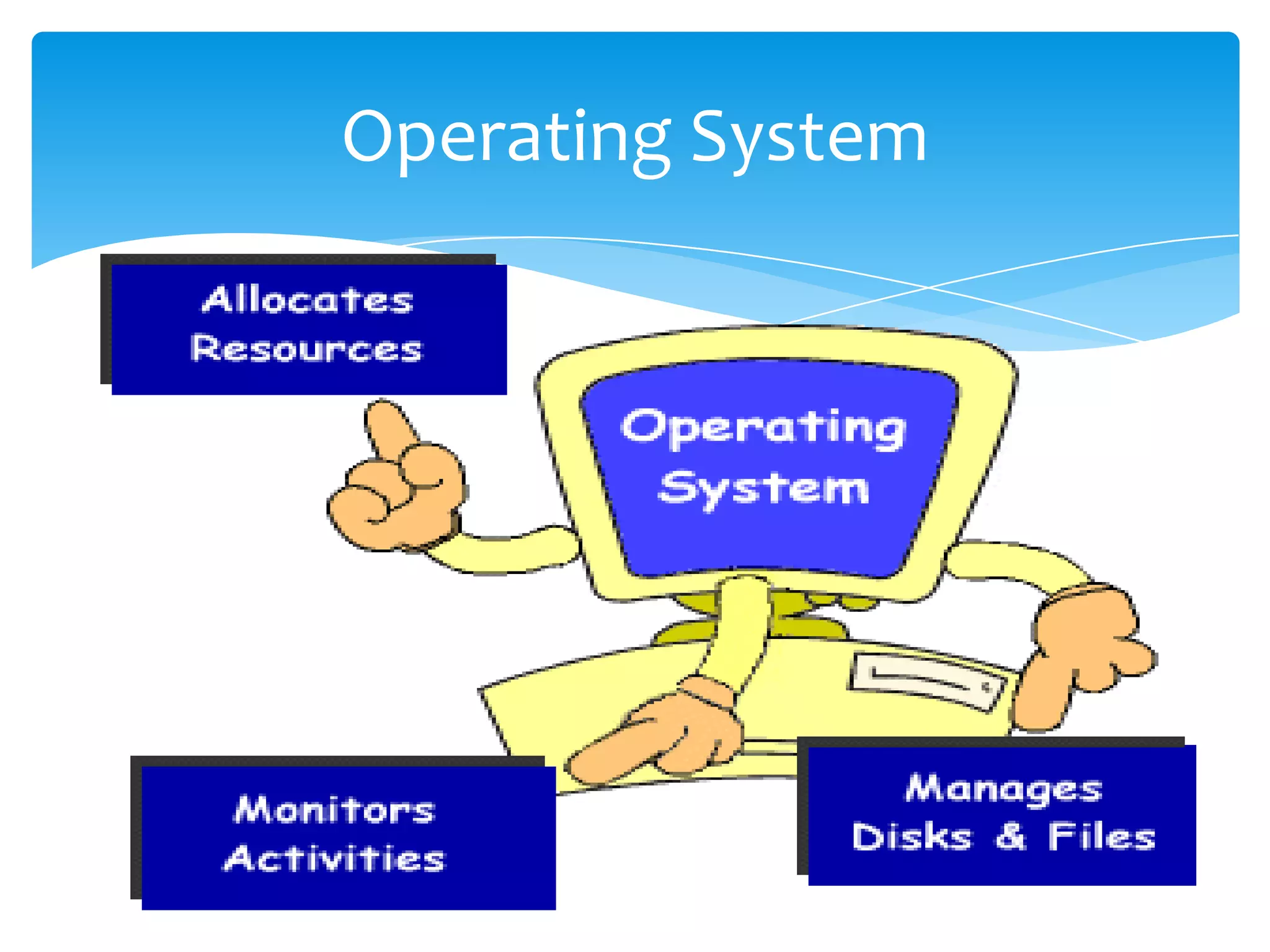
• It is the most important software running on computer. It
  manages all other programs in machine
• allows convenient, efficient usage and parallel
  activity, hides the tedious stuff.
• It recognizes the input such as keyboard, printer, mobile
  phone. Etc.
• It collects data, stores, retrieves and out put.
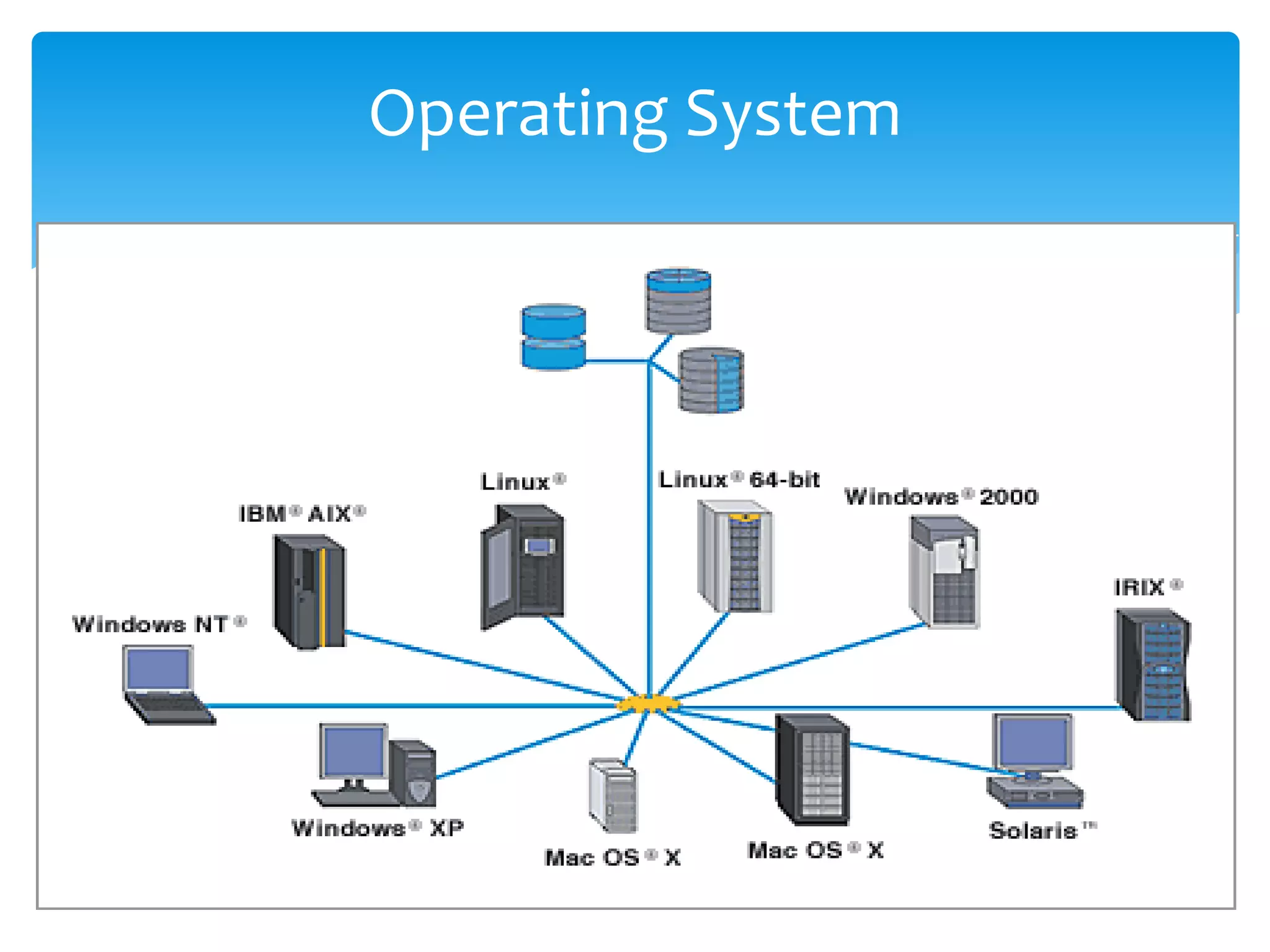
Operating System


Operating system
Operating System
Components of OS

A utility program: performs tasks related to the
maintaining of your computer's health - hardware or
data. Some are included with the operating
system, like
File Management programs: make it easier to manage
your files.
Disk Management: programs involve formatting and
defragmenting disks.
Memory Management software: handles where
programs put their current data in RAM
OS Platform

There are different OS family. Major OS are,

  Windows                   (77.69%)*
  Macintosh & iOS           (10.69%)*
  Unix & Linux              (2.41%)*
                                   *Usage statistics Aug 2011
Microsoft Windows

The most popular OS platform
Initial Release Win1 -20th Nov,1985
MsDOS +GUI, calculator, Notepad
Major release:                    Server
  Win95                           -Win 2003
  Win98                           -Win 2008
  WinXP(NT based)
  Vista
  Window 7
Window 7


An Operating System which was developed by
Microsoft.

The name Windows 7 was derived from it being the 7th
operating system released by Microsoft.

Launched in 2009 by Microsoft as the 7th generation
Windows Operating system following 6 previous
generations of Windows operating system namely,
Market Trends that inspired
            Windows7
In planning Windows 7 some major things influenced the
engineering and design efforts.
 Expanded diversity and sophistication of devices.
 As the range of devices continue to expand by the day.

  Growth of mobile computing.
  Since mobile computers are becoming more popular than
desktops
 More connection options
 Since computer users want to stay online any available internet
connection and the need for people to access their information
irrespective of their location
Market Influence


More digital media
The ever increasing amount of digital media like
music, video, and so much content on the web that
easily needs to be found, used and and shared without
any complexity.
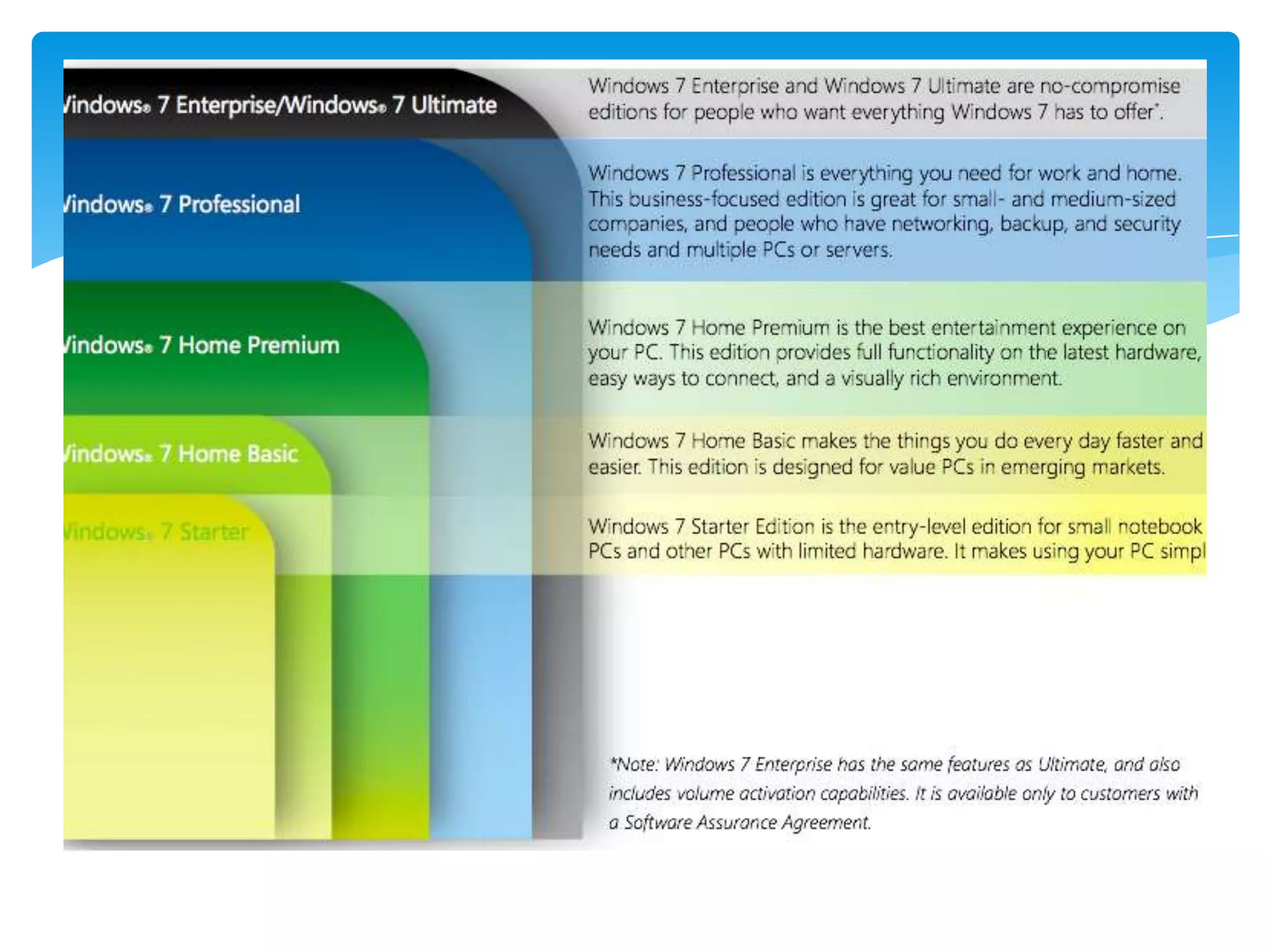
Window 7 editions


 Due to the different expectations that people have in
regard to what they want their pcs to do for
them, Widows 7 comes in 5 editions where the higher
the editions the more the features
Microsoft Windows


Features Of Window 7
  User Account Control
  File System Permissions
  Window Defender
  Make System Image
  Create Recovery Disk
  System Restore
FEATURES
Interface: The first aspect which can simply decide
the fate of a particular product. Well, Microsoft has
worked a lot on this part it seems. Windows 7 uses
the concept of jump lists, to organize recently used
files as well as WebPages. Windows 7 also presents to
the users a new improved task bar - an interactive
task bar that allows you to align the objects on the
task bar of your own accord and with more
functionality. The three new features, Aero
Shake, Aero Peek and Snap provides very simple
ways to get yourself out of the clutter on your
desktop.
Features

Home Networking: Windows 7 has made home
networking a much more easy to use feature. The
interface for connecting the machines to a home
network has been made much more lively and easy to
use. Setting up a few computers in a network is a
much easier task and sharing information is also
relatively easier, not that it was much complicated in
the earlier versions. It has also provided better
features for network security making a small home
or office network less vulnerable to hackers.
ADVANTAGES

Improved speed and less amount of RAM usage are among
the first things you must have heard among the
advantages of Windows 7. But then, is this all that
Windows 7 can offer. Almost four years after the launch of
Windows Vista,. Windows Vista had many promising
features in its GUI interface. However, when it came to RAM
usage and performance, many users considered reverting
back to Windows XP. When it comes to the advantages of
windows 7 over windows XP, the answer is not just the
improved GUI. Windows 7 supports many of the features
available in Windows Vista, and also brings in extra
features, but the best part is the improved speed. No doubt, .
Windows 7 uses RAM more effectively and use less space on the
RAM for its GUI features
Change in OS and Device

Decades before Computing was part of corporate
business.
Companies like Microsoft, Cisco were corporate based.
Software were built for corporate use, such as
accounting software.
Now it has evolved; its in daily lives of people and
consumer.
OS has played crucial and vital role, making computing
more easy and simple for general consumer.
Evolution of OS and Design


The modern technology has evolved to new level.
Now technology has shifted from desktop computing
to Mobile computing.
Internet and Web plays vital role in this evolution.
From laptops to tablets and smart phones are new
phase in technology.
Tablets and Smartphone

Tablets and smartphone have become the major part
of urban life.
They are more powerful and efficient.
People are connected 24/7 socially.
Can do business and officially virtually from
anywhere.
Life is much easier … its in your hand.
Mobile Device

Apple iOS and device are most loved and leading
innovative techno-gadgets.
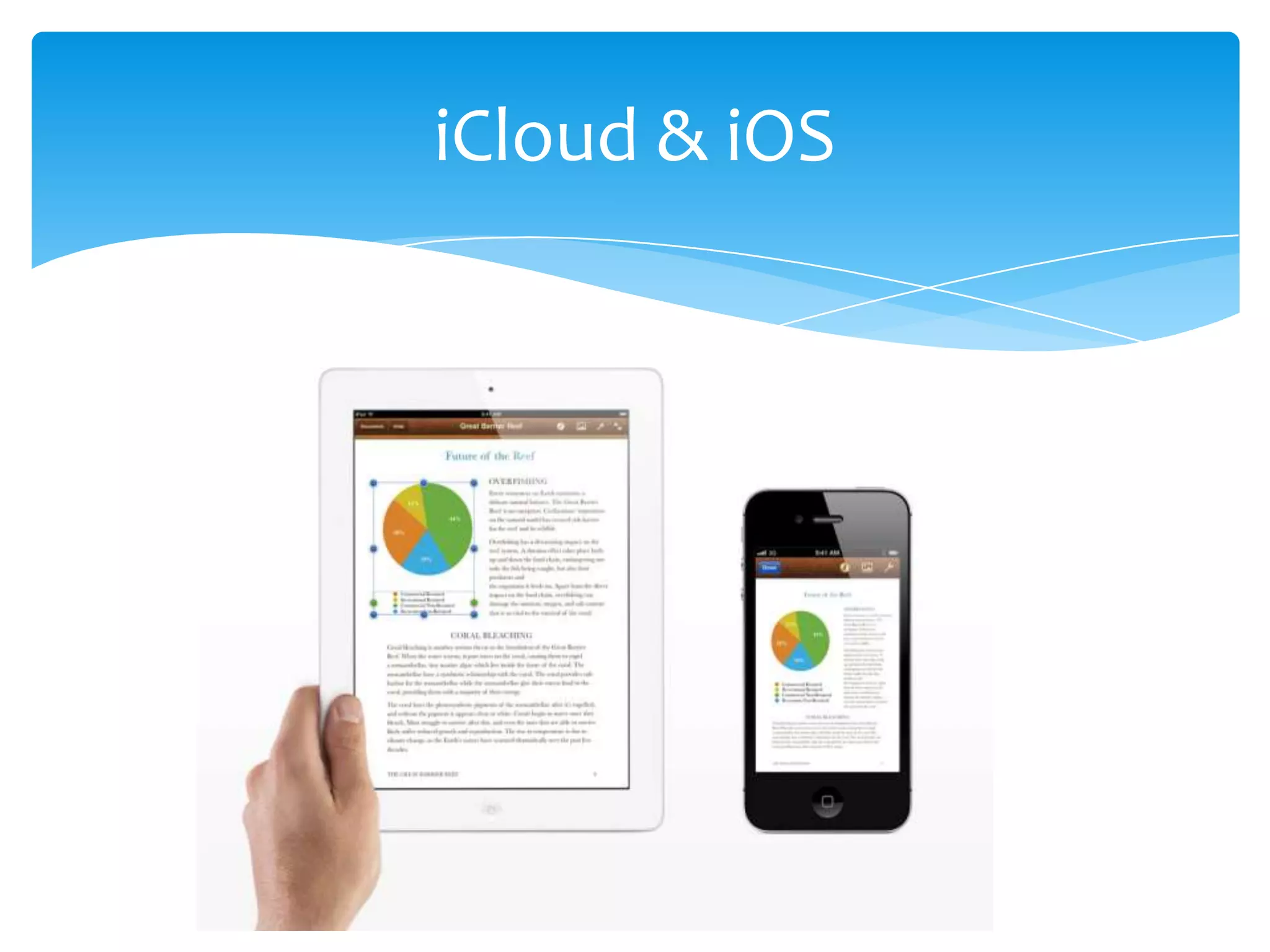
    iPhone ,iPod and iPad share same iOS.
    Sandboxing technology is used in App.
    iCloud ,backup and synchronize everything in cloud.
       This means you will have same contents
       available in your all devices such as
       pictures,videos,apps,calender, reminder etc.
    Remotely Erase your data(if lost)for security.
iCloud & iOS
Mobile Device

Another tough competitor is Google’s Android.
Most of Company use Android OS in their devices
such as Sony, Samsung, HTC ,Motorola etc.
Android is Linux based OS.
This is much flexible and customizable OS for
consumer.
This OS can be found from low range to high
quality devices, which gives lots of choices to
consumer(unlike iOS)
Other Mobile OS
Blackberry OS for smartphone and Playbook tablet.
HP had developed WebOS built into the Touchpad, later it
stopped production.
Google’s Chrome OS for desktop/laptop is still in RnD.
Symbian used in Nokia.
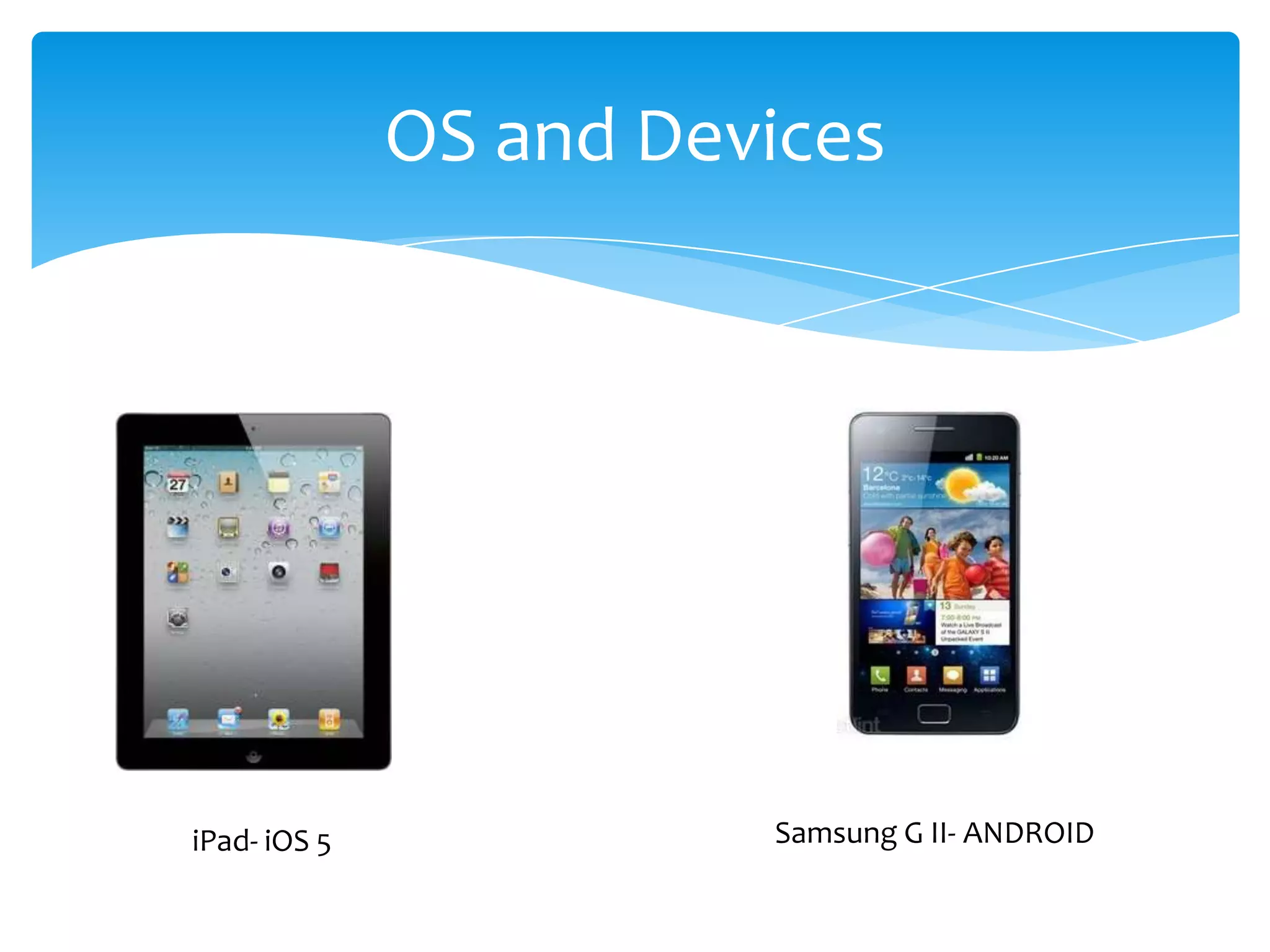
OS and Devices


iPad- iOS 5             Samsung G II- ANDROID
Future of OS and Devices
What can we expect…….@#

 Touch, Swipe, pinch. Now voice interactions.
 Control Home appliances through your device.
 Personal Assistant-it will let u know what to do.
 Cloud Super Technology. Search-Store-
 More faster, more convenient, more connected.
 Asks you to change or repair hardware.
 Integrated in individual’s life. Closest Friend..
Thank you …….

System software 1ppt(udated)

  • 1.
    Presentation: System software MAII Course: Information System Group Work Project
  • 2.
    Software Software is setof programs executed together to perform specific task by computer. It consist of data and documentation as well. There are commonly three types of software, System Software,eg: windows Programming software,eg: Visual Basic Application Software ,eg:Office
  • 3.
    System Software System softwareis software designed to operate the basic functions in computer, utilizing hardware and to provide a platform for running application software It provides security and error fixing in system(device) It provides resources and consistency for application software to perform regular to complex task. It is “Low Level” software since it performs at basic level.
  • 4.
    Types of SystemSoftware There are various kind of system software depending on objectives, Device Drivers-BIOS, Firmware Operating System-Windows,Macintos,Linux Application Software-Photoshop,Safari,itunes Programming Software-Visual Studio,SharpDevelopment(IDE)
  • 5.
    Operating system • Aninterface between users and hardware- environment “architecture” • It is the most important software running on computer. It manages all other programs in machine • allows convenient, efficient usage and parallel activity, hides the tedious stuff. • It recognizes the input such as keyboard, printer, mobile phone. Etc. • It collects data, stores, retrieves and out put.
  • 6.
  • 7.
  • 8.
    Components of OS Autility program: performs tasks related to the maintaining of your computer's health - hardware or data. Some are included with the operating system, like File Management programs: make it easier to manage your files. Disk Management: programs involve formatting and defragmenting disks. Memory Management software: handles where programs put their current data in RAM
  • 9.
    OS Platform There aredifferent OS family. Major OS are, Windows (77.69%)* Macintosh & iOS (10.69%)* Unix & Linux (2.41%)* *Usage statistics Aug 2011
  • 10.
    Microsoft Windows The mostpopular OS platform Initial Release Win1 -20th Nov,1985 MsDOS +GUI, calculator, Notepad Major release: Server Win95 -Win 2003 Win98 -Win 2008 WinXP(NT based) Vista Window 7
  • 11.
    Window 7 An OperatingSystem which was developed by Microsoft. The name Windows 7 was derived from it being the 7th operating system released by Microsoft. Launched in 2009 by Microsoft as the 7th generation Windows Operating system following 6 previous generations of Windows operating system namely,
  • 12.
    Market Trends thatinspired Windows7 In planning Windows 7 some major things influenced the engineering and design efforts. Expanded diversity and sophistication of devices. As the range of devices continue to expand by the day. Growth of mobile computing. Since mobile computers are becoming more popular than desktops More connection options Since computer users want to stay online any available internet connection and the need for people to access their information irrespective of their location
  • 13.
    Market Influence More digitalmedia The ever increasing amount of digital media like music, video, and so much content on the web that easily needs to be found, used and and shared without any complexity.
  • 14.
    Window 7 editions Due to the different expectations that people have in regard to what they want their pcs to do for them, Widows 7 comes in 5 editions where the higher the editions the more the features
  • 16.
    Microsoft Windows Features OfWindow 7 User Account Control File System Permissions Window Defender Make System Image Create Recovery Disk System Restore
  • 17.
    FEATURES Interface: The firstaspect which can simply decide the fate of a particular product. Well, Microsoft has worked a lot on this part it seems. Windows 7 uses the concept of jump lists, to organize recently used files as well as WebPages. Windows 7 also presents to the users a new improved task bar - an interactive task bar that allows you to align the objects on the task bar of your own accord and with more functionality. The three new features, Aero Shake, Aero Peek and Snap provides very simple ways to get yourself out of the clutter on your desktop.
  • 18.
    Features Home Networking: Windows7 has made home networking a much more easy to use feature. The interface for connecting the machines to a home network has been made much more lively and easy to use. Setting up a few computers in a network is a much easier task and sharing information is also relatively easier, not that it was much complicated in the earlier versions. It has also provided better features for network security making a small home or office network less vulnerable to hackers.
  • 19.
    ADVANTAGES Improved speed andless amount of RAM usage are among the first things you must have heard among the advantages of Windows 7. But then, is this all that Windows 7 can offer. Almost four years after the launch of Windows Vista,. Windows Vista had many promising features in its GUI interface. However, when it came to RAM usage and performance, many users considered reverting back to Windows XP. When it comes to the advantages of windows 7 over windows XP, the answer is not just the improved GUI. Windows 7 supports many of the features available in Windows Vista, and also brings in extra features, but the best part is the improved speed. No doubt, . Windows 7 uses RAM more effectively and use less space on the RAM for its GUI features
  • 20.
    Change in OSand Device Decades before Computing was part of corporate business. Companies like Microsoft, Cisco were corporate based. Software were built for corporate use, such as accounting software. Now it has evolved; its in daily lives of people and consumer. OS has played crucial and vital role, making computing more easy and simple for general consumer.
  • 21.
    Evolution of OSand Design The modern technology has evolved to new level. Now technology has shifted from desktop computing to Mobile computing. Internet and Web plays vital role in this evolution. From laptops to tablets and smart phones are new phase in technology.
  • 22.
    Tablets and Smartphone Tabletsand smartphone have become the major part of urban life. They are more powerful and efficient. People are connected 24/7 socially. Can do business and officially virtually from anywhere. Life is much easier … its in your hand.
  • 23.
    Mobile Device Apple iOSand device are most loved and leading innovative techno-gadgets. iPhone ,iPod and iPad share same iOS. Sandboxing technology is used in App. iCloud ,backup and synchronize everything in cloud. This means you will have same contents available in your all devices such as pictures,videos,apps,calender, reminder etc. Remotely Erase your data(if lost)for security.
  • 24.
  • 25.
    Mobile Device Another toughcompetitor is Google’s Android. Most of Company use Android OS in their devices such as Sony, Samsung, HTC ,Motorola etc. Android is Linux based OS. This is much flexible and customizable OS for consumer. This OS can be found from low range to high quality devices, which gives lots of choices to consumer(unlike iOS)
  • 26.
    Other Mobile OS BlackberryOS for smartphone and Playbook tablet. HP had developed WebOS built into the Touchpad, later it stopped production. Google’s Chrome OS for desktop/laptop is still in RnD. Symbian used in Nokia.
  • 27.
    OS and Devices iPad-iOS 5 Samsung G II- ANDROID
  • 28.
    Future of OSand Devices What can we expect…….@# Touch, Swipe, pinch. Now voice interactions. Control Home appliances through your device. Personal Assistant-it will let u know what to do. Cloud Super Technology. Search-Store- More faster, more convenient, more connected. Asks you to change or repair hardware. Integrated in individual’s life. Closest Friend..
  • 29.