Vijayananda Ratnam Ch,
Asst. Professor,
Dept. of CSE,
VVIT – Guntur.
Structures and Unions
1
Why use structure?
 Problem:
─ How to group together a collection of data items of
different types that are logically related to a particular
entity??? (Array)
Solution: Structure
2
What is a structure?
 C supports a derived data type known as structure,
Which is a method of packing data of different types.
 A Structure is a convenient tool for handling a group of
logically related data items. i.e. It can be used to
represent a set of attributes, such as :
employee_name , employee_id, salary, designation,
etc.
 It is a collection of heterogeneous elements
represented under one logical name.
 A collection of one or more variables, typically of
different types, grouped together under a single name
is known as structure.
 The variables are called members of the structure.
 The structure is also called a user-defined data type.
3
How to create a structure?
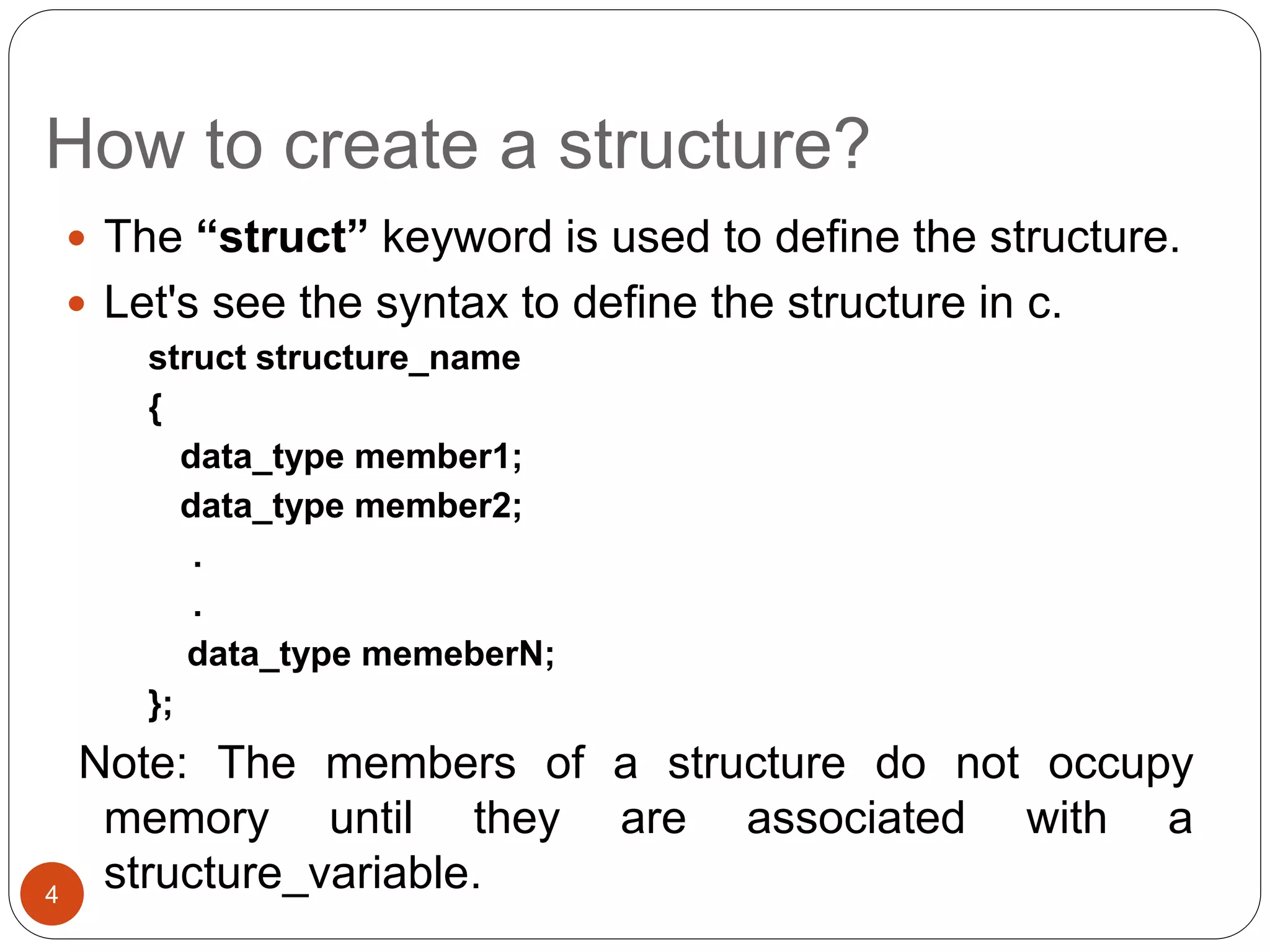
 The “struct” keyword is used to define the structure.
 Let's see the syntax to define the structure in c.
struct structure_name
{
data_type member1;
data_type member2;
.
.
data_type memeberN;
};
Note: The members of a structure do not occupy
memory until they are associated with a
structure_variable.
4
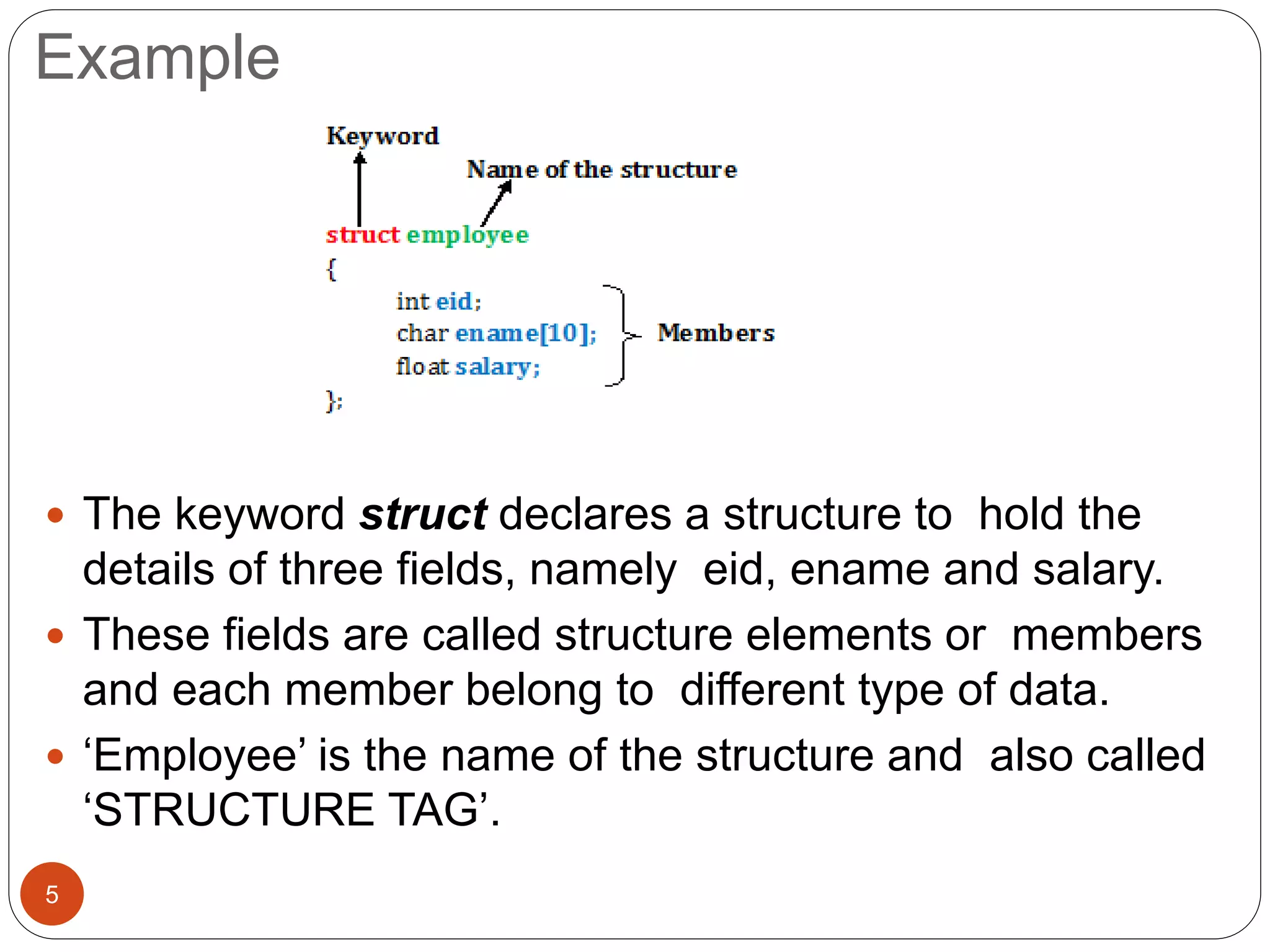
Example
 The keyword struct declares a structure to hold the
details of three fields, namely eid, ename and salary.
 These fields are called structure elements or members
and each member belong to different type of data.
 ‘Employee’ is the name of the structure and also called
‘STRUCTURE TAG’.
5
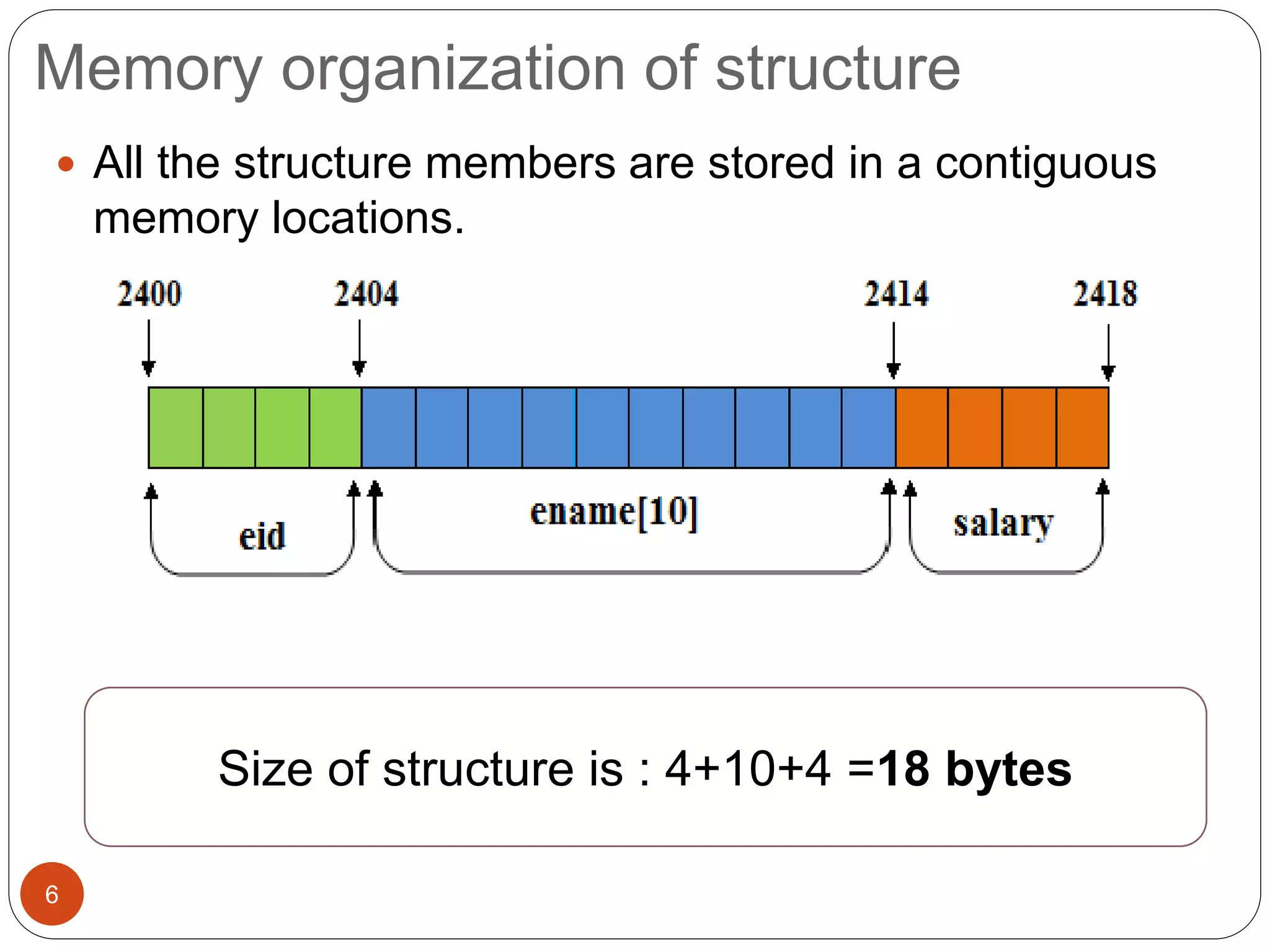
Memory organization of structure
6
 All the structure members are stored in a contiguous
memory locations.
Size of structure is : 4+10+4 =18 bytes
Declaring structure variable
7
 We can declare a variable for the structure so that we
can access the member of the structure easily. There
are two ways to declare structure variable:
1. Declaring a variable at the time of defining the structure.
2. Using struct keyword within main() function
First Method : Declaring a variable at the time of defining the
structure.
struct employee
{
int eid;
char name[10];
float salary;
} e1,e2;
Declaring structure variable
(cont.)
8
 Second method:
struct employee {
int eid;
char ename[10];
float salary;
};
int main( ) {
struct employee e1,e2;
return 0;
}
 Until variable of a structure is created no memory is
allocated.
 The memory required by a structure variable is sum of the
memory required by individual members of that structure.
 If no. of variables are fixed, use 1st approach otherwise use
the 2nd approach.
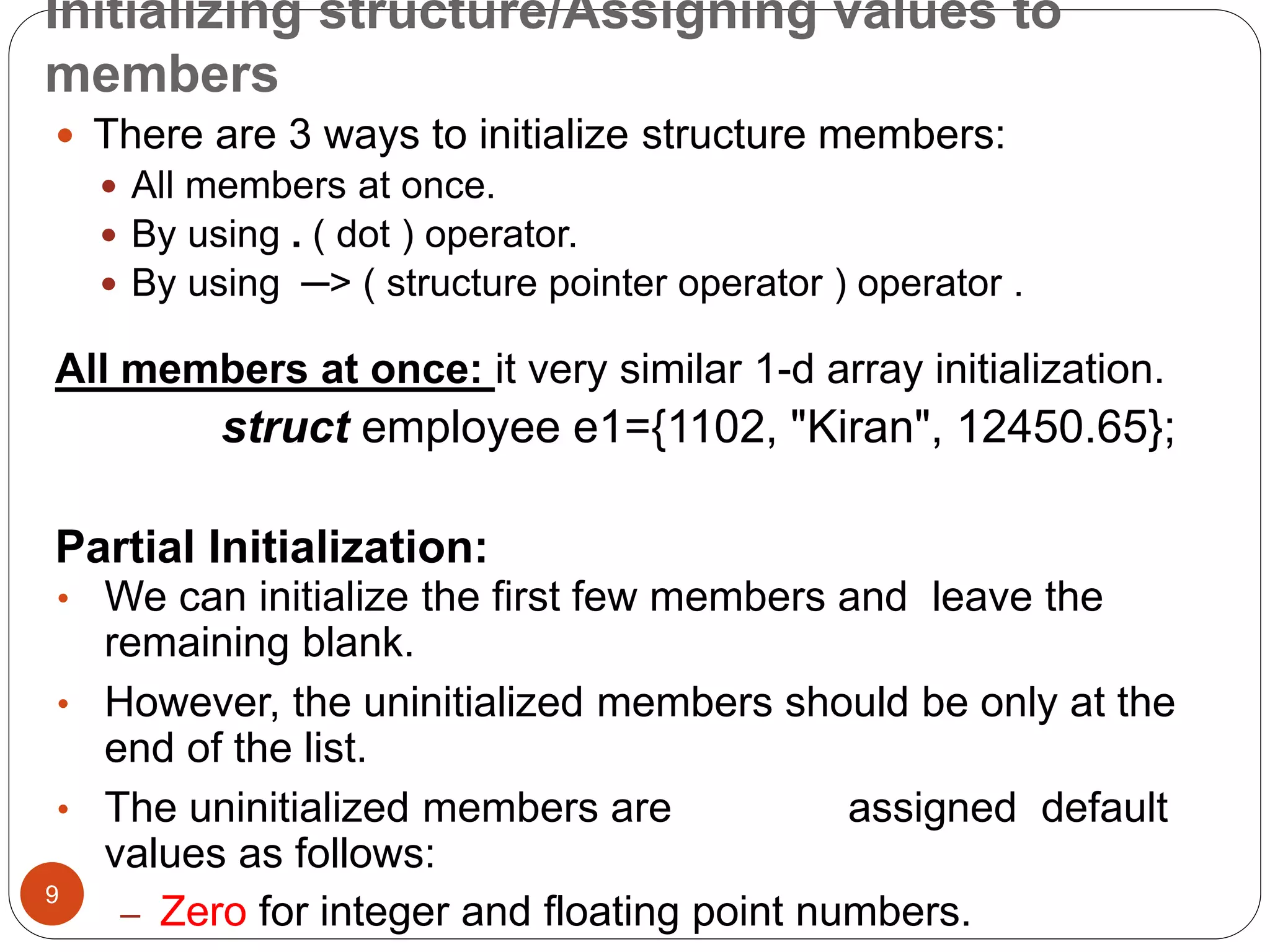
Initializing structure/Assigning values to
members
9
 There are 3 ways to initialize structure members:
 All members at once.
 By using . ( dot ) operator.
 By using ─> ( structure pointer operator ) operator .
All members at once: it very similar 1-d array initialization.
struct employee e1={1102, "Kiran", 12450.65};
Partial Initialization:
• We can initialize the first few members and leave the
remaining blank.
• However, the uninitialized members should be only at the
end of the list.
• The uninitialized members are assigned default
values as follows:
– Zero for integer and floating point numbers.
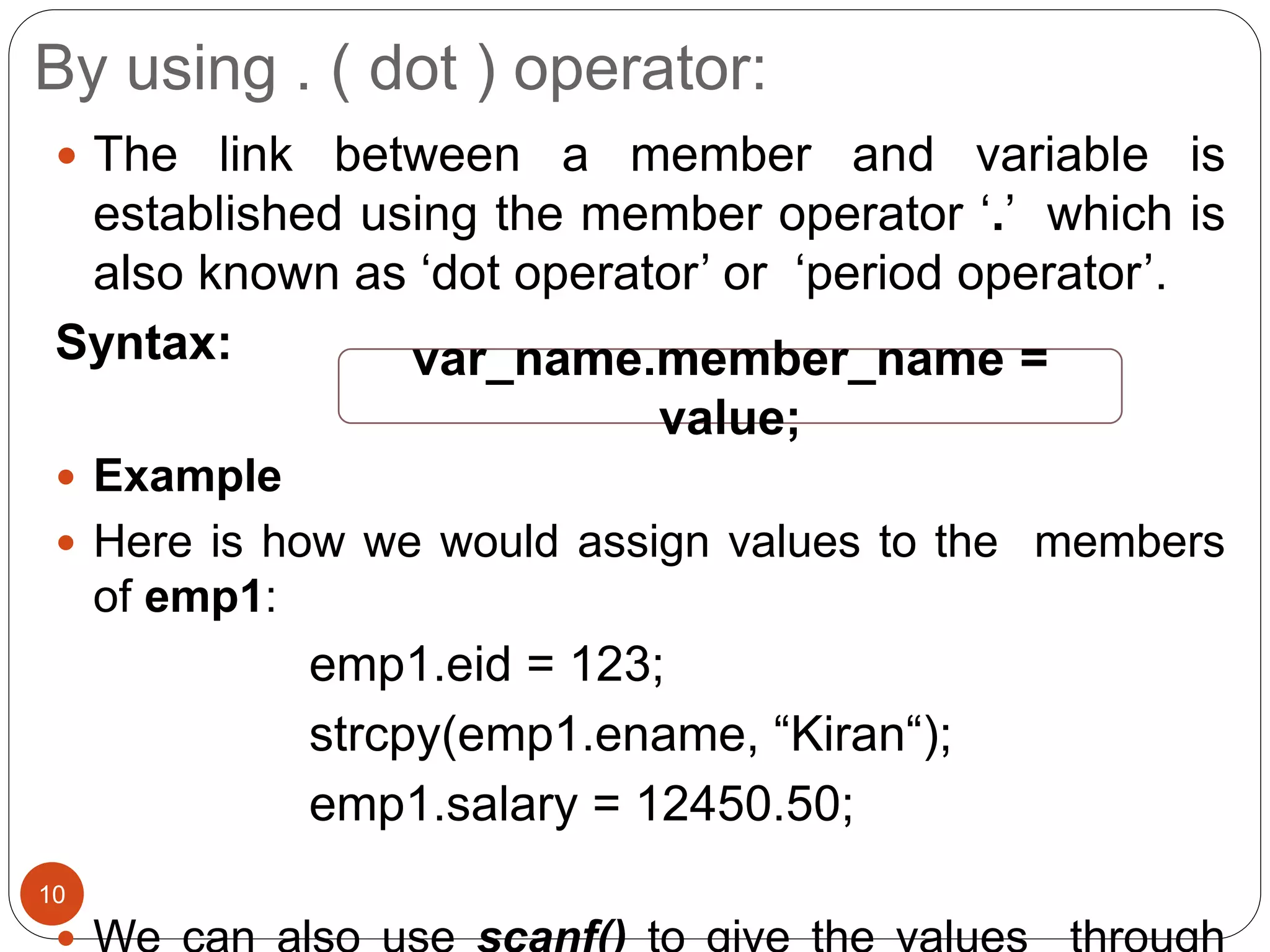
By using . ( dot ) operator:
10
 The link between a member and variable is
established using the member operator ‘.’ which is
also known as ‘dot operator’ or ‘period operator’.
Syntax:
 Example
 Here is how we would assign values to the members
of emp1:
emp1.eid = 123;
strcpy(emp1.ename, “Kiran“);
emp1.salary = 12450.50;
var_name.member_name =
value;
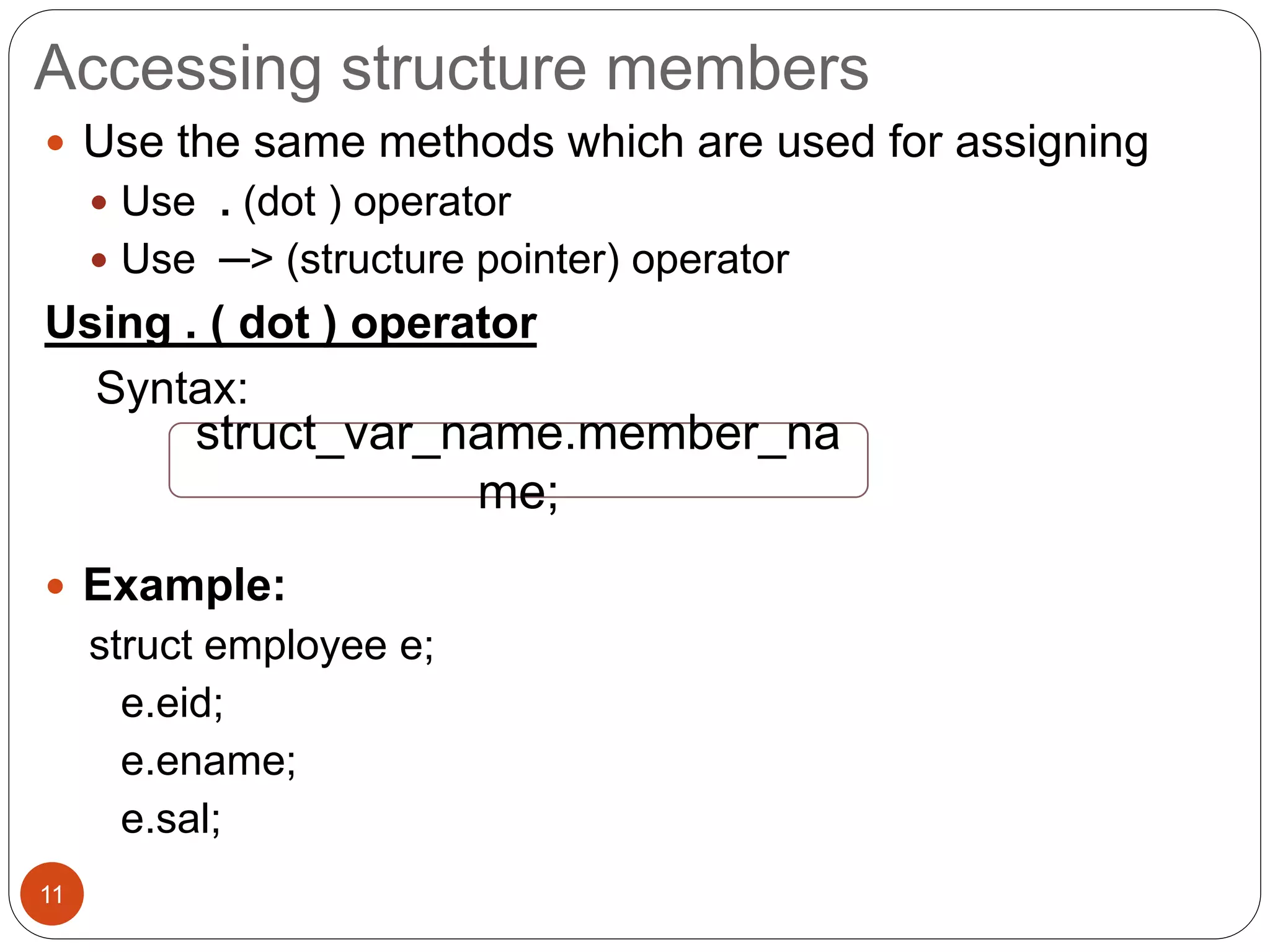
Accessing structure members
11
 Use the same methods which are used for assigning
 Use . (dot ) operator
 Use ─> (structure pointer) operator
Using . ( dot ) operator
Syntax:
 Example:
struct employee e;
e.eid;
e.ename;
e.sal;
struct_var_name.member_na
me;
Example
12
#include <stdio.h>
#include <string.h>
struct employee
{
int eid;
char ename[10];
float sal;
};
int main()
{
struct employee e1;
e1.eid = 1024;
strcpy(e1.ename,"Kiran");
e1.sal=12450.50;
printf("Employee detailsn");
printf("Emp id :%dn",e1.eid);
printf("Emp name
:%sn",e1.ename);
printf("Emp salary
:%.2fn",e1.sal);
return 0;
}
Output:
Employee details
Emp id :1024
Question?
13
 Create a structure named student that has
name, roll and marks as members. Assume
appropriate types and size of member. Write a
program using structure to read and display the
data entered by the user.
Nested structures
14
 One structure declared inside other structure is known
as nested structure.
Example
 To access the members of inner structure,
struct date //inner
{
int day;
int month;
int year;
};
struct employee
//outer
{
int eid;
char ename[10];
float sal;
struct date doj;
}emp;
outer_struct_var.inner_struct_var.member_na
me;
1
5
(Nested Structure)…
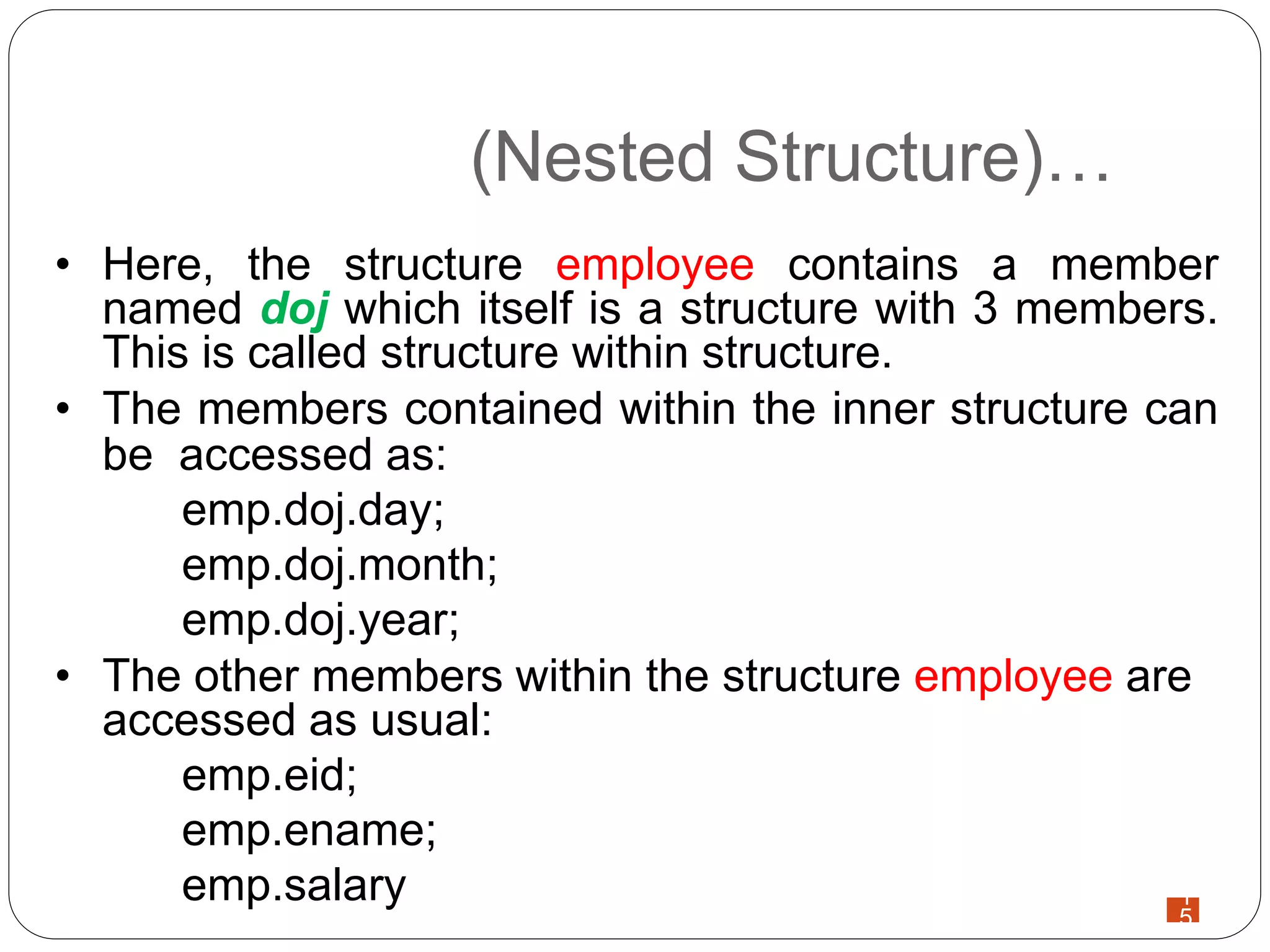
• Here, the structure employee contains a member
named doj which itself is a structure with 3 members.
This is called structure within structure.
• The members contained within the inner structure can
be accessed as:
emp.doj.day;
emp.doj.month;
emp.doj.year;
• The other members within the structure employee are
accessed as usual:
emp.eid;
emp.ename;
emp.salary
16
#include <stdio.h>
struct date
{
int day;
int month;
int year;
};
struct student
{
int sid;
char sname[10];
float marks;
struct date dob;
};
int main( )
{
struct student s1;
printf("Enter student id:");
scanf("%d",&s1.sid);
printf("Enter name:");
scanf("%s",s1.sname);
printf("Enter marks:");
scanf("%f",&s1.marks);
printf("Enter day of date of birth:");
scanf("%d",&s1.dob.day);
printf("Enter month of date of birth:");
scanf("%d",&s1.dob.month);
printf("Enter year of date of birth:");
scanf("%d",&s1.dob.year);
printf("nStudent detailsn--------------n");
printf("sid :%dn",s1.sid);
printf("Name:%sn",s1.sname);
printf("Marks:%.2fn",s1.marks);
printf("Date of birth:%d-%d-%dn",
s1.dob.day, s1.dob.month, s1.dob.year);
return 0; }
Copying and Comparing Structure Variables
17
 Two variables of the same structure type can be copied
in the same way as ordinary variables.
 If student1 and student2 belong to the same structure,
then the following statements are valid:
student1=student2;
student2=student1;
 However, the statements such as:
student1 == student2;
student1 != student2;
are not permitted.
 If we need to compare the structure variables, we may
do so by comparing members individually.
18
#include<stdio.h>
struct student {
char name[10];
int roll;
};
int main( ) {
struct student s1={"Vijay", 4};
struct student s2;
s2=s1;
printf("Student2.name=%s", s2.name);
printf("nStudent2.roll=%d", s2.roll);
if(strcmp(s1.name,s2.name)==0 && (s1.roll==s2.roll))
printf("nnstudent1 and student2 are same.");
else
printf("Different");
return 0;
}
Here, structure has been declared global i.e.
outside of main() function. Now, any
function can access it and create a structure
variable.
Output:
Student2.name=Vijay
Student2.roll=4
student1 and student2 are
same.
How structure elements are stored?
19
 The elements of a structure are always
stored in contiguous memory locations.
 A structure variable reserves number of bytes
equal to sum of bytes needed to each of its
members.
 Computer stores structures using the concept
of “word boundary”. In a computer with two
bytes word boundary, the structure variables
are stored left aligned and consecutively one
How structure elements are stored?
20
 When we declare structure variables, each
one of them may contain slack bytes and the
values stored in such slack bytes are
undefined.
 Due to this, even if the members of two
variables are equal, their structures do not
necessarily compare.
 That’s why C does not permit comparison of
structures.
Array of structures
21
 Let us consider we have a structure as:
struct student
{
int roll;
char name[10];
char remarks;
float marks;
};
 If we want to keep record of 100 students, we have to
make 100 structure variables like st1, st2, …,st100.
 In this situation we can use array of structure to store
the records of 100 students which is easier and
efficient to handle (because loops can be used).
Array of structures
22
 Two ways to declare an array of structures:
struct student
{
int roll;
char name[10];
float marks;
};
struct student st[100];
struct student
{
int roll;
char
name[10];
float marks;
} st[100];
Question?
23
 Write a program that takes roll_no, fname lname
of 5 students and prints the same records in
ascending order on the basis of roll_no
Reading Values
24
for(i=0; i<5; i++)
{
printf("n Enter roll number:");
scanf("%d", &s[i].roll_no);
printf("n Enter first name:");
scanf("%s", &s[i].f_name);
printf("n Enter Last name:");
scanf("%s", &s[i].l_name);
}
Sorting values
25
for(i=0; i<5; i++)
{
for(j=i+1; j<5; j++)
{
if(s[i].roll_no<s[j].roll_no)
{
temp = s[i].roll_no;
s[i].roll_no=s[j].roll_no;
s[j].roll_no=temp;
}
}
}
Question?
26
• Define a structure of employee having data
members name, address, age and salary. Take
the data for n employees in an array and find
the average salary.
• Write a program to read the name, address, and
salary of 5 employees using array of structure.
Display information of each employee in
alphabetical order of their name.
Array within Structure
27
 We can use single or multi dimensional arrays of type
int or float.
 Example:
struct student
{
int roll;
char name[20];
float marks[6];
};
struct student s[100];
Array within structure…
28
 Here, the member marks contains six elements,
marks[0], marks[1], ..., marks[5] indicating marks
obtained in six different subjects
 These elements can be accessed using appropriate
subscripts.
 For example, s[25].marks[3] refers to the marks
obtained in the fourth subject by the 26th student.
Reading Values
29
for(i=0;i<n; i++)
{
printf("n Enter information about student%d",i+1);
printf("n Name:");
scanf(" %s",s[i].name);
printf("n Roll no:");
scanf("%d", &s[i].roll);
printf("n Section:");
scanf(" %c", &s[i].section);
printf("n Input marks of 6 subjects:t");
for(j=0;j<6;j++)
{
scanf("%f", & s[i].marks[j]);
}
}
Unions
30
 Like structure, Union is a user-defined data type that
is also used to store the different type of elements.
 The syntax of union is also similar to that of structure.
 The only differences is in terms of storage.
 In structure each member has its own storage
location, whereas all members of union uses a single
shared memory location which is equal to the size of
its largest data member.
31
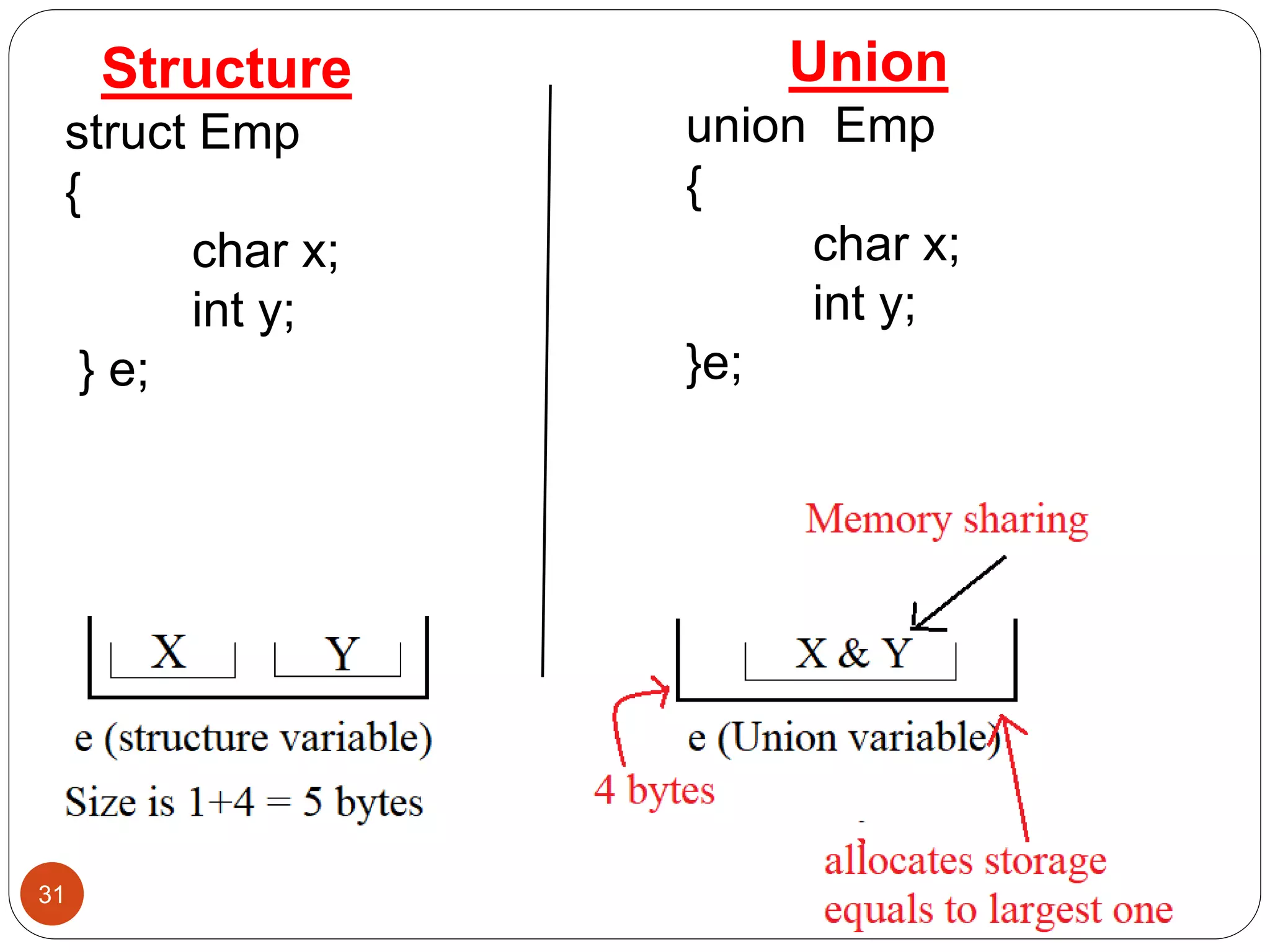
Structure
struct Emp
{
char x;
int y;
} e;
Union
union Emp
{
char x;
int y;
}e;
Unions…
32
Advantage of union over structure
 It occupies less memory because it occupies the size
of the largest member only.
Disadvantage of union over structure
 Only the last entered data can be stored in the union. It
overwrites the data previously stored in the union.
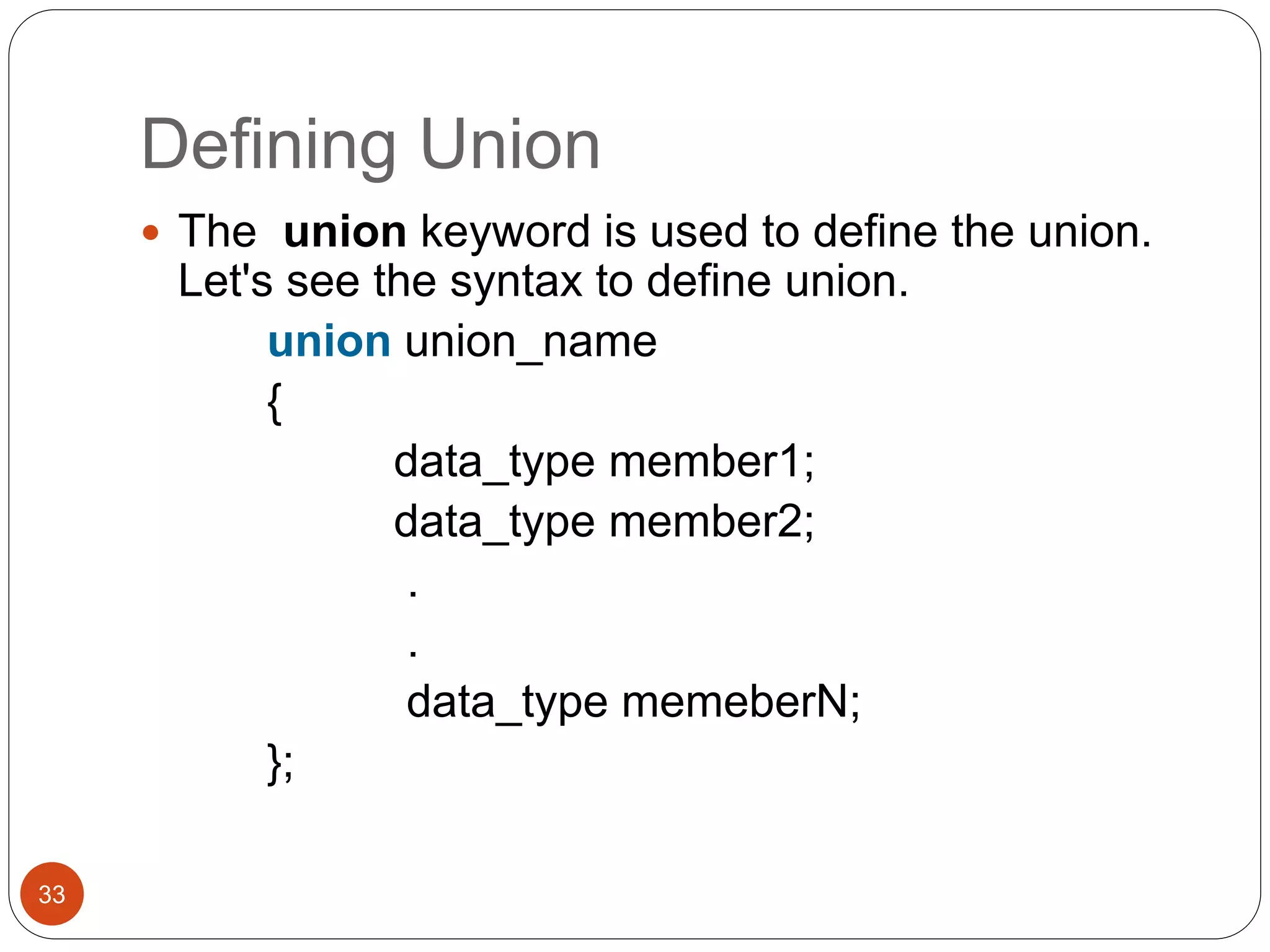
Defining Union
33
 The union keyword is used to define the union.
Let's see the syntax to define union.
union union_name
{
data_type member1;
data_type member2;
.
.
data_type memeberN;
};
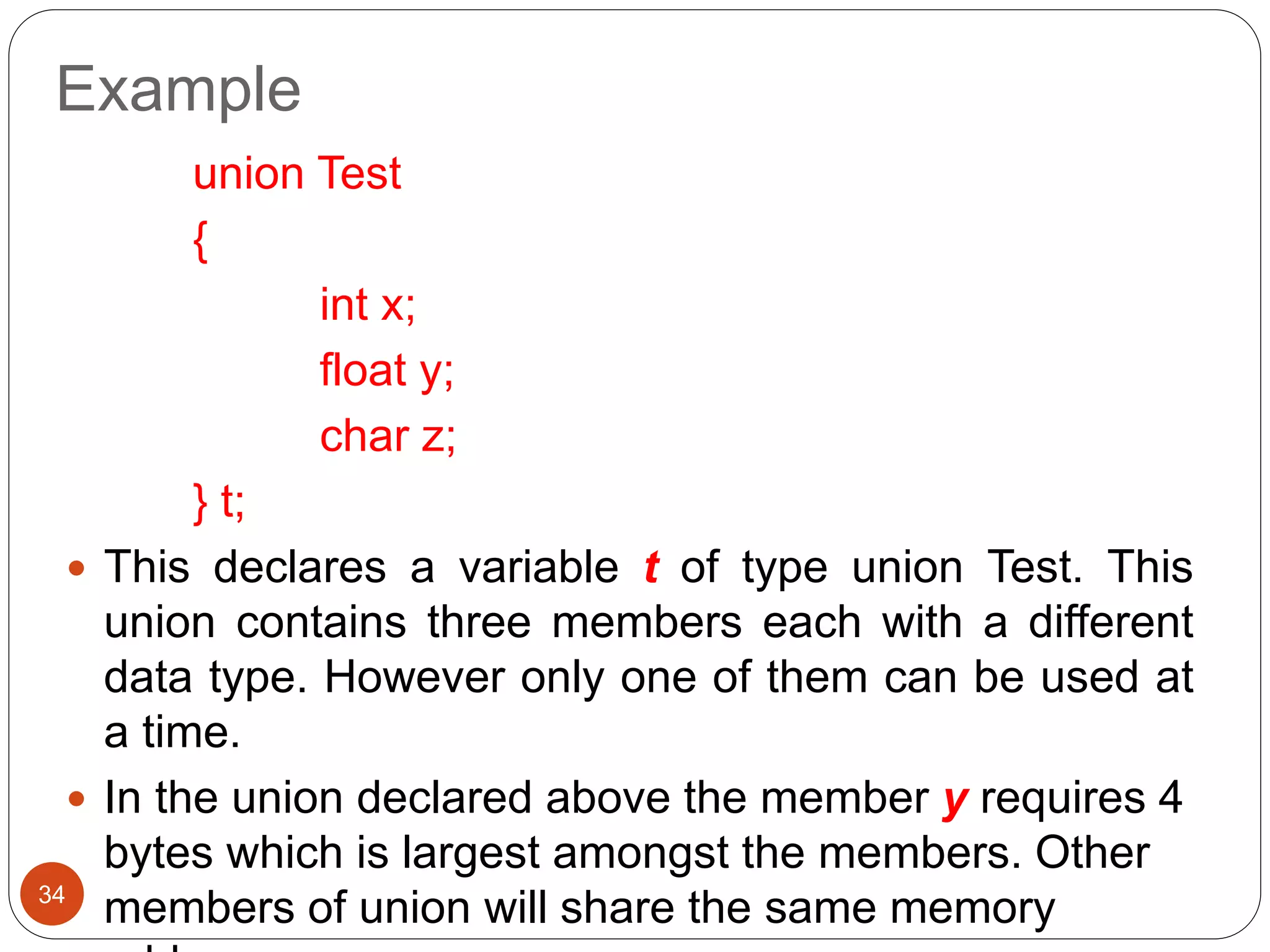
Example
34
union Test
{
int x;
float y;
char z;
} t;
 This declares a variable t of type union Test. This
union contains three members each with a different
data type. However only one of them can be used at
a time.
 In the union declared above the member y requires 4
bytes which is largest amongst the members. Other
members of union will share the same memory
Accessing a Union Members
35
 Syntax for accessing any union member is similar to
accessing structure members.
union Test
{
int x;
float y;
char z;
} t;
//to access members of union t
t.x;
t.y;
t.z;
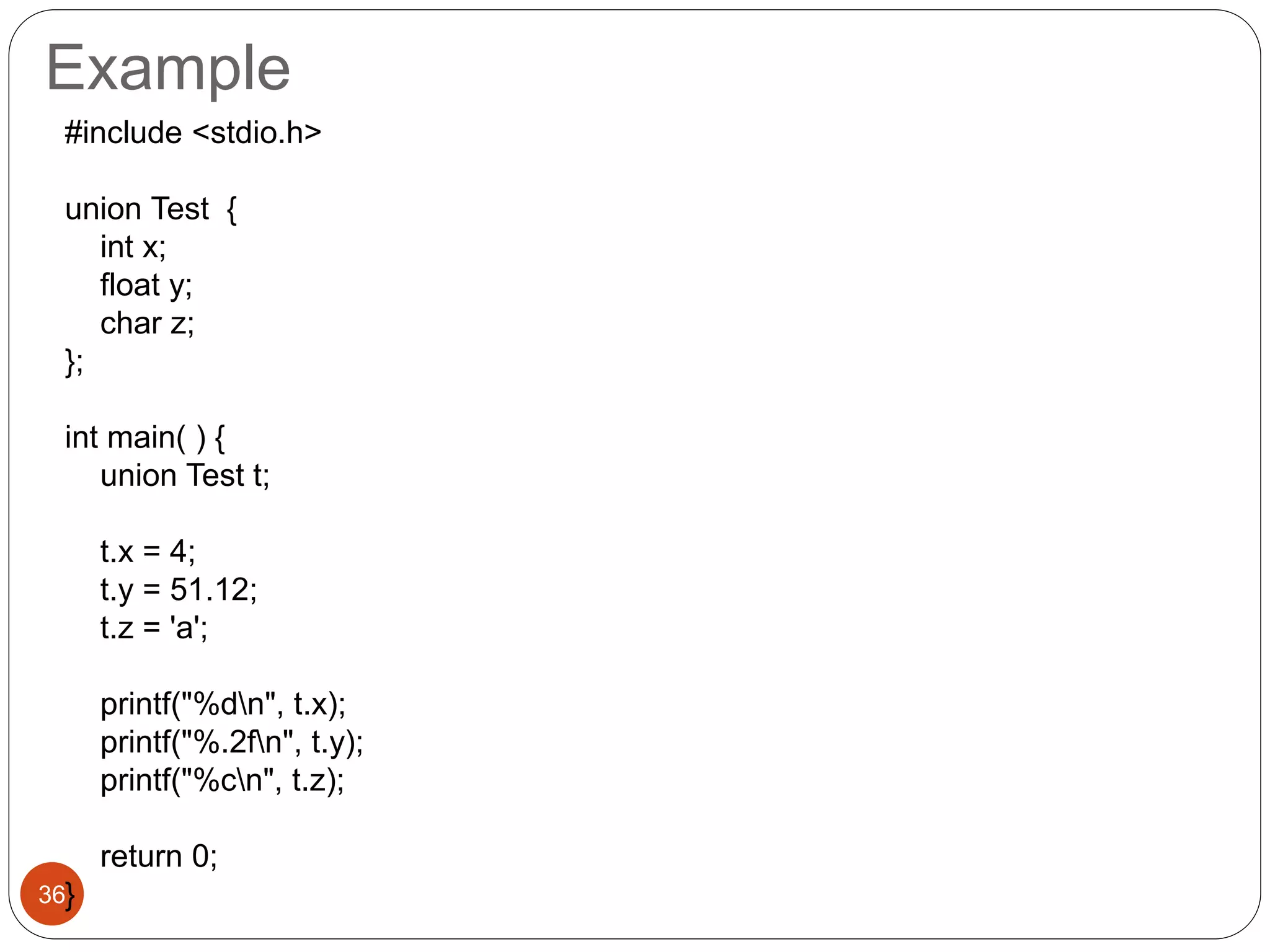
Example
36
#include <stdio.h>
union Test {
int x;
float y;
char z;
};
int main( ) {
union Test t;
t.x = 4;
t.y = 51.12;
t.z = 'a';
printf("%dn", t.x);
printf("%.2fn", t.y);
printf("%cn", t.z);
return 0;
}
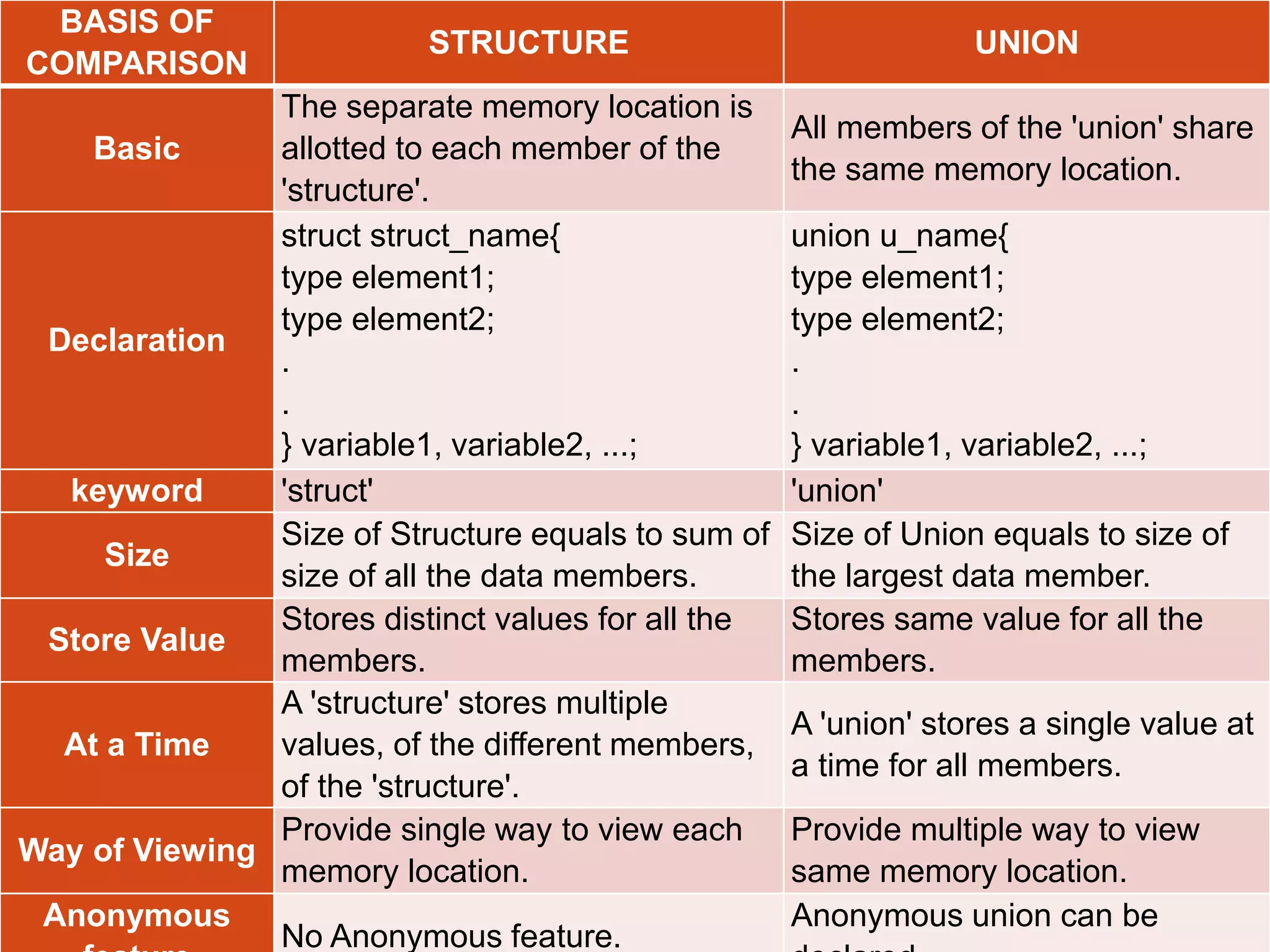
37
BASIS OF
COMPARISON
STRUCTURE UNION
Basic
The separate memory location is
allotted to each member of the
'structure'.
All members of the 'union' share
the same memory location.
Declaration
struct struct_name{
type element1;
type element2;
.
.
} variable1, variable2, ...;
union u_name{
type element1;
type element2;
.
.
} variable1, variable2, ...;
keyword 'struct' 'union'
Size
Size of Structure equals to sum of
size of all the data members.
Size of Union equals to size of
the largest data member.
Store Value
Stores distinct values for all the
members.
Stores same value for all the
members.
At a Time
A 'structure' stores multiple
values, of the different members,
of the 'structure'.
A 'union' stores a single value at
a time for all members.
Way of Viewing
Provide single way to view each
memory location.
Provide multiple way to view
same memory location.
Anonymous
No Anonymous feature.
Anonymous union can be

Structures and Unions

  • 1.
    Vijayananda Ratnam Ch, Asst.Professor, Dept. of CSE, VVIT – Guntur. Structures and Unions 1
  • 2.
    Why use structure? Problem: ─ How to group together a collection of data items of different types that are logically related to a particular entity??? (Array) Solution: Structure 2
  • 3.
    What is astructure?  C supports a derived data type known as structure, Which is a method of packing data of different types.  A Structure is a convenient tool for handling a group of logically related data items. i.e. It can be used to represent a set of attributes, such as : employee_name , employee_id, salary, designation, etc.  It is a collection of heterogeneous elements represented under one logical name.  A collection of one or more variables, typically of different types, grouped together under a single name is known as structure.  The variables are called members of the structure.  The structure is also called a user-defined data type. 3
  • 4.
    How to createa structure?  The “struct” keyword is used to define the structure.  Let's see the syntax to define the structure in c. struct structure_name { data_type member1; data_type member2; . . data_type memeberN; }; Note: The members of a structure do not occupy memory until they are associated with a structure_variable. 4
  • 5.
    Example  The keywordstruct declares a structure to hold the details of three fields, namely eid, ename and salary.  These fields are called structure elements or members and each member belong to different type of data.  ‘Employee’ is the name of the structure and also called ‘STRUCTURE TAG’. 5
  • 6.
    Memory organization ofstructure 6  All the structure members are stored in a contiguous memory locations. Size of structure is : 4+10+4 =18 bytes
  • 7.
    Declaring structure variable 7 We can declare a variable for the structure so that we can access the member of the structure easily. There are two ways to declare structure variable: 1. Declaring a variable at the time of defining the structure. 2. Using struct keyword within main() function First Method : Declaring a variable at the time of defining the structure. struct employee { int eid; char name[10]; float salary; } e1,e2;
  • 8.
    Declaring structure variable (cont.) 8 Second method: struct employee { int eid; char ename[10]; float salary; }; int main( ) { struct employee e1,e2; return 0; }  Until variable of a structure is created no memory is allocated.  The memory required by a structure variable is sum of the memory required by individual members of that structure.  If no. of variables are fixed, use 1st approach otherwise use the 2nd approach.
  • 9.
    Initializing structure/Assigning valuesto members 9  There are 3 ways to initialize structure members:  All members at once.  By using . ( dot ) operator.  By using ─> ( structure pointer operator ) operator . All members at once: it very similar 1-d array initialization. struct employee e1={1102, "Kiran", 12450.65}; Partial Initialization: • We can initialize the first few members and leave the remaining blank. • However, the uninitialized members should be only at the end of the list. • The uninitialized members are assigned default values as follows: – Zero for integer and floating point numbers.
  • 10.
    By using .( dot ) operator: 10  The link between a member and variable is established using the member operator ‘.’ which is also known as ‘dot operator’ or ‘period operator’. Syntax:  Example  Here is how we would assign values to the members of emp1: emp1.eid = 123; strcpy(emp1.ename, “Kiran“); emp1.salary = 12450.50; var_name.member_name = value;
  • 11.
    Accessing structure members 11 Use the same methods which are used for assigning  Use . (dot ) operator  Use ─> (structure pointer) operator Using . ( dot ) operator Syntax:  Example: struct employee e; e.eid; e.ename; e.sal; struct_var_name.member_na me;
  • 12.
    Example 12 #include <stdio.h> #include <string.h> structemployee { int eid; char ename[10]; float sal; }; int main() { struct employee e1; e1.eid = 1024; strcpy(e1.ename,"Kiran"); e1.sal=12450.50; printf("Employee detailsn"); printf("Emp id :%dn",e1.eid); printf("Emp name :%sn",e1.ename); printf("Emp salary :%.2fn",e1.sal); return 0; } Output: Employee details Emp id :1024
  • 13.
    Question? 13  Create astructure named student that has name, roll and marks as members. Assume appropriate types and size of member. Write a program using structure to read and display the data entered by the user.
  • 14.
    Nested structures 14  Onestructure declared inside other structure is known as nested structure. Example  To access the members of inner structure, struct date //inner { int day; int month; int year; }; struct employee //outer { int eid; char ename[10]; float sal; struct date doj; }emp; outer_struct_var.inner_struct_var.member_na me;
  • 15.
    1 5 (Nested Structure)… • Here,the structure employee contains a member named doj which itself is a structure with 3 members. This is called structure within structure. • The members contained within the inner structure can be accessed as: emp.doj.day; emp.doj.month; emp.doj.year; • The other members within the structure employee are accessed as usual: emp.eid; emp.ename; emp.salary
  • 16.
    16 #include <stdio.h> struct date { intday; int month; int year; }; struct student { int sid; char sname[10]; float marks; struct date dob; }; int main( ) { struct student s1; printf("Enter student id:"); scanf("%d",&s1.sid); printf("Enter name:"); scanf("%s",s1.sname); printf("Enter marks:"); scanf("%f",&s1.marks); printf("Enter day of date of birth:"); scanf("%d",&s1.dob.day); printf("Enter month of date of birth:"); scanf("%d",&s1.dob.month); printf("Enter year of date of birth:"); scanf("%d",&s1.dob.year); printf("nStudent detailsn--------------n"); printf("sid :%dn",s1.sid); printf("Name:%sn",s1.sname); printf("Marks:%.2fn",s1.marks); printf("Date of birth:%d-%d-%dn", s1.dob.day, s1.dob.month, s1.dob.year); return 0; }
  • 17.
    Copying and ComparingStructure Variables 17  Two variables of the same structure type can be copied in the same way as ordinary variables.  If student1 and student2 belong to the same structure, then the following statements are valid: student1=student2; student2=student1;  However, the statements such as: student1 == student2; student1 != student2; are not permitted.  If we need to compare the structure variables, we may do so by comparing members individually.
  • 18.
    18 #include<stdio.h> struct student { charname[10]; int roll; }; int main( ) { struct student s1={"Vijay", 4}; struct student s2; s2=s1; printf("Student2.name=%s", s2.name); printf("nStudent2.roll=%d", s2.roll); if(strcmp(s1.name,s2.name)==0 && (s1.roll==s2.roll)) printf("nnstudent1 and student2 are same."); else printf("Different"); return 0; } Here, structure has been declared global i.e. outside of main() function. Now, any function can access it and create a structure variable. Output: Student2.name=Vijay Student2.roll=4 student1 and student2 are same.
  • 19.
    How structure elementsare stored? 19  The elements of a structure are always stored in contiguous memory locations.  A structure variable reserves number of bytes equal to sum of bytes needed to each of its members.  Computer stores structures using the concept of “word boundary”. In a computer with two bytes word boundary, the structure variables are stored left aligned and consecutively one
  • 20.
    How structure elementsare stored? 20  When we declare structure variables, each one of them may contain slack bytes and the values stored in such slack bytes are undefined.  Due to this, even if the members of two variables are equal, their structures do not necessarily compare.  That’s why C does not permit comparison of structures.
  • 21.
    Array of structures 21 Let us consider we have a structure as: struct student { int roll; char name[10]; char remarks; float marks; };  If we want to keep record of 100 students, we have to make 100 structure variables like st1, st2, …,st100.  In this situation we can use array of structure to store the records of 100 students which is easier and efficient to handle (because loops can be used).
  • 22.
    Array of structures 22 Two ways to declare an array of structures: struct student { int roll; char name[10]; float marks; }; struct student st[100]; struct student { int roll; char name[10]; float marks; } st[100];
  • 23.
    Question? 23  Write aprogram that takes roll_no, fname lname of 5 students and prints the same records in ascending order on the basis of roll_no
  • 24.
    Reading Values 24 for(i=0; i<5;i++) { printf("n Enter roll number:"); scanf("%d", &s[i].roll_no); printf("n Enter first name:"); scanf("%s", &s[i].f_name); printf("n Enter Last name:"); scanf("%s", &s[i].l_name); }
  • 25.
    Sorting values 25 for(i=0; i<5;i++) { for(j=i+1; j<5; j++) { if(s[i].roll_no<s[j].roll_no) { temp = s[i].roll_no; s[i].roll_no=s[j].roll_no; s[j].roll_no=temp; } } }
  • 26.
    Question? 26 • Define astructure of employee having data members name, address, age and salary. Take the data for n employees in an array and find the average salary. • Write a program to read the name, address, and salary of 5 employees using array of structure. Display information of each employee in alphabetical order of their name.
  • 27.
    Array within Structure 27 We can use single or multi dimensional arrays of type int or float.  Example: struct student { int roll; char name[20]; float marks[6]; }; struct student s[100];
  • 28.
    Array within structure… 28 Here, the member marks contains six elements, marks[0], marks[1], ..., marks[5] indicating marks obtained in six different subjects  These elements can be accessed using appropriate subscripts.  For example, s[25].marks[3] refers to the marks obtained in the fourth subject by the 26th student.
  • 29.
    Reading Values 29 for(i=0;i<n; i++) { printf("nEnter information about student%d",i+1); printf("n Name:"); scanf(" %s",s[i].name); printf("n Roll no:"); scanf("%d", &s[i].roll); printf("n Section:"); scanf(" %c", &s[i].section); printf("n Input marks of 6 subjects:t"); for(j=0;j<6;j++) { scanf("%f", & s[i].marks[j]); } }
  • 30.
    Unions 30  Like structure,Union is a user-defined data type that is also used to store the different type of elements.  The syntax of union is also similar to that of structure.  The only differences is in terms of storage.  In structure each member has its own storage location, whereas all members of union uses a single shared memory location which is equal to the size of its largest data member.
  • 31.
    31 Structure struct Emp { char x; inty; } e; Union union Emp { char x; int y; }e;
  • 32.
    Unions… 32 Advantage of unionover structure  It occupies less memory because it occupies the size of the largest member only. Disadvantage of union over structure  Only the last entered data can be stored in the union. It overwrites the data previously stored in the union.
  • 33.
    Defining Union 33  Theunion keyword is used to define the union. Let's see the syntax to define union. union union_name { data_type member1; data_type member2; . . data_type memeberN; };
  • 34.
    Example 34 union Test { int x; floaty; char z; } t;  This declares a variable t of type union Test. This union contains three members each with a different data type. However only one of them can be used at a time.  In the union declared above the member y requires 4 bytes which is largest amongst the members. Other members of union will share the same memory
  • 35.
    Accessing a UnionMembers 35  Syntax for accessing any union member is similar to accessing structure members. union Test { int x; float y; char z; } t; //to access members of union t t.x; t.y; t.z;
  • 36.
    Example 36 #include <stdio.h> union Test{ int x; float y; char z; }; int main( ) { union Test t; t.x = 4; t.y = 51.12; t.z = 'a'; printf("%dn", t.x); printf("%.2fn", t.y); printf("%cn", t.z); return 0; }
  • 37.
    37 BASIS OF COMPARISON STRUCTURE UNION Basic Theseparate memory location is allotted to each member of the 'structure'. All members of the 'union' share the same memory location. Declaration struct struct_name{ type element1; type element2; . . } variable1, variable2, ...; union u_name{ type element1; type element2; . . } variable1, variable2, ...; keyword 'struct' 'union' Size Size of Structure equals to sum of size of all the data members. Size of Union equals to size of the largest data member. Store Value Stores distinct values for all the members. Stores same value for all the members. At a Time A 'structure' stores multiple values, of the different members, of the 'structure'. A 'union' stores a single value at a time for all members. Way of Viewing Provide single way to view each memory location. Provide multiple way to view same memory location. Anonymous No Anonymous feature. Anonymous union can be