What is Storybird?
 Fun, collaborative, storytelling website.
 Reverses the process by starting with
images and “unlocking” the story within.
Explore artists, get inspired, and write.
 Short, art-inspired stories you can share,
read and print.
What is Storybird?
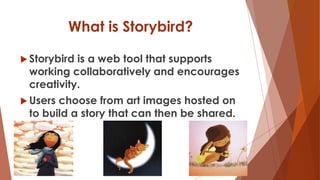
 Storybird is a web tool that supports
working collaboratively and encourages
creativity.
 Users choose from art images hosted on
to build a story that can then be shared.
How Does it Work?
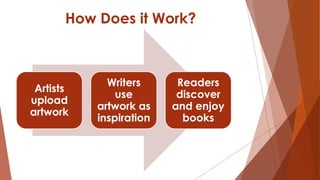
Artists
upload
artwork
Writers
use
artwork as
inspiration
Readers
discover
and enjoy
books
The 21st
Century
Classroom
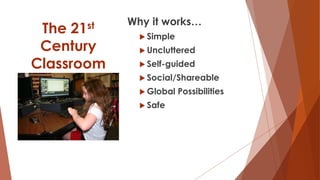
Why it works…
 Simple
 Uncluttered
 Self-guided
 Social/Shareable
 Global Possibilities
 Safe
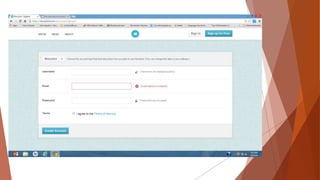
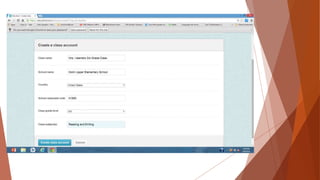
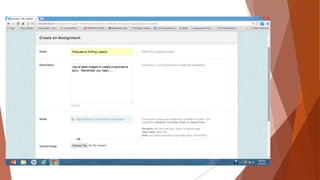
Let’s Look at Storyboard…
https://storybird.com/classes/gordon-college-2/kathleens-class/
Strengths..
 Gorgeous illustrations
 Springboard to enhance writing
 Ability to
Create individual stories
Work in small groups
Work as a class in a round robin fashion
Strengths..
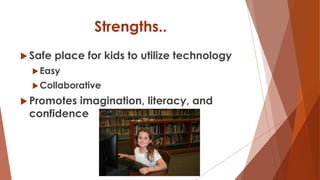
 Safe place for kids to utilize technology
Easy
Collaborative
 Promotes imagination, literacy, and
confidence
Limitations…
 Images cannot be edited or altered
Cannot upload images
Limited to category or artist selected
Number of images overwhelming in some
categories but limited in others
Art sometimes restricts creativity of the story
Uses in the 3rd Grade
Classroom…
 Employ standards for science and social
studies
Assign themes to write about
 Employ math standards or topics
Write about solving a math problem
Use pictures to write number story/word
problem
Resources
 https://storybird.com
 https://www.youtube.com/watch?v=30-o4dw8mPU
YouTube Video: Storyboard Introduction for Educators Part 1
 https://www.youtube.com/watch?v=s2ObQygSDqE
YouTube Video: Storyboard Introduction for Educators Part 2

Storybird

  • 2.
    What is Storybird? Fun, collaborative, storytelling website.  Reverses the process by starting with images and “unlocking” the story within. Explore artists, get inspired, and write.  Short, art-inspired stories you can share, read and print.
  • 3.
    What is Storybird? Storybird is a web tool that supports working collaboratively and encourages creativity.  Users choose from art images hosted on to build a story that can then be shared.
  • 4.
    How Does itWork? Artists upload artwork Writers use artwork as inspiration Readers discover and enjoy books
  • 5.
    The 21st Century Classroom Why itworks…  Simple  Uncluttered  Self-guided  Social/Shareable  Global Possibilities  Safe
  • 9.
    Let’s Look atStoryboard… https://storybird.com/classes/gordon-college-2/kathleens-class/
  • 10.
    Strengths..  Gorgeous illustrations Springboard to enhance writing  Ability to Create individual stories Work in small groups Work as a class in a round robin fashion
  • 11.
    Strengths..  Safe placefor kids to utilize technology Easy Collaborative  Promotes imagination, literacy, and confidence
  • 12.
    Limitations…  Images cannotbe edited or altered Cannot upload images Limited to category or artist selected Number of images overwhelming in some categories but limited in others Art sometimes restricts creativity of the story
  • 13.
    Uses in the3rd Grade Classroom…  Employ standards for science and social studies Assign themes to write about  Employ math standards or topics Write about solving a math problem Use pictures to write number story/word problem
  • 14.
    Resources  https://storybird.com  https://www.youtube.com/watch?v=30-o4dw8mPU YouTubeVideo: Storyboard Introduction for Educators Part 1  https://www.youtube.com/watch?v=s2ObQygSDqE YouTube Video: Storyboard Introduction for Educators Part 2