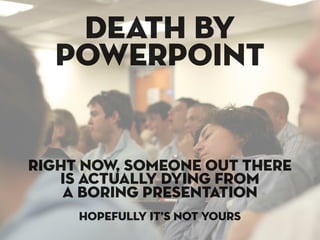
death by
  powerpoint


right now, someone out there
   is actually dying from
    a boring presentation
     hopefully it’s not yours
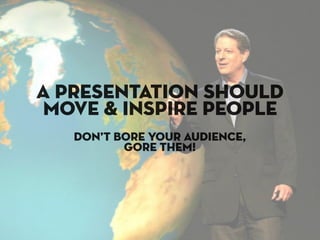
a presentation should
move & inspire people
   don’t bore your audience,
          gore them!
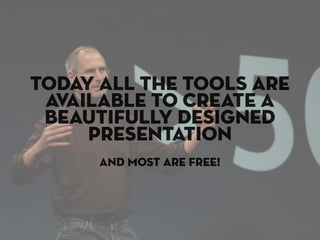
today all the tools are
 available to create a
 beautifully designed
     presentation
      and most are free!
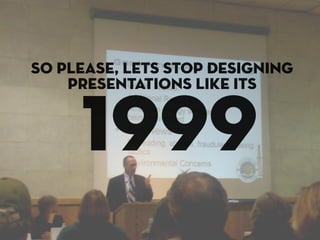
so please, lets stop designing
    presentations like its


     1999
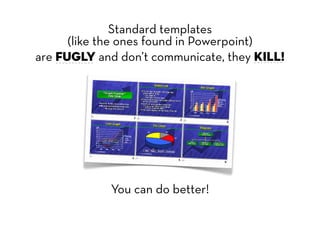
Standard templates
      (like the ones found in Powerpoint)
are fugly and don’t communicate, they KILL!


             You can do better!
tHERE’S AN ART TO
PUTTING TOGETHER A
SOLID PRESENTATION
   that doesn’t cause death
The “art” is setting yourself apart.
This means many things, but what i’m talking
about is design.
This presentation isn’t about public speaking
skills, it’s about designing a sexy looking
presentation (without a creative
department) that will knock the socks off
your audience.
Follow me and i’ll show you how to design
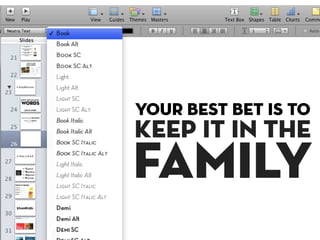
like a superstar.
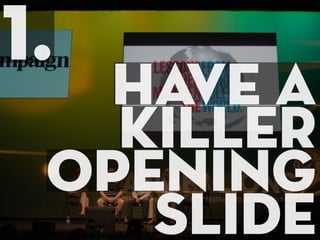
1.
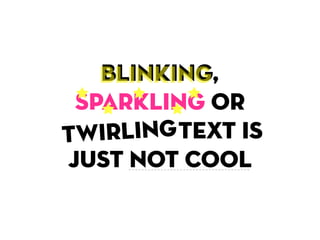
  have a
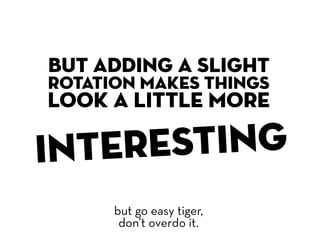
   killer
 opening
    slide
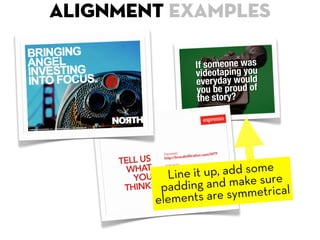
Don’t be afraid to have a bold title that will
grab people's attention.
At most conferences you can almost tell
which presentations are going to suck even
before they start.
Remember that 60% of your audience will
be in carb coma from that 3rd muffin they
just ate. It’s your job to snap them awake by
making your first slide a killer one.
*OK, I made that up, but i’m sure it’s partly true.
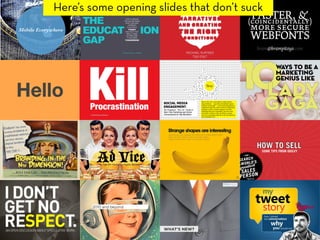
Here’s some opening slides that don’t suck
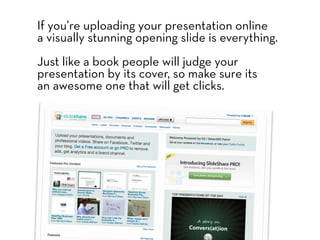
If you’re uploading your presentation online
a visually stunning opening slide is everything.
Just like a book people will judge your
presentation by its cover, so make sure its
an awesome one that will get clicks.
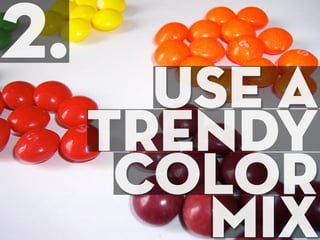
2.
       use a
     trendy
      color
        mix
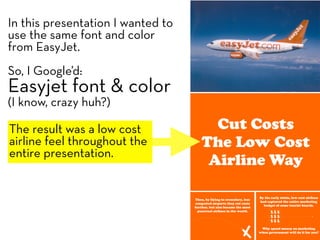
In this presentation I wanted to
use the same font and color
from EasyJet.
So, I Google’d:
Easyjet font & color
(I know, crazy huh?)

The result was a low cost
airline feel throughout the
entire presentation.
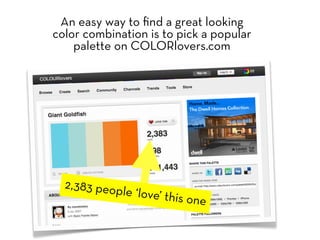
An easy way to find a great looking
color combination is to pick a popular
    palette on COLORlovers.com


  2,383 peop
               le ‘love’ thi
                             s   one
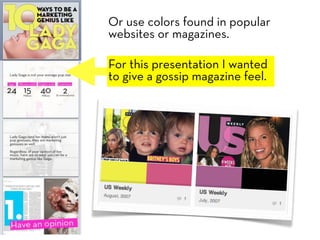
Or use colors found in popular
websites or magazines.

For this presentation I wanted
to give a gossip magazine feel.
3.
      use
stunning
  visuals
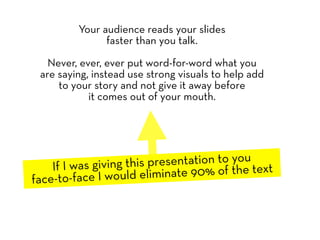
Your audience reads your slides
               faster than you talk.

   Never, ever, ever put word-for-word what you
 are saying, instead use strong visuals to help add
     to your story and not give it away before
            it comes out of your mouth.


    If I was giving this presentation to you t
face-to-face I would elim  inate 90% of the tex
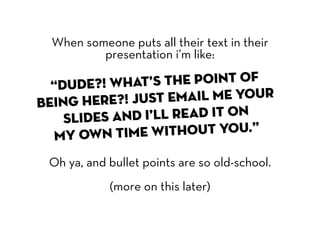
When someone puts all their text in their
          presentation i’m like:

  “Dude?! Wha   t’s the point of
being here?  ! Just email me your
    slide s and I’ll read it on
  my own t   ime without you.”

 Oh ya, and bullet points are so old-school.
            (more on this later)
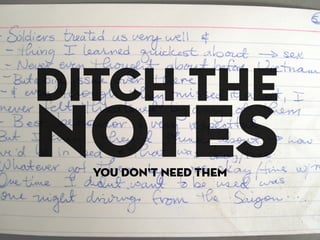
ditch the
notes
  you don’t need them
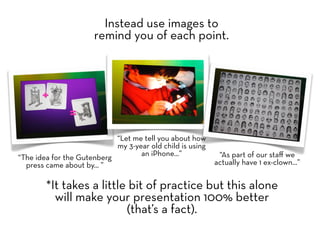
Instead use images to
                      remind you of each point.


                            “Let me tell you about how
                            my 3-year old child is using
                                   an iPhone...”            “As part of our staff we
“The idea for the Gutenberg
  press came about by... ”                                 actually have 1 ex-clown...”


        *It takes a little bit of practice but this alone
          will make your presentation 100% better
                          (that’s a fact).
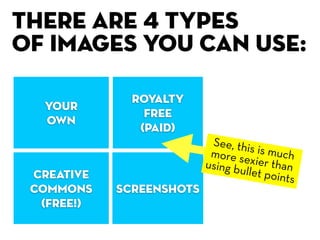
There are 4 types
of images you can use:

              royalty
  Your
                free
  own
               (paid)
                           See, thi
                           more se  s is muc
                          using bu  xier tha h
 creative                          llet poin n
                                            ts
 commons    screenshots
  (free!)
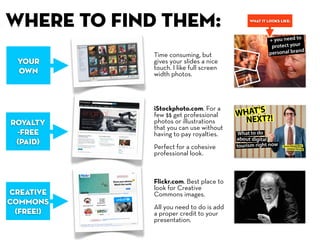
, where to find them:                     what it looks like:


              Time consuming, but
  Your        gives your slides a nice
              touch. I like full screen
  own         width photos.


              iStockphoto.com. For a
              few $$ get professional
 royalty      photos or illustrations
              that you can use without
  -free       having to pay royalties.
  (paid)
              Perfect for a cohesive
              professional look.


              Flickr.com. Best place to
              look for Creative
 creative     Commons images.
 commons
              All you need to do is add
  (free!)     a proper credit to your
              presentation.
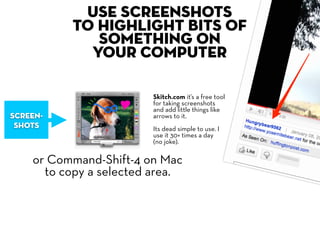
Use screenshots
          to highlight bits of
             something on
            your computer

                        Skitch.com it’s a free tool
                        for taking screenshots
                        and add little things like
screen-                 arrows to it.
 shots                  Its dead simple to use. I
                        use it 30+ times a day
                        (no joke).

    or Command-Shift-4 on Mac
      to copy a selected area.
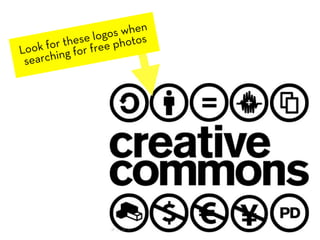
s when
            se logophotos
     for theor free
Look hing f
 searc
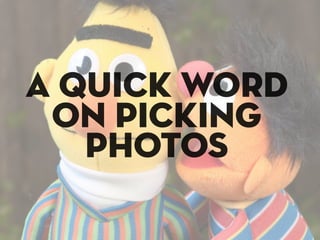
a quick word
 on picking
   photos
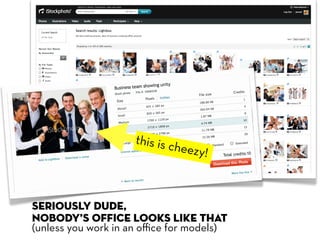
this is c
                             heezy!


Seriously dude,
nobody’s office looks like that
(unless you work in an office for models)
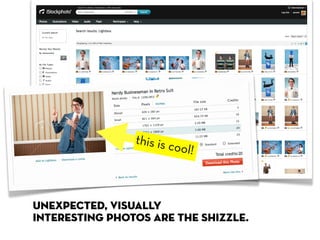
this is c
                         ool!


unexpected, visually
interesting photos are the shizzle.
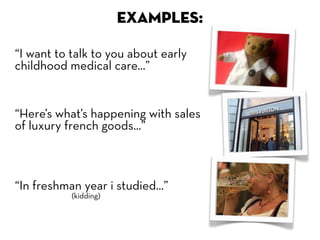
EXAMPLES:

“I want to talk to you about early
childhood medical care...”


“Here’s what’s happening with sales
of luxury french goods...”


“In freshman year i studied...”
           (kidding)
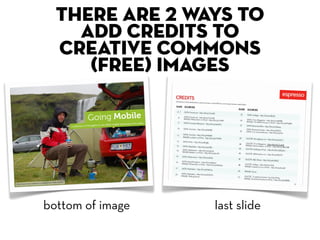
there are 2 ways to
    add credits to
  creative commons
     (free) images


bottom of image   last slide
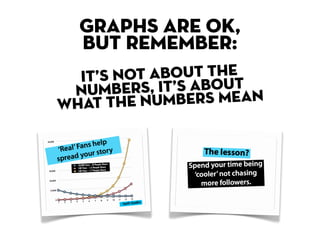
GRAPHS ARE OK,
  BUT REMEMBER:
  IT ’S NOT ABOUT THET
 NUM    BERS, IT’S ABOUEAN
WH AT THE NUMBERS M
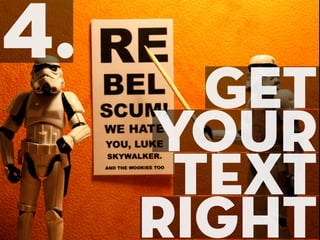
4.
       Get
     your
      text
     right
keep it
simple
(less is more)
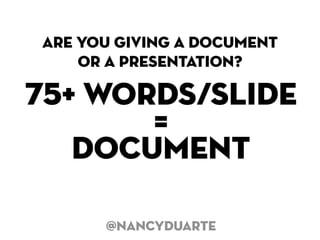
are you giving a document
    or a presentation?

75+ words/slide
       =
   document

      @nancyduarte
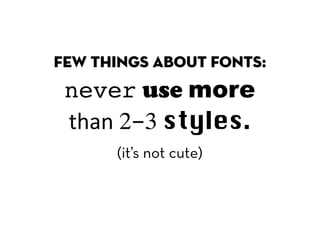
few things about fonts:
 never use more
 than 2-3 styles.
      (it’s not cute)
your best bet is to
keep it in the
family
blinking,
    blinking
  sparkling or
  wirling
twirling text is
t
 just not cool
but adding a slight
rotation makes things
look a little more

inter esting
      but go easy tiger,
       don’t overdo it.
5.
      use
     CRAP
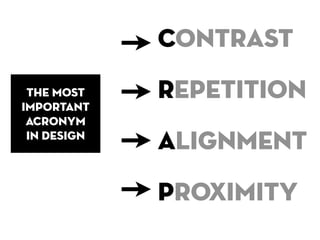
Contrast
 the most
important
             Repetition
 acronym
 in design
             Alignment
             Proximity
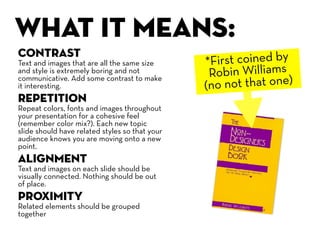
WHAT IT mEANS:
Contrast
Text and images that are all the same size      *First coined by
and style is extremely boring and not            Robin Williams
                                                (no not that one)
communicative. Add some contrast to make
it interesting.
Repetition
Repeat colors, fonts and images throughout
your presentation for a cohesive feel
(remember color mix?). Each new topic
slide should have related styles so that your
audience knows you are moving onto a new
point.
Alignment
Text and images on each slide should be
visually connected. Nothing should be out
of place.
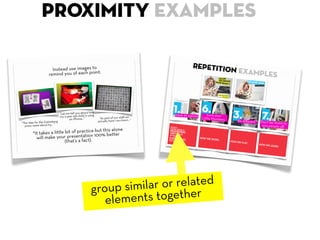
Proximity
Related elements should be grouped
together
what it
looks like:
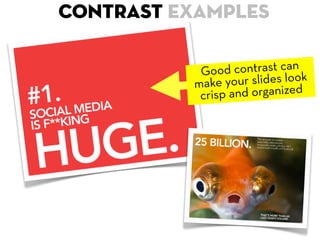
Contrast examples

           G  ood contrast can k
          make   your slides loo
           c risp and organized
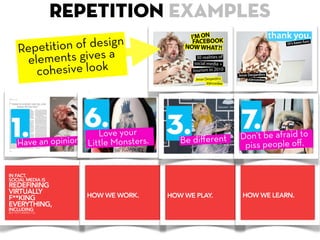
Repetition examples
Rep etition of design
 elements gives a
   c ohesive look
ALIGNMENT examples


          Line it u p, add some
                                e
                g and make surcal
         paddin
        elements  are symmetri
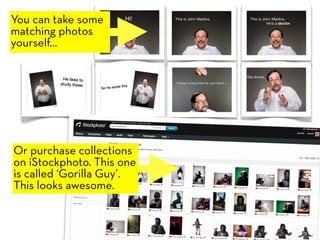
You can take some
matching photos
yourself...


Or purchase collections
on iStockphoto. This one
is called ‘Gorilla Guy’.
This looks awesome.
proximity examples


    group s imilar or related
       ele ments together
o h cr ap!
      Always double-check your design
         work with these principles:
Contrast, Repetition, Alignment, and Proximity.
6.
6.
        USE
     USE VIDEO
     VIDEO
videos are cool
 But keep is short, simple & relevant.
 2-3 min is good, 30 seconds is best.
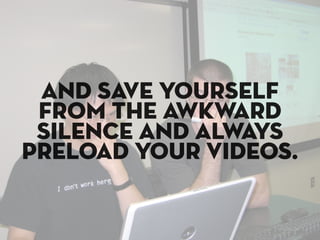
and save yourself
 from the awkward
 silence and always
preload your videos.
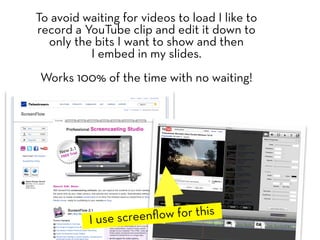
To avoid waiting for videos to load I like to
record a YouTube clip and edit it down to
  only the bits I want to show and then
          I embed in my slides.
Works 100% of the time with no waiting!


          I use screenflow for this
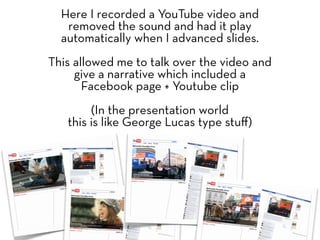
Here I recorded a YouTube video and
   removed the sound and had it play
  automatically when I advanced slides.
This allowed me to talk over the video and
     give a narrative which included a
       Facebook page + Youtube clip
        (In the presentation world
   this is like George Lucas type stuff)
7.
     SHARE
      YOUR
     WORK
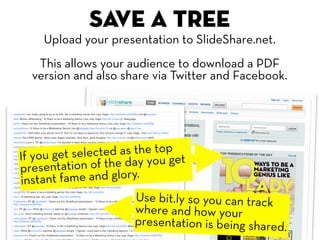
Save a tree
    Upload your presentation to SlideShare.net.
   This allows your audience to download a PDF
  version and also share via Twitter and Facebook.


If you get se lected as the top t
presentat  ion of the day you ge
in stant fame and glory.
                      Use bit.ly so you can track
                      where and how your
                      presentation is being shared.
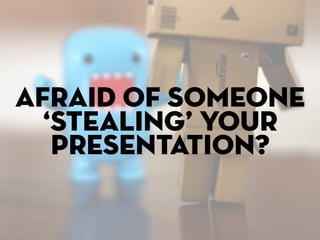
Afraid of someone
  ‘stealing’ your
   presentation?
Unless you’re dealing with top secret stuff don’t be.
If you use the methods you just learned the only
person able to give your presentation should be you.

Using things like images instead of text refreshes the
memory of someone who was at your talk but means
nothing to someone who wasn’t.
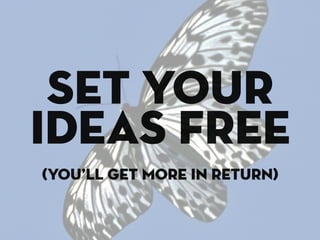
set your
ideas free
(you’ll get more in return)
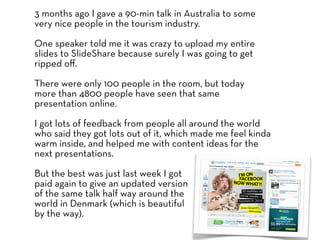
3 months ago I gave a 90-min talk in Australia to some
very nice people in the tourism industry.

One speaker told me it was crazy to upload my entire
slides to SlideShare because surely I was going to get
ripped off.

There were only 100 people in the room, but today
more than 4800 people have seen that same
presentation online.

I got lots of feedback from people all around the world
who said they got lots out of it, which made me feel kinda
warm inside, and helped me with content ideas for the
next presentations.

But the best was just last week I got
paid again to give an updated version
of the same talk half way around the
world in Denmark (which is beautiful
by the way).
Also, never, ever print off
and give away your slides
    before your talk.

 Most people are just sneaky
  little buggers & will read
    ahead before you start
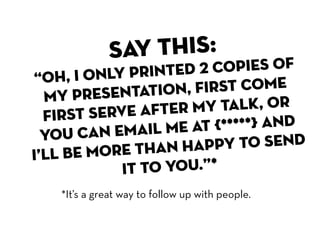
say this:
          nly printed  2 copies of
“Oh, I o
  my   presentatio  n, first come
  fir st serve afte r my talk, or
          n email me a  t {*****} and
  you ca
          ore than ha   ppy to send
i’ll be m
             it to you.”*
   *It’s a great way to follow up with people.
That’s it
ok, wait.
one more
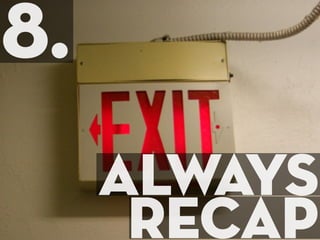
8.
     always
      recap
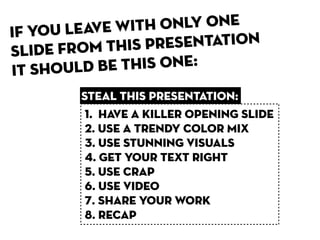
If you leave wit h only one
sl ide from this presentation
it shoul d be this one:
        steal this presentation:
         1. HaVE A KILLER OPENING SLIDE
         2. USE a trendy COLOR MIX
         3. USE STUNNING VISUALS
         4. GET YOUR TEXT RIGHT
         5. USE CRAP
         6. USE VIDEO
         7. SHARE YOUR WORK
         8. recap
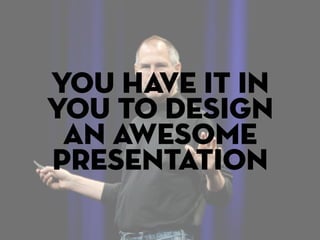
you have it in
you to design
 an awesome
presentation
but even
i had problems
  at first so...
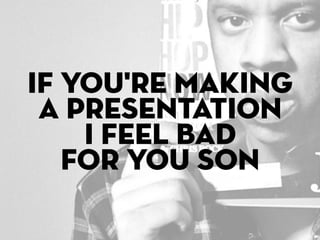
If you're making
 a presentation
    i feel bad
   for you son
you got 99
  problems
but don’t let
 your slides
   be one
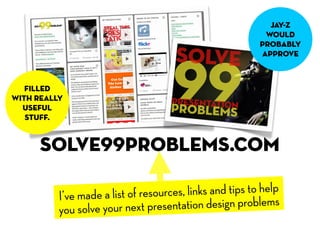
jay-z
                                                           would
                                                          probably
                                                          approve


   filled
with really
  useful
   stuff.


      solve99problems.com

          I’ve made a list of resources, links and tips to help
          you solve your n  ext presentation design problems
Thanks!
                                      @JESSEDEE
                           help me fight against
                           boring presentations
                            and share this link!
                                ext
                eaker for your n oo
If you need a sp that problem t
event I can solve


               solve99problems.com
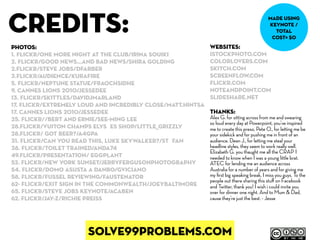
credits:                                                                                    made using
                                                                                            keynote /
                                                                                              total
                                                                                             cost= $0
photos:                                                      websites:
1. flickr/One more night at the club/Irina Souiki            istockphoto.com
2. flickr/good news...and bad news/Shira Golding             colorlovers.com
2.flickr/Steve Jobs/dfarber                                  skitch.com
3.flickr/Audience/kurafire                                   screenflow.com
5. flickr/Neptune Statue/Fraochsidhe                         flickr.com
9. cannes lions 2010/jessedee                                noteandpoint.com
13. flickr/skittles/davidjmarland                            slideshare.net
17. flickr/Extremely Loud and Incredibly Close/matt.hintsa
17. cannes lions 2010/jessedee                               THANKS:
25. flickr//Bert and Ernie/See-ming Lee                      Alex G. for sitting across from me and swearing
                                                             so loud every day at Powerpoint, you’ve inspired
28.flickr/Vuiton Champs Elysées Shop/Little_Grizzly          me to create this preso. Pete O., for letting me be
28.flickr/ Got Beer?/a4gpa                                   your sidekick and for pushing me in front of an
31. flickr/Can you read this, Luke Skywalker?/Stéfan         audience. Dean J., for letting me steal your
38. flickr/Toilet Trained/Anda74                             headline styles, they seem to work really well.
                                                             Elizabeth G. you thaught me all the CRAP I
49.flickr/presentation/ Eggplant                             needed to know when I was a young little brat.
52. flickr/new york sunset/jerryfergusonphotography          ATEC for lending me an audience across
54. flickr/Domo asusta a Danbo/GViciano                      Australia for a number of years and for giving me
58. flickr/Fussel reviewing/Faustenator                      my first big speaking break, I miss you guys. To the
                                                             people out there sharing this stuff on Facebook
62- flickr/exit sign in the commonwealth/joeybaltimore       and Twitter, thank you! I wish i could invite you
65. flickr/Steve Jobs Keynote/acaben                         over for dinner one night. And to Mum & Dad,
62. flickr/jay-z/richie preiss                               cause they’re just the best. - Jesse


                       solve99problems.com

STEAL THIS PRESENTATION! from Powered by C3 / SelectNY.Paris

  • 2.
    death by powerpoint right now, someone out there is actually dying from a boring presentation hopefully it’s not yours
  • 3.
    a presentation should move& inspire people don’t bore your audience, gore them!
  • 4.
    today all thetools are available to create a beautifully designed presentation and most are free!
  • 5.
    so please, letsstop designing presentations like its 1999
  • 6.
    Standard templates (like the ones found in Powerpoint) are fugly and don’t communicate, they KILL! You can do better!
  • 7.
    tHERE’S AN ARTTO PUTTING TOGETHER A SOLID PRESENTATION that doesn’t cause death
  • 8.
    The “art” issetting yourself apart. This means many things, but what i’m talking about is design. This presentation isn’t about public speaking skills, it’s about designing a sexy looking presentation (without a creative department) that will knock the socks off your audience. Follow me and i’ll show you how to design like a superstar.
  • 9.
    1. havea killer opening slide
  • 10.
    Don’t be afraidto have a bold title that will grab people's attention. At most conferences you can almost tell which presentations are going to suck even before they start. Remember that 60% of your audience will be in carb coma from that 3rd muffin they just ate. It’s your job to snap them awake by making your first slide a killer one. *OK, I made that up, but i’m sure it’s partly true.
  • 11.
    Here’s some openingslides that don’t suck
  • 12.
    If you’re uploadingyour presentation online a visually stunning opening slide is everything. Just like a book people will judge your presentation by its cover, so make sure its an awesome one that will get clicks.
  • 13.
    2. use a trendy color mix
  • 14.
    In this presentationI wanted to use the same font and color from EasyJet. So, I Google’d: Easyjet font & color (I know, crazy huh?) The result was a low cost airline feel throughout the entire presentation.
  • 15.
    An easy wayto find a great looking color combination is to pick a popular palette on COLORlovers.com 2,383 peop le ‘love’ thi s one
  • 16.
    Or use colorsfound in popular websites or magazines. For this presentation I wanted to give a gossip magazine feel.
  • 17.
    3. use stunning visuals
  • 18.
    Your audience readsyour slides faster than you talk. Never, ever, ever put word-for-word what you are saying, instead use strong visuals to help add to your story and not give it away before it comes out of your mouth. If I was giving this presentation to you t face-to-face I would elim inate 90% of the tex
  • 19.
    When someone putsall their text in their presentation i’m like: “Dude?! Wha t’s the point of being here? ! Just email me your slide s and I’ll read it on my own t ime without you.” Oh ya, and bullet points are so old-school. (more on this later)
  • 20.
    ditch the notes you don’t need them
  • 21.
    Instead use imagesto remind you of each point. “Let me tell you about how my 3-year old child is using an iPhone...” “As part of our staff we “The idea for the Gutenberg press came about by... ” actually have 1 ex-clown...” *It takes a little bit of practice but this alone will make your presentation 100% better (that’s a fact).
  • 22.
    There are 4types of images you can use: royalty Your free own (paid) See, thi more se s is muc using bu xier tha h creative llet poin n ts commons screenshots (free!)
  • 23.
    , where tofind them: what it looks like: Time consuming, but Your gives your slides a nice touch. I like full screen own width photos. iStockphoto.com. For a few $$ get professional royalty photos or illustrations that you can use without -free having to pay royalties. (paid) Perfect for a cohesive professional look. Flickr.com. Best place to look for Creative creative Commons images. commons All you need to do is add (free!) a proper credit to your presentation.
  • 24.
    Use screenshots to highlight bits of something on your computer Skitch.com it’s a free tool for taking screenshots and add little things like screen- arrows to it. shots Its dead simple to use. I use it 30+ times a day (no joke). or Command-Shift-4 on Mac to copy a selected area.
  • 25.
    s when se logophotos for theor free Look hing f searc
  • 26.
    a quick word on picking photos
  • 27.
    this is c heezy! Seriously dude, nobody’s office looks like that (unless you work in an office for models)
  • 28.
    this is c ool! unexpected, visually interesting photos are the shizzle.
  • 29.
    EXAMPLES: “I want totalk to you about early childhood medical care...” “Here’s what’s happening with sales of luxury french goods...” “In freshman year i studied...” (kidding)
  • 30.
    there are 2ways to add credits to creative commons (free) images bottom of image last slide
  • 31.
    GRAPHS ARE OK, BUT REMEMBER: IT ’S NOT ABOUT THET NUM BERS, IT’S ABOUEAN WH AT THE NUMBERS M
  • 32.
    4. Get your text right
  • 33.
  • 34.
    are you givinga document or a presentation? 75+ words/slide = document @nancyduarte
  • 35.
    few things aboutfonts: never use more than 2-3 styles. (it’s not cute)
  • 36.
    your best betis to keep it in the family
  • 37.
    blinking, blinking sparkling or wirling twirling text is t just not cool
  • 38.
    but adding aslight rotation makes things look a little more inter esting but go easy tiger, don’t overdo it.
  • 39.
    5. use CRAP
  • 40.
    Contrast the most important Repetition acronym in design Alignment Proximity
  • 41.
    WHAT IT mEANS: Contrast Textand images that are all the same size *First coined by and style is extremely boring and not Robin Williams (no not that one) communicative. Add some contrast to make it interesting. Repetition Repeat colors, fonts and images throughout your presentation for a cohesive feel (remember color mix?). Each new topic slide should have related styles so that your audience knows you are moving onto a new point. Alignment Text and images on each slide should be visually connected. Nothing should be out of place. Proximity Related elements should be grouped together
  • 42.
  • 43.
    Contrast examples G ood contrast can k make your slides loo c risp and organized
  • 44.
    Repetition examples Rep etitionof design elements gives a c ohesive look
  • 45.
    ALIGNMENT examples Line it u p, add some e g and make surcal paddin elements are symmetri
  • 46.
    You can takesome matching photos yourself... Or purchase collections on iStockphoto. This one is called ‘Gorilla Guy’. This looks awesome.
  • 47.
    proximity examples group s imilar or related ele ments together
  • 48.
    o h crap! Always double-check your design work with these principles: Contrast, Repetition, Alignment, and Proximity.
  • 49.
    6. 6. USE USE VIDEO VIDEO
  • 50.
    videos are cool But keep is short, simple & relevant. 2-3 min is good, 30 seconds is best.
  • 51.
    and save yourself from the awkward silence and always preload your videos.
  • 52.
    To avoid waitingfor videos to load I like to record a YouTube clip and edit it down to only the bits I want to show and then I embed in my slides. Works 100% of the time with no waiting! I use screenflow for this
  • 53.
    Here I recordeda YouTube video and removed the sound and had it play automatically when I advanced slides. This allowed me to talk over the video and give a narrative which included a Facebook page + Youtube clip (In the presentation world this is like George Lucas type stuff)
  • 54.
    7. SHARE YOUR WORK
  • 55.
    Save a tree Upload your presentation to SlideShare.net. This allows your audience to download a PDF version and also share via Twitter and Facebook. If you get se lected as the top t presentat ion of the day you ge in stant fame and glory. Use bit.ly so you can track where and how your presentation is being shared.
  • 56.
    Afraid of someone ‘stealing’ your presentation?
  • 57.
    Unless you’re dealingwith top secret stuff don’t be. If you use the methods you just learned the only person able to give your presentation should be you. Using things like images instead of text refreshes the memory of someone who was at your talk but means nothing to someone who wasn’t.
  • 58.
    set your ideas free (you’llget more in return)
  • 59.
    3 months agoI gave a 90-min talk in Australia to some very nice people in the tourism industry. One speaker told me it was crazy to upload my entire slides to SlideShare because surely I was going to get ripped off. There were only 100 people in the room, but today more than 4800 people have seen that same presentation online. I got lots of feedback from people all around the world who said they got lots out of it, which made me feel kinda warm inside, and helped me with content ideas for the next presentations. But the best was just last week I got paid again to give an updated version of the same talk half way around the world in Denmark (which is beautiful by the way).
  • 60.
    Also, never, everprint off and give away your slides before your talk. Most people are just sneaky little buggers & will read ahead before you start
  • 61.
    say this: nly printed 2 copies of “Oh, I o my presentatio n, first come fir st serve afte r my talk, or n email me a t {*****} and you ca ore than ha ppy to send i’ll be m it to you.”* *It’s a great way to follow up with people.
  • 62.
  • 63.
  • 64.
    8. always recap
  • 65.
    If you leavewit h only one sl ide from this presentation it shoul d be this one: steal this presentation: 1. HaVE A KILLER OPENING SLIDE 2. USE a trendy COLOR MIX 3. USE STUNNING VISUALS 4. GET YOUR TEXT RIGHT 5. USE CRAP 6. USE VIDEO 7. SHARE YOUR WORK 8. recap
  • 66.
    you have itin you to design an awesome presentation
  • 67.
    but even i hadproblems at first so...
  • 68.
    If you're making a presentation i feel bad for you son
  • 69.
    you got 99 problems but don’t let your slides be one
  • 70.
    jay-z would probably approve filled with really useful stuff. solve99problems.com I’ve made a list of resources, links and tips to help you solve your n ext presentation design problems
  • 71.
    Thanks! @JESSEDEE help me fight against boring presentations and share this link! ext eaker for your n oo If you need a sp that problem t event I can solve solve99problems.com
  • 72.
    credits: made using keynote / total cost= $0 photos: websites: 1. flickr/One more night at the club/Irina Souiki istockphoto.com 2. flickr/good news...and bad news/Shira Golding colorlovers.com 2.flickr/Steve Jobs/dfarber skitch.com 3.flickr/Audience/kurafire screenflow.com 5. flickr/Neptune Statue/Fraochsidhe flickr.com 9. cannes lions 2010/jessedee noteandpoint.com 13. flickr/skittles/davidjmarland slideshare.net 17. flickr/Extremely Loud and Incredibly Close/matt.hintsa 17. cannes lions 2010/jessedee THANKS: 25. flickr//Bert and Ernie/See-ming Lee Alex G. for sitting across from me and swearing so loud every day at Powerpoint, you’ve inspired 28.flickr/Vuiton Champs Elysées Shop/Little_Grizzly me to create this preso. Pete O., for letting me be 28.flickr/ Got Beer?/a4gpa your sidekick and for pushing me in front of an 31. flickr/Can you read this, Luke Skywalker?/Stéfan audience. Dean J., for letting me steal your 38. flickr/Toilet Trained/Anda74 headline styles, they seem to work really well. Elizabeth G. you thaught me all the CRAP I 49.flickr/presentation/ Eggplant needed to know when I was a young little brat. 52. flickr/new york sunset/jerryfergusonphotography ATEC for lending me an audience across 54. flickr/Domo asusta a Danbo/GViciano Australia for a number of years and for giving me 58. flickr/Fussel reviewing/Faustenator my first big speaking break, I miss you guys. To the people out there sharing this stuff on Facebook 62- flickr/exit sign in the commonwealth/joeybaltimore and Twitter, thank you! I wish i could invite you 65. flickr/Steve Jobs Keynote/acaben over for dinner one night. And to Mum & Dad, 62. flickr/jay-z/richie preiss cause they’re just the best. - Jesse solve99problems.com