Chapter 2
Head & Body Section in HTML
Chapter 2
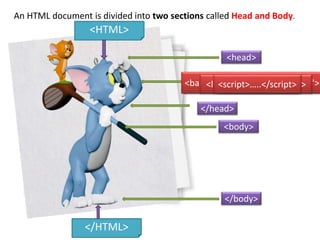
<HTML>
</HTML>
<head>
</head>
<title> Tom & Jerry </title>
<body>
</body>
An HTML document is divided into two sections called Head and Body.
<meta name=“…” content=“….”><base href=“D:/…/school_items"><link href=“mystyle.css“><style>…..</style><script>…..</script>
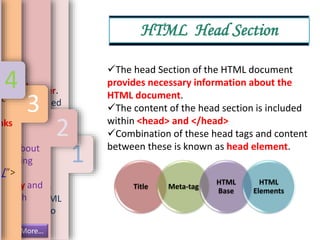
The head Section of the HTML document
provides necessary information about the
HTML document.
The content of the head section is included
within <head> and </head>
Combination of these head tags and content
between these is known as head element.
Title Meta-tag
HTML
Base
HTML
Elements
HTML Head Section
1
le
to the head
ayed as a
page. It is
f the browser.
ge is embedded
title> tag
ied, then
the whole path
ar of the
e closing tag,
document is
e and the HTML
loaded in into
.
2
ntain
ut the
ument.
ditional
eta-tag.
e
nt to
es.
ion about
ds, using
cribes
ecisely and
search
ge
More…
3
ify
.
RL
nks
e/”>
4
Description Keywords Author
Other
meta-tags
Meta-tag
1
cription
rch engines will
cription when they
results to the users.
such description, the
will display only first
="description"
ic cartoon character">
2
d
vided in this
arch engine.
racteristics,
and important
keywords.
tom and jerry
m and jerry">
3
hat
4
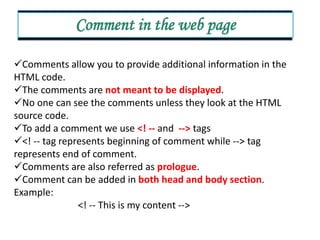
Comments allow you to provide additional information in the
HTML code.
The comments are not meant to be displayed.
No one can see the comments unless they look at the HTML
source code.
To add a comment we use <! -- and --> tags
<! -- tag represents beginning of comment while --> tag
represents end of comment.
Comments are also referred as prologue.
Comment can be added in both head and body section.
Example:
<! -- This is my content -->
Comment in the web page
Std 10 Computer Chapter 2  Head and Body Sections in HTML (Part 1)

Std 10 Computer Chapter 2 Head and Body Sections in HTML (Part 1)

  • 1.
    Chapter 2 Head &Body Section in HTML Chapter 2
  • 2.
    <HTML> </HTML> <head> </head> <title> Tom &Jerry </title> <body> </body> An HTML document is divided into two sections called Head and Body. <meta name=“…” content=“….”><base href=“D:/…/school_items"><link href=“mystyle.css“><style>…..</style><script>…..</script>
  • 3.
    The head Sectionof the HTML document provides necessary information about the HTML document. The content of the head section is included within <head> and </head> Combination of these head tags and content between these is known as head element. Title Meta-tag HTML Base HTML Elements HTML Head Section 1 le to the head ayed as a page. It is f the browser. ge is embedded title> tag ied, then the whole path ar of the e closing tag, document is e and the HTML loaded in into . 2 ntain ut the ument. ditional eta-tag. e nt to es. ion about ds, using cribes ecisely and search ge More… 3 ify . RL nks e/”> 4
  • 4.
    Description Keywords Author Other meta-tags Meta-tag 1 cription rchengines will cription when they results to the users. such description, the will display only first ="description" ic cartoon character"> 2 d vided in this arch engine. racteristics, and important keywords. tom and jerry m and jerry"> 3 hat 4
  • 5.
    Comments allow youto provide additional information in the HTML code. The comments are not meant to be displayed. No one can see the comments unless they look at the HTML source code. To add a comment we use <! -- and --> tags <! -- tag represents beginning of comment while --> tag represents end of comment. Comments are also referred as prologue. Comment can be added in both head and body section. Example: <! -- This is my content --> Comment in the web page