
Statistics & Trends for
  IBM Connections
    TIMETOACT Plugin for PIWIK
  based on IBM Connections Metrics
Agenda
 What is Piwik
 Private IP Map
 Connections Usage Analysis
   PIWIK Dashboard
   Connections Usage Visualization Plugin
   ConnectionsMetricsReporter


                                  Seite 2
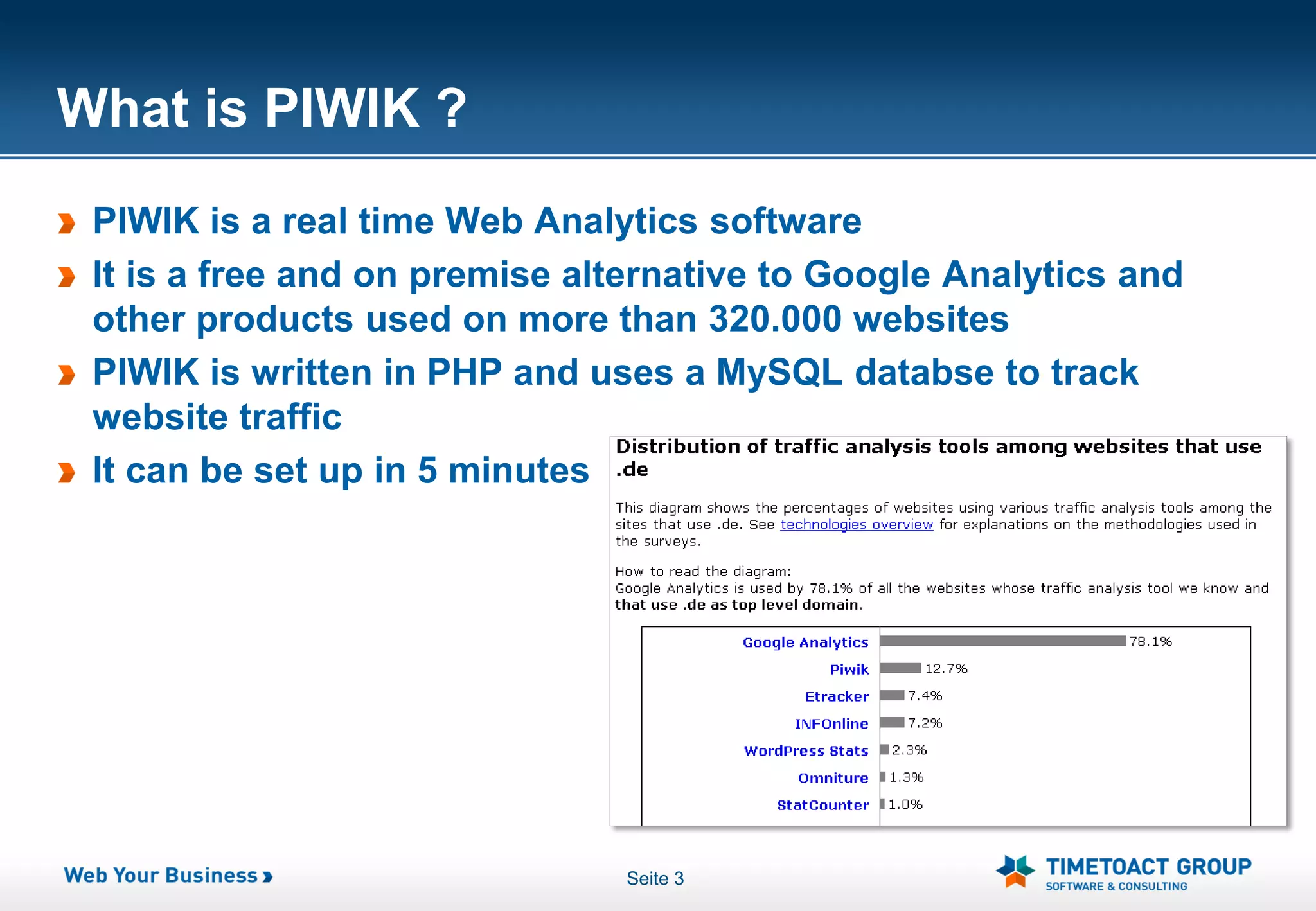
What is PIWIK ?
 PIWIK is a real time Web Analytics software
 It is a free and on premise alternative to Google Analytics and
 other products used on more than 320.000 websites
 PIWIK is written in PHP and uses a MySQL databse to track
 website traffic
 It can be set up in 5 minutes


                               Seite 3
Private IP Map


      Seite 4
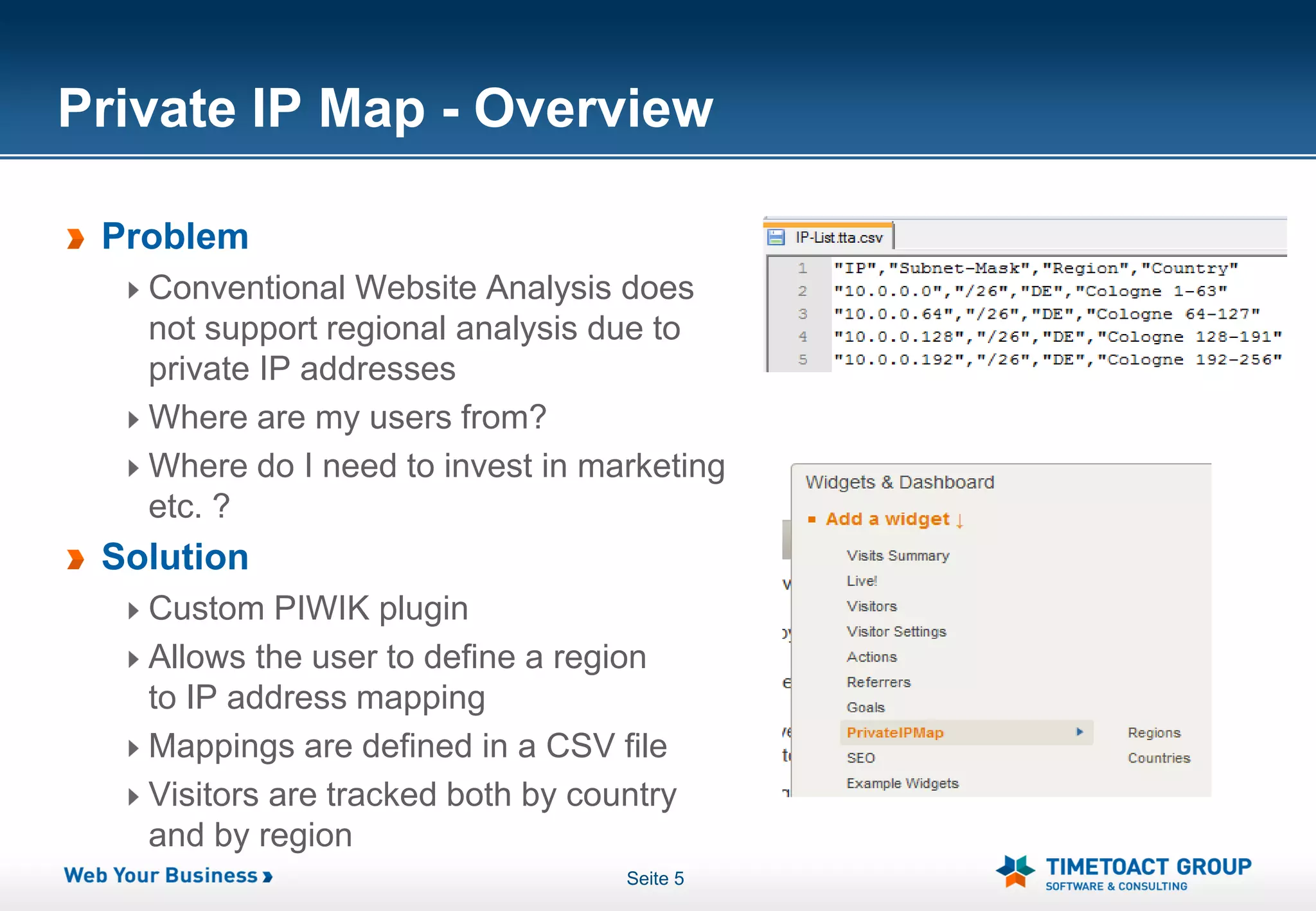
Private IP Map - Overview

 Problem
   Conventional Website Analysis does
   not support regional analysis due to
   private IP addresses
   Where are my users from?
   Where do I need to invest in marketing
   etc. ?
 Solution
   Custom PIWIK plugin
   Allows the user to define a region
   to IP address mapping
   Mappings are defined in a CSV file
   Visitors are tracked both by country
   and by region
                                   Seite 5
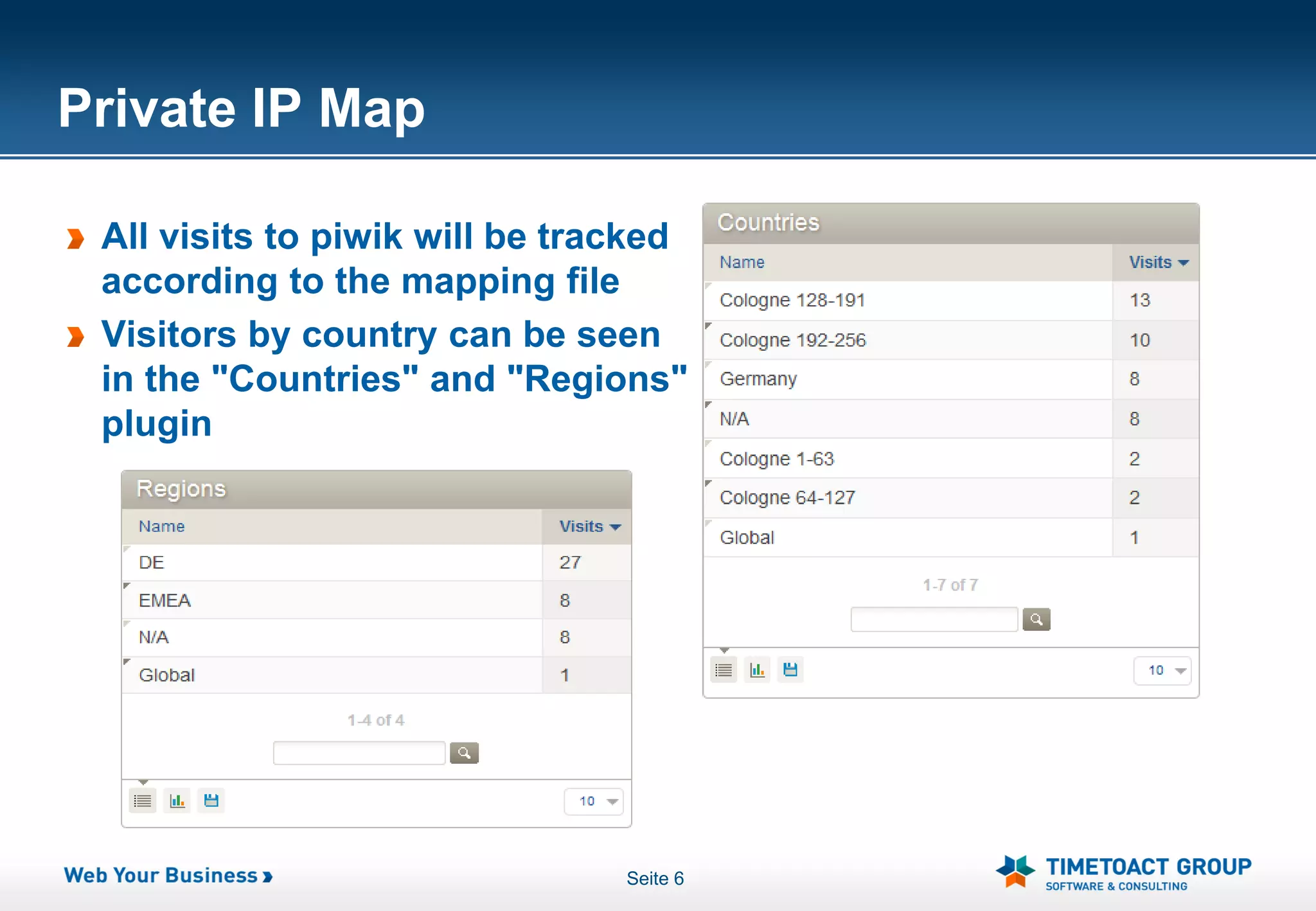
Private IP Map

 All visits to piwik will be tracked
 according to the mapping file
 Visitors by country can be seen
 in the "Countries" and "Regions"
 plugin


                                Seite 6
Connections Usage Analysis


            Seite 7
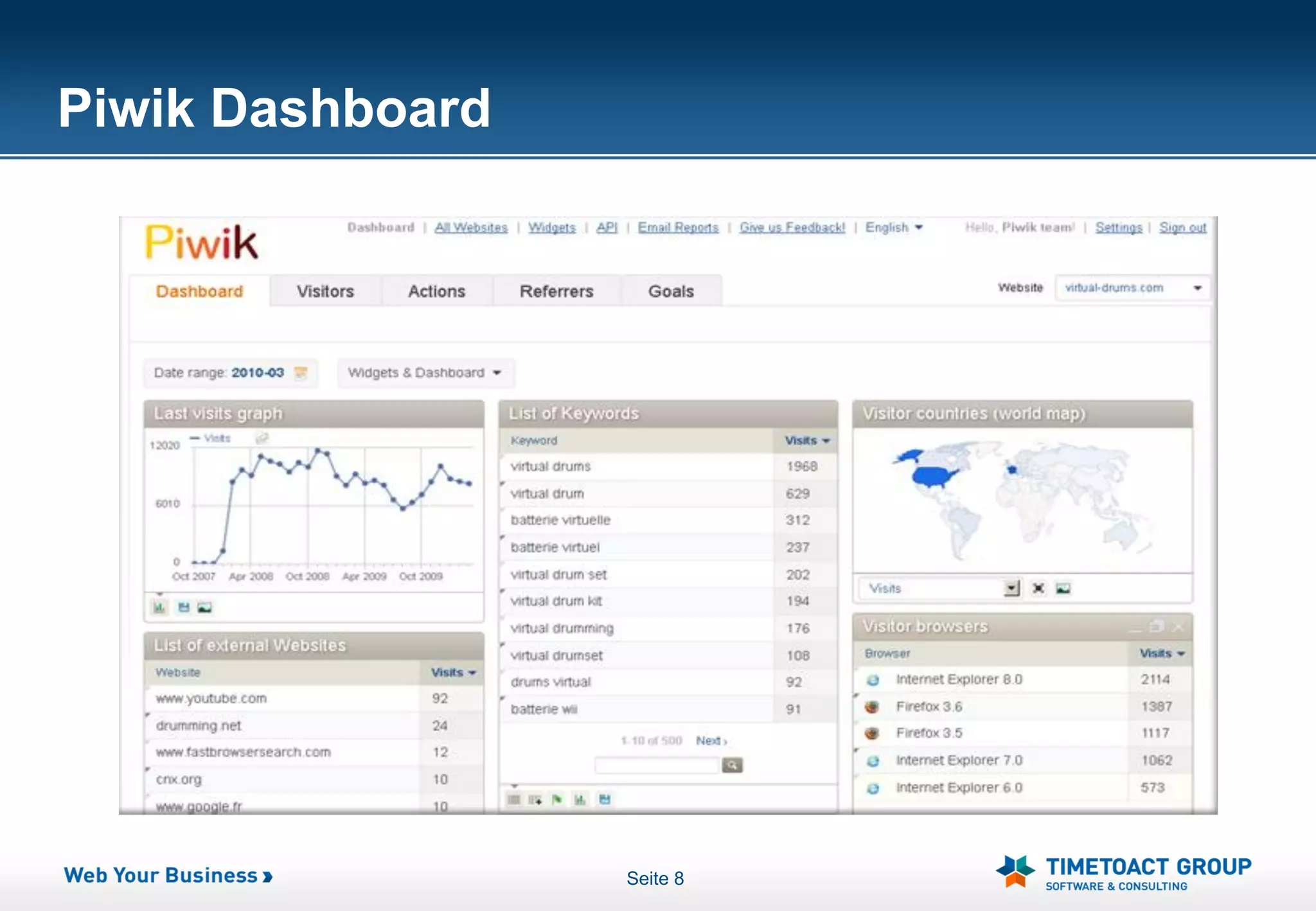
Piwik Dashboard


                  Seite 8
Connections Plugin Overview
 Displays Connections metrics stored in the database
 Allows the user to pick the metric and date range he wants to see
 Easy comparison of different metrics during the same time span


                               Seite 9
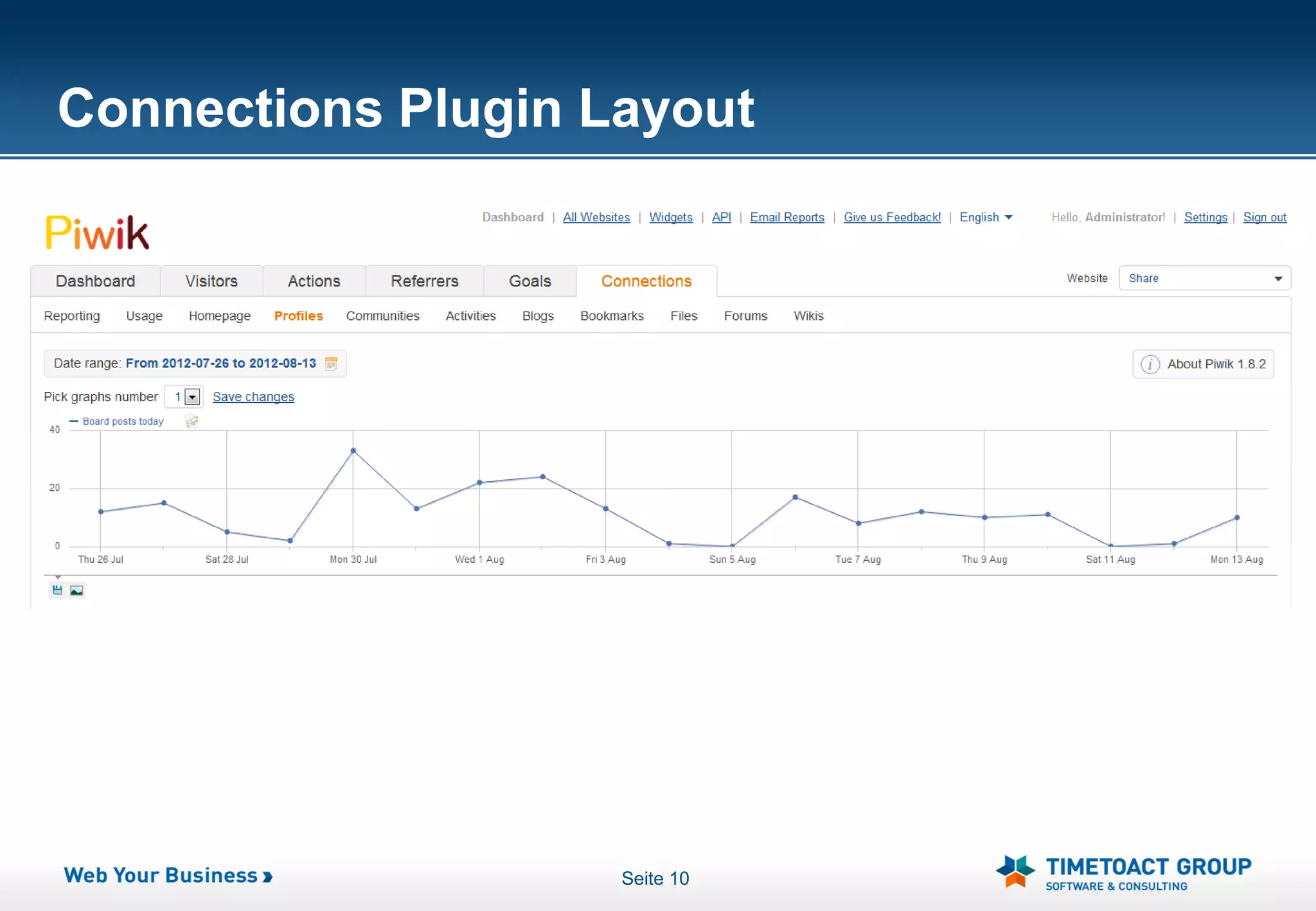
Connections Plugin Layout


                    Seite 10
Connections plugin - Reporting tab
 Shows various interesting statistics such as
   Total number of users
   Activity entries
   Personal files and more
 Serves as an entry point for the application
 Most used metrics in one view


                               Seite 11
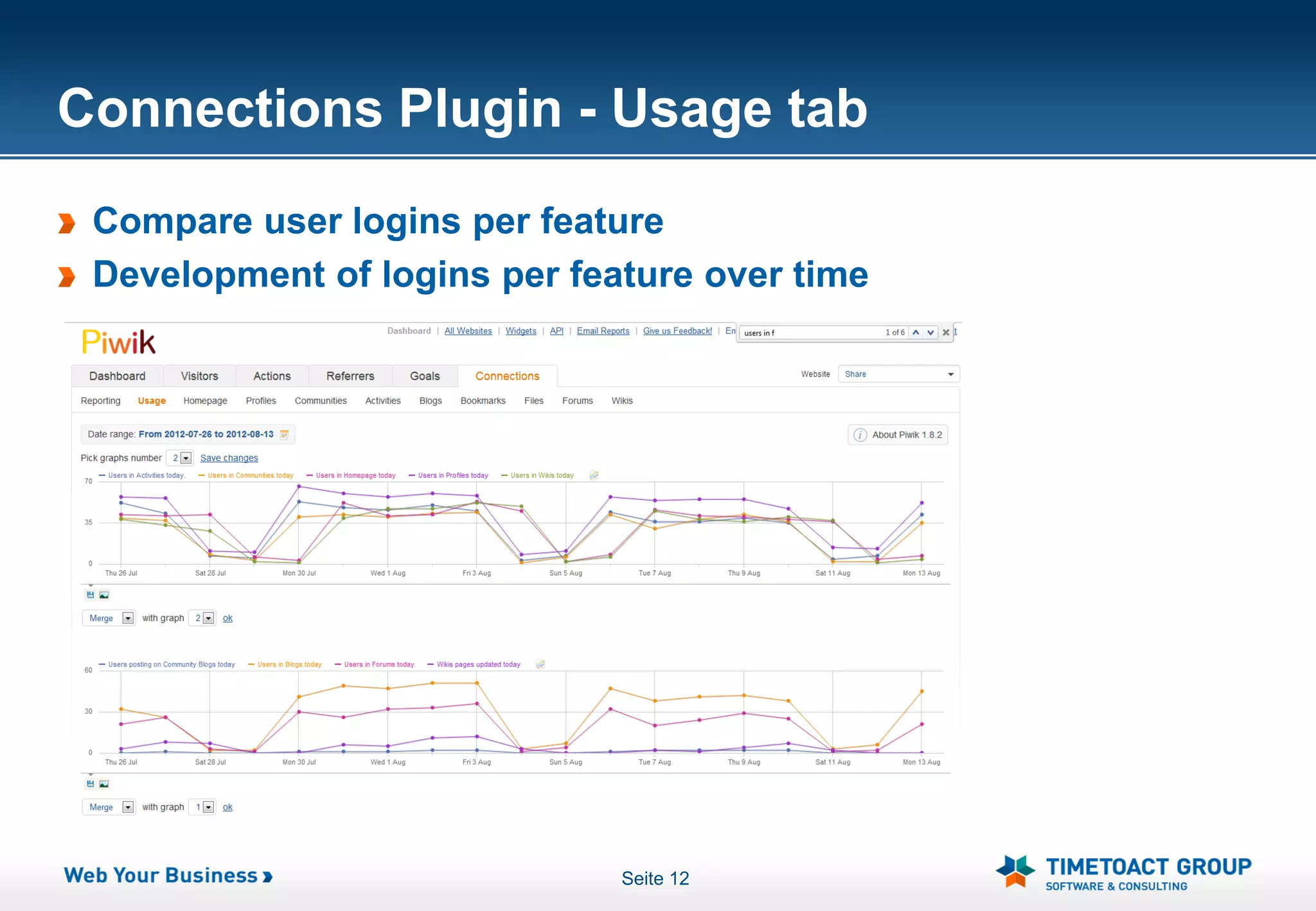
Connections Plugin - Usage tab
 Compare user logins per feature
 Development of logins per feature over time


                              Seite 12
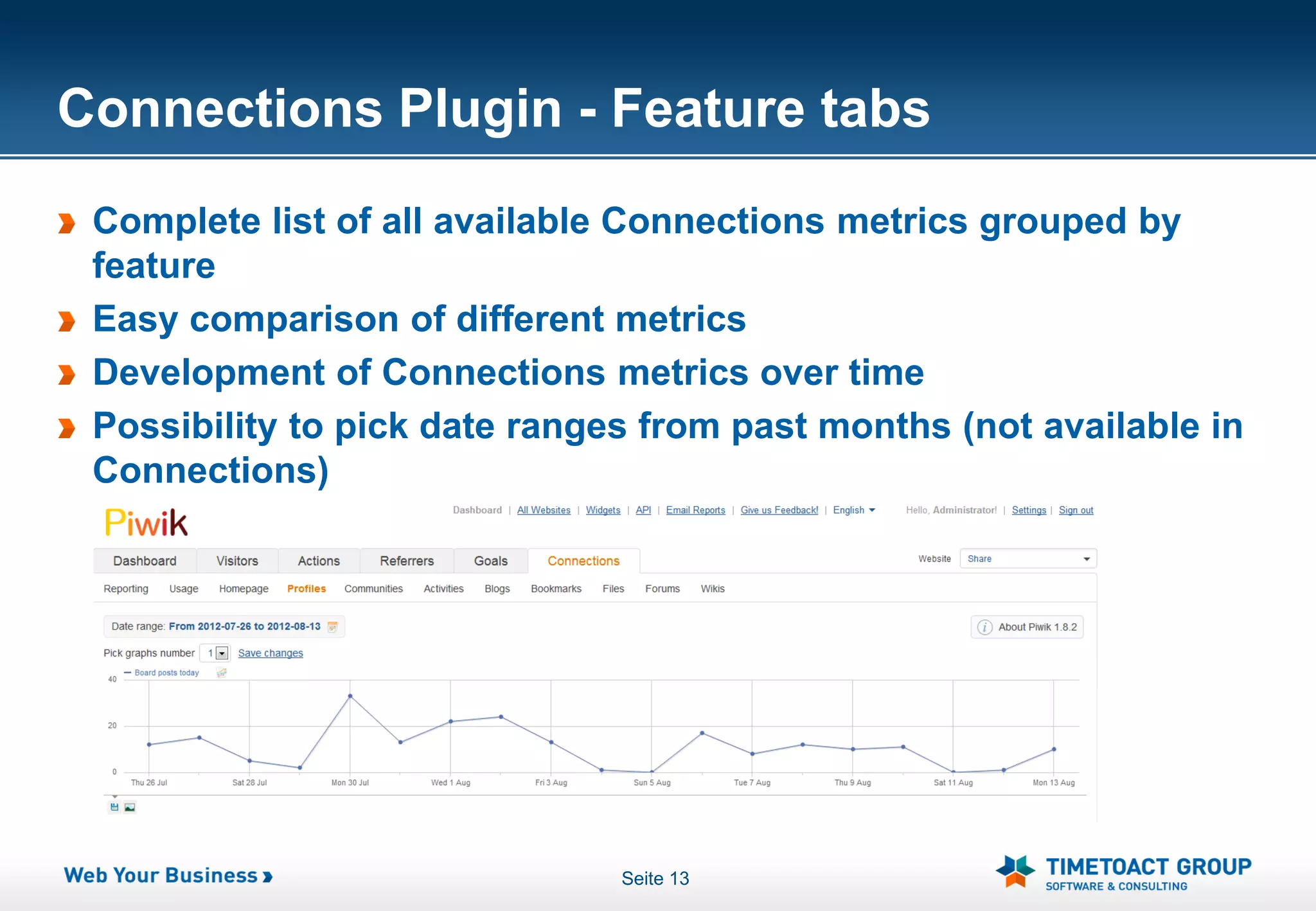
Connections Plugin - Feature tabs
 Complete list of all available Connections metrics grouped by
 feature
 Easy comparison of different metrics
 Development of Connections metrics over time
 Possibility to pick date ranges from past months (not available in
 Connections)


                               Seite 13
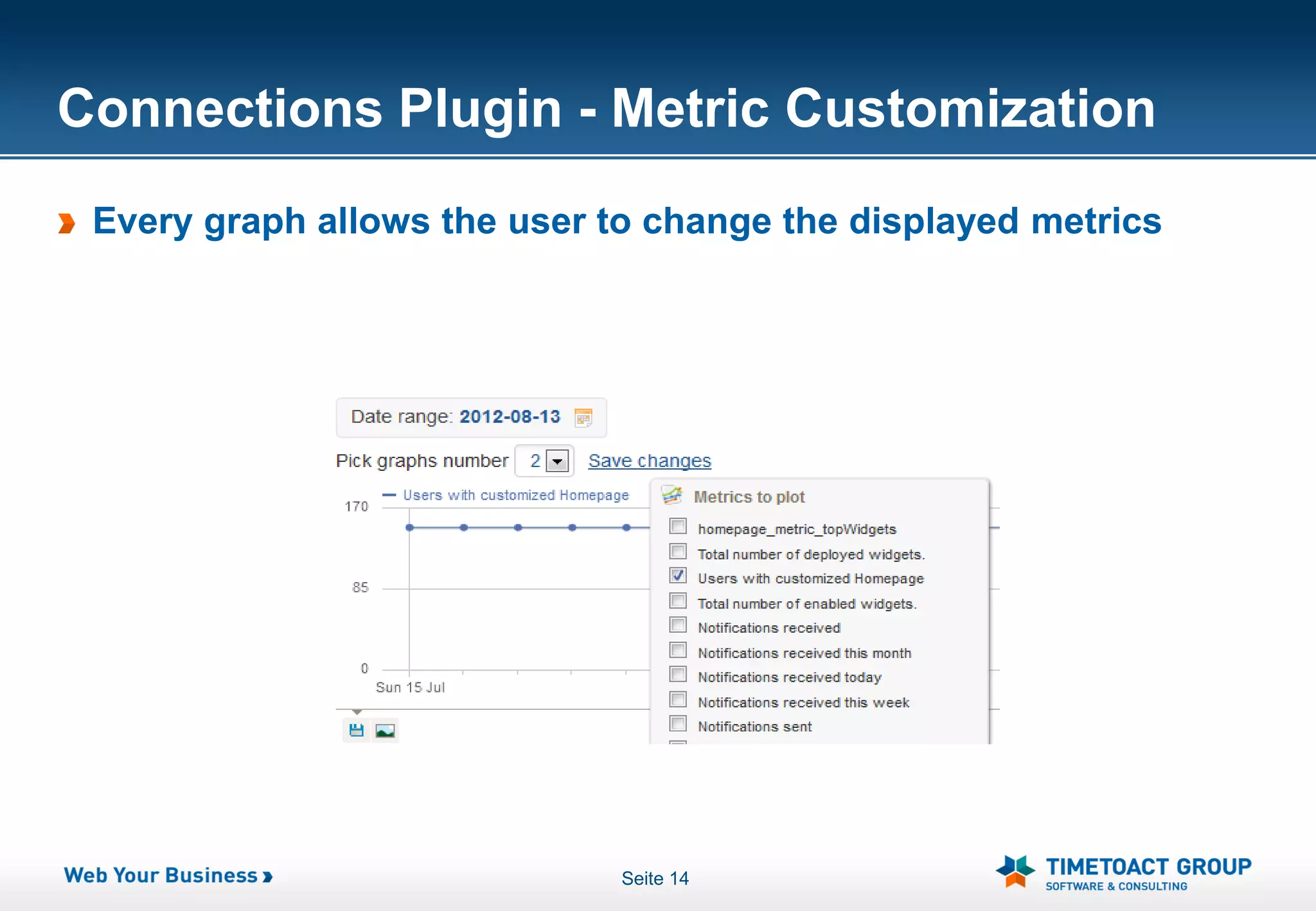
Connections Plugin - Metric Customization
 Every graph allows the user to change the displayed metrics


                              Seite 14
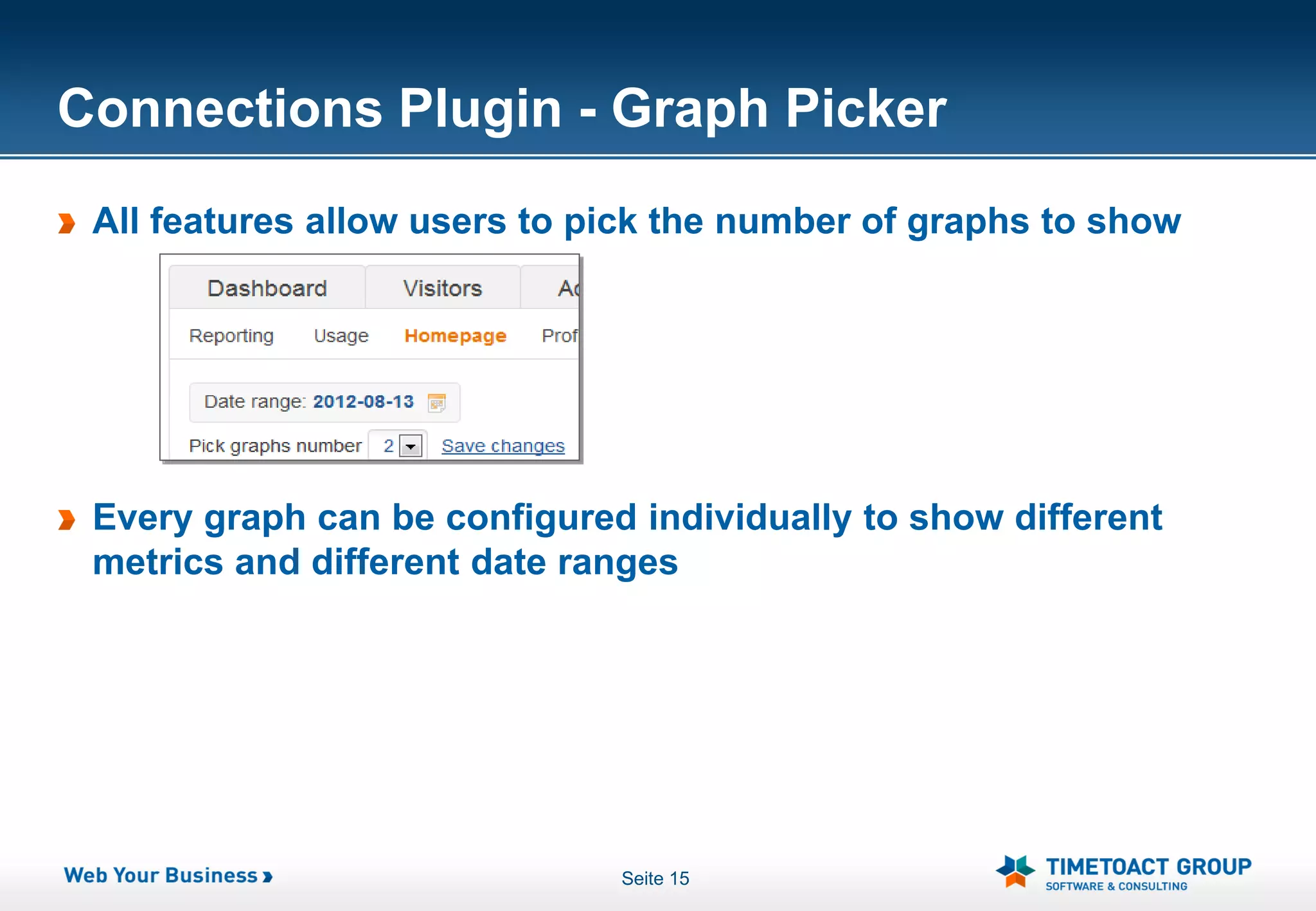
Connections Plugin - Graph Picker
 All features allow users to pick the number of graphs to show


 Every graph can be configured individually to show different
 metrics and different date ranges


                              Seite 15
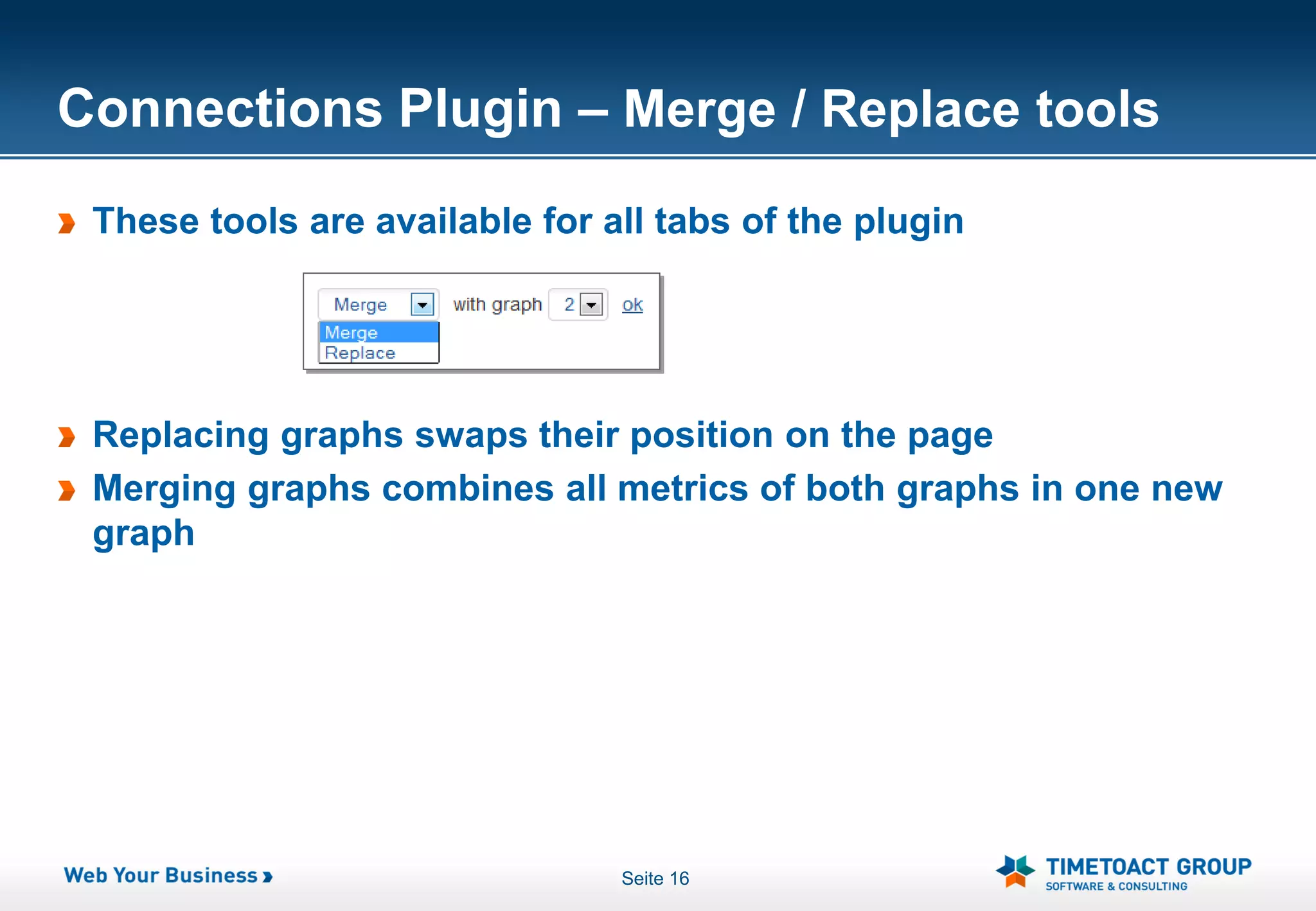
Connections Plugin – Merge / Replace tools
 These tools are available for all tabs of the plugin


 Replacing graphs swaps their position on the page
 Merging graphs combines all metrics of both graphs in one new
 graph


                                Seite 16
Connections Plugin - Configuration
 Piwik administrators can configure the default layout of all tabs
 and graphs
 Configuration is global for all users and all websites (if tracking
 several Connections sites)
 Users can temporarily change their graph configurations, but it
 will not be saved


                                Seite 17
ConnectionsMetricsReporter Overview
 Java servlet running on the Connections WAS Server
 Collects Connections metrics and transmits them to the Piwik
 database
 Easy installation and configuration (less than 10 minutes)


                              Seite 18
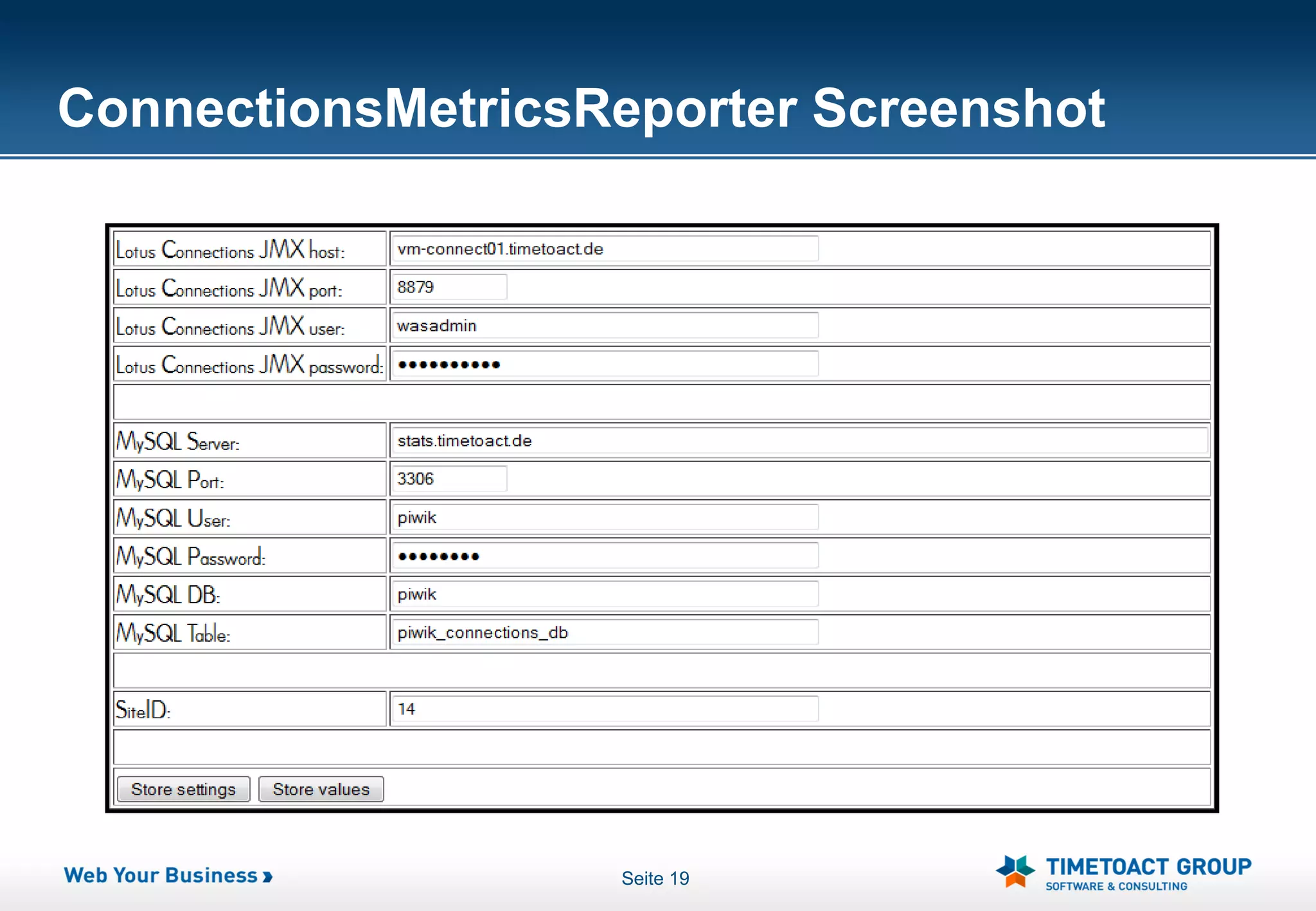
ConnectionsMetricsReporter Screenshot


                   Seite 19
Thank You


 Felix Binsack, Felix.Binsack@TIMETOACT.DE, Tel.: +49 221 97343 10
TIMETOACT GROUP, Im Mediapark 2, 50670 Köln, WWW.TIMETOACT.DE

Statistics & Trends for IBM Connections

  • 1.
    Statistics & Trendsfor IBM Connections TIMETOACT Plugin for PIWIK based on IBM Connections Metrics
  • 2.
    Agenda What isPiwik Private IP Map Connections Usage Analysis PIWIK Dashboard Connections Usage Visualization Plugin ConnectionsMetricsReporter Seite 2
  • 3.
    What is PIWIK? PIWIK is a real time Web Analytics software It is a free and on premise alternative to Google Analytics and other products used on more than 320.000 websites PIWIK is written in PHP and uses a MySQL databse to track website traffic It can be set up in 5 minutes Seite 3
  • 4.
  • 5.
    Private IP Map- Overview Problem Conventional Website Analysis does not support regional analysis due to private IP addresses Where are my users from? Where do I need to invest in marketing etc. ? Solution Custom PIWIK plugin Allows the user to define a region to IP address mapping Mappings are defined in a CSV file Visitors are tracked both by country and by region Seite 5
  • 6.
    Private IP Map All visits to piwik will be tracked according to the mapping file Visitors by country can be seen in the "Countries" and "Regions" plugin Seite 6
  • 7.
  • 8.
  • 9.
    Connections Plugin Overview Displays Connections metrics stored in the database Allows the user to pick the metric and date range he wants to see Easy comparison of different metrics during the same time span Seite 9
  • 10.
  • 11.
    Connections plugin -Reporting tab Shows various interesting statistics such as Total number of users Activity entries Personal files and more Serves as an entry point for the application Most used metrics in one view Seite 11
  • 12.
    Connections Plugin -Usage tab Compare user logins per feature Development of logins per feature over time Seite 12
  • 13.
    Connections Plugin -Feature tabs Complete list of all available Connections metrics grouped by feature Easy comparison of different metrics Development of Connections metrics over time Possibility to pick date ranges from past months (not available in Connections) Seite 13
  • 14.
    Connections Plugin -Metric Customization Every graph allows the user to change the displayed metrics Seite 14
  • 15.
    Connections Plugin -Graph Picker All features allow users to pick the number of graphs to show Every graph can be configured individually to show different metrics and different date ranges Seite 15
  • 16.
    Connections Plugin –Merge / Replace tools These tools are available for all tabs of the plugin Replacing graphs swaps their position on the page Merging graphs combines all metrics of both graphs in one new graph Seite 16
  • 17.
    Connections Plugin -Configuration Piwik administrators can configure the default layout of all tabs and graphs Configuration is global for all users and all websites (if tracking several Connections sites) Users can temporarily change their graph configurations, but it will not be saved Seite 17
  • 18.
    ConnectionsMetricsReporter Overview Javaservlet running on the Connections WAS Server Collects Connections metrics and transmits them to the Piwik database Easy installation and configuration (less than 10 minutes) Seite 18
  • 19.
  • 20.
    Thank You FelixBinsack, Felix.Binsack@TIMETOACT.DE, Tel.: +49 221 97343 10 TIMETOACT GROUP, Im Mediapark 2, 50670 Köln, WWW.TIMETOACT.DE