What‘s New in CAT
2017
TIMETOACT GROUP, Cologne, Germany
http://connections-apps.com/cat
2
Database vs. Filesystem check
Support for Connections 6.0
Copy to Cloud
Scheduled Backups
Miscellaneous
New Features in 2017
3
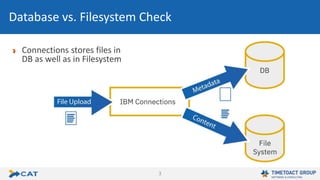
Connections stores files in
DB as well as in Filesystem
Database vs. Filesystem Check
4
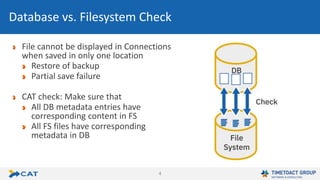
File cannot be displayed in Connections
when saved in only one location
Restore of backup
Partial save failure
CAT check: Make sure that
All DB metadata entries have
corresponding content in FS
All FS files have corresponding
metadata in DB
Database vs. Filesystem Check
5
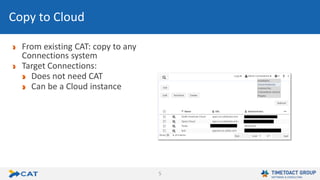
From existing CAT: copy to any
Connections system
Target Connections:
Does not need CAT
Can be a Cloud instance
Copy to Cloud
6
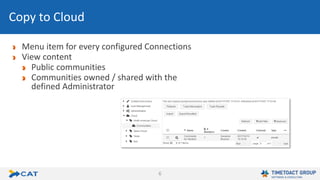
Menu item for every configured Connections
View content
Public communities
Communities owned / shared with the
defined Administrator
Copy to Cloud
7
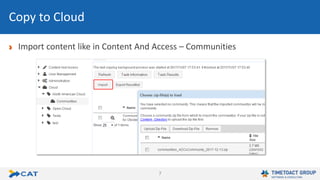
Import content like in Content And Access – Communities
Copy to Cloud
8
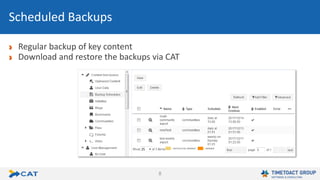
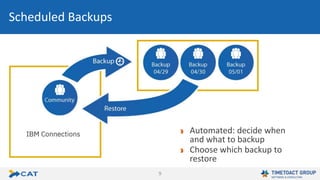
Regular backup of key content
Download and restore the backups via CAT
Scheduled Backups
9
Automated: decide when
and what to backup
Choose which backup to
restore
Scheduled Backups
10
Set ‚List when Restricted‘ property for communities
Copy / merge / import only parts of a community / wiki / …
Export list of all communities with all members
New configuration properties
Delete all inactive members of a community / wiki / …
Miscellaneous

CAT Release November 2017

  • 1.
    What‘s New inCAT 2017 TIMETOACT GROUP, Cologne, Germany http://connections-apps.com/cat
  • 2.
    2 Database vs. Filesystemcheck Support for Connections 6.0 Copy to Cloud Scheduled Backups Miscellaneous New Features in 2017
  • 3.
    3 Connections stores filesin DB as well as in Filesystem Database vs. Filesystem Check
  • 4.
    4 File cannot bedisplayed in Connections when saved in only one location Restore of backup Partial save failure CAT check: Make sure that All DB metadata entries have corresponding content in FS All FS files have corresponding metadata in DB Database vs. Filesystem Check
  • 5.
    5 From existing CAT:copy to any Connections system Target Connections: Does not need CAT Can be a Cloud instance Copy to Cloud
  • 6.
    6 Menu item forevery configured Connections View content Public communities Communities owned / shared with the defined Administrator Copy to Cloud
  • 7.
    7 Import content likein Content And Access – Communities Copy to Cloud
  • 8.
    8 Regular backup ofkey content Download and restore the backups via CAT Scheduled Backups
  • 9.
    9 Automated: decide when andwhat to backup Choose which backup to restore Scheduled Backups
  • 10.
    10 Set ‚List whenRestricted‘ property for communities Copy / merge / import only parts of a community / wiki / … Export list of all communities with all members New configuration properties Delete all inactive members of a community / wiki / … Miscellaneous