
P1
S u p e r M a p S o f t w a r e C o . , L t d .
北京超图
SuperMap iPortal Overview
SuperMap Software Co., Ltd.
P2
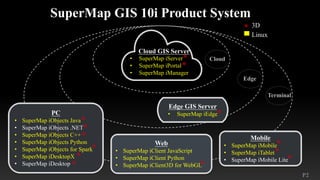
Edge GIS Server
• SuperMap iEdge
• SuperMap iServer
• SuperMap iPortal
• SuperMap iManager
Web
• SuperMap iClient JavaScript
• SuperMap iClient Python
• SuperMap iClient3D for WebGL
Mobile
• SuperMap iMobile
• SuperMap iTablet
• SuperMap iMobile Lite
PC
• SuperMap iObjects Java
• SuperMap iObjects .NET
• SuperMap iObjects C++
• SuperMap iObjects Python
• SuperMap iObjects for Spark
• SuperMap iDesktopX
• SuperMap iDesktop
* 3D
Linux
*
*
*
*
*
*
*
*
*
*
*
*
*
Cloud GIS Server
Cloud
Edge
Terminal
P3
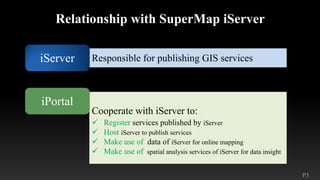
Responsible for publishing GIS services
Relationship with SuperMap iServer
iServer
Cooperate with iServer to:
ü Register services published by iServer
ü Host iServer to publish services
ü Make use of data of iServer for online mapping
ü Make use of spatial analysis services of iServer for data insight
iPortal
P4
What can SuperMap iPortal do?
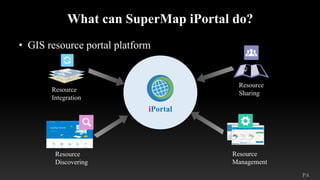
• GIS resource portal platform
Resource
Integration
Resource
Sharing
Resource
Management
iPortal
Resource
Discovering
P5
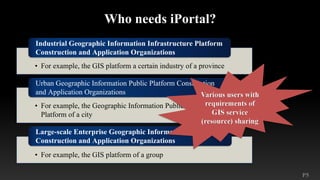
Who needs iPortal?
• For example, the GIS platform a certain industry of a province
Industrial Geographic Information Infrastructure Platform
Construction and Application Organizations
• For example, the Geographic Information Public Service
Platform of a city
Urban Geographic Information Public Platform Construction
and Application Organizations
• For example, the GIS platform of a group
Large-scale Enterprise Geographic Information Platform
Construction and Application Organizations
P6
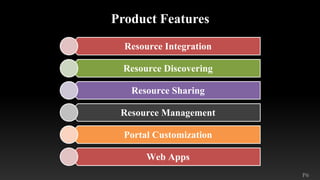
Product Features
Resource Integration
Resource Discovering
Resource Sharing
Resource Management
Portal Customization
Web Apps
P7
P8
P9
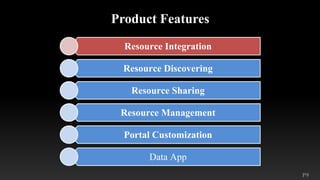
Product Features
Resource Integration
Resource Discovering
Resource Sharing
Resource Management
Portal Customization
Data App
P10
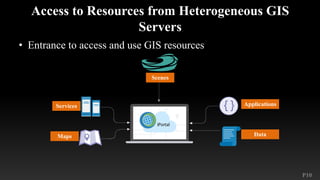
Access to Resources from Heterogeneous GIS
Servers
• Entrance to access and use GIS resources
Scenes
Services
Maps
Applications
Data
P11
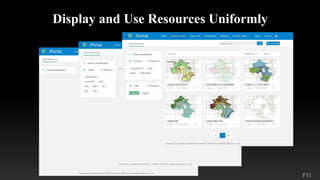
Display and Use Resources Uniformly
P12
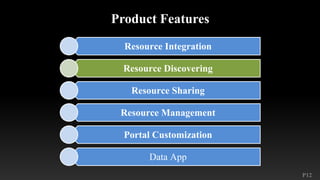
Product Features
Resource Integration
Resource Discovering
Resource Sharing
Resource Management
Portal Customization
Data App
P13
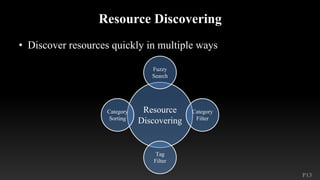
Resource Discovering
• Discover resources quickly in multiple ways
Resource
Discovering
Fuzzy
Search
Category
Filter
Tag
Filter
Category
Sorting
P14
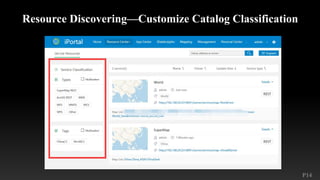
Resource Discovering—Customize Catalog Classification
P15
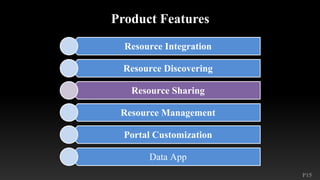
Product Features
Resource Integration
Resource Discovering
Resource Sharing
Resource Management
Portal Customization
Data App
P16
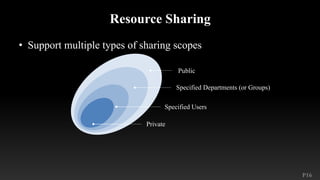
Resource Sharing
• Support multiple types of sharing scopes
Public
Specified Departments (or Groups)
Specified Users
Private
P17
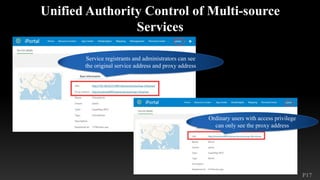
Unified Authority Control of Multi-source
Services
Service registrants and administrators can see
the original service address and proxy address
Ordinary users with access privilege
can only see the proxy address
P18
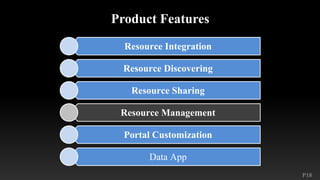
Product Features
Resource Integration
Resource Discovering
Resource Sharing
Resource Management
Portal Customization
Data App
P19
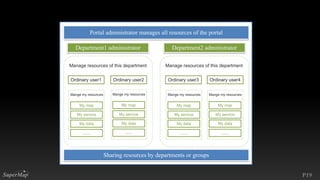
Portal administrator manages all resources of the portal
Department1 administrator Department2 administrator
Manage resources of this department Manage resources of this department
Ordinary user1 Ordinary user2 Ordinary user3 Ordinary user4
Mange my resources Mange my resources Mange my resources Mange my resources
My map
My service
My data
……
Sharing resources by departments or groups
My map
My service
My data
……
My map
My service
My data
……
My map
My service
My data
……
P20
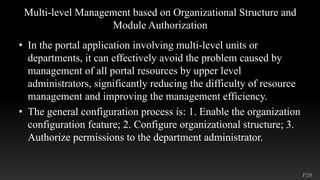
Multi-level Management based on Organizational Structure and
Module Authorization
• In the portal application involving multi-level units or
departments, it can effectively avoid the problem caused by
management of all portal resources by upper level
administrators, significantly reducing the difficulty of resource
management and improving the management efficiency.
• The general configuration process is: 1. Enable the organization
configuration feature; 2. Configure organizational structure; 3.
Authorize permissions to the department administrator.
P21
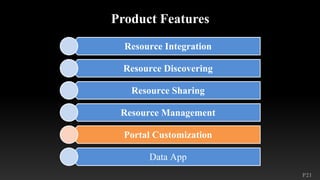
Product Features
Resource Integration
Resource Discovering
Resource Sharing
Resource Management
Portal Customization
Data App
P22
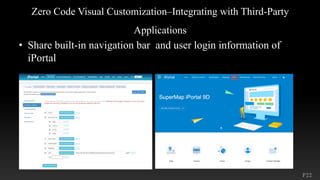
Zero Code Visual Customization–Integrating with Third-Party
Applications
• Share built-in navigation bar and user login information of
iPortal
P23
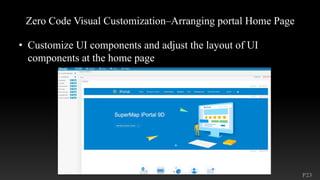
Zero Code Visual Customization–Arranging portal Home Page
• Customize UI components and adjust the layout of UI
components at the home page
P24
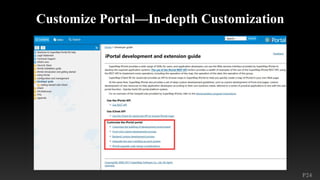
Customize Portal—In-depth Customization
P25
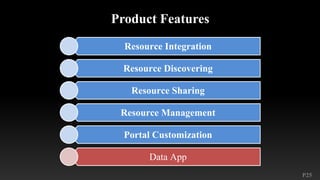
Product Features
Resource Integration
Resource Discovering
Resource Sharing
Resource Management
Portal Customization
Data App
P26
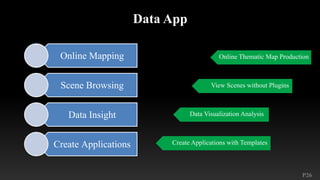
Data App
Online Mapping
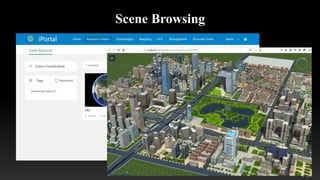
Scene Browsing
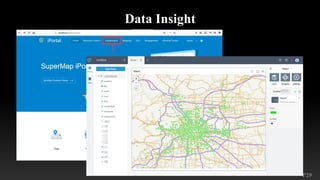
Data Insight
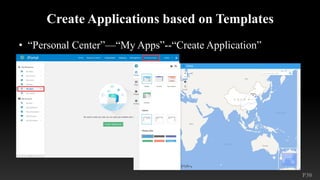
Create Applications
Online Thematic Map Production
View Scenes without Plugins
Data Visualization Analysis
Create Applications with Templates
P27
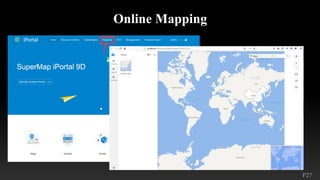
Online Mapping
P28
Scene Browsing
P29
Data Insight
P30
Create Applications based on Templates
• “Personal Center”—“My Apps”--“Create Application”
P31
北京超图
S u p e r M a p S o f t w a r e C o . , L t d .

01 supermapiportaloverview

  • 1.
    P1 S u pe r M a p S o f t w a r e C o . , L t d . 北京超图 SuperMap iPortal Overview SuperMap Software Co., Ltd.
  • 2.
    P2 Edge GIS Server •SuperMap iEdge • SuperMap iServer • SuperMap iPortal • SuperMap iManager Web • SuperMap iClient JavaScript • SuperMap iClient Python • SuperMap iClient3D for WebGL Mobile • SuperMap iMobile • SuperMap iTablet • SuperMap iMobile Lite PC • SuperMap iObjects Java • SuperMap iObjects .NET • SuperMap iObjects C++ • SuperMap iObjects Python • SuperMap iObjects for Spark • SuperMap iDesktopX • SuperMap iDesktop * 3D Linux * * * * * * * * * * * * * Cloud GIS Server Cloud Edge Terminal
  • 3.
    P3 Responsible for publishingGIS services Relationship with SuperMap iServer iServer Cooperate with iServer to: ü Register services published by iServer ü Host iServer to publish services ü Make use of data of iServer for online mapping ü Make use of spatial analysis services of iServer for data insight iPortal
  • 4.
    P4 What can SuperMapiPortal do? • GIS resource portal platform Resource Integration Resource Sharing Resource Management iPortal Resource Discovering
  • 5.
    P5 Who needs iPortal? •For example, the GIS platform a certain industry of a province Industrial Geographic Information Infrastructure Platform Construction and Application Organizations • For example, the Geographic Information Public Service Platform of a city Urban Geographic Information Public Platform Construction and Application Organizations • For example, the GIS platform of a group Large-scale Enterprise Geographic Information Platform Construction and Application Organizations
  • 6.
    P6 Product Features Resource Integration ResourceDiscovering Resource Sharing Resource Management Portal Customization Web Apps
  • 7.
  • 8.
  • 9.
    P9 Product Features Resource Integration ResourceDiscovering Resource Sharing Resource Management Portal Customization Data App
  • 10.
    P10 Access to Resourcesfrom Heterogeneous GIS Servers • Entrance to access and use GIS resources Scenes Services Maps Applications Data
  • 11.
    P11 Display and UseResources Uniformly
  • 12.
    P12 Product Features Resource Integration ResourceDiscovering Resource Sharing Resource Management Portal Customization Data App
  • 13.
    P13 Resource Discovering • Discoverresources quickly in multiple ways Resource Discovering Fuzzy Search Category Filter Tag Filter Category Sorting
  • 14.
  • 15.
    P15 Product Features Resource Integration ResourceDiscovering Resource Sharing Resource Management Portal Customization Data App
  • 16.
    P16 Resource Sharing • Supportmultiple types of sharing scopes Public Specified Departments (or Groups) Specified Users Private
  • 17.
    P17 Unified Authority Controlof Multi-source Services Service registrants and administrators can see the original service address and proxy address Ordinary users with access privilege can only see the proxy address
  • 18.
    P18 Product Features Resource Integration ResourceDiscovering Resource Sharing Resource Management Portal Customization Data App
  • 19.
    P19 Portal administrator managesall resources of the portal Department1 administrator Department2 administrator Manage resources of this department Manage resources of this department Ordinary user1 Ordinary user2 Ordinary user3 Ordinary user4 Mange my resources Mange my resources Mange my resources Mange my resources My map My service My data …… Sharing resources by departments or groups My map My service My data …… My map My service My data …… My map My service My data ……
  • 20.
    P20 Multi-level Management basedon Organizational Structure and Module Authorization • In the portal application involving multi-level units or departments, it can effectively avoid the problem caused by management of all portal resources by upper level administrators, significantly reducing the difficulty of resource management and improving the management efficiency. • The general configuration process is: 1. Enable the organization configuration feature; 2. Configure organizational structure; 3. Authorize permissions to the department administrator.
  • 21.
    P21 Product Features Resource Integration ResourceDiscovering Resource Sharing Resource Management Portal Customization Data App
  • 22.
    P22 Zero Code VisualCustomization–Integrating with Third-Party Applications • Share built-in navigation bar and user login information of iPortal
  • 23.
    P23 Zero Code VisualCustomization–Arranging portal Home Page • Customize UI components and adjust the layout of UI components at the home page
  • 24.
  • 25.
    P25 Product Features Resource Integration ResourceDiscovering Resource Sharing Resource Management Portal Customization Data App
  • 26.
    P26 Data App Online Mapping SceneBrowsing Data Insight Create Applications Online Thematic Map Production View Scenes without Plugins Data Visualization Analysis Create Applications with Templates
  • 27.
  • 28.
  • 29.
  • 30.
    P30 Create Applications basedon Templates • “Personal Center”—“My Apps”--“Create Application”
  • 31.
    P31 北京超图 S u pe r M a p S o f t w a r e C o . , L t d .