Welcome to
Sarina Russo Institute
Welcome to Sarina Russo Institute (SRI)
Studying at SRI International
KEY STAFF
• Jane Roberts: RTO Director
• Raelene King: Head Trainer
• Quentin Underhill:
Manager Student Concierge Services
• June Menzies: Student Counsellor
Computer Log-in
PLEASE WAIT for us to
help you!
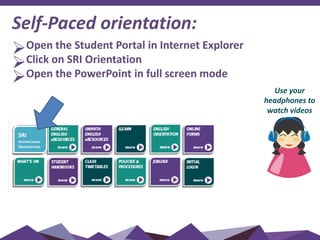
Self-Paced orientation:
Open the Student Portal in Internet Explorer
Click on SRI Orientation
Open the PowerPoint in full screen mode
Use your
headphones to
watch videos
SRI
INTERNATIONAL
ORIENTATION
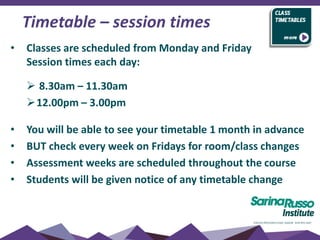
• Classes are scheduled from Monday and Friday
Session times each day:
 8.30am – 11.30am
12.00pm – 3.00pm
• You will be able to see your timetable 1 month in advance
• BUT check every week on Fridays for room/class changes
• Assessment weeks are scheduled throughout the course
• Students will be given notice of any timetable change
Timetable – session times
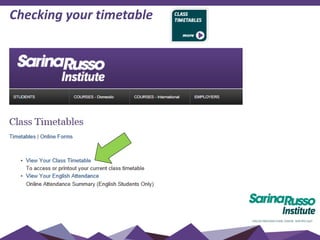
Checking your timetable
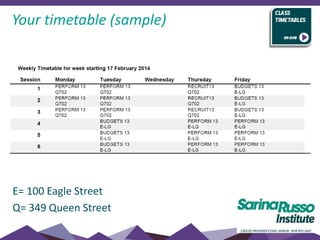
Your timetable (sample)
E= 100 Eagle Street
Q= 349 Queen Street
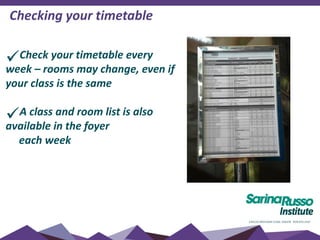
Check your timetable every
week – rooms may change, even if
your class is the same
A class and room list is also
available in the foyer
each week
Checking your timetable
• Classes are held in various rooms – check your
timetable
• Computer rooms Queen St - Level 1 and 7
After classes:
 All equipment turned off
 Chairs pushed into place
 Desks left neat and tidy
 Rubbish in bins
 No eating or drinking in classrooms
Classrooms
• Your belongings should be kept with you at all times.
• Books cannot be left in the building overnight.
• You should not leave your possessions in classrooms or the
computer room during lunch or other breaks.
Lost Property
• check with Teachers and Resource Centre (level 2)
Personal belongings
Electronic items
•Mobiles must be switched off while you are in class and
must only be used during the break times
•MP3 players, iPods and the use of headsets (listening to
music) are not allowed in class unless specific to your online
tutorial
If you are seen using any electronic devices during exams or
assessment, it will be considered as cheating according to
the student Code of Conduct
If English is not your first language, you need to
continue to develop you language skills throughout
your course to prepare for work/university.
Please use ENGLISH ONLY in class
Review new vocabulary each night
Limit your use of dictionaries in class
Try to work with students of different nationalities
Need extra support?
Ask your Teacher
See the Counsellor
Language support and development
If you are experiencing challenges with:
•Studying
•Assignment writing
•Time management – work/life/study balance
•Referencing
•Any other assessment related topics
•Referral/advice for health and well-being
Please make an appointment via the Student Portal
Academic counselling
A student is considered to be achieving satisfactory course progress if
they are passing at least 50% of their competencies in a study period.
If you are not achieving satisfactory progress, you may be issued with a
Course Progression Warning letter and we will implement an Intervention
Strategy to help you complete your course. This may include:
• Resist or repeats
• Extra tuition/study support
• Change to study load
• Extension of course
If, after the Intervention Strategy has been put in place, you fail to
achieve satisfactory progress in a second consecutive compulsory study
period, you will be issued with an Intention to Report for Unsatisfactory
Progress.
Course progress
If you need to:
•Suspend/defer your studies
•Cancel your course
•Transfer to another school
•Extend your course
 meet with the Head Trainer and complete a Request
for Enrolment Variation
 Supply additional evidence as required
 Variations may incur fees and affect your CoE
Course variations
Holidays
Holiday periods are built into the structure of each course -
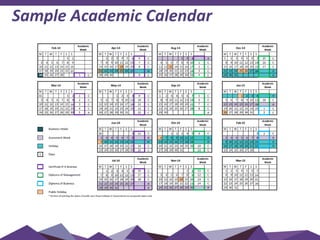
see Academic Calendar.
The school also closes for the last 2 weeks of December
each year.
Additional holidays will NOT be granted –
you must apply for suspension of your course
if you have compassionate or compelling
circumstances (with evidence)
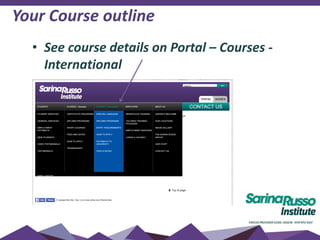
Your Course outline
• See course details on Portal – Courses -
International
Sample Academic Calendar
• Competency based training is an approach to learning that places
emphasis on learning skills and knowledge to enable a person to
work effectively in their industry area.
• When students can demonstrate the requirements of the unit,
they are assessed as:
C = Competent
• If you cannot perform these skills you are assessed as:
NC = Not Competent
After your competency has been assessed, you can access your
results on iLearn
Competency based training (CBT)
Recognition of prior learning (RPL) and Credit Transfer (CT)
• Recognition of Prior Learning (RPL) and Credit Transfer (CT) is available
to all students.
• RPL means that students may receive recognition for any previous
learning, work or life experience
• To apply for a Credit Transfer/RPL, complete application form - available
on Student Portal
• You may make an appointment to discuss your credit transfers/RPL’s
with Rae King via the Student Portal
• It is recommended that you apply during the first week of your course
 You MUST apply for an RPL within 1 week of commencement of the
unit
 All RPL/CT applications will be processes within a three (3) week
period.
 Students are required to keep attending
classes until assessment of the RPL/CT
application is finalised.
Course completion
Certificates
Certificates are issued within 21 days after you finish your course
ALL fees must be paid to receive your certificate
For more information on certificates and grades, see your Student
Handbook
Finance – international students
• Sarina Russo Institute does not send out payment reminders to
international students – check your payment plan on your Letter of
Offer.
• It remains the responsibility of the student to ensure payment is
made on time. Late fees apply.
 Non-payment of fees may be reported to the Dept of
Immigration and your CoE cancelled
 Certificate Awards and Statement of Results and/or Attainments
will not be issued while there are outstanding fees
• It is the students responsibility to ensure their contact details are
always up to date.
Finance – payment options
• Credit Card (Visa, Mastercard) or EFTPOS - payable at Reception on Ground
floor
• Direct Deposit into our National Aust Bank Account
• Direct Debit from a nominated personal bank account (please see Finance
for an authorization form)
• Credit Card - Automatic monthly deduction from a nominated credit card
(please see Finance for an authorization form)
For account queries please call:
3001 7870 or 3001 7876
Or email:
deposits@sarinarusso.com.au
Finance – contact details
Complaints & Appeals Policy
 Students have access to a fair and free complaints and appeals
process:
Attendance issues
Course assessment/grades
Any other academic or non-academic issue
 Please refer to the Complaints and Appeals Policy and
Procedure in your orientation booklet.
All appeals require EVIDENCE for a result to be changed, or for low
attendance to be considered.
EVIDENCE includes but is not limited to the following:
A Medical Certificate issued from an AUSTRALIAN doctor
at the time you were sick, stating the specific problem.
Consultation with SRI staff member at the time of the
incident.
Other documented evidence such as typhoon in
homeland.
Appeals
- attendance or assessment
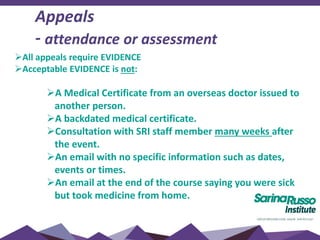
All appeals require EVIDENCE
Acceptable EVIDENCE is not:
A Medical Certificate from an overseas doctor issued to
another person.
A backdated medical certificate.
Consultation with SRI staff member many weeks after
the event.
An email with no specific information such as dates,
events or times.
An email at the end of the course saying you were sick
but took medicine from home.
Appeals
- attendance or assessment
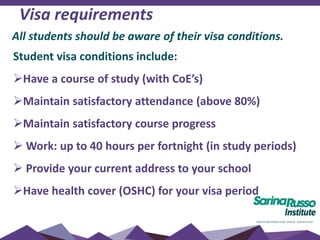
Visa requirements
Student visa conditions include:
Have a course of study (with CoE’s)
Maintain satisfactory attendance (above 80%)
Maintain satisfactory course progress
 Work: up to 40 hours per fortnight (in study periods)
 Provide your current address to your school
Have health cover (OSHC) for your visa period
All students should be aware of their visa conditions.
Visa requirements
 Other visas (Working Holiday, Student Dependent,
Tourist): make sure you are aware of your visa
conditions regarding Study and Work allowances
 ALL VISAS: Make sure you know how long you can
remain in Australia (your visa end date)
Click here for more information
All students should be aware of their visa conditions.
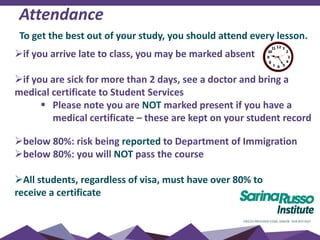
Attendance
To get the best out of your study, you should attend every lesson.
if you arrive late to class, you may be marked absent
if you are sick for more than 2 days, see a doctor and bring a
medical certificate to Student Services
 Please note you are NOT marked present if you have a
medical certificate – these are kept on your student record
below 80%: risk being reported to Department of Immigration
below 80%: you will NOT pass the course
All students, regardless of visa, must have over 80% to
receive a certificate
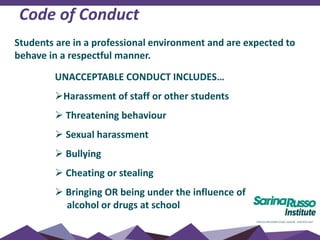
Code of Conduct
UNACCEPTABLE CONDUCT INCLUDES…
Harassment of staff or other students
 Threatening behaviour
 Sexual harassment
 Bullying
 Cheating or stealing
 Bringing OR being under the influence of
alcohol or drugs at school
Students are in a professional environment and are expected to
behave in a respectful manner.
Student Areas
•Level 1 & 7 (kitchens)
•Level 2
Fridges & microwaves (level 1 & 7)
Eat your lunch
Tables and chairs (level 1 & 2)
Vending machines (level 1)
Student information
Recreation/relaxation
Click here to see photos
Student Prayer Room
 Located on level 5
 Male and Female prayer areas
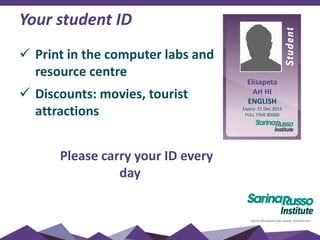
Your student ID
 Print in the computer labs and
resource centre
 Discounts: movies, tourist
attractions
Please carry your ID every
day
Elisapeta
AH HI
ENGLISH
Expiry: 21 Dec 2013
FULL TIME 80000
Academic Co-ordinators
Talk about problems relating to classes
Discuss your study goals/progress
Discuss attendance
Advice for health services and
general problems/wellbeing
Email for an appointment
SRIUniversityAccess@sarinarusso.com.au
Enrolment enquiries
 UNIVERSITY pathway information
EMAIL: study@sri.edu.au
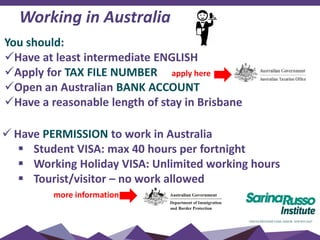
You should:
Have at least intermediate ENGLISH
Apply for TAX FILE NUMBER apply here
Open an Australian BANK ACCOUNT
Have a reasonable length of stay in Brisbane
 Have PERMISSION to work in Australia
 Student VISA: max 40 hours per fortnight
 Working Holiday VISA: Unlimited working hours
 Tourist/visitor – no work allowed
more information
Working in Australia
Working in Australia - assistance
 Regular Joblinx workshops – higher level students
 Joblinx office is in room 701
To find out more
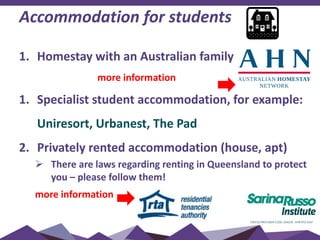
Accommodation for students
1. Homestay with an Australian family
more information
1. Specialist student accommodation, for example:
Uniresort, Urbanest, The Pad
2. Privately rented accommodation (house, apt)
 There are laws regarding renting in Queensland to protect
you – please follow them!
more information
Health & Safety
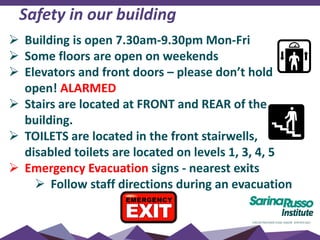
Safety in our building
 Building is open 7.30am-9.30pm Mon-Fri
 Some floors are open on weekends
 Elevators and front doors – please don’t hold
open! ALARMED
 Stairs are located at FRONT and REAR of the
building.
 TOILETS are located in the front stairwells,
disabled toilets are located on levels 1, 3, 4, 5
 Emergency Evacuation signs - nearest exits
 Follow staff directions during an evacuation
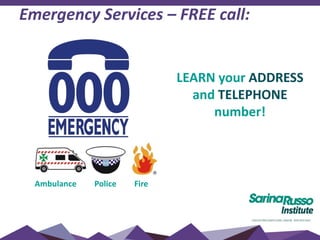
Emergency Services – FREE call:
Ambulance Police Fire
LEARN your ADDRESS
and TELEPHONE
number!
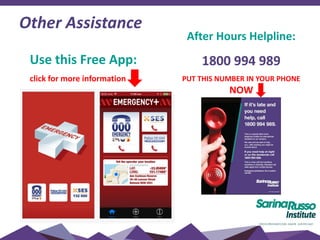
Other Assistance
After Hours Helpline:
1800 994 989
PUT THIS NUMBER IN YOUR PHONE
NOW
Use this Free App:
click for more information
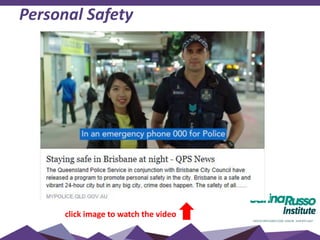
Personal Safety
click image to watch the video
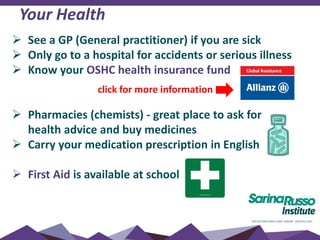
Your Health
 See a GP (General practitioner) if you are sick
 Only go to a hospital for accidents or serious illness
 Know your OSHC health insurance fund
 Pharmacies (chemists) - great place to ask for
health advice and buy medicines
 Carry your medication prescription in English
 First Aid is available at school
click for more information
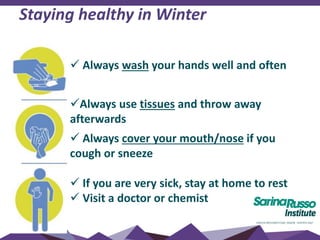
 Always wash your hands well and often
Always use tissues and throw away
afterwards
 Always cover your mouth/nose if you
cough or sneeze
 If you are very sick, stay at home to rest
 Visit a doctor or chemist
Staying healthy in Winter
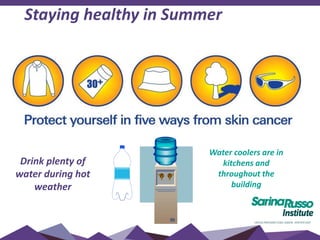
Staying healthy in Summer
Drink plenty of
water during hot
weather
Water coolers are in
kitchens and
throughout the
building
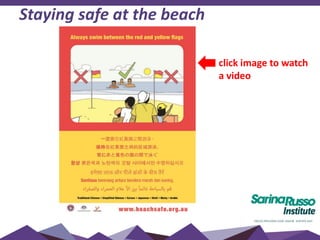
Staying safe at the beach
click image to watch
a video
Welcome to
Brisbane
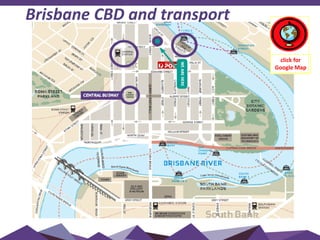
Brisbane CBD and transport
click for
Google Map
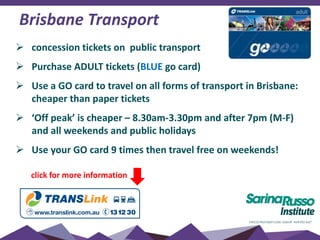
Brisbane Transport
 concession tickets on public transport
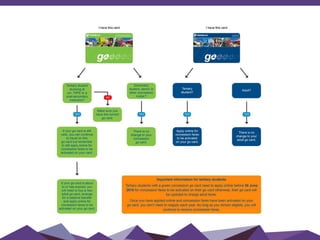
 Purchase ADULT tickets (BLUE go card)
 Use a GO card to travel on all forms of transport in Brisbane:
cheaper than paper tickets
 ‘Off peak’ is cheaper – 8.30am-3.30pm and after 7pm (M-F)
and all weekends and public holidays
 Use your GO card 9 times then travel free on weekends!
click for more information
Brisbane Transport
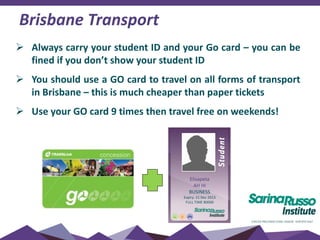
 Always carry your student ID and your Go card – you can be
fined if you don’t show your student ID
 You should use a GO card to travel on all forms of transport
in Brisbane – this is much cheaper than paper tickets
 Use your GO card 9 times then travel free on weekends!
Elisapeta
AH HI
BUSINESS
Expiry: 21 Dec 2013
FULL TIME 80000
Sarina Russo Schools | Australia - Education - Brisbane, Australia | Facebook
Brisbane Transport
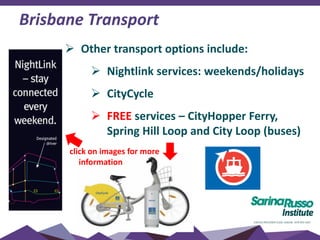
 Other transport options include:
 Nightlink services: weekends/holidays
 CityCycle
 FREE services – CityHopper Ferry,
Spring Hill Loop and City Loop (buses)
click on images for more
information
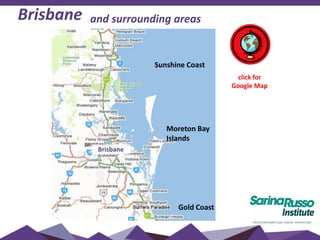
Brisbane and surrounding areas
Sunshine Coast
Gold Coast
Moreton Bay
Islands
Brisbane
click for
Google Map
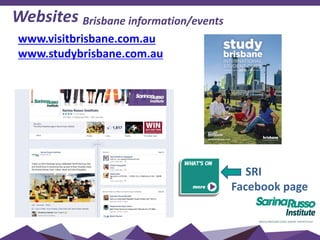
Websites Brisbane information/events
www.visitbrisbane.com.au
www.studybrisbane.com.au
SRI
Facebook page
Need more information?
 Community Telephone Directory in your
Student Handbook
 Brisbane Info Centre – Queen St Mall
 Student Hub – level 2
 Student Concierge Services
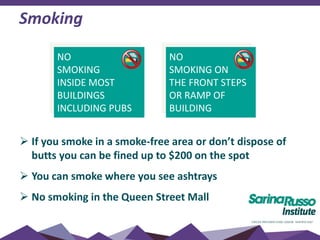
Smoking
 If you smoke in a smoke-free area or don’t dispose of
butts you can be fined up to $200 on the spot
 You can smoke where you see ashtrays
 No smoking in the Queen Street Mall
NO
SMOKING
INSIDE MOST
BUILDINGS
INCLUDING PUBS
NO
SMOKING ON
THE FRONT STEPS
OR RAMP OF
BUILDING
Computers
INTERNET & COMPUTER ACCESS – computers throughout
the building
There is a download LIMIT - refreshed each week
 You can access the computers from 7:30am-9pm
 WI-FI is also available ‘SRInstitute’ (s+ID and same password)
 Please note classes are also held in computer labs
Student resource centre – level 2
 Access computers and printers
 Assistance from staff to reset passwords
 English Language resources
 Lost property
 Quiet study space
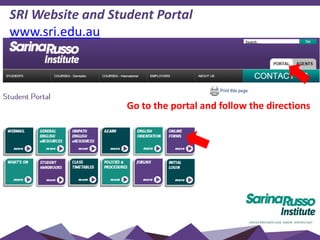
SRI Website and Student Portal
www.sri.edu.au
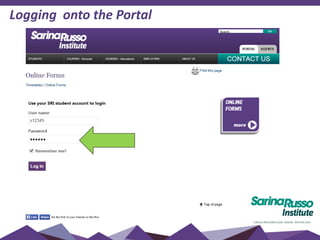
Go to the portal and follow the directions
Logging onto the Portal
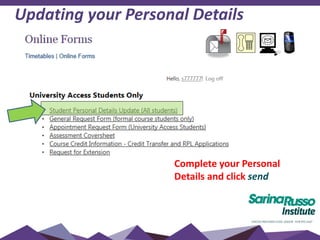
Updating your Personal Details
Complete your Personal
Details and click send
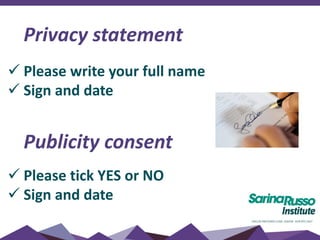
Privacy statement
 Please write your full name
 Sign and date
Publicity consent
 Please tick YES or NO
 Sign and date
Contacting us
Email SRIUniversityAccess@sarinarusso.com.au
Include:
•Your full name
•Student ID
•Your question or request (appointment,
document, problem)
•Check your email or SMS for a reply
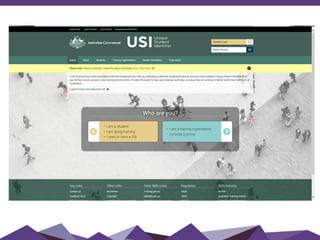
Unique Student
Identifier
(USI)
Unique Student Identifier (USI)
What is a USI?
- Gives students access to their online USI account
- Contains all of your training record results as of January 1 2015
- Easy access to training records and results
Who needs a USI?
- All students enrolled in nationally recognized training (excluding
university)
How to get a USI?
-Once I create the number you will receive an email with your USI
number
Follow link and complete – www.usi.gov.au
Place number and password into a secure location for easy
reference
iLearn
What is iLEARN?
• iLEARN is the Sarina Russo
Student Learning
Management System (LMS)
• It is an online campus that
supports your learning,
allowing you to access your
course materials online
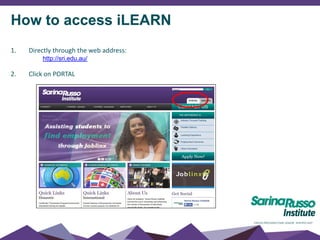
How to access iLEARN
1. Directly through the web address:
http://sri.edu.au/
2. Click on PORTAL
How to access iLEARN
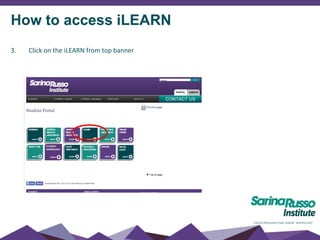
3. Click on the iLEARN from top banner
Logging in
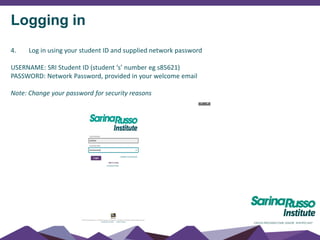
4. Log in using your student ID and supplied network password
USERNAME: SRI Student ID (student ‘s’ number eg s85621)
PASSWORD: Network Password, provided in your welcome email
Note: Change your password for security reasons
First time log ins – Welcome message
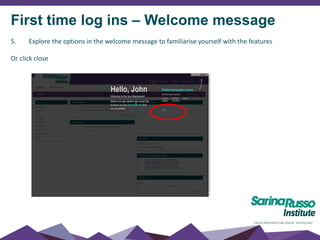
5. Explore the options in the welcome message to familiarise yourself with the features
Or click close
Tabs – My SRI
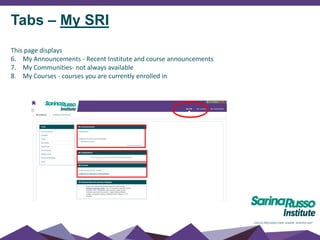
This page displays
6. My Announcements - Recent Institute and course announcements
7. My Communities- not always available
8. My Courses - courses you are currently enrolled in
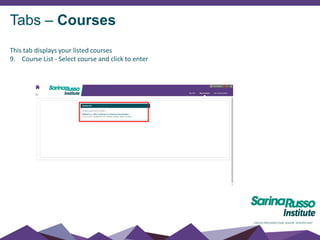
Tabs – Courses
This tab displays your listed courses
9. Course List - Select course and click to enter
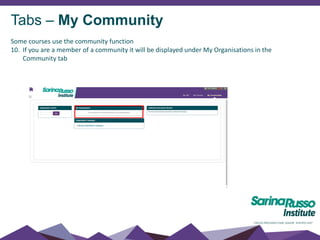
Tabs – My Community
Some courses use the community function
10. If you are a member of a community it will be displayed under My Organisations in the
Community tab
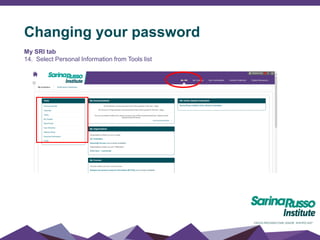
Changing your password
My SRI tab
14. Select Personal Information from Tools list
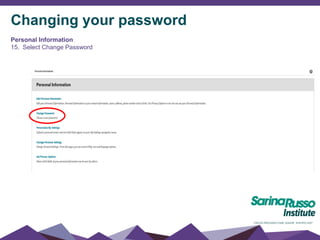
Changing your password
Personal Information
15. Select Change Password
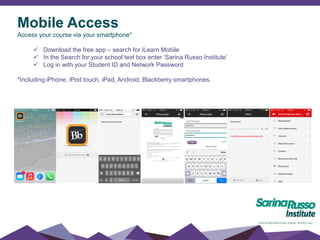
Mobile Access
Access your course via your smartphone*
 Download the free app – search for iLearn Mobile
 In the Search for your school text box enter ‘Sarina Russo Institute’
 Log in with your Student ID and Network Password
*Including iPhone, iPod touch, iPad, Android, Blackberry smartphones.
• Your learning materials are accessible through our online learning
management system, iLearn.
• Here you will find:
Digital learning materials
Additional support materials for example, recorded lectures,
handouts
Assessments
Opportunities for discussions with your trainer and classmates
• Your trainer will communicate with you regularly through iLearn, so you
need to log in on a daily basis. You will also be alerted to any
communication through email.
iLearn
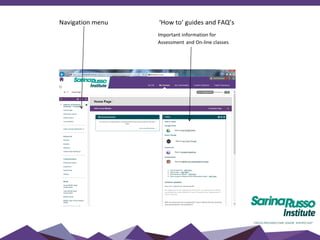
Navigation menu ‘How to’ guides and FAQ’s
Important information for
Assessment and On-line classes
About this course
This has a Welcome Message and information about the course. It also has
tips on how to be successful in the course.
What’s news?
Important information on how to release your course content and
assessment for each unit of learning.
Your trainer/s
Contains contact information for the first semester’s trainers
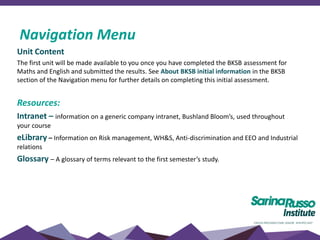
Navigation Menu
Unit Content
The first unit will be made available to you once you have completed the BKSB assessment for
Maths and English and submitted the results. See About BKSB initial information in the BKSB
section of the Navigation menu for further details on completing this initial assessment.
Resources:
Intranet – information on a generic company intranet, Bushland Bloom’s, used throughout
your course
eLibrary – Information on Risk management, WH&S, Anti-discrimination and EEO and Industrial
relations
Glossary – A glossary of terms relevant to the first semester’s study.
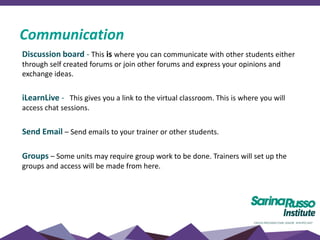
Navigation Menu
Discussion board - This is where you can communicate with other students either
through self created forums or join other forums and express your opinions and
exchange ideas.
iLearnLive - This gives you a link to the virtual classroom. This is where you will
access chat sessions.
Send Email – Send emails to your trainer or other students.
Groups – Some units may require group work to be done. Trainers will set up the
groups and access will be made from here.
Communication
LLN
Assessment
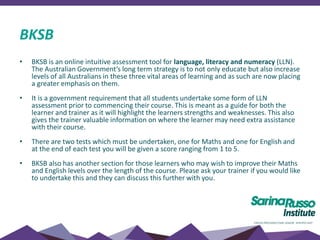
BKSB
• BKSB is an online intuitive assessment tool for language, literacy and numeracy (LLN).
The Australian Government’s long term strategy is to not only educate but also increase
levels of all Australians in these three vital areas of learning and as such are now placing
a greater emphasis on them.
• It is a government requirement that all students undertake some form of LLN
assessment prior to commencing their course. This is meant as a guide for both the
learner and trainer as it will highlight the learners strengths and weaknesses. This also
gives the trainer valuable information on where the learner may need extra assistance
with their course.
• There are two tests which must be undertaken, one for Maths and one for English and
at the end of each test you will be given a score ranging from 1 to 5.
• BKSB also has another section for those learners who may wish to improve their Maths
and English levels over the length of the course. Please ask your trainer if you would like
to undertake this and they can discuss this further with you.
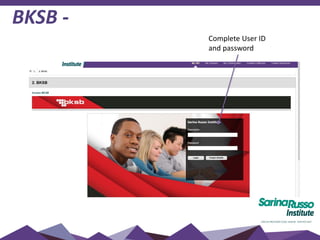
BKSB -
Complete User ID
and password
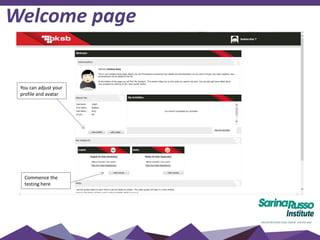
Welcome page
You can adjust your
profile and avatar
Commence the
testing here
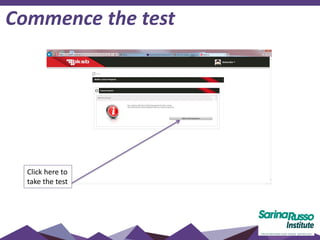
Commence the test
Click here to
take the test
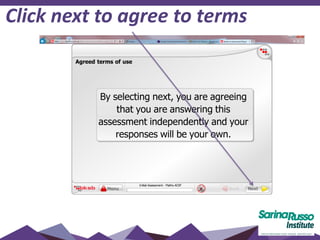
Click next to agree to terms
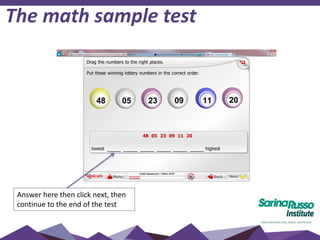
The math sample test
Answer here then click next, then
continue to the end of the test
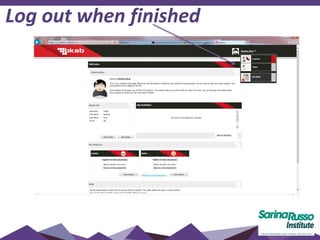
Log out when finished
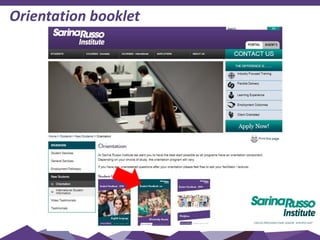
Orientation booklet
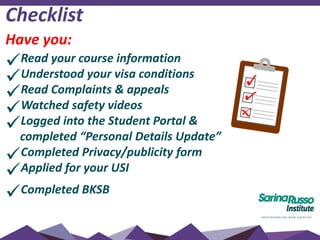
Checklist
Have you:
Read your course information
Understood your visa conditions
Read Complaints & appeals
Watched safety videos
Logged into the Student Portal &
completed “Personal Details Update”
Completed Privacy/publicity form
Applied for your USI
Completed BKSB
How much do you remember?
Let’s do a quiz!
Take your phone and go to:
www.kahoot.it

SRI International Orientation 2016

  • 1.
    Welcome to Sarina RussoInstitute Welcome to Sarina Russo Institute (SRI)
  • 2.
    Studying at SRIInternational KEY STAFF • Jane Roberts: RTO Director • Raelene King: Head Trainer • Quentin Underhill: Manager Student Concierge Services • June Menzies: Student Counsellor
  • 3.
    Computer Log-in PLEASE WAITfor us to help you!
  • 4.
    Self-Paced orientation: Open theStudent Portal in Internet Explorer Click on SRI Orientation Open the PowerPoint in full screen mode Use your headphones to watch videos SRI INTERNATIONAL ORIENTATION
  • 5.
    • Classes arescheduled from Monday and Friday Session times each day:  8.30am – 11.30am 12.00pm – 3.00pm • You will be able to see your timetable 1 month in advance • BUT check every week on Fridays for room/class changes • Assessment weeks are scheduled throughout the course • Students will be given notice of any timetable change Timetable – session times
  • 6.
  • 7.
    Your timetable (sample) E=100 Eagle Street Q= 349 Queen Street
  • 8.
    Check your timetableevery week – rooms may change, even if your class is the same A class and room list is also available in the foyer each week Checking your timetable
  • 9.
    • Classes areheld in various rooms – check your timetable • Computer rooms Queen St - Level 1 and 7 After classes:  All equipment turned off  Chairs pushed into place  Desks left neat and tidy  Rubbish in bins  No eating or drinking in classrooms Classrooms
  • 10.
    • Your belongingsshould be kept with you at all times. • Books cannot be left in the building overnight. • You should not leave your possessions in classrooms or the computer room during lunch or other breaks. Lost Property • check with Teachers and Resource Centre (level 2) Personal belongings
  • 11.
    Electronic items •Mobiles mustbe switched off while you are in class and must only be used during the break times •MP3 players, iPods and the use of headsets (listening to music) are not allowed in class unless specific to your online tutorial If you are seen using any electronic devices during exams or assessment, it will be considered as cheating according to the student Code of Conduct
  • 12.
    If English isnot your first language, you need to continue to develop you language skills throughout your course to prepare for work/university. Please use ENGLISH ONLY in class Review new vocabulary each night Limit your use of dictionaries in class Try to work with students of different nationalities Need extra support? Ask your Teacher See the Counsellor Language support and development
  • 13.
    If you areexperiencing challenges with: •Studying •Assignment writing •Time management – work/life/study balance •Referencing •Any other assessment related topics •Referral/advice for health and well-being Please make an appointment via the Student Portal Academic counselling
  • 14.
    A student isconsidered to be achieving satisfactory course progress if they are passing at least 50% of their competencies in a study period. If you are not achieving satisfactory progress, you may be issued with a Course Progression Warning letter and we will implement an Intervention Strategy to help you complete your course. This may include: • Resist or repeats • Extra tuition/study support • Change to study load • Extension of course If, after the Intervention Strategy has been put in place, you fail to achieve satisfactory progress in a second consecutive compulsory study period, you will be issued with an Intention to Report for Unsatisfactory Progress. Course progress
  • 15.
    If you needto: •Suspend/defer your studies •Cancel your course •Transfer to another school •Extend your course  meet with the Head Trainer and complete a Request for Enrolment Variation  Supply additional evidence as required  Variations may incur fees and affect your CoE Course variations
  • 16.
    Holidays Holiday periods arebuilt into the structure of each course - see Academic Calendar. The school also closes for the last 2 weeks of December each year. Additional holidays will NOT be granted – you must apply for suspension of your course if you have compassionate or compelling circumstances (with evidence)
  • 17.
    Your Course outline •See course details on Portal – Courses - International
  • 18.
  • 19.
    • Competency basedtraining is an approach to learning that places emphasis on learning skills and knowledge to enable a person to work effectively in their industry area. • When students can demonstrate the requirements of the unit, they are assessed as: C = Competent • If you cannot perform these skills you are assessed as: NC = Not Competent After your competency has been assessed, you can access your results on iLearn Competency based training (CBT)
  • 20.
    Recognition of priorlearning (RPL) and Credit Transfer (CT) • Recognition of Prior Learning (RPL) and Credit Transfer (CT) is available to all students. • RPL means that students may receive recognition for any previous learning, work or life experience • To apply for a Credit Transfer/RPL, complete application form - available on Student Portal • You may make an appointment to discuss your credit transfers/RPL’s with Rae King via the Student Portal • It is recommended that you apply during the first week of your course  You MUST apply for an RPL within 1 week of commencement of the unit  All RPL/CT applications will be processes within a three (3) week period.  Students are required to keep attending classes until assessment of the RPL/CT application is finalised.
  • 21.
    Course completion Certificates Certificates areissued within 21 days after you finish your course ALL fees must be paid to receive your certificate For more information on certificates and grades, see your Student Handbook
  • 22.
    Finance – internationalstudents • Sarina Russo Institute does not send out payment reminders to international students – check your payment plan on your Letter of Offer. • It remains the responsibility of the student to ensure payment is made on time. Late fees apply.  Non-payment of fees may be reported to the Dept of Immigration and your CoE cancelled  Certificate Awards and Statement of Results and/or Attainments will not be issued while there are outstanding fees • It is the students responsibility to ensure their contact details are always up to date.
  • 23.
    Finance – paymentoptions • Credit Card (Visa, Mastercard) or EFTPOS - payable at Reception on Ground floor • Direct Deposit into our National Aust Bank Account • Direct Debit from a nominated personal bank account (please see Finance for an authorization form) • Credit Card - Automatic monthly deduction from a nominated credit card (please see Finance for an authorization form)
  • 24.
    For account queriesplease call: 3001 7870 or 3001 7876 Or email: deposits@sarinarusso.com.au Finance – contact details
  • 25.
    Complaints & AppealsPolicy  Students have access to a fair and free complaints and appeals process: Attendance issues Course assessment/grades Any other academic or non-academic issue  Please refer to the Complaints and Appeals Policy and Procedure in your orientation booklet.
  • 26.
    All appeals requireEVIDENCE for a result to be changed, or for low attendance to be considered. EVIDENCE includes but is not limited to the following: A Medical Certificate issued from an AUSTRALIAN doctor at the time you were sick, stating the specific problem. Consultation with SRI staff member at the time of the incident. Other documented evidence such as typhoon in homeland. Appeals - attendance or assessment
  • 27.
    All appeals requireEVIDENCE Acceptable EVIDENCE is not: A Medical Certificate from an overseas doctor issued to another person. A backdated medical certificate. Consultation with SRI staff member many weeks after the event. An email with no specific information such as dates, events or times. An email at the end of the course saying you were sick but took medicine from home. Appeals - attendance or assessment
  • 28.
    Visa requirements Student visaconditions include: Have a course of study (with CoE’s) Maintain satisfactory attendance (above 80%) Maintain satisfactory course progress  Work: up to 40 hours per fortnight (in study periods)  Provide your current address to your school Have health cover (OSHC) for your visa period All students should be aware of their visa conditions.
  • 29.
    Visa requirements  Othervisas (Working Holiday, Student Dependent, Tourist): make sure you are aware of your visa conditions regarding Study and Work allowances  ALL VISAS: Make sure you know how long you can remain in Australia (your visa end date) Click here for more information All students should be aware of their visa conditions.
  • 30.
    Attendance To get thebest out of your study, you should attend every lesson. if you arrive late to class, you may be marked absent if you are sick for more than 2 days, see a doctor and bring a medical certificate to Student Services  Please note you are NOT marked present if you have a medical certificate – these are kept on your student record below 80%: risk being reported to Department of Immigration below 80%: you will NOT pass the course All students, regardless of visa, must have over 80% to receive a certificate
  • 31.
    Code of Conduct UNACCEPTABLECONDUCT INCLUDES… Harassment of staff or other students  Threatening behaviour  Sexual harassment  Bullying  Cheating or stealing  Bringing OR being under the influence of alcohol or drugs at school Students are in a professional environment and are expected to behave in a respectful manner.
  • 32.
    Student Areas •Level 1& 7 (kitchens) •Level 2 Fridges & microwaves (level 1 & 7) Eat your lunch Tables and chairs (level 1 & 2) Vending machines (level 1) Student information Recreation/relaxation Click here to see photos
  • 33.
    Student Prayer Room Located on level 5  Male and Female prayer areas
  • 34.
    Your student ID Print in the computer labs and resource centre  Discounts: movies, tourist attractions Please carry your ID every day Elisapeta AH HI ENGLISH Expiry: 21 Dec 2013 FULL TIME 80000
  • 35.
    Academic Co-ordinators Talk aboutproblems relating to classes Discuss your study goals/progress Discuss attendance Advice for health services and general problems/wellbeing Email for an appointment SRIUniversityAccess@sarinarusso.com.au
  • 36.
    Enrolment enquiries  UNIVERSITYpathway information EMAIL: study@sri.edu.au
  • 37.
    You should: Have atleast intermediate ENGLISH Apply for TAX FILE NUMBER apply here Open an Australian BANK ACCOUNT Have a reasonable length of stay in Brisbane  Have PERMISSION to work in Australia  Student VISA: max 40 hours per fortnight  Working Holiday VISA: Unlimited working hours  Tourist/visitor – no work allowed more information Working in Australia
  • 38.
    Working in Australia- assistance  Regular Joblinx workshops – higher level students  Joblinx office is in room 701 To find out more
  • 39.
    Accommodation for students 1.Homestay with an Australian family more information 1. Specialist student accommodation, for example: Uniresort, Urbanest, The Pad 2. Privately rented accommodation (house, apt)  There are laws regarding renting in Queensland to protect you – please follow them! more information
  • 40.
  • 41.
    Safety in ourbuilding  Building is open 7.30am-9.30pm Mon-Fri  Some floors are open on weekends  Elevators and front doors – please don’t hold open! ALARMED  Stairs are located at FRONT and REAR of the building.  TOILETS are located in the front stairwells, disabled toilets are located on levels 1, 3, 4, 5  Emergency Evacuation signs - nearest exits  Follow staff directions during an evacuation
  • 42.
    Emergency Services –FREE call: Ambulance Police Fire LEARN your ADDRESS and TELEPHONE number!
  • 43.
    Other Assistance After HoursHelpline: 1800 994 989 PUT THIS NUMBER IN YOUR PHONE NOW Use this Free App: click for more information
  • 44.
    Personal Safety click imageto watch the video
  • 45.
    Your Health  Seea GP (General practitioner) if you are sick  Only go to a hospital for accidents or serious illness  Know your OSHC health insurance fund  Pharmacies (chemists) - great place to ask for health advice and buy medicines  Carry your medication prescription in English  First Aid is available at school click for more information
  • 46.
     Always washyour hands well and often Always use tissues and throw away afterwards  Always cover your mouth/nose if you cough or sneeze  If you are very sick, stay at home to rest  Visit a doctor or chemist Staying healthy in Winter
  • 47.
    Staying healthy inSummer Drink plenty of water during hot weather Water coolers are in kitchens and throughout the building
  • 48.
    Staying safe atthe beach click image to watch a video
  • 49.
  • 50.
    Brisbane CBD andtransport click for Google Map
  • 51.
    Brisbane Transport  concessiontickets on public transport  Purchase ADULT tickets (BLUE go card)  Use a GO card to travel on all forms of transport in Brisbane: cheaper than paper tickets  ‘Off peak’ is cheaper – 8.30am-3.30pm and after 7pm (M-F) and all weekends and public holidays  Use your GO card 9 times then travel free on weekends! click for more information
  • 53.
    Brisbane Transport  Alwayscarry your student ID and your Go card – you can be fined if you don’t show your student ID  You should use a GO card to travel on all forms of transport in Brisbane – this is much cheaper than paper tickets  Use your GO card 9 times then travel free on weekends! Elisapeta AH HI BUSINESS Expiry: 21 Dec 2013 FULL TIME 80000
  • 54.
    Sarina Russo Schools| Australia - Education - Brisbane, Australia | Facebook Brisbane Transport  Other transport options include:  Nightlink services: weekends/holidays  CityCycle  FREE services – CityHopper Ferry, Spring Hill Loop and City Loop (buses) click on images for more information
  • 55.
    Brisbane and surroundingareas Sunshine Coast Gold Coast Moreton Bay Islands Brisbane click for Google Map
  • 56.
  • 57.
    Need more information? Community Telephone Directory in your Student Handbook  Brisbane Info Centre – Queen St Mall  Student Hub – level 2  Student Concierge Services
  • 58.
    Smoking  If yousmoke in a smoke-free area or don’t dispose of butts you can be fined up to $200 on the spot  You can smoke where you see ashtrays  No smoking in the Queen Street Mall NO SMOKING INSIDE MOST BUILDINGS INCLUDING PUBS NO SMOKING ON THE FRONT STEPS OR RAMP OF BUILDING
  • 59.
    Computers INTERNET & COMPUTERACCESS – computers throughout the building There is a download LIMIT - refreshed each week  You can access the computers from 7:30am-9pm  WI-FI is also available ‘SRInstitute’ (s+ID and same password)  Please note classes are also held in computer labs Student resource centre – level 2  Access computers and printers  Assistance from staff to reset passwords  English Language resources  Lost property  Quiet study space
  • 60.
    SRI Website andStudent Portal www.sri.edu.au Go to the portal and follow the directions
  • 61.
  • 62.
    Updating your PersonalDetails Complete your Personal Details and click send
  • 63.
    Privacy statement  Pleasewrite your full name  Sign and date Publicity consent  Please tick YES or NO  Sign and date
  • 64.
    Contacting us Email SRIUniversityAccess@sarinarusso.com.au Include: •Yourfull name •Student ID •Your question or request (appointment, document, problem) •Check your email or SMS for a reply
  • 65.
  • 67.
    Unique Student Identifier(USI) What is a USI? - Gives students access to their online USI account - Contains all of your training record results as of January 1 2015 - Easy access to training records and results Who needs a USI? - All students enrolled in nationally recognized training (excluding university) How to get a USI? -Once I create the number you will receive an email with your USI number Follow link and complete – www.usi.gov.au Place number and password into a secure location for easy reference
  • 68.
    iLearn What is iLEARN? •iLEARN is the Sarina Russo Student Learning Management System (LMS) • It is an online campus that supports your learning, allowing you to access your course materials online
  • 69.
    How to accessiLEARN 1. Directly through the web address: http://sri.edu.au/ 2. Click on PORTAL
  • 70.
    How to accessiLEARN 3. Click on the iLEARN from top banner
  • 71.
    Logging in 4. Login using your student ID and supplied network password USERNAME: SRI Student ID (student ‘s’ number eg s85621) PASSWORD: Network Password, provided in your welcome email Note: Change your password for security reasons
  • 72.
    First time logins – Welcome message 5. Explore the options in the welcome message to familiarise yourself with the features Or click close
  • 73.
    Tabs – MySRI This page displays 6. My Announcements - Recent Institute and course announcements 7. My Communities- not always available 8. My Courses - courses you are currently enrolled in
  • 74.
    Tabs – Courses Thistab displays your listed courses 9. Course List - Select course and click to enter
  • 75.
    Tabs – MyCommunity Some courses use the community function 10. If you are a member of a community it will be displayed under My Organisations in the Community tab
  • 76.
    Changing your password MySRI tab 14. Select Personal Information from Tools list
  • 77.
    Changing your password PersonalInformation 15. Select Change Password
  • 78.
    Mobile Access Access yourcourse via your smartphone*  Download the free app – search for iLearn Mobile  In the Search for your school text box enter ‘Sarina Russo Institute’  Log in with your Student ID and Network Password *Including iPhone, iPod touch, iPad, Android, Blackberry smartphones.
  • 79.
    • Your learningmaterials are accessible through our online learning management system, iLearn. • Here you will find: Digital learning materials Additional support materials for example, recorded lectures, handouts Assessments Opportunities for discussions with your trainer and classmates • Your trainer will communicate with you regularly through iLearn, so you need to log in on a daily basis. You will also be alerted to any communication through email. iLearn
  • 80.
    Navigation menu ‘Howto’ guides and FAQ’s Important information for Assessment and On-line classes
  • 81.
    About this course Thishas a Welcome Message and information about the course. It also has tips on how to be successful in the course. What’s news? Important information on how to release your course content and assessment for each unit of learning. Your trainer/s Contains contact information for the first semester’s trainers Navigation Menu
  • 82.
    Unit Content The firstunit will be made available to you once you have completed the BKSB assessment for Maths and English and submitted the results. See About BKSB initial information in the BKSB section of the Navigation menu for further details on completing this initial assessment. Resources: Intranet – information on a generic company intranet, Bushland Bloom’s, used throughout your course eLibrary – Information on Risk management, WH&S, Anti-discrimination and EEO and Industrial relations Glossary – A glossary of terms relevant to the first semester’s study. Navigation Menu
  • 83.
    Discussion board -This is where you can communicate with other students either through self created forums or join other forums and express your opinions and exchange ideas. iLearnLive - This gives you a link to the virtual classroom. This is where you will access chat sessions. Send Email – Send emails to your trainer or other students. Groups – Some units may require group work to be done. Trainers will set up the groups and access will be made from here. Communication
  • 84.
  • 85.
    BKSB • BKSB isan online intuitive assessment tool for language, literacy and numeracy (LLN). The Australian Government’s long term strategy is to not only educate but also increase levels of all Australians in these three vital areas of learning and as such are now placing a greater emphasis on them. • It is a government requirement that all students undertake some form of LLN assessment prior to commencing their course. This is meant as a guide for both the learner and trainer as it will highlight the learners strengths and weaknesses. This also gives the trainer valuable information on where the learner may need extra assistance with their course. • There are two tests which must be undertaken, one for Maths and one for English and at the end of each test you will be given a score ranging from 1 to 5. • BKSB also has another section for those learners who may wish to improve their Maths and English levels over the length of the course. Please ask your trainer if you would like to undertake this and they can discuss this further with you.
  • 86.
    BKSB - Complete UserID and password
  • 87.
    Welcome page You canadjust your profile and avatar Commence the testing here
  • 88.
    Commence the test Clickhere to take the test
  • 89.
    Click next toagree to terms
  • 90.
    The math sampletest Answer here then click next, then continue to the end of the test
  • 91.
    Log out whenfinished
  • 92.
  • 93.
    Checklist Have you: Read yourcourse information Understood your visa conditions Read Complaints & appeals Watched safety videos Logged into the Student Portal & completed “Personal Details Update” Completed Privacy/publicity form Applied for your USI Completed BKSB
  • 94.
    How much doyou remember? Let’s do a quiz! Take your phone and go to: www.kahoot.it