Connection in ado.net & C# with SQL database
ConnectedArchitecture
 Create a database in Microsoft SQL Managementstudio
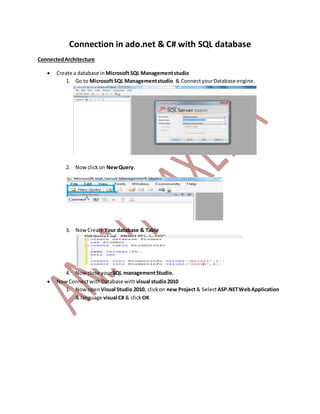
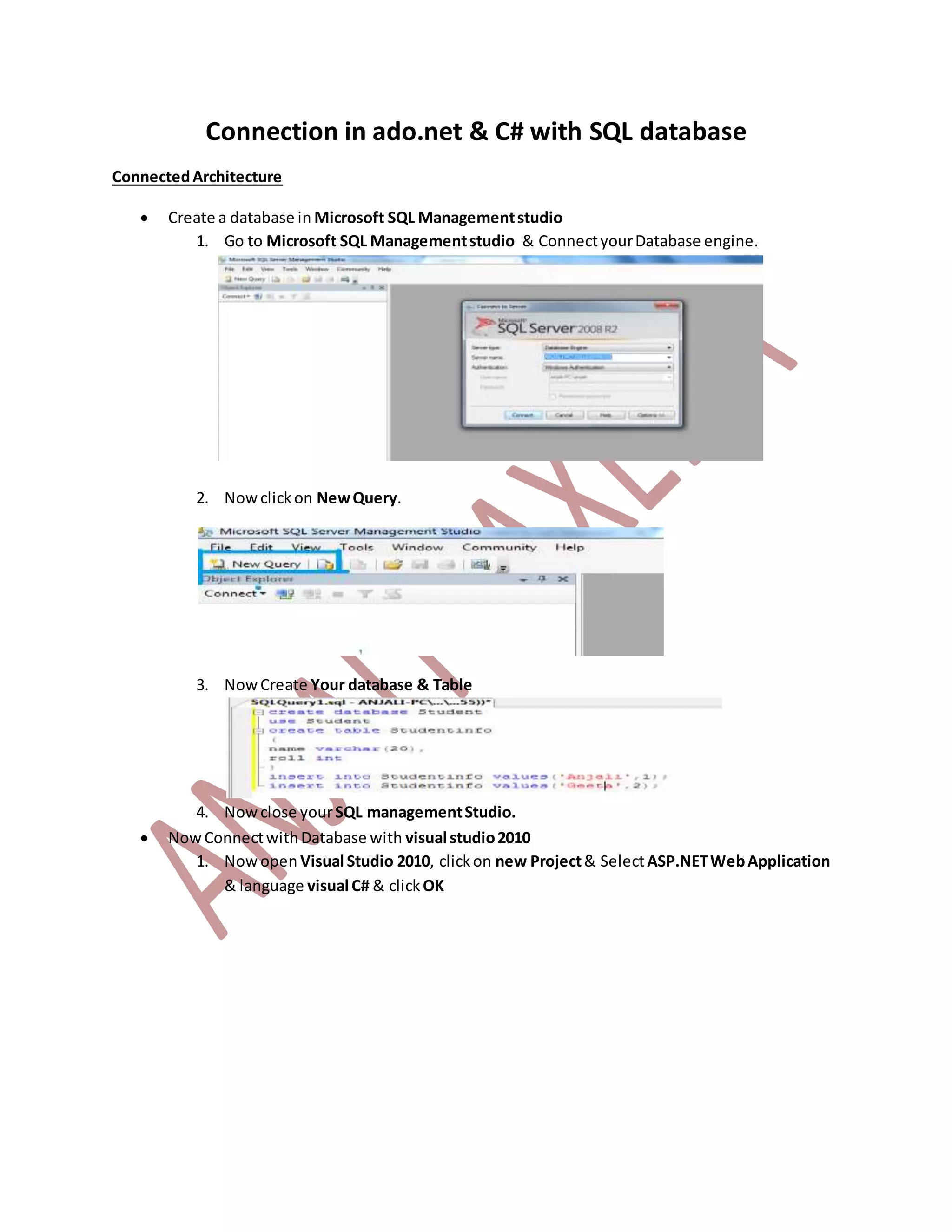
1. Go to Microsoft SQL Managementstudio & ConnectyourDatabase engine.
2. Nowclickon NewQuery.
3. NowCreate Your database & Table
4. Nowclose yourSQL managementStudio.
 NowConnectwithDatabase with visual studio2010
1. Nowopen Visual Studio 2010, clickon new Project& SelectASP.NETWebApplication
& language visual C# & clickOK
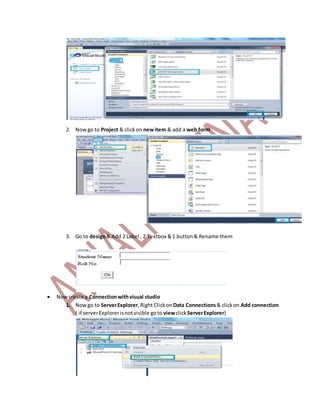
2. Nowgo to Project & clickon newitem & add a web form
3. Go to design& Add 2 Label , 2 Textbox &1 button& Rename them
 Nowcreate a Connectionwithvisual studio
1. Nowgo to ServerExplorer,Right Clickon Data Connections& clickon Add connection
( if serverExplorerisnotvisible goto viewclickServerExplorer)
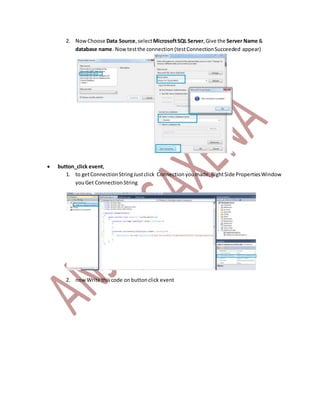
2. NowChoose Data Source,selectMicrosoftSQL Server,Give the Server Name &
database name. Nowtestthe connection (testConnectionSucceeded appear)
 button_click event,
1. to getConnectionStringJustclick Connectionyoumade,RightSide PropertiesWindow
youGet ConnectionString
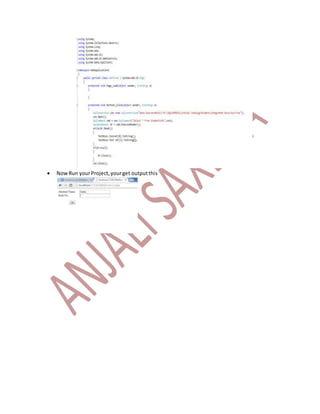
2. nowWrite thiscode onbuttonclick event
 NowRun yourProject,yourget outputthis

Sql connected architecture

  • 1.
    Connection in ado.net& C# with SQL database ConnectedArchitecture  Create a database in Microsoft SQL Managementstudio 1. Go to Microsoft SQL Managementstudio & ConnectyourDatabase engine. 2. Nowclickon NewQuery. 3. NowCreate Your database & Table 4. Nowclose yourSQL managementStudio.  NowConnectwithDatabase with visual studio2010 1. Nowopen Visual Studio 2010, clickon new Project& SelectASP.NETWebApplication & language visual C# & clickOK
  • 2.
    2. Nowgo toProject & clickon newitem & add a web form 3. Go to design& Add 2 Label , 2 Textbox &1 button& Rename them  Nowcreate a Connectionwithvisual studio 1. Nowgo to ServerExplorer,Right Clickon Data Connections& clickon Add connection ( if serverExplorerisnotvisible goto viewclickServerExplorer)
  • 3.
    2. NowChoose DataSource,selectMicrosoftSQL Server,Give the Server Name & database name. Nowtestthe connection (testConnectionSucceeded appear)  button_click event, 1. to getConnectionStringJustclick Connectionyoumade,RightSide PropertiesWindow youGet ConnectionString 2. nowWrite thiscode onbuttonclick event
  • 4.