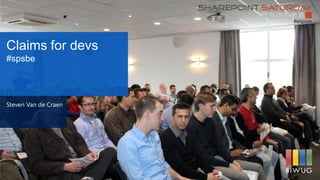
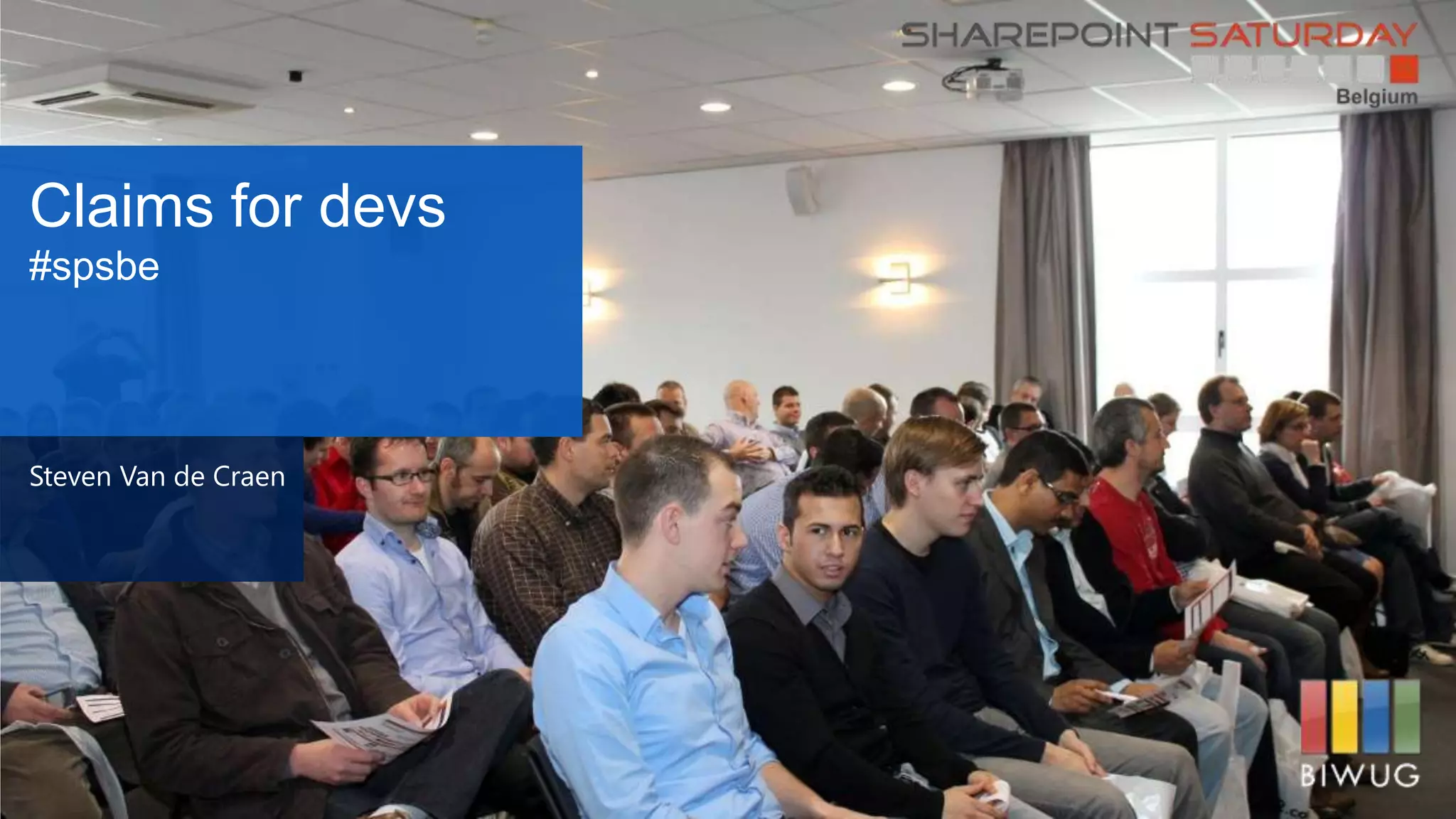
Claims for devs
#spsbe
Steven Van de Craen
Thanks to our
Sponsors
Platinum
Gold
Silver
About me
Steven Van
de Craen
Ventigrate
SharePoint
enthousiast
Since 2005
Overview • AuthN – AuthZ
• Tokens and Claims
• What about SharePoint
• Passive sign-in
• Cookies and expiration
• Encoding
• #demos
• Wrap-up
• Resources
AuthN -
AuthZ
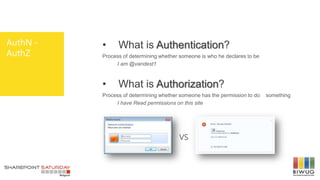
• What is Authentication?
Process of determining whether someone is who he declares to be
I am @vandest1
• What is Authorization?
Process of determining whether someone has the permission to do something
I have Read permissions on this site
VS
Tokens and
Claims
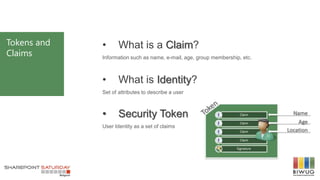
• What is a Claim?
Information such as name, e-mail, age, group membership, etc.
• What is Identity?
Set of attributes to describe a user
• Security Token
User Identity as a set of claims
What about
SharePoint
• Classic or Claims
• Three authentication options
 Windows – NTLM/Kerberos/Basic transformed into a Windows token
 Forms Based Authentication – Membership and Role Provider, typical extranet with
SQL or LDAP as underlying store
 Trusted Identity – Outsource authentication to an Identity Provider (WLID, ADFS,
custom)
• C2WTS
Converts classic and claims users to a Windows token for systems that aren’t claims
aware
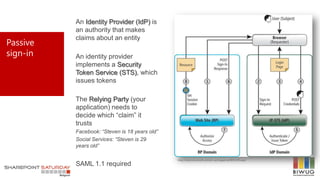
Passive
sign-in
An Identity Provider (IdP) is
an authority that makes
claims about an entity
An identity provider
implements a Security
Token Service (STS), which
issues tokens
The Relying Party (your
application) needs to
decide which “claim” it
trusts
Facebook: “Steven is 18 years old”
Social Services: “Steven is 29
years old”
SAML 1.1 required
http://msdn.microsoft.com/en-us/magazine/ff872350.aspx
Cookies and
expiration
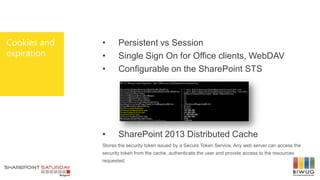
• Persistent vs Session
• Single Sign On for Office clients, WebDAV
• Configurable on the SharePoint STS
• SharePoint 2013 Distributed Cache
Stores the security token issued by a Secure Token Service. Any web server can access the
security token from the cache, authenticate the user and provide access to the resources
requested.
Encoding • Classic
Windows: DOMAINusername
FBA: myprovider:username
• Claims
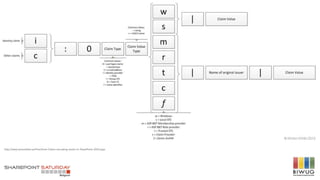
Windows: i:0#.w|domainusername
FBA: i:0#.f|myprovider:username
• Microsoft.SharePoint.Administration.Cla
ims
SPClaim
SPClaimProviderManager .DecodeClaim/.EncodeClaim
http://www.wictorwilen.se/Post/How-Claims-encoding-works-in-SharePoint-2010.aspx
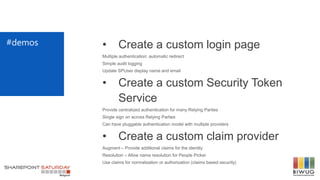
#demos • Create a custom login page
Multiple authentication: automatic redirect
Simple audit logging
Update SPUser display name and email
• Create a custom Security Token
Service
Provide centralized authentication for many Relying Parties
Single sign on across Relying Parties
Can have pluggable authentication model with multiple providers
• Create a custom claim provider
Augment – Provide additional claims for the identity
Resolution – Allow name resolution for People Picker
Use claims for normalization or authorization (claims based security)
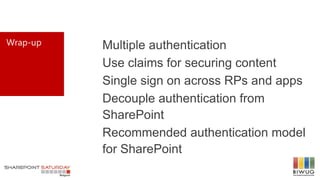
Multiple authentication
Use claims for securing content
Single sign on across RPs and apps
Decouple authentication from
SharePoint
Recommended authentication model
for SharePoint
Wrap-up
Resources  Implementing Claims-Based Authentication with SharePoint Server 2010 –
http://bit.ly/ozwB17
 Claims authentication against Windows Live ID for SharePoint 2010 –
http://bit.ly/aXKMCp
 Converting EPiServer 6 to use claims-based authentication with WIF –
http://bit.ly/c71Ipl
 Ventigrate Codeplex: External User Management – http://bit.ly/JMtpc4
 Claims Walkthrough: Writing Claims Providers for SharePoint 2010 –
http://bit.ly/aNPypt
 The Identity Guy – http://bit.ly/qYhItd
 How Claims encoding works in SharePoint 2010 – http://bit.ly/yqpwR7
 How to Get All User Claims at Claims Augmentation Time in SharePoint 2010 –
http://bit.ly/gX3V3p
 Custom Security Token Service (WIF 4.5) – http://bit.ly/14fGzb5
 How to make use of a custom IP-STS with SharePoint 2010 –
http://bit.ly/Y7OnJB
THANK YOU
Steven Van de Craen
EMAIL: steven.vandecraen@ventigrate.be
BLOG: http://www.sharepointblogs.be/blogs/vandest
TWITTER: @vandest1

SPSBE 2013 Claims for devs

  • 1.
  • 2.
  • 3.
    About me Steven Van deCraen Ventigrate SharePoint enthousiast Since 2005
  • 4.
    Overview • AuthN– AuthZ • Tokens and Claims • What about SharePoint • Passive sign-in • Cookies and expiration • Encoding • #demos • Wrap-up • Resources
  • 5.
    AuthN - AuthZ • Whatis Authentication? Process of determining whether someone is who he declares to be I am @vandest1 • What is Authorization? Process of determining whether someone has the permission to do something I have Read permissions on this site VS
  • 6.
    Tokens and Claims • Whatis a Claim? Information such as name, e-mail, age, group membership, etc. • What is Identity? Set of attributes to describe a user • Security Token User Identity as a set of claims
  • 7.
    What about SharePoint • Classicor Claims • Three authentication options  Windows – NTLM/Kerberos/Basic transformed into a Windows token  Forms Based Authentication – Membership and Role Provider, typical extranet with SQL or LDAP as underlying store  Trusted Identity – Outsource authentication to an Identity Provider (WLID, ADFS, custom) • C2WTS Converts classic and claims users to a Windows token for systems that aren’t claims aware
  • 8.
    Passive sign-in An Identity Provider(IdP) is an authority that makes claims about an entity An identity provider implements a Security Token Service (STS), which issues tokens The Relying Party (your application) needs to decide which “claim” it trusts Facebook: “Steven is 18 years old” Social Services: “Steven is 29 years old” SAML 1.1 required http://msdn.microsoft.com/en-us/magazine/ff872350.aspx
  • 9.
    Cookies and expiration • Persistentvs Session • Single Sign On for Office clients, WebDAV • Configurable on the SharePoint STS • SharePoint 2013 Distributed Cache Stores the security token issued by a Secure Token Service. Any web server can access the security token from the cache, authenticate the user and provide access to the resources requested.
  • 10.
    Encoding • Classic Windows:DOMAINusername FBA: myprovider:username • Claims Windows: i:0#.w|domainusername FBA: i:0#.f|myprovider:username • Microsoft.SharePoint.Administration.Cla ims SPClaim SPClaimProviderManager .DecodeClaim/.EncodeClaim
  • 11.
  • 12.
    #demos • Createa custom login page Multiple authentication: automatic redirect Simple audit logging Update SPUser display name and email • Create a custom Security Token Service Provide centralized authentication for many Relying Parties Single sign on across Relying Parties Can have pluggable authentication model with multiple providers • Create a custom claim provider Augment – Provide additional claims for the identity Resolution – Allow name resolution for People Picker Use claims for normalization or authorization (claims based security)
  • 13.
    Multiple authentication Use claimsfor securing content Single sign on across RPs and apps Decouple authentication from SharePoint Recommended authentication model for SharePoint Wrap-up
  • 14.
    Resources  ImplementingClaims-Based Authentication with SharePoint Server 2010 – http://bit.ly/ozwB17  Claims authentication against Windows Live ID for SharePoint 2010 – http://bit.ly/aXKMCp  Converting EPiServer 6 to use claims-based authentication with WIF – http://bit.ly/c71Ipl  Ventigrate Codeplex: External User Management – http://bit.ly/JMtpc4  Claims Walkthrough: Writing Claims Providers for SharePoint 2010 – http://bit.ly/aNPypt  The Identity Guy – http://bit.ly/qYhItd  How Claims encoding works in SharePoint 2010 – http://bit.ly/yqpwR7  How to Get All User Claims at Claims Augmentation Time in SharePoint 2010 – http://bit.ly/gX3V3p  Custom Security Token Service (WIF 4.5) – http://bit.ly/14fGzb5  How to make use of a custom IP-STS with SharePoint 2010 – http://bit.ly/Y7OnJB
  • 15.
    THANK YOU Steven Vande Craen EMAIL: steven.vandecraen@ventigrate.be BLOG: http://www.sharepointblogs.be/blogs/vandest TWITTER: @vandest1

Editor's Notes

  • #2 Template may not be modified Twitter hashtag: #spsbe for all sessions
  • #16 Please use a picture of yourself in a mountain/cloudscene