


Claims based Identity in SharePoint 2010Chyan Yee GohConsultantMicrosoft Singapore
AgendaClaims Identity ModelSharePoint as a Claims-Based ApplicationIncoming vs. Outgoing claimsConfiguring Claims
But first, a quick Primer
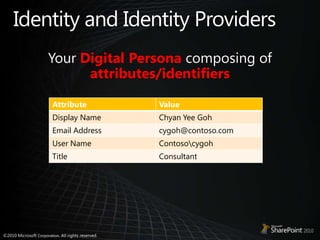
Identity and Identity ProvidersYour Digital Persona composing of attributes/identifiers
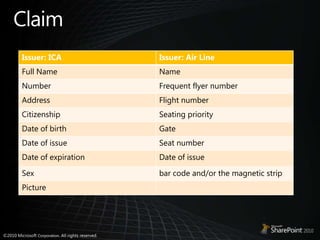
Claim
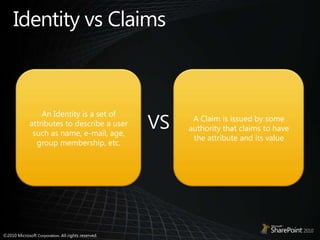
Identity vs ClaimsAn Identity is a set of attributes to describe a user such as name, e-mail, age, group membership, etc.A Claim is issued by some authority that claims to have the attribute and its valueVS
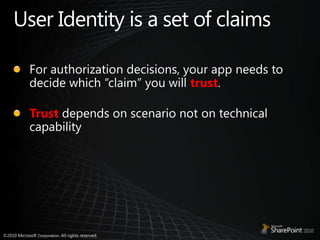
User Identity is a set of claimsFor authorization decisions, your app needs to decide which “claim” you will trust.Trustdepends on scenario not on technical capability
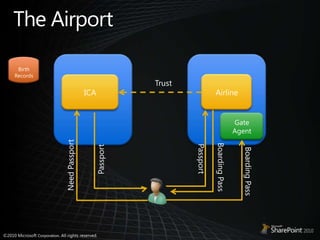
The AirportBirth RecordsAirlineICATrustGate AgentPassportPassportNeed PassportBoarding PassBoarding Pass
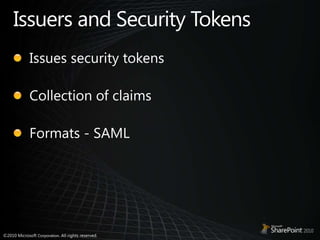
Issuers and Security TokensIssues security tokensCollection of claimsFormats - SAML
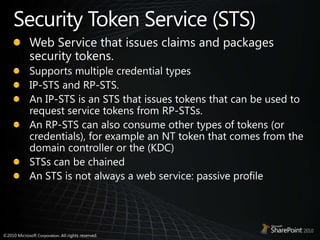
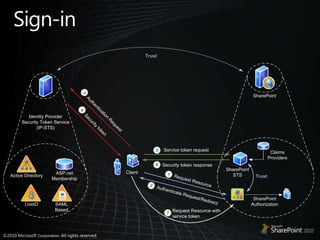
Security Token Service (STS)Web Service that issues claims and packages security tokens.Supports multiple credential typesIP-STS and RP-STS.An IP-STS is an STS that issues tokens that can be used to request service tokens from RP-STSs. An RP-STS can also consume other types of tokens (or credentials), for example an NT token that comes from the domain controller or the (KDC)STSs can be chainedAn STS is not always a web service: passive profile
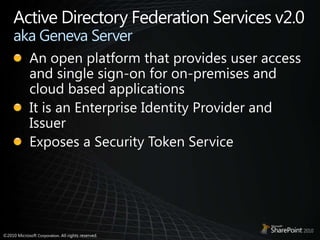
Active Directory Federation Services v2.0 aka Geneva ServerAn open platform that provides user access and single sign-on for on-premises and cloud based applicationsIt is an Enterprise Identity Provider and IssuerExposes a Security Token Service
Relying PartyAn application that relies on claims is a claims-based application. Relying Party Security Token Service (RP-STS)
SharePoint as a Claims-based applicationSharePoint STS is always relying party STS Built on Windows Identity Foundation (WIF)Multiple authentication typesIdentity Provider neutralConfigured via Central Admin or PowerShell Delegation of user identity between service applications.
SharePoint STSSharePoint Secure Token ServiceUses Windows Identity FoundationSecurity Token (SAML 1.1)encapsulates assertionsattributes specified by a policyEnables authorizationAuthenticates user (FBA scenario only)Issued by STS
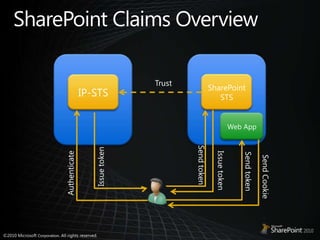
SharePoint Claims OverviewSharePoint STSIP-STSTrustWeb AppSend tokenIssue tokenIssue tokenSend tokenAuthenticateSend Cookie
Administration
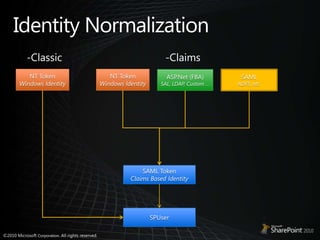
Identity Normalization-Classic-ClaimsNT TokenWindows IdentityNT TokenWindows IdentitySAMLADFS, etc.ASP.Net (FBA)SAL, LDAP, Custom …SAML TokenClaims Based IdentitySPUser
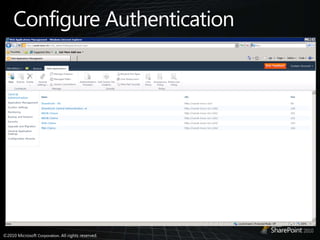
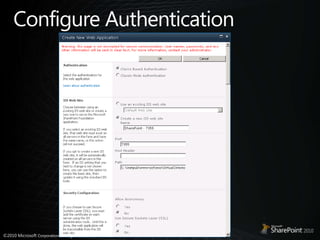
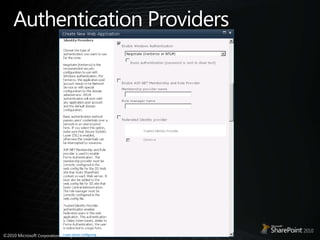
Configure Authentication
Authentication Providers
Administrationdemo
Incoming Claims – Sign In
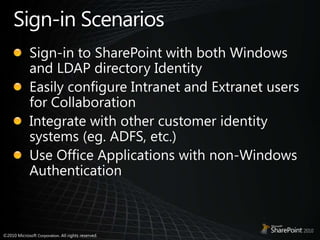
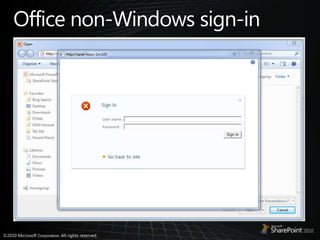
Sign-inScenariosSign-in to SharePoint with both Windows and LDAP directory IdentityEasily configure Intranet and Extranet users for CollaborationIntegrate with other customer identity systems (eg. ADFS, etc.)Use Office Applications with non-Windows Authentication
Sign-in
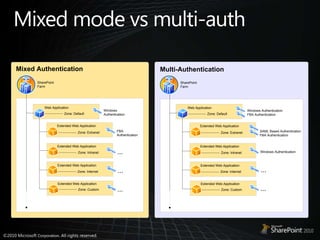
Mixed mode vs multi-auth
Office non-Windows sign-in
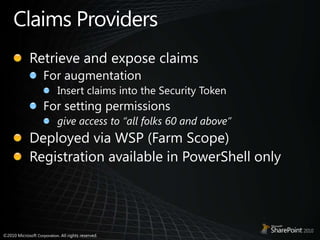
Claims ProvidersRetrieve and expose claims For augmentationInsert claims into the Security TokenFor setting permissionsgive access to “all folks 60 and above” Deployed via WSP (Farm Scope)Registration available in PowerShell only
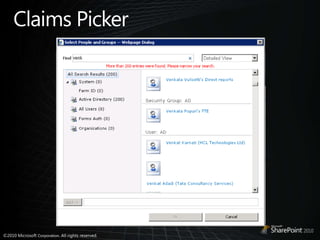
Claims Picker
Incoming Claimsdemo
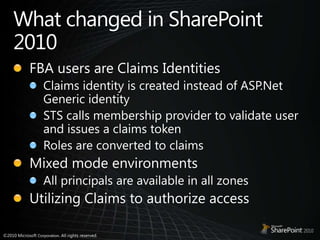
What changed in SharePoint 2010FBA users are Claims IdentitiesClaims identity is created instead of ASP.Net Generic identitySTS calls membership provider to validate user and issues a claims tokenRoles are converted to claimsMixed mode environmentsAll principals are available in all zonesUtilizing Claims to authorize access
Outgoing Claims - Services
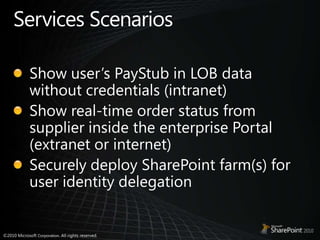
Services ScenariosShow user’s PayStub in LOB data without credentials (intranet)Show real-time order status from supplier inside the enterprise Portal (extranet or internet)Securely deploy SharePoint farm(s) for user identity delegation
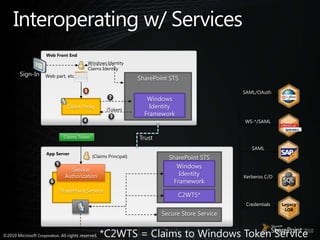
Interoperating w/ ServicesWeb Front EndWindows IdentityClaims IdentitySign-InWeb part, etc.SharePoint STSSAML/OAuth1Windows IdentityFramework2Client Proxy{Token}3WS-*/SAML4TrustClaims TokenSAMLApp Server{Claims Principal}SharePoint STSWindows Identity Framework5Service AuthorizationKerberos C/DSharePoint Service6C2WTS*CredentialsLegacyLOBSecure Store Service*C2WTS = Claims to Windows Token Service
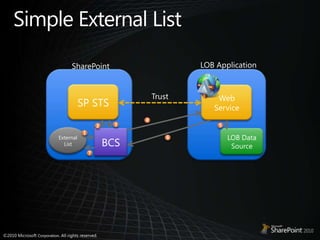
Simple External ListLOB ApplicationSharePointSP STSWeb ServiceTrust4352External ListLOB Data SourceBCS167
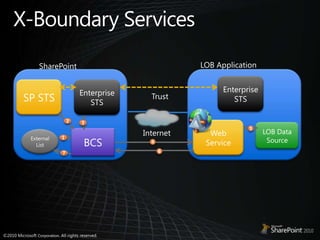
X-Boundary ServicesLOB ApplicationSharePointEnterprise STSSP STSEnterprise STSTrust2Web Service3LOB Data Source5BCSInternetExternal List1467
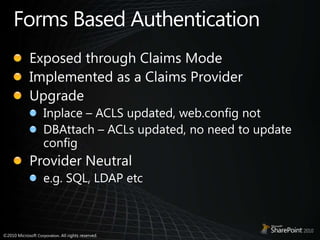
Forms Based AuthenticationExposed through Claims ModeImplemented as a Claims ProviderUpgradeInplace – ACLS updated, web.config notDBAttach – ACLs updated, no need to update configProvider Neutrale.g. SQL, LDAP etc
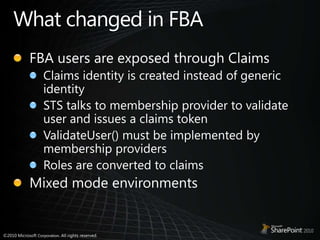
What changed in FBAFBA users are exposed through ClaimsClaims identity is created instead of generic identitySTS talks to membership provider to validate user and issues a claims tokenValidateUser() must be implemented by membership providersRoles are converted to claimsMixed mode environments
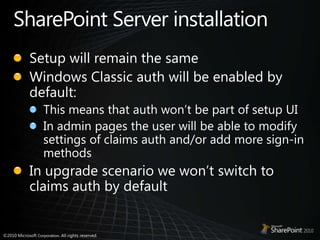
SharePoint Server installationSetup will remain the sameWindows Classic auth will be enabled by default:This means that auth won’t be part of setup UIIn admin pages the user will be able to modify settings of claims auth and/or add more sign-in methodsIn upgrade scenario we won’t switch to claims auth by default
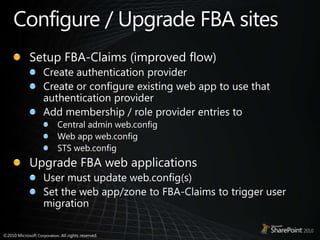
Configure / Upgrade FBA sitesSetup FBA-Claims (improved flow)Create authentication providerCreate or configure existing web app to use that authentication providerAdd membership / role provider entries toCentral admin web.configWeb app web.configSTS web.configUpgrade FBA web applicationsUser must update web.config(s)Set the web app/zone to FBA-Claims to trigger user migration
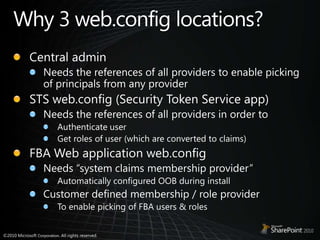
Why 3 web.config locations?Central adminNeeds the references of all providers to enable picking of principals from any providerSTS web.config (Security Token Service app)Needs the references of all providers in order toAuthenticate userGet roles of user (which are converted to claims) FBA Web application web.configNeeds “system claims membership provider” Automatically configured OOB during installCustomer defined membership / role providerTo enable picking of FBA users & roles
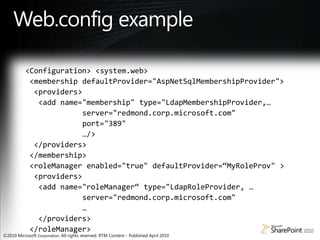
Web.config example<Configuration> <system.web> <membership defaultProvider="AspNetSqlMembershipProvider"> <providers> <add name="membership" type="LdapMembershipProvider,…               server="redmond.corp.microsoft.com"              port="389"              …/>  </providers> </membership> <roleManager enabled="true" defaultProvider=“MyRoleProv" >   <providers>  <add name="roleManager“ type="LdapRoleProvider, …             server="redmond.corp.microsoft.com"              …   </providers> </roleManager>
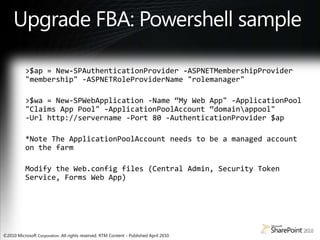
Upgrade FBA: Powershell sample>$ap = New-SPAuthenticationProvider -ASPNETMembershipProvider "membership" -ASPNETRoleProviderName "rolemanager">$wa = New-SPWebApplication -Name “My Web App" -ApplicationPool "Claims App Pool" -ApplicationPoolAccount“domain\appool"-Url http://servername -Port 80 -AuthenticationProvider $ap*Note The ApplicationPoolAccount needs to be a managed account on the farmModify the Web.config files (Central Admin, Security Token Service, Forms Web App)
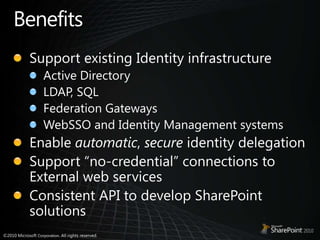
BenefitsSupport existing Identity infrastructureActive DirectoryLDAP, SQLFederation GatewaysWebSSO and Identity Management systemsEnable automatic, secure identity delegationSupport “no-credential” connections to External web servicesConsistent API to develop SharePoint solutions
ResourcesA Guide to Claims-Based Identity and Access Control — Book Download (http://www.microsoft.com/downloads/details.aspx?FamilyID=4c09ffe4-43dd-4fcc-be35-c897c9bc4386&displaylang=en)Walkthrough: Writing a Claims Provider (http://msdn.microsoft.com/en-us/library/ff699494.aspx)Share-n-dipity(Steve Peschka’s Blog) (http://blogs.technet.com/b/speschka/)
Key TakeawaysNEW way of Identity in SharePointBuilt on Standards for interoperabilityOffice Client support for non-Windows Auth
© 2009 Microsoft Corporation. All rights reserved. Microsoft, Windows, Windows Vista and other product names are or may be registered trademarks and/or trademarks in the U.S. and/or other countries.The information herein is for informational purposes only and represents the current view of Microsoft Corporation as of the date of this presentation.  Because Microsoft must respond to changing market conditions, it should not be interpreted to be a commitment on the part of Microsoft, and Microsoft cannot guarantee the accuracy of any information provided after the date of this presentation.  MICROSOFT MAKES NO WARRANTIES, EXPRESS, IMPLIED OR STATUTORY, AS TO THE INFORMATION IN THIS PRESENTATION.

Claims Based Identity In Share Point 2010

  • 1.
    Claims based Identityin SharePoint 2010Chyan Yee GohConsultantMicrosoft Singapore
  • 2.
    AgendaClaims Identity ModelSharePointas a Claims-Based ApplicationIncoming vs. Outgoing claimsConfiguring Claims
  • 3.
    But first, aquick Primer
  • 4.
    Identity and IdentityProvidersYour Digital Persona composing of attributes/identifiers
  • 5.
  • 6.
    Identity vs ClaimsAnIdentity is a set of attributes to describe a user such as name, e-mail, age, group membership, etc.A Claim is issued by some authority that claims to have the attribute and its valueVS
  • 7.
    User Identity isa set of claimsFor authorization decisions, your app needs to decide which “claim” you will trust.Trustdepends on scenario not on technical capability
  • 8.
    The AirportBirth RecordsAirlineICATrustGateAgentPassportPassportNeed PassportBoarding PassBoarding Pass
  • 9.
    Issuers and SecurityTokensIssues security tokensCollection of claimsFormats - SAML
  • 10.
    Security Token Service(STS)Web Service that issues claims and packages security tokens.Supports multiple credential typesIP-STS and RP-STS.An IP-STS is an STS that issues tokens that can be used to request service tokens from RP-STSs. An RP-STS can also consume other types of tokens (or credentials), for example an NT token that comes from the domain controller or the (KDC)STSs can be chainedAn STS is not always a web service: passive profile
  • 11.
    Active Directory FederationServices v2.0 aka Geneva ServerAn open platform that provides user access and single sign-on for on-premises and cloud based applicationsIt is an Enterprise Identity Provider and IssuerExposes a Security Token Service
  • 12.
    Relying PartyAn applicationthat relies on claims is a claims-based application. Relying Party Security Token Service (RP-STS)
  • 13.
    SharePoint as aClaims-based applicationSharePoint STS is always relying party STS Built on Windows Identity Foundation (WIF)Multiple authentication typesIdentity Provider neutralConfigured via Central Admin or PowerShell Delegation of user identity between service applications.
  • 14.
    SharePoint STSSharePoint SecureToken ServiceUses Windows Identity FoundationSecurity Token (SAML 1.1)encapsulates assertionsattributes specified by a policyEnables authorizationAuthenticates user (FBA scenario only)Issued by STS
  • 15.
    SharePoint Claims OverviewSharePointSTSIP-STSTrustWeb AppSend tokenIssue tokenIssue tokenSend tokenAuthenticateSend Cookie
  • 16.
  • 17.
    Identity Normalization-Classic-ClaimsNT TokenWindowsIdentityNT TokenWindows IdentitySAMLADFS, etc.ASP.Net (FBA)SAL, LDAP, Custom …SAML TokenClaims Based IdentitySPUser
  • 18.
  • 19.
  • 20.
  • 21.
  • 22.
  • 23.
    Sign-inScenariosSign-in to SharePointwith both Windows and LDAP directory IdentityEasily configure Intranet and Extranet users for CollaborationIntegrate with other customer identity systems (eg. ADFS, etc.)Use Office Applications with non-Windows Authentication
  • 24.
  • 25.
    Mixed mode vsmulti-auth
  • 26.
  • 27.
    Claims ProvidersRetrieve andexpose claims For augmentationInsert claims into the Security TokenFor setting permissionsgive access to “all folks 60 and above” Deployed via WSP (Farm Scope)Registration available in PowerShell only
  • 28.
  • 29.
  • 30.
    What changed inSharePoint 2010FBA users are Claims IdentitiesClaims identity is created instead of ASP.Net Generic identitySTS calls membership provider to validate user and issues a claims tokenRoles are converted to claimsMixed mode environmentsAll principals are available in all zonesUtilizing Claims to authorize access
  • 31.
  • 32.
    Services ScenariosShow user’sPayStub in LOB data without credentials (intranet)Show real-time order status from supplier inside the enterprise Portal (extranet or internet)Securely deploy SharePoint farm(s) for user identity delegation
  • 33.
    Interoperating w/ ServicesWebFront EndWindows IdentityClaims IdentitySign-InWeb part, etc.SharePoint STSSAML/OAuth1Windows IdentityFramework2Client Proxy{Token}3WS-*/SAML4TrustClaims TokenSAMLApp Server{Claims Principal}SharePoint STSWindows Identity Framework5Service AuthorizationKerberos C/DSharePoint Service6C2WTS*CredentialsLegacyLOBSecure Store Service*C2WTS = Claims to Windows Token Service
  • 34.
    Simple External ListLOBApplicationSharePointSP STSWeb ServiceTrust4352External ListLOB Data SourceBCS167
  • 35.
    X-Boundary ServicesLOB ApplicationSharePointEnterpriseSTSSP STSEnterprise STSTrust2Web Service3LOB Data Source5BCSInternetExternal List1467
  • 36.
    Forms Based AuthenticationExposedthrough Claims ModeImplemented as a Claims ProviderUpgradeInplace – ACLS updated, web.config notDBAttach – ACLs updated, no need to update configProvider Neutrale.g. SQL, LDAP etc
  • 37.
    What changed inFBAFBA users are exposed through ClaimsClaims identity is created instead of generic identitySTS talks to membership provider to validate user and issues a claims tokenValidateUser() must be implemented by membership providersRoles are converted to claimsMixed mode environments
  • 38.
    SharePoint Server installationSetupwill remain the sameWindows Classic auth will be enabled by default:This means that auth won’t be part of setup UIIn admin pages the user will be able to modify settings of claims auth and/or add more sign-in methodsIn upgrade scenario we won’t switch to claims auth by default
  • 39.
    Configure / UpgradeFBA sitesSetup FBA-Claims (improved flow)Create authentication providerCreate or configure existing web app to use that authentication providerAdd membership / role provider entries toCentral admin web.configWeb app web.configSTS web.configUpgrade FBA web applicationsUser must update web.config(s)Set the web app/zone to FBA-Claims to trigger user migration
  • 40.
    Why 3 web.configlocations?Central adminNeeds the references of all providers to enable picking of principals from any providerSTS web.config (Security Token Service app)Needs the references of all providers in order toAuthenticate userGet roles of user (which are converted to claims) FBA Web application web.configNeeds “system claims membership provider” Automatically configured OOB during installCustomer defined membership / role providerTo enable picking of FBA users & roles
  • 41.
    Web.config example<Configuration> <system.web><membership defaultProvider="AspNetSqlMembershipProvider"> <providers> <add name="membership" type="LdapMembershipProvider,…               server="redmond.corp.microsoft.com"              port="389"              …/>  </providers> </membership> <roleManager enabled="true" defaultProvider=“MyRoleProv" >   <providers>  <add name="roleManager“ type="LdapRoleProvider, …             server="redmond.corp.microsoft.com"              …   </providers> </roleManager>
  • 42.
    Upgrade FBA: Powershellsample>$ap = New-SPAuthenticationProvider -ASPNETMembershipProvider "membership" -ASPNETRoleProviderName "rolemanager">$wa = New-SPWebApplication -Name “My Web App" -ApplicationPool "Claims App Pool" -ApplicationPoolAccount“domain\appool"-Url http://servername -Port 80 -AuthenticationProvider $ap*Note The ApplicationPoolAccount needs to be a managed account on the farmModify the Web.config files (Central Admin, Security Token Service, Forms Web App)
  • 43.
    BenefitsSupport existing IdentityinfrastructureActive DirectoryLDAP, SQLFederation GatewaysWebSSO and Identity Management systemsEnable automatic, secure identity delegationSupport “no-credential” connections to External web servicesConsistent API to develop SharePoint solutions
  • 44.
    ResourcesA Guide toClaims-Based Identity and Access Control — Book Download (http://www.microsoft.com/downloads/details.aspx?FamilyID=4c09ffe4-43dd-4fcc-be35-c897c9bc4386&displaylang=en)Walkthrough: Writing a Claims Provider (http://msdn.microsoft.com/en-us/library/ff699494.aspx)Share-n-dipity(Steve Peschka’s Blog) (http://blogs.technet.com/b/speschka/)
  • 45.
    Key TakeawaysNEW wayof Identity in SharePointBuilt on Standards for interoperabilityOffice Client support for non-Windows Auth
  • 46.
    © 2009 MicrosoftCorporation. All rights reserved. Microsoft, Windows, Windows Vista and other product names are or may be registered trademarks and/or trademarks in the U.S. and/or other countries.The information herein is for informational purposes only and represents the current view of Microsoft Corporation as of the date of this presentation. Because Microsoft must respond to changing market conditions, it should not be interpreted to be a commitment on the part of Microsoft, and Microsoft cannot guarantee the accuracy of any information provided after the date of this presentation. MICROSOFT MAKES NO WARRANTIES, EXPRESS, IMPLIED OR STATUTORY, AS TO THE INFORMATION IN THIS PRESENTATION.