avec le soutien de
MERCI À NOS SPONSORS
SUIVEZ-NOUS !
https://www.linkedin.com/company/biz-apps-french-community
@BizFrench
https://www.linkedin.com/groups/8599174/
@ClubPowerBI
https://www.linkedin.com/company/ams-community/
@aMSComm2
UTILISER PROCESS ADVISOR
Nicolas Georgeault
CEO MuBrain
MCT Power Platform
MVP Office Servers and Applications
AGENDA
PROCESS MINING
STEPS FOR USING PROCESS ADVISOR
PROCESS MAPPING
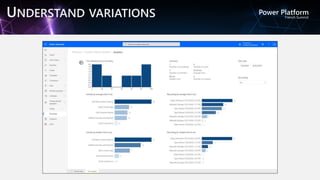
UNDERSTAND VARIATIONS
LEARN MORE
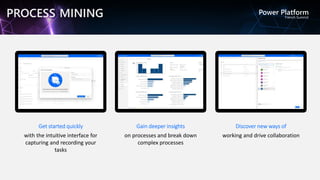
Get started quickly
with the intuitive interface for
capturing and recording your
tasks
Gain deeper insights
on processes and break down
complex processes
Discover new ways of
working and drive collaboration
PROCESS MINING
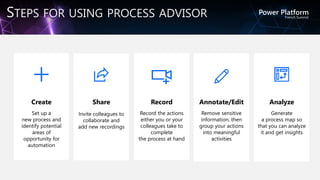
Create
Set up a
new process and
identify potential
areas of
opportunity for
automation
Record
Record the actions
either you or your
colleagues take to
complete
the process at hand
Annotate/Edit
Remove sensitive
information, then
group your actions
into meaningful
activities
Share
Invite colleagues to
collaborate and
add new recordings
Analyze
Generate
a process map so
that you can analyze
it and get insights
STEPS FOR USING PROCESS ADVISOR
PROCESS MAPPING
UNDERSTAND VARIATIONS
Overview of process advisor - Power Automate
Optimiser votre processus d'entreprise avec Process Advisor - Learn
LEARN MORE
avec le soutien de
MERCI POUR VOTRE
ATTENTION.

Utiliser Process Advisor

Editor's Notes

  • #8 Introducing process mining to Power Automate. It provides a deeper understanding of how people work and helps you understand which time-consuming processes are best suited for automation. Not all processes are equal when it comes to the value of automating them. The processes that demand the most manual time and resources typically drive priority.  Process advisor breaks down barriers that might make it difficult for an organization to identify where they might benefit the most from automation.   Process advisor helps you find opportunities to automate old ways of working with easy–to–use process maps and analytics that provide insights into the areas that need automating across your organization. It provides a guided experience to visualize variations in your workflows and identify opportunities for optimization by leveraging the following capabilities: 
  • #9 By recording multiple users performing the work, you can get process maps and analytics to help you understand the variations in their work
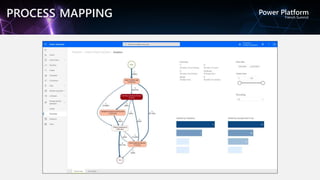
  • #10 Better understand how your users work with a visual process map that provides an end-to-end visualization of the variations in how processes are run across multiple users. These insights make it easy to identify inefficiencies and areas for potential automation
  • #11 Leverage out-of-the-box analytics to better understand variations across each process map and learn from these metrics to improve how they work.  Key insights include how many people recorded the task, the average time it takes to complete a task, how many different paths your users took, and more