April, 26. – 28. 2021
MICROSOFT 365 VIRTUAL MARATHON 2021
m365virtualmarathon.com #M365VM
How to get prepared for SharePoint Syntex?
Nicolas GEORGEAULT
@ngeorgeault
@mubrain_inc
MICROSOFT 365 VIRTUAL MARATHON 2021 SPONSORS
m365virtualmarathon.com #M365VM
AGENDA
 Syntex
 How to use it?
 Extend it with AIBuilder
 Governance
 Q&A
m365virtualmarathon.com #M365VM
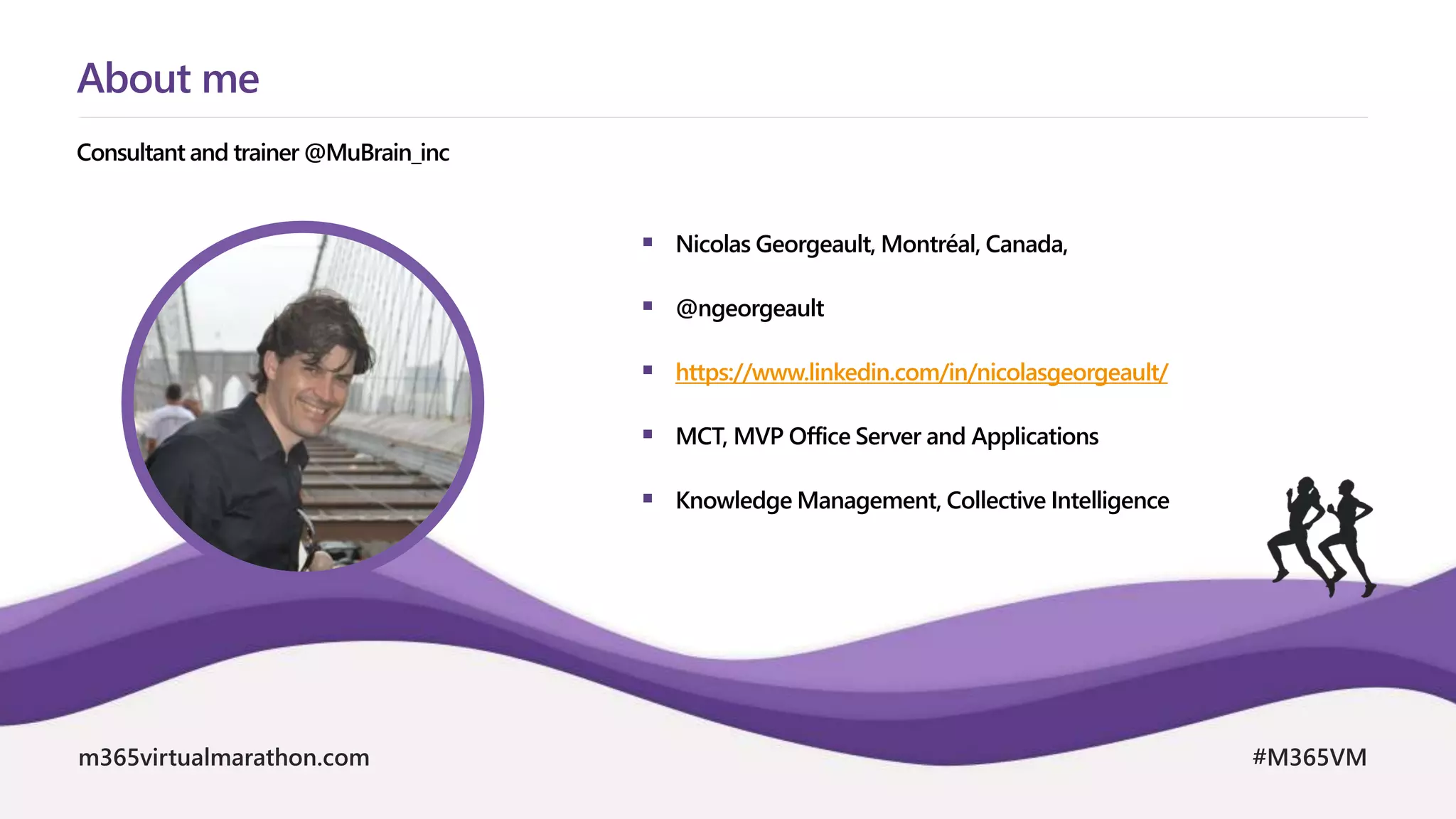
 Nicolas Georgeault, Montréal, Canada,
 @ngeorgeault
 https://www.linkedin.com/in/nicolasgeorgeault/
 MCT, MVP Office Server and Applications
 Knowledge Management, Collective Intelligence
Consultant and trainer @MuBrain_inc
About me
April, 26. – 28. 2021
MICROSOFT 365 VIRTUAL MARATHON 2021
m365virtualmarathon.com #M365VM
Syntex
m365virtualmarathon.com #M365VM
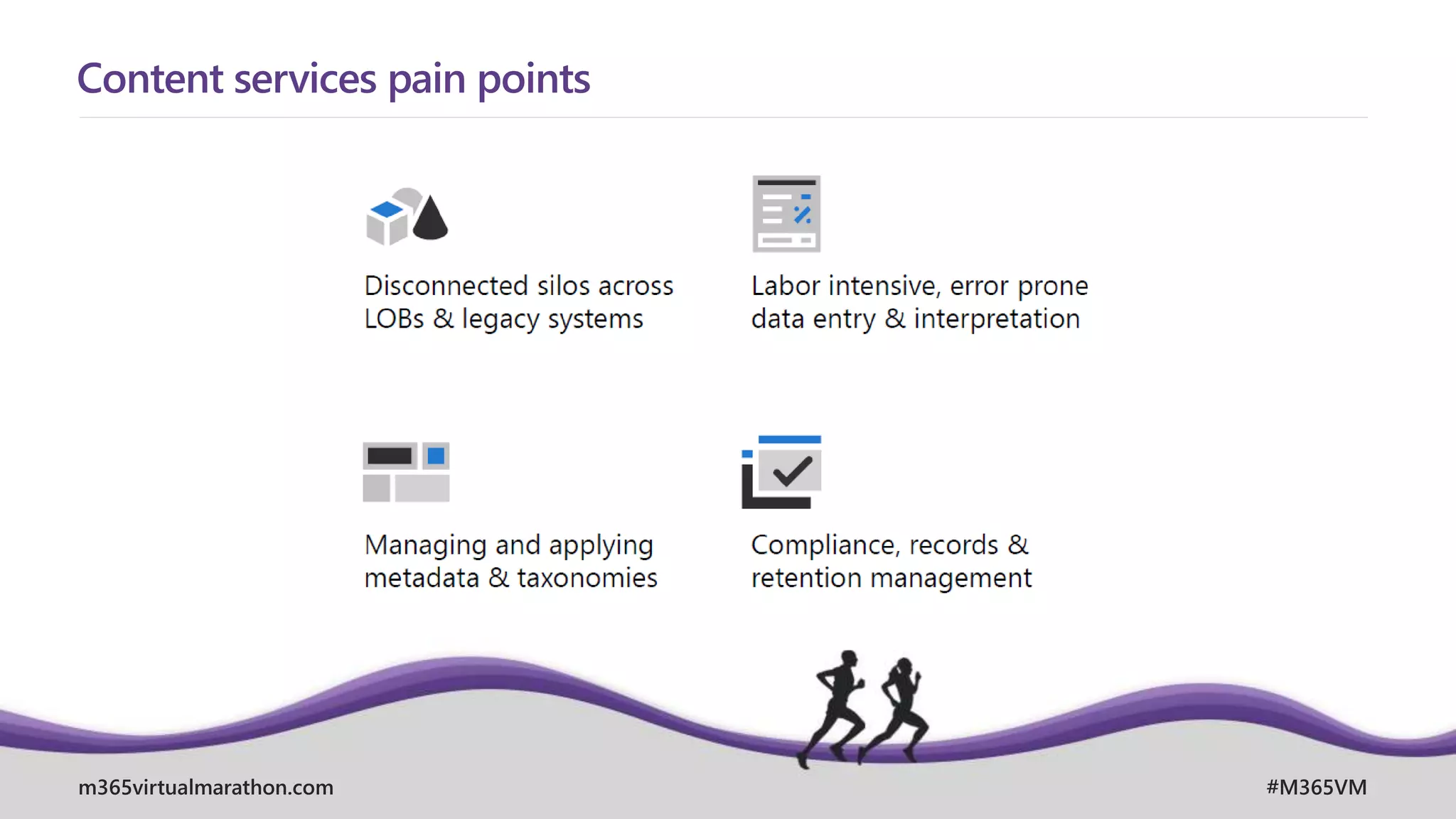
Content services pain points
m365virtualmarathon.com #M365VM
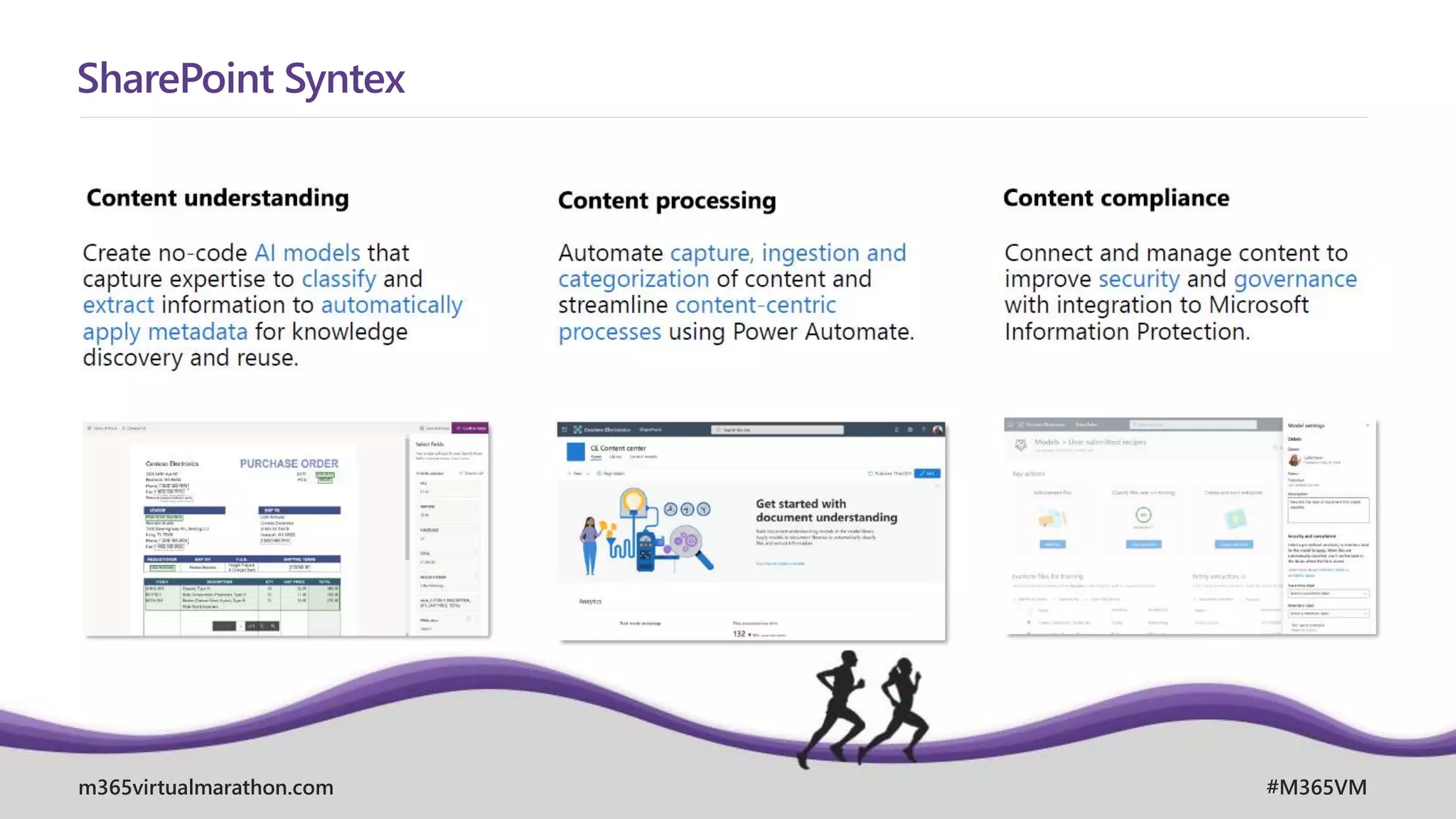
SharePoint Syntex
m365virtualmarathon.com #M365VM
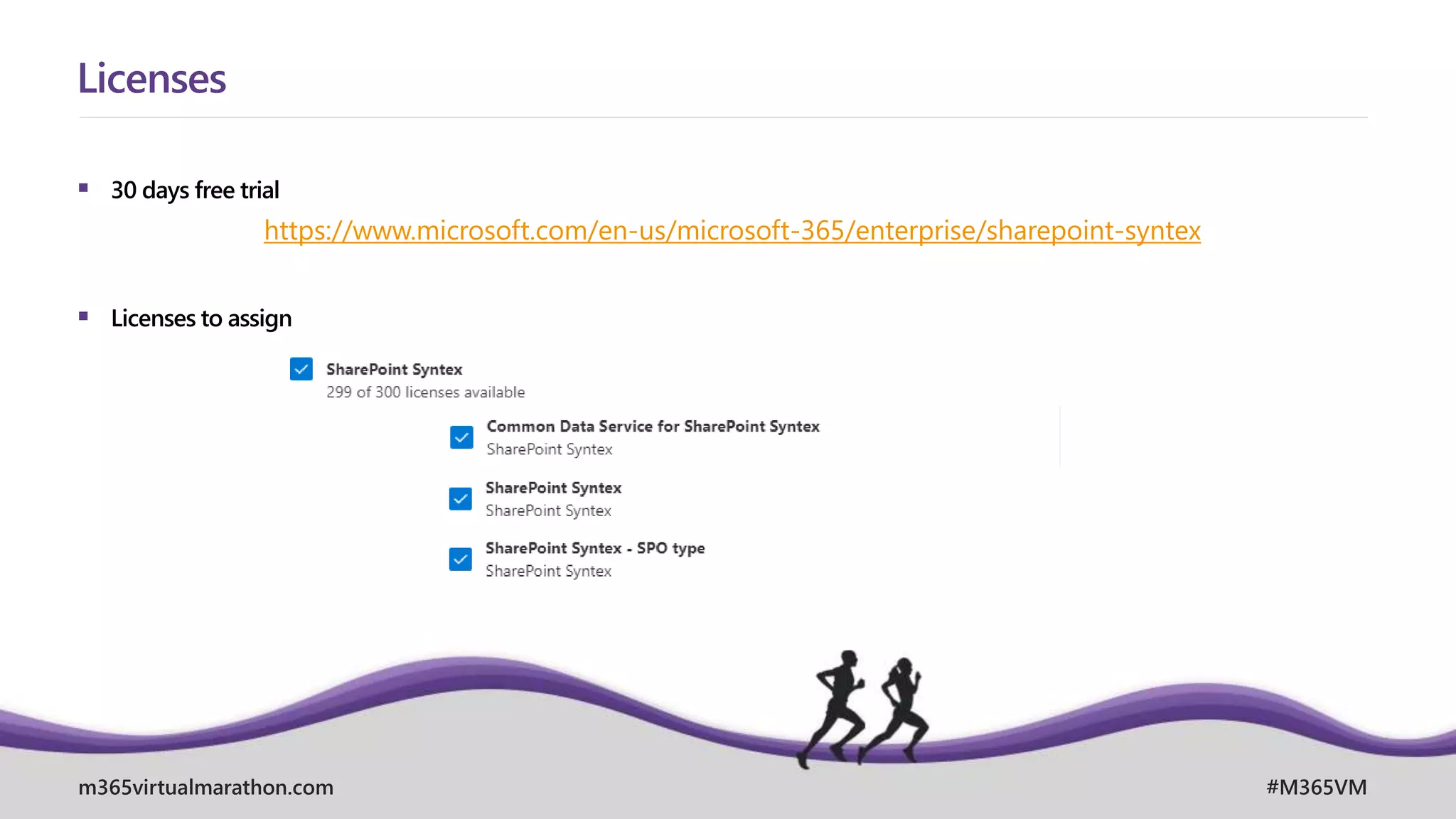
 30 days free trial
 Licenses to assign
Licenses
https://www.microsoft.com/en-us/microsoft-365/enterprise/sharepoint-syntex
m365virtualmarathon.com #M365VM
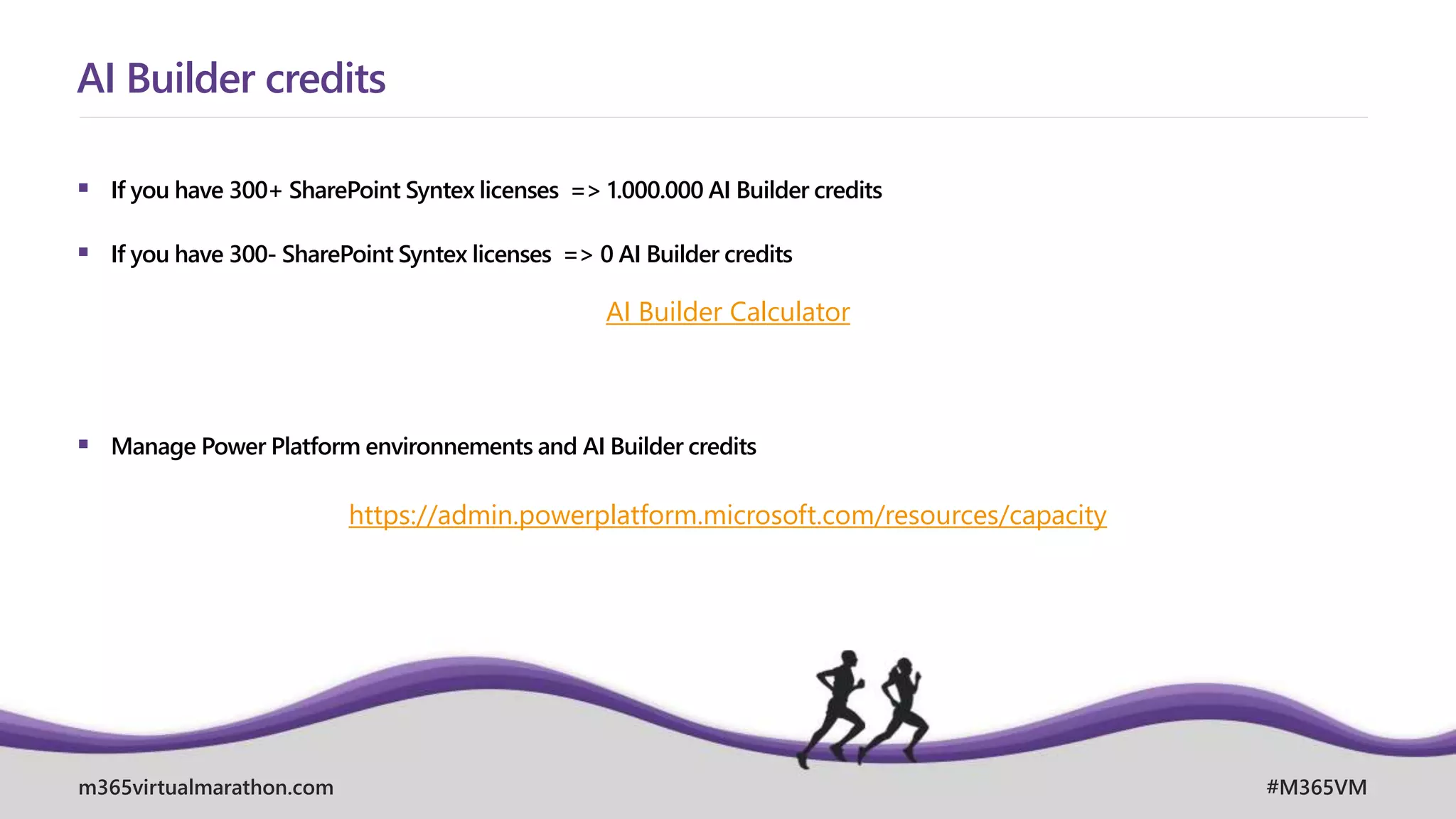
 If you have 300+ SharePoint Syntex licenses => 1.000.000 AI Builder credits
 If you have 300- SharePoint Syntex licenses => 0 AI Builder credits
 Manage Power Platform environnements and AI Builder credits
AI Builder credits
AI Builder Calculator
https://admin.powerplatform.microsoft.com/resources/capacity
April, 26. – 28. 2021
MICROSOFT 365 VIRTUAL MARATHON 2021
m365virtualmarathon.com #M365VM
How to use it?
m365virtualmarathon.com #M365VM
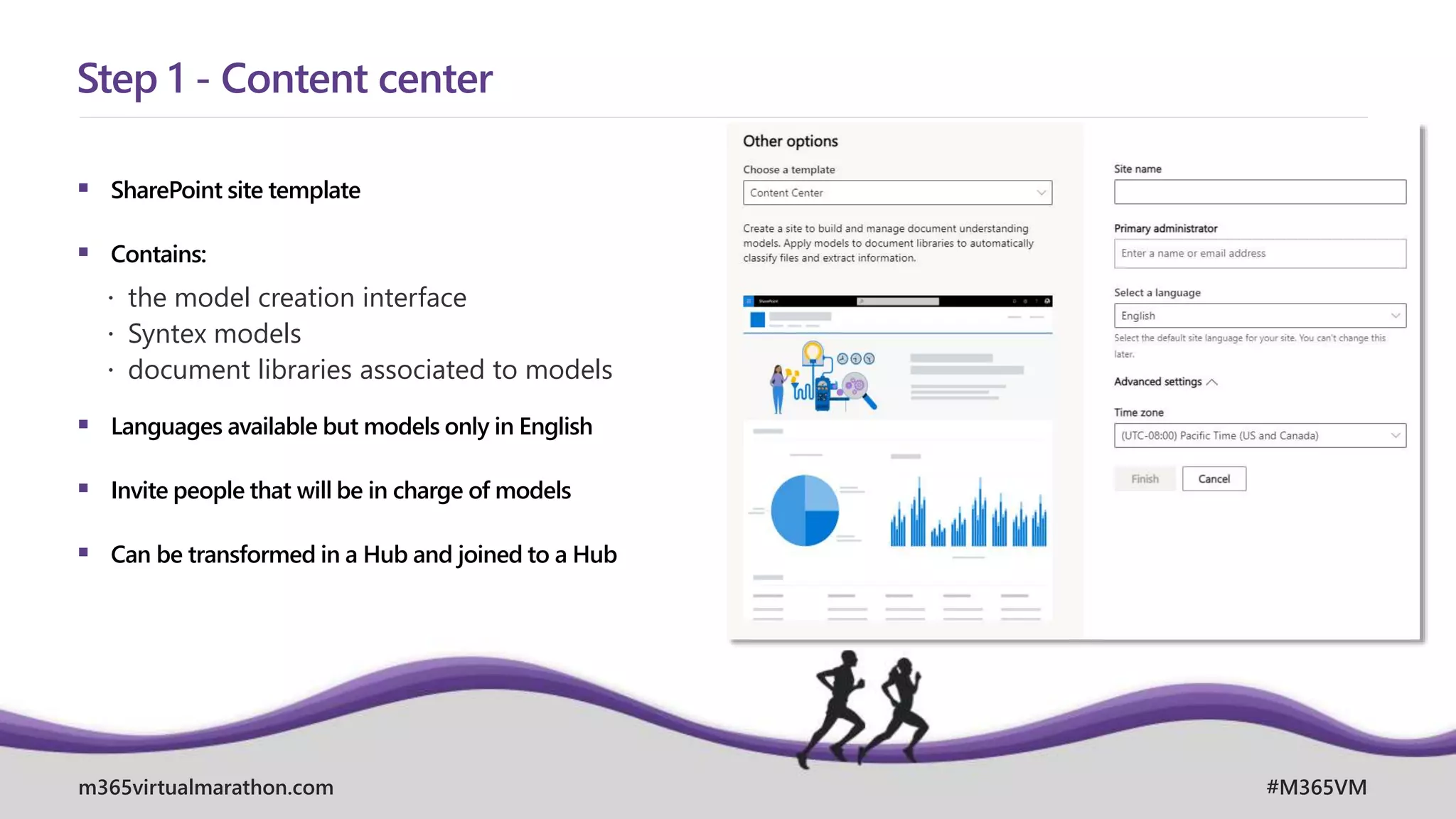
 SharePoint site template
 Contains:
 the model creation interface
 Syntex models
 document libraries associated to models
 Languages available but models only in English
 Invite people that will be in charge of models
 Can be transformed in a Hub and joined to a Hub
Step 1 - Content center
m365virtualmarathon.com #M365VM
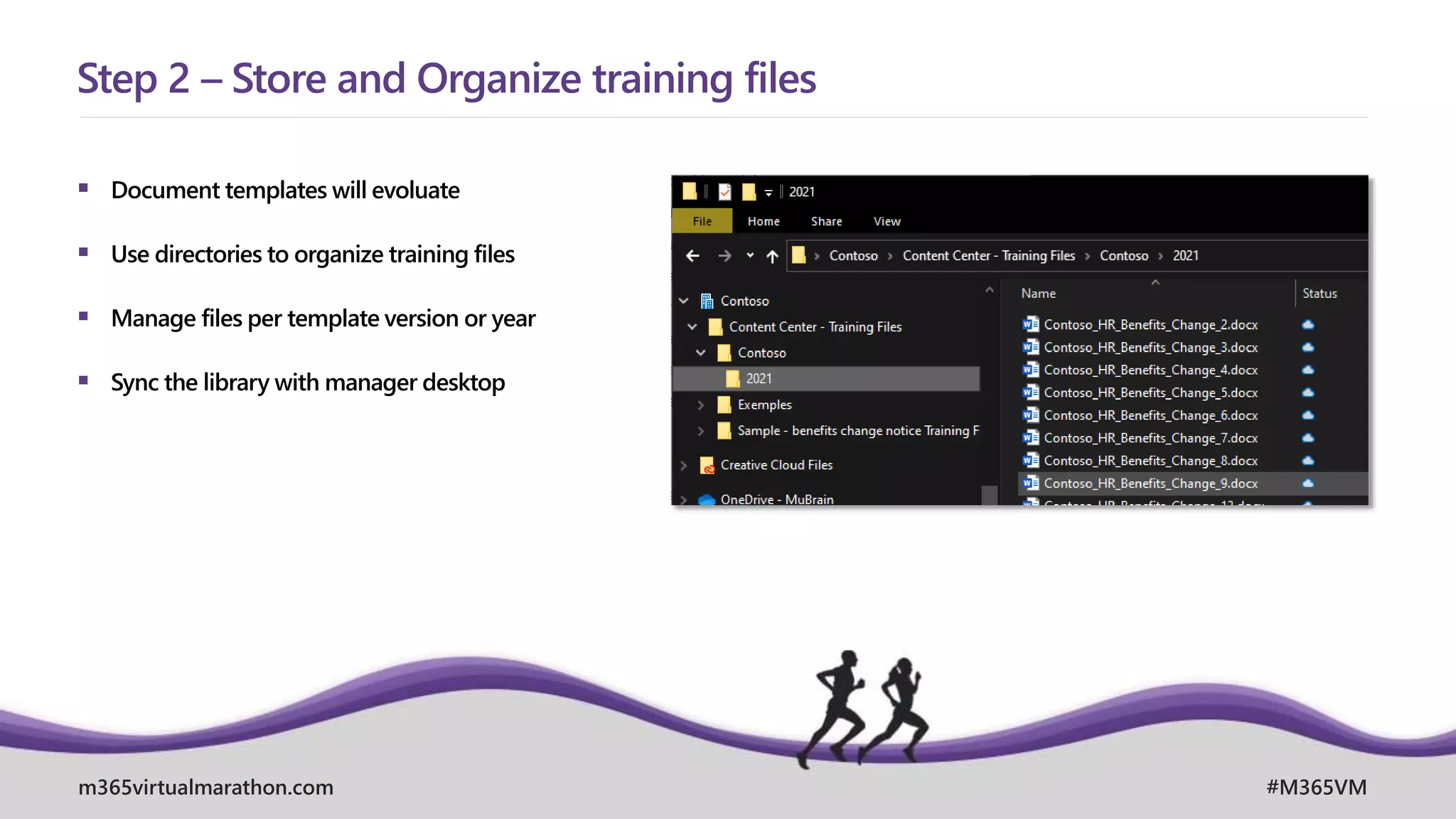
 Document templates will evoluate
 Use directories to organize training files
 Manage files per template version or year
 Sync the library with manager desktop
Step 2 – Store and Organize training files
m365virtualmarathon.com #M365VM
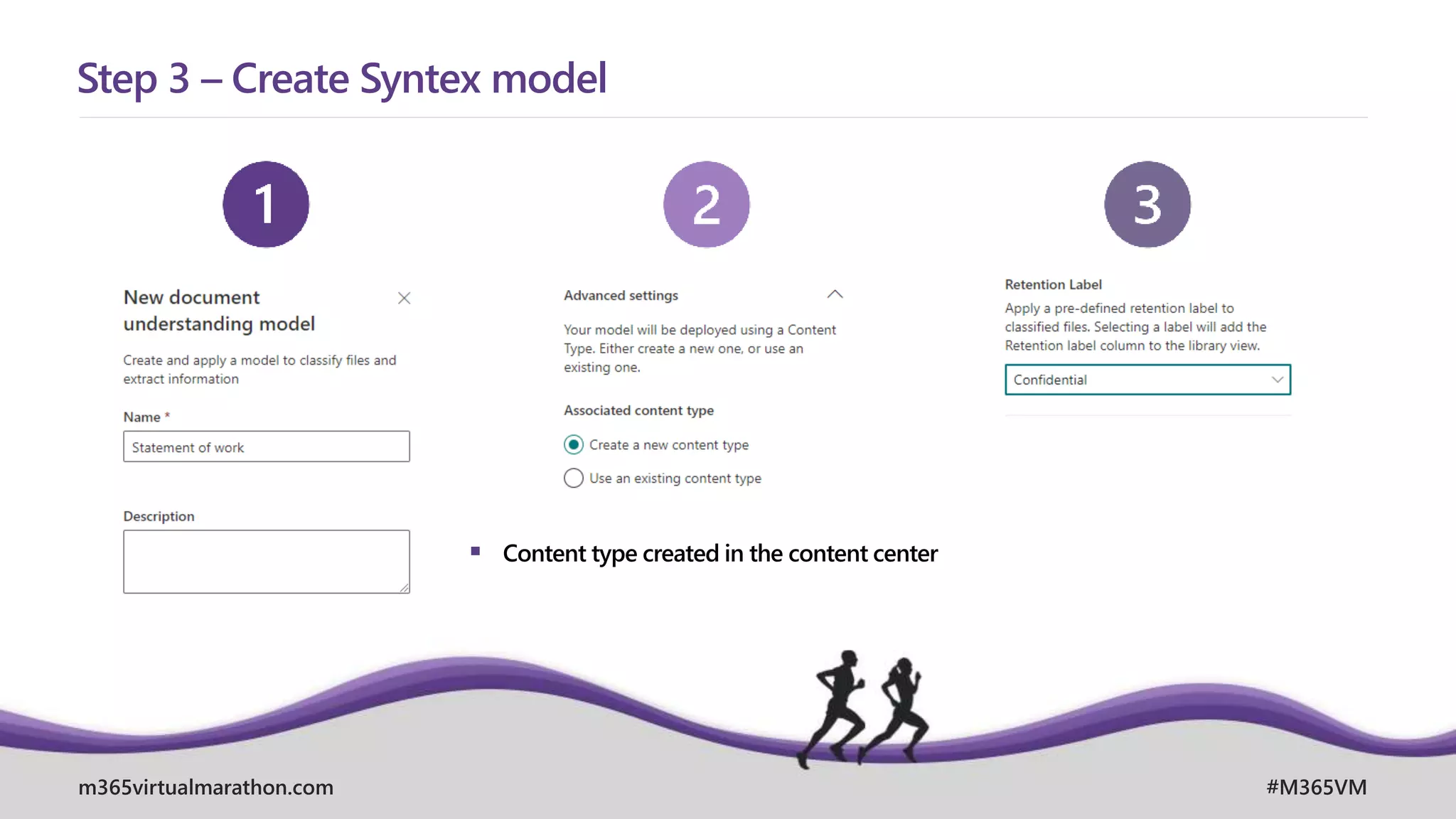
Step 3 – Create Syntex model
 Content type created in the content center
m365virtualmarathon.com #M365VM
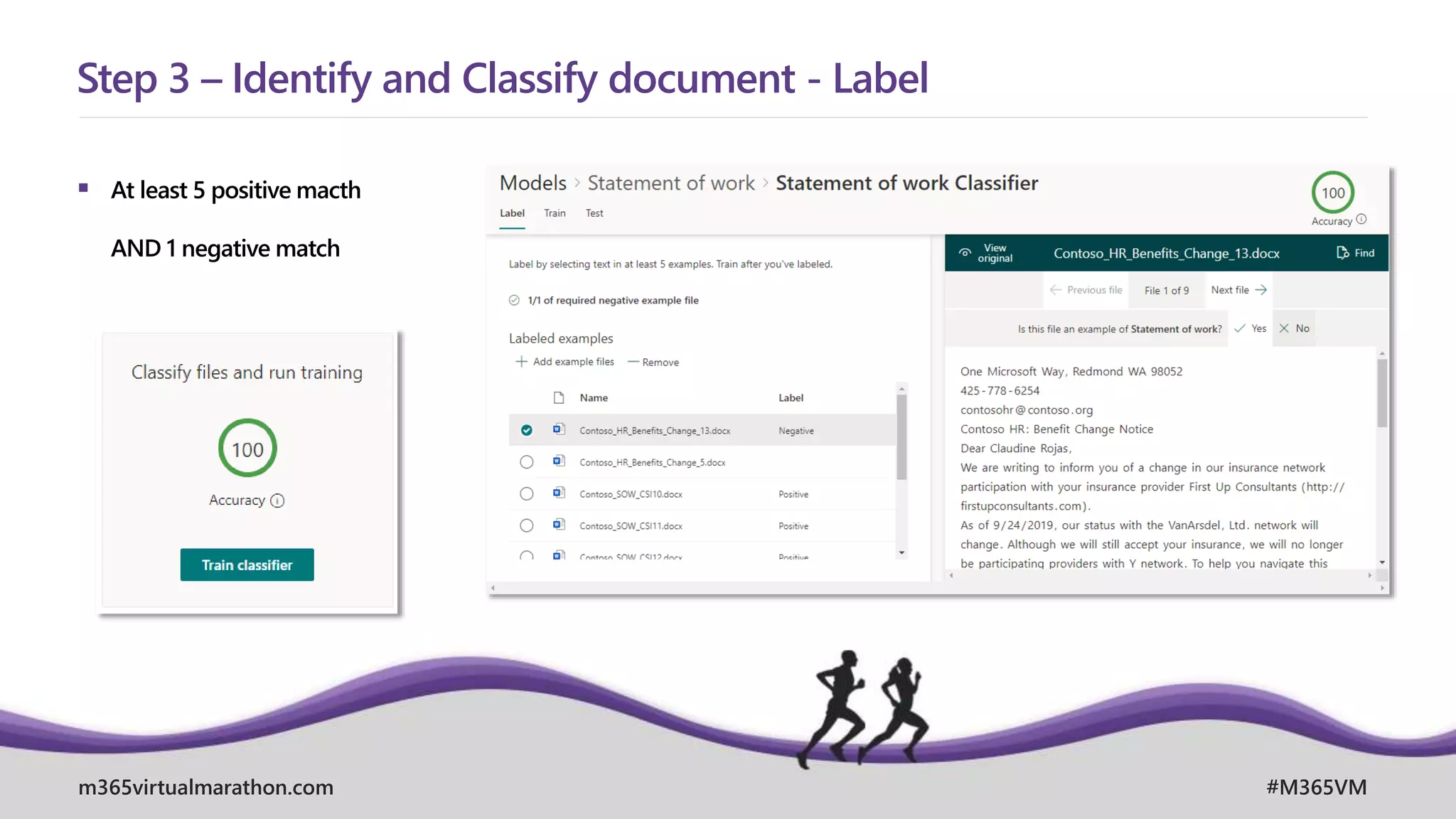
 At least 5 positive macth
AND 1 negative match
Step 3 – Identify and Classify document - Label
m365virtualmarathon.com #M365VM
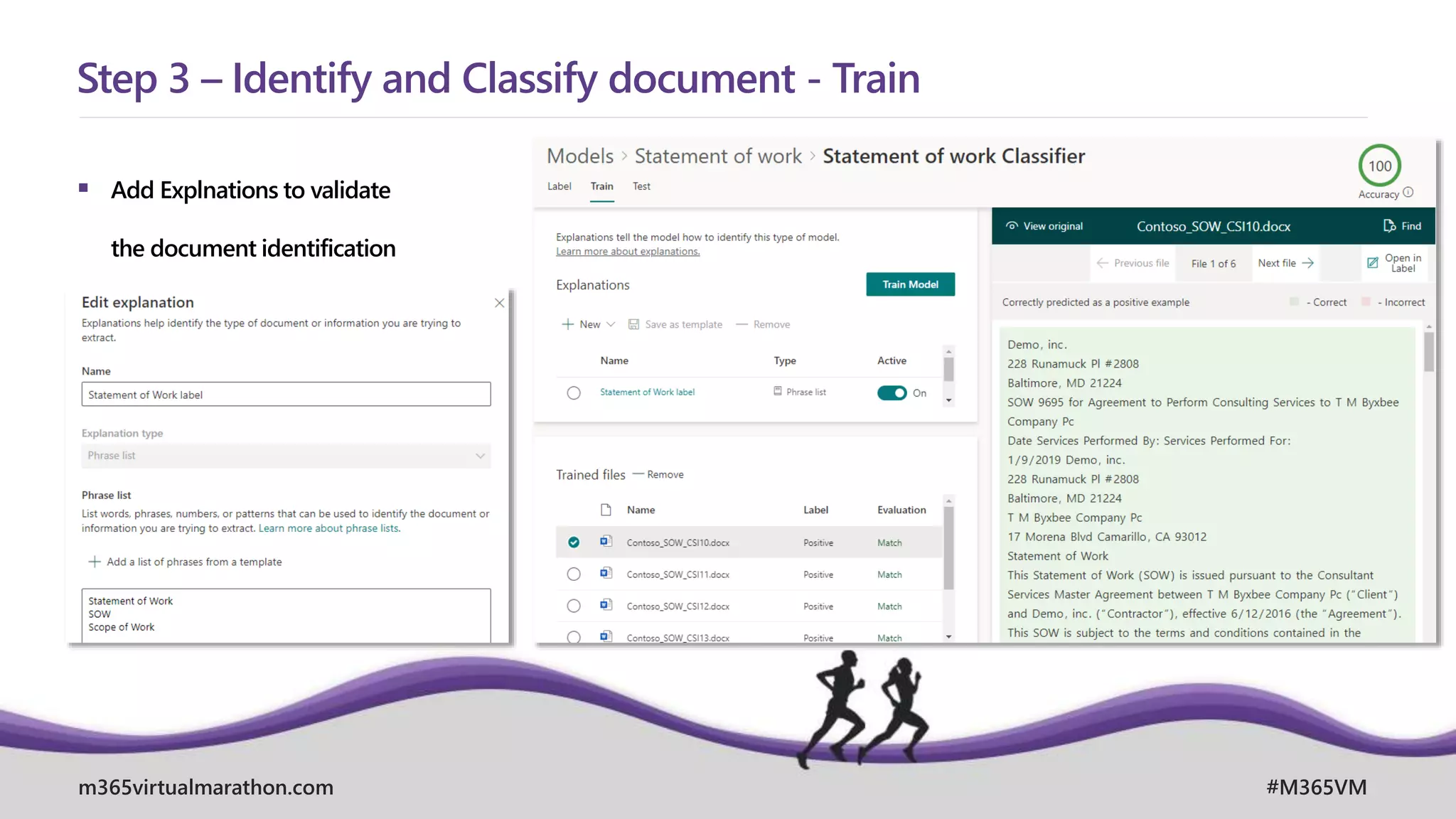
 Add Explnations to validate
the document identification
Step 3 – Identify and Classify document - Train
m365virtualmarathon.com #M365VM
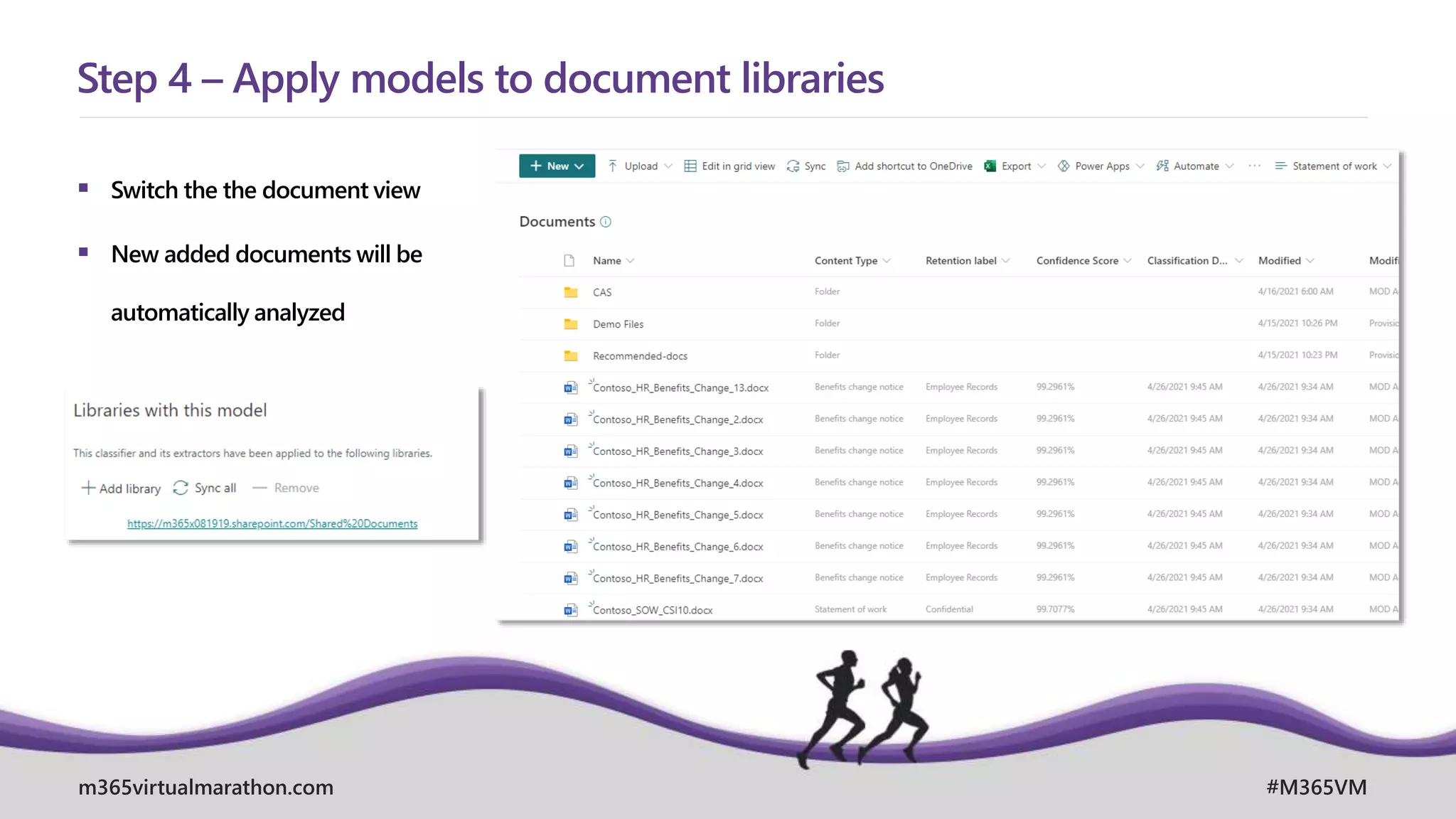
 Switch the the document view
 New added documents will be
automatically analyzed
Step 4 – Apply models to document libraries
m365virtualmarathon.com #M365VM
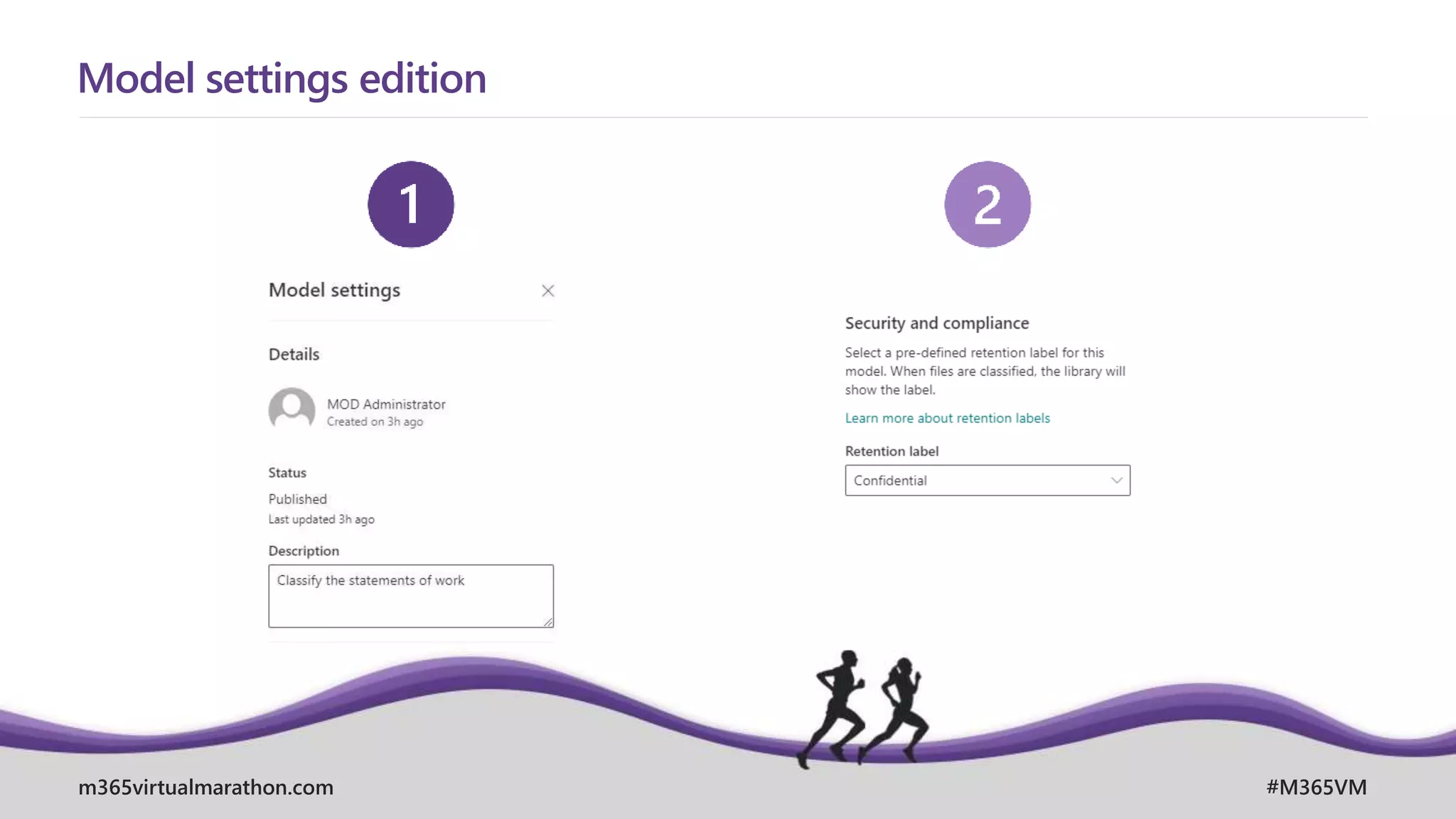
Model settings edition
m365virtualmarathon.com #M365VM
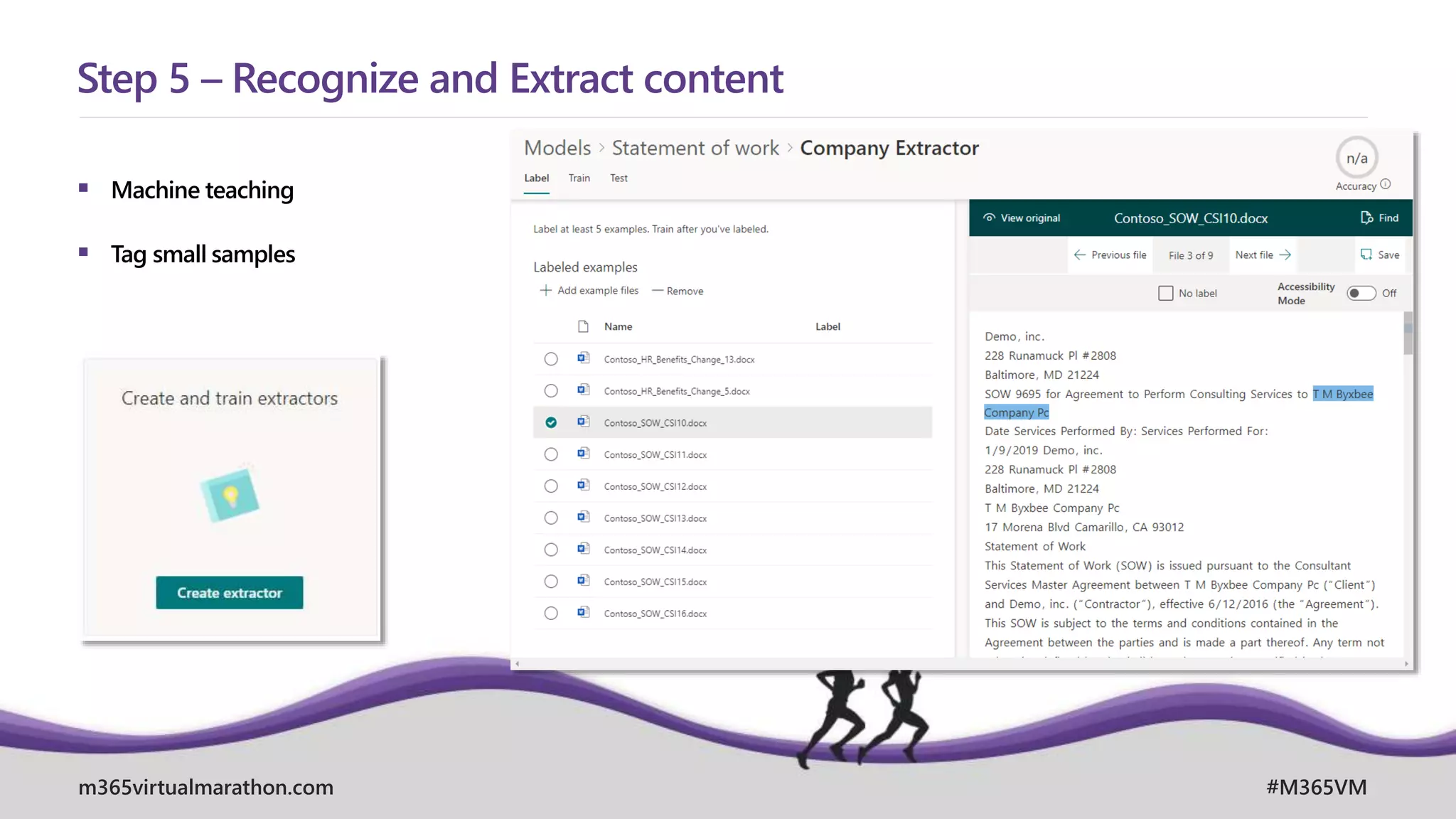
 Machine teaching
 Tag small samples
Step 5 – Recognize and Extract content
April, 26. – 28. 2021
MICROSOFT 365 VIRTUAL MARATHON 2021
m365virtualmarathon.com #M365VM
Extend it with AIBuilder
m365virtualmarathon.com #M365VM
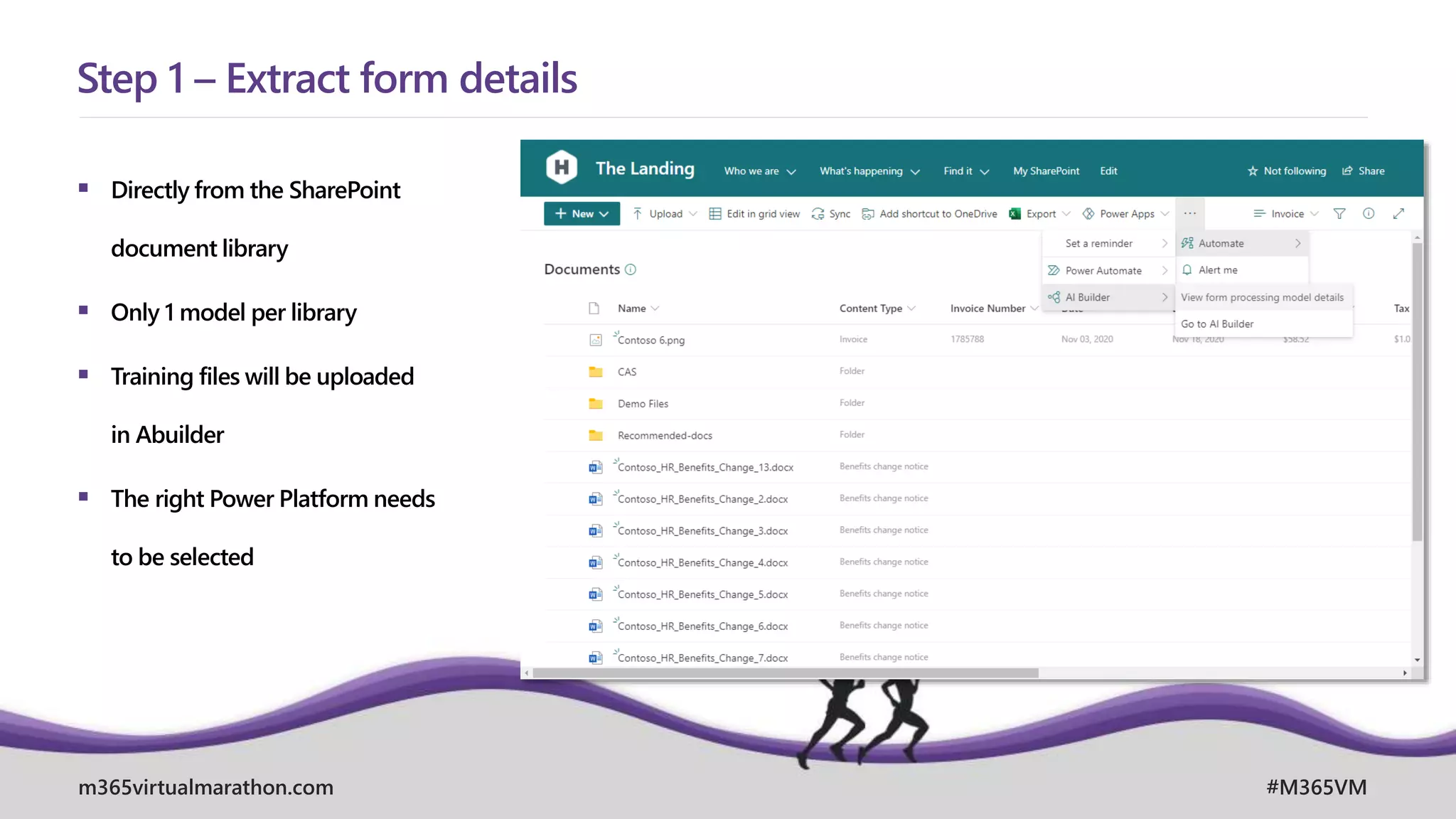
 Directly from the SharePoint
document library
 Only 1 model per library
 Training files will be uploaded
in Abuilder
 The right Power Platform needs
to be selected
Step 1 – Extract form details
m365virtualmarathon.com #M365VM
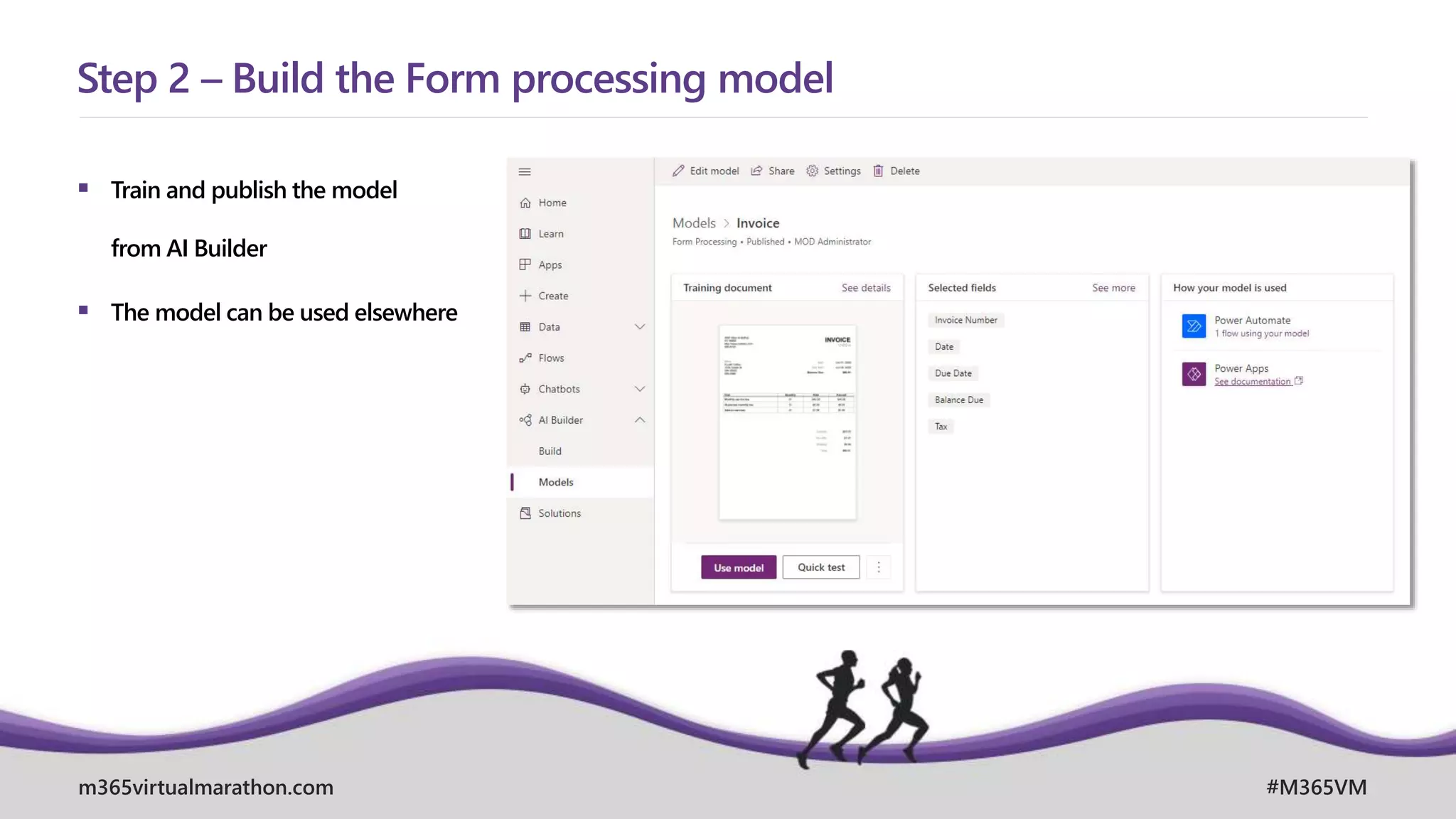
 Train and publish the model
from AI Builder
 The model can be used elsewhere
Step 2 – Build the Form processing model
m365virtualmarathon.com #M365VM
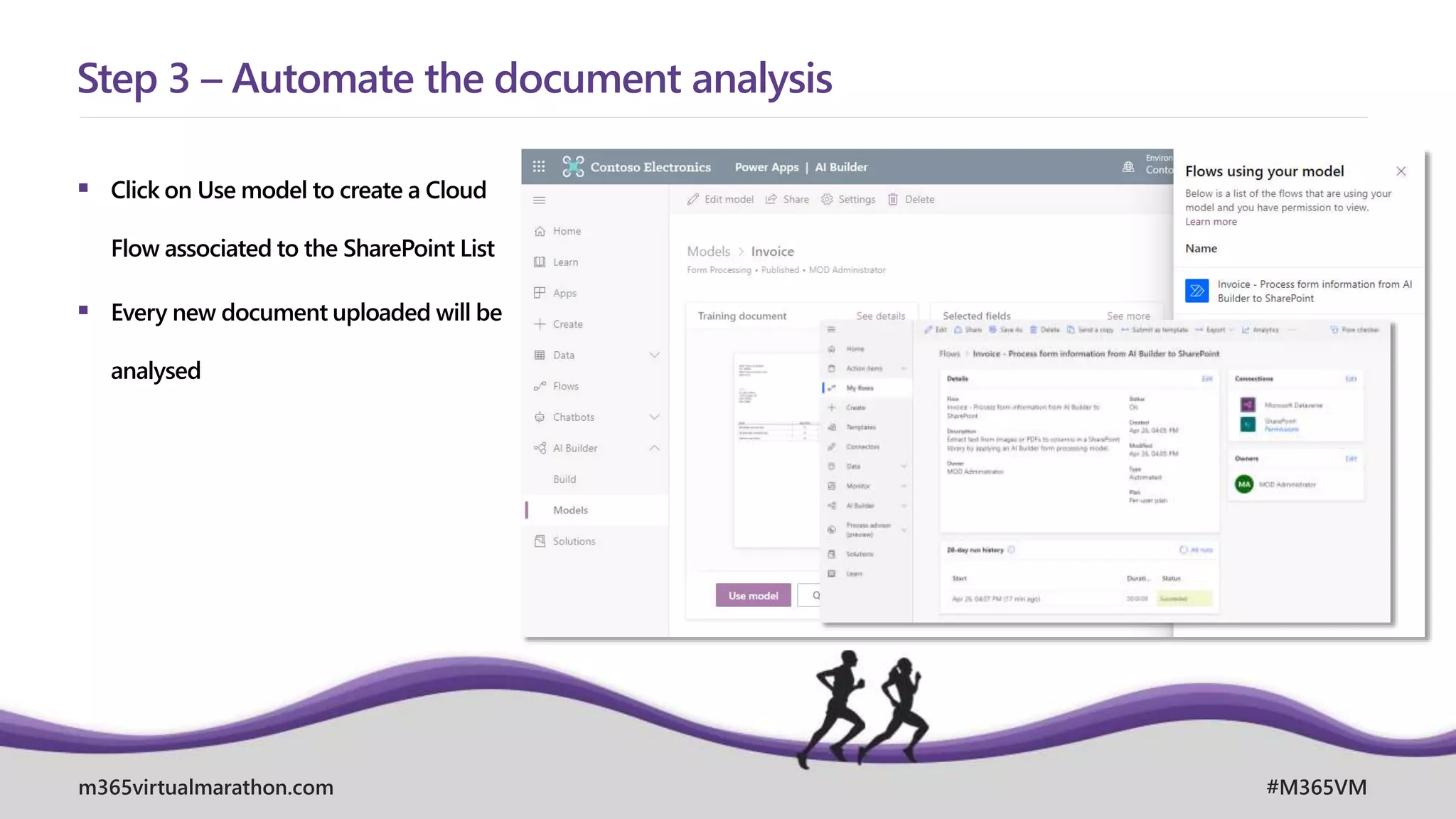
 Click on Use model to create a Cloud
Flow associated to the SharePoint List
 Every new document uploaded will be
analysed
Step 3 – Automate the document analysis
April, 26. – 28. 2021
MICROSOFT 365 VIRTUAL MARATHON 2021
m365virtualmarathon.com #M365VM
Governance
m365virtualmarathon.com #M365VM
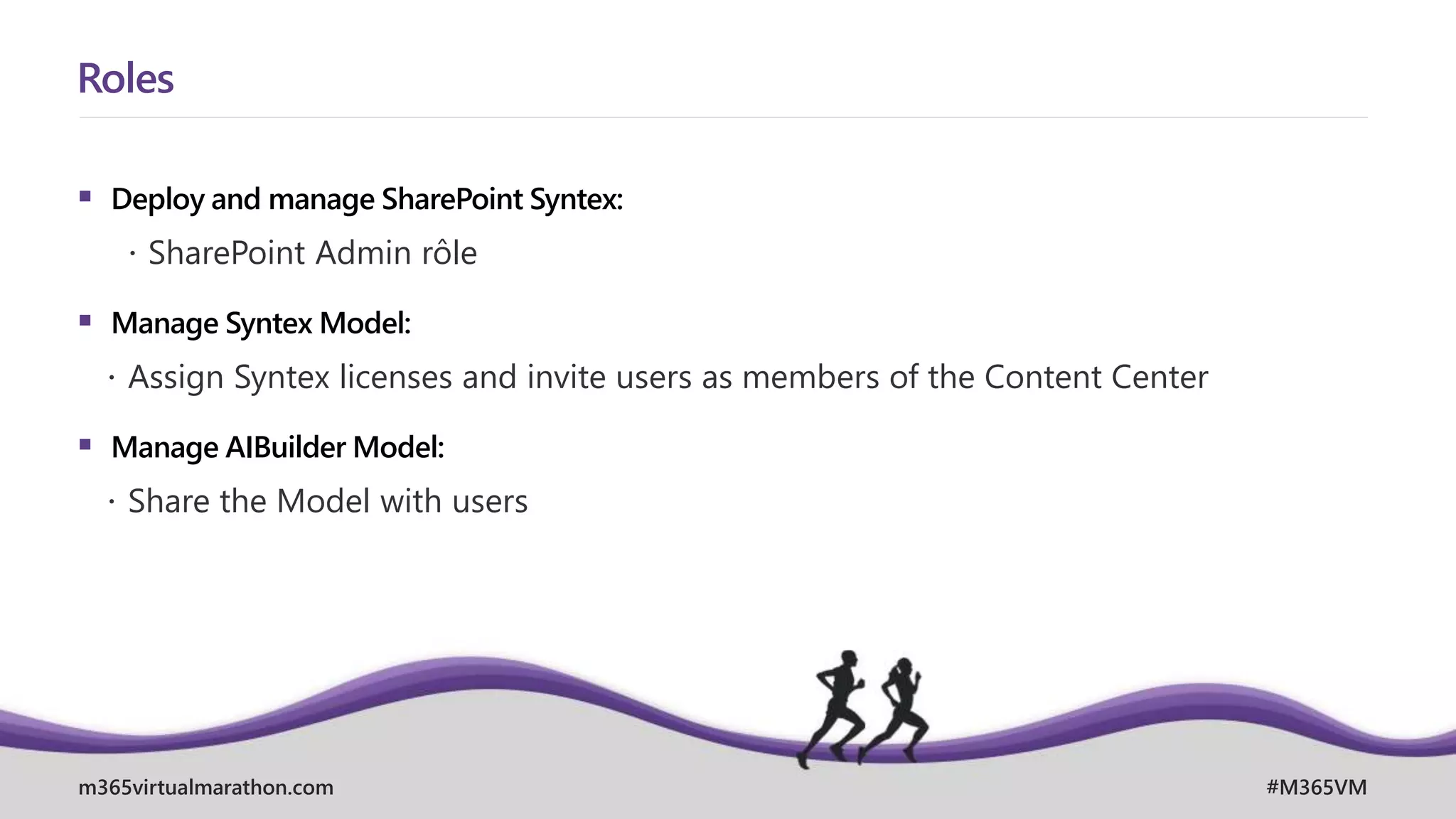
 Deploy and manage SharePoint Syntex:
 SharePoint Admin rôle
 Manage Syntex Model:
 Assign Syntex licenses and invite users as members of the Content Center
 Manage AIBuilder Model:
 Share the Model with users
Roles
m365virtualmarathon.com #M365VM
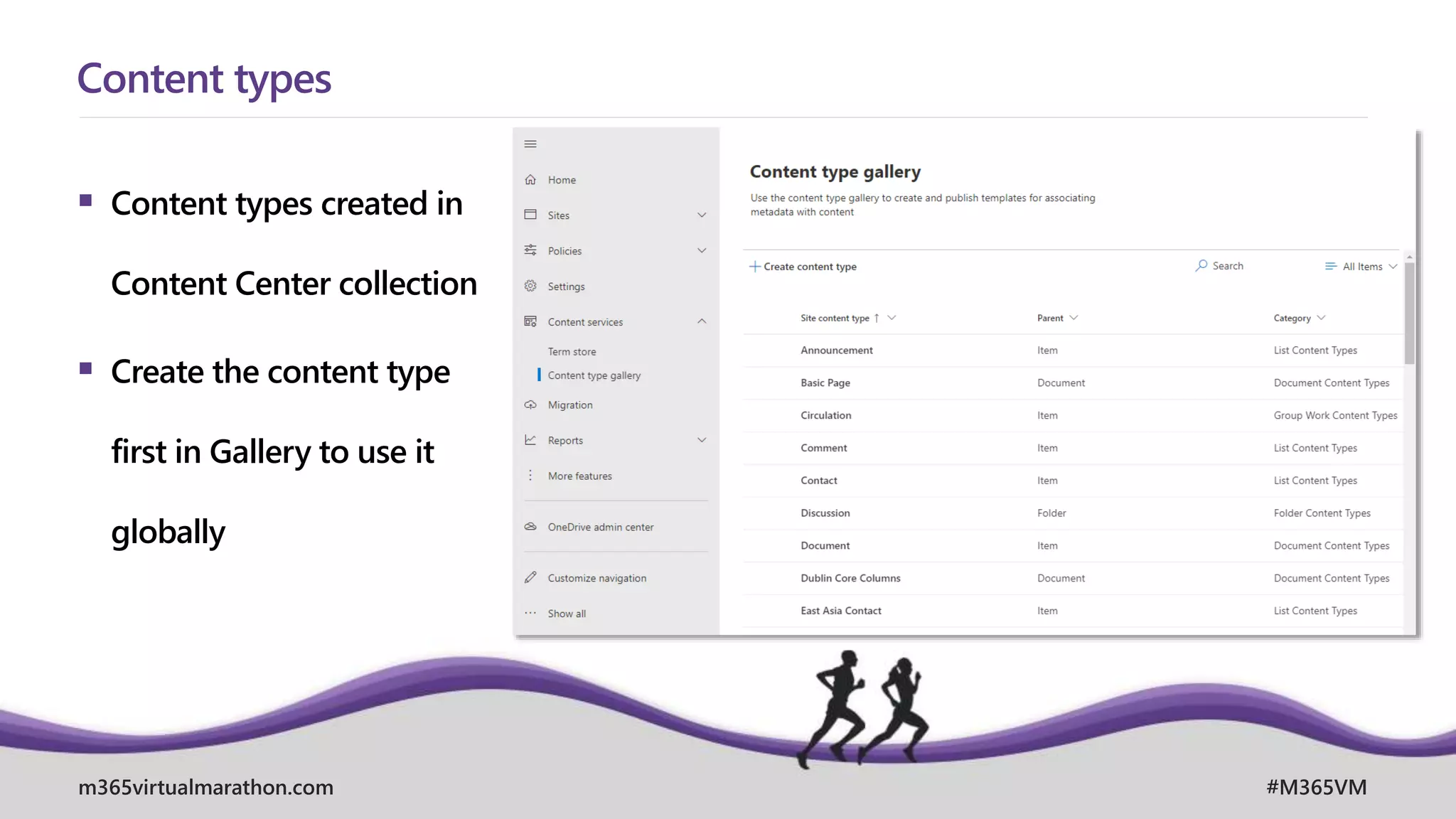
 Content types created in
Content Center collection
 Create the content type
first in Gallery to use it
globally
Content types
m365virtualmarathon.com #M365VM
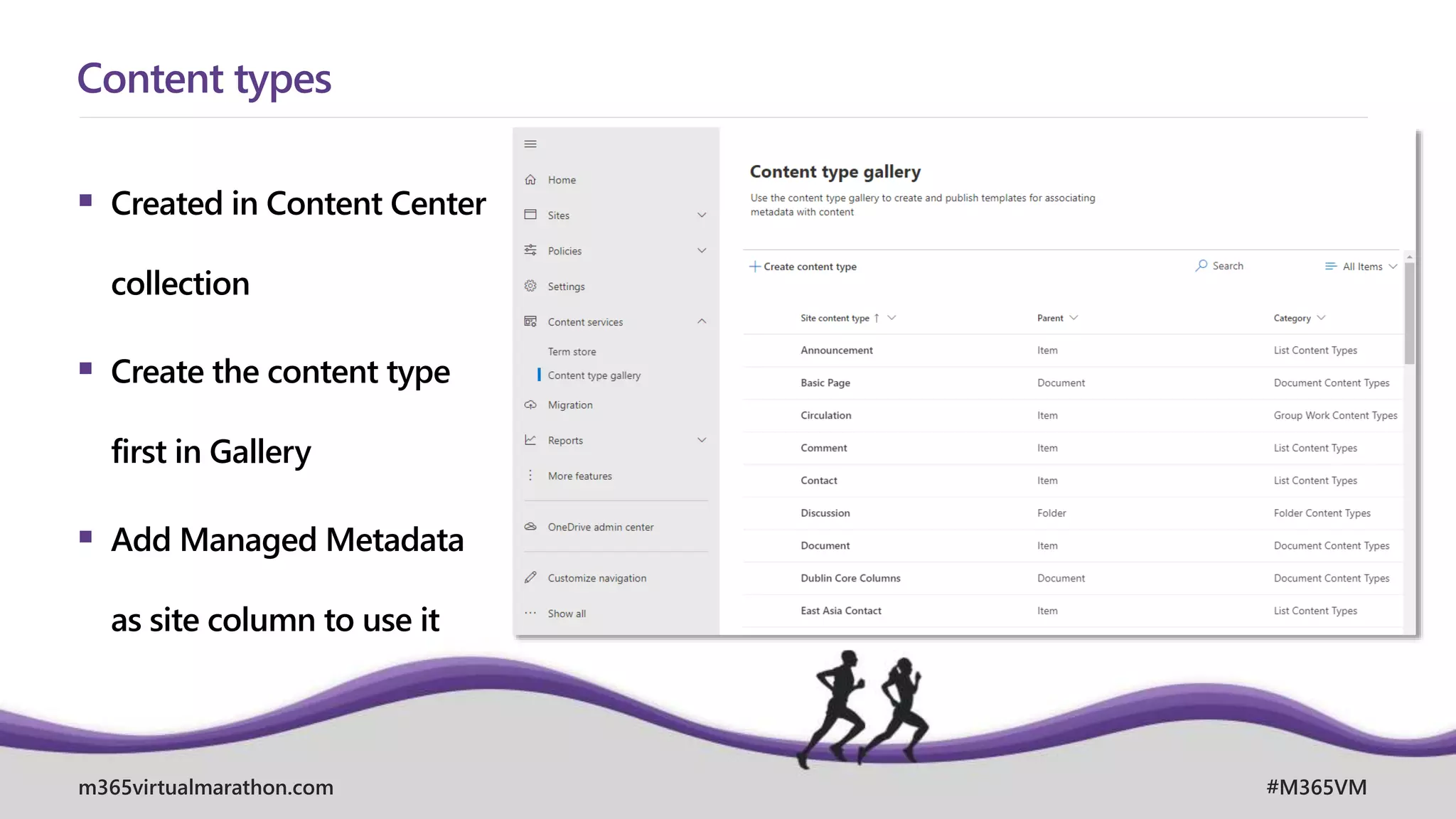
 Created in Content Center
collection
 Create the content type
first in Gallery
 Add Managed Metadata
as site column to use it
Content types
m365virtualmarathon.com #M365VM
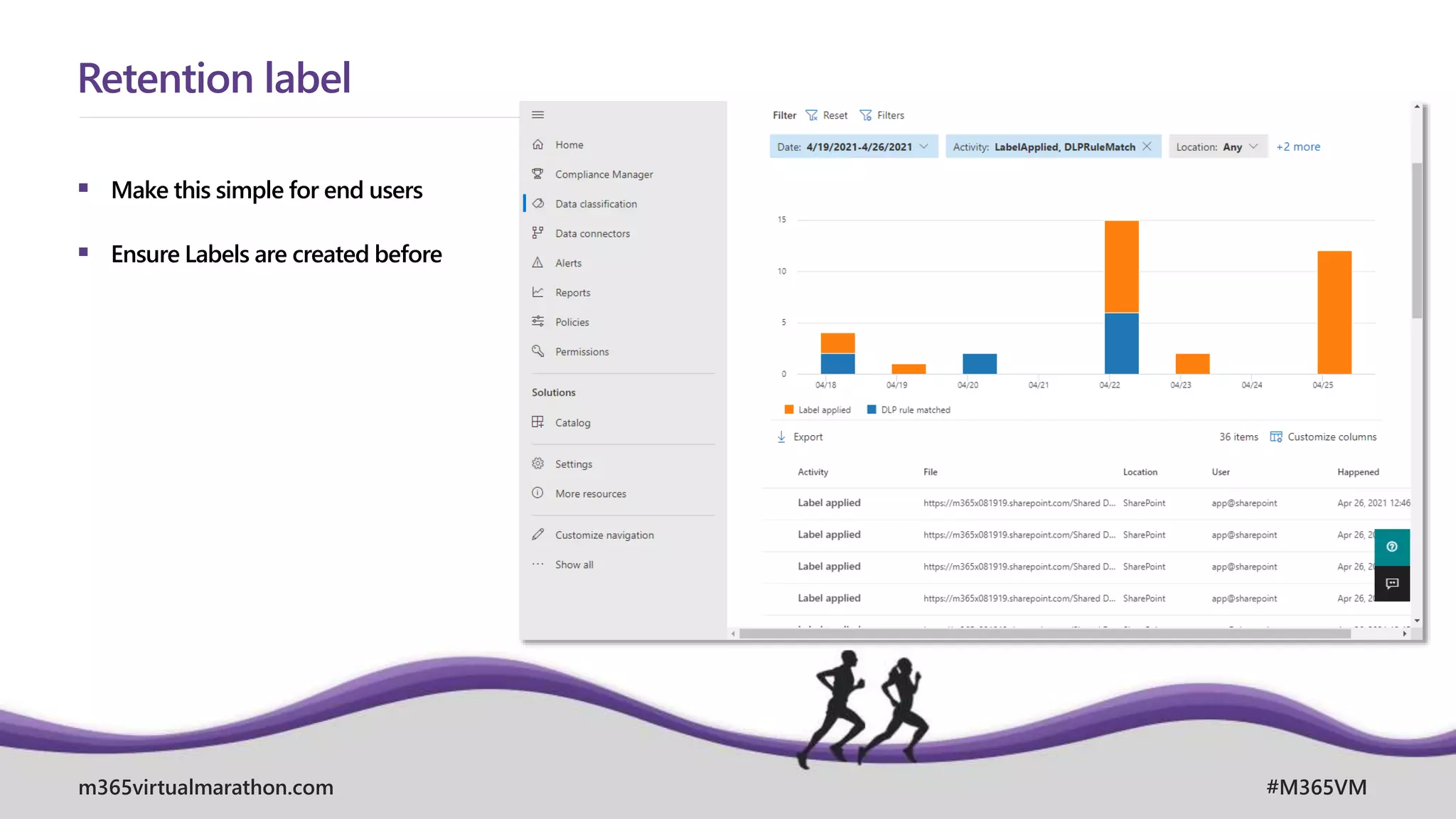
 Make this simple for end users
 Ensure Labels are created before
Retention label
m365virtualmarathon.com #M365VM
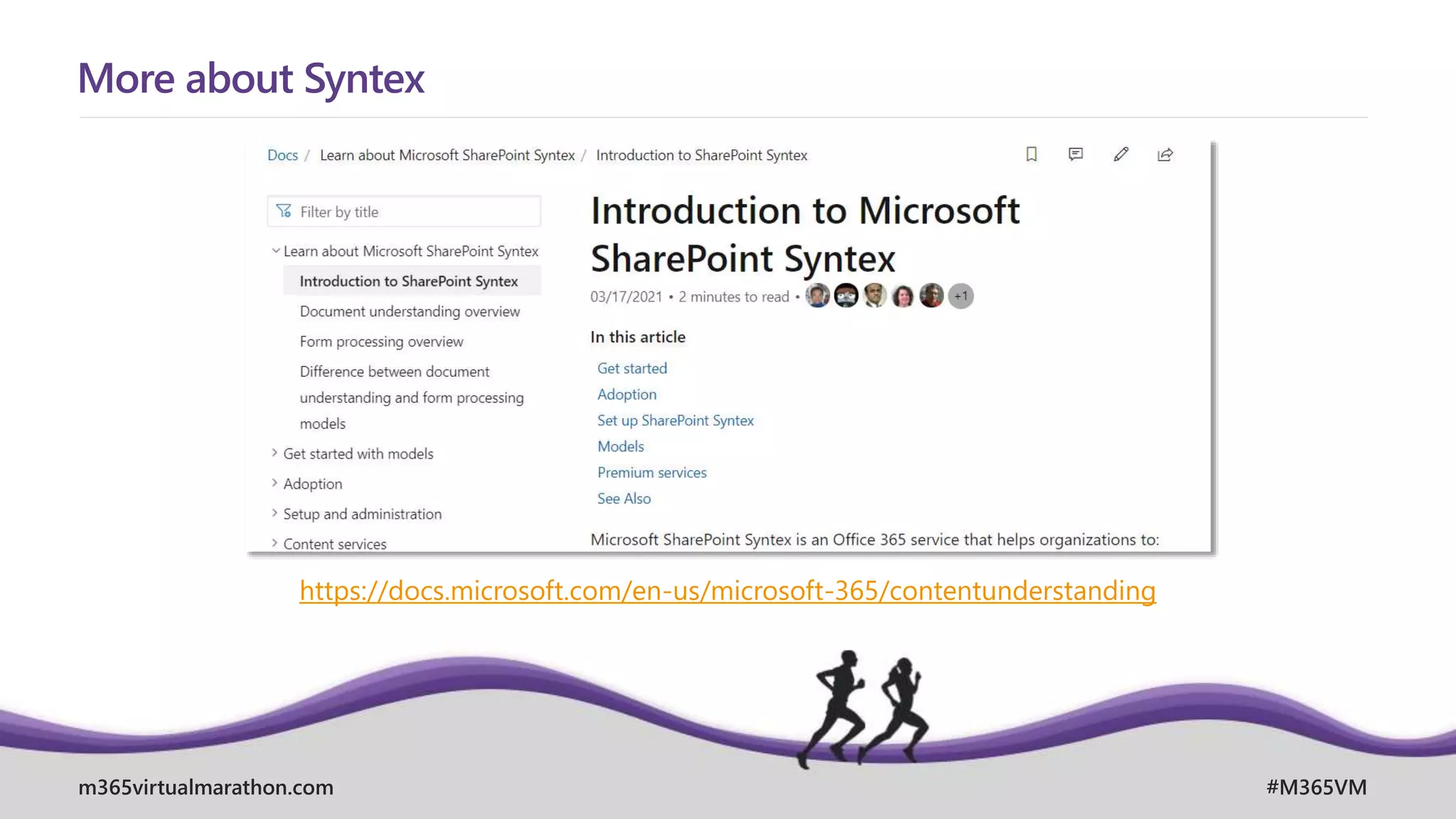
More about Syntex
https://docs.microsoft.com/en-us/microsoft-365/contentunderstanding
m365virtualmarathon.com #M365VM
SPEAKER AND EVENT FEEDBACK
http://bit.ly/M365VM21Feedback
April, 26. – 28. 2021
MICROSOFT 365 VIRTUAL MARATHON 2021
m365virtualmarathon.com #M365VM
Q&A

How to get prepared for SharePoint Syntex