IT Security DOs and DON’Ts
From your helpful IT Team
1. Don’t be tricked into giving
away confidential information
• Don’t respond to emails or phone calls requesting
  confidential company information
• Always keep in mind that bad guys are successful
  because they are convincing.
• Recent news stories out of Canada reported scammers
  were tricking people into giving away information with
  fake tech support calls claiming to help.
• Keep on guard and report any
  suspicious activity to IT.

Video tip 1: Don’t get tricked
2. Don’t use an unprotected
computer
• When you access sensitive information from a non-secure
  computer you put the information you’re viewing at risk.
• Malicious software exists that allows people to easily
  snoop on what you’re doing online when accessing
  unprotected sites.
• If you’re unsure if the computer you’re using
  is safe, don’t use it to access corporate or
  sensitive data.
                            Keep your personal computer safe with
                                   Sophos Virus Removal Tool or
                           Sophos Anti-virus for Mac Home Edition


Video tip 2: Stay secure
3. Don’t leave sensitive info lying
around the office
• Don’t leave printouts containing private information on your
  desk. It’s easy for a visitor to glance at your desk and see
  sensitive documents.
• Keep your desk tidy and documents locked away or
  shredded when no longer needed.
• It makes the office look more organized, and reduces the
  risk of information leaks.


Video tip 3: Put things away
4. Lock your computer and
mobile phone when not in use
• Always lock your computer and mobile phone when you’re
  not using them. You work on important things, and we want
  to make sure they stay safe and secure.
• Locking these devices keeps both your personal
  information and the company’s data and contacts safe
  from prying eyes.


Video tip 4: Lock it
5. Stay alert and report suspicious
activity
• Sometimes suspicious activity isn’t as obvious as we think.
• A recent news story reported that a supermarket manager,
  who was randomly befriended by a mysterious woman on
  Facebook, ended up on a “date” with two men who
  overpowered him and robbed his store.
• Be cautious of people you don't know
  asking for things, especially online.
• Always report any suspicious activity
  to IT. If something goes wrong, the
  faster we know about it, the faster we
  can deal with it.
Video tip 5: Stay alert
6. Password-protect sensitive
files and devices
• Always password-protect sensitive files on your computer,
  USB flash drive, smartphone, laptop, etc.
• Losing a device can happen to anyone. But by protecting
  your device with strong passwords, you make it difficult for
  someone to break in and steal data.


Video tip 6: Protect it
7. Always use hard-to-guess
passwords
• Many people use obvious passwords like “password,” “cat,”
  or obvious character sequences on the qwerty keyboard
  like “asdfg.”
• Create complex passwords by including different letter
  cases, numbers, and even punctuation.
• Try to use different passwords for
  different websites and computers.
  So if one gets hacked,
  your other accounts aren’t
  compromised.

Video tip 7: Use strong passwords
8. Be cautious of suspicious
emails and links
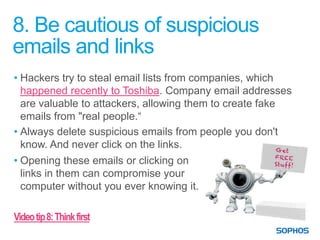
• Hackers try to steal email lists from companies, which
  happened recently to Toshiba. Company email addresses
  are valuable to attackers, allowing them to create fake
  emails from "real people.“
• Always delete suspicious emails from people you don't
  know. And never click on the links.
• Opening these emails or clicking on
  links in them can compromise your
  computer without you ever knowing it.

Video tip 8: Think first
9. Don’t plug in personal devices
without the OK from IT
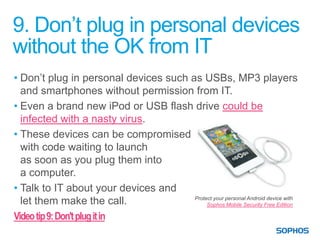
• Don’t plug in personal devices such as USBs, MP3 players
  and smartphones without permission from IT.
• Even a brand new iPod or USB flash drive could be
  infected with a nasty virus.
• These devices can be compromised
  with code waiting to launch
  as soon as you plug them into
  a computer.
• Talk to IT about your devices and
                                       Protect your personal Android device with
  let them make the call.                   Sophos Mobile Security Free Edition

Video tip 9: Don't plug it in
10. Don’t install unauthorized
programs on your work computer
• Malicious applications often pose as legitimate programs
  like games, tools or even antivirus software.
• They aim to fool you into infecting your computer
  or network.
• If you like an application and think it will be useful,
  contact us and we’ll look into it for you.


Video tip 10: Don’t install it
Get more
IT Security DOs and DON’Ts
View the online handbook at www.sophos.com/securitytips

Get quick tips to create strong passwords


Connect with us:
facebook.com/securitybysophos
twitter.com/Sophos_News
Sophos on Google+
linkedin.com/company/sophos

IT Security DOs and DONTs

  • 1.
    IT Security DOsand DON’Ts From your helpful IT Team
  • 2.
    1. Don’t betricked into giving away confidential information • Don’t respond to emails or phone calls requesting confidential company information • Always keep in mind that bad guys are successful because they are convincing. • Recent news stories out of Canada reported scammers were tricking people into giving away information with fake tech support calls claiming to help. • Keep on guard and report any suspicious activity to IT. Video tip 1: Don’t get tricked
  • 3.
    2. Don’t usean unprotected computer • When you access sensitive information from a non-secure computer you put the information you’re viewing at risk. • Malicious software exists that allows people to easily snoop on what you’re doing online when accessing unprotected sites. • If you’re unsure if the computer you’re using is safe, don’t use it to access corporate or sensitive data. Keep your personal computer safe with Sophos Virus Removal Tool or Sophos Anti-virus for Mac Home Edition Video tip 2: Stay secure
  • 4.
    3. Don’t leavesensitive info lying around the office • Don’t leave printouts containing private information on your desk. It’s easy for a visitor to glance at your desk and see sensitive documents. • Keep your desk tidy and documents locked away or shredded when no longer needed. • It makes the office look more organized, and reduces the risk of information leaks. Video tip 3: Put things away
  • 5.
    4. Lock yourcomputer and mobile phone when not in use • Always lock your computer and mobile phone when you’re not using them. You work on important things, and we want to make sure they stay safe and secure. • Locking these devices keeps both your personal information and the company’s data and contacts safe from prying eyes. Video tip 4: Lock it
  • 6.
    5. Stay alertand report suspicious activity • Sometimes suspicious activity isn’t as obvious as we think. • A recent news story reported that a supermarket manager, who was randomly befriended by a mysterious woman on Facebook, ended up on a “date” with two men who overpowered him and robbed his store. • Be cautious of people you don't know asking for things, especially online. • Always report any suspicious activity to IT. If something goes wrong, the faster we know about it, the faster we can deal with it. Video tip 5: Stay alert
  • 7.
    6. Password-protect sensitive filesand devices • Always password-protect sensitive files on your computer, USB flash drive, smartphone, laptop, etc. • Losing a device can happen to anyone. But by protecting your device with strong passwords, you make it difficult for someone to break in and steal data. Video tip 6: Protect it
  • 8.
    7. Always usehard-to-guess passwords • Many people use obvious passwords like “password,” “cat,” or obvious character sequences on the qwerty keyboard like “asdfg.” • Create complex passwords by including different letter cases, numbers, and even punctuation. • Try to use different passwords for different websites and computers. So if one gets hacked, your other accounts aren’t compromised. Video tip 7: Use strong passwords
  • 9.
    8. Be cautiousof suspicious emails and links • Hackers try to steal email lists from companies, which happened recently to Toshiba. Company email addresses are valuable to attackers, allowing them to create fake emails from "real people.“ • Always delete suspicious emails from people you don't know. And never click on the links. • Opening these emails or clicking on links in them can compromise your computer without you ever knowing it. Video tip 8: Think first
  • 10.
    9. Don’t plugin personal devices without the OK from IT • Don’t plug in personal devices such as USBs, MP3 players and smartphones without permission from IT. • Even a brand new iPod or USB flash drive could be infected with a nasty virus. • These devices can be compromised with code waiting to launch as soon as you plug them into a computer. • Talk to IT about your devices and Protect your personal Android device with let them make the call. Sophos Mobile Security Free Edition Video tip 9: Don't plug it in
  • 11.
    10. Don’t installunauthorized programs on your work computer • Malicious applications often pose as legitimate programs like games, tools or even antivirus software. • They aim to fool you into infecting your computer or network. • If you like an application and think it will be useful, contact us and we’ll look into it for you. Video tip 10: Don’t install it
  • 12.
    Get more IT SecurityDOs and DON’Ts View the online handbook at www.sophos.com/securitytips Get quick tips to create strong passwords Connect with us: facebook.com/securitybysophos twitter.com/Sophos_News Sophos on Google+ linkedin.com/company/sophos