Cybersecurity Awareness
Mustafa Amiri Date: Monday, November 06,09 & 13, 2023
ICT Manager
Goals
Awareness Practice Secure Eenvironment
What is Cybersecurity?
Cybersecurity is the practice of protecting computers, mobile
devices, electronic systems, networks, and data from
malicious attacks.
In other words: Cybersecurity is the art of protecting
networks, devices, and data from unauthorized access or
criminal use and the practice of ensuring confidentiality,
integrity, and availability of information.
Why ShouldYou be aware of
Cybersecurity?
In today’s digital world, we cannot ignore cybersecurity. A single security breach can
expose the personal information of employees, project participants, donor details,
and financial data of the organization.These breaches have a strong financial
impact on the organisation and result in the loss of the trust of donors.
Pandemic, cryptocurrency, and the rise in remote working are coming together to
create a target-rich environment for criminals to take advantage of.
Hence, cybersecurity awareness is very essential to protect organisational and
individual data from spammers and cybercriminals.
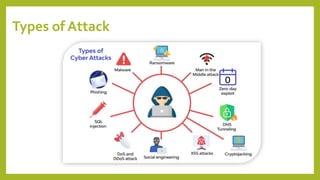
Types of Attack
Types of Attack…
• Every attack has a motivation; the primary motivation for attacks is money.
Hackers breach the system and demand a ransom from the victims. Other motives
include a financial loss to the target, attaining a state's military purpose, harming
the target's reputation, or political manipulation.
The main five types of attacks:
• Distributed denial of service(DDoS)
• Man in the middle
• Email attacks
• Password attacks
• Malware attacks
The DDoS and MITM will note be cover in this sessions.
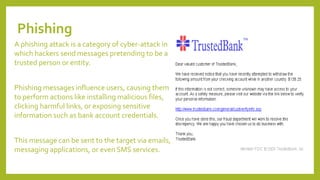
Phishing
A phishing attack is a category of cyber-attack in
which hackers send messages pretending to be a
trusted person or entity.
Phishing messages influence users, causing them
to perform actions like installing malicious files,
clicking harmful links, or exposing sensitive
information such as bank account credentials.
This message can be sent to the target via emails,
messaging applications, or even SMS services.
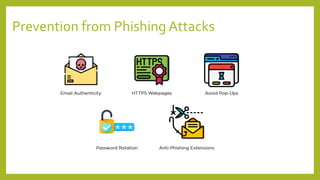
Prevention from Phishing Attacks
Prevention from Phishing Attacks…
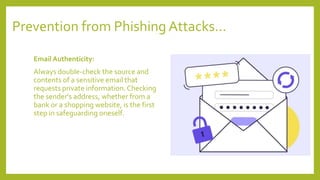
Email Authenticity:
Always double-check the source and
contents of a sensitive email that
requests private information. Checking
the sender's address, whether from a
bank or a shopping website, is the first
step in safeguarding oneself.
Prevention from Phishing Attacks…
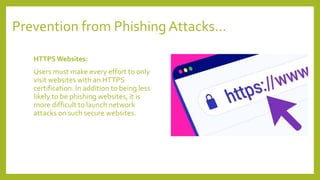
HTTPS Websites:
Users must make every effort to only
visit websites with an HTTPS
certification. In addition to being less
likely to be phishing websites, it is
more difficult to launch network
attacks on such secure websites.
Prevention from Phishing Attacks…
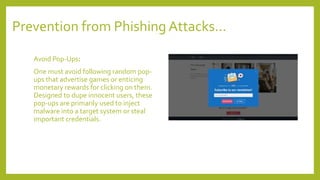
Avoid Pop-Ups:
One must avoid following random pop-
ups that advertise games or enticing
monetary rewards for clicking on them.
Designed to dupe innocent users, these
pop-ups are primarily used to inject
malware into a target system or steal
important credentials.
Prevention from Phishing Attacks…
Password Rotation:
To ensure the best security of our data,
you must change our passwords every
few months. For example, even if a
phishing website successfully obtains
some credentials, there is a good
possibility the target has already reset
the compromised password.
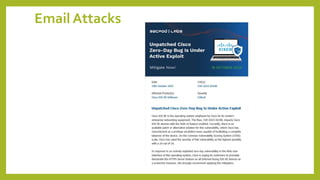
Email Attacks
Spam Emails
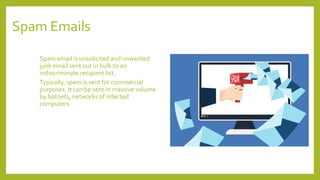
Spam email is unsolicited and unwanted
junk email sent out in bulk to an
indiscriminate recipient list.
Typically, spam is sent for commercial
purposes. It can be sent in massive volume
by botnets, networks of infected
computers.
Email Attachments
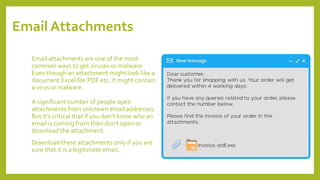
Email attachments are one of the most
common ways to get viruses or malware.
Even though an attachment might look like a
document Excel file.PDF etc. it might contain
a virus or malware.
A significant number of people open
attachments from unknown email addresses.
But it's critical that if you don’t know who an
email is coming from then don't open or
download the attachment.
Download these attachments only if you are
sure that it is a legitimate email.
Password Attacks
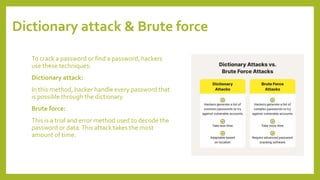
Dictionary attack & Brute force
To crack a password or find a password, hackers
use these techniques:
Dictionary attack:
In this method, hacker handle every password that
is possible through the dictionary.
Brute force:
This is a trial and error method used to decode the
password or data.This attack takes the most
amount of time.
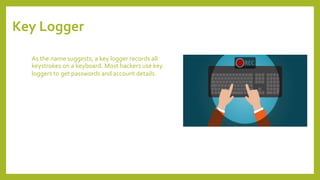
Key Logger
As the name suggests, a key logger records all
keystrokes on a keyboard. Most hackers use key
loggers to get passwords and account details.
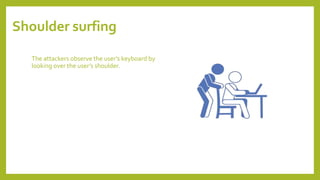
Shoulder surfing
The attackers observe the user’s keyboard by
looking over the user’s shoulder.
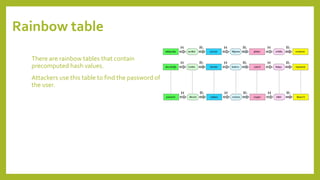
Rainbow table
There are rainbow tables that contain
precomputed hash values.
Attackers use this table to find the password of
the user.
Tips for Password Safety
1. Make sure to use unique passwords across all websites and applications.
2. Enable and utilize 2FA, or two-factor authentication, on all websites that allow it.
3. When you're creating security questions, make sure to choose unique, non-true
answers, so you don't have to worry about someone resetting your password by
knowing information about your personal life, or finding information on your social
media accounts.
4. If a data breach does occur, make sure to fully change your password, not just the
number and symbol, and make sure to change your security questions as well.
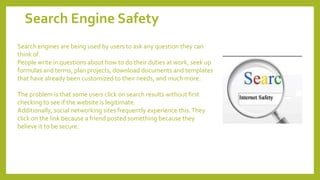
Search Engine Safety
Search engines are being used by users to ask any question they can
think of.
People write in questions about how to do their duties at work, seek up
formulas and terms, plan projects, download documents and templates
that have already been customized to their needs, and much more.
The problem is that some users click on search results without first
checking to see if the website is legitimate.
Additionally, social networking sites frequently experience this.They
click on the link because a friend posted something because they
believe it to be secure.
Tips for Safe Search
• Stick to clicking on sites on the first page of results.
After you start going past the first page, start being very cautious about things that you
click on, because that’s when you're getting results that are not as reputable, not as
commonly clicked on, and don't have as much related content.
• Be careful when clicking on non-name recognizable sites as you don't know where it's
going to take you.
• Be very careful when you're downloading anything that says that it's free, because even if
it is actually free and it is a legitimate download, they might put something on your
computer that you didn't want, or something that is malicious.
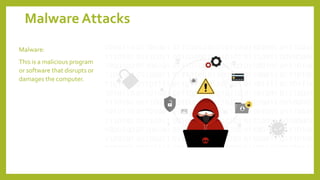
Malware Attacks
Malware:
This is a malicious program
or software that disrupts or
damages the computer.
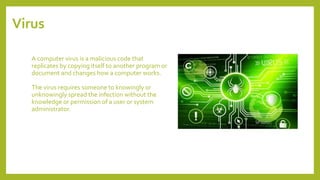
Virus
A computer virus is a malicious code that
replicates by copying itself to another program or
document and changes how a computer works.
The virus requires someone to knowingly or
unknowingly spread the infection without the
knowledge or permission of a user or system
administrator.
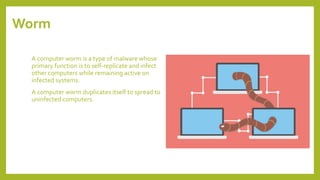
Worm
A computer worm is a type of malware whose
primary function is to self-replicate and infect
other computers while remaining active on
infected systems.
A computer worm duplicates itself to spread to
uninfected computers.
Malware's Functions
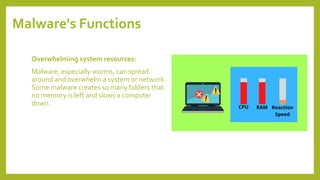
Overwhelming system resources:
Malware, especially worms, can spread
around and overwhelm a system or network.
Some malware creates so many folders that
no memory is left and slows a computer
down.
Malware's Functions…
Creating a backdoor:
Explanation by an example:
Microsoft sends updates every Sunday on all
Windows platforms. How do these updates reach
to yourWindows OS?
They create backdoors from where they can send
updates.
Similarly, hackers create backdoors from where
they can continuously send viruses after getting
into a system.
Malware's Functions…
Disabling security functions:
Some malware can disable antivirus software, as
well as security updates.This malware tends to
last longer because there is no security to stop it.
They tend to keep the system vulnerable to other
malware.
Malware's Functions…
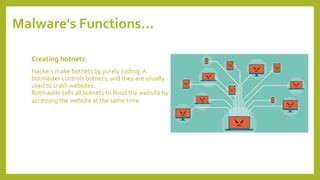
Creating botnets:
Hackers make botnets by purely coding.A
botmaster controls botnets, and they are usually
used to crash websites.
Botmaster tells all botnets to flood the website by
accessing the website at the same time.
Sources of Malware
Sources of Malware
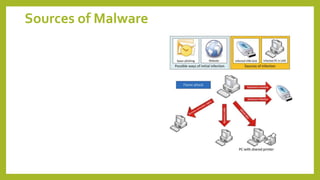
• Removable media, like Pen drive, CDs, and DVDs.
• Viruses can be hidden in document files with the .exe extension.As soon as you open
them, the virus activates.
• If you download from untrusted websites, there may be chances that those files will
contain viruses, and as soon as you open them, the hacker might get access to your
system.
• If the network is unsecured, then it can be accessed by anyone.
• Never open email attachments unless the sender can be trusted.These files may contain
viruses to create backdoors.
• Never click on ads that you don’t trust.They are created so that you can click on them, and
hackers will receive details about you.
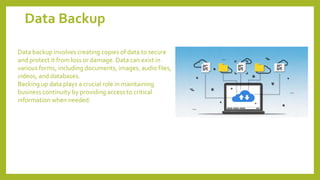
Data Backup
Data backup involves creating copies of data to secure
and protect it from loss or damage. Data can exist in
various forms, including documents, images, audio files,
videos, and databases.
Backing up data plays a crucial role in maintaining
business continuity by providing access to critical
information when needed.
Data Backup
• Local Backup: Local backups provide a practical means of safeguarding data
against cyber threats.They are easy to set up and ensure the availability of an
extra copy of important files stored securely in case of unforeseen events. Local
backups can be performed on same computer different drive and storage devices
like external hard drives.
• Cloud Backup: Cloud backup is an increasingly popular form of data backup,
offering secure storage accessible from anywhere in the world.
Cybersecurity Awareness Training for Employees.pptx

Cybersecurity Awareness Training for Employees.pptx

  • 1.
    Cybersecurity Awareness Mustafa AmiriDate: Monday, November 06,09 & 13, 2023 ICT Manager
  • 2.
  • 3.
    What is Cybersecurity? Cybersecurityis the practice of protecting computers, mobile devices, electronic systems, networks, and data from malicious attacks. In other words: Cybersecurity is the art of protecting networks, devices, and data from unauthorized access or criminal use and the practice of ensuring confidentiality, integrity, and availability of information.
  • 4.
    Why ShouldYou beaware of Cybersecurity? In today’s digital world, we cannot ignore cybersecurity. A single security breach can expose the personal information of employees, project participants, donor details, and financial data of the organization.These breaches have a strong financial impact on the organisation and result in the loss of the trust of donors. Pandemic, cryptocurrency, and the rise in remote working are coming together to create a target-rich environment for criminals to take advantage of. Hence, cybersecurity awareness is very essential to protect organisational and individual data from spammers and cybercriminals.
  • 5.
  • 6.
    Types of Attack… •Every attack has a motivation; the primary motivation for attacks is money. Hackers breach the system and demand a ransom from the victims. Other motives include a financial loss to the target, attaining a state's military purpose, harming the target's reputation, or political manipulation. The main five types of attacks: • Distributed denial of service(DDoS) • Man in the middle • Email attacks • Password attacks • Malware attacks The DDoS and MITM will note be cover in this sessions.
  • 7.
    Phishing A phishing attackis a category of cyber-attack in which hackers send messages pretending to be a trusted person or entity. Phishing messages influence users, causing them to perform actions like installing malicious files, clicking harmful links, or exposing sensitive information such as bank account credentials. This message can be sent to the target via emails, messaging applications, or even SMS services.
  • 8.
  • 9.
    Prevention from PhishingAttacks… Email Authenticity: Always double-check the source and contents of a sensitive email that requests private information. Checking the sender's address, whether from a bank or a shopping website, is the first step in safeguarding oneself.
  • 10.
    Prevention from PhishingAttacks… HTTPS Websites: Users must make every effort to only visit websites with an HTTPS certification. In addition to being less likely to be phishing websites, it is more difficult to launch network attacks on such secure websites.
  • 11.
    Prevention from PhishingAttacks… Avoid Pop-Ups: One must avoid following random pop- ups that advertise games or enticing monetary rewards for clicking on them. Designed to dupe innocent users, these pop-ups are primarily used to inject malware into a target system or steal important credentials.
  • 12.
    Prevention from PhishingAttacks… Password Rotation: To ensure the best security of our data, you must change our passwords every few months. For example, even if a phishing website successfully obtains some credentials, there is a good possibility the target has already reset the compromised password.
  • 13.
  • 14.
    Spam Emails Spam emailis unsolicited and unwanted junk email sent out in bulk to an indiscriminate recipient list. Typically, spam is sent for commercial purposes. It can be sent in massive volume by botnets, networks of infected computers.
  • 15.
    Email Attachments Email attachmentsare one of the most common ways to get viruses or malware. Even though an attachment might look like a document Excel file.PDF etc. it might contain a virus or malware. A significant number of people open attachments from unknown email addresses. But it's critical that if you don’t know who an email is coming from then don't open or download the attachment. Download these attachments only if you are sure that it is a legitimate email.
  • 16.
  • 17.
    Dictionary attack &Brute force To crack a password or find a password, hackers use these techniques: Dictionary attack: In this method, hacker handle every password that is possible through the dictionary. Brute force: This is a trial and error method used to decode the password or data.This attack takes the most amount of time.
  • 18.
    Key Logger As thename suggests, a key logger records all keystrokes on a keyboard. Most hackers use key loggers to get passwords and account details.
  • 19.
    Shoulder surfing The attackersobserve the user’s keyboard by looking over the user’s shoulder.
  • 20.
    Rainbow table There arerainbow tables that contain precomputed hash values. Attackers use this table to find the password of the user.
  • 21.
    Tips for PasswordSafety 1. Make sure to use unique passwords across all websites and applications. 2. Enable and utilize 2FA, or two-factor authentication, on all websites that allow it. 3. When you're creating security questions, make sure to choose unique, non-true answers, so you don't have to worry about someone resetting your password by knowing information about your personal life, or finding information on your social media accounts. 4. If a data breach does occur, make sure to fully change your password, not just the number and symbol, and make sure to change your security questions as well.
  • 22.
    Search Engine Safety Searchengines are being used by users to ask any question they can think of. People write in questions about how to do their duties at work, seek up formulas and terms, plan projects, download documents and templates that have already been customized to their needs, and much more. The problem is that some users click on search results without first checking to see if the website is legitimate. Additionally, social networking sites frequently experience this.They click on the link because a friend posted something because they believe it to be secure.
  • 23.
    Tips for SafeSearch • Stick to clicking on sites on the first page of results. After you start going past the first page, start being very cautious about things that you click on, because that’s when you're getting results that are not as reputable, not as commonly clicked on, and don't have as much related content. • Be careful when clicking on non-name recognizable sites as you don't know where it's going to take you. • Be very careful when you're downloading anything that says that it's free, because even if it is actually free and it is a legitimate download, they might put something on your computer that you didn't want, or something that is malicious.
  • 24.
    Malware Attacks Malware: This isa malicious program or software that disrupts or damages the computer.
  • 25.
    Virus A computer virusis a malicious code that replicates by copying itself to another program or document and changes how a computer works. The virus requires someone to knowingly or unknowingly spread the infection without the knowledge or permission of a user or system administrator.
  • 26.
    Worm A computer wormis a type of malware whose primary function is to self-replicate and infect other computers while remaining active on infected systems. A computer worm duplicates itself to spread to uninfected computers.
  • 27.
    Malware's Functions Overwhelming systemresources: Malware, especially worms, can spread around and overwhelm a system or network. Some malware creates so many folders that no memory is left and slows a computer down.
  • 28.
    Malware's Functions… Creating abackdoor: Explanation by an example: Microsoft sends updates every Sunday on all Windows platforms. How do these updates reach to yourWindows OS? They create backdoors from where they can send updates. Similarly, hackers create backdoors from where they can continuously send viruses after getting into a system.
  • 29.
    Malware's Functions… Disabling securityfunctions: Some malware can disable antivirus software, as well as security updates.This malware tends to last longer because there is no security to stop it. They tend to keep the system vulnerable to other malware.
  • 30.
    Malware's Functions… Creating botnets: Hackersmake botnets by purely coding.A botmaster controls botnets, and they are usually used to crash websites. Botmaster tells all botnets to flood the website by accessing the website at the same time.
  • 31.
  • 32.
    Sources of Malware •Removable media, like Pen drive, CDs, and DVDs. • Viruses can be hidden in document files with the .exe extension.As soon as you open them, the virus activates. • If you download from untrusted websites, there may be chances that those files will contain viruses, and as soon as you open them, the hacker might get access to your system. • If the network is unsecured, then it can be accessed by anyone. • Never open email attachments unless the sender can be trusted.These files may contain viruses to create backdoors. • Never click on ads that you don’t trust.They are created so that you can click on them, and hackers will receive details about you.
  • 33.
    Data Backup Data backupinvolves creating copies of data to secure and protect it from loss or damage. Data can exist in various forms, including documents, images, audio files, videos, and databases. Backing up data plays a crucial role in maintaining business continuity by providing access to critical information when needed.
  • 34.
    Data Backup • LocalBackup: Local backups provide a practical means of safeguarding data against cyber threats.They are easy to set up and ensure the availability of an extra copy of important files stored securely in case of unforeseen events. Local backups can be performed on same computer different drive and storage devices like external hard drives. • Cloud Backup: Cloud backup is an increasingly popular form of data backup, offering secure storage accessible from anywhere in the world.

Editor's Notes

  • #2 Hello everyone today we're here to talk about cybersecurity and how it affects our organization.
  • #3 Cyber security awareness training will help us to identify, prevent and respond to cyber threats. The goal is to create a culture of security awareness within Afghanaid, so that all employees are better equipped to protect organisational data from cyber attacks.