SOFTWARE
Hasannor M. Mandi
Mustapha Sultansarip
Jhun Fred Somosa
Jill Marie Panugan
 Computer hardware would be useless without
software, the lists of instructions which tell the
hardware what to do.
 Computers require various types of software to
make them useful. These can be classified as
follows:
1. Operating System
2. Applications software
 When choosing software it is important to examine
the system requirements to make sure that the
software will run on the hardware.
 System requirements will typically include details on:
 MEMORY
- How much RAM is required for the software.
 STORAGE requirements
- How much Hard Disk space is required for the software.
 OS compatibility
- which operating system it requires.
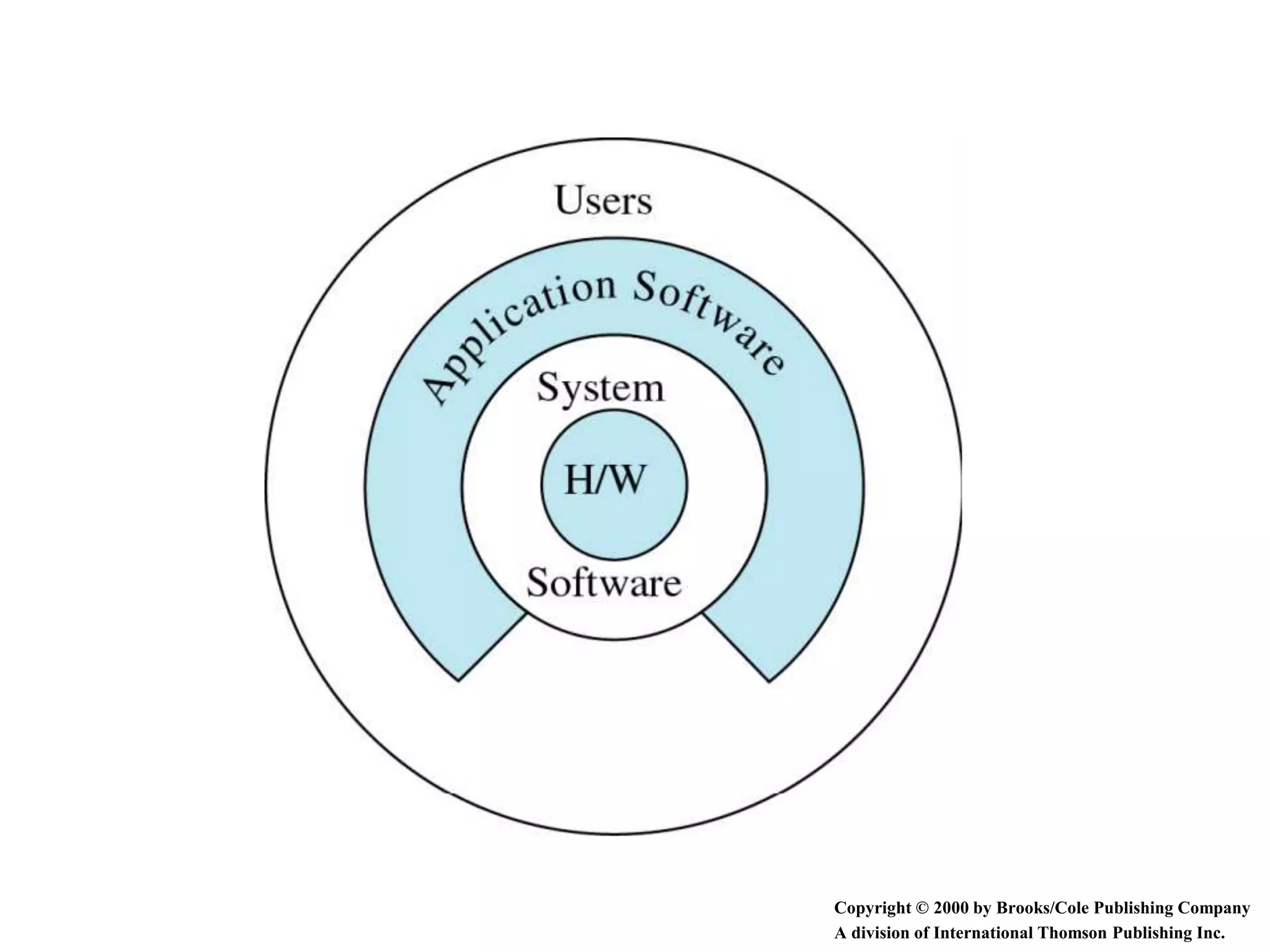
 Application software
 Easy to use programs designed to perform specific
tasks
 System software
 Programs that support the execution and
development of other programs
 Two major types
▪ Operating systems
▪ Translation systems (compilers & linkers)
Copyright © 2000 by Brooks/Cole Publishing Company
A division of International Thomson Publishing Inc.
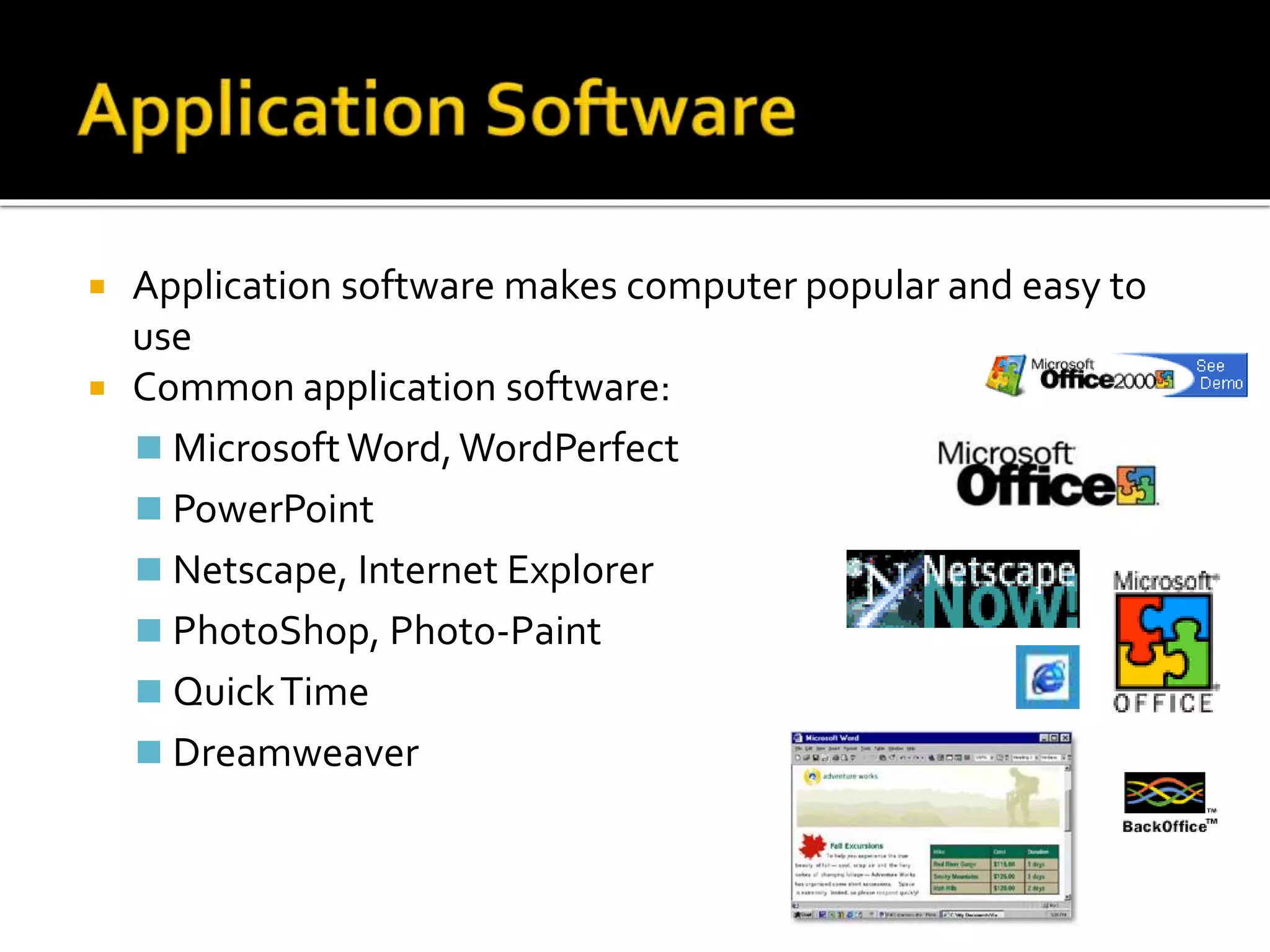
 Application software makes computer popular and easy to
use
 Common application software:
 MicrosoftWord,WordPerfect
 PowerPoint
 Netscape, Internet Explorer
 PhotoShop, Photo-Paint
 QuickTime
 Dreamweaver
 Controls and manages the computing resources
 Examples
 Windows, Unix, MSDOS,
 Important services that an operating system
provides:
 Security: prevent unauthorized users from accessing the
system
 Commands to manipulate the file system
 Input and output on a variety of devices
 Window management
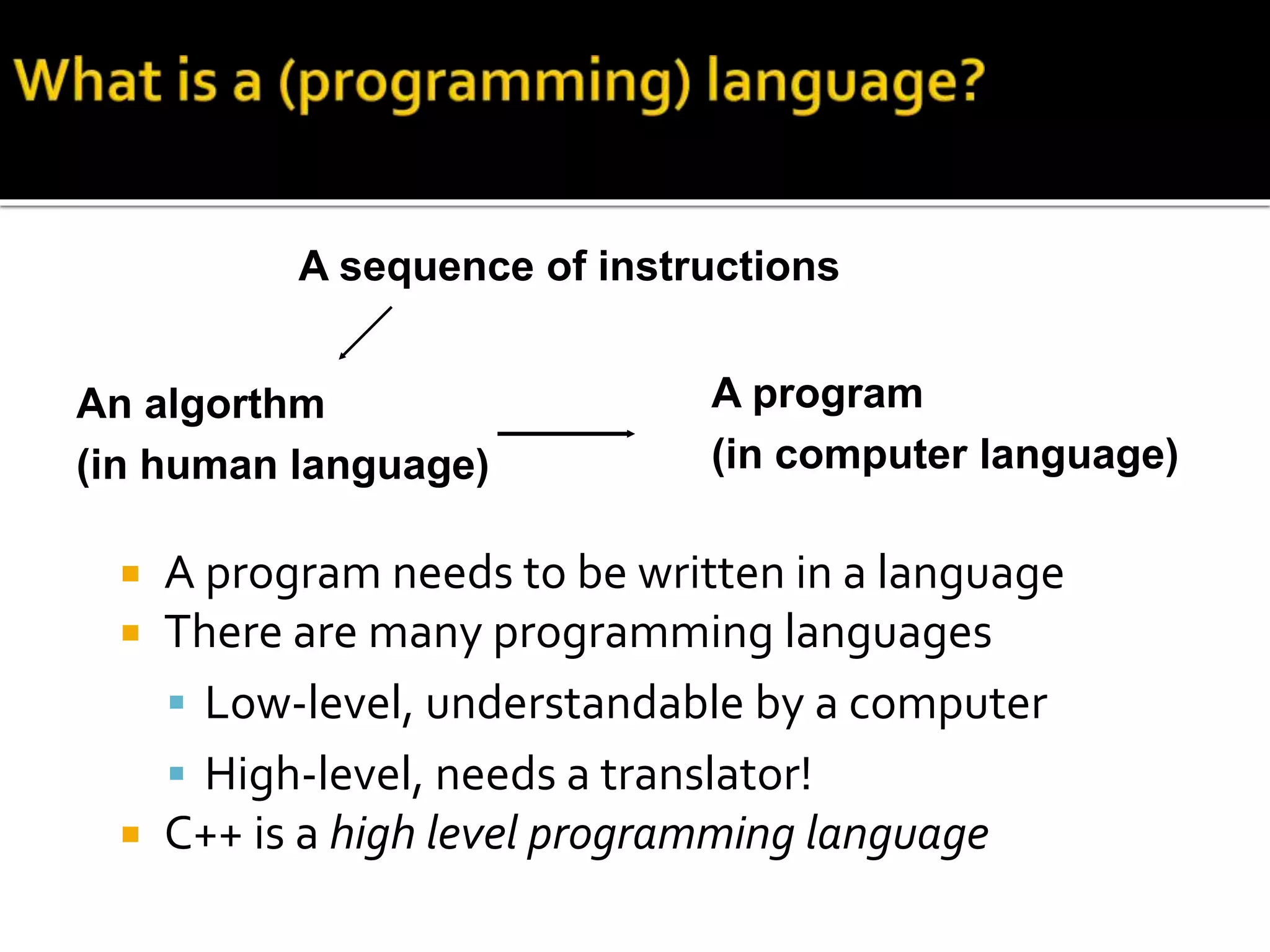
 A program needs to be written in a language
 There are many programming languages
 Low-level, understandable by a computer
 High-level, needs a translator!
 C++ is a high level programming language
A sequence of instructions
A program
(in computer language)
An algorthm
(in human language)
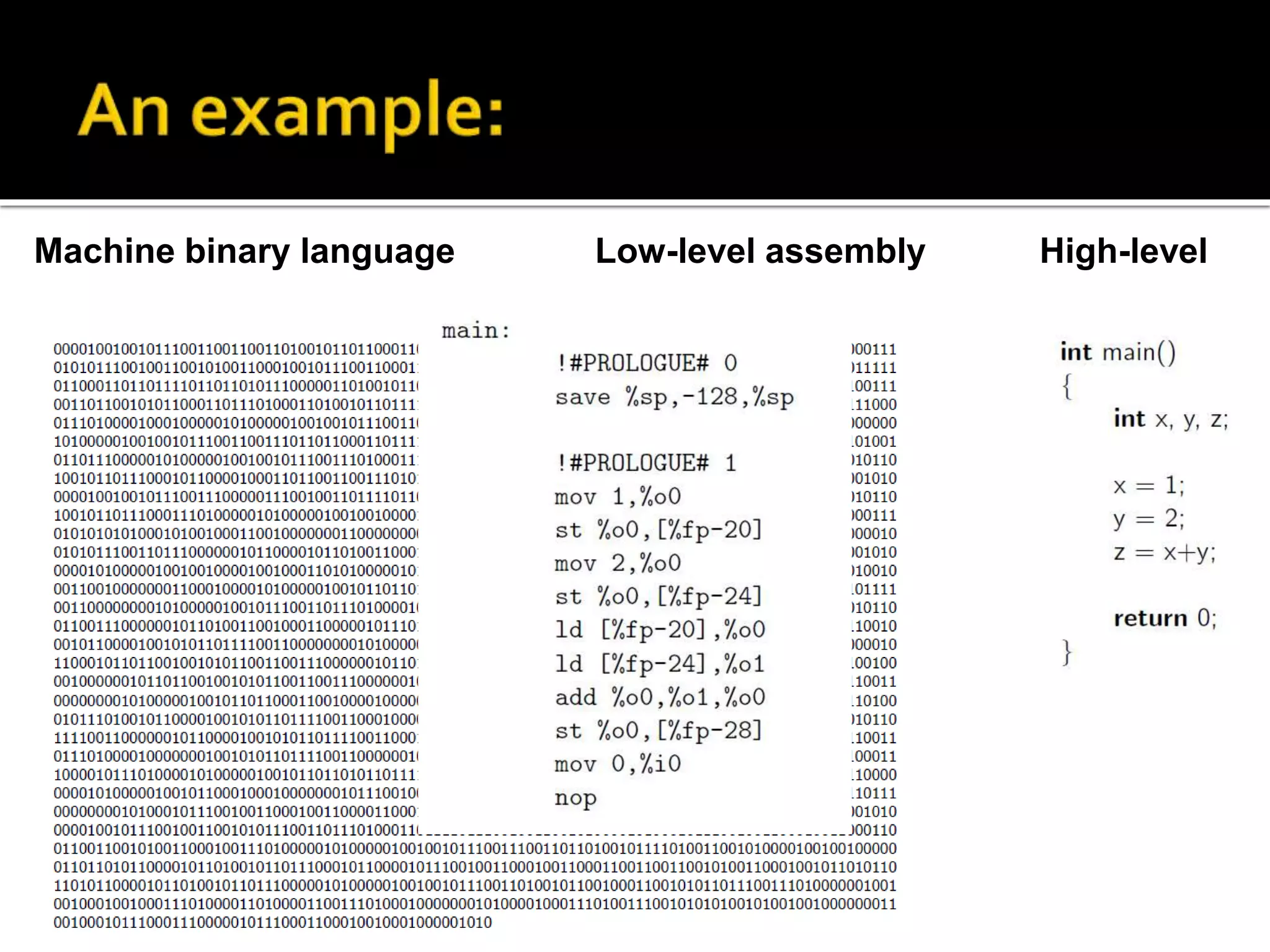
 Machine binary language: unintelligible
 Low-level assembly language
 Mnemonic names for machine operations
 Explicit manipulation of memory addresses
 Machine-dependent
 High-level language
 Readable
 Machine-independent
Machine binary language Low-level assembly High-level
Examples of compilers:
 MicrosoftVisual C++, Eclipse, g++
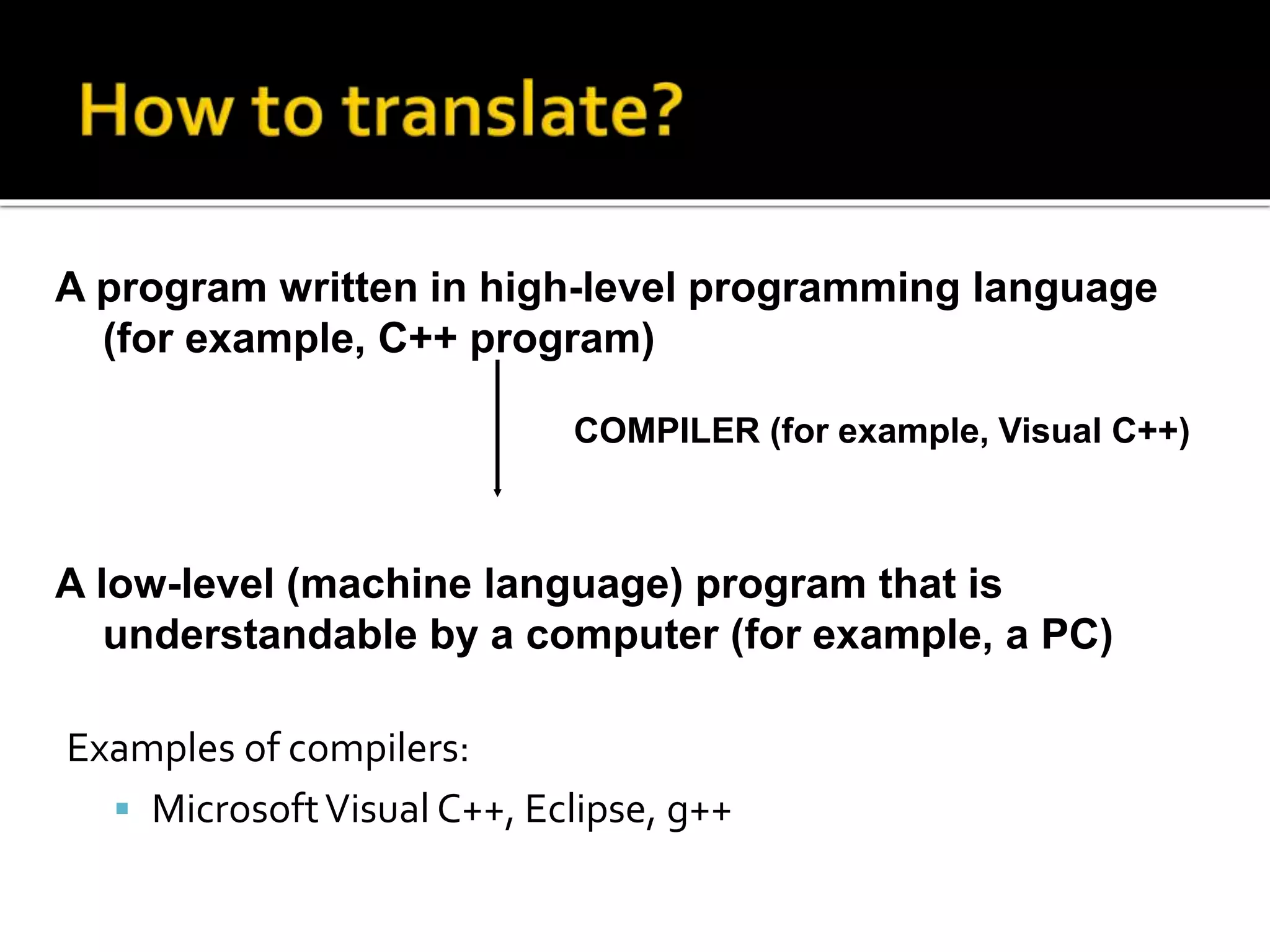
A program written in high-level programming language
(for example, C++ program)
A low-level (machine language) program that is
understandable by a computer (for example, a PC)
COMPILER (for example, Visual C++)
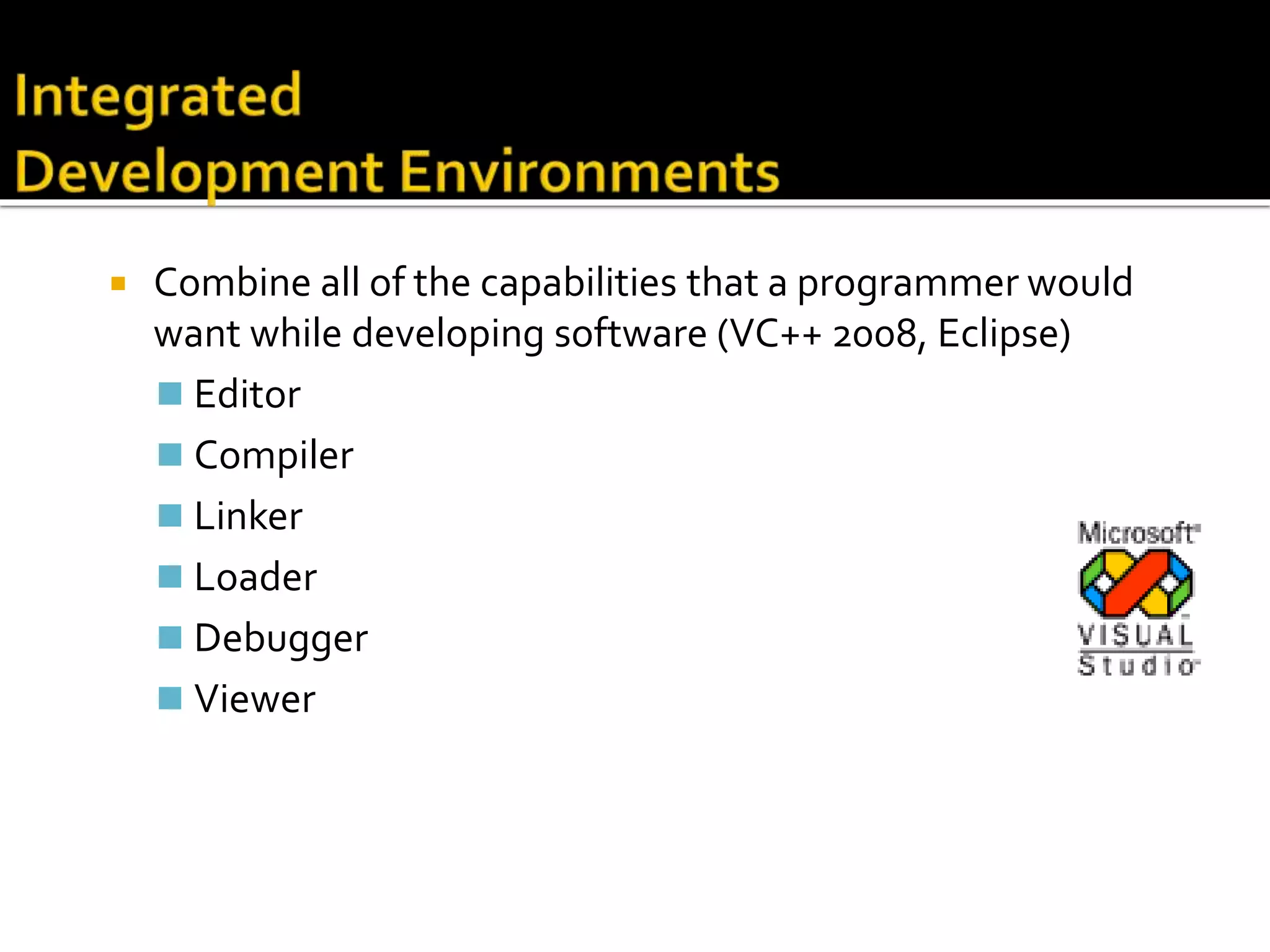
 Set of programs used to develop software
 Types of translators:
Compiler
Linker
 Examples
 MicrosoftVisual C++, Eclipse, g++
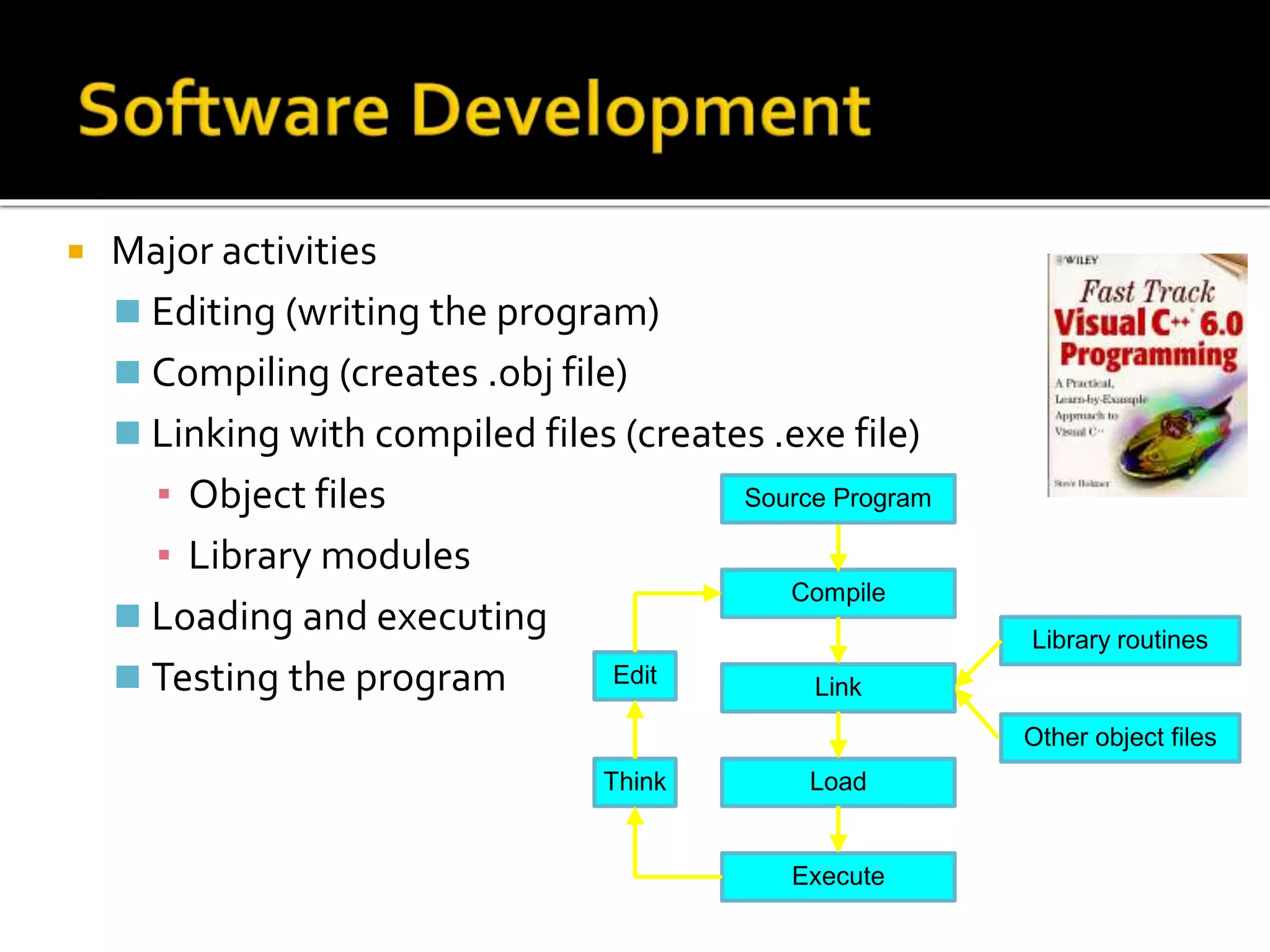
 Major activities
 Editing (writing the program)
 Compiling (creates .obj file)
 Linking with compiled files (creates .exe file)
▪ Object files
▪ Library modules
 Loading and executing
 Testing the program
Compile
Link
Library routines
Other object files
Think
Edit
Load
Execute
Source Program
 Combine all of the capabilities that a programmer would
want while developing software (VC++ 2008, Eclipse)
 Editor
 Compiler
 Linker
 Loader
 Debugger
 Viewer
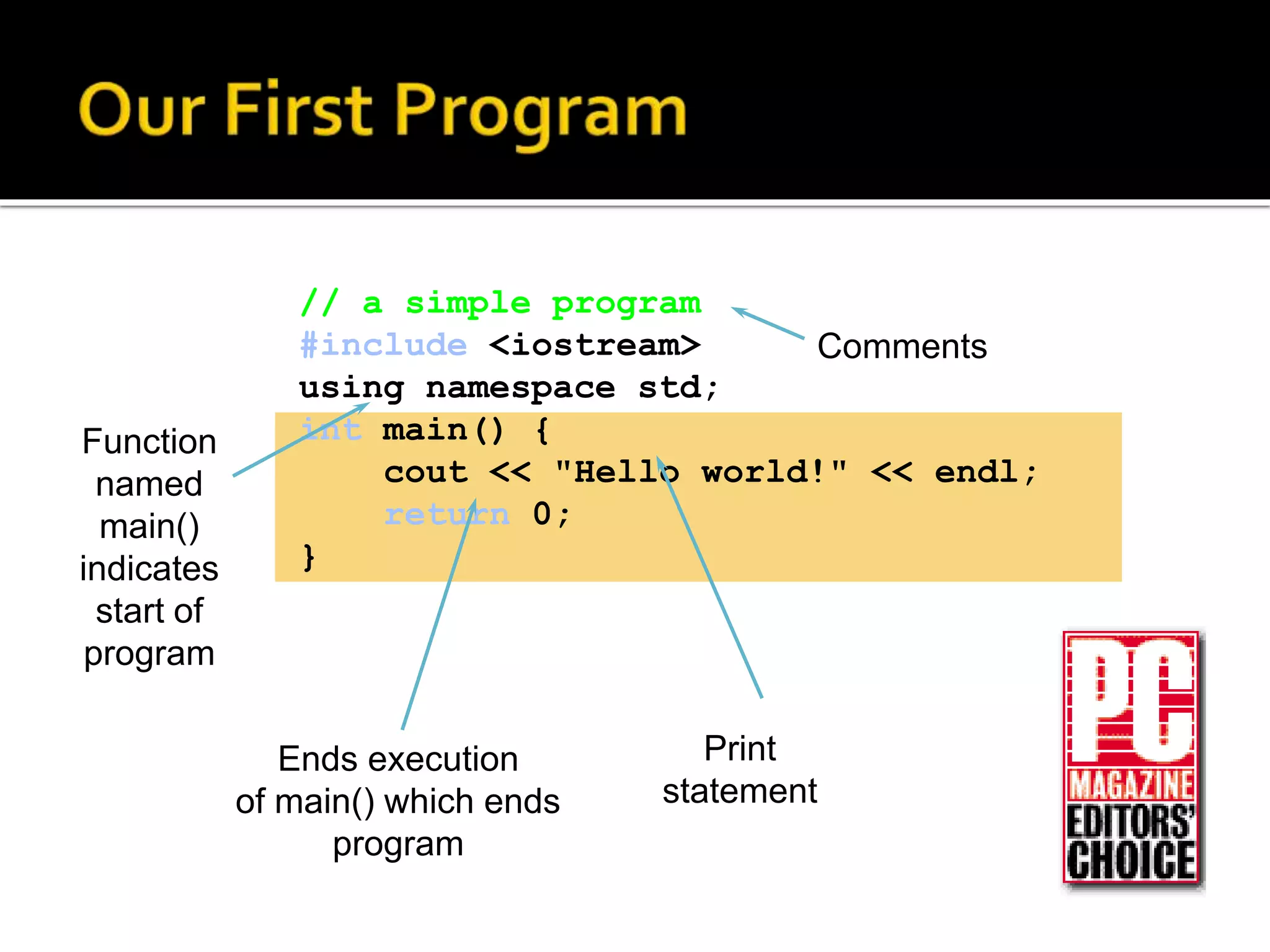
// a simple program
#include <iostream>
using namespace std;
int main() {
cout << "Hello world!" << endl;
return 0;
}
Print
statement
Ends execution
of main() which ends
program
Comments
Function
named
main()
indicates
start of
program
SOFTWARE

SOFTWARE

  • 1.
    SOFTWARE Hasannor M. Mandi MustaphaSultansarip Jhun Fred Somosa Jill Marie Panugan
  • 2.
     Computer hardwarewould be useless without software, the lists of instructions which tell the hardware what to do.  Computers require various types of software to make them useful. These can be classified as follows: 1. Operating System 2. Applications software
  • 3.
     When choosingsoftware it is important to examine the system requirements to make sure that the software will run on the hardware.  System requirements will typically include details on:  MEMORY - How much RAM is required for the software.  STORAGE requirements - How much Hard Disk space is required for the software.  OS compatibility - which operating system it requires.
  • 4.
     Application software Easy to use programs designed to perform specific tasks  System software  Programs that support the execution and development of other programs  Two major types ▪ Operating systems ▪ Translation systems (compilers & linkers)
  • 5.
    Copyright © 2000by Brooks/Cole Publishing Company A division of International Thomson Publishing Inc.
  • 6.
     Application softwaremakes computer popular and easy to use  Common application software:  MicrosoftWord,WordPerfect  PowerPoint  Netscape, Internet Explorer  PhotoShop, Photo-Paint  QuickTime  Dreamweaver
  • 7.
     Controls andmanages the computing resources  Examples  Windows, Unix, MSDOS,  Important services that an operating system provides:  Security: prevent unauthorized users from accessing the system  Commands to manipulate the file system  Input and output on a variety of devices  Window management
  • 8.
     A programneeds to be written in a language  There are many programming languages  Low-level, understandable by a computer  High-level, needs a translator!  C++ is a high level programming language A sequence of instructions A program (in computer language) An algorthm (in human language)
  • 9.
     Machine binarylanguage: unintelligible  Low-level assembly language  Mnemonic names for machine operations  Explicit manipulation of memory addresses  Machine-dependent  High-level language  Readable  Machine-independent
  • 10.
    Machine binary languageLow-level assembly High-level
  • 11.
    Examples of compilers: MicrosoftVisual C++, Eclipse, g++ A program written in high-level programming language (for example, C++ program) A low-level (machine language) program that is understandable by a computer (for example, a PC) COMPILER (for example, Visual C++)
  • 12.
     Set ofprograms used to develop software  Types of translators: Compiler Linker  Examples  MicrosoftVisual C++, Eclipse, g++
  • 13.
     Major activities Editing (writing the program)  Compiling (creates .obj file)  Linking with compiled files (creates .exe file) ▪ Object files ▪ Library modules  Loading and executing  Testing the program Compile Link Library routines Other object files Think Edit Load Execute Source Program
  • 14.
     Combine allof the capabilities that a programmer would want while developing software (VC++ 2008, Eclipse)  Editor  Compiler  Linker  Loader  Debugger  Viewer
  • 15.
    // a simpleprogram #include <iostream> using namespace std; int main() { cout << "Hello world!" << endl; return 0; } Print statement Ends execution of main() which ends program Comments Function named main() indicates start of program