Getting Started With  Social Media  Daniel Ionescu MD,  Stonebow Media
What is Social Media?
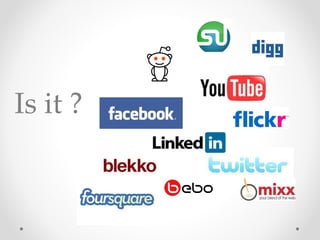
Is it ?
NO.
So, what is it then?
It ’ s YOU!
It ’ s what WE DO...  with the technology like Facebook, Twitter....
How BIG is it?
500 BILLION minutes spent on Facebook per month .
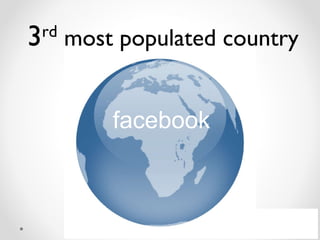
facebook 3 rd  most populated country
700 million active users - of which 50% log on every day! - over 60 million status updates every day
65 million tweets per day 75 million accounts (of which 15 million active)
80% Fortune 500  companies use LinkedIn for recruitments 1.5 million pieces of content (photos, posts, blogs, web links) are shared on FB daily  80% of twitter usage is  from mobile devices. People will post anytime, anywhere. Imagine what this means if your customer service is bad
So... how do you use  Social Media for business?
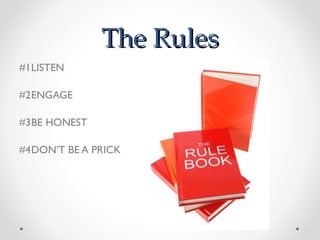
The Rules #1 LISTEN #2 ENGAGE #3 BE HONEST #4 DON ’ T BE A PRICK
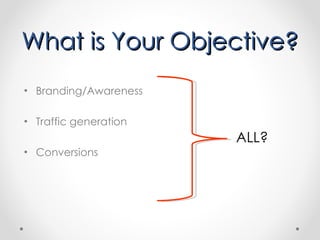
What is Your Objective? Branding/Awareness Traffic generation Conversions ALL?
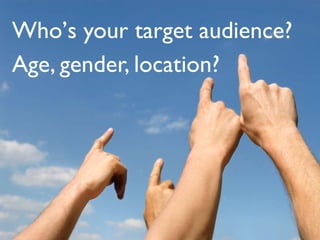
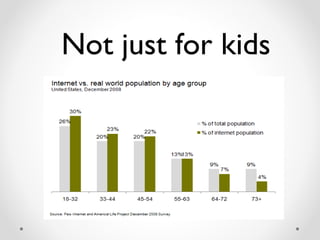
Who ’ s your target audience? Age, gender, location?
Not just for kids
 
don ’ t just sit and wait for it to be discovered
SPREAD   the word... this is when you should be using:
social networking { where friends meet tweeps }
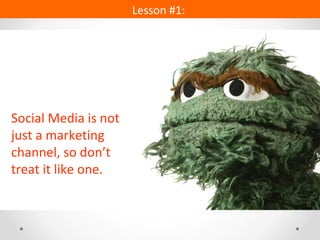
Social Media is not just a marketing channel, so don ’t treat it like one. Lesson #1:
What can Social Media be used for ? Advertising Selling Reputation Management Listening Customer service Co-creating products Creating B2B relationships
 
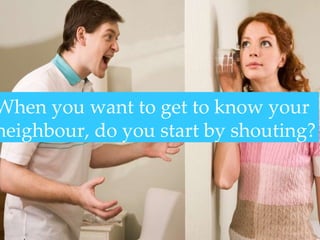
When you want to get to know your neighbour, do you start by shouting?
Twitter – A Brief Short 140-character messages known as “tweets”. Purpose: To connect actively over pertinent topics/trends.  Develops a company personality online. Q: How many of you are on Twitter now? Who do you follow?
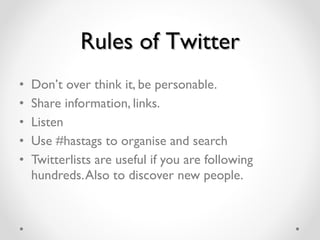
Rules of Twitter Don ’ t over think it, be personable.  Share information, links.  Listen Use #hastags to organise and search  Twitterlists are useful if you are following hundreds. Also to discover new people.
HOW TO: Twitter Free. 30 min initial setup. “ Tweet” at least once a day. TIP: Make it simple.  Link your posts from your blog & Facebook to your Twitter.  1 post = 3 places.
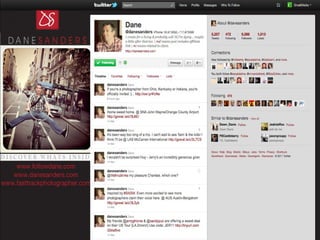
HOW TO: Twitter, cont’d. TIP: Don’t post sales pitches. Build relationships. Respond. TIP: Customize your background  with your logo and contact info. Q: Are you on Twitter now? Have you seen the new Dashboard?
 
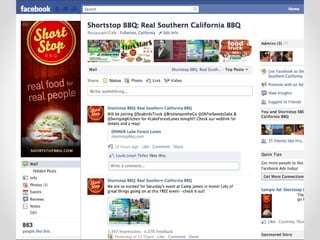
Facebook – A Brief Profile & fan page network of pictures, posts & videos. Purpose:   To create an online community around the sharing of company events, reviews, notables and highlights. Q: Do you follow companies on Facebook? Who do you “Like”?
HOW TO: Facebook Free. 60 min setup. Post at least once a week. TIP: Have the admin use a personal profile page first.  Only create a business fan page, not a profile.  TIP: Claim your vanity URL after 25 fans. Use 75 characters to maximize your keyword use! To reserve your name: Facebook.com/pages/create.php
 
 
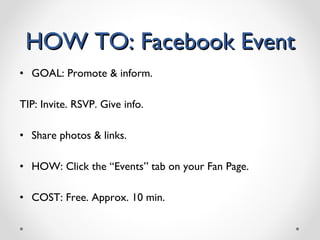
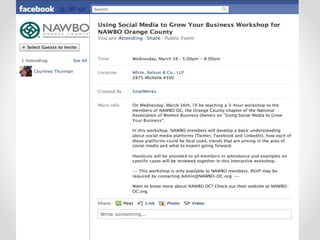
HOW TO: Facebook Event GOAL: Promote & inform. TIP: Invite. RSVP. Give info. Share photos & links. HOW: Click the “Events” tab on your Fan Page.  COST: Free. Approx. 10 min.
 
LinkedIn – A Brief Social network for businesses and professionals. Purpose: To position and gain credibility as an expert. Build your network for referral sales/connections. Q: Have you reserved your custom Profile URL? What groups are you engaging with?
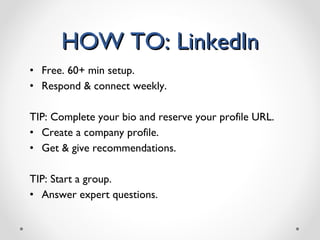
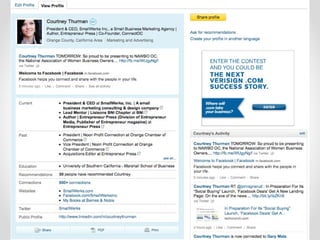
HOW TO: LinkedIn Free. 60+ min setup. Respond & connect weekly. TIP: Complete your bio and reserve your profile URL. Create a company profile. Get & give recommendations. TIP: Start a group.  Answer expert questions.
 
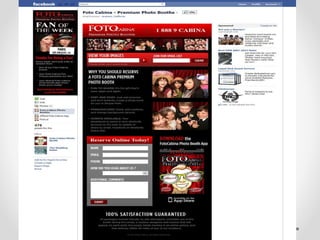
Social Media Account Reviews Let’s pull up a few social media accounts and do a review.  Q: Do you want us to look at your LinkedIn account? Q: Do you have a Fan Page we can review? ACTION: Let’s setup an example event listing.
Social Media Ways to Get Started Let’s refer to our Getting Started Worksheets. Q: What does getting started look like for your business? Let’s run some examples and reviews for some of your specific businesses.
TIPS: What NOT To Do Don ’ t… Push only your content online about special offers or sales. Pitch 25% of the time, connect/give back the rest. Leave your clients out of the mix or ignore them. Example: Toyota ’ s PR nightmare. Forget that it ’ s about fostering positive relationships and not just about sales.
Example: Social Media Content Outline Mondays:  Post galleries of events from the weekend, thank guests, tag people and give shout outs to vendors. Tuesdays:  Post the weekly blog post and add a quote or announce mid-week events. Wednesdays:  Post a quote or a picture of a random Fan of the Week. This might be taken from some of your great galleries you already have. Announce Friday events. Thursdays:  Give a fun fact or DYK (Did You Know) tidbit about events, photos, etc. Post a poll for feedback. Appreciate people who ’ ve responded during the week by tagging them in a post. Fridays:  Announce weekend events, congratulate couples who are maybe hitting milestones, post some more pictures or celebrate charity events going on over the weekend to support causes.
@danielionescu Thank You! Email: daniel@stonebowmedia.co.uk Web:  www.stonebowmedia.co.uk www.thelincolnite.co.uk

Social media presentation

  • 1.
    Getting Started With Social Media Daniel Ionescu MD, Stonebow Media
  • 2.
  • 3.
  • 4.
  • 5.
    So, what isit then?
  • 6.
  • 7.
    It ’ swhat WE DO... with the technology like Facebook, Twitter....
  • 8.
  • 9.
    500 BILLION minutesspent on Facebook per month .
  • 10.
    facebook 3 rd most populated country
  • 11.
    700 million activeusers - of which 50% log on every day! - over 60 million status updates every day
  • 12.
    65 million tweetsper day 75 million accounts (of which 15 million active)
  • 13.
    80% Fortune 500 companies use LinkedIn for recruitments 1.5 million pieces of content (photos, posts, blogs, web links) are shared on FB daily 80% of twitter usage is from mobile devices. People will post anytime, anywhere. Imagine what this means if your customer service is bad
  • 14.
    So... how doyou use Social Media for business?
  • 15.
    The Rules #1LISTEN #2 ENGAGE #3 BE HONEST #4 DON ’ T BE A PRICK
  • 16.
    What is YourObjective? Branding/Awareness Traffic generation Conversions ALL?
  • 17.
    Who ’ syour target audience? Age, gender, location?
  • 18.
  • 19.
  • 20.
    don ’ tjust sit and wait for it to be discovered
  • 21.
    SPREAD the word... this is when you should be using:
  • 22.
    social networking {where friends meet tweeps }
  • 23.
    Social Media isnot just a marketing channel, so don ’t treat it like one. Lesson #1:
  • 24.
    What can SocialMedia be used for ? Advertising Selling Reputation Management Listening Customer service Co-creating products Creating B2B relationships
  • 25.
  • 26.
    When you wantto get to know your neighbour, do you start by shouting?
  • 27.
    Twitter – ABrief Short 140-character messages known as “tweets”. Purpose: To connect actively over pertinent topics/trends. Develops a company personality online. Q: How many of you are on Twitter now? Who do you follow?
  • 28.
    Rules of TwitterDon ’ t over think it, be personable. Share information, links. Listen Use #hastags to organise and search Twitterlists are useful if you are following hundreds. Also to discover new people.
  • 29.
    HOW TO: TwitterFree. 30 min initial setup. “ Tweet” at least once a day. TIP: Make it simple. Link your posts from your blog & Facebook to your Twitter. 1 post = 3 places.
  • 30.
    HOW TO: Twitter,cont’d. TIP: Don’t post sales pitches. Build relationships. Respond. TIP: Customize your background with your logo and contact info. Q: Are you on Twitter now? Have you seen the new Dashboard?
  • 31.
  • 32.
    Facebook – ABrief Profile & fan page network of pictures, posts & videos. Purpose: To create an online community around the sharing of company events, reviews, notables and highlights. Q: Do you follow companies on Facebook? Who do you “Like”?
  • 33.
    HOW TO: FacebookFree. 60 min setup. Post at least once a week. TIP: Have the admin use a personal profile page first. Only create a business fan page, not a profile. TIP: Claim your vanity URL after 25 fans. Use 75 characters to maximize your keyword use! To reserve your name: Facebook.com/pages/create.php
  • 34.
  • 35.
  • 36.
    HOW TO: FacebookEvent GOAL: Promote & inform. TIP: Invite. RSVP. Give info. Share photos & links. HOW: Click the “Events” tab on your Fan Page. COST: Free. Approx. 10 min.
  • 37.
  • 38.
    LinkedIn – ABrief Social network for businesses and professionals. Purpose: To position and gain credibility as an expert. Build your network for referral sales/connections. Q: Have you reserved your custom Profile URL? What groups are you engaging with?
  • 39.
    HOW TO: LinkedInFree. 60+ min setup. Respond & connect weekly. TIP: Complete your bio and reserve your profile URL. Create a company profile. Get & give recommendations. TIP: Start a group. Answer expert questions.
  • 40.
  • 41.
    Social Media AccountReviews Let’s pull up a few social media accounts and do a review. Q: Do you want us to look at your LinkedIn account? Q: Do you have a Fan Page we can review? ACTION: Let’s setup an example event listing.
  • 42.
    Social Media Waysto Get Started Let’s refer to our Getting Started Worksheets. Q: What does getting started look like for your business? Let’s run some examples and reviews for some of your specific businesses.
  • 43.
    TIPS: What NOTTo Do Don ’ t… Push only your content online about special offers or sales. Pitch 25% of the time, connect/give back the rest. Leave your clients out of the mix or ignore them. Example: Toyota ’ s PR nightmare. Forget that it ’ s about fostering positive relationships and not just about sales.
  • 44.
    Example: Social MediaContent Outline Mondays: Post galleries of events from the weekend, thank guests, tag people and give shout outs to vendors. Tuesdays: Post the weekly blog post and add a quote or announce mid-week events. Wednesdays: Post a quote or a picture of a random Fan of the Week. This might be taken from some of your great galleries you already have. Announce Friday events. Thursdays: Give a fun fact or DYK (Did You Know) tidbit about events, photos, etc. Post a poll for feedback. Appreciate people who ’ ve responded during the week by tagging them in a post. Fridays: Announce weekend events, congratulate couples who are maybe hitting milestones, post some more pictures or celebrate charity events going on over the weekend to support causes.
  • 45.
    @danielionescu Thank You!Email: daniel@stonebowmedia.co.uk Web: www.stonebowmedia.co.uk www.thelincolnite.co.uk

Editor's Notes

  • #25 Hershey’s Bliss Zappos Dell Mattel GE Ecomagination