Social Media
Master Class:
Event Marketing &
Customer Service
2
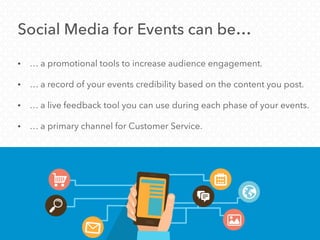
Social Media for Events can be…
• … a promotional tools to increase audience engagement.
• … a record of your events credibility based on the content you post.
• … a live feedback tool you can use during each phase of your events.
• … a primary channel for Customer Service.
The Big 3 & What to Watch
Getting Started:
– Facebook
– Twitter
– LinkedIn
– Pinterest and Instagram can be
great, depending on your
audience and their active
engagement with your social
channels.
Which Channels to Use?
• If you are just developing you social media presence for your
Event, start the big three:
What to Watch For
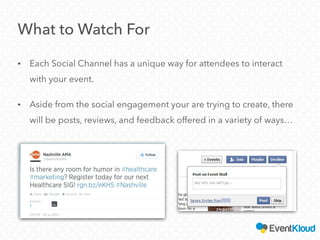
• Each Social Channel has a unique way for attendees to interact
with your event.
• Aside from the social engagement your are trying to create, there
will be posts, reviews, and feedback offered in a variety of ways…
Facebook
• Create a Page or Event
– If you host an annual event, consider creating a page for the
event and new Events each year
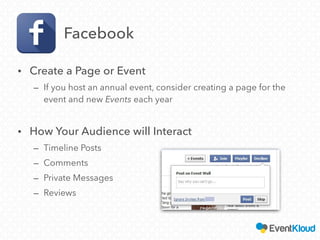
• How Your Audience will Interact
– Timeline Posts
– Comments
– Private Messages
– Reviews
LinkedIn
• Create a Company Page and Group promoting your event
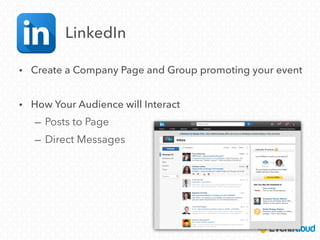
• How Your Audience will Interact
– Posts to Page
– Direct Messages
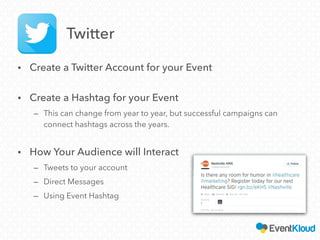
• Create a Twitter Account for your Event
• Create a Hashtag for your Event
– This can change from year to year, but successful campaigns can
connect hashtags across the years.
• How Your Audience will Interact
– Tweets to your account
– Direct Messages
– Using Event Hashtag
Twitter
A Few Others to Watch
Instagram & Pinterest
• Guests will use photo based social networks
to post pictures, both good and bad.
• Provide Instagram-/Pinterest-able moments
at your events.
Google Alerts
• Occasionally, feedback/questions will get
posted regarding your event where you may
not expect. Google Alerts can scour the web
to find references to your event based on
keywords.
Smart Social Media
Management
Divide and Conquer
• Most engagement through social media will fall into a few
categories:
– Casual Conversation Around Your Event
– Frequently Asked Questions
– Feedback/Complaints
– Intentional Engagement (Responses to posted questions, CTA’s,
Contests, etc..)
– Sales Related
• Events will likely have someone who manages each area,
i.e. Marketing, Support, Sales, etc…
For Marketing/PR
• Any activity or conversations your
target audience are having about
your event.
• Posts or comments made by event
or target audience related
influencers.
• Any responses to posts soliciting
engagement from your following –
event photos, contests, responses to
questions, polls, etc…
For Support
• Frequently Asked Questions
• Feedback/Complaints
• Situation Based Question
(Weather, Traffic, Lane Closure,
Emergencies)
For Sales
• Sponsorship Inquiries
• Case by Case ticketing
information (requests for bulk
tickets, discount requests, etc…)
15
Delegate
Categorize the best person to respond based on the
type of inquiry:
– You can either forward that note to the team responsible for
that area of your event or…
– Have the appropriate team put together responses to the
frequently asked questions that you can easily reference, copy
and paste.
Pro-Tips
• You will start seeing patterns in the types
of questions or inquires. Ctl-C & Ctl-V are
your friends. Don’t recreate the wheel
when drafting responses.
• Designate a few minutes at the
beginning and end of the day to address
Customer Service through Social Media.
– Don’t be afraid to leave some lag time
between responses, creating a culture
of 24/7 responsiveness can be
unsustainable.
In Conclusion
• Customer Service is about meeting your audience where they are,
when they are.
• Social Media is a natural channel for your audience to offer
feedback or seek interactive responses.
• Event Attendees have their own, unique way of using each channel,
and each channel has different modes of communication.
Understand each and keep an open eye for any inquiries.
• Delegate your response efforts, someone else might be best
equipped to reply.
QUESTIONS?
For more info on best practices & event marketing
Subscribe to
our newsletter
Join our
next webinar
Interested in learning more about our event marketing platform?
Let’s talk!
(855)438-5568
Check out
our blog
Visit us!
eventkloud.com
REQUEST A DEMO!

Social media master class

  • 1.
    Social Media Master Class: EventMarketing & Customer Service
  • 2.
    2 Social Media forEvents can be… • … a promotional tools to increase audience engagement. • … a record of your events credibility based on the content you post. • … a live feedback tool you can use during each phase of your events. • … a primary channel for Customer Service.
  • 3.
    The Big 3& What to Watch Getting Started:
  • 4.
    – Facebook – Twitter –LinkedIn – Pinterest and Instagram can be great, depending on your audience and their active engagement with your social channels. Which Channels to Use? • If you are just developing you social media presence for your Event, start the big three:
  • 5.
    What to WatchFor • Each Social Channel has a unique way for attendees to interact with your event. • Aside from the social engagement your are trying to create, there will be posts, reviews, and feedback offered in a variety of ways…
  • 6.
    Facebook • Create aPage or Event – If you host an annual event, consider creating a page for the event and new Events each year • How Your Audience will Interact – Timeline Posts – Comments – Private Messages – Reviews
  • 7.
    LinkedIn • Create aCompany Page and Group promoting your event • How Your Audience will Interact – Posts to Page – Direct Messages
  • 8.
    • Create aTwitter Account for your Event • Create a Hashtag for your Event – This can change from year to year, but successful campaigns can connect hashtags across the years. • How Your Audience will Interact – Tweets to your account – Direct Messages – Using Event Hashtag Twitter
  • 9.
    A Few Othersto Watch Instagram & Pinterest • Guests will use photo based social networks to post pictures, both good and bad. • Provide Instagram-/Pinterest-able moments at your events. Google Alerts • Occasionally, feedback/questions will get posted regarding your event where you may not expect. Google Alerts can scour the web to find references to your event based on keywords.
  • 10.
  • 11.
    Divide and Conquer •Most engagement through social media will fall into a few categories: – Casual Conversation Around Your Event – Frequently Asked Questions – Feedback/Complaints – Intentional Engagement (Responses to posted questions, CTA’s, Contests, etc..) – Sales Related • Events will likely have someone who manages each area, i.e. Marketing, Support, Sales, etc…
  • 12.
    For Marketing/PR • Anyactivity or conversations your target audience are having about your event. • Posts or comments made by event or target audience related influencers. • Any responses to posts soliciting engagement from your following – event photos, contests, responses to questions, polls, etc…
  • 13.
    For Support • FrequentlyAsked Questions • Feedback/Complaints • Situation Based Question (Weather, Traffic, Lane Closure, Emergencies)
  • 14.
    For Sales • SponsorshipInquiries • Case by Case ticketing information (requests for bulk tickets, discount requests, etc…)
  • 15.
    15 Delegate Categorize the bestperson to respond based on the type of inquiry: – You can either forward that note to the team responsible for that area of your event or… – Have the appropriate team put together responses to the frequently asked questions that you can easily reference, copy and paste.
  • 16.
    Pro-Tips • You willstart seeing patterns in the types of questions or inquires. Ctl-C & Ctl-V are your friends. Don’t recreate the wheel when drafting responses. • Designate a few minutes at the beginning and end of the day to address Customer Service through Social Media. – Don’t be afraid to leave some lag time between responses, creating a culture of 24/7 responsiveness can be unsustainable.
  • 17.
    In Conclusion • CustomerService is about meeting your audience where they are, when they are. • Social Media is a natural channel for your audience to offer feedback or seek interactive responses. • Event Attendees have their own, unique way of using each channel, and each channel has different modes of communication. Understand each and keep an open eye for any inquiries. • Delegate your response efforts, someone else might be best equipped to reply.
  • 18.
    QUESTIONS? For more infoon best practices & event marketing Subscribe to our newsletter Join our next webinar Interested in learning more about our event marketing platform? Let’s talk! (855)438-5568 Check out our blog Visit us! eventkloud.com REQUEST A DEMO!