Upload and show documents from slideshare on our application using API in PHP
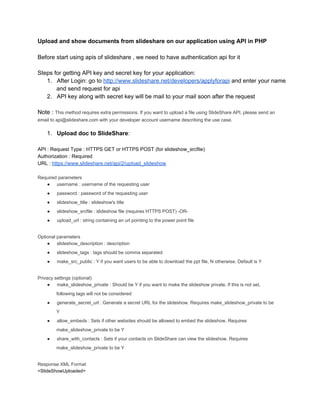
Before start using apis of slideshare , we need to have authentication api for it
Steps for getting API key and secret key for your application:
1. After Login: go to http://www.slideshare.net/developers/applyforapi and enter your name
and send request for api
2. API key along with secret key will be mail to your mail soon after the request
Note : This method requires extra permissions. If you want to upload a file using SlideShare API, please send an
email to api@slideshare.com with your developer account username describing the use case.

1. Upload doc to SlideShare:
API : Request Type : HTTPS GET or HTTPS POST (for slideshow_srcfile)
Authorization : Required
URL : https://www.slideshare.net/api/2/upload_slideshow
Required parameters
● username : username of the requesting user
●

password : password of the requesting user

●

slideshow_title : slideshow's title

●

slideshow_srcfile : slideshow file (requires HTTPS POST) ­OR­

●

upload_url : string containing an url pointing to the power point file

Optional parameters
● slideshow_description : description
●

slideshow_tags : tags should be comma separated

●

make_src_public : Y if you want users to be able to download the ppt file, N otherwise. Default is Y

Privacy settings (optional)
● make_slideshow_private : Should be Y if you want to make the slideshow private. If this is not set,
following tags will not be considered
●

generate_secret_url : Generate a secret URL for the slideshow. Requires make_slideshow_private to be
Y

●

allow_embeds : Sets if other websites should be allowed to embed the slideshow. Requires
make_slideshow_private to be Y

●

share_with_contacts : Sets if your contacts on SlideShare can view the slideshow. Requires
make_slideshow_private to be Y

Response XML Format
<SlideShowUploaded>
  <SlideShowID>{slideshow id goes here}</SlideShowID>
</SlideShowUploaded>

Create following form :  //do not change the form action as it api url for uploading
<form action="https://www.slideshare.net/api/2/upload_slideshow" method="post" enctype='multipart/form­data'
name="ssuploadform">
Slideshare API Key (api_key):<br/>
<input name="api_key" type="text" size="20">
<br><br>
Slideshare Shared Secret:<br/>
<input name="sharedsecret" type="text" size="20">
<br><br>
<input name="ts" type="hidden" value="">
<input type="hidden" name="hash" value="">
Slideshare username (username): <br><input name="username" type="text" value="" size="20"><br><br>
Slideshare password (password): <br><input name="password" type="text" value="" size="20"><br><br>
Slideshow Title (slideshow_title): <br><input name="slideshow_title" type="text" value="My cool new Slideshow!"
size="50"><br><br>
Slideshow Source File (slideshow_srcfile): <br><input name="slideshow_srcfile" type="file" size="20"><br><br>
<input type="submit" onClick="return generateTimeHash(this.form)" value="Upload Slideshow!">
</form>
<script type="text/javascript">
function getUnixTime()
{
var theDate = new Date();
return Math.round(theDate.getTime()/1000.0);
}
function generateTimeHash(form)
{
if (form != null) {
var timestr = getUnixTime();
var ss = document.ssuploadform.sharedsecret.value;
form.ts.value = timestr;
var hashstr = SHA1(ss + timestr);
alert('UNIX Time=[' + timestr + ']nSecret Key=[' + ss + ']nSHA1 Hash=[' + hashstr + ']');
form.hash.value = hashstr;
return true;
}
return false;
}
</script>

FIll this form and you will be able to upload the doc to slideshare
In resonse you will get the slideshowID in xml, store it and save it in db for fetching same doc for
view on our application

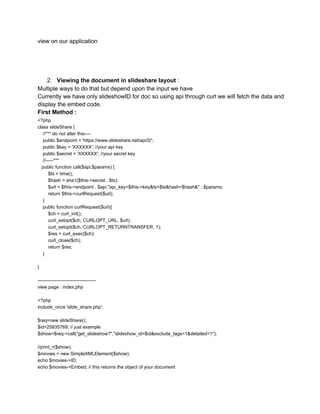
2. Viewing the document in slideshare layout :
Multiple ways to do that but depend upon the input we have
Currently we have only slideshowID for doc so using api through curl we will fetch the data and
display the embed code.
First Method :
<?php
class slideShare {
    //*** do not alter this­­­­
    public $endpoint = 'https://www.slideshare.net/api/2/';
    public $key = 'XXXXXX'; //your api key
    public $secret = 'XXXXXX'; //your secret key
    //­­­­­***
   public function call($api,$params) {
        $ts = time();
        $hash = sha1($this­>secret . $ts);
        $url = $this­>endpoint . $api."api_key=$this­>key&ts=$ts&hash=$hash&" . $params;
        return $this­>curlRequest($url);
    }
    public function curlRequest($url){
        $ch = curl_init();
        curl_setopt($ch, CURLOPT_URL, $url);
        curl_setopt($ch, CURLOPT_RETURNTRANSFER, 1);
        $res = curl_exec($ch);
        curl_close($ch);
        return $res;
    }
}
­­­­­­­­­­­­­­­­­­­­­­­­­­­­­­­­­­­­­
view page : index.php
<?php
include_once 'slide_share.php';
$req=new slideShare();
$id=25835769; // just example
$show=$req­>call("get_slideshow?","slideshow_id=$id&exclude_tags=1&detailed=1");
//print_r($show);
$movies = new SimpleXMLElement($show);
echo $movies­>ID;
echo $movies­>Embed; // this returns the object of your document
echo $movies­>PPTLocation; ­­­­­­­­­­­­­­­­­­­­­1

­­­­­­­­­­­­­­­­­­­­­­­­­­­­­­­­­­­­­­­­­­­­­­­­­­­­­­­­­­­
Second Method :
if you have url of slide share, you can call oembed api thru curl
eg:  http://www.slideshare.net/api/oembed/2?url={url}&format=json
­­­­­­­­­­­­­­­­­­­­­­­­­­­­­­­­­­­­­­­­­­­­­­­­­­­­­­­­­­­­­
Third Method :
Javascript:
After getting PPTLocation from first method [1] XML ,we can also use its javascript api
From first method point 1­­­­­­­­

<?php $doc=$movies­>PPTLocation;?>
<html>
        <head>
                <title>SlideShare Player API Example</title>
                <script type="text/javascript" src="swfobject.js"></script>
                <script type="text/javascript">
                        var flashMovie;
                        //Load the flash player. Properties for the player can be changed here.
                        function loadPlayer() {
                                //allowScriptAccess from other domains
                                var params = { allowScriptAccess: "always" };
                                var atts = { id: "player" };
                                //doc: The path of the file to be used
                                //startSlide: The number of the slide to start from
                                //rel: Whether to show a screen with related slideshows at the end or not. 0 means false and 1 is
true..
                                var flashvars = {
                                    doc : "thirst­upload­800x600­1215534320518707­8",//<?php echo $doc?>
                                    startSlide : 1, rel : 0 };
                                //Generate the embed SWF file
                                swfobject.embedSWF("http://static.slidesharecdn.com/swf/ssplayer2.swf", "player", "598", "480",
"8", null, flashvars, params, atts);
                                //Get a reference to the player
                                flashMovie = document.getElementById("player");
                        }
                        //Jump to the appropriate slide
                        function jumpTo(){
                                flashMovie.jumpTo(parseInt(document.getElementById("slidenumber").value));
                        }
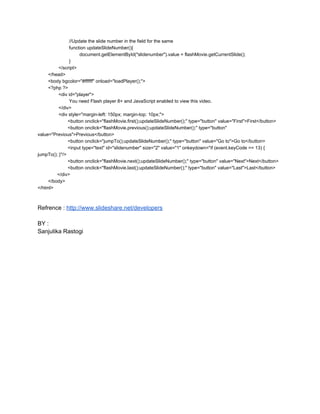
                        //Update the slide number in the field for the same
                        function updateSlideNumber(){
                                document.getElementById("slidenumber").value = flashMovie.getCurrentSlide();
                        }
                </script>
        </head>
        <body bgcolor="#ffffff" onload="loadPlayer();">
        <?php ?>
                <div id="player">
                        You need Flash player 8+ and JavaScript enabled to view this video.
                </div>
                <div style="margin­left: 150px; margin­top: 10px;">
                       <button onclick="flashMovie.first();updateSlideNumber();" type="button" value="First">First</button>
                       <button onclick="flashMovie.previous();updateSlideNumber();" type="button"
value="Previous">Previous</button>
                       <button onclick="jumpTo();updateSlideNumber();" type="button" value="Go to">Go to</button>
                       <input type="text" id="slidenumber" size="2" value="1" onkeydown="if (event.keyCode == 13) {
jumpTo(); }"/>
                       <button onclick="flashMovie.next();updateSlideNumber();" type="button" value="Next">Next</button>
                       <button onclick="flashMovie.last();updateSlideNumber();" type="button" value="Last">Last</button>
               </div>
        </body>
</html>

Refrence : http://www.slideshare.net/developers
BY :
Sanjulika Rastogi

Slide shareapi