Show Don’t Tell
Using Social Media to effectively
and efficiently enhance
enrollment.
getting someone who has a need to know, like, and trust you.
What….How….Why…
                                                         Most everyone knows what the
                                                         Mission Statement is for their
                                                         school… But do you know how you
                                                         accomplish your Mission
                                                         Statement… Or why your school
                                                         exists, or better yet, why your
                                                         school isn’t just another private
http://www.ted.com/talks/lang/en/sim                     school?
on_sinek_how_great_leaders_inspire_
             action.html
then you must figure out what your customer looks like, acts
likes, and why they like you!
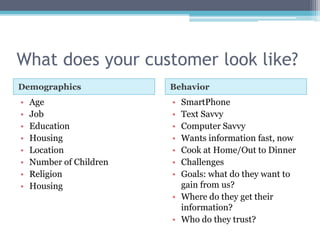
What does your customer look like?
Demographics             Behavior
•   Age                  • SmartPhone
•   Job                  • Text Savvy
•   Education            • Computer Savvy
•   Housing              • Wants information fast, now
•   Location             • Cook at Home/Out to Dinner
•   Number of Children   • Challenges
•   Religion             • Goals: what do they want to
•   Housing                gain from us?
                         • Where do they get their
                           information?
                         • Who do they trust?
Your customers don’t buy what you do, but they buy into why
you do it.

                                              Show don’t tell.
Five Categories of Social Media
Using Social Media to effectively
and efficiently enhance
enrollment.
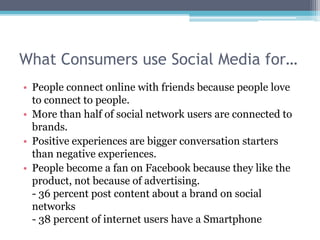
What Consumers use Social Media for…
• People connect online with friends because people love
  to connect to people.
• More than half of social network users are connected to
  brands.

• Positive experiences are bigger conversation starters
  than negative experiences.
• People become a fan on Facebook because they like the
  product, not because of advertising.
  - 36 percent post content about a brand on social
  networks
  - 38 percent of internet users have a Smartphone
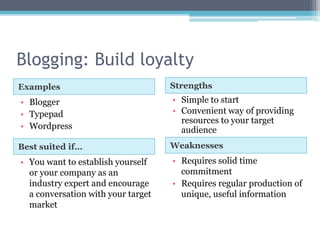
Blogging: Build loyalty
Examples                            Strengths
• Blogger                           • Simple to start
• Typepad                           • Convenient way of providing
                                      resources to your target
• Wordpress                           audience
Best suited if…                     Weaknesses
• You want to establish yourself    • Requires solid time
  or your company as an               commitment
  industry expert and encourage     • Requires regular production of
  a conversation with your target     unique, useful information
  market
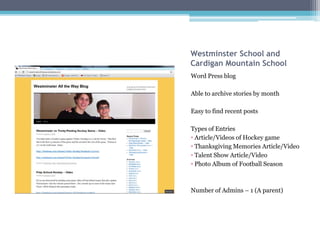
Westminster School and
Cardigan Mountain School
Word Press blog

Able to archive stories by month

Easy to find recent posts

Types of Entries
• Article/Videos of Hockey game
• Thanksgiving Memories Article/Video
• Talent Show Article/Video
• Photo Album of Football Season


Number of Admins – 1 (A parent)
Microblogging: Build loyalty and drive
traffic to website
Examples                         Strengths
• Twitter                        • Quick and easy to post updates
                                 • Grow exposure to a large
                                   group
                                 • Good way of finding news
Best suited if…                  Weaknesses
• You want an immediate way to   • Requires a smaller time
  interact with your customer      commitment to post regular
  base                             updates
                                 • Not built for sharing in-depth
                                   information
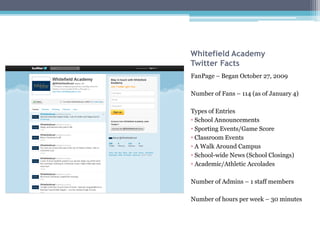
Whitefield Academy
Twitter Facts
FanPage – Began October 27, 2009

Number of Fans – 114 (as of January 4)

Types of Entries
• School Announcements
• Sporting Events/Game Score
• Classroom Events
• A Walk Around Campus
• School-wide News (School Closings)
• Academic/Athletic Accolades

Number of Admins – 1 staff members

Number of hours per week – 30 minutes
Social Networking: Engage and Interact
Examples                          Strengths
• Facebook                        • Lets users interact with each
• MySpace                           other
                                  • Increases brand recognition

Best suited if…                   Weaknesses
• You want to build a fan base    • Target audience is there to
  where current and potential       socialize, not to do business
  customers can interact in one   • Needs to be active regularly-
  location                          must be engaging
In June 2011, there were over 710 million subscribers worldwide,
indicating one in every 10 persons has a Facebook Account. In North
America, 48.4 percent of the population was on Facebook. Also if
Facebook was a country it would be the 3rd largest.

                                                   - Internet World Stats
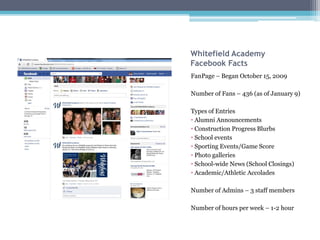
Whitefield Academy
Facebook Facts
FanPage – Began October 15, 2009

Number of Fans – 436 (as of January 9)

Types of Entries
• Alumni Announcements
• Construction Progress Blurbs
• School events
• Sporting Events/Game Score
• Photo galleries
• School-wide News (School Closings)
• Academic/Athletic Accolades

Number of Admins – 3 staff members

Number of hours per week – 1-2 hour
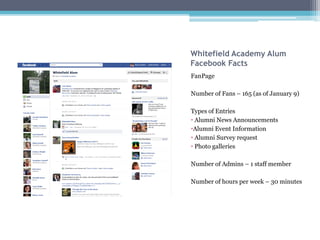
Whitefield Academy Alum
Facebook Facts
FanPage

Number of Fans – 165 (as of January 9)

Types of Entries
• Alumni News Announcements
•Alumni Event Information
• Alumni Survey request
• Photo galleries

Number of Admins – 1 staff member

Number of hours per week – 30 minutes
Multimedia: Engage and Educate
Examples                       Strengths
• YouTube                      • More engaging and visually
                                 pleasing
• Slideshare
                               • More likely to be shared
• Flckr
                               • Create a stronger call to action
Best suited if…                Weaknesses
• Sharing rich media such as   • Labor intensive
  video, images, and           • Requires technical knowledge
  presentations online
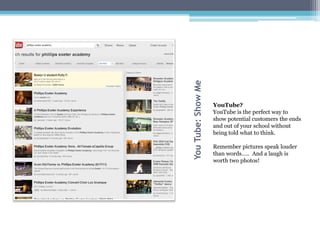
You Tube: Show Me
                    YouTube?
                    YouTube is the perfect way to
                    show potential customers the ends
                    and out of your school without
                    being told what to think.

                    Remember pictures speak louder
                    than words….. And a laugh is
                    worth two photos!
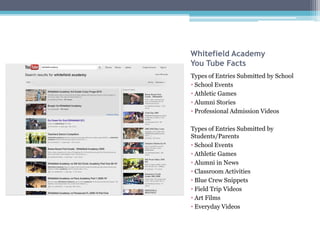
Whitefield Academy
You Tube Facts
Types of Entries Submitted by School
• School Events
• Athletic Games
• Alumni Stories
• Professional Admission Videos

Types of Entries Submitted by
Students/Parents
• School Events
• Athletic Games
• Alumni in News
• Classroom Activities
• Blue Crew Snippets
• Field Trip Videos
• Art Films
• Everyday Videos
Multifaceted Sites: Group Relationships
Examples                        Strengths
• LinkedIn                      • Networking abilities
                                • Adds more interactivity
                                • A sticky site.

Best suited if…                 Weaknesses
• You need to be more serious   • Labor intensive
  but want to become a savvy    • Requires some technical
  marketer                        knowledge
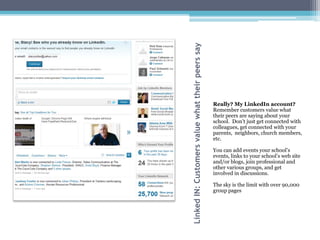
Linked IN: Customers value what their peers say
                                                  Really? My LinkedIn account?
                                                  Remember customers value what
                                                  their peers are saying about your
                                                  school. Don’t just get connected with
                                                  colleagues, get connected with your
                                                  parents, neighbors, church members,
                                                  etc.

                                                  You can add events your school’s
                                                  events, links to your school’s web site
                                                  and/or blogs, join professional and
                                                  other various groups, and get
                                                  involved in discussions.

                                                  The sky is the limit with over 90,000
                                                  group pages
Mobile Media: Involved Consumers
Examples                    Strengths
• QR Codes                  • QR Code Apps are free
                            • Adds more interactivity


Best suited if…             Weaknesses
• Get interactive while     • Requires technical knowledge
  consumers are on the go     on the consumers end
                            • Consumer must have
                              applications on their mobile
                              devices
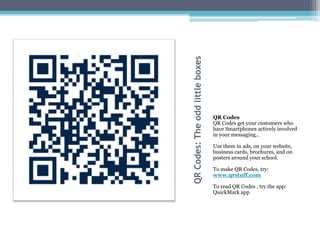
QR Codes: The odd little boxes
                                 QR Codes
                                 QR Codes get your customers who
                                 have Smartphones actively involved
                                 in your messaging…

                                 Use them in ads, on your website,
                                 business cards, brochures, and on
                                 posters around your school.

                                 To make QR Codes, try:
                                 www.qrstuff.com

                                 To read QR Codes , try the app:
                                 QuickMark app
Where do I start?
There are multiple mediums I can
use; so where do I spend my time?
Which sites are essential?
Facebook                                   LinkedIn
• You can have an unlimited number of      • Allows networking with your
  Facebook pages and fans.
                                             colleagues, parents, and other
• Facebook Pages are public
                                             professionals.
• All content posted on your Facebook
  page gets indexed on Google.             • Circle of posts about your
• You can target your posts by location      school double-fold as more
  and language.                              join your network circle, as
• You can add video, rich text, graphic      well as the network circles of
  and graphics
                                             your friends.
• You can add multiple admins
• All admins have equal rights to
                                           • Don’t forget that people desire
  administer your page                       to have what their peers have
• The majority of users are in the 18-44
  range, comprised of 48 percent
  women
Which sites are essential?
YouTube                            Twitter
• Visual search engine             • For the busy parents and
• Catches the eyes more quickly      professionals
• Younger generation is more       • All about getting information
  readily influenced by what         fast
  they see                         • Following businesses and
• It’s a Show, Don’t Tell site       brands that meet their social
• People can see what your           needs or that they like
  students, parents, and           • Falls behind Facebook and
  employees are doing first hand     YouTube as a Social Media
• Off the cuff videos, allow for     network
  humor
Implement one site at a time so you don’t get overwhelmed.
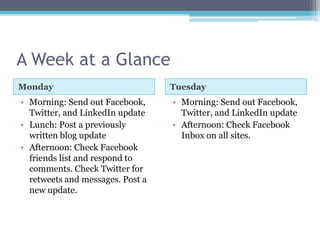
A Week at a Glance
Monday                            Tuesday
• Morning: Send out Facebook,     • Morning: Send out Facebook,
  Twitter, and LinkedIn update      Twitter, and LinkedIn update
• Lunch: Post a previously        • Afternoon: Check Facebook
  written blog update               Inbox on all sites.
• Afternoon: Check Facebook
  friends list and respond to
  comments. Check Twitter for
  retweets and messages. Post a
  new update.
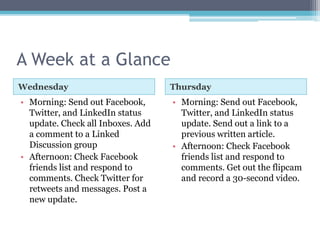
A Week at a Glance
Wednesday                          Thursday
• Morning: Send out Facebook,      • Morning: Send out Facebook,
  Twitter, and LinkedIn status       Twitter, and LinkedIn status
  update. Check all Inboxes. Add     update. Send out a link to a
  a comment to a Linked              previous written article.
  Discussion group                 • Afternoon: Check Facebook
• Afternoon: Check Facebook          friends list and respond to
  friends list and respond to        comments. Get out the flipcam
  comments. Check Twitter for        and record a 30-second video.
  retweets and messages. Post a
  new update.
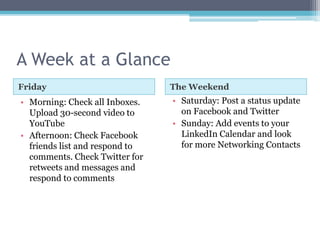
A Week at a Glance
Friday                          The Weekend
• Morning: Check all Inboxes.   • Saturday: Post a status update
  Upload 30-second video to       on Facebook and Twitter
  YouTube                       • Sunday: Add events to your
• Afternoon: Check Facebook       LinkedIn Calendar and look
  friends list and respond to     for more Networking Contacts
  comments. Check Twitter for
  retweets and messages and
  respond to comments
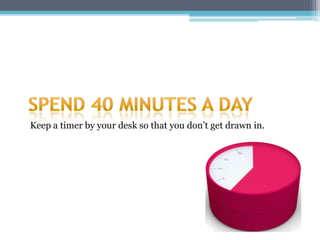
Keep a timer by your desk so that you don’t get drawn in.
Two programs to save you time and
energy….
• Buffer allows you to select times throughout
  the day to send your tweets as well as the ability
  to send your key messages out to all of your
  Social Media platforms. There are three pricing
  plans – free, $5/month and $30/month, with
  the premium plans offering more accounts,
  users, tweets and times. Plus you get some basic
  analytics which will show you the number of
  click, reach, and retweets.
Another Program….
• With HootSuite, you can select times
  throughout the day to send your tweets and key
  messages to Facebook, RSS feeds, Twitter,
  LinkedIn. There are three pricing plans – free,
  $5/month and $49.99/month, with the
  premium plans offering more accounts, users,
  tweets, and times. As with Buffer, you get some
  basic analytics.
How do I make this Social Media
thing work?
10 Rules of Thumb…
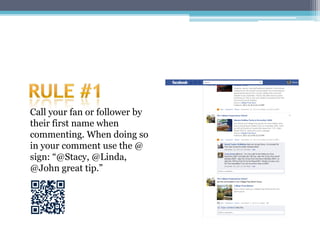
Call your fan or follower by
their first name when
commenting. When doing so
in your comment use the @
sign: “@Stacy, @Linda,
@John great tip.”
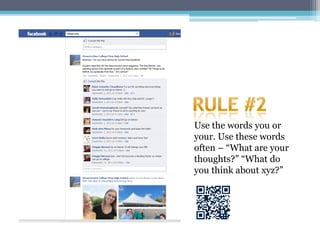
Use the words you or
your. Use these words
often – “What are your
thoughts?” “What do
you think about xyz?”
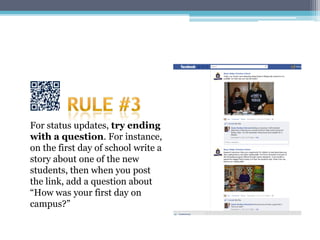
For status updates, try ending
with a question. For instance,
on the first day of school write a
story about one of the new
students, then when you post
the link, add a question about
“How was your first day on
campus?”
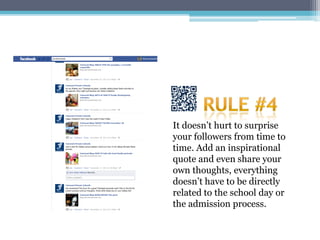
It doesn’t hurt to surprise
your followers from time to
time. Add an inspirational
quote and even share your
own thoughts, everything
doesn’t have to be directly
related to the school day or
the admission process.
Thank your fans for their
comments. Genuine
recognition goes a “long”
way!
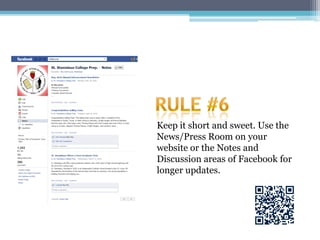
Keep it short and sweet. Use the
News/Press Room on your
website or the Notes and
Discussion areas of Facebook for
longer updates.
Respond promptly when comments
surface that need to be addressed or
if a fan has a question about a score
on last night’s basketball game.
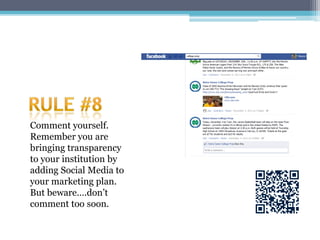
Comment yourself.
Remember you are
bringing transparency
to your institution by
adding Social Media to
your marketing plan.
But beware….don’t
comment too soon.
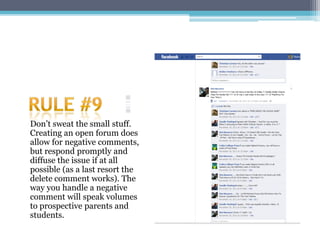
Don’t sweat the small stuff.
Creating an open forum does
allow for negative comments,
but respond promptly and
diffuse the issue if at all
possible (as a last resort the
delete comment works). The
way you handle a negative
comment will speak volumes
to prospective parents and
students.
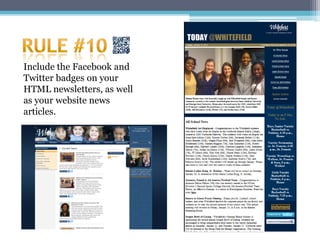
Include the Facebook and
Twitter badges on your
HTML newsletters, as well
as your website news
articles.
Questions?
     Stacy Rutter
     Director of Marketing and Communications


     Phone: 678-305-1444
     srutter@whitefield academy.com

Show Don’T Tell Presentation 11912

  • 1.
    Show Don’t Tell UsingSocial Media to effectively and efficiently enhance enrollment.
  • 2.
    getting someone whohas a need to know, like, and trust you.
  • 3.
    What….How….Why… Most everyone knows what the Mission Statement is for their school… But do you know how you accomplish your Mission Statement… Or why your school exists, or better yet, why your school isn’t just another private http://www.ted.com/talks/lang/en/sim school? on_sinek_how_great_leaders_inspire_ action.html
  • 4.
    then you mustfigure out what your customer looks like, acts likes, and why they like you!
  • 5.
    What does yourcustomer look like? Demographics Behavior • Age • SmartPhone • Job • Text Savvy • Education • Computer Savvy • Housing • Wants information fast, now • Location • Cook at Home/Out to Dinner • Number of Children • Challenges • Religion • Goals: what do they want to • Housing gain from us? • Where do they get their information? • Who do they trust?
  • 6.
    Your customers don’tbuy what you do, but they buy into why you do it. Show don’t tell.
  • 7.
    Five Categories ofSocial Media Using Social Media to effectively and efficiently enhance enrollment.
  • 8.
    What Consumers useSocial Media for… • People connect online with friends because people love to connect to people. • More than half of social network users are connected to brands. • Positive experiences are bigger conversation starters than negative experiences. • People become a fan on Facebook because they like the product, not because of advertising. - 36 percent post content about a brand on social networks - 38 percent of internet users have a Smartphone
  • 9.
    Blogging: Build loyalty Examples Strengths • Blogger • Simple to start • Typepad • Convenient way of providing resources to your target • Wordpress audience Best suited if… Weaknesses • You want to establish yourself • Requires solid time or your company as an commitment industry expert and encourage • Requires regular production of a conversation with your target unique, useful information market
  • 10.
    Westminster School and CardiganMountain School Word Press blog Able to archive stories by month Easy to find recent posts Types of Entries • Article/Videos of Hockey game • Thanksgiving Memories Article/Video • Talent Show Article/Video • Photo Album of Football Season Number of Admins – 1 (A parent)
  • 11.
    Microblogging: Build loyaltyand drive traffic to website Examples Strengths • Twitter • Quick and easy to post updates • Grow exposure to a large group • Good way of finding news Best suited if… Weaknesses • You want an immediate way to • Requires a smaller time interact with your customer commitment to post regular base updates • Not built for sharing in-depth information
  • 13.
    Whitefield Academy Twitter Facts FanPage– Began October 27, 2009 Number of Fans – 114 (as of January 4) Types of Entries • School Announcements • Sporting Events/Game Score • Classroom Events • A Walk Around Campus • School-wide News (School Closings) • Academic/Athletic Accolades Number of Admins – 1 staff members Number of hours per week – 30 minutes
  • 14.
    Social Networking: Engageand Interact Examples Strengths • Facebook • Lets users interact with each • MySpace other • Increases brand recognition Best suited if… Weaknesses • You want to build a fan base • Target audience is there to where current and potential socialize, not to do business customers can interact in one • Needs to be active regularly- location must be engaging
  • 15.
    In June 2011,there were over 710 million subscribers worldwide, indicating one in every 10 persons has a Facebook Account. In North America, 48.4 percent of the population was on Facebook. Also if Facebook was a country it would be the 3rd largest. - Internet World Stats
  • 16.
    Whitefield Academy Facebook Facts FanPage– Began October 15, 2009 Number of Fans – 436 (as of January 9) Types of Entries • Alumni Announcements • Construction Progress Blurbs • School events • Sporting Events/Game Score • Photo galleries • School-wide News (School Closings) • Academic/Athletic Accolades Number of Admins – 3 staff members Number of hours per week – 1-2 hour
  • 17.
    Whitefield Academy Alum FacebookFacts FanPage Number of Fans – 165 (as of January 9) Types of Entries • Alumni News Announcements •Alumni Event Information • Alumni Survey request • Photo galleries Number of Admins – 1 staff member Number of hours per week – 30 minutes
  • 19.
    Multimedia: Engage andEducate Examples Strengths • YouTube • More engaging and visually pleasing • Slideshare • More likely to be shared • Flckr • Create a stronger call to action Best suited if… Weaknesses • Sharing rich media such as • Labor intensive video, images, and • Requires technical knowledge presentations online
  • 20.
    You Tube: ShowMe YouTube? YouTube is the perfect way to show potential customers the ends and out of your school without being told what to think. Remember pictures speak louder than words….. And a laugh is worth two photos!
  • 22.
    Whitefield Academy You TubeFacts Types of Entries Submitted by School • School Events • Athletic Games • Alumni Stories • Professional Admission Videos Types of Entries Submitted by Students/Parents • School Events • Athletic Games • Alumni in News • Classroom Activities • Blue Crew Snippets • Field Trip Videos • Art Films • Everyday Videos
  • 24.
    Multifaceted Sites: GroupRelationships Examples Strengths • LinkedIn • Networking abilities • Adds more interactivity • A sticky site. Best suited if… Weaknesses • You need to be more serious • Labor intensive but want to become a savvy • Requires some technical marketer knowledge
  • 26.
    Linked IN: Customersvalue what their peers say Really? My LinkedIn account? Remember customers value what their peers are saying about your school. Don’t just get connected with colleagues, get connected with your parents, neighbors, church members, etc. You can add events your school’s events, links to your school’s web site and/or blogs, join professional and other various groups, and get involved in discussions. The sky is the limit with over 90,000 group pages
  • 27.
    Mobile Media: InvolvedConsumers Examples Strengths • QR Codes • QR Code Apps are free • Adds more interactivity Best suited if… Weaknesses • Get interactive while • Requires technical knowledge consumers are on the go on the consumers end • Consumer must have applications on their mobile devices
  • 28.
    QR Codes: Theodd little boxes QR Codes QR Codes get your customers who have Smartphones actively involved in your messaging… Use them in ads, on your website, business cards, brochures, and on posters around your school. To make QR Codes, try: www.qrstuff.com To read QR Codes , try the app: QuickMark app
  • 29.
    Where do Istart? There are multiple mediums I can use; so where do I spend my time?
  • 30.
    Which sites areessential? Facebook LinkedIn • You can have an unlimited number of • Allows networking with your Facebook pages and fans. colleagues, parents, and other • Facebook Pages are public professionals. • All content posted on your Facebook page gets indexed on Google. • Circle of posts about your • You can target your posts by location school double-fold as more and language. join your network circle, as • You can add video, rich text, graphic well as the network circles of and graphics your friends. • You can add multiple admins • All admins have equal rights to • Don’t forget that people desire administer your page to have what their peers have • The majority of users are in the 18-44 range, comprised of 48 percent women
  • 31.
    Which sites areessential? YouTube Twitter • Visual search engine • For the busy parents and • Catches the eyes more quickly professionals • Younger generation is more • All about getting information readily influenced by what fast they see • Following businesses and • It’s a Show, Don’t Tell site brands that meet their social • People can see what your needs or that they like students, parents, and • Falls behind Facebook and employees are doing first hand YouTube as a Social Media • Off the cuff videos, allow for network humor
  • 32.
    Implement one siteat a time so you don’t get overwhelmed.
  • 33.
    A Week ata Glance Monday Tuesday • Morning: Send out Facebook, • Morning: Send out Facebook, Twitter, and LinkedIn update Twitter, and LinkedIn update • Lunch: Post a previously • Afternoon: Check Facebook written blog update Inbox on all sites. • Afternoon: Check Facebook friends list and respond to comments. Check Twitter for retweets and messages. Post a new update.
  • 34.
    A Week ata Glance Wednesday Thursday • Morning: Send out Facebook, • Morning: Send out Facebook, Twitter, and LinkedIn status Twitter, and LinkedIn status update. Check all Inboxes. Add update. Send out a link to a a comment to a Linked previous written article. Discussion group • Afternoon: Check Facebook • Afternoon: Check Facebook friends list and respond to friends list and respond to comments. Get out the flipcam comments. Check Twitter for and record a 30-second video. retweets and messages. Post a new update.
  • 35.
    A Week ata Glance Friday The Weekend • Morning: Check all Inboxes. • Saturday: Post a status update Upload 30-second video to on Facebook and Twitter YouTube • Sunday: Add events to your • Afternoon: Check Facebook LinkedIn Calendar and look friends list and respond to for more Networking Contacts comments. Check Twitter for retweets and messages and respond to comments
  • 36.
    Keep a timerby your desk so that you don’t get drawn in.
  • 37.
    Two programs tosave you time and energy…. • Buffer allows you to select times throughout the day to send your tweets as well as the ability to send your key messages out to all of your Social Media platforms. There are three pricing plans – free, $5/month and $30/month, with the premium plans offering more accounts, users, tweets and times. Plus you get some basic analytics which will show you the number of click, reach, and retweets.
  • 38.
    Another Program…. • WithHootSuite, you can select times throughout the day to send your tweets and key messages to Facebook, RSS feeds, Twitter, LinkedIn. There are three pricing plans – free, $5/month and $49.99/month, with the premium plans offering more accounts, users, tweets, and times. As with Buffer, you get some basic analytics.
  • 39.
    How do Imake this Social Media thing work? 10 Rules of Thumb…
  • 40.
    Call your fanor follower by their first name when commenting. When doing so in your comment use the @ sign: “@Stacy, @Linda, @John great tip.”
  • 41.
    Use the wordsyou or your. Use these words often – “What are your thoughts?” “What do you think about xyz?”
  • 42.
    For status updates,try ending with a question. For instance, on the first day of school write a story about one of the new students, then when you post the link, add a question about “How was your first day on campus?”
  • 43.
    It doesn’t hurtto surprise your followers from time to time. Add an inspirational quote and even share your own thoughts, everything doesn’t have to be directly related to the school day or the admission process.
  • 44.
    Thank your fansfor their comments. Genuine recognition goes a “long” way!
  • 45.
    Keep it shortand sweet. Use the News/Press Room on your website or the Notes and Discussion areas of Facebook for longer updates.
  • 46.
    Respond promptly whencomments surface that need to be addressed or if a fan has a question about a score on last night’s basketball game.
  • 47.
    Comment yourself. Remember youare bringing transparency to your institution by adding Social Media to your marketing plan. But beware….don’t comment too soon.
  • 48.
    Don’t sweat thesmall stuff. Creating an open forum does allow for negative comments, but respond promptly and diffuse the issue if at all possible (as a last resort the delete comment works). The way you handle a negative comment will speak volumes to prospective parents and students.
  • 49.
    Include the Facebookand Twitter badges on your HTML newsletters, as well as your website news articles.
  • 50.
    Questions? Stacy Rutter Director of Marketing and Communications Phone: 678-305-1444 srutter@whitefield academy.com