Downloaded 12 times
![% MATLAB CODE OF DELAY AND ADVANCE OF SEQUENCE BY K UNIT
close all;
clear all;
clc;
p=input('enter the value of p');
q=input('enter the value of q');
% delay of signal by unit k
k= input('enter the value of delay k') ;
n=-p:q;
t=q+k;
m=-p:t
xn=input ('enter the sequence x(n) of length p+q+1');
ym=[zeros(1,k),xn]
figure
subplot(211)
stem(n,xn)
xlabel('---->n');
ylabel(' input sequence x(n)');
title('plot of x(n)');
grid on;
subplot(212)
stem(m,ym);
xlabel('---->n');
ylabel('delayed input sequence x(n)');
title('plot of delayed x(n)');
grid on;
% advance of signal by unit k
t=p+k;
m=-t:q;
ym=[xn,zeros(1,k)]
figure
subplot(211)
stem(n,xn)
xlabel('---->n');
ylabel(' input sequence x(n)');
title('plot of x(n)');
grid on;
subplot(212)
stem(m,ym);
xlabel('---->n');
ylabel('advance input sequence y(n)');
title('plot of advance of x(n)');
grid on;](https://image.slidesharecdn.com/shiftingsequence-190128175818/75/MATLAB-CODE-OF-Shifting-sequence-1-2048.jpg)
![AFTER running the code put any value of p, q , k and x(n) sequence as below
enter the value of p 3
enter the value of q 4
enter the value of delay k 2
m =
-3 -2 -1 0 1 2 3 4 5 6
enter the sequence x(n) of length p+q+1[ 1 2 3 1 3 2 1 8]](https://image.slidesharecdn.com/shiftingsequence-190128175818/75/MATLAB-CODE-OF-Shifting-sequence-2-2048.jpg)
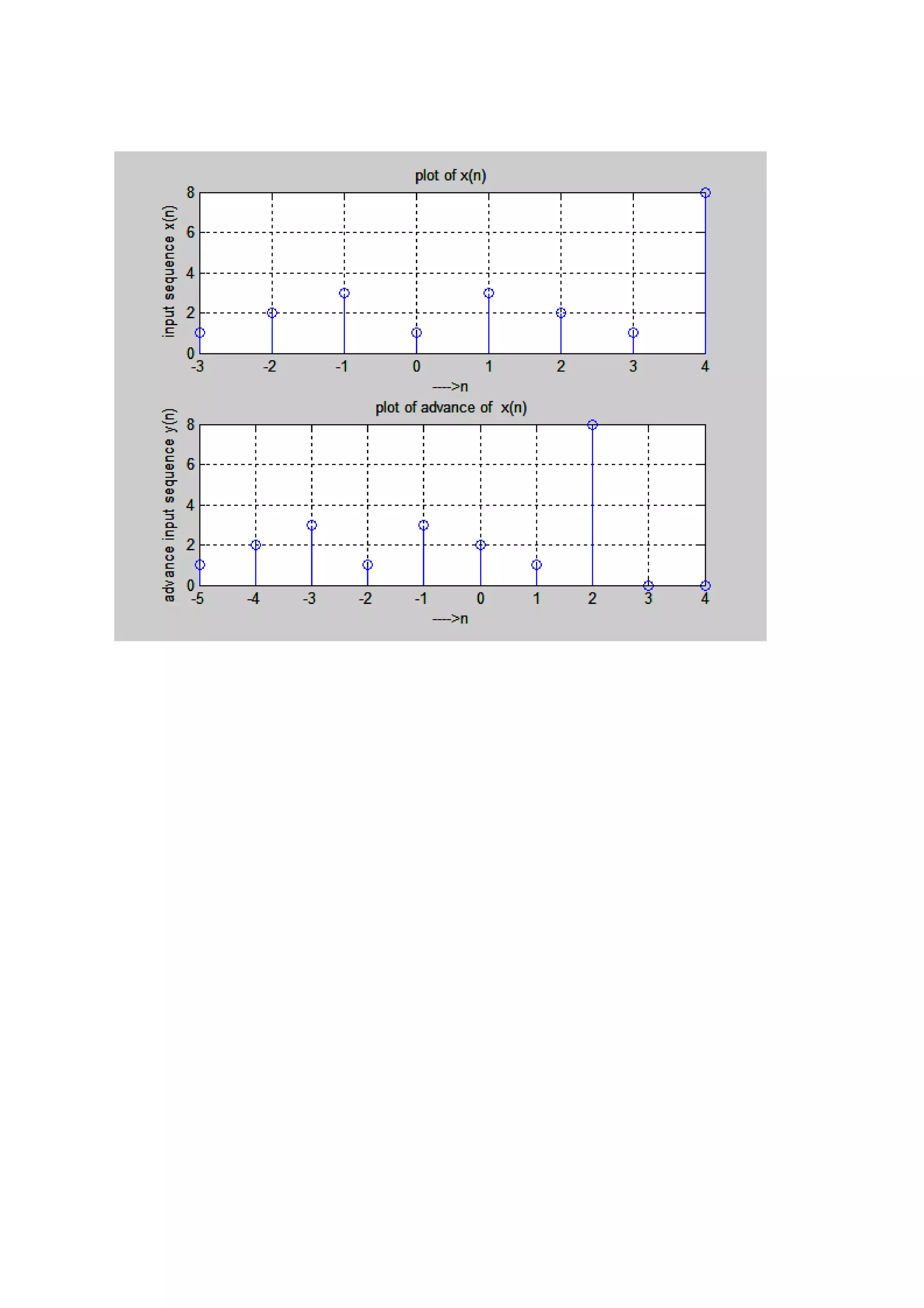

This MATLAB code demonstrates how to delay and advance a sequence x(n) by a unit k. It prompts the user to input values for p, q, the delay/advance k, and the sequence x(n). It then generates plots with the original x(n) on top and the delayed/advanced sequence ym on bottom, labeling each appropriately. The delay inserts zeros at the beginning of x(n) equal to k. The advance inserts zeros at the end of x(n) equal to k.


