Blended SharePoint 2010 and .NET SolutionsWebinar Series By:
Speakers	Dave MilnerAuthor: ASP.NET SharePoint 2010 SolutionsSr. Architect & Lead ConsultantMBA, MCTS, MCSD.NET, MCT, Certified ScrumMaster	Paul Papanek StorkSharePoint  MVP & Author Chief Architect & Lead ConsultantMBA, MCT, MCSE, MCSD, MCDBA, MCITP, MCPD…
AgendaA sprinkling of demos throughout…IntroductionsOverview of Blended SolutionsArchitecture and Performance ConsiderationsBest Practices for Blended Solutions Application IntegrationQ&A
Overview of Blended SolutionsJuly Webinar Recap: “Business Application Integration using BCS”Integration ApproachesSharePoint CentricASP.NET CentricWhat Strategic Approach Options Do I Have?High Touch Point IntegrationMedium Touch Point IntegrationLow Touch Point IntegrationHow Does the Approach Impact My Choices?
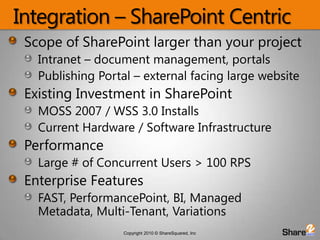
Integration – SharePoint CentricScope of SharePoint larger than your projectIntranet – document management, portalsPublishing Portal – external facing large websiteExisting Investment in SharePointMOSS 2007 / WSS 3.0 InstallsCurrent Hardware / Software InfrastructurePerformanceLarge # of Concurrent Users > 100 RPSEnterprise FeaturesFAST, PerformancePoint, BI, Managed Metadata, Multi-Tenant, Variations
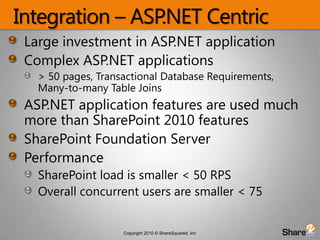
Integration – ASP.NET CentricLarge investment in ASP.NET applicationComplex ASP.NET applications > 50 pages, Transactional Database Requirements, Many-to-many Table JoinsASP.NET application features are used much more than SharePoint 2010 featuresSharePoint Foundation ServerPerformanceSharePoint load is smaller < 50 RPSOverall concurrent users are smaller < 75
Audience SurveyWhat is your primary role as related to SharePoint?Decision Maker, Influencer or SponsorAdmin, Architect or DeveloperAnalyst or End UserConsultant
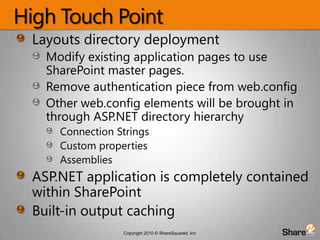
High Touch PointLayouts directory deploymentModify existing application pages to use SharePoint master pages.Remove authentication piece from web.configOther web.config elements will be brought in through ASP.NET directory hierarchyConnection StringsCustom propertiesAssembliesASP.NET application is completely contained within SharePointBuilt-in output caching
High Touch Point – Pros & ConsProsASP.NET application is self containedMaster page changes onlyAdvanced DB interaction ConsPerformance constraints carry over to SharePoint environment - Need to load test!Deployment will not be standardized with SharePoint Solution Packages (.wsp’s) Need to keep farm in sync.
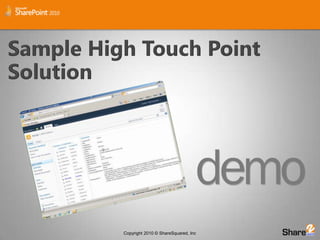
Sample High Touch Point Solution
Medium Touch PointUse Built-In SharePoint capabilities to bridge the gap between ASP.NET Applications and SharePoint 2010SharePoint 2010 API’s for IntegrationClient Object ModelREST ServicesSharePoint Application Page deploymentWeb Parts connecting to external LOB systems directly
Medium Touch Point- Pros & ConsProsStandardized SharePoint deployment managementCan pick and choose integration pointsConsNo standardized authentication path – may require a custom Membership Provider for both
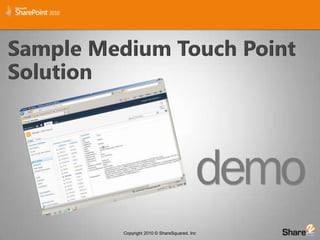
Sample Medium Touch Point Solution
Low Touch Point - CobrandingSharePoint 2010 is built on Master PagesStarter Master Pages for SharePoint 2010 Built from minimalist perspective V4.Master Page ModificationsOne approach is to copy v4.master & modify CSSFairly complexPublishing Sites SP2010 Standard & Enterprise, not FoundationCan modify nightandday.css & nightandday.masterModifies the published content facing pages only
Low Touch Point – Pros & ConsProsNo additional performance strain on SharePoint farmMost amount of freedom with ASP.NET application expansionNo pain points with integrating ConsCustomized work with Membership ProvidersReplacement work for SharePoint NavBranding stored in 2 places
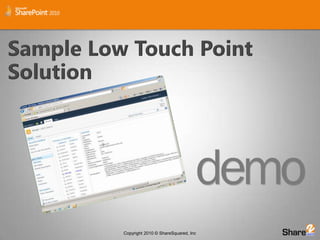
Sample Low Touch Point Solution
Audience SurveyWhere are you on the SharePoint 2010 integration curve?Already done a few integrations and very satisfied with the solutionAttempted an integration but not satisfied with the results, architecture, etc.Planning an integration with SharePoint 2010Need more informationNot currently using SharePoint 2010
Avoiding Integration PitfallsHigh Touch PointMust be designed to run in VirtualDirectoryMedium Touch PointWrap Silverlight inside web partsIn-line code is prohibitedLow Touch PointMore difficult and complex than it looksCo-branding is very complexTwo separate applications being viewed as a unified whole
Best PracticesHigh Touch PointLoad test to calculate load on SharePointConsider using a Membership Provider or Claims for AuthenticationMedium Touch PointLeverage SharePoint for logging, error handling, authentication, and cachingBe conservative when re-factoring web partsLow Touch PointMinimize Navigation contact pointsLeverage common CSS, images, and JavaScript
Audience SurveyWhat do you see as next steps?Assess current integration opportunities and environmentLearn more about integrating solutions with SharePoint 2010 and ASP.NETPlan for an integration between SharePoint 2010 and an ASP.NET application
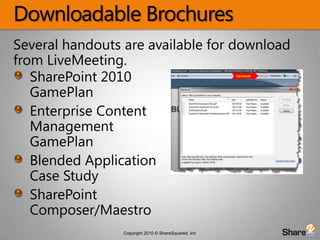
Downloadable BrochuresSeveral handouts are available for download from LiveMeeting.SharePoint 2010 GamePlanEnterprise Content Management GamePlanBlended Application Case StudySharePoint Composer/Maestro
Resources and Q & AAssessment & PlanningSharePoint GamePLANContact us for demos & guidanceLearnNext Webinar: No-code SharePoint 2010 SolutionsInstall to Implementation without writing ANY codeResourcesDave’s Book: 	http://tinyurl.com/IntegratedSolutionsSharePoint 2010 SDK - http://msdn.microsoft.com/en-us/library/ee557253.aspxSharePoint P & P Guidance - http://spg.codeplex.com/ContactInfo@ShareSquared.com800-445-1279 x300

SharePoint 2010 Blended solutions application integration

  • 1.
    Blended SharePoint 2010and .NET SolutionsWebinar Series By:
  • 2.
    Speakers Dave MilnerAuthor: ASP.NETSharePoint 2010 SolutionsSr. Architect & Lead ConsultantMBA, MCTS, MCSD.NET, MCT, Certified ScrumMaster Paul Papanek StorkSharePoint MVP & Author Chief Architect & Lead ConsultantMBA, MCT, MCSE, MCSD, MCDBA, MCITP, MCPD…
  • 3.
    AgendaA sprinkling ofdemos throughout…IntroductionsOverview of Blended SolutionsArchitecture and Performance ConsiderationsBest Practices for Blended Solutions Application IntegrationQ&A
  • 4.
    Overview of BlendedSolutionsJuly Webinar Recap: “Business Application Integration using BCS”Integration ApproachesSharePoint CentricASP.NET CentricWhat Strategic Approach Options Do I Have?High Touch Point IntegrationMedium Touch Point IntegrationLow Touch Point IntegrationHow Does the Approach Impact My Choices?
  • 5.
    Integration – SharePointCentricScope of SharePoint larger than your projectIntranet – document management, portalsPublishing Portal – external facing large websiteExisting Investment in SharePointMOSS 2007 / WSS 3.0 InstallsCurrent Hardware / Software InfrastructurePerformanceLarge # of Concurrent Users > 100 RPSEnterprise FeaturesFAST, PerformancePoint, BI, Managed Metadata, Multi-Tenant, Variations
  • 6.
    Integration – ASP.NETCentricLarge investment in ASP.NET applicationComplex ASP.NET applications > 50 pages, Transactional Database Requirements, Many-to-many Table JoinsASP.NET application features are used much more than SharePoint 2010 featuresSharePoint Foundation ServerPerformanceSharePoint load is smaller < 50 RPSOverall concurrent users are smaller < 75
  • 7.
    Audience SurveyWhat isyour primary role as related to SharePoint?Decision Maker, Influencer or SponsorAdmin, Architect or DeveloperAnalyst or End UserConsultant
  • 8.
    High Touch PointLayoutsdirectory deploymentModify existing application pages to use SharePoint master pages.Remove authentication piece from web.configOther web.config elements will be brought in through ASP.NET directory hierarchyConnection StringsCustom propertiesAssembliesASP.NET application is completely contained within SharePointBuilt-in output caching
  • 9.
    High Touch Point– Pros & ConsProsASP.NET application is self containedMaster page changes onlyAdvanced DB interaction ConsPerformance constraints carry over to SharePoint environment - Need to load test!Deployment will not be standardized with SharePoint Solution Packages (.wsp’s) Need to keep farm in sync.
  • 10.
    Sample High TouchPoint Solution
  • 11.
    Medium Touch PointUseBuilt-In SharePoint capabilities to bridge the gap between ASP.NET Applications and SharePoint 2010SharePoint 2010 API’s for IntegrationClient Object ModelREST ServicesSharePoint Application Page deploymentWeb Parts connecting to external LOB systems directly
  • 12.
    Medium Touch Point-Pros & ConsProsStandardized SharePoint deployment managementCan pick and choose integration pointsConsNo standardized authentication path – may require a custom Membership Provider for both
  • 13.
    Sample Medium TouchPoint Solution
  • 14.
    Low Touch Point- CobrandingSharePoint 2010 is built on Master PagesStarter Master Pages for SharePoint 2010 Built from minimalist perspective V4.Master Page ModificationsOne approach is to copy v4.master & modify CSSFairly complexPublishing Sites SP2010 Standard & Enterprise, not FoundationCan modify nightandday.css & nightandday.masterModifies the published content facing pages only
  • 15.
    Low Touch Point– Pros & ConsProsNo additional performance strain on SharePoint farmMost amount of freedom with ASP.NET application expansionNo pain points with integrating ConsCustomized work with Membership ProvidersReplacement work for SharePoint NavBranding stored in 2 places
  • 16.
    Sample Low TouchPoint Solution
  • 17.
    Audience SurveyWhere areyou on the SharePoint 2010 integration curve?Already done a few integrations and very satisfied with the solutionAttempted an integration but not satisfied with the results, architecture, etc.Planning an integration with SharePoint 2010Need more informationNot currently using SharePoint 2010
  • 18.
    Avoiding Integration PitfallsHighTouch PointMust be designed to run in VirtualDirectoryMedium Touch PointWrap Silverlight inside web partsIn-line code is prohibitedLow Touch PointMore difficult and complex than it looksCo-branding is very complexTwo separate applications being viewed as a unified whole
  • 19.
    Best PracticesHigh TouchPointLoad test to calculate load on SharePointConsider using a Membership Provider or Claims for AuthenticationMedium Touch PointLeverage SharePoint for logging, error handling, authentication, and cachingBe conservative when re-factoring web partsLow Touch PointMinimize Navigation contact pointsLeverage common CSS, images, and JavaScript
  • 20.
    Audience SurveyWhat doyou see as next steps?Assess current integration opportunities and environmentLearn more about integrating solutions with SharePoint 2010 and ASP.NETPlan for an integration between SharePoint 2010 and an ASP.NET application
  • 21.
    Downloadable BrochuresSeveral handoutsare available for download from LiveMeeting.SharePoint 2010 GamePlanEnterprise Content Management GamePlanBlended Application Case StudySharePoint Composer/Maestro
  • 22.
    Resources and Q& AAssessment & PlanningSharePoint GamePLANContact us for demos & guidanceLearnNext Webinar: No-code SharePoint 2010 SolutionsInstall to Implementation without writing ANY codeResourcesDave’s Book: http://tinyurl.com/IntegratedSolutionsSharePoint 2010 SDK - http://msdn.microsoft.com/en-us/library/ee557253.aspxSharePoint P & P Guidance - http://spg.codeplex.com/ContactInfo@ShareSquared.com800-445-1279 x300

Editor's Notes

  • #2 PAUL WILL START 10 MINUTE TIMER
  • #3 PAUL
  • #4 DAVE:Introduce this months agenda and outline the hour’s presentation.
  • #5 DAVEExplain the SharePoint vs. ASP.NET Integration ApproachesWhere the existing technology investment liesDrives towards touch pointsWhat Options?
  • #6 DAVE
  • #7 DAVE
  • #8 PAUL:Mention the Integration Options below:High Touch Point IntegrationMedium Touch Point IntegrationLow Touch Point Integration
  • #11 DAVEDemo branded ASP.NET and SharePoint 2010 Solutions separate apps branded same
  • #12 DAVE
  • #13 DAVE
  • #14 DAVEDemo branded ASP.NET and SharePoint 2010 Solutions separate apps branded same
  • #15 TRANSITION OVER TO PAUL
  • #17 PAULDemo branded ASP.NET and SharePoint 2010 Solutions separate apps branded same
  • #18 PAUL
  • #19 PAUL
  • #21 PAUL
  • #22 DAVE
  • #23 PAULIf they need help, we’ve had access to SharePoint 2010 for over a year – we can guide them thru the processMention Downloads, Recording &amp; Email invite to ECM in SharePoint 2010 WebinarExplain SharePoint GamePLAN Q &amp; A - EVERYONE