MS SHAREPOINT
Features Overview
17 May 2019
Motus IT
SESSION OBJECTIVES
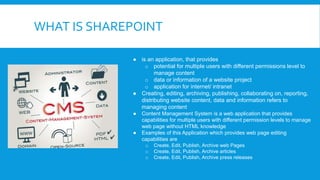
WHAT IS SHAREPOINT
● is an application, that provides
o potential for multiple users with different permissions level to
manage content
o data or information of a website project
o application for internet/ intranet
● Creating, editing, archiving, publishing, collaborating on, reporting,
distributing website content, data and information refers to
managing content
● Content Management System is a web application that provides
capabilities for multiple users with different permission levels to manage
web page without HTML knowledge
● Examples of this Application which provides web page editing
capabilities are
o Create, Edit, Publish, Archive web Pages
o Create, Edit, Publish, Archive articles
o Create, Edit, Publish, Archive press releases
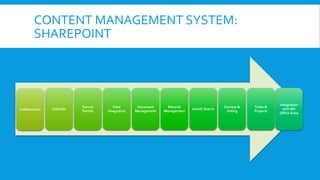
CONTENT MANAGEMENT SYSTEM:
SHAREPOINT
Collaboration Calendar
Secure
Portals
Data
Integration
Document
Management
Records
Management
Inbuilt Search
Surveys &
Voting
Tasks &
Projects
Integration
with MS
Office Suite
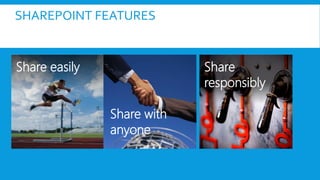
SHAREPOINT FEATURES
Share easily Share
responsibly
Share with
anyone
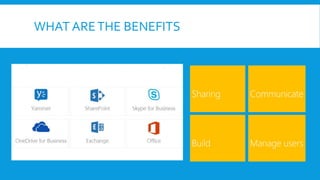
WHAT ARETHE BENEFITS
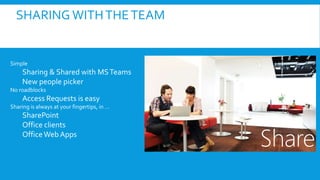
SHARING WITHTHETEAM
Simple
Sharing & Shared with MSTeams
New people picker
No roadblocks
Access Requests is easy
Sharing is always at your fingertips, in …
SharePoint
Office clients
OfficeWeb Apps
Share
SHARING WITH EXTERNAL STAKEHOLDERS
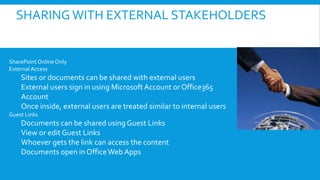
SharePoint Online Only
External Access
Sites or documents can be shared with external users
External users sign in using Microsoft Account orOffice365
Account
Once inside, external users are treated similar to internal users
Guest Links
Documents can be shared using Guest Links
View or edit Guest Links
Whoever gets the link can access the content
Documents open in OfficeWeb Apps
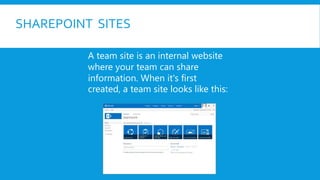
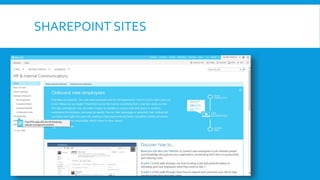
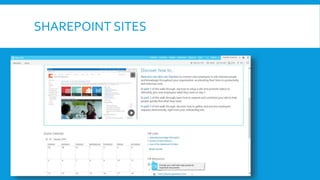
SHAREPOINT SITES
A team site is an internal website
where your team can share
information. When it's first
created, a team site looks like this:
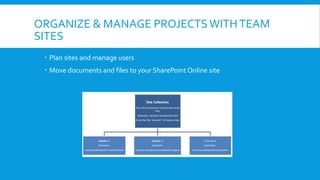
ORGANIZE & MANAGE PROJECTSWITHTEAM
SITES
 Plan sites and manage users
 Move documents and files to your SharePoint Online site
GET PRODUCTIVE WITH ONEDRIVE FOR
BUSINESS
 What is OneDrive for Business?
 provides place in the cloud where you can store, share, and sync your work files.
 Manage your information
 Manage document privacy
 Sync a library to your computer
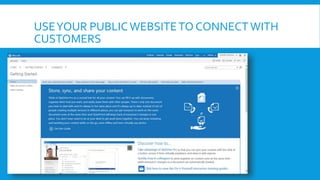
USEYOUR PUBLICWEBSITETO CONNECT WITH
CUSTOMERS
SHAREPOINT SITES
SHAREPOINT SITES
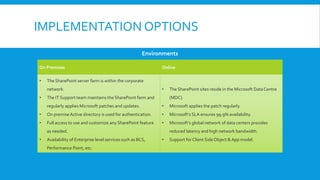
IMPLEMENTATION OPTIONS
On Premises Online
• The SharePoint server farm is within the corporate
network.
• The IT Support team maintains the SharePoint farm and
regularly applies Microsoft patches and updates.
• On premiseActive directory is used for authentication.
• Full access to use and customize any SharePoint feature
as needed.
• Availability of Enterprise level services such as BCS,
Performance Point, etc.
• The SharePoint sites reside in the Microsoft DataCentre
(MDC).
• Microsoft applies the patch regularly.
• Microsoft’s SLA ensures 99.9% availability.
• Microsoft’s global network of data centers provides
reduced latency and high network bandwidth.
• Support for Client Side Object & App model.
Environments
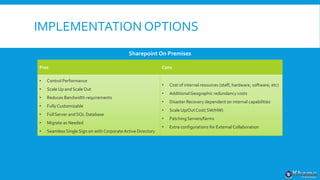
IMPLEMENTATION OPTIONS
Pros Cons
• Control Performance
• Scale Up and ScaleOut
• Reduces Bandwidth requirements
• FullyCustomizable
• Full Server and SQL Database
• Migrate as Needed
• Seamless Single Sign on with Corporate Active Directory
• Cost of internal resources (staff, hardware, software, etc)
• AdditionalGeographic redundancy costs
• Disaster Recovery dependent on internal capabilities
• Scale Up/OutCost( SW/HW)
• Patching Servers/farms
• Extra configurations for External Collaboration
Sharepoint On Premises
IMPLEMENTATION OPTIONS
Pros Cons
• Uptime 99.99%
• Multiple Data centers
• Geographically redundant
• Shorted release cycle
• Managed Services ( SaaS)
• Pay as you go ( Low Cost )
• Reduced impact on internal IT resources
• Scalability
• More ISP Bandwidth
• LimitedCustomizations
• Possible Storage Costs
• Recovery SLAs
• No Server access
SharePoint Online
THANKYOU
Khwezi Flatela
17 May 2019

Share Point online

  • 1.
  • 2.
  • 3.
    WHAT IS SHAREPOINT ●is an application, that provides o potential for multiple users with different permissions level to manage content o data or information of a website project o application for internet/ intranet ● Creating, editing, archiving, publishing, collaborating on, reporting, distributing website content, data and information refers to managing content ● Content Management System is a web application that provides capabilities for multiple users with different permission levels to manage web page without HTML knowledge ● Examples of this Application which provides web page editing capabilities are o Create, Edit, Publish, Archive web Pages o Create, Edit, Publish, Archive articles o Create, Edit, Publish, Archive press releases
  • 4.
    CONTENT MANAGEMENT SYSTEM: SHAREPOINT CollaborationCalendar Secure Portals Data Integration Document Management Records Management Inbuilt Search Surveys & Voting Tasks & Projects Integration with MS Office Suite
  • 5.
    SHAREPOINT FEATURES Share easilyShare responsibly Share with anyone
  • 6.
  • 7.
    SHARING WITHTHETEAM Simple Sharing &Shared with MSTeams New people picker No roadblocks Access Requests is easy Sharing is always at your fingertips, in … SharePoint Office clients OfficeWeb Apps Share
  • 8.
    SHARING WITH EXTERNALSTAKEHOLDERS SharePoint Online Only External Access Sites or documents can be shared with external users External users sign in using Microsoft Account orOffice365 Account Once inside, external users are treated similar to internal users Guest Links Documents can be shared using Guest Links View or edit Guest Links Whoever gets the link can access the content Documents open in OfficeWeb Apps
  • 9.
    SHAREPOINT SITES A teamsite is an internal website where your team can share information. When it's first created, a team site looks like this:
  • 10.
    ORGANIZE & MANAGEPROJECTSWITHTEAM SITES  Plan sites and manage users  Move documents and files to your SharePoint Online site
  • 11.
    GET PRODUCTIVE WITHONEDRIVE FOR BUSINESS  What is OneDrive for Business?  provides place in the cloud where you can store, share, and sync your work files.  Manage your information  Manage document privacy  Sync a library to your computer
  • 12.
  • 13.
  • 14.
  • 15.
    IMPLEMENTATION OPTIONS On PremisesOnline • The SharePoint server farm is within the corporate network. • The IT Support team maintains the SharePoint farm and regularly applies Microsoft patches and updates. • On premiseActive directory is used for authentication. • Full access to use and customize any SharePoint feature as needed. • Availability of Enterprise level services such as BCS, Performance Point, etc. • The SharePoint sites reside in the Microsoft DataCentre (MDC). • Microsoft applies the patch regularly. • Microsoft’s SLA ensures 99.9% availability. • Microsoft’s global network of data centers provides reduced latency and high network bandwidth. • Support for Client Side Object & App model. Environments
  • 16.
    IMPLEMENTATION OPTIONS Pros Cons •Control Performance • Scale Up and ScaleOut • Reduces Bandwidth requirements • FullyCustomizable • Full Server and SQL Database • Migrate as Needed • Seamless Single Sign on with Corporate Active Directory • Cost of internal resources (staff, hardware, software, etc) • AdditionalGeographic redundancy costs • Disaster Recovery dependent on internal capabilities • Scale Up/OutCost( SW/HW) • Patching Servers/farms • Extra configurations for External Collaboration Sharepoint On Premises
  • 17.
    IMPLEMENTATION OPTIONS Pros Cons •Uptime 99.99% • Multiple Data centers • Geographically redundant • Shorted release cycle • Managed Services ( SaaS) • Pay as you go ( Low Cost ) • Reduced impact on internal IT resources • Scalability • More ISP Bandwidth • LimitedCustomizations • Possible Storage Costs • Recovery SLAs • No Server access SharePoint Online
  • 18.

Editor's Notes

  • #4 Permisions --Levels ----Full control ----design ----Edit ----Contribute ----Read ----Limited acces ----view only 3 types --owners --members --Visitors