CSS
Cascading Style Sheets
CONTENTS{
1. What is CSS?
2. Syntax
3. Cascading Order
4. Examples of Properties
5. Limitations
6. CSS variations
{WHAT IS CSS?
 CSS stands for Cascading Style Sheets
 Styles define how to display (X)HTML elements
 Styles are normally stored in Style Sheets
 Multiple style definitions will cascade into one
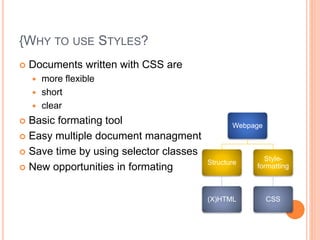
{WHY TO USE STYLES?
 Documents written with CSS are
 more flexible
 short
 clear
 Basic formating tool
 Easy multiple document managment
 Save time by using selector classes
 New opportunities in formating
Webpage
Structure
(X)HTML
Style-
formatting
CSS
SYNTAX
CSS
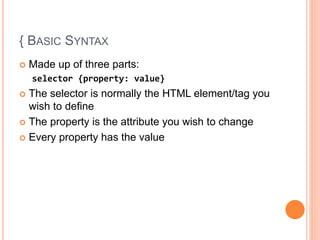
{ BASIC SYNTAX
 Made up of three parts:
selector {property: value}
 The selector is normally the HTML element/tag you
wish to define
 The property is the attribute you wish to change
 Every property has the value
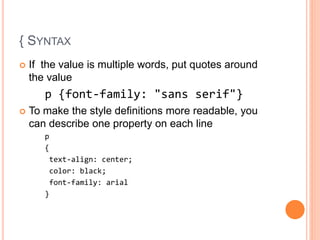
{ SYNTAX
 If the value is multiple words, put quotes around
the value
p {font-family: "sans serif"}
 To make the style definitions more readable, you
can describe one property on each line
p
{
text-align: center;
color: black;
font-family: arial
}
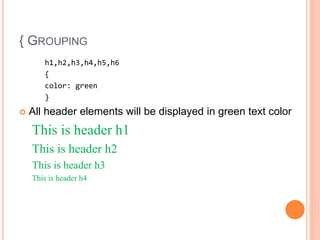
{ GROUPING
h1,h2,h3,h4,h5,h6
{
color: green
}
 All header elements will be displayed in green text color
This is header h1
This is header h2
This is header h3
This is header h4
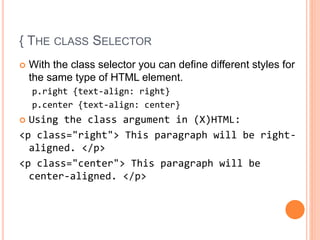
{ THE CLASS SELECTOR
 With the class selector you can define different styles for
the same type of HTML element.
p.right {text-align: right}
p.center {text-align: center}
 Using the class argument in (X)HTML:
<p class="right"> This paragraph will be right-
aligned. </p>
<p class="center"> This paragraph will be
center-aligned. </p>
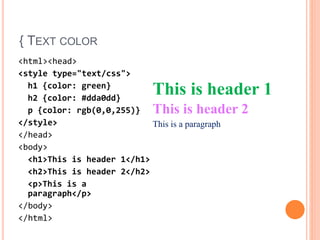
{ TEXT COLOR
<html><head>
<style type="text/css">
h1 {color: green}
h2 {color: #dda0dd}
p {color: rgb(0,0,255)}
</style>
</head>
<body>
<h1>This is header 1</h1>
<h2>This is header 2</h2>
<p>This is a
paragraph</p>
</body>
</html>
This is header 1
This is header 2
This is a paragraph
INSERTING OF STYLE SHEET
CSS
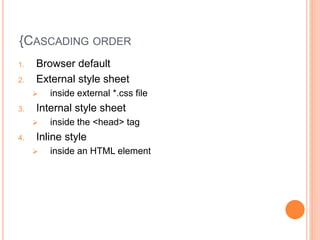
{CASCADING ORDER
1. Browser default
2. External style sheet
 inside external *.css file
3. Internal style sheet
 inside the <head> tag
4. Inline style
 inside an HTML element
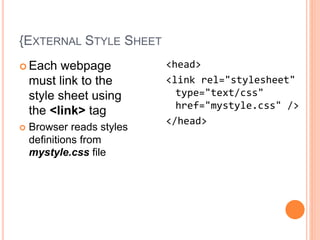
{EXTERNAL STYLE SHEET
 Each webpage
must link to the
style sheet using
the <link> tag
 Browser reads styles
definitions from
mystyle.css file
<head>
<link rel="stylesheet"
type="text/css"
href="mystyle.css" />
</head>
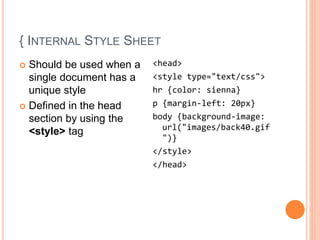
{ INTERNAL STYLE SHEET
 Should be used when a
single document has a
unique style
 Defined in the head
section by using the
<style> tag
<head>
<style type="text/css">
hr {color: sienna}
p {margin-left: 20px}
body {background-image:
url("images/back40.gif
")}
</style>
</head>
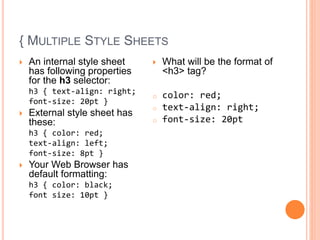
{ MULTIPLE STYLE SHEETS
 An internal style sheet
has following properties
for the h3 selector:
h3 { text-align: right;
font-size: 20pt }
 External style sheet has
these:
h3 { color: red;
text-align: left;
font-size: 8pt }
 Your Web Browser has
default formatting:
h3 { color: black;
font size: 10pt }
 What will be the format of
<h3> tag?
o color: red;
o text-align: right;
o font-size: 20pt
EXAMPLES
CSS Properties & values
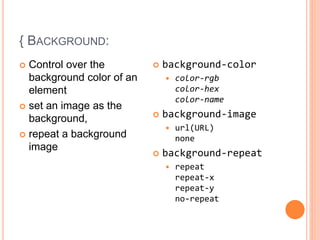
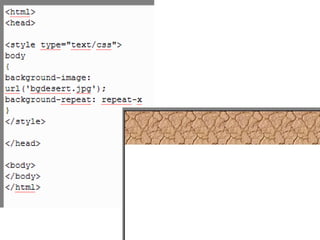
{ BACKGROUND:
 Control over the
background color of an
element
 set an image as the
background,
 repeat a background
image
 background-color
 color-rgb
color-hex
color-name
 background-image
 url(URL)
none
 background-repeat
 repeat
repeat-x
repeat-y
no-repeat
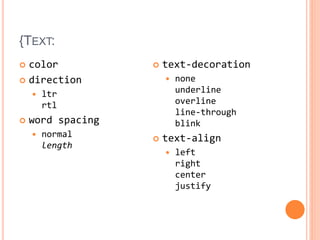
{TEXT:
 color
 direction
 ltr
rtl
 word spacing
 normal
length
 text-decoration
 none
underline
overline
line-through
blink
 text-align
 left
right
center
justify
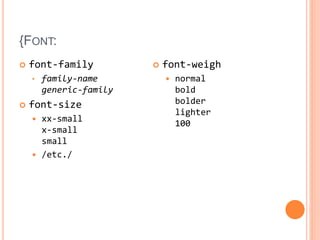
{FONT:
 font-family
• family-name
generic-family
 font-size
 xx-small
x-small
small
 /etc./
 font-weigh
 normal
bold
bolder
lighter
100
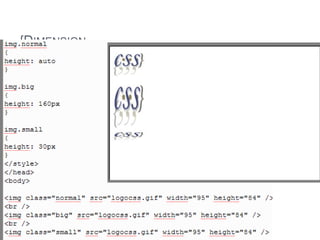
{DIMENSION
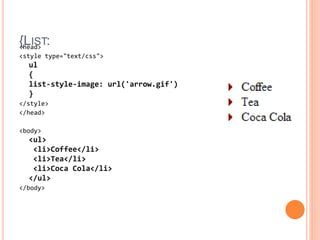
{LIST:<head>
<style type="text/css">
ul
{
list-style-image: url('arrow.gif')
}
</style>
</head>
<body>
<ul>
<li>Coffee</li>
<li>Tea</li>
<li>Coca Cola</li>
</ul>
</body>
CSS
Variations, Limitations
{CSS LIMITATIONS
 Some noted disadvantages of using "pure" CSS
include
 Inconsistent browser support
 Absence of expressions
 Lack of Variables
 Lack of multiple backgrounds per element
 Control of Element Shapes

Session v(css)

  • 1.
  • 2.
    CONTENTS{ 1. What isCSS? 2. Syntax 3. Cascading Order 4. Examples of Properties 5. Limitations 6. CSS variations
  • 3.
    {WHAT IS CSS? CSS stands for Cascading Style Sheets  Styles define how to display (X)HTML elements  Styles are normally stored in Style Sheets  Multiple style definitions will cascade into one
  • 4.
    {WHY TO USESTYLES?  Documents written with CSS are  more flexible  short  clear  Basic formating tool  Easy multiple document managment  Save time by using selector classes  New opportunities in formating Webpage Structure (X)HTML Style- formatting CSS
  • 5.
  • 6.
    { BASIC SYNTAX Made up of three parts: selector {property: value}  The selector is normally the HTML element/tag you wish to define  The property is the attribute you wish to change  Every property has the value
  • 7.
    { SYNTAX  Ifthe value is multiple words, put quotes around the value p {font-family: "sans serif"}  To make the style definitions more readable, you can describe one property on each line p { text-align: center; color: black; font-family: arial }
  • 8.
    { GROUPING h1,h2,h3,h4,h5,h6 { color: green } All header elements will be displayed in green text color This is header h1 This is header h2 This is header h3 This is header h4
  • 9.
    { THE CLASSSELECTOR  With the class selector you can define different styles for the same type of HTML element. p.right {text-align: right} p.center {text-align: center}  Using the class argument in (X)HTML: <p class="right"> This paragraph will be right- aligned. </p> <p class="center"> This paragraph will be center-aligned. </p>
  • 10.
    { TEXT COLOR <html><head> <styletype="text/css"> h1 {color: green} h2 {color: #dda0dd} p {color: rgb(0,0,255)} </style> </head> <body> <h1>This is header 1</h1> <h2>This is header 2</h2> <p>This is a paragraph</p> </body> </html> This is header 1 This is header 2 This is a paragraph
  • 11.
  • 12.
    {CASCADING ORDER 1. Browserdefault 2. External style sheet  inside external *.css file 3. Internal style sheet  inside the <head> tag 4. Inline style  inside an HTML element
  • 13.
    {EXTERNAL STYLE SHEET Each webpage must link to the style sheet using the <link> tag  Browser reads styles definitions from mystyle.css file <head> <link rel="stylesheet" type="text/css" href="mystyle.css" /> </head>
  • 14.
    { INTERNAL STYLESHEET  Should be used when a single document has a unique style  Defined in the head section by using the <style> tag <head> <style type="text/css"> hr {color: sienna} p {margin-left: 20px} body {background-image: url("images/back40.gif ")} </style> </head>
  • 15.
    { MULTIPLE STYLESHEETS  An internal style sheet has following properties for the h3 selector: h3 { text-align: right; font-size: 20pt }  External style sheet has these: h3 { color: red; text-align: left; font-size: 8pt }  Your Web Browser has default formatting: h3 { color: black; font size: 10pt }  What will be the format of <h3> tag? o color: red; o text-align: right; o font-size: 20pt
  • 16.
  • 17.
    { BACKGROUND:  Controlover the background color of an element  set an image as the background,  repeat a background image  background-color  color-rgb color-hex color-name  background-image  url(URL) none  background-repeat  repeat repeat-x repeat-y no-repeat
  • 19.
    {TEXT:  color  direction ltr rtl  word spacing  normal length  text-decoration  none underline overline line-through blink  text-align  left right center justify
  • 21.
    {FONT:  font-family • family-name generic-family font-size  xx-small x-small small  /etc./  font-weigh  normal bold bolder lighter 100
  • 22.
  • 23.
  • 24.
  • 25.
    {CSS LIMITATIONS  Somenoted disadvantages of using "pure" CSS include  Inconsistent browser support  Absence of expressions  Lack of Variables  Lack of multiple backgrounds per element  Control of Element Shapes