ANDROID COURSE
WITH JAVA
Developed by Keroles Magdy
keroles.m.yacoub@gmail.com
2019 ©
Session topics :-
• String.
• Garbage collector.
• Type casting.
• Conditions and If Statements.
• Switch Statements.
• For Loop.
• For-Each Loop.
• While Loop.
• Break and Continue
• Arrays.
• Multidimensional Arrays.
String :-
• String, used for storing text.
• Is a collection of characters surrounded by double quotes.
• String greeting = "Hello";
• Concatenation :
• String greeting = "Hello" + “World" ;
Garbage collectors :-
• Garbage collectors, first unreferenced objects are identified and marked
as ready for garbage collection. Second marked objects are deleted.
Optionally, memory can be compacted after the garbage collector deletes
objects.
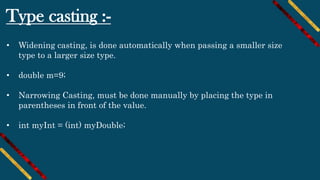
Type casting :-
• Widening casting, is done automatically when passing a smaller size
type to a larger size type.
• double m=9;
• Narrowing Casting, must be done manually by placing the type in
parentheses in front of the value.
• int myInt = (int) myDouble;
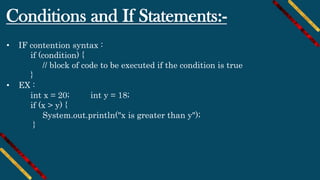
Conditions and If Statements:-
• IF contention syntax :
if (condition) {
// block of code to be executed if the condition is true
}
• EX :
int x = 20; int y = 18;
if (x > y) {
System.out.println("x is greater than y");
}
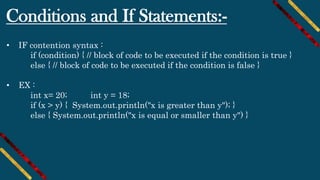
Conditions and If Statements:-
• IF contention syntax :
if (condition) { // block of code to be executed if the condition is true }
else { // block of code to be executed if the condition is false }
• EX :
int x= 20; int y = 18;
if (x > y) { System.out.println("x is greater than y"); }
else { System.out.println("x is equal or smaller than y") }
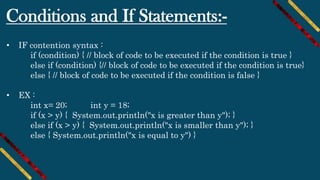
Conditions and If Statements:-
• IF contention syntax :
if (condition) { // block of code to be executed if the condition is true }
else if (condition) {// block of code to be executed if the condition is true}
else { // block of code to be executed if the condition is false }
• EX :
int x= 20; int y = 18;
if (x > y) { System.out.println("x is greater than y"); }
else if (x > y) { System.out.println("x is smaller than y"); }
else { System.out.println("x is equal to y") }
Conditions and If Statements:-
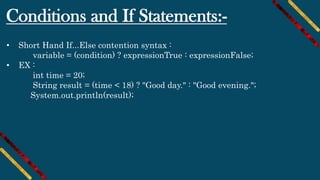
• Short Hand If...Else contention syntax :
variable = (condition) ? expressionTrue : expressionFalse;
• EX :
int time = 20;
String result = (time < 18) ? "Good day." : "Good evening.";
System.out.println(result);
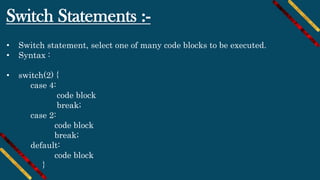
Switch Statements :-
• Switch statement, select one of many code blocks to be executed.
• Syntax :
• switch(2) {
case 4:
code block
break;
case 2:
code block
break;
default:
code block
}
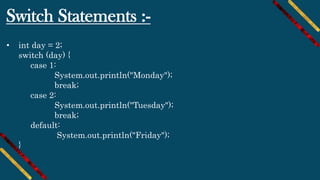
Switch Statements :-
• int day = 2;
switch (day) {
case 1:
System.out.println("Monday");
break;
case 2:
System.out.println("Tuesday");
break;
default:
System.out.println("Friday");
}
Break
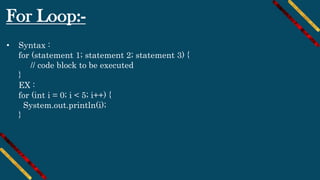
For Loop:-
• Syntax :
for (statement 1; statement 2; statement 3) {
// code block to be executed
}
EX :
for (int i = 0; i < 5; i++) {
System.out.println(i);
}
For-Each Loop:-
• Syntax :
for (type variableName : arrayName) {
// code block to be executed
}
EX :
String[] cars = {"Ahmed", "Mohamed", "Ali", "Mazda"};
for (String i : cars) {
System.out.println(i);
}
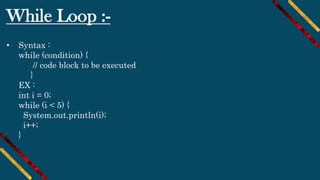
While Loop :-
• Syntax :
while (condition) {
// code block to be executed
}
EX :
int i = 0;
while (i < 5) {
System.out.println(i);
i++;
}
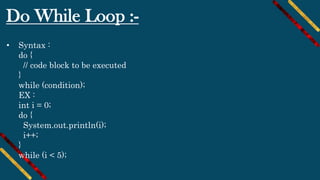
Do While Loop :-
• Syntax :
do {
// code block to be executed
}
while (condition);
EX :
int i = 0;
do {
System.out.println(i);
i++;
}
while (i < 5);
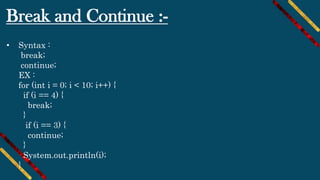
Break and Continue :-
• Syntax :
break;
continue;
EX :
for (int i = 0; i < 10; i++) {
if (i == 4) {
break;
}
if (i == 3) {
continue;
}
System.out.println(i);
}
Arrays :-
• String [ ] cars;
String[] cars = {"Volvo", "BMW", "Ford", "Mazda"};
int[] myNum = {10, 20, 30, 40};
System.out.println(cars[0]);
for (int i = 0; i < cars.length; i++) {
System.out.println(cars[i]);
}
Multidimensional Arrays :-
• int[][] myNumbers = { {1, 2, 3, 4}, {5, 6, 7} };
int x = myNumbers[1][2];
System.out.println(x); // Outputs 7
for (int i = 0; i < myNumbers.length; ++i) {
for(int j = 0; j < myNumbers[i].length; ++j) {
System.out.println(myNumbers[i][j]);
}
}
the End

Android course session 2 ( java basics )

  • 1.
    ANDROID COURSE WITH JAVA Developedby Keroles Magdy keroles.m.yacoub@gmail.com 2019 ©
  • 2.
    Session topics :- •String. • Garbage collector. • Type casting. • Conditions and If Statements. • Switch Statements. • For Loop. • For-Each Loop. • While Loop. • Break and Continue • Arrays. • Multidimensional Arrays.
  • 3.
    String :- • String,used for storing text. • Is a collection of characters surrounded by double quotes. • String greeting = "Hello"; • Concatenation : • String greeting = "Hello" + “World" ;
  • 4.
    Garbage collectors :- •Garbage collectors, first unreferenced objects are identified and marked as ready for garbage collection. Second marked objects are deleted. Optionally, memory can be compacted after the garbage collector deletes objects.
  • 5.
    Type casting :- •Widening casting, is done automatically when passing a smaller size type to a larger size type. • double m=9; • Narrowing Casting, must be done manually by placing the type in parentheses in front of the value. • int myInt = (int) myDouble;
  • 6.
    Conditions and IfStatements:- • IF contention syntax : if (condition) { // block of code to be executed if the condition is true } • EX : int x = 20; int y = 18; if (x > y) { System.out.println("x is greater than y"); }
  • 7.
    Conditions and IfStatements:- • IF contention syntax : if (condition) { // block of code to be executed if the condition is true } else { // block of code to be executed if the condition is false } • EX : int x= 20; int y = 18; if (x > y) { System.out.println("x is greater than y"); } else { System.out.println("x is equal or smaller than y") }
  • 8.
    Conditions and IfStatements:- • IF contention syntax : if (condition) { // block of code to be executed if the condition is true } else if (condition) {// block of code to be executed if the condition is true} else { // block of code to be executed if the condition is false } • EX : int x= 20; int y = 18; if (x > y) { System.out.println("x is greater than y"); } else if (x > y) { System.out.println("x is smaller than y"); } else { System.out.println("x is equal to y") }
  • 9.
    Conditions and IfStatements:- • Short Hand If...Else contention syntax : variable = (condition) ? expressionTrue : expressionFalse; • EX : int time = 20; String result = (time < 18) ? "Good day." : "Good evening."; System.out.println(result);
  • 10.
    Switch Statements :- •Switch statement, select one of many code blocks to be executed. • Syntax : • switch(2) { case 4: code block break; case 2: code block break; default: code block }
  • 11.
    Switch Statements :- •int day = 2; switch (day) { case 1: System.out.println("Monday"); break; case 2: System.out.println("Tuesday"); break; default: System.out.println("Friday"); }
  • 12.
  • 13.
    For Loop:- • Syntax: for (statement 1; statement 2; statement 3) { // code block to be executed } EX : for (int i = 0; i < 5; i++) { System.out.println(i); }
  • 14.
    For-Each Loop:- • Syntax: for (type variableName : arrayName) { // code block to be executed } EX : String[] cars = {"Ahmed", "Mohamed", "Ali", "Mazda"}; for (String i : cars) { System.out.println(i); }
  • 15.
    While Loop :- •Syntax : while (condition) { // code block to be executed } EX : int i = 0; while (i < 5) { System.out.println(i); i++; }
  • 16.
    Do While Loop:- • Syntax : do { // code block to be executed } while (condition); EX : int i = 0; do { System.out.println(i); i++; } while (i < 5);
  • 17.
    Break and Continue:- • Syntax : break; continue; EX : for (int i = 0; i < 10; i++) { if (i == 4) { break; } if (i == 3) { continue; } System.out.println(i); }
  • 18.
    Arrays :- • String[ ] cars; String[] cars = {"Volvo", "BMW", "Ford", "Mazda"}; int[] myNum = {10, 20, 30, 40}; System.out.println(cars[0]); for (int i = 0; i < cars.length; i++) { System.out.println(cars[i]); }
  • 19.
    Multidimensional Arrays :- •int[][] myNumbers = { {1, 2, 3, 4}, {5, 6, 7} }; int x = myNumbers[1][2]; System.out.println(x); // Outputs 7 for (int i = 0; i < myNumbers.length; ++i) { for(int j = 0; j < myNumbers[i].length; ++j) { System.out.println(myNumbers[i][j]); } }
  • 20.