By :
Gayathiry
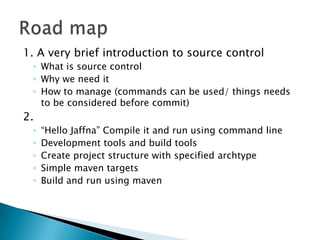
1. A very brief introduction to source control
 ◦ What is source control
 ◦ Why we need it
 ◦ How to manage (commands can be used/ things needs
   to be considered before commit)
2.
 ◦   “Hello Jaffna” Compile it and run using command line
 ◦   Development tools and build tools
 ◦   Create project structure with specified archtype
 ◦   Simple maven targets
 ◦   Build and run using maven
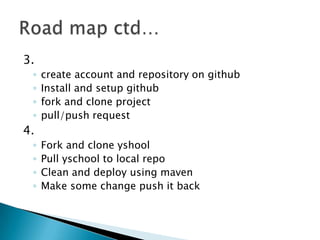
3.
 ◦   create account and repository on github
 ◦   Install and setup github
 ◦   fork and clone project
 ◦   pull/push request
4.
 ◦   Fork and clone yshool
 ◦   Pull yschool to local repo
 ◦   Clean and deploy using maven
 ◦   Make some change push it back
   tracks and provides control over changes to
    source code

   Examples :
    •   Github
    •   SVN(Subversion)
    •   CVS
    •   etc
   track files
   Periodically commit
   history will help to collaborate with other
    developers
   merge between other developers
   compare and revert with previous version of
    project/individual files
   Getting and Creating Projects
   Basic Snapshotting
   Branching and Merging
   Sharing and Updating Projects
   Inspection and Comparison
   Make sure that you are working on the latest
    version of a file.
   Check out only what you need.
   Check in promptly.
   Write good check-in comments.
   public class AppTest{

       public static void main(String [] args){
            System.out.println("Hello Jaffna!");
       }
    }
   Compile using command line
    • Javac AppTest.java
    • Java AppTest
   Build process is repetitive process where
    programmer builds the project again and
    again to test the changes in the project code
   Build tools automate the repetitive process
    and allows the programmer to concentrate on
    the project development
   Building in a single click
   Dependency management
   Versioning
   Compile Java code, build jars
   Execute tests and report results, fail build on
    failed tests
   Run quality-check tools (PMD, Findbugs,
    Checkstyles)
   File generation (XmlBeans, Xsl, Velocity,
    AspectJ)
   Property expansion / token substitution
   software project management and
    comprehension tool
    Based on the concept of a project object
    model (POM),
   Maven can manage a project's build,
    reporting and documentation from a central
    piece of information.
   In Maven, an archetype is a template of a
    project which is combined with some user
    input to produce a working Maven project
   mvn archetype:generate -
    DarchetypeArtifactId=maven-archetype-
    webapp -DgroupId=package-name -
    DartifactId=project-name
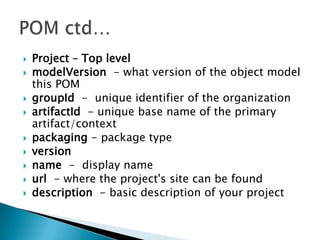
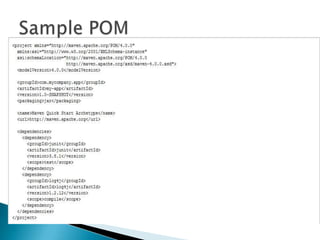
   Project – Top level
   modelVersion - what version of the object model
    this POM
   groupId - unique identifier of the organization
   artifactId - unique base name of the primary
    artifact/context
   packaging - package type
   version
   name - display name
   url - where the project's site can be found
   description - basic description of your project
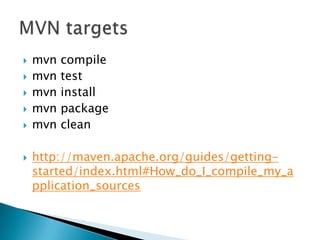
   mvn   compile
   mvn   test
   mvn   install
   mvn   package
   mvn   clean

   http://maven.apache.org/guides/getting-
    started/index.html#How_do_I_compile_my_a
    pplication_sources
   git is a distributed version control system
   Is a place where we store our publicly
    available source code for client libraries.
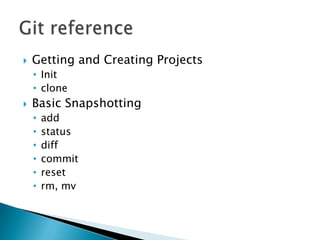
   Getting and Creating Projects
    • Init
    • clone
   Basic Snapshotting
    •   add
    •   status
    •   diff
    •   commit
    •   reset
    •   rm, mv
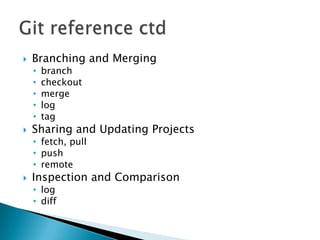
   Branching and Merging
    •   branch
    •   checkout
    •   merge
    •   log
    •   tag
   Sharing and Updating Projects
    • fetch, pull
    • push
    • remote
   Inspection and Comparison
    • log
    • diff
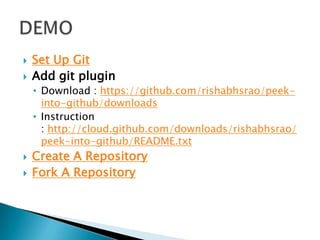
   Set Up Git
   Add git plugin
    • Download : https://github.com/rishabhsrao/peek-
      into-github/downloads
    • Instruction
      : http://cloud.github.com/downloads/rishabhsrao/
      peek-into-github/README.txt
   Create A Repository
   Fork A Repository
   Created a maven project
   Setup git
   Push that to your account
   Fork and clone and existing project
   Send fetch & pull requests
Session 2

Session 2

  • 1.
  • 2.
    1. A verybrief introduction to source control ◦ What is source control ◦ Why we need it ◦ How to manage (commands can be used/ things needs to be considered before commit) 2. ◦ “Hello Jaffna” Compile it and run using command line ◦ Development tools and build tools ◦ Create project structure with specified archtype ◦ Simple maven targets ◦ Build and run using maven
  • 3.
    3. ◦ create account and repository on github ◦ Install and setup github ◦ fork and clone project ◦ pull/push request 4. ◦ Fork and clone yshool ◦ Pull yschool to local repo ◦ Clean and deploy using maven ◦ Make some change push it back
  • 4.
    tracks and provides control over changes to source code  Examples : • Github • SVN(Subversion) • CVS • etc
  • 5.
    track files  Periodically commit  history will help to collaborate with other developers  merge between other developers  compare and revert with previous version of project/individual files
  • 6.
    Getting and Creating Projects  Basic Snapshotting  Branching and Merging  Sharing and Updating Projects  Inspection and Comparison
  • 7.
    Make sure that you are working on the latest version of a file.  Check out only what you need.  Check in promptly.  Write good check-in comments.
  • 8.
    public class AppTest{ public static void main(String [] args){ System.out.println("Hello Jaffna!"); } }  Compile using command line • Javac AppTest.java • Java AppTest
  • 9.
    Build process is repetitive process where programmer builds the project again and again to test the changes in the project code  Build tools automate the repetitive process and allows the programmer to concentrate on the project development  Building in a single click
  • 10.
    Dependency management  Versioning  Compile Java code, build jars  Execute tests and report results, fail build on failed tests  Run quality-check tools (PMD, Findbugs, Checkstyles)  File generation (XmlBeans, Xsl, Velocity, AspectJ)  Property expansion / token substitution
  • 11.
    software project management and comprehension tool  Based on the concept of a project object model (POM),  Maven can manage a project's build, reporting and documentation from a central piece of information.
  • 12.
    In Maven, an archetype is a template of a project which is combined with some user input to produce a working Maven project  mvn archetype:generate - DarchetypeArtifactId=maven-archetype- webapp -DgroupId=package-name - DartifactId=project-name
  • 13.
    Project – Top level  modelVersion - what version of the object model this POM  groupId - unique identifier of the organization  artifactId - unique base name of the primary artifact/context  packaging - package type  version  name - display name  url - where the project's site can be found  description - basic description of your project
  • 15.
    mvn compile  mvn test  mvn install  mvn package  mvn clean  http://maven.apache.org/guides/getting- started/index.html#How_do_I_compile_my_a pplication_sources
  • 16.
    git is a distributed version control system  Is a place where we store our publicly available source code for client libraries.
  • 17.
    Getting and Creating Projects • Init • clone  Basic Snapshotting • add • status • diff • commit • reset • rm, mv
  • 18.
    Branching and Merging • branch • checkout • merge • log • tag  Sharing and Updating Projects • fetch, pull • push • remote  Inspection and Comparison • log • diff
  • 19.
    Set Up Git  Add git plugin • Download : https://github.com/rishabhsrao/peek- into-github/downloads • Instruction : http://cloud.github.com/downloads/rishabhsrao/ peek-into-github/README.txt  Create A Repository  Fork A Repository
  • 20.
    Created a maven project  Setup git  Push that to your account  Fork and clone and existing project  Send fetch & pull requests