Azure Overview
Andrey Nikiforov
Lead Consultant
Blog: AndreyNikiforov.com
Agenda
• Defining the Cloud
• Developer Point of View: coding for Azure
• Designing for the Cloud
• Value Propositions
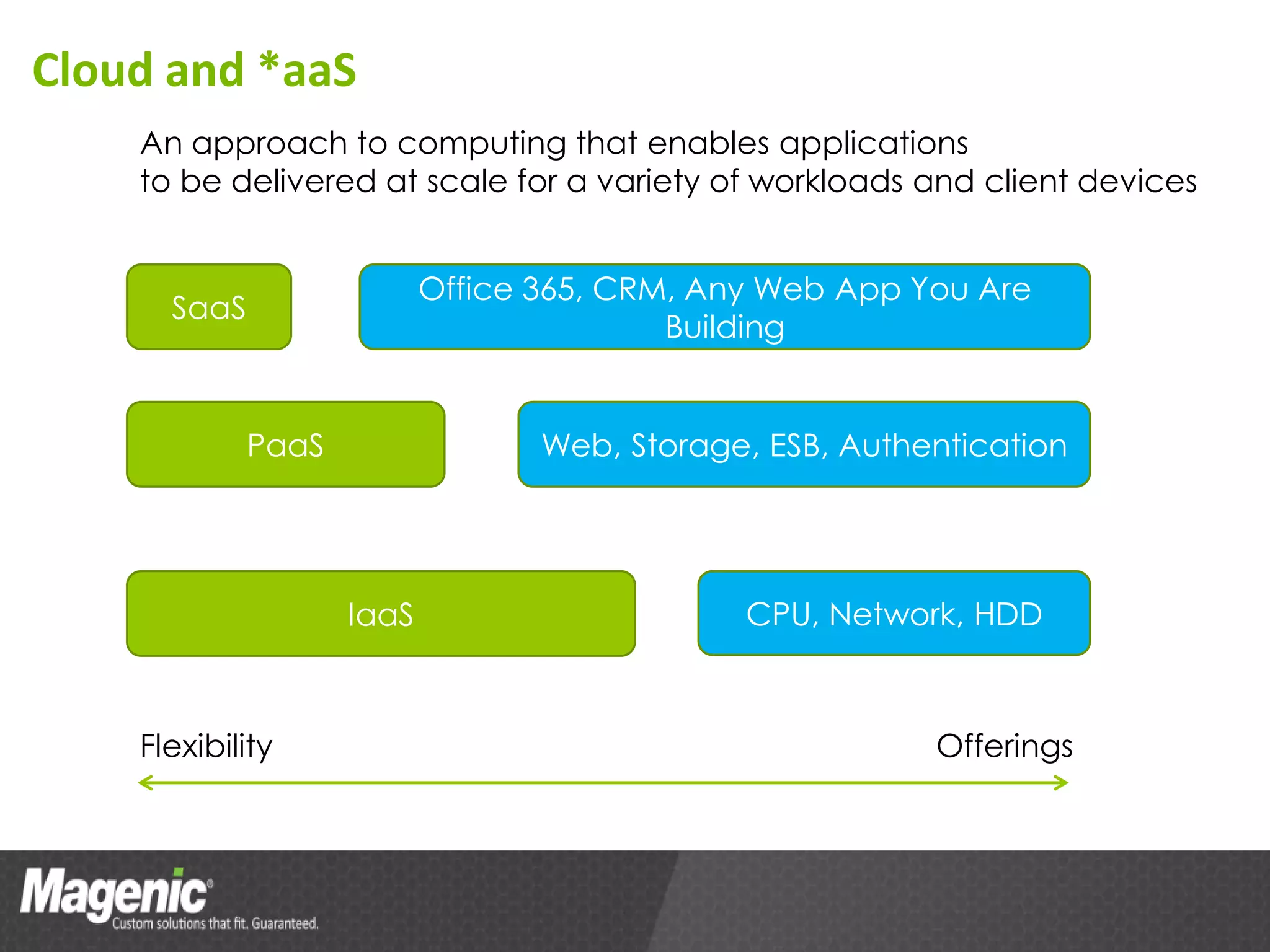
Cloud and *aaS
    An approach to computing that enables applications
    to be delivered at scale for a variety of workloads and client devices


                           Office 365, CRM, Any Web App You Are
      SaaS
                                          Building


             PaaS                 Web, Storage, ESB, Authentication


                    IaaS                      CPU, Network, HDD


    Flexibility                                           Offerings
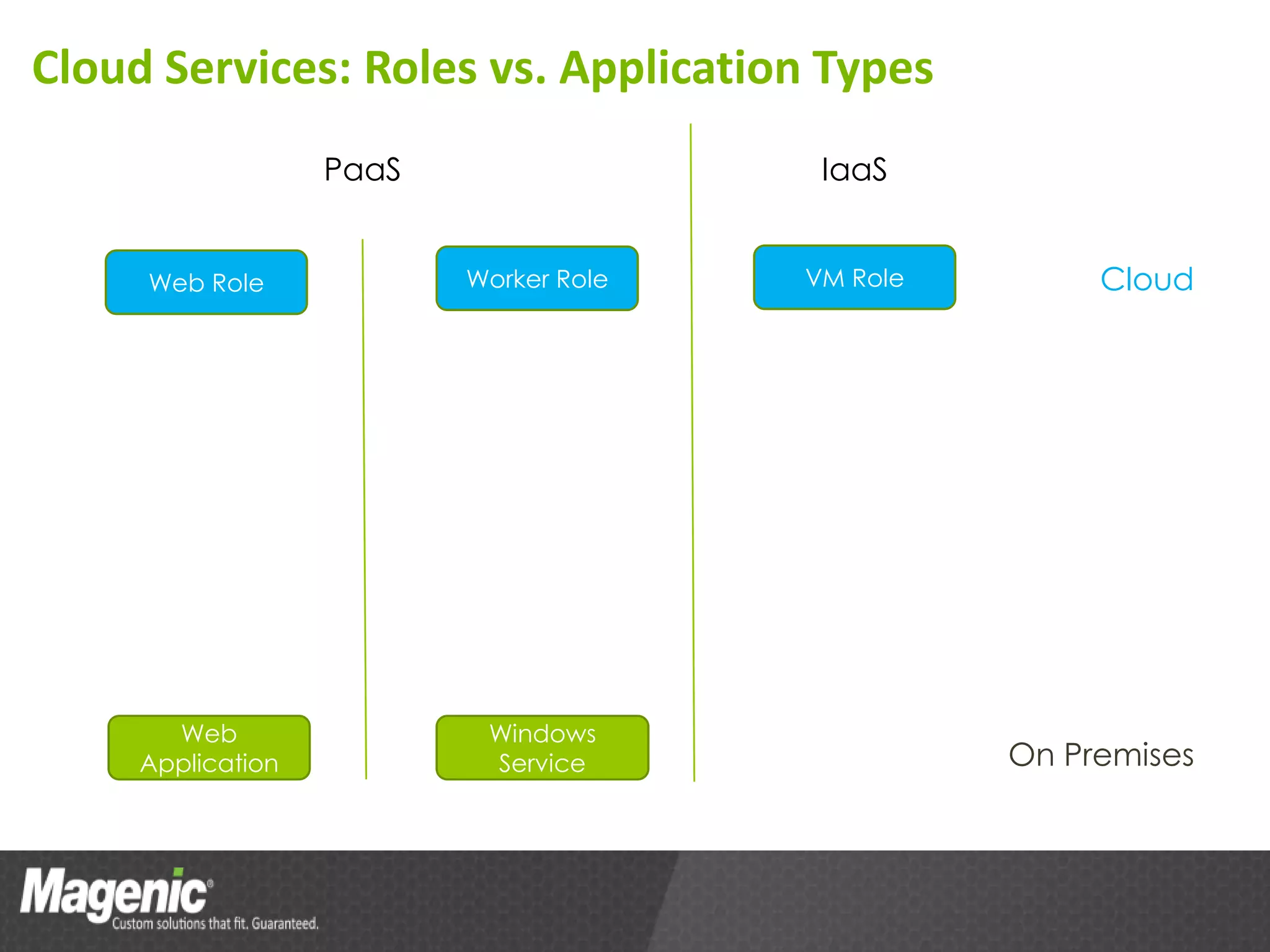
Cloud Services: Roles vs. Application Types
                   PaaS                  IaaS


     Web Role             Worker Role   VM Role        Cloud


       Web                 Windows
     Application           Service                On Premises
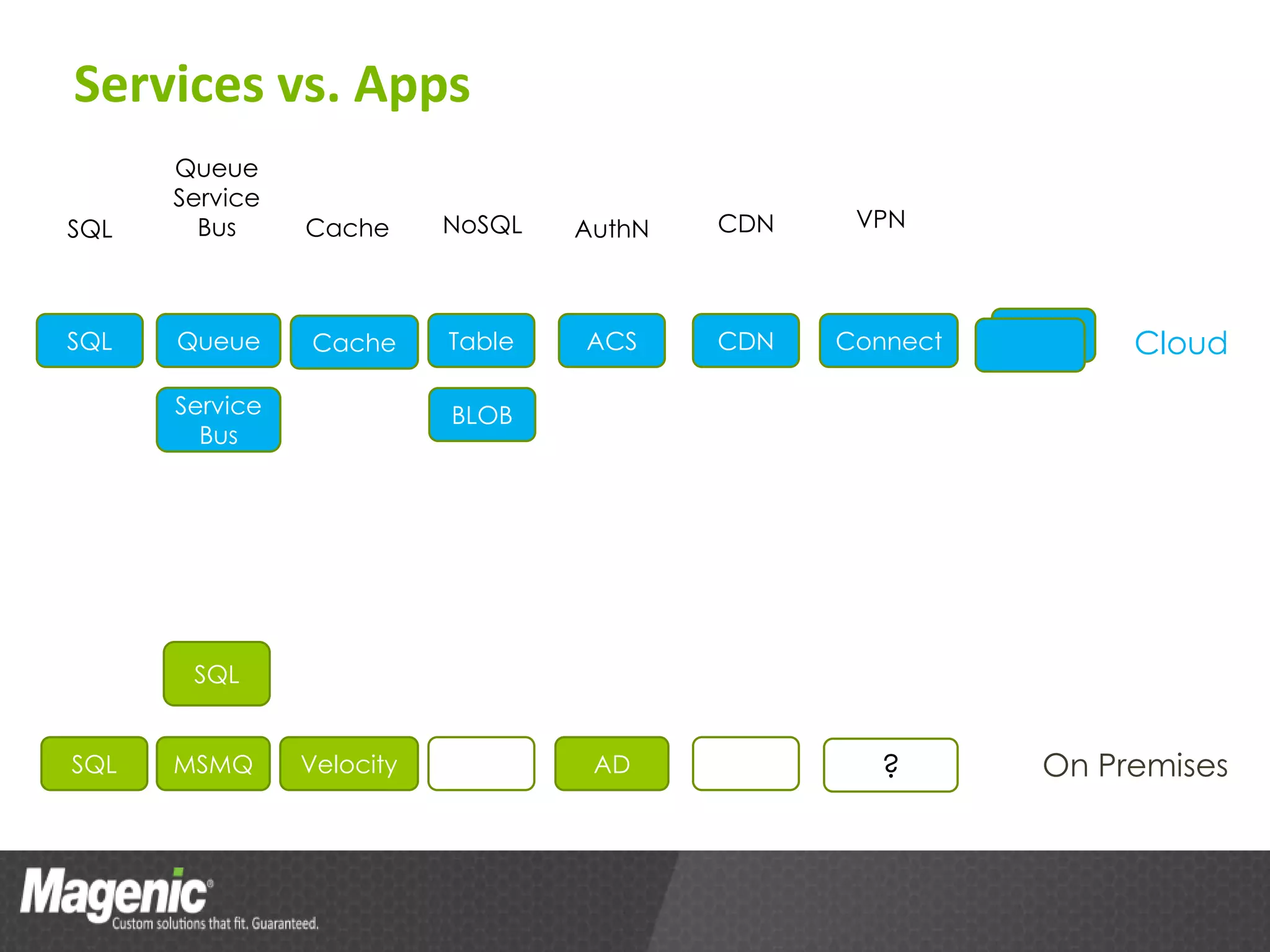
Services vs. Apps
      Queue
      Service
SQL     Bus     Cache      NoSQL   AuthN   CDN    VPN


SQL   Queue     Cache      Table   ACS     CDN   Connect        Cloud
      Service              BLOB
        Bus


       SQL


SQL   MSMQ      Velocity            AD              ?      On Premises
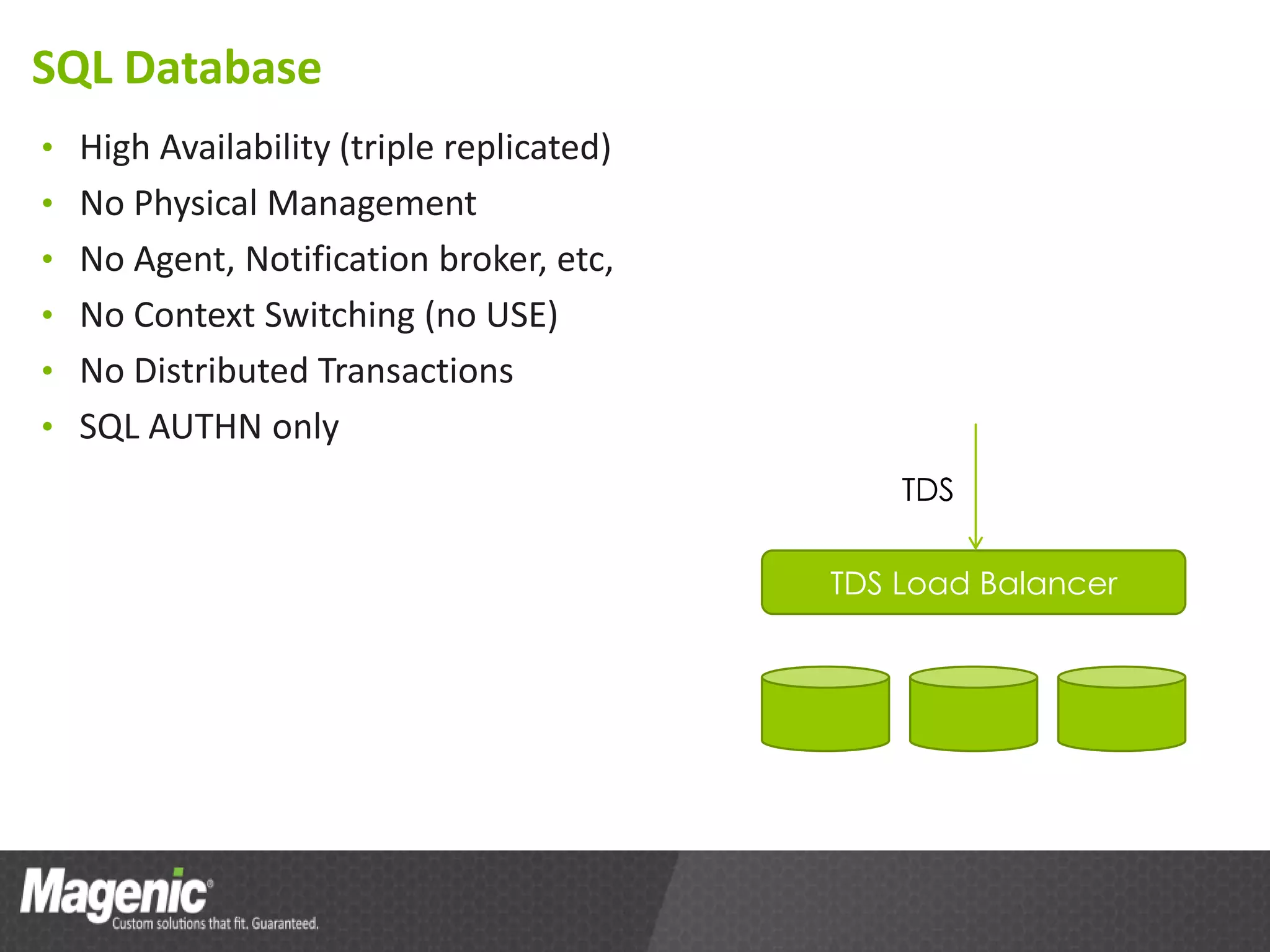
SQL Database
• High Availability (triple replicated)
• No Physical Management
• No Agent, Notification broker, etc,
• No Context Switching (no USE)
• No Distributed Transactions
• SQL AUTHN only
                                              TDS

                                          TDS Load Balancer
Storage Services
• BLOB, Table, Queue
• Triple replicated
• Geo replicated (BLOB & Table) asynchronously
• In PROD since 2008
• Used by MS internally (e.g. Bing)
• BLOB -> Azure Drive
Storage Services: BLOB
• Block (200G)
  – Can be locked exclusively
  – Blocks have MD5 and up to 4M
  – Transactional (upload blocks before committing)
  – Optimized for streaming
• Page (1T)
  – In-place updates
  – Page is 512 byte
  – Can write group of pages
  – Optimized for random access
• Snapshots
• Controlled Shared Access
• CDN
Storage Services: Table
• Key-Value Pair Storage on Steroids
  – Key==PatritionKey+RowKey
  – Value==Entity with up to 255 properties and up to 1M
• Up to 100T
• Supports Continuation for Queries
• Entity Group Transactions
  – Same Partition
  – <100 Entities
  – <4M in Size Total
Storage Services: Queue
• Durable Storage of Messages, up to 8K in size each
• FIFO is not guaranteed
• “At Least Once” delivery
Azure App from Developer Point of View
• Same Web App
• Worker Role is very similar to Win Services
• Services available through
  – REST API
  – .NET REST wrappers
• Diagnostics
  – Usage is the same (E.g. Trace.TraceInformation())
  – Data Collection is different
• Configuration management enhancements
Developer Tools
• Azure Tools for Visual Studio
  – Project Templates
  – Compute Emulator
  – Storage Emulator (Table, Blob, Queue)
• SQL Server
Demo
• Create an Azure app
• Try it in Emulator
• Deploy to Azure
  – Environment configurations
  – Deployment profiles
• Add Instrumentation
  – DiagnosticsMonitor
App Design Guidelines
• Proof of Concept + Measure [performance]
• Calculate Cost
Value Propositions
• Assets -> Operation Expenses
• No Overprovisioning
• Expenses Are Easily Tightened to Sales/Activity
• Simplified Dev Process Support (Dev/QA provisioning)
Action Plan
• Get Azure Trial Subscription
• Get Azure Labs
• Write your own BeyondHelloWorld
  – Different services (e.g. SQL & Tables)
  – Measure performance/scalability
  – Calculate cost
Summary
• What is it “Cloud”
• Azure Services
• Easy Development for Azure
• Value Propositions

Session 1 IaaS, PaaS, SaaS Overview

  • 1.
    Azure Overview Andrey Nikiforov LeadConsultant Blog: AndreyNikiforov.com
  • 2.
    Agenda • Defining theCloud • Developer Point of View: coding for Azure • Designing for the Cloud • Value Propositions
  • 3.
    Cloud and *aaS An approach to computing that enables applications to be delivered at scale for a variety of workloads and client devices Office 365, CRM, Any Web App You Are SaaS Building PaaS Web, Storage, ESB, Authentication IaaS CPU, Network, HDD Flexibility Offerings
  • 4.
    Cloud Services: Rolesvs. Application Types PaaS IaaS Web Role Worker Role VM Role Cloud Web Windows Application Service On Premises
  • 5.
    Services vs. Apps Queue Service SQL Bus Cache NoSQL AuthN CDN VPN SQL Queue Cache Table ACS CDN Connect Cloud Service BLOB Bus SQL SQL MSMQ Velocity AD ? On Premises
  • 6.
    SQL Database • HighAvailability (triple replicated) • No Physical Management • No Agent, Notification broker, etc, • No Context Switching (no USE) • No Distributed Transactions • SQL AUTHN only TDS TDS Load Balancer
  • 7.
    Storage Services • BLOB,Table, Queue • Triple replicated • Geo replicated (BLOB & Table) asynchronously • In PROD since 2008 • Used by MS internally (e.g. Bing) • BLOB -> Azure Drive
  • 8.
    Storage Services: BLOB •Block (200G) – Can be locked exclusively – Blocks have MD5 and up to 4M – Transactional (upload blocks before committing) – Optimized for streaming • Page (1T) – In-place updates – Page is 512 byte – Can write group of pages – Optimized for random access • Snapshots • Controlled Shared Access • CDN
  • 9.
    Storage Services: Table •Key-Value Pair Storage on Steroids – Key==PatritionKey+RowKey – Value==Entity with up to 255 properties and up to 1M • Up to 100T • Supports Continuation for Queries • Entity Group Transactions – Same Partition – <100 Entities – <4M in Size Total
  • 10.
    Storage Services: Queue •Durable Storage of Messages, up to 8K in size each • FIFO is not guaranteed • “At Least Once” delivery
  • 11.
    Azure App fromDeveloper Point of View • Same Web App • Worker Role is very similar to Win Services • Services available through – REST API – .NET REST wrappers • Diagnostics – Usage is the same (E.g. Trace.TraceInformation()) – Data Collection is different • Configuration management enhancements
  • 12.
    Developer Tools • AzureTools for Visual Studio – Project Templates – Compute Emulator – Storage Emulator (Table, Blob, Queue) • SQL Server
  • 13.
    Demo • Create anAzure app • Try it in Emulator • Deploy to Azure – Environment configurations – Deployment profiles • Add Instrumentation – DiagnosticsMonitor
  • 14.
    App Design Guidelines •Proof of Concept + Measure [performance] • Calculate Cost
  • 15.
    Value Propositions • Assets-> Operation Expenses • No Overprovisioning • Expenses Are Easily Tightened to Sales/Activity • Simplified Dev Process Support (Dev/QA provisioning)
  • 16.
    Action Plan • GetAzure Trial Subscription • Get Azure Labs • Write your own BeyondHelloWorld – Different services (e.g. SQL & Tables) – Measure performance/scalability – Calculate cost
  • 17.
    Summary • What isit “Cloud” • Azure Services • Easy Development for Azure • Value Propositions

Editor's Notes

  • #4 Cloud: simply an approach to computing that enables applications to be delivered at scale for a variety of workloads and client devicesScale on the slide: == “how much consumer manages”. Saas == very little by consumer and a lot for consumer by service provider
  • #10 Tables are for structured data