AZU02 – Building Azure Solutions 
with Office 365 
Marco Parenzan 
#CloudConferenceItalia
Gli Sponsor
Marco Parenzan 
• Formazione & Divulgazione con 1nn0va 
• Parlo di Cloud e di tutto quello che gira intorno 
• Ad esempio Internet of Things 
• Microsoft MVP 2014 for Microsoft Azure 
• Formazione & Progettazione con ITS Kennedy 
• Insegno principi di CloudComputing 
• Ricerca e Innovazione con Servizi Cgn 
• Sviluppo software 
• Formazione interna
State of Software Development
New development trends 
• Cloud 
• Big Data 
• Mobile and Devices 
• Internet of Things
New development challenges 
• None of the following is true: 
• “Network is reliable” 
• “Latency is near to zero or irrelevant” 
• “Bandwidth is unlimited” 
• “Network is secure” 
• “Topology doesn’t change” 
• “Transport cost is irrelevant” 
• “Network is homogeneous” 
From Mauro Servienti presentation 
http://www.slideshare.net/mauroservienti/in-the-brain-designing-distributed-scalable-and-reliable-systems
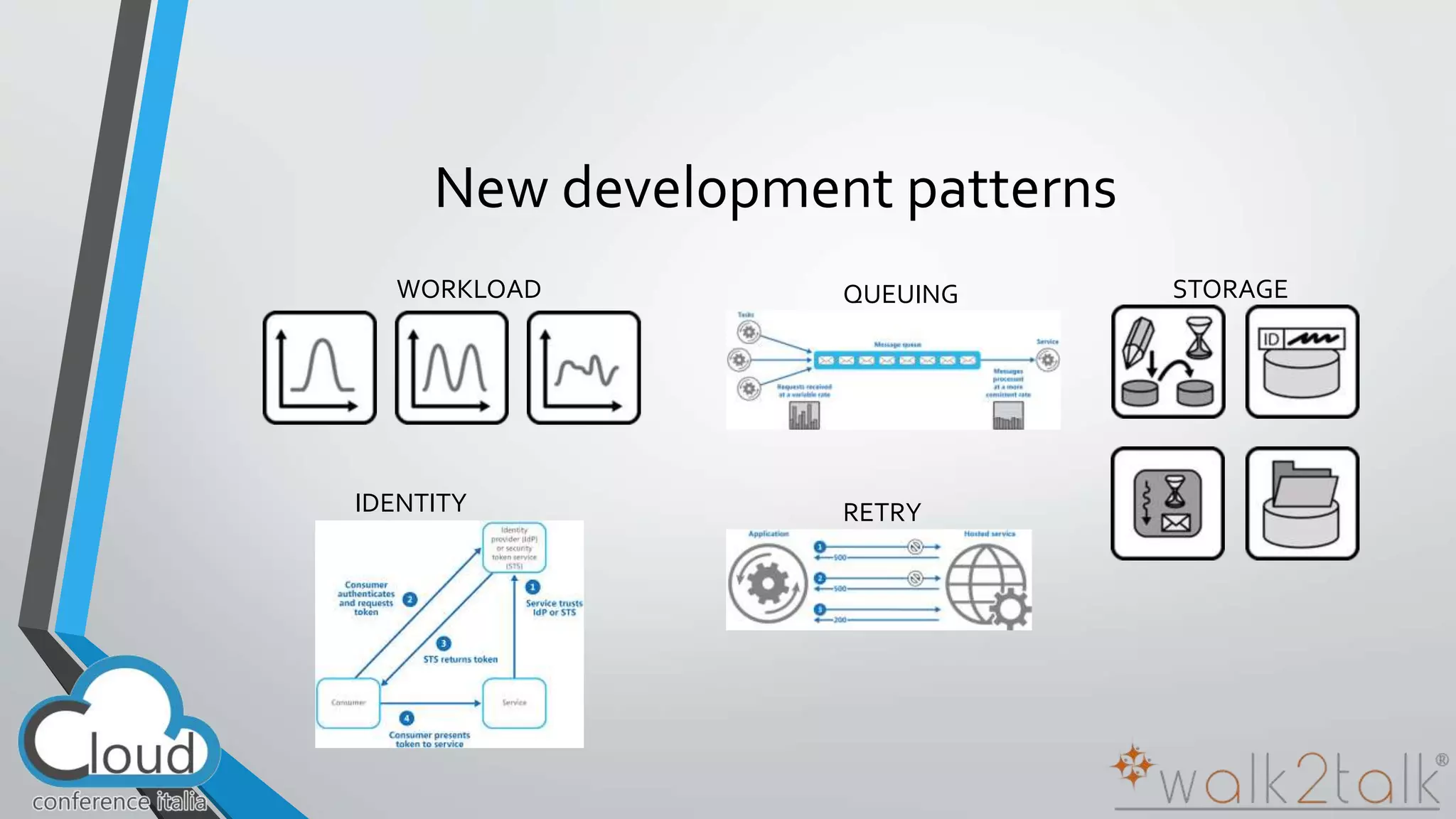
New development patterns 
WORKLOAD QUEUING STORAGE 
RETRY 
IDENTITY
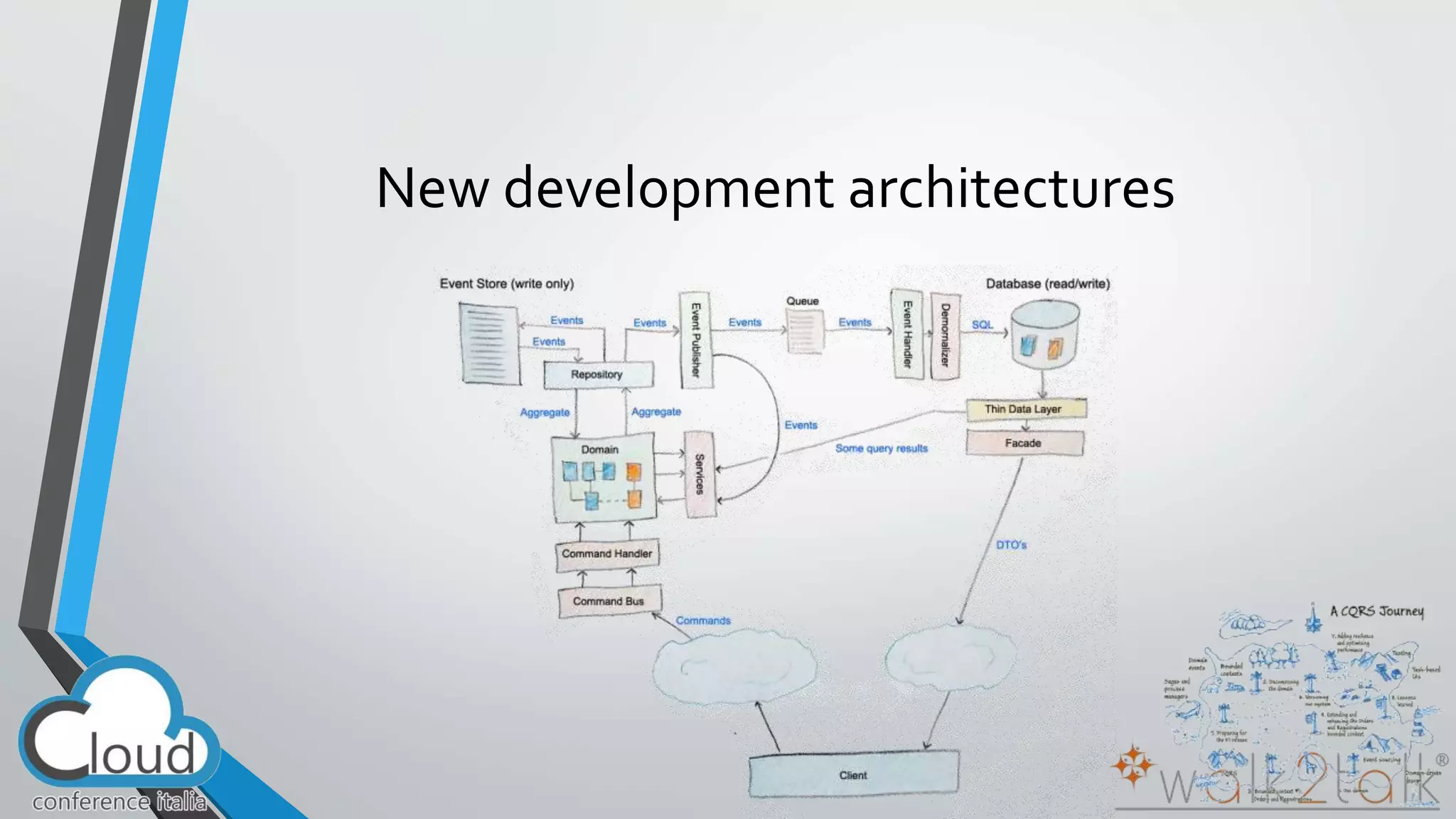
New development architectures
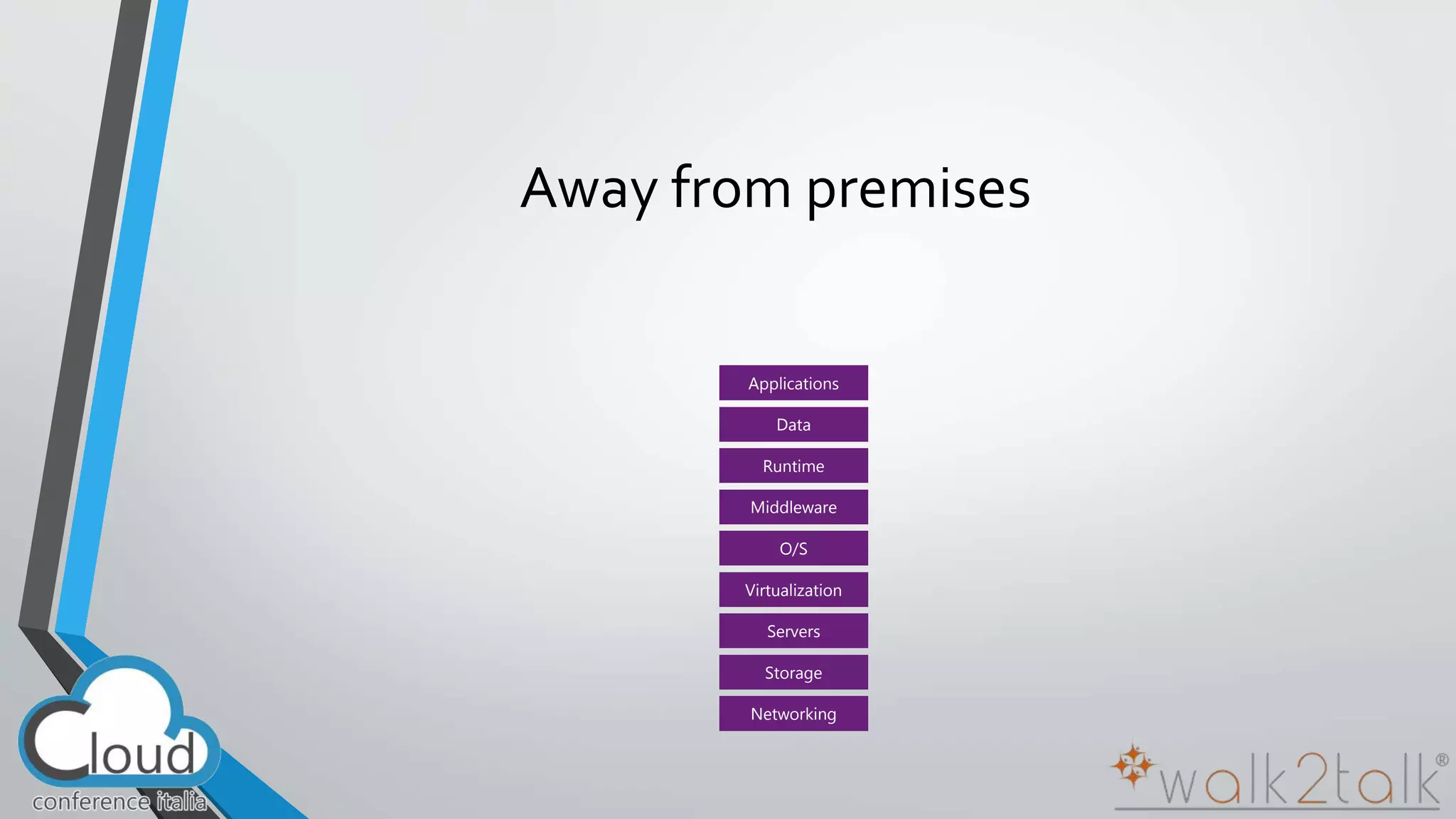
Away from premises 
Applications 
Data 
Runtime 
Middleware 
O/S 
Virtualization 
Servers 
Storage 
Networking
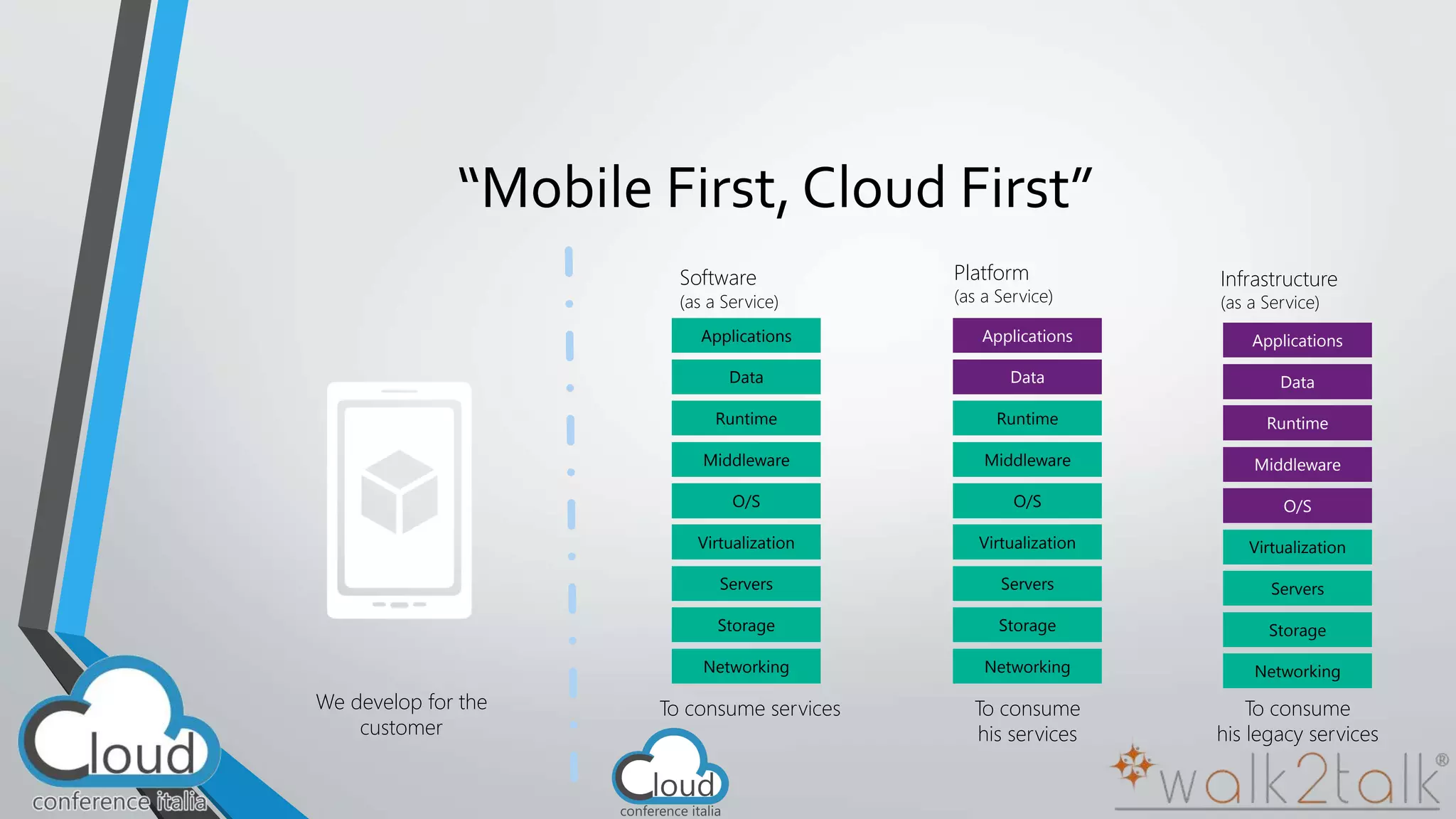
“Mobile First, Cloud First” 
We develop for the 
customer 
Software 
(as a Service) 
Applications 
Data 
Runtime 
Middleware 
O/S 
Virtualization 
Servers 
Storage 
Networking 
To consume services 
Platform 
(as a Service) 
Applications 
Data 
Runtime 
Middleware 
O/S 
Virtualization 
Servers 
Storage 
Networking 
To consume 
his services 
Infrastructure 
(as a Service) 
Applications 
Data 
Runtime 
Middleware 
O/S 
Virtualization 
Servers 
Storage 
Networking 
To consume 
his legacy services
“ 
” 
The Cloud is moving 
the center 
of the modern, agile Company
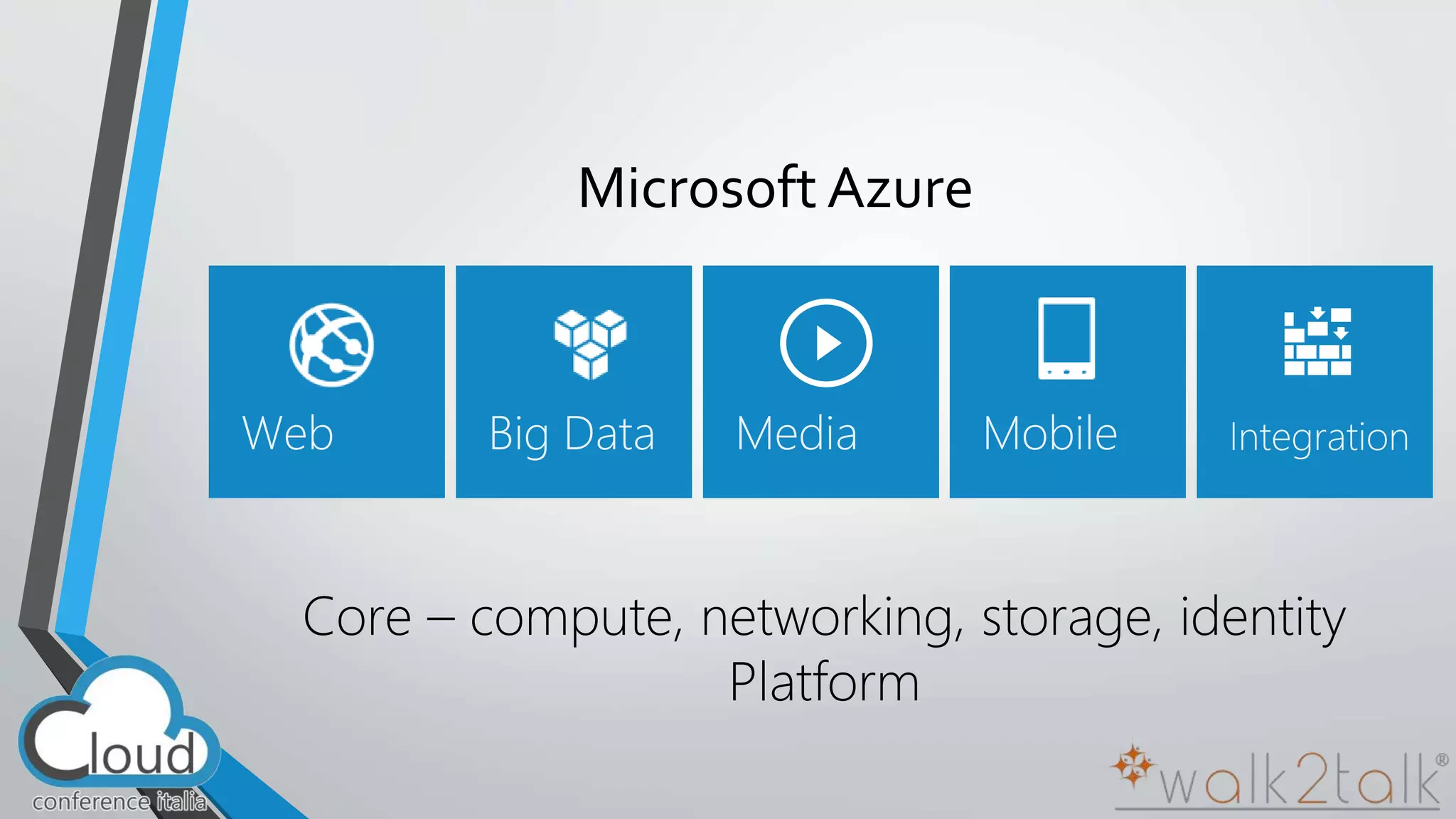
Microsoft Azure 
Core – compute, networking, storage, identity 
Platform
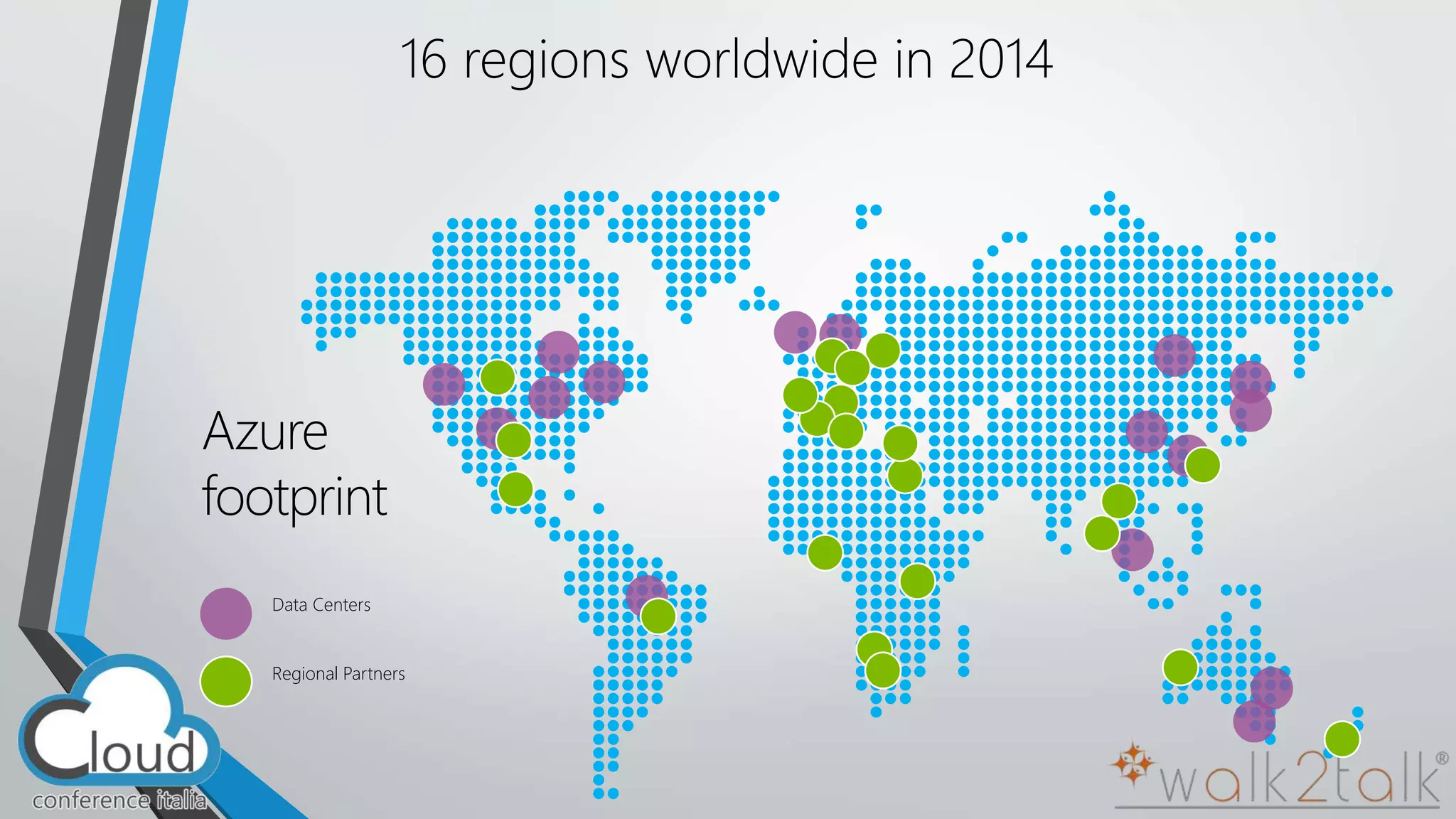
16 regions worldwide in 2014 
Azure 
footprint 
Data Centers 
Regional Partners
Azure features for Solutions 
Platform as a Service
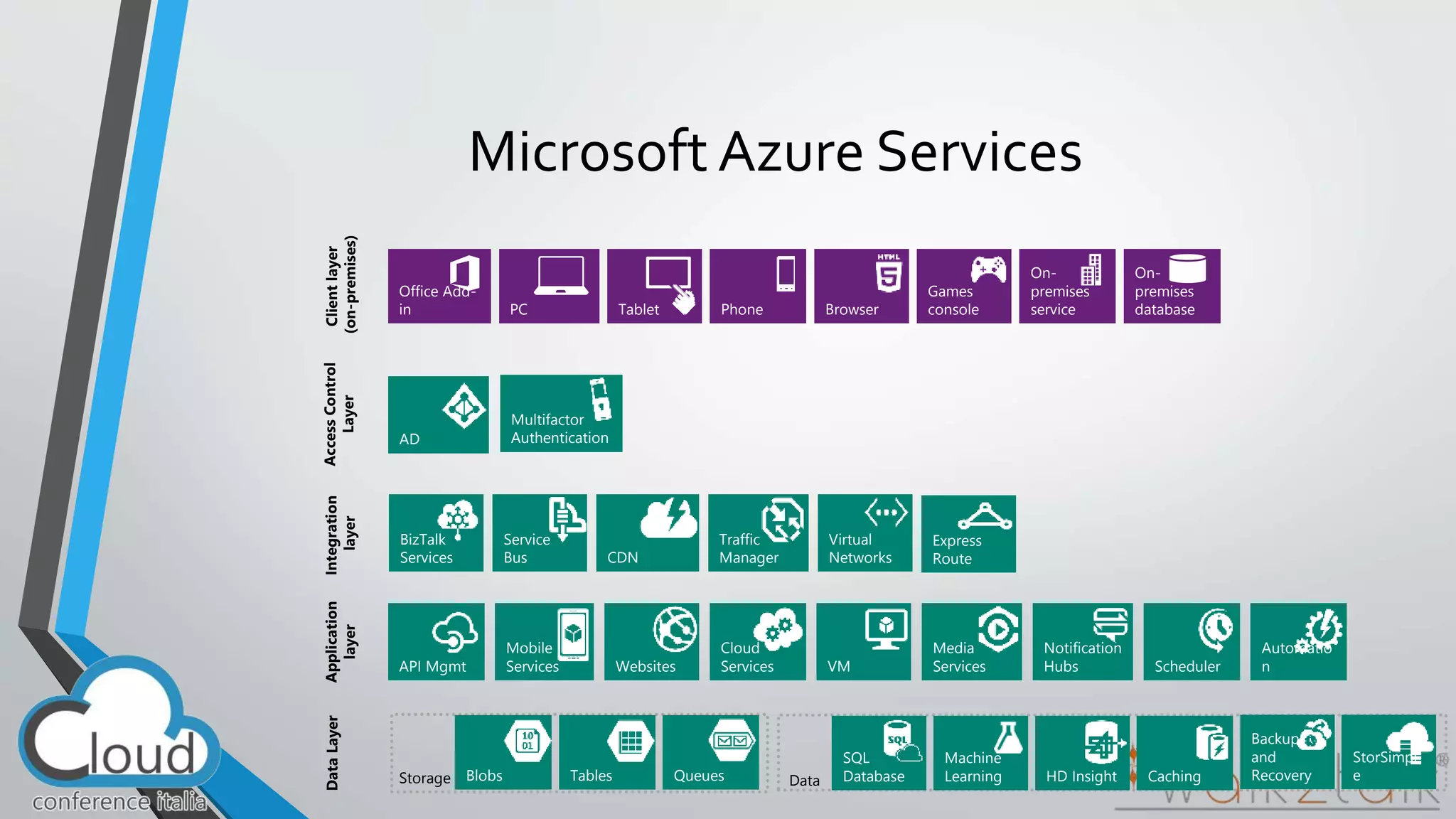
Microsoft Azure Services 
Client layer 
(on-premises) 
Tablet Phone 
Games 
PC console 
On-premises 
Browser database 
Office Add-in 
On-premises 
service 
AD 
Multifactor 
Authentication 
Access Control 
Layer 
Integration 
layer 
Service 
Bus CDN 
BizTalk 
Services 
Traffic 
Manager 
Virtual 
Networks 
Express 
Route 
Application 
layer 
API Mgmt Websites 
Cloud 
Services VM 
Mobile 
Services 
Media 
Services 
Notification 
Hubs Scheduler 
Automatio 
n 
Data Layer 
Storage Blobs Tables Queues Data 
Machine 
Learning HD Insight 
Backup 
and 
Recovery 
SQL 
Database Caching 
StorSimpl 
e
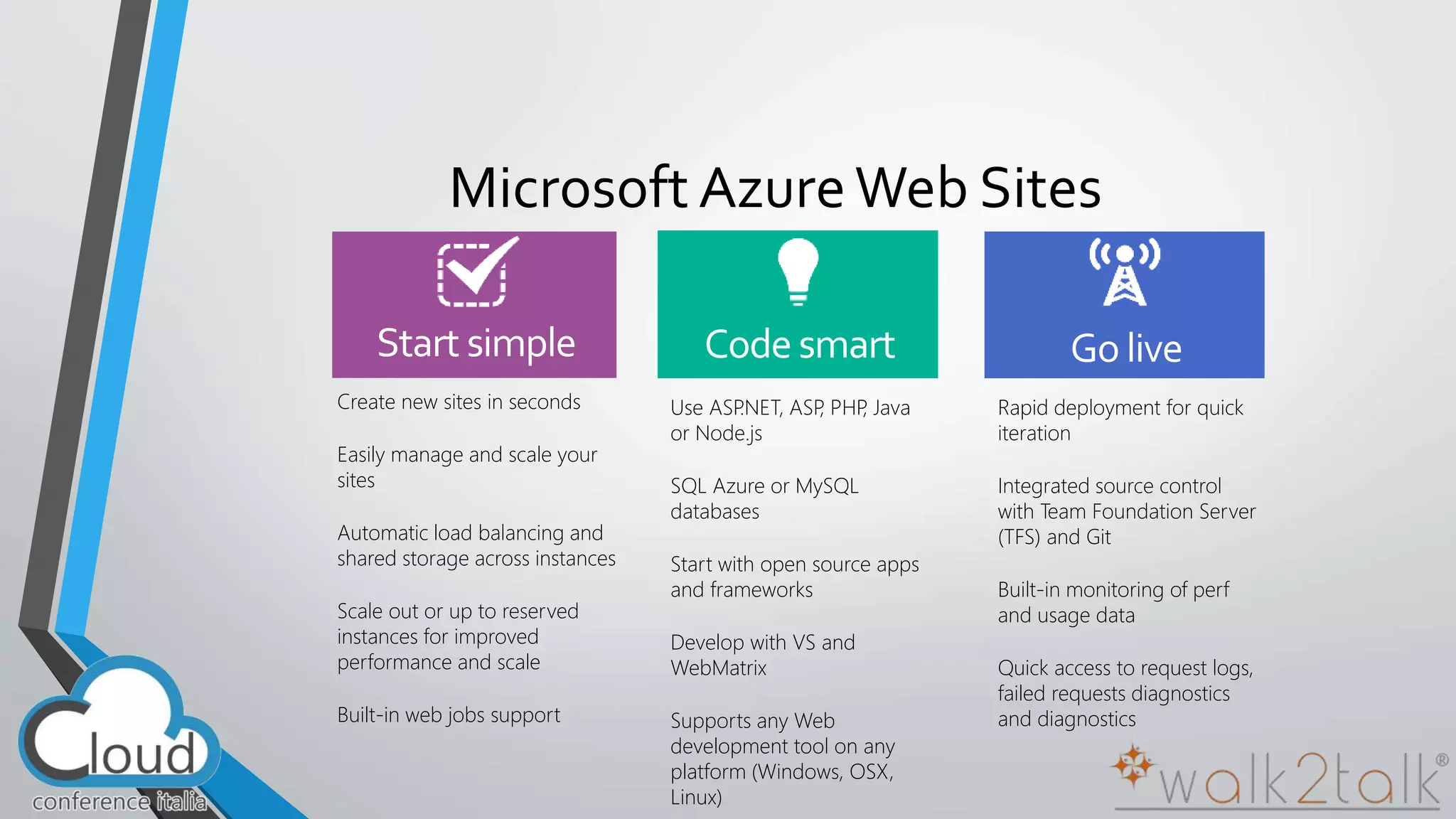
Microsoft Azure Web Sites 
Create new sites in seconds 
Easily manage and scale your 
sites 
Automatic load balancing and 
shared storage across instances 
Scale out or up to reserved 
instances for improved 
performance and scale 
Built-in web jobs support 
Use ASP.NET, ASP, PHP, Java 
or Node.js 
SQL Azure or MySQL 
databases 
Start with open source apps 
and frameworks 
Develop with VS and 
WebMatrix 
Supports any Web 
development tool on any 
platform (Windows, OSX, 
Linux) 
Rapid deployment for quick 
iteration 
Integrated source control 
with Team Foundation Server 
(TFS) and Git 
Built-in monitoring of perf 
and usage data 
Quick access to request logs, 
failed requests diagnostics 
and diagnostics
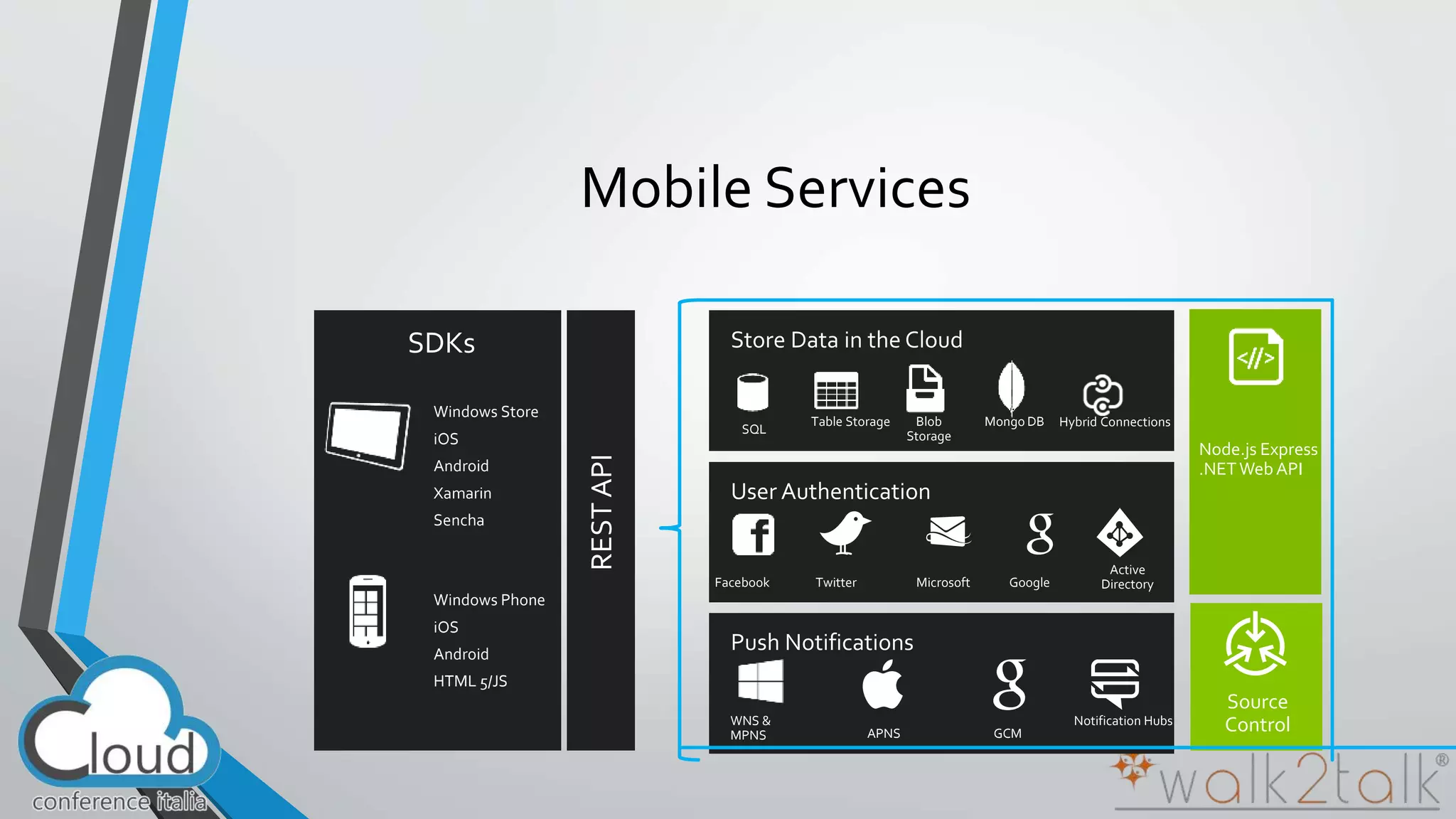
SDKs 
Windows Store 
iOS 
Android 
Xamarin 
Sencha 
Windows Phone 
iOS 
Android 
HTML 5/JS 
Node.js Express 
.NET Web API 
REST API 
Mongo DB 
Facebook Twitter Microsoft Google 
Active 
Directory 
SQL 
Table Storage Blob 
Storage 
WNS & 
MPNS APNS GCM 
Notification Hubs 
Source 
Control 
Hybrid Connections 
Mobile Services
Azure Virtual Machines 
•  Launch Windows Server and Linux in minutes 
•  Scale from 1 to 1000s of VM Instances 
•  Save money with per-minute billing 
•  Open and extensible
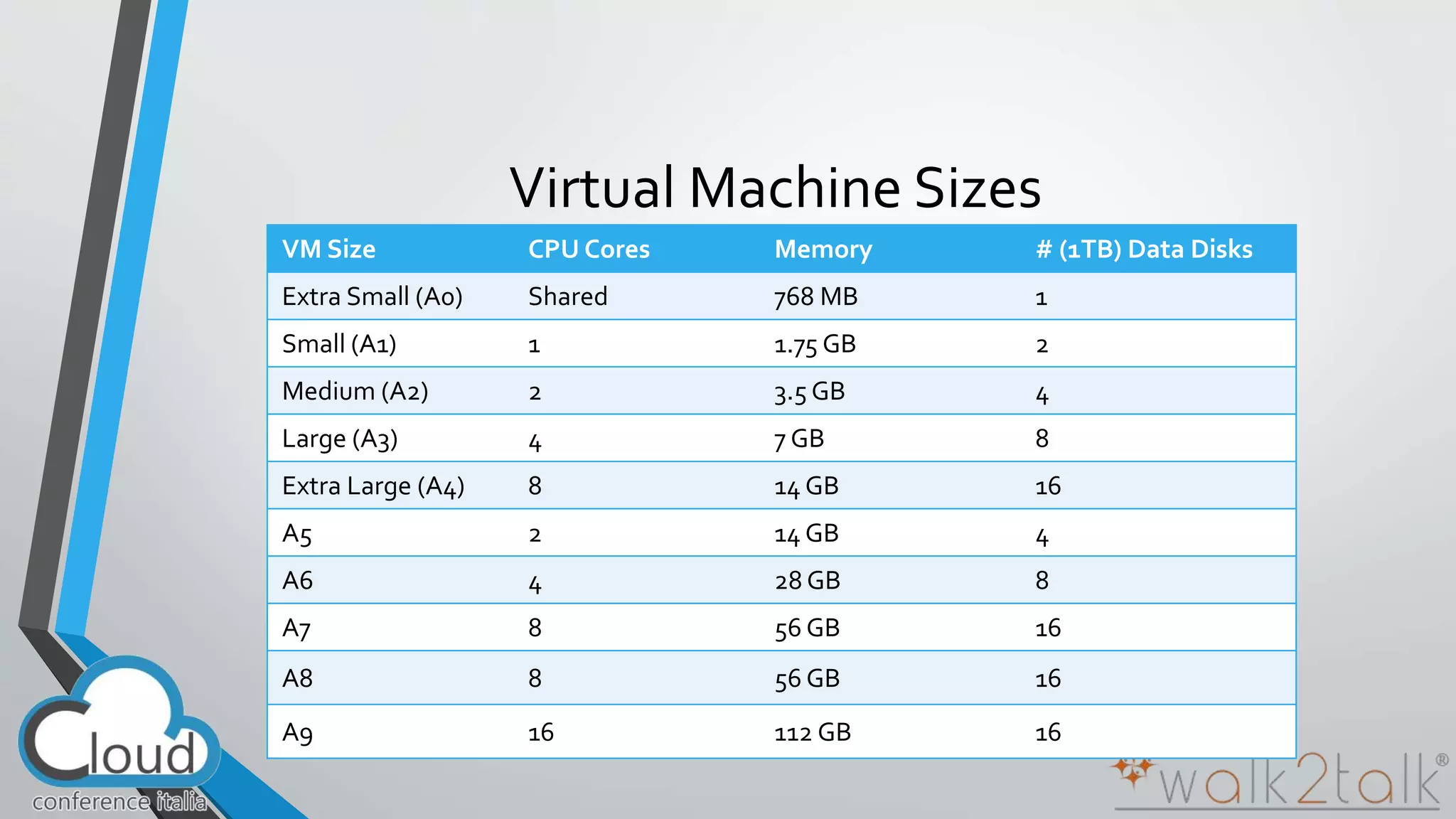
Virtual Machine Sizes 
VMSize CPU Cores Memory # (1TB) Data Disks 
Extra Small (A0) Shared 768 MB 1 
Small (A1) 1 1.75 GB 2 
Medium (A2) 2 3.5 GB 4 
Large (A3) 4 7 GB 8 
Extra Large (A4) 8 14 GB 16 
A5 2 14 GB 4 
A6 4 28 GB 8 
A7 8 56 GB 16 
A8 8 56 GB 16 
A9 16 112 GB 16
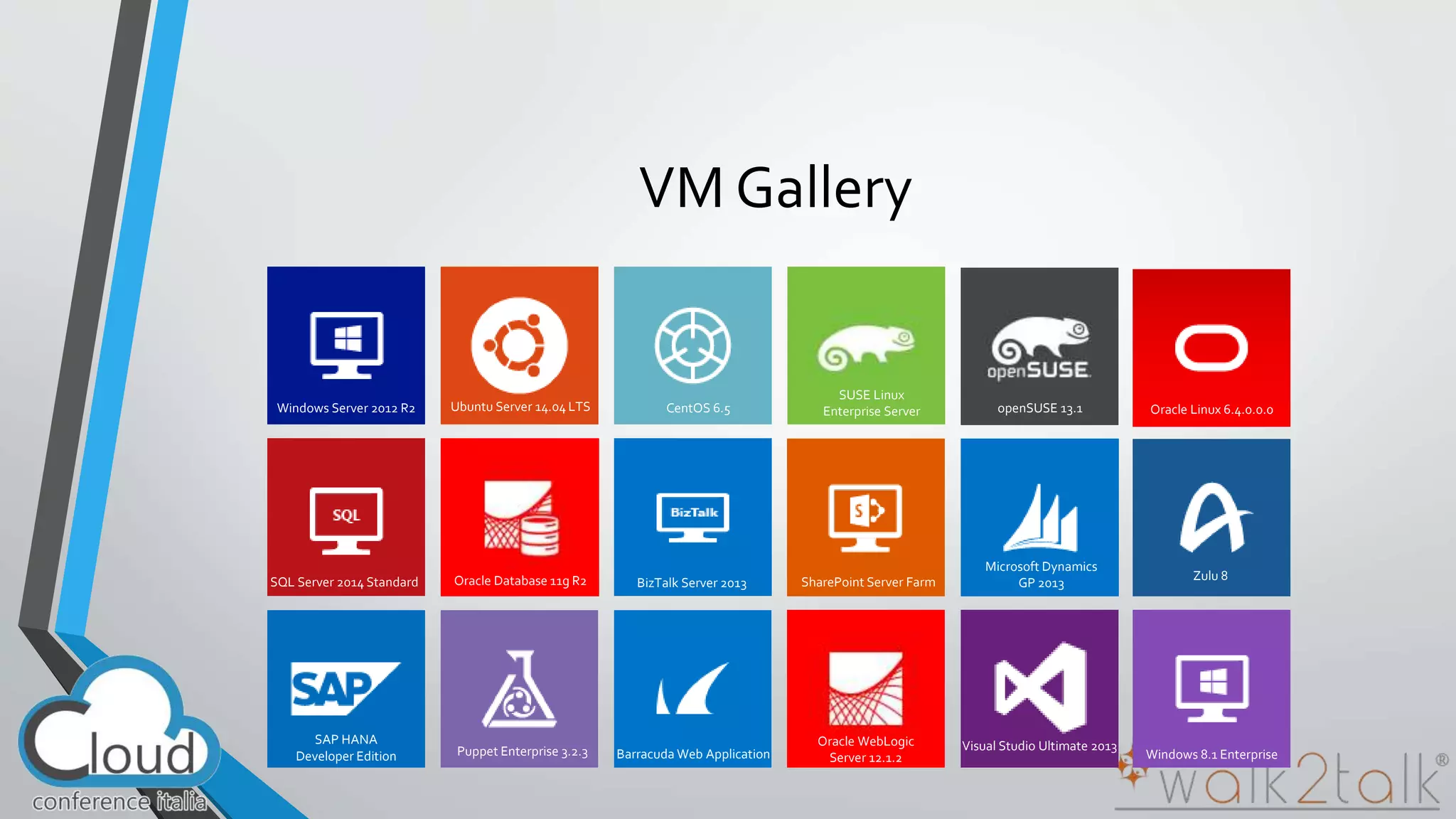
VM Gallery 
Windows Server 2012 R2 Ubuntu Server 14.04 LTS CentOS 6.5 
SUSE Linux 
openSUSE 13.1 
Enterprise Server Oracle Linux 6.4.0.0.0 
Windows 8.1 Enterprise 
SQL Server 2014 Standard Oracle Database 11g R2 BizTalk Server 2013 SharePoint Server Farm 
Microsoft Dynamics 
GP 2013 
Zulu 8 
SAP HANA 
Developer Edition Puppet Enterprise 3.2.3 Barracuda Web Application 
Oracle WebLogic 
Server 12.1.2 
Visual Studio Ultimate 2013
“ 
” AzureLab 
Demo
(Some) Azure Storage Solutions 
Storage in Azure...Software as a Service
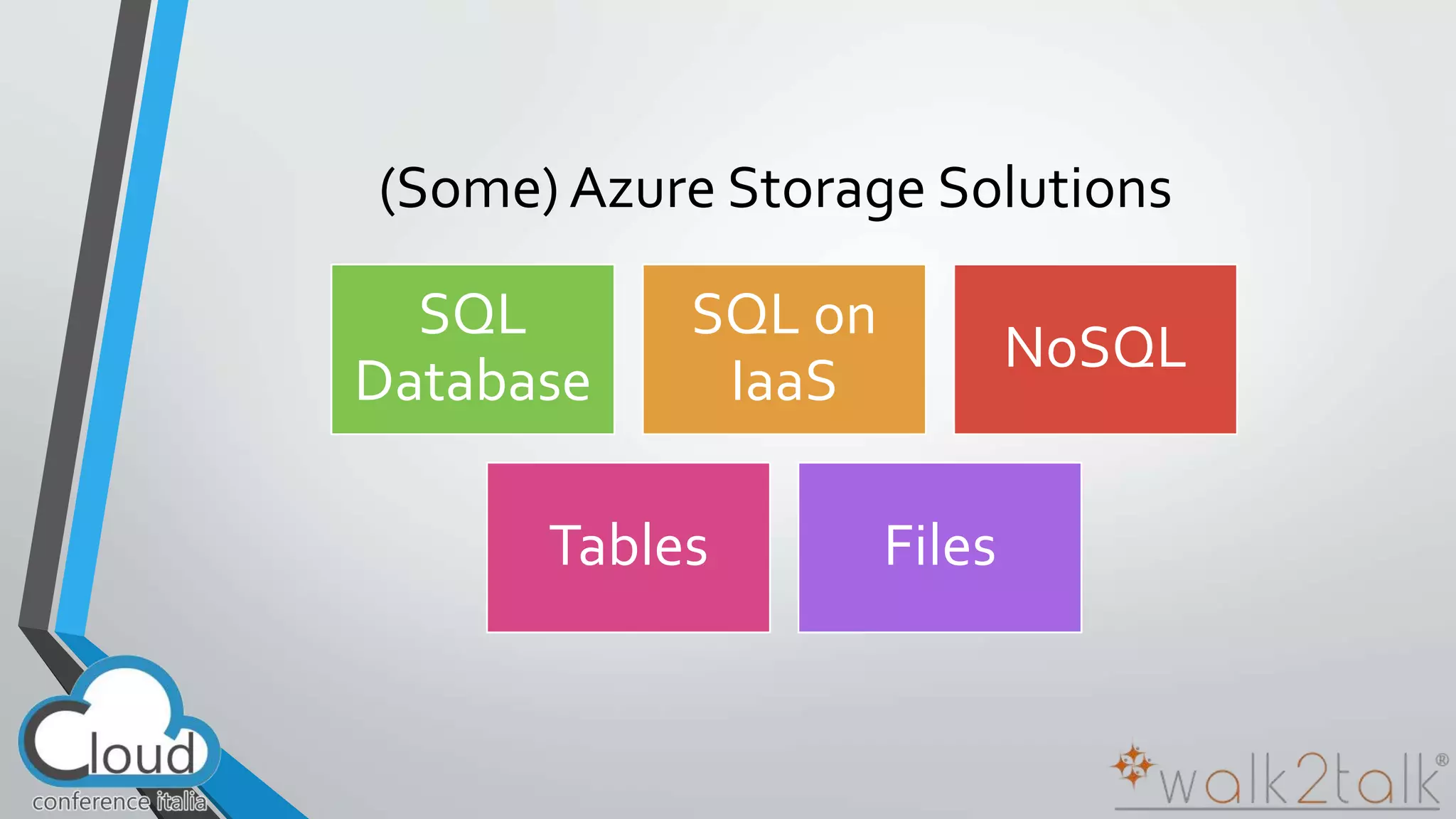
(Some) Azure Storage Solutions 
SQL 
Database 
SQL on 
IaaS 
NoSQL 
Tables Files
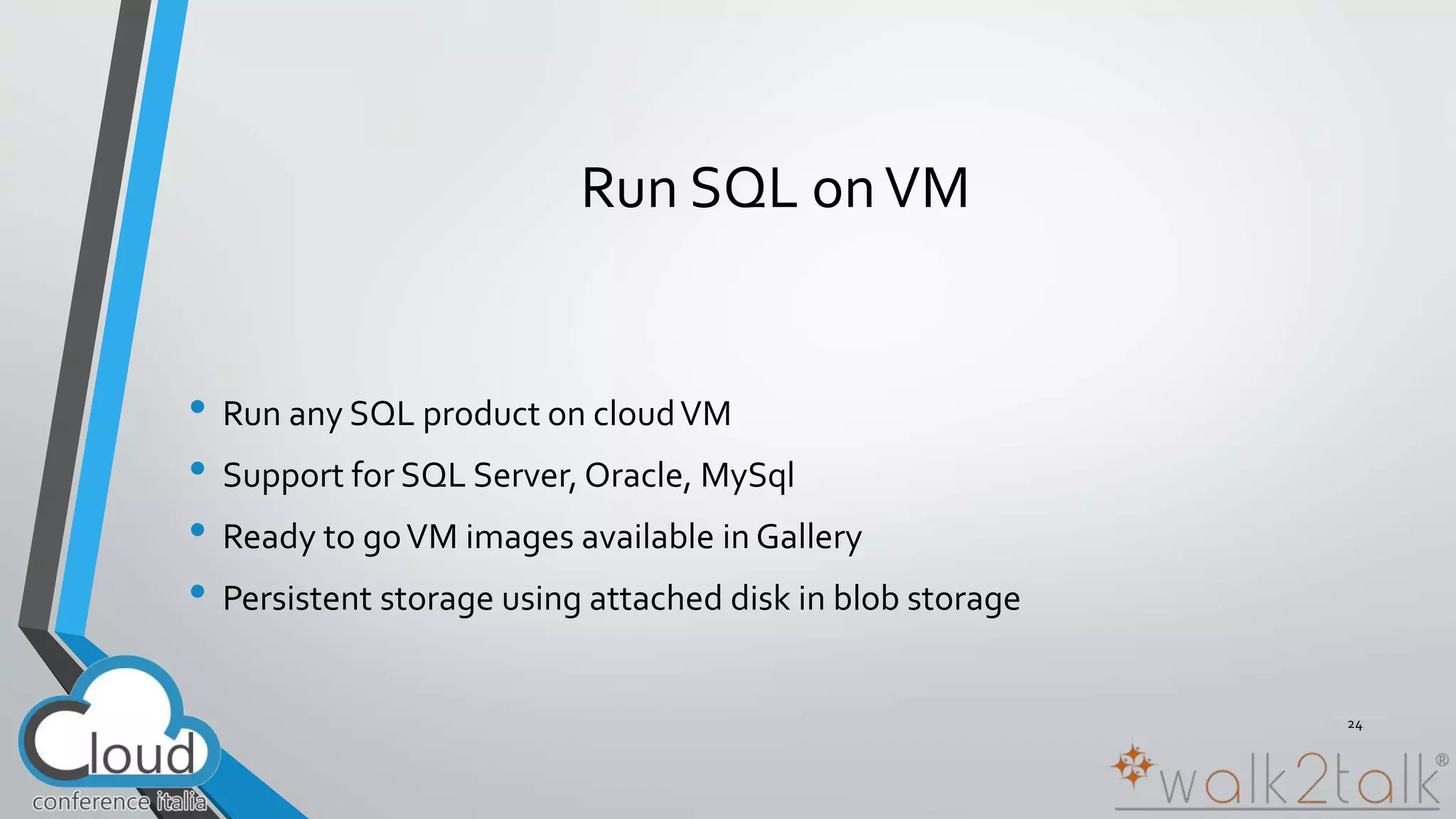
Run SQL on VM 
• Run any SQL product on cloud VM 
• Support for SQL Server, Oracle, MySql 
• Ready to go VM images available in Gallery 
• Persistent storage using attached disk in blob storage 
24
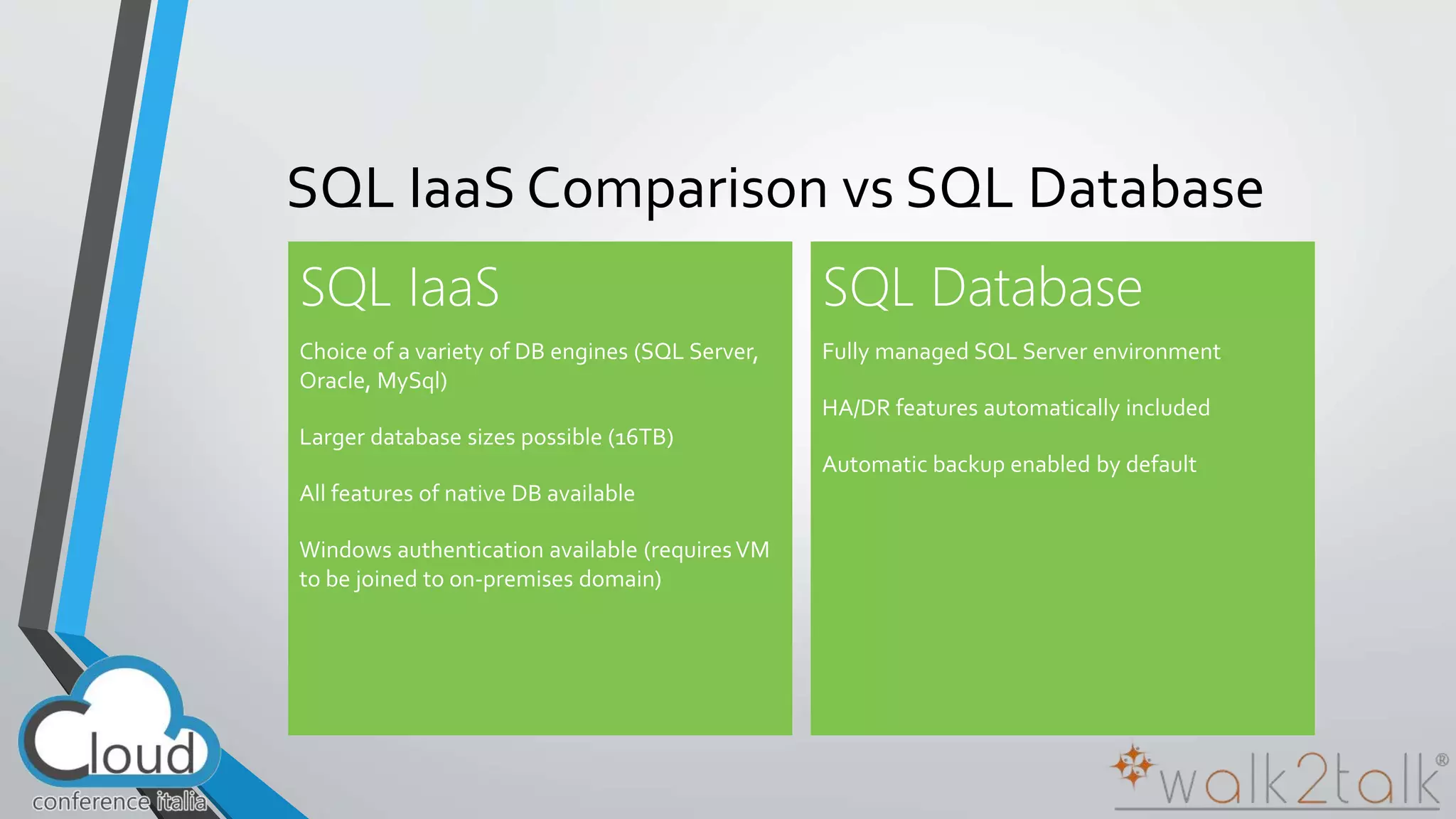
SQL IaaS Comparison vs SQL Database
NoSQL Generally more scalable 
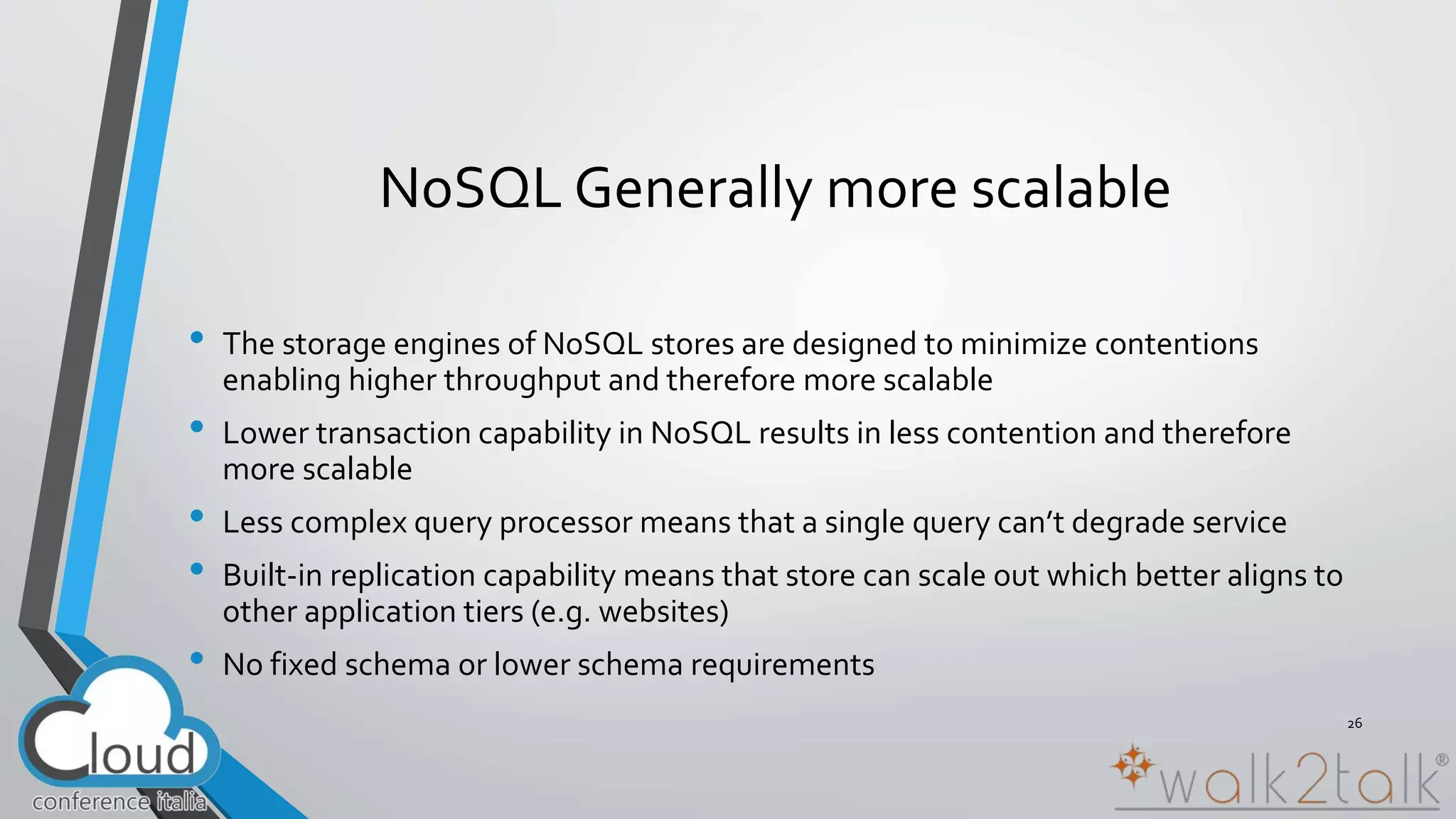
• The storage engines of NoSQL stores are designed to minimize contentions 
enabling higher throughput and therefore more scalable 
• Lower transaction capability in NoSQL results in less contention and therefore 
more scalable 
• Less complex query processor means that a single query can’t degrade service 
• Built-in replication capability means that store can scale out which better aligns to 
other application tiers (e.g. websites) 
• No fixed schema or lower schema requirements 
26
NoSQL on Azure 
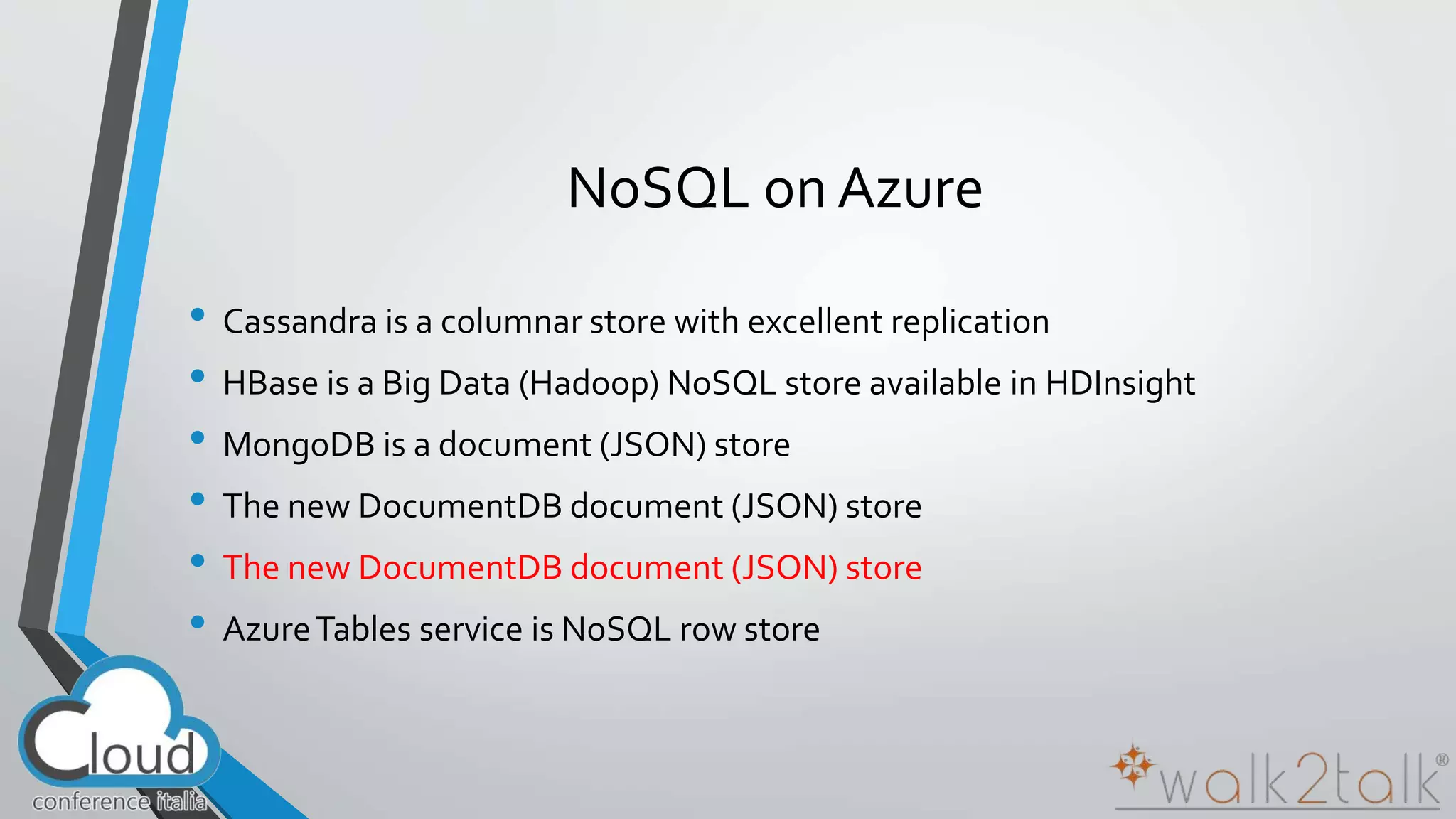
• Cassandra is a columnar store with excellent replication 
• HBase is a Big Data (Hadoop) NoSQL store available in HDInsight 
• MongoDB is a document (JSON) store 
• The new DocumentDB document (JSON) store 
• Azure Tables service is NoSQL row store
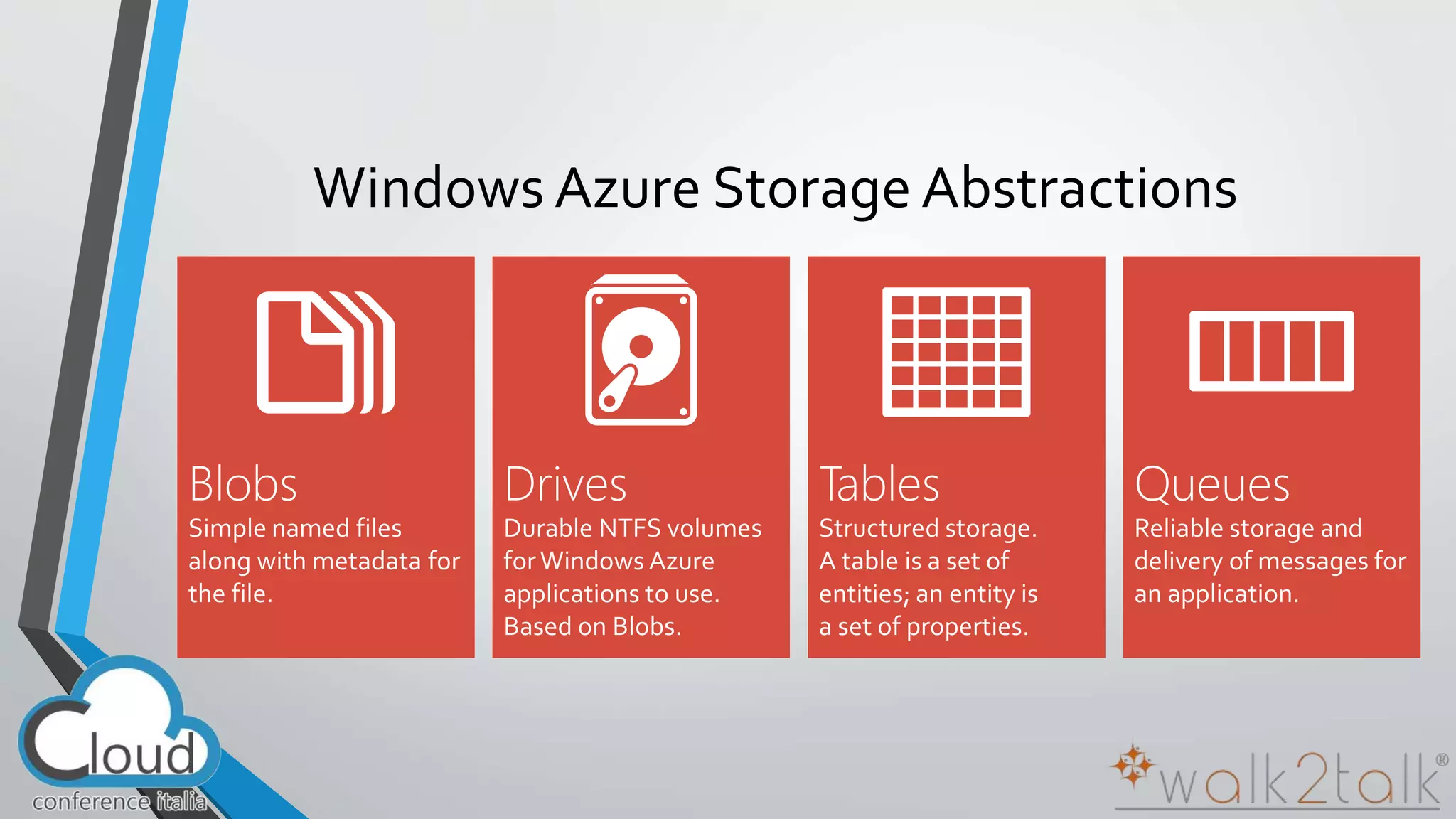
Windows Azure Storage Abstractions
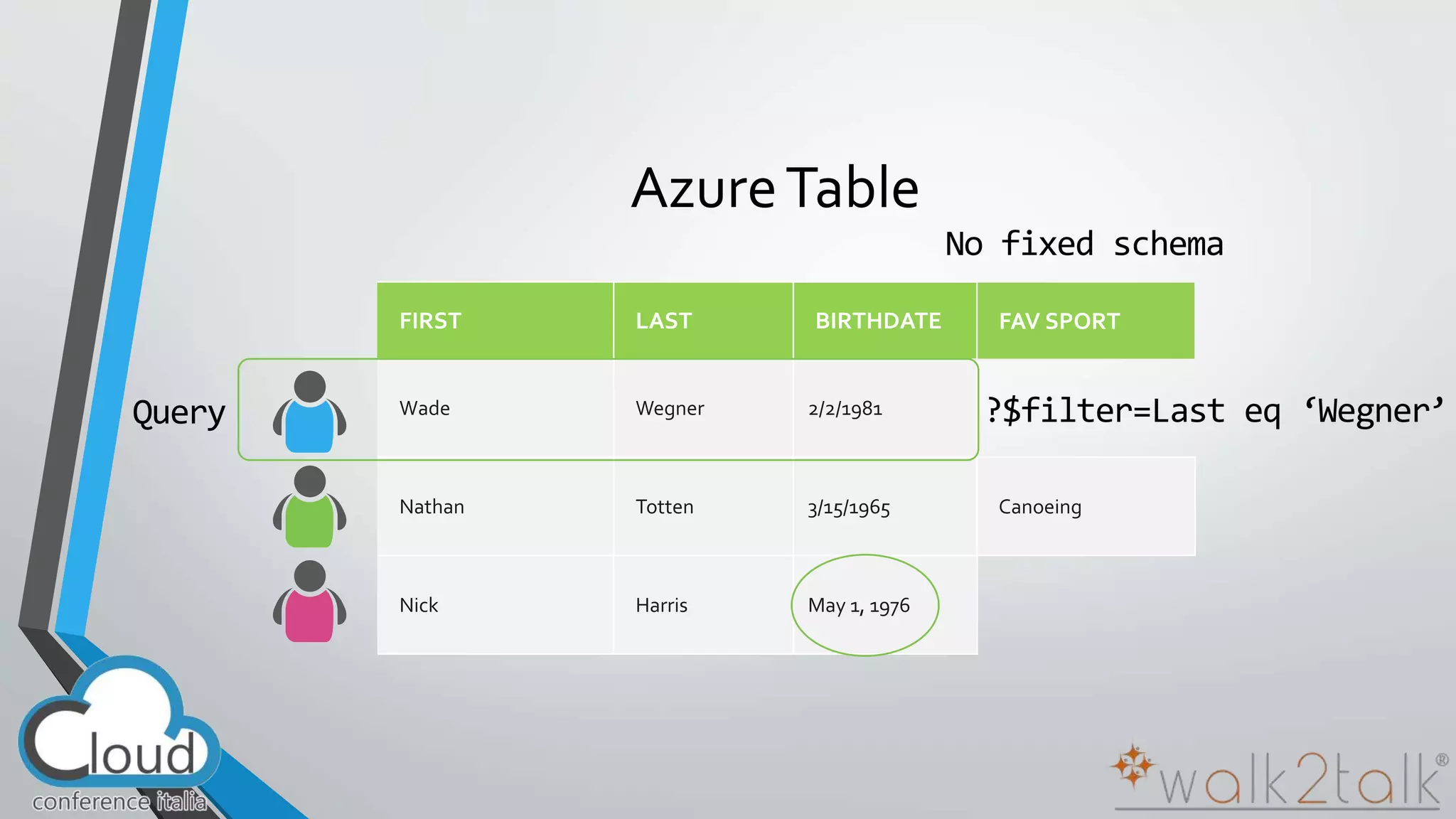
Azure Table
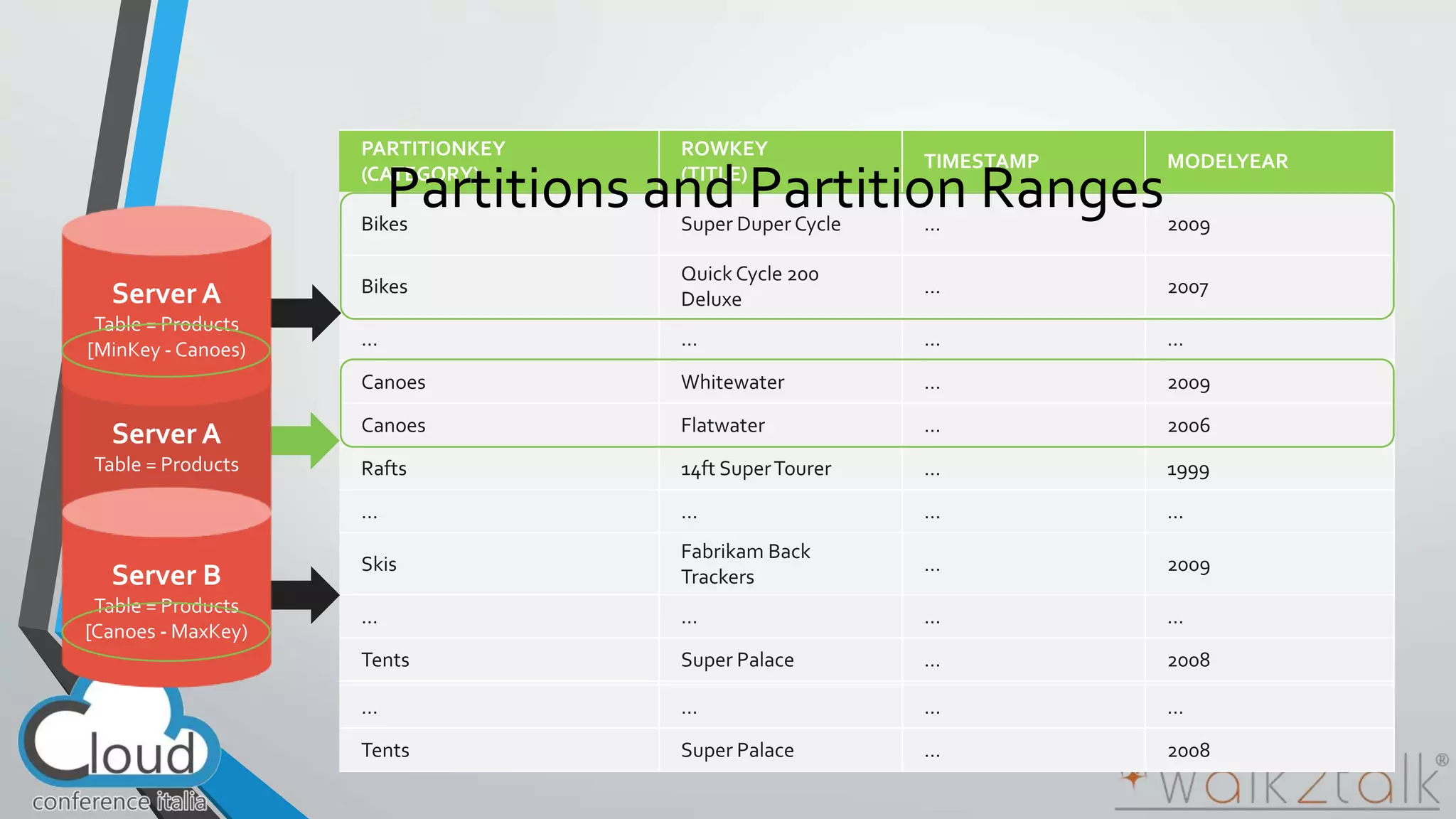
Partitions and Partition Ranges
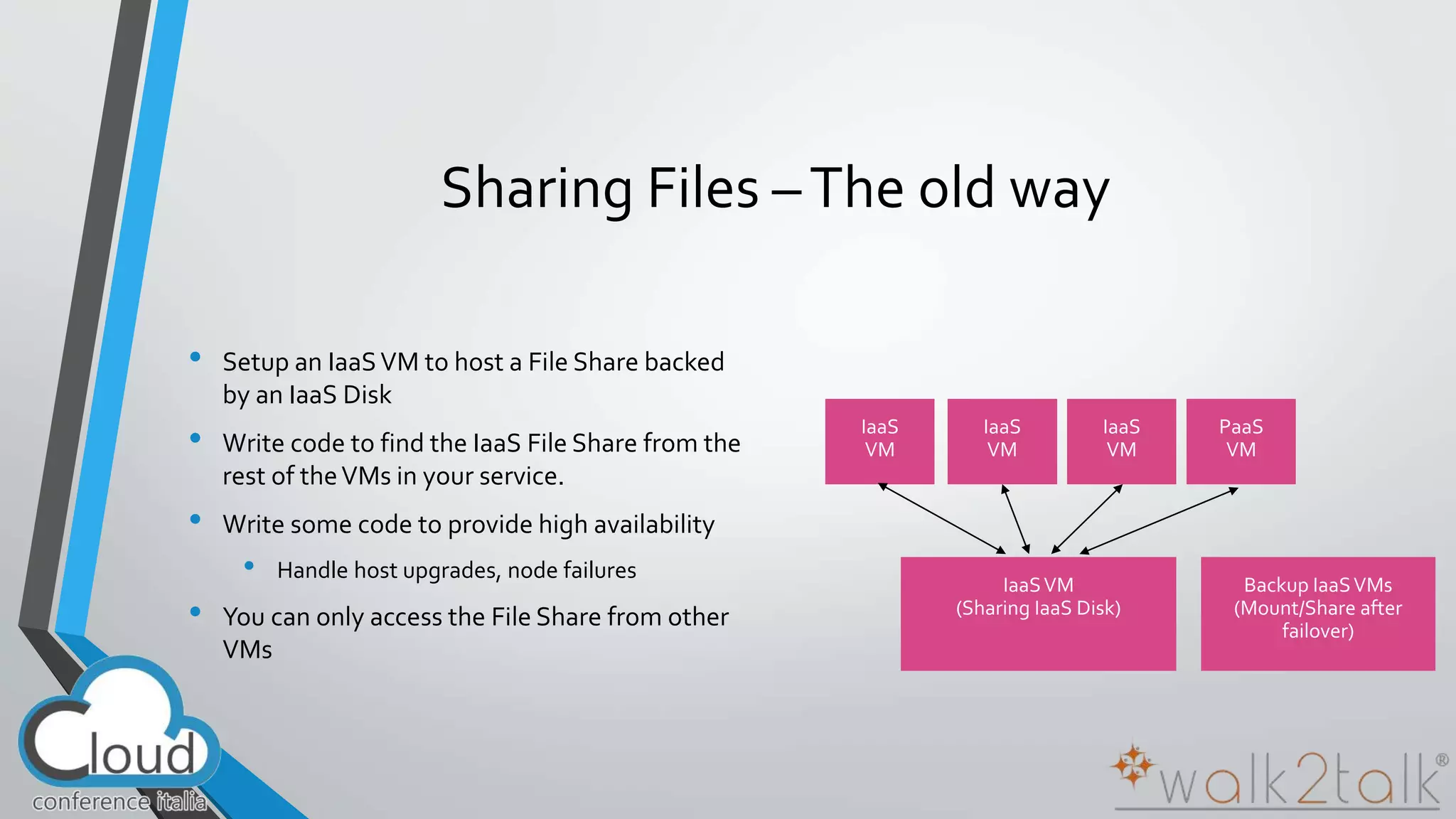
Sharing Files – The old way 
• Setup an IaaS VM to host a File Share backed 
by an IaaS Disk 
• Write code to find the IaaS File Share from the 
rest of the VMs in your service. 
• Write some code to provide high availability 
• Handle host upgrades, node failures 
• You can only access the File Share from other 
VMs
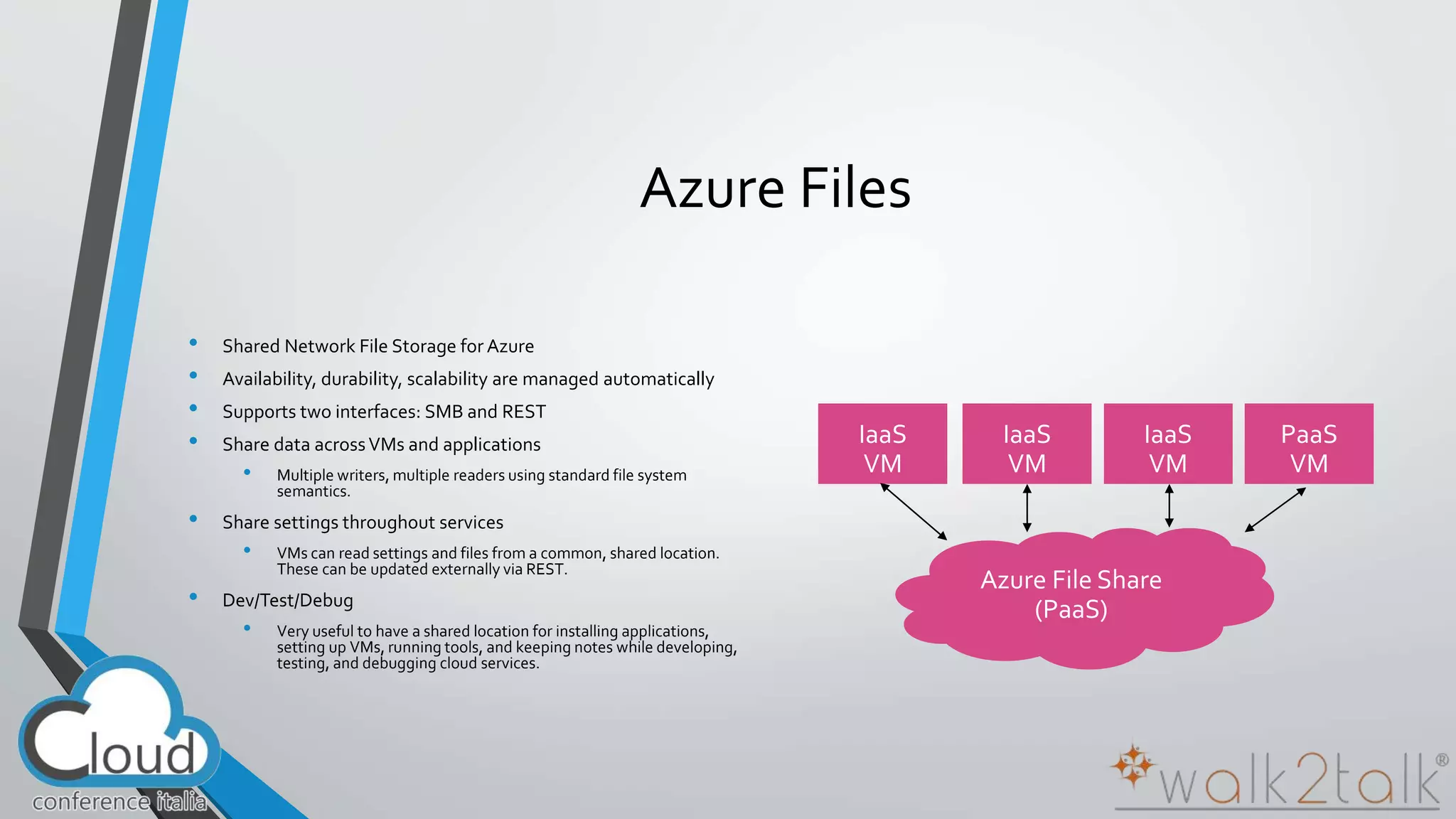
Azure Files 
• Shared Network File Storage for Azure 
• Availability, durability, scalability are managed automatically 
• Supports two interfaces: SMB and REST 
• Share data across VMs and applications 
• Multiple writers, multiple readers using standard file system 
semantics. 
• Share settings throughout services 
• VMs can read settings and files from a common, shared location. 
These can be updated externally via REST. 
• Dev/Test/Debug 
• Very useful to have a shared location for installing applications, 
setting up VMs, running tools, and keeping notes while developing, 
testing, and debugging cloud services.
“ 
” Maker365 
Demo
Maker365 
• Who? 3 friends 
• What? 3D Printing 
• Where? No office, just a garage
What is Office 365?
“ 
” 
Hybrid Cloud 
is one of the strategies 
for Global Cloud Adoption
“ 
” 
Office 365 is in the center 
of the modern, agile 
Company
“ 
” 
Office 365 is in the center 
of the modern, agile, hybrid 
Company
“ 
” 
Office 365 is a rich platform 
for extending and 
integrating with
“ 
” 
Office 365 is a rich platform 
for extending and 
integrating with as a service
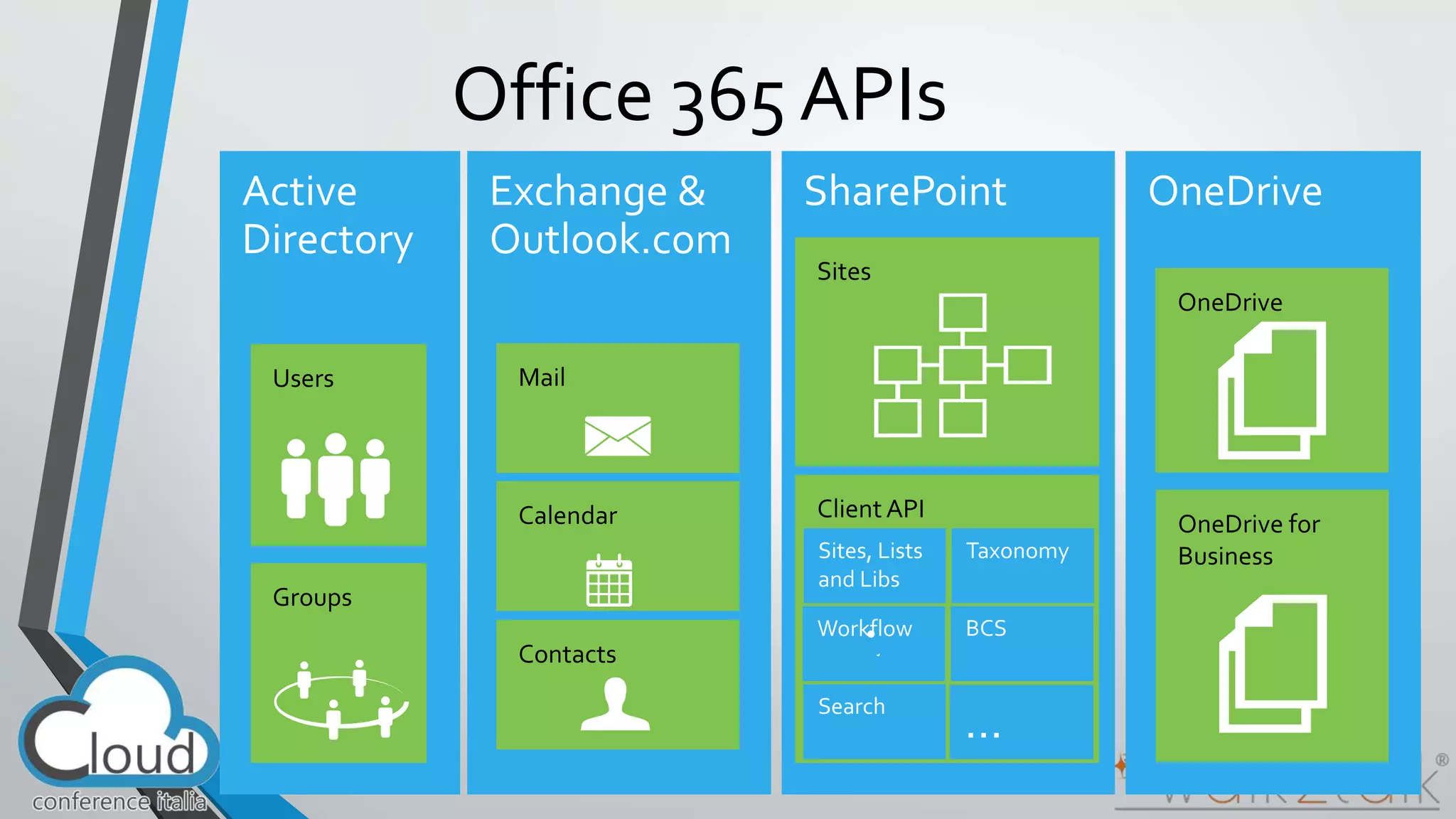
Office 365 APIs
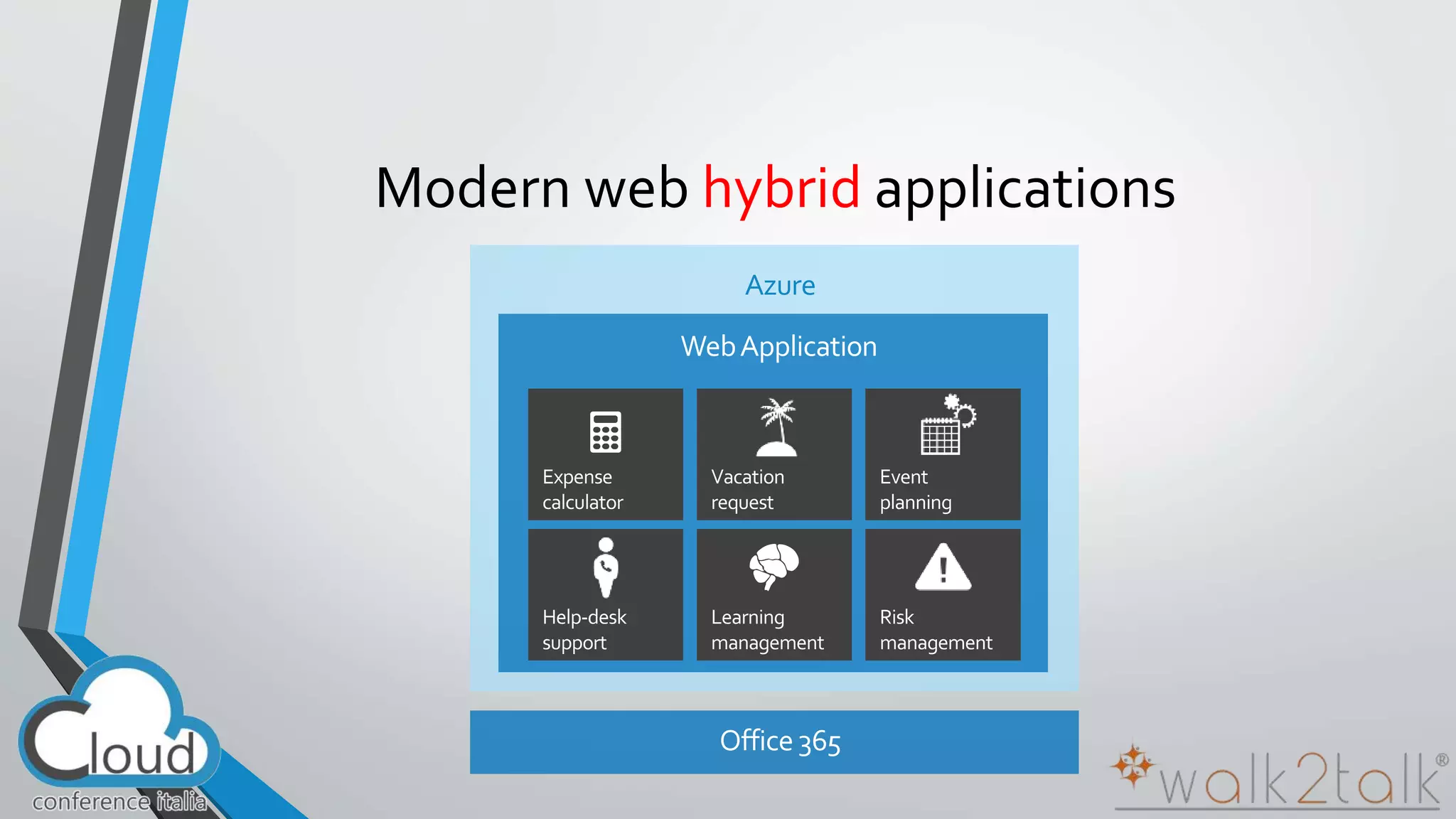
Modern web hybrid applications 
Azure
Build for the cloud 
• Web Standards 
• Apps are built using industry proven web standards such as HTML, JavaScript and REST 
• Scalable and Safe 
• Apps are independently scalable which reduces total cost of ownership. Apps are secured and isolated from SharePoint 
• Accessible 
• Apps can be accessed from any device with a web browser. Write once, run anywhere 
• An app can run outside the firewall in the cloud and from inside the firewall in a data center. 
• Apps can be hosted on any platform giving you complete freedom.
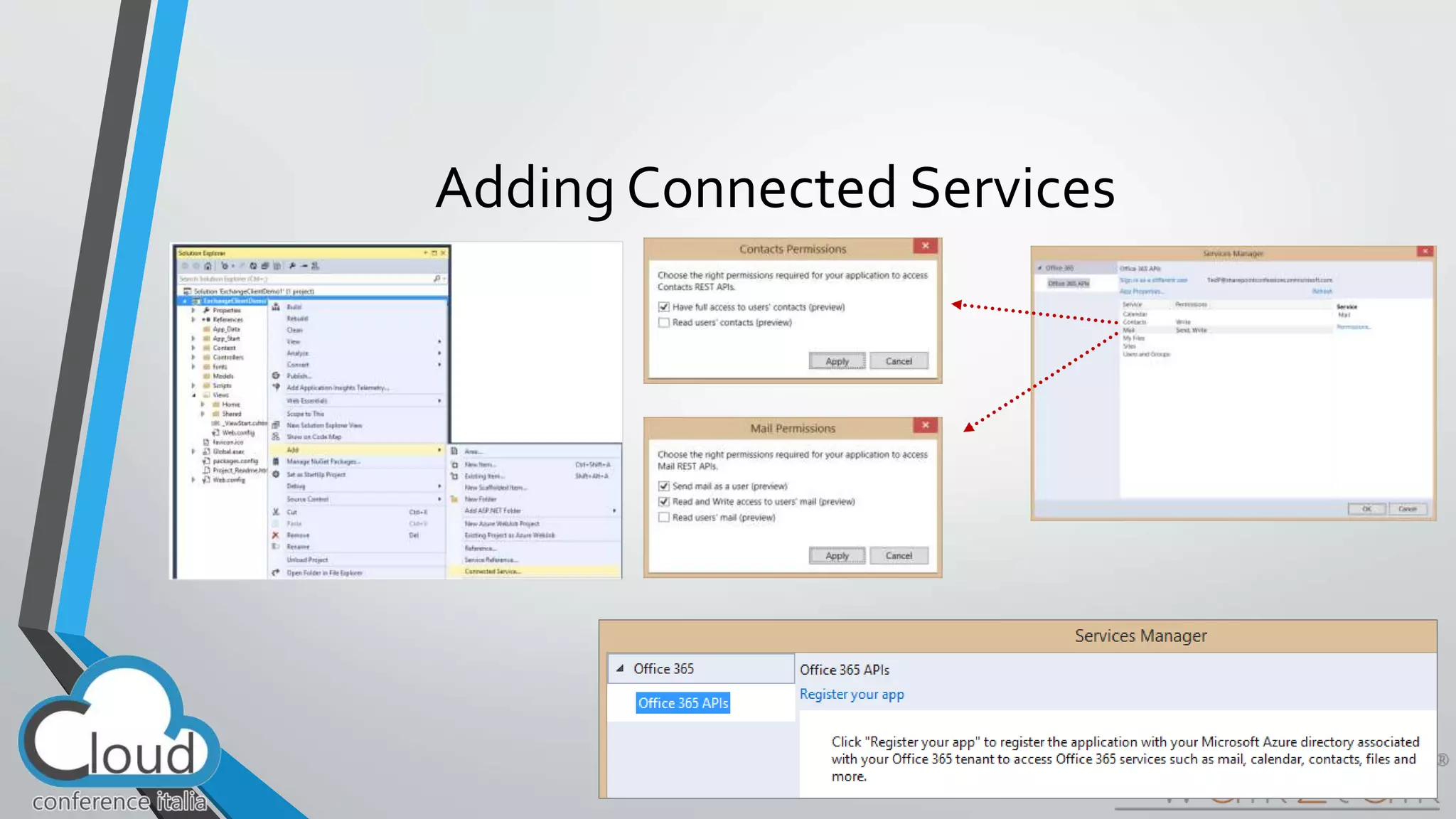
Adding Connected Services
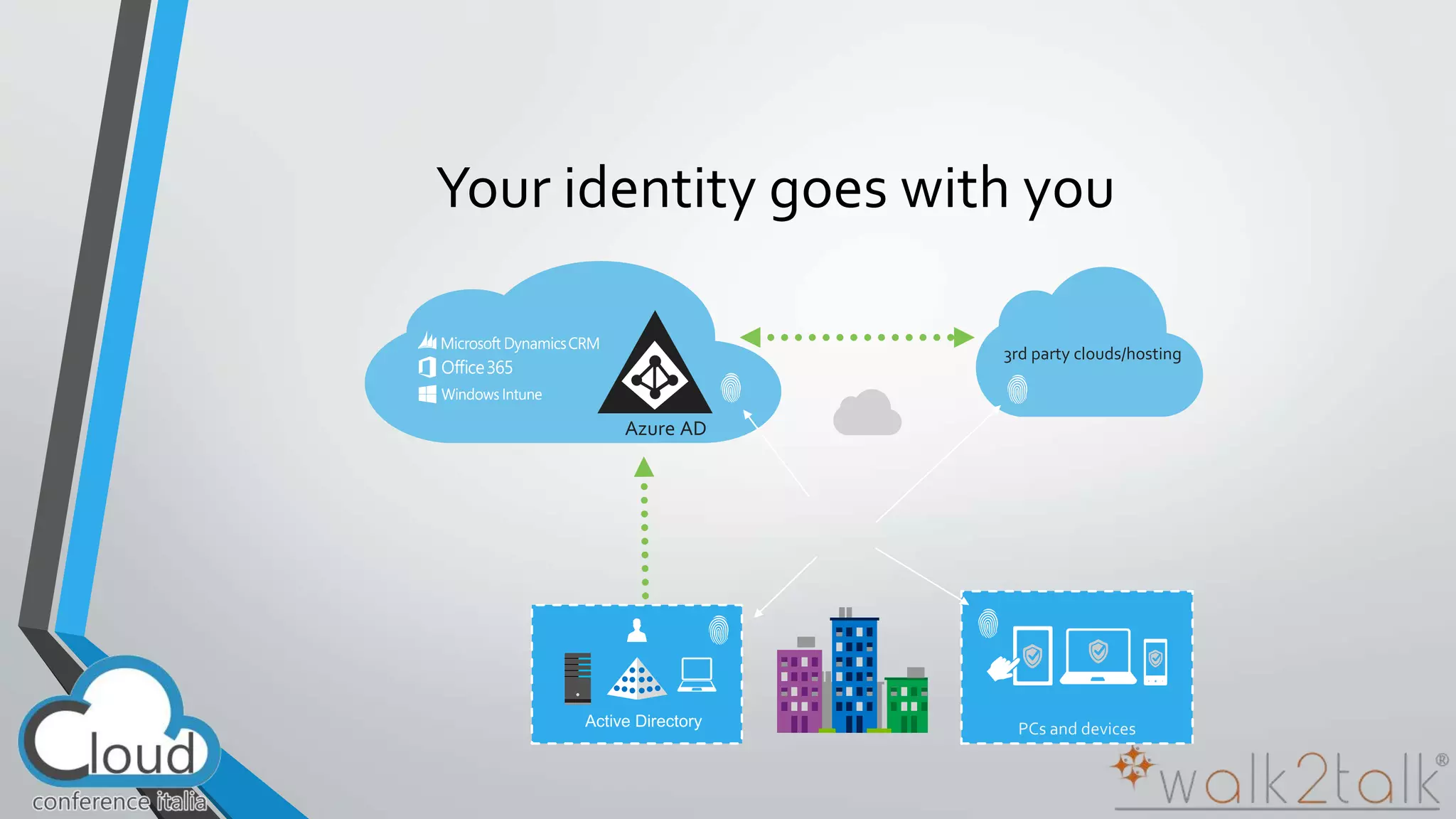
Your identity goes with you 
3rd party clouds/hosting 
Azure AD
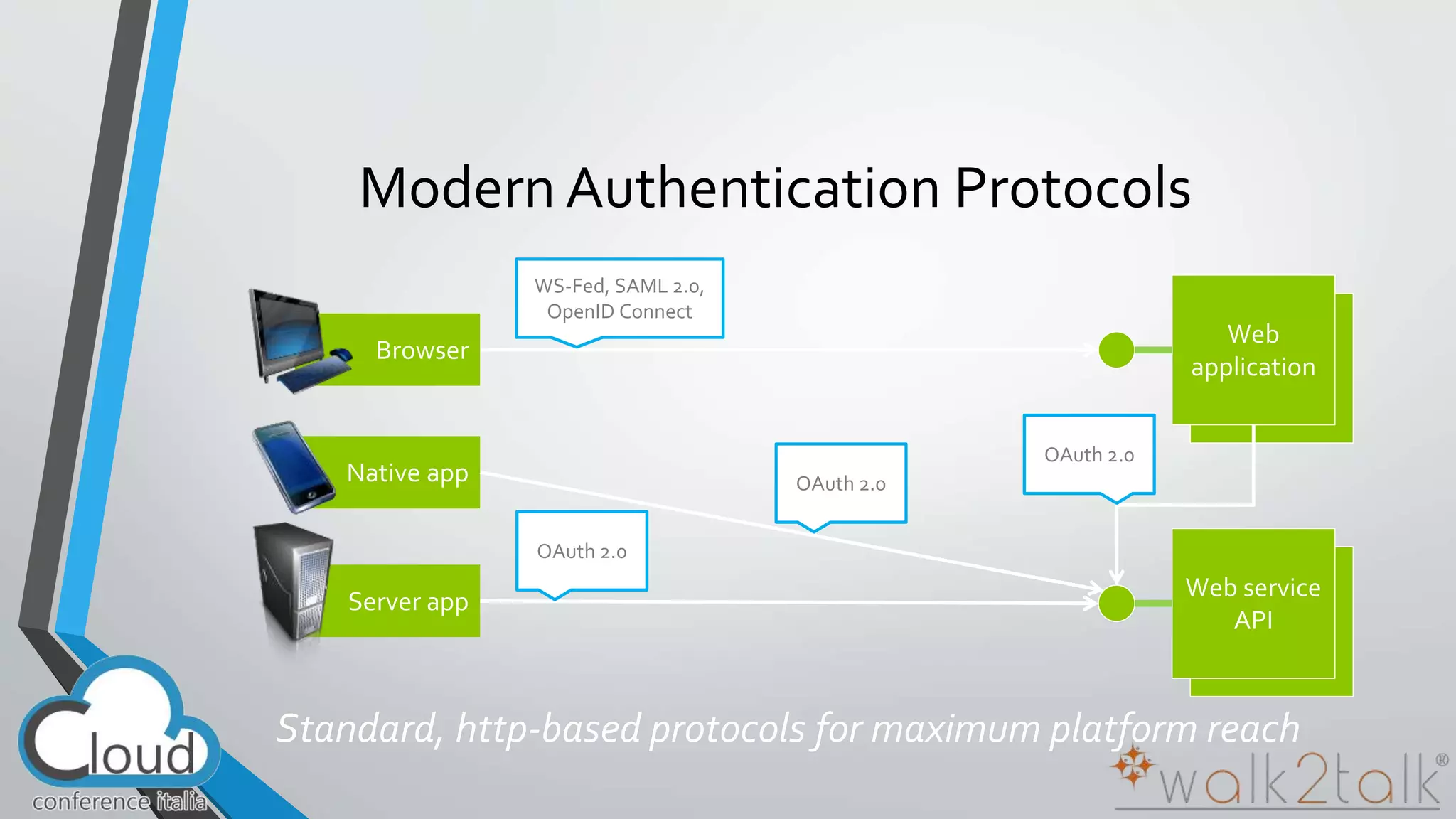
Modern Authentication Protocols 
OAuth 2.0 
WS-Fed, SAML 2.0, 
OpenID Connect 
OAuth 2.0 
OAuth 2.0
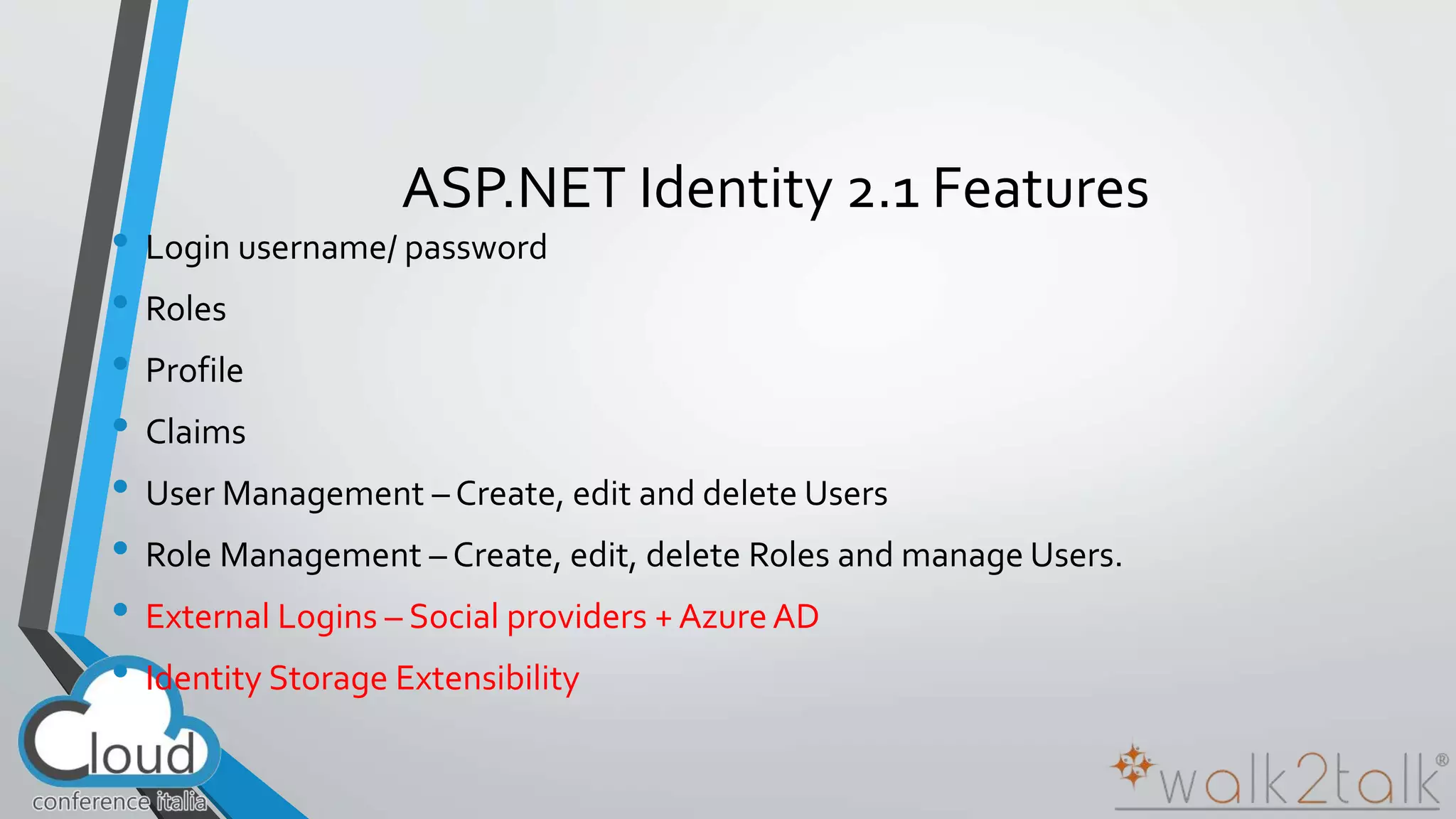
ASP.NET Identity 2.1 Features 
• Login username/ password 
• Roles 
• Profile 
• Claims 
• User Management – Create, edit and delete Users 
• Role Management – Create, edit, delete Roles and manage Users. 
• External Logins – Social providers + Azure AD 
• Identity Storage Extensibility
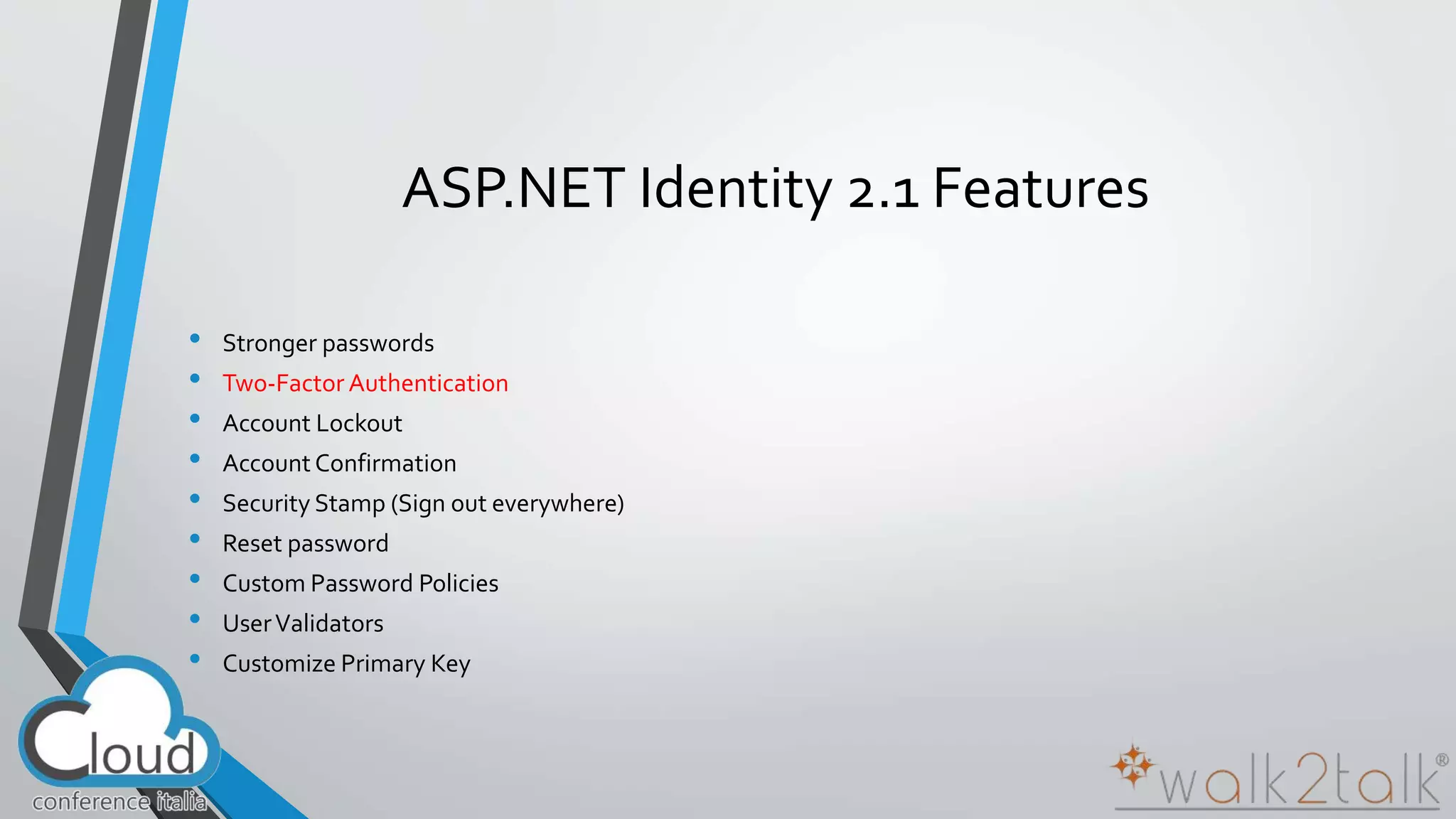
ASP.NET Identity 2.1 Features 
• Stronger passwords 
• Two-Factor Authentication 
• Account Lockout 
• Account Confirmation 
• Security Stamp (Sign out everywhere) 
• Reset password 
• Custom Password Policies 
• User Validators 
• Customize Primary Key
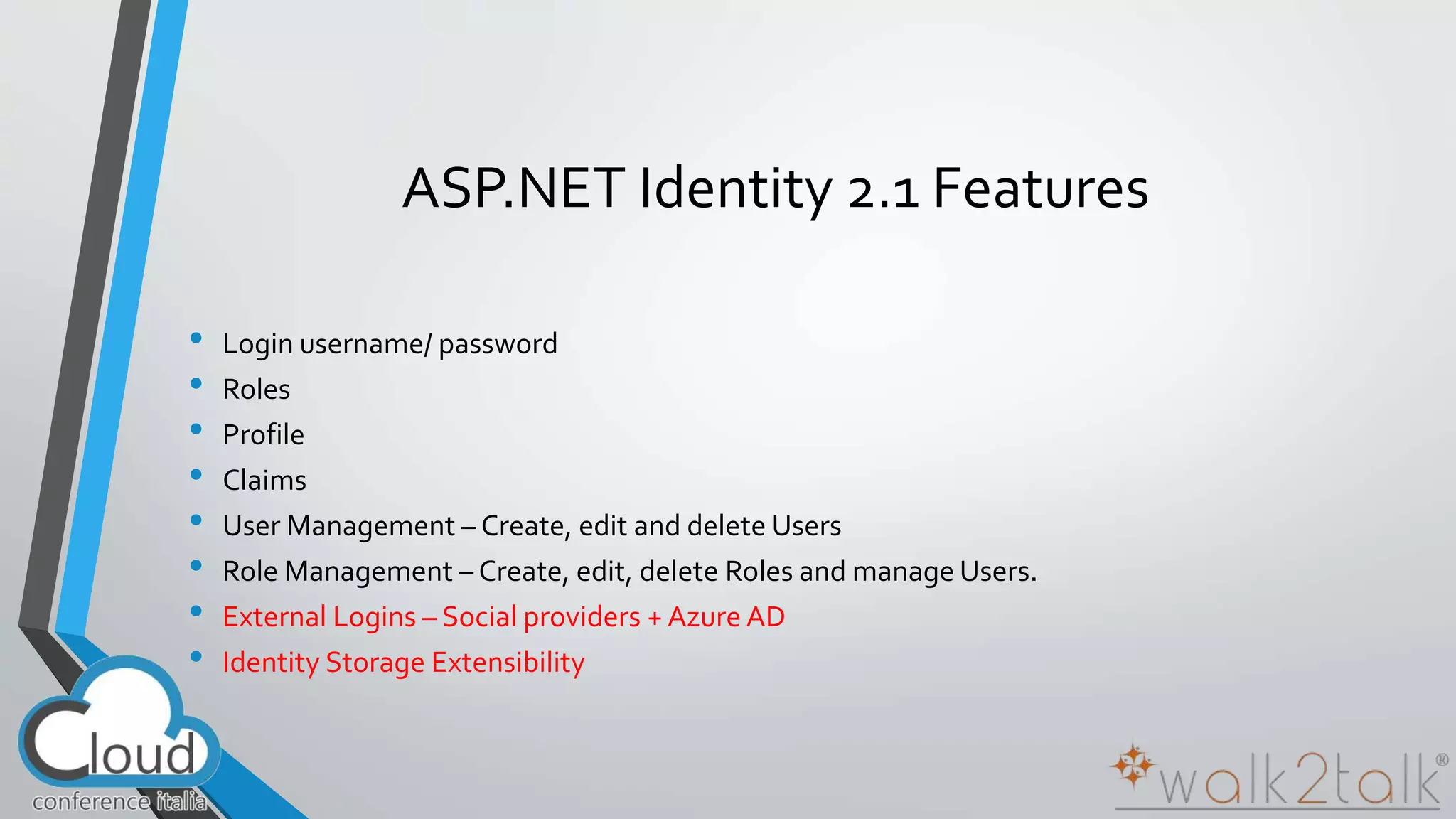
ASP.NET Identity 2.1 Features 
• Login username/ password 
• Roles 
• Profile 
• Claims 
• User Management – Create, edit and delete Users 
• Role Management – Create, edit, delete Roles and manage Users. 
• External Logins – Social providers + Azure AD 
• Identity Storage Extensibility
ASP.NET Identity 2.1 Features [2] 
• Stronger passwords 
• Two-Factor Authentication 
• Account Lockout 
• Account Confirmation 
• Security Stamp (Sign out everywhere) 
• Reset password 
• Custom Password Policies 
• User Validators 
• Customize Primary Key
Deep Dive into Office 365 APIs for 
Calendar, Mail, and Contacts
Office 365 APIs for Calendar, Mail and 
Contacts 
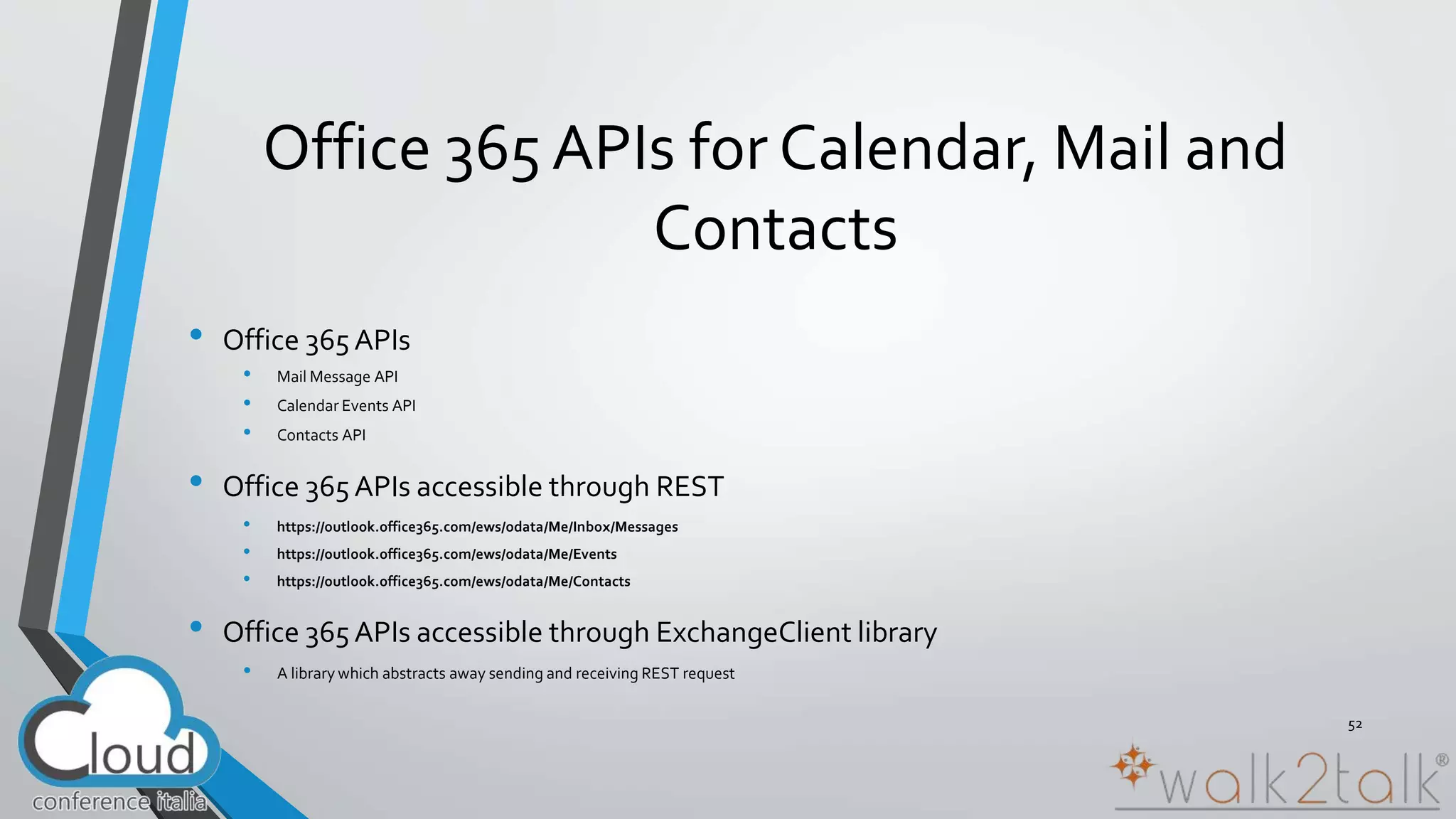
• Office 365 APIs 
• Mail Message API 
• Calendar Events API 
• Contacts API 
• Office 365 APIs accessible through REST 
• https://outlook.office365.com/ews/odata/Me/Inbox/Messages 
• https://outlook.office365.com/ews/odata/Me/Events 
• https://outlook.office365.com/ews/odata/Me/Contacts 
• Office 365 APIs accessible through ExchangeClient library 
• A library which abstracts away sending and receiving REST request 
52
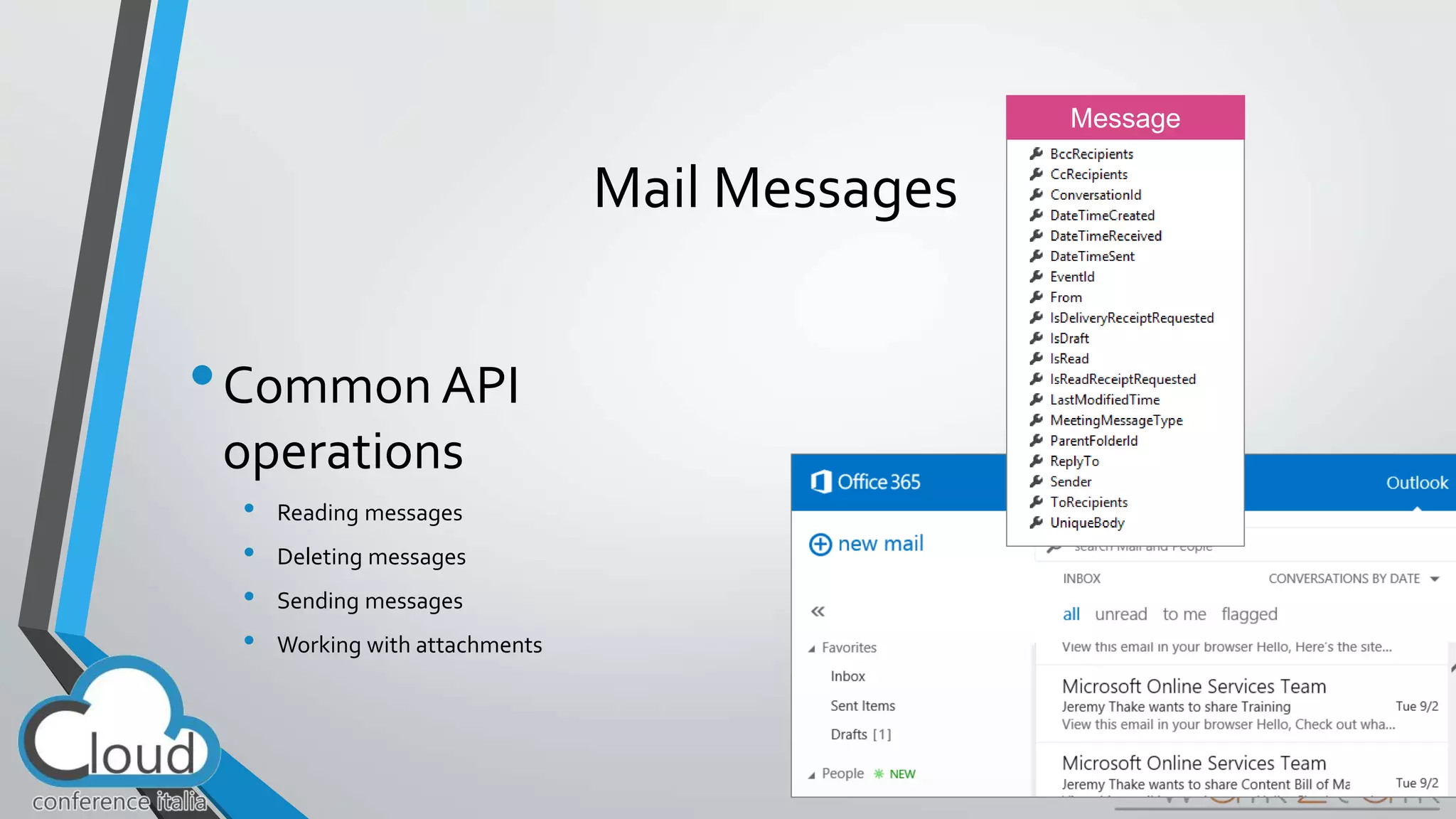
Mail Messages 
•Common API 
operations 
• Reading messages 
• Deleting messages 
• Sending messages 
• Working with attachments 
53
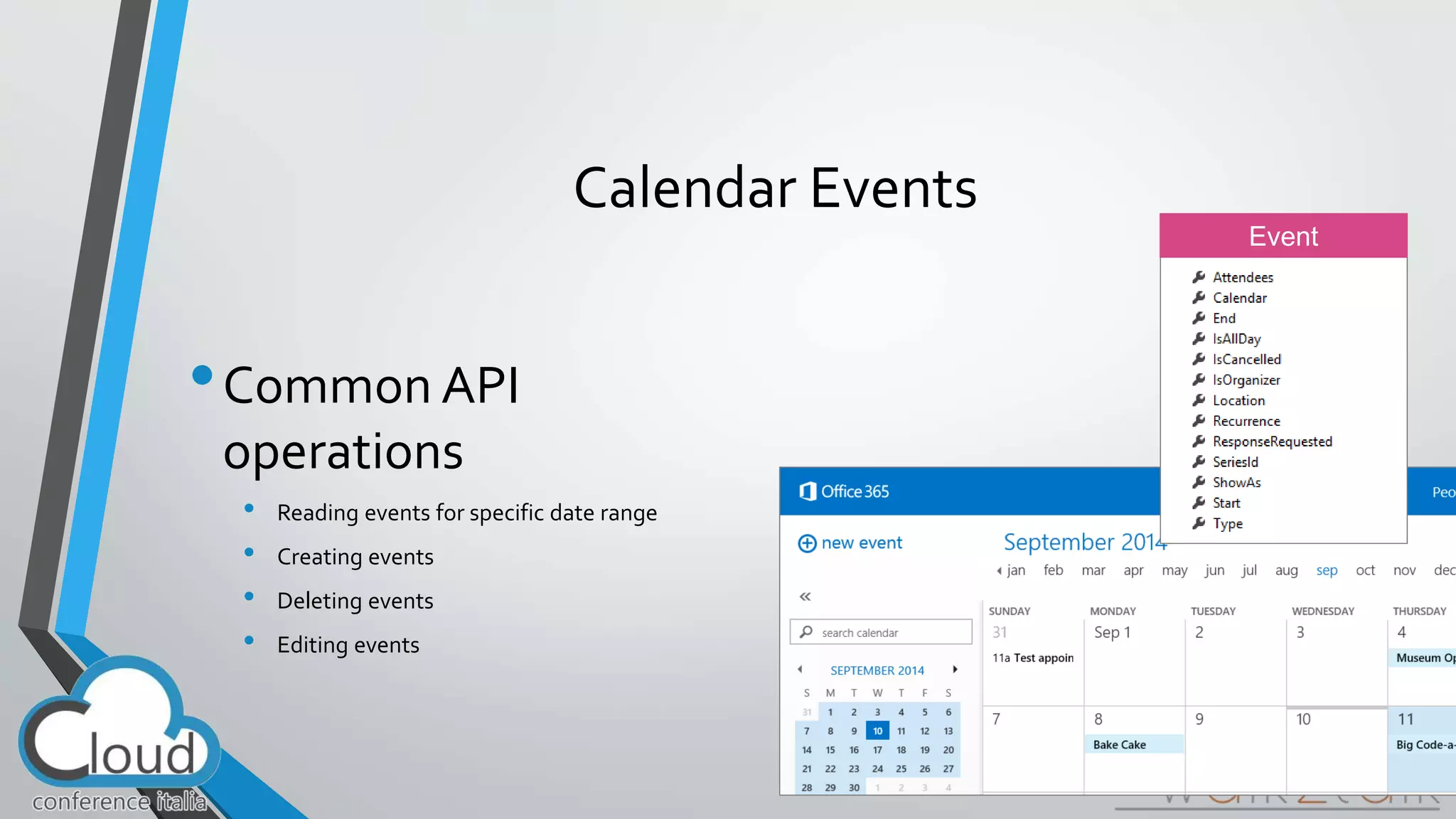
Calendar Events 
•Common API 
operations 
• Reading events for specific date range 
• Creating events 
• Deleting events 
• Editing events 
54
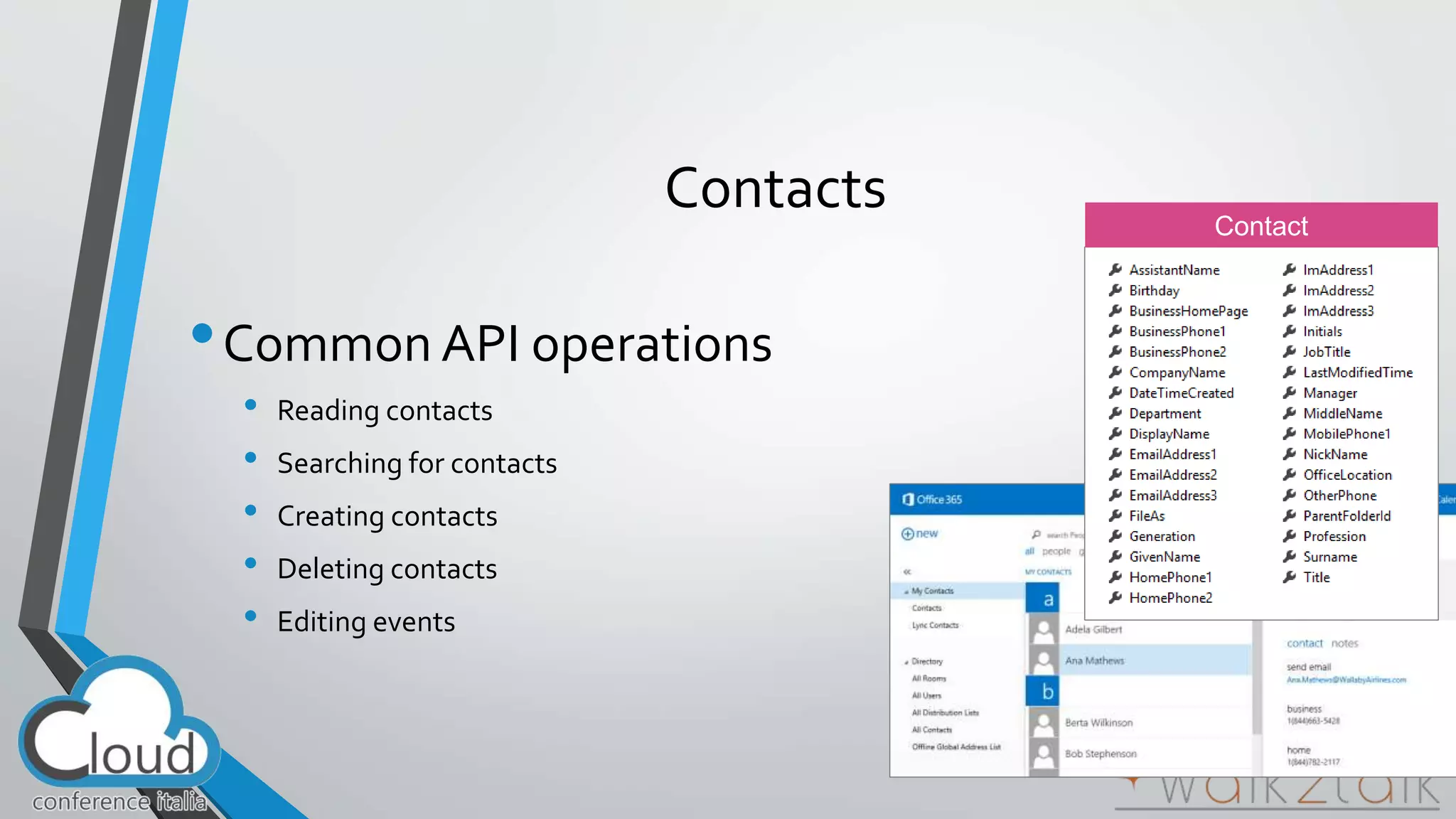
Contacts 
•Common API operations 
• Reading contacts 
• Searching for contacts 
• Creating contacts 
• Deleting contacts 
• Editing events 
55
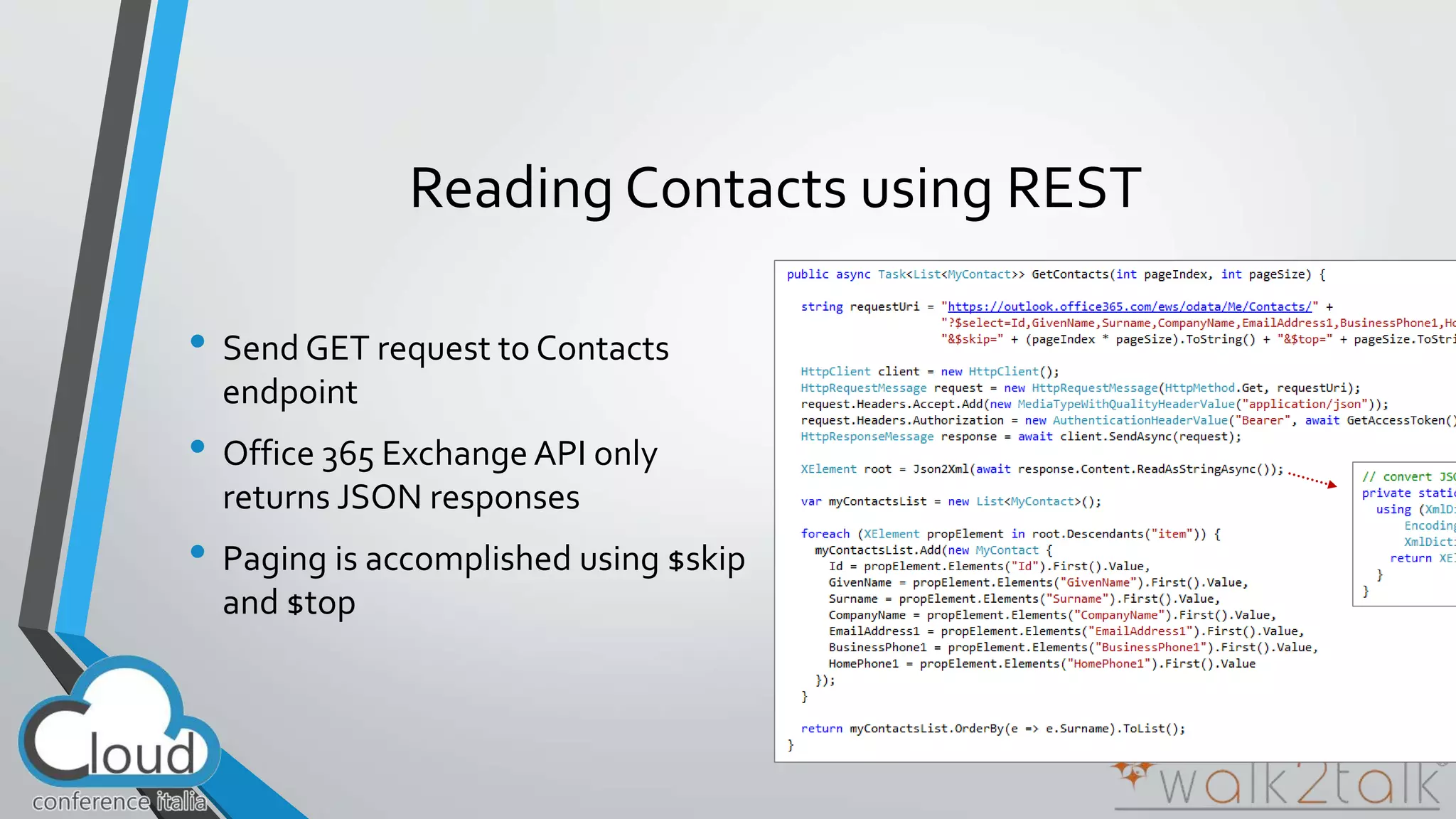
Reading Contacts using REST 
• Send GET request to Contacts 
endpoint 
• Office 365 Exchange API only 
returns JSON responses 
• Paging is accomplished using $skip 
and $top 
56
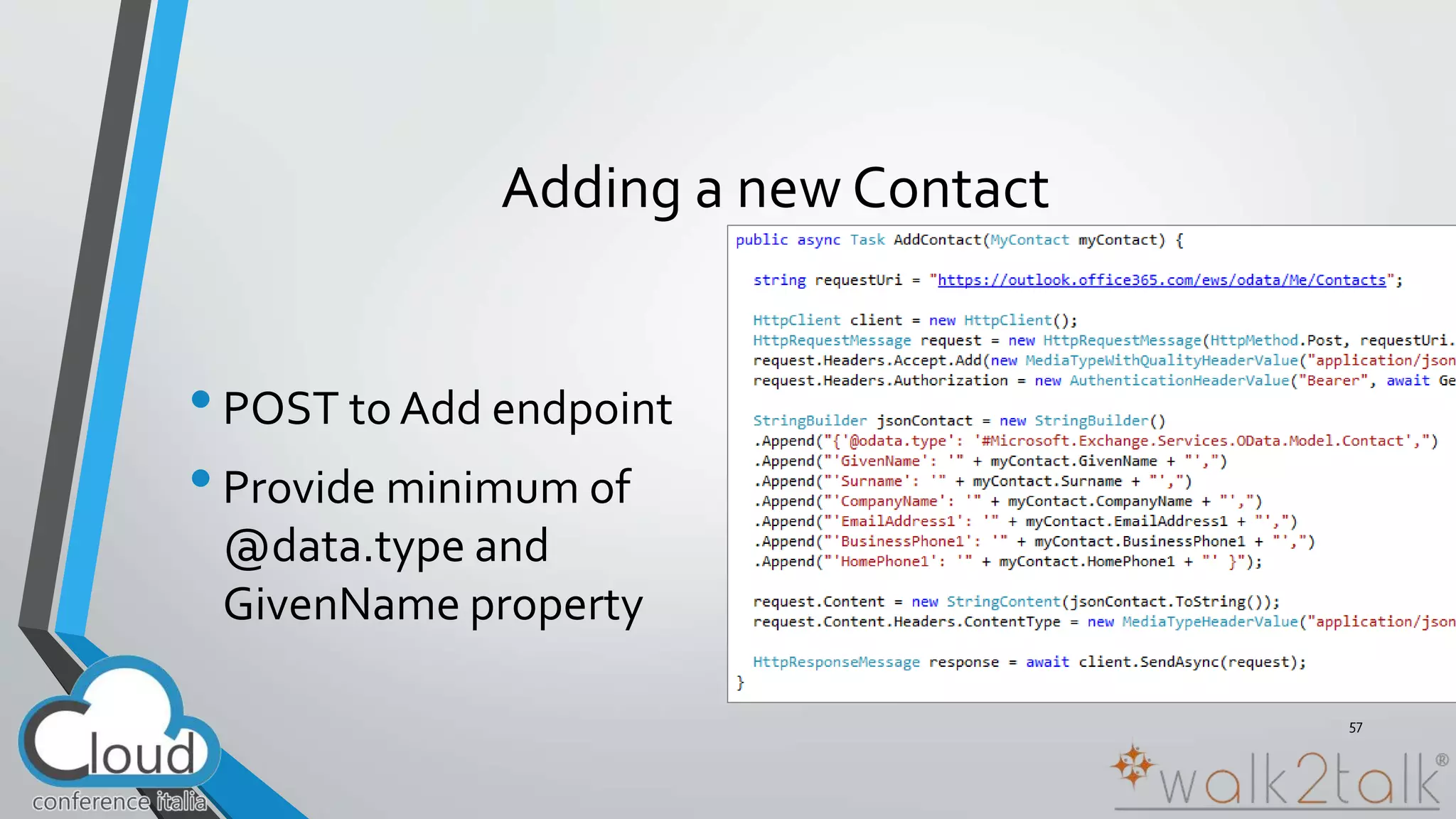
Adding a new Contact 
• POST to Add endpoint 
• Provide minimum of 
@data.type and 
GivenName property 
57
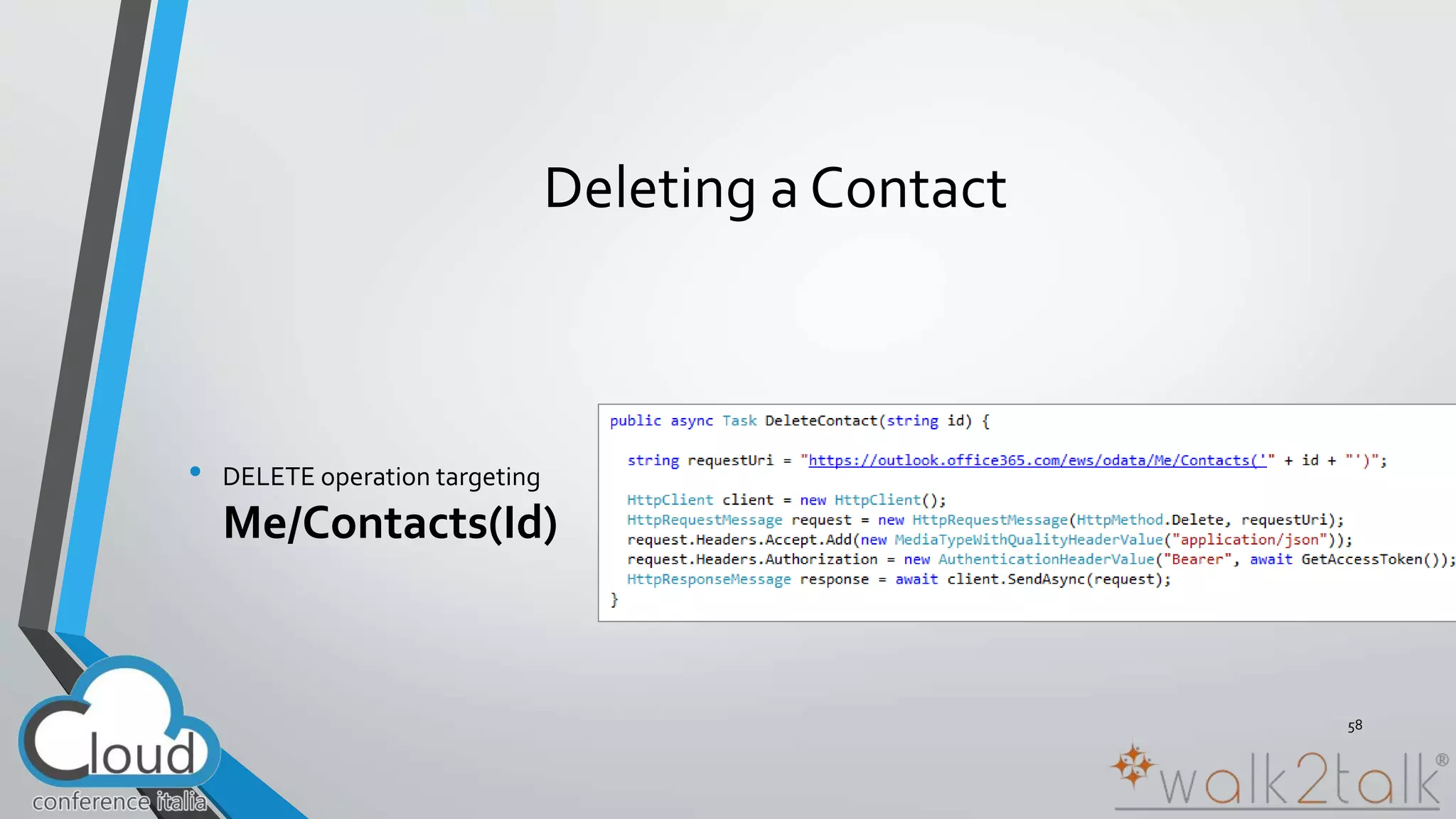
Deleting a Contact 
• DELETE operation targeting 
Me/Contacts(Id) 
58
Deep Dive into Office 365 APIs 
for OneDrive for Business
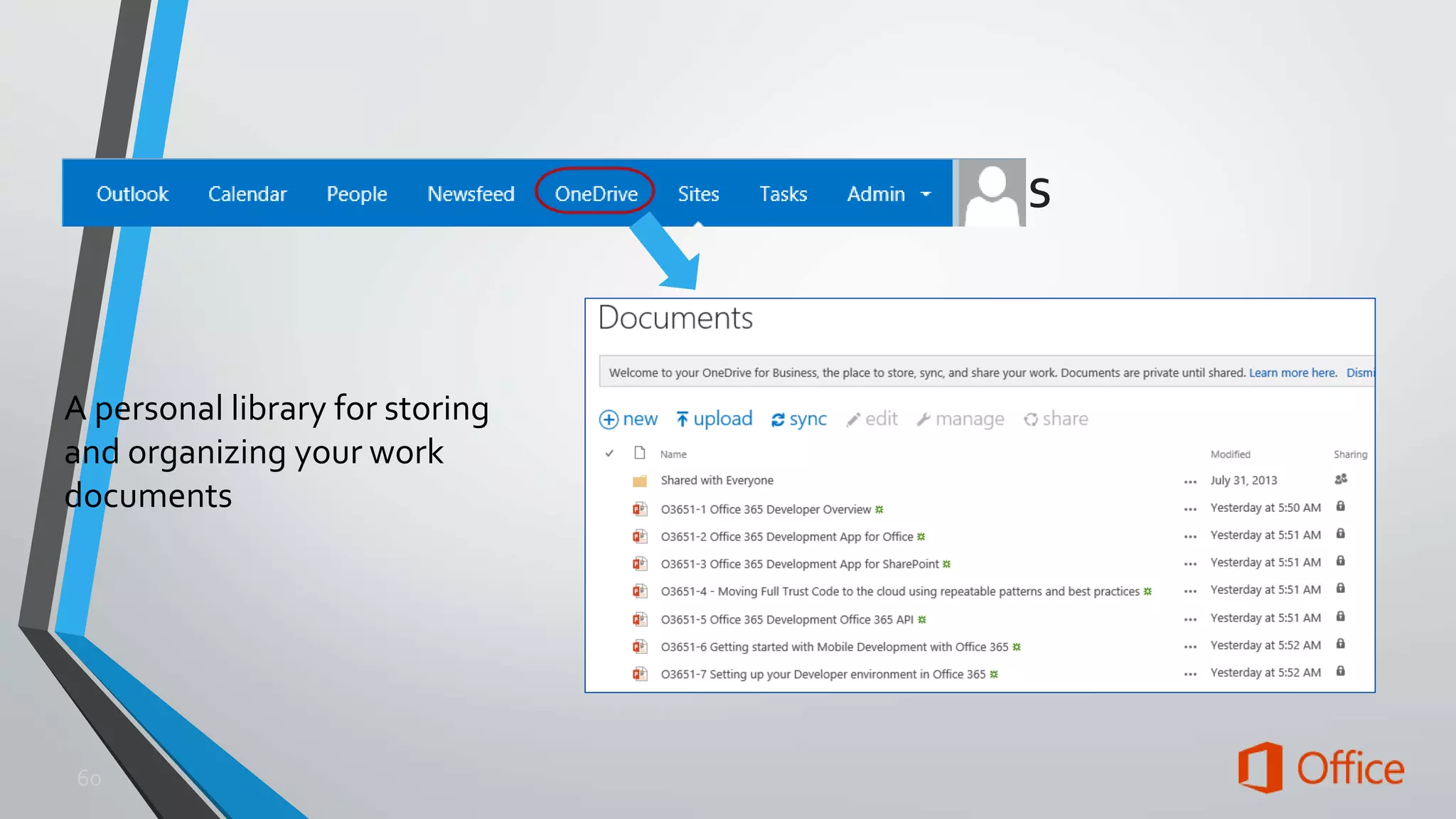
A personal library for storing 
and organizing your work 
documents
OneDrive for Business Files REST API 
• Get the metadata for all files in OneDrive 
• GET http://<onedrive>/_api/Files 
• Get the metadata for a folder in OneDrive 
• GET http://<onedrive>/_api/Files('folder') 
• Get the metadata for the children of a folder in OneDrive 
• GET http://<onedrive>/_api/Files('folder')/Children 
• Get the metadata for a single file in OneDrive 
• GET http://<onedrive>/_api/Files('folder/filename.docx') 
• Download a single file from OneDrive 
• GET http://<onedrive>/_api/Files('folder/filename.docx')/download
Reading File Metadata 
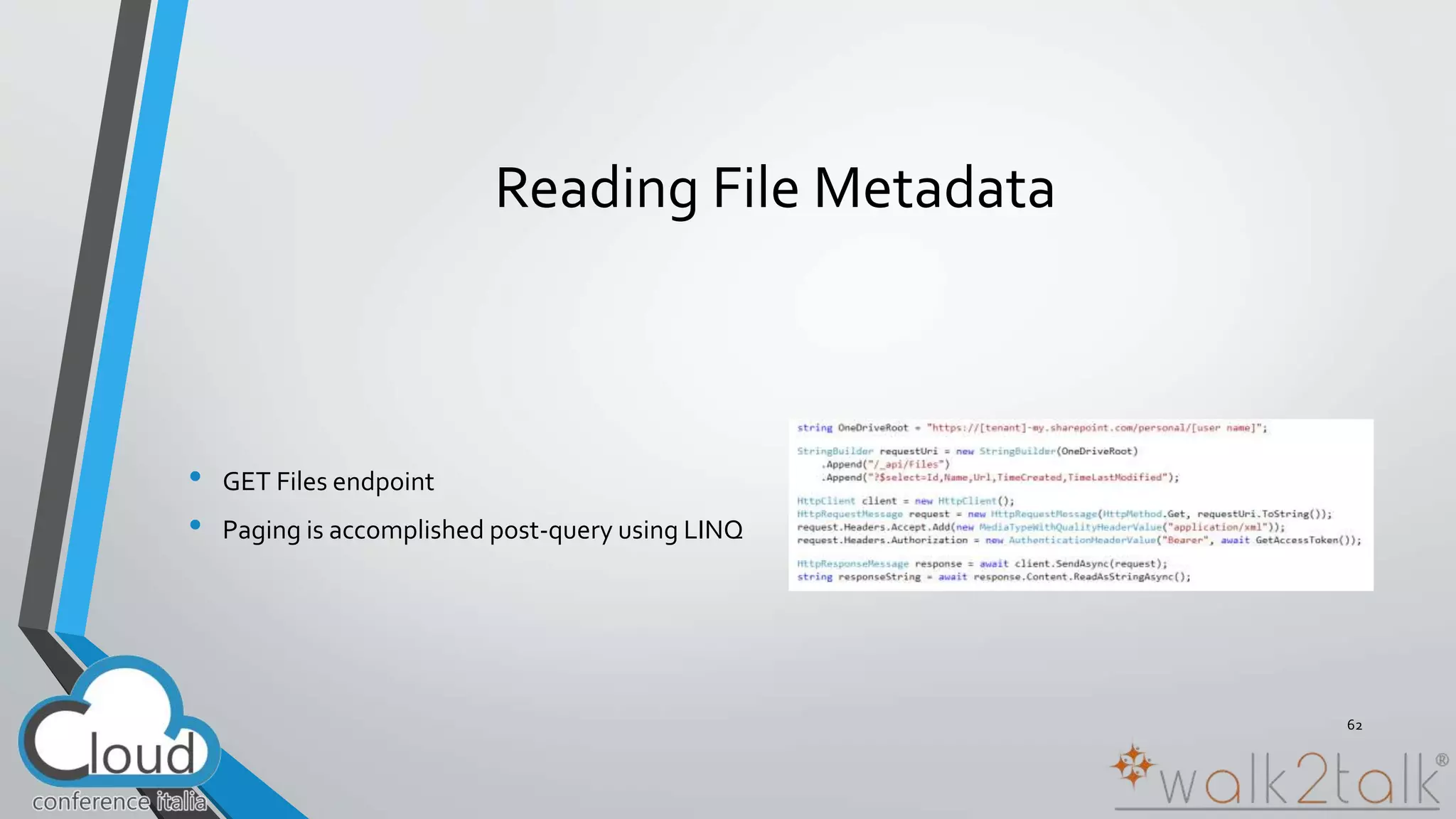
• GET Files endpoint 
• Paging is accomplished post-query using LINQ 
62
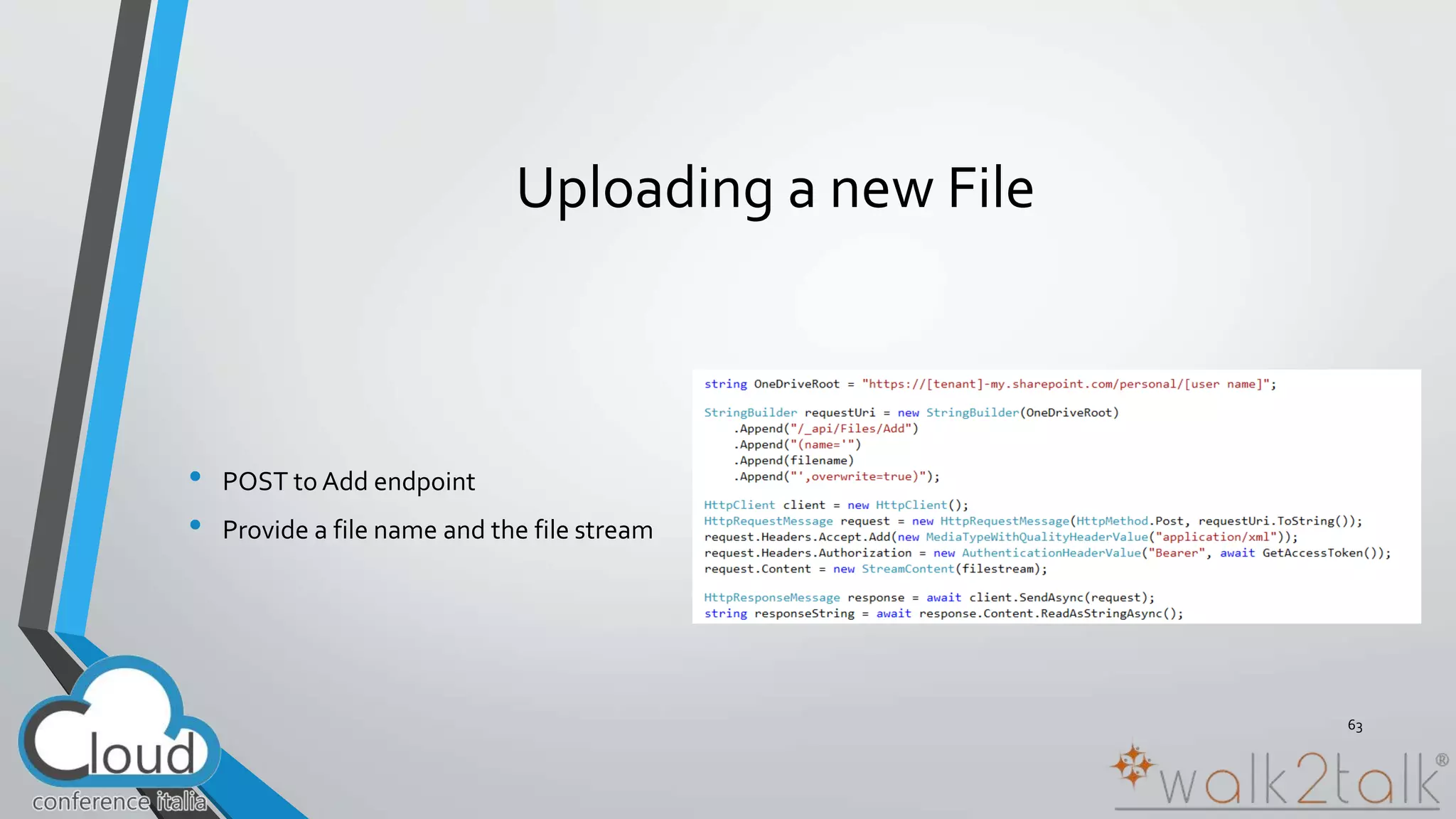
Uploading a new File 
• POST to Add endpoint 
• Provide a file name and the file stream 
63
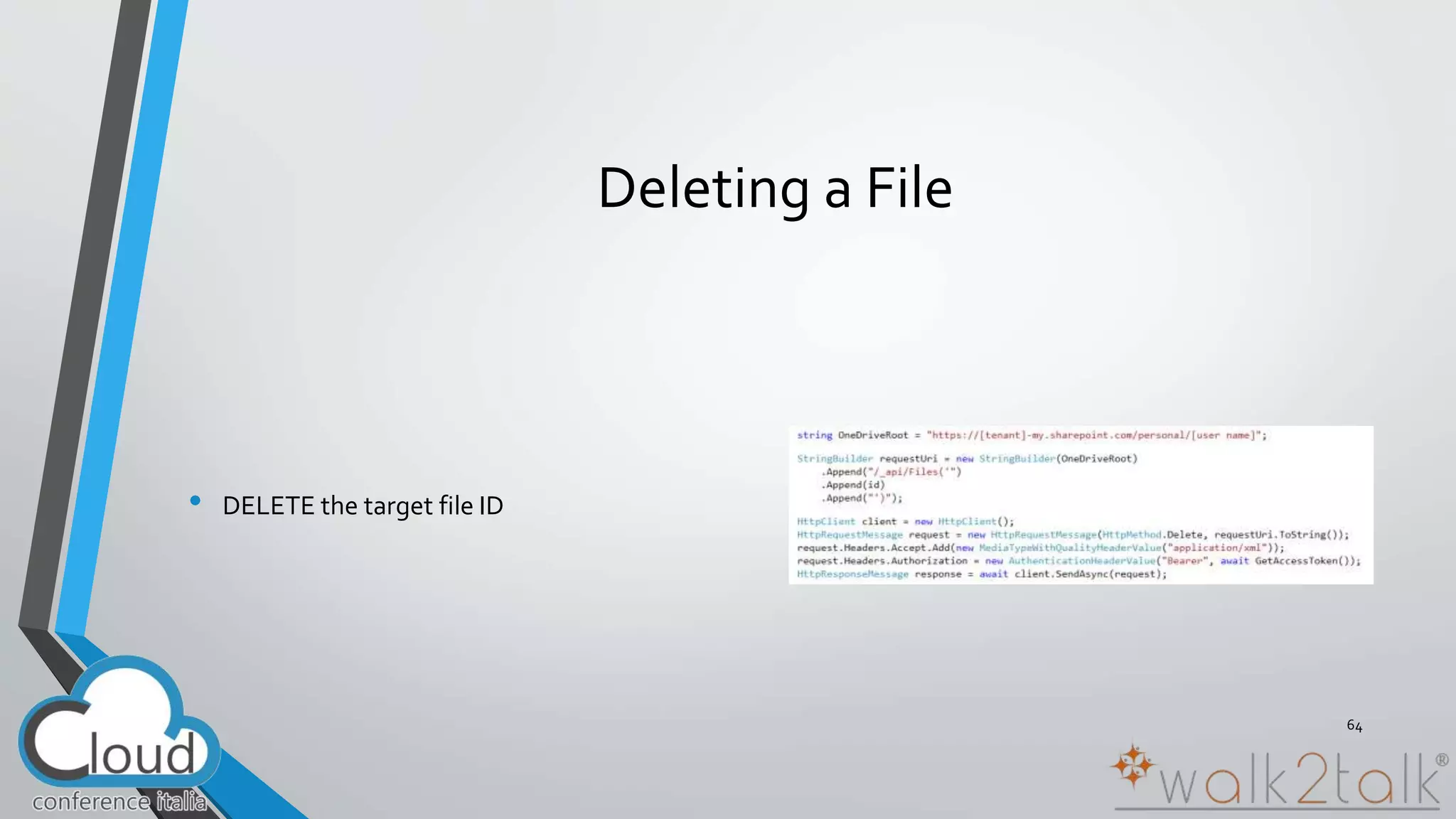
Deleting a File 
• DELETE the target file ID 
64
“ 
” UTec365 
Demo
Conclusions
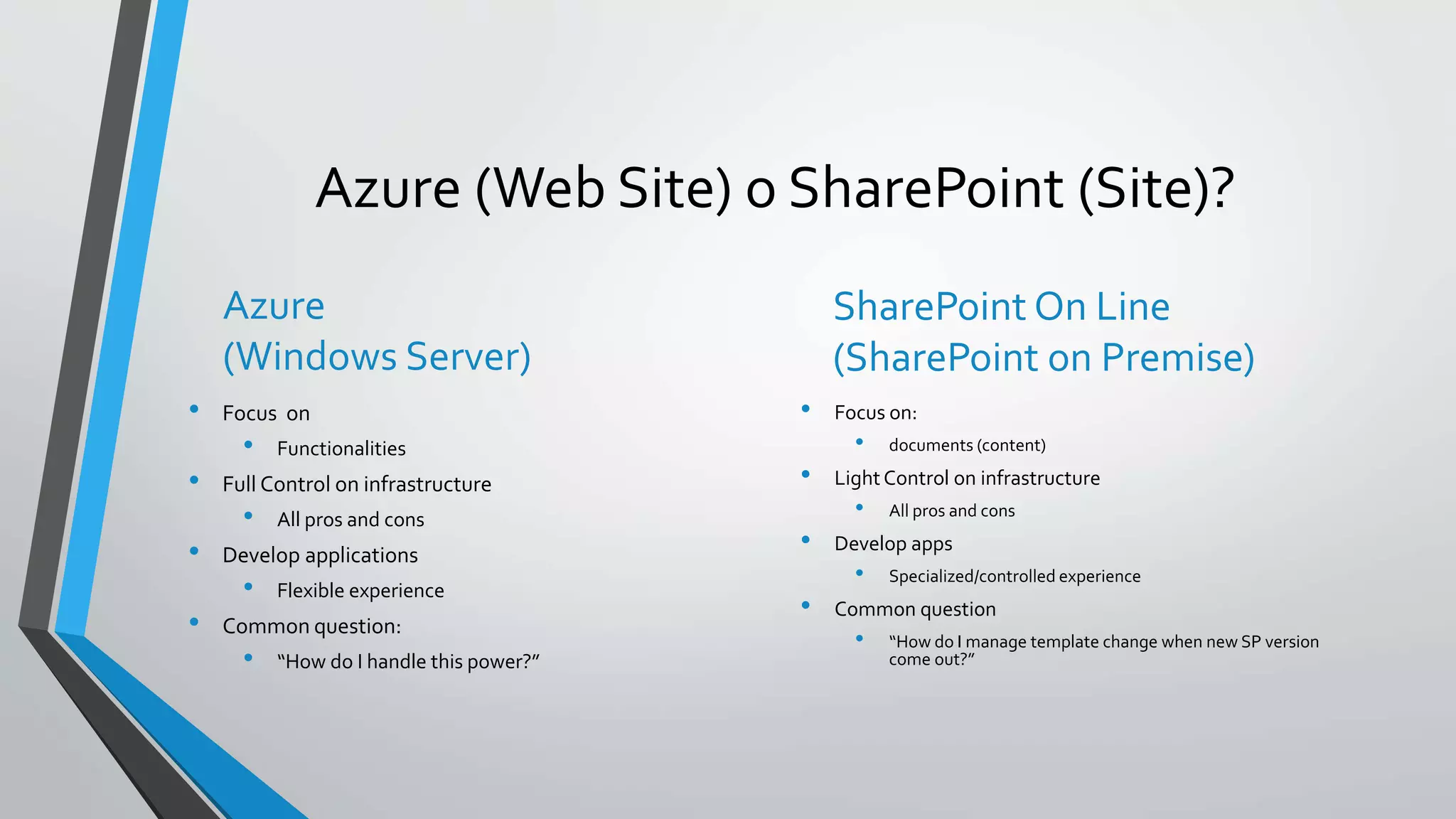
Azure (Web Site) o SharePoint (Site)? 
Azure 
(Windows Server) 
• Focus on 
• Functionalities 
• Full Control on infrastructure 
• All pros and cons 
• Develop applications 
• Flexible experience 
• Common question: 
• “How do I handle this power?” 
SharePoint On Line 
(SharePoint on Premise) 
• Focus on: 
• documents (content) 
• Light Control on infrastructure 
• All pros and cons 
• Develop apps 
• Specialized/controlled experience 
• Common question 
• “How do I manage template change when new SP version 
come out?”
“ 
” 
How much does it costs? 
http://azure.microsoft.com/en-us/pricing/calculator/ 
Please distinguish between Fixed Costs and Current Costs!
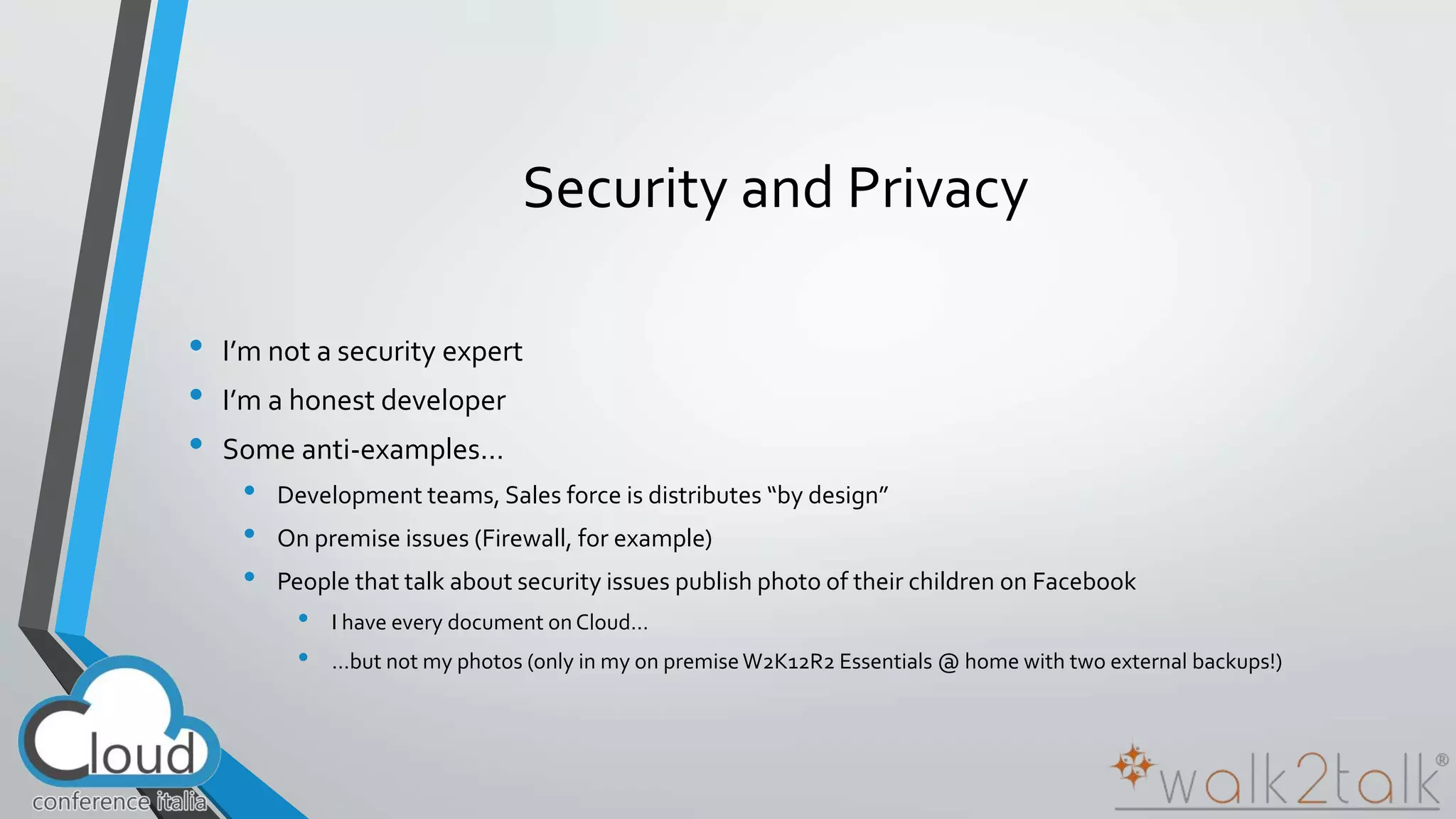
Security and Privacy 
• I’m not a security expert 
• I’m a honest developer 
• Some anti-examples… 
• Development teams, Sales force is distributes “by design” 
• On premise issues (Firewall, for example) 
• People that talk about security issues publish photo of their children on Facebook 
• I have every document on Cloud… 
• …but not my photos (only in my on premise W2K12R2 Essentials @ home with two external backups!)
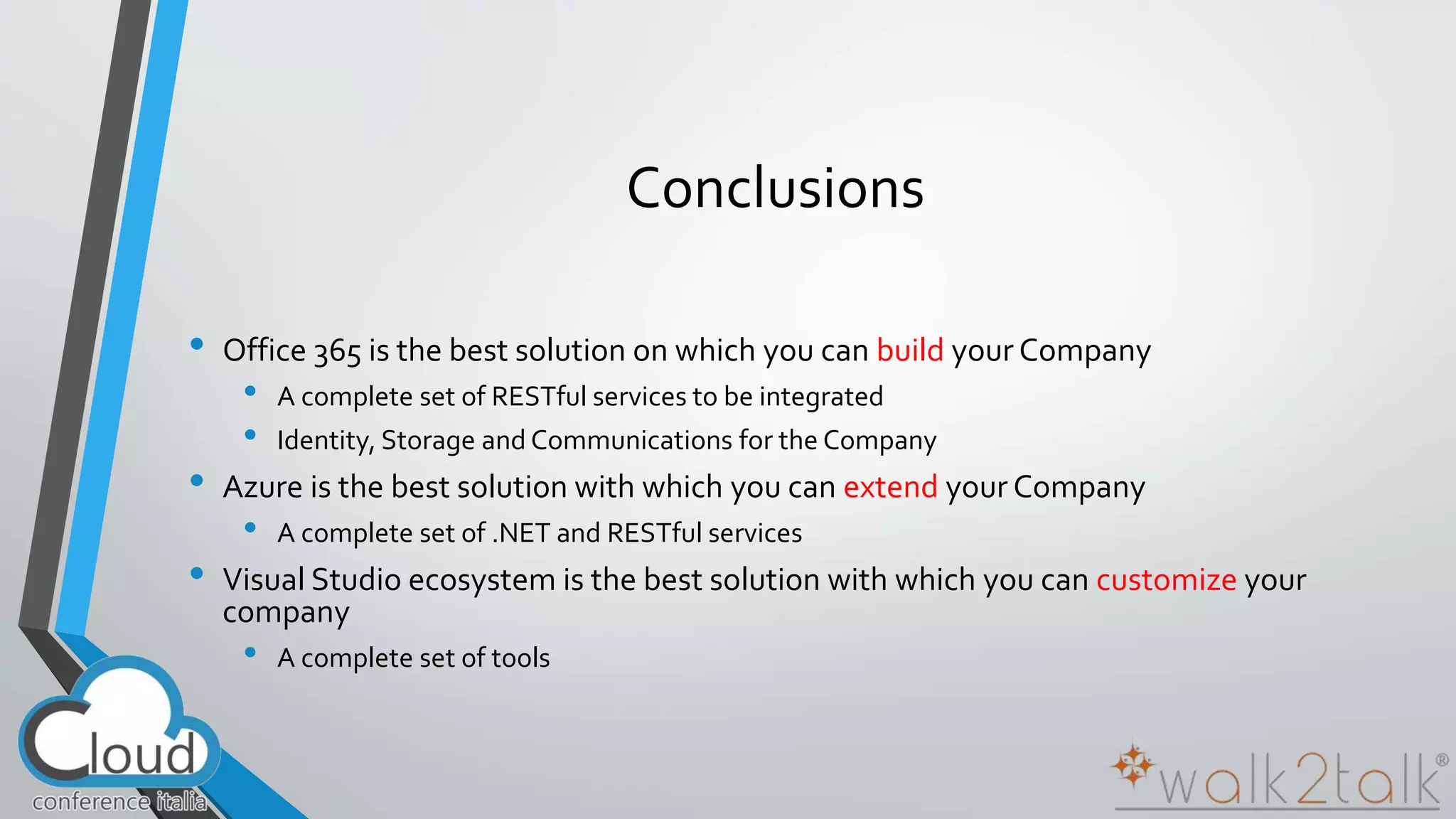
Conclusions 
• Office 365 is the best solution on which you can build your Company 
• A complete set of RESTful services to be integrated 
• Identity, Storage and Communications for the Company 
• Azure is the best solution with which you can extend your Company 
• A complete set of .NET and RESTful services 
• Visual Studio ecosystem is the best solution with which you can customize your 
company 
• A complete set of tools
“ 
” 
Developer…you have to change!
https://github.com/marcoparenzan/Maker365.git
Ricordati il feedback 
Cod. Sessione: AZU02 
#CloudConferenceItalia 
www.slideshare.net/marco.parenzan 
github.com/marcoparenzan 
it.linkedin.com/in/marcoparenzan 
marco [dot] parenzan [at] 1nn0va [dot] onmicrosoft [dot] com 
www.innovazionefvg.net
22 Ottobre 2014 
#CloudConferenceItalia

2014.10.22 Building Azure Solutions with Office 365

  • 1.
    AZU02 – BuildingAzure Solutions with Office 365 Marco Parenzan #CloudConferenceItalia
  • 2.
  • 3.
    Marco Parenzan •Formazione & Divulgazione con 1nn0va • Parlo di Cloud e di tutto quello che gira intorno • Ad esempio Internet of Things • Microsoft MVP 2014 for Microsoft Azure • Formazione & Progettazione con ITS Kennedy • Insegno principi di CloudComputing • Ricerca e Innovazione con Servizi Cgn • Sviluppo software • Formazione interna
  • 4.
    State of SoftwareDevelopment
  • 5.
    New development trends • Cloud • Big Data • Mobile and Devices • Internet of Things
  • 6.
    New development challenges • None of the following is true: • “Network is reliable” • “Latency is near to zero or irrelevant” • “Bandwidth is unlimited” • “Network is secure” • “Topology doesn’t change” • “Transport cost is irrelevant” • “Network is homogeneous” From Mauro Servienti presentation http://www.slideshare.net/mauroservienti/in-the-brain-designing-distributed-scalable-and-reliable-systems
  • 7.
    New development patterns WORKLOAD QUEUING STORAGE RETRY IDENTITY
  • 8.
  • 9.
    Away from premises Applications Data Runtime Middleware O/S Virtualization Servers Storage Networking
  • 10.
    “Mobile First, CloudFirst” We develop for the customer Software (as a Service) Applications Data Runtime Middleware O/S Virtualization Servers Storage Networking To consume services Platform (as a Service) Applications Data Runtime Middleware O/S Virtualization Servers Storage Networking To consume his services Infrastructure (as a Service) Applications Data Runtime Middleware O/S Virtualization Servers Storage Networking To consume his legacy services
  • 11.
    “ ” TheCloud is moving the center of the modern, agile Company
  • 12.
    Microsoft Azure Core– compute, networking, storage, identity Platform
  • 13.
    16 regions worldwidein 2014 Azure footprint Data Centers Regional Partners
  • 14.
    Azure features forSolutions Platform as a Service
  • 15.
    Microsoft Azure Services Client layer (on-premises) Tablet Phone Games PC console On-premises Browser database Office Add-in On-premises service AD Multifactor Authentication Access Control Layer Integration layer Service Bus CDN BizTalk Services Traffic Manager Virtual Networks Express Route Application layer API Mgmt Websites Cloud Services VM Mobile Services Media Services Notification Hubs Scheduler Automatio n Data Layer Storage Blobs Tables Queues Data Machine Learning HD Insight Backup and Recovery SQL Database Caching StorSimpl e
  • 16.
    Microsoft Azure WebSites Create new sites in seconds Easily manage and scale your sites Automatic load balancing and shared storage across instances Scale out or up to reserved instances for improved performance and scale Built-in web jobs support Use ASP.NET, ASP, PHP, Java or Node.js SQL Azure or MySQL databases Start with open source apps and frameworks Develop with VS and WebMatrix Supports any Web development tool on any platform (Windows, OSX, Linux) Rapid deployment for quick iteration Integrated source control with Team Foundation Server (TFS) and Git Built-in monitoring of perf and usage data Quick access to request logs, failed requests diagnostics and diagnostics
  • 17.
    SDKs Windows Store iOS Android Xamarin Sencha Windows Phone iOS Android HTML 5/JS Node.js Express .NET Web API REST API Mongo DB Facebook Twitter Microsoft Google Active Directory SQL Table Storage Blob Storage WNS & MPNS APNS GCM Notification Hubs Source Control Hybrid Connections Mobile Services
  • 18.
    Azure Virtual Machines •  Launch Windows Server and Linux in minutes •  Scale from 1 to 1000s of VM Instances •  Save money with per-minute billing •  Open and extensible
  • 19.
    Virtual Machine Sizes VMSize CPU Cores Memory # (1TB) Data Disks Extra Small (A0) Shared 768 MB 1 Small (A1) 1 1.75 GB 2 Medium (A2) 2 3.5 GB 4 Large (A3) 4 7 GB 8 Extra Large (A4) 8 14 GB 16 A5 2 14 GB 4 A6 4 28 GB 8 A7 8 56 GB 16 A8 8 56 GB 16 A9 16 112 GB 16
  • 20.
    VM Gallery WindowsServer 2012 R2 Ubuntu Server 14.04 LTS CentOS 6.5 SUSE Linux openSUSE 13.1 Enterprise Server Oracle Linux 6.4.0.0.0 Windows 8.1 Enterprise SQL Server 2014 Standard Oracle Database 11g R2 BizTalk Server 2013 SharePoint Server Farm Microsoft Dynamics GP 2013 Zulu 8 SAP HANA Developer Edition Puppet Enterprise 3.2.3 Barracuda Web Application Oracle WebLogic Server 12.1.2 Visual Studio Ultimate 2013
  • 21.
  • 22.
    (Some) Azure StorageSolutions Storage in Azure...Software as a Service
  • 23.
    (Some) Azure StorageSolutions SQL Database SQL on IaaS NoSQL Tables Files
  • 24.
    Run SQL onVM • Run any SQL product on cloud VM • Support for SQL Server, Oracle, MySql • Ready to go VM images available in Gallery • Persistent storage using attached disk in blob storage 24
  • 25.
    SQL IaaS Comparisonvs SQL Database
  • 26.
    NoSQL Generally morescalable • The storage engines of NoSQL stores are designed to minimize contentions enabling higher throughput and therefore more scalable • Lower transaction capability in NoSQL results in less contention and therefore more scalable • Less complex query processor means that a single query can’t degrade service • Built-in replication capability means that store can scale out which better aligns to other application tiers (e.g. websites) • No fixed schema or lower schema requirements 26
  • 27.
    NoSQL on Azure • Cassandra is a columnar store with excellent replication • HBase is a Big Data (Hadoop) NoSQL store available in HDInsight • MongoDB is a document (JSON) store • The new DocumentDB document (JSON) store • The new DocumentDB document (JSON) store • Azure Tables service is NoSQL row store
  • 28.
  • 29.
  • 30.
  • 31.
    Sharing Files –The old way • Setup an IaaS VM to host a File Share backed by an IaaS Disk • Write code to find the IaaS File Share from the rest of the VMs in your service. • Write some code to provide high availability • Handle host upgrades, node failures • You can only access the File Share from other VMs
  • 32.
    Azure Files •Shared Network File Storage for Azure • Availability, durability, scalability are managed automatically • Supports two interfaces: SMB and REST • Share data across VMs and applications • Multiple writers, multiple readers using standard file system semantics. • Share settings throughout services • VMs can read settings and files from a common, shared location. These can be updated externally via REST. • Dev/Test/Debug • Very useful to have a shared location for installing applications, setting up VMs, running tools, and keeping notes while developing, testing, and debugging cloud services.
  • 33.
  • 34.
    Maker365 • Who?3 friends • What? 3D Printing • Where? No office, just a garage
  • 35.
  • 36.
    “ ” HybridCloud is one of the strategies for Global Cloud Adoption
  • 37.
    “ ” Office365 is in the center of the modern, agile Company
  • 38.
    “ ” Office365 is in the center of the modern, agile, hybrid Company
  • 39.
    “ ” Office365 is a rich platform for extending and integrating with
  • 40.
    “ ” Office365 is a rich platform for extending and integrating with as a service
  • 41.
  • 42.
    Modern web hybridapplications Azure
  • 43.
    Build for thecloud • Web Standards • Apps are built using industry proven web standards such as HTML, JavaScript and REST • Scalable and Safe • Apps are independently scalable which reduces total cost of ownership. Apps are secured and isolated from SharePoint • Accessible • Apps can be accessed from any device with a web browser. Write once, run anywhere • An app can run outside the firewall in the cloud and from inside the firewall in a data center. • Apps can be hosted on any platform giving you complete freedom.
  • 44.
  • 45.
    Your identity goeswith you 3rd party clouds/hosting Azure AD
  • 46.
    Modern Authentication Protocols OAuth 2.0 WS-Fed, SAML 2.0, OpenID Connect OAuth 2.0 OAuth 2.0
  • 47.
    ASP.NET Identity 2.1Features • Login username/ password • Roles • Profile • Claims • User Management – Create, edit and delete Users • Role Management – Create, edit, delete Roles and manage Users. • External Logins – Social providers + Azure AD • Identity Storage Extensibility
  • 48.
    ASP.NET Identity 2.1Features • Stronger passwords • Two-Factor Authentication • Account Lockout • Account Confirmation • Security Stamp (Sign out everywhere) • Reset password • Custom Password Policies • User Validators • Customize Primary Key
  • 49.
    ASP.NET Identity 2.1Features • Login username/ password • Roles • Profile • Claims • User Management – Create, edit and delete Users • Role Management – Create, edit, delete Roles and manage Users. • External Logins – Social providers + Azure AD • Identity Storage Extensibility
  • 50.
    ASP.NET Identity 2.1Features [2] • Stronger passwords • Two-Factor Authentication • Account Lockout • Account Confirmation • Security Stamp (Sign out everywhere) • Reset password • Custom Password Policies • User Validators • Customize Primary Key
  • 51.
    Deep Dive intoOffice 365 APIs for Calendar, Mail, and Contacts
  • 52.
    Office 365 APIsfor Calendar, Mail and Contacts • Office 365 APIs • Mail Message API • Calendar Events API • Contacts API • Office 365 APIs accessible through REST • https://outlook.office365.com/ews/odata/Me/Inbox/Messages • https://outlook.office365.com/ews/odata/Me/Events • https://outlook.office365.com/ews/odata/Me/Contacts • Office 365 APIs accessible through ExchangeClient library • A library which abstracts away sending and receiving REST request 52
  • 53.
    Mail Messages •CommonAPI operations • Reading messages • Deleting messages • Sending messages • Working with attachments 53
  • 54.
    Calendar Events •CommonAPI operations • Reading events for specific date range • Creating events • Deleting events • Editing events 54
  • 55.
    Contacts •Common APIoperations • Reading contacts • Searching for contacts • Creating contacts • Deleting contacts • Editing events 55
  • 56.
    Reading Contacts usingREST • Send GET request to Contacts endpoint • Office 365 Exchange API only returns JSON responses • Paging is accomplished using $skip and $top 56
  • 57.
    Adding a newContact • POST to Add endpoint • Provide minimum of @data.type and GivenName property 57
  • 58.
    Deleting a Contact • DELETE operation targeting Me/Contacts(Id) 58
  • 59.
    Deep Dive intoOffice 365 APIs for OneDrive for Business
  • 60.
    A personal libraryfor storing and organizing your work documents
  • 61.
    OneDrive for BusinessFiles REST API • Get the metadata for all files in OneDrive • GET http://<onedrive>/_api/Files • Get the metadata for a folder in OneDrive • GET http://<onedrive>/_api/Files('folder') • Get the metadata for the children of a folder in OneDrive • GET http://<onedrive>/_api/Files('folder')/Children • Get the metadata for a single file in OneDrive • GET http://<onedrive>/_api/Files('folder/filename.docx') • Download a single file from OneDrive • GET http://<onedrive>/_api/Files('folder/filename.docx')/download
  • 62.
    Reading File Metadata • GET Files endpoint • Paging is accomplished post-query using LINQ 62
  • 63.
    Uploading a newFile • POST to Add endpoint • Provide a file name and the file stream 63
  • 64.
    Deleting a File • DELETE the target file ID 64
  • 65.
  • 66.
  • 67.
    Azure (Web Site)o SharePoint (Site)? Azure (Windows Server) • Focus on • Functionalities • Full Control on infrastructure • All pros and cons • Develop applications • Flexible experience • Common question: • “How do I handle this power?” SharePoint On Line (SharePoint on Premise) • Focus on: • documents (content) • Light Control on infrastructure • All pros and cons • Develop apps • Specialized/controlled experience • Common question • “How do I manage template change when new SP version come out?”
  • 68.
    “ ” Howmuch does it costs? http://azure.microsoft.com/en-us/pricing/calculator/ Please distinguish between Fixed Costs and Current Costs!
  • 69.
    Security and Privacy • I’m not a security expert • I’m a honest developer • Some anti-examples… • Development teams, Sales force is distributes “by design” • On premise issues (Firewall, for example) • People that talk about security issues publish photo of their children on Facebook • I have every document on Cloud… • …but not my photos (only in my on premise W2K12R2 Essentials @ home with two external backups!)
  • 70.
    Conclusions • Office365 is the best solution on which you can build your Company • A complete set of RESTful services to be integrated • Identity, Storage and Communications for the Company • Azure is the best solution with which you can extend your Company • A complete set of .NET and RESTful services • Visual Studio ecosystem is the best solution with which you can customize your company • A complete set of tools
  • 71.
    “ ” Developer…youhave to change!
  • 72.
  • 73.
    Ricordati il feedback Cod. Sessione: AZU02 #CloudConferenceItalia www.slideshare.net/marco.parenzan github.com/marcoparenzan it.linkedin.com/in/marcoparenzan marco [dot] parenzan [at] 1nn0va [dot] onmicrosoft [dot] com www.innovazionefvg.net
  • 74.
    22 Ottobre 2014 #CloudConferenceItalia

Editor's Notes

  • #19 Slide Objectives: High-level selling points of virtual machines. Speaker Notes: Both Linux and Windows are supported. It’s important to reiterate on this as many developers are still not aware of this. Mention scaling at enterprise level using DSC, Puppet or Chef. Emphasize on the openness – we are not forcing your to lock on Microsoft technologies. Instead, Azure is more open than ever. You can leverage your existing skills, tools and services, and Azure is providing more and more first-class supports for them.
  • #20 Slide Objective: Introduce different virtual machine sizes. Speaker Notes: Different VM sizes allow different number of data disks (more on data disks later). A5-A7 are high-memory instances A8-A9 are for compute-intensive workloads http://azure.microsoft.com/en-us/pricing/details/virtual-machines/
  • #21 Slide Objective: Explain a wide variety of images that you can choose from. Speaker Notes: First of all, you can choose from different Windows Servers and a variety of Linux implementations. [Click] As well as pre-built images for different flavors of SQL Database and Oracle databases. [Click] You can also choose from a number of first-party and certified third-party images for various application servers and infrastructural components. [Click] And last but not least, if you are a MSDN subscriber, you also have access to Visual Studio images and client Windows systems such as Windows 7 and Windows 8.1 for your DevTest purposes.
  • #29 Slide Objectives Understand each of the storage types at a high level Speaker Notes The Windows Azure storage services provide storage for binary and text data, messages, and structured data in Windows Azure. The storage services include: The Blob service, for storing binary and text data The Queue service, for storing messages that may be accessed by a client The Table service, for structured storage for non-relational data Windows Azure drives, for mounting an NTFS volume accessible to code running in your Windows Azure service Programmatic access to the Blob, Queue, and Table services is available via the Windows Azure Managed Library and the Windows Azure storage services REST API Notes http://blogs.msdn.com/b/windowsazurestorage/archive/2010/03/28/windows-azure-storage-resources.aspx
  • #30 Slide Objectives Understand Flexible Entities Speaker Notes Tables store data as entities. A table can contain entities of any shape There is no fixed schema There is no schema checking There is no strong typing- not that Birthdate is stored as both a datetime value and as a string Not that we can add additional columns Notes http://msdn.microsoft.com/en-us/library/dd573356.aspx
  • #31 Slide Objectives Understand Partition Ranges Speaker Notes DON’T use unique PartionKey values for your entities – each entity will then belong to its own partition Range partitions group entities that have sequentially, unique PartitionKey values to improve the performance of range queries. Without range partitions, a range query will need to cross partition boundaries or server boundaries, which can decrease the performance of the query. Notes
  • #43 It’s worth spending some time taking you through how we think about modern app development at Microsoft. We have a series of products and platforms like SharePoint and Office that provide a lot of great out-of-the box functionality to help us be productive. To get even more from these products we want to be able to bring information in from other places. Services and data sources like Dynamics, Bing or something that lives out on the web or in the cloud. With the latest version of SharePoint we’re making it easier to bring together rich web services and data to create powerful new apps. Apps run outside of the SharePoint process, are hosted externally and can be exposed through REST API’s. Today there are more than 700,000 SharePoint application developers and with this release we’re providing them with a place to surface their apps through an online marketplace of rich partner solutions and applications designed to work with SharePoint and Office.
  • #44 By nature the Cloud App Model allows for the implementation of the app to be independent of the SharePoint platform. This gives you freedom of choose in how you develop and host your apps. This means you could develop them using Microsoft tools or non-Microsoft tools such as Eclipse. You can host the on Windows Azure or host them in Linux, Amazon Web Services, etc… The choices are endless and completely up to you. The apps you right can re-use logic and code you already have for other web based apps or services. Or you can use logic and code for an app in other web apps or services. That’s the power and freedom of the cloud. Supporting Technologies Cloud App Model Platform Agnostic
  • #47 Speaker note: The goal is not doing a deep dive on authentication protocols but present options and a high level view of what to use when
  • #57 No support for $skip and $orderby so paging is post-query
  • #61 OneDrive for Business is a personal library intended for storing and organizing your work documents. As an integral part of Office 365 or SharePoint Server 2013, OneDrive for Business lets you work within the context of your organization, with features such as direct access to your organization’s address book.  Note    OneDrive for Business is different from OneDrive, which is intended for personal storage separate from your workplace. OneDrive for Business is also different from your team site, which is intended for storing team or project-related documents.
  • #63 No support for $skip and $orderby so paging is post-query Note that the OneDrive URI is hard-coded just for clarity. Normally, you would get this from the discover service.
  • #64 Note that the OneDrive URI is hard-coded just for clarity. Normally, you would get this from the discover service.
  • #65 Note that the OneDrive URI is hard-coded just for clarity. Normally, you would get this from the discover service.