










![Auto-Scaling (Metric)
2 6
60 80
Instance Count
CPU Percentage | Memory Percentage | Disk Queue Length | HTTP Queue Length | Data In | Data Out
Percent
Instances
[Metric]](https://image.slidesharecdn.com/cnamcoursazurezecloudwebsites-150201071557-conversion-gate01/85/Cnam-cours-azure-web-sites-13-320.jpg)

























![Debug Console (Kudu)
https://[website-name].scm.azurewebsites.net
EnvironmentDebug Console Diagnostics & LogsWeb Hooks REST API](https://image.slidesharecdn.com/cnamcoursazurezecloudwebsites-150201071557-conversion-gate01/85/Cnam-cours-azure-web-sites-40-320.jpg)
![Customizing the Deployment
>: azure site deploymentscript –h
help:
help: Generate custom deployment script
help: Usage: site deploymentscript [options]
help:
help: Options:
help: --aspWAP <projectFilePath>
help: --aspWebSite
help: --node
help: --php
help: --python
help: --basic
Microsoft Azure Cross Platform Command](https://image.slidesharecdn.com/cnamcoursazurezecloudwebsites-150201071557-conversion-gate01/85/Cnam-cours-azure-web-sites-42-320.jpg)
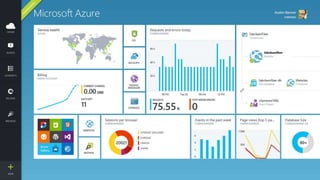



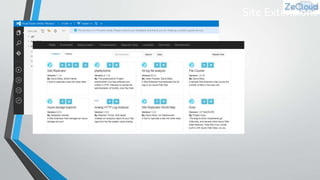



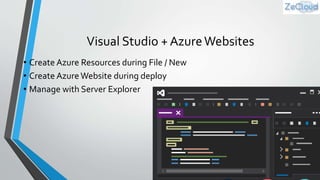
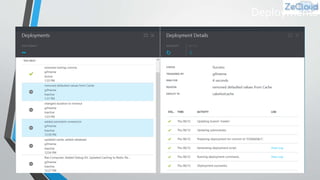
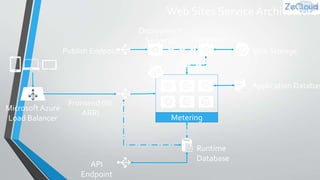
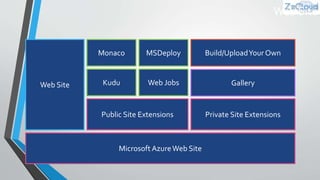
This document discusses various features of Microsoft Azure Websites including: - Language support for developing apps with .NET, Python, Node.js, Java, and PHP. - Deployment options including manual and auto-scaling of instances. Auto-scaling can dynamically scale the web tier based on CPU, memory, and other metrics. - Additional features like staging environments, web jobs, traffic manager for intelligent routing, backups, and hybrid connections. - Services that can be used with web sites like Redis Cache, Application Insights, and Debug Console. - Customizing deployments with deployment scripts and site extensions. - Fortune 500 companies and over a million developers use Azure Web Sites and


![Getting Started with Apache Spark: Big Data Made Simple [Free Meetup]](https://cdn.slidesharecdn.com/ss_thumbnails/apachesparkgettingstarted-260203175547-8361bcc3-thumbnail.jpg?width=640&height=640&fit=bounds)


