@WojKwasi #BigDigitalADL
Follow along at:
@WojKwasi #BigDigitalADL
Overview
• What is SEO?
• Facts about SEO & Google
• SEO Components
• Today’s SEO Principles
• Inbound Marketing
• The State of Search
• Writing for Search Engines
(Search Engine Optimisation)
Search Engine Optimisation
• SEO is the process of improving the visibility of a website or a web
page in search engines via the "natural" or un-paid ("organic" or
"algorithmic") search results.
• SEO considers:
• how search engines work
• what people search for
• the actual terms or
keywords typed in
• which search engines are
preferred by their targeted audience
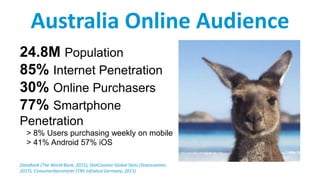
24.8M Population
85% Internet Penetration
30% Online Purchasers
77% Smartphone
Penetration
> 8% Users purchasing weekly on mobile
> 41% Android 57% iOS
DataBank (The World Bank, 2015), StatCounter Global Stats (Statscounter,
2017), Consumerbarometer (TNS Infratest Germany, 2015)
Australia Online Audience
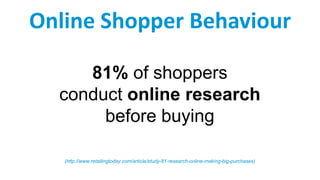
81% of shoppers
conduct online research
before buying

(http://www.retailingtoday.com/article/study-81-research-online-making-big-purchases)
Online Shopper Behaviour

60% of consumers
start their research
on a search engine before
heading to a specific website
(Source: www.retailingtoday.com)
Online Consumer Research

More than 50% of all
Google searches now
happen on Mobile
(searchengineland.com, October 2015)
https://searchenginewatch.com/sew/news/2200730/organic-vs-paid-search-results-organic-wins-94-of-time
Mobile Devices
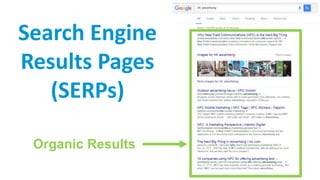
Search Engine
Results Pages
(SERPs)
Organic Results
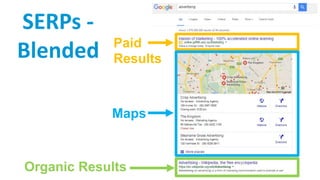
Paid
Results
Organic Results
Maps
SERPs -
Blended
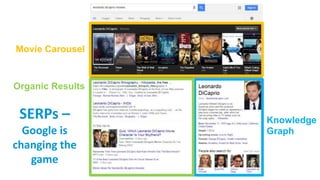
Movie Carousel
Knowledge
Graph
Organic Results
SERPs –
Google is
changing the
game
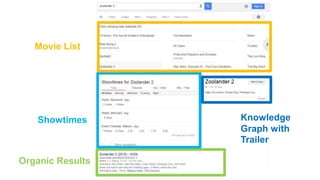
Movie List
Showtimes Knowledge
Graph with
Trailer
Organic Results
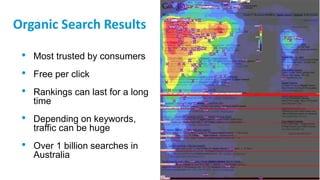
Organic Search Results
• Most trusted by consumers
• Free per click
• Rankings can last for a long
time
• Depending on keywords,
traffic can be huge
• Over 1 billion searches in
Australia
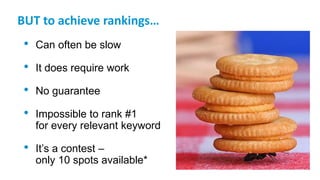
BUT to achieve rankings…
• Can often be slow
• It does require work
• No guarantee
• Impossible to rank #1
for every relevant keyword
• It’s a contest –
only 10 spots available*
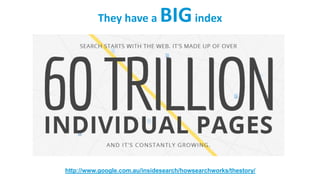
They have a BIGindex
http://www.google.com.au/insidesearch/howsearchworks/thestory/
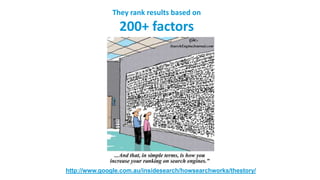
They rank results based on
200+ factors
http://www.google.com.au/insidesearch/howsearchworks/thestory/
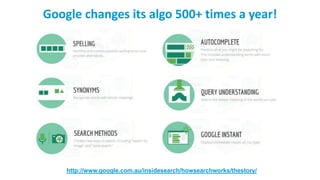
Google changes its algo 500+ times a year!
http://www.google.com.au/insidesearch/howsearchworks/thestory/
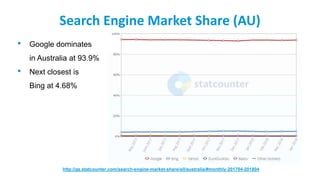
Search Engine Market Share (AU)
• Google dominates
in Australia at 93.9%
• Next closest is
Bing at 4.68%
http://gs.statcounter.com/search-engine-market-share/all/australia/#monthly-201704-201804
Search Engine Market Share (Global)
• Google dominates
Worldwide at 90.58%
• Next closest is
Bing at 3.29%
http://gs.statcounter.com/search-engine-market-share#monthly-201704-201804
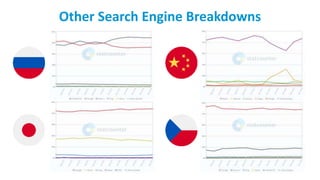
Other Search Engine Breakdowns
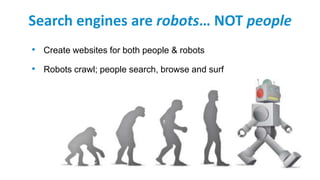
Search engines are robots… NOT people
• Create websites for both people & robots
• Robots crawl; people search, browse and surf
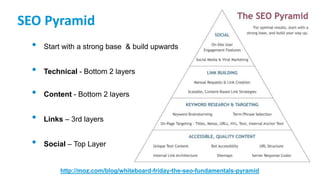
SEO Pyramid
• Start with a strong base & build upwards
• Technical - Bottom 2 layers
• Content - Bottom 2 layers
• Links – 3rd layers
• Social – Top Layer
http://moz.com/blog/whiteboard-friday-the-seo-fundamentals-pyramid
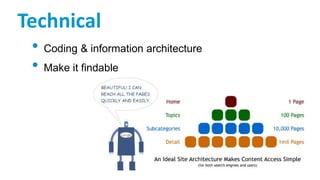
Technical
• Coding & information architecture
• Make it findable
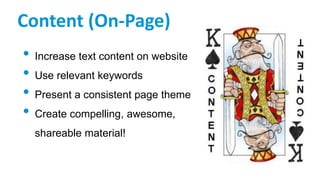
Content (On-Page)
• Increase text content on website
• Use relevant keywords
• Present a consistent page theme
• Create compelling, awesome,
shareable material!
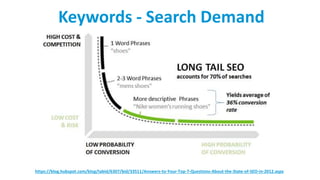
https://blog.hubspot.com/blog/tabid/6307/bid/33511/Answers-to-Your-Top-7-Questions-About-the-State-of-SEO-in-2012.aspx
Keywords - Search Demand
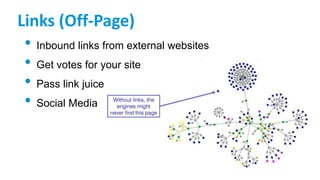
Links (Off-Page)
• Inbound links from external websites
• Get votes for your site
• Pass link juice
• Social Media
Local SEO
• Google My Business
• Website & landing pages
• NAP (Name, Address & Phone)
• Citations
• Reviews
Today's Basic SEO Principles
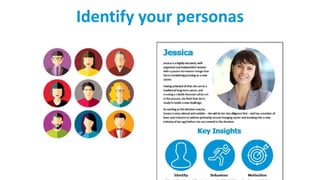
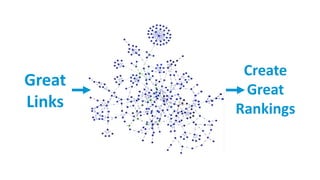
• Identify your personas
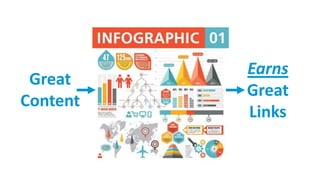
• Create great content aimed at the personas
• Great content earns links
• Ranking is a just a by-product
Identify your personas
Earns
Great
Links
Great
Content
Create
Great
Rankings
Great
Links
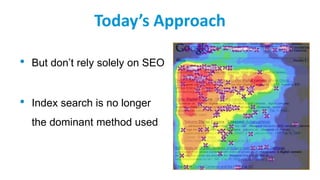
Today’s Approach
• But don’t rely solely on SEO
• Index search is no longer
the dominant method used
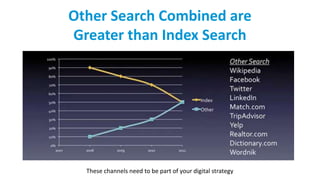
Other Search Combined are
Greater than Index Search
These channels need to be part of your digital strategy
Inbound marketing is:
A holistic, data-driven strategy that involves
attracting & converting visitors into customers
through personalised, relevant information &
content – not interruptive messages – & following
then through the sales experience with ongoing
engagement
- “2013 State of Inbound Marketing Report” - Hubspot
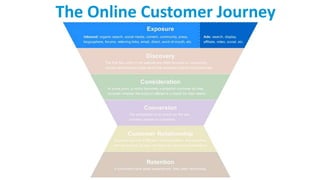
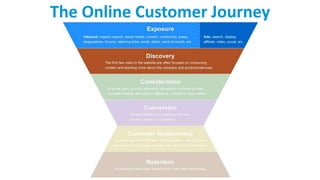
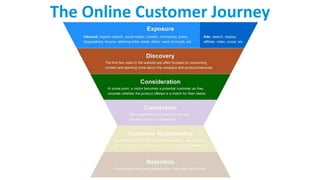
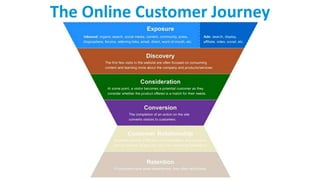
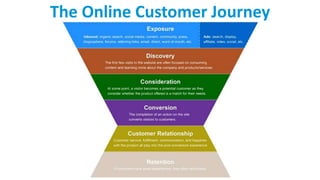
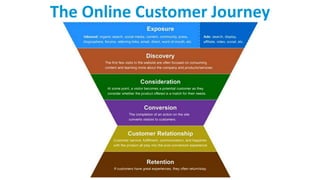
The Online Customer Journey
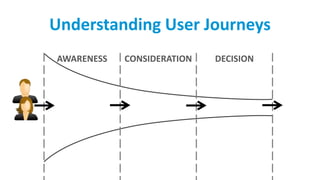
Understanding User Journeys
AWARENESS CONSIDERATION DECISION
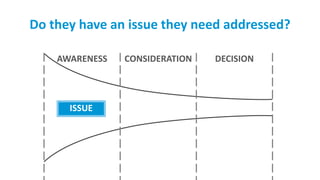
Do they have an issue they need addressed?
ISSUE
AWARENESS CONSIDERATION DECISION
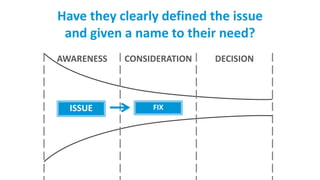
Have they clearly defined the issue
and given a name to their need?
ISSUE FIX
AWARENESS CONSIDERATION DECISION
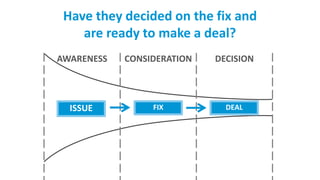
Have they decided on the fix and
are ready to make a deal?
ISSUE FIX DEAL
AWARENESS CONSIDERATION DECISION
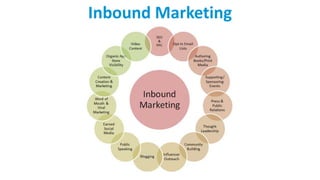
Inbound Marketing
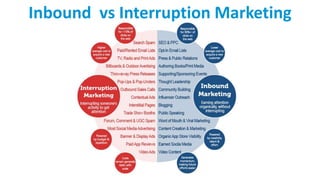
Inbound vs Interruption Marketing
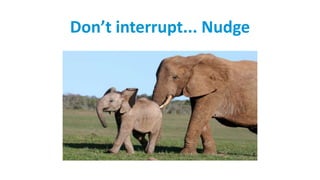
Don’t interrupt... Nudge
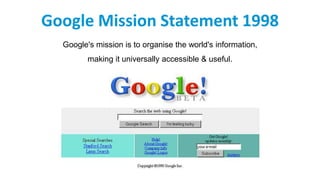
Google Mission Statement 1998
Google's mission is to organise the world's information,
making it universally accessible & useful.
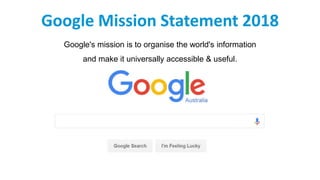
Google Mission Statement 2018
Google's mission is to organise the world's information
and make it universally accessible & useful.
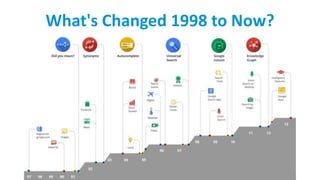
What's Changed 1998 to Now?
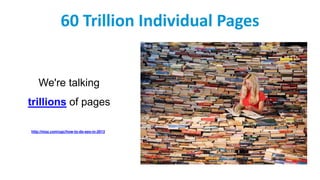
60 Trillion Individual Pages
We're talking
trillions of pages
http://moz.com/ugc/how-to-do-seo-in-2013
Quick Delivery
All this happens in 1/8th of a second.
Quality & Relevance
There are over 200 ranking factors.
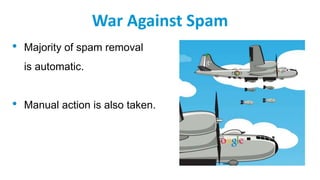
War Against Spam
• Majority of spam removal
is automatic.
• Manual action is also taken.
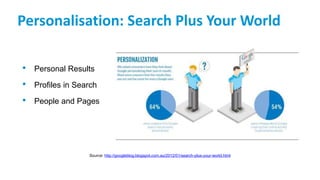
Personalisation: Search Plus Your World
• Personal Results
• Profiles in Search
• People and Pages
Source: http://googleblog.blogspot.com.au/2012/01/search-plus-your-world.html
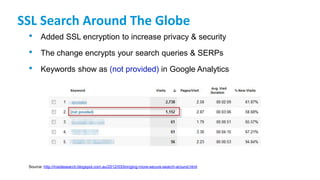
SSL Search Around The Globe
• Added SSL encryption to increase privacy & security
• The change encrypts your search queries & SERPs
• Keywords show as (not provided) in Google Analytics
Source: http://insidesearch.blogspot.com.au/2012/03/bringing-more-secure-search-around.html
Panda Updates
• Link evaluation
• High-quality sites
• Freshness improvements
• Looks for “thin content”
Source: http://insidesearch.blogspot.com/2012/02/search-quality-highlights-40-changes.html
Penguin Update
• Dubbed the “over-optimisation” penalty
• Adjusted a number of spam factors including:
keyword stuffing & link schemes
• Impacted approx. 3.1% of English queries
• Looks for “quality” content
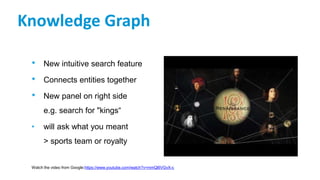
Knowledge Graph
• New intuitive search feature
• Connects entities together
• New panel on right side
e.g. search for "kings“
• will ask what you meant
> sports team or royalty
Watch the video from Google:https://www.youtube.com/watch?v=mmQl6VGvX-c
Sophistication
• Large scale algorithm
change
• Improved question
engine with sentiment &
conversational analysis
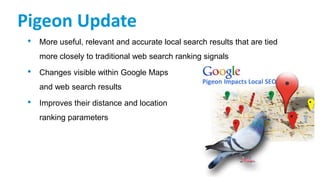
Pigeon Update
• More useful, relevant and accurate local search results that are tied
more closely to traditional web search ranking signals
• Changes visible within Google Maps
and web search results
• Improves their distance and location
ranking parameters
HTTPS/SSL Update (2014)
• After months of speculation, Google announced that they would be
giving preference to secure sites
• Sites with encryption (HTTPs) got a "lightweight" rankings boost
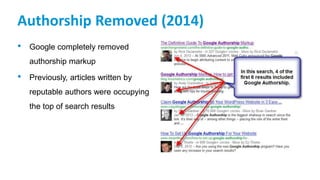
Authorship Removed (2014)
• Google completely removed
authorship markup
• Previously, articles written by
reputable authors were occupying
the top of search results
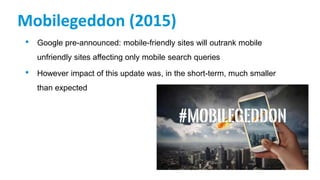
Mobilegeddon (2015)
• Google pre-announced: mobile-friendly sites will outrank mobile
unfriendly sites affecting only mobile search queries
• However impact of this update was, in the short-term, much smaller
than expected
Rankbrain (2015)
• Machine learning (AI) became
part of the core algorithm
• RankBrain is now part of
Google’s overall search
algorithm
• Rankbrain is now the third
most important signal
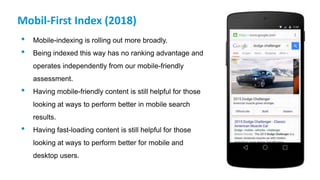
Mobil-First Index (2018)
• Mobile-indexing is rolling out more broadly.
• Being indexed this way has no ranking advantage and
operates independently from our mobile-friendly
assessment.
• Having mobile-friendly content is still helpful for those
looking at ways to perform better in mobile search
results.
• Having fast-loading content is still helpful for those
looking at ways to perform better for mobile and
desktop users.
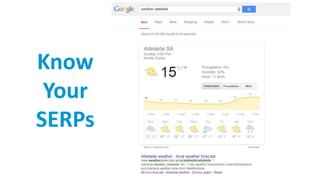
Know
Your
SERPs
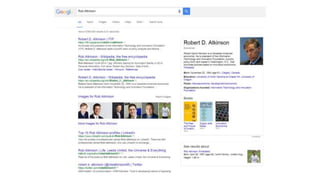
Know Your SERPs
Know Your SERPs
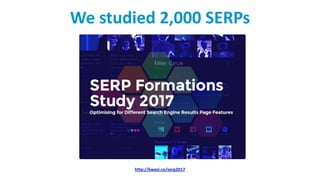
We studied 2,000 SERPs
http://kwasi.co/serp2017
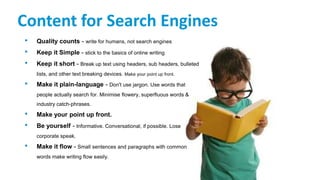
Content for Search Engines
• Quality counts - write for humans, not search engines
• Keep it Simple - stick to the basics of online writing
• Keep it short - Break up text using headers, sub headers, bulleted
lists, and other text breaking devices. Make your point up front.
• Make it plain-language - Don't use jargon. Use words that
people actually search for. Minimise flowery, superfluous words &
industry catch-phrases.
• Make your point up front.
• Be yourself - Informative. Conversational, if possible. Lose
corporate speak.
• Make it flow - Small sentences and paragraphs with common
words make writing flow easily.
* Pssst... Write these down
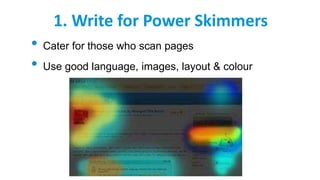
1. Write for Power Skimmers
• Cater for those who scan pages
• Use good language, images, layout & colour
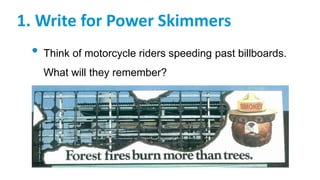
1. Write for Power Skimmers
• Think of motorcycle riders speeding past billboards.
What will they remember?
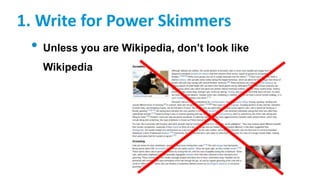
1. Write for Power Skimmers
• Unless you are Wikipedia, don’t look like
Wikipedia
2. Headlines – Avoid being Punny
• Avoid double entendres & “play on words”
• Works in print but not online
• Readers won’t understand the headline & won’t
click through
2. Headlines – Avoid being Punny
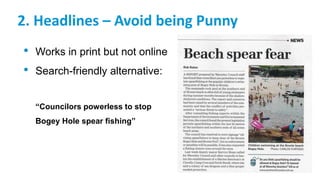
• Works in print but not online
• Search-friendly alternative:
“Bondi residents oppose
new electrical sub-station”
2. Headlines – Avoid being Punny
• Works in print but not online
• Search-friendly alternative:
“Councilors powerless to stop
Bogey Hole spear fishing”
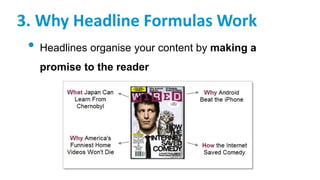
3. Why Headline Formulas Work
• Headlines organise your content by making a
promise to the reader
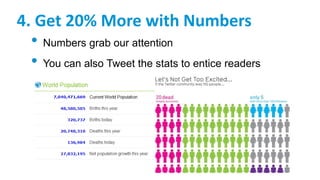
4. Get 20% More with Numbers
• Numbers grab our attention
• You can also Tweet the stats to entice readers
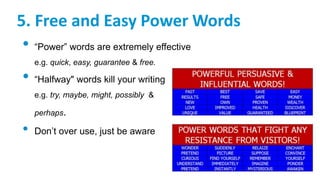
5. Free and Easy Power Words
• “Power” words are extremely effective
e.g. quick, easy, guarantee & free.
• “Halfway" words kill your writing
e.g. try, maybe, might, possibly &
perhaps.
• Don’t over use, just be aware
6. A Picture is Worth 1000 Clicks
• Visuals are essential
• Photographs
• Artwork
• Charts and Graphs
• Slide decks
• Video
• Infographics
7. Use Sub-Headlines
• Imagine the front page of a newspaper with just one
headline.
• > 250-400 words: you must use sub-headlines
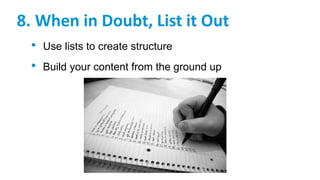
8. When in Doubt, List it Out
• Use lists to create structure
• Build your content from the ground up
9. Quotes
• Set your ideas apart
• Add integrity
10. The Bold and the Italic
• Bold - emphasise important points
• Italics - same job but sounds more European
11. Be Honest
• Writing from the heart is always the best
copywriting technique.
Get the SEO Starter Guide
1. Help Google find your content
2. Tell Google which pages to ignore (which shouldn't be crawled) – robots.txt
3. Help Google (and users) understand your content
4. Manage your appearance in Google Search results – meta data
5. Organise your site hierarchy
6. Optimise your content
7. Optimise your images
8. Make your site secure
9. Make your site mobile-friendly
10. Promote your website
11. Analyse your search performance and user behaviour
https://support.google.com/webmasters/answer/7451184
@WojKwasi
These slides:
http://kwasi.co/seo18
SERPs study:
http://kwasi.co/serp2017

SEO - What is it?

  • 1.
  • 2.
  • 3.
    Overview • What isSEO? • Facts about SEO & Google • SEO Components • Today’s SEO Principles • Inbound Marketing • The State of Search • Writing for Search Engines
  • 4.
  • 5.
    Search Engine Optimisation •SEO is the process of improving the visibility of a website or a web page in search engines via the "natural" or un-paid ("organic" or "algorithmic") search results. • SEO considers: • how search engines work • what people search for • the actual terms or keywords typed in • which search engines are preferred by their targeted audience
  • 6.
    24.8M Population 85% InternetPenetration 30% Online Purchasers 77% Smartphone Penetration > 8% Users purchasing weekly on mobile > 41% Android 57% iOS DataBank (The World Bank, 2015), StatCounter Global Stats (Statscounter, 2017), Consumerbarometer (TNS Infratest Germany, 2015) Australia Online Audience
  • 7.
    81% of shoppers conductonline research before buying (http://www.retailingtoday.com/article/study-81-research-online-making-big-purchases) Online Shopper Behaviour
  • 8.
    60% of consumers starttheir research on a search engine before heading to a specific website (Source: www.retailingtoday.com) Online Consumer Research
  • 9.
    More than 50%of all Google searches now happen on Mobile (searchengineland.com, October 2015) https://searchenginewatch.com/sew/news/2200730/organic-vs-paid-search-results-organic-wins-94-of-time Mobile Devices
  • 10.
  • 11.
  • 12.
  • 13.
    Movie List Showtimes Knowledge Graphwith Trailer Organic Results
  • 15.
    Organic Search Results •Most trusted by consumers • Free per click • Rankings can last for a long time • Depending on keywords, traffic can be huge • Over 1 billion searches in Australia
  • 16.
    BUT to achieverankings… • Can often be slow • It does require work • No guarantee • Impossible to rank #1 for every relevant keyword • It’s a contest – only 10 spots available*
  • 17.
    They have aBIGindex http://www.google.com.au/insidesearch/howsearchworks/thestory/
  • 18.
    They rank resultsbased on 200+ factors http://www.google.com.au/insidesearch/howsearchworks/thestory/
  • 19.
    Google changes itsalgo 500+ times a year! http://www.google.com.au/insidesearch/howsearchworks/thestory/
  • 20.
    Search Engine MarketShare (AU) • Google dominates in Australia at 93.9% • Next closest is Bing at 4.68% http://gs.statcounter.com/search-engine-market-share/all/australia/#monthly-201704-201804
  • 21.
    Search Engine MarketShare (Global) • Google dominates Worldwide at 90.58% • Next closest is Bing at 3.29% http://gs.statcounter.com/search-engine-market-share#monthly-201704-201804
  • 22.
  • 23.
    Search engines arerobots… NOT people • Create websites for both people & robots • Robots crawl; people search, browse and surf
  • 25.
    SEO Pyramid • Startwith a strong base & build upwards • Technical - Bottom 2 layers • Content - Bottom 2 layers • Links – 3rd layers • Social – Top Layer http://moz.com/blog/whiteboard-friday-the-seo-fundamentals-pyramid
  • 26.
    Technical • Coding &information architecture • Make it findable
  • 27.
    Content (On-Page) • Increasetext content on website • Use relevant keywords • Present a consistent page theme • Create compelling, awesome, shareable material!
  • 28.
  • 29.
    Links (Off-Page) • Inboundlinks from external websites • Get votes for your site • Pass link juice • Social Media
  • 30.
    Local SEO • GoogleMy Business • Website & landing pages • NAP (Name, Address & Phone) • Citations • Reviews
  • 32.
    Today's Basic SEOPrinciples • Identify your personas • Create great content aimed at the personas • Great content earns links • Ranking is a just a by-product
  • 33.
  • 34.
  • 35.
  • 36.
    Today’s Approach • Butdon’t rely solely on SEO • Index search is no longer the dominant method used
  • 37.
    Other Search Combinedare Greater than Index Search These channels need to be part of your digital strategy
  • 39.
    Inbound marketing is: Aholistic, data-driven strategy that involves attracting & converting visitors into customers through personalised, relevant information & content – not interruptive messages – & following then through the sales experience with ongoing engagement - “2013 State of Inbound Marketing Report” - Hubspot
  • 40.
  • 41.
  • 42.
  • 43.
  • 44.
  • 45.
  • 46.
  • 47.
    Do they havean issue they need addressed? ISSUE AWARENESS CONSIDERATION DECISION
  • 48.
    Have they clearlydefined the issue and given a name to their need? ISSUE FIX AWARENESS CONSIDERATION DECISION
  • 49.
    Have they decidedon the fix and are ready to make a deal? ISSUE FIX DEAL AWARENESS CONSIDERATION DECISION
  • 50.
  • 51.
  • 52.
  • 54.
    Google Mission Statement1998 Google's mission is to organise the world's information, making it universally accessible & useful.
  • 55.
    Google Mission Statement2018 Google's mission is to organise the world's information and make it universally accessible & useful.
  • 56.
  • 57.
    60 Trillion IndividualPages We're talking trillions of pages http://moz.com/ugc/how-to-do-seo-in-2013
  • 58.
    Quick Delivery All thishappens in 1/8th of a second.
  • 59.
    Quality & Relevance Thereare over 200 ranking factors.
  • 60.
    War Against Spam •Majority of spam removal is automatic. • Manual action is also taken.
  • 61.
    Personalisation: Search PlusYour World • Personal Results • Profiles in Search • People and Pages Source: http://googleblog.blogspot.com.au/2012/01/search-plus-your-world.html
  • 62.
    SSL Search AroundThe Globe • Added SSL encryption to increase privacy & security • The change encrypts your search queries & SERPs • Keywords show as (not provided) in Google Analytics Source: http://insidesearch.blogspot.com.au/2012/03/bringing-more-secure-search-around.html
  • 63.
    Panda Updates • Linkevaluation • High-quality sites • Freshness improvements • Looks for “thin content” Source: http://insidesearch.blogspot.com/2012/02/search-quality-highlights-40-changes.html
  • 64.
    Penguin Update • Dubbedthe “over-optimisation” penalty • Adjusted a number of spam factors including: keyword stuffing & link schemes • Impacted approx. 3.1% of English queries • Looks for “quality” content
  • 65.
    Knowledge Graph • Newintuitive search feature • Connects entities together • New panel on right side e.g. search for "kings“ • will ask what you meant > sports team or royalty Watch the video from Google:https://www.youtube.com/watch?v=mmQl6VGvX-c
  • 66.
    Sophistication • Large scalealgorithm change • Improved question engine with sentiment & conversational analysis
  • 67.
    Pigeon Update • Moreuseful, relevant and accurate local search results that are tied more closely to traditional web search ranking signals • Changes visible within Google Maps and web search results • Improves their distance and location ranking parameters
  • 68.
    HTTPS/SSL Update (2014) •After months of speculation, Google announced that they would be giving preference to secure sites • Sites with encryption (HTTPs) got a "lightweight" rankings boost
  • 69.
    Authorship Removed (2014) •Google completely removed authorship markup • Previously, articles written by reputable authors were occupying the top of search results
  • 70.
    Mobilegeddon (2015) • Googlepre-announced: mobile-friendly sites will outrank mobile unfriendly sites affecting only mobile search queries • However impact of this update was, in the short-term, much smaller than expected
  • 71.
    Rankbrain (2015) • Machinelearning (AI) became part of the core algorithm • RankBrain is now part of Google’s overall search algorithm • Rankbrain is now the third most important signal
  • 72.
    Mobil-First Index (2018) •Mobile-indexing is rolling out more broadly. • Being indexed this way has no ranking advantage and operates independently from our mobile-friendly assessment. • Having mobile-friendly content is still helpful for those looking at ways to perform better in mobile search results. • Having fast-loading content is still helpful for those looking at ways to perform better for mobile and desktop users.
  • 73.
  • 75.
  • 76.
  • 79.
    We studied 2,000SERPs http://kwasi.co/serp2017
  • 81.
    Content for SearchEngines • Quality counts - write for humans, not search engines • Keep it Simple - stick to the basics of online writing • Keep it short - Break up text using headers, sub headers, bulleted lists, and other text breaking devices. Make your point up front. • Make it plain-language - Don't use jargon. Use words that people actually search for. Minimise flowery, superfluous words & industry catch-phrases. • Make your point up front. • Be yourself - Informative. Conversational, if possible. Lose corporate speak. • Make it flow - Small sentences and paragraphs with common words make writing flow easily.
  • 82.
    * Pssst... Writethese down
  • 83.
    1. Write forPower Skimmers • Cater for those who scan pages • Use good language, images, layout & colour
  • 84.
    1. Write forPower Skimmers • Think of motorcycle riders speeding past billboards. What will they remember?
  • 85.
    1. Write forPower Skimmers • Unless you are Wikipedia, don’t look like Wikipedia
  • 86.
    2. Headlines –Avoid being Punny • Avoid double entendres & “play on words” • Works in print but not online • Readers won’t understand the headline & won’t click through
  • 87.
    2. Headlines –Avoid being Punny • Works in print but not online • Search-friendly alternative: “Bondi residents oppose new electrical sub-station”
  • 88.
    2. Headlines –Avoid being Punny • Works in print but not online • Search-friendly alternative: “Councilors powerless to stop Bogey Hole spear fishing”
  • 89.
    3. Why HeadlineFormulas Work • Headlines organise your content by making a promise to the reader
  • 90.
    4. Get 20%More with Numbers • Numbers grab our attention • You can also Tweet the stats to entice readers
  • 91.
    5. Free andEasy Power Words • “Power” words are extremely effective e.g. quick, easy, guarantee & free. • “Halfway" words kill your writing e.g. try, maybe, might, possibly & perhaps. • Don’t over use, just be aware
  • 92.
    6. A Pictureis Worth 1000 Clicks • Visuals are essential • Photographs • Artwork • Charts and Graphs • Slide decks • Video • Infographics
  • 93.
    7. Use Sub-Headlines •Imagine the front page of a newspaper with just one headline. • > 250-400 words: you must use sub-headlines
  • 94.
    8. When inDoubt, List it Out • Use lists to create structure • Build your content from the ground up
  • 95.
    9. Quotes • Setyour ideas apart • Add integrity
  • 96.
    10. The Boldand the Italic • Bold - emphasise important points • Italics - same job but sounds more European
  • 97.
    11. Be Honest •Writing from the heart is always the best copywriting technique.
  • 98.
    Get the SEOStarter Guide 1. Help Google find your content 2. Tell Google which pages to ignore (which shouldn't be crawled) – robots.txt 3. Help Google (and users) understand your content 4. Manage your appearance in Google Search results – meta data 5. Organise your site hierarchy 6. Optimise your content 7. Optimise your images 8. Make your site secure 9. Make your site mobile-friendly 10. Promote your website 11. Analyse your search performance and user behaviour https://support.google.com/webmasters/answer/7451184
  • 99.