Cross-Platform Mobile App Development
with Cordova and Sencha Visual Studio
Code Plugin
Ryan J. Salva, Microsoft
Sandeep Adwankar, Sencha
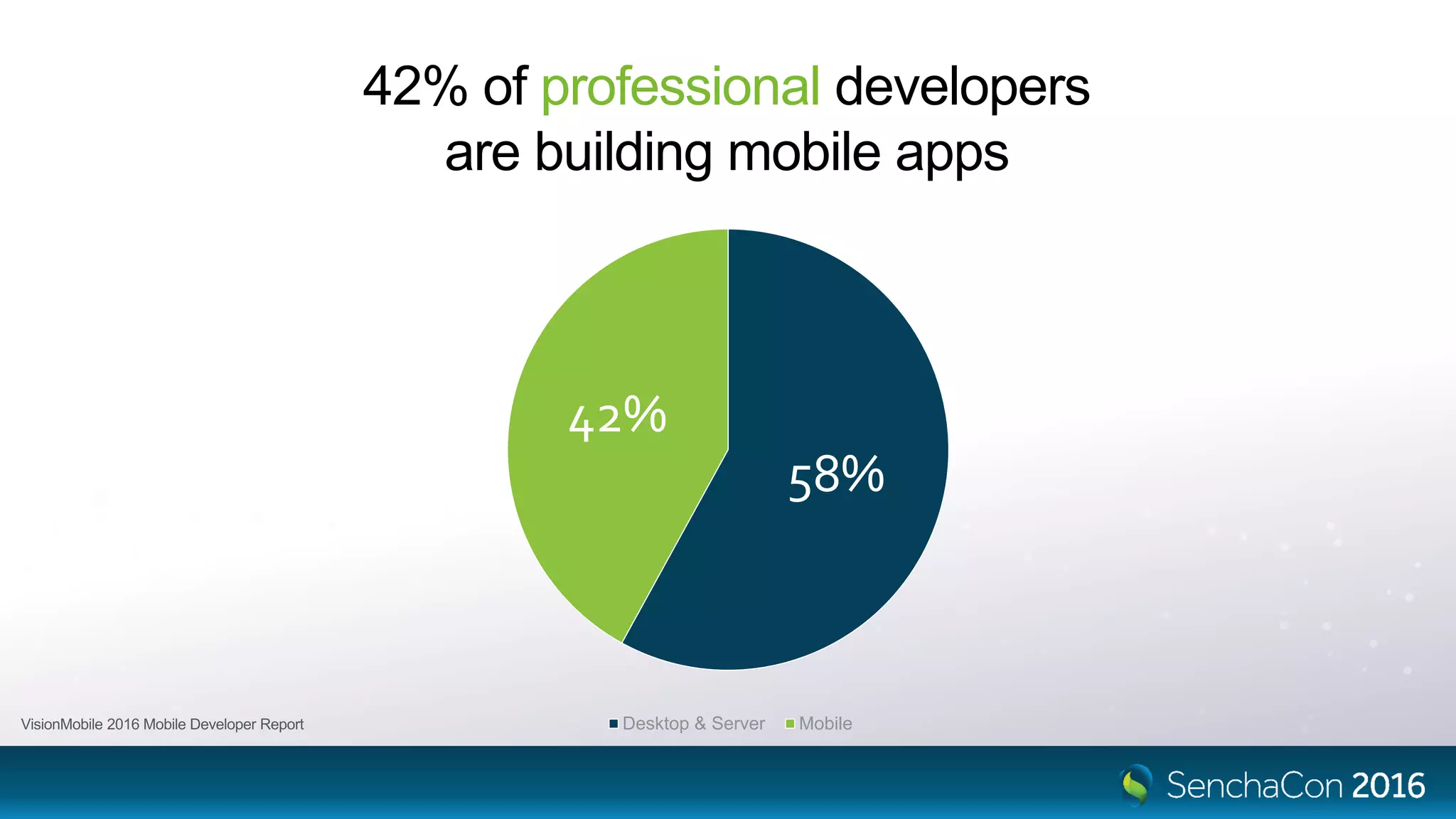
42% of professional developers
are building mobile apps
58%
42%
Desktop & Server Mobile
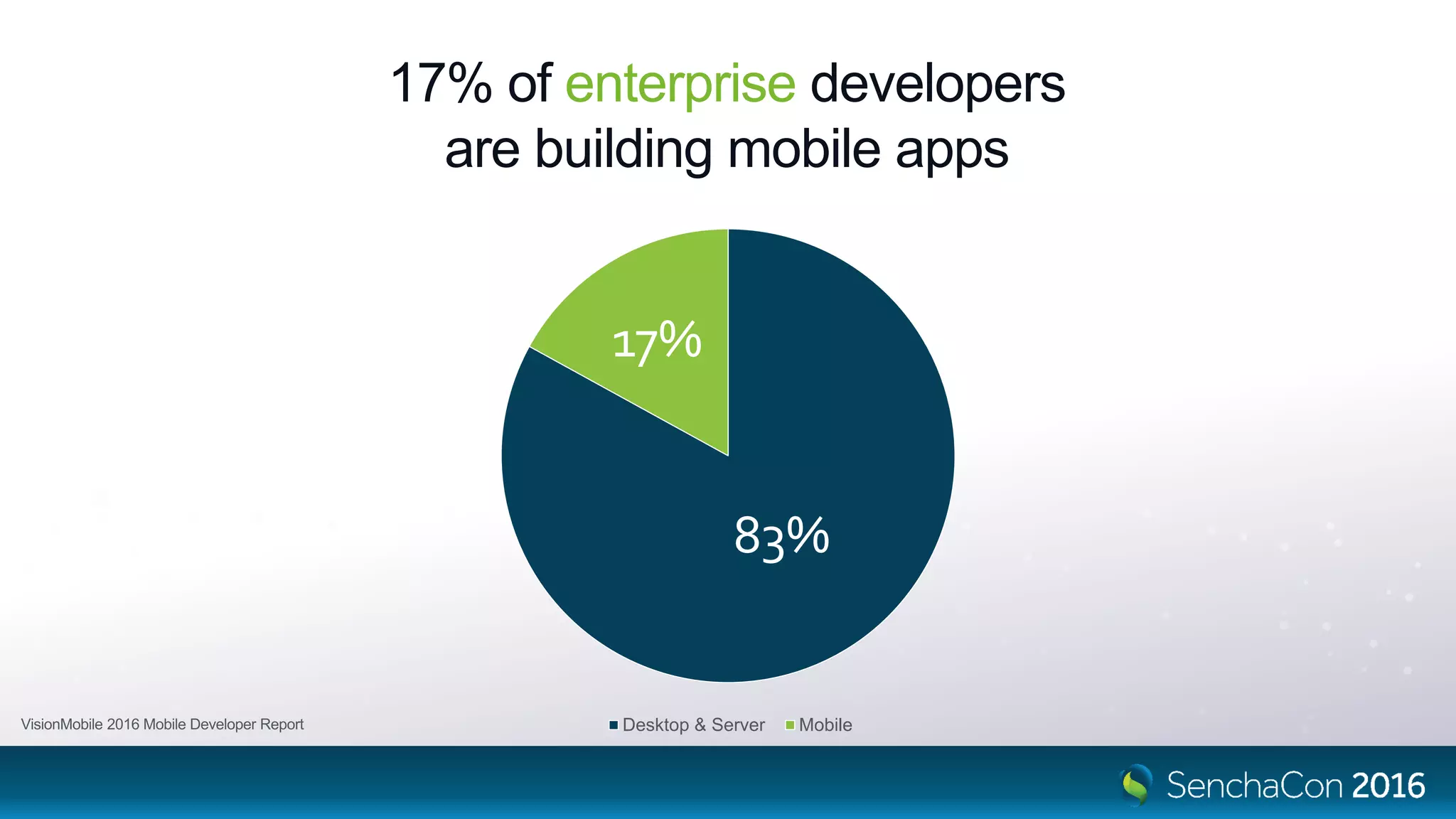
17% of enterprise developers
are building mobile apps
83%
17%
Desktop & Server Mobile
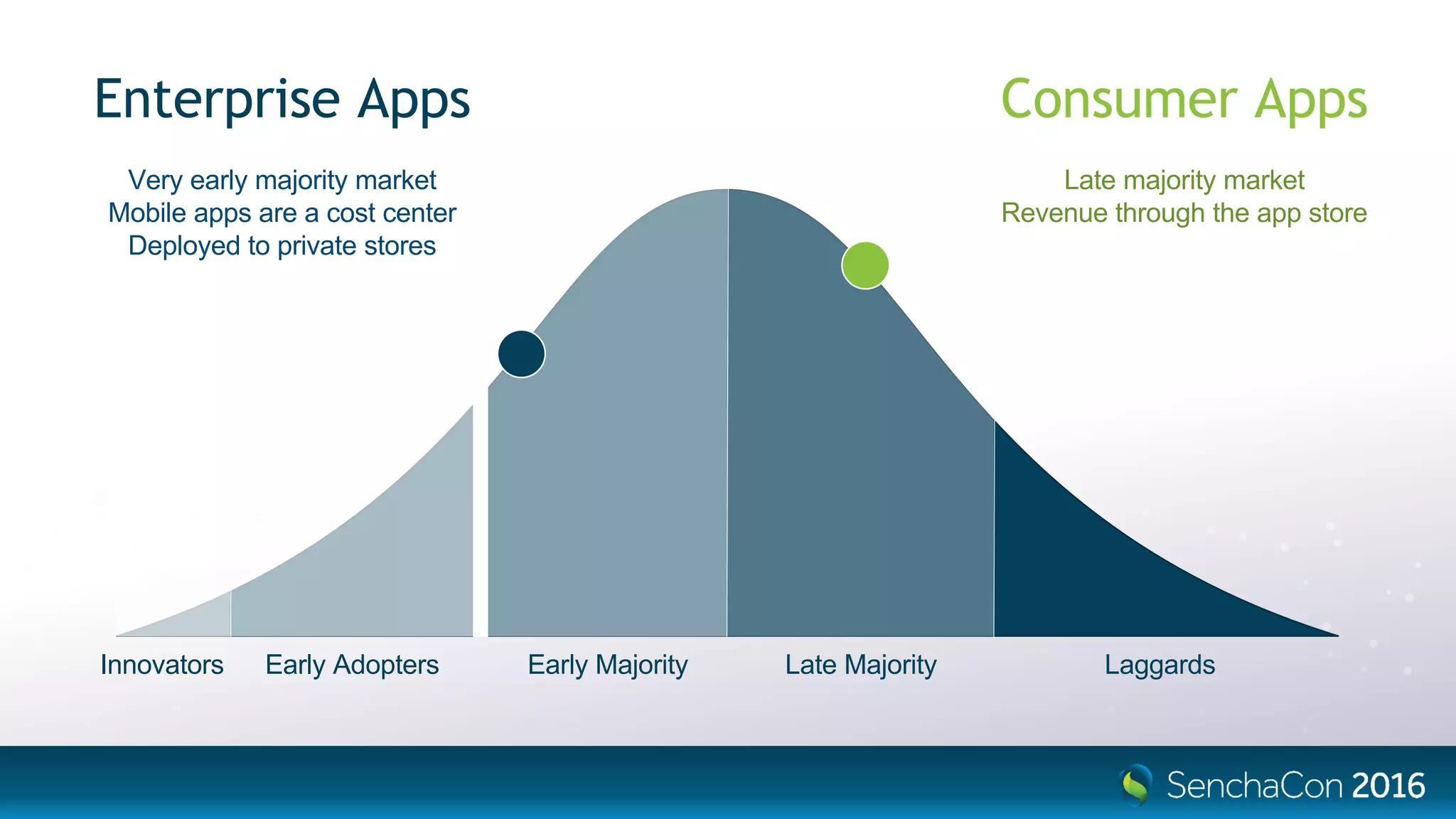
Innovators Early Adopters Early Majority Late Majority Laggards
Consumer Apps
Late majority market
Revenue through the app store
Enterprise Apps
Very early majority market
Mobile apps are a cost center
Deployed to private stores
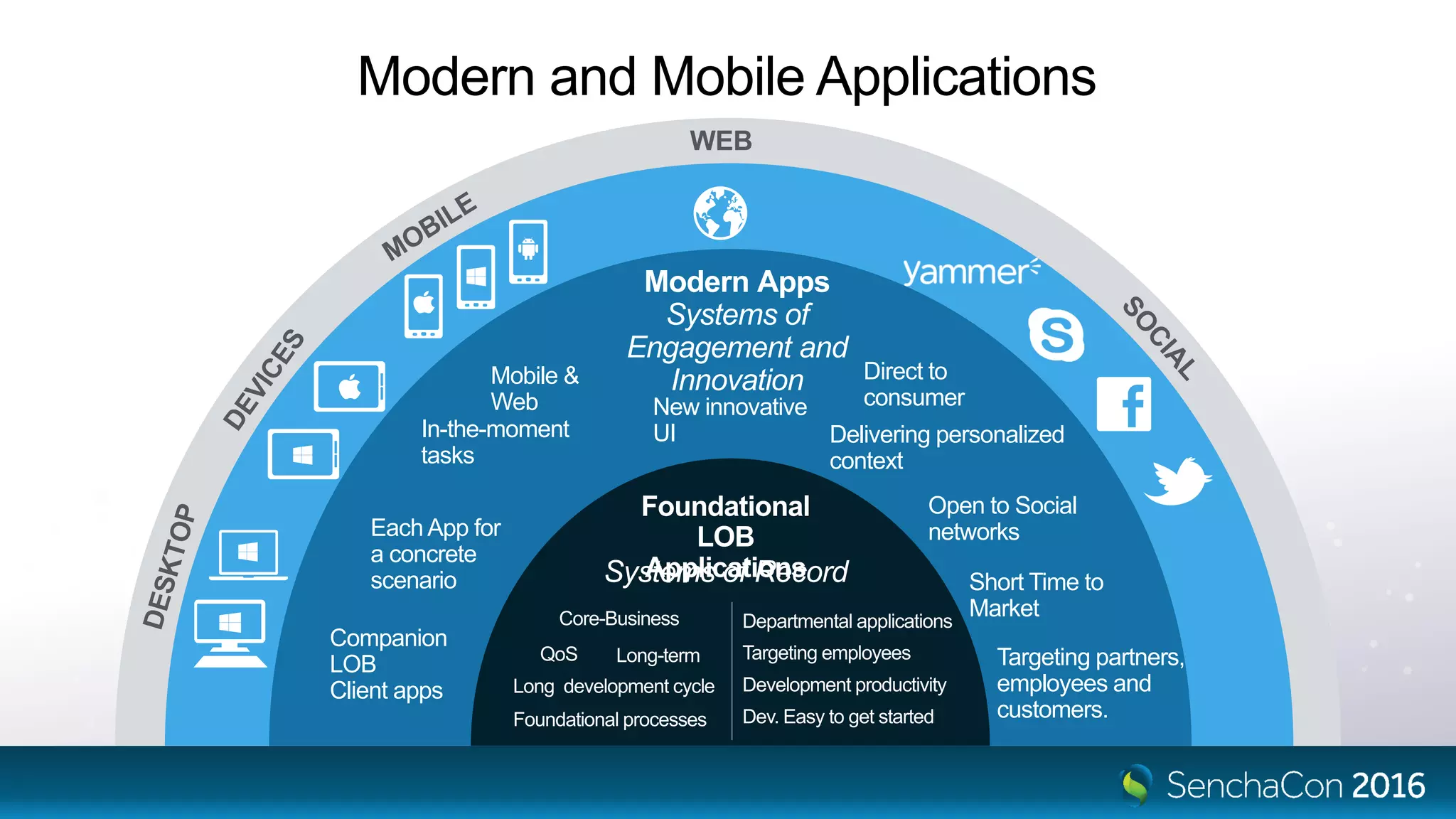
Modern Apps
Systems of
Engagement and
Innovation
Delivering personalized
context
Direct to
consumer
Short Time to
Market
Each App for
a concrete
scenario
Companion
LOB
Client apps
In-the-moment
tasks
New innovative
UI
Open to Social
networks
Targeting partners,
employees and
customers.
Mobile &
Web
WEB
Systems of Record
Foundational
LOB
Applications
Long-term
Foundational processes
Long development cycle
Departmental applications
Development productivity
Targeting employeesQoS
Core-Business
Dev. Easy to get started
Modern and Mobile Applications
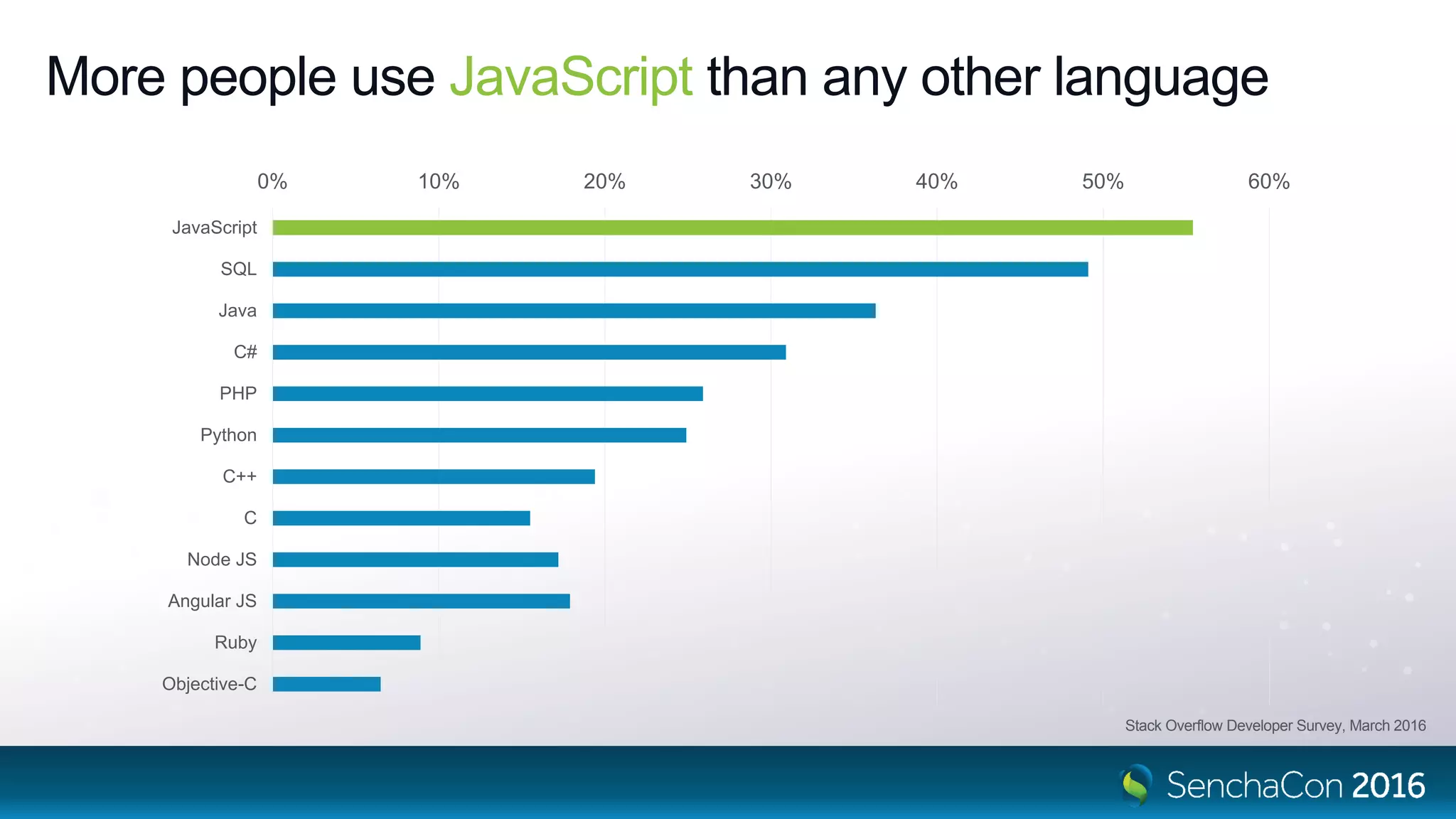
More people use JavaScript than any other language
0% 10% 20% 30% 40% 50% 60%
JavaScript
SQL
Java
C#
PHP
Python
C++
C
Node JS
Angular JS
Ruby
Objective-C
Stack Overflow Developer Survey, March 2016
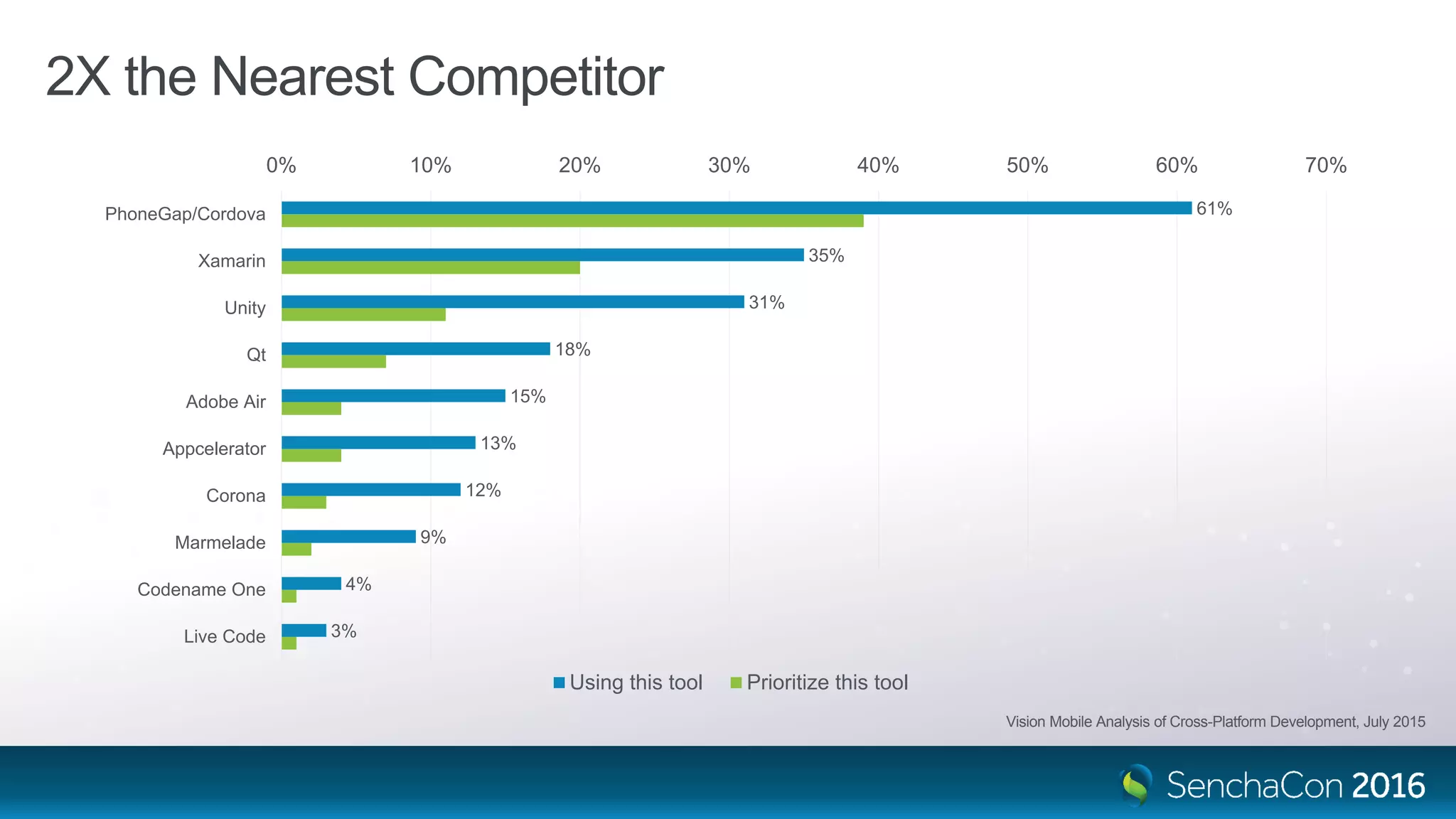
2X the Nearest Competitor
61%
35%
31%
18%
15%
13%
12%
9%
4%
3%
0% 10% 20% 30% 40% 50% 60% 70%
PhoneGap/Cordova
Xamarin
Unity
Qt
Adobe Air
Appcelerator
Corona
Marmelade
Codename One
Live Code
Using this tool Prioritize this tool
Vision Mobile Analysis of Cross-Platform Development, July 2015
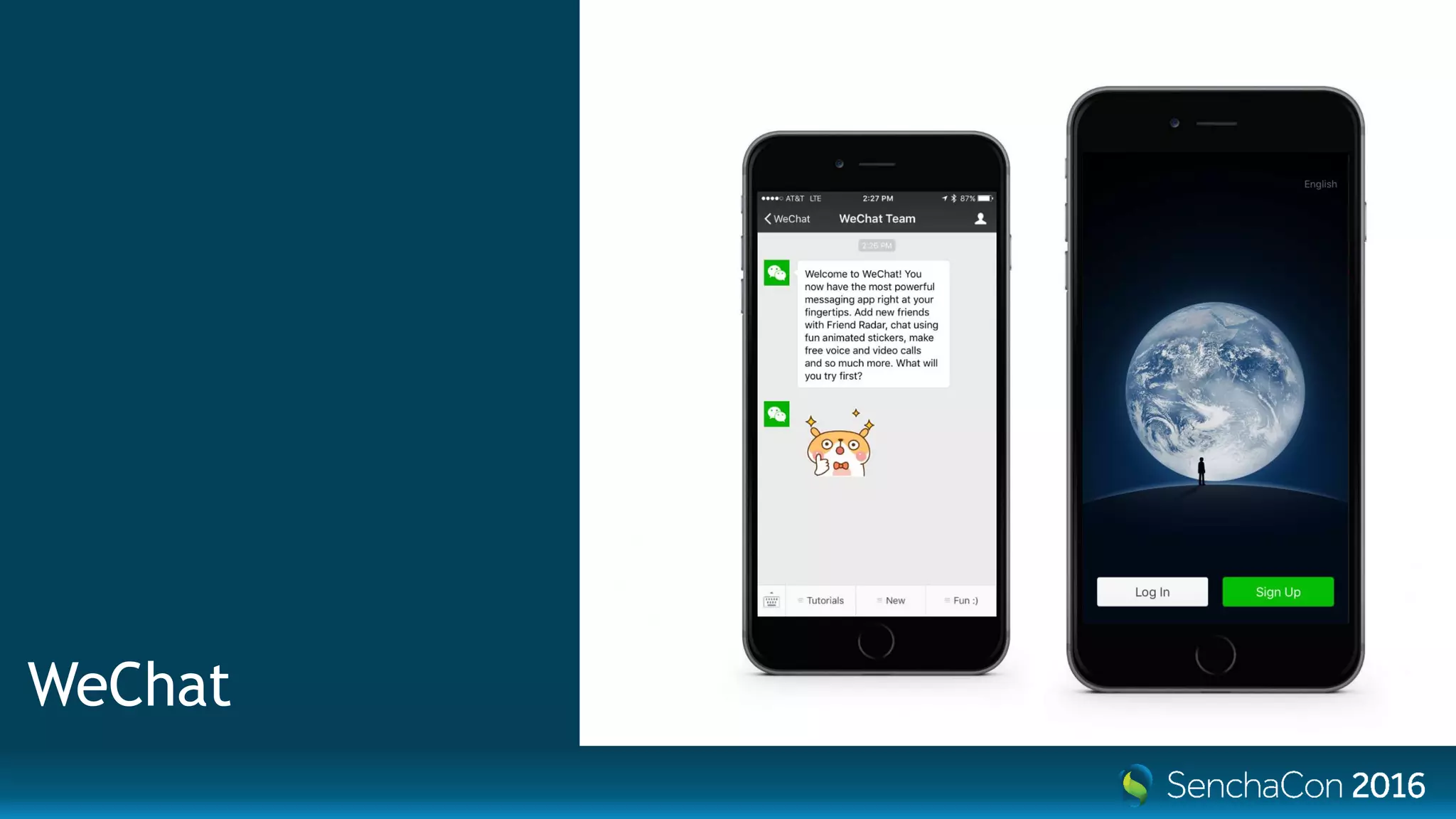
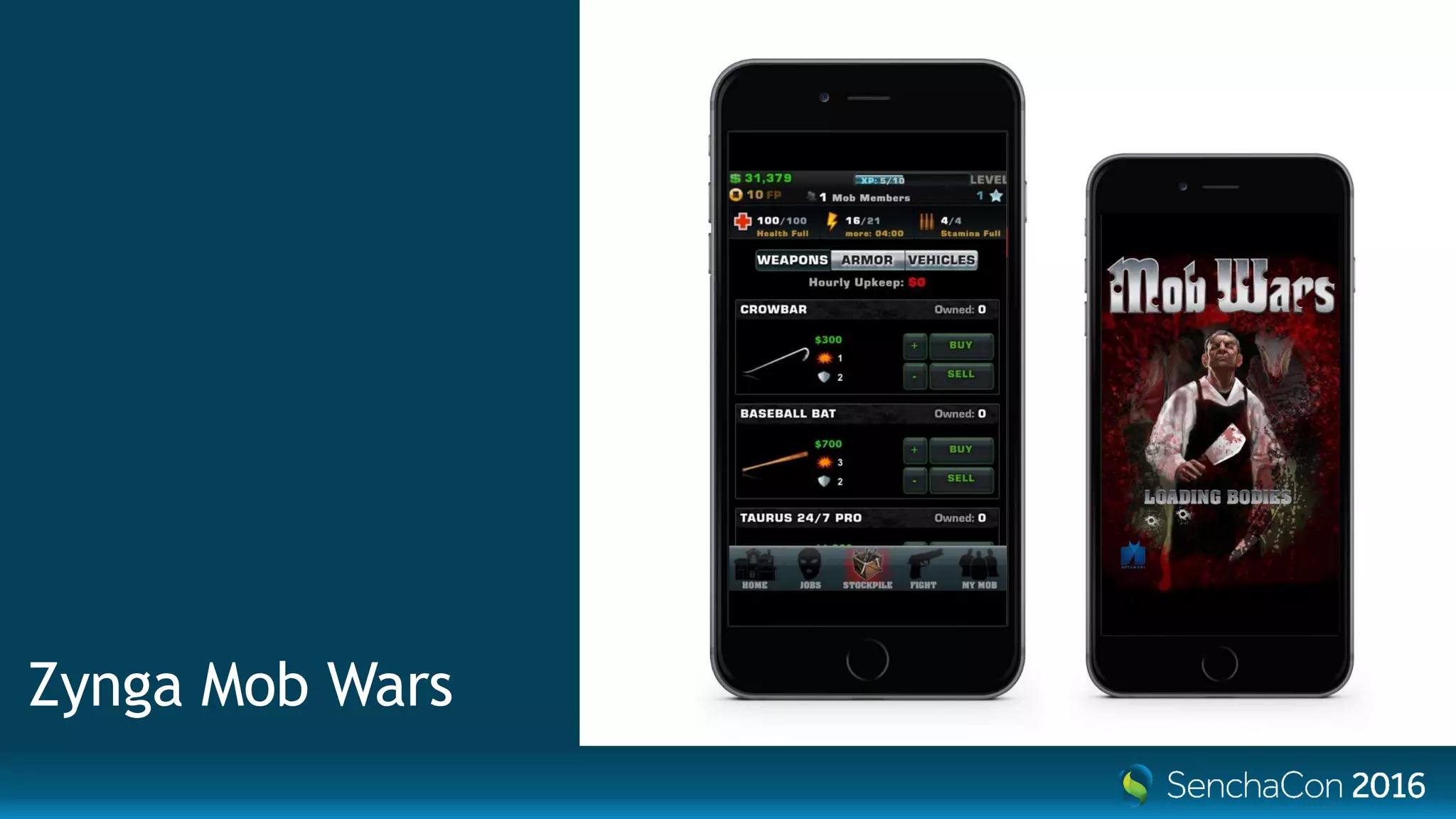
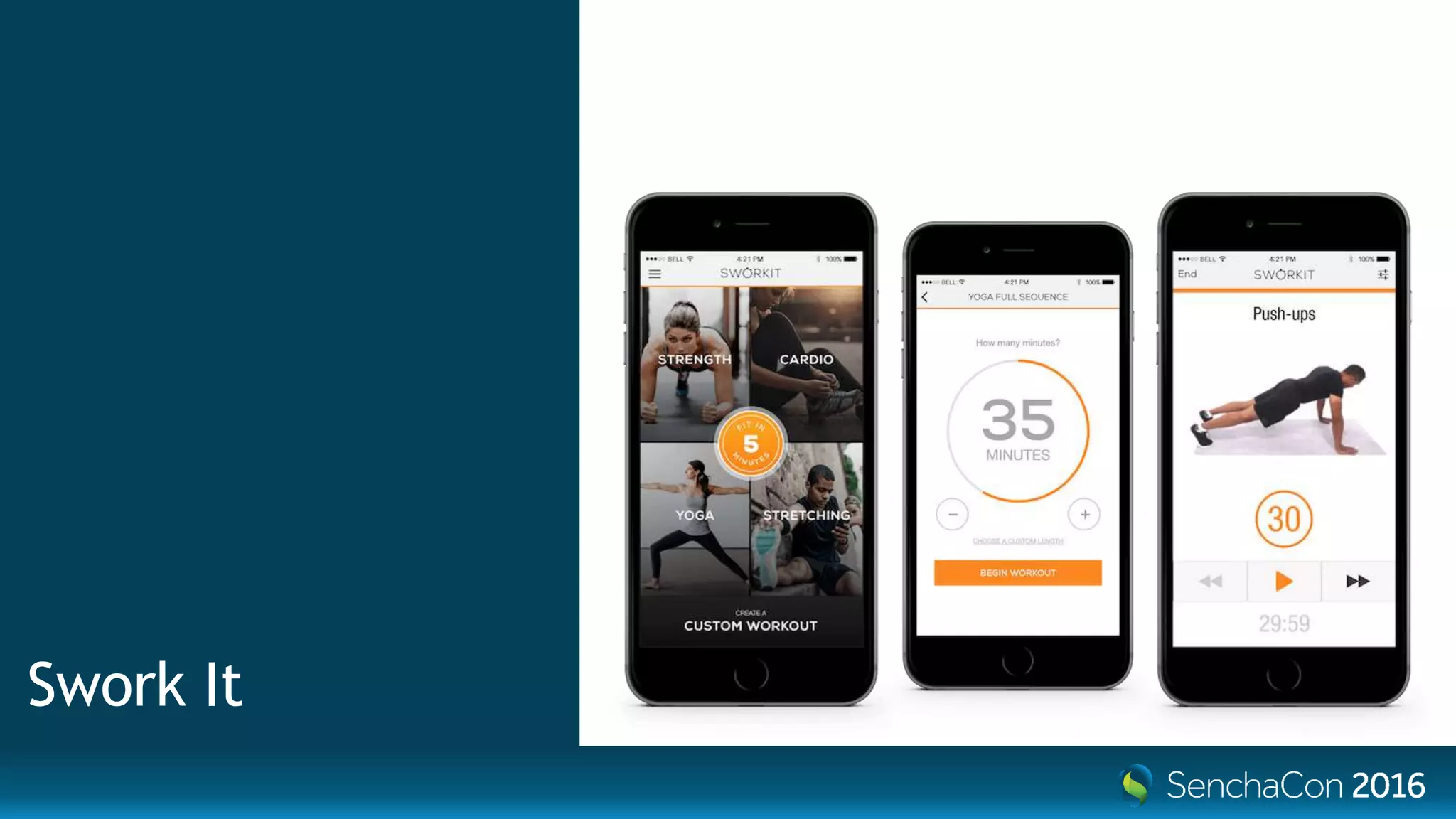
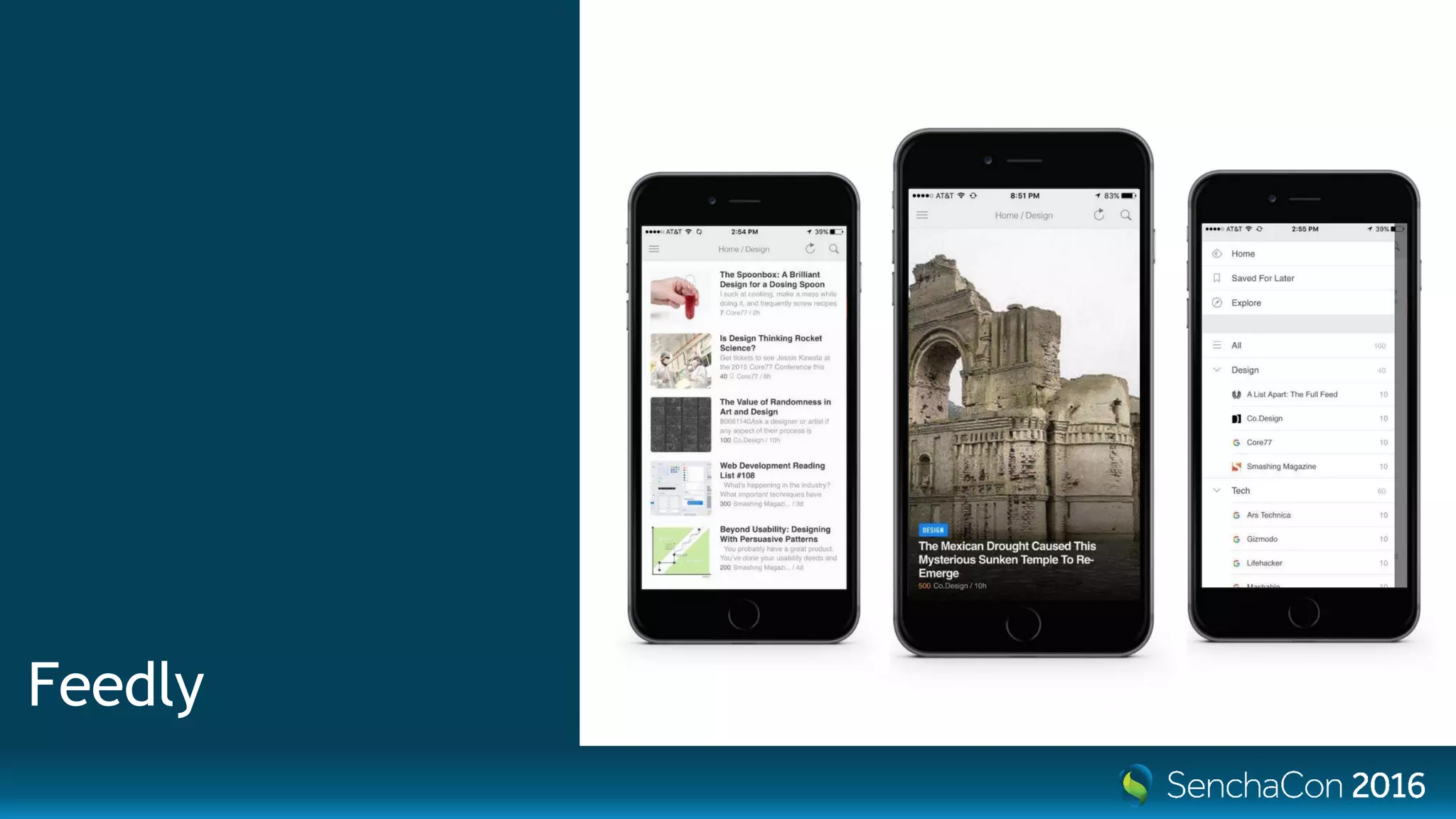
Who’s using hybrid?
Untappd
WeChat
Zynga Mob Wars
Swork It
Instagram
Feedly
Uber
AT&T
Apple App &
Book Stores
So… yeah.It works.
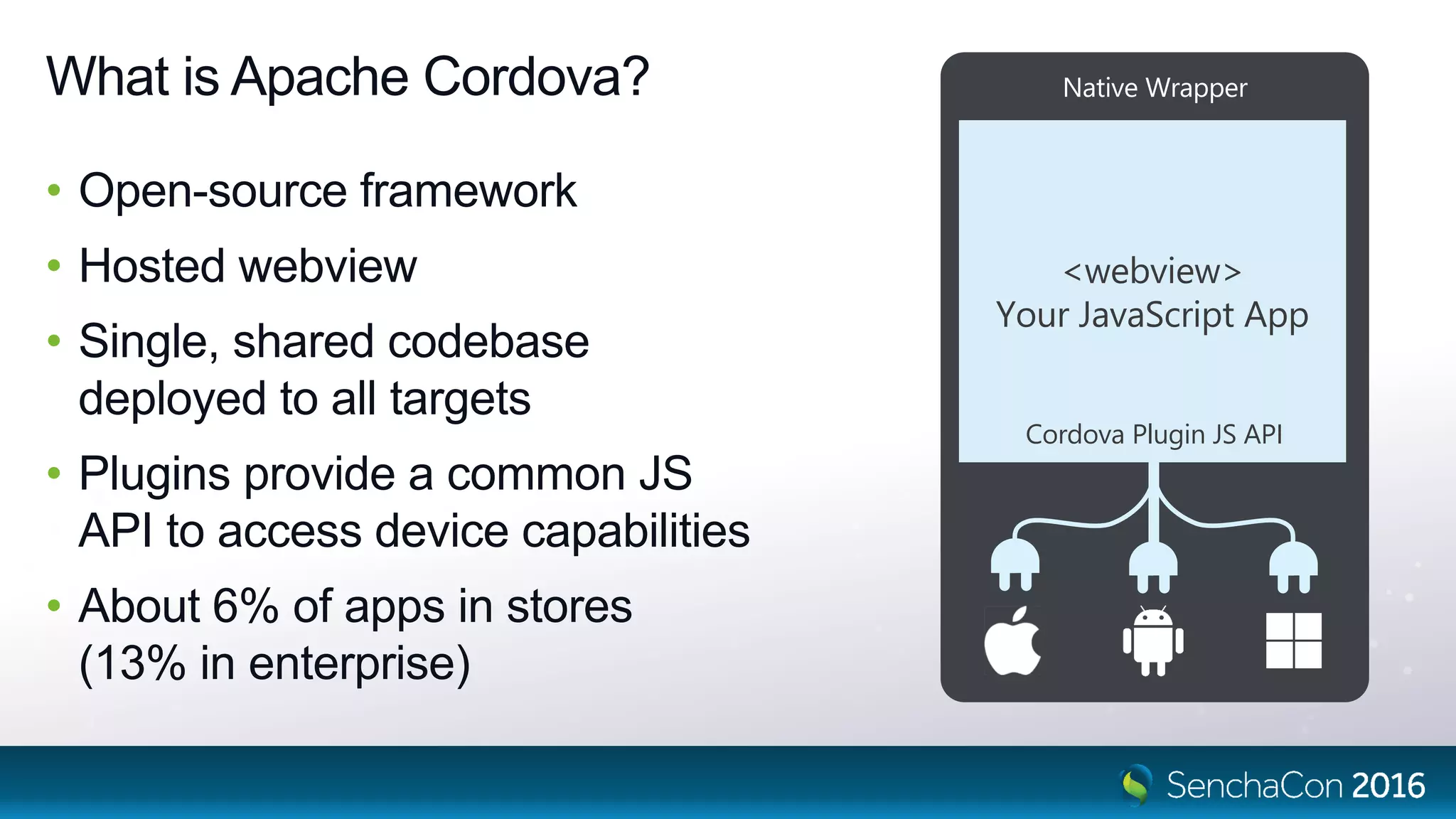
What is Apache Cordova?
• Open-source framework
• Hosted webview
• Single, shared codebase
deployed to all targets
• Plugins provide a common JS
API to access device capabilities
• About 6% of apps in stores
(13% in enterprise)
Native Wrapper
<webview>
Your JavaScript App
Cordova Plugin JS API
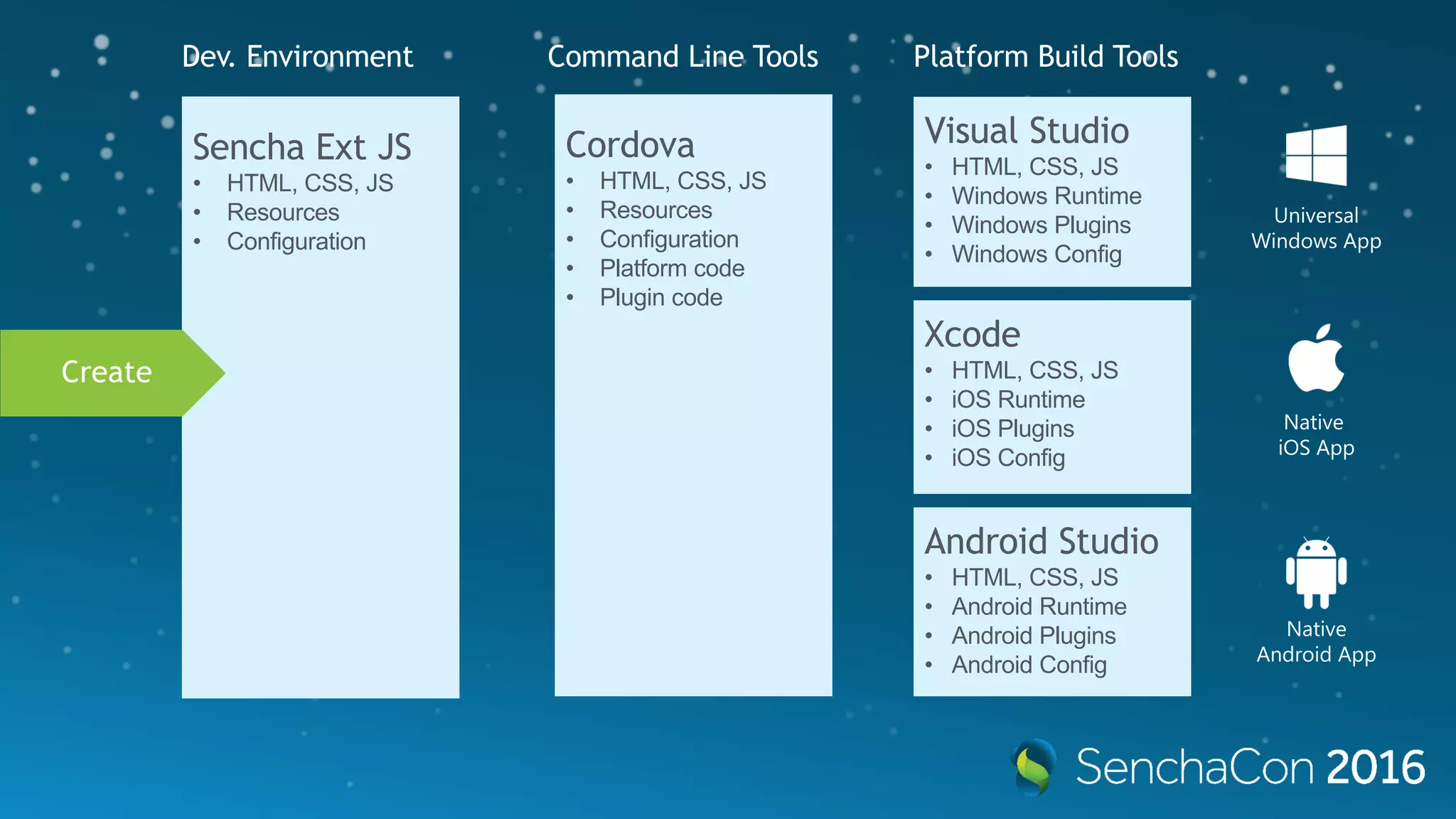
Xcode
• HTML, CSS, JS
• iOS Runtime
• iOS Plugins
• iOS Config
Visual Studio
• HTML, CSS, JS
• Windows Runtime
• Windows Plugins
• Windows Config
Android Studio
• HTML, CSS, JS
• Android Runtime
• Android Plugins
• Android Config
Cordova
• HTML, CSS, JS
• Resources
• Configuration
• Platform code
• Plugin code
Build
Sencha Ext JS
• HTML, CSS, JS
• Resources
• Configuration
Universal
Windows App
Native
iOS App
Native
Android App
Platform Build ToolsDev. Environment Command Line Tools
Create
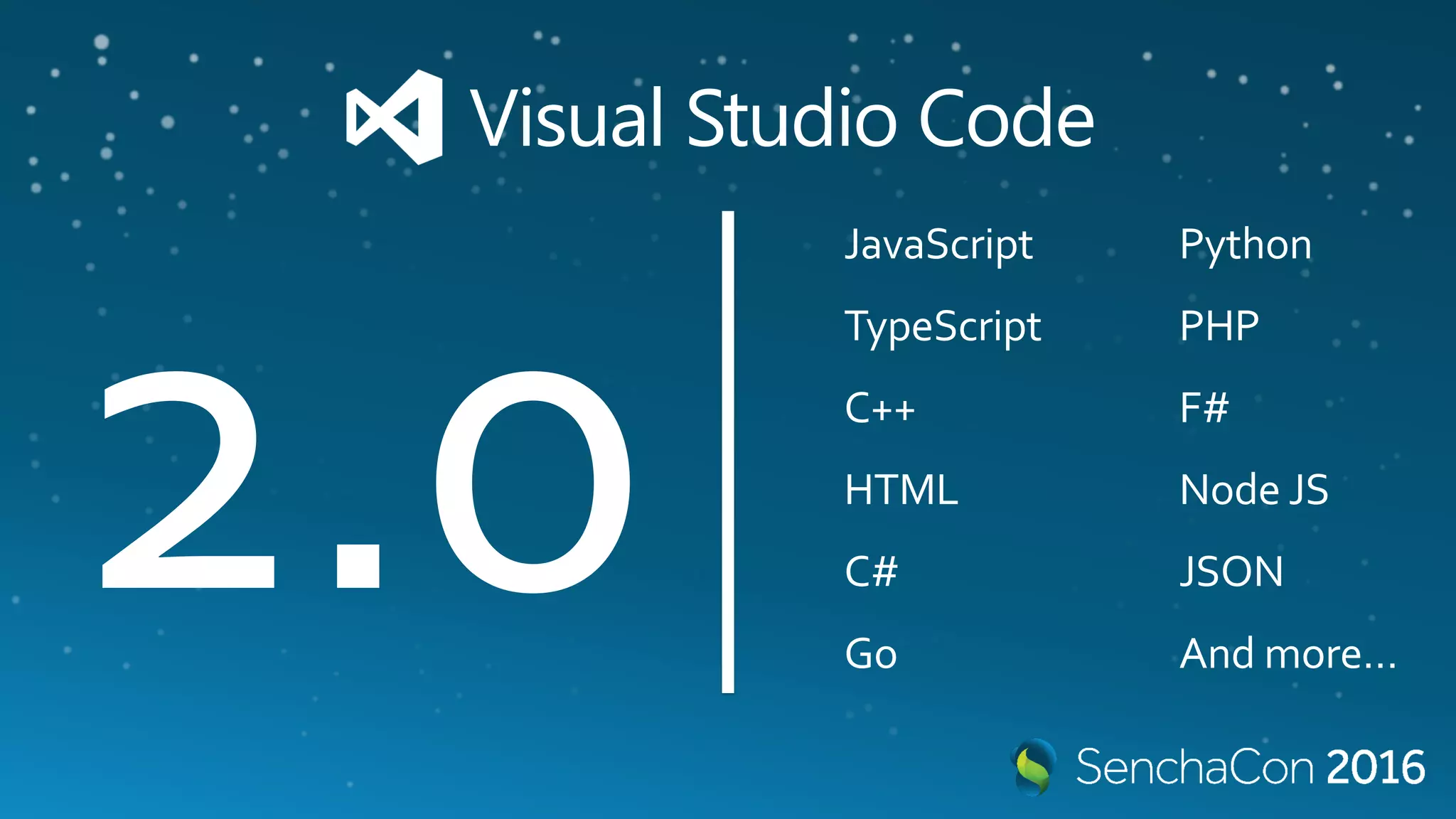
Visual Studio Code
JavaScript
TypeScript
C++
HTML
C#
Go
Python
PHP
F#
Node JS
JSON
And more…
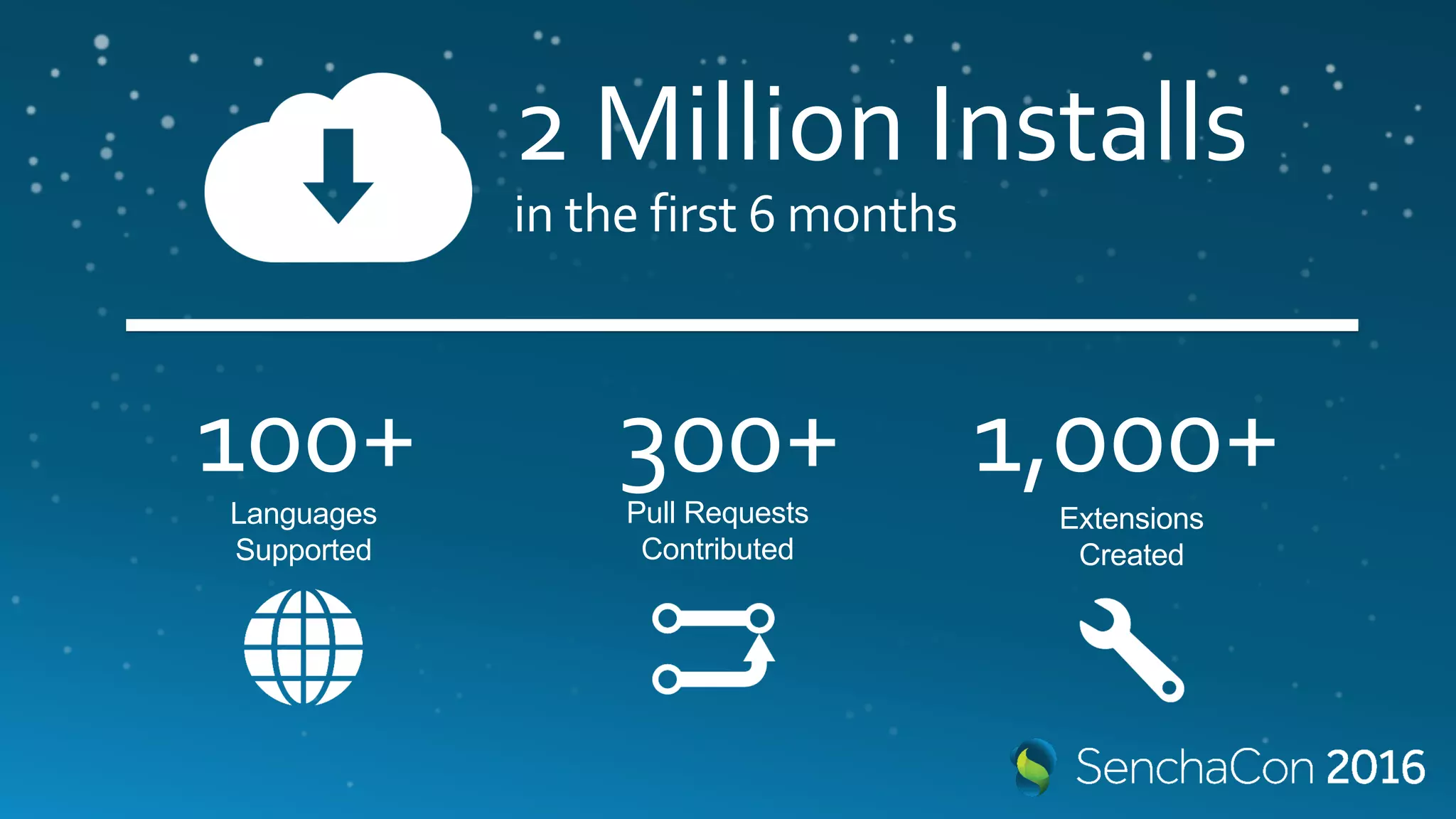
2 Million Installs
in the first 6 months
100+ 300+ 1,000+Languages
Supported
Pull Requests
Contributed
Extensions
Created
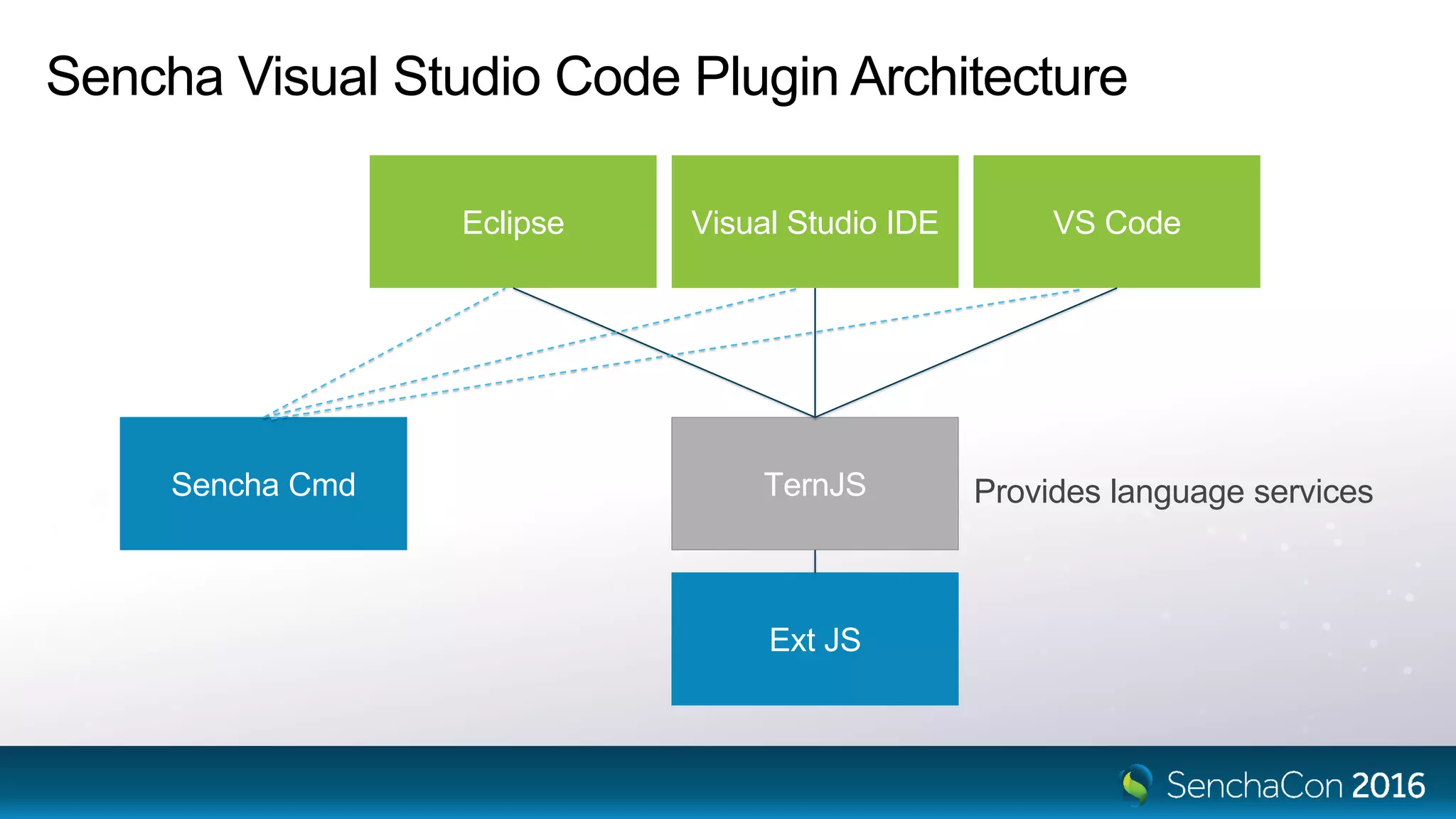
TernJS
Eclipse Visual Studio IDE VS Code
Ext JS
Sencha Cmd
Sencha Visual Studio Code Plugin Architecture
Provides language services
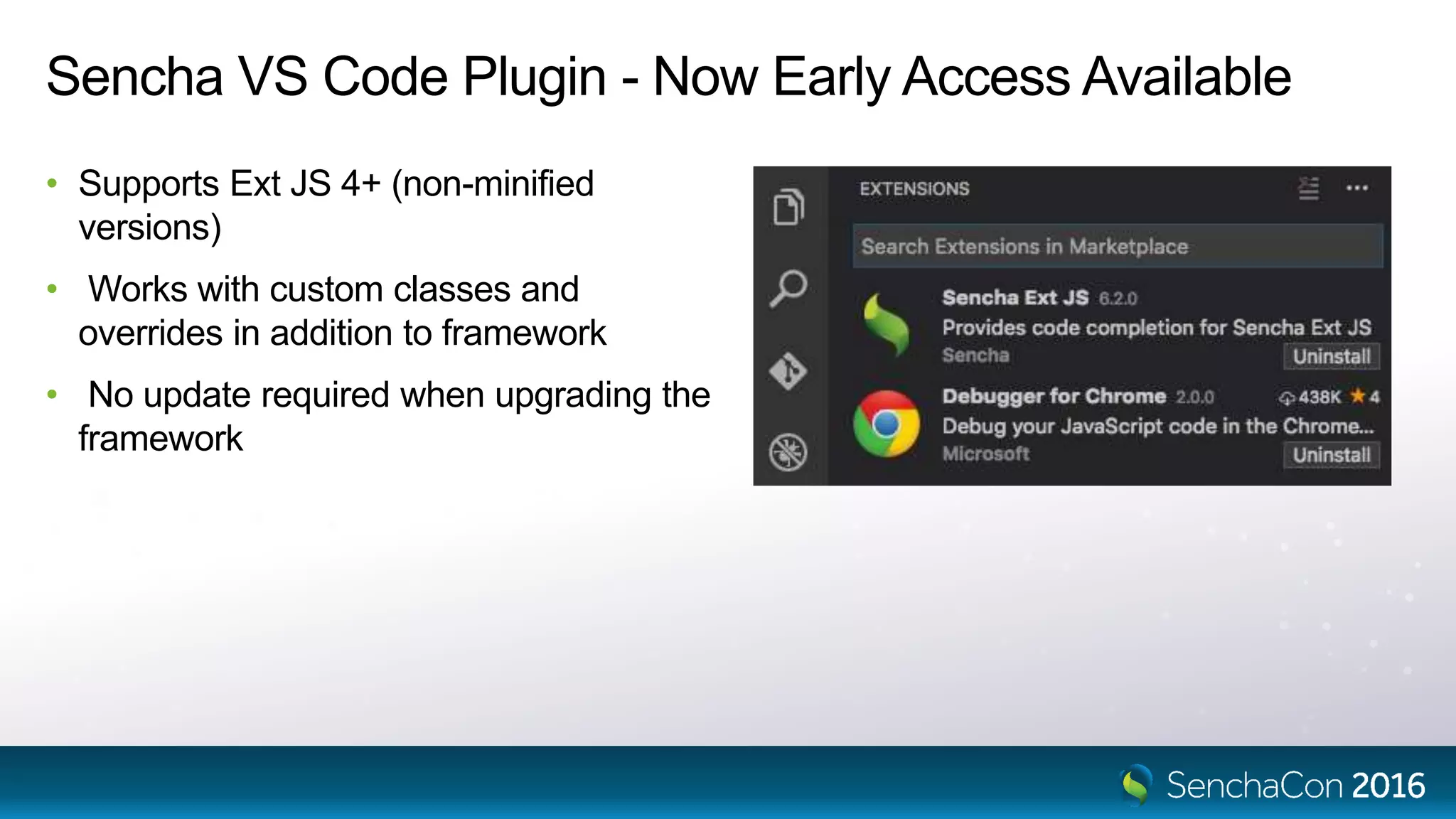
Sencha VS Code Plugin - Now Early Access Available
• Supports Ext JS 4+ (non-minified
versions)
• Works with custom classes and
overrides in addition to framework
• No update required when upgrading the
framework
Visual Studio Code Extensions
• Intellisense
• Code Generation
• Code Navigation
• Command Line Tools
• Documentation Lookup
• Debugging
Let’s code.
NEW
CodePush uploads your JavaScript
package to the cloud (Azure)
After building your Sencha app, run:
$ cd cordova
$ code-push release-cordova [app] [platform]
Phone asks, “Hey, Azure! Do you
have an update for me?”
Azure says, “Yup! Here’s a ZIP
with all the web assets.”
Code-Push extracts ZIP and
replaces the contents of /www
Let’s codepush.
Sencha VS Code Plugin
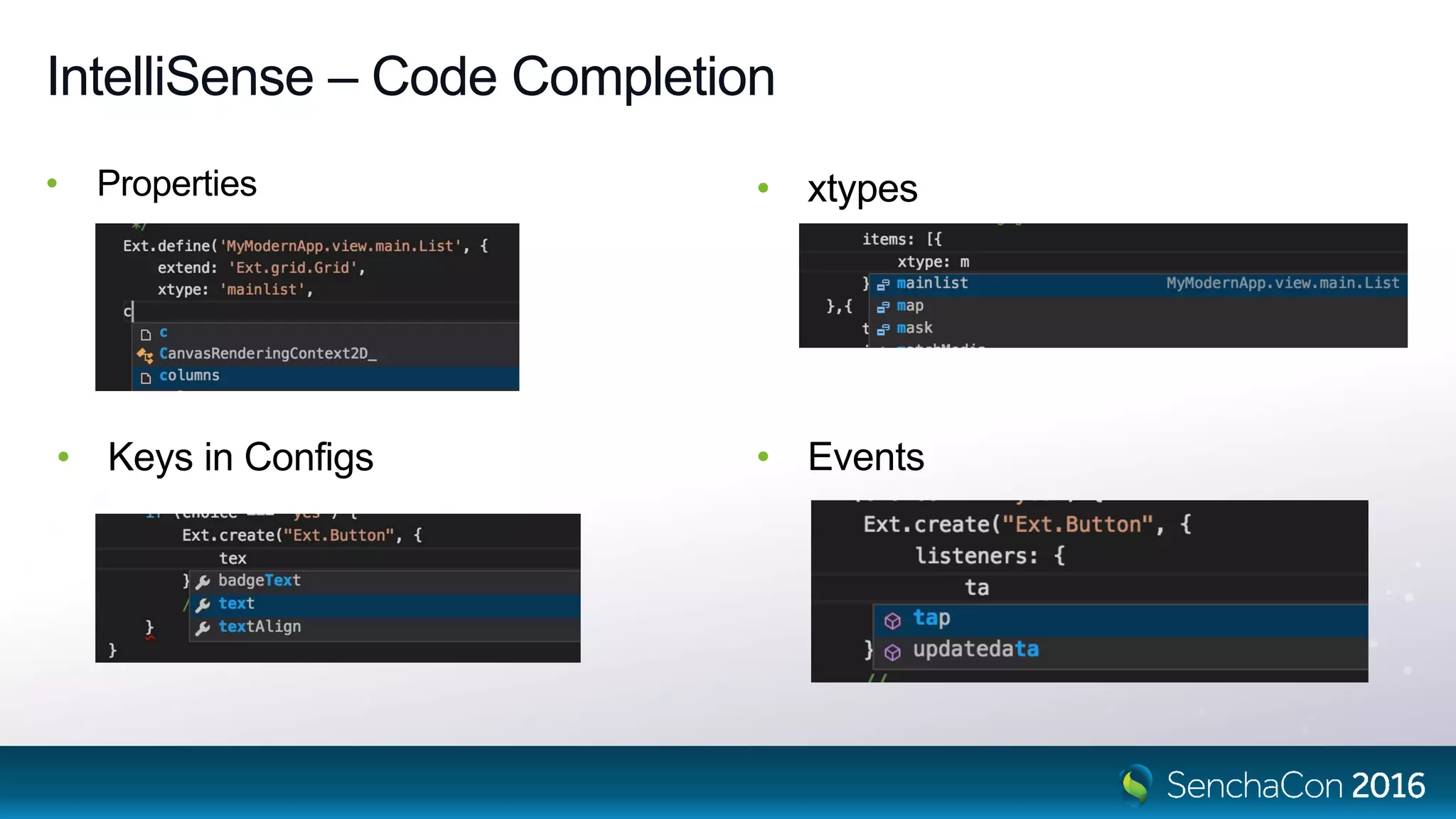
IntelliSense – Code Completion
• Properties
• Keys in Configs
• xtypes
• Events
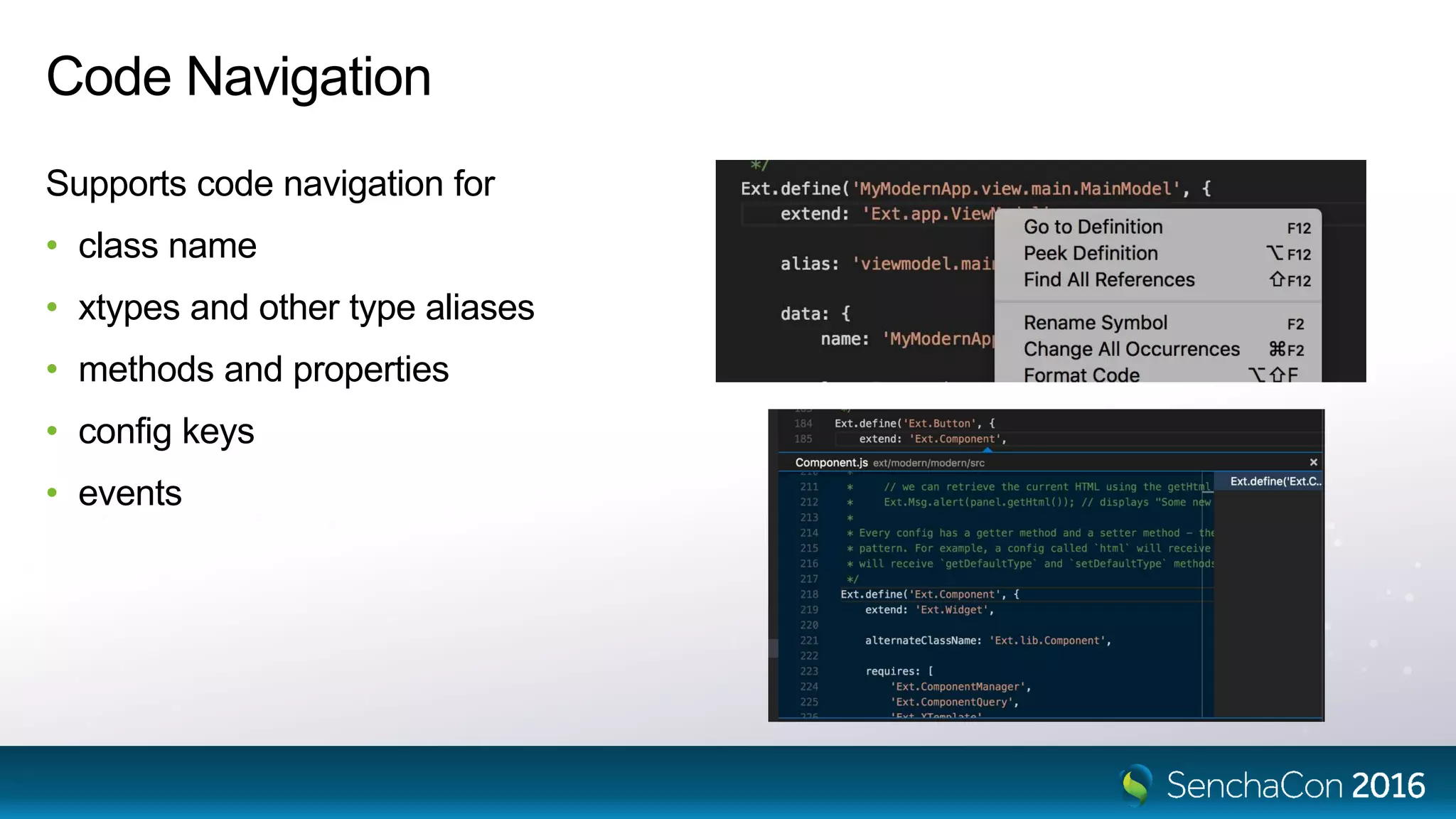
Code Navigation
Supports code navigation for
• class name
• xtypes and other type aliases
• methods and properties
• config keys
• events
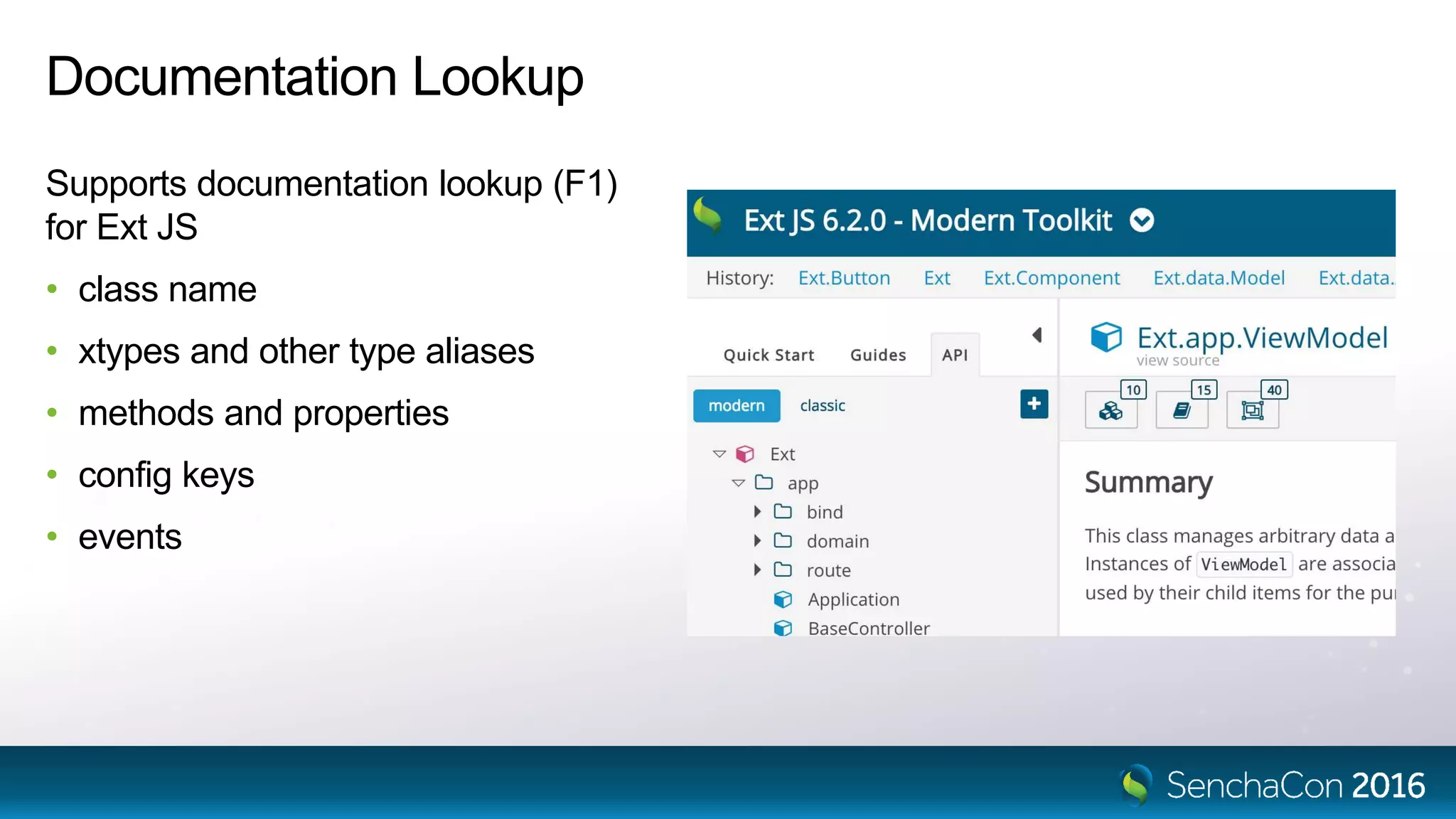
Documentation Lookup
Supports documentation lookup (F1)
for Ext JS
• class name
• xtypes and other type aliases
• methods and properties
• config keys
• events
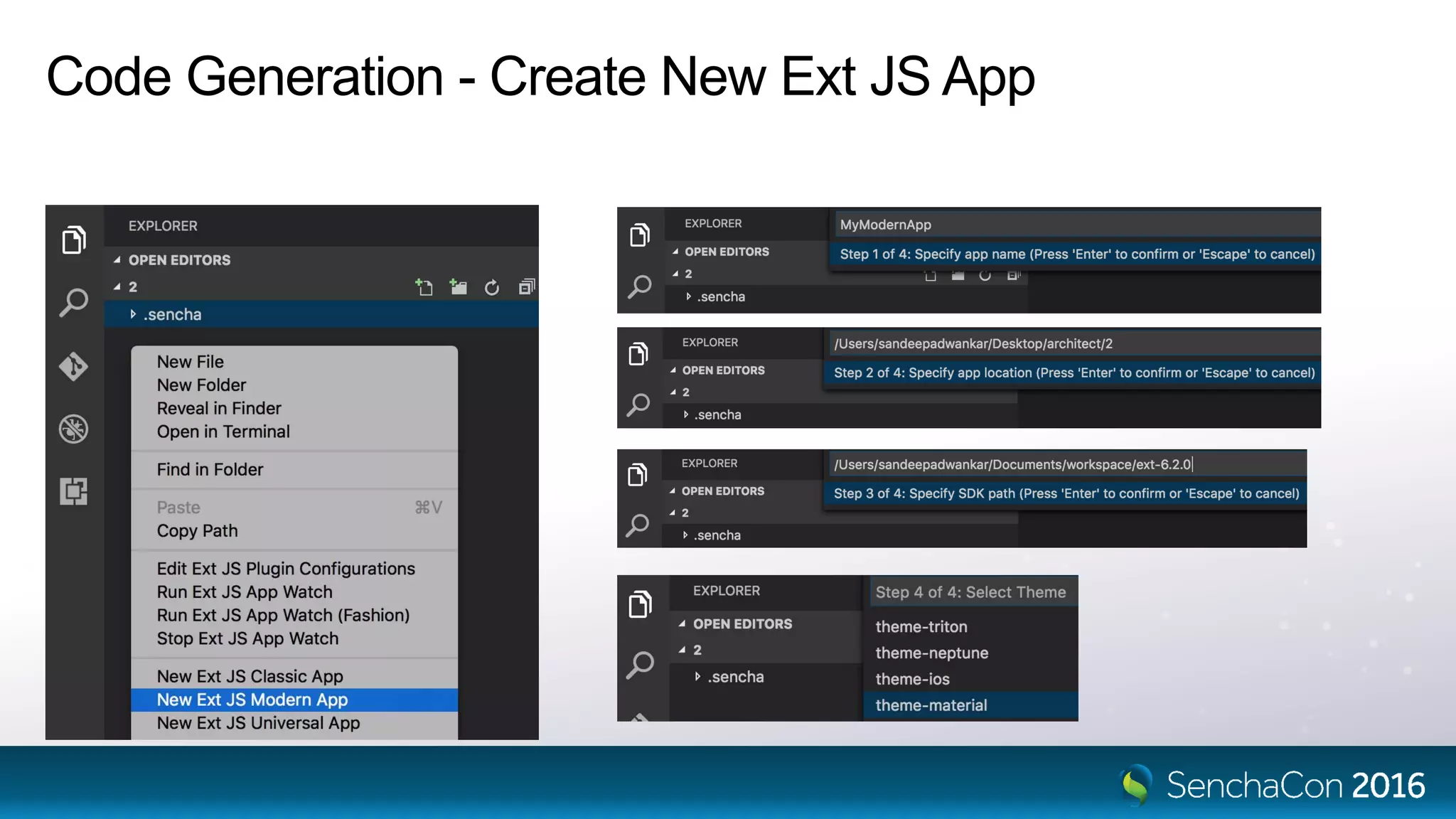
Code Generation - Create New Ext JS App
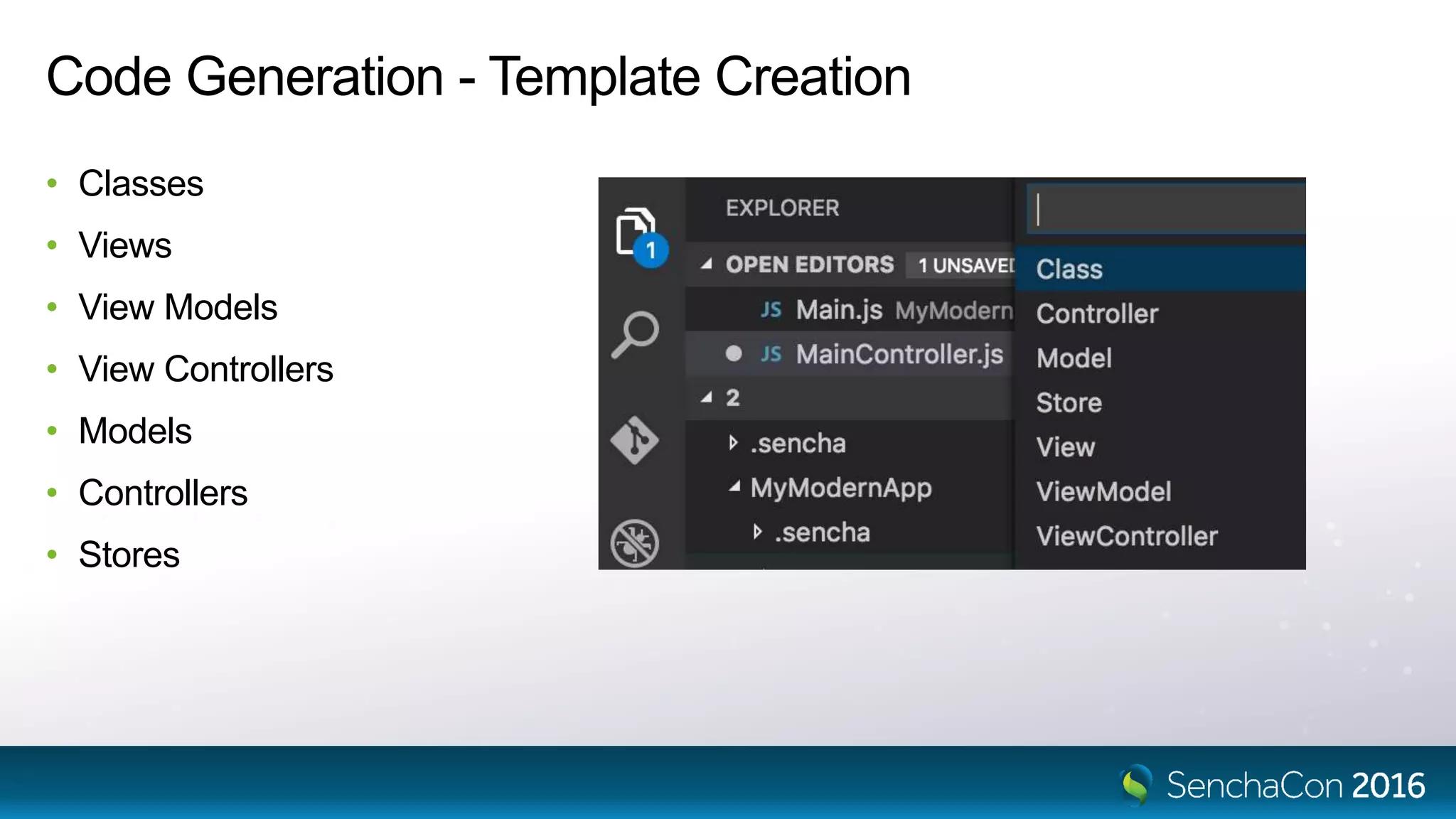
Code Generation - Template Creation
• Classes
• Views
• View Models
• View Controllers
• Models
• Controllers
• Stores
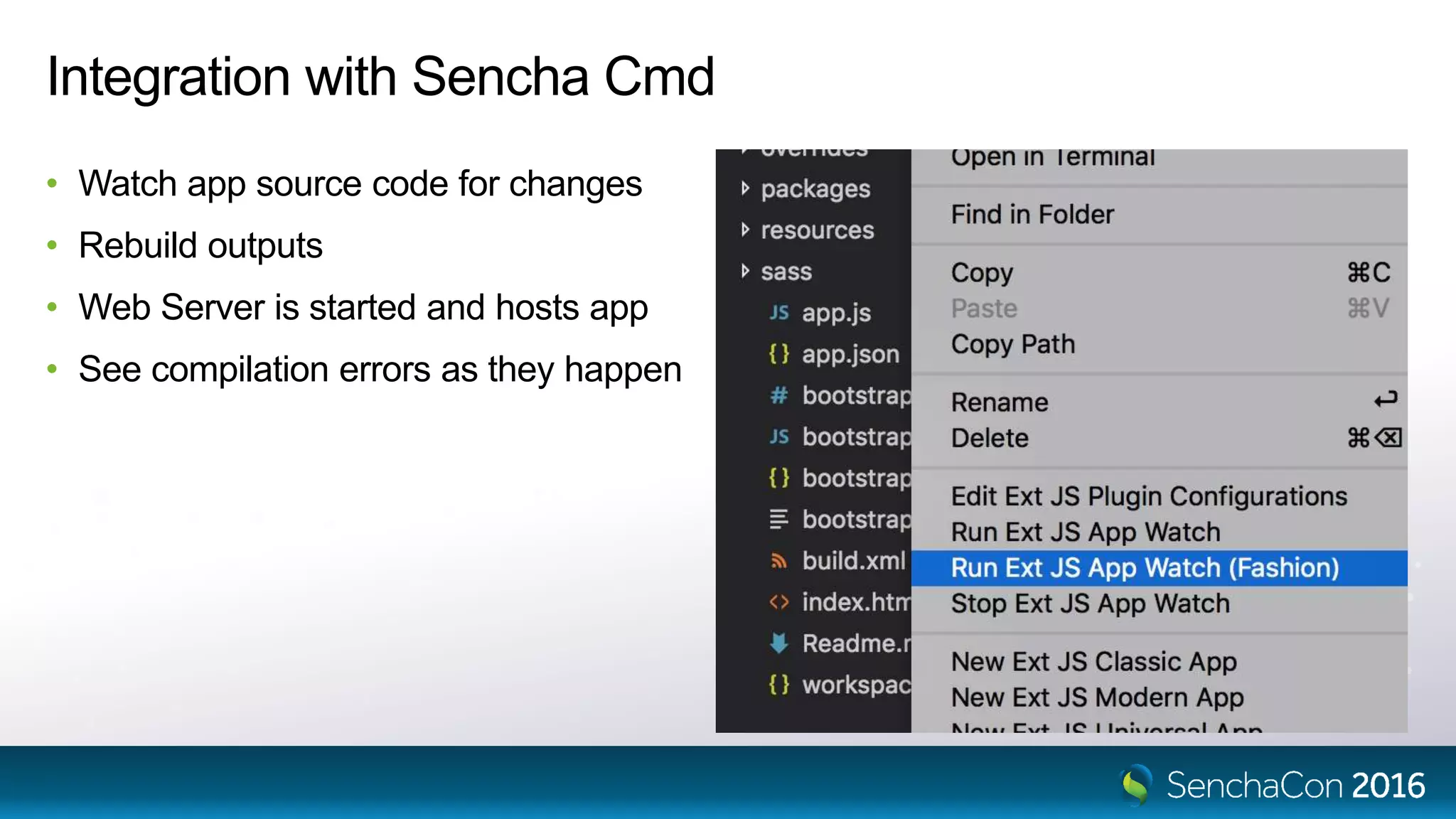
Integration with Sencha Cmd
• Watch app source code for changes
• Rebuild outputs
• Web Server is started and hosts app
• See compilation errors as they happen
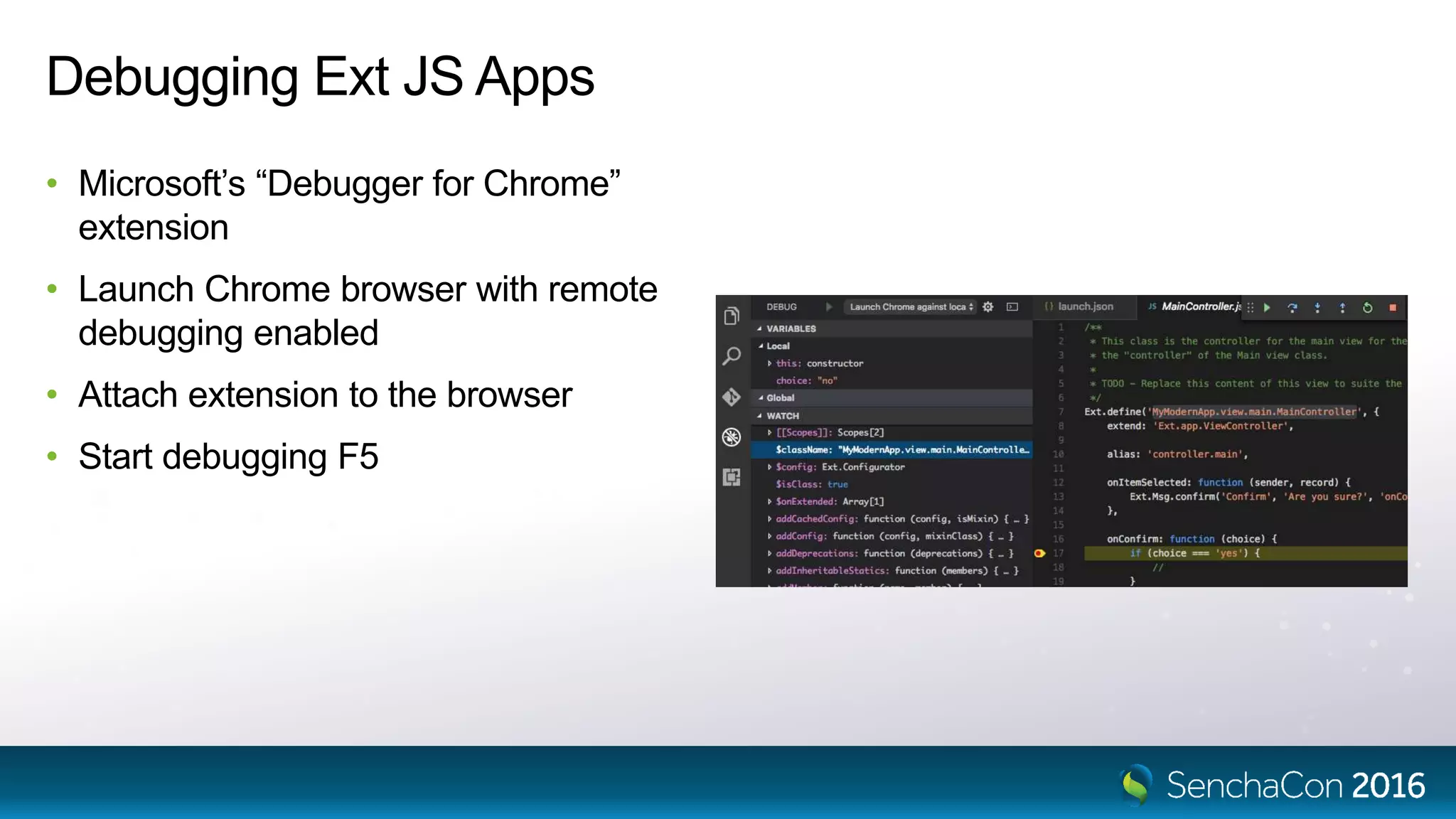
Debugging Ext JS Apps
• Microsoft’s “Debugger for Chrome”
extension
• Launch Chrome browser with remote
debugging enabled
• Attach extension to the browser
• Start debugging F5
http://aka.ms/sencha-code
Early Access VS Code Plugin
Available for all Ext JS packages (Std. Pro. Prem.)
Follow us on Twitter! @ryanjsalva @adwankar
Sencha Tooling  - Senchacon Conference

Sencha Tooling - Senchacon Conference

  • 1.
    Cross-Platform Mobile AppDevelopment with Cordova and Sencha Visual Studio Code Plugin Ryan J. Salva, Microsoft Sandeep Adwankar, Sencha
  • 2.
    42% of professionaldevelopers are building mobile apps 58% 42% Desktop & Server Mobile
  • 3.
    17% of enterprisedevelopers are building mobile apps 83% 17% Desktop & Server Mobile
  • 4.
    Innovators Early AdoptersEarly Majority Late Majority Laggards Consumer Apps Late majority market Revenue through the app store Enterprise Apps Very early majority market Mobile apps are a cost center Deployed to private stores
  • 5.
    Modern Apps Systems of Engagementand Innovation Delivering personalized context Direct to consumer Short Time to Market Each App for a concrete scenario Companion LOB Client apps In-the-moment tasks New innovative UI Open to Social networks Targeting partners, employees and customers. Mobile & Web WEB Systems of Record Foundational LOB Applications Long-term Foundational processes Long development cycle Departmental applications Development productivity Targeting employeesQoS Core-Business Dev. Easy to get started Modern and Mobile Applications
  • 6.
    More people useJavaScript than any other language 0% 10% 20% 30% 40% 50% 60% JavaScript SQL Java C# PHP Python C++ C Node JS Angular JS Ruby Objective-C Stack Overflow Developer Survey, March 2016
  • 7.
    2X the NearestCompetitor 61% 35% 31% 18% 15% 13% 12% 9% 4% 3% 0% 10% 20% 30% 40% 50% 60% 70% PhoneGap/Cordova Xamarin Unity Qt Adobe Air Appcelerator Corona Marmelade Codename One Live Code Using this tool Prioritize this tool Vision Mobile Analysis of Cross-Platform Development, July 2015
  • 8.
  • 9.
  • 10.
  • 11.
  • 12.
  • 13.
  • 14.
  • 15.
  • 16.
  • 17.
  • 18.
  • 19.
    What is ApacheCordova? • Open-source framework • Hosted webview • Single, shared codebase deployed to all targets • Plugins provide a common JS API to access device capabilities • About 6% of apps in stores (13% in enterprise) Native Wrapper <webview> Your JavaScript App Cordova Plugin JS API
  • 20.
    Xcode • HTML, CSS,JS • iOS Runtime • iOS Plugins • iOS Config Visual Studio • HTML, CSS, JS • Windows Runtime • Windows Plugins • Windows Config Android Studio • HTML, CSS, JS • Android Runtime • Android Plugins • Android Config Cordova • HTML, CSS, JS • Resources • Configuration • Platform code • Plugin code Build Sencha Ext JS • HTML, CSS, JS • Resources • Configuration Universal Windows App Native iOS App Native Android App Platform Build ToolsDev. Environment Command Line Tools Create
  • 21.
  • 22.
    2 Million Installs inthe first 6 months 100+ 300+ 1,000+Languages Supported Pull Requests Contributed Extensions Created
  • 23.
    TernJS Eclipse Visual StudioIDE VS Code Ext JS Sencha Cmd Sencha Visual Studio Code Plugin Architecture Provides language services
  • 24.
    Sencha VS CodePlugin - Now Early Access Available • Supports Ext JS 4+ (non-minified versions) • Works with custom classes and overrides in addition to framework • No update required when upgrading the framework
  • 25.
    Visual Studio CodeExtensions • Intellisense • Code Generation • Code Navigation • Command Line Tools • Documentation Lookup • Debugging
  • 26.
  • 27.
    NEW CodePush uploads yourJavaScript package to the cloud (Azure) After building your Sencha app, run: $ cd cordova $ code-push release-cordova [app] [platform] Phone asks, “Hey, Azure! Do you have an update for me?” Azure says, “Yup! Here’s a ZIP with all the web assets.” Code-Push extracts ZIP and replaces the contents of /www
  • 30.
  • 31.
  • 32.
    IntelliSense – CodeCompletion • Properties • Keys in Configs • xtypes • Events
  • 33.
    Code Navigation Supports codenavigation for • class name • xtypes and other type aliases • methods and properties • config keys • events
  • 34.
    Documentation Lookup Supports documentationlookup (F1) for Ext JS • class name • xtypes and other type aliases • methods and properties • config keys • events
  • 35.
    Code Generation -Create New Ext JS App
  • 36.
    Code Generation -Template Creation • Classes • Views • View Models • View Controllers • Models • Controllers • Stores
  • 37.
    Integration with SenchaCmd • Watch app source code for changes • Rebuild outputs • Web Server is started and hosts app • See compilation errors as they happen
  • 38.
    Debugging Ext JSApps • Microsoft’s “Debugger for Chrome” extension • Launch Chrome browser with remote debugging enabled • Attach extension to the browser • Start debugging F5
  • 39.
    http://aka.ms/sencha-code Early Access VSCode Plugin Available for all Ext JS packages (Std. Pro. Prem.) Follow us on Twitter! @ryanjsalva @adwankar

Editor's Notes

  • #6 NOTE: Systems of Engagement & Systems of Record are nomenclature/terms originally defined by Geoffrey Moore and used by Forrester) The traditional IT developed apps are foundational line-of-business applications. They are primarily focused on improving employee productivity, represent a foundational business process, and take a long time to develop. Forrester calls these Systems of Record because they create vast transactional databases logging the movement of your core business. Modern apps, like the loyalty apps, are about increased engagement with your consumer. They are about in-the-moment task-focused productivity for your employees. Mobility isn’t about the device – it’s about the freedom to accomplish things on your terms. Modern-Apps can serve your customers anywhere at any time. Not just giving them self-service mobile access to your shrunken Web site or forms-based transaction system, but truly serve them by placing information and action and control into their hands (In-the-moment tasks and decisions for concrete scenarios.) At some point, most of the Modern-Apps will interface with artifacts that will interface with traditional LOB Applications to make an indelible impact on the business.
  • #20 Originally made by Nitobi and purchased by Adobe in 2011.
  • #25 The goal with Sencha visual studio Plugin has been to integrate Sencha frameworks with the visual studio IDE to create confluence between Sencha frameworks and visual studio IDEs. The plugin enables several features for working with the Sencha code inside of the visual studio IDE to help boost developer productivity. We launched early access version of visual studio plugin this month and we are very excited with this release and have received great feedback from our community.  The Sencha visual studio Plugin is available to download for visual studio IDE 2015 and supports Enterprise, professional and community editions. In the future visual studio 2013 will be supported.  Once installed, the plugin ensures that the plugin get an understanding of the Sencha framework classes, and even any custom classes and overrides that you may have written for your application.
  • #33 This shows how code completion will work for Properties, xtypes, keys in configs as well as events. For instance, if you were to start typing “xtype: ” and on control space, you would be presented with a list of all available xtypes. As you continue typing, the suggestion list will filter until you arrive at the xtype you seek. At which point, you can simply select the item.
  • #34 This functionality enables users to quickly move throughout their application without the need for searching a tree or directory structure. With the Sencha Visual Studio Plugin installed, you can right-click (or use the standard F12 shortcut key) on any of the following and select “Go to Definition” to view an item’s definition.
  • #35 This functionality enables users to quickly move throughout their application without the need for searching a tree or directory structure. With the Sencha Visual Studio Plugin installed, you can right-click (or use the standard F12 shortcut key) on any of the following and select “Go to Definition” to view an item’s definition.
  • #36 You can create a basic project type containing an example of a Web API project configured to use Ext JS through the ‘New Project’ action.  Upon selecting it, the App Generation wizard will appear as you can see. It will be populated with Sencha Cmd location, ExtJS SDK location, theme and toolkit. You can change it as well. This will generate example application. This is an ASP.NET application utilizing Web API (for Web Services, for example), with an Ext JS application baked in the Sencha directory. You can click the ‘Run’ button (or press Control + F5) to launch the system web browser with the application hosted by IISExpress.
  • #37 To add a new class (or a specific type of class: Model, Store, View, Controller, etc.) simply “right+click” on the location you want the new class to be created and select Add > New Item… > Sencha > Class (or specific type)  Enter in the name of your class and click continue. Here is an example of the output of a Model generated
  • #38 Once an Application has been generated, you can easily start Sencha App Watch to begin development with the Sencha’s Cmd web server based on Jetty web server. To start/stop Sencha Cmd’s ‘app watch’ command at any time, simply right click on the root Ext JS application folder to display the context menu and select ‘Run Sencha App Watch’. One Cmd has started, you will see Sencha Cmd’s output in the console view and your application will be available at location provided Stop the process at any time by right clicking the Ext JS application root again and selecting ‘Stop Sencha App Watch’.
  • #39 Once an Application has been generated, you can easily start Sencha App Watch to begin development with the Sencha’s Cmd web server based on Jetty web server. To start/stop Sencha Cmd’s ‘app watch’ command at any time, simply right click on the root Ext JS application folder to display the context menu and select ‘Run Sencha App Watch’. One Cmd has started, you will see Sencha Cmd’s output in the console view and your application will be available at location provided Stop the process at any time by right clicking the Ext JS application root again and selecting ‘Stop Sencha App Watch’.