Building Cross-Platform Mobile Apps
with PhoneGap and Sencha Touch
Axel Buerkle
Agenda
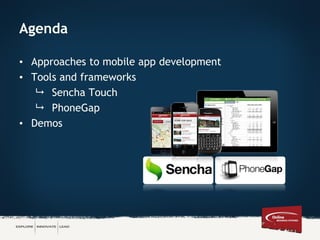
• Approaches to mobile app development
• Tools and frameworks
 Sencha Touch
 PhoneGap
• Demos
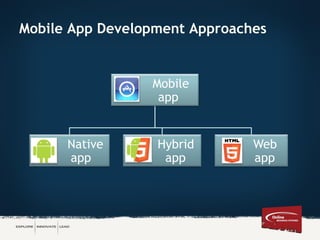
Mobile App Development Approaches
Mobile
app
Native
app
Hybrid
app
Web
app
Native Mobile App
• Written in the native programming language for the
mobile device
 iOS: Objective-C
 Android: Java
 Windows Phone 8: .NET
 BlackBerry 10: C/C++
• Platform specific, i.e. iPhone apps don’t run on Android
devices
• Distributed through the app store
Mobile
app
Native
app
Hybrid
app
Web
app
Mobile Web App
• Typically written in HTML, CSS and JavaScript
• Made available through a web server (not distributed
through the app store)
• Runs in mobile device’s browser
 Device independent
• Usually requires a data connection
Mobile
app
Native
app
Hybrid
app
Web
app
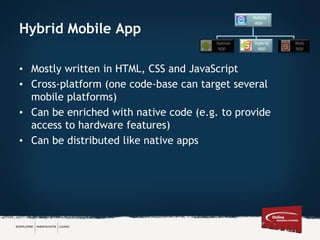
Hybrid Mobile App
• Mostly written in HTML, CSS and JavaScript
• Cross-platform (one code-base can target several
mobile platforms)
• Can be enriched with native code (e.g. to provide
access to hardware features)
• Can be distributed like native apps
Mobile
app
Native
app
Hybrid
app
Web
app
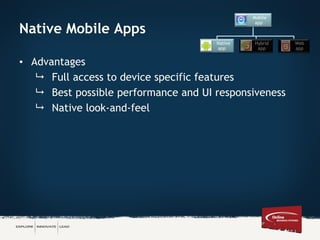
Native Mobile Apps
• Advantages
 Full access to device specific features
 Best possible performance and UI responsiveness
 Native look-and-feel
Mobile
app
Native
app
Hybrid
app
Web
app
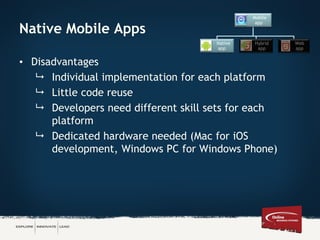
Native Mobile Apps
• Disadvantages
 Individual implementation for each platform
 Little code reuse
 Developers need different skill sets for each
platform
 Dedicated hardware needed (Mac for iOS
development, Windows PC for Windows Phone)
Mobile
app
Native
app
Hybrid
app
Web
app
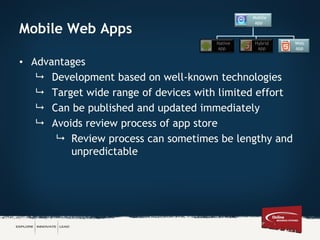
Mobile Web Apps
• Advantages
 Development based on well-known technologies
 Target wide range of devices with limited effort
 Can be published and updated immediately
 Avoids review process of app store
 Review process can sometimes be lengthy and
unpredictable
Mobile
app
Native
app
Hybrid
app
Web
app
Mobile Web Apps
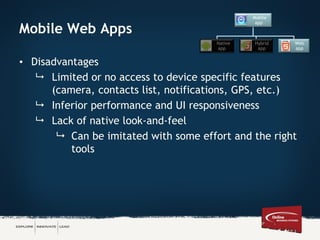
• Disadvantages
 Limited or no access to device specific features
(camera, contacts list, notifications, GPS, etc.)
 Inferior performance and UI responsiveness
 Lack of native look-and-feel
 Can be imitated with some effort and the right
tools
Mobile
app
Native
app
Hybrid
app
Web
app
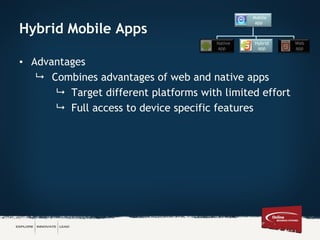
Hybrid Mobile Apps
• Advantages
 Combines advantages of web and native apps
 Target different platforms with limited effort
 Full access to device specific features
Mobile
app
Native
app
Hybrid
app
Web
app
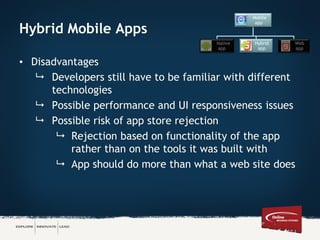
Hybrid Mobile Apps
• Disadvantages
 Developers still have to be familiar with different
technologies
 Possible performance and UI responsiveness issues
 Possible risk of app store rejection
 Rejection based on functionality of the app
rather than on the tools it was built with
 App should do more than what a web site does
Mobile
app
Native
app
Hybrid
app
Web
app
When to Choose the Hybrid Approach?
• Willing to compromise on UX for speed to market and
cross platform support
• Only have access to web developers
• App store upload is a requirement
• There is code than can be re-used, e.g. a mobile web
site
• Budget / timeframe does not allow individual native
solutions
Tools for Building Cross-plattform Apps
• PhoneGap (aka Cordova)
• Sencha Touch
• Titanium
• Xamarin
• jQuery Mobile
• Corona
• Motorola RhoMobile
• Maqetta
• Ignite UI
• Kendo UI
• AppBuilder (Icenium)
• Marmalade SDK
• Brightcove AppCloud
• App Machine
• App Gyver Steroids
• Many more …
What is Sencha Touch?
• Performance-optimized HTML5 framework for building
mobile apps
• Complete set of mobile UI components
• Various built-in themes
• Built-in MVC system
• PhoneGap integration
• Free commercial license
Sencha Touch Demo
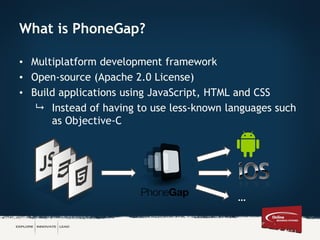
What is PhoneGap?
• Multiplatform development framework
• Open-source (Apache 2.0 License)
• Build applications using JavaScript, HTML and CSS
 Instead of having to use less-known languages such
as Objective-C
…
Why PhoneGap?
• Build for large number of platforms
 iOS (6 or higher, Xcode 4.5+)
 Android (2.2, 2.3, 4.x)
 Amazon Fire OS
 BlackBerry 10
 Windows Phone 7 + 8
 Windows 8
 Tizen
 Firefox OS
 WebOS, Symbian, Bada (PhoneGap < 2.7.0)
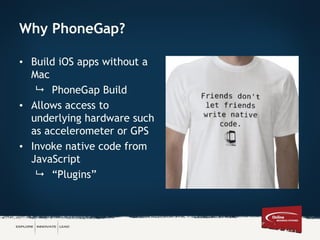
Why PhoneGap?
• Build iOS apps without a
Mac
 PhoneGap Build
• Allows access to
underlying hardware such
as accelerometer or GPS
• Invoke native code from
JavaScript
 “Plugins”
Demo PhoneGap Demo
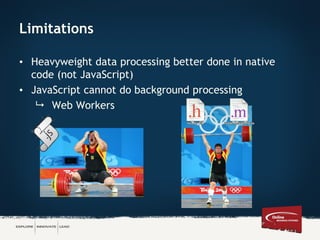
Limitations
• Heavyweight data processing better done in native
code (not JavaScript)
• JavaScript cannot do background processing
 Web Workers
Testing Cross-Platform Applications
• Cloud-based, e.g. Xamarin Test Cloud
• Framework-specific tools, e.g. App Inspector for Sencha
(Chrome Extension)
• Appium
 Open source test automation framework for native
and hybrid apps
 Supports iOS, Android, Firefox OS
 No need to recompile app or modify it
 Write tests using Java, Objective-C, JavaScript,
PHP, Python, Ruby, C#, Clojure, or Perl
 Gappium for PhoneGap / Cordova apps
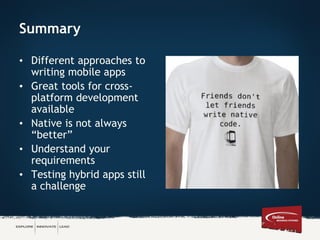
Summary
• Different approaches to
writing mobile apps
• Great tools for cross-
platform development
available
• Native is not always
“better”
• Understand your
requirements
• Testing hybrid apps still
a challenge
Questions?
Axel Buerkle
Technology Research Analyst
ONLINE BUSINESS SYSTEMS
200-115 Bannatyne Ave., Winnipeg MB R3B 0R3
abuerkle@obsglobal.com | Direct Line: 204.982.7850
www.obsglobal.com
Explore | Innovate | Lead

Building Cross-Platform Mobile Apps with PhoneGap and Sencha Touch

  • 1.
    Building Cross-Platform MobileApps with PhoneGap and Sencha Touch Axel Buerkle
  • 2.
    Agenda • Approaches tomobile app development • Tools and frameworks  Sencha Touch  PhoneGap • Demos
  • 3.
    Mobile App DevelopmentApproaches Mobile app Native app Hybrid app Web app
  • 4.
    Native Mobile App •Written in the native programming language for the mobile device  iOS: Objective-C  Android: Java  Windows Phone 8: .NET  BlackBerry 10: C/C++ • Platform specific, i.e. iPhone apps don’t run on Android devices • Distributed through the app store Mobile app Native app Hybrid app Web app
  • 5.
    Mobile Web App •Typically written in HTML, CSS and JavaScript • Made available through a web server (not distributed through the app store) • Runs in mobile device’s browser  Device independent • Usually requires a data connection Mobile app Native app Hybrid app Web app
  • 6.
    Hybrid Mobile App •Mostly written in HTML, CSS and JavaScript • Cross-platform (one code-base can target several mobile platforms) • Can be enriched with native code (e.g. to provide access to hardware features) • Can be distributed like native apps Mobile app Native app Hybrid app Web app
  • 7.
    Native Mobile Apps •Advantages  Full access to device specific features  Best possible performance and UI responsiveness  Native look-and-feel Mobile app Native app Hybrid app Web app
  • 8.
    Native Mobile Apps •Disadvantages  Individual implementation for each platform  Little code reuse  Developers need different skill sets for each platform  Dedicated hardware needed (Mac for iOS development, Windows PC for Windows Phone) Mobile app Native app Hybrid app Web app
  • 9.
    Mobile Web Apps •Advantages  Development based on well-known technologies  Target wide range of devices with limited effort  Can be published and updated immediately  Avoids review process of app store  Review process can sometimes be lengthy and unpredictable Mobile app Native app Hybrid app Web app
  • 10.
    Mobile Web Apps •Disadvantages  Limited or no access to device specific features (camera, contacts list, notifications, GPS, etc.)  Inferior performance and UI responsiveness  Lack of native look-and-feel  Can be imitated with some effort and the right tools Mobile app Native app Hybrid app Web app
  • 11.
    Hybrid Mobile Apps •Advantages  Combines advantages of web and native apps  Target different platforms with limited effort  Full access to device specific features Mobile app Native app Hybrid app Web app
  • 12.
    Hybrid Mobile Apps •Disadvantages  Developers still have to be familiar with different technologies  Possible performance and UI responsiveness issues  Possible risk of app store rejection  Rejection based on functionality of the app rather than on the tools it was built with  App should do more than what a web site does Mobile app Native app Hybrid app Web app
  • 13.
    When to Choosethe Hybrid Approach? • Willing to compromise on UX for speed to market and cross platform support • Only have access to web developers • App store upload is a requirement • There is code than can be re-used, e.g. a mobile web site • Budget / timeframe does not allow individual native solutions
  • 14.
    Tools for BuildingCross-plattform Apps • PhoneGap (aka Cordova) • Sencha Touch • Titanium • Xamarin • jQuery Mobile • Corona • Motorola RhoMobile • Maqetta • Ignite UI • Kendo UI • AppBuilder (Icenium) • Marmalade SDK • Brightcove AppCloud • App Machine • App Gyver Steroids • Many more …
  • 15.
    What is SenchaTouch? • Performance-optimized HTML5 framework for building mobile apps • Complete set of mobile UI components • Various built-in themes • Built-in MVC system • PhoneGap integration • Free commercial license
  • 16.
  • 17.
    What is PhoneGap? •Multiplatform development framework • Open-source (Apache 2.0 License) • Build applications using JavaScript, HTML and CSS  Instead of having to use less-known languages such as Objective-C …
  • 18.
    Why PhoneGap? • Buildfor large number of platforms  iOS (6 or higher, Xcode 4.5+)  Android (2.2, 2.3, 4.x)  Amazon Fire OS  BlackBerry 10  Windows Phone 7 + 8  Windows 8  Tizen  Firefox OS  WebOS, Symbian, Bada (PhoneGap < 2.7.0)
  • 19.
    Why PhoneGap? • BuildiOS apps without a Mac  PhoneGap Build • Allows access to underlying hardware such as accelerometer or GPS • Invoke native code from JavaScript  “Plugins”
  • 20.
  • 21.
    Limitations • Heavyweight dataprocessing better done in native code (not JavaScript) • JavaScript cannot do background processing  Web Workers
  • 22.
    Testing Cross-Platform Applications •Cloud-based, e.g. Xamarin Test Cloud • Framework-specific tools, e.g. App Inspector for Sencha (Chrome Extension) • Appium  Open source test automation framework for native and hybrid apps  Supports iOS, Android, Firefox OS  No need to recompile app or modify it  Write tests using Java, Objective-C, JavaScript, PHP, Python, Ruby, C#, Clojure, or Perl  Gappium for PhoneGap / Cordova apps
  • 23.
    Summary • Different approachesto writing mobile apps • Great tools for cross- platform development available • Native is not always “better” • Understand your requirements • Testing hybrid apps still a challenge
  • 24.
    Questions? Axel Buerkle Technology ResearchAnalyst ONLINE BUSINESS SYSTEMS 200-115 Bannatyne Ave., Winnipeg MB R3B 0R3 abuerkle@obsglobal.com | Direct Line: 204.982.7850 www.obsglobal.com Explore | Innovate | Lead