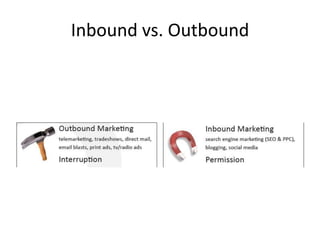
Inbound vs. Outbound

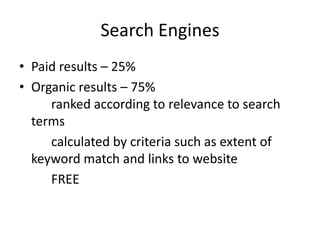
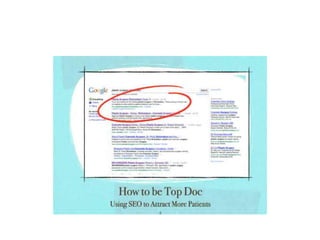
Search EnginesPaid results – 25%Organic results – 75% 											ranked according to relevance to search terms			calculated by criteria such as extent of keyword match and links to website			FREE
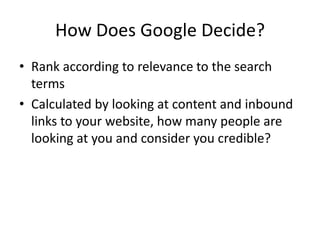
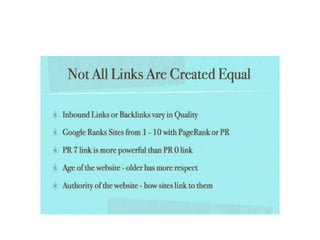
How Does Google Decide?Rank according to relevance to the search termsCalculated by looking at content and inbound links to your website, how many people are looking at you and consider you credible?
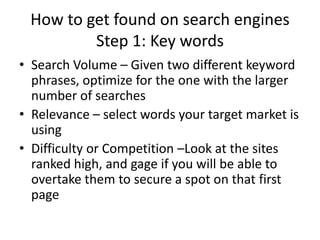
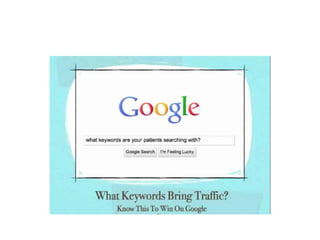
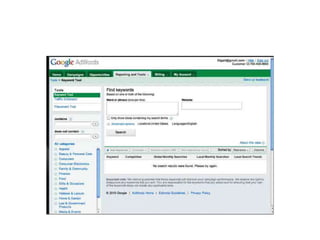
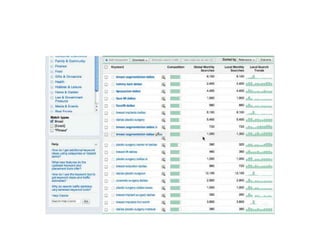
How to get found on search enginesStep 1: Key wordsSearch Volume – Given two different keyword phrases, optimize for the one with the larger number of searchesRelevance – select words your target market is usingDifficulty or Competition –Look at the sites ranked high, and gage if you will be able to overtake them to secure a spot on that first page
Step 2-onPage SEOPlace keywords in the page title, URL, headings, andpage textOptimize your page description for maximum click- through-rate when your site ranks in Google searches.Place keywords in other “invisible” places on your site,including meta-keyword tags and alt-text on images
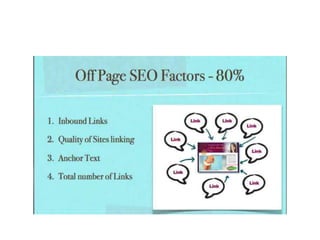
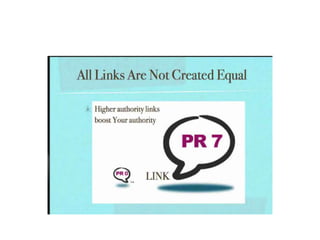
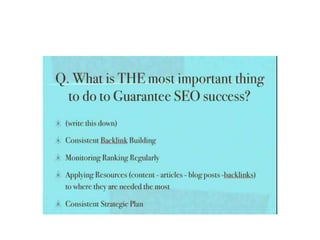
Step 3: Off-Page SEOBuild more inbound links from other sites into yoursEach link serves as a recommendation or a reference to tell the search engines that your site is a quality site.Build more links within context, i.e. those with valuable keywords in the link anchor text (the text that is hyperlinked to your site)Link anchor text provides context for the search engines to understand what your site is about.

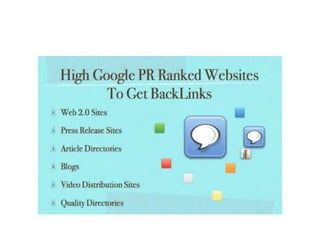
Step 3: ContinuedBuild more links from trusted websitesLink-building tips: Submit your website to directories like the 	Yahoo Directory and Business.comCommunicate with others in your industry through blogs and other social mediaCreate compelling tools (such as an interesting  calculator) and content (via a blog, for example)
STEP 4: Measure & AnalyzeTrack number of inbound links, keyword rank over time and compared to competitionMeasure real business results: number of visitors, leads, and customers from SEO
Get Found Online: BlogsBlogging is Inbound marketingBlogging helps with SEO Blogging helps with social news and networking sites Blogging is permission centric The conversation has already started… it’s time that you’re aware of it and develop a strategy for engaging in it and using it for marketing
Get Found Online: BlogsStep 1: ReadSearch for other blogs in your industry using Technorati.comor BlogSearch.Google.com.Read and subscribe to blogs via RSS (Really Simple Syndication) or email – RSS allows users to subscribe anonymously and consume content however they Want
Step 2: CommentContribute to the conversation via a comment Increase the value of the article – share an example, add a point, add a useful link, disagree, ask a questionWhy?																	 Engage in the community 								 Get noticed by other bloggers and blog 				readers 														 Get links back to your blog
STEP 3: WriteFind the right blog software Blog functionality: Make sure to use your own practiceURL (blog.mypractice.com)Blog software should allow for email and RSS subscriptions as well as integration with social media sitesSoftware should allow you to report on email and RSS subscribers over time, measure visitors and leads generated, and track search engine keyword rank compared to competitors
Step 3: Write (cont.)Your software provider to provide technical support, education and marketing expertise on how to succeed with your blogDraw in readers with your blog article titles Funny: “GoDaddy’s 16-Step Checkout: Brainless Marketing At Its Finest?”Enticing: “12 Quick Tips To Search Google Like An Expert”SEO: “Free Advertising on Google”
Step 3 Draw in ReadersOn frequency: blog at least weeklyBlog topic ideas: 		List of 5 ideas, trends, or thoughts• 		Publish a list of links• 		Take a recent experience and share it• 		Answer questions you received recently• 		Comment on other blog articles• 		Turn a press release into a blog article
Step 3: Promote Your BlogEmail friends and family• Replace email newsletter with blog• Trade guest articles with similar blogger• Promote on social media sites: digg, reddit, StumbleUpon, Facebook, LinkedIn
Step 4: Measure and AnalyzeTrack number of blog visitors and subscribers, SEO rankings, Technorati blog rankMeasure real business results: number of visitors, leads, and customers generated by your blog
Get Found Online-Social MediaGuidelines for EngagementMeet people and start conversations, become a real member of the community – don’t join to just advertise your products.Add value to the community – answer questions and help others.Ask questions – trust others’ advice
Step 2Publish, Share, and NetworkPublish: Everyone can publish anything for everyone Publish everything you have anywhere you can Monitor what others publish and promote it Empower your customers to publish
Social Media (Cont)Share:Anyone can promote anything to everyone• 		Monitor what’s being shared about you• 		Find where your audience hangs out• 		Promote valuable content, yours and others’ 		Product content your audience will love Network:		Anyone can connect with everyone from anywhere		Make friends – find your existing connections and build 			new ones		Be helpful – answer questions, share interesting content
STEP 3: Measure & AnalyzeKey metrics to consider are: number of blog visitors and subscribers, del.icio.us bookmarks, inbound links, Facebook fans and activity, friends on Facebook or LinkedIn, votes for blog articles, posts in forums.Measure real business results: number of visitors, leads, and customers generated by each social media effort
Marketing ResourcesWebsite Grader (www.websitegrader.com) – Useful tool for measuring the marketing effectiveness of your website, get a free custom report in seconds with advice for your websiteMarketing Sherpa (www.marketingsherpa.com) – A great resource for case studies and insights into marketing tactics HubSpot Internet Marketing Blog (blog.hubspot.com) – Articles about business strategy and inbound Internet marketing Web ink now (www.webinknow.com) – Online thought leadership and viral marketing strategiesHubSpot (www.hubspot.com) – Internet marketing software that helps you get found by more prospects and generate more qualified leads and sales
Search Engine Optimization

Search Engine Optimization

  • 2.
  • 3.
    Search EnginesPaid results– 25%Organic results – 75% ranked according to relevance to search terms calculated by criteria such as extent of keyword match and links to website FREE
  • 4.
    How Does GoogleDecide?Rank according to relevance to the search termsCalculated by looking at content and inbound links to your website, how many people are looking at you and consider you credible?
  • 5.
    How to getfound on search enginesStep 1: Key wordsSearch Volume – Given two different keyword phrases, optimize for the one with the larger number of searchesRelevance – select words your target market is usingDifficulty or Competition –Look at the sites ranked high, and gage if you will be able to overtake them to secure a spot on that first page
  • 6.
    Step 2-onPage SEOPlacekeywords in the page title, URL, headings, andpage textOptimize your page description for maximum click- through-rate when your site ranks in Google searches.Place keywords in other “invisible” places on your site,including meta-keyword tags and alt-text on images
  • 7.
    Step 3: Off-PageSEOBuild more inbound links from other sites into yoursEach link serves as a recommendation or a reference to tell the search engines that your site is a quality site.Build more links within context, i.e. those with valuable keywords in the link anchor text (the text that is hyperlinked to your site)Link anchor text provides context for the search engines to understand what your site is about.
  • 8.
    Step 3: ContinuedBuildmore links from trusted websitesLink-building tips: Submit your website to directories like the Yahoo Directory and Business.comCommunicate with others in your industry through blogs and other social mediaCreate compelling tools (such as an interesting calculator) and content (via a blog, for example)
  • 9.
    STEP 4: Measure& AnalyzeTrack number of inbound links, keyword rank over time and compared to competitionMeasure real business results: number of visitors, leads, and customers from SEO
  • 10.
    Get Found Online:BlogsBlogging is Inbound marketingBlogging helps with SEO Blogging helps with social news and networking sites Blogging is permission centric The conversation has already started… it’s time that you’re aware of it and develop a strategy for engaging in it and using it for marketing
  • 11.
    Get Found Online:BlogsStep 1: ReadSearch for other blogs in your industry using Technorati.comor BlogSearch.Google.com.Read and subscribe to blogs via RSS (Really Simple Syndication) or email – RSS allows users to subscribe anonymously and consume content however they Want
  • 12.
    Step 2: CommentContributeto the conversation via a comment Increase the value of the article – share an example, add a point, add a useful link, disagree, ask a questionWhy? Engage in the community Get noticed by other bloggers and blog readers Get links back to your blog
  • 13.
    STEP 3: WriteFindthe right blog software Blog functionality: Make sure to use your own practiceURL (blog.mypractice.com)Blog software should allow for email and RSS subscriptions as well as integration with social media sitesSoftware should allow you to report on email and RSS subscribers over time, measure visitors and leads generated, and track search engine keyword rank compared to competitors
  • 14.
    Step 3: Write(cont.)Your software provider to provide technical support, education and marketing expertise on how to succeed with your blogDraw in readers with your blog article titles Funny: “GoDaddy’s 16-Step Checkout: Brainless Marketing At Its Finest?”Enticing: “12 Quick Tips To Search Google Like An Expert”SEO: “Free Advertising on Google”
  • 15.
    Step 3 Drawin ReadersOn frequency: blog at least weeklyBlog topic ideas: List of 5 ideas, trends, or thoughts• Publish a list of links• Take a recent experience and share it• Answer questions you received recently• Comment on other blog articles• Turn a press release into a blog article
  • 16.
    Step 3: PromoteYour BlogEmail friends and family• Replace email newsletter with blog• Trade guest articles with similar blogger• Promote on social media sites: digg, reddit, StumbleUpon, Facebook, LinkedIn
  • 17.
    Step 4: Measureand AnalyzeTrack number of blog visitors and subscribers, SEO rankings, Technorati blog rankMeasure real business results: number of visitors, leads, and customers generated by your blog
  • 18.
    Get Found Online-SocialMediaGuidelines for EngagementMeet people and start conversations, become a real member of the community – don’t join to just advertise your products.Add value to the community – answer questions and help others.Ask questions – trust others’ advice
  • 19.
    Step 2Publish, Share,and NetworkPublish: Everyone can publish anything for everyone Publish everything you have anywhere you can Monitor what others publish and promote it Empower your customers to publish
  • 20.
    Social Media (Cont)Share:Anyonecan promote anything to everyone• Monitor what’s being shared about you• Find where your audience hangs out• Promote valuable content, yours and others’ Product content your audience will love Network: Anyone can connect with everyone from anywhere Make friends – find your existing connections and build new ones Be helpful – answer questions, share interesting content
  • 21.
    STEP 3: Measure& AnalyzeKey metrics to consider are: number of blog visitors and subscribers, del.icio.us bookmarks, inbound links, Facebook fans and activity, friends on Facebook or LinkedIn, votes for blog articles, posts in forums.Measure real business results: number of visitors, leads, and customers generated by each social media effort
  • 22.
    Marketing ResourcesWebsite Grader(www.websitegrader.com) – Useful tool for measuring the marketing effectiveness of your website, get a free custom report in seconds with advice for your websiteMarketing Sherpa (www.marketingsherpa.com) – A great resource for case studies and insights into marketing tactics HubSpot Internet Marketing Blog (blog.hubspot.com) – Articles about business strategy and inbound Internet marketing Web ink now (www.webinknow.com) – Online thought leadership and viral marketing strategiesHubSpot (www.hubspot.com) – Internet marketing software that helps you get found by more prospects and generate more qualified leads and sales