1
Chapter 1
 Software & Software Engineering
Slide Set to accompany
Software Engineering: A Practitioner’s Approach, 7/e
by Roger S. Pressman
Slides copyright Š 1996, 2001, 2005, 2009 by Roger S. Pressman
These slides are designed to accompany Software Engineering: A Practitioner’s Approach, 7/e
(McGraw-Hill 2009). Slides copyright 2009 by Roger Pressman. 2
What is Software?
Software is: (1) instructions (computer
programs) that when executed provide desired
features, function, and performance; (2) data
structures that enable the programs to
adequately manipulate information and (3)
documentation that describes the operation
and use of the programs.
These slides are designed to accompany Software Engineering: A Practitioner’s Approach, 7/e
(McGraw-Hill 2009). Slides copyright 2009 by Roger Pressman. 3
What is Software?
 Software is developed or engineered, it is not
manufactured in the classical sense.
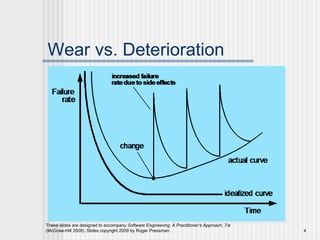
 Software doesn't "wear out."
 Although the industry is moving toward
component-based construction, most software
continues to be custom-built.
These slides are designed to accompany Software Engineering: A Practitioner’s Approach, 7/e
(McGraw-Hill 2009). Slides copyright 2009 by Roger Pressman. 4
Wear vs. Deterioration
These slides are designed to accompany Software Engineering: A Practitioner’s Approach, 7/e
(McGraw-Hill 2009). Slides copyright 2009 by Roger Pressman. 5
Software Applications
 system software
 application software
 engineering/scientific
software
 embedded software
 product-line software
 WebApps (Web
applications)
 AI software
These slides are designed to accompany Software Engineering: A Practitioner’s Approach, 7/e
(McGraw-Hill 2009). Slides copyright 2009 by Roger Pressman. 6
Software—New Categories
 Open world computing—pervasive, distributed
computing
 Ubiquitous computing—wireless networks
 Netsourcing—the Web as a computing engine
 Open source—”free” source code open to the
computing community (a blessing, but also a potential
curse!)
These slides are designed to accompany Software Engineering: A Practitioner’s Approach, 7/e
(McGraw-Hill 2009). Slides copyright 2009 by Roger Pressman. 7
Legacy Software
 software must be adapted to meet the needs
of new computing environments or
technology.
 software must be enhanced to implement new
business requirements.
 software must be extended to make it
interoperable with other more modern
systems or databases.
 software must be re-architected to make it
viable within a network environment.
Why must it change?
These slides are designed to accompany Software Engineering: A Practitioner’s Approach, 7/e
(McGraw-Hill 2009). Slides copyright 2009 by Roger Pressman. 8
Characteristics of WebApps - I
 Network intensiveness. A WebApp resides on a network and
must serve the needs of a diverse community of clients.
 Concurrency. A large number of users may access the
WebApp at one time.
 Unpredictable load. The number of users of the WebApp may
vary by orders of magnitude from day to day.
 Performance. If a WebApp user must wait too long (for
access, for server-side processing, for client-side formatting
and display), he or she may decide to go elsewhere.
 Availability. Although expectation of 100 percent availability is
unreasonable, users of popular WebApps often demand
access on a “24/7/365” basis.
These slides are designed to accompany Software Engineering: A Practitioner’s Approach, 7/e
(McGraw-Hill 2009). Slides copyright 2009 by Roger Pressman. 9
Characteristics of WebApps - II
 Data driven. The primary function of many WebApps is to use
hypermedia to present text, graphics, audio, and video content to
the end-user.
 Content sensitive. The quality and aesthetic nature of content
remains an important determinant of the quality of a WebApp.
 Continuous evolution. Unlike conventional application software
that evolves over a series of planned, chronologically-spaced
releases, Web applications evolve continuously.
 Immediacy. Although immediacy—the compelling need to get
software to market quickly—is a characteristic of many application
domains, WebApps often exhibit a time to market that can be a
matter of a few days or weeks.
 Security. Because WebApps are available via network access, it
is difficult, if not impossible, to limit the population of end-users
who may access the application.
 Aesthetics. An undeniable part of the appeal of a WebApp is its
look and feel.
These slides are designed to accompany Software Engineering: A Practitioner’s Approach, 7/e
(McGraw-Hill 2009). Slides copyright 2009 by Roger Pressman. 10
Software Engineering
 Some realities:
 a concerted effort should be made to understand the
problem before a software solution is developed
 design becomes a pivotal activity
 software should exhibit high quality
 software should be maintainable
 The seminal definition:
 [Software engineering is] the establishment and use of
sound engineering principles in order to obtain
economically software that is reliable and works efficiently
on real machines.
These slides are designed to accompany Software Engineering: A Practitioner’s Approach, 7/e
(McGraw-Hill 2009). Slides copyright 2009 by Roger Pressman. 11
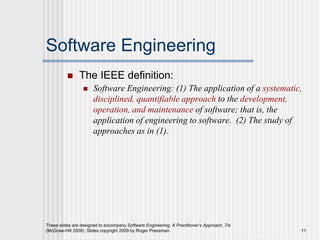
Software Engineering
 The IEEE definition:
 Software Engineering: (1) The application of a systematic,
disciplined, quantifiable approach to the development,
operation, and maintenance of software; that is, the
application of engineering to software. (2) The study of
approaches as in (1).
These slides are designed to accompany Software Engineering: A Practitioner’s Approach, 7/e
(McGraw-Hill 2009). Slides copyright 2009 by Roger Pressman. 12
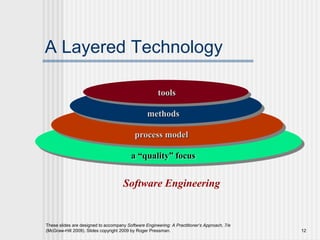
A Layered Technology
Software Engineering
a “quality” focus
process model
methods
tools
These slides are designed to accompany Software Engineering: A Practitioner’s Approach, 7/e
(McGraw-Hill 2009). Slides copyright 2009 by Roger Pressman. 13
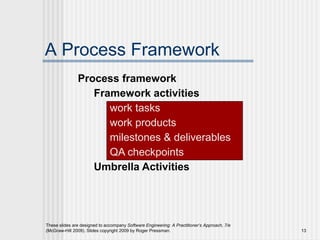
A Process Framework
Process framework
Framework activities
work tasks
work products
milestones & deliverables
QA checkpoints
Umbrella Activities
These slides are designed to accompany Software Engineering: A Practitioner’s Approach, 7/e
(McGraw-Hill 2009). Slides copyright 2009 by Roger Pressman. 14
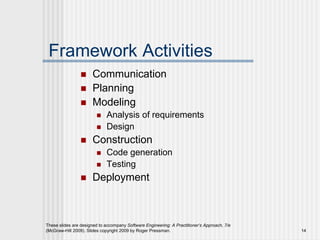
Framework Activities
 Communication
 Planning
 Modeling
 Analysis of requirements
 Design
 Construction
 Code generation
 Testing
 Deployment
These slides are designed to accompany Software Engineering: A Practitioner’s Approach, 7/e
(McGraw-Hill 2009). Slides copyright 2009 by Roger Pressman. 15
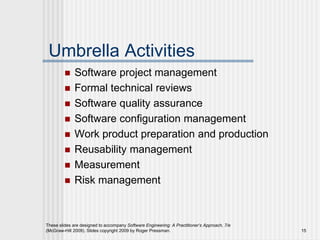
Umbrella Activities
 Software project management
 Formal technical reviews
 Software quality assurance
 Software configuration management
 Work product preparation and production
 Reusability management
 Measurement
 Risk management
These slides are designed to accompany Software Engineering: A Practitioner’s Approach, 7/e
(McGraw-Hill 2009). Slides copyright 2009 by Roger Pressman. 16
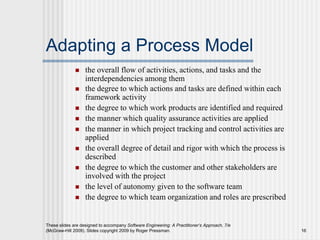
Adapting a Process Model
 the overall flow of activities, actions, and tasks and the
interdependencies among them
 the degree to which actions and tasks are defined within each
framework activity
 the degree to which work products are identified and required
 the manner which quality assurance activities are applied
 the manner in which project tracking and control activities are
applied
 the overall degree of detail and rigor with which the process is
described
 the degree to which the customer and other stakeholders are
involved with the project
 the level of autonomy given to the software team
 the degree to which team organization and roles are prescribed
These slides are designed to accompany Software Engineering: A Practitioner’s Approach, 7/e
(McGraw-Hill 2009). Slides copyright 2009 by Roger Pressman. 17
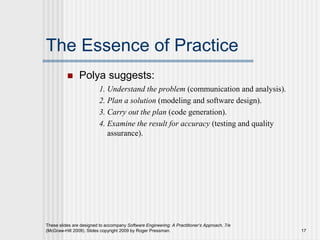
The Essence of Practice
 Polya suggests:
1. Understand the problem (communication and analysis).
2. Plan a solution (modeling and software design).
3. Carry out the plan (code generation).
4. Examine the result for accuracy (testing and quality
assurance).
18
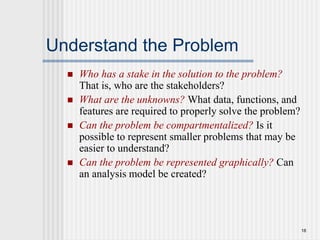
Understand the Problem
 Who has a stake in the solution to the problem?
That is, who are the stakeholders?
 What are the unknowns? What data, functions, and
features are required to properly solve the problem?
 Can the problem be compartmentalized? Is it
possible to represent smaller problems that may be
easier to understand?
 Can the problem be represented graphically? Can
an analysis model be created?
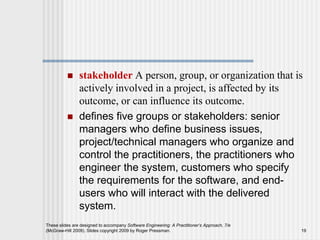
 stakeholder A person, group, or organization that is
actively involved in a project, is affected by its
outcome, or can influence its outcome.
 defines five groups or stakeholders: senior
managers who define business issues,
project/technical managers who organize and
control the practitioners, the practitioners who
engineer the system, customers who specify
the requirements for the software, and end-
users who will interact with the delivered
system.
These slides are designed to accompany Software Engineering: A Practitioner’s Approach, 7/e
(McGraw-Hill 2009). Slides copyright 2009 by Roger Pressman. 19
These slides are designed to accompany Software Engineering: A Practitioner’s Approach, 7/e
(McGraw-Hill 2009). Slides copyright 2009 by Roger Pressman. 20
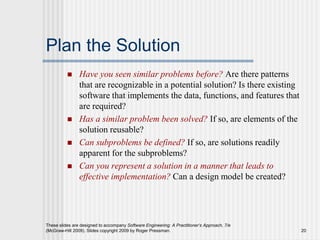
Plan the Solution
 Have you seen similar problems before? Are there patterns
that are recognizable in a potential solution? Is there existing
software that implements the data, functions, and features that
are required?
 Has a similar problem been solved? If so, are elements of the
solution reusable?
 Can subproblems be defined? If so, are solutions readily
apparent for the subproblems?
 Can you represent a solution in a manner that leads to
effective implementation? Can a design model be created?
These slides are designed to accompany Software Engineering: A Practitioner’s Approach, 7/e
(McGraw-Hill 2009). Slides copyright 2009 by Roger Pressman. 21
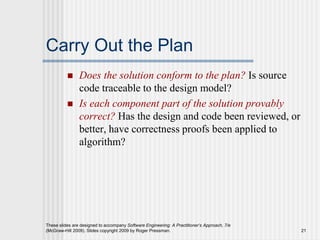
Carry Out the Plan
 Does the solution conform to the plan? Is source
code traceable to the design model?
 Is each component part of the solution provably
correct? Has the design and code been reviewed, or
better, have correctness proofs been applied to
algorithm?
These slides are designed to accompany Software Engineering: A Practitioner’s Approach, 7/e
(McGraw-Hill 2009). Slides copyright 2009 by Roger Pressman. 22
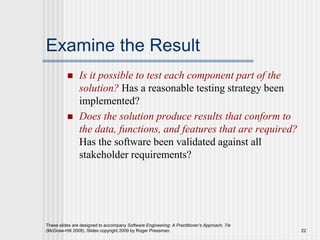
Examine the Result
 Is it possible to test each component part of the
solution? Has a reasonable testing strategy been
implemented?
 Does the solution produce results that conform to
the data, functions, and features that are required?
Has the software been validated against all
stakeholder requirements?
These slides are designed to accompany Software Engineering: A Practitioner’s Approach, 7/e
(McGraw-Hill 2009). Slides copyright 2009 by Roger Pressman. 23
Hooker’s General Principles
96
 1: The Reason It All Exists
 2: Keep It Simple, Stupid!
 3: Maintain the Vision
 4: What You Produce, Others Will Consume
 5: Be Open to the Future
 6: Plan Ahead for Reuse
 7: Think!
Maintain the Vision
 “Take to market a copier that is small,
inexpensive, and reliable enough for personal
use on a secretary’s desk.”
 “Design an onboarding program that quickly
transforms new employees into valuable long-
term contributors.”
 Aerospace company Boeing undertook its 777
program “Denver to Honolulu on a hot day.”
 Simple Actionable Engaging Collaborative
Forward-thinking Specific
These slides are designed to accompany Software Engineering: A Practitioner’s Approach, 7/e
(McGraw-Hill 2009). Slides copyright 2009 by Roger Pressman. 24
These slides are designed to accompany Software Engineering: A Practitioner’s Approach, 7/e
(McGraw-Hill 2009). Slides copyright 2009 by Roger Pressman. 25
Software Myths
 Affect managers, customers (and
other non-technical stakeholders)
and practitioners
 Are believable because they often
have elements of truth,
but …
 Invariably lead to bad decisions,
therefore …
 Insist on reality as you navigate your
way through software engineering
26
How It all Starts
 SafeHome:
 Every software project is precipitated by some business
need—
• the need to correct a defect in an existing application;
• the need to the need to adapt a ‘legacy system’ to a changing
business environment;
• the need to extend the functions and features of an existing
application, or
• the need to create a new product, service, or system.

SE CHAPTER 1 SOFTWARE ENGINEERING

  • 1.
    1 Chapter 1  Software& Software Engineering Slide Set to accompany Software Engineering: A Practitioner’s Approach, 7/e by Roger S. Pressman Slides copyright © 1996, 2001, 2005, 2009 by Roger S. Pressman
  • 2.
    These slides aredesigned to accompany Software Engineering: A Practitioner’s Approach, 7/e (McGraw-Hill 2009). Slides copyright 2009 by Roger Pressman. 2 What is Software? Software is: (1) instructions (computer programs) that when executed provide desired features, function, and performance; (2) data structures that enable the programs to adequately manipulate information and (3) documentation that describes the operation and use of the programs.
  • 3.
    These slides aredesigned to accompany Software Engineering: A Practitioner’s Approach, 7/e (McGraw-Hill 2009). Slides copyright 2009 by Roger Pressman. 3 What is Software?  Software is developed or engineered, it is not manufactured in the classical sense.  Software doesn't "wear out."  Although the industry is moving toward component-based construction, most software continues to be custom-built.
  • 4.
    These slides aredesigned to accompany Software Engineering: A Practitioner’s Approach, 7/e (McGraw-Hill 2009). Slides copyright 2009 by Roger Pressman. 4 Wear vs. Deterioration
  • 5.
    These slides aredesigned to accompany Software Engineering: A Practitioner’s Approach, 7/e (McGraw-Hill 2009). Slides copyright 2009 by Roger Pressman. 5 Software Applications  system software  application software  engineering/scientific software  embedded software  product-line software  WebApps (Web applications)  AI software
  • 6.
    These slides aredesigned to accompany Software Engineering: A Practitioner’s Approach, 7/e (McGraw-Hill 2009). Slides copyright 2009 by Roger Pressman. 6 Software—New Categories  Open world computing—pervasive, distributed computing  Ubiquitous computing—wireless networks  Netsourcing—the Web as a computing engine  Open source—”free” source code open to the computing community (a blessing, but also a potential curse!)
  • 7.
    These slides aredesigned to accompany Software Engineering: A Practitioner’s Approach, 7/e (McGraw-Hill 2009). Slides copyright 2009 by Roger Pressman. 7 Legacy Software  software must be adapted to meet the needs of new computing environments or technology.  software must be enhanced to implement new business requirements.  software must be extended to make it interoperable with other more modern systems or databases.  software must be re-architected to make it viable within a network environment. Why must it change?
  • 8.
    These slides aredesigned to accompany Software Engineering: A Practitioner’s Approach, 7/e (McGraw-Hill 2009). Slides copyright 2009 by Roger Pressman. 8 Characteristics of WebApps - I  Network intensiveness. A WebApp resides on a network and must serve the needs of a diverse community of clients.  Concurrency. A large number of users may access the WebApp at one time.  Unpredictable load. The number of users of the WebApp may vary by orders of magnitude from day to day.  Performance. If a WebApp user must wait too long (for access, for server-side processing, for client-side formatting and display), he or she may decide to go elsewhere.  Availability. Although expectation of 100 percent availability is unreasonable, users of popular WebApps often demand access on a “24/7/365” basis.
  • 9.
    These slides aredesigned to accompany Software Engineering: A Practitioner’s Approach, 7/e (McGraw-Hill 2009). Slides copyright 2009 by Roger Pressman. 9 Characteristics of WebApps - II  Data driven. The primary function of many WebApps is to use hypermedia to present text, graphics, audio, and video content to the end-user.  Content sensitive. The quality and aesthetic nature of content remains an important determinant of the quality of a WebApp.  Continuous evolution. Unlike conventional application software that evolves over a series of planned, chronologically-spaced releases, Web applications evolve continuously.  Immediacy. Although immediacy—the compelling need to get software to market quickly—is a characteristic of many application domains, WebApps often exhibit a time to market that can be a matter of a few days or weeks.  Security. Because WebApps are available via network access, it is difficult, if not impossible, to limit the population of end-users who may access the application.  Aesthetics. An undeniable part of the appeal of a WebApp is its look and feel.
  • 10.
    These slides aredesigned to accompany Software Engineering: A Practitioner’s Approach, 7/e (McGraw-Hill 2009). Slides copyright 2009 by Roger Pressman. 10 Software Engineering  Some realities:  a concerted effort should be made to understand the problem before a software solution is developed  design becomes a pivotal activity  software should exhibit high quality  software should be maintainable  The seminal definition:  [Software engineering is] the establishment and use of sound engineering principles in order to obtain economically software that is reliable and works efficiently on real machines.
  • 11.
    These slides aredesigned to accompany Software Engineering: A Practitioner’s Approach, 7/e (McGraw-Hill 2009). Slides copyright 2009 by Roger Pressman. 11 Software Engineering  The IEEE definition:  Software Engineering: (1) The application of a systematic, disciplined, quantifiable approach to the development, operation, and maintenance of software; that is, the application of engineering to software. (2) The study of approaches as in (1).
  • 12.
    These slides aredesigned to accompany Software Engineering: A Practitioner’s Approach, 7/e (McGraw-Hill 2009). Slides copyright 2009 by Roger Pressman. 12 A Layered Technology Software Engineering a “quality” focus process model methods tools
  • 13.
    These slides aredesigned to accompany Software Engineering: A Practitioner’s Approach, 7/e (McGraw-Hill 2009). Slides copyright 2009 by Roger Pressman. 13 A Process Framework Process framework Framework activities work tasks work products milestones & deliverables QA checkpoints Umbrella Activities
  • 14.
    These slides aredesigned to accompany Software Engineering: A Practitioner’s Approach, 7/e (McGraw-Hill 2009). Slides copyright 2009 by Roger Pressman. 14 Framework Activities  Communication  Planning  Modeling  Analysis of requirements  Design  Construction  Code generation  Testing  Deployment
  • 15.
    These slides aredesigned to accompany Software Engineering: A Practitioner’s Approach, 7/e (McGraw-Hill 2009). Slides copyright 2009 by Roger Pressman. 15 Umbrella Activities  Software project management  Formal technical reviews  Software quality assurance  Software configuration management  Work product preparation and production  Reusability management  Measurement  Risk management
  • 16.
    These slides aredesigned to accompany Software Engineering: A Practitioner’s Approach, 7/e (McGraw-Hill 2009). Slides copyright 2009 by Roger Pressman. 16 Adapting a Process Model  the overall flow of activities, actions, and tasks and the interdependencies among them  the degree to which actions and tasks are defined within each framework activity  the degree to which work products are identified and required  the manner which quality assurance activities are applied  the manner in which project tracking and control activities are applied  the overall degree of detail and rigor with which the process is described  the degree to which the customer and other stakeholders are involved with the project  the level of autonomy given to the software team  the degree to which team organization and roles are prescribed
  • 17.
    These slides aredesigned to accompany Software Engineering: A Practitioner’s Approach, 7/e (McGraw-Hill 2009). Slides copyright 2009 by Roger Pressman. 17 The Essence of Practice  Polya suggests: 1. Understand the problem (communication and analysis). 2. Plan a solution (modeling and software design). 3. Carry out the plan (code generation). 4. Examine the result for accuracy (testing and quality assurance).
  • 18.
    18 Understand the Problem Who has a stake in the solution to the problem? That is, who are the stakeholders?  What are the unknowns? What data, functions, and features are required to properly solve the problem?  Can the problem be compartmentalized? Is it possible to represent smaller problems that may be easier to understand?  Can the problem be represented graphically? Can an analysis model be created?
  • 19.
     stakeholder Aperson, group, or organization that is actively involved in a project, is affected by its outcome, or can influence its outcome.  defines five groups or stakeholders: senior managers who define business issues, project/technical managers who organize and control the practitioners, the practitioners who engineer the system, customers who specify the requirements for the software, and end- users who will interact with the delivered system. These slides are designed to accompany Software Engineering: A Practitioner’s Approach, 7/e (McGraw-Hill 2009). Slides copyright 2009 by Roger Pressman. 19
  • 20.
    These slides aredesigned to accompany Software Engineering: A Practitioner’s Approach, 7/e (McGraw-Hill 2009). Slides copyright 2009 by Roger Pressman. 20 Plan the Solution  Have you seen similar problems before? Are there patterns that are recognizable in a potential solution? Is there existing software that implements the data, functions, and features that are required?  Has a similar problem been solved? If so, are elements of the solution reusable?  Can subproblems be defined? If so, are solutions readily apparent for the subproblems?  Can you represent a solution in a manner that leads to effective implementation? Can a design model be created?
  • 21.
    These slides aredesigned to accompany Software Engineering: A Practitioner’s Approach, 7/e (McGraw-Hill 2009). Slides copyright 2009 by Roger Pressman. 21 Carry Out the Plan  Does the solution conform to the plan? Is source code traceable to the design model?  Is each component part of the solution provably correct? Has the design and code been reviewed, or better, have correctness proofs been applied to algorithm?
  • 22.
    These slides aredesigned to accompany Software Engineering: A Practitioner’s Approach, 7/e (McGraw-Hill 2009). Slides copyright 2009 by Roger Pressman. 22 Examine the Result  Is it possible to test each component part of the solution? Has a reasonable testing strategy been implemented?  Does the solution produce results that conform to the data, functions, and features that are required? Has the software been validated against all stakeholder requirements?
  • 23.
    These slides aredesigned to accompany Software Engineering: A Practitioner’s Approach, 7/e (McGraw-Hill 2009). Slides copyright 2009 by Roger Pressman. 23 Hooker’s General Principles 96  1: The Reason It All Exists  2: Keep It Simple, Stupid!  3: Maintain the Vision  4: What You Produce, Others Will Consume  5: Be Open to the Future  6: Plan Ahead for Reuse  7: Think!
  • 24.
    Maintain the Vision “Take to market a copier that is small, inexpensive, and reliable enough for personal use on a secretary’s desk.”  “Design an onboarding program that quickly transforms new employees into valuable long- term contributors.”  Aerospace company Boeing undertook its 777 program “Denver to Honolulu on a hot day.”  Simple Actionable Engaging Collaborative Forward-thinking Specific These slides are designed to accompany Software Engineering: A Practitioner’s Approach, 7/e (McGraw-Hill 2009). Slides copyright 2009 by Roger Pressman. 24
  • 25.
    These slides aredesigned to accompany Software Engineering: A Practitioner’s Approach, 7/e (McGraw-Hill 2009). Slides copyright 2009 by Roger Pressman. 25 Software Myths  Affect managers, customers (and other non-technical stakeholders) and practitioners  Are believable because they often have elements of truth, but …  Invariably lead to bad decisions, therefore …  Insist on reality as you navigate your way through software engineering
  • 26.
    26 How It allStarts  SafeHome:  Every software project is precipitated by some business need— • the need to correct a defect in an existing application; • the need to the need to adapt a ‘legacy system’ to a changing business environment; • the need to extend the functions and features of an existing application, or • the need to create a new product, service, or system.