SAP
An Introduction
Agenda
What We Will Do…
 Provide a high level overview of what SAP is
 SAP Authorization Concept
 Provide an introduction to Auditing ITGC’s in SAP
 Segregation of Duties in SAP
What is SAP?
What does SAP stand for?
 Systeme, Anwendungen, Produkte in der Datenverarbeitung
Systems,
Applications and
Products in Data Processing
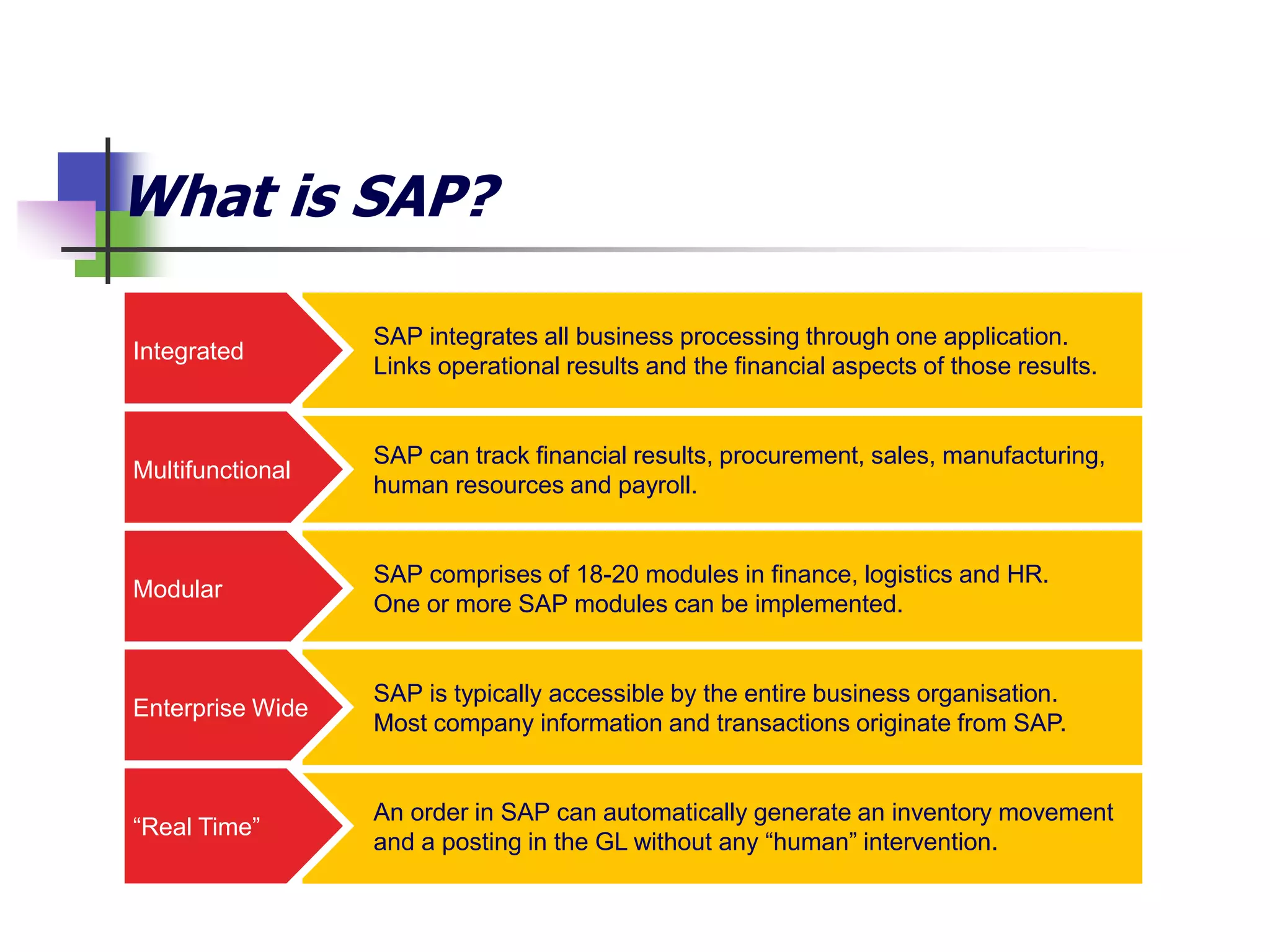
What is SAP?
An order in SAP can automatically generate an inventory movement
and a posting in the GL without any “human” intervention.
SAP can track financial results, procurement, sales, manufacturing,
human resources and payroll.
SAP integrates all business processing through one application.
Links operational results and the financial aspects of those results.
SAP comprises of 18-20 modules in finance, logistics and HR.
One or more SAP modules can be implemented.
SAP is typically accessible by the entire business organisation.
Most company information and transactions originate from SAP.
Integrated
Multifunctional
Modular
Enterprise Wide
“Real Time”
Overview of an SAP Environment
Business process
Controls
(incl. automated,
manual, BPR)
IT General
Controls
Management
reporting
and end-user
controls
SAP configurable controls
SAP Authorisations/User profiles
SAP Basis Module
Database
Operating System and other Infrastructure controls
Database
Infrastructure
Layer
Application Layer
Presentation Layer
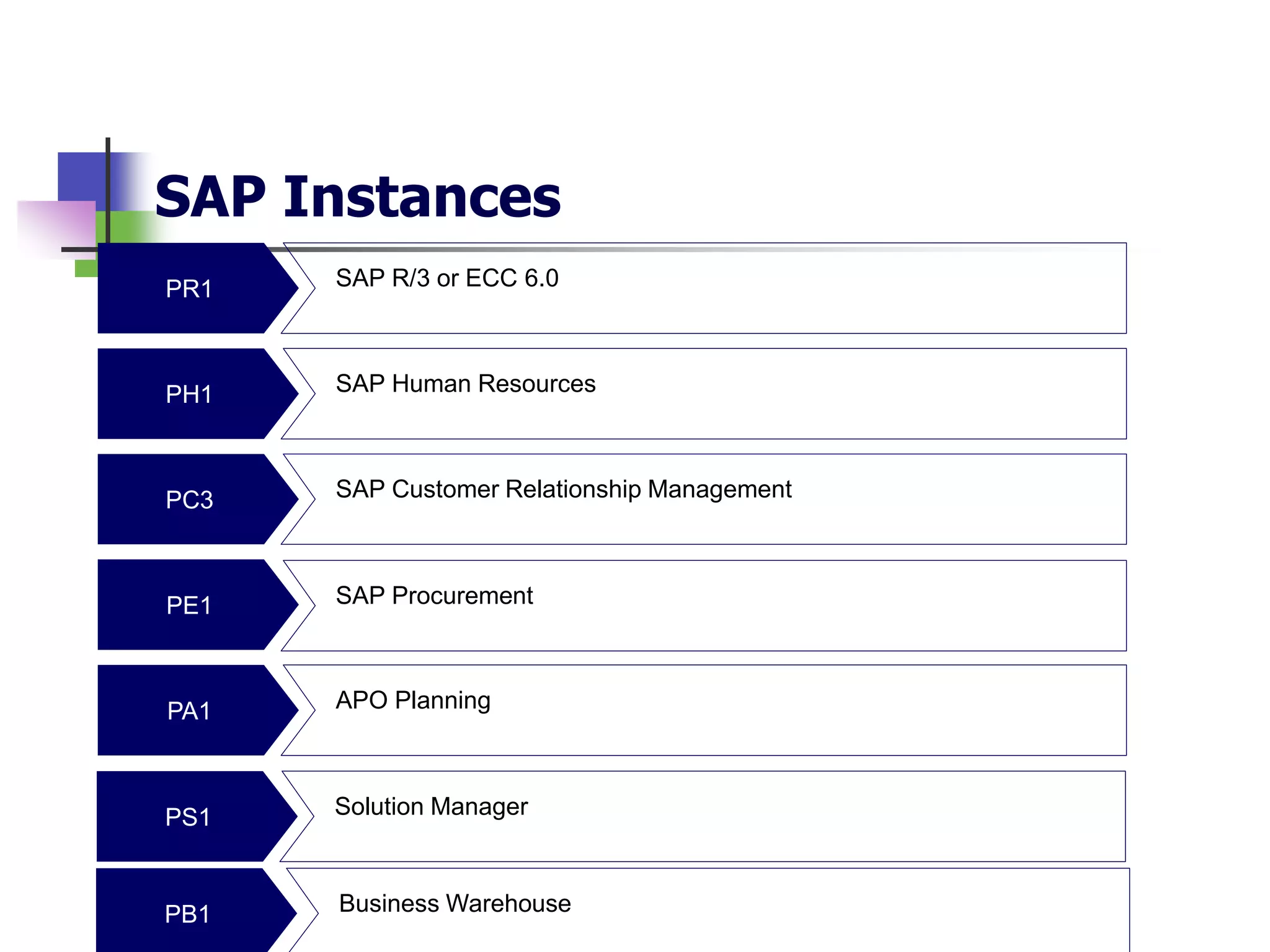
SAP Instances
PR1
PH1
PC3
PE1
PA1
SAP R/3 or ECC 6.0
APO Planning
SAP Human Resources
SAP Customer Relationship Management
SAP Procurement
PS1 Solution Manager
PB1 Business Warehouse
SAP Authorization Concept
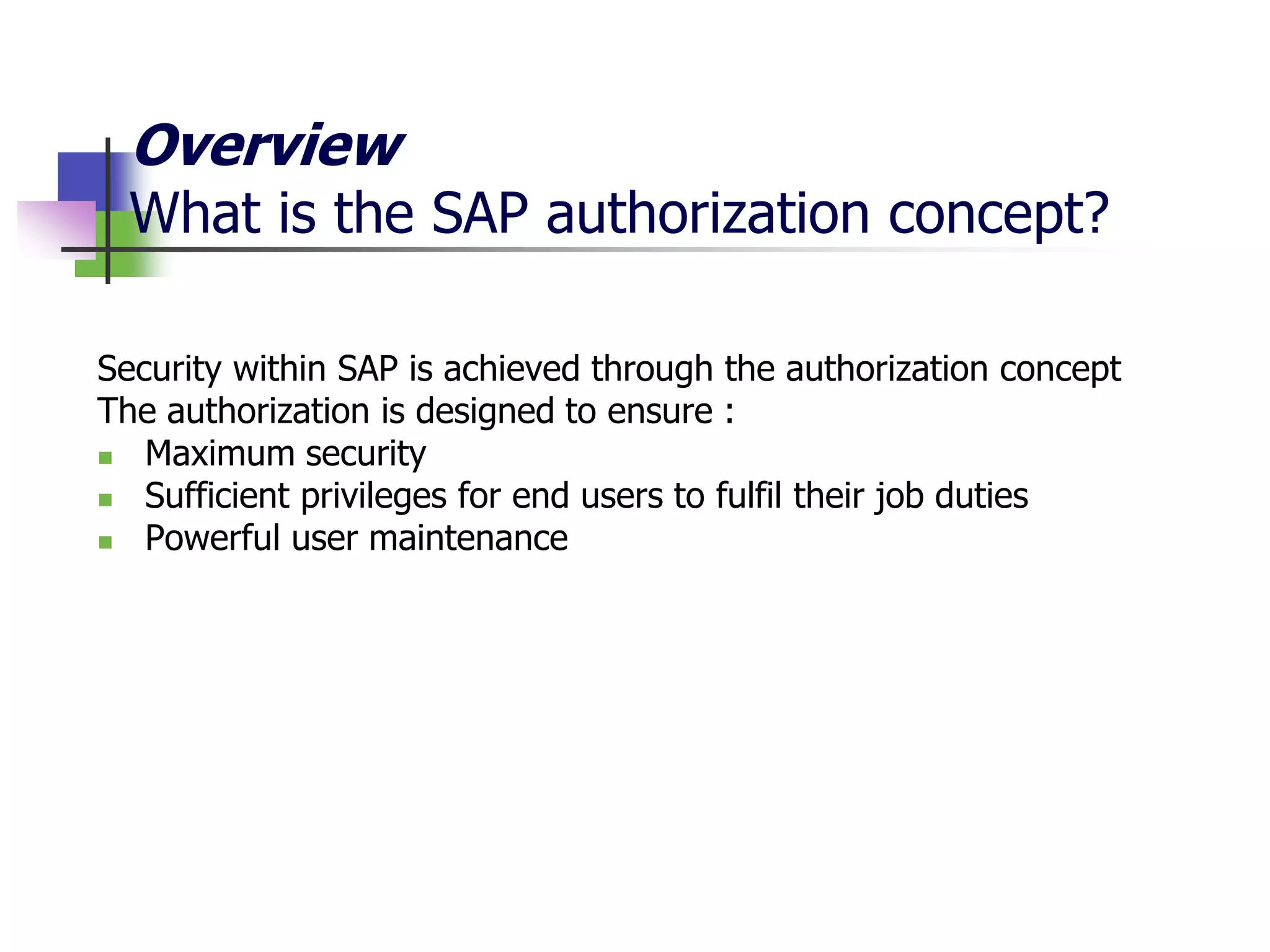
Overview
What is the SAP authorization concept?
Security within SAP is achieved through the authorization concept
The authorization is designed to ensure :
 Maximum security
 Sufficient privileges for end users to fulfil their job duties
 Powerful user maintenance
User master record
User requires valid
user-ID and password
T-code check
User requires an
authorization for
transactions
Authority check
User requires an
authorization for
underlying
authorization objects
and field values
1
2
3
Overview
Three levels of security in SAP
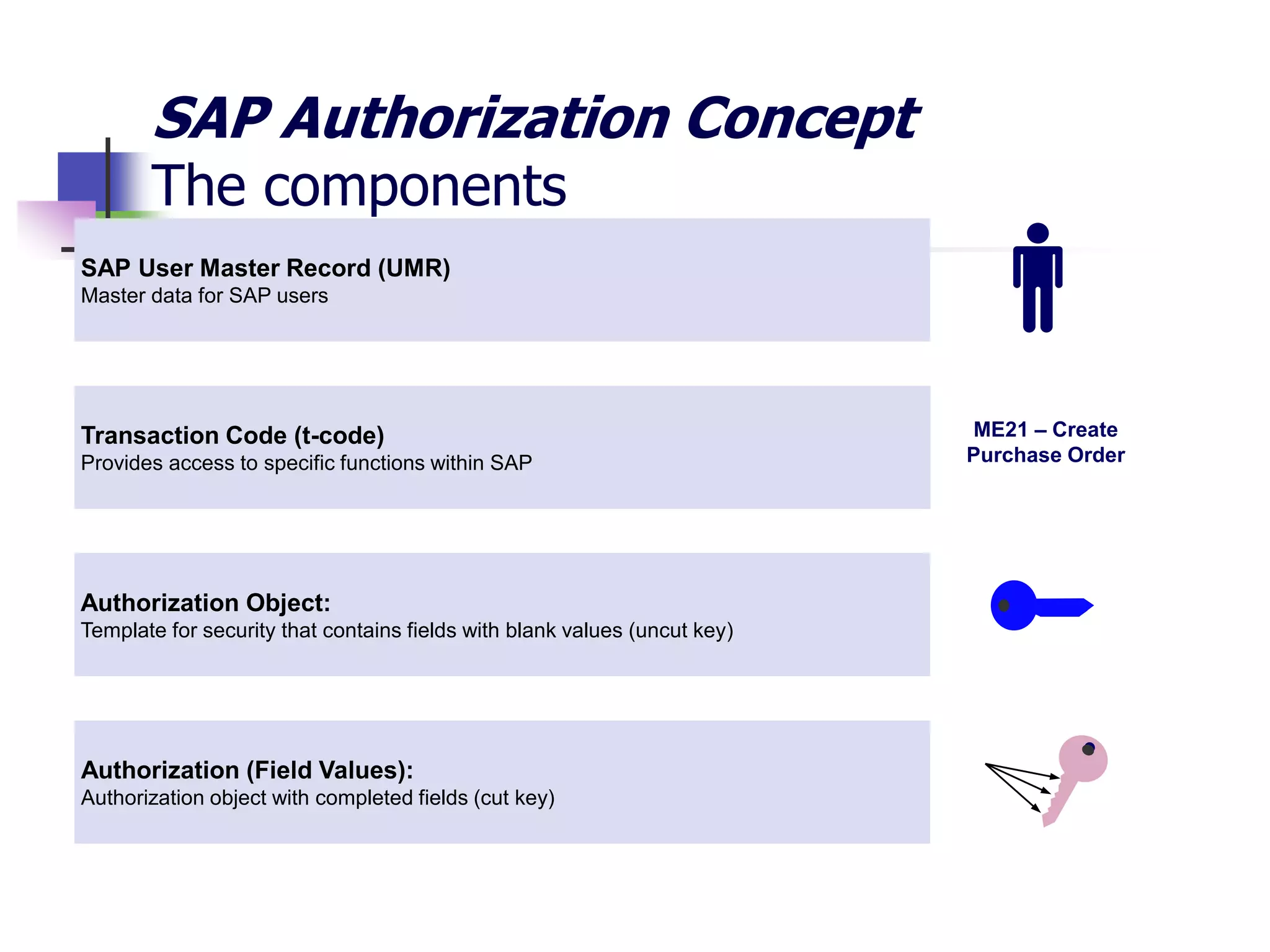
Transaction Code (t-code)
Provides access to specific functions within SAP
Authorization Object:
Template for security that contains fields with blank values (uncut key)
SAP User Master Record (UMR)
Master data for SAP users
Authorization (Field Values):
Authorization object with completed fields (cut key)
ME21 – Create
Purchase Order
SAP Authorization Concept
The components
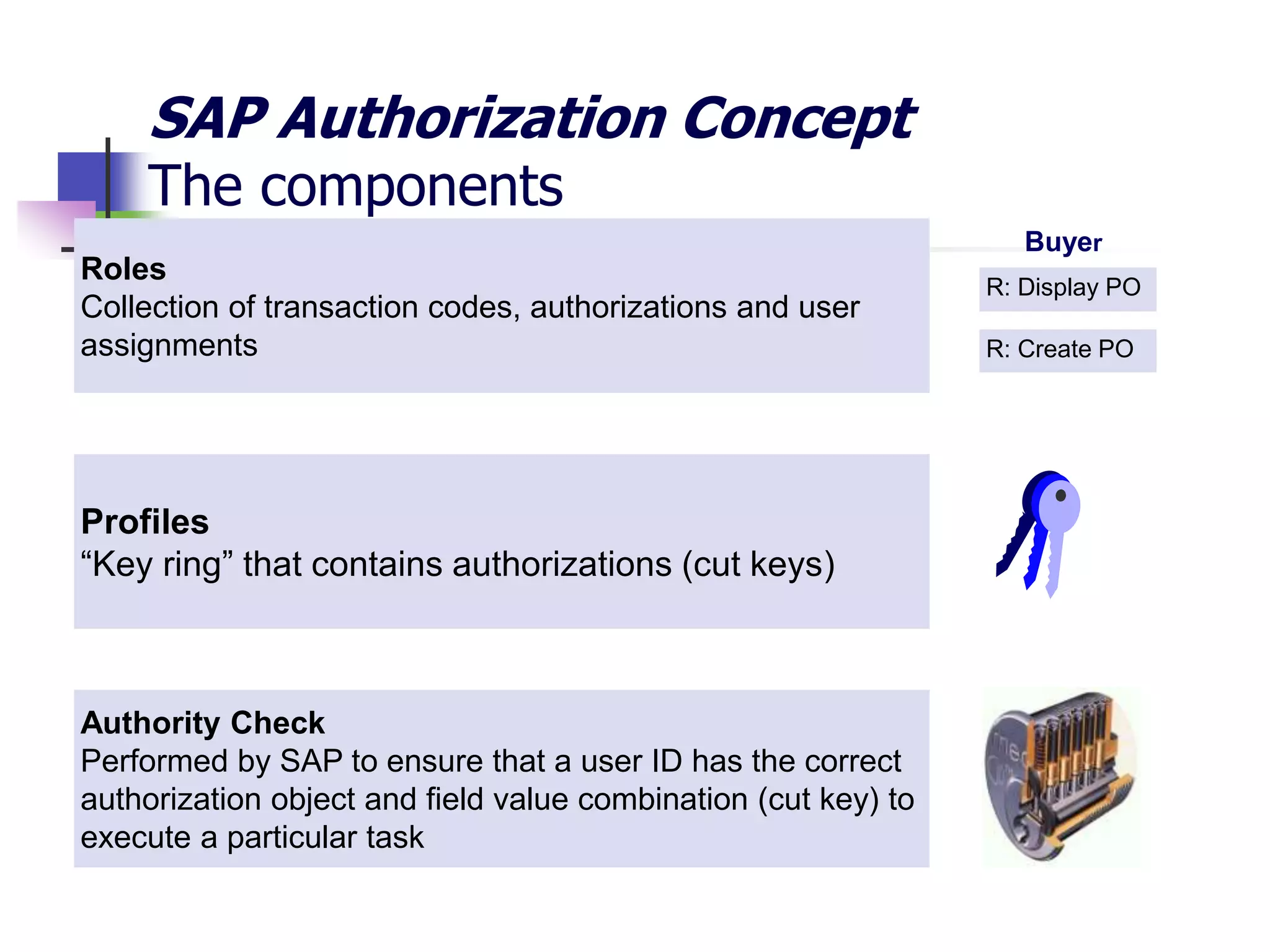
Profiles
“Key ring” that contains authorizations (cut keys)
Authority Check
Performed by SAP to ensure that a user ID has the correct
authorization object and field value combination (cut key) to
execute a particular task
Roles
Collection of transaction codes, authorizations and user
assignments
R: Display PO
R: Create PO
Buyer
SAP Authorization Concept
The components
SAP Authorization Concept
Bringing it all together
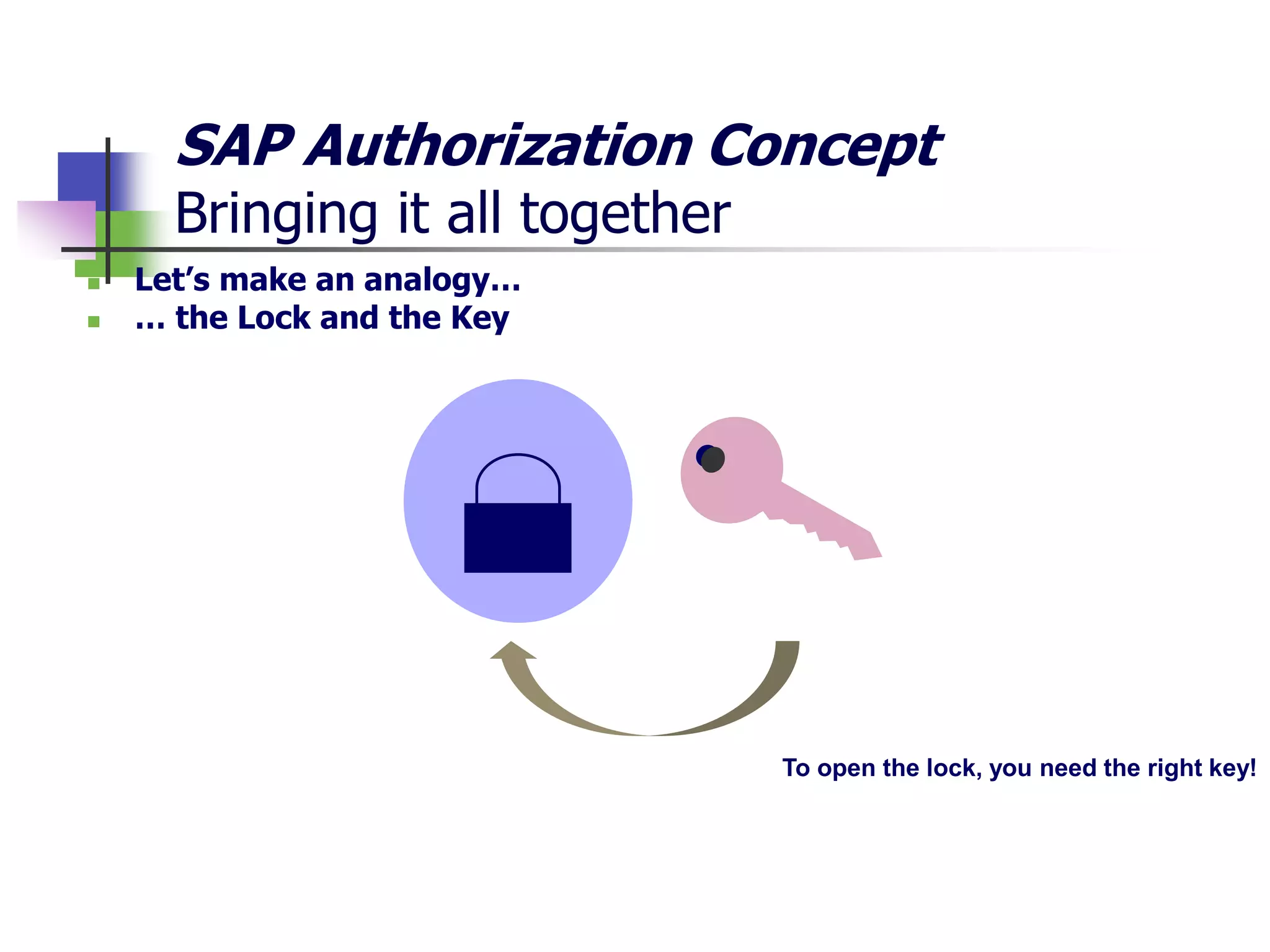
 Let’s make an analogy…
 … the Lock and the Key
To open the lock, you need the right key!
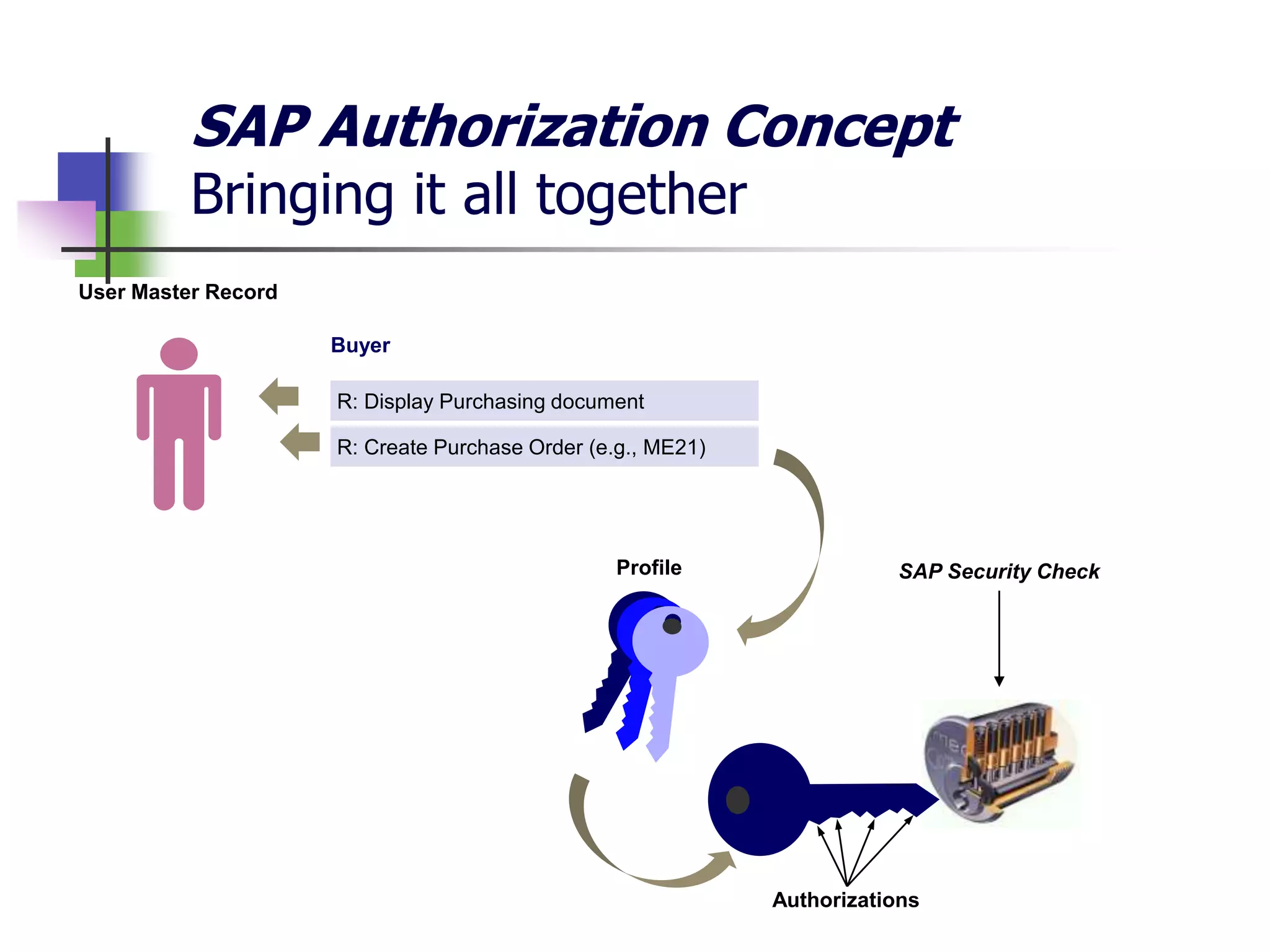
Profile SAP Security Check
Authorizations
User Master Record
R: Display Purchasing document
R: Create Purchase Order (e.g., ME21)
Buyer
SAP Authorization Concept
Bringing it all together
Auditing ITGC’s in SAP
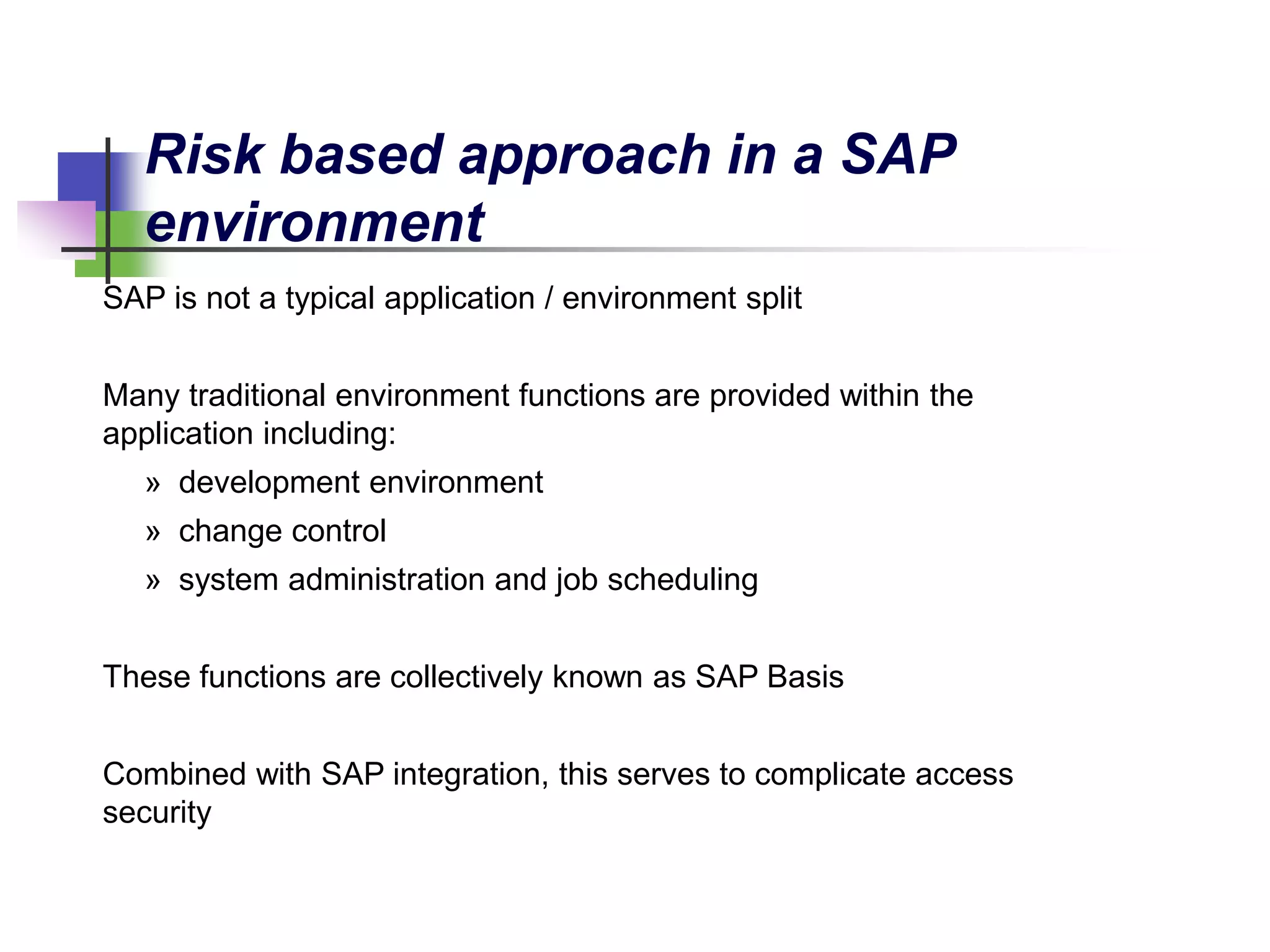
SAP is not a typical application / environment split
Many traditional environment functions are provided within the
application including:
» development environment
» change control
» system administration and job scheduling
These functions are collectively known as SAP Basis
Combined with SAP integration, this serves to complicate access
security
Risk based approach in a SAP
environment
SAP allows more comprehensive functionality and control, however,
the following needs to be considered:
− Financial transactions are executed throughout the business
making segregation of duties control key
− The SAP access mechanism is complex making security and
segregation of duties a key risk
− Configuration has a large impact to the overall business process
and controls
Risk based approach in a
SAP environment
Key IT General Control Domains
• Consider tests for controls around:
• Access to programs and data
• Changes made to the system (Change management)
• Computer operations
• Weaknesses identified within the IT general controls can potentially
undermine confirmed and tested automated controls and access controls
at the business process level
Key Areas within the SAP environment
Access to Programs and Data
• Key areas to consider include:
• SAP system settings including password parameters
• Access to user administration functions including defining and
assigning profiles to users (Profile Generator)
• Access to run programs/ transaction codes
• Assignment of SAP_ALL, SAP_NEW, other sensitive profiles
• Default passwords of SAP supplied accounts (SAP*, DDIC,
Earlywatch, SAPCPIC etc.)
• Management and review of User IDs and generic User IDs
• Use of audit logs (SAP Table Logging)
• Key areas to consider include:
• Customised programs and tables should be assigned to
appropriate authorisation groups.
• Ability to unlock production environment to make direct changes
to production is restricted and monitored
• Segregation of duties within the change management process
including developer, customizer and approver of the program
change/transport
• Changes to SAP tables and data dictionary in the production
environment is minimized
Key Areas within the SAP environment
Change Management
Key Areas within the SAP environment
Computer Operations
• Key areas to consider include:
• Batch jobs and interface processing should be regularly
monitored, with access to amend them restricted
• Batch jobs run under ANOTHER user should be restricted to
appropriate personnel
• Batch jobs run under ANY user should be completely restricted
• Operating and database system administrator access should be
restricted
Auditing SAP
Segregation of Duties
Example
SOD – Framework – Overview
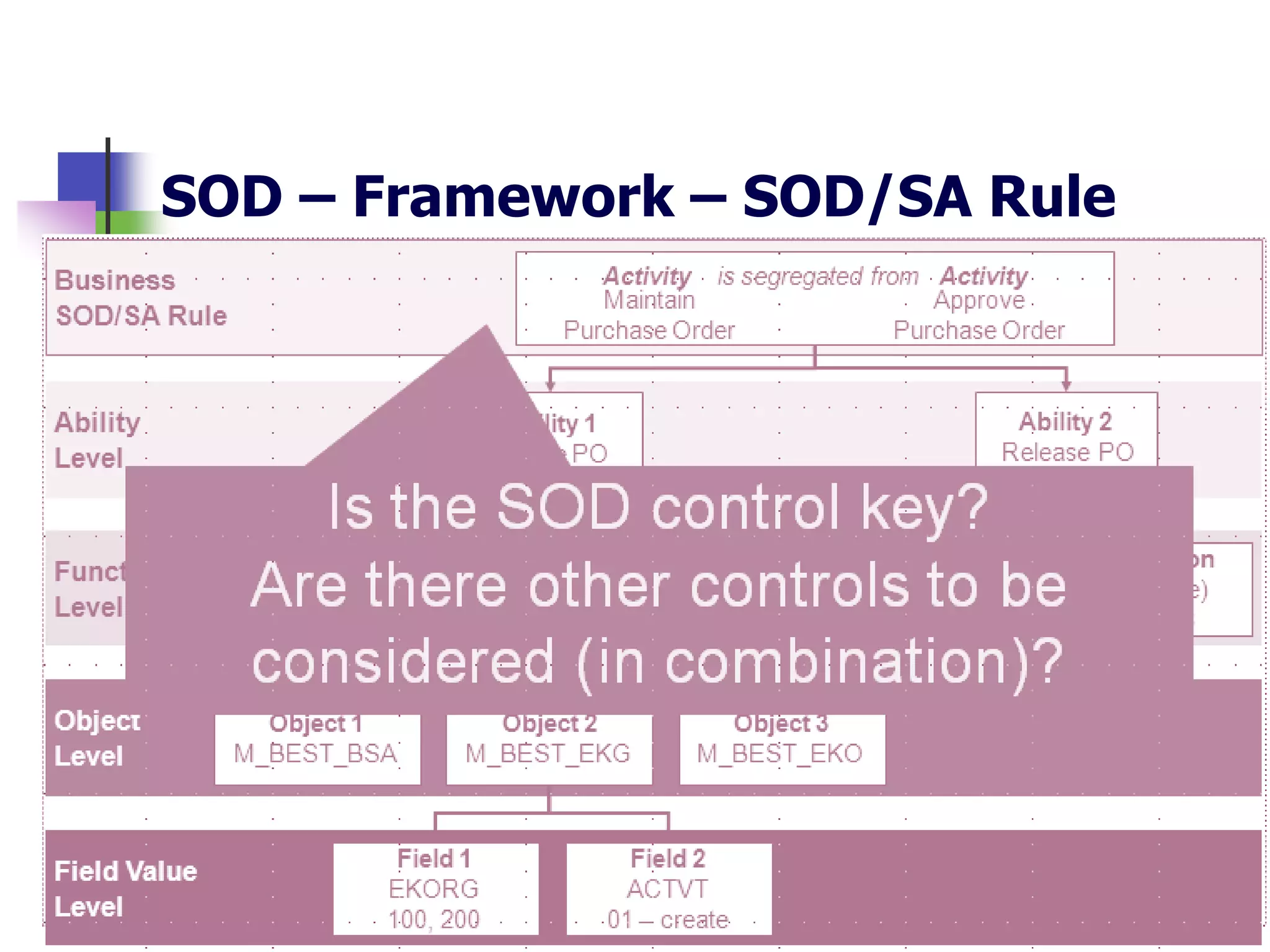
SOD – Framework – SOD/SA Rule
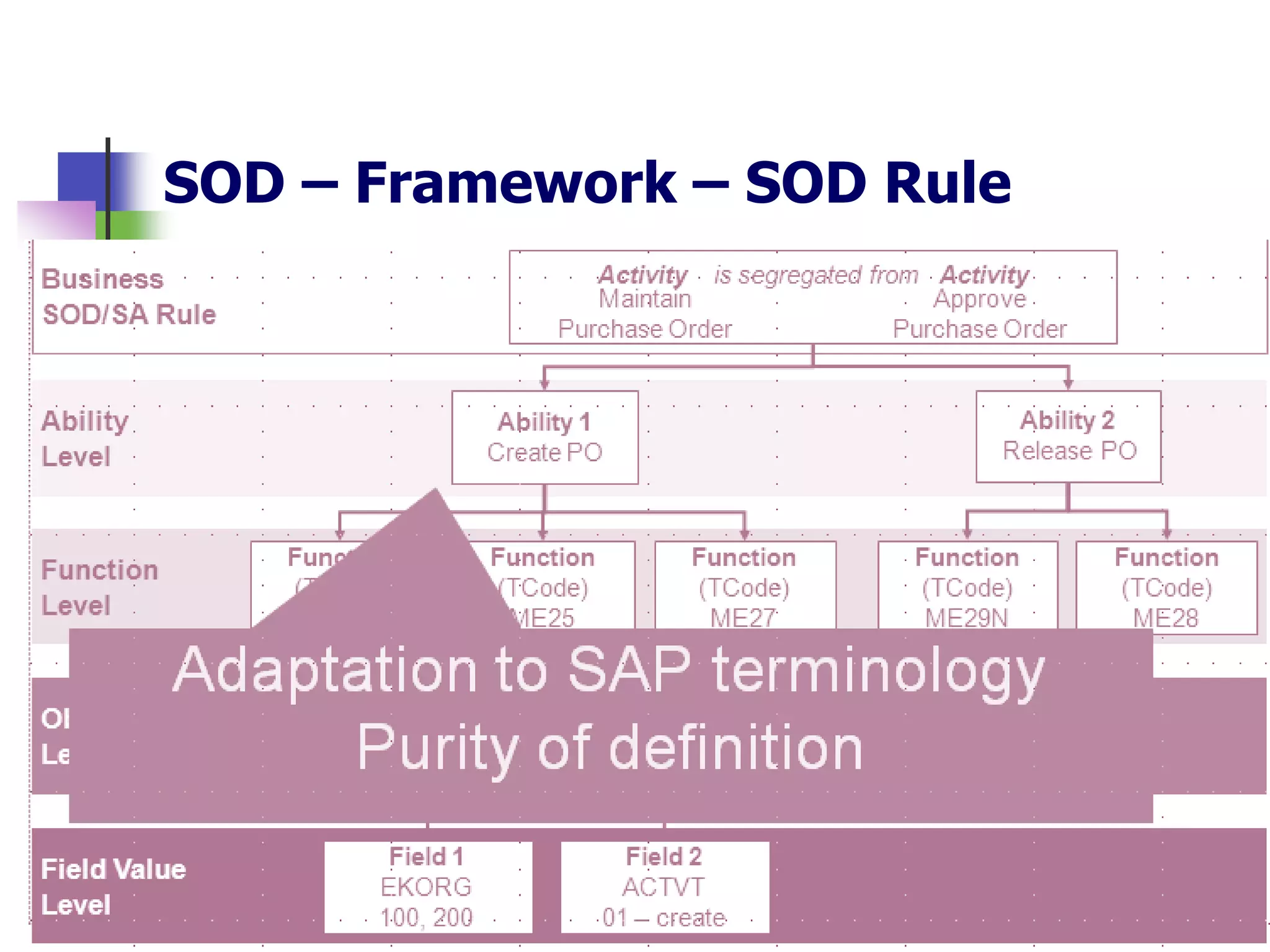
SOD – Framework – SOD Rule
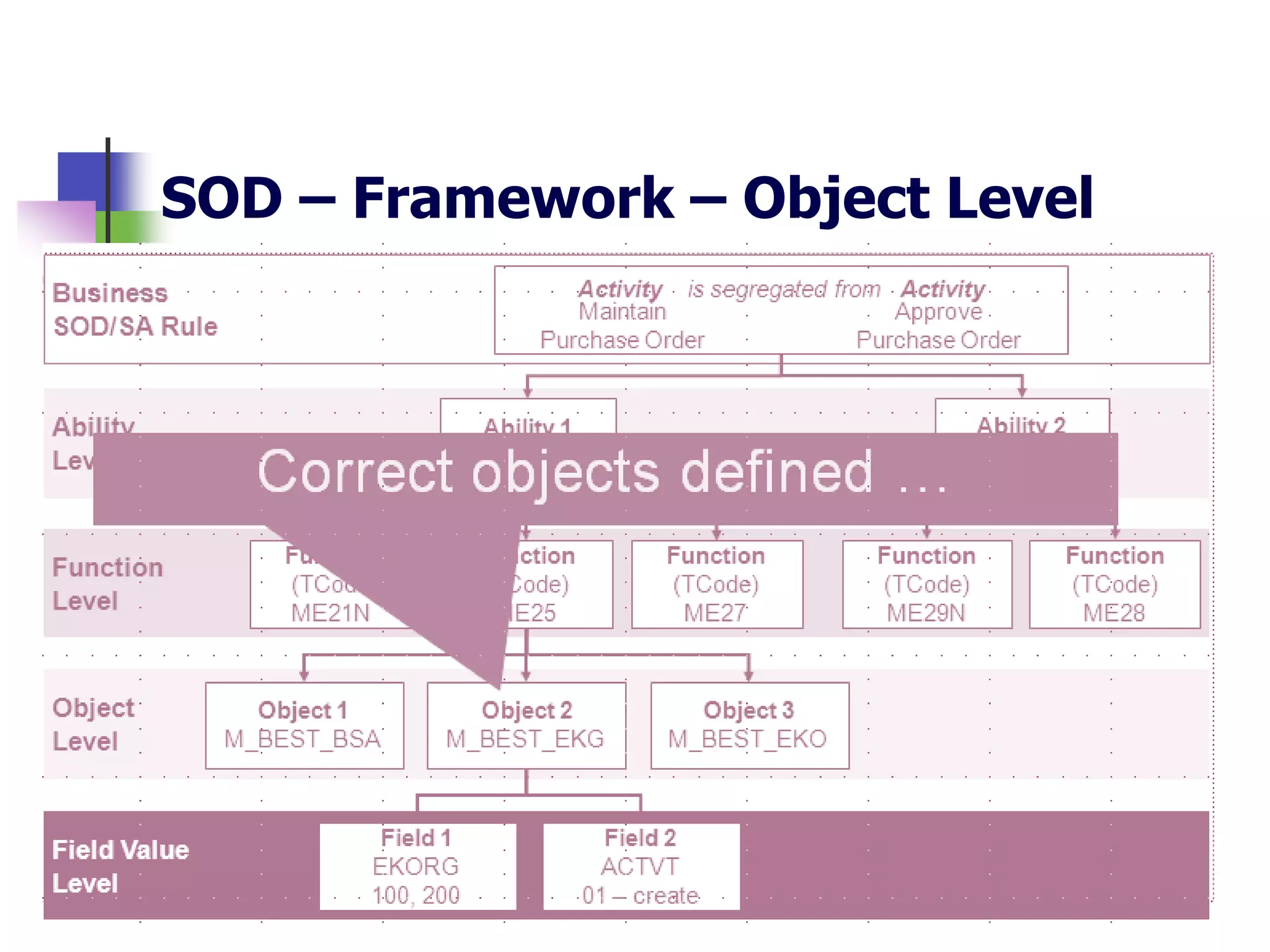
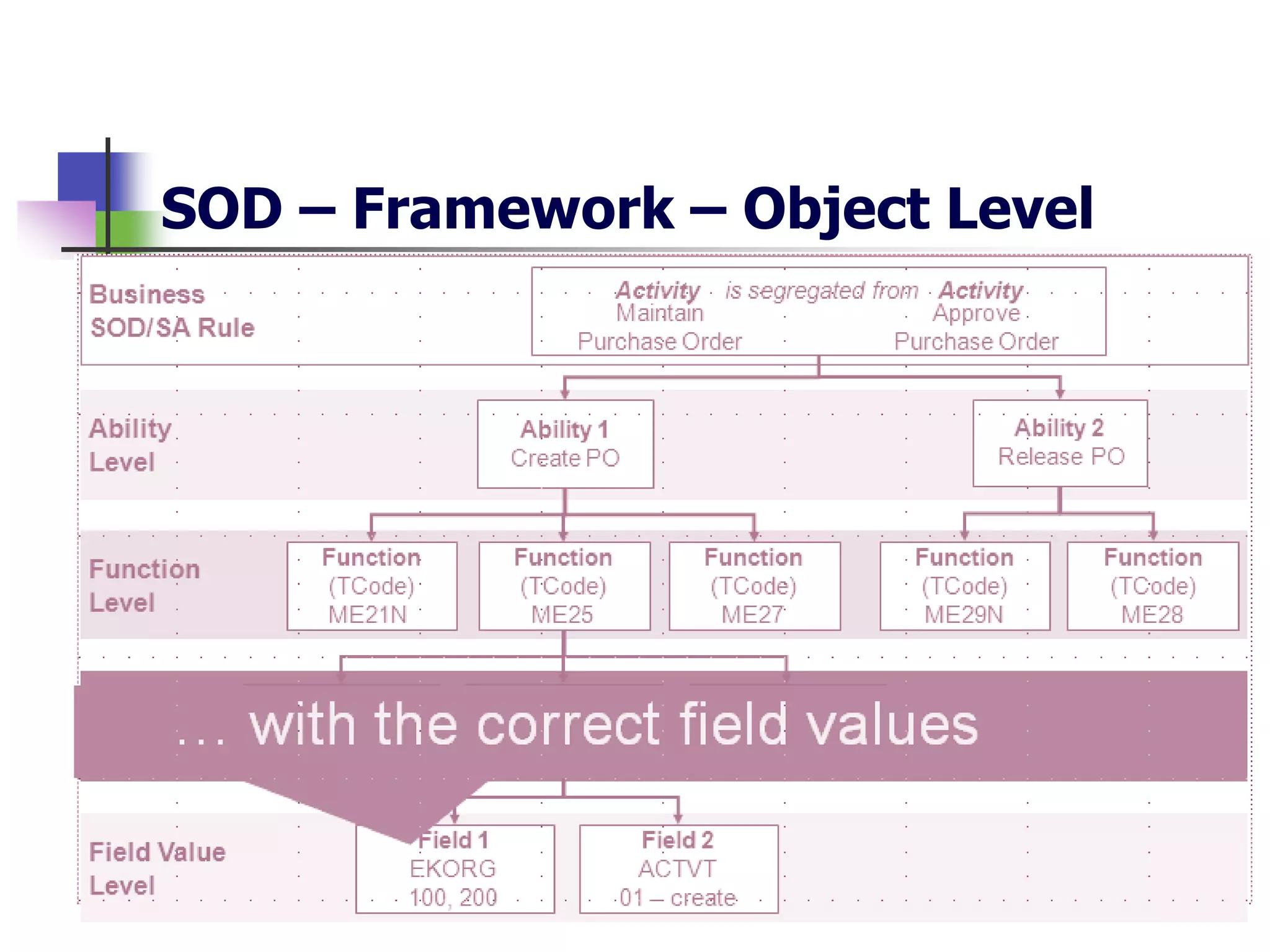
SOD – Framework – Object Level
Relationships Between Layers
Ability A
Create Maintain Purchase Order
t-code: ME21
Auth Object: M_BEST_BSA
ACTVT: 01
Create Maintain Vendor Master Records
t-code: FK01
Auth Object: F_LFA1_APP
ACTVT: 01
SAP SOD Example
Ability B
Questions?

SAP Security & GRC Framework

  • 1.
  • 2.
    Agenda What We WillDo…  Provide a high level overview of what SAP is  SAP Authorization Concept  Provide an introduction to Auditing ITGC’s in SAP  Segregation of Duties in SAP
  • 3.
  • 4.
    What does SAPstand for?  Systeme, Anwendungen, Produkte in der Datenverarbeitung Systems, Applications and Products in Data Processing
  • 5.
    What is SAP? Anorder in SAP can automatically generate an inventory movement and a posting in the GL without any “human” intervention. SAP can track financial results, procurement, sales, manufacturing, human resources and payroll. SAP integrates all business processing through one application. Links operational results and the financial aspects of those results. SAP comprises of 18-20 modules in finance, logistics and HR. One or more SAP modules can be implemented. SAP is typically accessible by the entire business organisation. Most company information and transactions originate from SAP. Integrated Multifunctional Modular Enterprise Wide “Real Time”
  • 6.
    Overview of anSAP Environment Business process Controls (incl. automated, manual, BPR) IT General Controls Management reporting and end-user controls SAP configurable controls SAP Authorisations/User profiles SAP Basis Module Database Operating System and other Infrastructure controls Database Infrastructure Layer Application Layer Presentation Layer
  • 7.
    SAP Instances PR1 PH1 PC3 PE1 PA1 SAP R/3or ECC 6.0 APO Planning SAP Human Resources SAP Customer Relationship Management SAP Procurement PS1 Solution Manager PB1 Business Warehouse
  • 8.
  • 9.
    Overview What is theSAP authorization concept? Security within SAP is achieved through the authorization concept The authorization is designed to ensure :  Maximum security  Sufficient privileges for end users to fulfil their job duties  Powerful user maintenance
  • 10.
    User master record Userrequires valid user-ID and password T-code check User requires an authorization for transactions Authority check User requires an authorization for underlying authorization objects and field values 1 2 3 Overview Three levels of security in SAP
  • 11.
    Transaction Code (t-code) Providesaccess to specific functions within SAP Authorization Object: Template for security that contains fields with blank values (uncut key) SAP User Master Record (UMR) Master data for SAP users Authorization (Field Values): Authorization object with completed fields (cut key) ME21 – Create Purchase Order SAP Authorization Concept The components
  • 12.
    Profiles “Key ring” thatcontains authorizations (cut keys) Authority Check Performed by SAP to ensure that a user ID has the correct authorization object and field value combination (cut key) to execute a particular task Roles Collection of transaction codes, authorizations and user assignments R: Display PO R: Create PO Buyer SAP Authorization Concept The components
  • 13.
    SAP Authorization Concept Bringingit all together  Let’s make an analogy…  … the Lock and the Key To open the lock, you need the right key!
  • 14.
    Profile SAP SecurityCheck Authorizations User Master Record R: Display Purchasing document R: Create Purchase Order (e.g., ME21) Buyer SAP Authorization Concept Bringing it all together
  • 15.
  • 16.
    SAP is nota typical application / environment split Many traditional environment functions are provided within the application including: » development environment » change control » system administration and job scheduling These functions are collectively known as SAP Basis Combined with SAP integration, this serves to complicate access security Risk based approach in a SAP environment
  • 17.
    SAP allows morecomprehensive functionality and control, however, the following needs to be considered: − Financial transactions are executed throughout the business making segregation of duties control key − The SAP access mechanism is complex making security and segregation of duties a key risk − Configuration has a large impact to the overall business process and controls Risk based approach in a SAP environment
  • 18.
    Key IT GeneralControl Domains • Consider tests for controls around: • Access to programs and data • Changes made to the system (Change management) • Computer operations • Weaknesses identified within the IT general controls can potentially undermine confirmed and tested automated controls and access controls at the business process level
  • 19.
    Key Areas withinthe SAP environment Access to Programs and Data • Key areas to consider include: • SAP system settings including password parameters • Access to user administration functions including defining and assigning profiles to users (Profile Generator) • Access to run programs/ transaction codes • Assignment of SAP_ALL, SAP_NEW, other sensitive profiles • Default passwords of SAP supplied accounts (SAP*, DDIC, Earlywatch, SAPCPIC etc.) • Management and review of User IDs and generic User IDs • Use of audit logs (SAP Table Logging)
  • 20.
    • Key areasto consider include: • Customised programs and tables should be assigned to appropriate authorisation groups. • Ability to unlock production environment to make direct changes to production is restricted and monitored • Segregation of duties within the change management process including developer, customizer and approver of the program change/transport • Changes to SAP tables and data dictionary in the production environment is minimized Key Areas within the SAP environment Change Management
  • 21.
    Key Areas withinthe SAP environment Computer Operations • Key areas to consider include: • Batch jobs and interface processing should be regularly monitored, with access to amend them restricted • Batch jobs run under ANOTHER user should be restricted to appropriate personnel • Batch jobs run under ANY user should be completely restricted • Operating and database system administrator access should be restricted
  • 22.
  • 23.
    SOD – Framework– Overview
  • 24.
    SOD – Framework– SOD/SA Rule
  • 25.
    SOD – Framework– SOD Rule
  • 26.
    SOD – Framework– SOD Rule
  • 27.
    SOD – Framework– Object Level
  • 28.
    SOD – Framework– Object Level
  • 29.
  • 30.
    Ability A Create MaintainPurchase Order t-code: ME21 Auth Object: M_BEST_BSA ACTVT: 01 Create Maintain Vendor Master Records t-code: FK01 Auth Object: F_LFA1_APP ACTVT: 01 SAP SOD Example Ability B
  • 31.

Editor's Notes