




SAP ERP SALES & DISTRIBUTION - SD
SAP ERP – SYSTEMS , APPLICATIONS ,
PRODUCTS – ECC
 SAP – FUNCTIONAL AND TECHINCAL
 Functional – FI CO MM SD PP QM PM WM EWM SCM CRM SRM
 Technical – ABAP ,BASIS , PO , PI , ..
 SAP LANDSCAPE –
 1 DEVELOMENT - DEV -> DEV TESTING (UNIT TESTING)  TR SE09
 2 QUALITY - QAS – SD & FICO – INTEGRATION TESTING – UAT AND USER TRAINING
 3 PRODUCTION – PRD –
 4- SANDBOX –TESTING => INTERFACE
 SOLMON – BASIS –ITSM – Solution manager
SAP LANDSCAPE
 DEVELOPMENT – CLIENT
 QUALITY –CLIENT
 PRD –CLIENT
 SANDBOX- Testing
DEV
QTY
PRD
SAP Projects
 GREEN FIELDS – NEW IMPLEMENTATION
 BROWN FIELD – MIGRATION
 SAP S4 HANA CONVERSION – ECC TO S/4 HANA CONVERSION
 ROLL-OUT Project
 Enhancement project - W-WORKFLOW , R-REPORT I-INTERFACES
C-CONVERSION , E – ENHACEMENT F-FORM
 Technical upgradation – EHP 6 TO EHP 7 OR EHP 8
Types of Projects in SAP
 Implementation – green field
 Migration – EHP7 TO EHP8
 ROLLOUT – COMPANY CODE AND PLANT ROLLOUTS
 Enhancements projects –
 Support project –Tickets
SALES CYCLE
 ENQUIRY - VA11
 QUOTATION- VA21
 SALES ORDER – VA01
 DELIVERY – VL01 - OBD -- WMS –TR –TO –GOODS ISSUE 601 MVT TYPE
 BILLING – VF01
SAP ORG STRUCTURE
 COMPANY --- GROUP
 COMPANY CODE
 CO
 --=====PLANT ====
 PUR – ORG ====== SALES ORG
 STORGE LOCATION
TATA GROUP- COMPANY/CLINET
COMPANY CODE -
TATA STEEL TATA MOTORS TATA COFFE
PLANT -
DELHI
TATA NAGAR CULCUTTA GAWHATI
 SALES ORG - 1000
 DIVISION -10
 DISTRIBUTION CHANNEL -10
Sales Area
 COMPANY CODE: PLANT
 1: N – COMBINATION
 SALES ORG
 CENTRAL S-ORG ( ALL COMPANY )
 PLANT S-ORG
 COMPANY CODE S-ORG
SAP B2B
 Business scenarios
 PROCURE TO PAY - MM  PR PO GRINVOCIE RECEIPT
 ORDER TO CASE – SD -- ENQUIRY  QUOTATION  SALES ORDER  DELIVERY (OBD) 
BILLING
 PLAN TO PRODUCE – PP  MRP PRODUCTION ORDERRGOODS RECEIPT(GR)
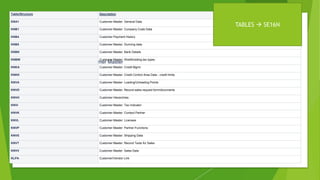
Customer Master
Table/Structure Description
KNA1 Customer Master: General Data
KNB1 Customer Master: Company Code Data
KNB4 Customer Payment History
KNB5 Customer Master: Dunning data
KNBK Customer Master: Bank Details
KNBW Customer Master: Wwithholding tax types
KNKA Customer Master: Credit Mgmt.
KNKK Customer Master: Credit Control Area Data - credit limits
KNVA Customer Master: Loading/Unloading Points
KNVD Customer Master: Record sales request form/documents
KNVH Customer Hierarchies
KNVI Customer Master: Tax Indicator
KNVK Customer Master: Contact Partner
KNVL Customer Master: Licenses
KNVP Customer Master: Partner Functions
KNVS Customer Master: Shipping Data
KNVT Customer Master: Record Texts for Sales
KNVV Customer Master: Sales Data
KLPA Customer/Vendor Link
TABLES  SE16N
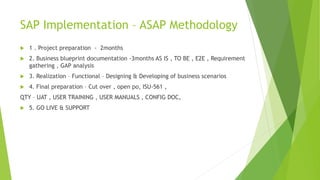
SAP Implementation – ASAP Methodology
 1 . Project preparation - 2months
 2. Business blueprint documentation -3months AS IS , TO BE , E2E , Requirement
gathering , GAP analysis
 3. Realization – Functional – Designing & Developing of business scenarios
 4. Final preparation – Cut over , open po, ISU-561 ,
QTY – UAT , USER TRAINING , USER MANUALS , CONFIG DOC,
 5. GO LIVE & SUPPORT
SAP Organization structure
 Client or Company - WIPRO GROUP
 COMPANY CODE - WIPRO E-OIL , SOAP , ELECTRICAL LIGHTS , IT , INFOTECH
 CONTROLLING ORG – COSTING
 PLANT -- PURCHASING ORG -- SAL ORG  SALES AREA, DIVISION ,
DISTRIBUTION CHANNEL
 STORAGE LOCATION
 WM
 STORAGE TYPE
 STORAGE SECTION
 STORAGE BIN
 QUANT - RACK ARRANGEMENT
CLIENT
 A client is an independent organizational unit.
 A client is considered synonym for a group.
 A client is self-contained technical unit.
 General data & tables used for several organization structure are stored at
client level.
 Client is positioned in the highest level in Enterprise Structure.
 Several company code can be uniquely assigned to a client.
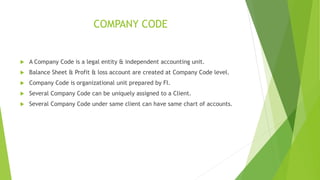
COMPANY CODE
 A Company Code is a legal entity & independent accounting unit.
 Balance Sheet & Profit & loss account are created at Company Code level.
 Company Code is organizational unit prepared by FI.
 Several Company Code can be uniquely assigned to a Client.
 Several Company Code under same client can have same chart of accounts.
SALES ORGANIZATION
 Sales Organization is an organizational unit of Logistics, which groups the enterprise
according to the requirement of Sales & Distribution.
 Sales Organization distributes goods & services.
 Sales Organization is liable for sold products, responsible for the customers right of
recourse & negotiating sales condition.
 One or more Sales Organization can be uniquely assigned to a Company Code.
 Sales Organization can be assigned to one or more plant. This assignment is not unique,
so several Sales Organizations can also be assigned to one plant.
 Each Sales Organization has its own master data, for eg customer & material master data,
as well as conditions, pricing & output type.
 A Sales Organization is the highest level (after the Client) to which sales figure are
summed for SD with statistics currency.
 Sales Organization can be used as selection criteria for listing of sales document, as well
as for creating delivery & billing worklist.
 Different output type can be defined for sales & billing document, for each Sales
Organization.
 Sales Organization is also used to take regional, national, international sub-division of the
market into account.
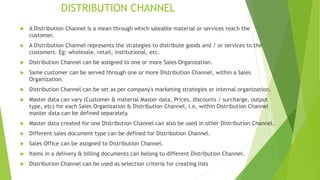
DISTRIBUTION CHANNEL
 A Distribution Channel is a mean through which saleable material or services reach the
customer.
 A Distribution Channel represents the strategies to distribute goods and / or services to the
customers. Eg: wholesale, retail, institutional, etc.
 Distribution Channel can be assigned to one or more Sales Organization.
 Same customer can be served through one or more Distribution Channel, within a Sales
Organization.
 Distribution Channel can be set as per company's marketing strategies or internal organization.
 Master data can vary (Customer & material Master data, Prices, discounts / surcharge, output
type, etc) for each Sales Organization & Distribution Channel, i.e, within Distribution Channel
master data can be defined separately.
 Master data created for one Distribution Channel can also be used in other Distribution Channel.
 Different sales document type can be defined for Distribution Channel.
 Sales Office can be assigned to Distribution Channel.
 Items in a delivery & billing documents can belong to different Distribution Channel.
 Distribution Channel can be used as selection criteria for creating lists
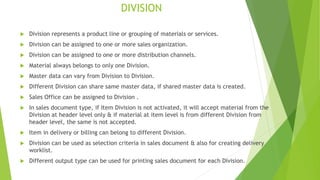
DIVISION
 Division represents a product line or grouping of materials or services.
 Division can be assigned to one or more sales organization.
 Division can be assigned to one or more distribution channels.
 Material always belongs to only one Division.
 Master data can vary from Division to Division.
 Different Division can share same master data, if shared master data is created.
 Sales Office can be assigned to Division .
 In sales document type, if Item Division is not activated, it will accept material from the
Division at header level only & if material at item level is from different Division from
header level, the same is not accepted.
 Item in delivery or billing can belong to different Division.
 Division can be used as selection criteria in sales document & also for creating delivery
worklist.
 Different output type can be used for printing sales document for each Division.
SALES AREA
 Sales Area is made up of combination of Sales Organization, Distribution Channel &
Division.
 It defines the distribution channel a sales organization uses to sell products from a
certain division.
 A Sales Area belongs to only one Company Code.
 During the processing of SD documents, system accesses various master data,
according to Sales Area. The system also carries out various checks concerning the
validity of certain entries according to Sales Area.
 Sales document, delivery document & billing document is always assigned to Sales
Area.
 Each SD document is assigned to exactly only one Sales Area. This assignment cannot
be changed.
 Various analyses can be carried out within Sales Area. So, Organization structure should
be as simple as possible.
 Sales Area is used for reporting & pricing.
 The customer data record contains pages (views) with the data that is specific to Sales
Area.
PLANT & STORAGE LOCATION
 In SD, a Plant represents the location from which material & services are distributed &
correspond to a distribution center. Which is also known as Delivering Plant. The relevant
stocks are kept here.
 In SD, the Plant has a central function:
 At least one Plant is necessary in order to be able to use SD module.
 A Plant is uniquely assigned to a Company code.
 Assignment between Sales organization & Plant is not unique.
 Delivering Plant is important for determining shipping point.
 For a Plant to deliver goods to the customers, it must be configured appropriately as a
delivering plant in SD customizing.
 It is possible that a Plant in one company code may have transaction with sales organization in
another company code within same client. This is known as *cross company sales.
 Plant & Storage location are organizational units that can be used by all logistic area in the
system.
DELIVERING PLANT
 For a plant to be a Delivering Plant, following are essential, i.e,
 A plant is referred as delivering plant, when the said plant is assigned to a combination
of Sales Organization & Distribution Channel.
 Plant should be uniquely assigned to a company code.
 Plant should also be assigned to sales organization & distribution channel.
 During sales process, the Delivering Plant is first used to verify stock (availability check)
& later to supply the goods the customer has ordered.
 Only if plant is a Delivering Plant, a shipping point can be assigned to a plant. Material
cannot be despatched without a shipping point.
SHIPPING POINT
 The Shipping Point is highest level organizational unit of shipping that controls shipping
activities.
 Material can enter or leave the premises of an organization through Shipping Point.
 System determines Shipping Point on the bases of Delivering Plant, Shipping Condition
from Sold to Party & Loading Group from material master.
 The transaction code OVL3 is used to maintain the determination of shipping point
 Shipping Point can be changed manually, only if it is in close proximity & relevant changes
are permitted by the system in customizing setting.
 Each outbound delivery is processed by only one Shipping Point . For example, Loading
ramp, mail depot, rail depot, group of employees, etc.
 Shipping Point is assigned to a plant.
 Shipping Point is a physical place & should be near delivering plant.
 Shipping Point can be assigned to more than one plant & a plant can also have more than
one shipping point. Assignment between plant & shipping point is not unique.
WAREHOUSE
 For efficient processing of goods receipt & goods issue, Warehouse is made up of:
 Warehouse number: The entire warehouse structure is managed under one warehouse
number.
 Storage type: The different warehouse area, which differ with respect to their
organizational & technical features, are defined as storage types.
 Picking area: The picking area groups storage bins together in the storage type.
 Staging area: The staging area is an area in the warehouse where the goods are stored
immediately after unloading or shortly before loading.
 Doors: A door within a warehouse can be used both for inbound delivery as well as
outbound delivery of goods.
For Sales & Distribution, Lean Warehouses are applicable. This b'coz lean warehouse
have fixed bins as storage type.
SALES OFFICE
 Sales Office is organizational unit responsible for sales & distribution, within geographical
area.
 Sales Office establishes contact between company & customer.
 Sales Office can be assigned to one or more sales area.
 A Sales Office can be sub divided into several sales groups.
SALES GROUP
 Sales Group is an organizational unit that carries out sales & is responsible for the process
internally.
 Sales Group can be assigned to one or more sales office.
SALES PERSON
 A sales group consists of certain number of Sales Person.
 A Sales Person is assigned to a sales office & sales group in the sales employee record.
 MTO - Make to order  Aeroplanes , Trains, …..(Sales order costing )
 MTS - Make to stock  FMCG ,pharma, chemical , retail…etc (availability
stocks)
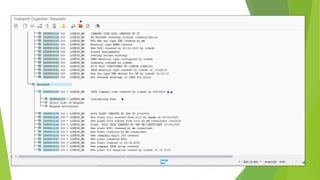
Hi Ram,
As tested dev S-org TATA Working fine DEV Client -100,
Kindly import below TR
ID8K900188 800 LOKESH_MM TATA Company code created by Lokesh in 04072020
Support project - SOP
 ITSM –SLA – SOLMON / SERVICE NOW / JIRA….TICKETTING TOOL
 Business stopper ticket – Immediately -1
 High – 2 -4Hr
 Medium -3 -8Hr
 Low-4 -2Days
 Normal-5- 4days
 L1-Support - Transaction issue  Client location
 L2-support - Report , Critical business tickets ,
 L3-Support – Change request (Configuration )
SAP SD – Master data
 Customer Master
 Material Master
 Customer – Material Info Record
 Pricing conditions

Sap sd org

  • 1.
    SAP ERP SALES& DISTRIBUTION - SD
  • 2.
    SAP ERP –SYSTEMS , APPLICATIONS , PRODUCTS – ECC  SAP – FUNCTIONAL AND TECHINCAL  Functional – FI CO MM SD PP QM PM WM EWM SCM CRM SRM  Technical – ABAP ,BASIS , PO , PI , ..  SAP LANDSCAPE –  1 DEVELOMENT - DEV -> DEV TESTING (UNIT TESTING)  TR SE09  2 QUALITY - QAS – SD & FICO – INTEGRATION TESTING – UAT AND USER TRAINING  3 PRODUCTION – PRD –  4- SANDBOX –TESTING => INTERFACE  SOLMON – BASIS –ITSM – Solution manager
  • 3.
    SAP LANDSCAPE  DEVELOPMENT– CLIENT  QUALITY –CLIENT  PRD –CLIENT  SANDBOX- Testing DEV QTY PRD
  • 4.
    SAP Projects  GREENFIELDS – NEW IMPLEMENTATION  BROWN FIELD – MIGRATION  SAP S4 HANA CONVERSION – ECC TO S/4 HANA CONVERSION  ROLL-OUT Project  Enhancement project - W-WORKFLOW , R-REPORT I-INTERFACES C-CONVERSION , E – ENHACEMENT F-FORM  Technical upgradation – EHP 6 TO EHP 7 OR EHP 8
  • 5.
    Types of Projectsin SAP  Implementation – green field  Migration – EHP7 TO EHP8  ROLLOUT – COMPANY CODE AND PLANT ROLLOUTS  Enhancements projects –  Support project –Tickets
  • 6.
    SALES CYCLE  ENQUIRY- VA11  QUOTATION- VA21  SALES ORDER – VA01  DELIVERY – VL01 - OBD -- WMS –TR –TO –GOODS ISSUE 601 MVT TYPE  BILLING – VF01
  • 8.
    SAP ORG STRUCTURE COMPANY --- GROUP  COMPANY CODE  CO  --=====PLANT ====  PUR – ORG ====== SALES ORG  STORGE LOCATION
  • 9.
    TATA GROUP- COMPANY/CLINET COMPANYCODE - TATA STEEL TATA MOTORS TATA COFFE PLANT - DELHI TATA NAGAR CULCUTTA GAWHATI
  • 10.
     SALES ORG- 1000  DIVISION -10  DISTRIBUTION CHANNEL -10 Sales Area
  • 11.
     COMPANY CODE:PLANT  1: N – COMBINATION  SALES ORG  CENTRAL S-ORG ( ALL COMPANY )  PLANT S-ORG  COMPANY CODE S-ORG
  • 12.
    SAP B2B  Businessscenarios  PROCURE TO PAY - MM  PR PO GRINVOCIE RECEIPT  ORDER TO CASE – SD -- ENQUIRY  QUOTATION  SALES ORDER  DELIVERY (OBD)  BILLING  PLAN TO PRODUCE – PP  MRP PRODUCTION ORDERRGOODS RECEIPT(GR)
  • 13.
    Customer Master Table/Structure Description KNA1Customer Master: General Data KNB1 Customer Master: Company Code Data KNB4 Customer Payment History KNB5 Customer Master: Dunning data KNBK Customer Master: Bank Details KNBW Customer Master: Wwithholding tax types KNKA Customer Master: Credit Mgmt. KNKK Customer Master: Credit Control Area Data - credit limits KNVA Customer Master: Loading/Unloading Points KNVD Customer Master: Record sales request form/documents KNVH Customer Hierarchies KNVI Customer Master: Tax Indicator KNVK Customer Master: Contact Partner KNVL Customer Master: Licenses KNVP Customer Master: Partner Functions KNVS Customer Master: Shipping Data KNVT Customer Master: Record Texts for Sales KNVV Customer Master: Sales Data KLPA Customer/Vendor Link TABLES  SE16N
  • 14.
    SAP Implementation –ASAP Methodology  1 . Project preparation - 2months  2. Business blueprint documentation -3months AS IS , TO BE , E2E , Requirement gathering , GAP analysis  3. Realization – Functional – Designing & Developing of business scenarios  4. Final preparation – Cut over , open po, ISU-561 , QTY – UAT , USER TRAINING , USER MANUALS , CONFIG DOC,  5. GO LIVE & SUPPORT
  • 15.
    SAP Organization structure Client or Company - WIPRO GROUP  COMPANY CODE - WIPRO E-OIL , SOAP , ELECTRICAL LIGHTS , IT , INFOTECH  CONTROLLING ORG – COSTING  PLANT -- PURCHASING ORG -- SAL ORG  SALES AREA, DIVISION , DISTRIBUTION CHANNEL  STORAGE LOCATION  WM  STORAGE TYPE  STORAGE SECTION  STORAGE BIN  QUANT - RACK ARRANGEMENT
  • 16.
    CLIENT  A clientis an independent organizational unit.  A client is considered synonym for a group.  A client is self-contained technical unit.  General data & tables used for several organization structure are stored at client level.  Client is positioned in the highest level in Enterprise Structure.  Several company code can be uniquely assigned to a client.
  • 17.
    COMPANY CODE  ACompany Code is a legal entity & independent accounting unit.  Balance Sheet & Profit & loss account are created at Company Code level.  Company Code is organizational unit prepared by FI.  Several Company Code can be uniquely assigned to a Client.  Several Company Code under same client can have same chart of accounts.
  • 18.
    SALES ORGANIZATION  SalesOrganization is an organizational unit of Logistics, which groups the enterprise according to the requirement of Sales & Distribution.  Sales Organization distributes goods & services.  Sales Organization is liable for sold products, responsible for the customers right of recourse & negotiating sales condition.  One or more Sales Organization can be uniquely assigned to a Company Code.  Sales Organization can be assigned to one or more plant. This assignment is not unique, so several Sales Organizations can also be assigned to one plant.  Each Sales Organization has its own master data, for eg customer & material master data, as well as conditions, pricing & output type.  A Sales Organization is the highest level (after the Client) to which sales figure are summed for SD with statistics currency.  Sales Organization can be used as selection criteria for listing of sales document, as well as for creating delivery & billing worklist.  Different output type can be defined for sales & billing document, for each Sales Organization.  Sales Organization is also used to take regional, national, international sub-division of the market into account.
  • 19.
    DISTRIBUTION CHANNEL  ADistribution Channel is a mean through which saleable material or services reach the customer.  A Distribution Channel represents the strategies to distribute goods and / or services to the customers. Eg: wholesale, retail, institutional, etc.  Distribution Channel can be assigned to one or more Sales Organization.  Same customer can be served through one or more Distribution Channel, within a Sales Organization.  Distribution Channel can be set as per company's marketing strategies or internal organization.  Master data can vary (Customer & material Master data, Prices, discounts / surcharge, output type, etc) for each Sales Organization & Distribution Channel, i.e, within Distribution Channel master data can be defined separately.  Master data created for one Distribution Channel can also be used in other Distribution Channel.  Different sales document type can be defined for Distribution Channel.  Sales Office can be assigned to Distribution Channel.  Items in a delivery & billing documents can belong to different Distribution Channel.  Distribution Channel can be used as selection criteria for creating lists
  • 20.
    DIVISION  Division representsa product line or grouping of materials or services.  Division can be assigned to one or more sales organization.  Division can be assigned to one or more distribution channels.  Material always belongs to only one Division.  Master data can vary from Division to Division.  Different Division can share same master data, if shared master data is created.  Sales Office can be assigned to Division .  In sales document type, if Item Division is not activated, it will accept material from the Division at header level only & if material at item level is from different Division from header level, the same is not accepted.  Item in delivery or billing can belong to different Division.  Division can be used as selection criteria in sales document & also for creating delivery worklist.  Different output type can be used for printing sales document for each Division.
  • 21.
    SALES AREA  SalesArea is made up of combination of Sales Organization, Distribution Channel & Division.  It defines the distribution channel a sales organization uses to sell products from a certain division.  A Sales Area belongs to only one Company Code.  During the processing of SD documents, system accesses various master data, according to Sales Area. The system also carries out various checks concerning the validity of certain entries according to Sales Area.  Sales document, delivery document & billing document is always assigned to Sales Area.  Each SD document is assigned to exactly only one Sales Area. This assignment cannot be changed.  Various analyses can be carried out within Sales Area. So, Organization structure should be as simple as possible.  Sales Area is used for reporting & pricing.  The customer data record contains pages (views) with the data that is specific to Sales Area.
  • 22.
    PLANT & STORAGELOCATION  In SD, a Plant represents the location from which material & services are distributed & correspond to a distribution center. Which is also known as Delivering Plant. The relevant stocks are kept here.  In SD, the Plant has a central function:  At least one Plant is necessary in order to be able to use SD module.  A Plant is uniquely assigned to a Company code.  Assignment between Sales organization & Plant is not unique.  Delivering Plant is important for determining shipping point.  For a Plant to deliver goods to the customers, it must be configured appropriately as a delivering plant in SD customizing.  It is possible that a Plant in one company code may have transaction with sales organization in another company code within same client. This is known as *cross company sales.  Plant & Storage location are organizational units that can be used by all logistic area in the system.
  • 23.
    DELIVERING PLANT  Fora plant to be a Delivering Plant, following are essential, i.e,  A plant is referred as delivering plant, when the said plant is assigned to a combination of Sales Organization & Distribution Channel.  Plant should be uniquely assigned to a company code.  Plant should also be assigned to sales organization & distribution channel.  During sales process, the Delivering Plant is first used to verify stock (availability check) & later to supply the goods the customer has ordered.  Only if plant is a Delivering Plant, a shipping point can be assigned to a plant. Material cannot be despatched without a shipping point.
  • 24.
    SHIPPING POINT  TheShipping Point is highest level organizational unit of shipping that controls shipping activities.  Material can enter or leave the premises of an organization through Shipping Point.  System determines Shipping Point on the bases of Delivering Plant, Shipping Condition from Sold to Party & Loading Group from material master.  The transaction code OVL3 is used to maintain the determination of shipping point  Shipping Point can be changed manually, only if it is in close proximity & relevant changes are permitted by the system in customizing setting.  Each outbound delivery is processed by only one Shipping Point . For example, Loading ramp, mail depot, rail depot, group of employees, etc.  Shipping Point is assigned to a plant.  Shipping Point is a physical place & should be near delivering plant.  Shipping Point can be assigned to more than one plant & a plant can also have more than one shipping point. Assignment between plant & shipping point is not unique.
  • 25.
    WAREHOUSE  For efficientprocessing of goods receipt & goods issue, Warehouse is made up of:  Warehouse number: The entire warehouse structure is managed under one warehouse number.  Storage type: The different warehouse area, which differ with respect to their organizational & technical features, are defined as storage types.  Picking area: The picking area groups storage bins together in the storage type.  Staging area: The staging area is an area in the warehouse where the goods are stored immediately after unloading or shortly before loading.  Doors: A door within a warehouse can be used both for inbound delivery as well as outbound delivery of goods. For Sales & Distribution, Lean Warehouses are applicable. This b'coz lean warehouse have fixed bins as storage type.
  • 26.
    SALES OFFICE  SalesOffice is organizational unit responsible for sales & distribution, within geographical area.  Sales Office establishes contact between company & customer.  Sales Office can be assigned to one or more sales area.  A Sales Office can be sub divided into several sales groups. SALES GROUP  Sales Group is an organizational unit that carries out sales & is responsible for the process internally.  Sales Group can be assigned to one or more sales office. SALES PERSON  A sales group consists of certain number of Sales Person.  A Sales Person is assigned to a sales office & sales group in the sales employee record.
  • 28.
     MTO -Make to order  Aeroplanes , Trains, …..(Sales order costing )  MTS - Make to stock  FMCG ,pharma, chemical , retail…etc (availability stocks)
  • 29.
    Hi Ram, As testeddev S-org TATA Working fine DEV Client -100, Kindly import below TR ID8K900188 800 LOKESH_MM TATA Company code created by Lokesh in 04072020
  • 30.
    Support project -SOP  ITSM –SLA – SOLMON / SERVICE NOW / JIRA….TICKETTING TOOL  Business stopper ticket – Immediately -1  High – 2 -4Hr  Medium -3 -8Hr  Low-4 -2Days  Normal-5- 4days  L1-Support - Transaction issue  Client location  L2-support - Report , Critical business tickets ,  L3-Support – Change request (Configuration )
  • 32.
    SAP SD –Master data  Customer Master  Material Master  Customer – Material Info Record  Pricing conditions