Email: info@globalonlinetrainings.com IND: +91-040-6050-1418
Skype: Global.Onlinetrainings USA: +1-516-8586-242
UK:+44 (0)203 371 0077
www.globalonlinetrainings.com
SAP FICO
Demo Session
At
Global Online Trainings
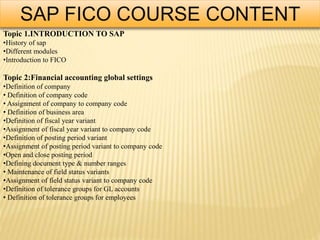
SAP FICO COURSE CONTENT
Topic 1.INTRODUCTION TO SAP
•History of sap
•Different modules
•Introduction to FICO
Topic 2:Financial accounting global settings
•Definition of company
• Definition of company code
• Assignment of company to company code
• Definition of business area
•Definition of fiscal year variant
•Assignment of fiscal year variant to company code
•Definition of posting period variant
•Assignment of posting period variant to company code
•Open and close posting period
•Defining document type & number ranges
• Maintenance of field status variants
•Assignment of field status variant to company code
•Definition of tolerance groups for GL accounts
• Definition of tolerance groups for employees
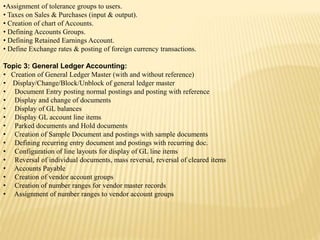
•Assignment of tolerance groups to users.
• Taxes on Sales & Purchases (input & output).
• Creation of chart of Accounts.
• Defining Accounts Groups.
• Defining Retained Earnings Account.
• Define Exchange rates & posting of foreign currency transactions.
Topic 3: General Ledger Accounting:
• Creation of General Ledger Master (with and without reference)
• Display/Change/Block/Unblock of general ledger master
• Document Entry posting normal postings and posting with reference
• Display and change of documents
• Display of GL balances
• Display GL account line items
• Parked documents and Hold documents
• Creation of Sample Document and postings with sample documents
• Defining recurring entry document and postings with recurring doc.
• Configuration of line layouts for display of GL line items
• Reversal of individual documents, mass reversal, reversal of cleared items
• Accounts Payable
• Creation of vendor account groups
• Creation of number ranges for vendor master records
• Assignment of number ranges to vendor account groups
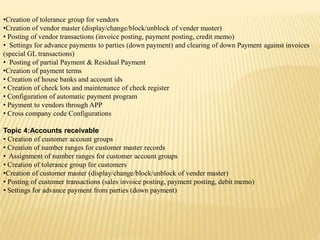
•Creation of tolerance group for vendors
•Creation of vendor master (display/change/block/unblock of vender master)
• Posting of vendor transactions (invoice posting, payment posting, credit memo)
• Settings for advance payments to parties (down payment) and clearing of down Payment against invoices
(special GL transactions)
• Posting of partial Payment & Residual Payment
•Creation of payment terms
• Creation of house banks and account ids
• Creation of check lots and maintenance of check register
• Configuration of automatic payment program
• Payment to vendors through APP
• Cross company code Configurations
Topic 4:Accounts receivable
• Creation of customer account groups
• Creation of number ranges for customer master records
• Assignment of number ranges for customer account groups
• Creation of tolerance group for customers
•Creation of customer master (display/change/block/unblock of vender master)
• Posting of customer transactions (sales invoice posting, payment posting, debit memo)
• Settings for advance payment from parties (down payment)
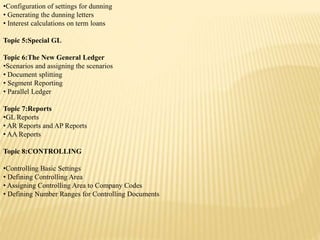
•Configuration of settings for dunning
• Generating the dunning letters
• Interest calculations on term loans
Topic 5:Special GL
Topic 6:The New General Ledger
•Scenarios and assigning the scenarios
• Document splitting
• Segment Reporting
• Parallel Ledger
Topic 7:Reports
•GL Reports
• AR Reports and AP Reports
• AA Reports
Topic 8:CONTROLLING
•Controlling Basic Settings
• Defining Controlling Area
• Assigning Controlling Area to Company Codes
• Defining Number Ranges for Controlling Documents
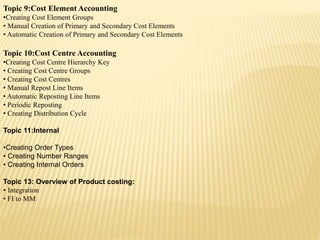
Topic 9:Cost Element Accounting
•Creating Cost Element Groups
• Manual Creation of Primary and Secondary Cost Elements
• Automatic Creation of Primary and Secondary Cost Elements
Topic 10:Cost Centre Accounting
•Creating Cost Centre Hierarchy Key
• Creating Cost Centre Groups
• Creating Cost Centres
• Manual Repost Line Items
• Automatic Reposting Line Items
• Periodic Reposting
• Creating Distribution Cycle
Topic 11:Internal
•Creating Order Types
• Creating Number Ranges
• Creating Internal Orders
Topic 13: Overview of Product costing:
• Integration
• FI to MM
• FI to SD
• FI to CO
• MOCK TEST
• CASE STUDIES
• INTERVIEW QUESTIONS AND ANSWERS
For more info
Contact us @
info@globalonlinetrainings.com IND: +91-0406050-1418
Skype: Global.Onlinetrainings USA: +1-516-8586-242
UK:+44 (0)203 371 0077
Sap FICO- SAP FICO TRAINING

Sap FICO- SAP FICO TRAINING

  • 1.
    Email: info@globalonlinetrainings.com IND:+91-040-6050-1418 Skype: Global.Onlinetrainings USA: +1-516-8586-242 UK:+44 (0)203 371 0077 www.globalonlinetrainings.com SAP FICO Demo Session At Global Online Trainings
  • 2.
    SAP FICO COURSECONTENT Topic 1.INTRODUCTION TO SAP •History of sap •Different modules •Introduction to FICO Topic 2:Financial accounting global settings •Definition of company • Definition of company code • Assignment of company to company code • Definition of business area •Definition of fiscal year variant •Assignment of fiscal year variant to company code •Definition of posting period variant •Assignment of posting period variant to company code •Open and close posting period •Defining document type & number ranges • Maintenance of field status variants •Assignment of field status variant to company code •Definition of tolerance groups for GL accounts • Definition of tolerance groups for employees
  • 3.
    •Assignment of tolerancegroups to users. • Taxes on Sales & Purchases (input & output). • Creation of chart of Accounts. • Defining Accounts Groups. • Defining Retained Earnings Account. • Define Exchange rates & posting of foreign currency transactions. Topic 3: General Ledger Accounting: • Creation of General Ledger Master (with and without reference) • Display/Change/Block/Unblock of general ledger master • Document Entry posting normal postings and posting with reference • Display and change of documents • Display of GL balances • Display GL account line items • Parked documents and Hold documents • Creation of Sample Document and postings with sample documents • Defining recurring entry document and postings with recurring doc. • Configuration of line layouts for display of GL line items • Reversal of individual documents, mass reversal, reversal of cleared items • Accounts Payable • Creation of vendor account groups • Creation of number ranges for vendor master records • Assignment of number ranges to vendor account groups
  • 4.
    •Creation of tolerancegroup for vendors •Creation of vendor master (display/change/block/unblock of vender master) • Posting of vendor transactions (invoice posting, payment posting, credit memo) • Settings for advance payments to parties (down payment) and clearing of down Payment against invoices (special GL transactions) • Posting of partial Payment & Residual Payment •Creation of payment terms • Creation of house banks and account ids • Creation of check lots and maintenance of check register • Configuration of automatic payment program • Payment to vendors through APP • Cross company code Configurations Topic 4:Accounts receivable • Creation of customer account groups • Creation of number ranges for customer master records • Assignment of number ranges for customer account groups • Creation of tolerance group for customers •Creation of customer master (display/change/block/unblock of vender master) • Posting of customer transactions (sales invoice posting, payment posting, debit memo) • Settings for advance payment from parties (down payment)
  • 5.
    •Configuration of settingsfor dunning • Generating the dunning letters • Interest calculations on term loans Topic 5:Special GL Topic 6:The New General Ledger •Scenarios and assigning the scenarios • Document splitting • Segment Reporting • Parallel Ledger Topic 7:Reports •GL Reports • AR Reports and AP Reports • AA Reports Topic 8:CONTROLLING •Controlling Basic Settings • Defining Controlling Area • Assigning Controlling Area to Company Codes • Defining Number Ranges for Controlling Documents
  • 6.
    Topic 9:Cost ElementAccounting •Creating Cost Element Groups • Manual Creation of Primary and Secondary Cost Elements • Automatic Creation of Primary and Secondary Cost Elements Topic 10:Cost Centre Accounting •Creating Cost Centre Hierarchy Key • Creating Cost Centre Groups • Creating Cost Centres • Manual Repost Line Items • Automatic Reposting Line Items • Periodic Reposting • Creating Distribution Cycle Topic 11:Internal •Creating Order Types • Creating Number Ranges • Creating Internal Orders Topic 13: Overview of Product costing: • Integration • FI to MM
  • 7.
    • FI toSD • FI to CO • MOCK TEST • CASE STUDIES • INTERVIEW QUESTIONS AND ANSWERS For more info Contact us @ info@globalonlinetrainings.com IND: +91-0406050-1418 Skype: Global.Onlinetrainings USA: +1-516-8586-242 UK:+44 (0)203 371 0077