
Flow February Series - Enhancing Opportunity
Management #2
Proprietary and confidential, Validity, Inc.
Contents
• Spring ’21 Release review
• Opportunity Management Flows Demo
Proprietary and confidential, Validity, Inc. 2
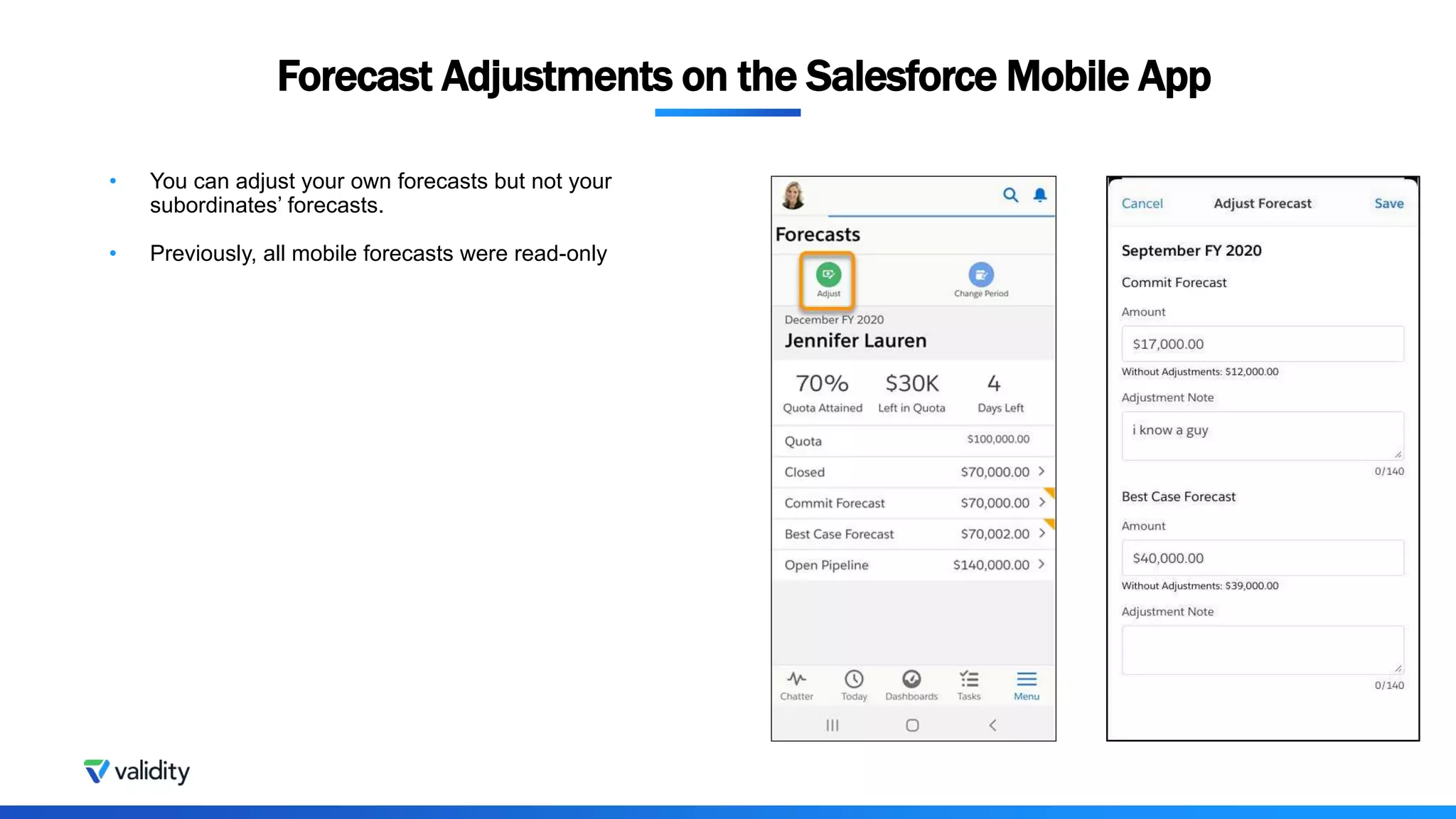
• You can adjust your own forecasts but not your
subordinates’ forecasts.
• Previously, all mobile forecasts were read-only
Forecast Adjustments on the Salesforce Mobile App
Proprietary and confidential, Validity, Inc. 4
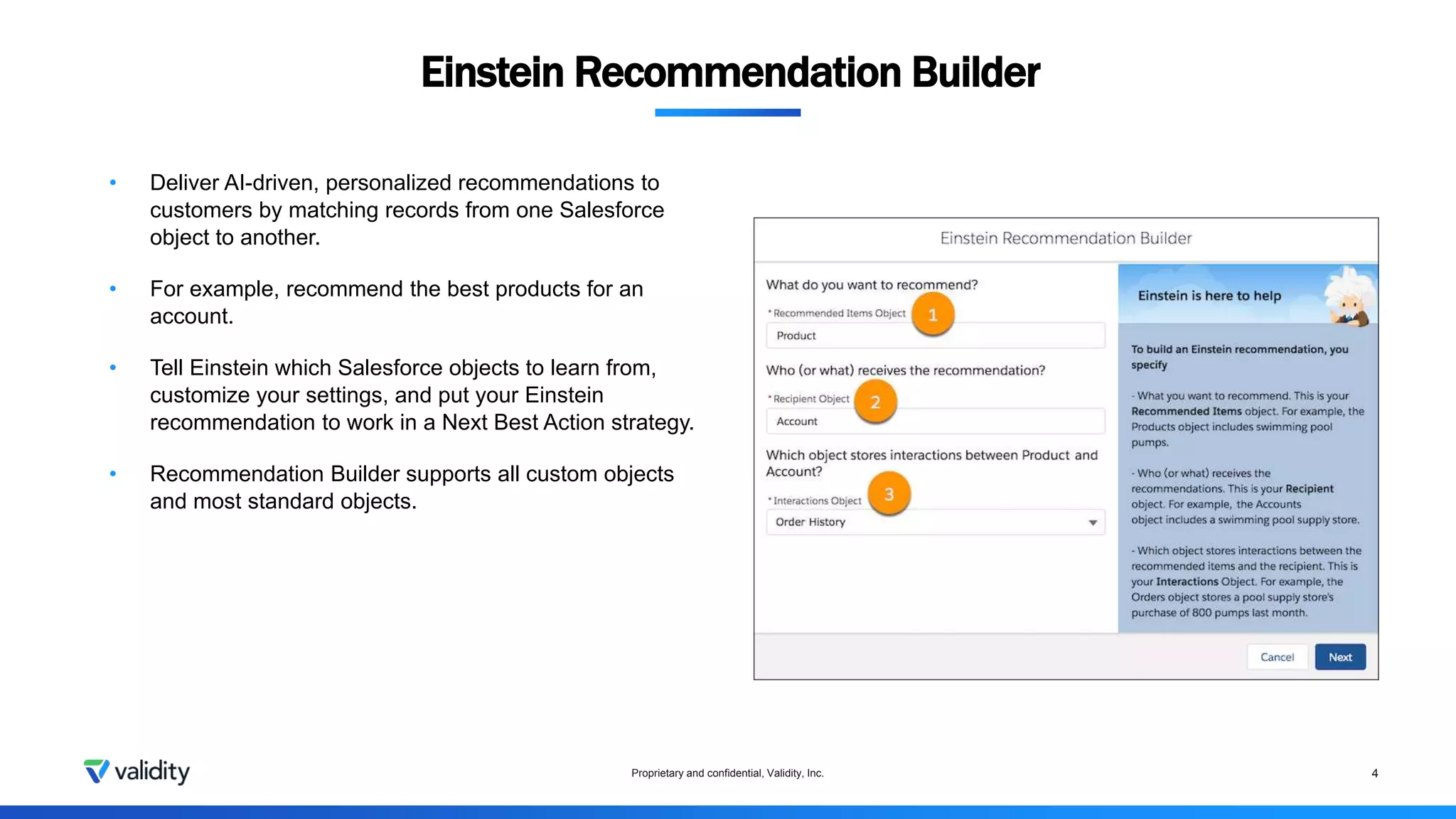
Einstein Recommendation Builder
• Deliver AI-driven, personalized recommendations to
customers by matching records from one Salesforce
object to another.
• For example, recommend the best products for an
account.
• Tell Einstein which Salesforce objects to learn from,
customize your settings, and put your Einstein
recommendation to work in a Next Best Action strategy.
• Recommendation Builder supports all custom objects
and most standard objects.
Dynamic Actions for Accounts, Leads, Opportunities and Cases
Proprietary and confidential, Validity, Inc. 5
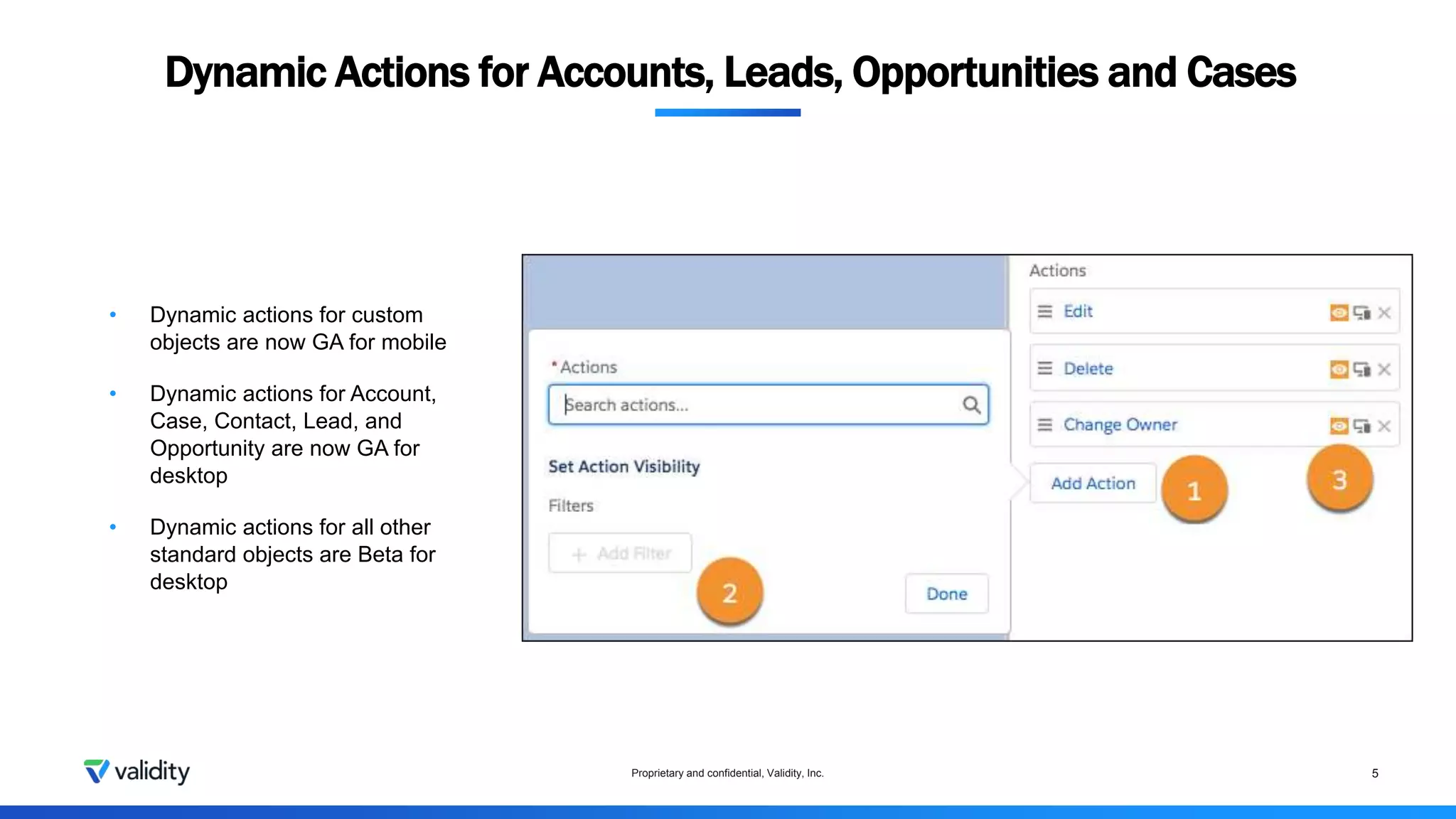
• Dynamic actions for custom
objects are now GA for mobile
• Dynamic actions for Account,
Case, Contact, Lead, and
Opportunity are now GA for
desktop
• Dynamic actions for all other
standard objects are Beta for
desktop
Do more with Opportunity Products
Proprietary and confidential, Validity, Inc. 6
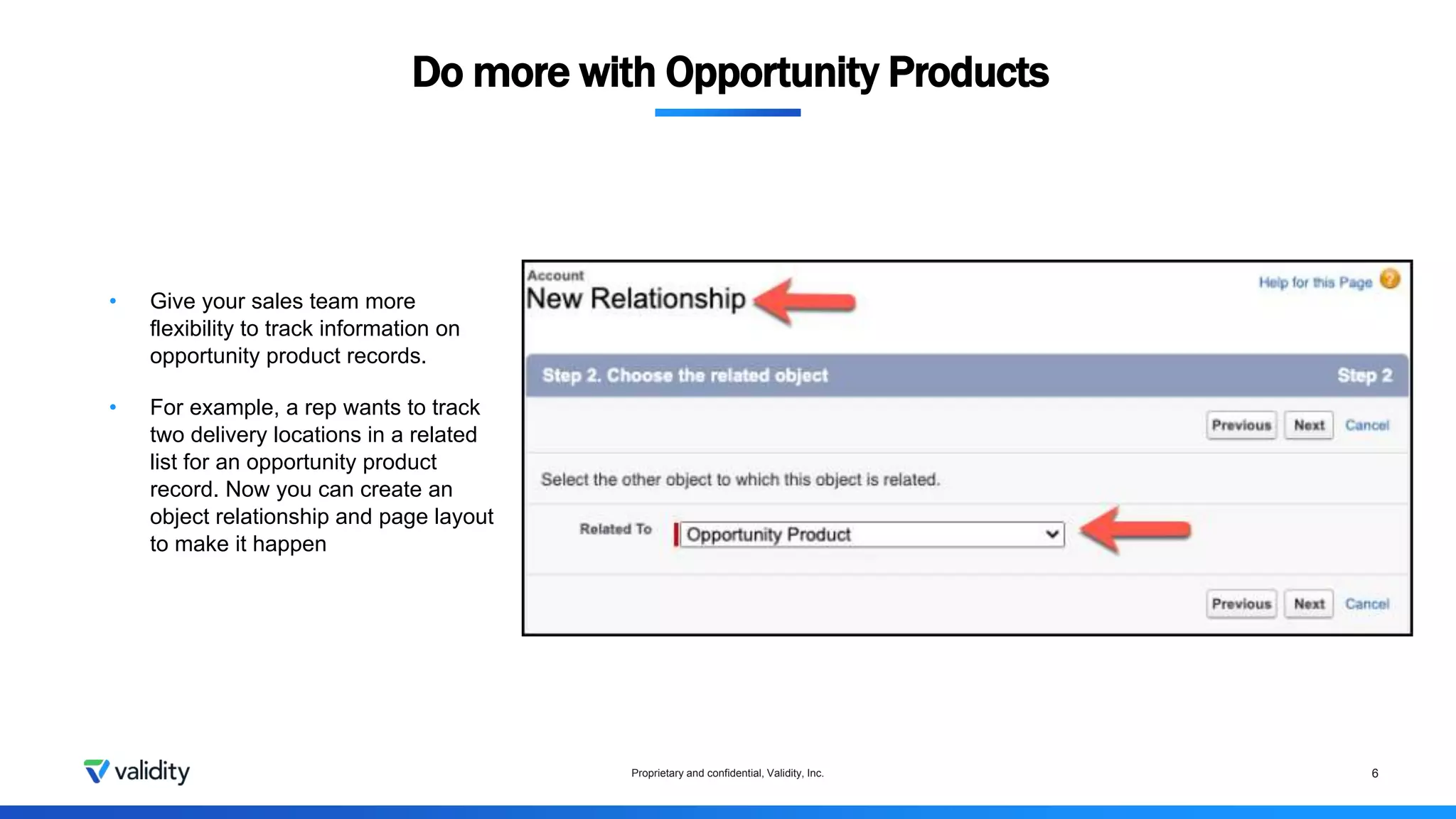
• Give your sales team more
flexibility to track information on
opportunity product records.
• For example, a rep wants to track
two delivery locations in a related
list for an opportunity product
record. Now you can create an
object relationship and page layout
to make it happen
Manual Sharing in Lightning Experience
Proprietary and confidential, Validity, Inc. 7
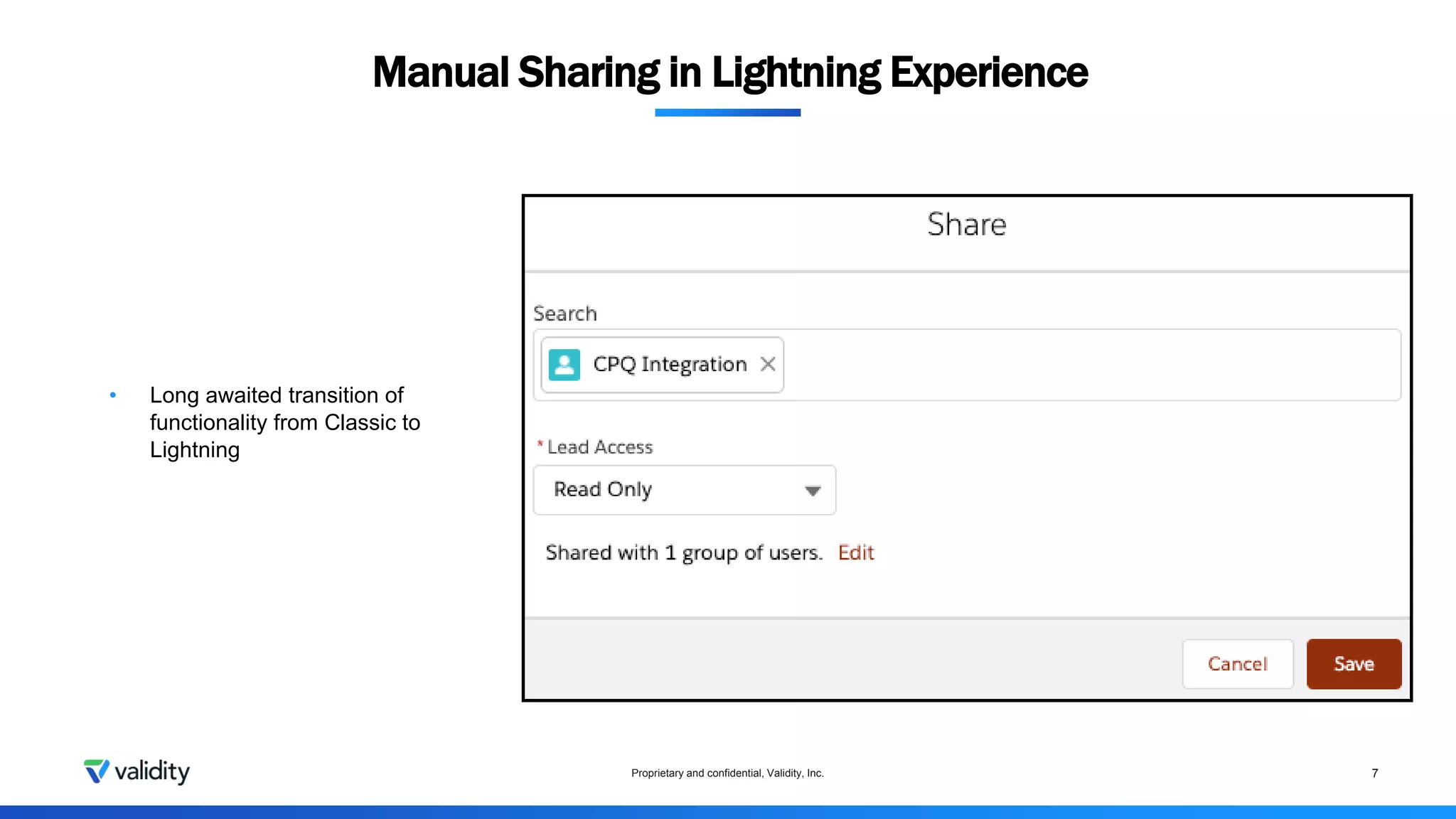
• Long awaited transition of
functionality from Classic to
Lightning
Multi Add Fields to Reports
Proprietary and confidential, Validity, Inc. 8
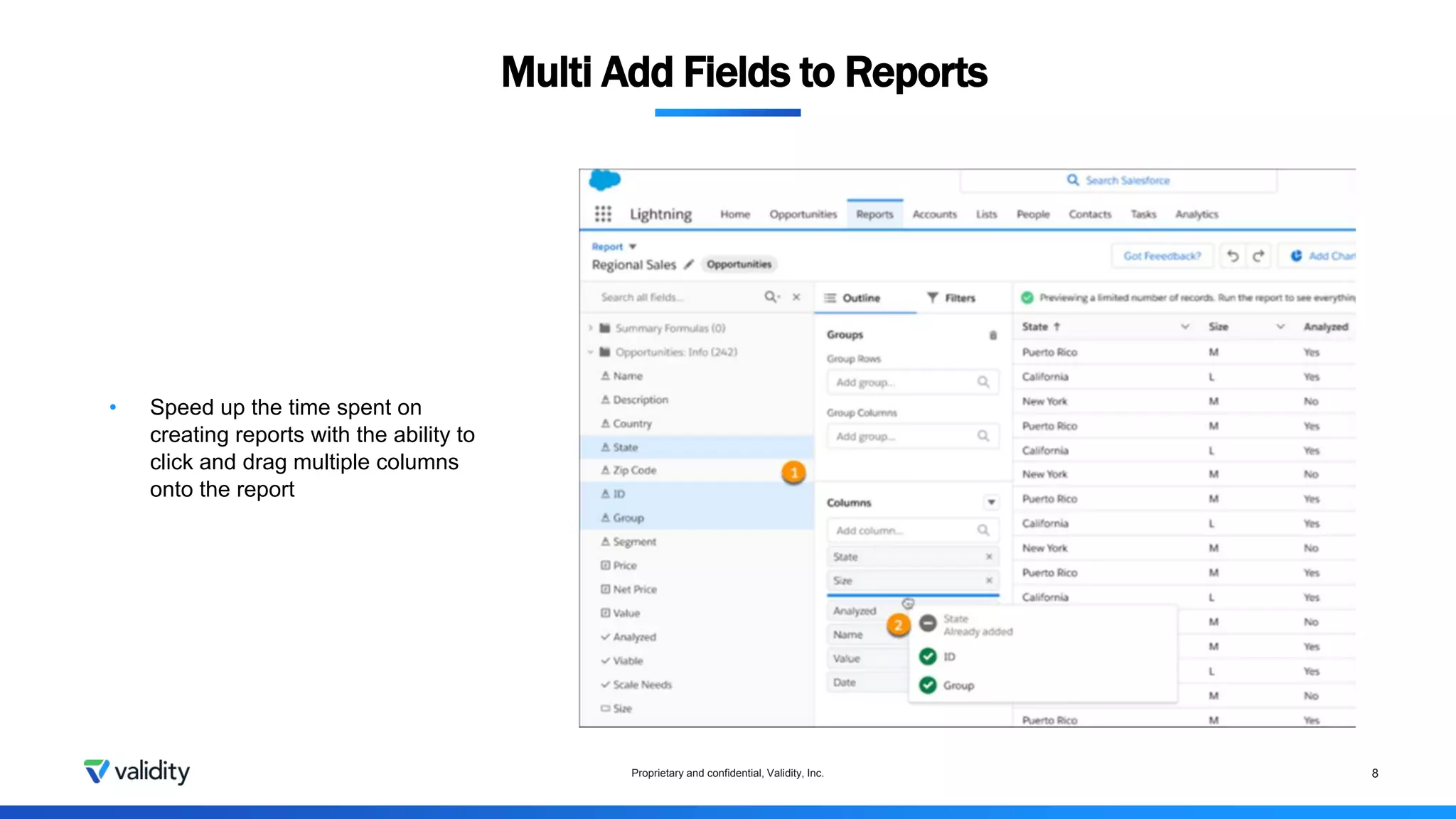
• Speed up the time spent on
creating reports with the ability to
click and drag multiple columns
onto the report
Proprietary and confidential, Validity, Inc. 9
• Customize Your Default No-Reply Address for Email Notifications
• Before the Spring ‘21 update, certain email notifications automatically send from noreply@salesforce.com when Send
Case Notifications from System Address is on
• Now, you can choose which email address your org uses as the default FROM address for certain Case related
notifications.
• Power Up Recently Viewed Lists with Customizable Actions
• Long outstanding Idea for the ability to have actions that are on the search layout of an object appear on the Recently
Viewed List view
• Customize Field Mappings for Contact and Event Sync
• Add Zoom Meeting Links to Events Created Using Insert Availability
• Customize Field Mappings for Contact and Event Sync
Additional Highlights
Proprietary and confidential, Validity, Inc. 10
• Lightning Flow is now Salesforce Flow
• Refer to Prior values of Records updated
• Debug Enhancements
• Debug directly on Canvas
• Support Schedule-triggered flows
• Updated text in Error Emails
• Ability to show Query Limits
• Easier Failed flow debug
• Accurate Information added
• Access More Output Values from Flow Builder Custom Property Editors
• Schedule Surveys from Actions
• Build Multi Column Screens (Beta)
Salesforce Flows
Basic Flow Demos
Proprietary and confidential, Validity, Inc. 11
Proprietary and confidential, Validity, Inc.

Salesforce flow february series - week 2

  • 1.
    Flow February Series- Enhancing Opportunity Management #2 Proprietary and confidential, Validity, Inc.
  • 2.
    Contents • Spring ’21Release review • Opportunity Management Flows Demo Proprietary and confidential, Validity, Inc. 2
  • 3.
    • You canadjust your own forecasts but not your subordinates’ forecasts. • Previously, all mobile forecasts were read-only Forecast Adjustments on the Salesforce Mobile App
  • 4.
    Proprietary and confidential,Validity, Inc. 4 Einstein Recommendation Builder • Deliver AI-driven, personalized recommendations to customers by matching records from one Salesforce object to another. • For example, recommend the best products for an account. • Tell Einstein which Salesforce objects to learn from, customize your settings, and put your Einstein recommendation to work in a Next Best Action strategy. • Recommendation Builder supports all custom objects and most standard objects.
  • 5.
    Dynamic Actions forAccounts, Leads, Opportunities and Cases Proprietary and confidential, Validity, Inc. 5 • Dynamic actions for custom objects are now GA for mobile • Dynamic actions for Account, Case, Contact, Lead, and Opportunity are now GA for desktop • Dynamic actions for all other standard objects are Beta for desktop
  • 6.
    Do more withOpportunity Products Proprietary and confidential, Validity, Inc. 6 • Give your sales team more flexibility to track information on opportunity product records. • For example, a rep wants to track two delivery locations in a related list for an opportunity product record. Now you can create an object relationship and page layout to make it happen
  • 7.
    Manual Sharing inLightning Experience Proprietary and confidential, Validity, Inc. 7 • Long awaited transition of functionality from Classic to Lightning
  • 8.
    Multi Add Fieldsto Reports Proprietary and confidential, Validity, Inc. 8 • Speed up the time spent on creating reports with the ability to click and drag multiple columns onto the report
  • 9.
    Proprietary and confidential,Validity, Inc. 9 • Customize Your Default No-Reply Address for Email Notifications • Before the Spring ‘21 update, certain email notifications automatically send from noreply@salesforce.com when Send Case Notifications from System Address is on • Now, you can choose which email address your org uses as the default FROM address for certain Case related notifications. • Power Up Recently Viewed Lists with Customizable Actions • Long outstanding Idea for the ability to have actions that are on the search layout of an object appear on the Recently Viewed List view • Customize Field Mappings for Contact and Event Sync • Add Zoom Meeting Links to Events Created Using Insert Availability • Customize Field Mappings for Contact and Event Sync Additional Highlights
  • 10.
    Proprietary and confidential,Validity, Inc. 10 • Lightning Flow is now Salesforce Flow • Refer to Prior values of Records updated • Debug Enhancements • Debug directly on Canvas • Support Schedule-triggered flows • Updated text in Error Emails • Ability to show Query Limits • Easier Failed flow debug • Accurate Information added • Access More Output Values from Flow Builder Custom Property Editors • Schedule Surveys from Actions • Build Multi Column Screens (Beta) Salesforce Flows
  • 11.
    Basic Flow Demos Proprietaryand confidential, Validity, Inc. 11
  • 12.

Editor's Notes

  • #5 On the Summary page, you can dive into each object to create segments, exclude fields, and specify which records are examples of positive and negative interactions
  • #11 No more scrolling through a long flow error email to figure out what went wrong during the run. Now you can simply click a link in the error email to open Flow Builder and see the failed flow interview’s path on the canvas. The detailed error information appears next to the canvas. Debug logs now record the total amount of CPU time consumed by a particular flow or process in the FLOW_INTERVIEW_FINISHED_LIMIT_USAGE log line You can now use automatically stored values to set inputs and outputs in custom property editors. Previously, you were limited to using values that were manually assigned to flow variables. Send surveys to gather participant feedback at various intervals using a flow. Target specific participants and send reminders to complete the survey. And verify which participants to invite again. Use the Action element in the Flow Builder to add an action for a survey. Send a survey to leads, contacts, and members of your Salesforce org. Invitations can be unique and unauthenticated for specific recipients, and they can record their responses anonymously. You can divide each flow screen into multiple sections and columns to create a visually appealing and effective layout—without touching a single line of code. The multicolumn screen layout is responsive, so columns stack vertically to fit on mobile phones. This feature, which is now beta, includes changes since the pilot release. The Section component now supports conditional visibility. Multicolumn screens also benefit from improved styling for screen components, which is a separate, generally available feature.