Digital Portfolios Making it Work  with Sakai S.A.U. 53 Solution
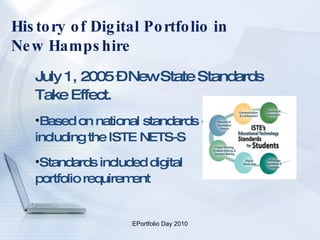
History of Digital Portfolio in  New Hampshire July 1, 2005 – New State Standards Take Effect. Based on national standards - including the ISTE NETS-S Standards included digital  portfolio requirement
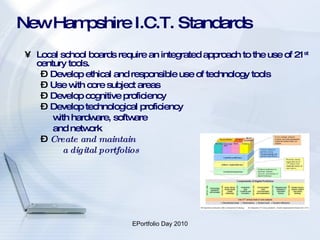
New Hampshire I.C.T. Standards Local school boards require an integrated approach to the use of 21 st  century tools. Develop ethical and responsible use of technology tools Use with core subject areas Develop cognitive proficiency Develop technological proficiency  with hardware, software  and network Create and maintain  a digital portfolios
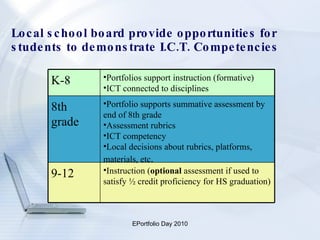
Local school board provide opportunities for students to demonstrate I.C.T. Competencies Instruction ( optional  assessment if used to satisfy ½ credit proficiency for HS graduation) 9-12 Portfolio supports summative assessment by end of 8th grade Assessment rubrics  ICT competency Local decisions about rubrics, platforms, materials, etc . 8th grade Portfolios support instruction (formative) ICT connected to disciplines K-8
What is Sakai? A  Collaborative Learning Environment (C.L.E.)  Course management system comprised of multiple Web 2.0 tools An Open Source Portfolio (O.S.P.) system
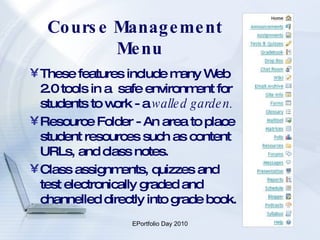
Course Management Menu These features include many Web 2.0 tools in a  safe environment for students to work - a  walled garden. Resource Folder - An area to place student resources such as content URLs, and class notes. Class assignments, quizzes and test electronically graded and channelled directly into grade book.
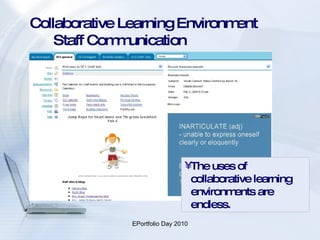
Collaborative Learning Environment    Staff Communication The uses of collaborative learning environments are endless.
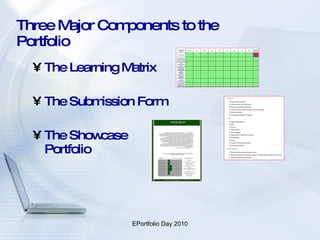
Three Major Components to the Portfolio The Learning Matrix The Submission Form The Showcase Portfolio
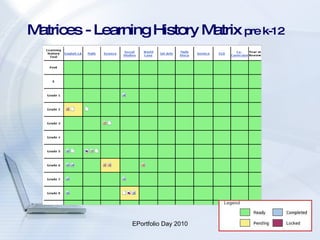
Matrices - Learning History Matrix  pre k-12
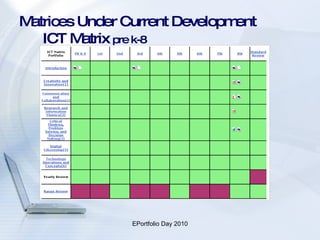
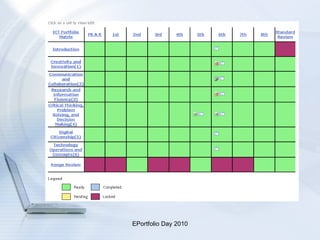
Matrices Under Current Development   ICT Matrix  pre k-8
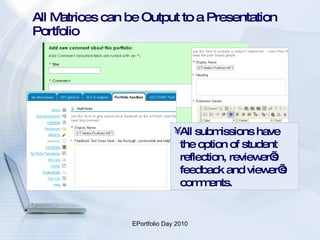
All Matrices can be Output to a Presentation Portfolio  All submissions have the option of student reflection, reviewer’s feedback and viewer’s comments.
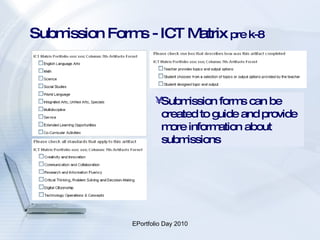
Submission Forms - ICT Matrix  pre k-8 Submission forms can be created to guide and provide more information about submissions
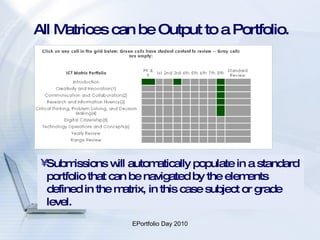
All Matrices can be Output to a Portfolio. Submissions will automatically populate in a standard portfolio that can be navigated by the elements defined in the matrix, in this case subject or grade level.
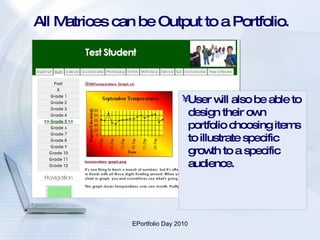
All Matrices can be Output to a Portfolio. User will also be able to design their own portfolio choosing items to illustrate specific growth to a specific audience.
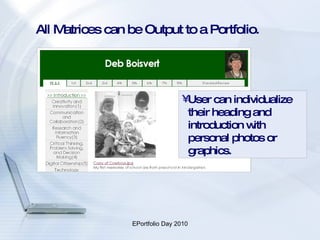
All Matrices can be Output to a Portfolio. User can individualize their heading and introduction with personal photos or graphics.
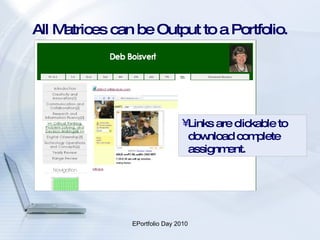
All Matrices can be Output to a Portfolio.  Links are clickable to download complete assignment.
Sample from Portfolios and the Process
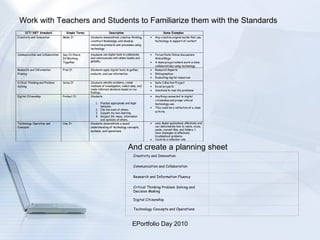
Work with Teachers and Students to Familiarize them with the Standards And create a planning sheet Creativity and Innovation   Communication and Collaboration   Research and Information Fluency   Critical Thinking Problem Solving and Decision Making   Digital Citizenship   Technology Concepts and Operations  
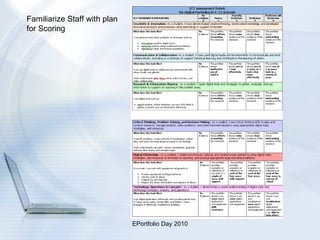
Familiarize Staff with plan for Scoring
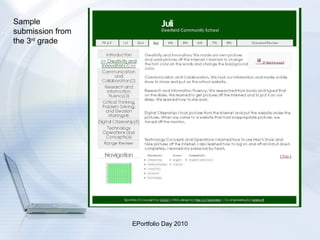
Sample submission from the 3 rd  grade
 
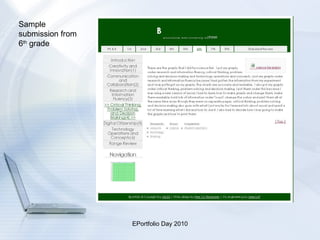
Sample submission from 6 th  grade
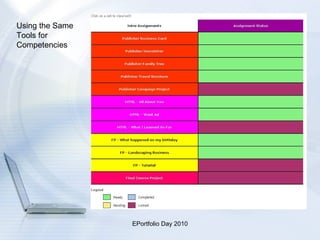
Using the Same Tools for Competencies
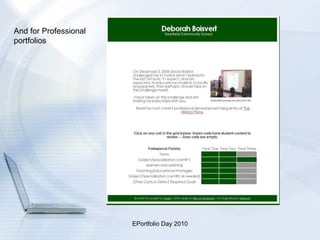
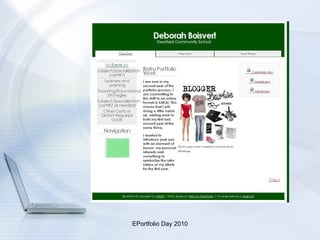
And for Professional portfolios
 
If you have any questions… Please contact  Deb Boisvert,  Technology Coordinator Deerfield School District,  [email_address]   603-463-7422 ext 522 Theresa Schneiderheinze,  Technology Integrator, Three Rivers School, Pembroke  tschneiderheinze @sau53.org   603-485-0539

Sakai Portfolio k-12 10/4/10

  • 1.
    Digital Portfolios Makingit Work with Sakai S.A.U. 53 Solution
  • 2.
    History of DigitalPortfolio in New Hampshire July 1, 2005 – New State Standards Take Effect. Based on national standards - including the ISTE NETS-S Standards included digital portfolio requirement
  • 3.
    New Hampshire I.C.T.Standards Local school boards require an integrated approach to the use of 21 st century tools. Develop ethical and responsible use of technology tools Use with core subject areas Develop cognitive proficiency Develop technological proficiency with hardware, software and network Create and maintain a digital portfolios
  • 4.
    Local school boardprovide opportunities for students to demonstrate I.C.T. Competencies Instruction ( optional assessment if used to satisfy ½ credit proficiency for HS graduation) 9-12 Portfolio supports summative assessment by end of 8th grade Assessment rubrics ICT competency Local decisions about rubrics, platforms, materials, etc . 8th grade Portfolios support instruction (formative) ICT connected to disciplines K-8
  • 5.
    What is Sakai?A Collaborative Learning Environment (C.L.E.) Course management system comprised of multiple Web 2.0 tools An Open Source Portfolio (O.S.P.) system
  • 6.
    Course Management MenuThese features include many Web 2.0 tools in a safe environment for students to work - a walled garden. Resource Folder - An area to place student resources such as content URLs, and class notes. Class assignments, quizzes and test electronically graded and channelled directly into grade book.
  • 7.
    Collaborative Learning Environment Staff Communication The uses of collaborative learning environments are endless.
  • 8.
    Three Major Componentsto the Portfolio The Learning Matrix The Submission Form The Showcase Portfolio
  • 9.
    Matrices - LearningHistory Matrix pre k-12
  • 10.
    Matrices Under CurrentDevelopment ICT Matrix pre k-8
  • 11.
    All Matrices canbe Output to a Presentation Portfolio All submissions have the option of student reflection, reviewer’s feedback and viewer’s comments.
  • 12.
    Submission Forms -ICT Matrix pre k-8 Submission forms can be created to guide and provide more information about submissions
  • 13.
    All Matrices canbe Output to a Portfolio. Submissions will automatically populate in a standard portfolio that can be navigated by the elements defined in the matrix, in this case subject or grade level.
  • 14.
    All Matrices canbe Output to a Portfolio. User will also be able to design their own portfolio choosing items to illustrate specific growth to a specific audience.
  • 15.
    All Matrices canbe Output to a Portfolio. User can individualize their heading and introduction with personal photos or graphics.
  • 16.
    All Matrices canbe Output to a Portfolio. Links are clickable to download complete assignment.
  • 17.
    Sample from Portfoliosand the Process
  • 18.
    Work with Teachersand Students to Familiarize them with the Standards And create a planning sheet Creativity and Innovation   Communication and Collaboration   Research and Information Fluency   Critical Thinking Problem Solving and Decision Making   Digital Citizenship   Technology Concepts and Operations  
  • 19.
    Familiarize Staff withplan for Scoring
  • 20.
    Sample submission fromthe 3 rd grade
  • 21.
  • 22.
  • 23.
    Using the SameTools for Competencies
  • 24.
  • 25.
  • 26.
    If you haveany questions… Please contact Deb Boisvert, Technology Coordinator Deerfield School District, [email_address] 603-463-7422 ext 522 Theresa Schneiderheinze, Technology Integrator, Three Rivers School, Pembroke tschneiderheinze @sau53.org 603-485-0539