Construction
Management
Type period Type period Type period Type period
Type task
Type task
Type task
Type task
Type task
PROJECT PLANNING AND
SCHEDULING
The purpose of this lesson is
to provide you with the
knowledge to plan and
supervise activities for
construction projects.
Type
text
Type
text
Type
text
Type
text
Type
text
Type
text
Type
text
CRITICAL PATH METHOD (CPM)
CPM is a form of analysis that is used for planning,
scheduling, and controlling construction activities for a
project from start to finish.
The CPM requires a formal, detailed listing of all work
related activities that make up the project.
Also referred to as:
 Construction Management
 Project Planning and Scheduling
 Critical Path Analysis
PRELIMINARY PLANNING
Preliminary planning is a quick overall picture of
the project and the capacity of the unit to
accomplish it.
Serves as a guide for detailed planning.
Includes site recon, preliminary material and
equipment estimates, and procurement of critical
items, identify work activities.
DETAILED PLANNING
Develops an accurate estimation of work activities,
materials, man-hours, and equipment requirements
needed from start to finish.
Detailed planning includes:
 Reviewing project specifications and drawings.
 Detailed estimates of resources,(i.e. equip.
hours).
 Scheduling work activities.
 Procurement of materials.
 Submitted in the form of a Gantt chart, Pert chart,
Activity-on-the-Arrow logic diagram, or Activity-
on-the-Node logic diagram.
Job Directive Format
The job directive is the tasking of a unit to perform
construction tasks, and draw needed materials to
complete the project assigned.
Job directives vary in form and content. They
are issued in one of two ways:
 Verbally for simple projects.
 Written for more complex projects.
Stages of Detail
Job directives can be in any one of three
stages of detail:
 Contain detailed plans and specifications. The more stable
the conditions are, the more detailed the job directive
becomes.
 May simply refer to standardized drawings, or automated
software programs already published.
 May require preparation of complete plans and project
specifications to be approved by higher headquarters.
Job Directive Information
Mission: Exact assignment with all necessary details.
Location: May be given, or left to the unit to select.
Time: Starting time and/or required completion date.
Manpower: Additional manpower that is available.
Equipment: Additional equipment that is available.
Job Directive Information
Equipment: Any additional equipment available
with especial conditions.
Materials: Source of and authority to request
materials.
Priorities: Single priority for the whole project, or
separate priorities for various portions of the
project.
Reports: Any required reports. (i.e. Daily or
Weekly status report)
Special Instructions: Any additional information
pertaining to the job that is requested.
Questions
In what two forms may a job directive be issued?
Verbally or in writing
In construction, the planning process is divided
into what two stages?
Preliminary planning and detailed planning
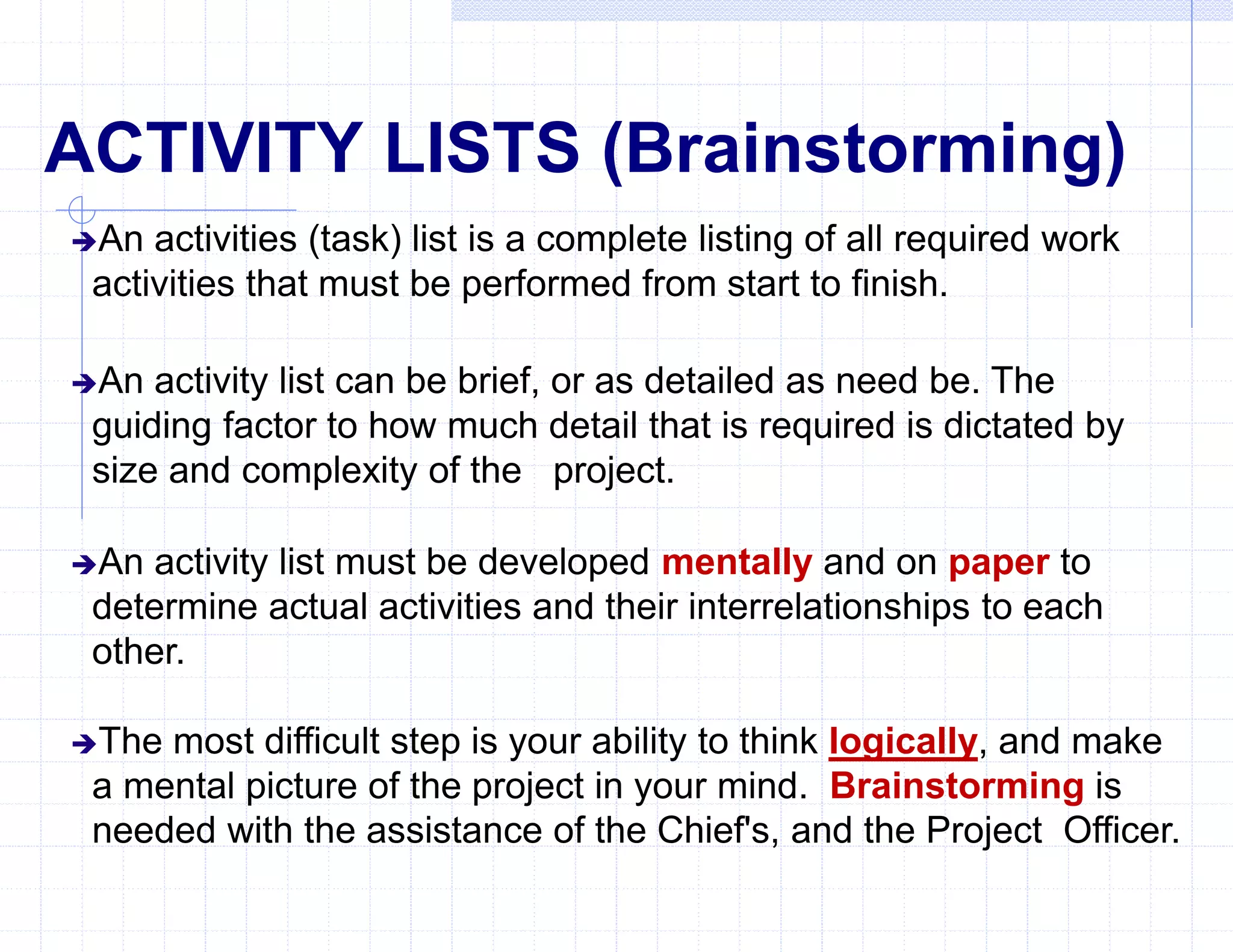
ACTIVITY LISTS (Brainstorming)
An activities (task) list is a complete listing of all required work
activities that must be performed from start to finish.
An activity list can be brief, or as detailed as need be. The
guiding factor to how much detail that is required is dictated by
size and complexity of the project.
An activity list must be developed mentally and on paper to
determine actual activities and their interrelationships to each
other.
The most difficult step is your ability to think logically, and make
a mental picture of the project in your mind. Brainstorming is
needed with the assistance of the Chief's, and the Project Officer.
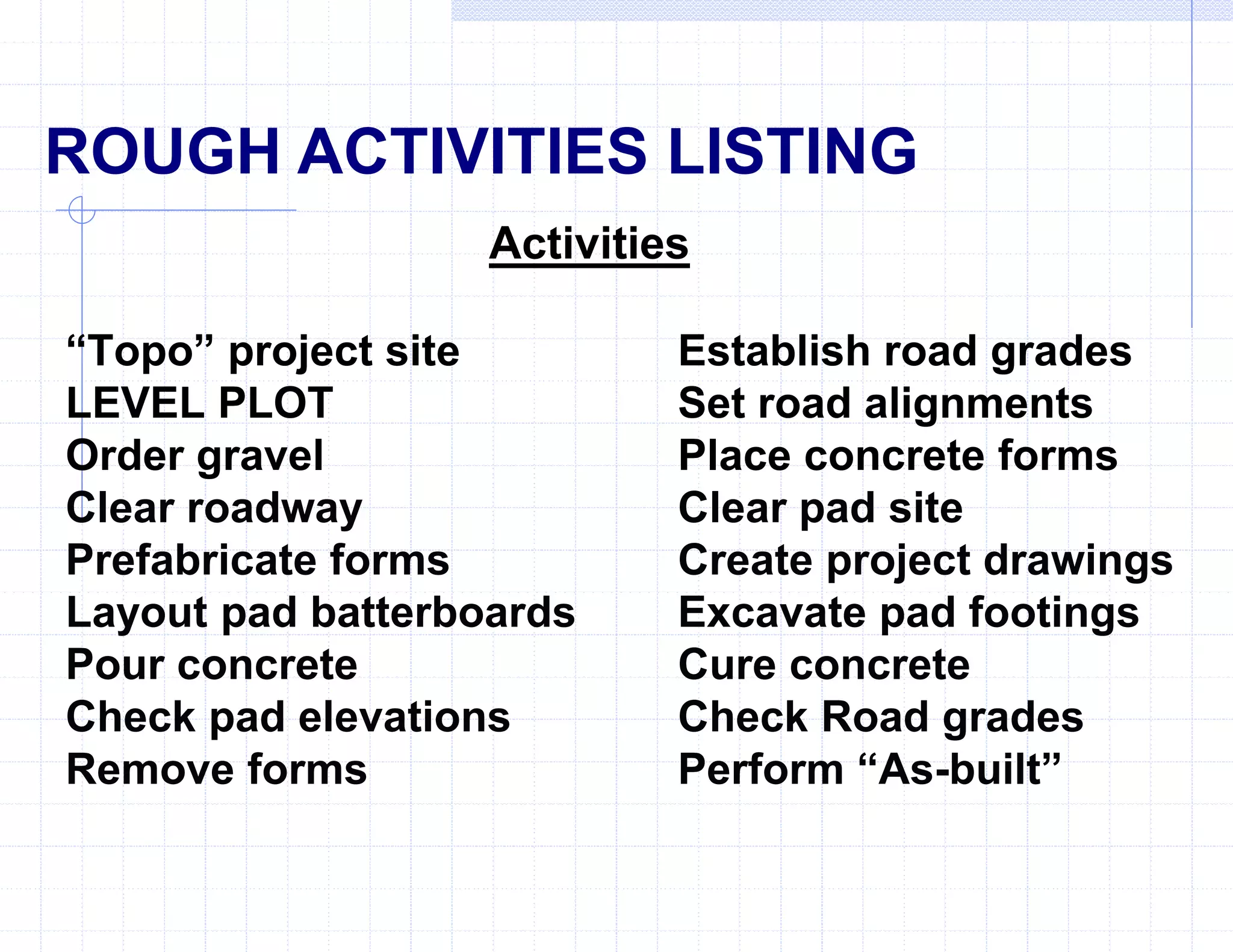
Activities
“Topo” project site Establish road grades
LEVEL PLOT Set road alignments
Order gravel Place concrete forms
Clear roadway Clear pad site
Prefabricate forms Create project drawings
Layout pad batterboards Excavate pad footings
Pour concrete Cure concrete
Check pad elevations Check Road grades
Remove forms Perform “As-built”
ROUGH ACTIVITIES LISTING
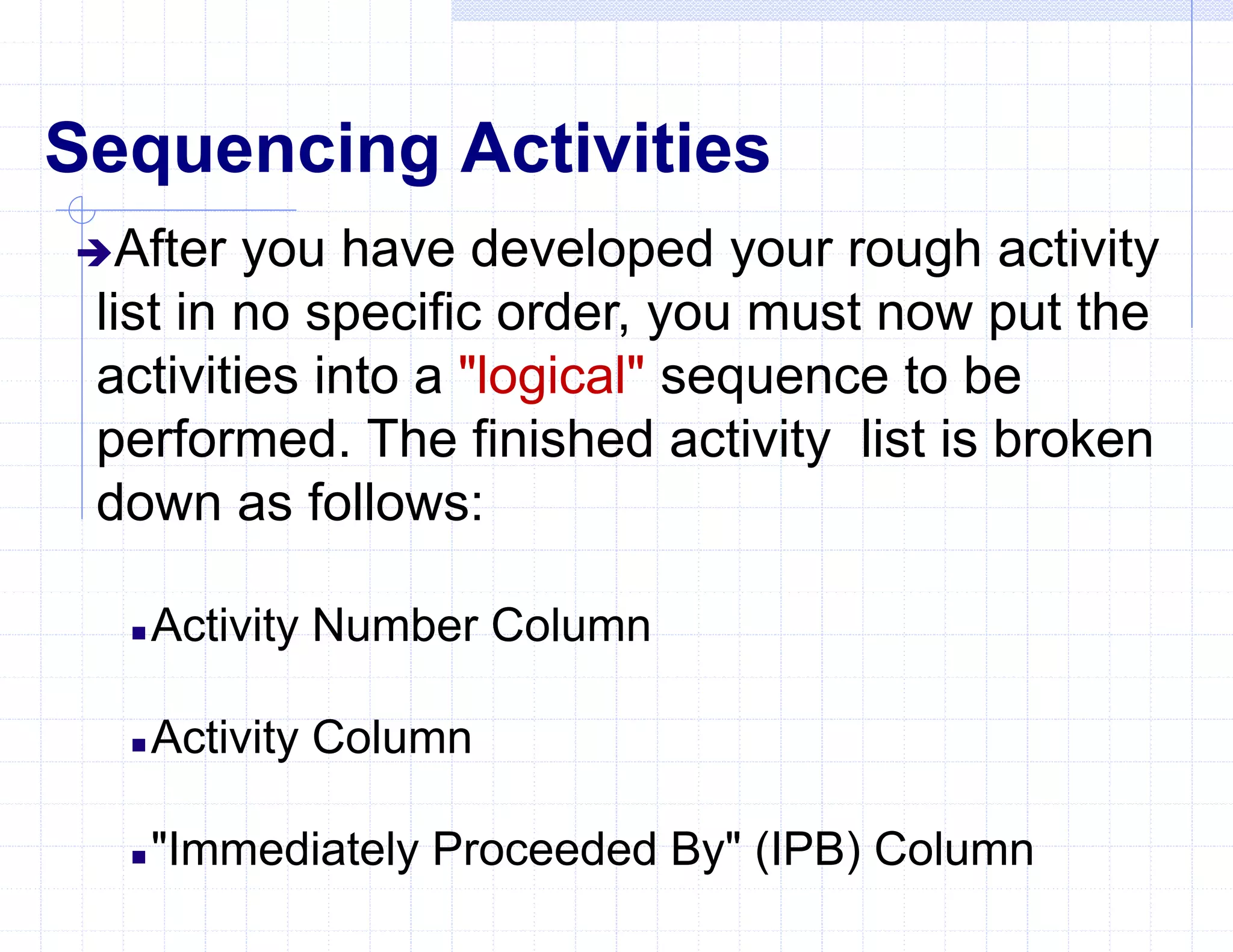
Sequencing Activities
After you have developed your rough activity
list in no specific order, you must now put the
activities into a "logical" sequence to be
performed. The finished activity list is broken
down as follows:
 Activity Number Column
 Activity Column
 "Immediately Proceeded By" (IPB) Column
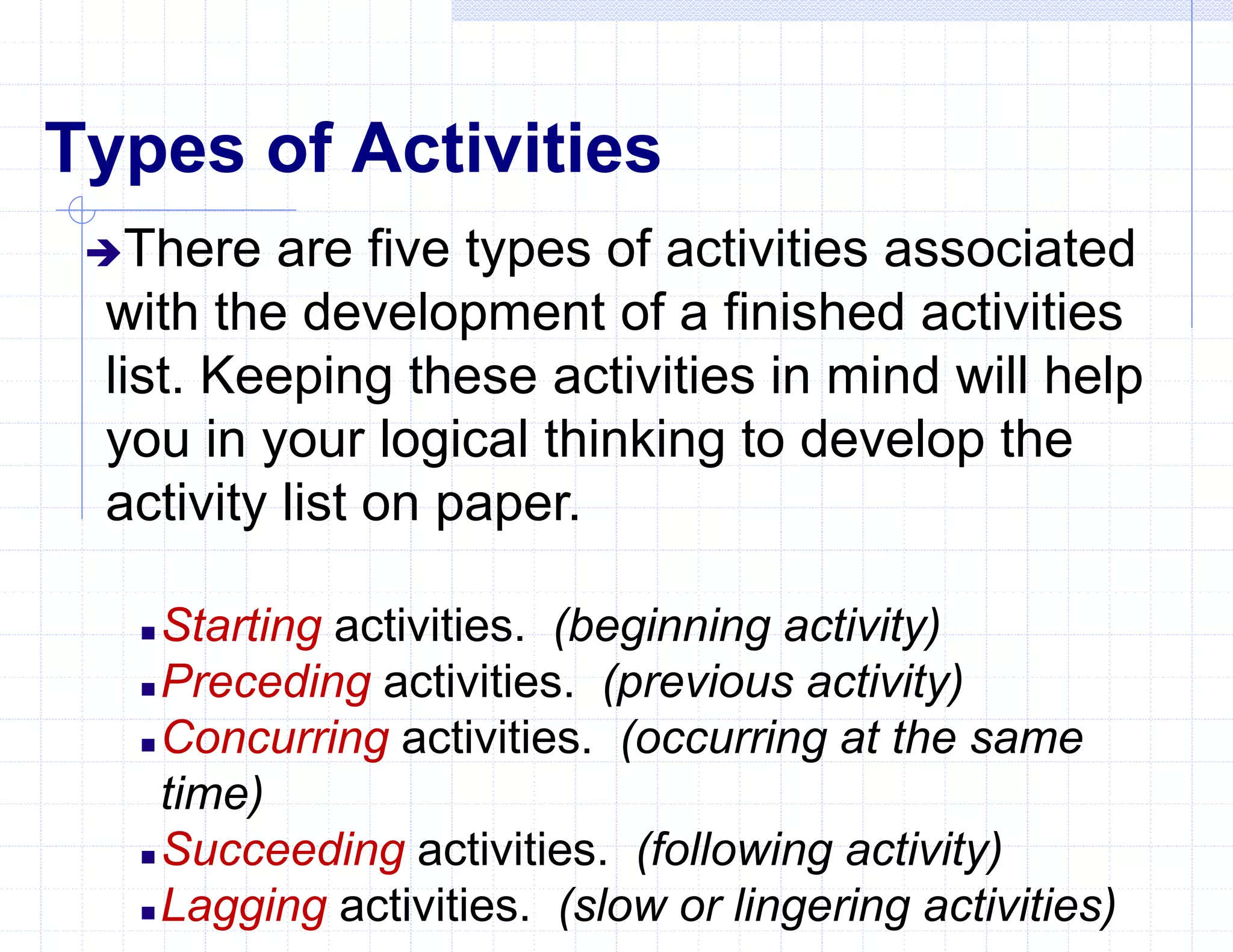
Types of Activities
There are five types of activities associated
with the development of a finished activities
list. Keeping these activities in mind will help
you in your logical thinking to develop the
activity list on paper.
 Starting activities. (beginning activity)
 Preceding activities. (previous activity)
 Concurring activities. (occurring at the same
time)
 Succeeding activities. (following activity)
 Lagging activities. (slow or lingering activities)
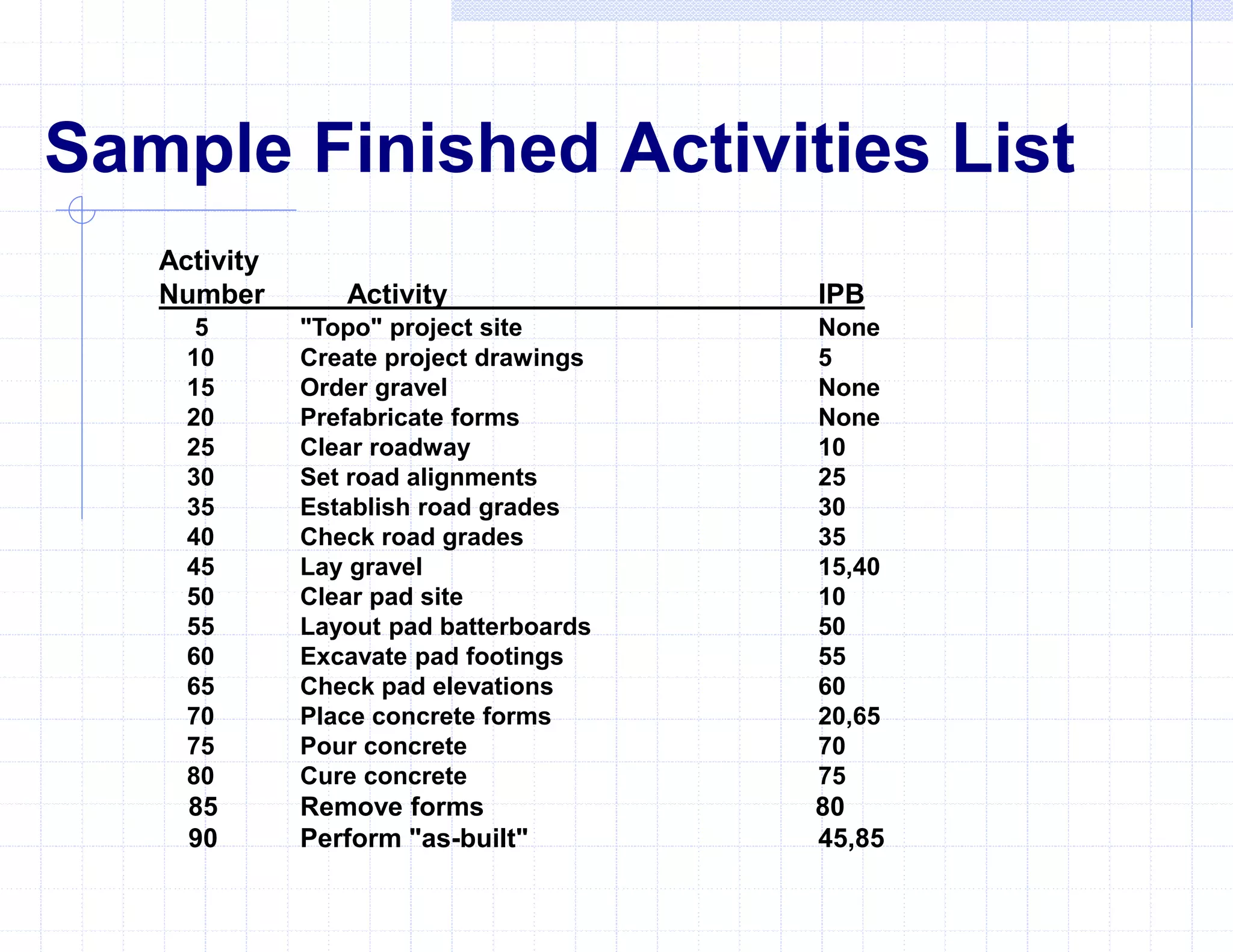
Sample Finished Activities List
Activity
Number Activity IPB
5 "Topo" project site None
10 Create project drawings 5
15 Order gravel None
20 Prefabricate forms None
25 Clear roadway 10
30 Set road alignments 25
35 Establish road grades 30
40 Check road grades 35
45 Lay gravel 15,40
50 Clear pad site 10
55 Layout pad batterboards 50
60 Excavate pad footings 55
65 Check pad elevations 60
70 Place concrete forms 20,65
75 Pour concrete 70
80 Cure concrete 75
85 Remove forms 80
90 Perform "as-built" 45,85
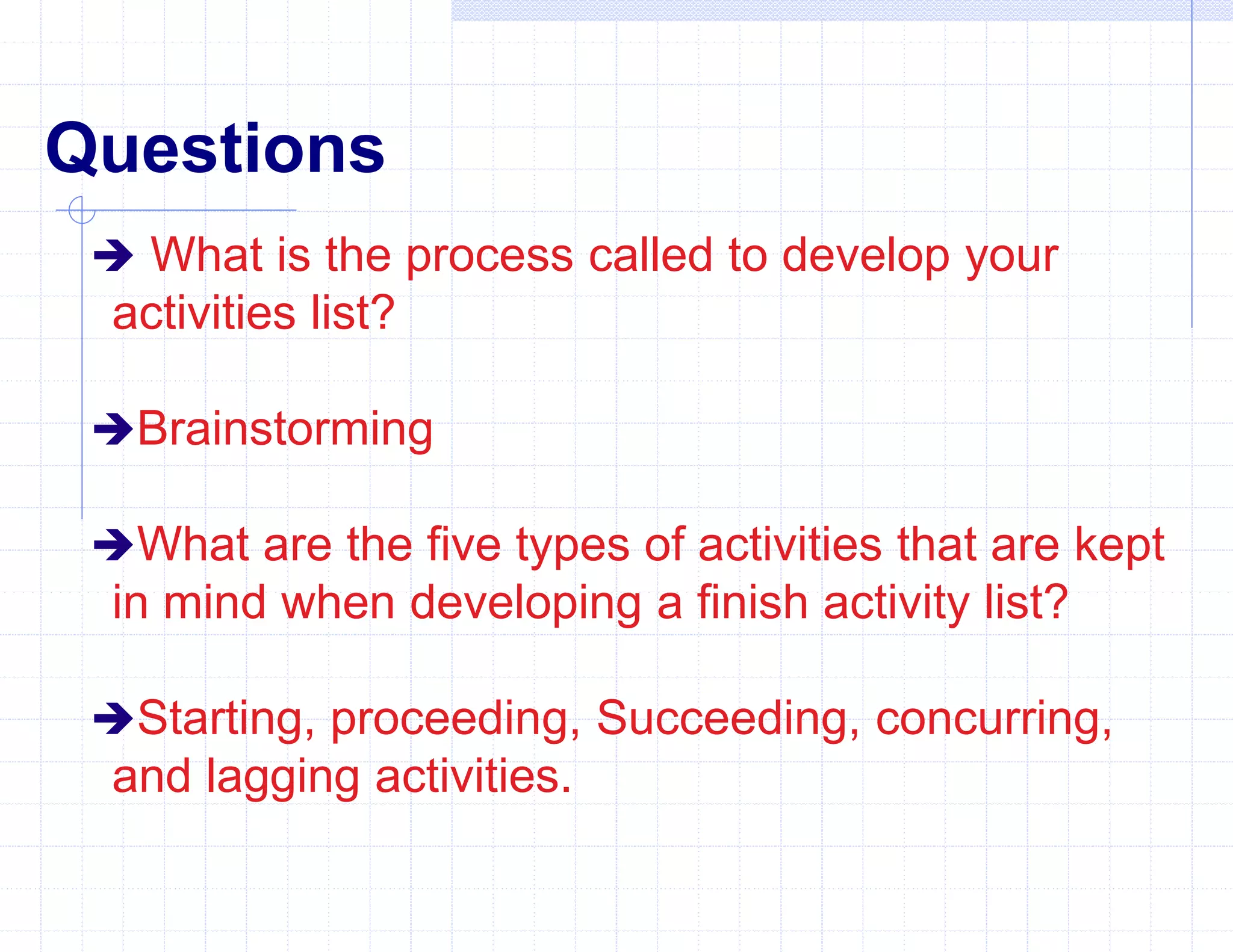
Questions
 What is the process called to develop your
activities list?
Brainstorming
What are the five types of activities that are kept
in mind when developing a finish activity list?
Starting, proceeding, Succeeding, concurring,
and lagging activities.
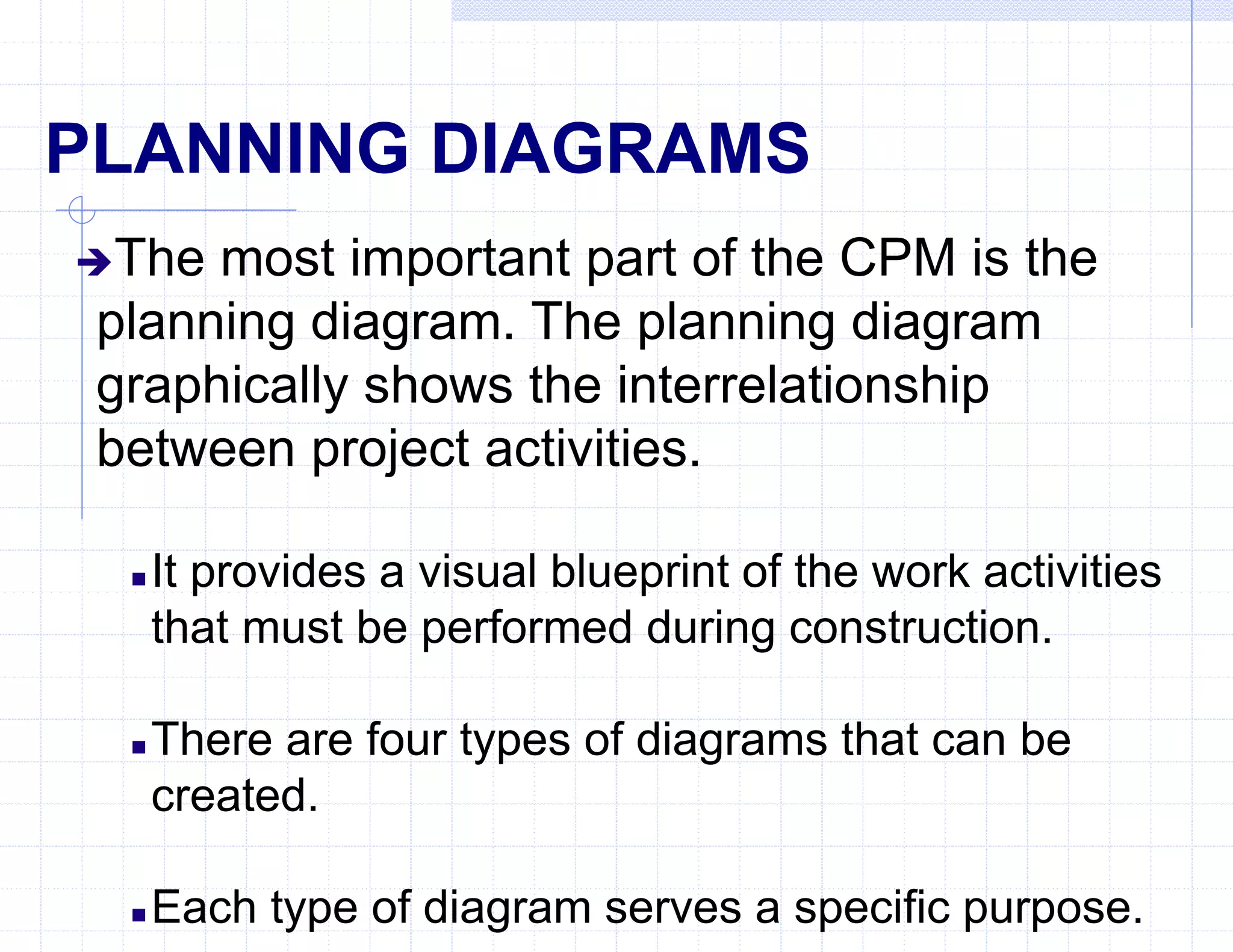
PLANNING DIAGRAMS
The most important part of the CPM is the
planning diagram. The planning diagram
graphically shows the interrelationship
between project activities.
 It provides a visual blueprint of the work activities
that must be performed during construction.
 There are four types of diagrams that can be
created.
 Each type of diagram serves a specific purpose.
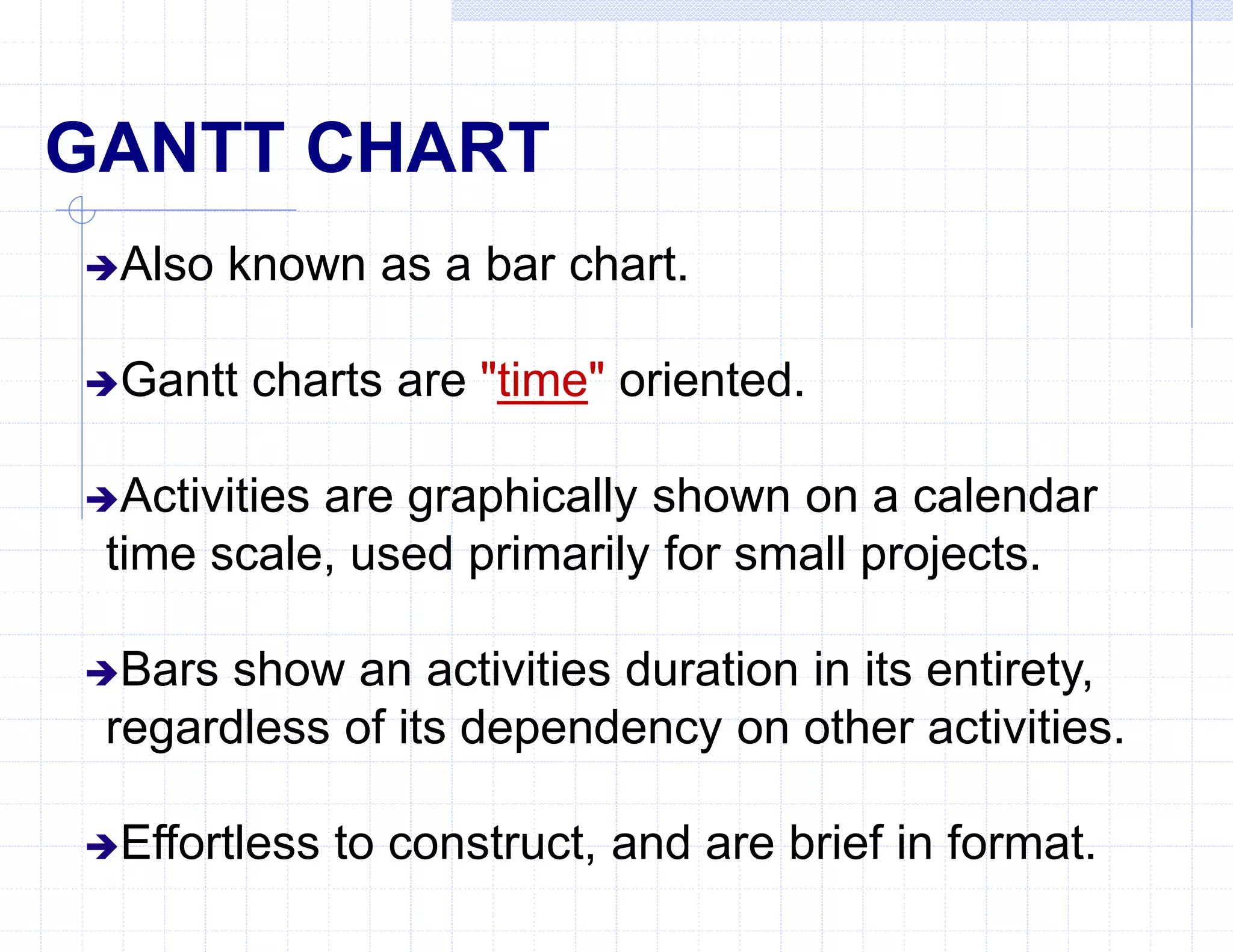
GANTT CHART
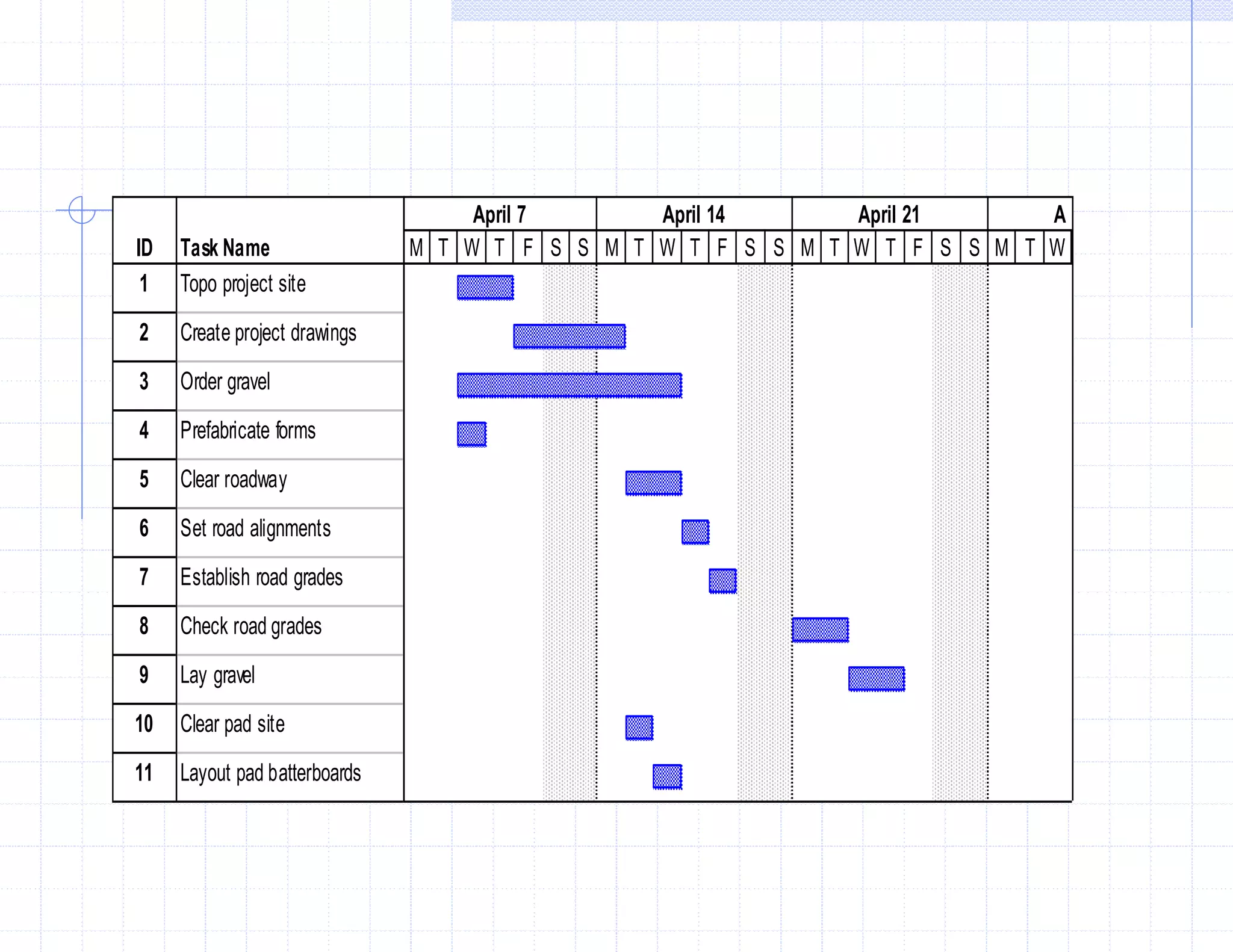
Also known as a bar chart.
Gantt charts are "time" oriented.
Activities are graphically shown on a calendar
time scale, used primarily for small projects.
Bars show an activities duration in its entirety,
regardless of its dependency on other activities.
Effortless to construct, and are brief in format.
ID Task Name
1 Topo project site
2 Create project drawings
3 Order gravel
4 Prefabricate forms
5 Clear roadway
6 Set road alignments
7 Establish road grades
8 Check road grades
9 Lay gravel
10 Clear pad site
11 Layout pad batterboards
M T W T F S S M T W T F S S M T W T F S S M T W
April 7 April 14 April 21 A
GANTT CHART DISADVANTAGES
Does not give you the ability to visualize the exact
progress of the project.
Anticipate delays or problems soon enough to correct
them.
Does not show detailed sequence of activities.
Does not show "critical activities".
Does not show precise effect of a delay or failure to
complete an activity on time.
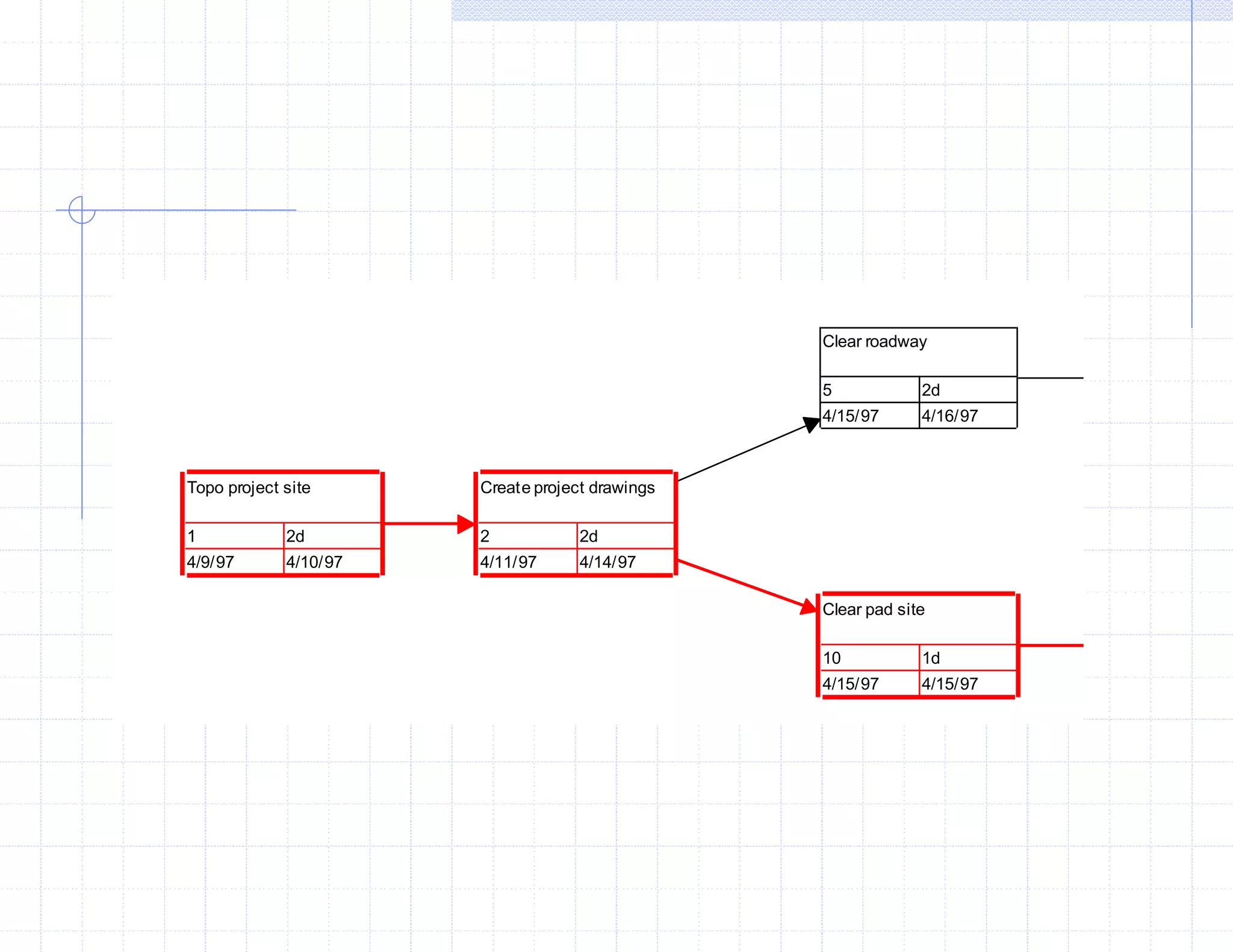
PERT CHART DIAGRAM
The Program Evaluation and Review
Technique (PERT) addresses probability,
and is "event" oriented.
This type of logic diagram is used primarily
for research and development projects.
Clear roadway
5 2d
4/15/97 4/16/97
Clear pad site
10 1d
4/15/97 4/15/97
Create project drawings
2 2d
4/11/97 4/14/97
Topo project site
1 2d
4/9/97 4/10/97
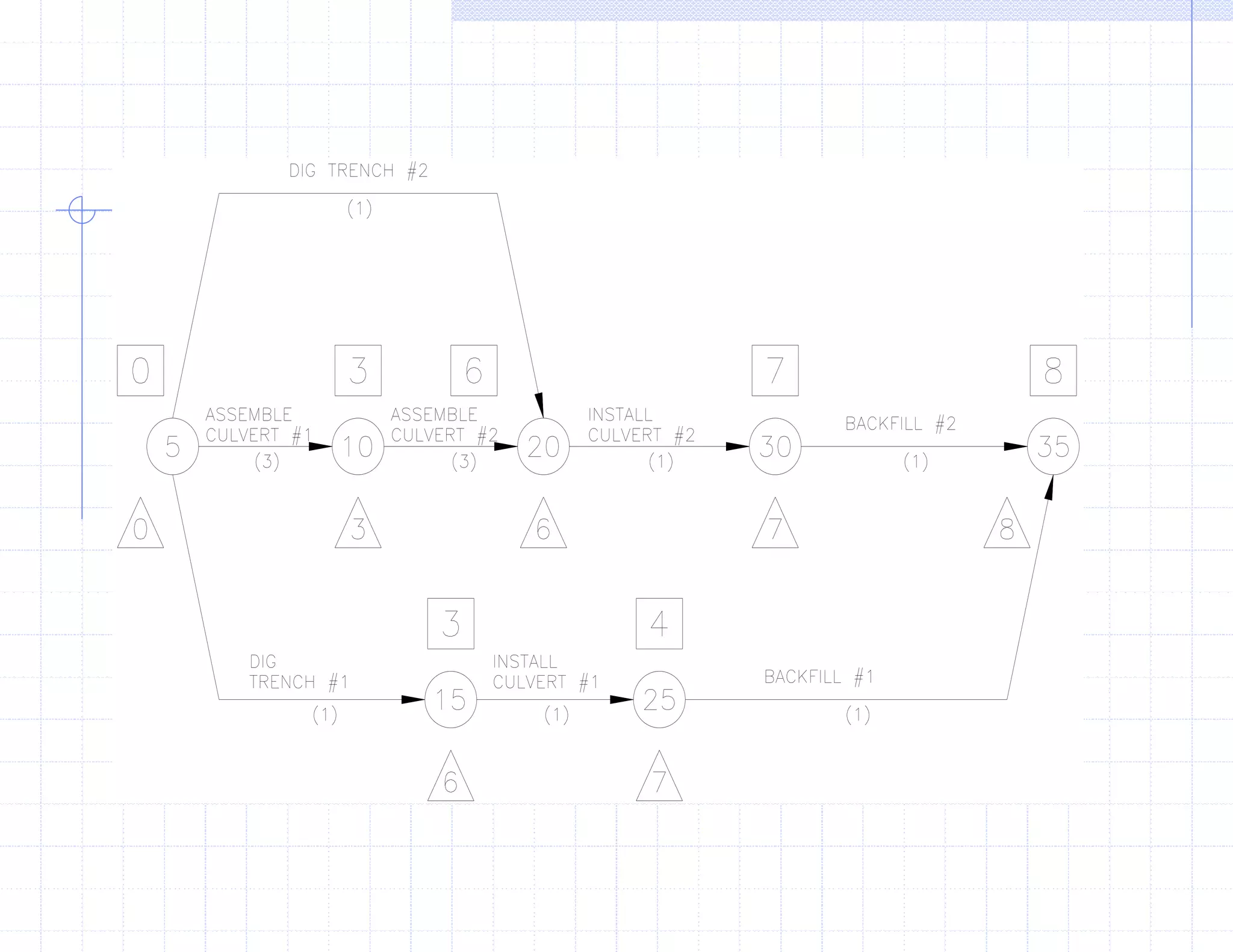
Activity-On-The-Arrow Format
(CPM)
More complex in its creation.
Tendency to lead to confusion when trying
to interpret it.
Least desirable format to use because of
these factors.
Activity-On-The-Node Format
(CPM)
Eliminates confusion, and allows you to
adjust for problems that may arise during the
construction of the project.
AON format is "activity" oriented.
This is the primary format used for planning
military construction, and especially used for
large projects.
Activity-On-The-Node Uses:
Construction planning.
Maintenance planning.
Project Design.
Military combat task planning.
Logistics planning.
AON Advantages
Reduces risk of overlooking essential tasks.
Provides a blueprint for long-range planning.
Shows activity interrelationships.
Focuses attention on critical activities.
Allows you to make timely decisions.
Allows you to manage manpower, material, and
equipment
resources more effectively.
AON Disadvantages
The AON format does not solve
engineering problems that may occur.
Does not make planning decisions for you.
Does not provide anything substantial to
the actual construction of the project itself.
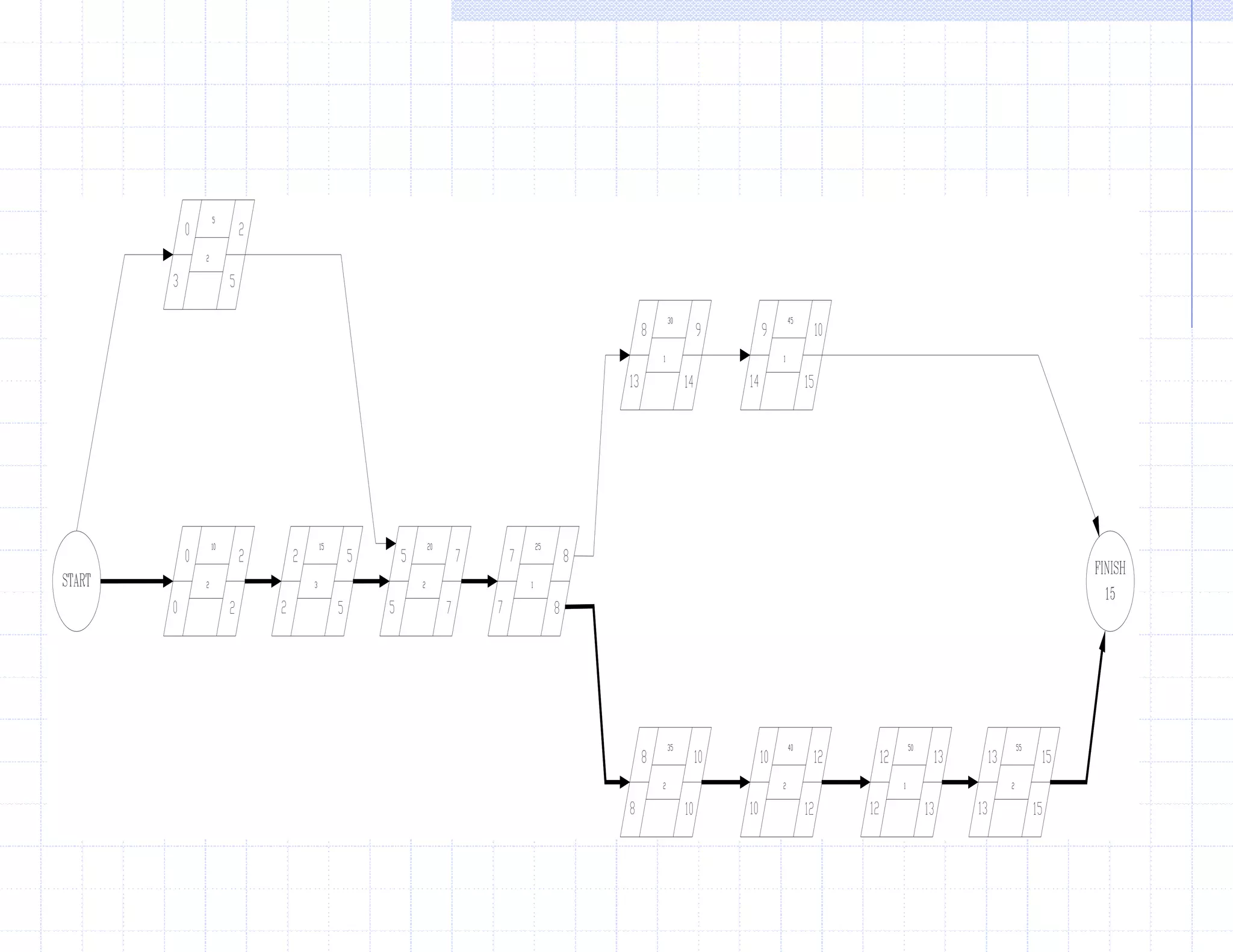
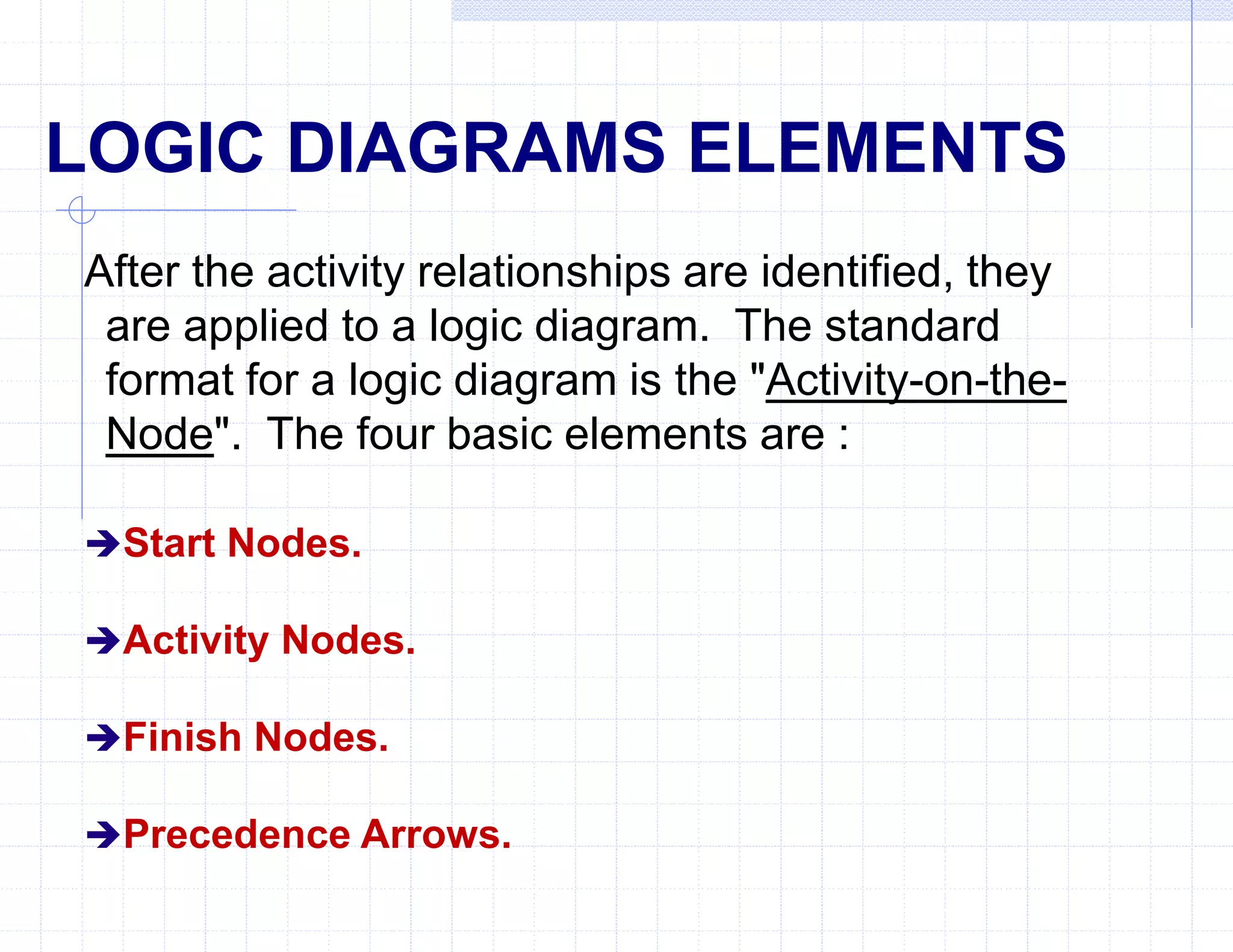
LOGIC DIAGRAMS ELEMENTS
After the activity relationships are identified, they
are applied to a logic diagram. The standard
format for a logic diagram is the "Activity-on-the-
Node". The four basic elements are :
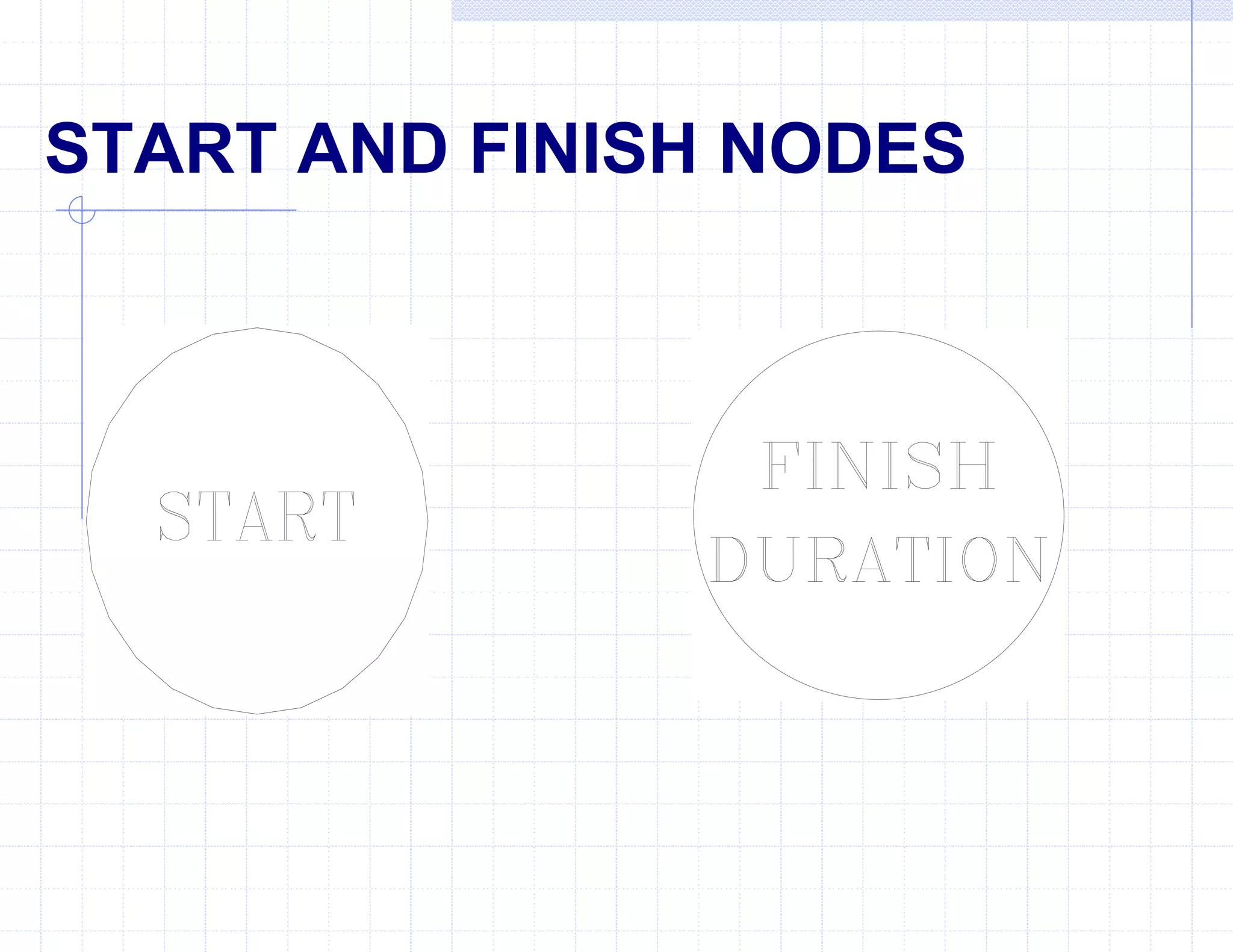
Start Nodes.
Activity Nodes.
Finish Nodes.
Precedence Arrows.
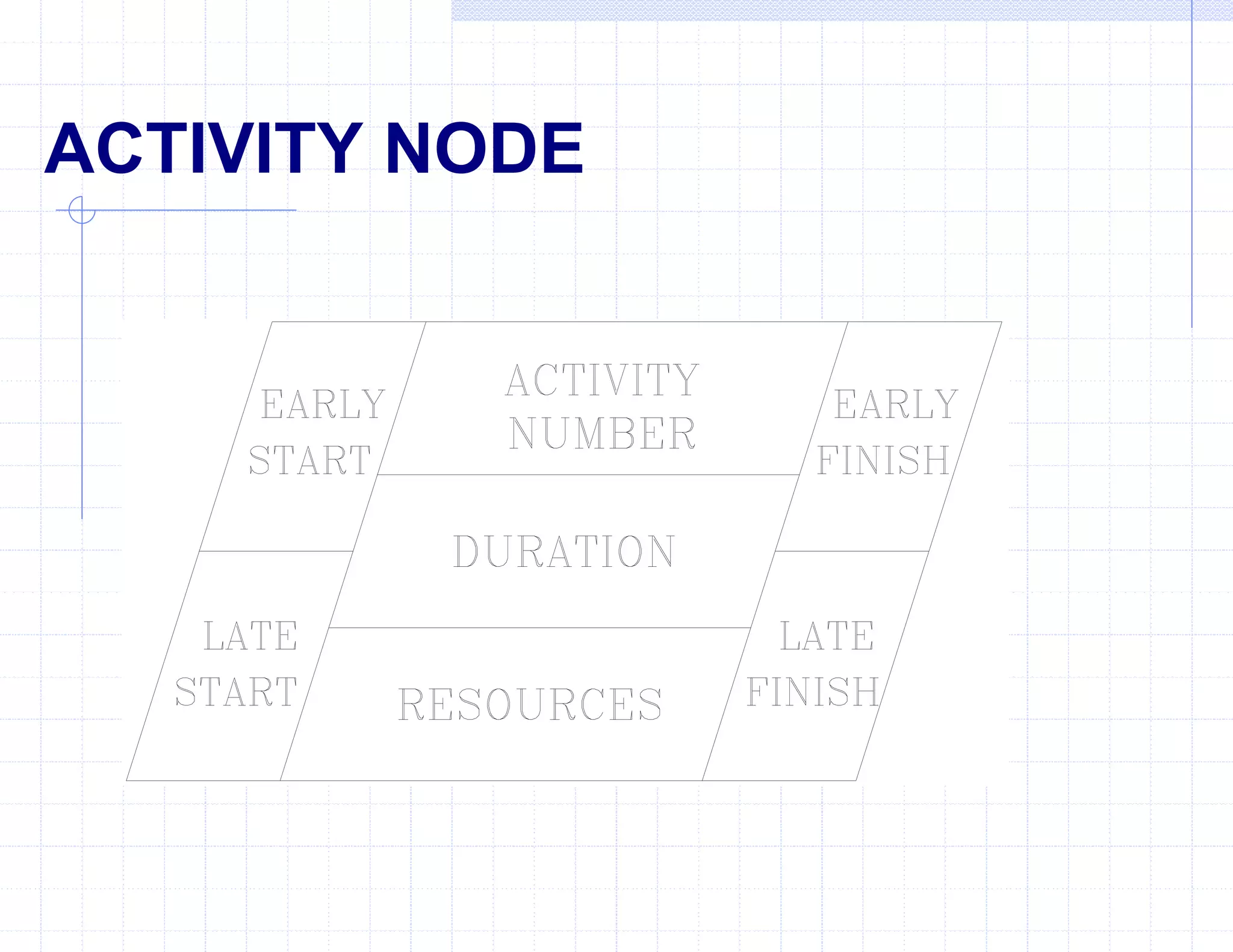
ACTIVITY NODE
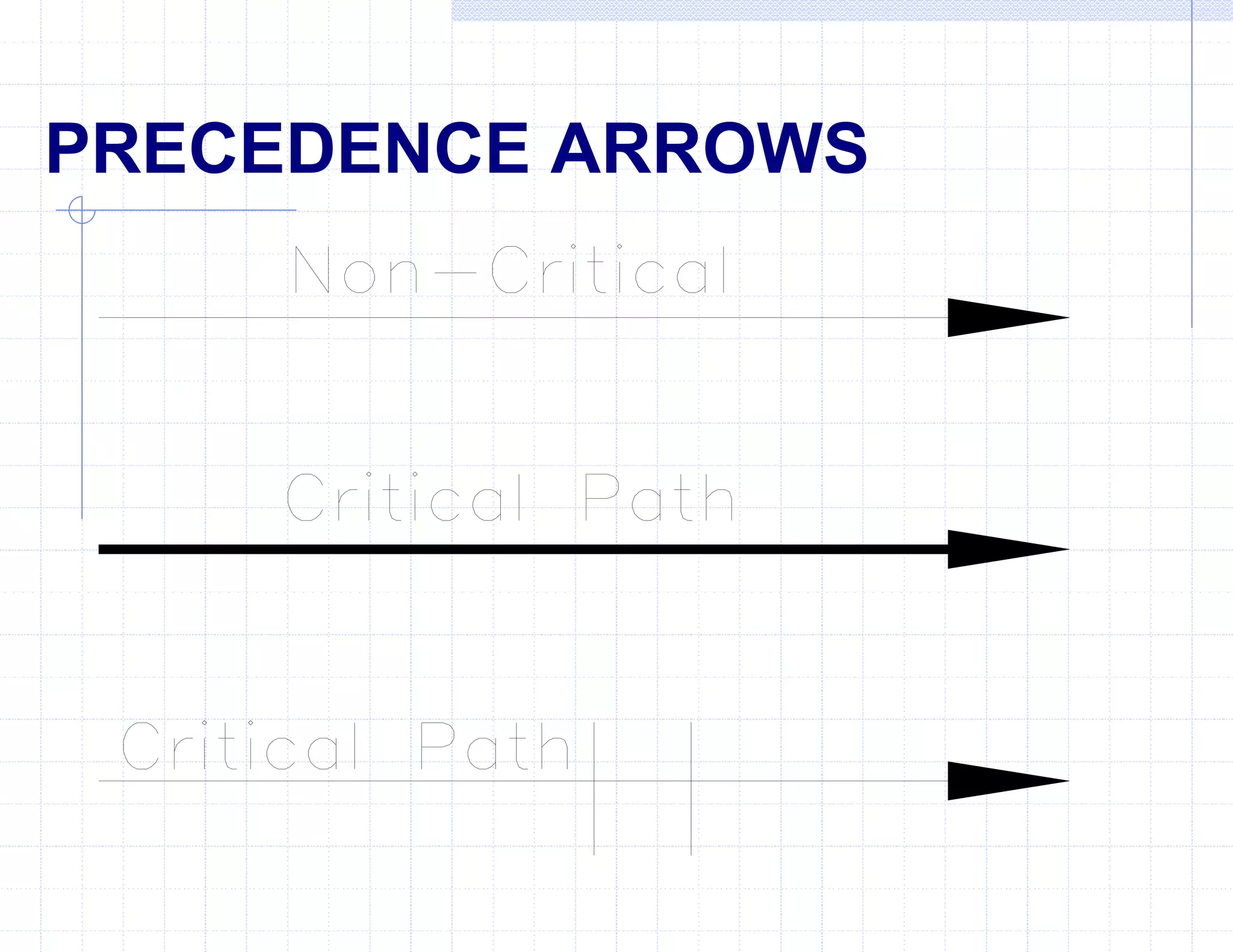
PRECEDENCE ARROWS
START AND FINISH NODES
QUESTIONS
 What type of diagram is event oriented?
What type of diagram is time oriented?
What type of diagram is activity oriented?
LOGIC DIAGRAMS
Shown as a Critical Path Method (CPM) logic
diagram.
Shows accurate, timely, and easily understood
picture of the whole project.
Easier to plan, schedule, and manage the
sequence of required work activities.
Graphically shows the interrelationship of each
work activity as they relate to the completion of the
whole project.
CPM DIAGRAM LOGIC RULES
Which activities start at the beginning of the project?
(Starting)
Which activities must be finished before the start of
another? (Preceding)
Which activities can start or finish at the same time as
another? (Concurring)
Which activities cannot begin until another is
finished? (Succeeding)
Which activities may start when a portion of another
activity is complete? (Lagging)
LOGIC DIAGRAM
DEMONSTRATION
Questions
 What logic rules are used to create a logic
diagram?
Starting, proceeding, succeeding, concurring,
and lagging activities.
What type of planning diagram is “event”
oriented?
Pert chart.
Questions
 What type of planning diagram is “time”
oriented?
Gantt chart
What type of planning diagram is “activity”
oriented?
AON and AOA diagrams.
PRACTICAL EXERCISE
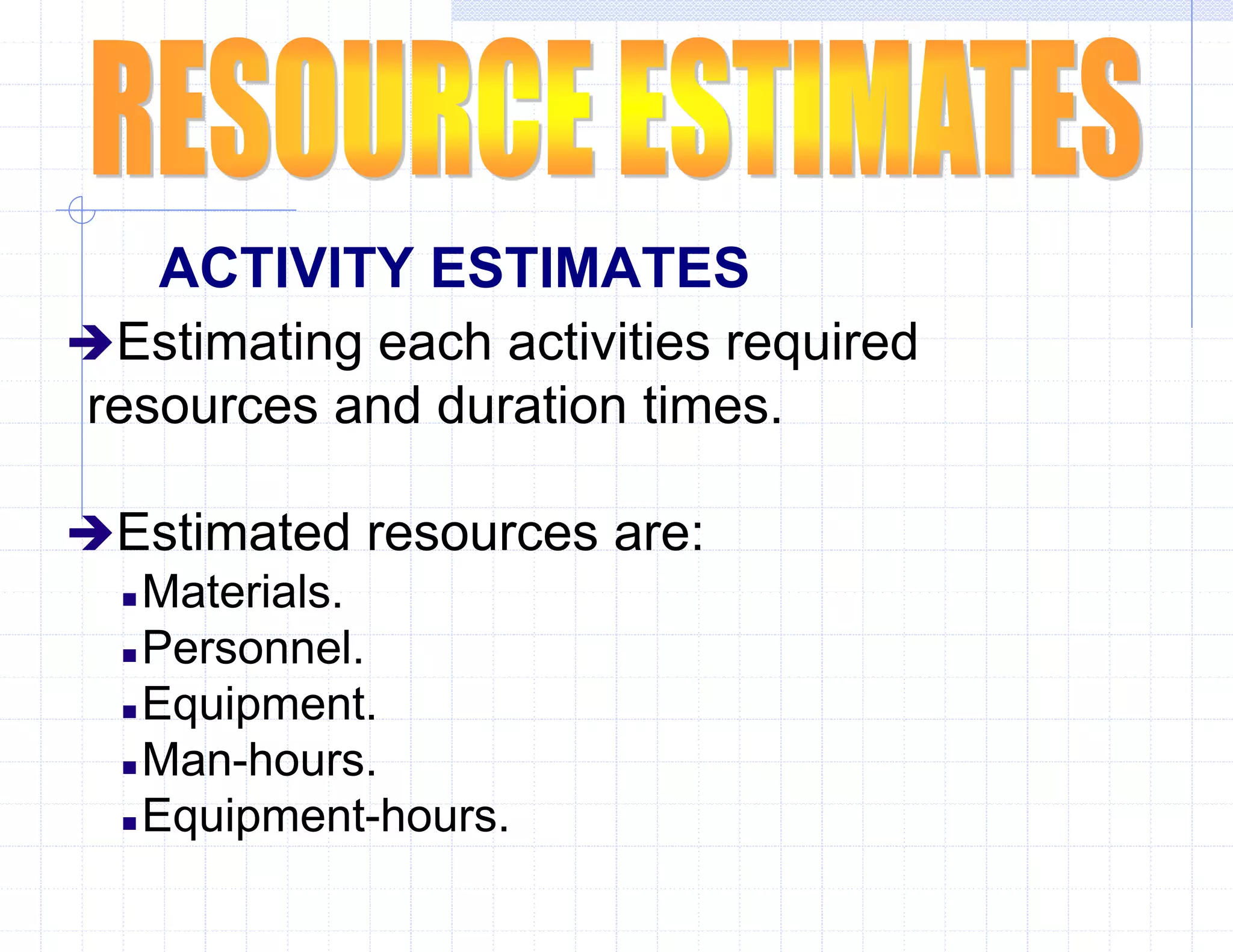
ACTIVITY ESTIMATES
Estimating each activities required
resources and duration times.
Estimated resources are:
 Materials.
 Personnel.
 Equipment.
 Man-hours.
 Equipment-hours.
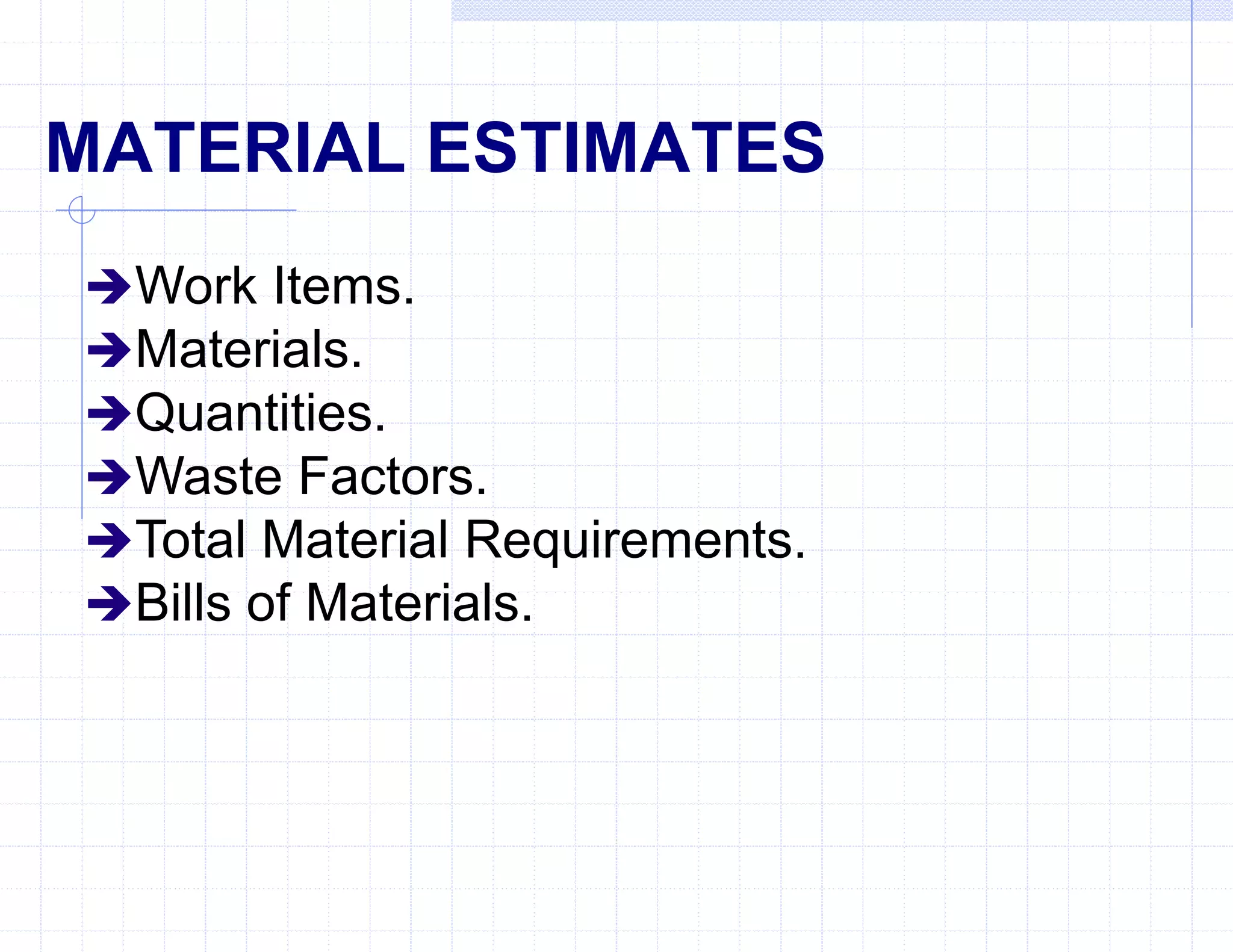
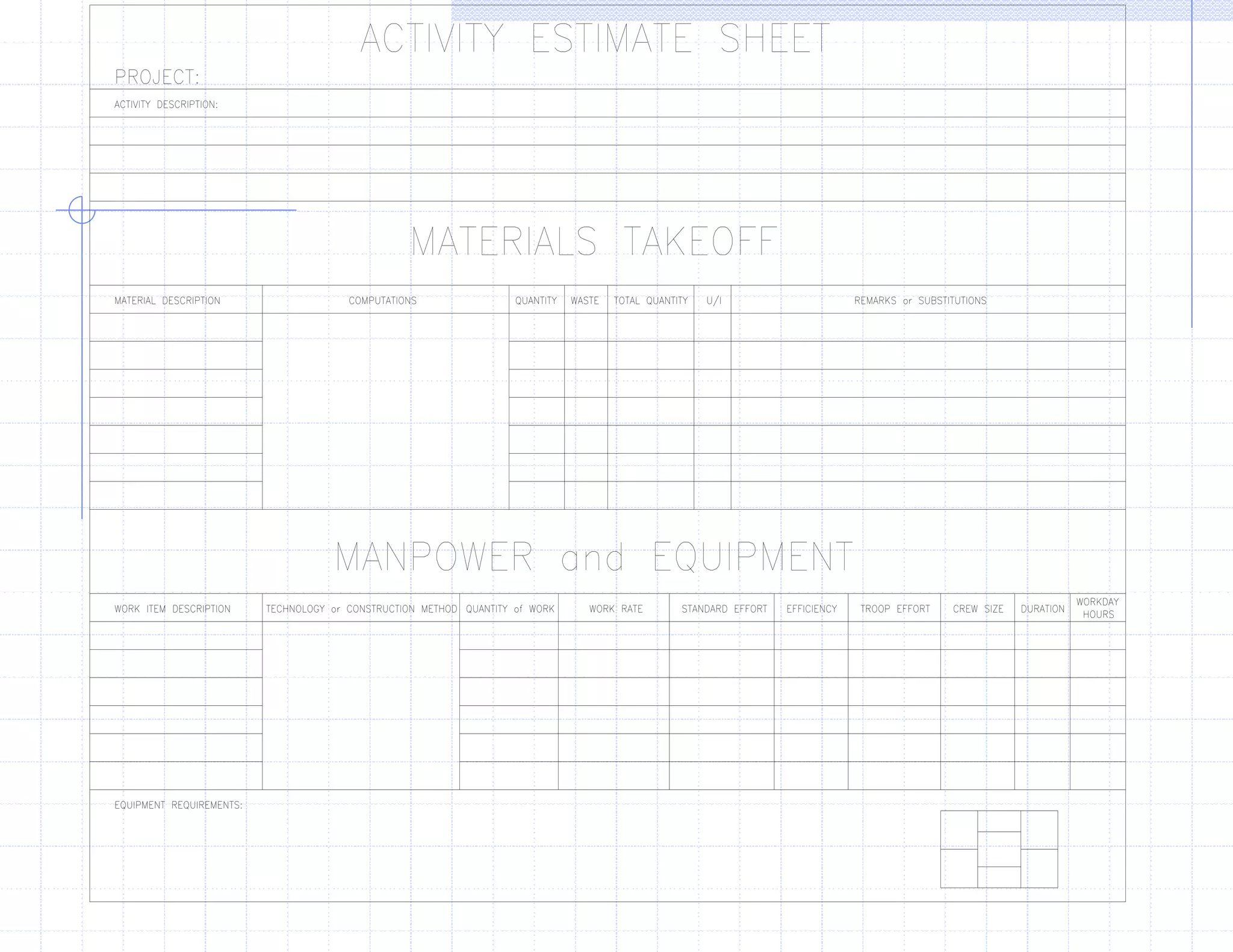
MATERIAL ESTIMATES
Work Items.
Materials.
Quantities.
Waste Factors.
Total Material Requirements.
Bills of Materials.
EQUIPMENT/PERSONNEL
ESTIMATES
Work Items. (Activities)
Material Quantities. (Units of work)
Work Rate. (Man-hour Tables)
Standard Work Effort (Labor). (Quantity x Work Rate)
Efficiency Factor. Represented as a Percentage)
Troop Effort (Total Labor Hours). (Standard Effort /
Efficiency)
Duration (Hours, Days, Weeks, or Months). (Troop Effort /
Crew Size)
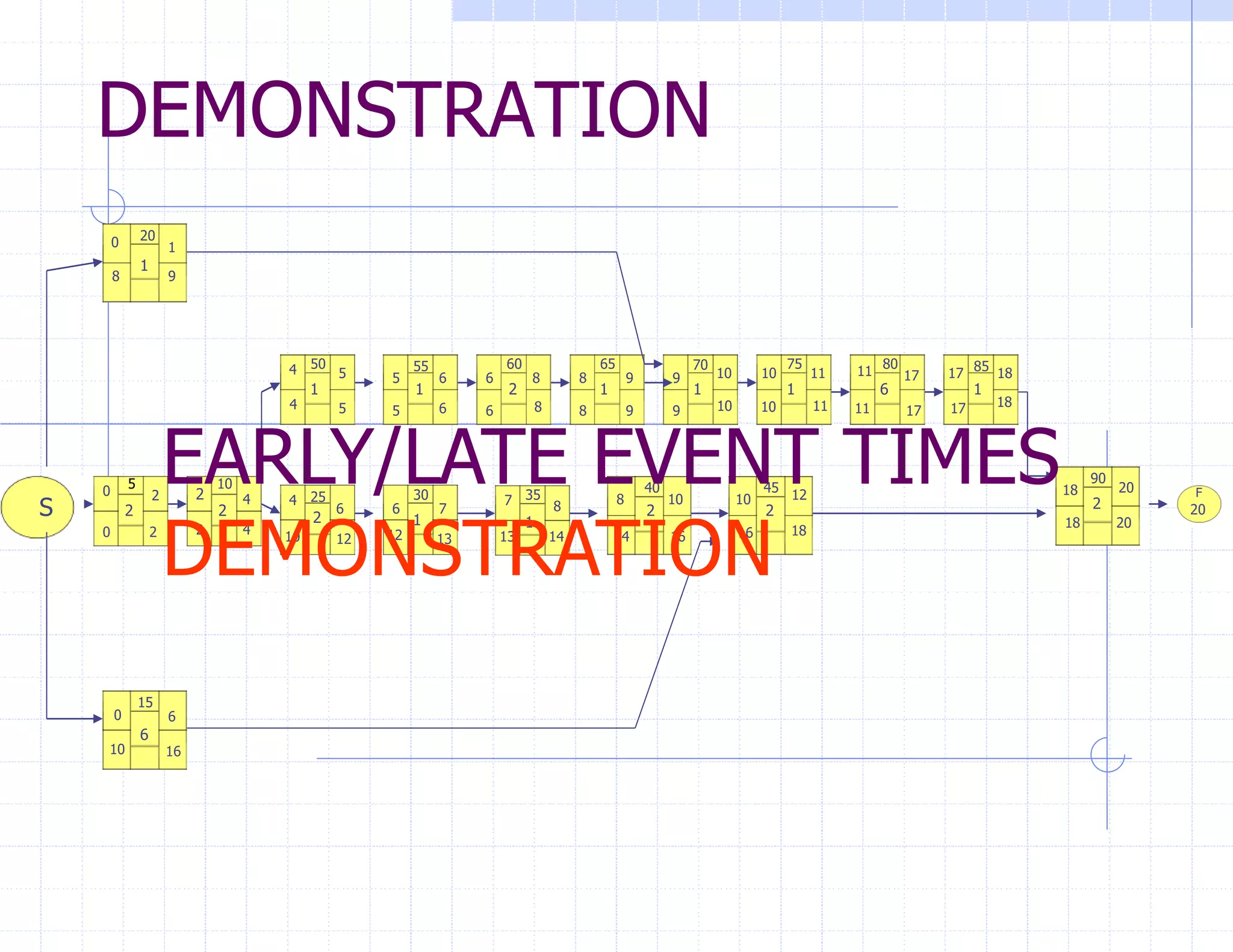
EARLY/LATE EVENT TIMES
After all duration's have been computed, you are now
able to calculate each activities Early and Late event
times. (Forward Pass and Backward Pass)
 Early Start (ES): The earliest time a activity can logically start.
 Early Finish (EF): The earliest an activity can finish without delaying
follow on
activities. (ES + Duration)
 Late Finish (LF): The latest an activity can finish without delaying the
entire project.
 Late Start (LS): The latest time an activity can start without delaying
the entire project. (LF - Duration)
CRITICAL PATH & CRITICAL
ACTIVITIES
After completing the event times, you can
determine the "critical path" of the project
and all of the "critical activities" by simple
observation using the following guidelines:
 The ES for an activity is the same as its LS.
 The EF for an activity is the same as its LF.
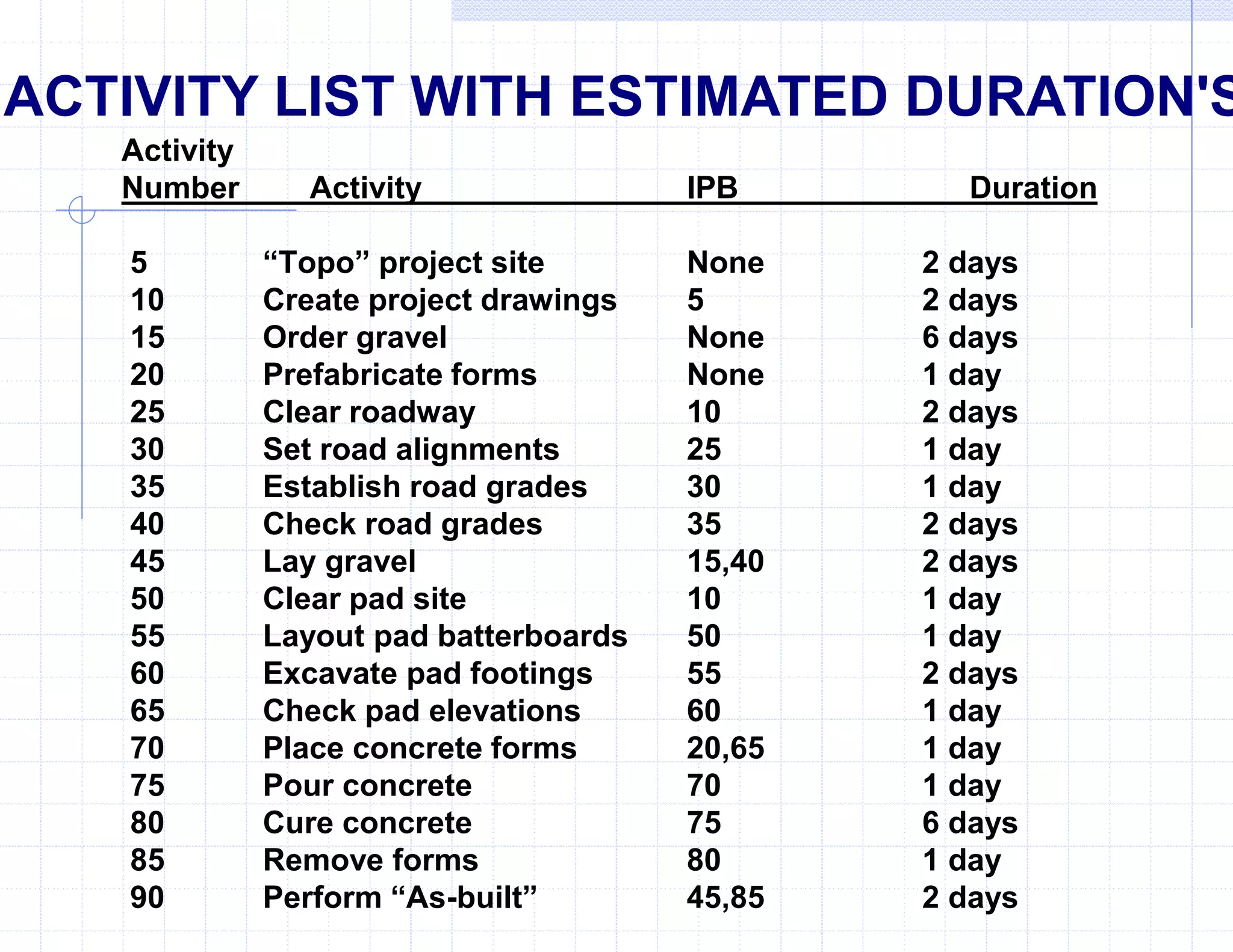
Activity
Number Activity IPB Duration
5 “Topo” project site None 2 days
10 Create project drawings 5 2 days
15 Order gravel None 6 days
20 Prefabricate forms None 1 day
25 Clear roadway 10 2 days
30 Set road alignments 25 1 day
35 Establish road grades 30 1 day
40 Check road grades 35 2 days
45 Lay gravel 15,40 2 days
50 Clear pad site 10 1 day
55 Layout pad batterboards 50 1 day
60 Excavate pad footings 55 2 days
65 Check pad elevations 60 1 day
70 Place concrete forms 20,65 1 day
75 Pour concrete 70 1 day
80 Cure concrete 75 6 days
85 Remove forms 80 1 day
90 Perform “As-built” 45,85 2 days
ACTIVITY LIST WITH ESTIMATED DURATION'S
DEMONSTRATION
S
5 10
15
20
25 30 35
40 45
50 55 60 65 70 75 80 85
90
F
2 2
6
1
2 2
2
1
1
1
1
2 1 1 1 6 1
2
0
0
0
2 4
4
4
6 6 7
7 8 8 10
5 5 6 6 8 8 9
6
10 12
1
9 10 10 11 11 17 17 18
18 20
20
20
18
18
18
17
17
11
11
10
10
9
9
8
8
6
6
5
5
4
16
16
16
10
9
8
14
14
13
13
12
10
4
2
2
0
2
12
EARLY/LATE EVENT TIMES
DEMONSTRATION
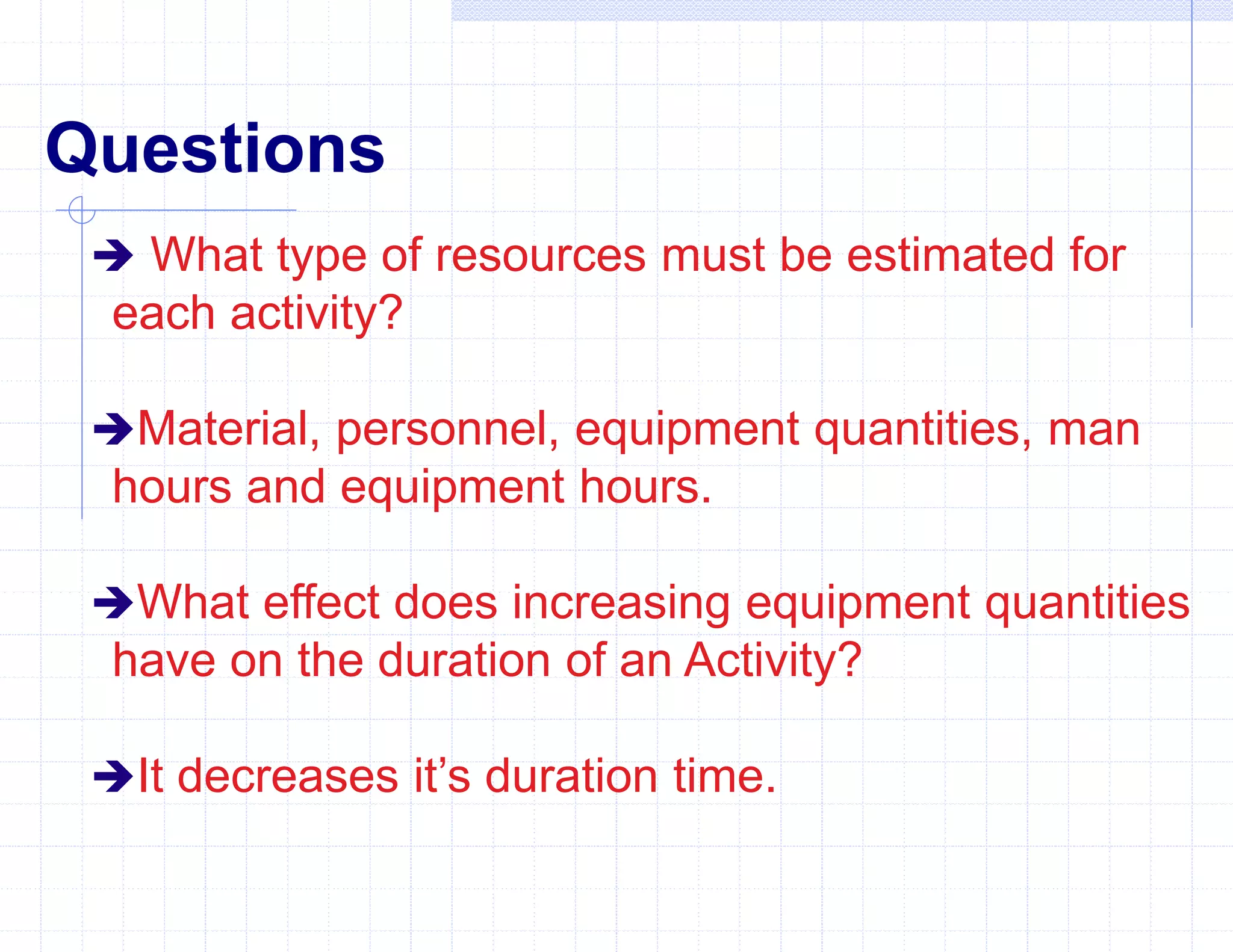
Questions
 What type of resources must be estimated for
each activity?
Material, personnel, equipment quantities, man
hours and equipment hours.
What effect does increasing equipment quantities
have on the duration of an Activity?
It decreases it’s duration time.
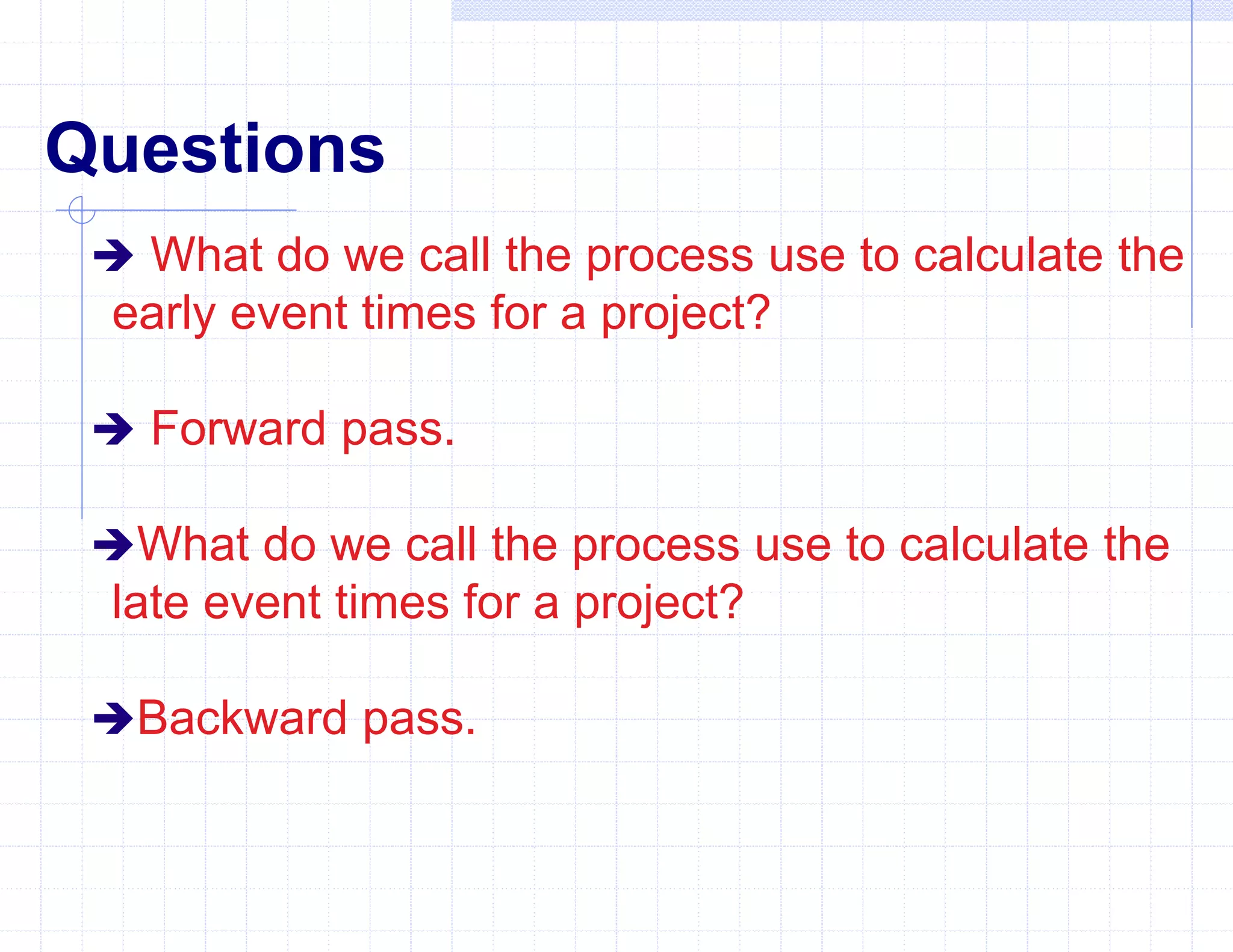
Questions
 What do we call the process use to calculate the
early event times for a project?
 Forward pass.
What do we call the process use to calculate the
late event times for a project?
Backward pass.
PRACTICAL EXERCISES
Complete worksheets 3 and 4 on pg 24 and 25
in your student outline.
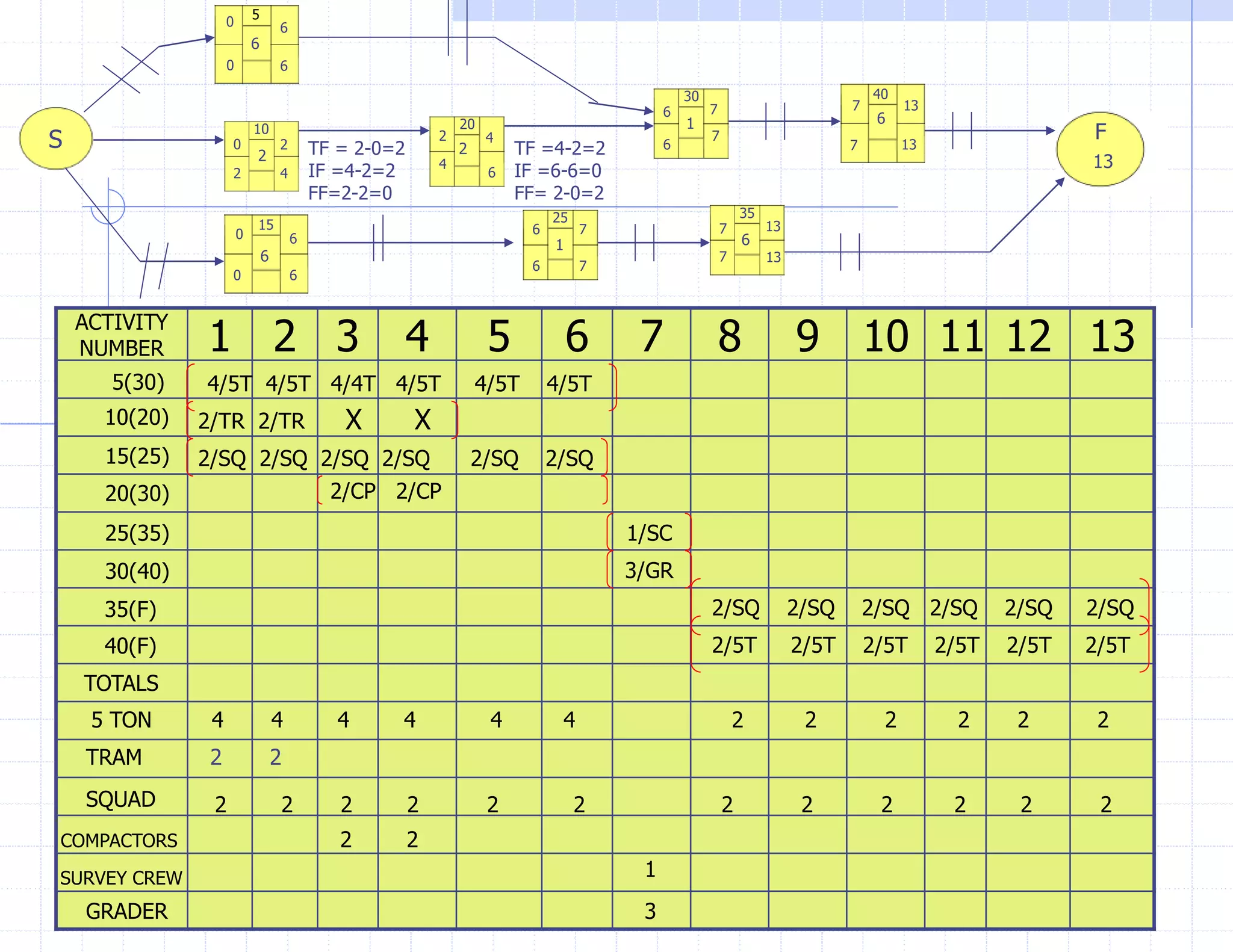
EARLY START SCHEDULES
An early start schedule, when joined with
the logic diagram, graphically shows all of the
planning information that is needed to
manage the construction project from start to
finish.
Any activity not on the "Critical Path" will
contain some float. Float is any extra time
that is available to complete an activity
beyond its actual duration, without effecting
the entire project.
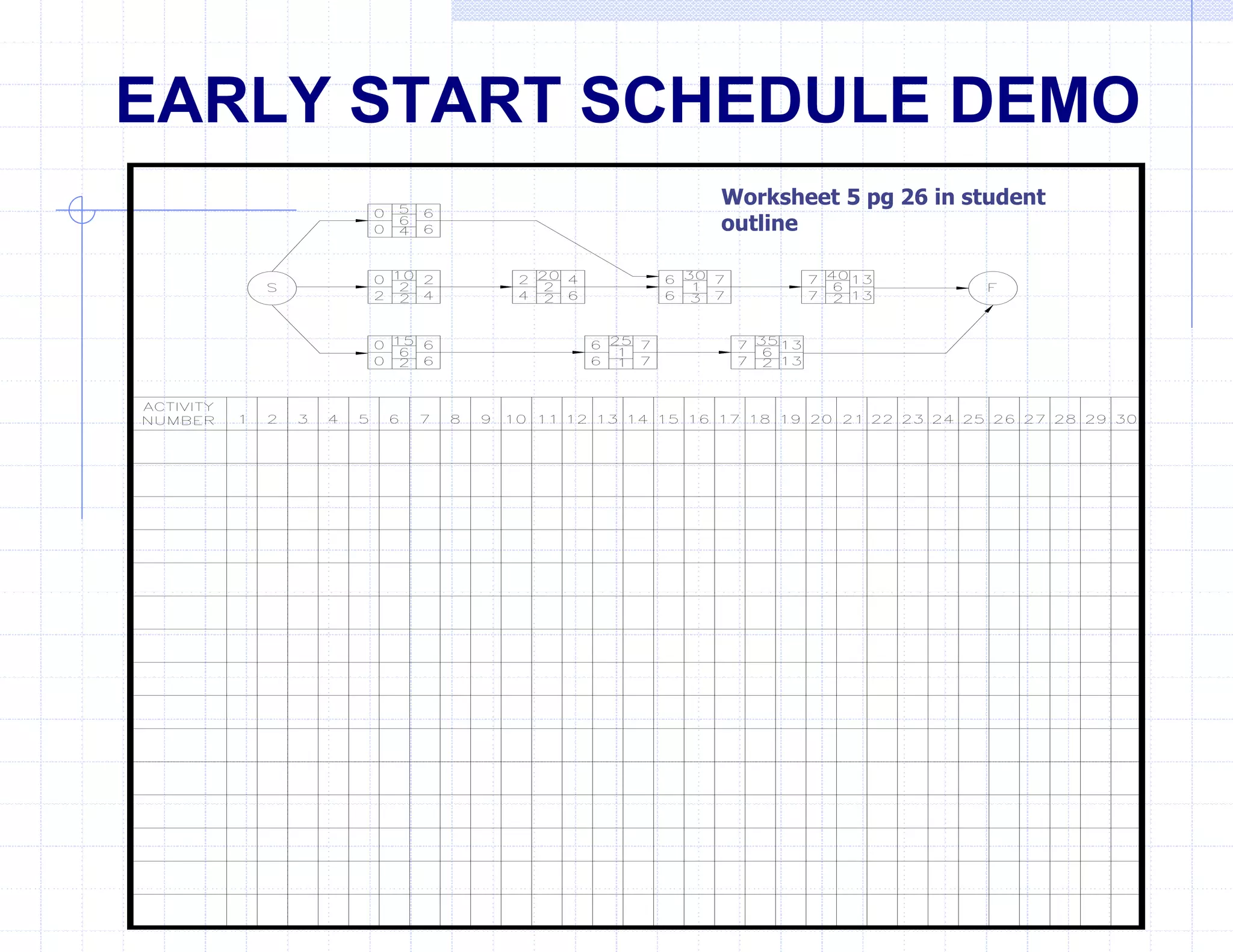
EARLY START SCHEDULE DEMO
Worksheet 5 pg 26 in student
outline
FLOAT
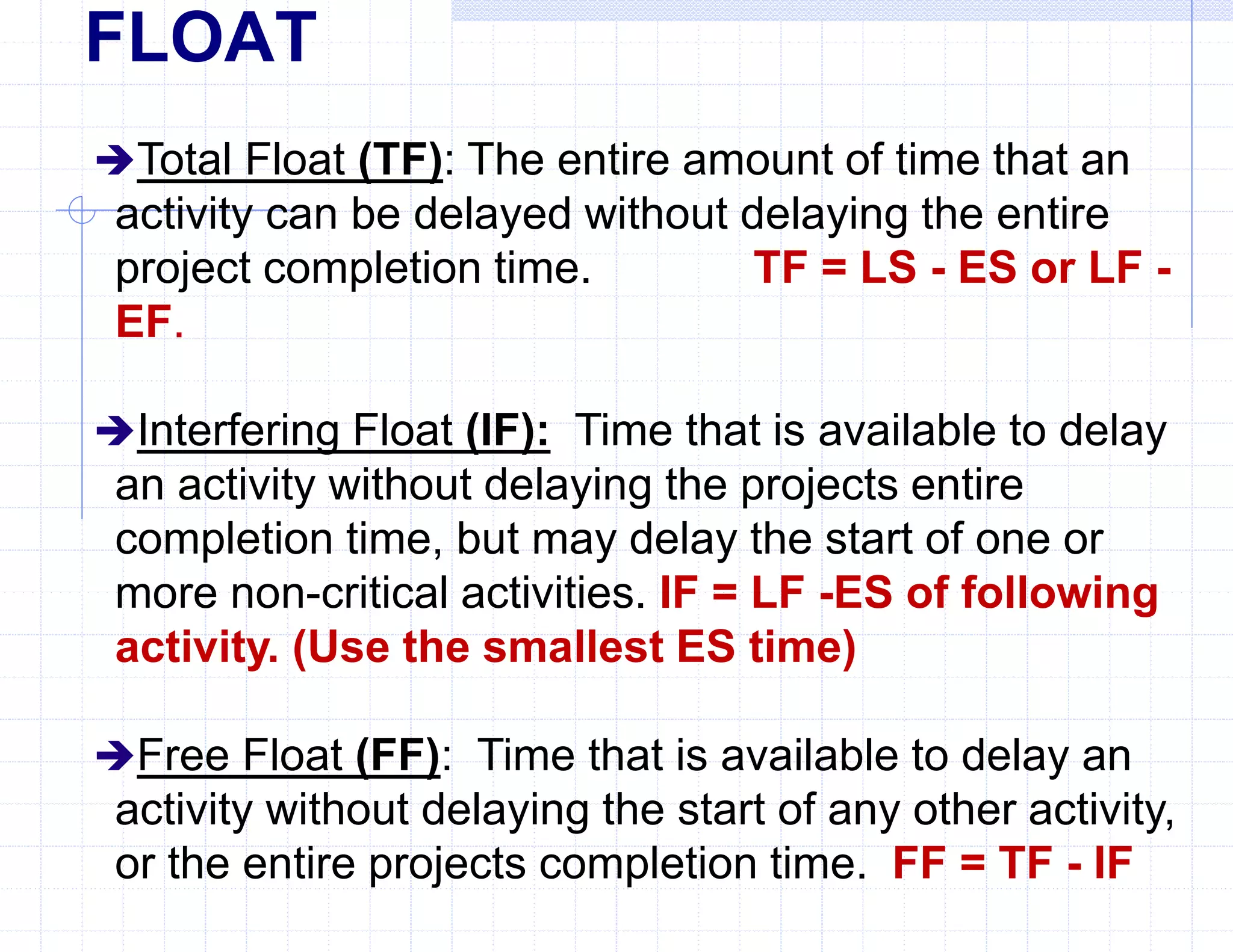
Total Float (TF): The entire amount of time that an
activity can be delayed without delaying the entire
project completion time. TF = LS - ES or LF -
EF.
Interfering Float (IF): Time that is available to delay
an activity without delaying the projects entire
completion time, but may delay the start of one or
more non-critical activities. IF = LF -ES of following
activity. (Use the smallest ES time)
Free Float (FF): Time that is available to delay an
activity without delaying the start of any other activity,
or the entire projects completion time. FF = TF - IF
FLOAT
ALL FINISHING ACTIVITIES WILL CONTAIN
ONLY FREE FLOAT
NO CALCULATIONS NEEDED
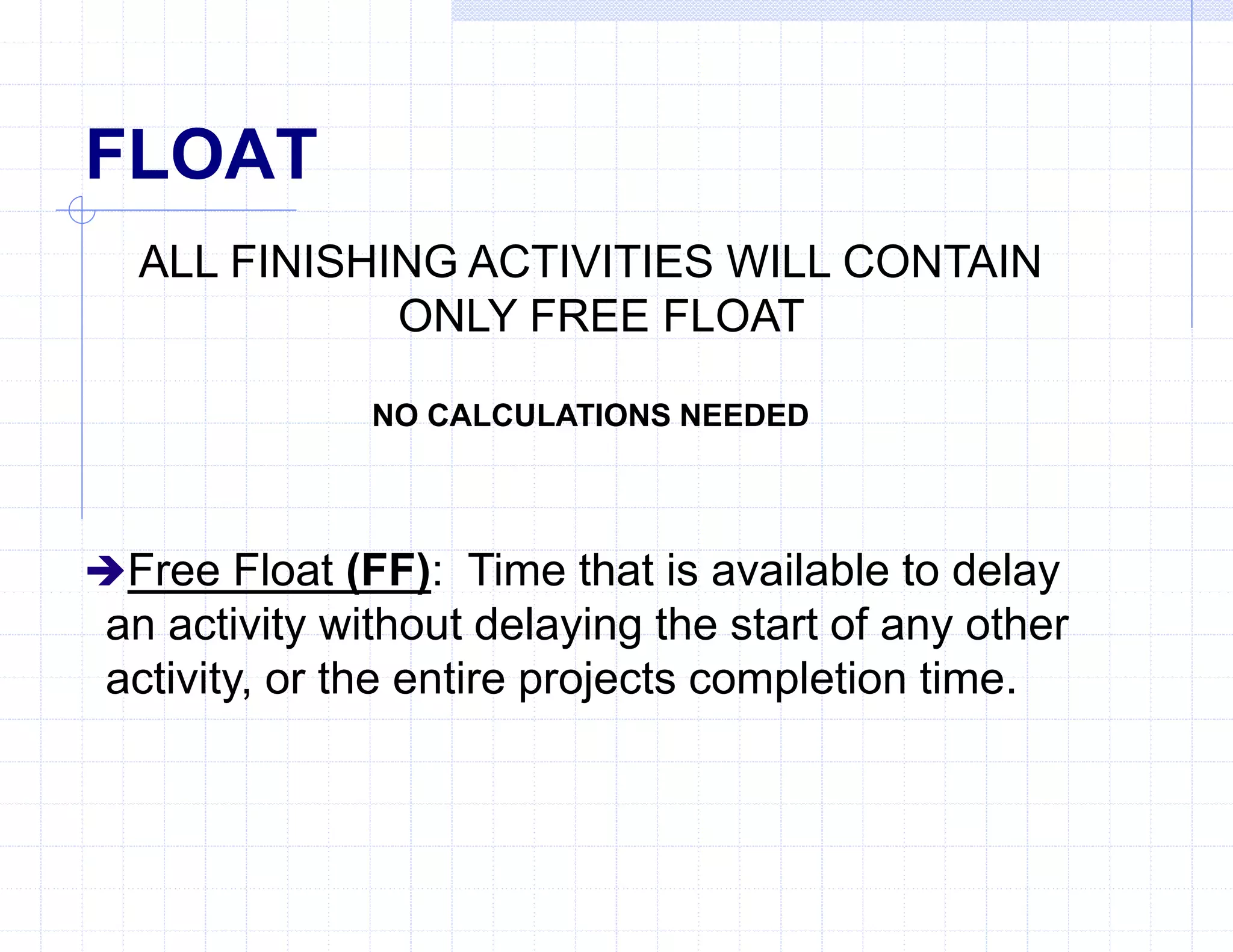
Free Float (FF): Time that is available to delay
an activity without delaying the start of any other
activity, or the entire projects completion time.
EARLY START SCHEDULE
DEMONSTRATION
RESOURCE ABBREVIATIONS
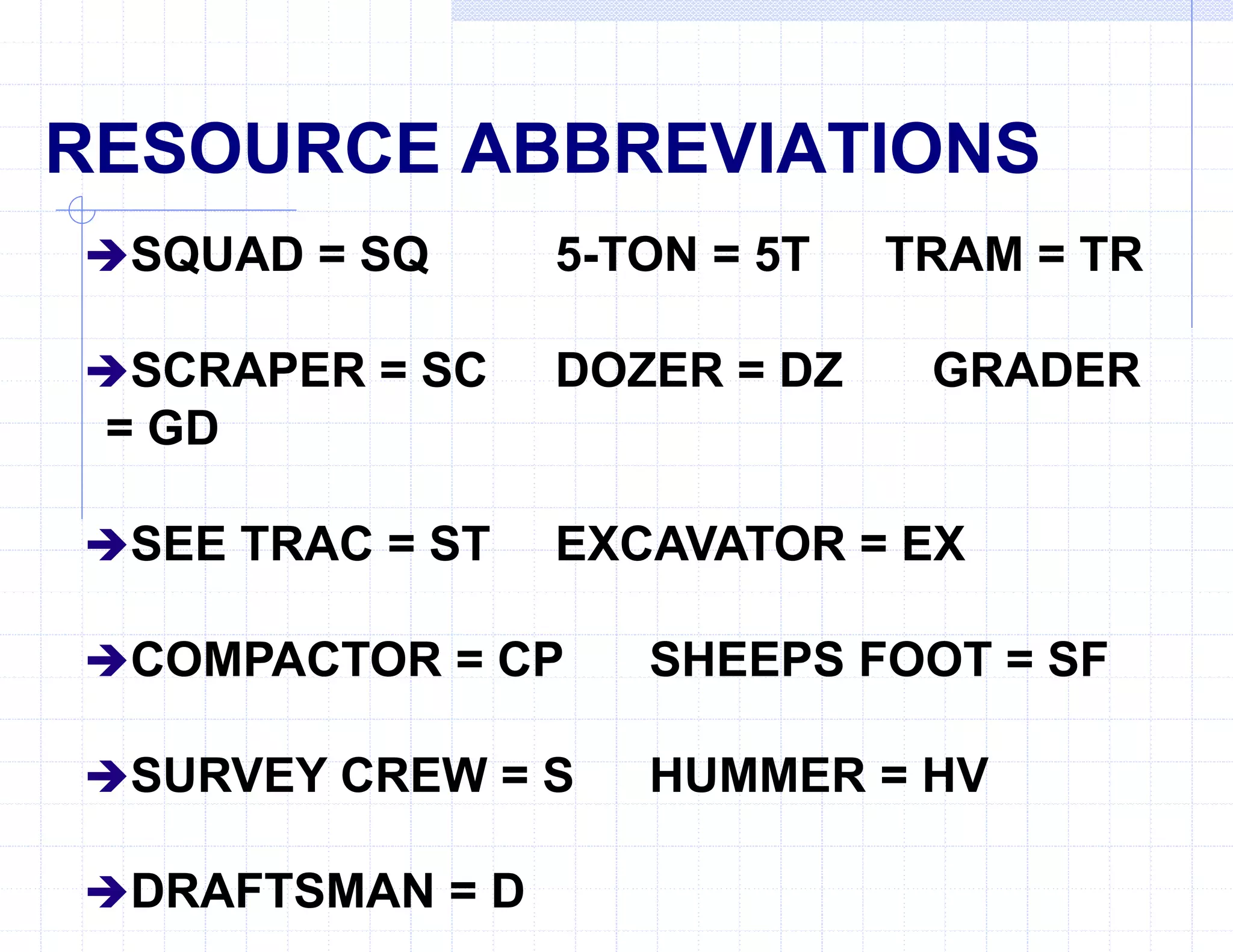
SQUAD = SQ 5-TON = 5T TRAM = TR
SCRAPER = SC DOZER = DZ GRADER
= GD
SEE TRAC = ST EXCAVATOR = EX
COMPACTOR = CP SHEEPS FOOT = SF
SURVEY CREW = S HUMMER = HV
DRAFTSMAN = D
S
5
10
15
20
25
30
35
40
F
6
2
6
2
1
6
1
6
0
0
0
EARLY START SCHEDULE
DEMONSTRATION
2
2 4
6
6 7 7 13
6
6 7 7 13
13
13
13
7
7
6
6
6
0
4
4
2
7
7
6
6
0
TF = 2-0=2
IF =4-2=2
FF=2-2=0
TF =4-2=2
IF =6-6=0
FF= 2-0=2
ACTIVITY
NUMBER 1 2 3 4 5 6 7 8 9 10 11 12 13
5(30)
10(20)
15(25)
20(30)
25(35)
30(40)
35(F)
40(F)
4/5T 4/5T 4/4T 4/5T 4/5T 4/5T
2/TR 2/TR X X
2/SQ 2/SQ 2/SQ 2/SQ 2/SQ 2/SQ
2/CP 2/CP
1/SC
3/GR
2/SQ 2/SQ 2/SQ 2/SQ 2/SQ 2/SQ
2/5T 2/5T 2/5T 2/5T 2/5T 2/5T
TOTALS
5 TON 4 4 4 4 4 4 2 2 2 2 2 2
TRAM 2 2
SQUAD 2 2 2 2 2 2 2 2 2 2 2 2
COMPACTORS 2 2
SURVEY CREW 1
GRADER 3
Questions
 What is float?
Is any extra time that is available to complete an
activity beyond its actual duration without affecting
the entire project.
What is interfering float?
Time that is available to delay an activity without
delaying the projects entire completion time, but may
delay the start of one or more non-critical activities.
Questions
 What is free float?
Is any Time that is available to delay an activity
without delaying the start of any other activity, or the
entire projects completion time.
You have now been given all
the tools necessary to use
construction management to
your advantage to better
control how your projects are
ran.

Road Project Schedule M S Project.ppt

  • 1.
    Construction Management Type period Typeperiod Type period Type period Type task Type task Type task Type task Type task
  • 2.
    PROJECT PLANNING AND SCHEDULING Thepurpose of this lesson is to provide you with the knowledge to plan and supervise activities for construction projects. Type text Type text Type text Type text Type text Type text Type text
  • 3.
    CRITICAL PATH METHOD(CPM) CPM is a form of analysis that is used for planning, scheduling, and controlling construction activities for a project from start to finish. The CPM requires a formal, detailed listing of all work related activities that make up the project. Also referred to as:  Construction Management  Project Planning and Scheduling  Critical Path Analysis
  • 4.
    PRELIMINARY PLANNING Preliminary planningis a quick overall picture of the project and the capacity of the unit to accomplish it. Serves as a guide for detailed planning. Includes site recon, preliminary material and equipment estimates, and procurement of critical items, identify work activities.
  • 5.
    DETAILED PLANNING Develops anaccurate estimation of work activities, materials, man-hours, and equipment requirements needed from start to finish. Detailed planning includes:  Reviewing project specifications and drawings.  Detailed estimates of resources,(i.e. equip. hours).  Scheduling work activities.  Procurement of materials.  Submitted in the form of a Gantt chart, Pert chart, Activity-on-the-Arrow logic diagram, or Activity- on-the-Node logic diagram.
  • 6.
    Job Directive Format Thejob directive is the tasking of a unit to perform construction tasks, and draw needed materials to complete the project assigned. Job directives vary in form and content. They are issued in one of two ways:  Verbally for simple projects.  Written for more complex projects.
  • 7.
    Stages of Detail Jobdirectives can be in any one of three stages of detail:  Contain detailed plans and specifications. The more stable the conditions are, the more detailed the job directive becomes.  May simply refer to standardized drawings, or automated software programs already published.  May require preparation of complete plans and project specifications to be approved by higher headquarters.
  • 8.
    Job Directive Information Mission:Exact assignment with all necessary details. Location: May be given, or left to the unit to select. Time: Starting time and/or required completion date. Manpower: Additional manpower that is available. Equipment: Additional equipment that is available.
  • 9.
    Job Directive Information Equipment:Any additional equipment available with especial conditions. Materials: Source of and authority to request materials. Priorities: Single priority for the whole project, or separate priorities for various portions of the project. Reports: Any required reports. (i.e. Daily or Weekly status report) Special Instructions: Any additional information pertaining to the job that is requested.
  • 10.
    Questions In what twoforms may a job directive be issued? Verbally or in writing In construction, the planning process is divided into what two stages? Preliminary planning and detailed planning
  • 11.
    ACTIVITY LISTS (Brainstorming) Anactivities (task) list is a complete listing of all required work activities that must be performed from start to finish. An activity list can be brief, or as detailed as need be. The guiding factor to how much detail that is required is dictated by size and complexity of the project. An activity list must be developed mentally and on paper to determine actual activities and their interrelationships to each other. The most difficult step is your ability to think logically, and make a mental picture of the project in your mind. Brainstorming is needed with the assistance of the Chief's, and the Project Officer.
  • 12.
    Activities “Topo” project siteEstablish road grades LEVEL PLOT Set road alignments Order gravel Place concrete forms Clear roadway Clear pad site Prefabricate forms Create project drawings Layout pad batterboards Excavate pad footings Pour concrete Cure concrete Check pad elevations Check Road grades Remove forms Perform “As-built” ROUGH ACTIVITIES LISTING
  • 13.
    Sequencing Activities After youhave developed your rough activity list in no specific order, you must now put the activities into a "logical" sequence to be performed. The finished activity list is broken down as follows:  Activity Number Column  Activity Column  "Immediately Proceeded By" (IPB) Column
  • 14.
    Types of Activities Thereare five types of activities associated with the development of a finished activities list. Keeping these activities in mind will help you in your logical thinking to develop the activity list on paper.  Starting activities. (beginning activity)  Preceding activities. (previous activity)  Concurring activities. (occurring at the same time)  Succeeding activities. (following activity)  Lagging activities. (slow or lingering activities)
  • 15.
    Sample Finished ActivitiesList Activity Number Activity IPB 5 "Topo" project site None 10 Create project drawings 5 15 Order gravel None 20 Prefabricate forms None 25 Clear roadway 10 30 Set road alignments 25 35 Establish road grades 30 40 Check road grades 35 45 Lay gravel 15,40 50 Clear pad site 10 55 Layout pad batterboards 50 60 Excavate pad footings 55 65 Check pad elevations 60 70 Place concrete forms 20,65 75 Pour concrete 70 80 Cure concrete 75 85 Remove forms 80 90 Perform "as-built" 45,85
  • 16.
    Questions  What isthe process called to develop your activities list? Brainstorming What are the five types of activities that are kept in mind when developing a finish activity list? Starting, proceeding, Succeeding, concurring, and lagging activities.
  • 17.
    PLANNING DIAGRAMS The mostimportant part of the CPM is the planning diagram. The planning diagram graphically shows the interrelationship between project activities.  It provides a visual blueprint of the work activities that must be performed during construction.  There are four types of diagrams that can be created.  Each type of diagram serves a specific purpose.
  • 18.
    GANTT CHART Also knownas a bar chart. Gantt charts are "time" oriented. Activities are graphically shown on a calendar time scale, used primarily for small projects. Bars show an activities duration in its entirety, regardless of its dependency on other activities. Effortless to construct, and are brief in format.
  • 19.
    ID Task Name 1Topo project site 2 Create project drawings 3 Order gravel 4 Prefabricate forms 5 Clear roadway 6 Set road alignments 7 Establish road grades 8 Check road grades 9 Lay gravel 10 Clear pad site 11 Layout pad batterboards M T W T F S S M T W T F S S M T W T F S S M T W April 7 April 14 April 21 A
  • 21.
    GANTT CHART DISADVANTAGES Doesnot give you the ability to visualize the exact progress of the project. Anticipate delays or problems soon enough to correct them. Does not show detailed sequence of activities. Does not show "critical activities". Does not show precise effect of a delay or failure to complete an activity on time.
  • 22.
    PERT CHART DIAGRAM TheProgram Evaluation and Review Technique (PERT) addresses probability, and is "event" oriented. This type of logic diagram is used primarily for research and development projects.
  • 23.
    Clear roadway 5 2d 4/15/974/16/97 Clear pad site 10 1d 4/15/97 4/15/97 Create project drawings 2 2d 4/11/97 4/14/97 Topo project site 1 2d 4/9/97 4/10/97
  • 24.
    Activity-On-The-Arrow Format (CPM) More complexin its creation. Tendency to lead to confusion when trying to interpret it. Least desirable format to use because of these factors.
  • 26.
    Activity-On-The-Node Format (CPM) Eliminates confusion,and allows you to adjust for problems that may arise during the construction of the project. AON format is "activity" oriented. This is the primary format used for planning military construction, and especially used for large projects.
  • 27.
    Activity-On-The-Node Uses: Construction planning. Maintenanceplanning. Project Design. Military combat task planning. Logistics planning.
  • 28.
    AON Advantages Reduces riskof overlooking essential tasks. Provides a blueprint for long-range planning. Shows activity interrelationships. Focuses attention on critical activities. Allows you to make timely decisions. Allows you to manage manpower, material, and equipment resources more effectively.
  • 29.
    AON Disadvantages The AONformat does not solve engineering problems that may occur. Does not make planning decisions for you. Does not provide anything substantial to the actual construction of the project itself.
  • 31.
    LOGIC DIAGRAMS ELEMENTS Afterthe activity relationships are identified, they are applied to a logic diagram. The standard format for a logic diagram is the "Activity-on-the- Node". The four basic elements are : Start Nodes. Activity Nodes. Finish Nodes. Precedence Arrows.
  • 32.
  • 33.
  • 34.
  • 35.
    QUESTIONS  What typeof diagram is event oriented? What type of diagram is time oriented? What type of diagram is activity oriented?
  • 36.
    LOGIC DIAGRAMS Shown asa Critical Path Method (CPM) logic diagram. Shows accurate, timely, and easily understood picture of the whole project. Easier to plan, schedule, and manage the sequence of required work activities. Graphically shows the interrelationship of each work activity as they relate to the completion of the whole project.
  • 37.
    CPM DIAGRAM LOGICRULES Which activities start at the beginning of the project? (Starting) Which activities must be finished before the start of another? (Preceding) Which activities can start or finish at the same time as another? (Concurring) Which activities cannot begin until another is finished? (Succeeding) Which activities may start when a portion of another activity is complete? (Lagging)
  • 38.
  • 39.
    Questions  What logicrules are used to create a logic diagram? Starting, proceeding, succeeding, concurring, and lagging activities. What type of planning diagram is “event” oriented? Pert chart.
  • 40.
    Questions  What typeof planning diagram is “time” oriented? Gantt chart What type of planning diagram is “activity” oriented? AON and AOA diagrams.
  • 41.
  • 42.
    ACTIVITY ESTIMATES Estimating eachactivities required resources and duration times. Estimated resources are:  Materials.  Personnel.  Equipment.  Man-hours.  Equipment-hours.
  • 43.
    MATERIAL ESTIMATES Work Items. Materials. Quantities. WasteFactors. Total Material Requirements. Bills of Materials.
  • 44.
    EQUIPMENT/PERSONNEL ESTIMATES Work Items. (Activities) MaterialQuantities. (Units of work) Work Rate. (Man-hour Tables) Standard Work Effort (Labor). (Quantity x Work Rate) Efficiency Factor. Represented as a Percentage) Troop Effort (Total Labor Hours). (Standard Effort / Efficiency) Duration (Hours, Days, Weeks, or Months). (Troop Effort / Crew Size)
  • 46.
    EARLY/LATE EVENT TIMES Afterall duration's have been computed, you are now able to calculate each activities Early and Late event times. (Forward Pass and Backward Pass)  Early Start (ES): The earliest time a activity can logically start.  Early Finish (EF): The earliest an activity can finish without delaying follow on activities. (ES + Duration)  Late Finish (LF): The latest an activity can finish without delaying the entire project.  Late Start (LS): The latest time an activity can start without delaying the entire project. (LF - Duration)
  • 47.
    CRITICAL PATH &CRITICAL ACTIVITIES After completing the event times, you can determine the "critical path" of the project and all of the "critical activities" by simple observation using the following guidelines:  The ES for an activity is the same as its LS.  The EF for an activity is the same as its LF.
  • 48.
    Activity Number Activity IPBDuration 5 “Topo” project site None 2 days 10 Create project drawings 5 2 days 15 Order gravel None 6 days 20 Prefabricate forms None 1 day 25 Clear roadway 10 2 days 30 Set road alignments 25 1 day 35 Establish road grades 30 1 day 40 Check road grades 35 2 days 45 Lay gravel 15,40 2 days 50 Clear pad site 10 1 day 55 Layout pad batterboards 50 1 day 60 Excavate pad footings 55 2 days 65 Check pad elevations 60 1 day 70 Place concrete forms 20,65 1 day 75 Pour concrete 70 1 day 80 Cure concrete 75 6 days 85 Remove forms 80 1 day 90 Perform “As-built” 45,85 2 days ACTIVITY LIST WITH ESTIMATED DURATION'S
  • 49.
    DEMONSTRATION S 5 10 15 20 25 3035 40 45 50 55 60 65 70 75 80 85 90 F 2 2 6 1 2 2 2 1 1 1 1 2 1 1 1 6 1 2 0 0 0 2 4 4 4 6 6 7 7 8 8 10 5 5 6 6 8 8 9 6 10 12 1 9 10 10 11 11 17 17 18 18 20 20 20 18 18 18 17 17 11 11 10 10 9 9 8 8 6 6 5 5 4 16 16 16 10 9 8 14 14 13 13 12 10 4 2 2 0 2 12 EARLY/LATE EVENT TIMES DEMONSTRATION
  • 50.
    Questions  What typeof resources must be estimated for each activity? Material, personnel, equipment quantities, man hours and equipment hours. What effect does increasing equipment quantities have on the duration of an Activity? It decreases it’s duration time.
  • 51.
    Questions  What dowe call the process use to calculate the early event times for a project?  Forward pass. What do we call the process use to calculate the late event times for a project? Backward pass.
  • 52.
    PRACTICAL EXERCISES Complete worksheets3 and 4 on pg 24 and 25 in your student outline.
  • 53.
    EARLY START SCHEDULES Anearly start schedule, when joined with the logic diagram, graphically shows all of the planning information that is needed to manage the construction project from start to finish. Any activity not on the "Critical Path" will contain some float. Float is any extra time that is available to complete an activity beyond its actual duration, without effecting the entire project.
  • 54.
    EARLY START SCHEDULEDEMO Worksheet 5 pg 26 in student outline
  • 55.
    FLOAT Total Float (TF):The entire amount of time that an activity can be delayed without delaying the entire project completion time. TF = LS - ES or LF - EF. Interfering Float (IF): Time that is available to delay an activity without delaying the projects entire completion time, but may delay the start of one or more non-critical activities. IF = LF -ES of following activity. (Use the smallest ES time) Free Float (FF): Time that is available to delay an activity without delaying the start of any other activity, or the entire projects completion time. FF = TF - IF
  • 56.
    FLOAT ALL FINISHING ACTIVITIESWILL CONTAIN ONLY FREE FLOAT NO CALCULATIONS NEEDED Free Float (FF): Time that is available to delay an activity without delaying the start of any other activity, or the entire projects completion time.
  • 57.
  • 58.
    RESOURCE ABBREVIATIONS SQUAD =SQ 5-TON = 5T TRAM = TR SCRAPER = SC DOZER = DZ GRADER = GD SEE TRAC = ST EXCAVATOR = EX COMPACTOR = CP SHEEPS FOOT = SF SURVEY CREW = S HUMMER = HV DRAFTSMAN = D
  • 59.
    S 5 10 15 20 25 30 35 40 F 6 2 6 2 1 6 1 6 0 0 0 EARLY START SCHEDULE DEMONSTRATION 2 24 6 6 7 7 13 6 6 7 7 13 13 13 13 7 7 6 6 6 0 4 4 2 7 7 6 6 0 TF = 2-0=2 IF =4-2=2 FF=2-2=0 TF =4-2=2 IF =6-6=0 FF= 2-0=2 ACTIVITY NUMBER 1 2 3 4 5 6 7 8 9 10 11 12 13 5(30) 10(20) 15(25) 20(30) 25(35) 30(40) 35(F) 40(F) 4/5T 4/5T 4/4T 4/5T 4/5T 4/5T 2/TR 2/TR X X 2/SQ 2/SQ 2/SQ 2/SQ 2/SQ 2/SQ 2/CP 2/CP 1/SC 3/GR 2/SQ 2/SQ 2/SQ 2/SQ 2/SQ 2/SQ 2/5T 2/5T 2/5T 2/5T 2/5T 2/5T TOTALS 5 TON 4 4 4 4 4 4 2 2 2 2 2 2 TRAM 2 2 SQUAD 2 2 2 2 2 2 2 2 2 2 2 2 COMPACTORS 2 2 SURVEY CREW 1 GRADER 3
  • 60.
    Questions  What isfloat? Is any extra time that is available to complete an activity beyond its actual duration without affecting the entire project. What is interfering float? Time that is available to delay an activity without delaying the projects entire completion time, but may delay the start of one or more non-critical activities.
  • 61.
    Questions  What isfree float? Is any Time that is available to delay an activity without delaying the start of any other activity, or the entire projects completion time.
  • 62.
    You have nowbeen given all the tools necessary to use construction management to your advantage to better control how your projects are ran.