
Confidentiality in a Digital WorldDavid Whelan, Manager, Legal InformationThe Law Society of Upper Canada
Be aware
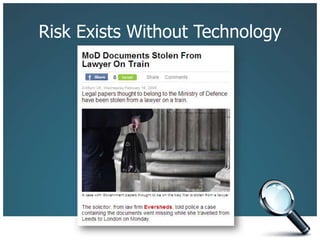
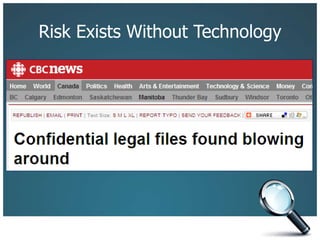
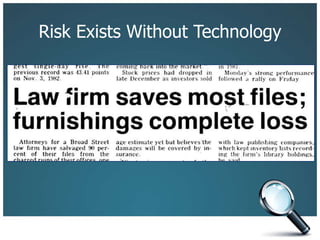
Risk Exists Without Technology
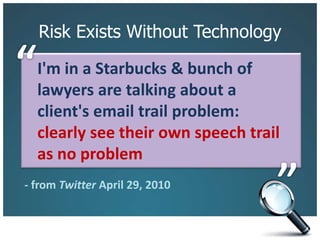
Risk Exists Without Technology“I'm in a Starbucks & bunch of lawyers are talking about a client's email trail problem: clearly see their own speech trail as no problem”- from Twitter April 29, 2010
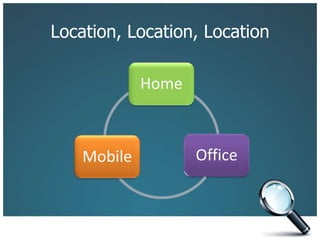
Location, Location, Location
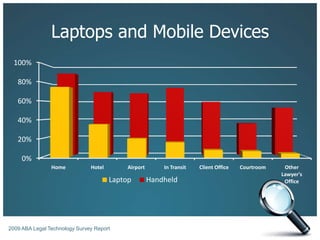
Laptops and Mobile Devices2009 ABA Legal Technology Survey Report
Checklist
Risk Assessment Checklist		Unintended Portability
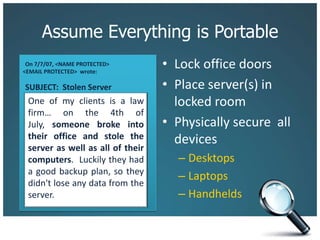
Assume Everything is PortableLock office doorsPlace server(s) in locked roomPhysically secure  all devicesDesktopsLaptopsHandheldsOn 7/7/07, <NAME PROTECTED> <EMAIL PROTECTED>  wrote:SUBJECT:  Stolen ServerOne of my clients is a law firm… on the 4th of July, someone broke into their office and stole the server as well as all of their computers.  Luckily they had a good backup plan, so they didn't lose any data from the server.
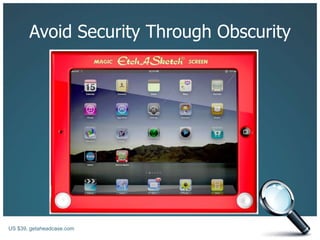
Avoid Security Through Obscurity
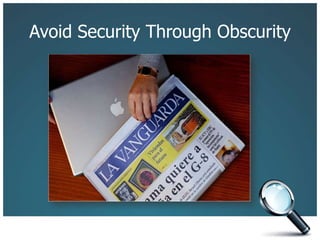
Avoid Security Through ObscurityUS $39, getaheadcase.com
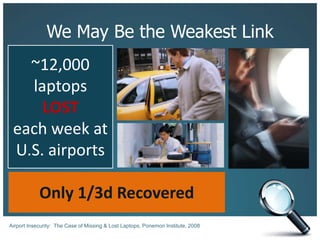
We May Be the Weakest Link~12,000 laptopsLOSTeach week atU.S. airportsOnly 1/3d RecoveredAirport Insecurity:  The Case of Missing & Lost Laptops, Ponemon Institute, 2008
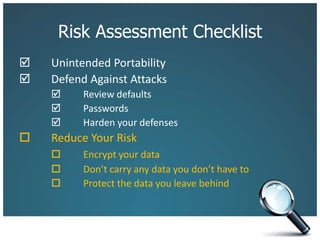
Risk Assessment Checklist		Unintended Portability		Defend Against Attacks 	Review defaults		 	Passwords			Harden your defenses
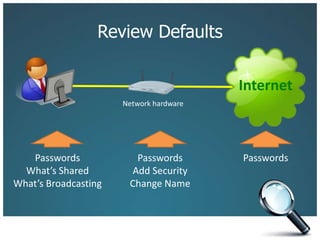
Review DefaultsNetwork hardwareInternetPasswordsWhat’s SharedWhat’s BroadcastingPasswordsPasswordsAdd SecurityChange Name
PasswordsLots and lots of passwordsE-commerce and banking Web sitesE-mail accounts in your firm and on the WebTo access your phone, your laptop, WindowsMake them complexMake them uniqueTest themWrite them down
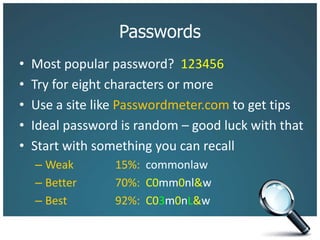
PasswordsMost popular password?  123456Try for eight characters or moreUse a site like Passwordmeter.com to get tipsIdeal password is random – good luck with thatStart with something you can recallWeak		15%:  commonlawBetter		70%:  C0mm0nl&wBest		92%:  C03m0nL&w
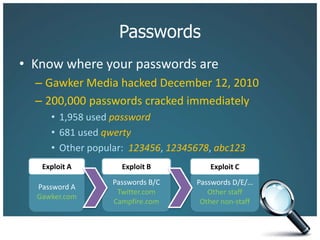
PasswordsKnow where your passwords areGawker Media hacked December 12, 2010200,000 passwords cracked immediately1,958 used password681 used qwertyOther popular:  123456, 12345678, abc123Exploit AExploit BExploit CPassword AGawker.comPasswords B/CTwitter.comCampfire.comPasswords D/E/…Other staffOther non-staff
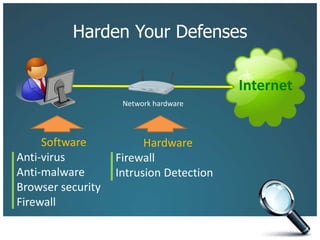
Harden Your DefensesNetwork hardwareInternetSoftwareAnti-virusAnti-malwareBrowser securityFirewall HardwareFirewallIntrusion Detection
Risk Assessment Checklist		Unintended Portability 	Defend Against Attacks 	Review defaults		 	Passwords		 	Harden your defenses		Reduce Your Risk	Encrypt your data			Don’t carry any data you don’t have to			Protect the data you leave behind
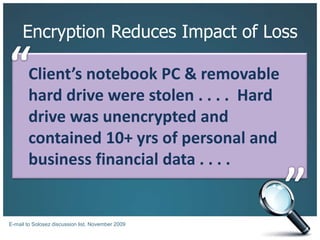
Encryption Reduces Impact of Loss“Client’s notebook PC & removable hard drive were stolen . . . .  Hard drive was unencrypted and contained 10+ yrs of personal and business financial data . . . . ”E-mail to Solosez discussion list, November 2009
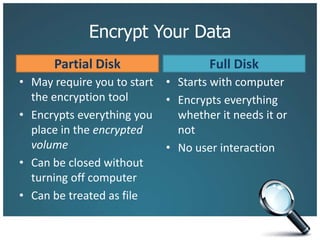
Encrypt Your DataPartial DiskFull DiskMay require you to start the encryption toolEncrypts everything you place in the encrypted volumeCan be closed without turning off computerCan be treated as fileStarts with computerEncrypts everything whether it needs it or notNo user interaction
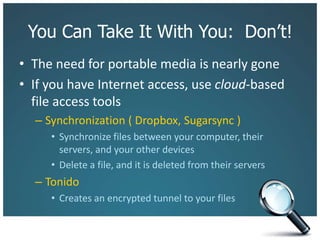
You Can Take It With You:  Don’t!The need for portable media is nearly goneIf you have Internet access, use cloud-based file access toolsSynchronization ( Dropbox, Sugarsync )Synchronize files between your computer, their servers, and your other devicesDelete a file, and it is deleted from their serversTonidoCreates an encrypted tunnel to your files
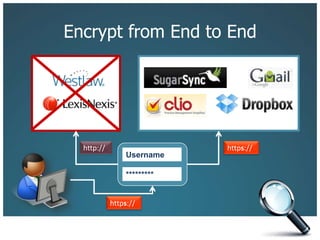
Encrypt from End to Endhttps://http://Username*********https://
3 Reasons to Leave Data BehindStorage devices are getting smaller and easy to loseSomeone who finds your lost device can almost always recover deleted data from itA laptop traveling in standby or hibernation mode retains your decryption keys in memory
Protect Your DataBack up your dataUse a secure online backup like Mozy, CarboniteUse a portable drive that you can physically secureUse preventative measures on handheldsRemote locating appsRemote destruction apps
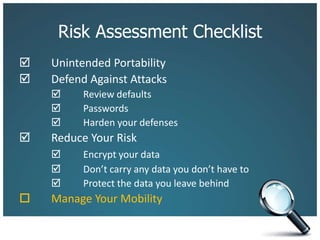
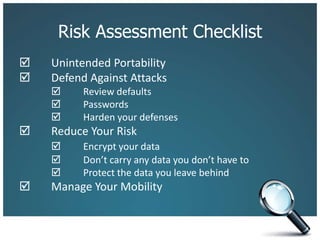
Risk Assessment Checklist		Unintended Portability 	Defend Against Attacks 	Review defaults		 	Passwords		 	Harden your defenses 	Reduce Your Risk 	Encrypt your data		 	Don’t carry any data you don’t have to		 	Protect the data you leave behind		Manage Your Mobility
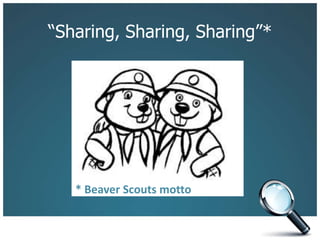
“Sharing, Sharing, Sharing”** Beaver Scouts motto
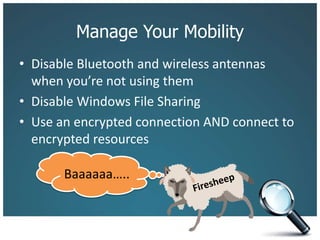
Manage Your MobilityDisable Bluetooth and wireless antennas when you’re not using themDisable Windows File SharingUse an encrypted connection AND connect to encrypted resourcesBaaaaaa…..Firesheep
Risk Assessment Checklist		Unintended Portability 	Defend Against Attacks 	Review defaults		 	Passwords		 	Harden your defenses 	Reduce Your Risk 	Encrypt your data		 	Don’t carry any data you don’t have to		 	Protect the data you leave behind 	Manage Your Mobility
ConclusionMaintain control of your dataRequires prior planning to prevent lossRequires creating practices to minimize possibility of lossEmbrace technology thoughtfullyYou can be efficient and carefulBe aware of where you are and be mindful of what you are doing and sharing
Thank You!David WhelanManager, Legal InformationThe Law Society of Upper Canadadwhelan@lsuc.on.caTwitter:  @davidpwhelan

Confidentiality in a Digital World

  • 1.
    Confidentiality in aDigital WorldDavid Whelan, Manager, Legal InformationThe Law Society of Upper Canada
  • 2.
  • 3.
  • 4.
  • 5.
  • 6.
    Risk Exists WithoutTechnology“I'm in a Starbucks & bunch of lawyers are talking about a client's email trail problem: clearly see their own speech trail as no problem”- from Twitter April 29, 2010
  • 7.
  • 8.
    Laptops and MobileDevices2009 ABA Legal Technology Survey Report
  • 9.
  • 10.
  • 11.
    Assume Everything isPortableLock office doorsPlace server(s) in locked roomPhysically secure all devicesDesktopsLaptopsHandheldsOn 7/7/07, <NAME PROTECTED> <EMAIL PROTECTED> wrote:SUBJECT: Stolen ServerOne of my clients is a law firm… on the 4th of July, someone broke into their office and stole the server as well as all of their computers. Luckily they had a good backup plan, so they didn't lose any data from the server.
  • 12.
  • 13.
    Avoid Security ThroughObscurityUS $39, getaheadcase.com
  • 14.
    We May Bethe Weakest Link~12,000 laptopsLOSTeach week atU.S. airportsOnly 1/3d RecoveredAirport Insecurity: The Case of Missing & Lost Laptops, Ponemon Institute, 2008
  • 15.
    Risk Assessment Checklist UnintendedPortability Defend Against Attacks Review defaults  Passwords  Harden your defenses
  • 16.
    Review DefaultsNetwork hardwareInternetPasswordsWhat’sSharedWhat’s BroadcastingPasswordsPasswordsAdd SecurityChange Name
  • 17.
    PasswordsLots and lotsof passwordsE-commerce and banking Web sitesE-mail accounts in your firm and on the WebTo access your phone, your laptop, WindowsMake them complexMake them uniqueTest themWrite them down
  • 18.
    PasswordsMost popular password? 123456Try for eight characters or moreUse a site like Passwordmeter.com to get tipsIdeal password is random – good luck with thatStart with something you can recallWeak 15%: commonlawBetter 70%: C0mm0nl&wBest 92%: C03m0nL&w
  • 19.
    PasswordsKnow where yourpasswords areGawker Media hacked December 12, 2010200,000 passwords cracked immediately1,958 used password681 used qwertyOther popular: 123456, 12345678, abc123Exploit AExploit BExploit CPassword AGawker.comPasswords B/CTwitter.comCampfire.comPasswords D/E/…Other staffOther non-staff
  • 20.
    Harden Your DefensesNetworkhardwareInternetSoftwareAnti-virusAnti-malwareBrowser securityFirewall HardwareFirewallIntrusion Detection
  • 21.
    Risk Assessment Checklist UnintendedPortability Defend Against Attacks Review defaults  Passwords  Harden your defenses Reduce Your Risk Encrypt your data  Don’t carry any data you don’t have to  Protect the data you leave behind
  • 22.
    Encryption Reduces Impactof Loss“Client’s notebook PC & removable hard drive were stolen . . . . Hard drive was unencrypted and contained 10+ yrs of personal and business financial data . . . . ”E-mail to Solosez discussion list, November 2009
  • 23.
    Encrypt Your DataPartialDiskFull DiskMay require you to start the encryption toolEncrypts everything you place in the encrypted volumeCan be closed without turning off computerCan be treated as fileStarts with computerEncrypts everything whether it needs it or notNo user interaction
  • 24.
    You Can TakeIt With You: Don’t!The need for portable media is nearly goneIf you have Internet access, use cloud-based file access toolsSynchronization ( Dropbox, Sugarsync )Synchronize files between your computer, their servers, and your other devicesDelete a file, and it is deleted from their serversTonidoCreates an encrypted tunnel to your files
  • 25.
    Encrypt from Endto Endhttps://http://Username*********https://
  • 26.
    3 Reasons toLeave Data BehindStorage devices are getting smaller and easy to loseSomeone who finds your lost device can almost always recover deleted data from itA laptop traveling in standby or hibernation mode retains your decryption keys in memory
  • 27.
    Protect Your DataBackup your dataUse a secure online backup like Mozy, CarboniteUse a portable drive that you can physically secureUse preventative measures on handheldsRemote locating appsRemote destruction apps
  • 28.
    Risk Assessment Checklist UnintendedPortability Defend Against Attacks Review defaults  Passwords  Harden your defenses Reduce Your Risk Encrypt your data  Don’t carry any data you don’t have to  Protect the data you leave behind Manage Your Mobility
  • 29.
  • 30.
    Manage Your MobilityDisableBluetooth and wireless antennas when you’re not using themDisable Windows File SharingUse an encrypted connection AND connect to encrypted resourcesBaaaaaa…..Firesheep
  • 31.
    Risk Assessment Checklist UnintendedPortability Defend Against Attacks Review defaults  Passwords  Harden your defenses Reduce Your Risk Encrypt your data  Don’t carry any data you don’t have to  Protect the data you leave behind Manage Your Mobility
  • 32.
    ConclusionMaintain control ofyour dataRequires prior planning to prevent lossRequires creating practices to minimize possibility of lossEmbrace technology thoughtfullyYou can be efficient and carefulBe aware of where you are and be mindful of what you are doing and sharing
  • 33.
    Thank You!David WhelanManager,Legal InformationThe Law Society of Upper Canadadwhelan@lsuc.on.caTwitter: @davidpwhelan