RED HAT SYSTEM ADMINISTRATION I
                     RH124-RHEL6-en-1-20101029
DAY ONE                  DAY TWO               DAY THREE                    DAY FOUR         DAY FIVE

                                Manage
    Introduction                                     Networking                General Services   File Sharing
                            Logical Volumes

      GNOME                    System                                             Managing         Securing
                                                  Users / Groups
      Desktop                 Resources                                           Storage 2        Services

   Manage Files                Manage
                                                    Manage Files                 Installation       Review
    (Nautilus)                 Software


    Getting Help                 Bash               Permissions                 Virtualization


                              Text-based
   Local Services                                 Remote Admin                     Booting
                                 Help

     Managing
     Storage 1


RH124-RHEL6-en-1-20101029                     Copyright © 2010 Red Hat, Inc.
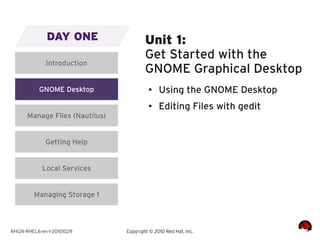
DAY ONE                   Unit 1:
                                        Get Started with the
              Introduction
                                        GNOME Graphical Desktop
           GNOME Desktop                 ●    Using the GNOME Desktop
                                         ●    Editing Files with gedit
      Manage Files (Nautilus)


              Getting Help


            Local Services


         Managing Storage 1


RH124-RHEL6-en-1-20101029       Copyright © 2010 Red Hat, Inc.
DAY ONE                   Unit 2:
                                        Manage Files Graphically
              Introduction
                                        with Nautilus
           GNOME Desktop                 ●    Managing Local Files with
                                              Nautilus
      Manage Files (Nautilus)            ●
                                              Managing Remote Files with
                                              Nautilus
              Getting Help


            Local Services


         Managing Storage 1


RH124-RHEL6-en-1-20101029       Copyright © 2010 Red Hat, Inc.
DAY ONE                   Unit 3:
                                        Get Help in a Graphical
              Introduction
                                        Environment
           GNOME Desktop                 ●    Research Local Documentation
                                         ●    Research On-line
      Manage Files (Nautilus)                 Documentation
                                         ●
                                              Getting the Most from Red Hat
              Getting Help                    Global Support Services

            Local Services


         Managing Storage 1


RH124-RHEL6-en-1-20101029       Copyright © 2010 Red Hat, Inc.
DAY ONE                   Unit 4:
                                        Configure Local Services
              Introduction


           GNOME Desktop                 ●    Understand the Role of the Root
                                              User
      Manage Files (Nautilus)            ●
                                              Manage the System Clock
                                         ●
                                              Manage Print Queues
              Getting Help
                                         ●    Manage Print Jobs
            Local Services


         Managing Storage 1


RH124-RHEL6-en-1-20101029       Copyright © 2010 Red Hat, Inc.
DAY ONE                   Unit 5:
                                        Manage Physical Storage I
              Introduction


           GNOME Desktop                 ●    Describe MBR: Primary,
                                              Extended, Logical Partitions
      Manage Files (Nautilus)            ●
                                              List Available Disk Devices
                                         ●
                                              Introduce Classroom Virtual
              Getting Help                    Machines
                                         ●    Create a New Partition and
            Local Services                    Format It With a Filesystem

         Managing Storage 1


RH124-RHEL6-en-1-20101029       Copyright © 2010 Red Hat, Inc.
RH124-RHEL6-en-1-20101029   Copyright © 2010 Red Hat, Inc.
DAY ONE                  DAY TWO               DAY THREE                    DAY FOUR         DAY FIVE

                                Manage
    Introduction                                     Networking                General Services   File Sharing
                            Logical Volumes

      GNOME                    System                                             Managing         Securing
                                                  Users / Groups
      Desktop                 Resources                                           Storage 2        Services

   Manage Files                Manage
                                                    Manage Files                 Installation       Review
    (Nautilus)                 Software


    Getting Help                 Bash               Permissions                 Virtualization


                              Text-based
   Local Services                                 Remote Admin                     Booting
                                 Help

     Managing
     Storage 1


RH124-RHEL6-en-1-20101029                     Copyright © 2010 Red Hat, Inc.
DAY TWO                 Unit 6:
                                      Manage Logical Volumes
     Manage Logical Volumes


          System Resources             ●    LVM Concepts and Terms
                                       ●    Displaying LVM Usage
          Manage Software
                                       ●    Initial LVM Deployment
                   Bash
                                       ●    Extending a Volume Group
                                       ●    Extending a Logical Volume
           Text-based Help             ●    Removing a Physical Volume


RH124-RHEL6-en-1-20101029     Copyright © 2010 Red Hat, Inc.
Logical Volume Concepts


RH124-RHEL6-en-1-20101029   Copyright © 2010 Red Hat, Inc.
Logical Volume Concepts


RH124-RHEL6-en-1-20101029   Copyright © 2010 Red Hat, Inc.
Extending a Volume Group


RH124-RHEL6-en-1-20101029   Copyright © 2010 Red Hat, Inc.
Extending a Volume Group


RH124-RHEL6-en-1-20101029   Copyright © 2010 Red Hat, Inc.
Extending a Logical Volume


RH124-RHEL6-en-1-20101029   Copyright © 2010 Red Hat, Inc.
DAY TWO                 Unit 7:
                                      Monitor System Resources
     Manage Logical Volumes


          System Resources             ●    Understand Process, Priority,
                                            and Signal Concepts
          Manage Software              ●
                                            Monitor Processes by CPU or
                                            Memory Consumption
                   Bash                ●    Manage Running Processes
                                       ●    Monitor Disk Usage
           Text-based Help


RH124-RHEL6-en-1-20101029     Copyright © 2010 Red Hat, Inc.
DAY TWO                 Unit 8:
                                      Manage System Software
     Manage Logical Volumes


          System Resources             ●    Identify Installed Packages
                                       ●    Register with Red Hat Network
          Manage Software
                                       ●    Install, Remove, and Update
                                            Packages
                   Bash


           Text-based Help


RH124-RHEL6-en-1-20101029     Copyright © 2010 Red Hat, Inc.
DAY TWO                 Unit 9:
                                      Get Started with Bash
     Manage Logical Volumes


          System Resources             ●    Bash Syntax
                                       ●    Using Bash
          Manage Software
                                       ●    Launching Graphical Tools from
                                            Bash
                   Bash


           Text-based Help


RH124-RHEL6-en-1-20101029     Copyright © 2010 Red Hat, Inc.
DAY TWO                 Unit 10:
                                      Getting Help in a Textual
     Manage Logical Volumes
                                      Environment
          System Resources             ●    Read Documentation Using man
                                       ●    Identify Relevant man-pages by
          Manage Software                   Keyword
                                       ●
                                            Read Documentation Using
                   Bash                     pinfo
                                       ●    Documentation in
           Text-based Help                  /usr/share/doc


RH124-RHEL6-en-1-20101029     Copyright © 2010 Red Hat, Inc.
DAY ONE                  DAY TWO               DAY THREE                    DAY FOUR         DAY FIVE

                                Manage
    Introduction                                     Networking                General Services   File Sharing
                            Logical Volumes

      GNOME                    System                                             Managing         Securing
                                                  Users / Groups
      Desktop                 Resources                                           Storage 2        Services

   Manage Files                Manage
                                                    Manage Files                 Installation       Review
    (Nautilus)                 Software


    Getting Help                 Bash               Permissions                 Virtualization


                              Text-based
   Local Services                                 Remote Admin                     Booting
                                 Help

     Managing
     Storage 1


RH124-RHEL6-en-1-20101029                     Copyright © 2010 Red Hat, Inc.
DAY THREE                 Unit 11:
                                     Establish Network
              Networking
                                     Connectivity
            Users / Groups            ●    Essential Network Concepts
                                      ●    Linux Network Configuration
             Manage Files
                                      ●    Confirming Network
                                           Functionality
              Permissions


            Remote Admin


RH124-RHEL6-en-1-20101029    Copyright © 2010 Red Hat, Inc.
RH124-RHEL6-en-1-20101029   Copyright © 2010 Red Hat, Inc.
IPv6 Address:
       fe80:0000:0000:0000:0215:58ff:fec4:c6fe =

         1111111010000000:0000000000000000:0000000000000000:0000000000000000:
         0000001000010101:0101100011111111:1111111011000100:1100011011111110

         = fe80::215:58ff:fec4:c6fe             (abbreviated form)

   Netmask:
       Normally 64 bits long (/64). Host part is therefore 64 bits long (128 - 64 = 64).
       Usually not written as ffff:ffff:ffff:ffff:0000:0000:0000:0000

   Network:
       fe80:0000:0000:0000:: =
       1111111010000000:0000000000000000:0000000000000000:0000000000000000

   Host:
       ::0215:58ff:fec4:c6fe =
       0000001000010101:0101100011111111:1111111011000100:1100011011111110


RH124-RHEL6-en-1-20101029             Copyright © 2010 Red Hat, Inc.
RH124-RHEL6-en-1-20101029   Copyright © 2010 Red Hat, Inc.
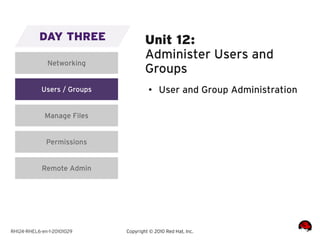
DAY THREE                 Unit 12:
                                     Administer Users and
              Networking
                                     Groups
            Users / Groups            ●    User and Group Administration

             Manage Files


              Permissions


            Remote Admin


RH124-RHEL6-en-1-20101029    Copyright © 2010 Red Hat, Inc.
DAY THREE                 Unit 13:
                                     Manage Files from the
              Networking
                                     Command-line
            Users / Groups            ●    The Linux Filesystem Hierarchy
                                      ●    Navigate with Absolute
             Manage Files                  Pathnames
                                      ●
                                           Command-line File Management
              Permissions
                                      ●    Save Typing With Relative
                                           Pathnames
            Remote Admin


RH124-RHEL6-en-1-20101029    Copyright © 2010 Red Hat, Inc.
RH124-RHEL6-en-1-20101029   Copyright © 2010 Red Hat, Inc.
DAY THREE                 Unit 14:
                                     Secure Linux File Access
              Networking


            Users / Groups            ●    User, Group, Other (UGO)
                                           Concepts
             Manage Files             ●
                                           Manage Permissions Using GUI
                                           Tools
              Permissions             ●    Manage Permissions from the
                                           Command-line
            Remote Admin


RH124-RHEL6-en-1-20101029    Copyright © 2010 Red Hat, Inc.
RH124-RHEL6-en-1-20101029   Copyright © 2010 Red Hat, Inc.
DAY THREE                 Unit 15:
                                     Administer Remote
              Networking
                                     Systems
            Users / Groups            ●    Remote GNOME Desktop Access
                                      ●    Remote Shell Access
             Manage Files
                                      ●    Remote File Transfers
              Permissions
                                      ●    Archives and File Compression
                                      ●    Using SSH Keys
            Remote Admin


RH124-RHEL6-en-1-20101029    Copyright © 2010 Red Hat, Inc.
DAY ONE                  DAY TWO               DAY THREE                    DAY FOUR         DAY FIVE

                                Manage
    Introduction                                     Networking                General Services   File Sharing
                            Logical Volumes

      GNOME                    System                                             Managing         Securing
                                                  Users / Groups
      Desktop                 Resources                                           Storage 2        Services

   Manage Files                Manage
                                                    Manage Files                 Installation       Review
    (Nautilus)                 Software


    Getting Help                 Bash               Permissions                 Virtualization


                              Text-based
   Local Services                                 Remote Admin                     Booting
                                 Help

     Managing
     Storage 1


RH124-RHEL6-en-1-20101029                     Copyright © 2010 Red Hat, Inc.
DAY FOUR                 Unit 16:
                                      Configure General
           General Services
                                      Services
         Managing Storage 2            ●    Deploy a Generic Network
                                            Service
               Installation            ●
                                            Securing SSH Access
                                       ●
                                            Configuring a VNC Server
             Virtualization
                                       ●    Secure Access to a Remote
                                            GNOME Desktop
                 Booting


RH124-RHEL6-en-1-20101029     Copyright © 2010 Red Hat, Inc.
DAY FOUR                 Unit 17:
                                      Manage Physical Storage II
           General Services


         Managing Storage 2            ●    Examine File System Attributes
                                       ●    Modify File System Attributes
               Installation
                                       ●    Delete an Existing Partition
             Virtualization
                                       ●    Swap Space Concepts
                                       ●    Managing Swap Space
                 Booting


RH124-RHEL6-en-1-20101029     Copyright © 2010 Red Hat, Inc.
DAY FOUR                 Unit 18:
                                      Install Linux Graphically
           General Services


         Managing Storage 2            ●    Graphical Installation with
                                            Anaconda
               Installation            ●
                                            Post-install Configuration with
                                            Firstboot
             Virtualization


                 Booting


RH124-RHEL6-en-1-20101029     Copyright © 2010 Red Hat, Inc.
DAY FOUR                 Unit 19:
                                      Manage Virtual Machines
           General Services


         Managing Storage 2            ●    Introduction to KVM
                                            Virtualization
               Installation            ●
                                            Virtual Guest Installation
                                       ●
                                            Configuring Guests to Start at
             Virtualization                 Boot Time

                 Booting


RH124-RHEL6-en-1-20101029     Copyright © 2010 Red Hat, Inc.
DAY FOUR                 Unit 20:
                                      Control the Boot Process
           General Services


         Managing Storage 2            ●    Booting an Alternate Kernel
                                       ●    Booting into a Different
               Installation                 Runlevel
                                       ●
                                            Getting Past a GRUB
             Virtualization                 Misconfiguration
                                       ●    Making Persistent GRUB
                 Booting                    Changes
                                       ●    Passing Kernel Arguments
                                       ●    Changing the Default Runlevel

RH124-RHEL6-en-1-20101029     Copyright © 2010 Red Hat, Inc.
DAY ONE                  DAY TWO               DAY THREE                    DAY FOUR         DAY FIVE

                                Manage
    Introduction                                     Networking                General Services   File Sharing
                            Logical Volumes

      GNOME                    System                                             Managing         Securing
                                                  Users / Groups
      Desktop                 Resources                                           Storage 2        Services

   Manage Files                Manage
                                                    Manage Files                 Installation       Review
    (Nautilus)                 Software


    Getting Help                 Bash               Permissions                 Virtualization


                              Text-based
   Local Services                                 Remote Admin                     Booting
                                 Help

     Managing
     Storage 1


RH124-RHEL6-en-1-20101029                     Copyright © 2010 Red Hat, Inc.
DAY FIVE                Unit 21:
                                      Deploy File Sharing
              File Sharing
                                      Services
          Securing Services            ●    Deploy an FTP Server
                                       ●    FTP Server Configuration
                 Review
                                       ●    Deploy a Web Server
                                       ●    Web Server Configuration


RH124-RHEL6-en-1-20101029     Copyright © 2010 Red Hat, Inc.
DAY FIVE                Unit 22:
                                      Secure Network Services
              File Sharing


          Securing Services            ●    Activate and Deactivate Firewall
                                            Protection
                 Review                ●
                                            Modify the Firewall to Allow
                                            Access to Trusted Services
                                       ●    Basic SELinux Concepts
                                       ●    SELinux Modes
                                       ●    Changing SELinux Modes
                                       ●    Displaying SELinux Contexts


RH124-RHEL6-en-1-20101029     Copyright © 2010 Red Hat, Inc.
RH124-RHEL6-en-1-20101029   Copyright © 2010 Red Hat, Inc.
DAY FIVE                Unit 23:
                                      Comprehensive Review
              File Sharing


          Securing Services


                 Review


RH124-RHEL6-en-1-20101029     Copyright © 2010 Red Hat, Inc.
Copyright © 2010 Red Hat, Inc.   RH134-RHEL6-en-20101004-0

RHEL6 - Rh124

  • 1.
    RED HAT SYSTEMADMINISTRATION I RH124-RHEL6-en-1-20101029
  • 2.
    DAY ONE DAY TWO DAY THREE DAY FOUR DAY FIVE Manage Introduction Networking General Services File Sharing Logical Volumes GNOME System Managing Securing Users / Groups Desktop Resources Storage 2 Services Manage Files Manage Manage Files Installation Review (Nautilus) Software Getting Help Bash Permissions Virtualization Text-based Local Services Remote Admin Booting Help Managing Storage 1 RH124-RHEL6-en-1-20101029 Copyright © 2010 Red Hat, Inc.
  • 3.
    DAY ONE Unit 1: Get Started with the Introduction GNOME Graphical Desktop GNOME Desktop ● Using the GNOME Desktop ● Editing Files with gedit Manage Files (Nautilus) Getting Help Local Services Managing Storage 1 RH124-RHEL6-en-1-20101029 Copyright © 2010 Red Hat, Inc.
  • 4.
    DAY ONE Unit 2: Manage Files Graphically Introduction with Nautilus GNOME Desktop ● Managing Local Files with Nautilus Manage Files (Nautilus) ● Managing Remote Files with Nautilus Getting Help Local Services Managing Storage 1 RH124-RHEL6-en-1-20101029 Copyright © 2010 Red Hat, Inc.
  • 5.
    DAY ONE Unit 3: Get Help in a Graphical Introduction Environment GNOME Desktop ● Research Local Documentation ● Research On-line Manage Files (Nautilus) Documentation ● Getting the Most from Red Hat Getting Help Global Support Services Local Services Managing Storage 1 RH124-RHEL6-en-1-20101029 Copyright © 2010 Red Hat, Inc.
  • 6.
    DAY ONE Unit 4: Configure Local Services Introduction GNOME Desktop ● Understand the Role of the Root User Manage Files (Nautilus) ● Manage the System Clock ● Manage Print Queues Getting Help ● Manage Print Jobs Local Services Managing Storage 1 RH124-RHEL6-en-1-20101029 Copyright © 2010 Red Hat, Inc.
  • 7.
    DAY ONE Unit 5: Manage Physical Storage I Introduction GNOME Desktop ● Describe MBR: Primary, Extended, Logical Partitions Manage Files (Nautilus) ● List Available Disk Devices ● Introduce Classroom Virtual Getting Help Machines ● Create a New Partition and Local Services Format It With a Filesystem Managing Storage 1 RH124-RHEL6-en-1-20101029 Copyright © 2010 Red Hat, Inc.
  • 8.
    RH124-RHEL6-en-1-20101029 Copyright © 2010 Red Hat, Inc.
  • 9.
    DAY ONE DAY TWO DAY THREE DAY FOUR DAY FIVE Manage Introduction Networking General Services File Sharing Logical Volumes GNOME System Managing Securing Users / Groups Desktop Resources Storage 2 Services Manage Files Manage Manage Files Installation Review (Nautilus) Software Getting Help Bash Permissions Virtualization Text-based Local Services Remote Admin Booting Help Managing Storage 1 RH124-RHEL6-en-1-20101029 Copyright © 2010 Red Hat, Inc.
  • 10.
    DAY TWO Unit 6: Manage Logical Volumes Manage Logical Volumes System Resources ● LVM Concepts and Terms ● Displaying LVM Usage Manage Software ● Initial LVM Deployment Bash ● Extending a Volume Group ● Extending a Logical Volume Text-based Help ● Removing a Physical Volume RH124-RHEL6-en-1-20101029 Copyright © 2010 Red Hat, Inc.
  • 11.
    Logical Volume Concepts RH124-RHEL6-en-1-20101029 Copyright © 2010 Red Hat, Inc.
  • 12.
    Logical Volume Concepts RH124-RHEL6-en-1-20101029 Copyright © 2010 Red Hat, Inc.
  • 13.
    Extending a VolumeGroup RH124-RHEL6-en-1-20101029 Copyright © 2010 Red Hat, Inc.
  • 14.
    Extending a VolumeGroup RH124-RHEL6-en-1-20101029 Copyright © 2010 Red Hat, Inc.
  • 15.
    Extending a LogicalVolume RH124-RHEL6-en-1-20101029 Copyright © 2010 Red Hat, Inc.
  • 16.
    DAY TWO Unit 7: Monitor System Resources Manage Logical Volumes System Resources ● Understand Process, Priority, and Signal Concepts Manage Software ● Monitor Processes by CPU or Memory Consumption Bash ● Manage Running Processes ● Monitor Disk Usage Text-based Help RH124-RHEL6-en-1-20101029 Copyright © 2010 Red Hat, Inc.
  • 17.
    DAY TWO Unit 8: Manage System Software Manage Logical Volumes System Resources ● Identify Installed Packages ● Register with Red Hat Network Manage Software ● Install, Remove, and Update Packages Bash Text-based Help RH124-RHEL6-en-1-20101029 Copyright © 2010 Red Hat, Inc.
  • 18.
    DAY TWO Unit 9: Get Started with Bash Manage Logical Volumes System Resources ● Bash Syntax ● Using Bash Manage Software ● Launching Graphical Tools from Bash Bash Text-based Help RH124-RHEL6-en-1-20101029 Copyright © 2010 Red Hat, Inc.
  • 19.
    DAY TWO Unit 10: Getting Help in a Textual Manage Logical Volumes Environment System Resources ● Read Documentation Using man ● Identify Relevant man-pages by Manage Software Keyword ● Read Documentation Using Bash pinfo ● Documentation in Text-based Help /usr/share/doc RH124-RHEL6-en-1-20101029 Copyright © 2010 Red Hat, Inc.
  • 20.
    DAY ONE DAY TWO DAY THREE DAY FOUR DAY FIVE Manage Introduction Networking General Services File Sharing Logical Volumes GNOME System Managing Securing Users / Groups Desktop Resources Storage 2 Services Manage Files Manage Manage Files Installation Review (Nautilus) Software Getting Help Bash Permissions Virtualization Text-based Local Services Remote Admin Booting Help Managing Storage 1 RH124-RHEL6-en-1-20101029 Copyright © 2010 Red Hat, Inc.
  • 21.
    DAY THREE Unit 11: Establish Network Networking Connectivity Users / Groups ● Essential Network Concepts ● Linux Network Configuration Manage Files ● Confirming Network Functionality Permissions Remote Admin RH124-RHEL6-en-1-20101029 Copyright © 2010 Red Hat, Inc.
  • 22.
    RH124-RHEL6-en-1-20101029 Copyright © 2010 Red Hat, Inc.
  • 23.
    IPv6 Address: fe80:0000:0000:0000:0215:58ff:fec4:c6fe = 1111111010000000:0000000000000000:0000000000000000:0000000000000000: 0000001000010101:0101100011111111:1111111011000100:1100011011111110 = fe80::215:58ff:fec4:c6fe (abbreviated form) Netmask: Normally 64 bits long (/64). Host part is therefore 64 bits long (128 - 64 = 64). Usually not written as ffff:ffff:ffff:ffff:0000:0000:0000:0000 Network: fe80:0000:0000:0000:: = 1111111010000000:0000000000000000:0000000000000000:0000000000000000 Host: ::0215:58ff:fec4:c6fe = 0000001000010101:0101100011111111:1111111011000100:1100011011111110 RH124-RHEL6-en-1-20101029 Copyright © 2010 Red Hat, Inc.
  • 24.
    RH124-RHEL6-en-1-20101029 Copyright © 2010 Red Hat, Inc.
  • 25.
    DAY THREE Unit 12: Administer Users and Networking Groups Users / Groups ● User and Group Administration Manage Files Permissions Remote Admin RH124-RHEL6-en-1-20101029 Copyright © 2010 Red Hat, Inc.
  • 26.
    DAY THREE Unit 13: Manage Files from the Networking Command-line Users / Groups ● The Linux Filesystem Hierarchy ● Navigate with Absolute Manage Files Pathnames ● Command-line File Management Permissions ● Save Typing With Relative Pathnames Remote Admin RH124-RHEL6-en-1-20101029 Copyright © 2010 Red Hat, Inc.
  • 27.
    RH124-RHEL6-en-1-20101029 Copyright © 2010 Red Hat, Inc.
  • 28.
    RH124-RHEL6-en-1-20101029 Copyright © 2010 Red Hat, Inc.
  • 29.
    DAY THREE Unit 14: Secure Linux File Access Networking Users / Groups ● User, Group, Other (UGO) Concepts Manage Files ● Manage Permissions Using GUI Tools Permissions ● Manage Permissions from the Command-line Remote Admin RH124-RHEL6-en-1-20101029 Copyright © 2010 Red Hat, Inc.
  • 30.
    RH124-RHEL6-en-1-20101029 Copyright © 2010 Red Hat, Inc.
  • 31.
    DAY THREE Unit 15: Administer Remote Networking Systems Users / Groups ● Remote GNOME Desktop Access ● Remote Shell Access Manage Files ● Remote File Transfers Permissions ● Archives and File Compression ● Using SSH Keys Remote Admin RH124-RHEL6-en-1-20101029 Copyright © 2010 Red Hat, Inc.
  • 32.
    DAY ONE DAY TWO DAY THREE DAY FOUR DAY FIVE Manage Introduction Networking General Services File Sharing Logical Volumes GNOME System Managing Securing Users / Groups Desktop Resources Storage 2 Services Manage Files Manage Manage Files Installation Review (Nautilus) Software Getting Help Bash Permissions Virtualization Text-based Local Services Remote Admin Booting Help Managing Storage 1 RH124-RHEL6-en-1-20101029 Copyright © 2010 Red Hat, Inc.
  • 33.
    DAY FOUR Unit 16: Configure General General Services Services Managing Storage 2 ● Deploy a Generic Network Service Installation ● Securing SSH Access ● Configuring a VNC Server Virtualization ● Secure Access to a Remote GNOME Desktop Booting RH124-RHEL6-en-1-20101029 Copyright © 2010 Red Hat, Inc.
  • 34.
    DAY FOUR Unit 17: Manage Physical Storage II General Services Managing Storage 2 ● Examine File System Attributes ● Modify File System Attributes Installation ● Delete an Existing Partition Virtualization ● Swap Space Concepts ● Managing Swap Space Booting RH124-RHEL6-en-1-20101029 Copyright © 2010 Red Hat, Inc.
  • 35.
    DAY FOUR Unit 18: Install Linux Graphically General Services Managing Storage 2 ● Graphical Installation with Anaconda Installation ● Post-install Configuration with Firstboot Virtualization Booting RH124-RHEL6-en-1-20101029 Copyright © 2010 Red Hat, Inc.
  • 36.
    DAY FOUR Unit 19: Manage Virtual Machines General Services Managing Storage 2 ● Introduction to KVM Virtualization Installation ● Virtual Guest Installation ● Configuring Guests to Start at Virtualization Boot Time Booting RH124-RHEL6-en-1-20101029 Copyright © 2010 Red Hat, Inc.
  • 37.
    DAY FOUR Unit 20: Control the Boot Process General Services Managing Storage 2 ● Booting an Alternate Kernel ● Booting into a Different Installation Runlevel ● Getting Past a GRUB Virtualization Misconfiguration ● Making Persistent GRUB Booting Changes ● Passing Kernel Arguments ● Changing the Default Runlevel RH124-RHEL6-en-1-20101029 Copyright © 2010 Red Hat, Inc.
  • 38.
    DAY ONE DAY TWO DAY THREE DAY FOUR DAY FIVE Manage Introduction Networking General Services File Sharing Logical Volumes GNOME System Managing Securing Users / Groups Desktop Resources Storage 2 Services Manage Files Manage Manage Files Installation Review (Nautilus) Software Getting Help Bash Permissions Virtualization Text-based Local Services Remote Admin Booting Help Managing Storage 1 RH124-RHEL6-en-1-20101029 Copyright © 2010 Red Hat, Inc.
  • 39.
    DAY FIVE Unit 21: Deploy File Sharing File Sharing Services Securing Services ● Deploy an FTP Server ● FTP Server Configuration Review ● Deploy a Web Server ● Web Server Configuration RH124-RHEL6-en-1-20101029 Copyright © 2010 Red Hat, Inc.
  • 40.
    DAY FIVE Unit 22: Secure Network Services File Sharing Securing Services ● Activate and Deactivate Firewall Protection Review ● Modify the Firewall to Allow Access to Trusted Services ● Basic SELinux Concepts ● SELinux Modes ● Changing SELinux Modes ● Displaying SELinux Contexts RH124-RHEL6-en-1-20101029 Copyright © 2010 Red Hat, Inc.
  • 41.
    RH124-RHEL6-en-1-20101029 Copyright © 2010 Red Hat, Inc.
  • 42.
    RH124-RHEL6-en-1-20101029 Copyright © 2010 Red Hat, Inc.
  • 43.
    RH124-RHEL6-en-1-20101029 Copyright © 2010 Red Hat, Inc.
  • 44.
    DAY FIVE Unit 23: Comprehensive Review File Sharing Securing Services Review RH124-RHEL6-en-1-20101029 Copyright © 2010 Red Hat, Inc.
  • 45.
    Copyright © 2010Red Hat, Inc. RH134-RHEL6-en-20101004-0