info@krnetworkcloud.org
www.krnetworkcloud.org
+91-9555378418
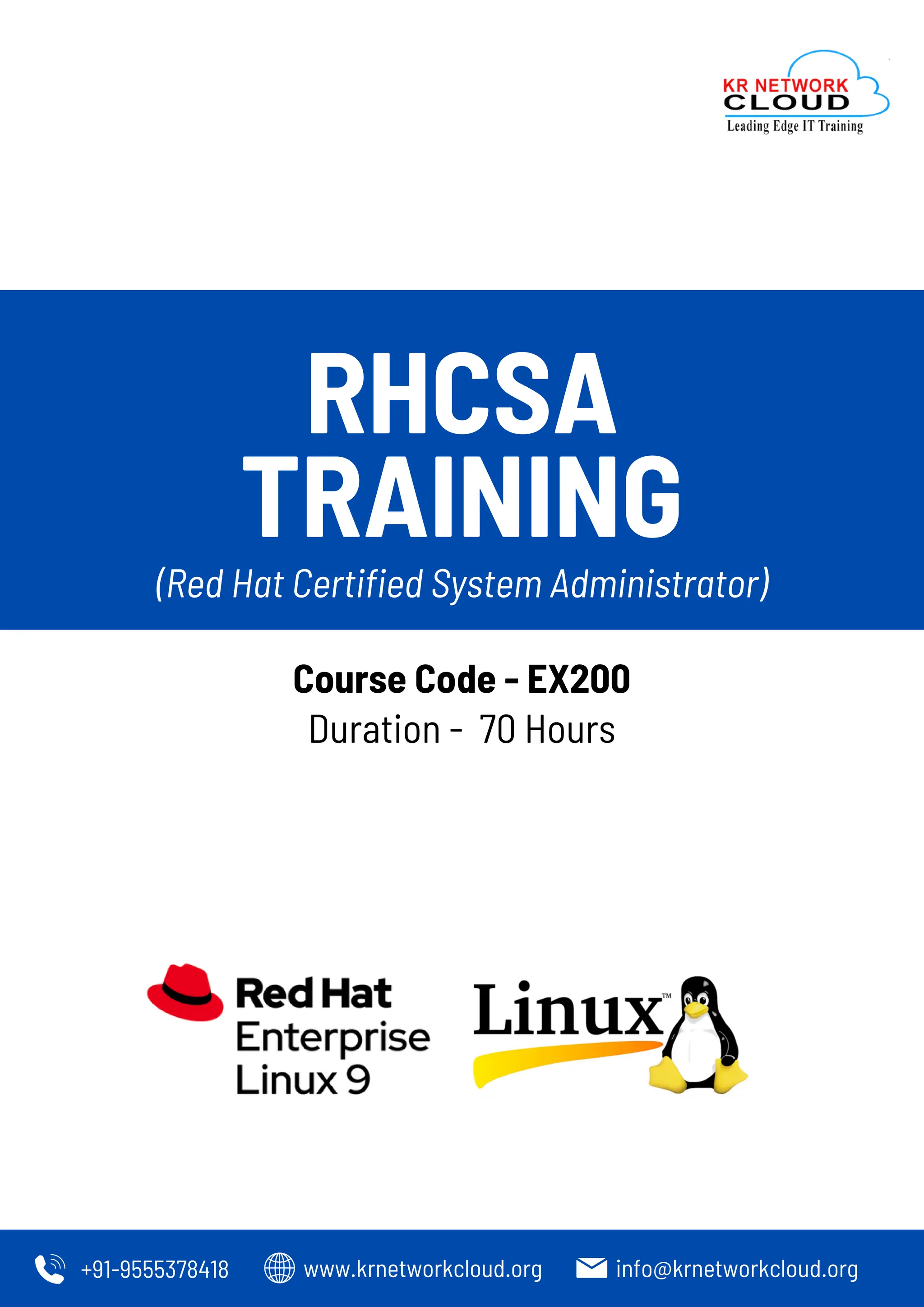
RHCSA
TRAINING
Duration - 70 Hours
(Red Hat Certified System Administrator)
Course Code - EX200
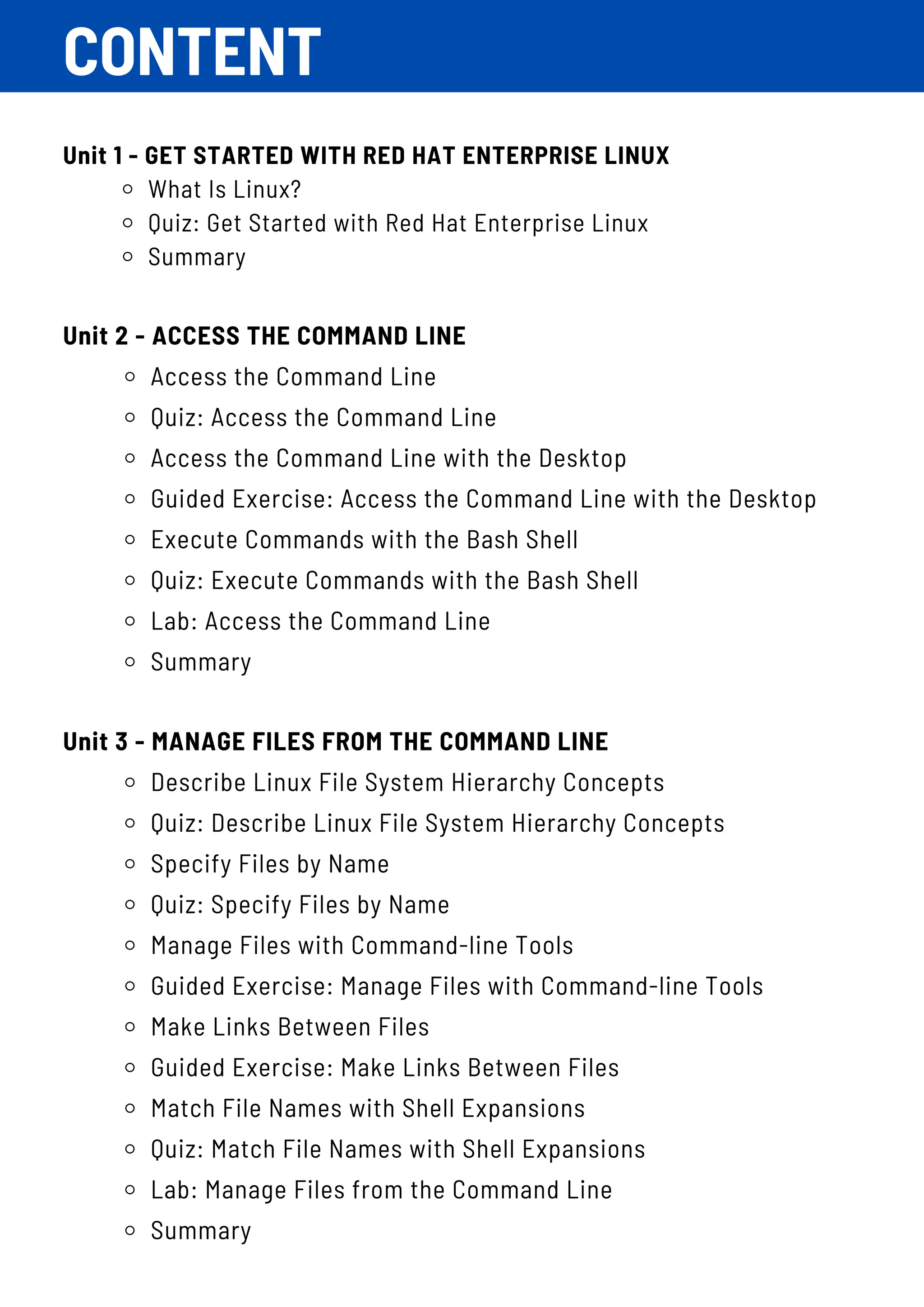
CONTENT
Unit 1 - GET STARTED WITH RED HAT ENTERPRISE LINUX
What Is Linux?
Quiz: Get Started with Red Hat Enterprise Linux
Summary
Unit 2 - ACCESS THE COMMAND LINE
Access the Command Line
Quiz: Access the Command Line
Access the Command Line with the Desktop
Guided Exercise: Access the Command Line with the Desktop
Execute Commands with the Bash Shell
Quiz: Execute Commands with the Bash Shell
Lab: Access the Command Line
Summary
Unit 3 - MANAGE FILES FROM THE COMMAND LINE
Describe Linux File System Hierarchy Concepts
Quiz: Describe Linux File System Hierarchy Concepts
Specify Files by Name
Quiz: Specify Files by Name
Manage Files with Command-line Tools
Guided Exercise: Manage Files with Command-line Tools
Make Links Between Files
Guided Exercise: Make Links Between Files
Match File Names with Shell Expansions
Quiz: Match File Names with Shell Expansions
Lab: Manage Files from the Command Line
Summary
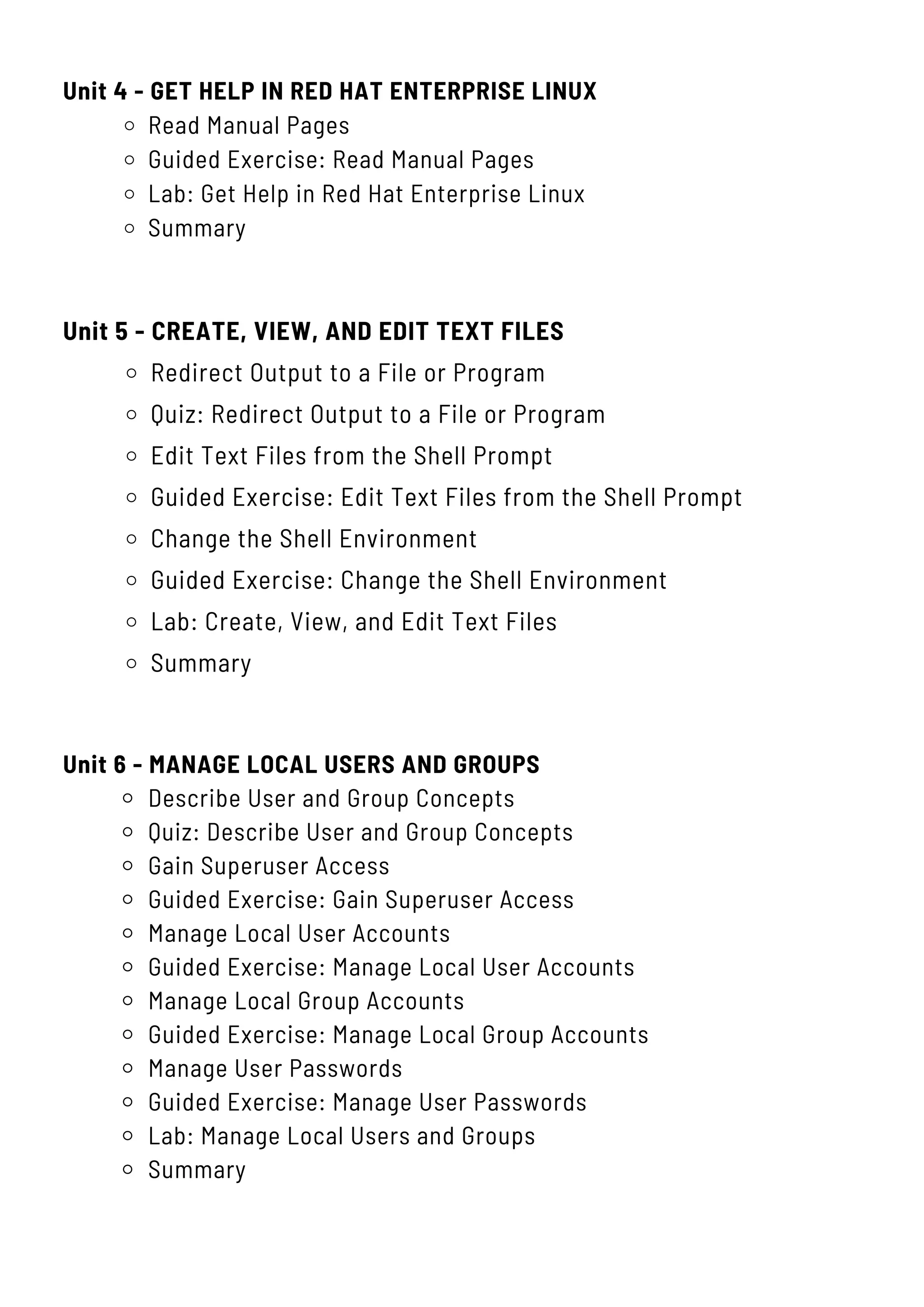
Unit 4 - GET HELP IN RED HAT ENTERPRISE LINUX
Read Manual Pages
Guided Exercise: Read Manual Pages
Lab: Get Help in Red Hat Enterprise Linux
Summary
Unit 5 - CREATE, VIEW, AND EDIT TEXT FILES
Redirect Output to a File or Program
Quiz: Redirect Output to a File or Program
Edit Text Files from the Shell Prompt
Guided Exercise: Edit Text Files from the Shell Prompt
Change the Shell Environment
Guided Exercise: Change the Shell Environment
Lab: Create, View, and Edit Text Files
Summary
Unit 6 - MANAGE LOCAL USERS AND GROUPS
Describe User and Group Concepts
Quiz: Describe User and Group Concepts
Gain Superuser Access
Guided Exercise: Gain Superuser Access
Manage Local User Accounts
Guided Exercise: Manage Local User Accounts
Manage Local Group Accounts
Guided Exercise: Manage Local Group Accounts
Manage User Passwords
Guided Exercise: Manage User Passwords
Lab: Manage Local Users and Groups
Summary
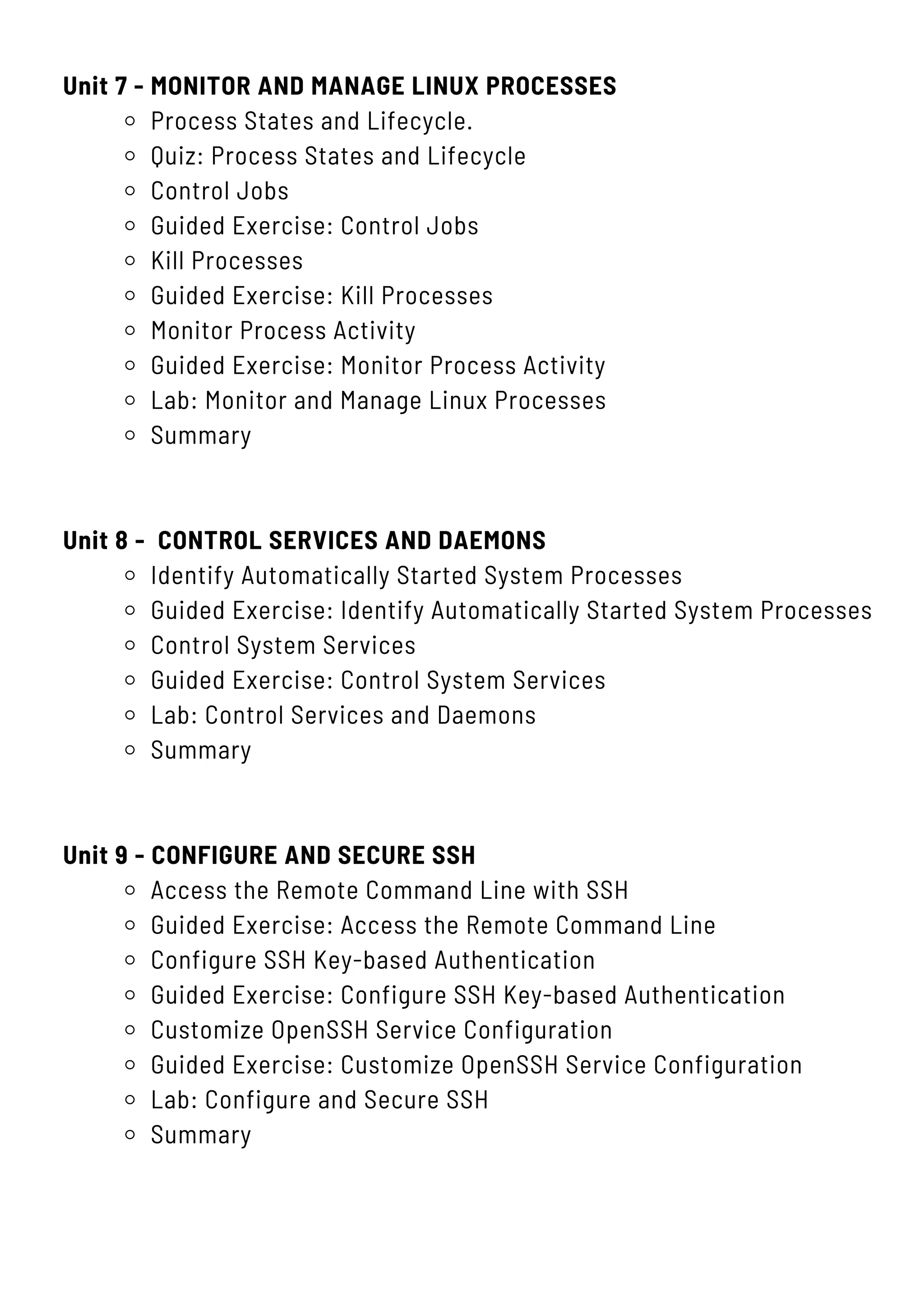
Unit 7 - MONITOR AND MANAGE LINUX PROCESSES
Process States and Lifecycle.
Quiz: Process States and Lifecycle
Control Jobs
Guided Exercise: Control Jobs
Kill Processes
Guided Exercise: Kill Processes
Monitor Process Activity
Guided Exercise: Monitor Process Activity
Lab: Monitor and Manage Linux Processes
Summary
Unit 8 - CONTROL SERVICES AND DAEMONS
Identify Automatically Started System Processes
Guided Exercise: Identify Automatically Started System Processes
Control System Services
Guided Exercise: Control System Services
Lab: Control Services and Daemons
Summary
Unit 9 - CONFIGURE AND SECURE SSH
Access the Remote Command Line with SSH
Guided Exercise: Access the Remote Command Line
Configure SSH Key-based Authentication
Guided Exercise: Configure SSH Key-based Authentication
Customize OpenSSH Service Configuration
Guided Exercise: Customize OpenSSH Service Configuration
Lab: Configure and Secure SSH
Summary
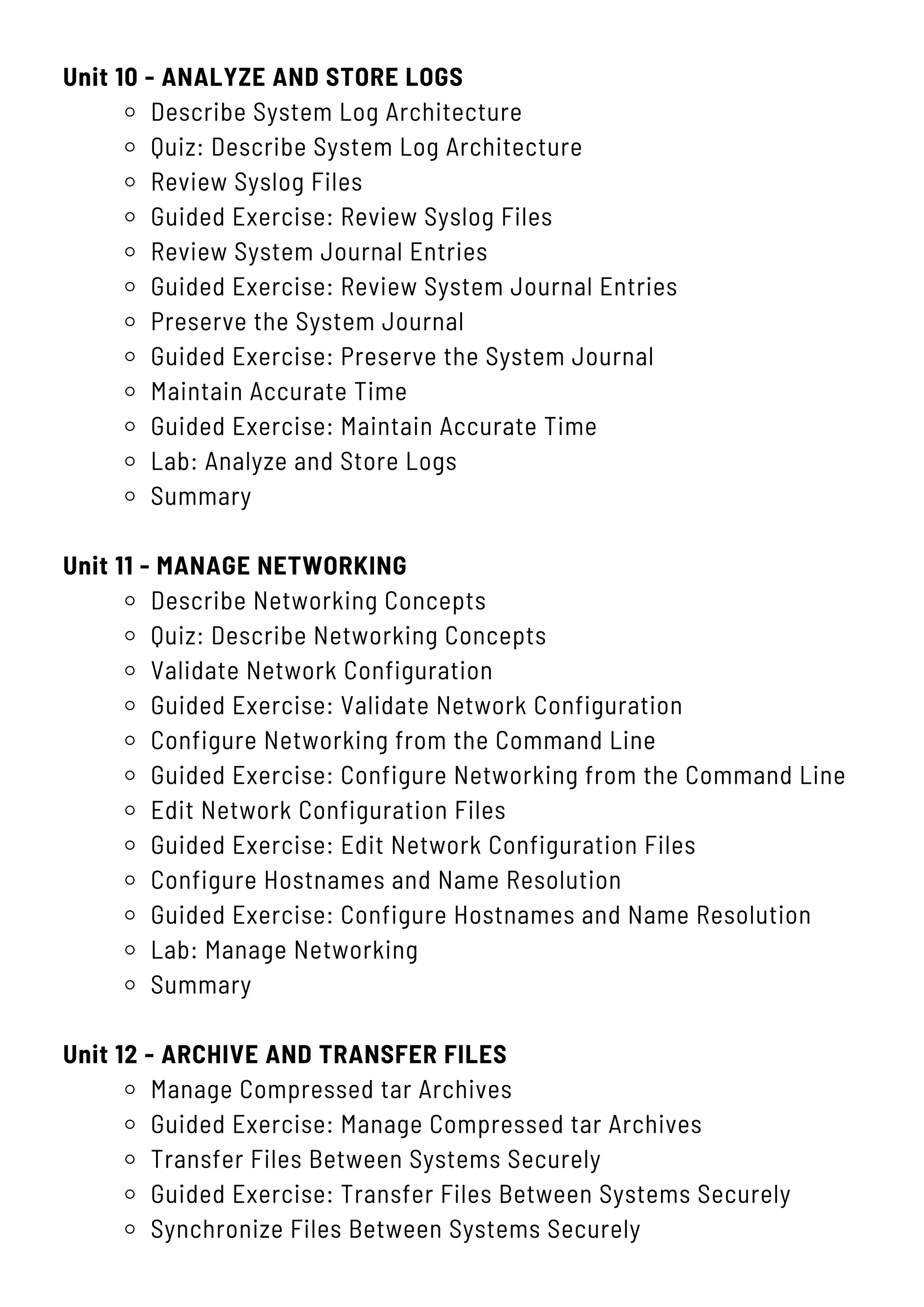
Unit 10 - ANALYZE AND STORE LOGS
Describe System Log Architecture
Quiz: Describe System Log Architecture
Review Syslog Files
Guided Exercise: Review Syslog Files
Review System Journal Entries
Guided Exercise: Review System Journal Entries
Preserve the System Journal
Guided Exercise: Preserve the System Journal
Maintain Accurate Time
Guided Exercise: Maintain Accurate Time
Lab: Analyze and Store Logs
Summary
Unit 11 - MANAGE NETWORKING
Describe Networking Concepts
Quiz: Describe Networking Concepts
Validate Network Configuration
Guided Exercise: Validate Network Configuration
Configure Networking from the Command Line
Guided Exercise: Configure Networking from the Command Line
Edit Network Configuration Files
Guided Exercise: Edit Network Configuration Files
Configure Hostnames and Name Resolution
Guided Exercise: Configure Hostnames and Name Resolution
Lab: Manage Networking
Summary
Unit 12 - ARCHIVE AND TRANSFER FILES
Manage Compressed tar Archives
Guided Exercise: Manage Compressed tar Archives
Transfer Files Between Systems Securely
Guided Exercise: Transfer Files Between Systems Securely
Synchronize Files Between Systems Securely
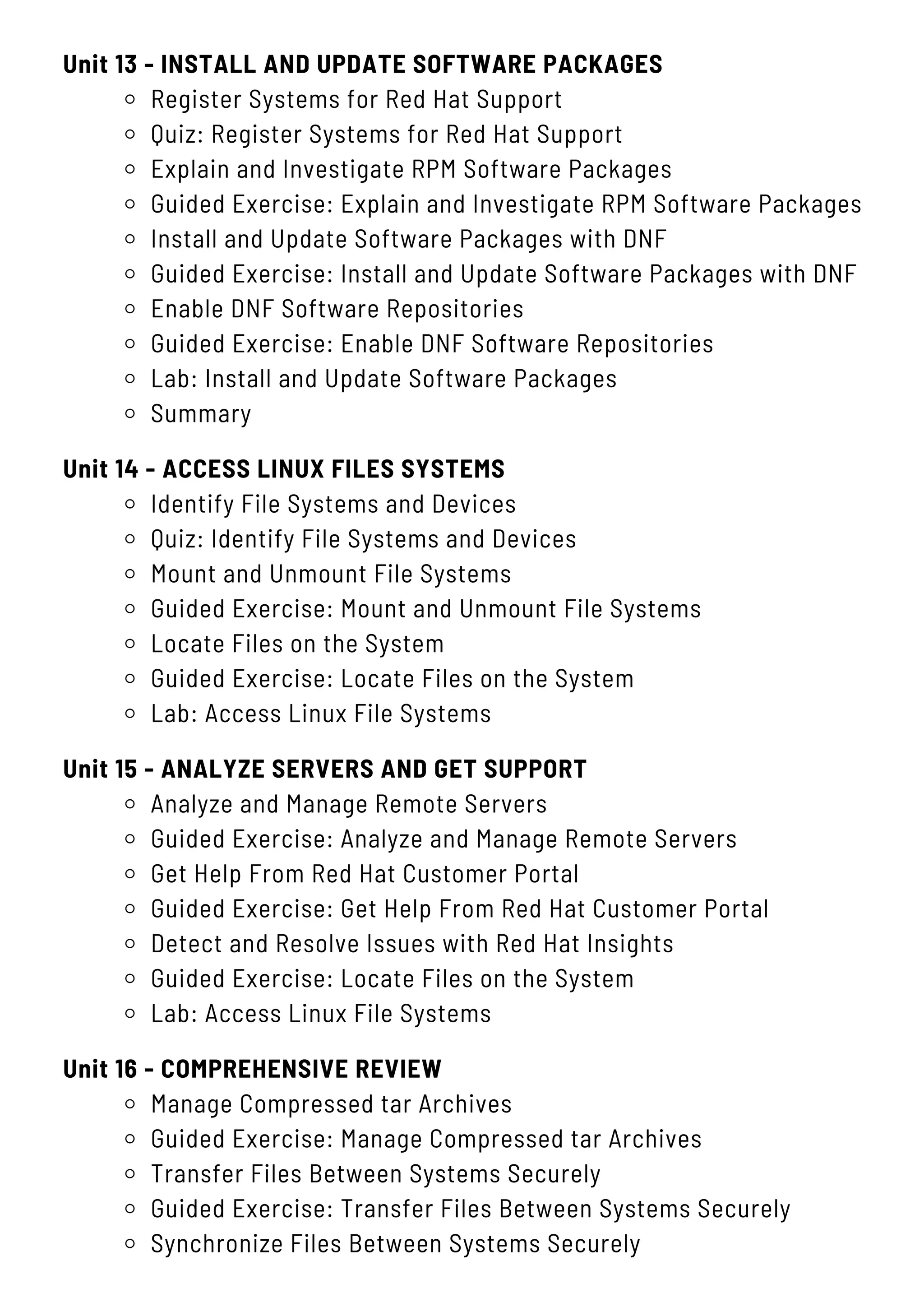
Unit 13 - INSTALL AND UPDATE SOFTWARE PACKAGES
Register Systems for Red Hat Support
Quiz: Register Systems for Red Hat Support
Explain and Investigate RPM Software Packages
Guided Exercise: Explain and Investigate RPM Software Packages
Install and Update Software Packages with DNF
Guided Exercise: Install and Update Software Packages with DNF
Enable DNF Software Repositories
Guided Exercise: Enable DNF Software Repositories
Lab: Install and Update Software Packages
Summary
Unit 15 - ANALYZE SERVERS AND GET SUPPORT
Analyze and Manage Remote Servers
Guided Exercise: Analyze and Manage Remote Servers
Get Help From Red Hat Customer Portal
Guided Exercise: Get Help From Red Hat Customer Portal
Detect and Resolve Issues with Red Hat Insights
Guided Exercise: Locate Files on the System
Lab: Access Linux File Systems
Unit 16 - COMPREHENSIVE REVIEW
Manage Compressed tar Archives
Guided Exercise: Manage Compressed tar Archives
Transfer Files Between Systems Securely
Guided Exercise: Transfer Files Between Systems Securely
Synchronize Files Between Systems Securely
Unit 14 - ACCESS LINUX FILES SYSTEMS
Identify File Systems and Devices
Quiz: Identify File Systems and Devices
Mount and Unmount File Systems
Guided Exercise: Mount and Unmount File Systems
Locate Files on the System
Guided Exercise: Locate Files on the System
Lab: Access Linux File Systems
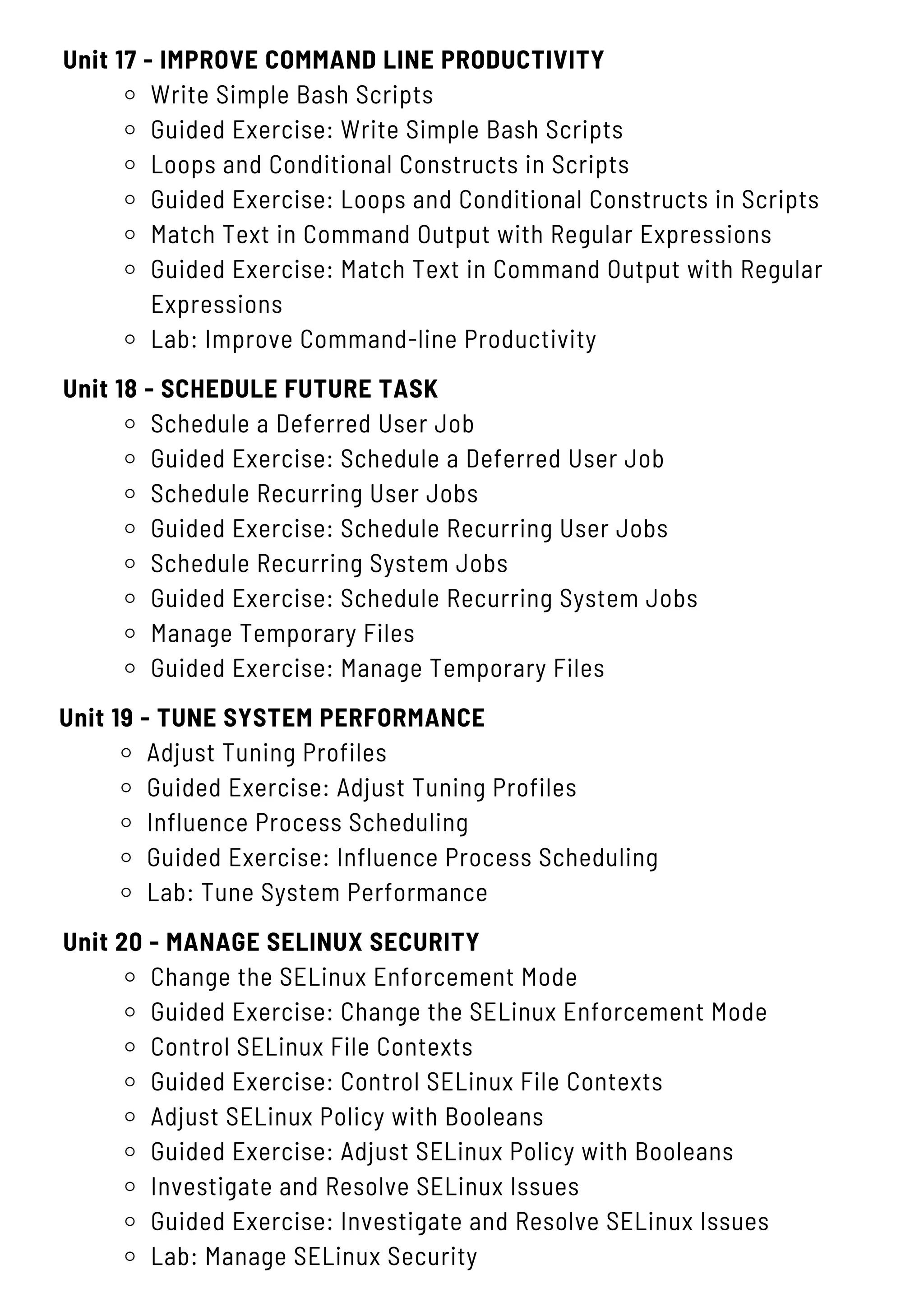
Unit 17 - IMPROVE COMMAND LINE PRODUCTIVITY
Write Simple Bash Scripts
Guided Exercise: Write Simple Bash Scripts
Loops and Conditional Constructs in Scripts
Guided Exercise: Loops and Conditional Constructs in Scripts
Match Text in Command Output with Regular Expressions
Guided Exercise: Match Text in Command Output with Regular
Expressions
Lab: Improve Command-line Productivity
Unit 20 - MANAGE SELINUX SECURITY
Change the SELinux Enforcement Mode
Guided Exercise: Change the SELinux Enforcement Mode
Control SELinux File Contexts
Guided Exercise: Control SELinux File Contexts
Adjust SELinux Policy with Booleans
Guided Exercise: Adjust SELinux Policy with Booleans
Investigate and Resolve SELinux Issues
Guided Exercise: Investigate and Resolve SELinux Issues
Lab: Manage SELinux Security
Unit 18 - SCHEDULE FUTURE TASK
Schedule a Deferred User Job
Guided Exercise: Schedule a Deferred User Job
Schedule Recurring User Jobs
Guided Exercise: Schedule Recurring User Jobs
Schedule Recurring System Jobs
Guided Exercise: Schedule Recurring System Jobs
Manage Temporary Files
Guided Exercise: Manage Temporary Files
Unit 19 - TUNE SYSTEM PERFORMANCE
Adjust Tuning Profiles
Guided Exercise: Adjust Tuning Profiles
Influence Process Scheduling
Guided Exercise: Influence Process Scheduling
Lab: Tune System Performance
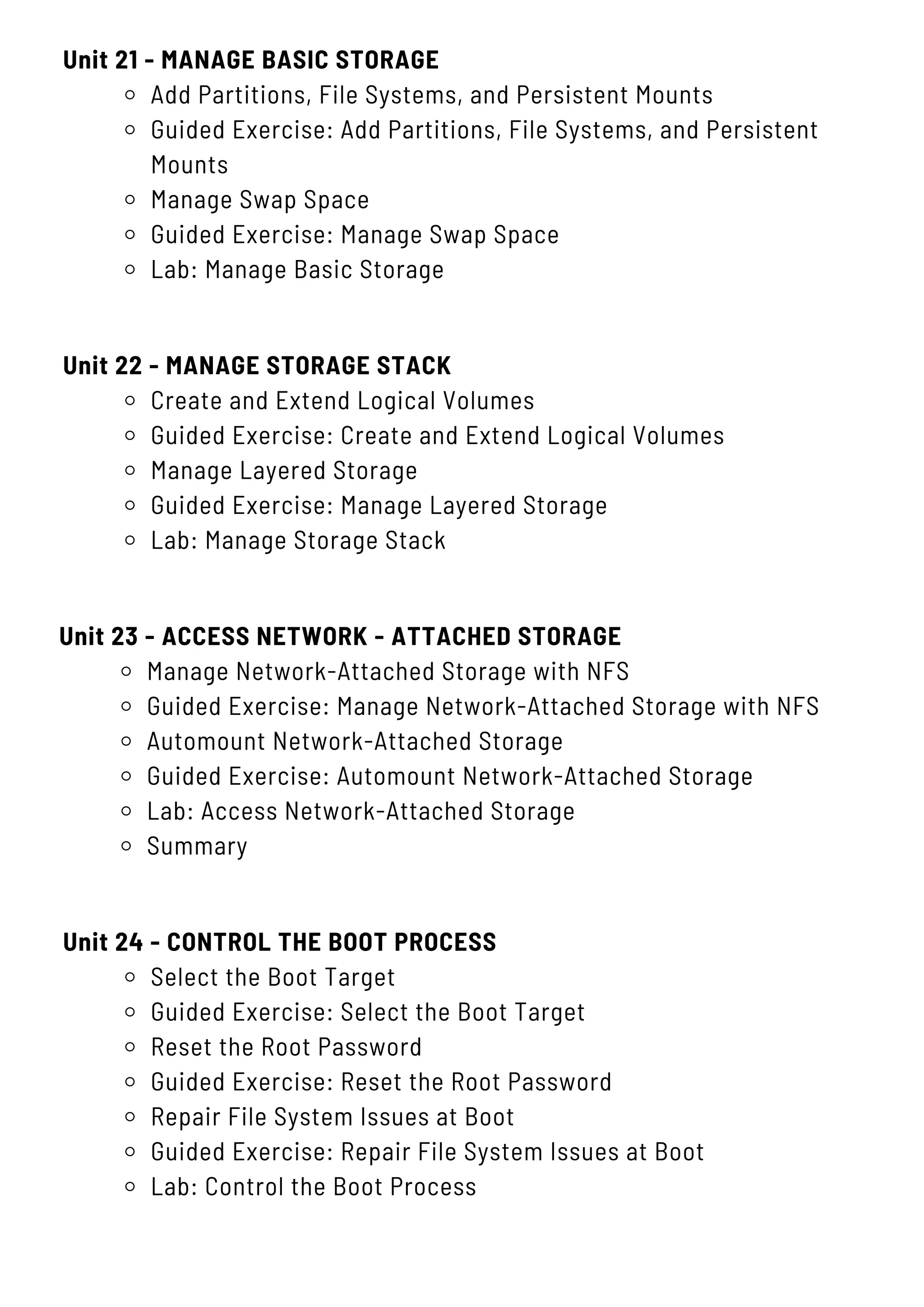
Unit 21 - MANAGE BASIC STORAGE
Add Partitions, File Systems, and Persistent Mounts
Guided Exercise: Add Partitions, File Systems, and Persistent
Mounts
Manage Swap Space
Guided Exercise: Manage Swap Space
Lab: Manage Basic Storage
Unit 24 - CONTROL THE BOOT PROCESS
Select the Boot Target
Guided Exercise: Select the Boot Target
Reset the Root Password
Guided Exercise: Reset the Root Password
Repair File System Issues at Boot
Guided Exercise: Repair File System Issues at Boot
Lab: Control the Boot Process
Unit 22 - MANAGE STORAGE STACK
Create and Extend Logical Volumes
Guided Exercise: Create and Extend Logical Volumes
Manage Layered Storage
Guided Exercise: Manage Layered Storage
Lab: Manage Storage Stack
Unit 23 - ACCESS NETWORK - ATTACHED STORAGE
Manage Network-Attached Storage with NFS
Guided Exercise: Manage Network-Attached Storage with NFS
Automount Network-Attached Storage
Guided Exercise: Automount Network-Attached Storage
Lab: Access Network-Attached Storage
Summary
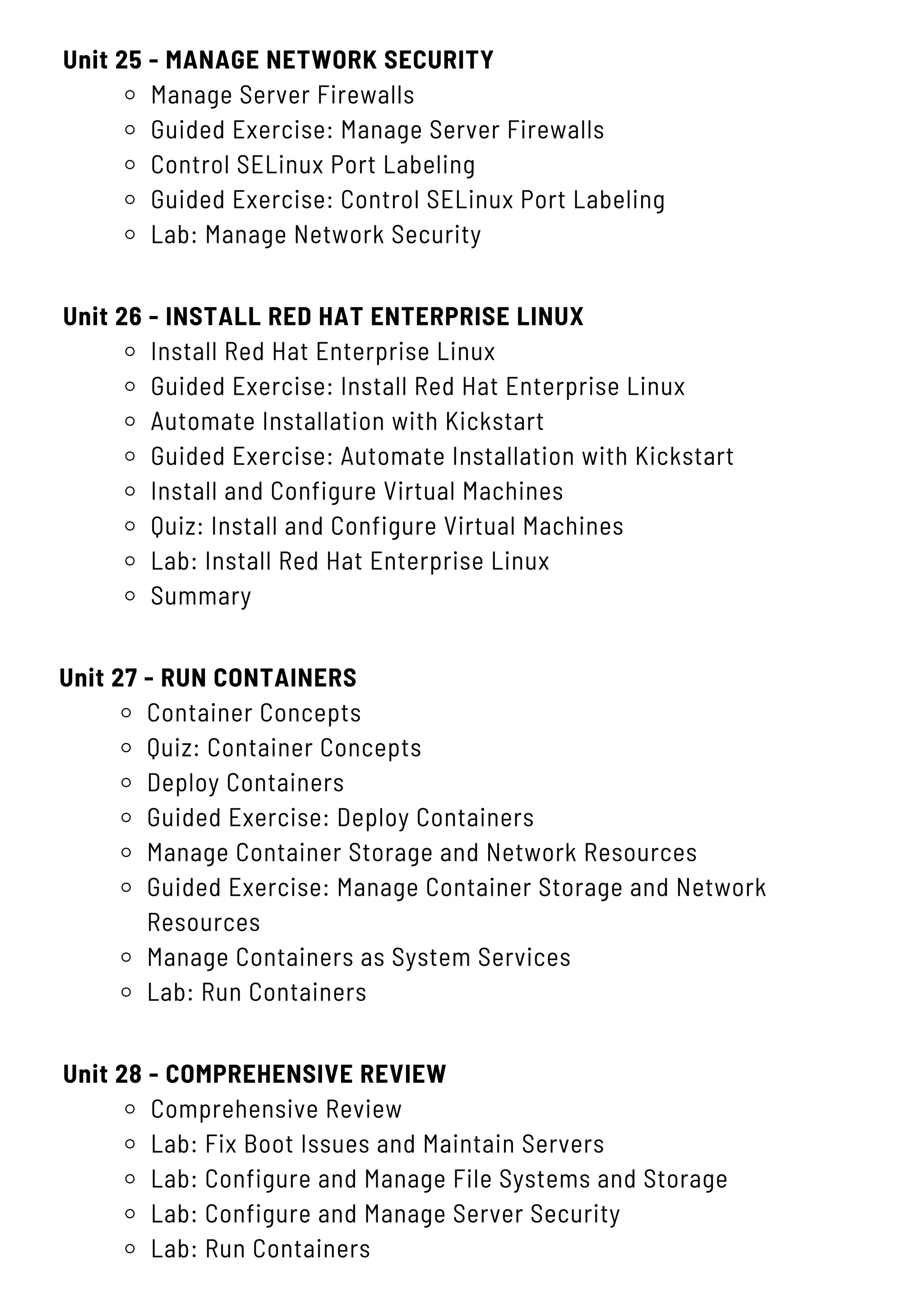
Unit 25 - MANAGE NETWORK SECURITY
Manage Server Firewalls
Guided Exercise: Manage Server Firewalls
Control SELinux Port Labeling
Guided Exercise: Control SELinux Port Labeling
Lab: Manage Network Security
Unit 28 - COMPREHENSIVE REVIEW
Comprehensive Review
Lab: Fix Boot Issues and Maintain Servers
Lab: Configure and Manage File Systems and Storage
Lab: Configure and Manage Server Security
Lab: Run Containers
Unit 26 - INSTALL RED HAT ENTERPRISE LINUX
Install Red Hat Enterprise Linux
Guided Exercise: Install Red Hat Enterprise Linux
Automate Installation with Kickstart
Guided Exercise: Automate Installation with Kickstart
Install and Configure Virtual Machines
Quiz: Install and Configure Virtual Machines
Lab: Install Red Hat Enterprise Linux
Summary
Unit 27 - RUN CONTAINERS
Container Concepts
Quiz: Container Concepts
Deploy Containers
Guided Exercise: Deploy Containers
Manage Container Storage and Network Resources
Guided Exercise: Manage Container Storage and Network
Resources
Manage Containers as System Services
Lab: Run Containers
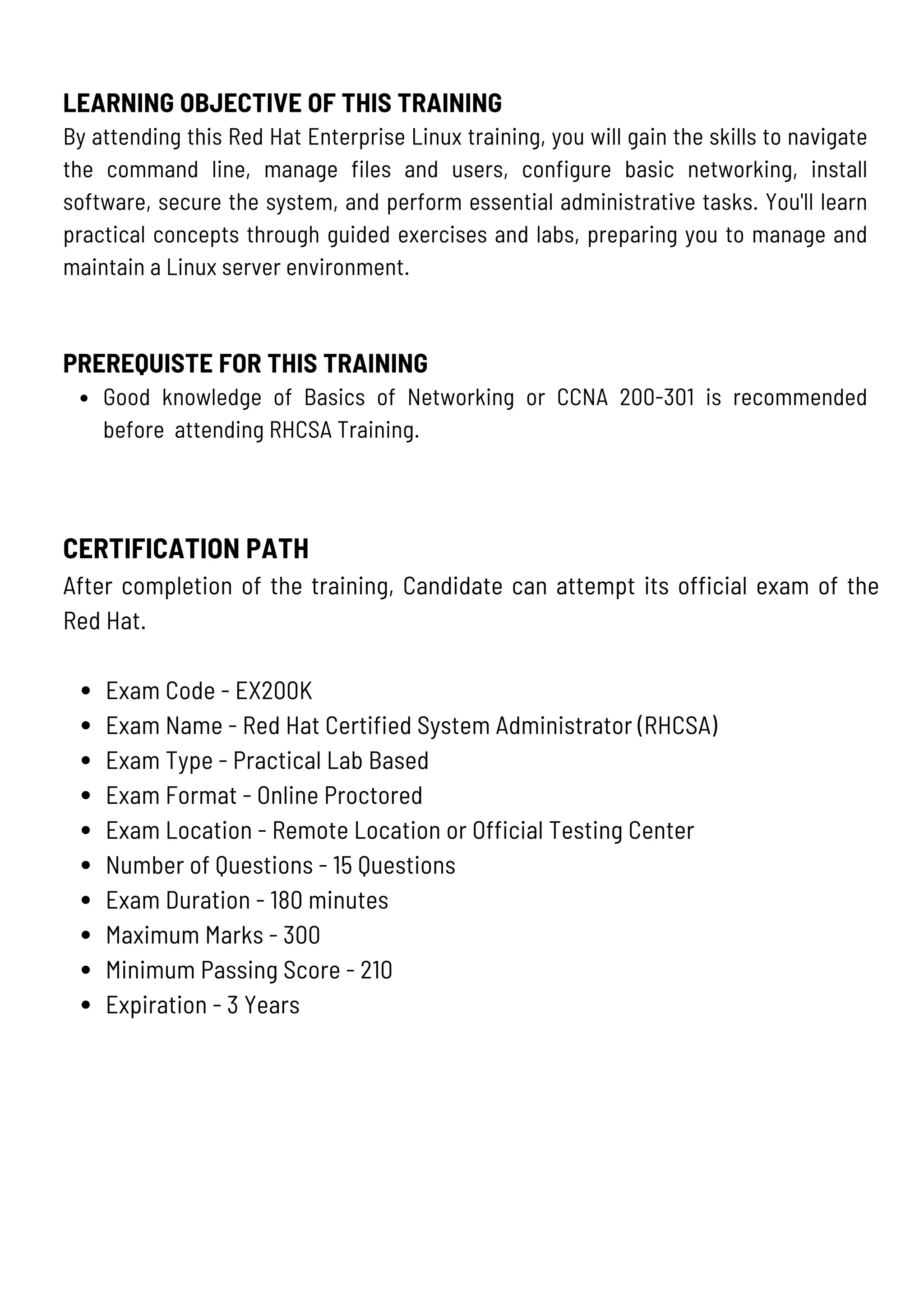
CERTIFICATION PATH
After completion of the training, Candidate can attempt its official exam of the
Red Hat.
Exam Code - EX200K
Exam Name - Red Hat Certified System Administrator (RHCSA)
Exam Type - Practical Lab Based
Exam Format - Online Proctored
Exam Location - Remote Location or Official Testing Center
Number of Questions - 15 Questions
Exam Duration - 180 minutes
Maximum Marks - 300
Minimum Passing Score - 210
Expiration - 3 Years
LEARNING OBJECTIVE OF THIS TRAINING
By attending this Red Hat Enterprise Linux training, you will gain the skills to navigate
the command line, manage files and users, configure basic networking, install
software, secure the system, and perform essential administrative tasks. You'll learn
practical concepts through guided exercises and labs, preparing you to manage and
maintain a Linux server environment.
PREREQUISTE FOR THIS TRAINING
Good knowledge of Basics of Networking or CCNA 200-301 is recommended
before attending RHCSA Training.
KR NETWORK CLOUD
LEADING EDGE IT TRAINING
+91 9555378418
F-15A, Third Floor, Near Nathu Sweets Shop, Near Nirman Vihar Metro
Station & Opposite Metro Pillar No. 54, Vikas Marg, Laxmi Nagar,
Delhi-110092
www.krnetworkcloud.org
info@krnetworkcloud.org
Checkoutthesocialmediatogetthelatestupdate
Contact KR Network Cloud using any of the following

Linux Training: Master RHCSA on RHEL-9 with Comprehensive Certification

  • 1.
    info@krnetworkcloud.org www.krnetworkcloud.org +91-9555378418 RHCSA TRAINING Duration - 70Hours (Red Hat Certified System Administrator) Course Code - EX200
  • 2.
    CONTENT Unit 1 -GET STARTED WITH RED HAT ENTERPRISE LINUX What Is Linux? Quiz: Get Started with Red Hat Enterprise Linux Summary Unit 2 - ACCESS THE COMMAND LINE Access the Command Line Quiz: Access the Command Line Access the Command Line with the Desktop Guided Exercise: Access the Command Line with the Desktop Execute Commands with the Bash Shell Quiz: Execute Commands with the Bash Shell Lab: Access the Command Line Summary Unit 3 - MANAGE FILES FROM THE COMMAND LINE Describe Linux File System Hierarchy Concepts Quiz: Describe Linux File System Hierarchy Concepts Specify Files by Name Quiz: Specify Files by Name Manage Files with Command-line Tools Guided Exercise: Manage Files with Command-line Tools Make Links Between Files Guided Exercise: Make Links Between Files Match File Names with Shell Expansions Quiz: Match File Names with Shell Expansions Lab: Manage Files from the Command Line Summary
  • 3.
    Unit 4 -GET HELP IN RED HAT ENTERPRISE LINUX Read Manual Pages Guided Exercise: Read Manual Pages Lab: Get Help in Red Hat Enterprise Linux Summary Unit 5 - CREATE, VIEW, AND EDIT TEXT FILES Redirect Output to a File or Program Quiz: Redirect Output to a File or Program Edit Text Files from the Shell Prompt Guided Exercise: Edit Text Files from the Shell Prompt Change the Shell Environment Guided Exercise: Change the Shell Environment Lab: Create, View, and Edit Text Files Summary Unit 6 - MANAGE LOCAL USERS AND GROUPS Describe User and Group Concepts Quiz: Describe User and Group Concepts Gain Superuser Access Guided Exercise: Gain Superuser Access Manage Local User Accounts Guided Exercise: Manage Local User Accounts Manage Local Group Accounts Guided Exercise: Manage Local Group Accounts Manage User Passwords Guided Exercise: Manage User Passwords Lab: Manage Local Users and Groups Summary
  • 4.
    Unit 7 -MONITOR AND MANAGE LINUX PROCESSES Process States and Lifecycle. Quiz: Process States and Lifecycle Control Jobs Guided Exercise: Control Jobs Kill Processes Guided Exercise: Kill Processes Monitor Process Activity Guided Exercise: Monitor Process Activity Lab: Monitor and Manage Linux Processes Summary Unit 8 - CONTROL SERVICES AND DAEMONS Identify Automatically Started System Processes Guided Exercise: Identify Automatically Started System Processes Control System Services Guided Exercise: Control System Services Lab: Control Services and Daemons Summary Unit 9 - CONFIGURE AND SECURE SSH Access the Remote Command Line with SSH Guided Exercise: Access the Remote Command Line Configure SSH Key-based Authentication Guided Exercise: Configure SSH Key-based Authentication Customize OpenSSH Service Configuration Guided Exercise: Customize OpenSSH Service Configuration Lab: Configure and Secure SSH Summary
  • 5.
    Unit 10 -ANALYZE AND STORE LOGS Describe System Log Architecture Quiz: Describe System Log Architecture Review Syslog Files Guided Exercise: Review Syslog Files Review System Journal Entries Guided Exercise: Review System Journal Entries Preserve the System Journal Guided Exercise: Preserve the System Journal Maintain Accurate Time Guided Exercise: Maintain Accurate Time Lab: Analyze and Store Logs Summary Unit 11 - MANAGE NETWORKING Describe Networking Concepts Quiz: Describe Networking Concepts Validate Network Configuration Guided Exercise: Validate Network Configuration Configure Networking from the Command Line Guided Exercise: Configure Networking from the Command Line Edit Network Configuration Files Guided Exercise: Edit Network Configuration Files Configure Hostnames and Name Resolution Guided Exercise: Configure Hostnames and Name Resolution Lab: Manage Networking Summary Unit 12 - ARCHIVE AND TRANSFER FILES Manage Compressed tar Archives Guided Exercise: Manage Compressed tar Archives Transfer Files Between Systems Securely Guided Exercise: Transfer Files Between Systems Securely Synchronize Files Between Systems Securely
  • 6.
    Unit 13 -INSTALL AND UPDATE SOFTWARE PACKAGES Register Systems for Red Hat Support Quiz: Register Systems for Red Hat Support Explain and Investigate RPM Software Packages Guided Exercise: Explain and Investigate RPM Software Packages Install and Update Software Packages with DNF Guided Exercise: Install and Update Software Packages with DNF Enable DNF Software Repositories Guided Exercise: Enable DNF Software Repositories Lab: Install and Update Software Packages Summary Unit 15 - ANALYZE SERVERS AND GET SUPPORT Analyze and Manage Remote Servers Guided Exercise: Analyze and Manage Remote Servers Get Help From Red Hat Customer Portal Guided Exercise: Get Help From Red Hat Customer Portal Detect and Resolve Issues with Red Hat Insights Guided Exercise: Locate Files on the System Lab: Access Linux File Systems Unit 16 - COMPREHENSIVE REVIEW Manage Compressed tar Archives Guided Exercise: Manage Compressed tar Archives Transfer Files Between Systems Securely Guided Exercise: Transfer Files Between Systems Securely Synchronize Files Between Systems Securely Unit 14 - ACCESS LINUX FILES SYSTEMS Identify File Systems and Devices Quiz: Identify File Systems and Devices Mount and Unmount File Systems Guided Exercise: Mount and Unmount File Systems Locate Files on the System Guided Exercise: Locate Files on the System Lab: Access Linux File Systems
  • 7.
    Unit 17 -IMPROVE COMMAND LINE PRODUCTIVITY Write Simple Bash Scripts Guided Exercise: Write Simple Bash Scripts Loops and Conditional Constructs in Scripts Guided Exercise: Loops and Conditional Constructs in Scripts Match Text in Command Output with Regular Expressions Guided Exercise: Match Text in Command Output with Regular Expressions Lab: Improve Command-line Productivity Unit 20 - MANAGE SELINUX SECURITY Change the SELinux Enforcement Mode Guided Exercise: Change the SELinux Enforcement Mode Control SELinux File Contexts Guided Exercise: Control SELinux File Contexts Adjust SELinux Policy with Booleans Guided Exercise: Adjust SELinux Policy with Booleans Investigate and Resolve SELinux Issues Guided Exercise: Investigate and Resolve SELinux Issues Lab: Manage SELinux Security Unit 18 - SCHEDULE FUTURE TASK Schedule a Deferred User Job Guided Exercise: Schedule a Deferred User Job Schedule Recurring User Jobs Guided Exercise: Schedule Recurring User Jobs Schedule Recurring System Jobs Guided Exercise: Schedule Recurring System Jobs Manage Temporary Files Guided Exercise: Manage Temporary Files Unit 19 - TUNE SYSTEM PERFORMANCE Adjust Tuning Profiles Guided Exercise: Adjust Tuning Profiles Influence Process Scheduling Guided Exercise: Influence Process Scheduling Lab: Tune System Performance
  • 8.
    Unit 21 -MANAGE BASIC STORAGE Add Partitions, File Systems, and Persistent Mounts Guided Exercise: Add Partitions, File Systems, and Persistent Mounts Manage Swap Space Guided Exercise: Manage Swap Space Lab: Manage Basic Storage Unit 24 - CONTROL THE BOOT PROCESS Select the Boot Target Guided Exercise: Select the Boot Target Reset the Root Password Guided Exercise: Reset the Root Password Repair File System Issues at Boot Guided Exercise: Repair File System Issues at Boot Lab: Control the Boot Process Unit 22 - MANAGE STORAGE STACK Create and Extend Logical Volumes Guided Exercise: Create and Extend Logical Volumes Manage Layered Storage Guided Exercise: Manage Layered Storage Lab: Manage Storage Stack Unit 23 - ACCESS NETWORK - ATTACHED STORAGE Manage Network-Attached Storage with NFS Guided Exercise: Manage Network-Attached Storage with NFS Automount Network-Attached Storage Guided Exercise: Automount Network-Attached Storage Lab: Access Network-Attached Storage Summary
  • 9.
    Unit 25 -MANAGE NETWORK SECURITY Manage Server Firewalls Guided Exercise: Manage Server Firewalls Control SELinux Port Labeling Guided Exercise: Control SELinux Port Labeling Lab: Manage Network Security Unit 28 - COMPREHENSIVE REVIEW Comprehensive Review Lab: Fix Boot Issues and Maintain Servers Lab: Configure and Manage File Systems and Storage Lab: Configure and Manage Server Security Lab: Run Containers Unit 26 - INSTALL RED HAT ENTERPRISE LINUX Install Red Hat Enterprise Linux Guided Exercise: Install Red Hat Enterprise Linux Automate Installation with Kickstart Guided Exercise: Automate Installation with Kickstart Install and Configure Virtual Machines Quiz: Install and Configure Virtual Machines Lab: Install Red Hat Enterprise Linux Summary Unit 27 - RUN CONTAINERS Container Concepts Quiz: Container Concepts Deploy Containers Guided Exercise: Deploy Containers Manage Container Storage and Network Resources Guided Exercise: Manage Container Storage and Network Resources Manage Containers as System Services Lab: Run Containers
  • 10.
    CERTIFICATION PATH After completionof the training, Candidate can attempt its official exam of the Red Hat. Exam Code - EX200K Exam Name - Red Hat Certified System Administrator (RHCSA) Exam Type - Practical Lab Based Exam Format - Online Proctored Exam Location - Remote Location or Official Testing Center Number of Questions - 15 Questions Exam Duration - 180 minutes Maximum Marks - 300 Minimum Passing Score - 210 Expiration - 3 Years LEARNING OBJECTIVE OF THIS TRAINING By attending this Red Hat Enterprise Linux training, you will gain the skills to navigate the command line, manage files and users, configure basic networking, install software, secure the system, and perform essential administrative tasks. You'll learn practical concepts through guided exercises and labs, preparing you to manage and maintain a Linux server environment. PREREQUISTE FOR THIS TRAINING Good knowledge of Basics of Networking or CCNA 200-301 is recommended before attending RHCSA Training.
  • 11.
    KR NETWORK CLOUD LEADINGEDGE IT TRAINING +91 9555378418 F-15A, Third Floor, Near Nathu Sweets Shop, Near Nirman Vihar Metro Station & Opposite Metro Pillar No. 54, Vikas Marg, Laxmi Nagar, Delhi-110092 www.krnetworkcloud.org info@krnetworkcloud.org Checkoutthesocialmediatogetthelatestupdate Contact KR Network Cloud using any of the following