Research 101
           effective research with google


Created by Andrew McCarthy - Digital Literary Coach (Dover)
November 2011 anm@uwcsea.edu.sg
Keywords
    U   se                               be
                            tha  t descri
           3-4 ke y words          ese are
                                           the   Try to add o
Identify                      . Th
                    o king for            the
                                                              r subtract
           u are lo                unlock        keywords to
 what yo           ct as ke
                            ys to                             refine you se
                                                                           arch.
              ch a
 wo   rds whi
            tion
  i nforma
Use Google Rea
              ding Levels
  Filter informatio
                     n to Beginner or
  Intermediate Rea
                     ding levels to
  suit your level of
                     understanding.
Preview in G
                             oogle;
                   Find in Safa
                               ri
Scan pages, us
               ing the previe
Use the Comm                  w panel,
               and + Find fun
search for wor                ction to
               ds within docu
                              ments.
Check websites for reliability
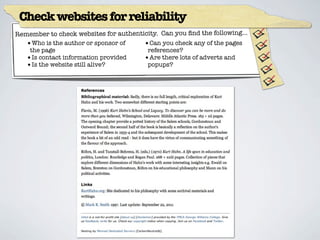
Remember to check websites for authenticity. Can you find the following...
   •Who is the author or sponsor of    •Can you check any of the pages
    the page                            references?
   •Is contact information provided    •Are there lots of adverts and
   •Is the website still alive?         popups?
Qwiki - An alternative way to find information
Sources:

                                         Google Doodle - Teachers Day China, Sept 10 2011
                                         http://www.google.com/logos/logos11-3.html


                                         Google for Educators - Posters
                                         http://www.google.com/educators/posters.html


                                         Qwiki - An alternative way to find information
                                         http://www.qwiki.com/q/Barack_Obama


Created by Andrew McCarthy - Digital Literary Coach (Dover)
November 2011 anm@uwcsea.edu.sg

Research 101 - Effective Research with Google

  • 1.
    Research 101 effective research with google Created by Andrew McCarthy - Digital Literary Coach (Dover) November 2011 anm@uwcsea.edu.sg
  • 2.
    Keywords U se be tha t descri 3-4 ke y words ese are the Try to add o Identify . Th o king for the r subtract u are lo unlock keywords to what yo ct as ke ys to refine you se arch. ch a wo rds whi tion i nforma
  • 3.
    Use Google Rea ding Levels Filter informatio n to Beginner or Intermediate Rea ding levels to suit your level of understanding.
  • 4.
    Preview in G oogle; Find in Safa ri Scan pages, us ing the previe Use the Comm w panel, and + Find fun search for wor ction to ds within docu ments.
  • 5.
    Check websites forreliability Remember to check websites for authenticity. Can you find the following... •Who is the author or sponsor of •Can you check any of the pages the page references? •Is contact information provided •Are there lots of adverts and •Is the website still alive? popups?
  • 6.
    Qwiki - Analternative way to find information
  • 7.
    Sources: Google Doodle - Teachers Day China, Sept 10 2011 http://www.google.com/logos/logos11-3.html Google for Educators - Posters http://www.google.com/educators/posters.html Qwiki - An alternative way to find information http://www.qwiki.com/q/Barack_Obama Created by Andrew McCarthy - Digital Literary Coach (Dover) November 2011 anm@uwcsea.edu.sg

Editor's Notes