Untangling Infrastructure
Code Through Refactoring
DevOpsDays Chicago
@nellshamrell
Who Am I?
Nell Shamrell-Harrington
• Software Engineer at Chef
• @nellshamrell
• nshamrell@chef.io
• Former O’Fallon, IL resident (Southern IL ftw!)
Why should I refactor
my infrastructure code?
Why Refactor?
• Add a feature
• Add a feature
• Fix a bug
Why Refactor?
• Add a feature
• Fix a bug
• Improve the design
Why Refactor?
• Add a feature
• Fix a bug
• Improve the design
• Optimize resource usage
Why Refactor?
Let’s go through
an example!
Refactoring a
Terraform config
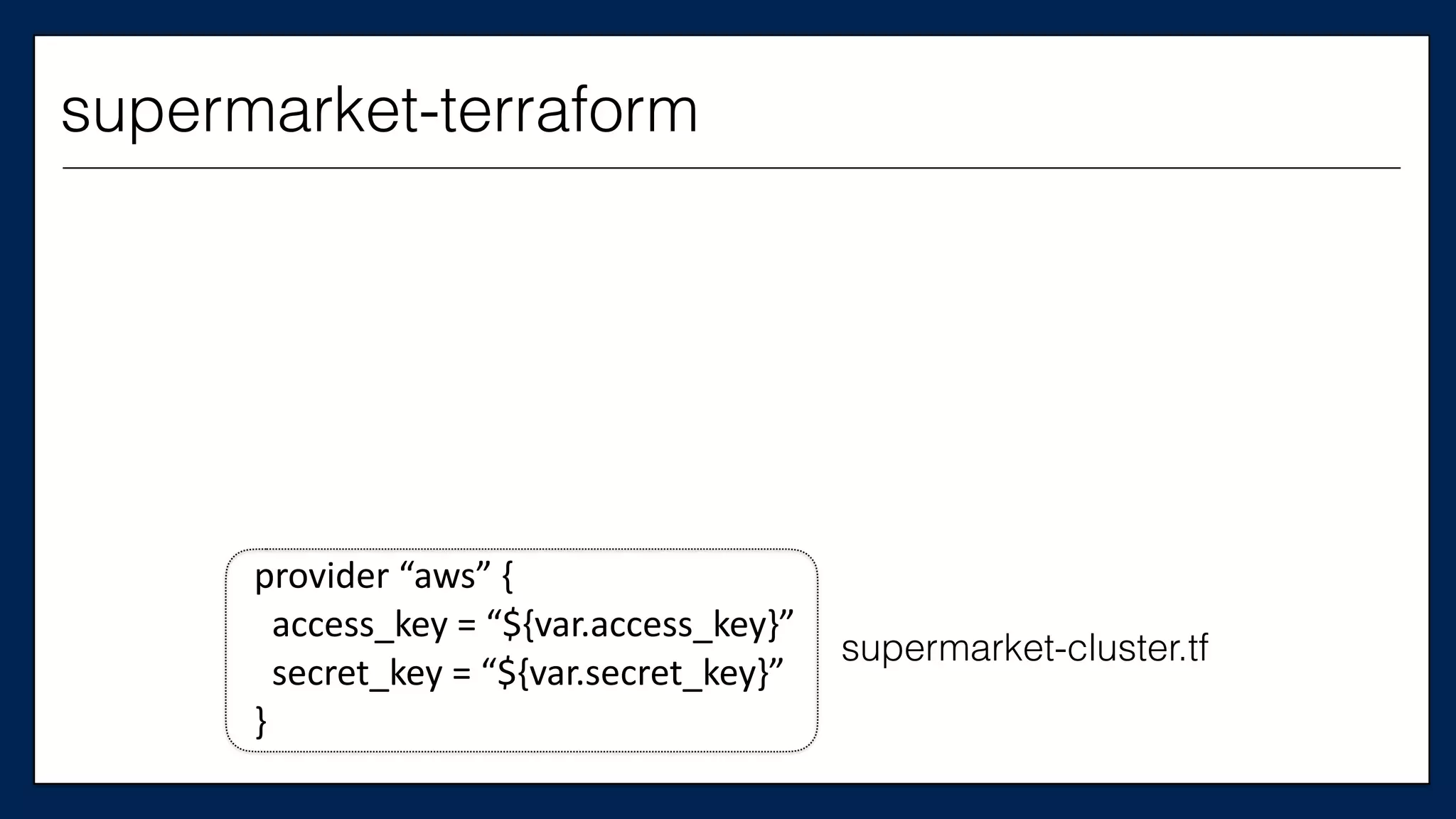
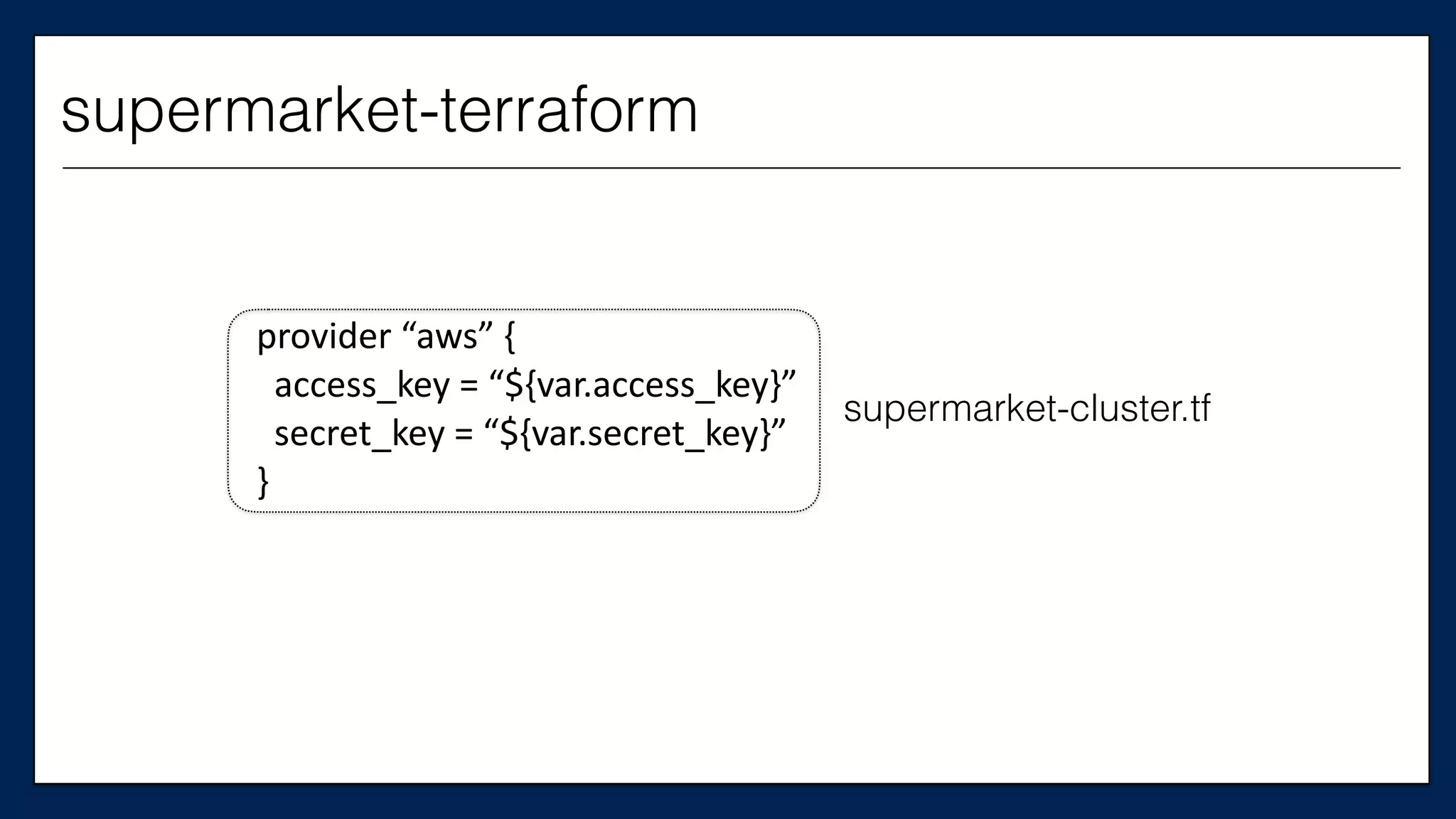
Today, we will refactor supermarket-terraform
http://github.com/nellshamrell/supermarket-terraform
supermarket-terraform
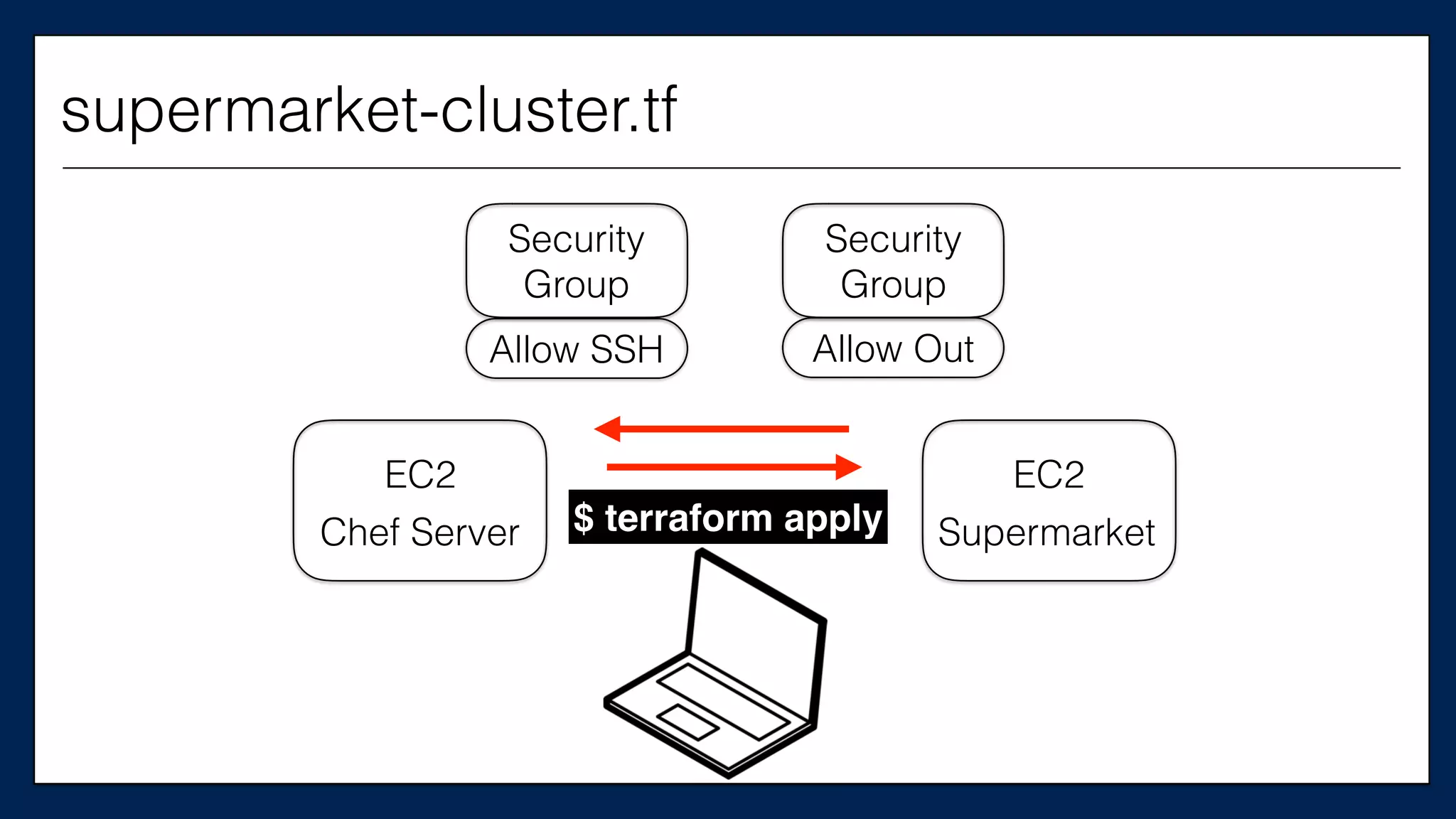
supermarket-cluster.tf
provider	
  “aws”	
  {	


  access_key	
  =	
  “${var.access_key}”	


  secret_key	
  =	
  “${var.secret_key}”	
  
}
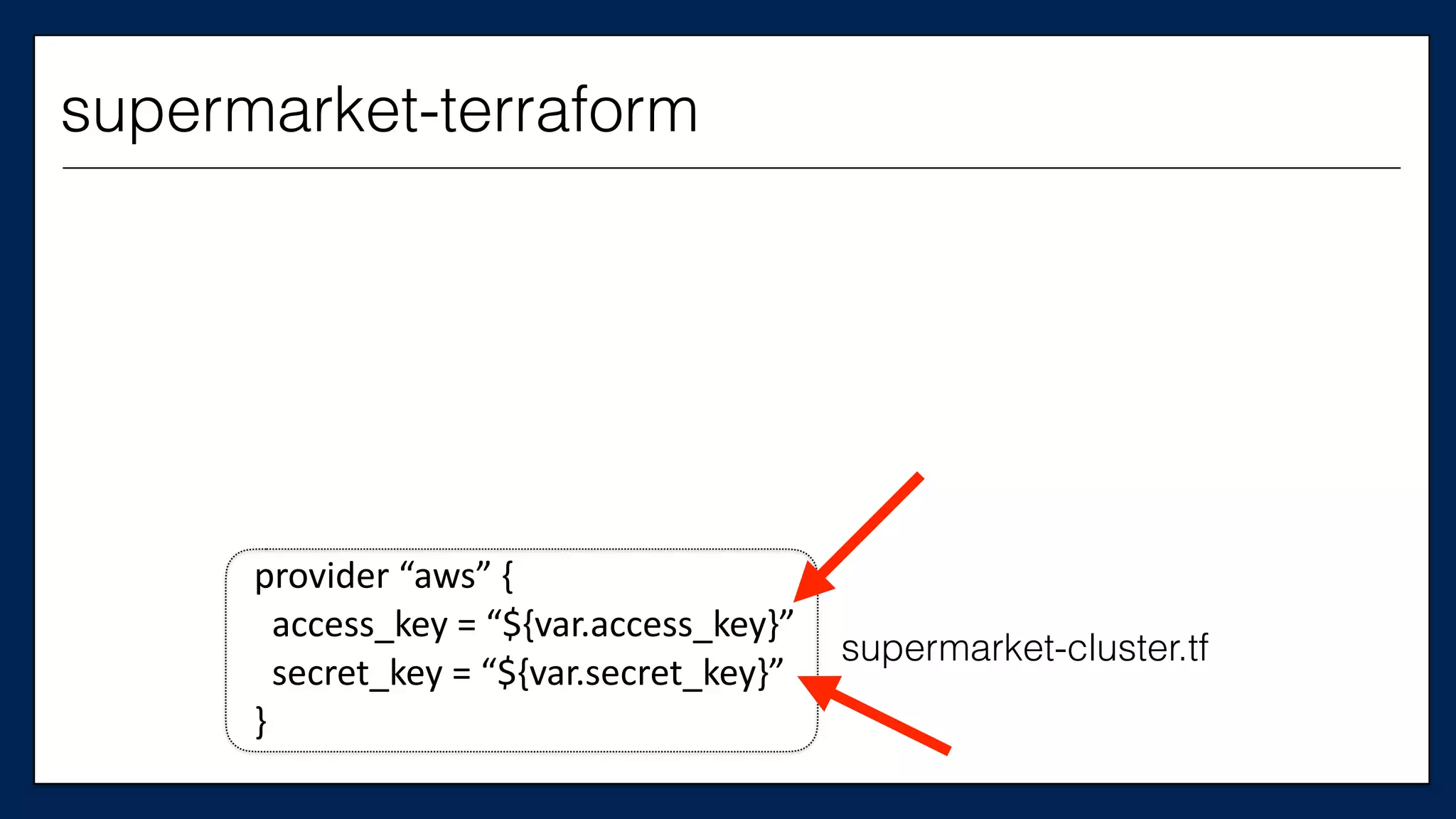
supermarket-terraform
supermarket-cluster.tf
provider	
  “aws”	
  {	


  access_key	
  =	
  “${var.access_key}”	


  secret_key	
  =	
  “${var.secret_key}”	
  
}
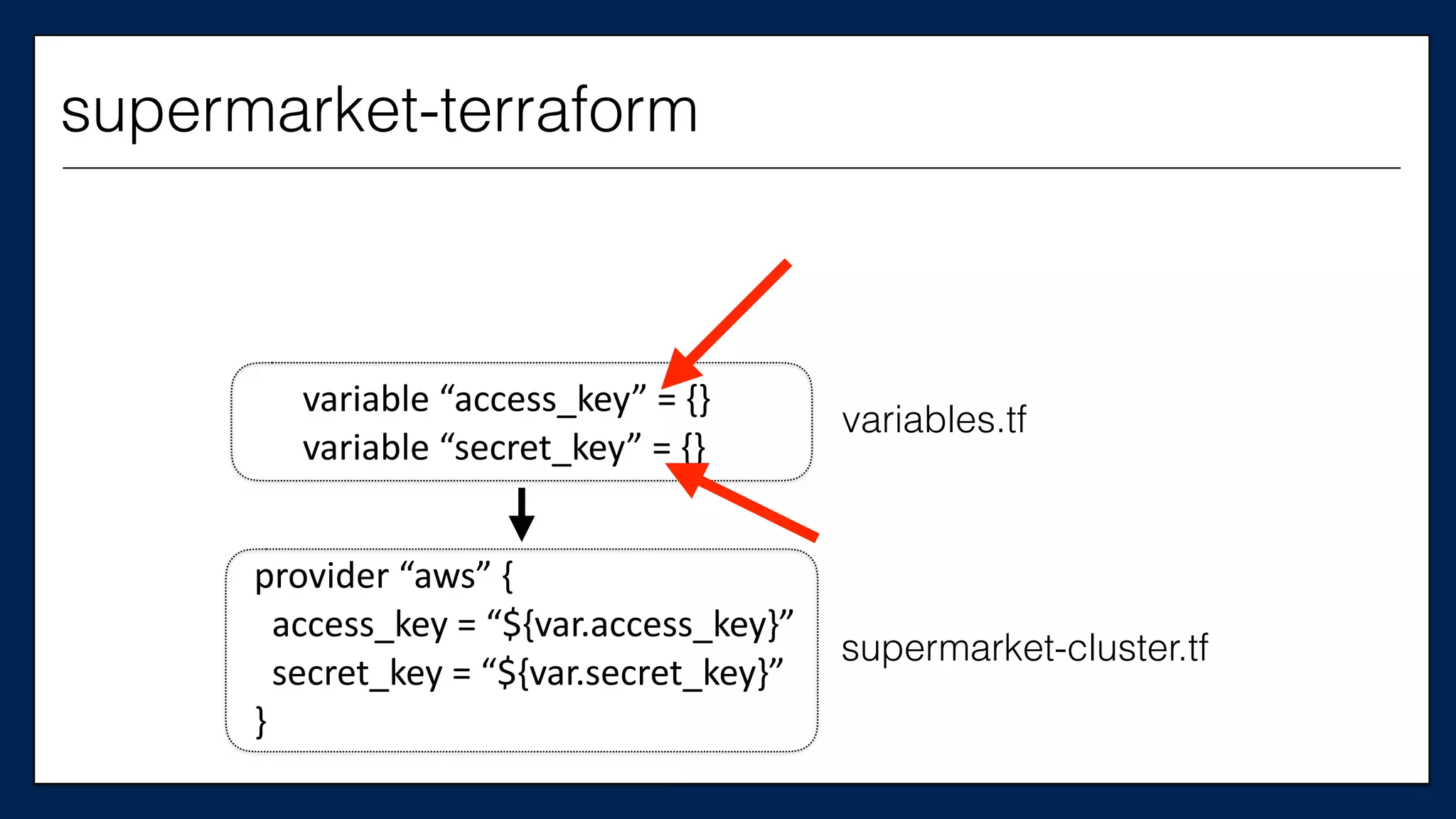
supermarket-terraform
supermarket-cluster.tf
variables.tf
provider	
  “aws”	
  {	


  access_key	
  =	
  “${var.access_key}”	


  secret_key	
  =	
  “${var.secret_key}”	
  
}
variable	
  “access_key”	
  =	
  {}	
  	
  
variable	
  “secret_key”	
  =	
  {}
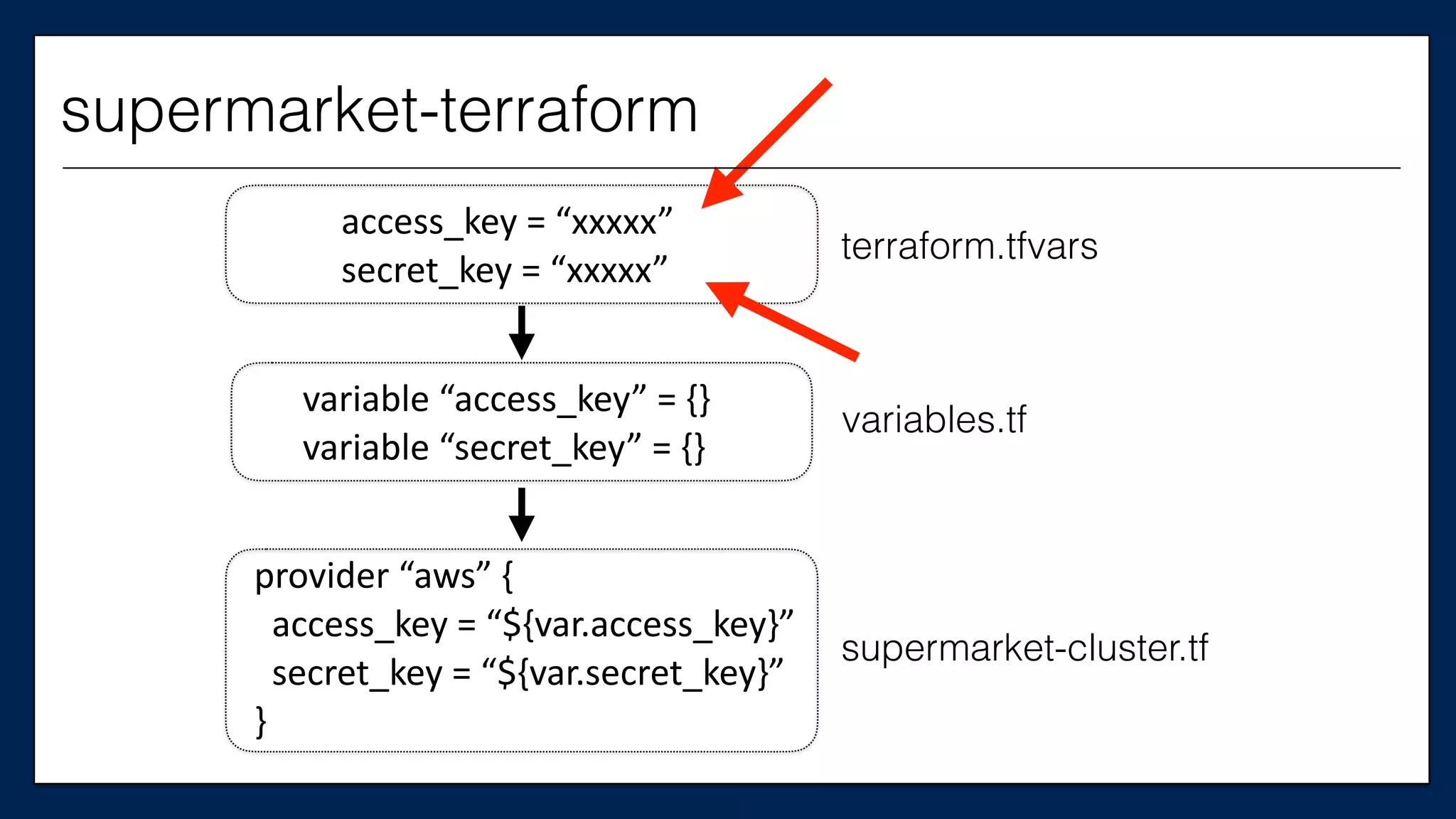
supermarket-terraform
supermarket-cluster.tf
variables.tf
terraform.tfvars
provider	
  “aws”	
  {	


  access_key	
  =	
  “${var.access_key}”	


  secret_key	
  =	
  “${var.secret_key}”	
  
}
variable	
  “access_key”	
  =	
  {}	
  	
  
variable	
  “secret_key”	
  =	
  {}
access_key	
  =	
  “xxxxx”	
  	
  
secret_key	
  =	
  “xxxxx”
supermarket-terraform
Wait…should you use
a credentials file?
You can…but for the
sake of the example,
let’s supply them inline
supermarket-cluster.tf
provider	
  “aws”	
  {	


  access_key	
  =	
  “${var.access_key}”	


  secret_key	
  =	
  “${var.secret_key}”	
  
}
supermarket-terraform
$ terraform apply
supermarket-cluster.tf
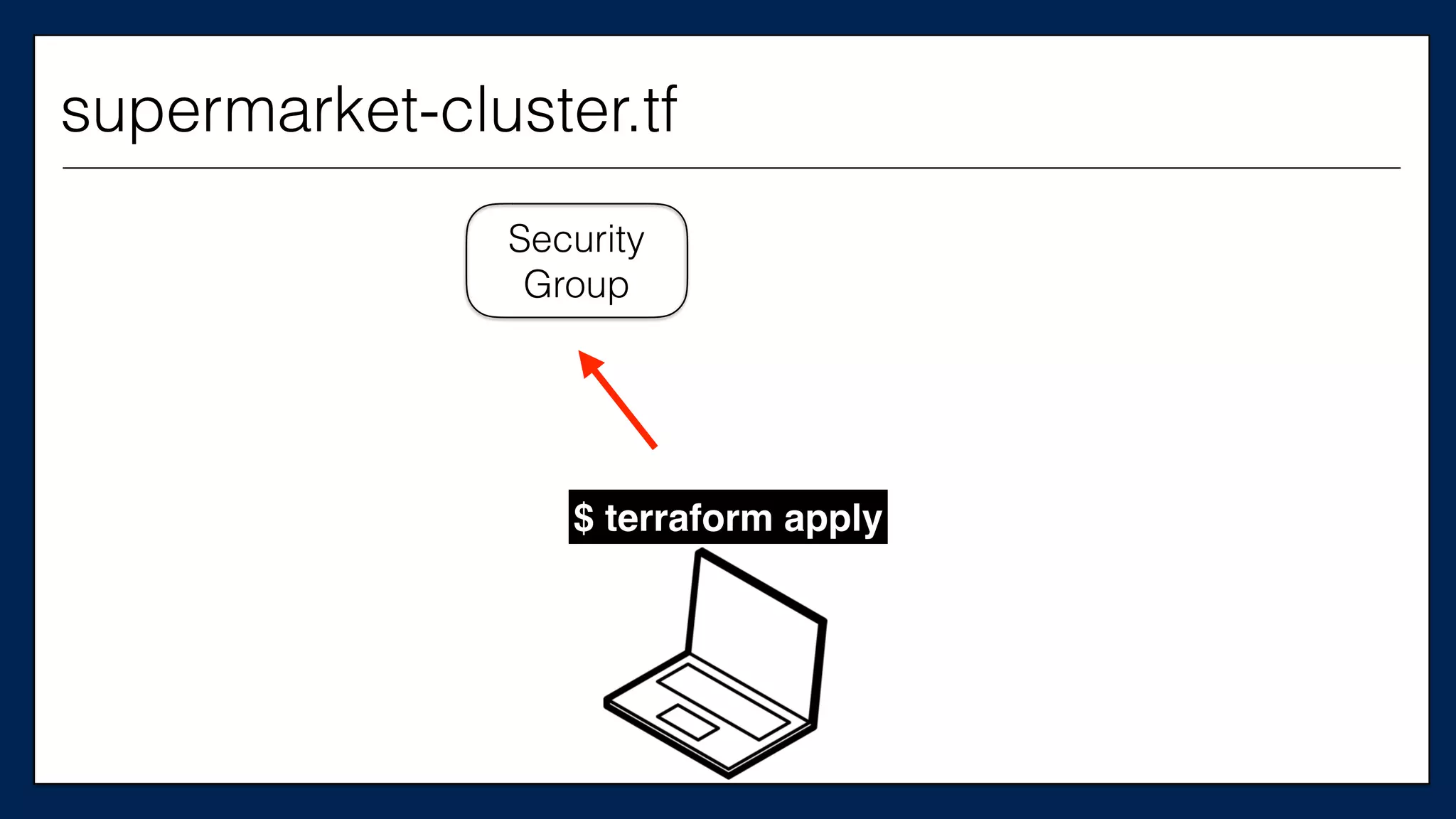
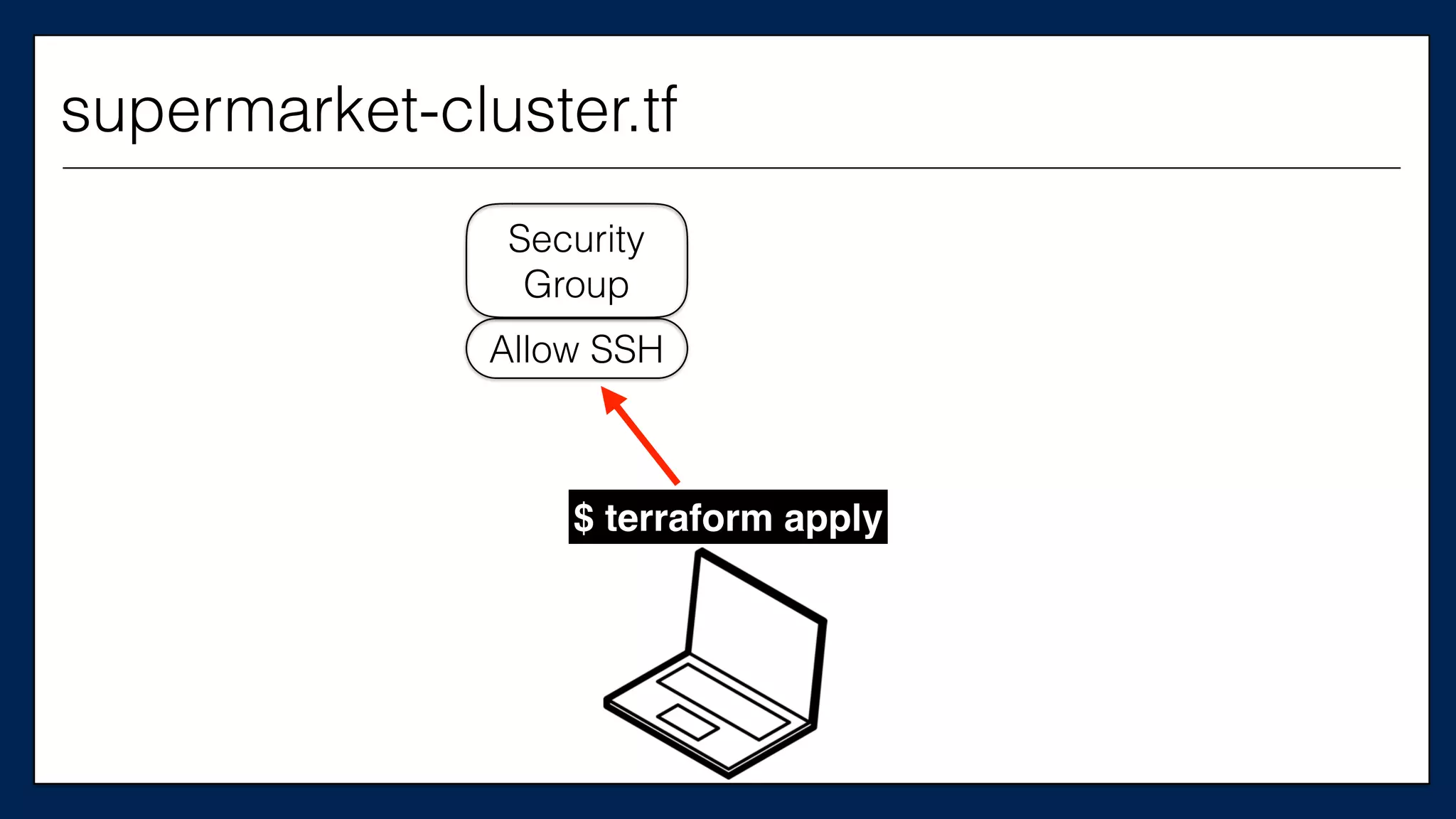
Security
Group
$ terraform apply
supermarket-cluster.tf
Security
Group
Allow SSH
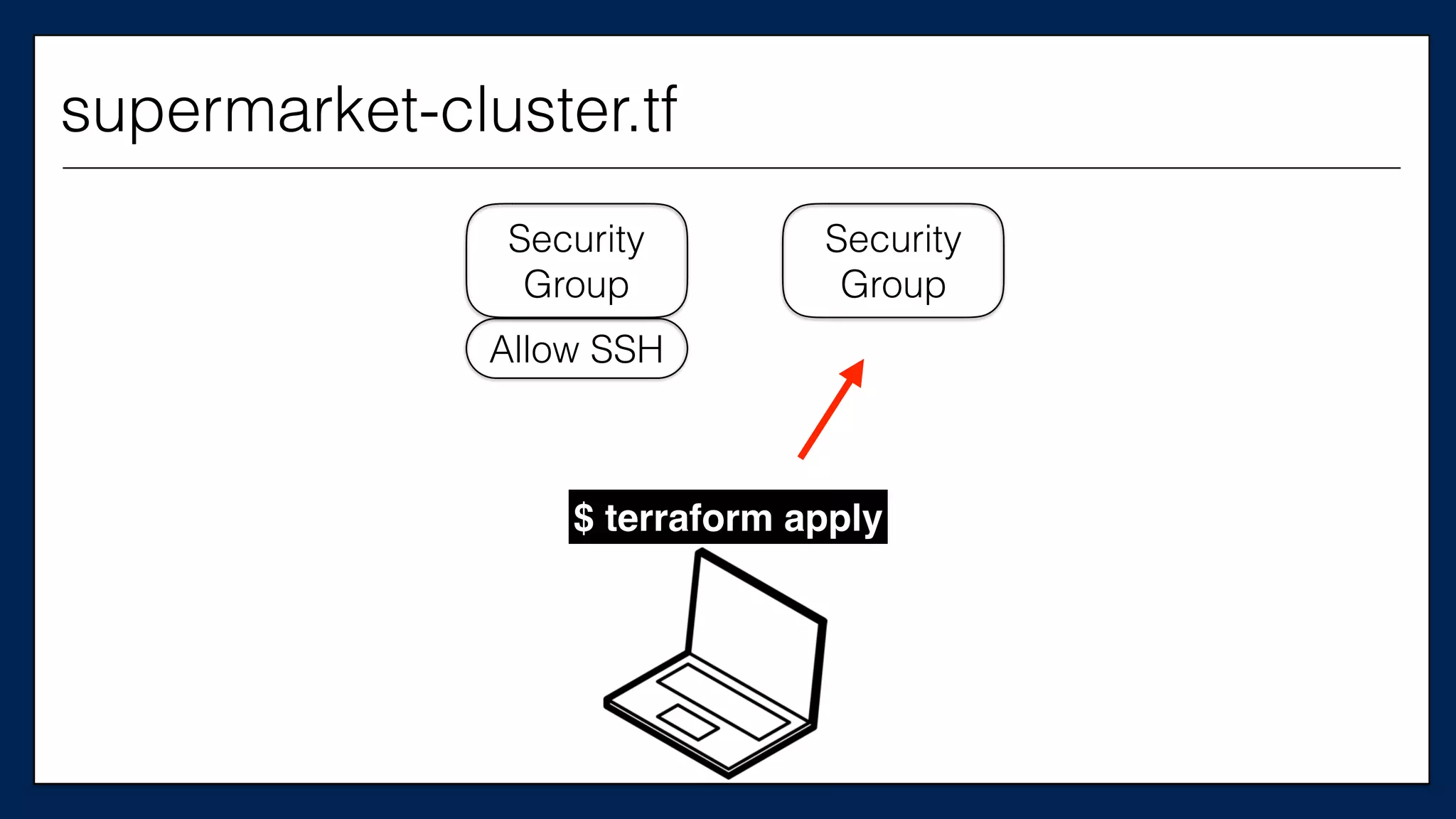
$ terraform apply
supermarket-cluster.tf
Security
Group
Security
Group
Allow SSH
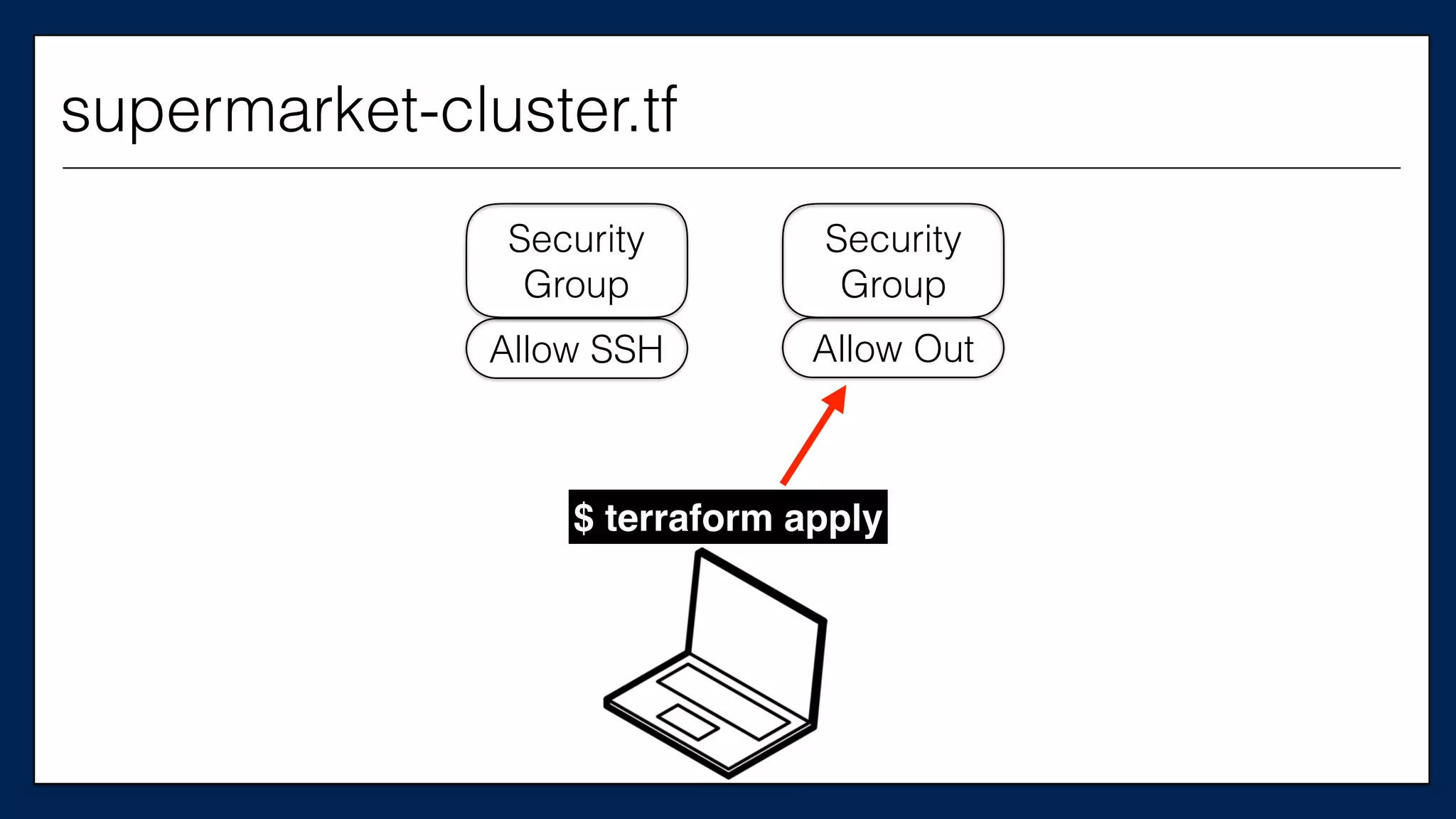
$ terraform apply
supermarket-cluster.tf
Security
Group
Security
Group
Allow SSH Allow Out
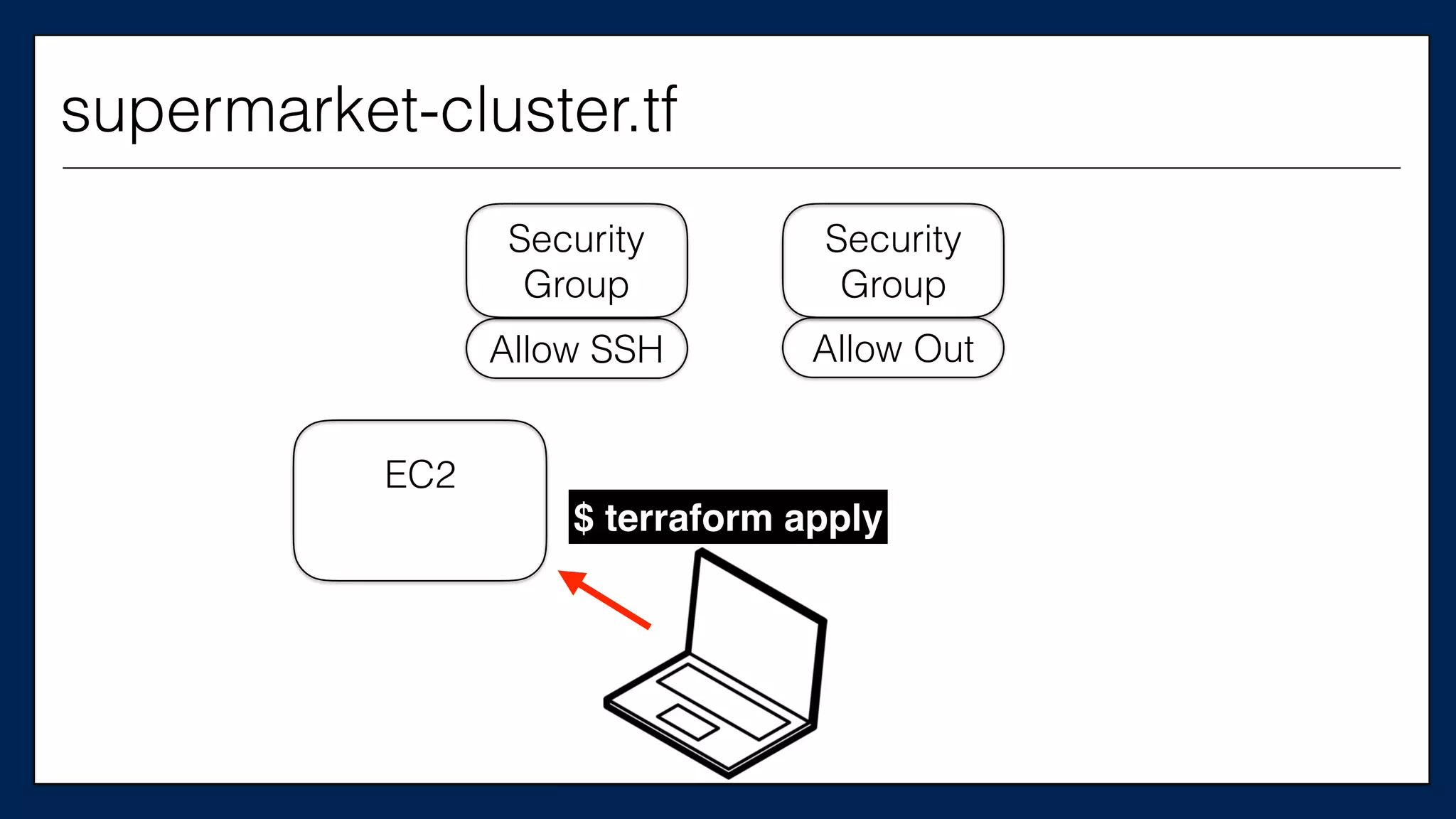
$ terraform apply
supermarket-cluster.tf
Security
Group
Security
Group
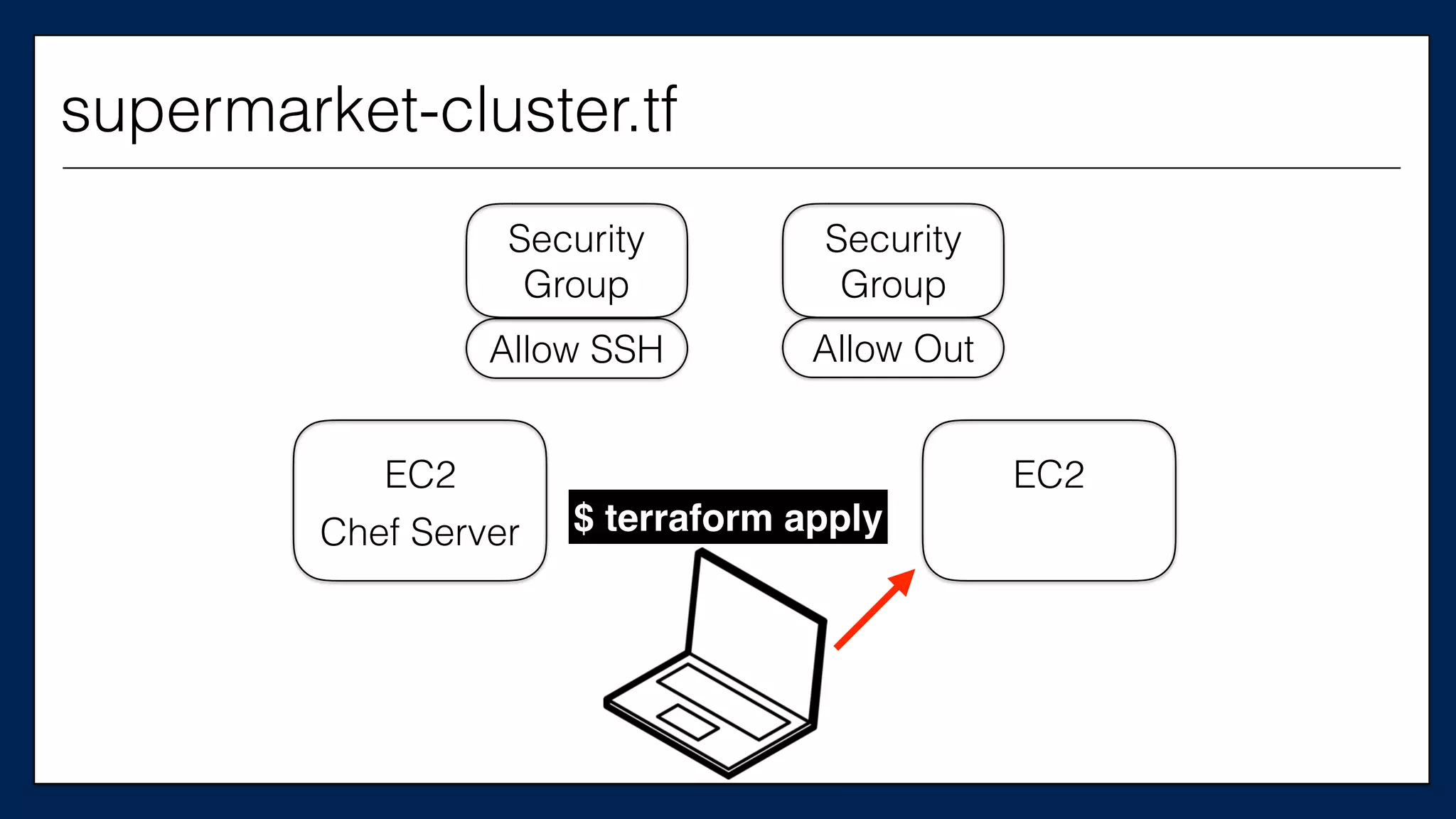
EC2
Allow SSH Allow Out
$ terraform apply
supermarket-cluster.tf
Security
Group
Security
Group
EC2
Chef Server
Allow SSH Allow Out
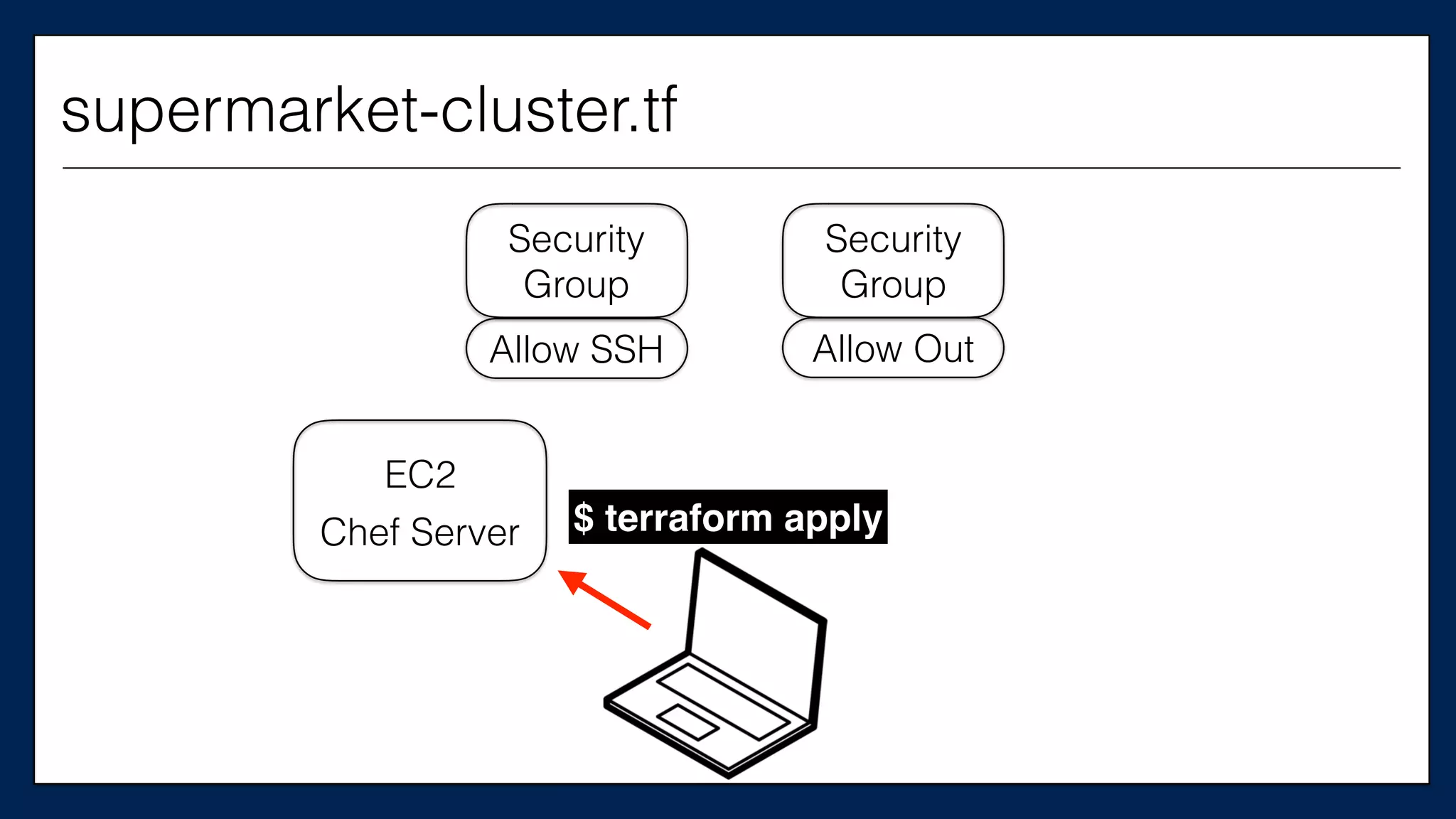
$ terraform apply
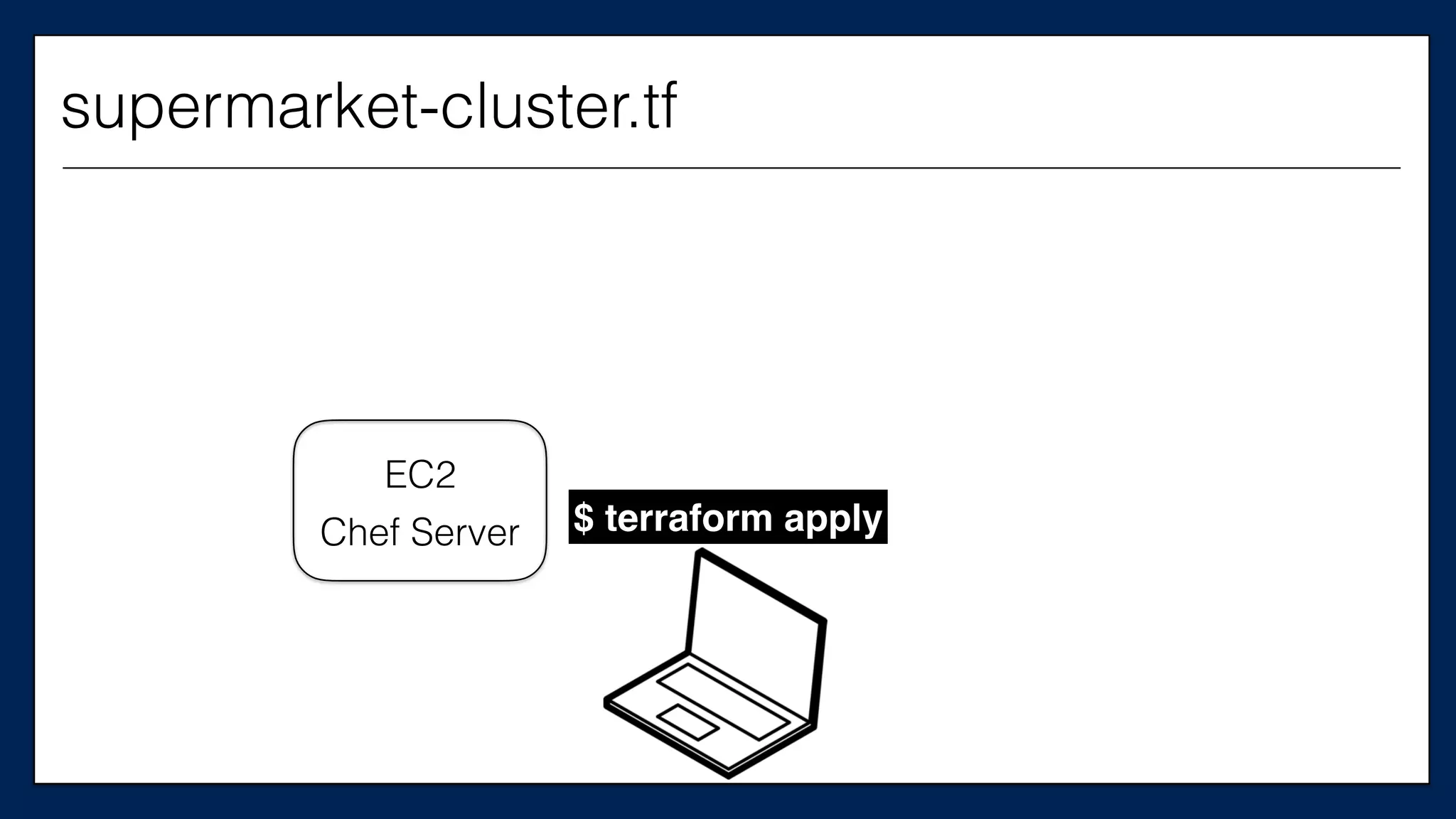
supermarket-cluster.tf
EC2
Security
Group
Security
Group
EC2
Chef Server
Allow OutAllow SSH
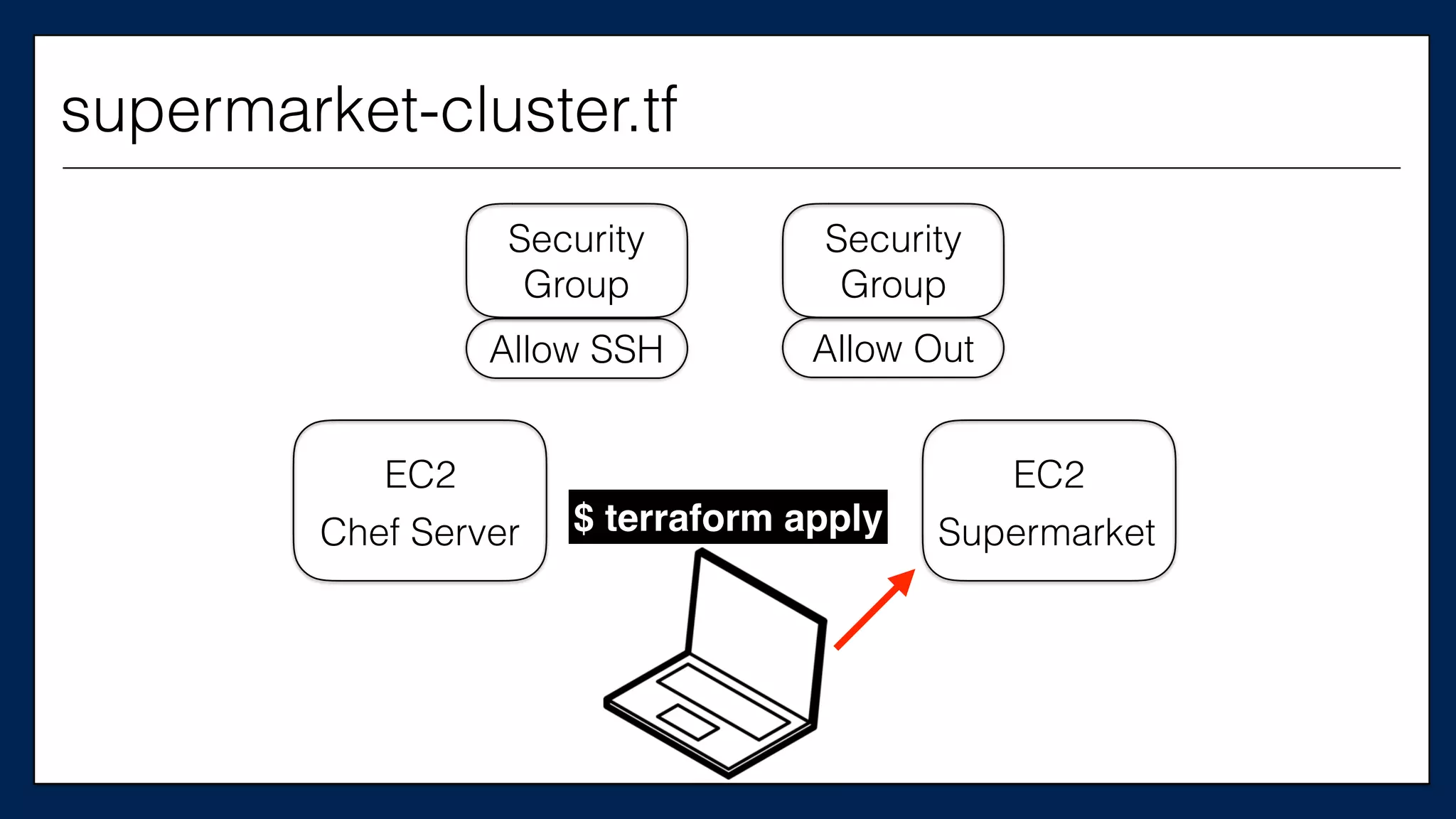
$ terraform apply
supermarket-cluster.tf
EC2
Security
Group
Security
Group
EC2
Chef Server Supermarket
Allow OutAllow SSH
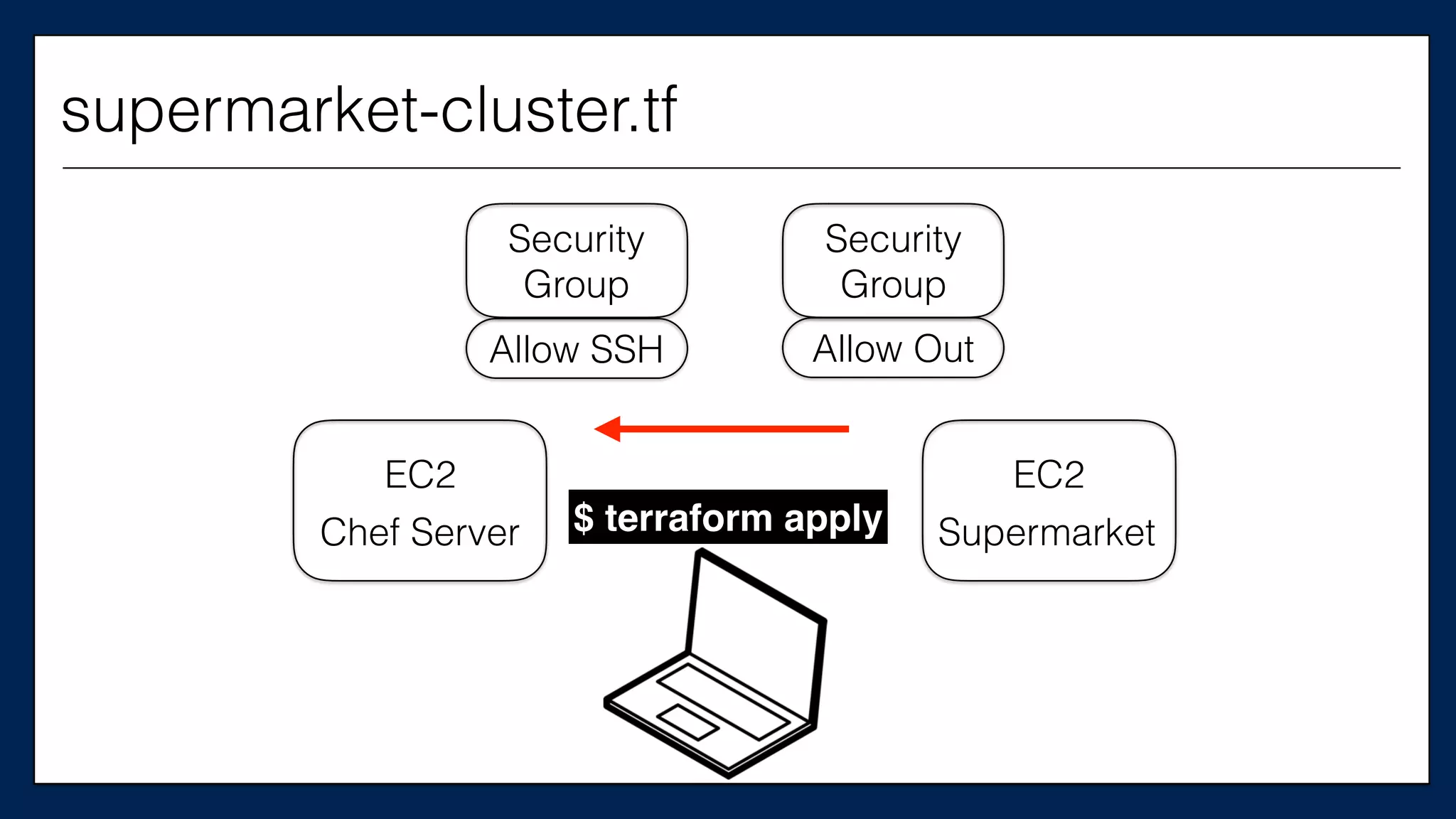
$ terraform apply
supermarket-cluster.tf
EC2
Security
Group
Security
Group
EC2
Chef Server Supermarket
Allow OutAllow SSH
$ terraform apply
supermarket-cluster.tf
EC2
Security
Group
Security
Group
EC2
Chef Server Supermarket
Allow OutAllow SSH
$ terraform apply
supermarket-cluster.tf
EC2
Security
Group
Security
Group
EC2
Chef Server Supermarket
Allow OutAllow SSH
$ terraform apply
supermarket-cluster.tf
EC2
Security
Group
Security
Group
EC2
Chef Server Supermarket
Allow OutAllow SSH
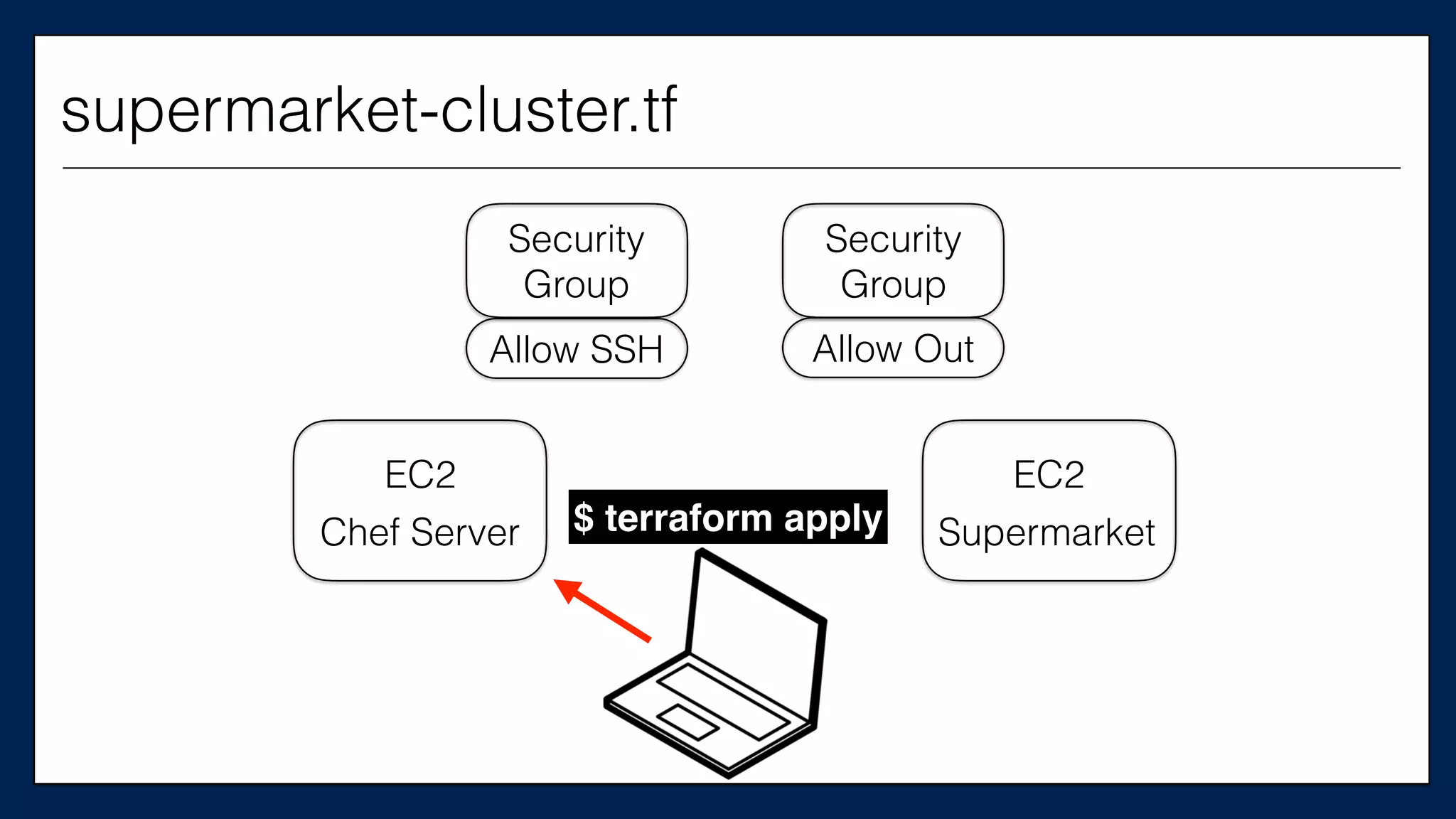
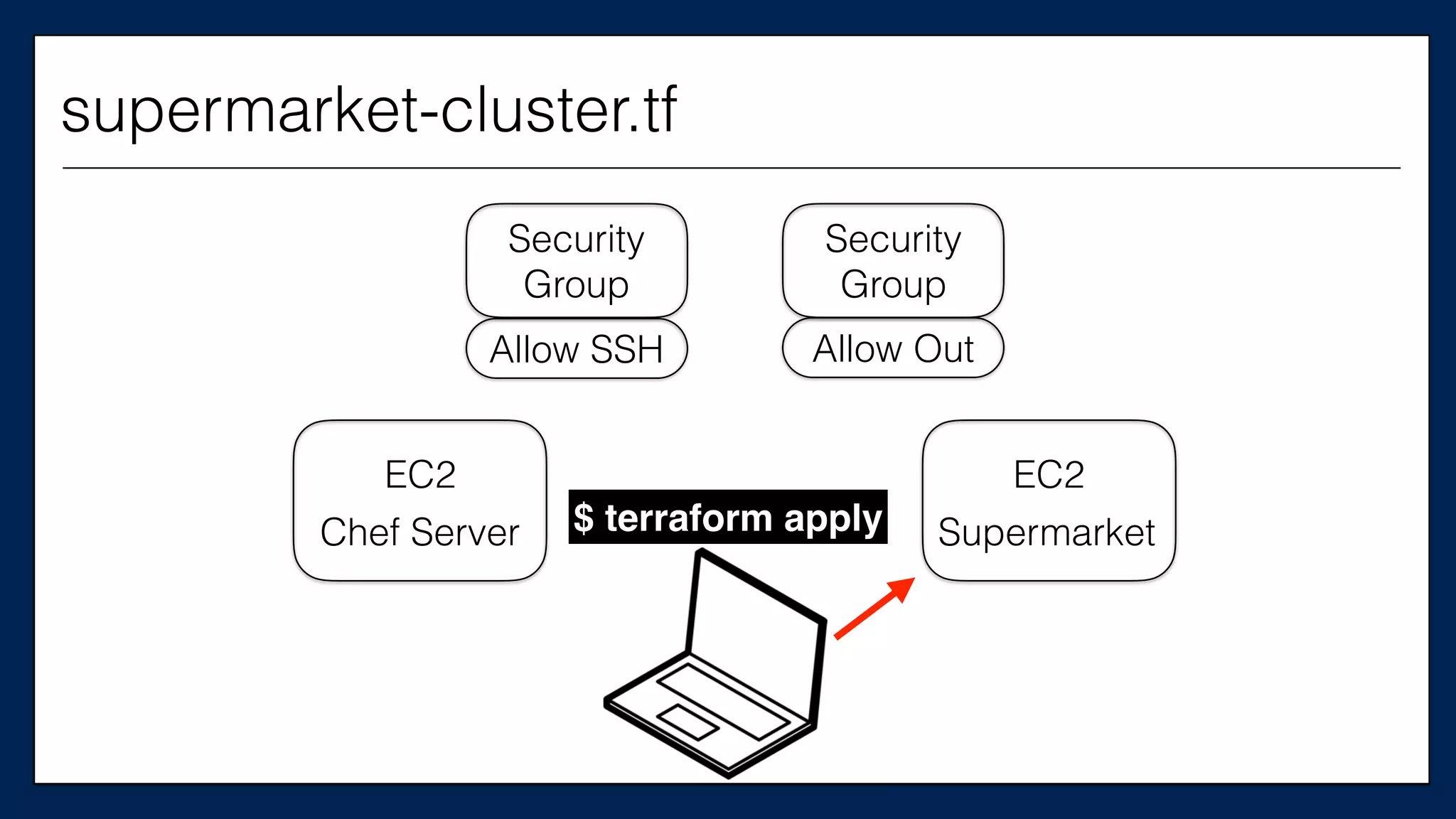
$ terraform apply
supermarket-cluster.tf
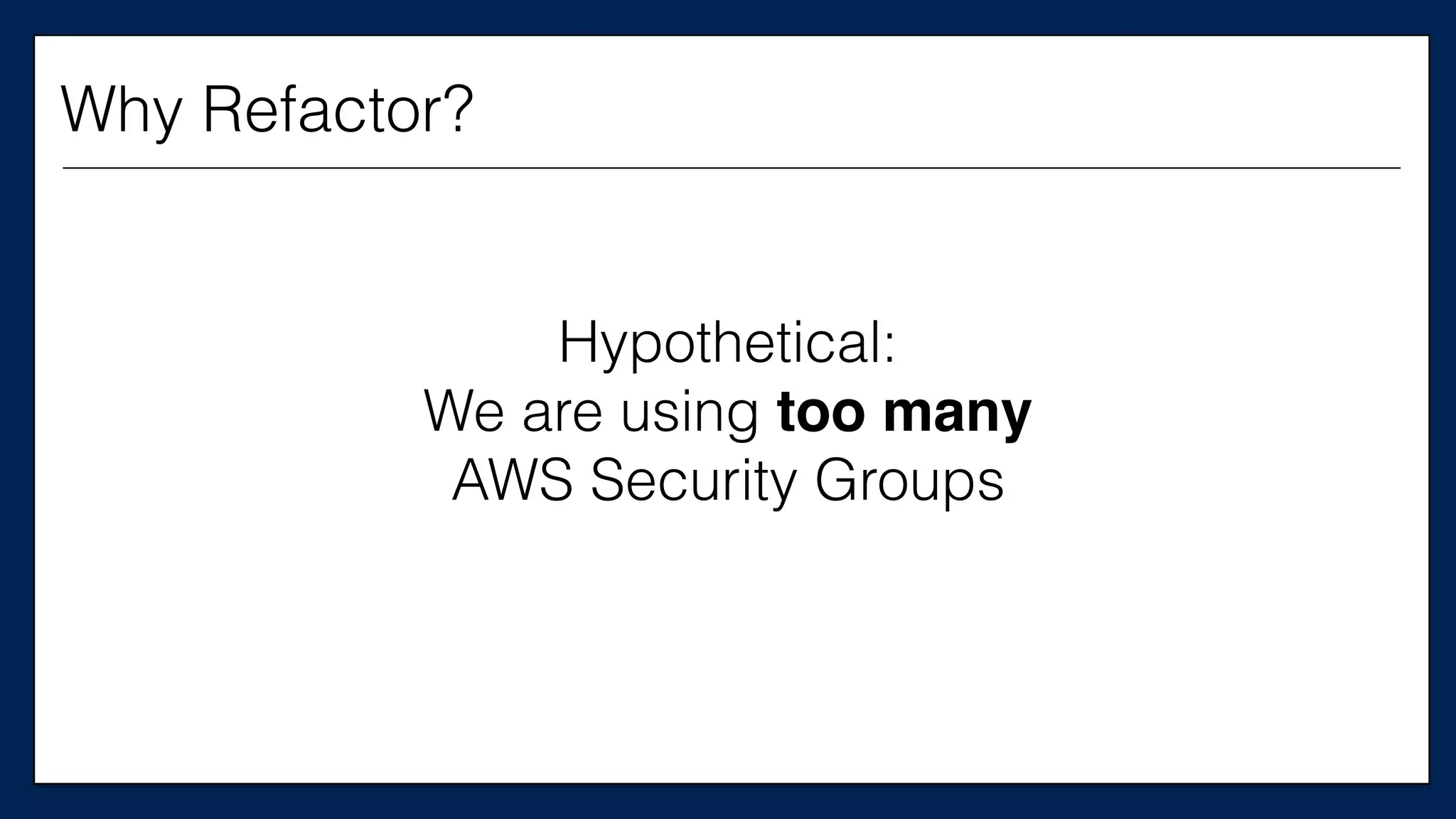
Hypothetical:
We are using too many
AWS Security Groups
Why Refactor?
We need this config
to create only
one security group
Why Refactor?
Source: Working Effectively with Legacy Code
How to Refactor?
Two Approaches
Source: Working Effectively with Legacy Code
How to Refactor?
• Edit and Pray
Two Approaches
• Edit and Pray
• Cover and Modify
Two Approaches
Source: Working Effectively with Legacy Code
How to Refactor?
Confidence in code
without tests is
false confidence
What code is intended to do
is much less important
than what it actually does
Do I have to add tests
for the entire thing?
No.
The point of adding tests is
to not make things worse
And to start making
the code better
here and now
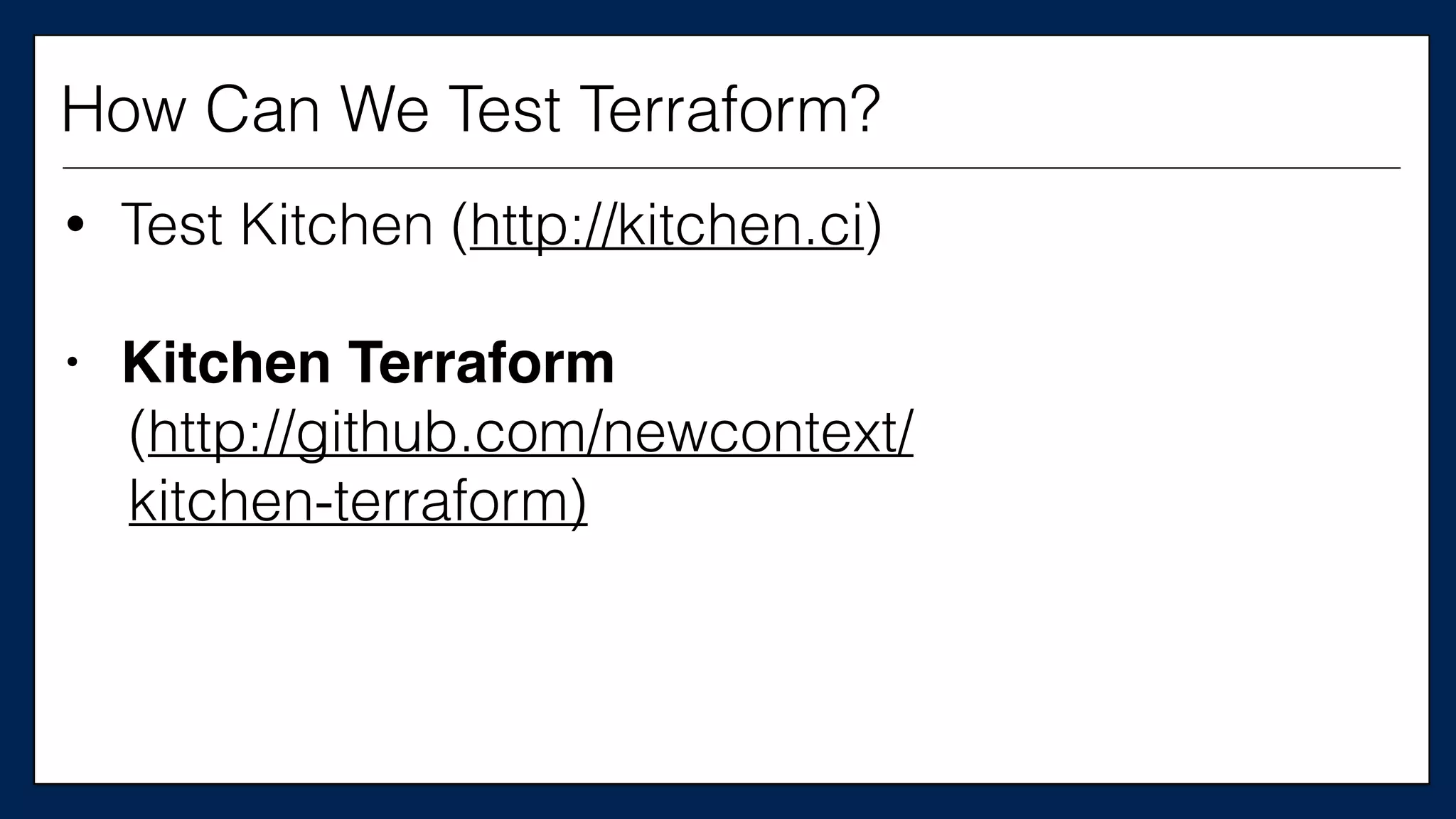
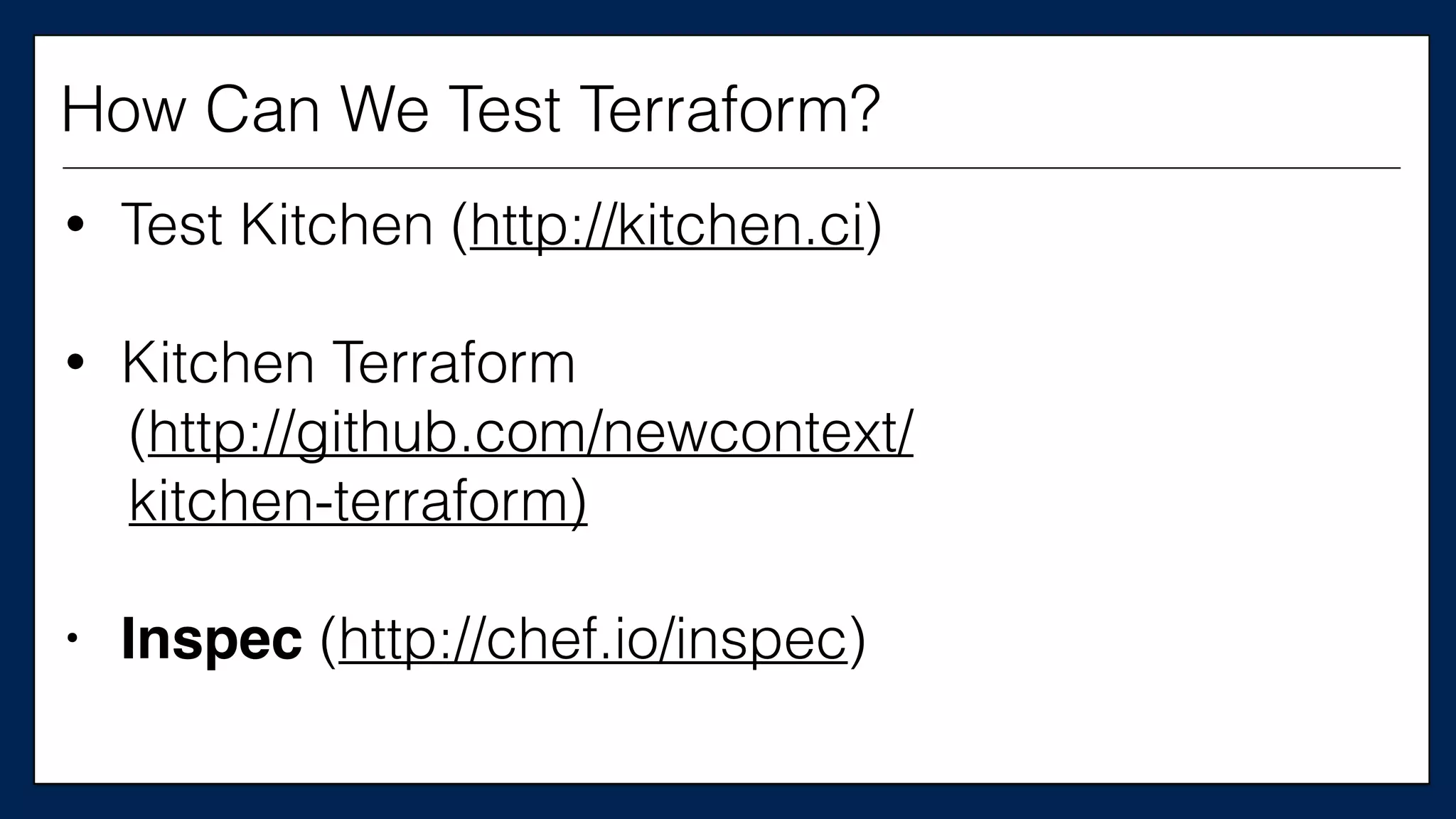
How can we test Terraform?
How Can We Test Terraform?
• Test Kitchen (http://kitchen.ci)
How Can We Test Terraform?
• Test Kitchen (http://kitchen.ci)
• Kitchen Terraform
(http://github.com/newcontext/
kitchen-terraform)
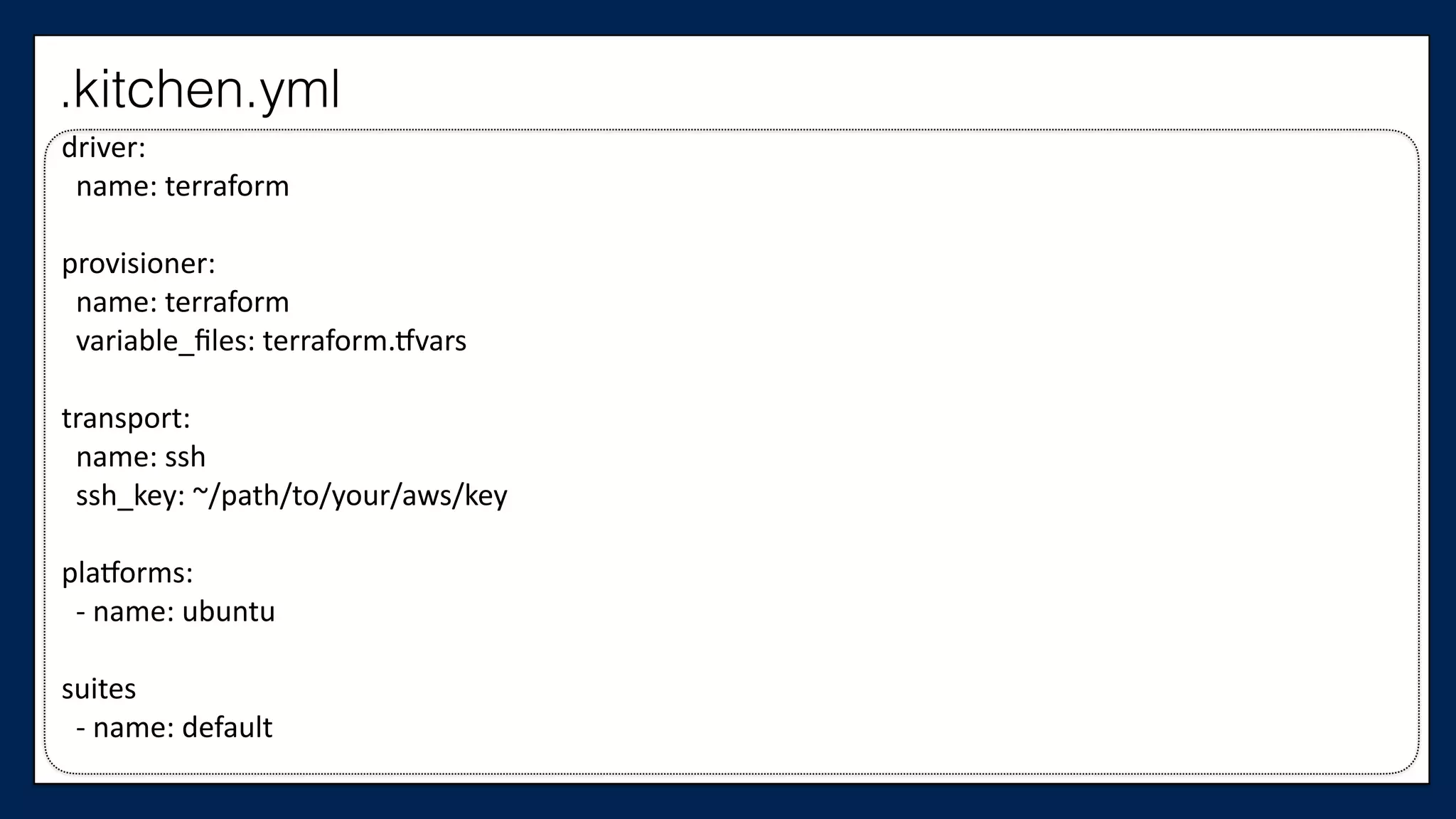
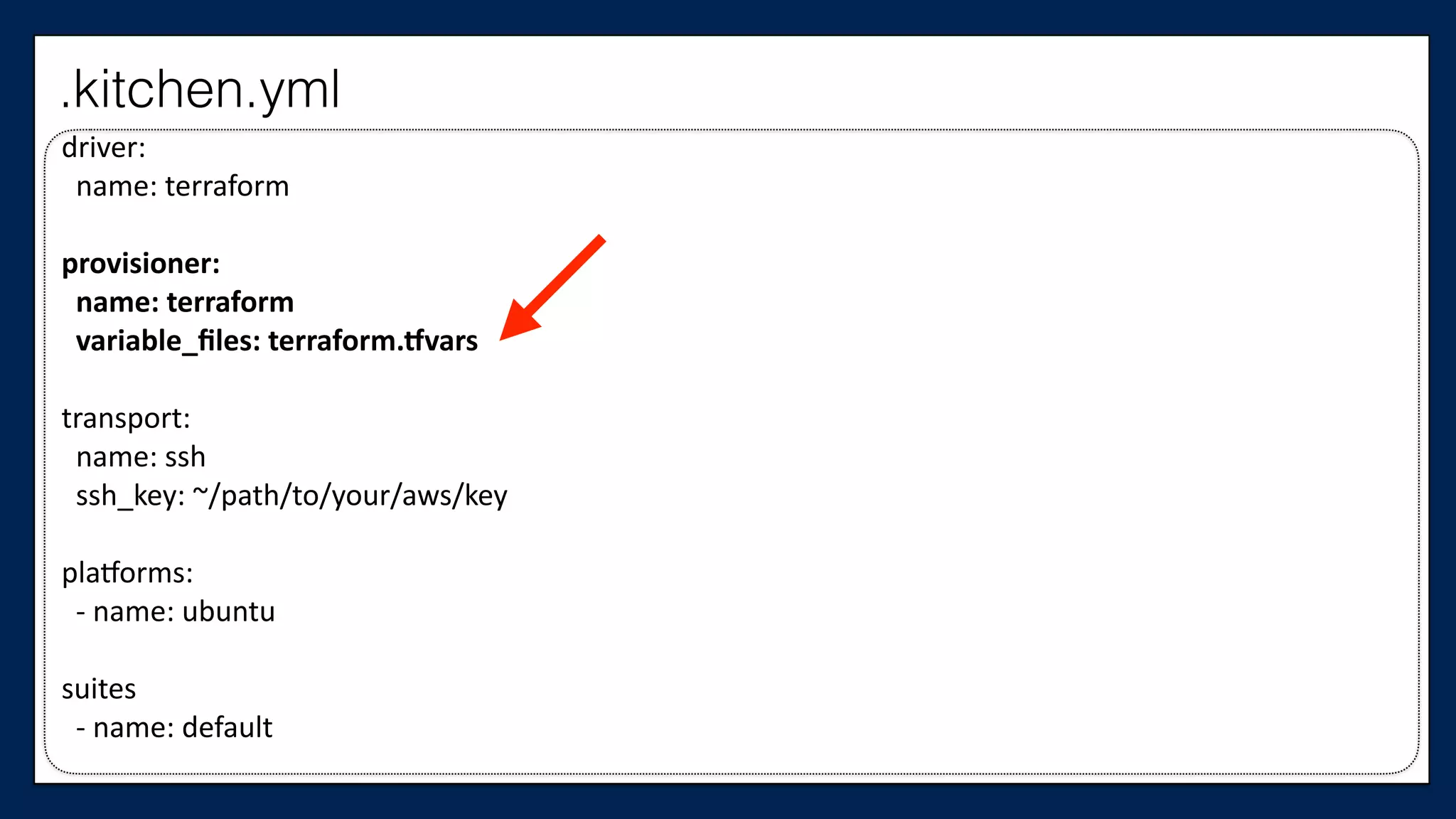
driver:	


  name:	
  terraform	
  
provisioner:	


  name:	
  terraform	


  variable_files:	
  terraform.@vars	
  
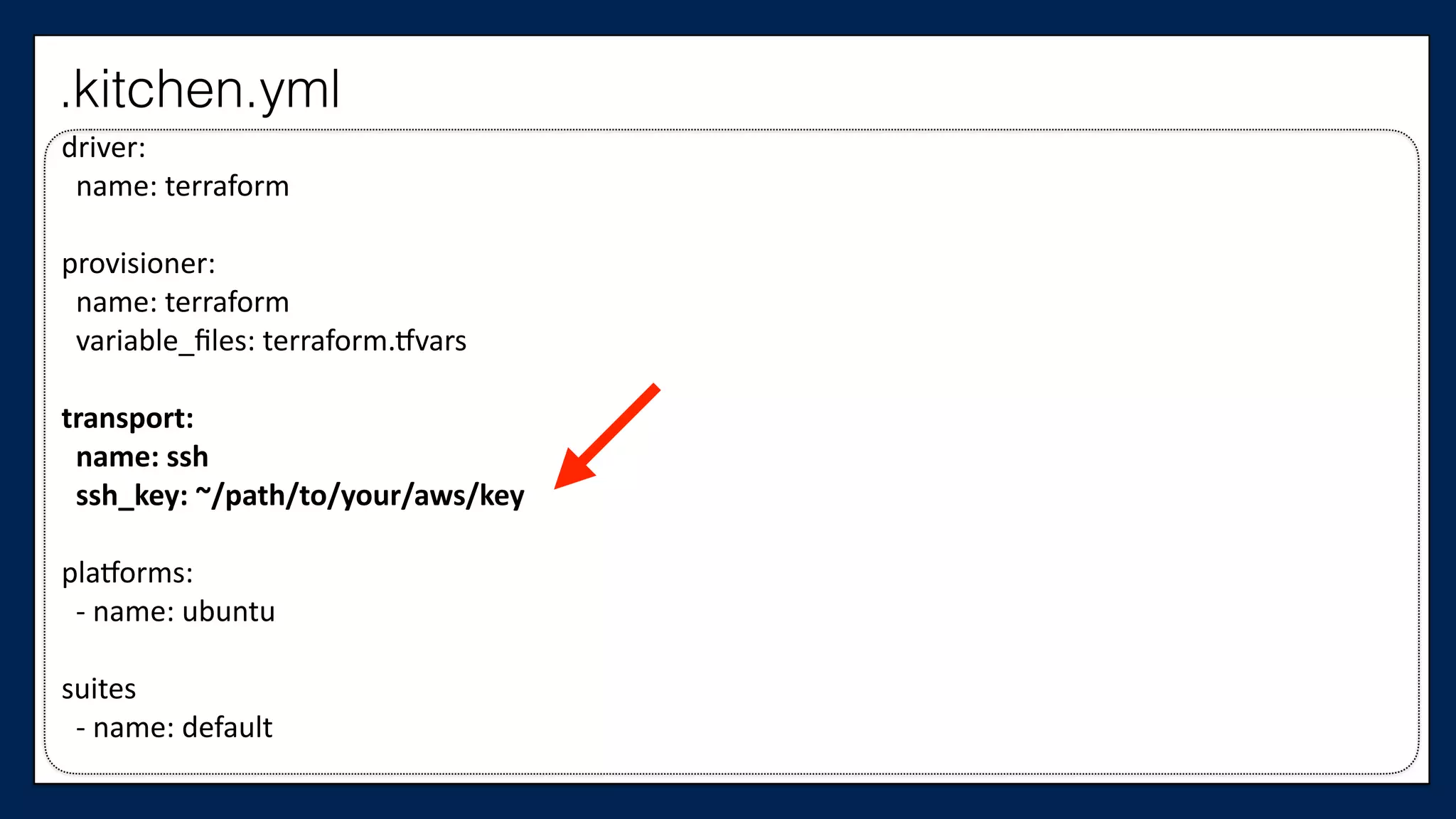
transport:	


  name:	
  ssh	


  ssh_key:	
  ~/path/to/your/aws/key	
  
pla@orms:	


  -­‐	
  name:	
  ubuntu	
  
suites	


  -­‐	
  name:	
  default	
  
.kitchen.yml
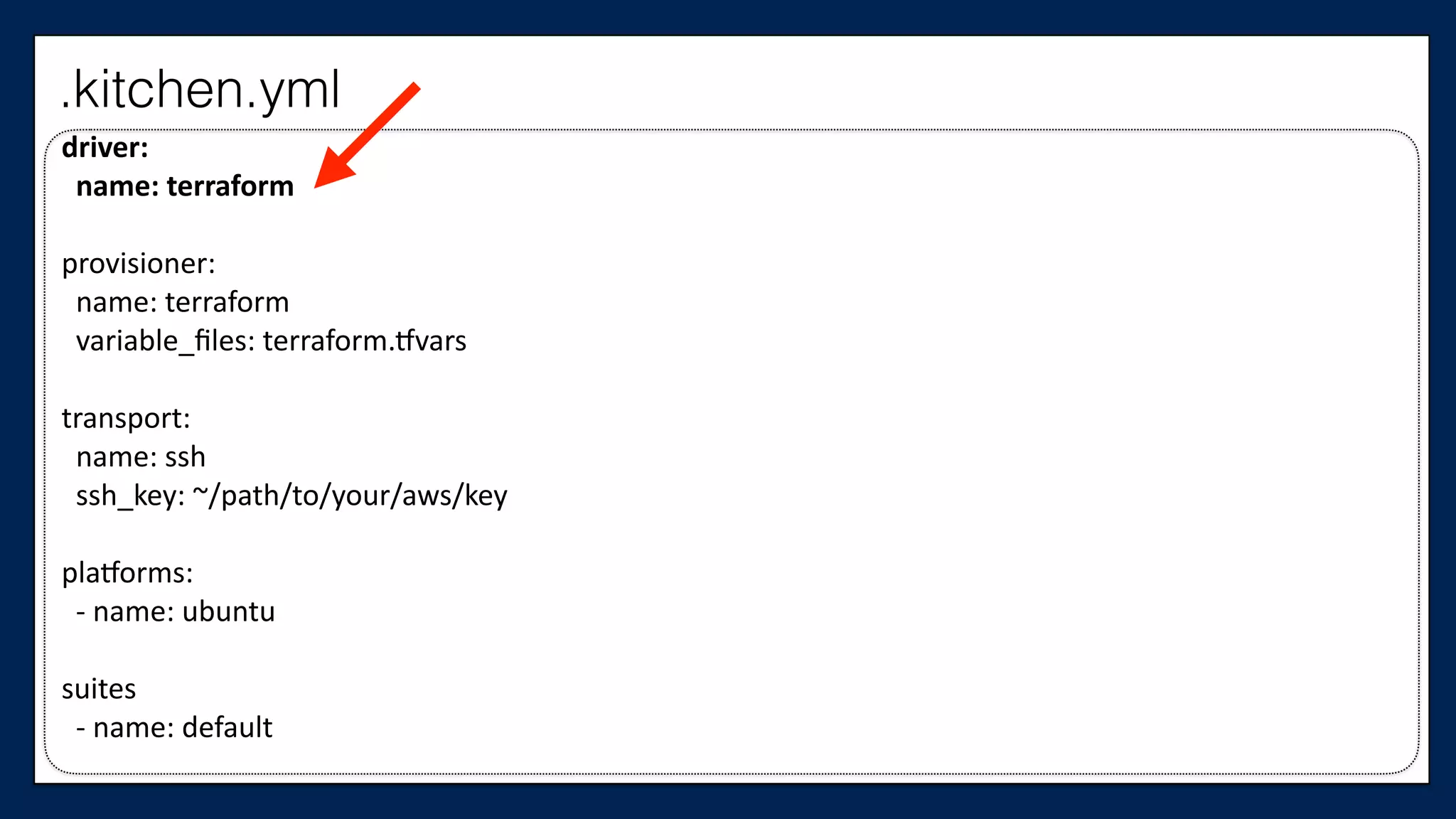
driver:	


  name:	
  terraform	
  
provisioner:	


  name:	
  terraform	


  variable_files:	
  terraform.@vars	
  
transport:	


  name:	
  ssh	


  ssh_key:	
  ~/path/to/your/aws/key	
  
pla@orms:	


  -­‐	
  name:	
  ubuntu	
  
suites	


  -­‐	
  name:	
  default	
  
.kitchen.yml
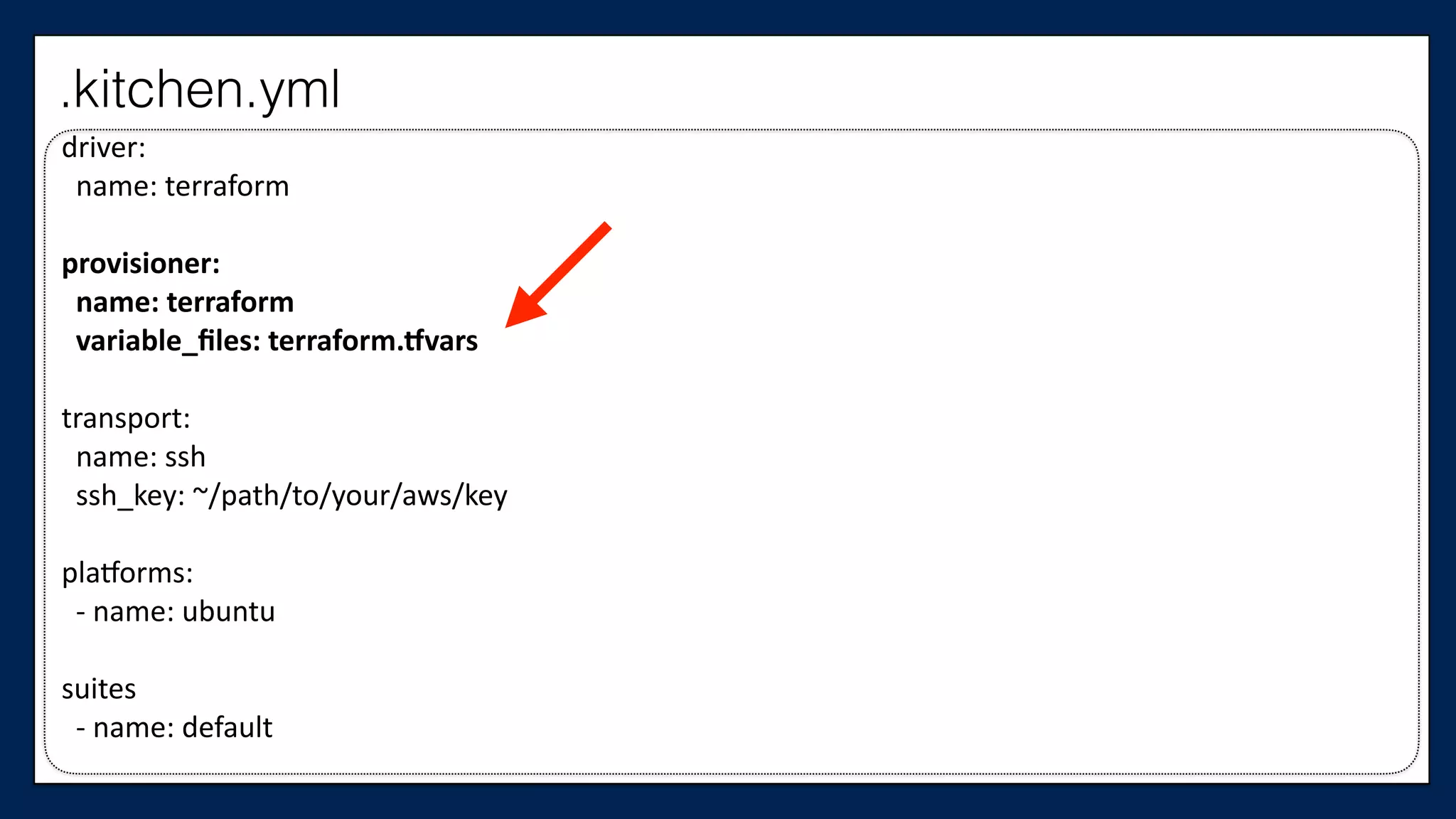
driver:	


  name:	
  terraform	
  
provisioner:	


  name:	
  terraform	


  variable_files:	
  terraform.5vars	
  
transport:	


  name:	
  ssh	


  ssh_key:	
  ~/path/to/your/aws/key	
  
pla@orms:	


  -­‐	
  name:	
  ubuntu	
  
suites	


  -­‐	
  name:	
  default	
  
.kitchen.yml
driver:	


  name:	
  terraform	
  
provisioner:	


  name:	
  terraform	


  variable_files:	
  terraform.5vars	
  
transport:	


  name:	
  ssh	


  ssh_key:	
  ~/path/to/your/aws/key	
  
pla@orms:	


  -­‐	
  name:	
  ubuntu	
  
suites	


  -­‐	
  name:	
  default	
  
.kitchen.yml
driver:	


  name:	
  terraform	
  
provisioner:	


  name:	
  terraform	


  variable_files:	
  terraform.@vars	
  
transport:	


  name:	
  ssh	


  ssh_key:	
  ~/path/to/your/aws/key	
  
pla@orms:	


  -­‐	
  name:	
  ubuntu	
  
suites	


  -­‐	
  name:	
  default	
  
.kitchen.yml
.kitchen.yml
driver:	


  name:	
  terraform	
  
provisioner:	


  name:	
  terraform	


  variable_files:	
  terraform.@vars	
  
transport:	


  name:	
  ssh	


  ssh_key:	
  ~/path/to/your/aws/key	
  
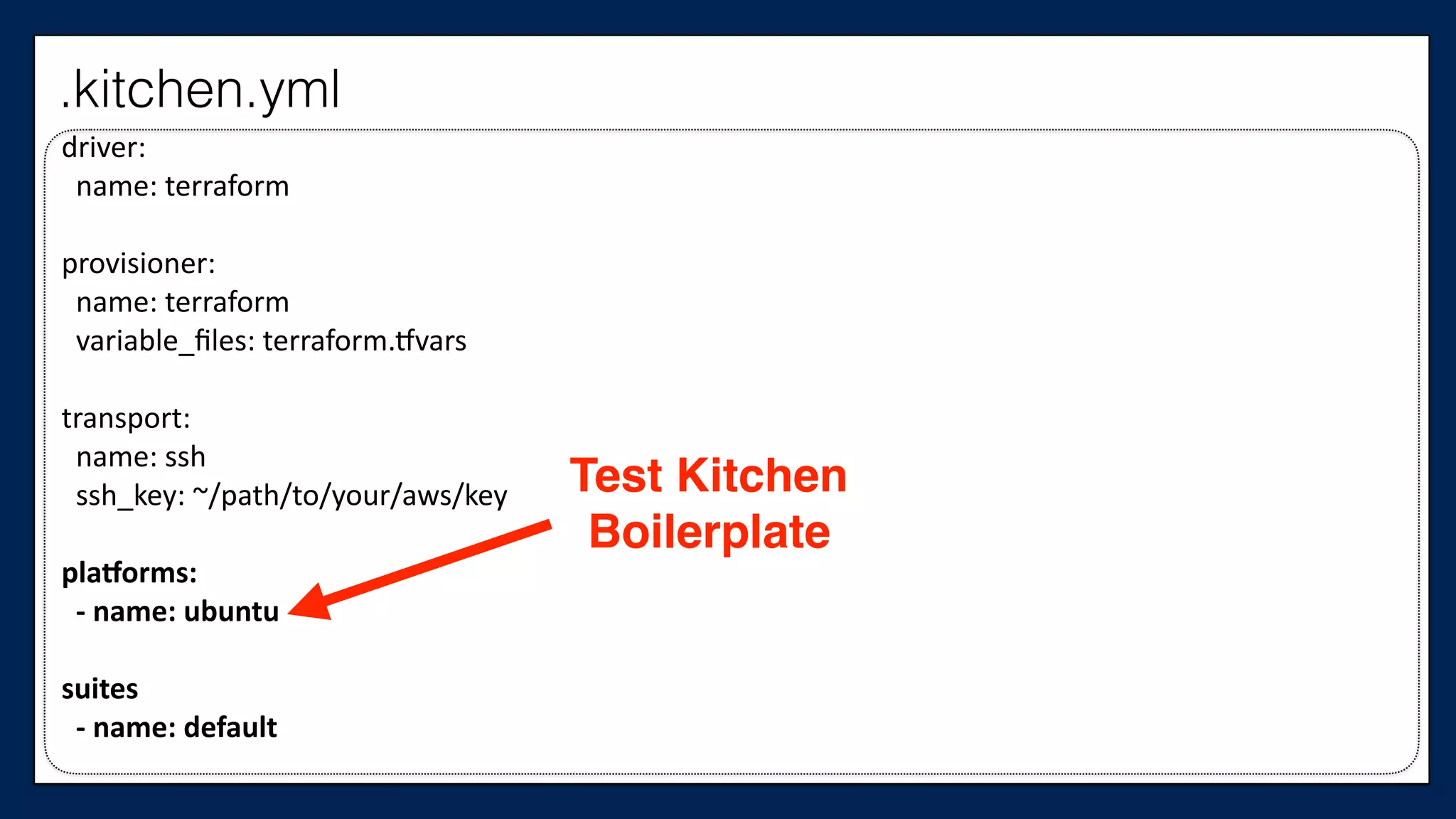
pla5orms:	


  -­‐	
  name:	
  ubuntu	
  
suites	


  -­‐	
  name:	
  default	
  
Test Kitchen
Boilerplate
• Test Kitchen (http://kitchen.ci)
• Kitchen Terraform
(http://github.com/newcontext/
kitchen-terraform)
• Inspec (http://chef.io/inspec)
How Can We Test Terraform?
Now that we have
our tools…
Let’s start from
a clean slate
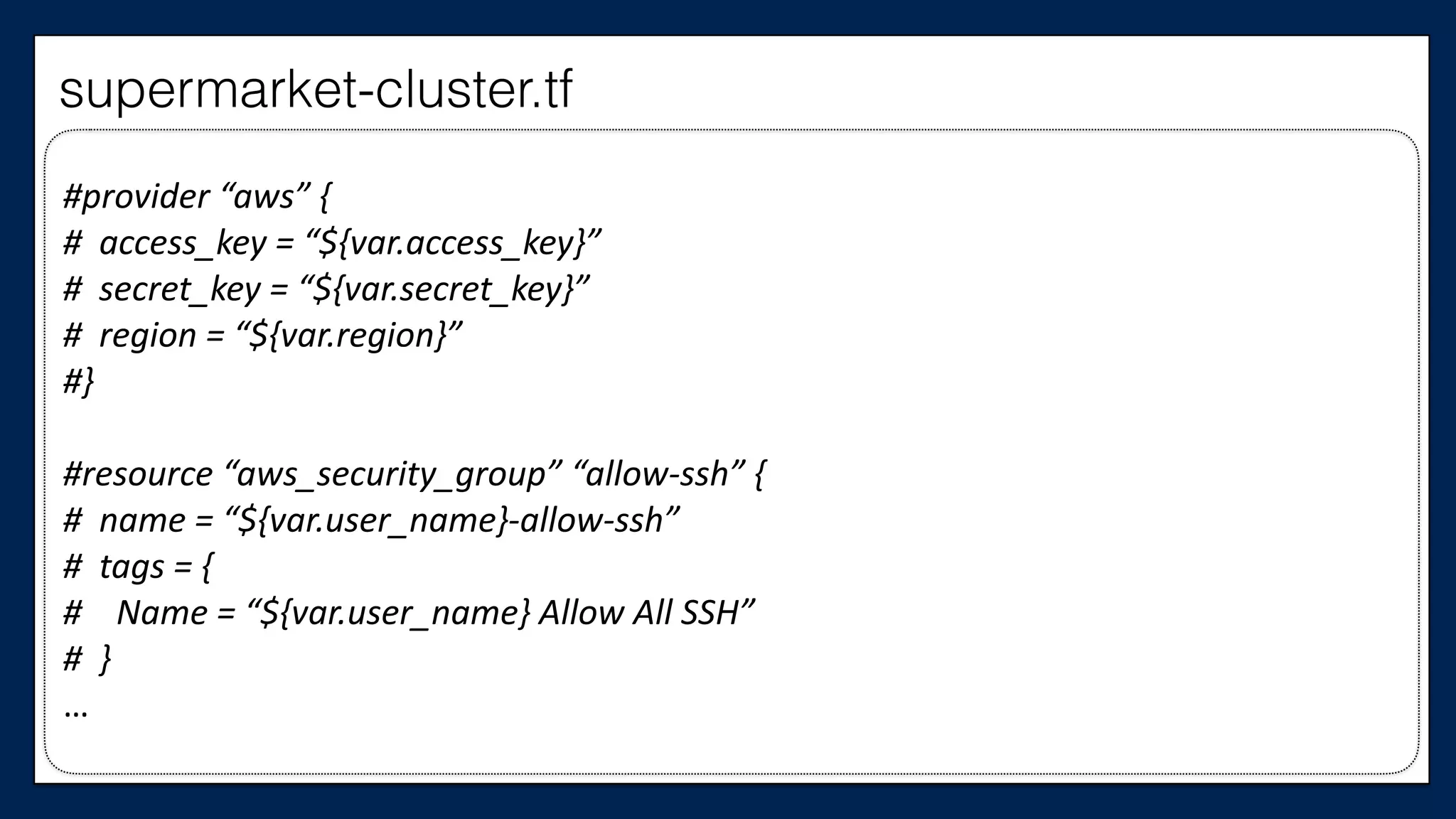
#provider	
  “aws”	
  {	
  
#	
  	
  access_key	
  =	
  “${var.access_key}”	
  
#	
  	
  secret_key	
  =	
  “${var.secret_key}”	
  
#	
  	
  region	
  =	
  “${var.region}”	
  
#}	
  
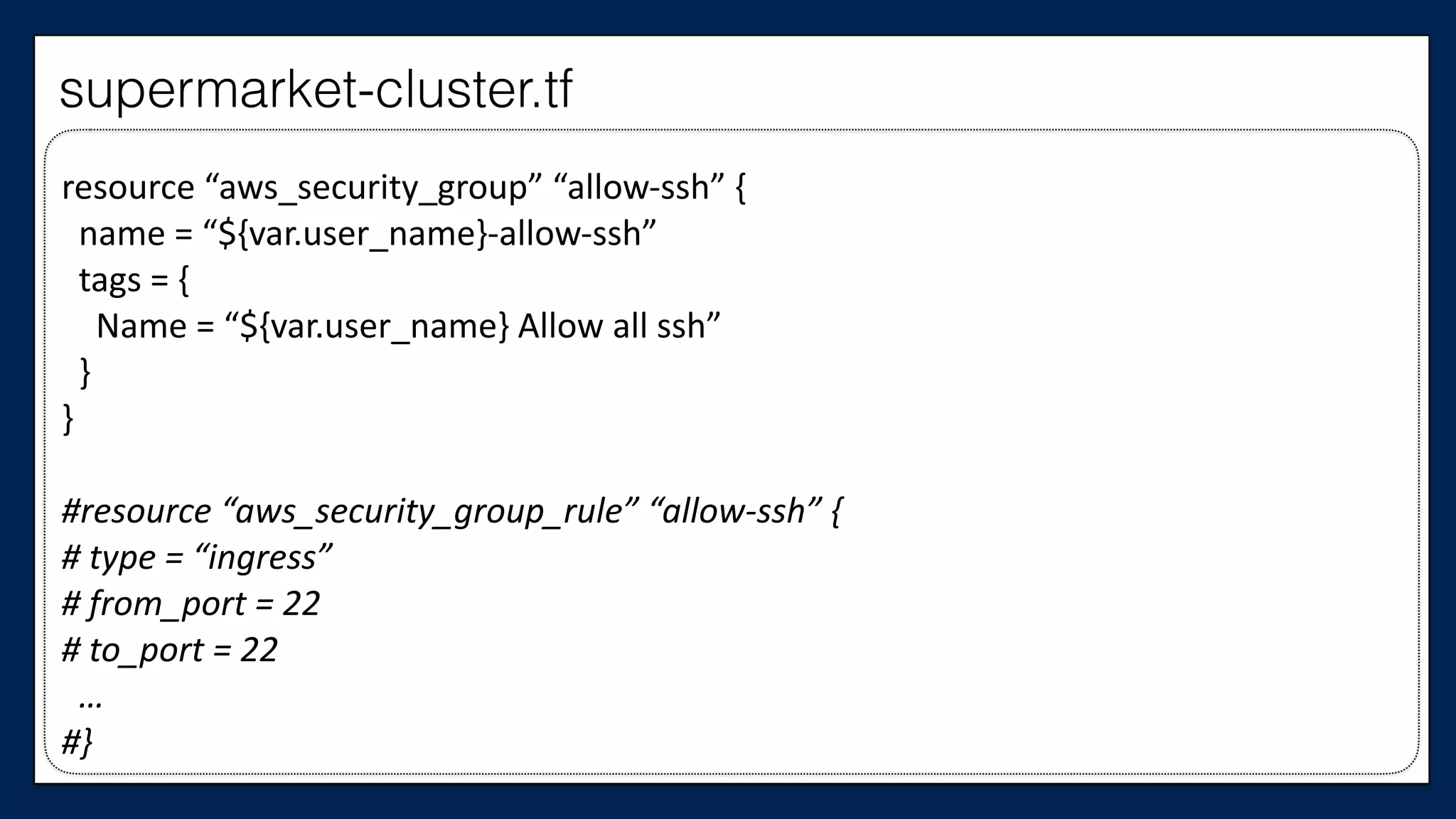
#resource	
  “aws_security_group”	
  “allow-­‐ssh”	
  {	
  
#	
  	
  name	
  =	
  “${var.user_name}-­‐allow-­‐ssh”	
  
#	
  	
  tags	
  =	
  {	
  
#	


  Name	
  =	
  “${var.user_name}	
  Allow	
  All	
  SSH”	
  
#	
  	
  }	
  
…
supermarket-cluster.tf
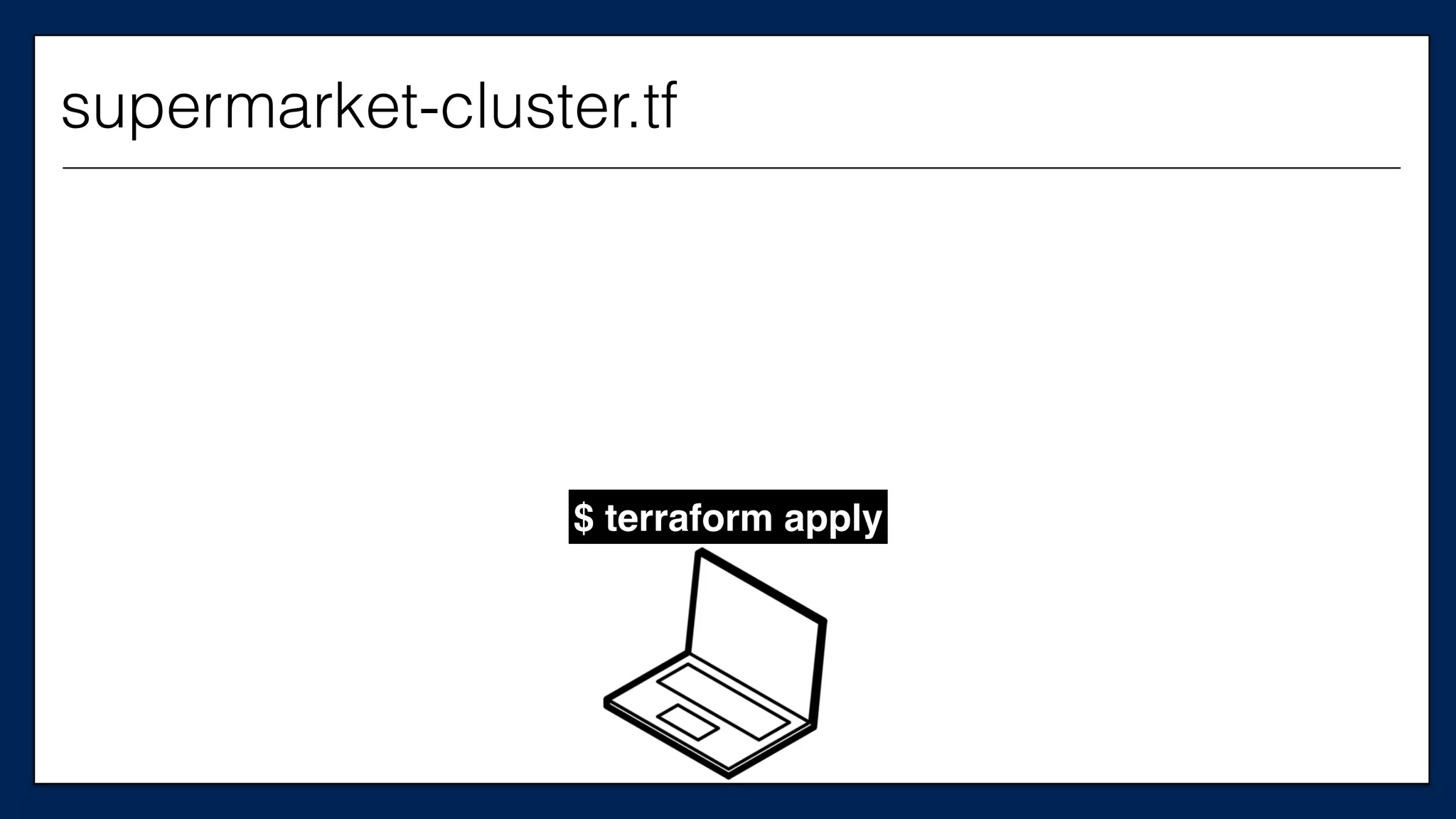
$ terraform apply
supermarket-cluster.tf
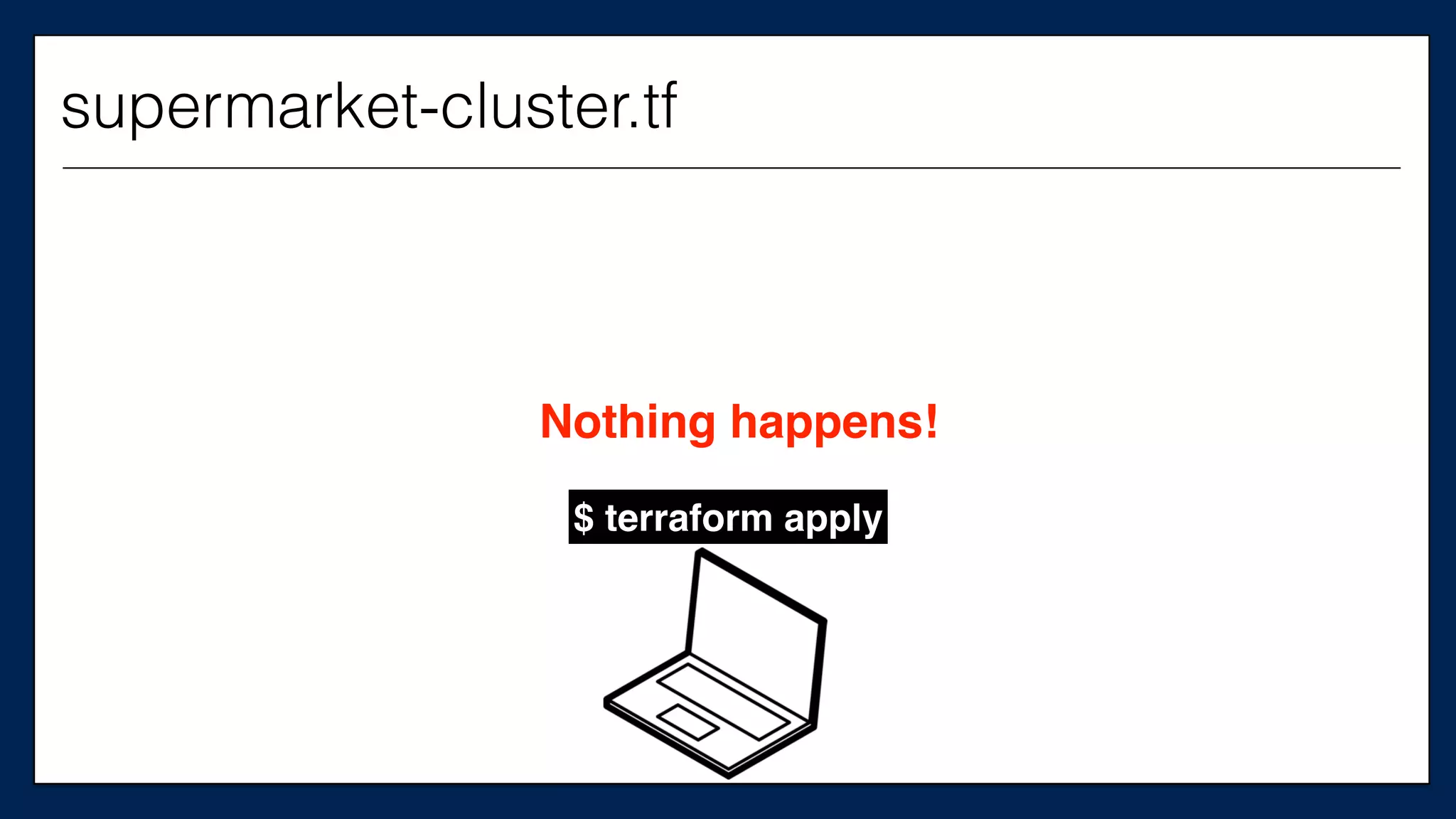
$ terraform apply
Nothing happens!
supermarket-cluster.tf
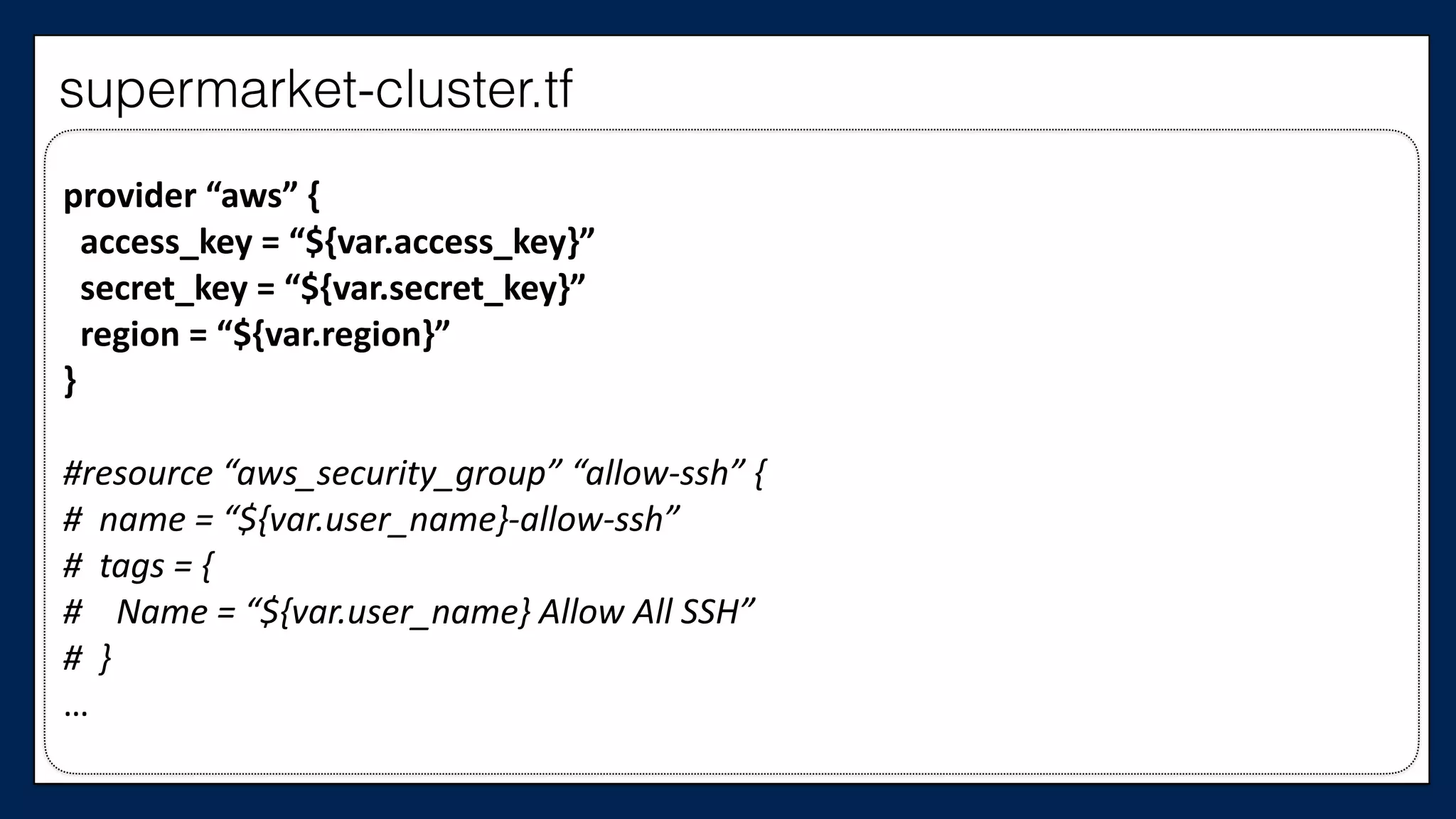
First, we need the provider
provider	
  “aws”	
  {	


  access_key	
  =	
  “${var.access_key}”	


  secret_key	
  =	
  “${var.secret_key}”	


  region	
  =	
  “${var.region}”	
  
}	
  
#resource	
  “aws_security_group”	
  “allow-­‐ssh”	
  {	
  
#	
  	
  name	
  =	
  “${var.user_name}-­‐allow-­‐ssh”	
  
#	
  	
  tags	
  =	
  {	
  
#	


  Name	
  =	
  “${var.user_name}	
  Allow	
  All	
  SSH”	
  
#	
  	
  }	
  
…
supermarket-cluster.tf
We also need actual
AWS instances
Including both our
Chef Server…
…	
  
#resource	
  “aws_instance”	
  “chef_server”	
  {	
  
#	
  	
  ami	
  =	
  “${var.ami}”	
  
#	
  	
  instance_type	
  =	
  “${var.instance_type}”	
  
#	
  	
  key_name	
  =	
  “${var.key_name}”	
  
#	
  	
  tags	
  {	
  
#	


  Name	
  =	
  “dev-­‐chef-­‐server”	
  
#	
  	
  }	
  
#	
  	
  security_groups	
  =	
  [“${aws_security_group.allow-­‐ssh.name}”,	
  
#	


  “${aws_security_group.allow-­‐out.name}”]	
  
#	
  	
  (…)	
  
#}	
  
…
This is the
Chef Server
supermarket-cluster.tf
…	
  
resource	
  “aws_instance”	
  “chef_server”	
  {	


  ami	
  =	
  “${var.ami}”	


  instance_type	
  =	
  “${var.instance_type}”	


  key_name	
  =	
  “${var.key_name}”	


  tags	
  {	


  Name	
  =	
  “dev-­‐chef-­‐server”	


  }	


  security_groups	
  =	
  [“${aws_security_group.allow-­‐ssh.name}”,	


  “${aws_security_group.allow-­‐out.name}”]	


  (…)	
  
}	
  
…
This is the
Chef Server
supermarket-cluster.tf
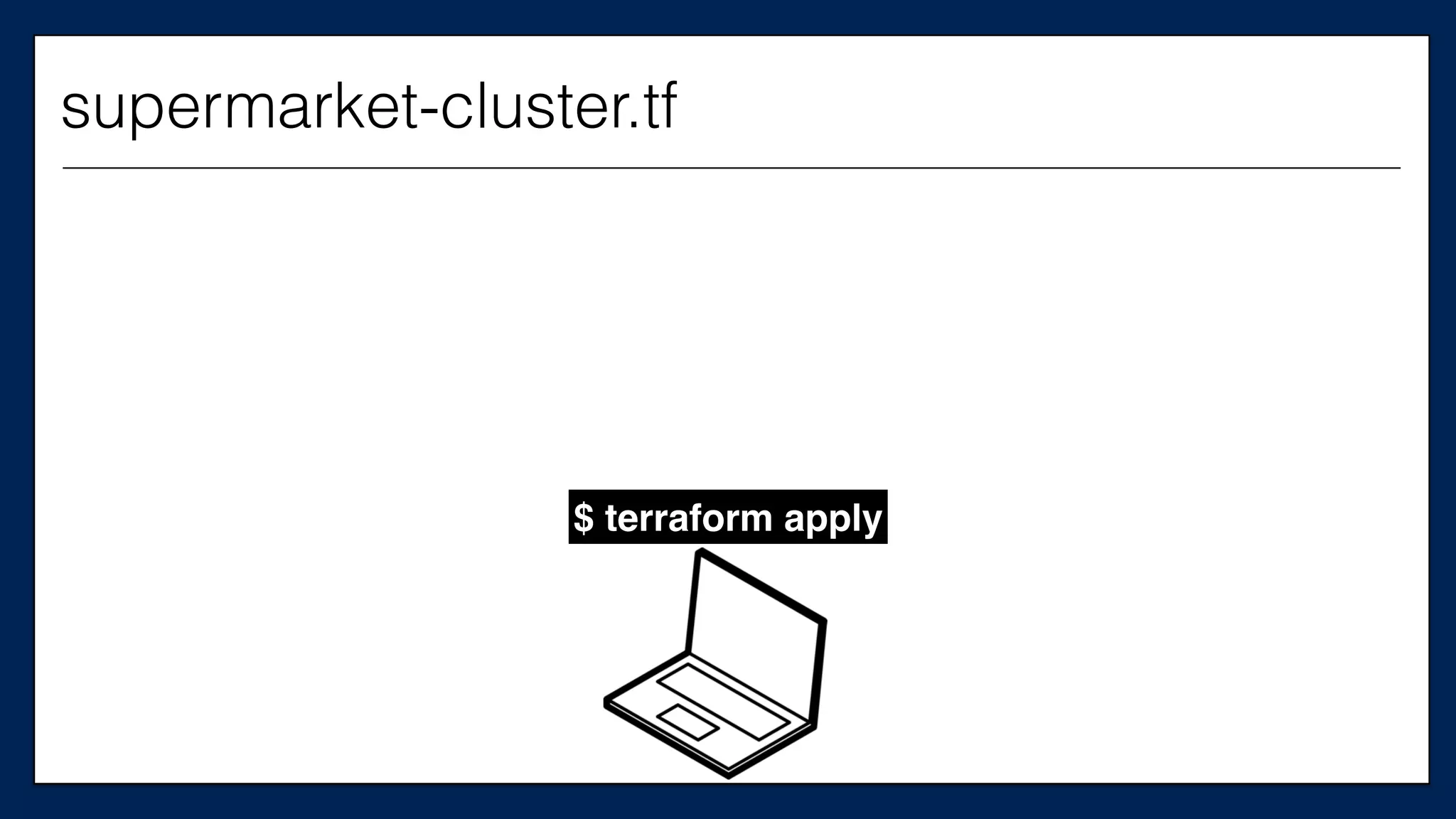
$ terraform apply
supermarket-cluster.tf
EC2
Chef Server $ terraform apply
supermarket-cluster.tf
And our supermarket
server
…	
  
#resource	
  “aws_instance”	
  “supermarket_server”	
  {	
  
#	
  	
  ami	
  =	
  “${var.ami}”	
  
#	
  	
  instance_type	
  =	
  “${var.instance_type}”	
  
#	
  	
  key_name	
  =	
  “${var.key_name}”	
  
#	
  	
  tags	
  {	
  
#	


  Name	
  =	
  “dev-­‐supermarket-­‐server”	
  
#	
  	
  }	
  
#	
  	
  security_groups	
  =	
  [“${aws_security_group.allow-­‐ssh.name}”,	
  
#	


  “${aws_security_group.allow-­‐out.name}”]	
  
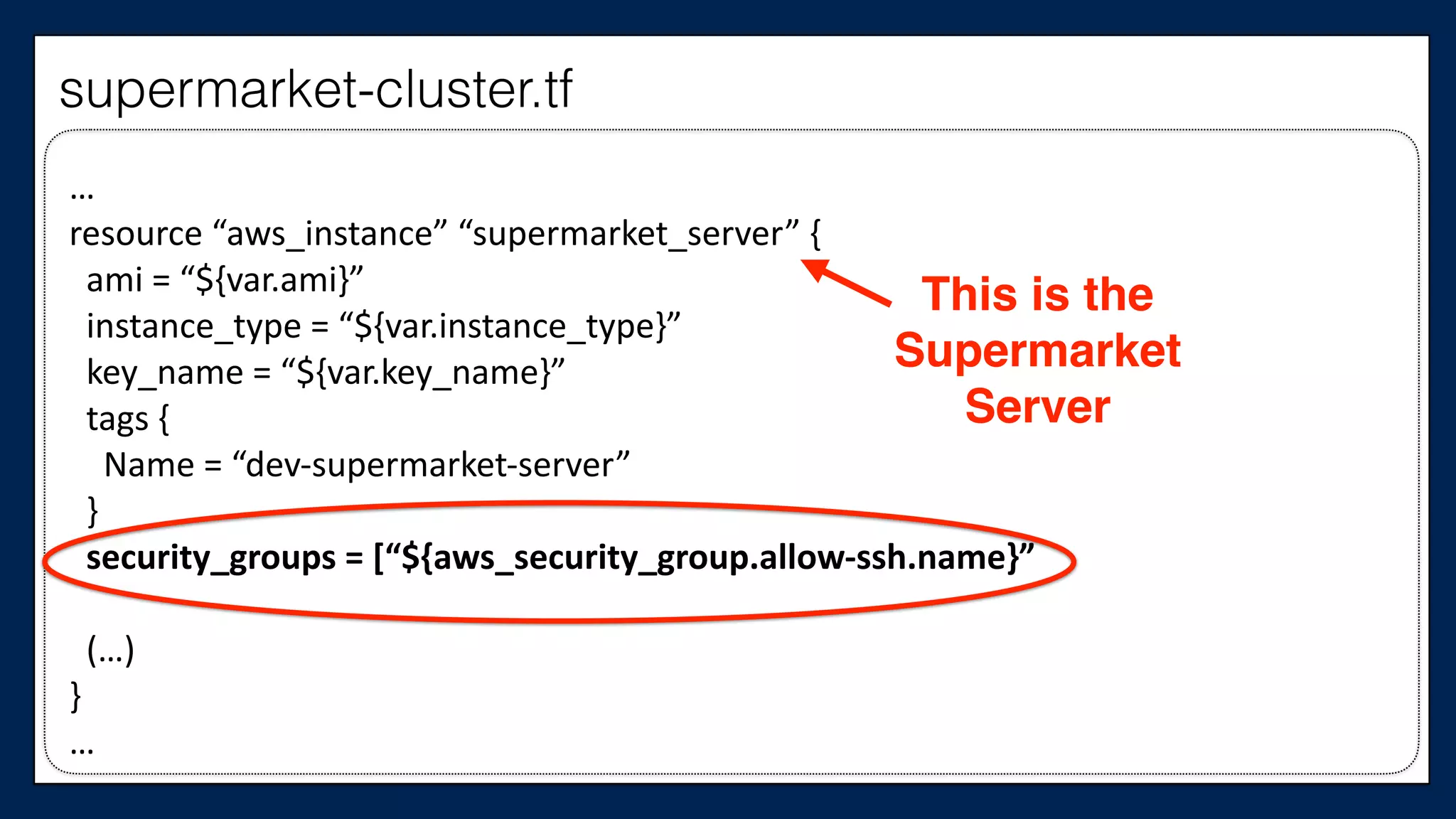
#	
  	
  (…)	
  
#}	
  
…
This is the
Supermarket
Server
supermarket-cluster.tf
…	
  
resource	
  “aws_instance”	
  “supermarket_server”	
  {	


  ami	
  =	
  “${var.ami}”	


  instance_type	
  =	
  “${var.instance_type}”	


  key_name	
  =	
  “${var.key_name}”	


  tags	
  {	


  Name	
  =	
  “dev-­‐supermarket-­‐server”	


  }	


  security_groups	
  =	
  [“${aws_security_group.allow-­‐ssh.name}”,	


  “${aws_security_group.allow-­‐out.name}”]	


  (…)	
  
}	
  
…
This is the
Supermarket
Server
supermarket-cluster.tf
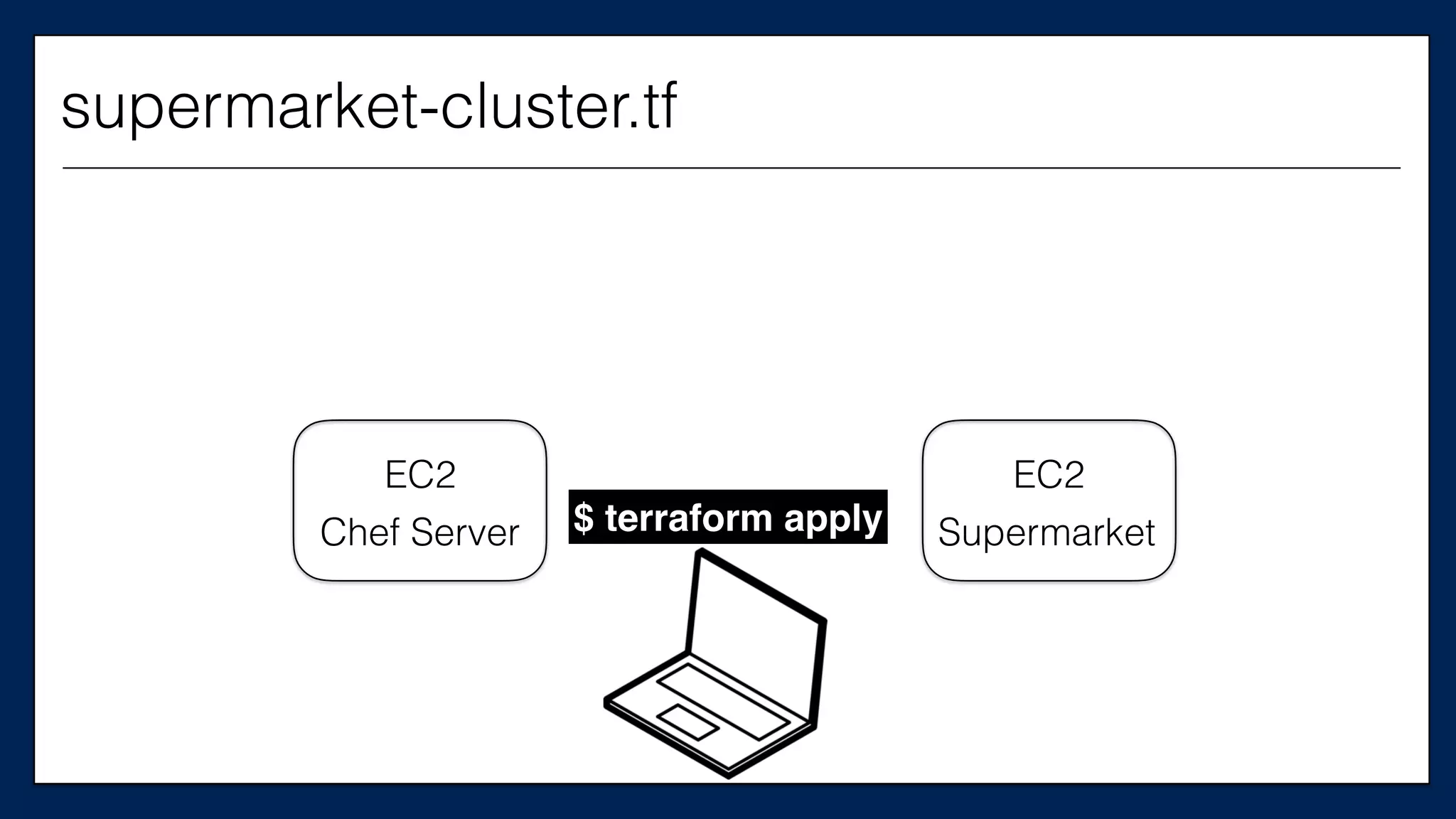
EC2
Chef Server $ terraform apply
EC2
Supermarket
supermarket-cluster.tf
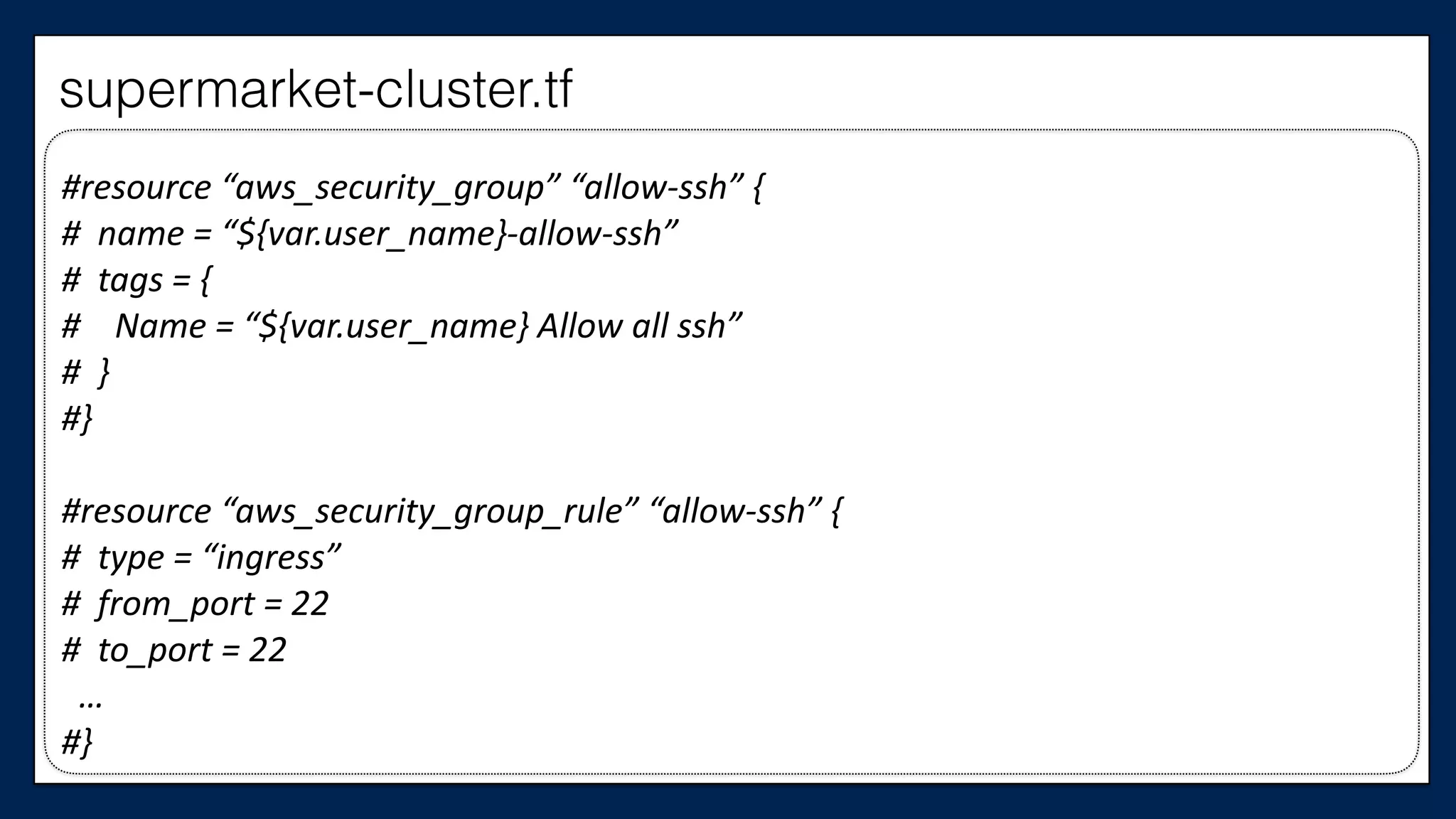
We also need at least
one security group
#resource	
  “aws_security_group”	
  “allow-­‐ssh”	
  {	
  
#	
  	
  name	
  =	
  “${var.user_name}-­‐allow-­‐ssh”	
  
#	
  	
  tags	
  =	
  {	
  
#	


  Name	
  =	
  “${var.user_name}	
  Allow	
  all	
  ssh”	
  
#	
  	
  }	
  
#}	
  
#resource	
  “aws_security_group_rule”	
  “allow-­‐ssh”	
  {	
  
#	
  	
  type	
  =	
  “ingress”	
  
#	
  	
  from_port	
  =	
  22	
  
#	
  	
  to_port	
  =	
  22	


  …	
  
#}
supermarket-cluster.tf
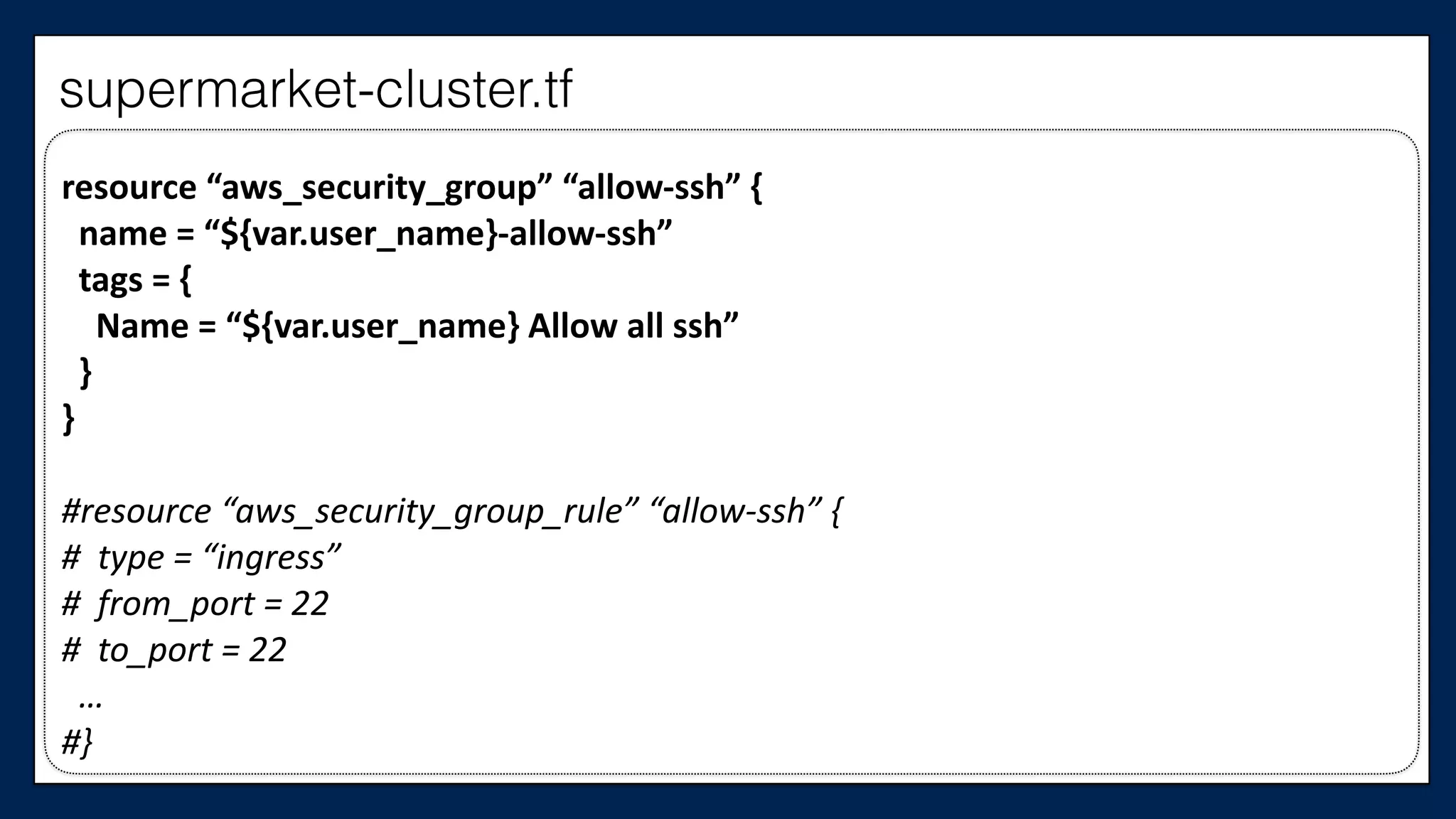
resource	
  “aws_security_group”	
  “allow-­‐ssh”	
  {	


  name	
  =	
  “${var.user_name}-­‐allow-­‐ssh”	


  tags	
  =	
  {	


  Name	
  =	
  “${var.user_name}	
  Allow	
  all	
  ssh”	


  }	
  
}	
  
#resource	
  “aws_security_group_rule”	
  “allow-­‐ssh”	
  {	
  
#	
  	
  type	
  =	
  “ingress”	
  
#	
  	
  from_port	
  =	
  22	
  
#	
  	
  to_port	
  =	
  22	


  …	
  
#}
supermarket-cluster.tf
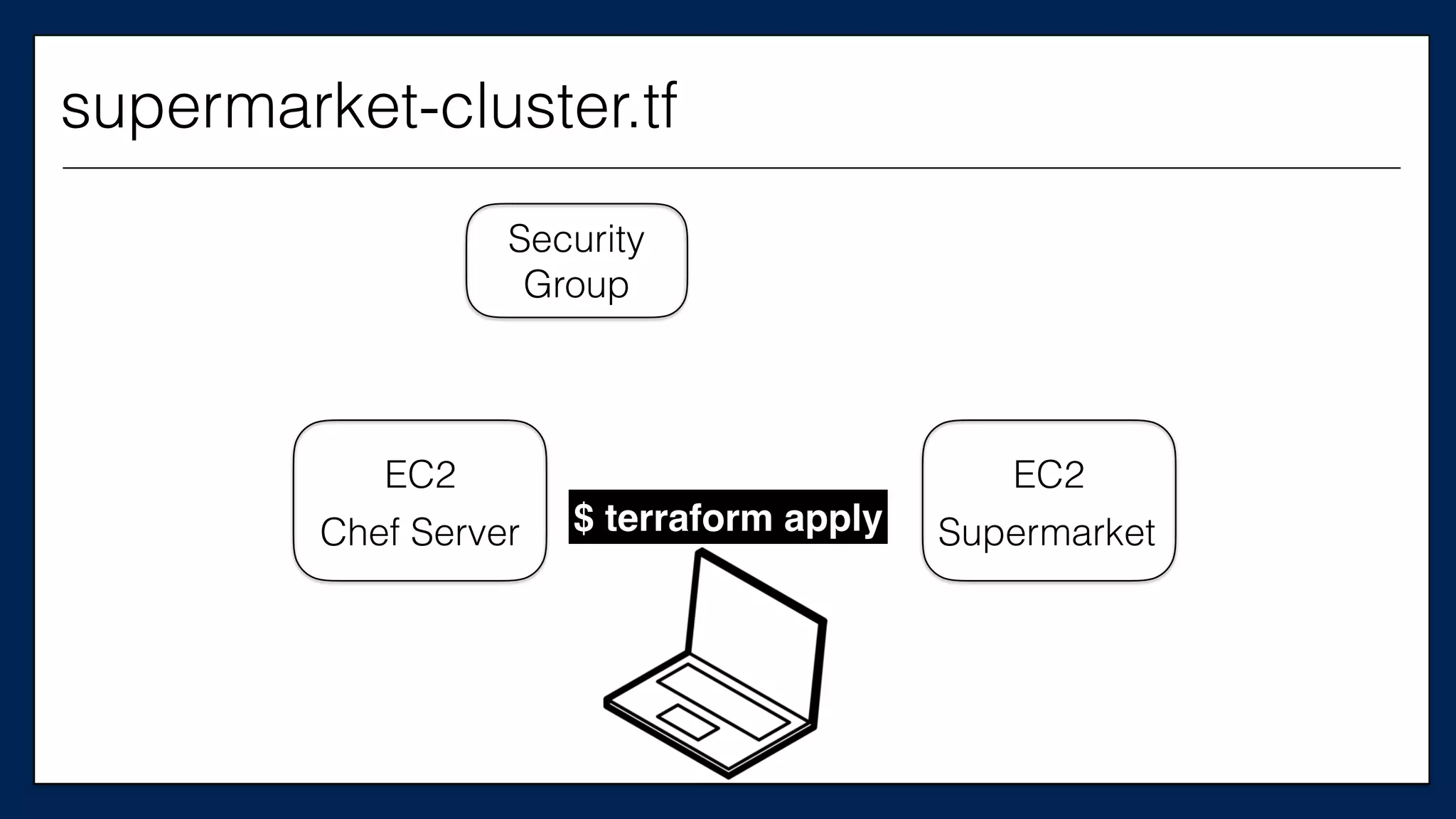
EC2
Chef Server
supermarket-cluster.tf
$ terraform apply
EC2
Supermarket
Security
Group
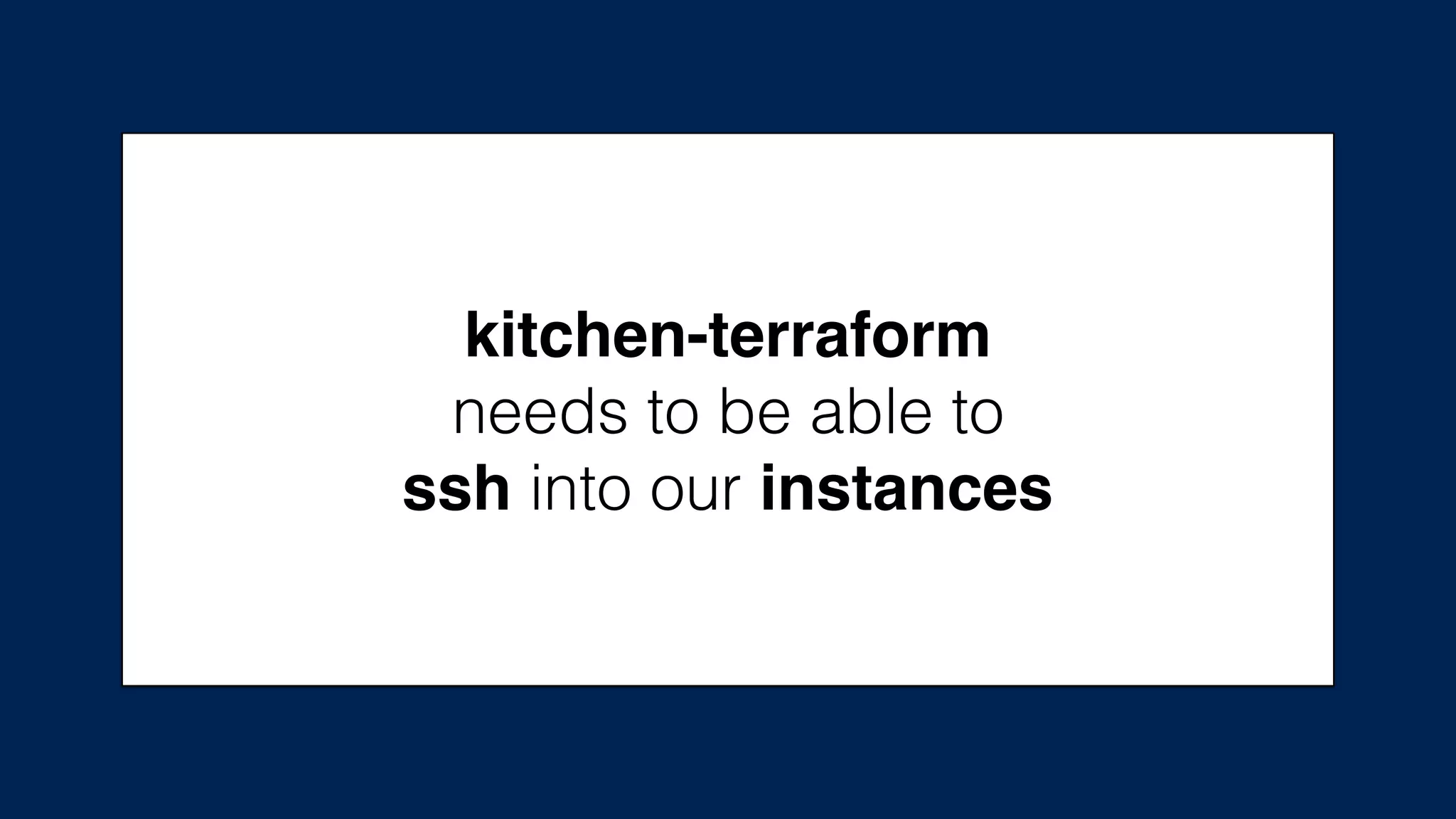
kitchen-terraform
needs to be able to
ssh into our instances
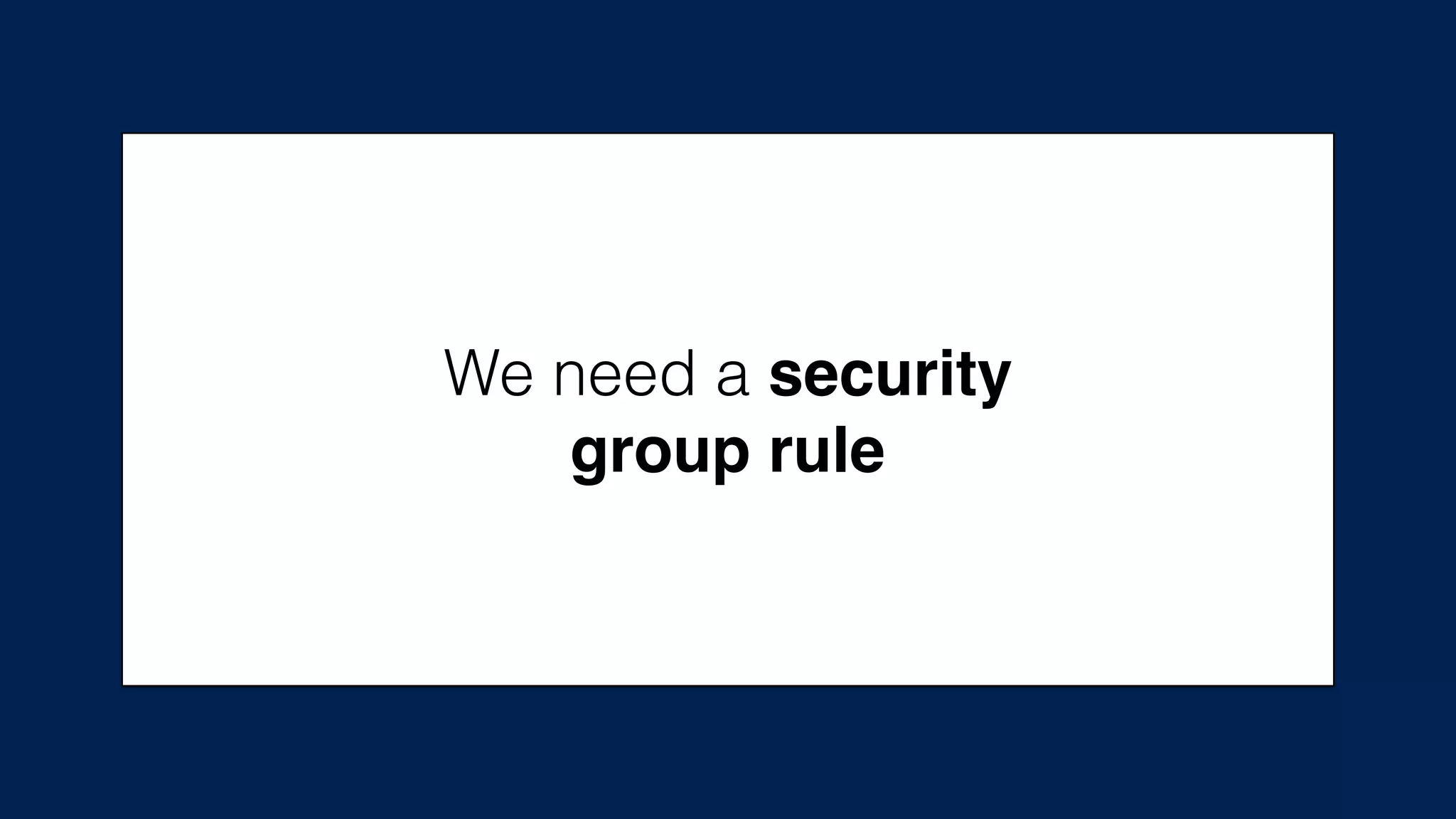
We need a security
group rule
resource	
  “aws_security_group”	
  “allow-­‐ssh”	
  {	


  name	
  =	
  “${var.user_name}-­‐allow-­‐ssh”	


  tags	
  =	
  {	


  Name	
  =	
  “${var.user_name}	
  Allow	
  all	
  ssh”	


  }	
  
}	
  
#resource	
  “aws_security_group_rule”	
  “allow-­‐ssh”	
  {	
  
#	
  type	
  =	
  “ingress”	
  
#	
  from_port	
  =	
  22	
  
#	
  to_port	
  =	
  22	


  …	
  
#}
supermarket-cluster.tf
resource	
  “aws_security_group”	
  “allow-­‐ssh”	
  {	


  name	
  =	
  “${var.user_name}-­‐allow-­‐ssh”	


  tags	
  =	
  {	


  Name	
  =	
  “${var.user_name}	
  Allow	
  all	
  ssh”	


  }	
  
}	
  
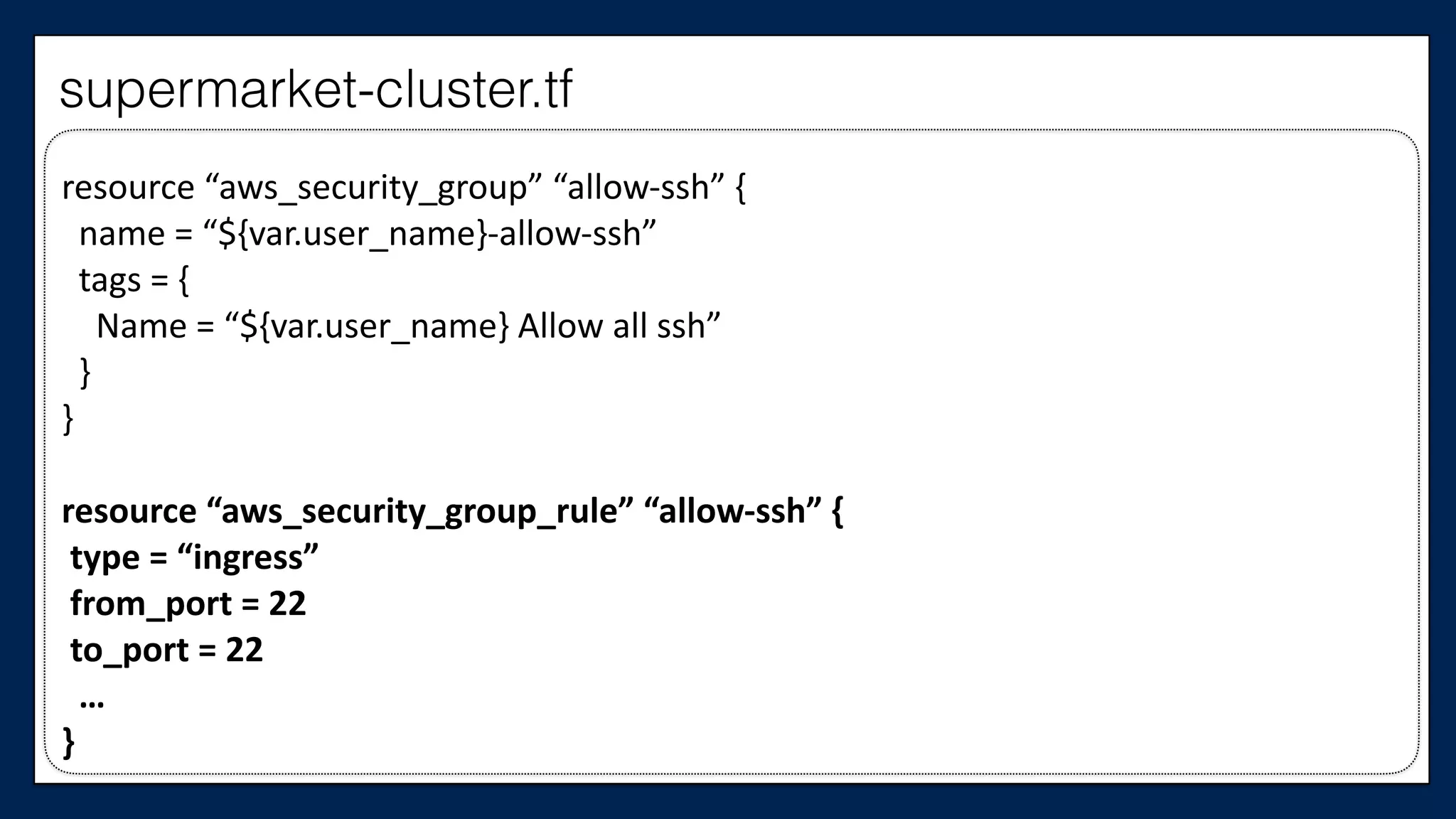
resource	
  “aws_security_group_rule”	
  “allow-­‐ssh”	
  {	
  
	
  type	
  =	
  “ingress”	
  
	
  from_port	
  =	
  22	
  
	
  to_port	
  =	
  22	


  …	
  
}
supermarket-cluster.tf
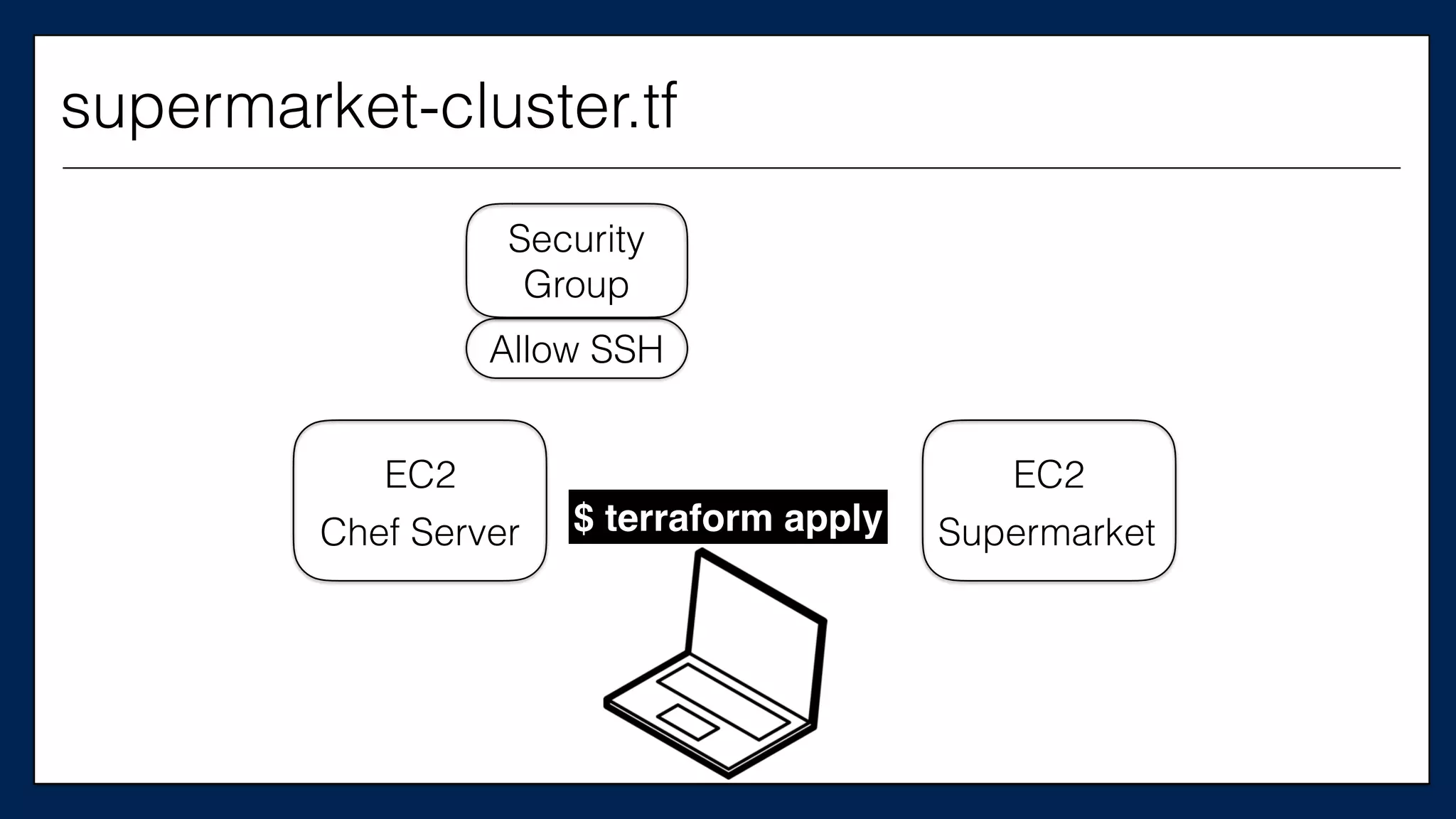
EC2
Chef Server $ terraform apply
EC2
Supermarket
Security
Group
Allow SSH
supermarket-cluster.tf
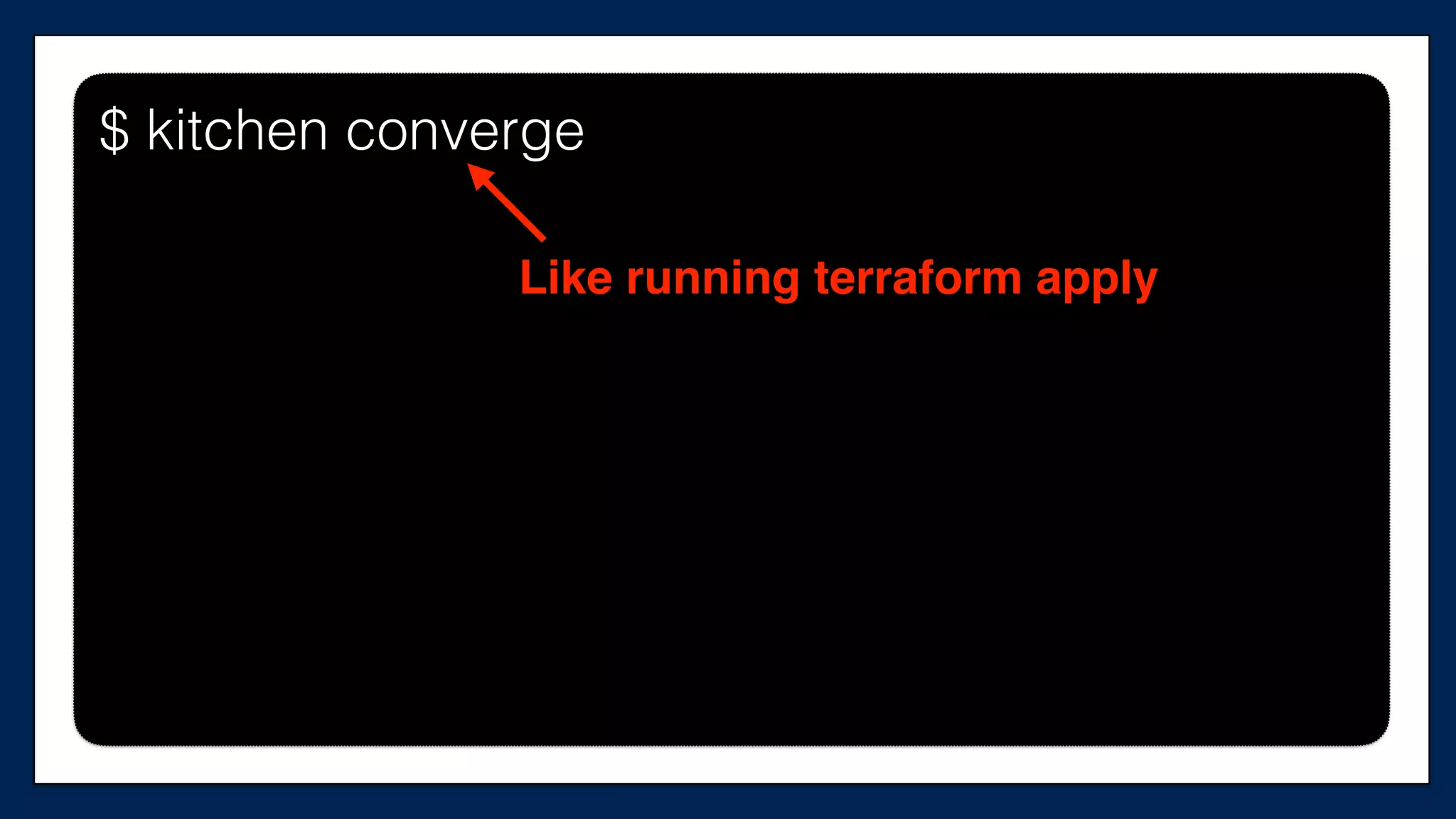
Now, let’s create
our test cluster
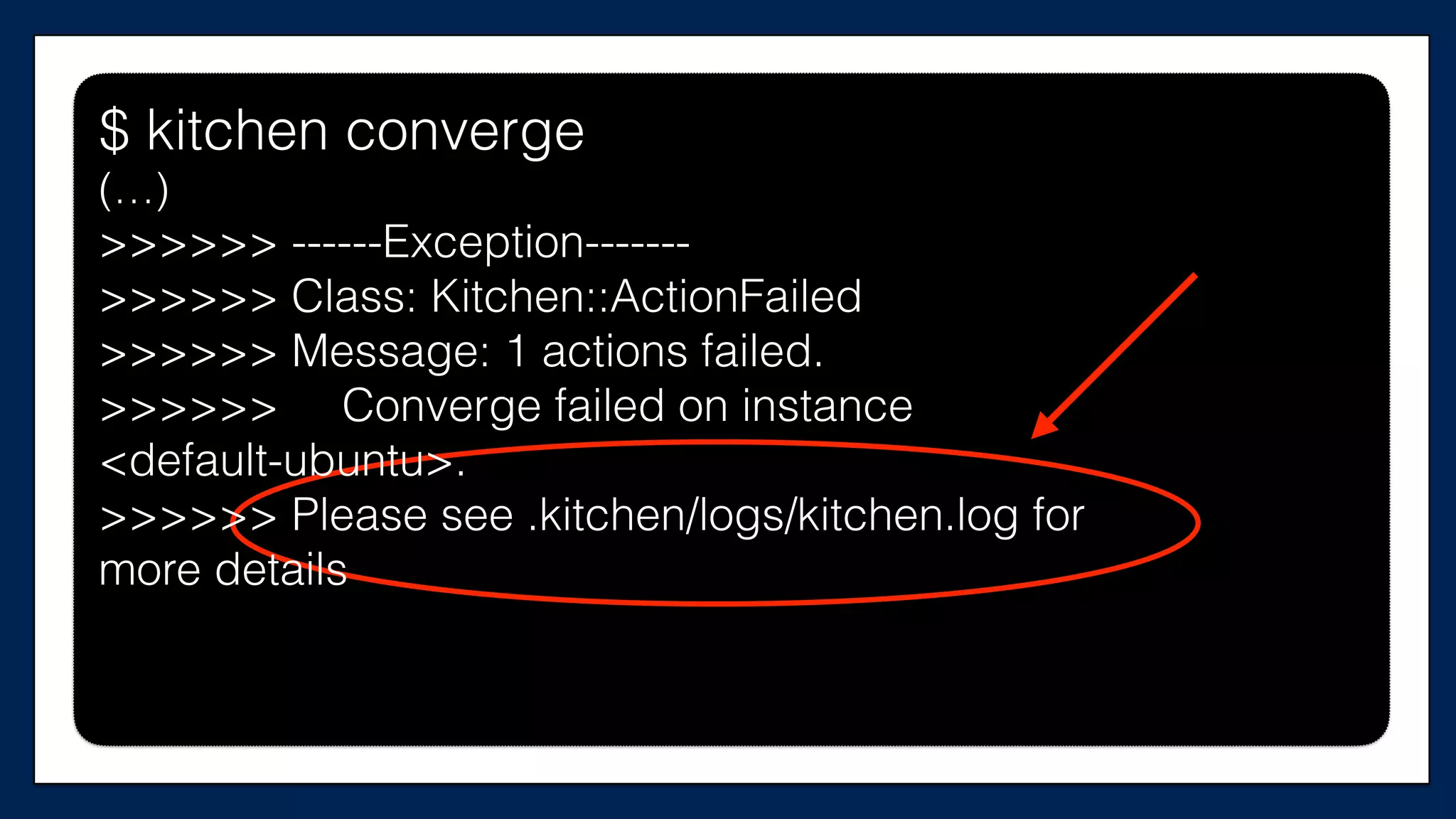
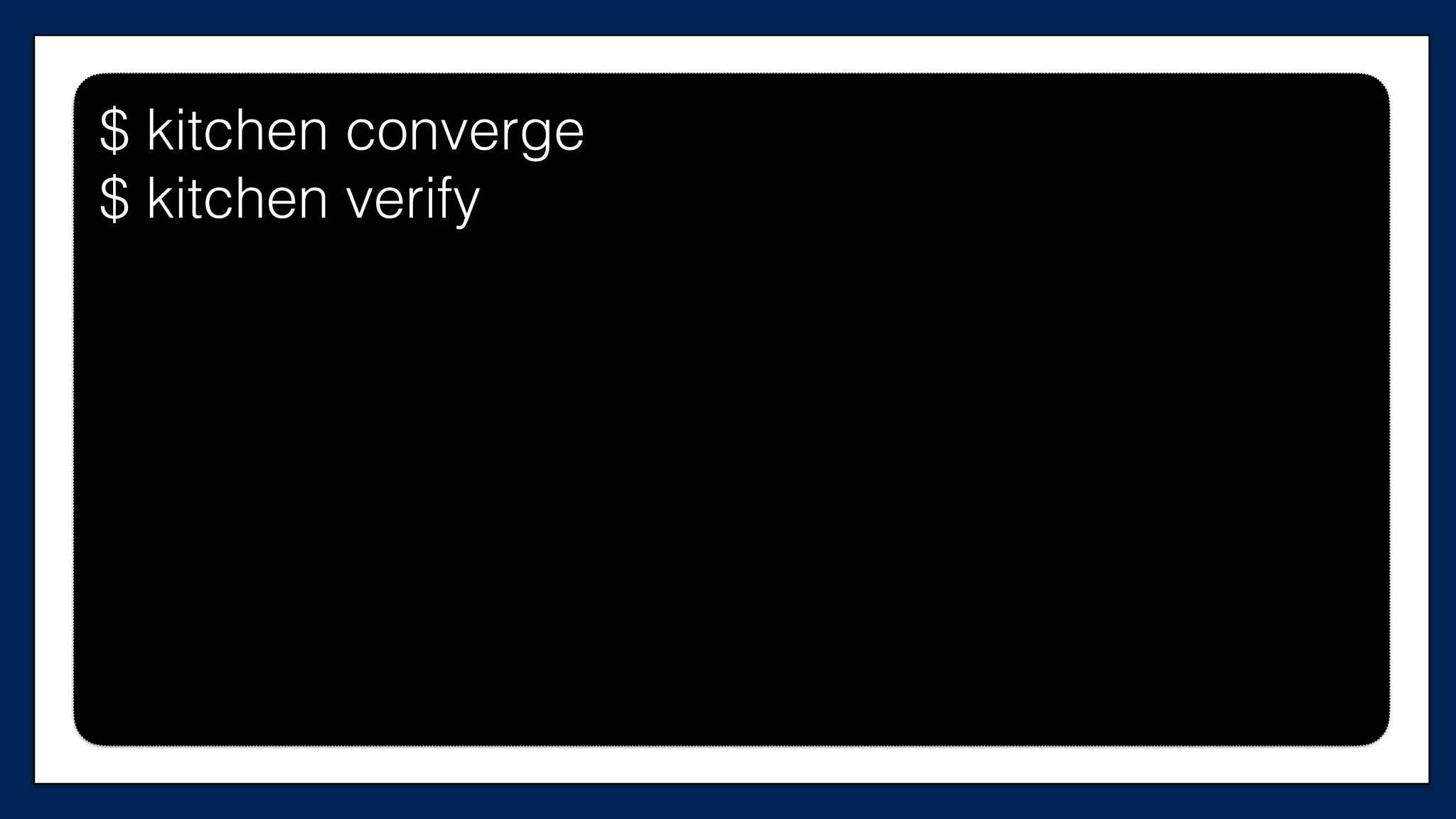
$ kitchen converge
Like running terraform apply
$ kitchen converge
$ kitchen converge
(…)
>>>>>> ------Exception-------
>>>>>> Class: Kitchen::ActionFailed
>>>>>> Message: 1 actions failed.
>>>>>> Converge failed on instance
<default-ubuntu>.
>>>>>> Please see .kitchen/logs/kitchen.log for
more details
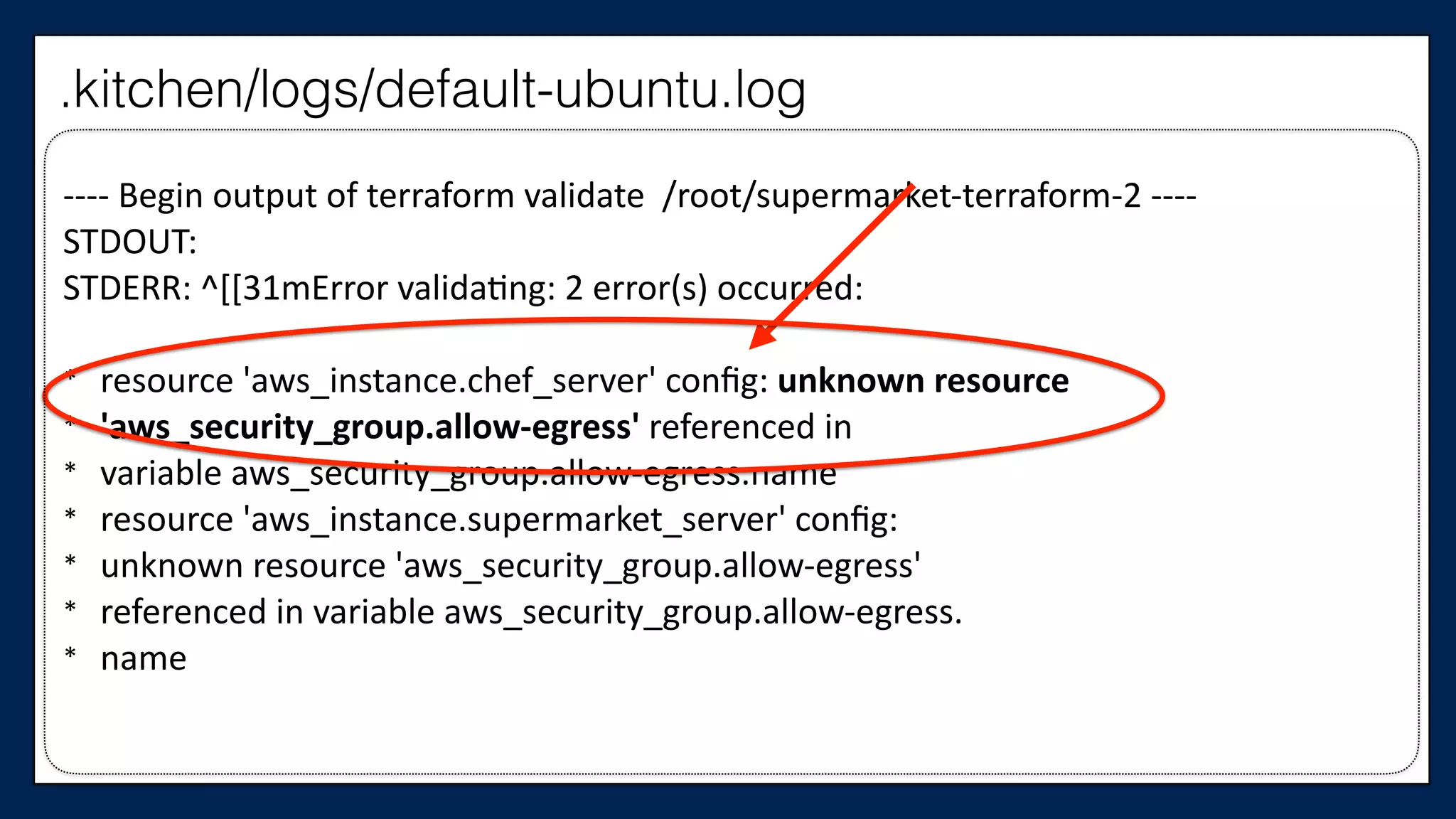
-­‐-­‐-­‐-­‐	
  Begin	
  output	
  of	
  terraform	
  validate	
  	
  /root/supermarket-­‐terraform-­‐2	
  -­‐-­‐-­‐-­‐	
  
STDOUT:	
  
STDERR:	
  ^[[31mError	
  validaWng:	
  2	
  error(s)	
  occurred:	
  
* resource	
  'aws_instance.chef_server'	
  config:	
  unknown	
  resource	
  	
  
* 'aws_security_group.allow-­‐egress'	
  referenced	
  in	
  	
  
* variable	
  aws_security_group.allow-­‐egress.name	
  
* resource	
  'aws_instance.supermarket_server'	
  config:	
  	
  
* unknown	
  resource	
  'aws_security_group.allow-­‐egress'	
  	
  
* referenced	
  in	
  variable	
  aws_security_group.allow-­‐egress.	
  
* name
.kitchen/logs/default-ubuntu.log
We need our EC2 resources
to reference only one
security group
Let’s look at the Chef Server
…	
  
resource	
  “aws_instance”	
  “chef_server”	
  {	


  ami	
  =	
  “${var.ami}”	


  instance_type	
  =	
  “${var.instance_type}”	


  key_name	
  =	
  “${var.key_name}”	


  tags	
  {	


  Name	
  =	
  “dev-­‐chef-­‐server”	


  }	


  security_groups	
  =	
  [“${aws_security_group.allow-­‐ssh.name}”,	


  “${aws_security_group.allow-­‐out.name}”]	


  (…)	
  
}	
  
…
This is the
Chef Server
supermarket-cluster.tf
…	
  
resource	
  “aws_instance”	
  “chef_server”	
  {	


  ami	
  =	
  “${var.ami}”	


  instance_type	
  =	
  “${var.instance_type}”	


  key_name	
  =	
  “${var.key_name}”	


  tags	
  {	


  Name	
  =	
  “dev-­‐chef-­‐server”	


  }	


  security_groups	
  =	
  [“${aws_security_group.allow-­‐ssh.name}”]	


  (…)	
  
}	
  
…
This is the
Chef Server
supermarket-cluster.tf
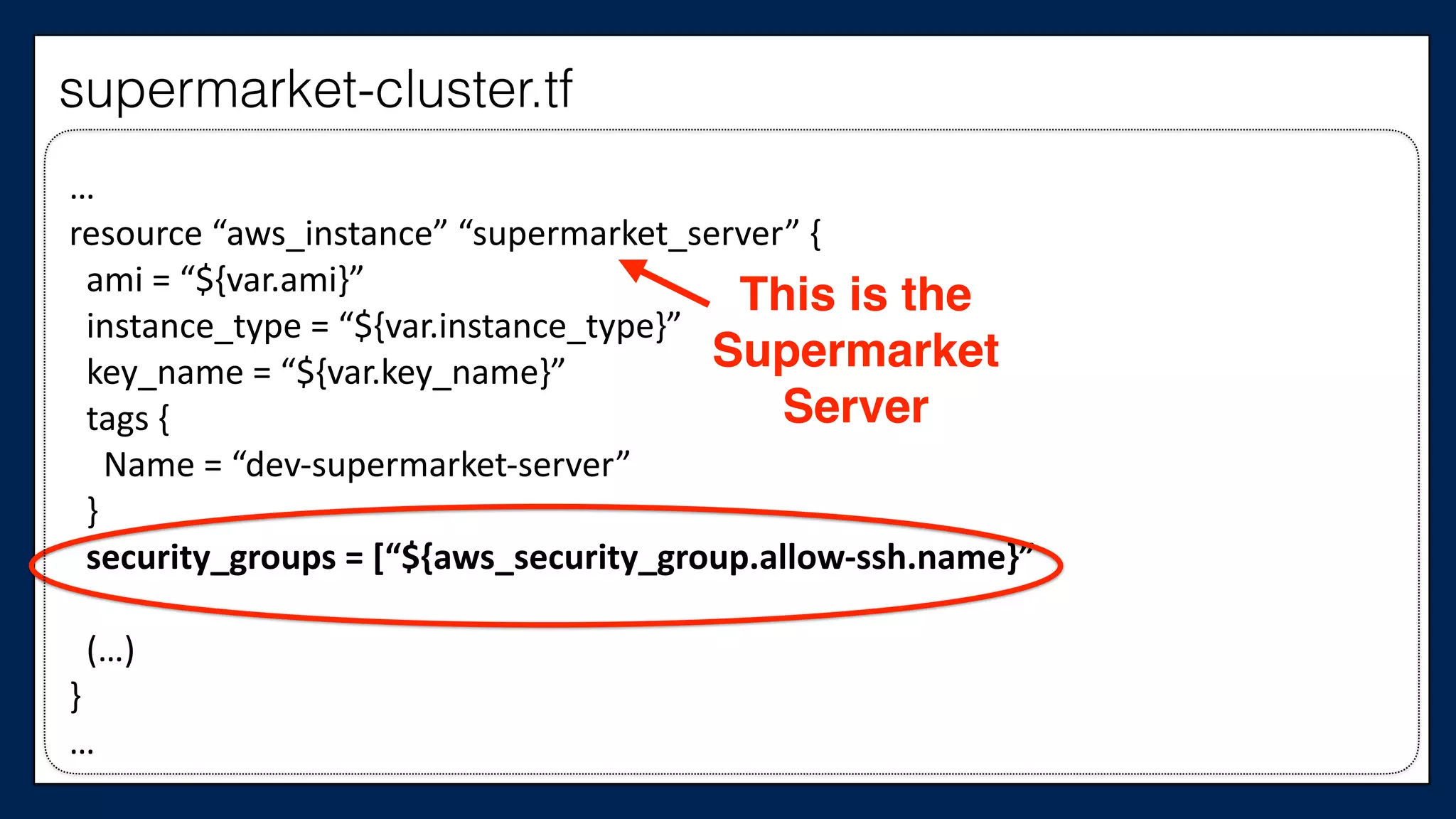
And the Supermarket Server
…	
  
resource	
  “aws_instance”	
  “supermarket_server”	
  {	


  ami	
  =	
  “${var.ami}”	


  instance_type	
  =	
  “${var.instance_type}”	


  key_name	
  =	
  “${var.key_name}”	


  tags	
  {	


  Name	
  =	
  “dev-­‐supermarket-­‐server”	


  }	


  security_groups	
  =	
  [“${aws_security_group.allow-­‐ssh.name}”,	


  “${aws_security_group.allow-­‐out.name}”]	


  (…)	
  
}	
  
…
This is the
Supermarket
Server
supermarket-cluster.tf
…	
  
resource	
  “aws_instance”	
  “supermarket_server”	
  {	


  ami	
  =	
  “${var.ami}”	


  instance_type	
  =	
  “${var.instance_type}”	


  key_name	
  =	
  “${var.key_name}”	


  tags	
  {	


  Name	
  =	
  “dev-­‐supermarket-­‐server”	


  }	


  security_groups	
  =	
  [“${aws_security_group.allow-­‐ssh.name}”	


  (…)	
  
}	
  
…
This is the
Supermarket
Server
supermarket-cluster.tf
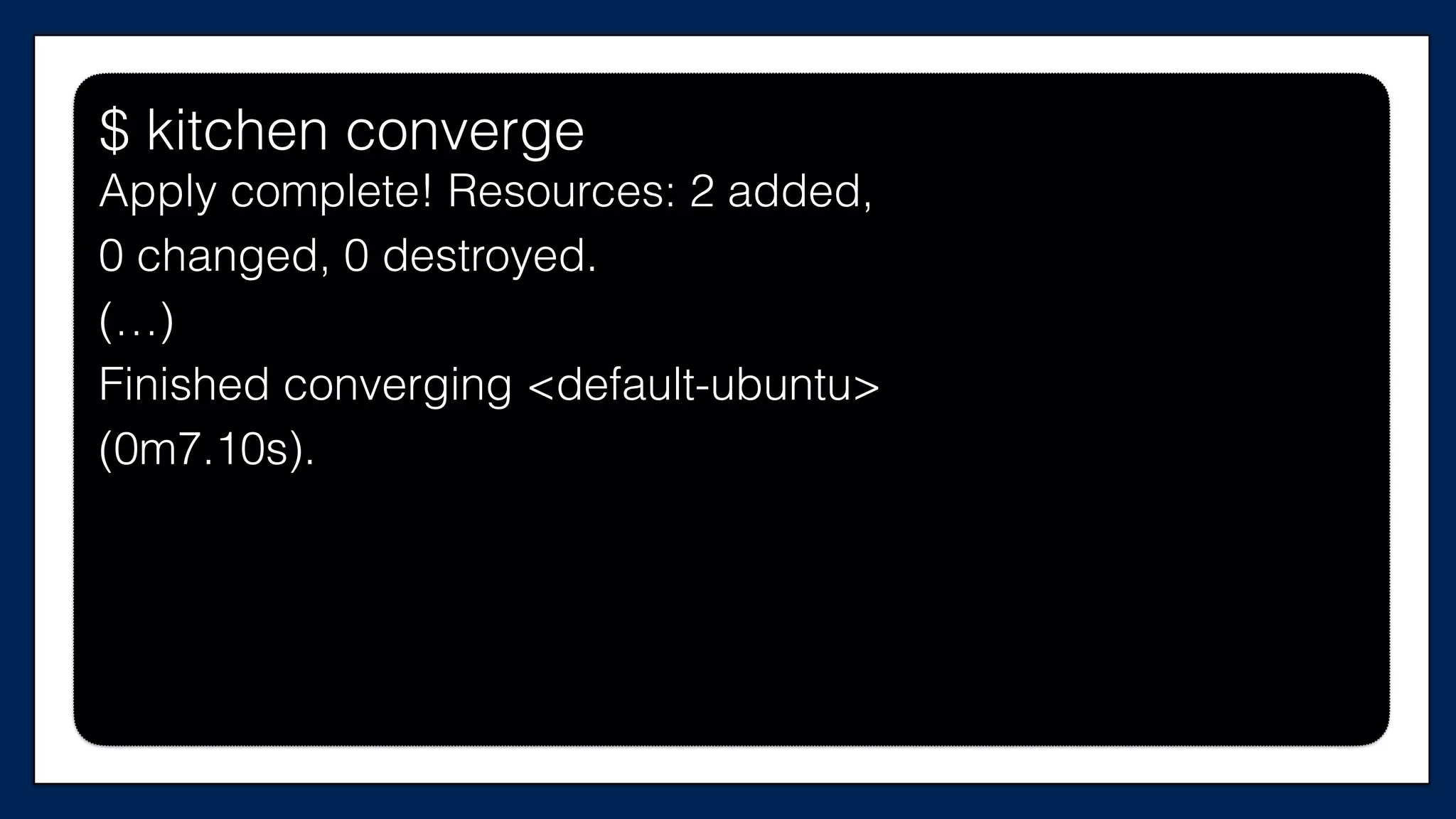
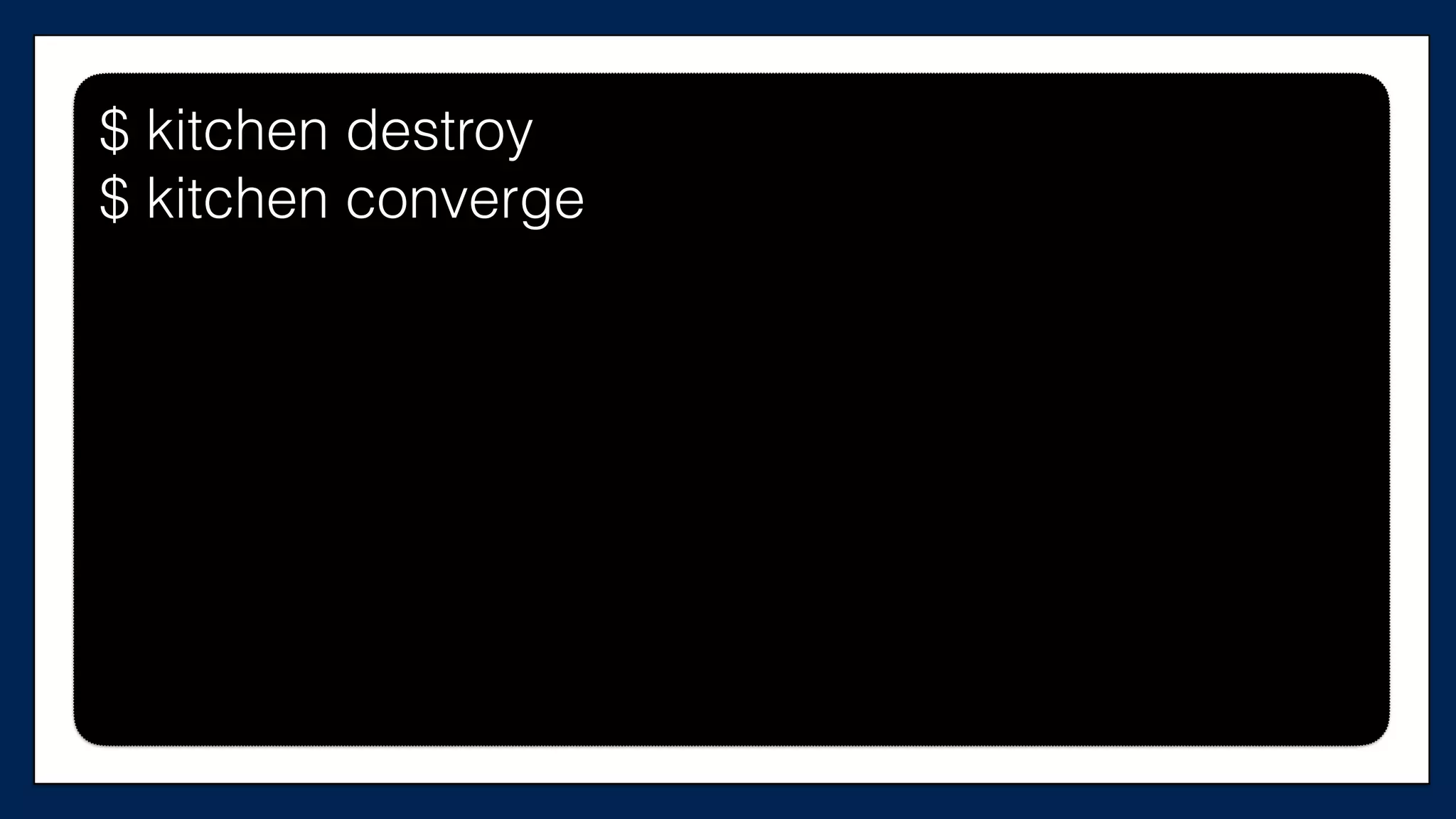
$ kitchen converge$ kitchen converge
$ kitchen converge
Apply complete! Resources: 2 added,
0 changed, 0 destroyed.
(…)
Finished converging <default-ubuntu>
(0m7.10s).
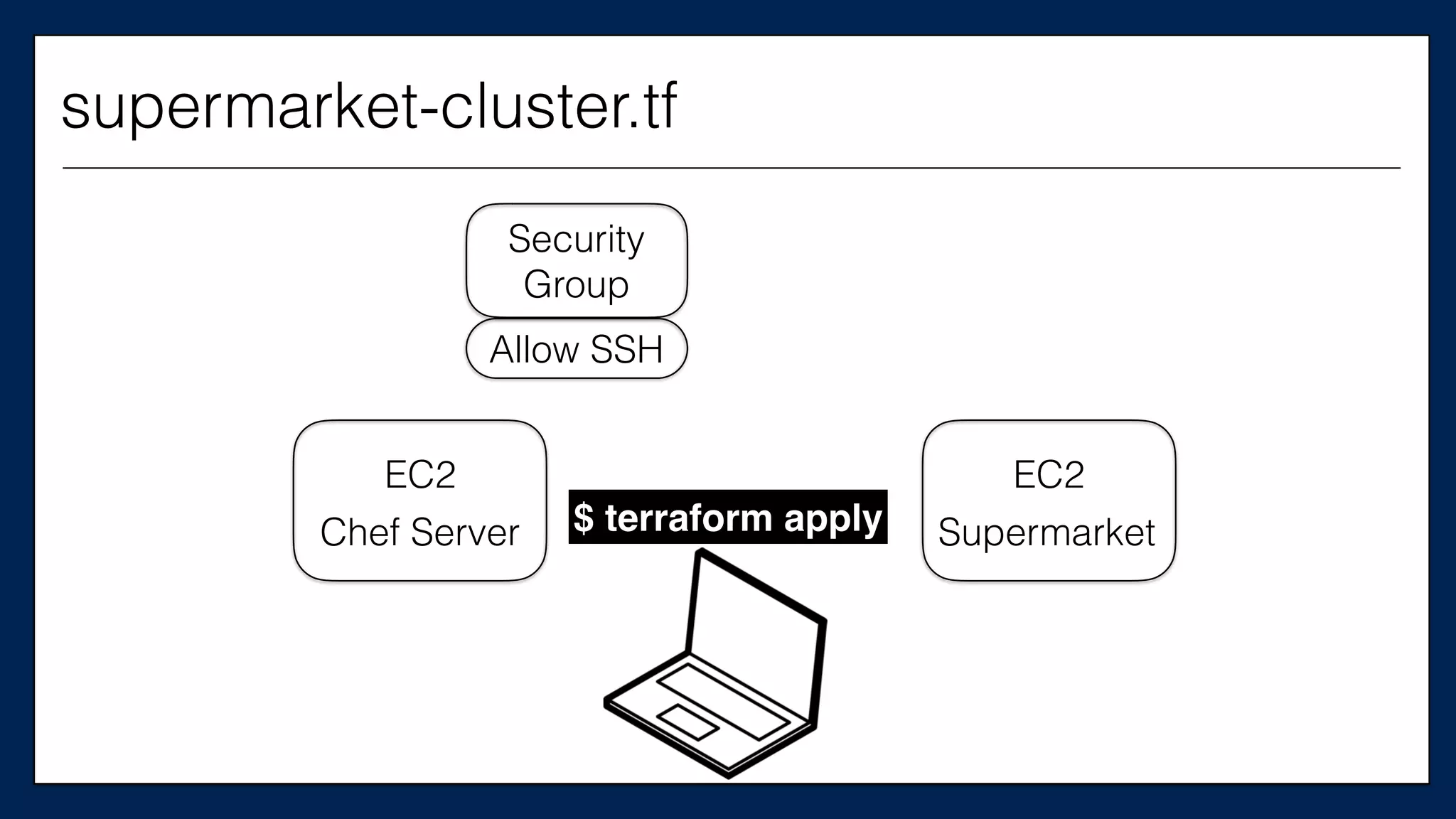
EC2
Chef Server
EC2
Supermarket
Security
Group
Allow SSH
supermarket-cluster.tf
$ terraform apply
Now let’s write
some tests
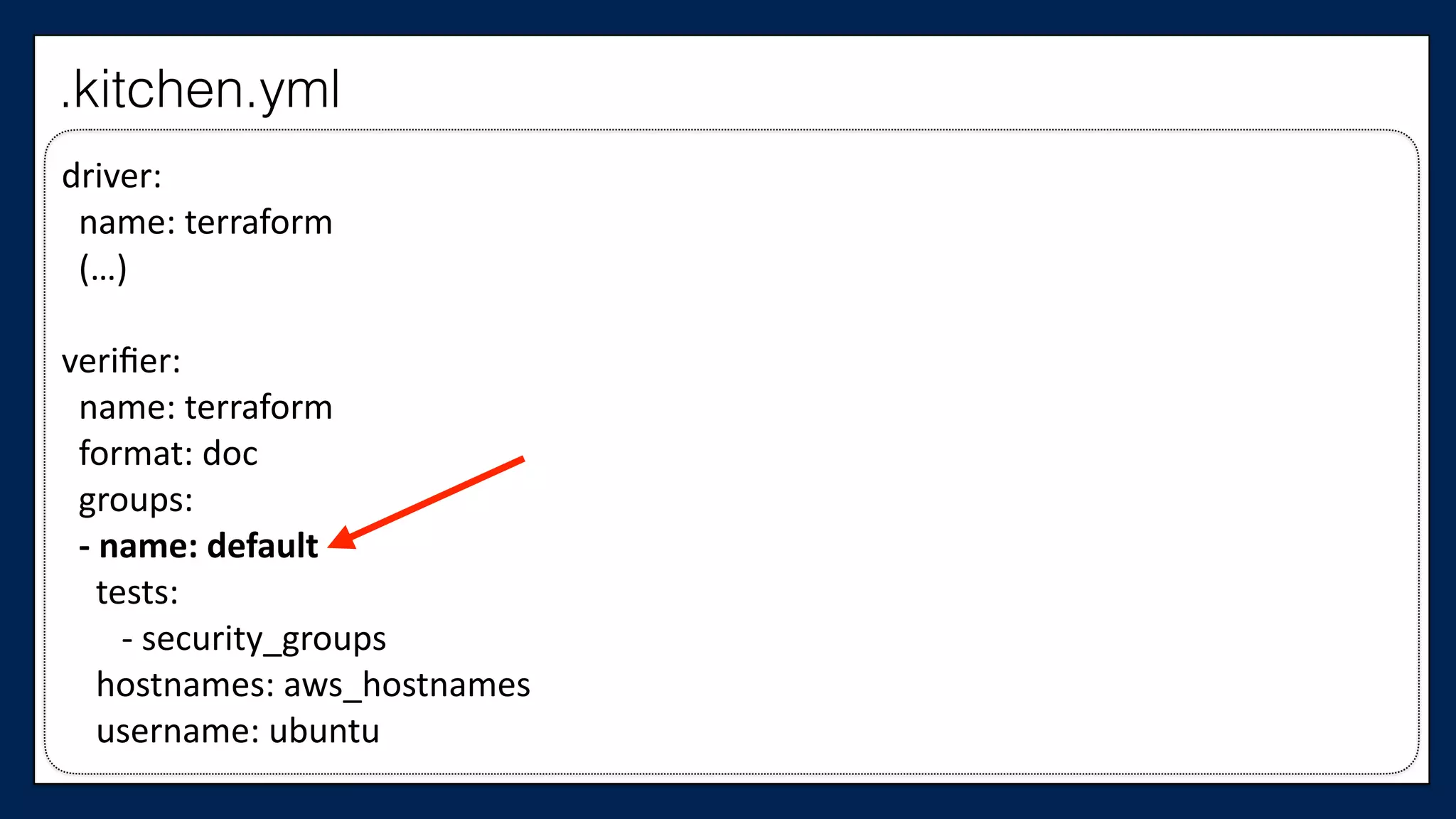
First, let’s define
a test group
driver:	


  name:	
  terraform	


  (…)	
  
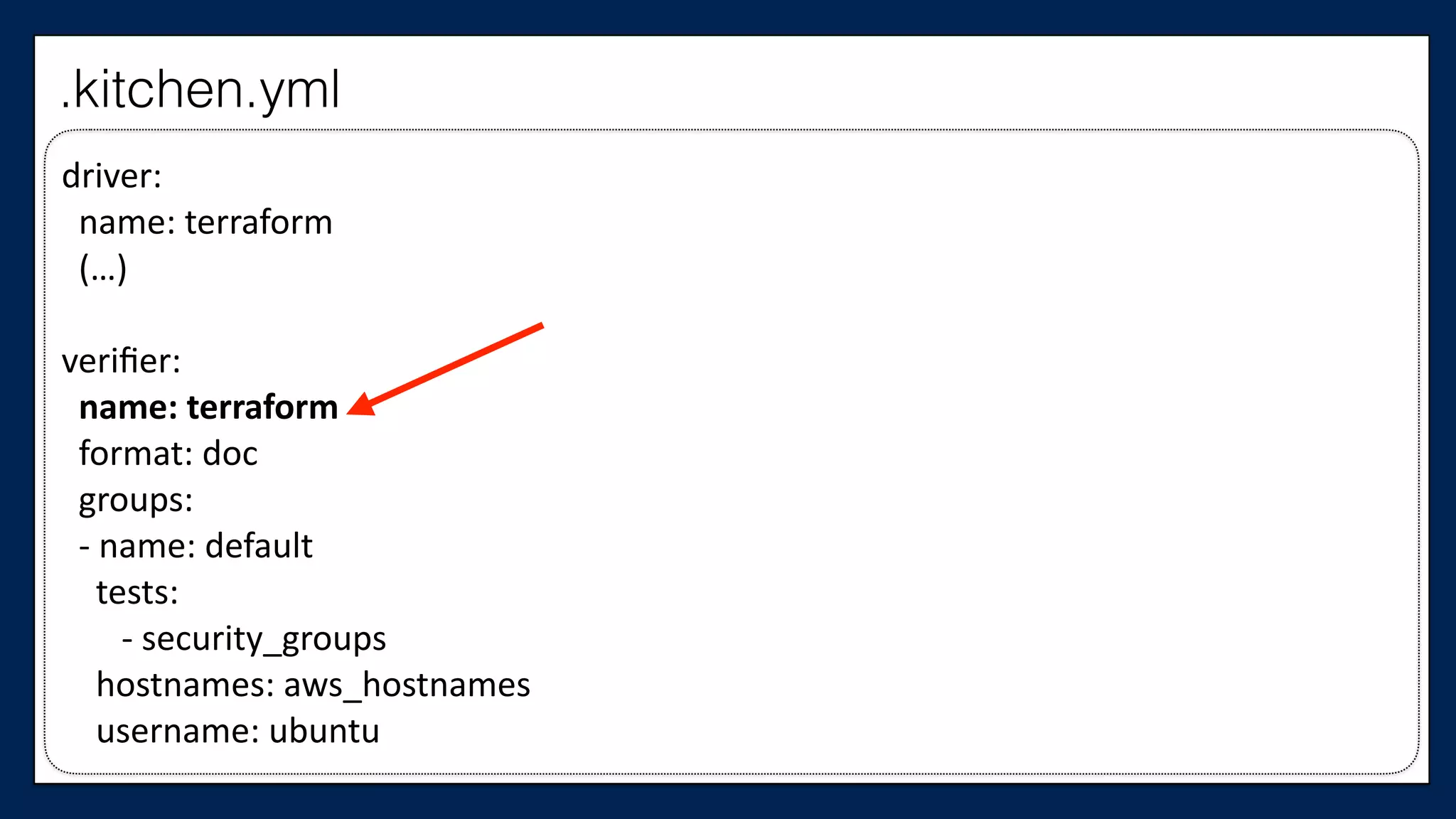
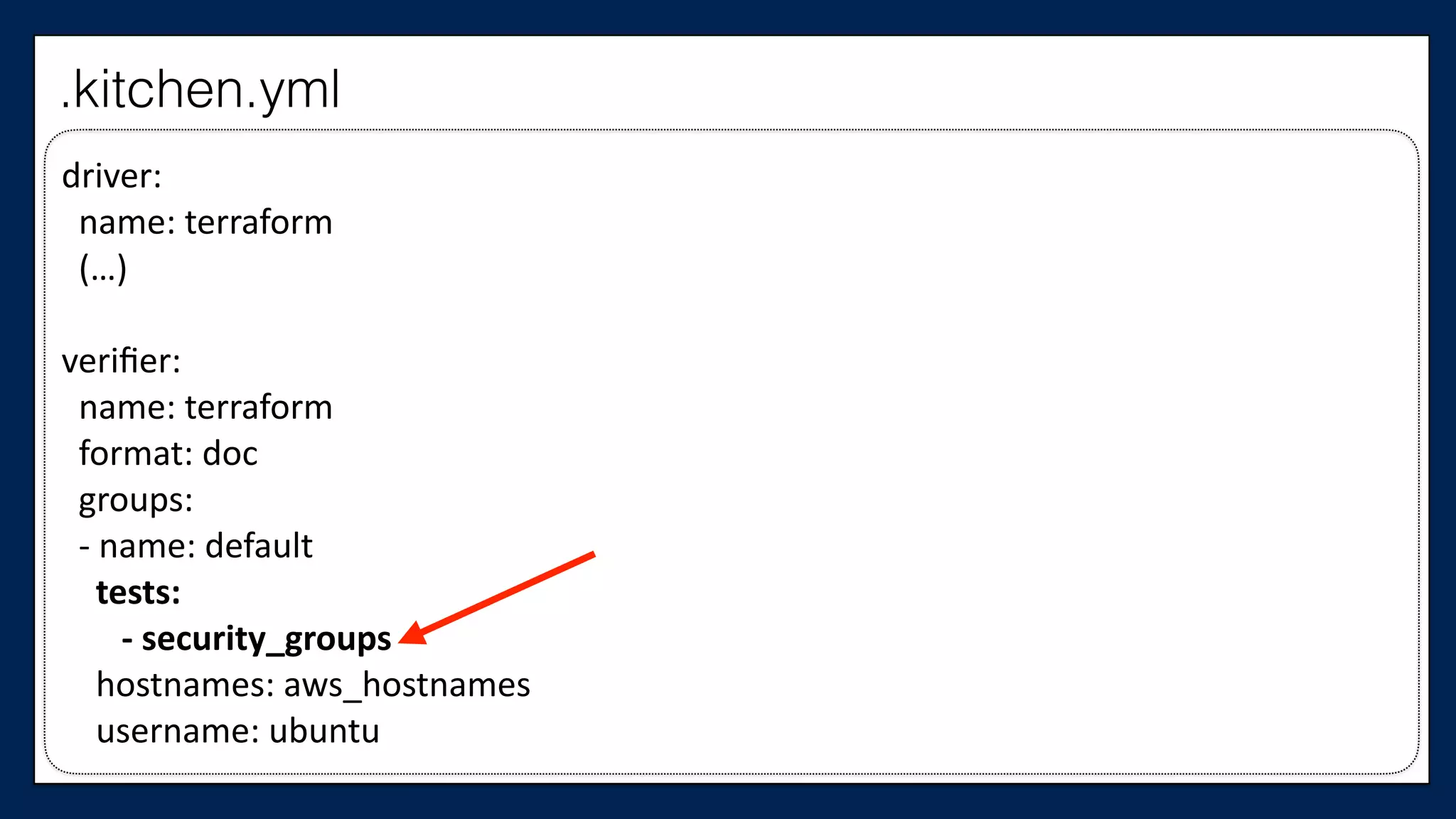
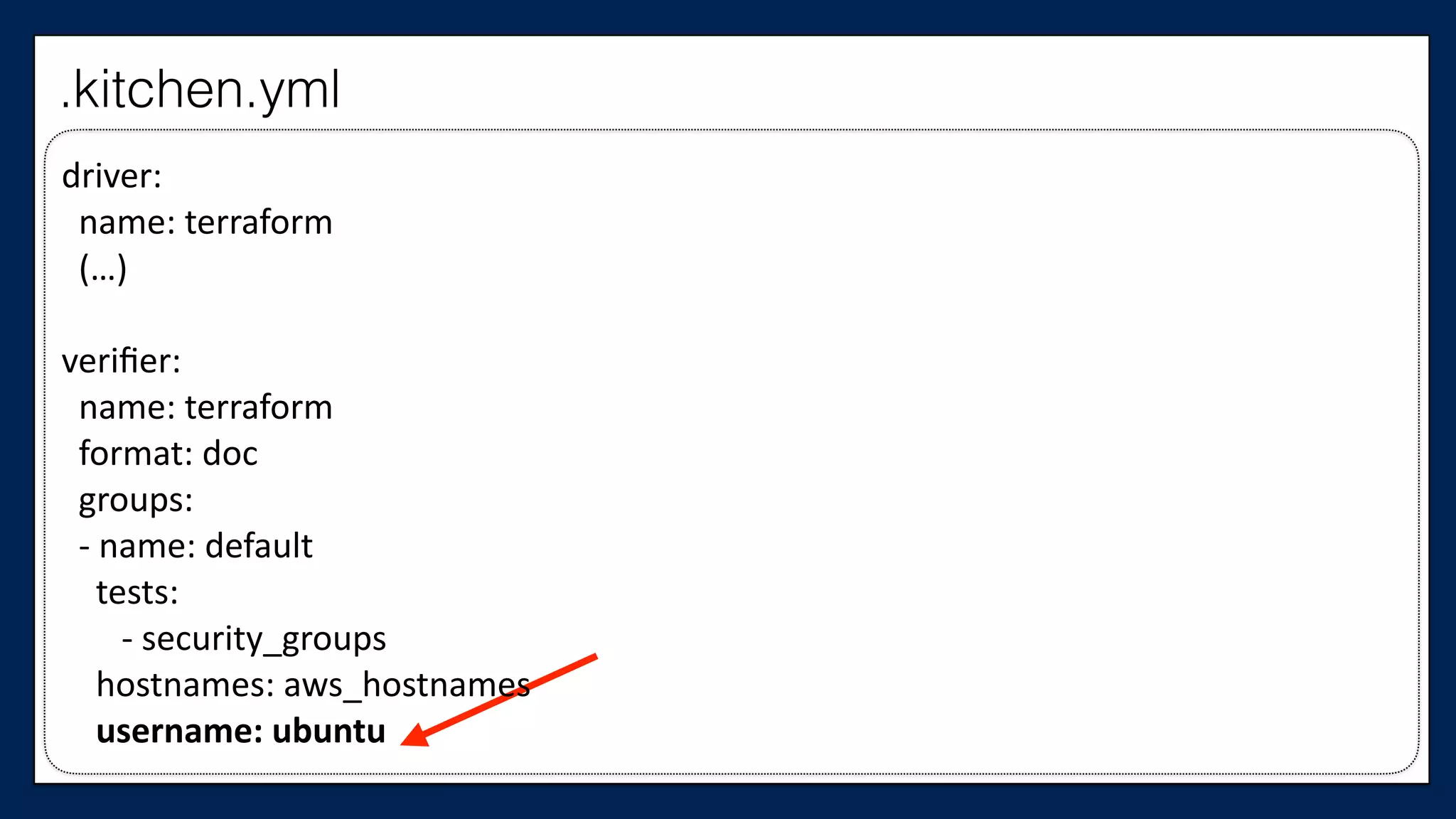
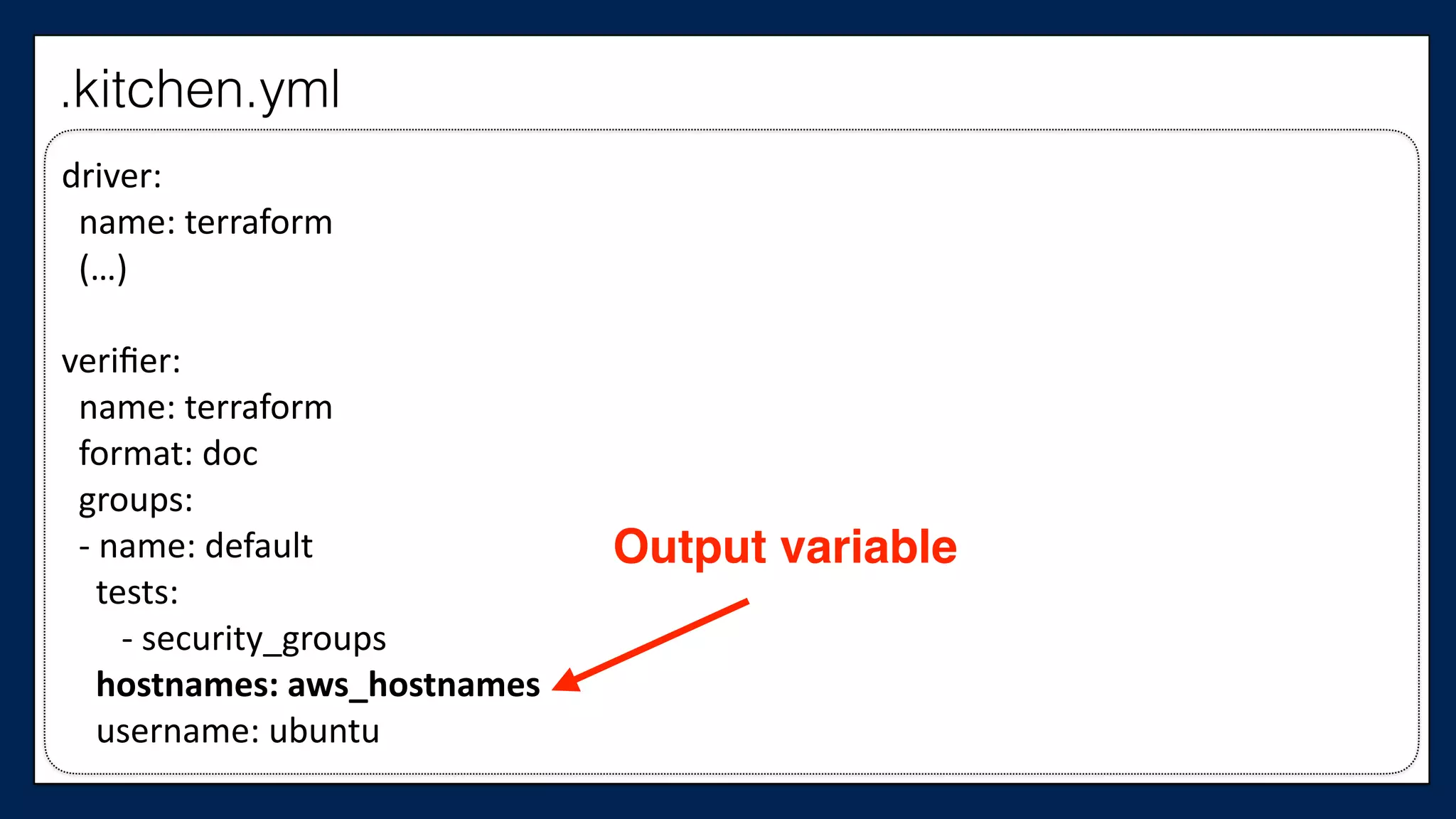
verifier:	


  name:	
  terraform	


  format:	
  doc	


  groups:	


  -­‐	
  name:	
  default	


  tests:	


  -­‐	
  security_groups	


  hostnames:	
  aws_hostnames	


  username:	
  ubuntu
.kitchen.yml
driver:	


  name:	
  terraform	


  (…)	
  
verifier:	


  name:	
  terraform	


  format:	
  doc	


  groups:	


  -­‐	
  name:	
  default	


  tests:	


  -­‐	
  security_groups	


  hostnames:	
  aws_hostnames	


  username:	
  ubuntu
.kitchen.yml
driver:	


  name:	
  terraform	


  (…)	
  
verifier:	


  name:	
  terraform	


  format:	
  doc	


  groups:	


  -­‐	
  name:	
  default	


  tests:	


  -­‐	
  security_groups	


  hostnames:	
  aws_hostnames	


  username:	
  ubuntu
.kitchen.yml
driver:	


  name:	
  terraform	


  (…)	
  
verifier:	


  name:	
  terraform	


  format:	
  doc	


  groups:	


  -­‐	
  name:	
  default	


  tests:	


  -­‐	
  security_groups	


  hostnames:	
  aws_hostnames	


  username:	
  ubuntu
.kitchen.yml
Output variable
driver:	


  name:	
  terraform	


  (…)	
  
verifier:	


  name:	
  terraform	


  format:	
  doc	


  groups:	


  -­‐	
  name:	
  default	


  tests:	


  -­‐	
  security_groups	


  hostnames:	
  aws_hostnames	


  username:	
  ubuntu
.kitchen.yml
We need to create
that output variable
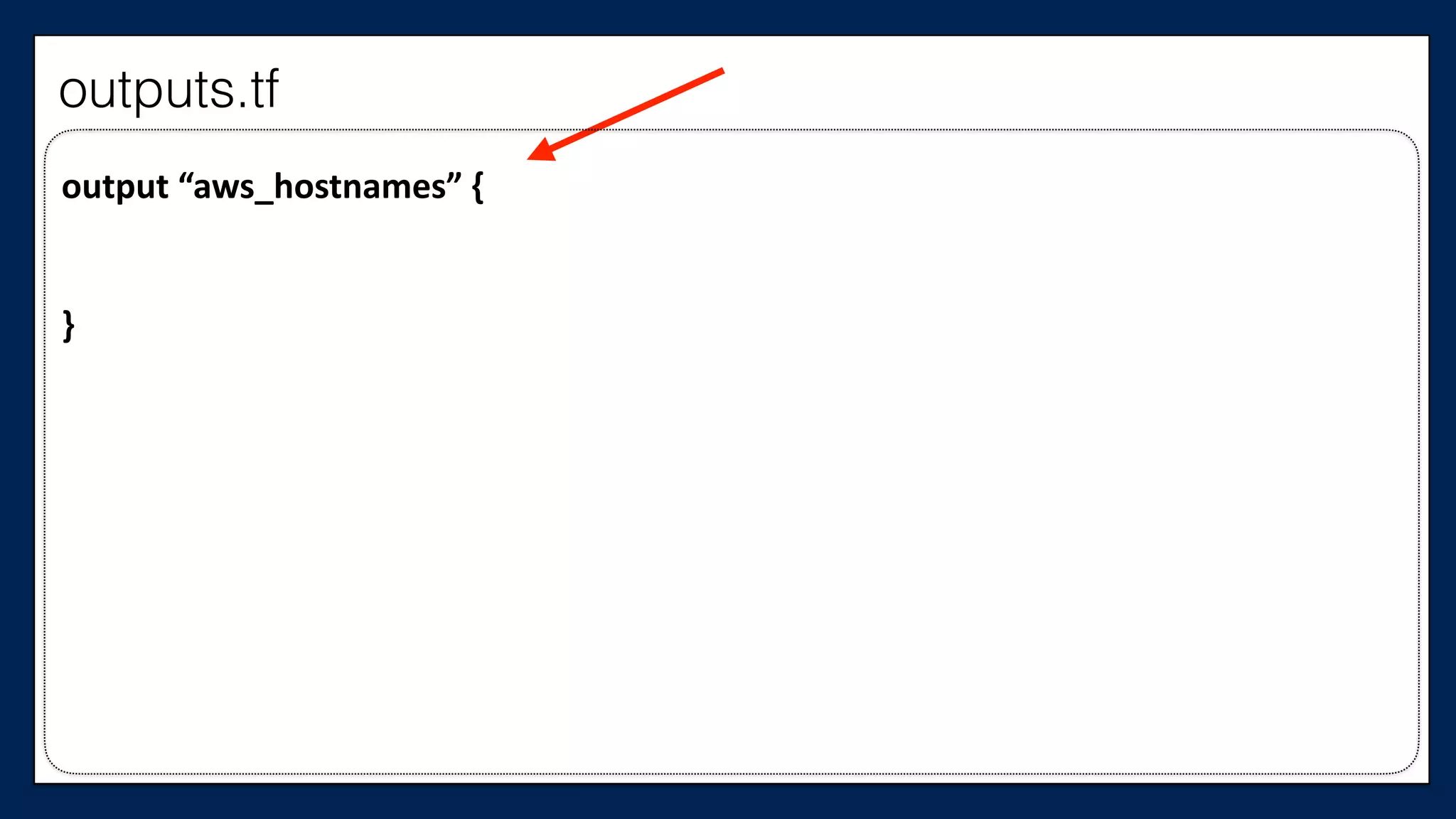
output	
  “aws_hostnames”	
  {	
  
}
outputs.tf
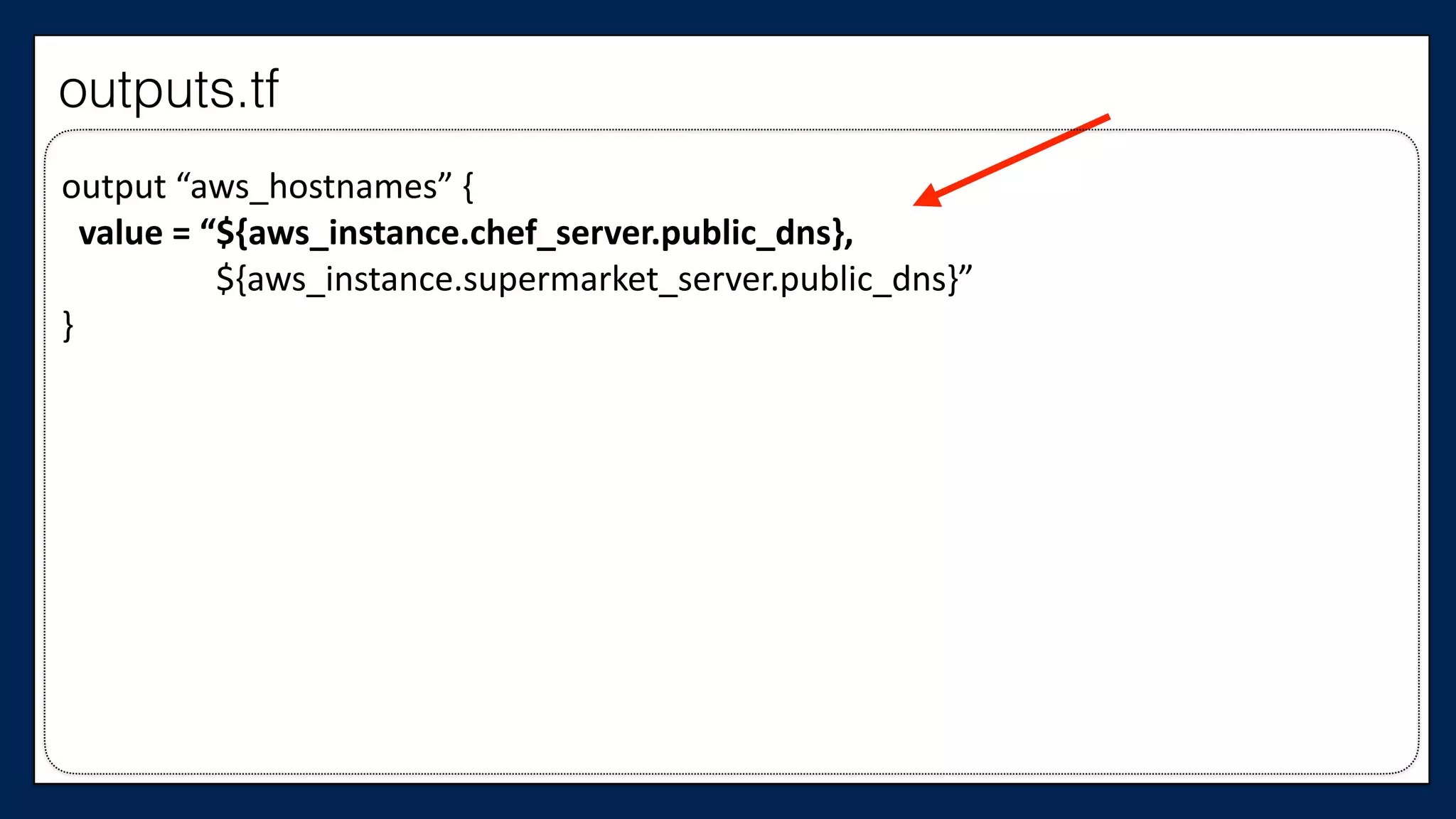
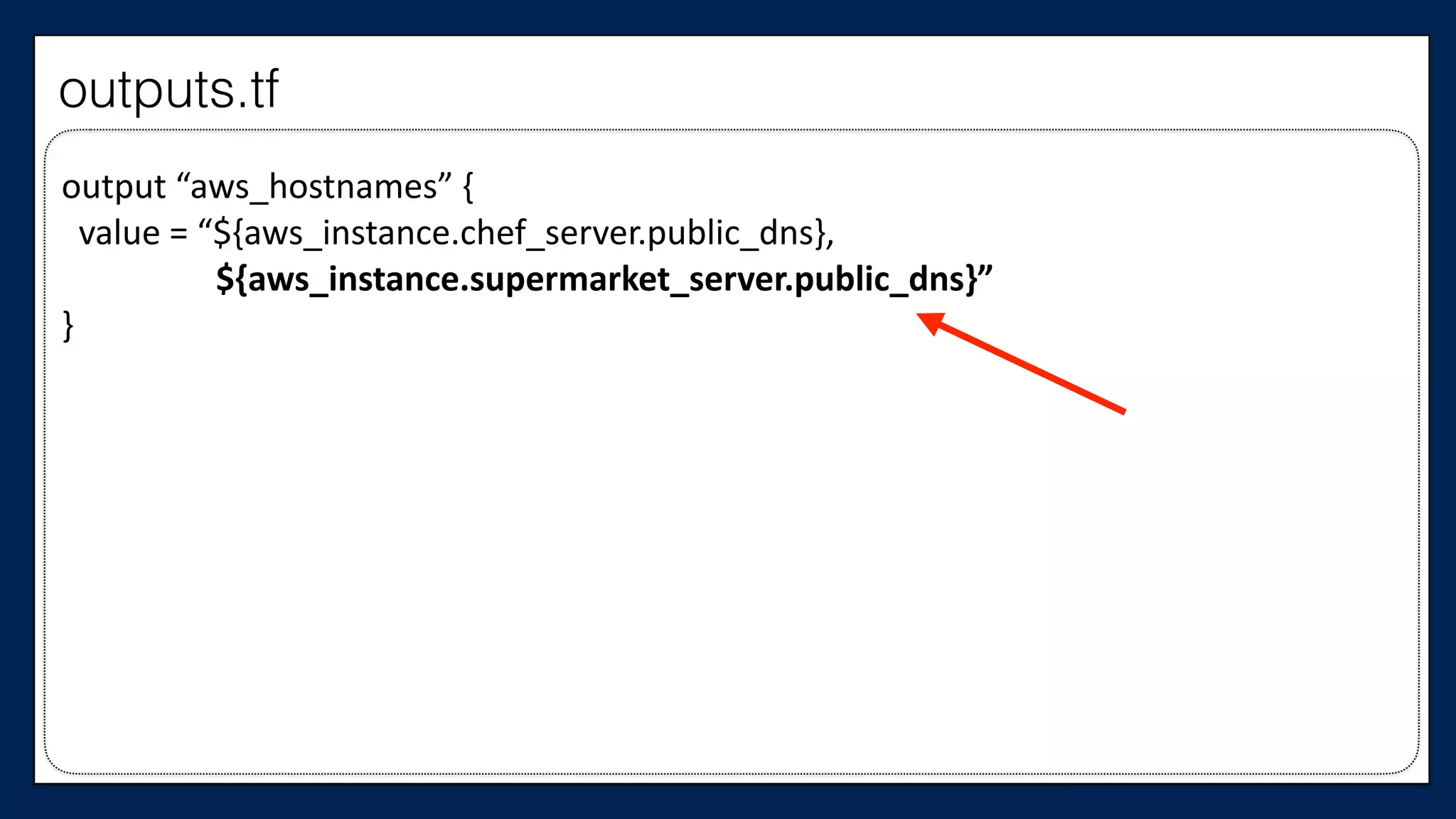
output	
  “aws_hostnames”	
  {	


  value	
  =	
  “${aws_instance.chef_server.public_dns},	


  ${aws_instance.supermarket_server.public_dns}”	
  
}
outputs.tf
output	
  “aws_hostnames”	
  {	


  value	
  =	
  “${aws_instance.chef_server.public_dns},	


  ${aws_instance.supermarket_server.public_dns}”	
  
}
outputs.tf
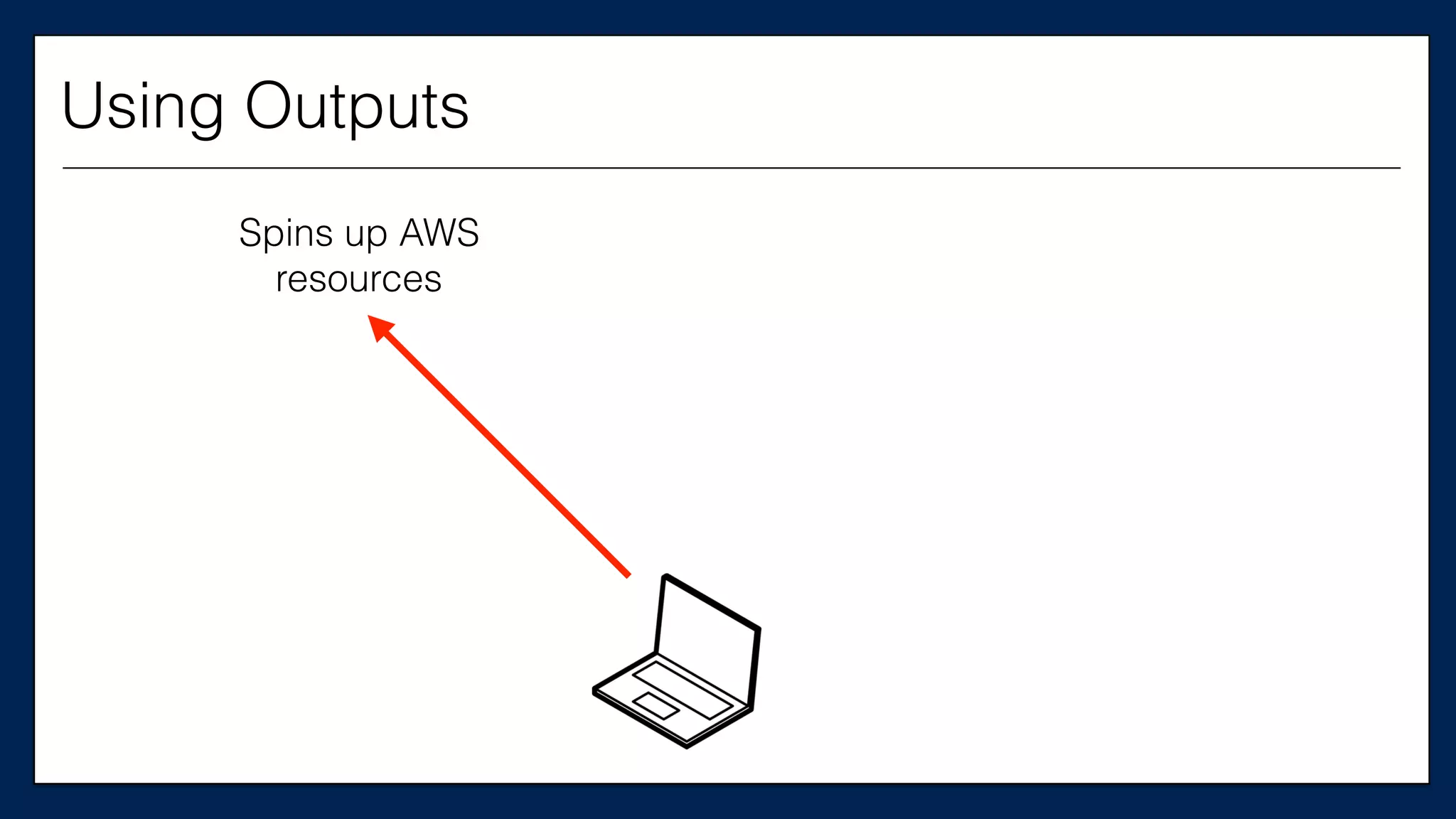
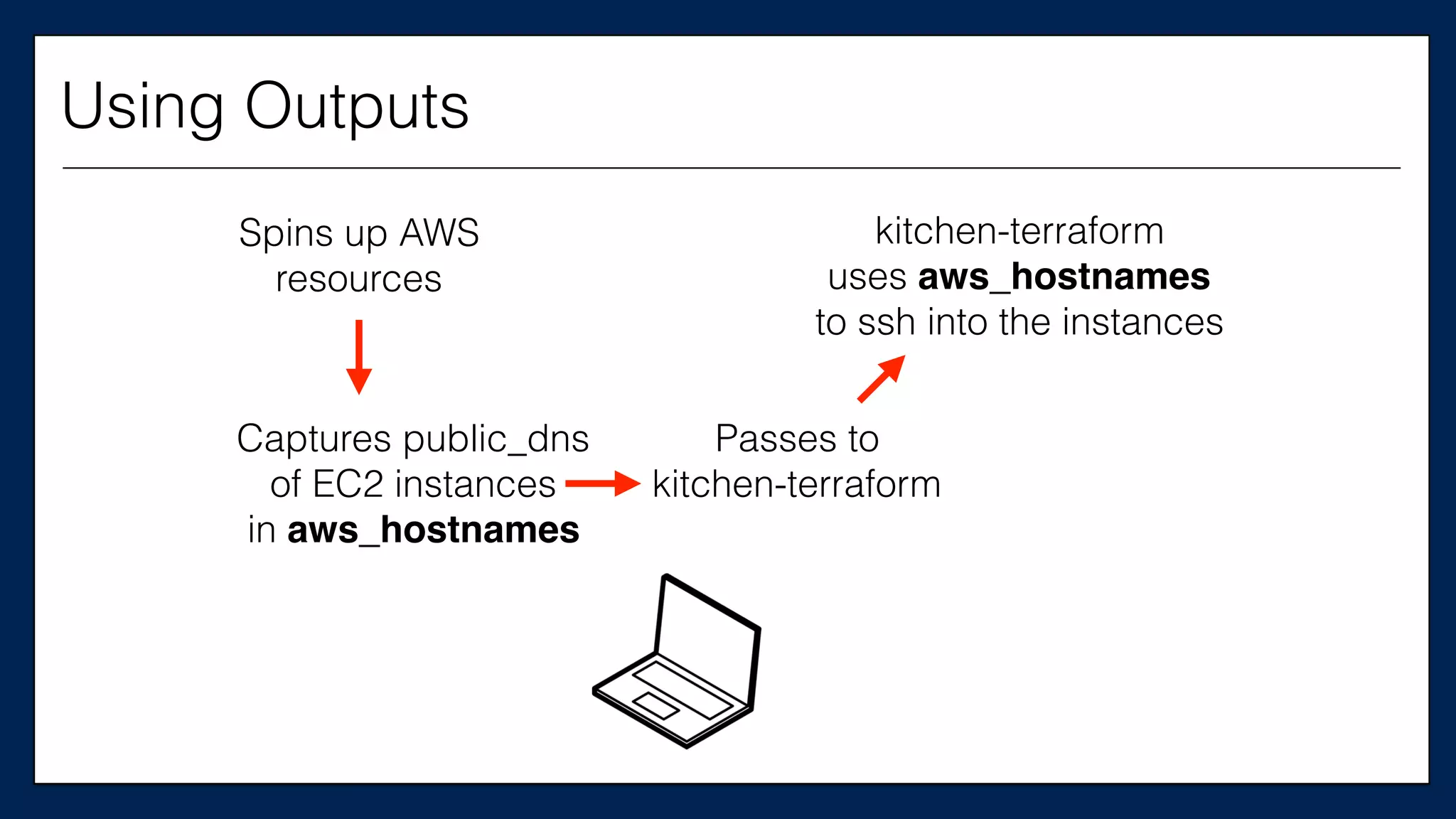
Spins up AWS
resources
Using Outputs
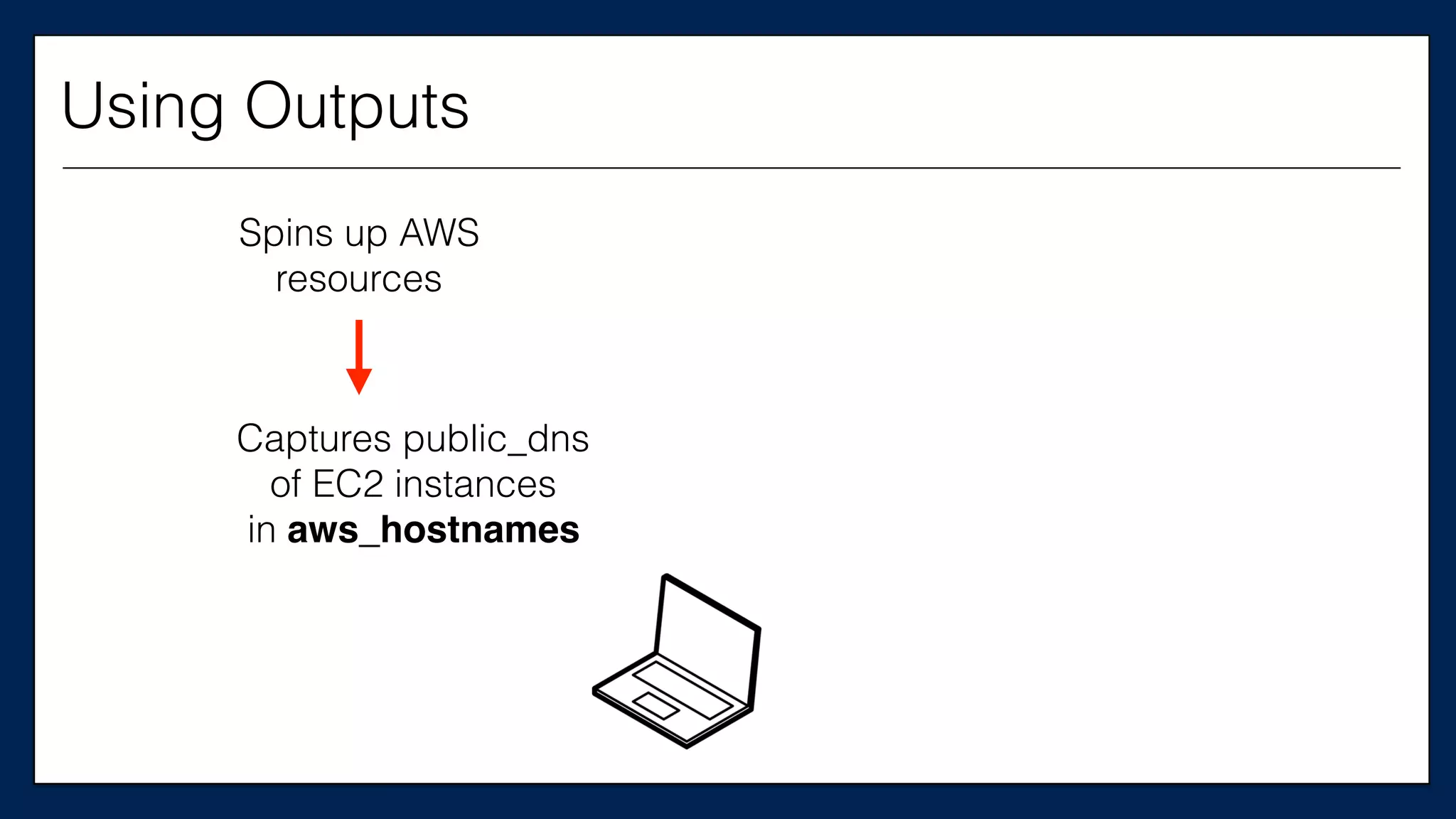
Spins up AWS
resources
Captures public_dns
of EC2 instances
in aws_hostnames
Using Outputs
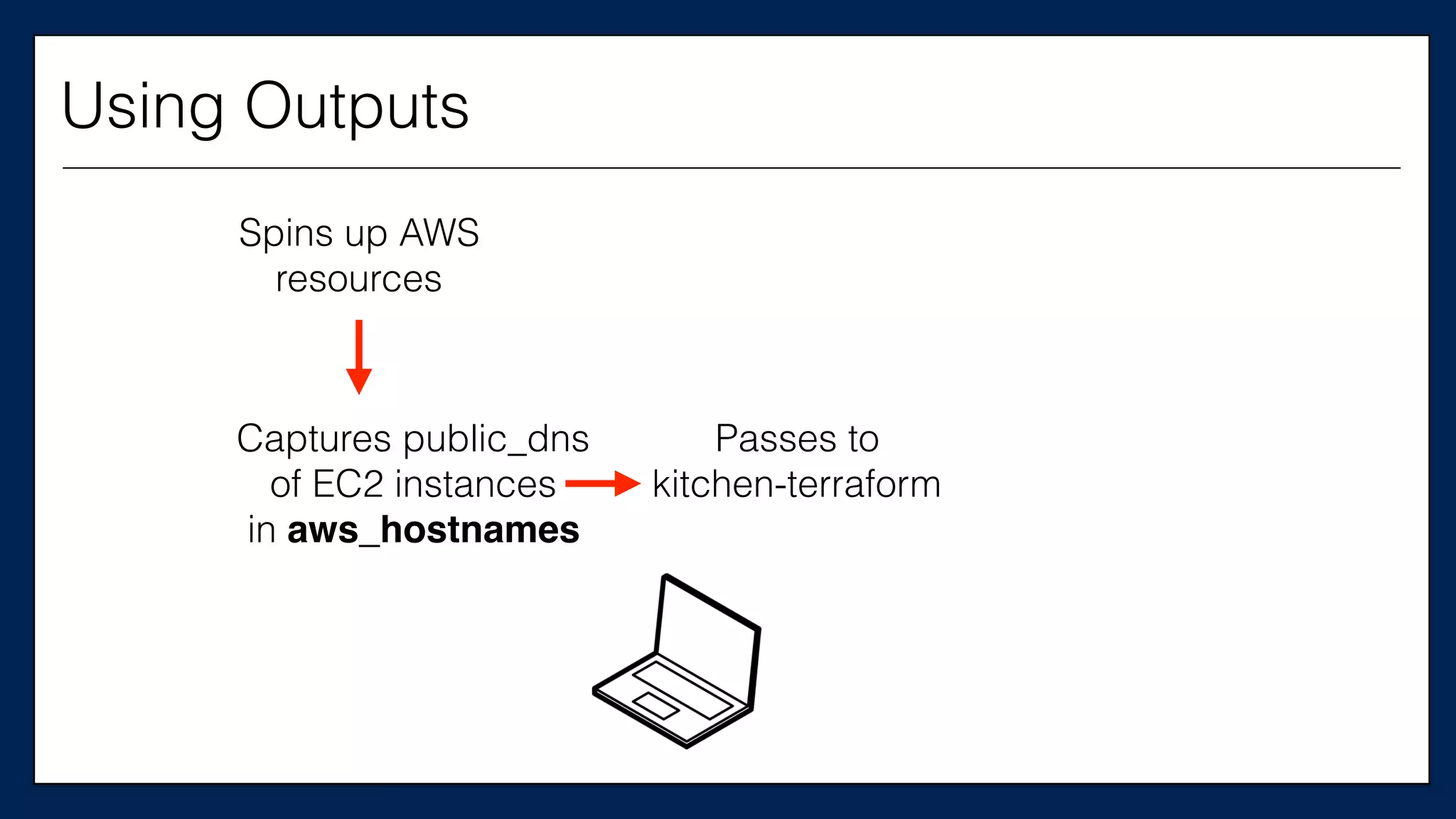
Spins up AWS
resources
Passes to
kitchen-terraform
Captures public_dns
of EC2 instances
in aws_hostnames
Using Outputs
Spins up AWS
resources
Captures public_dns
of EC2 instances
in aws_hostnames
Passes to
kitchen-terraform
kitchen-terraform
uses aws_hostnames
to ssh into the instances
Using Outputs
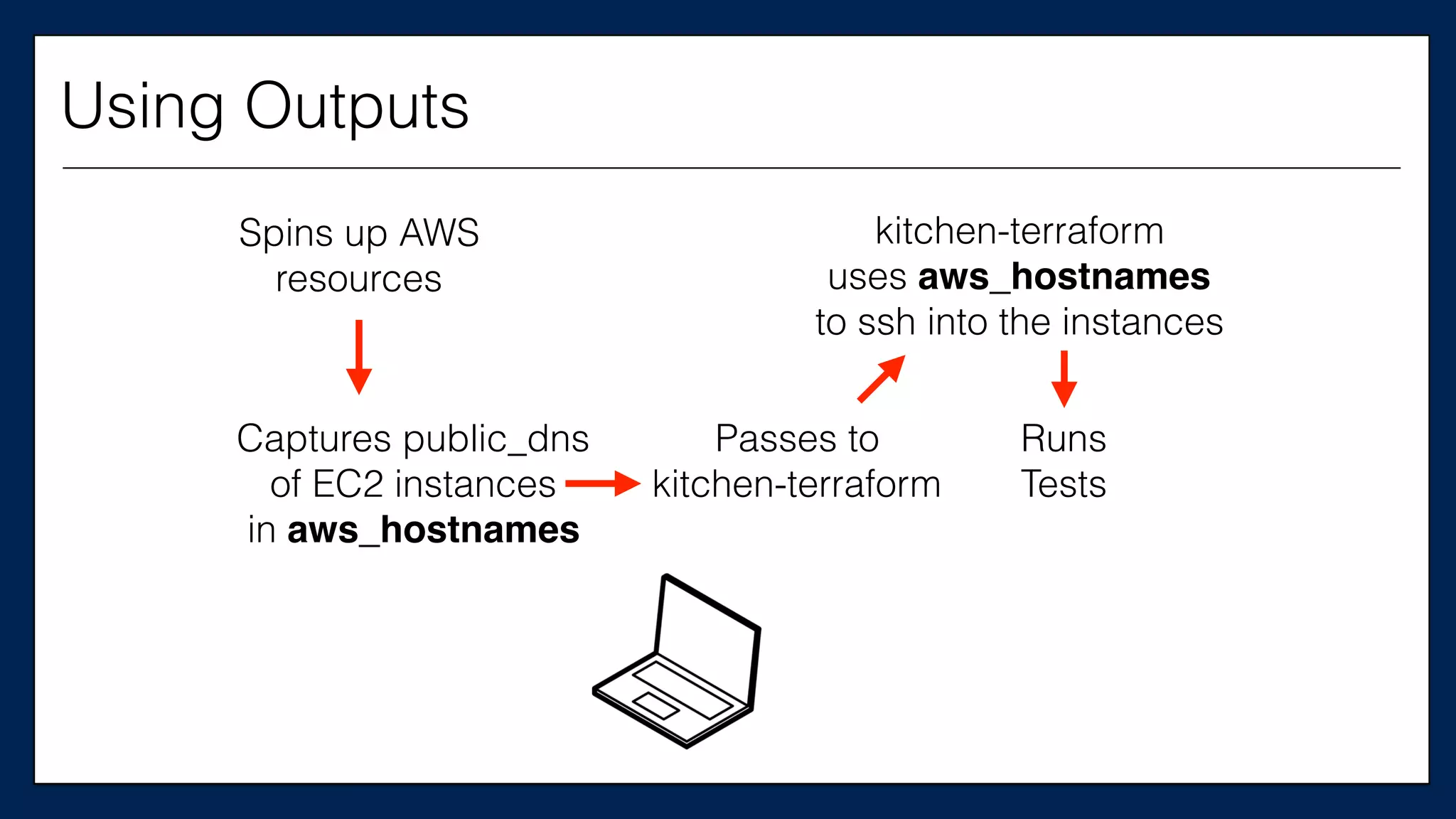
Spins up AWS
resources
Runs
Tests
kitchen-terraform
uses aws_hostnames
to ssh into the instances
Captures public_dns
of EC2 instances
in aws_hostnames
Passes to
kitchen-terraform
Using Outputs
$ kitchen destroy$ kitchen destroy
$ kitchen destroy
$ kitchen converge
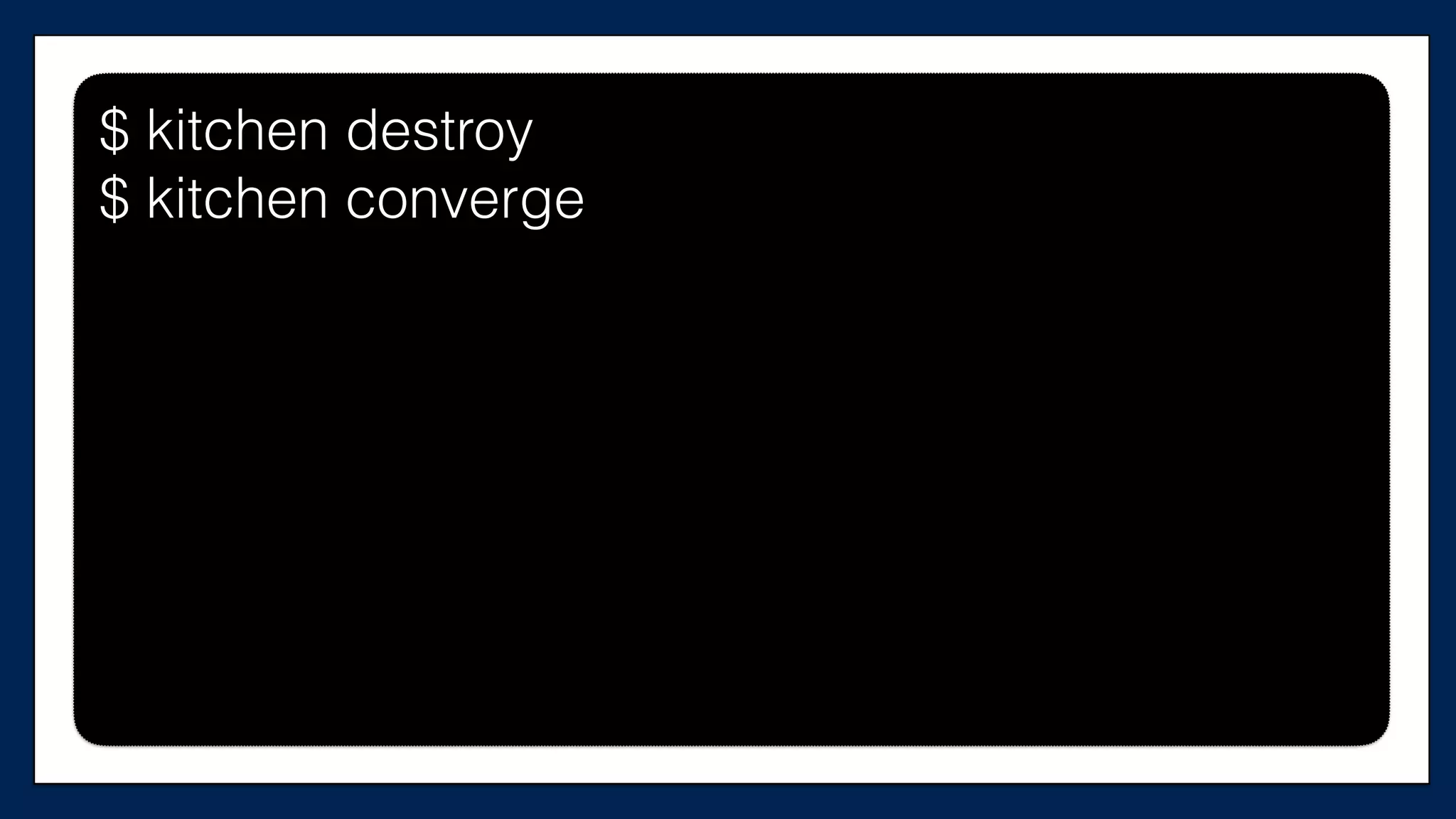
$ kitchen destroy
$ kitchen converge
#resource	
  “aws_security_group”	
  “allow-­‐egress”	
  {	
  
#	
  	
  name	
  =	
  “${var.user_name}-­‐allow-­‐egress”	
  
#	
  	
  tags	
  =	
  {	
  
#	


  Name	
  =	
  “${var.user_name}	
  Allow	
  connecLons	
  out”	
  
#	
  	
  }	
  
#}	
  
#resource	
  “aws_security_group_rule”	
  “allow-­‐out”	
  {	
  
#	
  type	
  =	
  “egress”	
  
#	
  from_port	
  =	
  0	
  
#	
  to_port	
  =	
  65535	
  
#	
  cidr_blocks	
  =	
  ["0.0.0.0/0"]	


  …
supermarket-cluster.tf
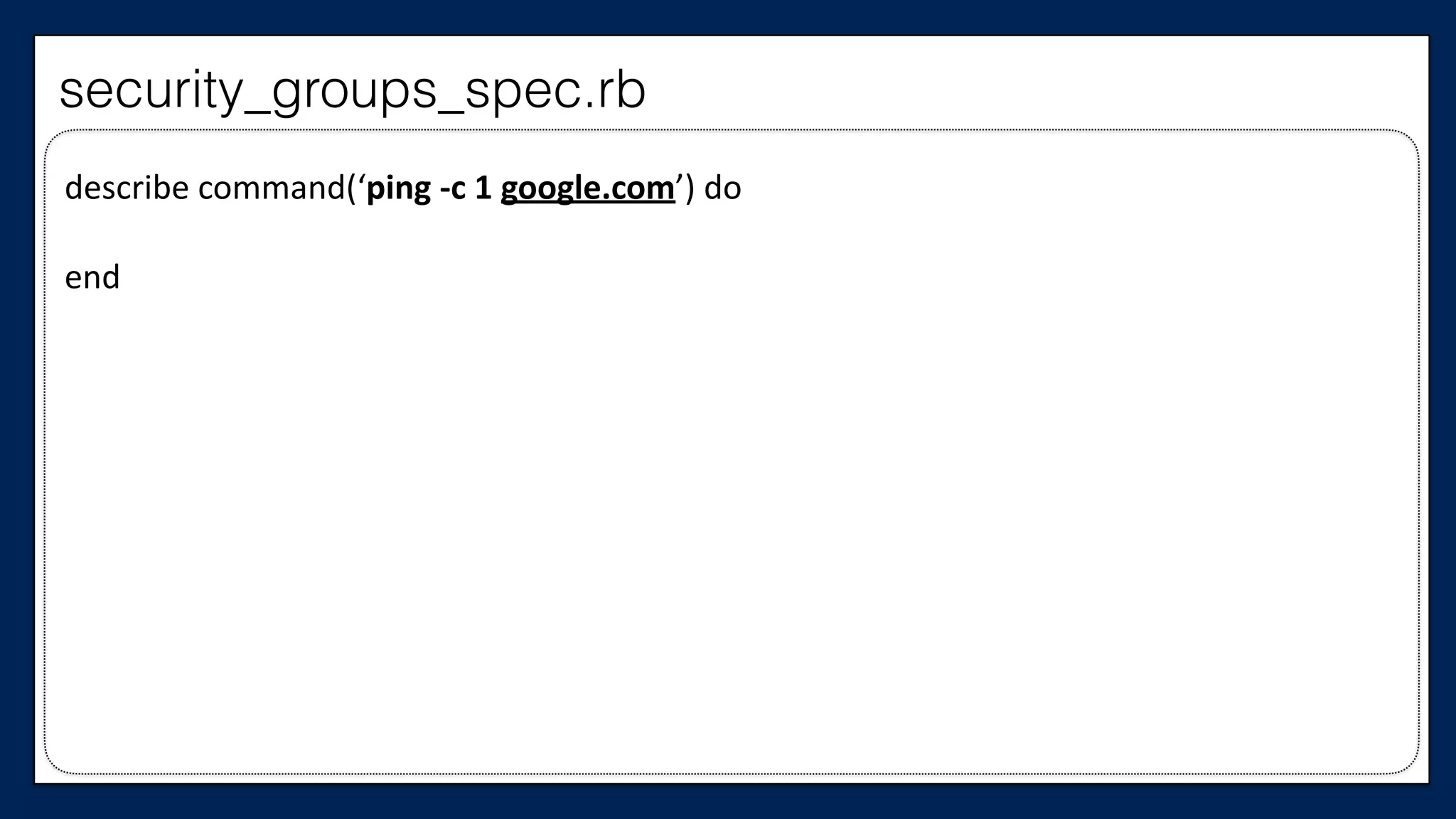
Let’s write a test
describe	
  command(‘ping	
  -­‐c	
  1	
  google.com’)	
  do	


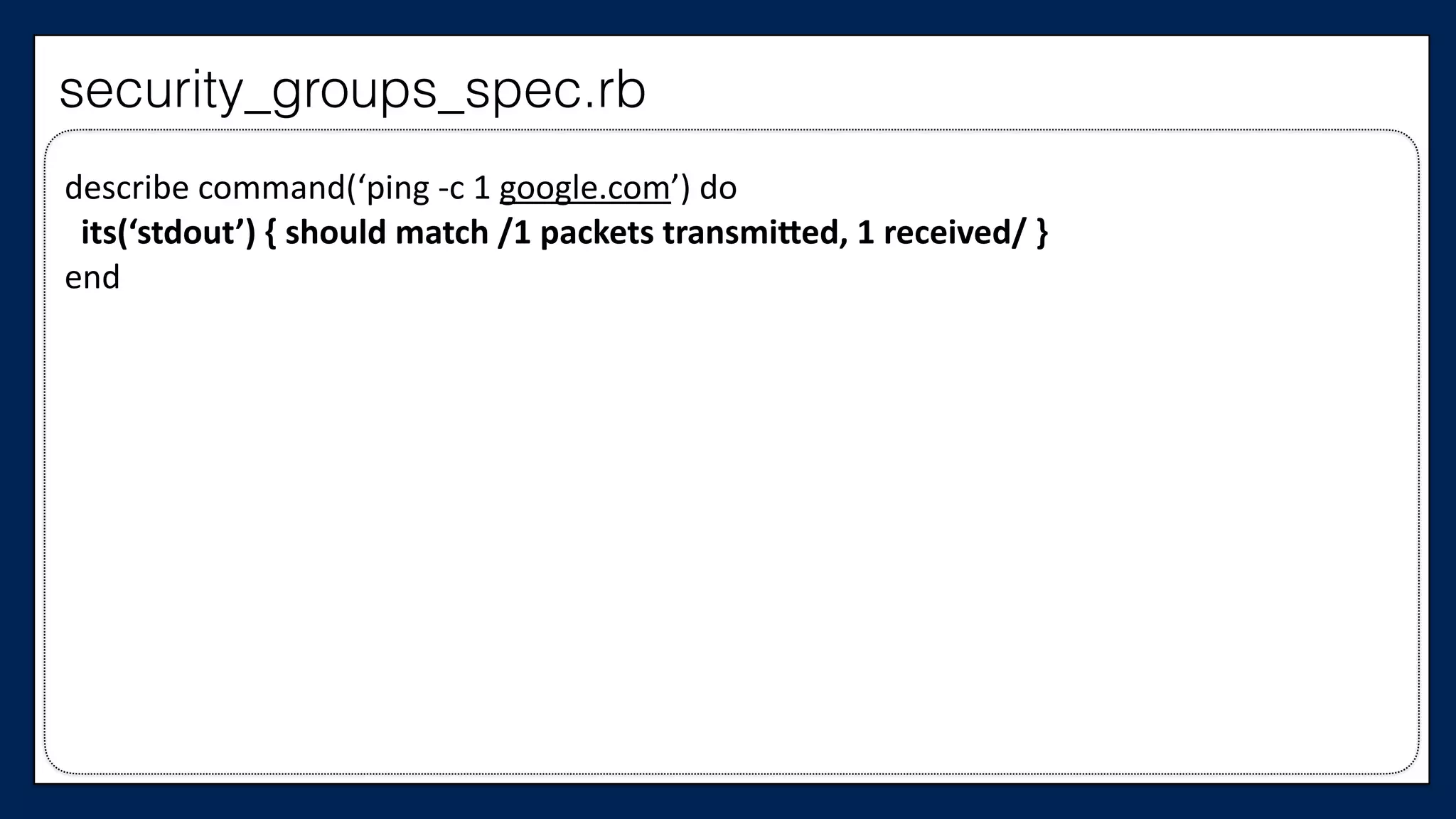
end
security_groups_spec.rb
describe	
  command(‘ping	
  -­‐c	
  1	
  google.com’)	
  do	


  its(‘stdout’)	
  {	
  should	
  match	
  /1	
  packets	
  transmiSed,	
  1	
  received/	
  }	
  
end
security_groups_spec.rb
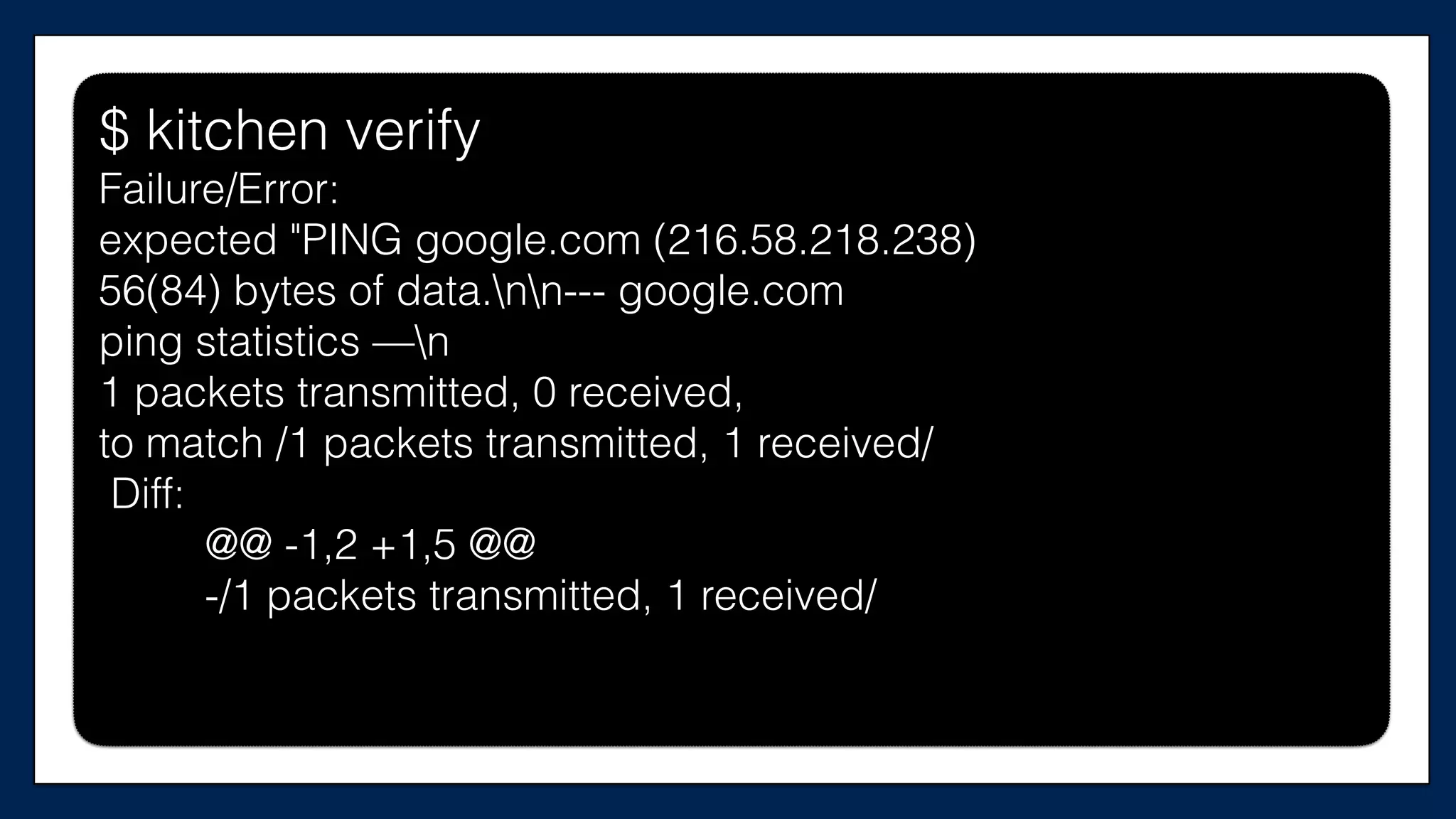
$ kitchen verify$ kitchen verify
$ kitchen verify
Failure/Error:
expected "PING google.com (216.58.218.238)
56(84) bytes of data.nn--- google.com
ping statistics —n
1 packets transmitted, 0 received,
to match /1 packets transmitted, 1 received/
Diff:
@@ -1,2 +1,5 @@
-/1 packets transmitted, 1 received/
Good! We have a failure!
Now let’s make it pass
#resource	
  “aws_security_group”	
  “allow-­‐egress”	
  {	
  
#	
  	
  name	
  =	
  “${var.user_name}-­‐allow-­‐egress”	
  
#	
  	
  tags	
  =	
  {	
  
#	


  Name	
  =	
  “${var.user_name}	
  Allow	
  connecLons	
  out”	
  
#	
  	
  }	
  
#}	
  
#resource	
  “aws_security_group_rule”	
  “allow-­‐out”	
  {	
  
#	
  type	
  =	
  “egress”	
  
#	
  from_port	
  =	
  0	
  
#	
  to_port	
  =	
  65535	
  
#	
  cidr_blocks	
  =	
  ["0.0.0.0/0"]	


  …
supermarket-cluster.tf
resource	
  “aws_security_group”	
  “allow-­‐egress”	
  {	


  name	
  =	
  “${var.user_name}-­‐allow-­‐egress”	


  tags	
  =	
  {	


  Name	
  =	
  “${var.user_name}	
  Allow	
  connecTons	
  out”	


  }	
  
}	
  
resource	
  “aws_security_group_rule”	
  “allow-­‐out”	
  {	
  
	
  type	
  =	
  “egress”	
  
	
  from_port	
  =	
  0	
  
	
  to_port	
  =	
  65535	
  
	
  cidr_blocks	
  =	
  ["0.0.0.0/0"]	


  …	
  
supermarket-cluster.tf
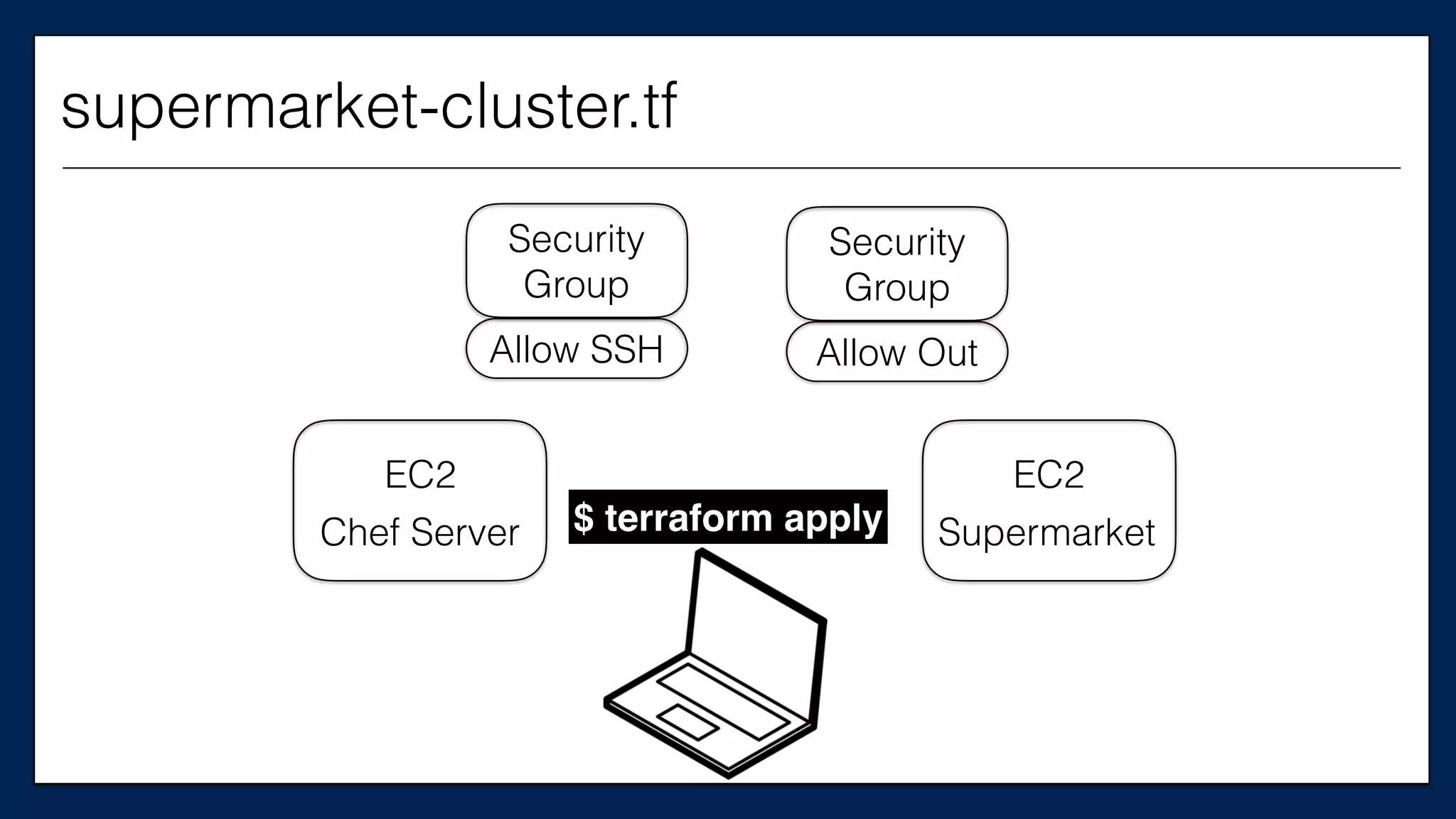
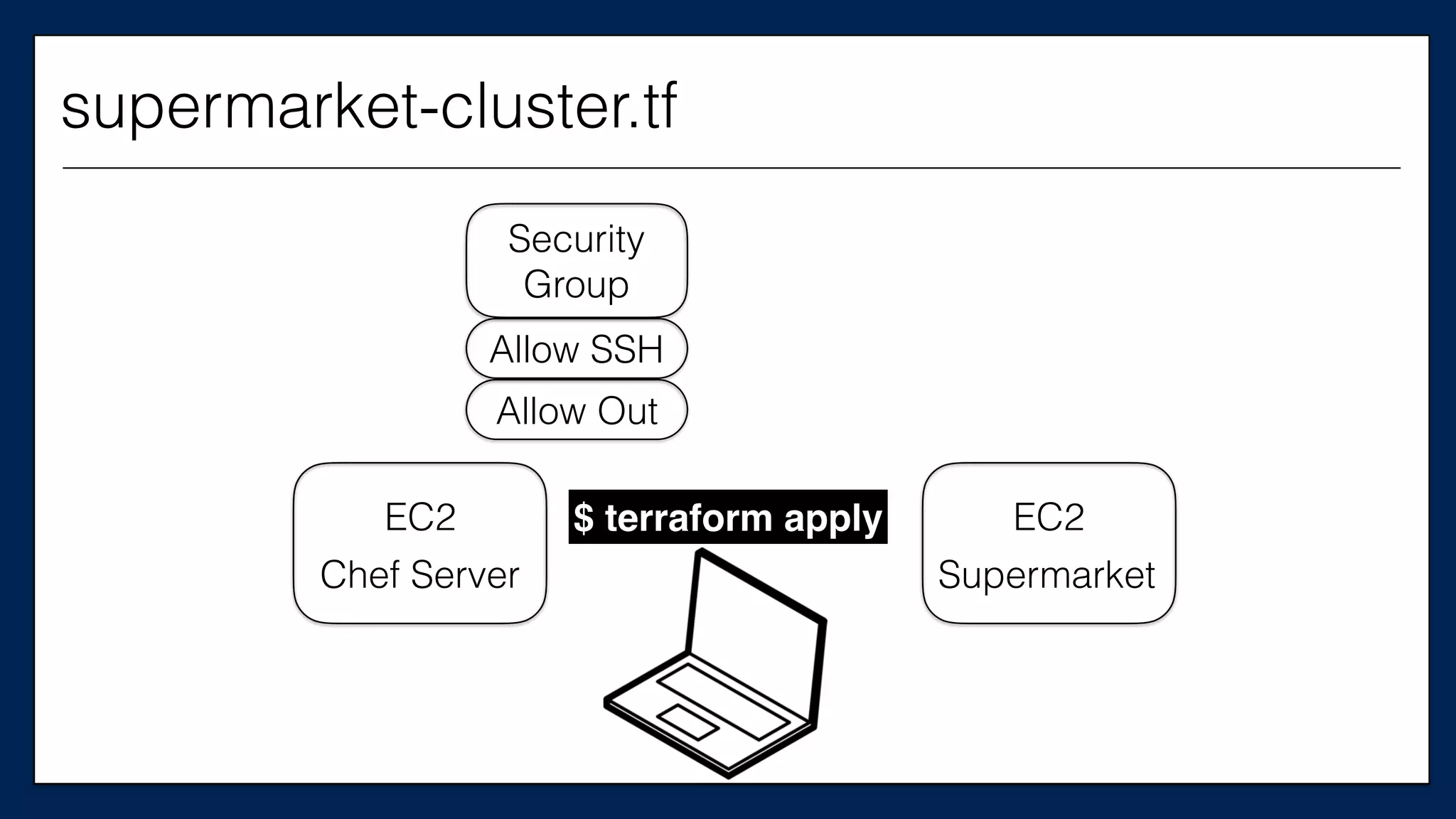
EC2
Chef Server $ terraform apply
EC2
Supermarket
Security
Group
Allow SSH
Security
Group
Allow Out
supermarket-cluster.tf
Now let’s call this
security group from our
Chef Server
…	
  
resource	
  “aws_instance”	
  “chef_server”	
  {	


  ami	
  =	
  “${var.ami}”	


  instance_type	
  =	
  “${var.instance_type}”	


  key_name	
  =	
  “${var.key_name}”	


  tags	
  {	


  Name	
  =	
  “dev-­‐chef-­‐server”	


  }	


  security_groups	
  =	
  [“${aws_security_group.allow-­‐ssh.name}”]	


  (…)	
  
}	
  
…
This is the
Chef Server
supermarket-cluster.tf
…	
  
resource	
  “aws_instance”	
  “chef_server”	
  {	


  ami	
  =	
  “${var.ami}”	


  instance_type	
  =	
  “${var.instance_type}”	


  key_name	
  =	
  “${var.key_name}”	


  tags	
  {	


  Name	
  =	
  “dev-­‐chef-­‐server”	


  }	


  security_groups	
  =	
  [“${aws_security_group.allow-­‐ssh.name}”,	


  “${aws_security_group.allow-­‐out.name}”]	


  (…)	
  
}	
  
…
This is the
Chef Server
supermarket-cluster.tf
And the Supermarket Server
…	
  
resource	
  “aws_instance”	
  “supermarket_server”	
  {	


  ami	
  =	
  “${var.ami}”	


  instance_type	
  =	
  “${var.instance_type}”	


  key_name	
  =	
  “${var.key_name}”	


  tags	
  {	


  Name	
  =	
  “dev-­‐supermarket-­‐server”	


  }	


  security_groups	
  =	
  [“${aws_security_group.allow-­‐ssh.name}”	


  (…)	
  
}	
  
…
This is the
Supermarket
Server
supermarket-cluster.tf
…	
  
resource	
  “aws_instance”	
  “supermarket_server”	
  {	


  ami	
  =	
  “${var.ami}”	


  instance_type	
  =	
  “${var.instance_type}”	


  key_name	
  =	
  “${var.key_name}”	


  tags	
  {	


  Name	
  =	
  “dev-­‐supermarket-­‐server”	


  }	


  security_groups	
  =	
  [“${aws_security_group.allow-­‐ssh.name}”,	


  “${aws_security_group.allow-­‐out.name}”]	


  (…)	
  
}	
  
…
This is the
Supermarket
Server
supermarket-cluster.tf
$ kitchen destroy
$ kitchen converge
$ kitchen destroy
$ kitchen converge
$ kitchen destroy
$ kitchen converge
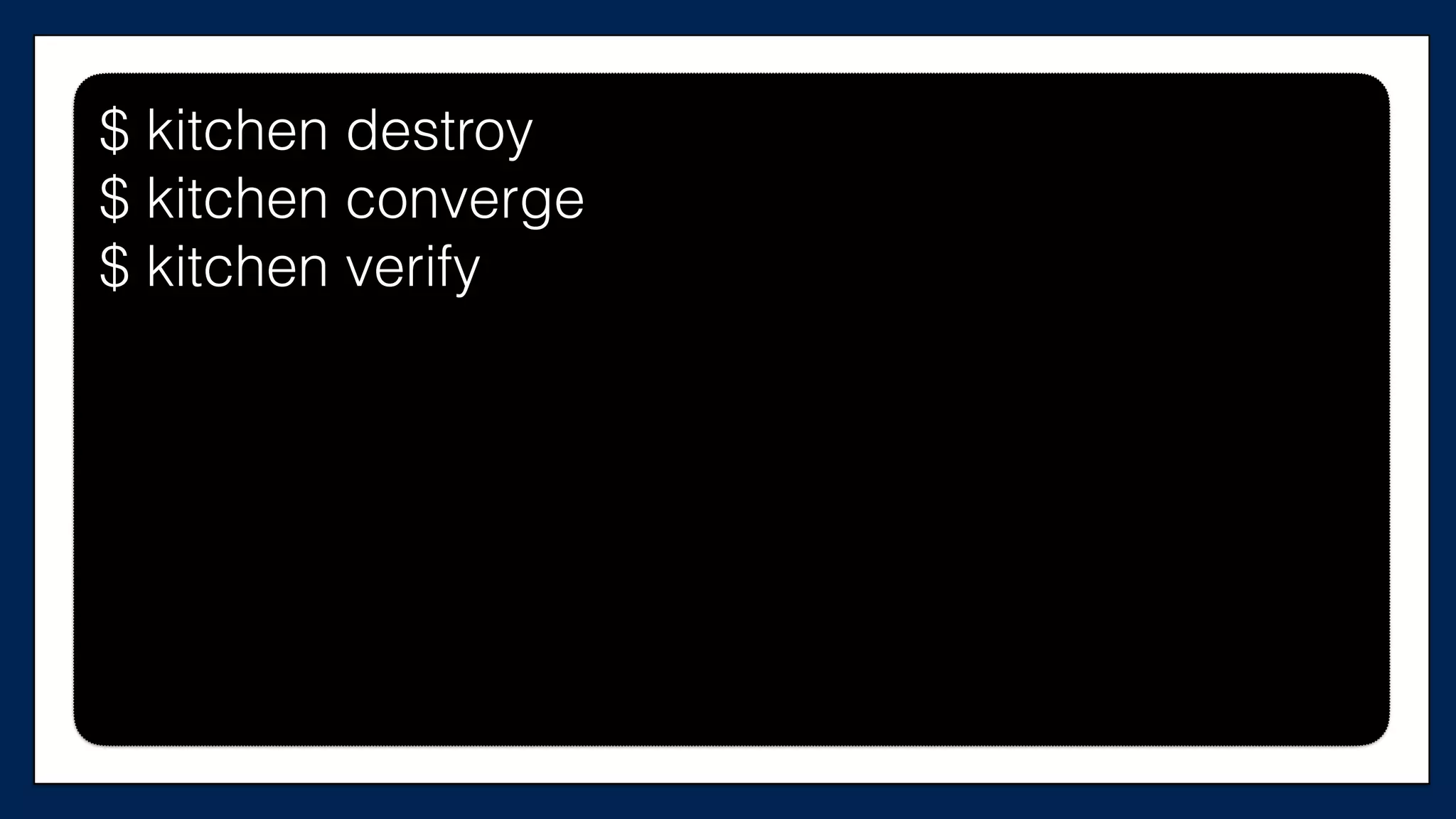
$ kitchen verify
$ kitchen verify$ kitchen verify$ kitchen verify
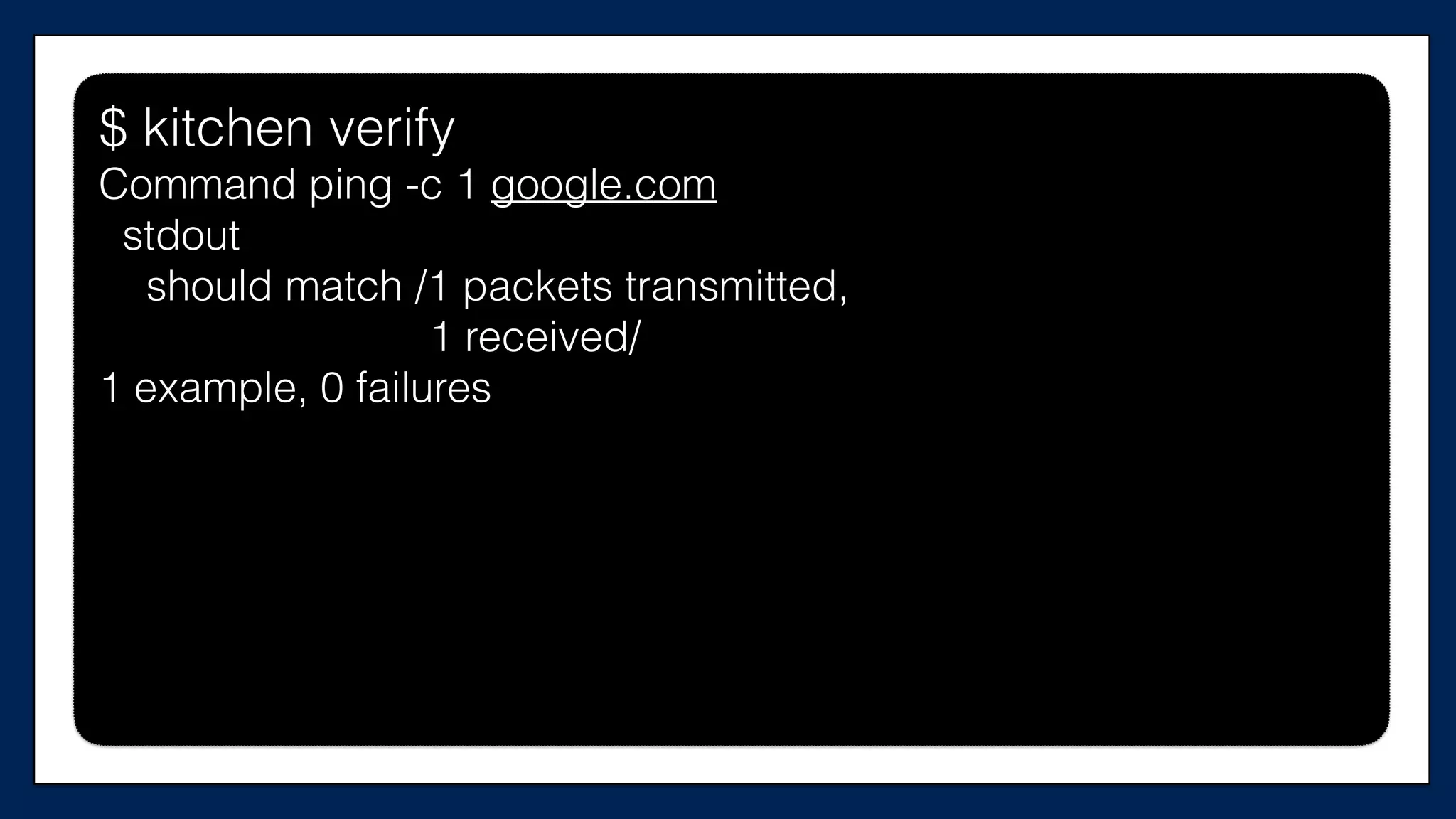
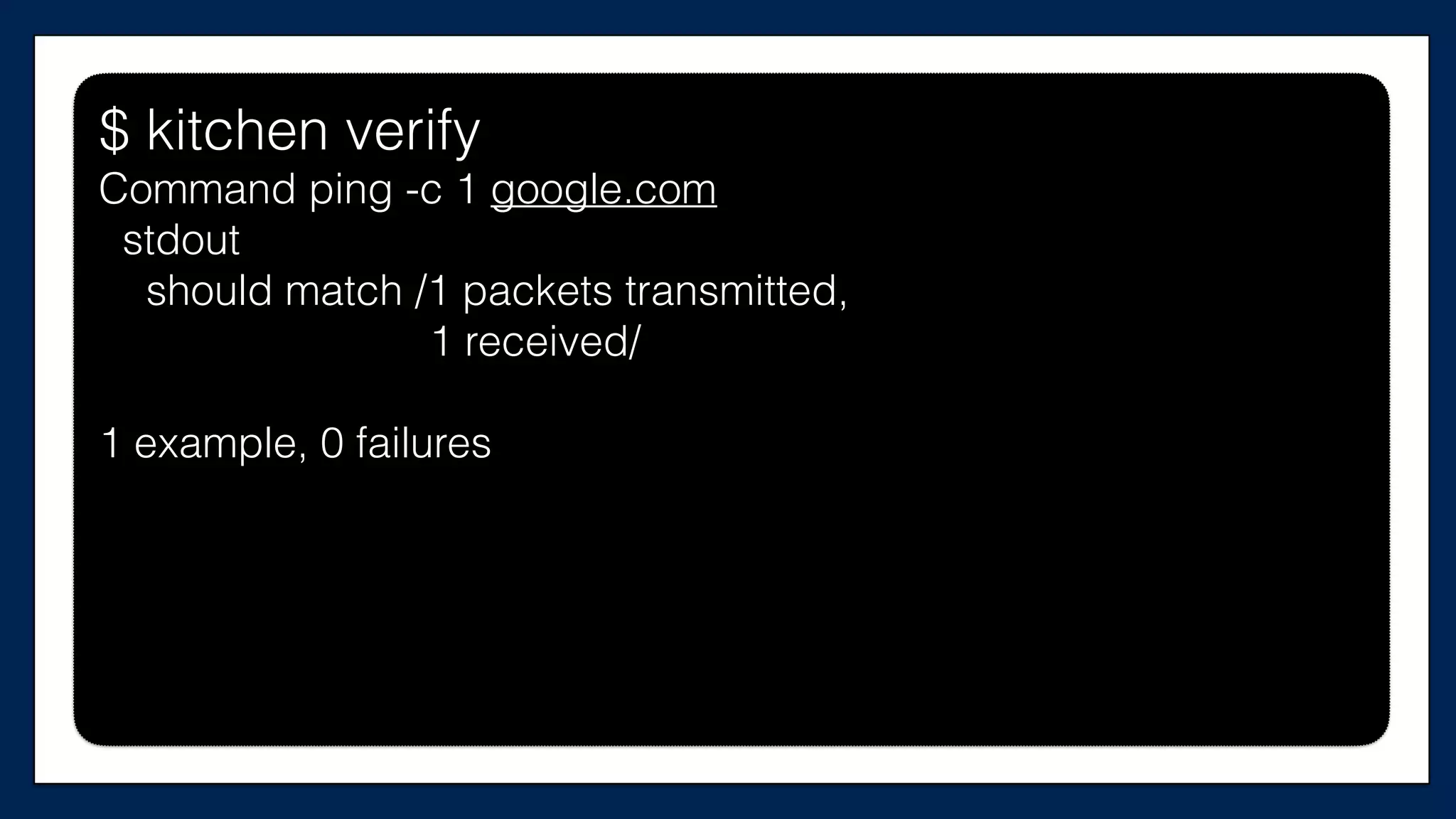
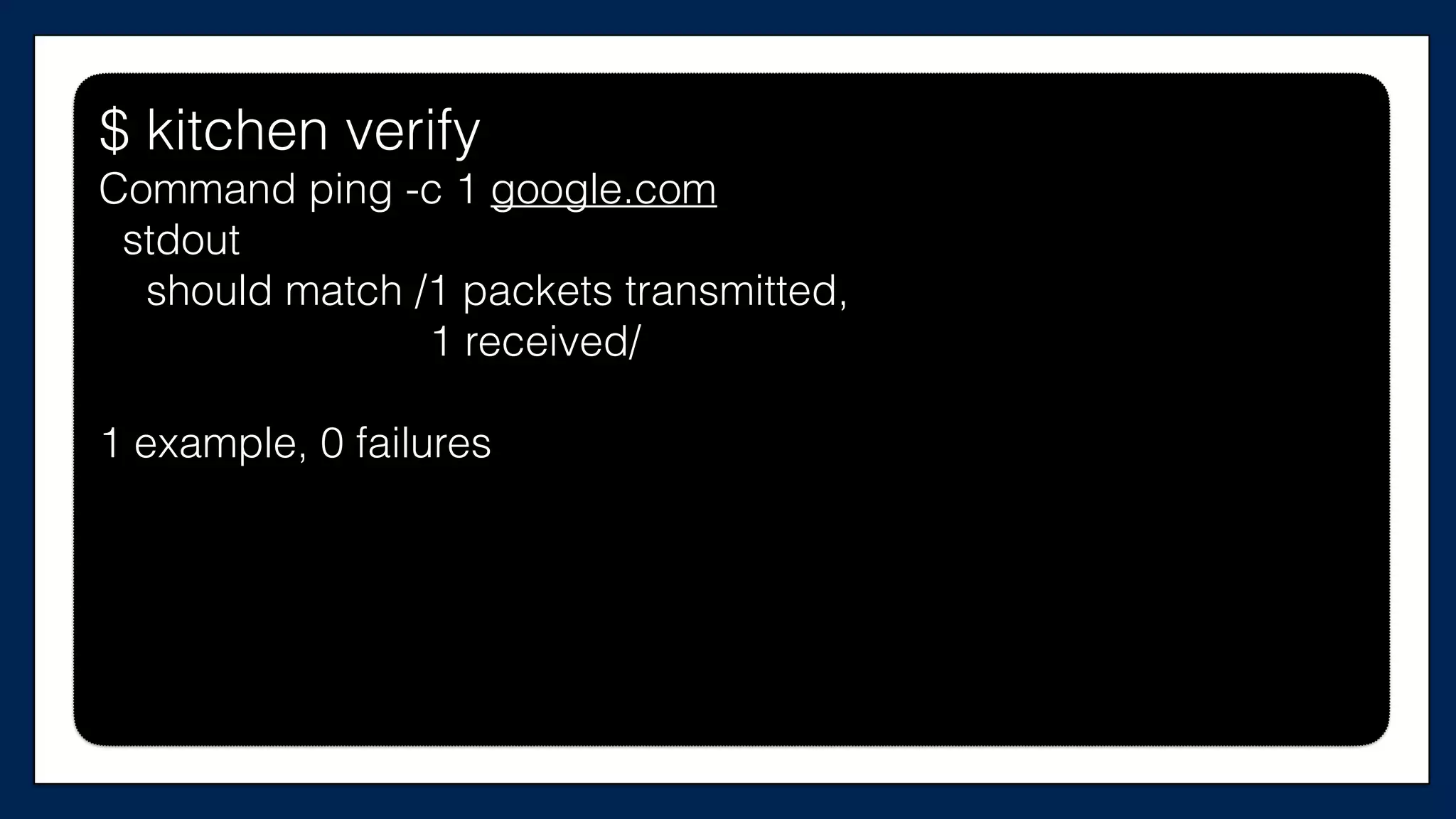
Command ping -c 1 google.com
stdout
should match /1 packets transmitted,
1 received/
1 example, 0 failures
It passes!
Now let’s make a
change
Let’s condense the
two security groups
into one security group

resource	

  “aws_security_group”	
  “allow-­‐egress”	
  {	


  name	
  =	
  “${var.user_name}-­‐allow-­‐egress”	


  tags	
  =	
  {	


  Name	
  =	
  “${var.user_name}	
  Allow	
  connecWons	
  out”	


  }	
  
}	
  
resource	
  “aws_security_group_rule”	
  “allow-­‐out”	
  {	
  
	
  type	
  =	
  “egress”	
  
	
  from_port	
  =	
  0	
  
	
  to_port	
  =	
  65535	
  
	
  cidr_blocks	
  =	
  ["0.0.0.0/0"]	


  …	
  
supermarket-cluster.tf
resource	
  “aws_security_group_rule”	
  “allow-­‐out”	
  {	
  
	
  type	
  =	
  “egress”	
  
	
  from_port	
  =	
  0	
  
	
  to_port	
  =	
  65535	
  
	
  cidr_blocks	
  =	
  ["0.0.0.0/0"]	
  
	
  security_group_id	
  “${aws_security_group.allow-­‐egress.id}”	
  
}
supermarket-cluster.tf
resource	
  “aws_security_group_rule”	
  “allow-­‐out”	
  {	
  
	
  type	
  =	
  “egress”	
  
	
  from_port	
  =	
  0	
  
	
  to_port	
  =	
  65535	
  
	
  cidr_blocks	
  =	
  ["0.0.0.0/0"]	
  
	
  security_group_id	
  “${aws_security_group.allow-­‐ssh.id}”	
  
}
supermarket-cluster.tf
Now our instances
should only use the
one security group
…	
  
resource	
  “aws_instance”	
  “chef_server”	
  {	


  ami	
  =	
  “${var.ami}”	


  instance_type	
  =	
  “${var.instance_type}”	


  key_name	
  =	
  “${var.key_name}”	


  tags	
  {	


  Name	
  =	
  “dev-­‐chef-­‐server”	


  }	


  security_groups	
  =	
  [“${aws_security_group.allow-­‐ssh.name}”,	


  “${aws_security_group.allow-­‐out.name}”]	


  (…)	
  
}	
  
…
This is the
Chef Server
supermarket-cluster.tf
…	
  
resource	
  “aws_instance”	
  “chef_server”	
  {	


  ami	
  =	
  “${var.ami}”	


  instance_type	
  =	
  “${var.instance_type}”	


  key_name	
  =	
  “${var.key_name}”	


  tags	
  {	


  Name	
  =	
  “dev-­‐chef-­‐server”	


  }	


  security_groups	
  =	
  [“${aws_security_group.allow-­‐ssh.name}”]	


  (…)	
  
}	
  
…
This is the
Chef Server
supermarket-cluster.tf
…	
  
resource	
  “aws_instance”	
  “supermarket_server”	
  {	


  ami	
  =	
  “${var.ami}”	


  instance_type	
  =	
  “${var.instance_type}”	


  key_name	
  =	
  “${var.key_name}”	


  tags	
  {	


  Name	
  =	
  “dev-­‐supermarket-­‐server”	


  }	


  security_groups	
  =	
  [“${aws_security_group.allow-­‐ssh.name}”,	


  “${aws_security_group.allow-­‐out.name}”]	


  (…)	
  
}	
  
…
This is the
Supermarket
Server
supermarket-cluster.tf
…	
  
resource	
  “aws_instance”	
  “supermarket_server”	
  {	


  ami	
  =	
  “${var.ami}”	


  instance_type	
  =	
  “${var.instance_type}”	


  key_name	
  =	
  “${var.key_name}”	


  tags	
  {	


  Name	
  =	
  “dev-­‐supermarket-­‐server”	


  }	


  security_groups	
  =	
  [“${aws_security_group.allow-­‐ssh.name}”]	


  (…)	
  
}	
  
…
This is the
Supermarket
Server
supermarket-cluster.tf
EC2
Chef Server
$ terraform apply EC2
Supermarket
Security
Group
Allow SSH
Allow Out
supermarket-cluster.tf
$ kitchen destroy
$ kitchen converge
$ kitchen destroy
$ kitchen converge
$ kitchen verify
$ kitchen verify$ kitchen verify
Command ping -c 1 google.com
stdout
should match /1 packets transmitted,
1 received/
1 example, 0 failures
Now let’s improve the design
By moving the security
group code into a module
Source: Terraform Docs
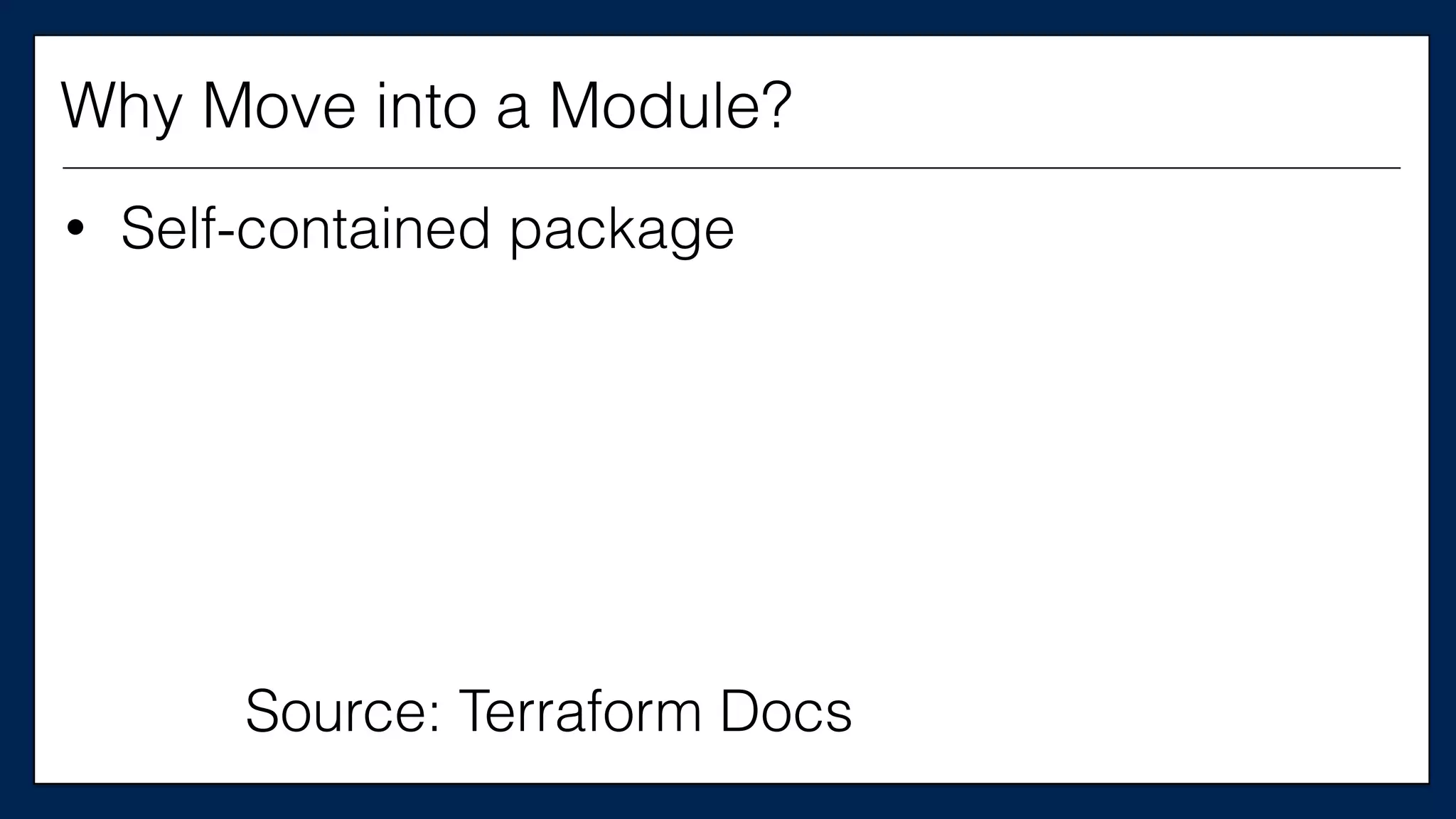
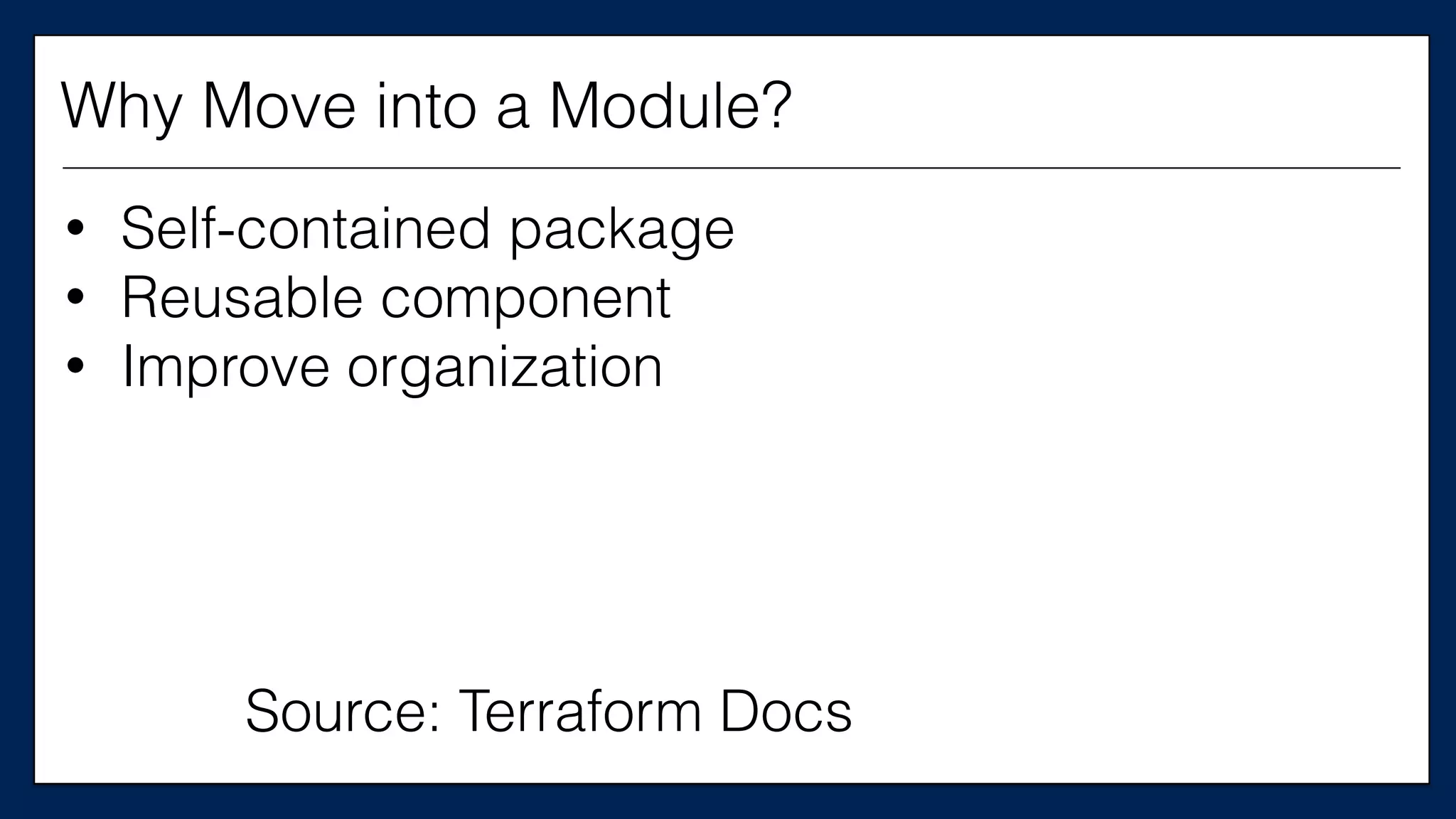
Why Move into a Module?
• Self-contained package
Source: Terraform Docs
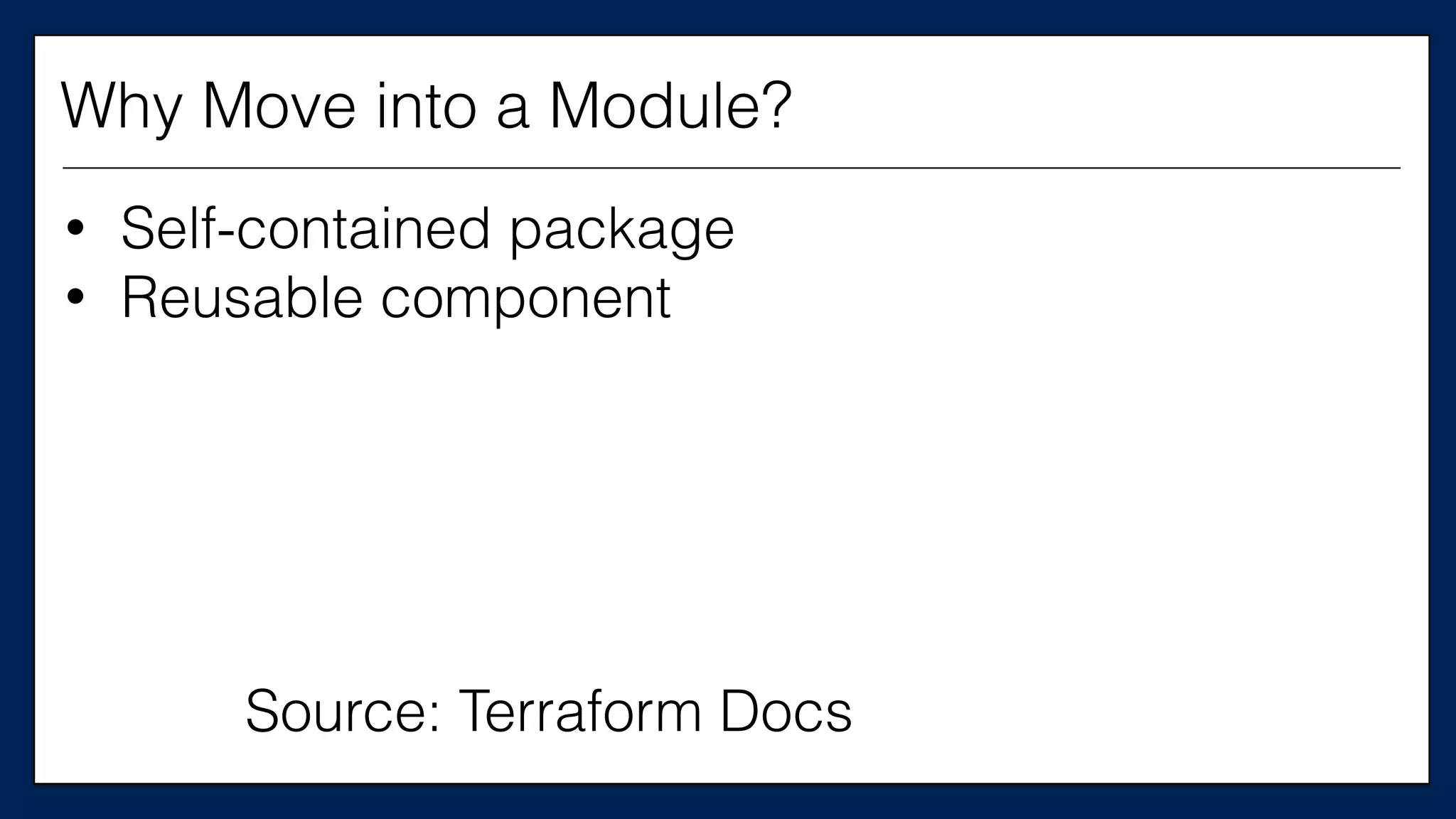
Why Move into a Module?
• Self-contained package
• Reusable component
• Self-contained package
• Reusable component
• Improve organization
Source: Terraform Docs
Why Move into a Module?
$ kitchen destroy
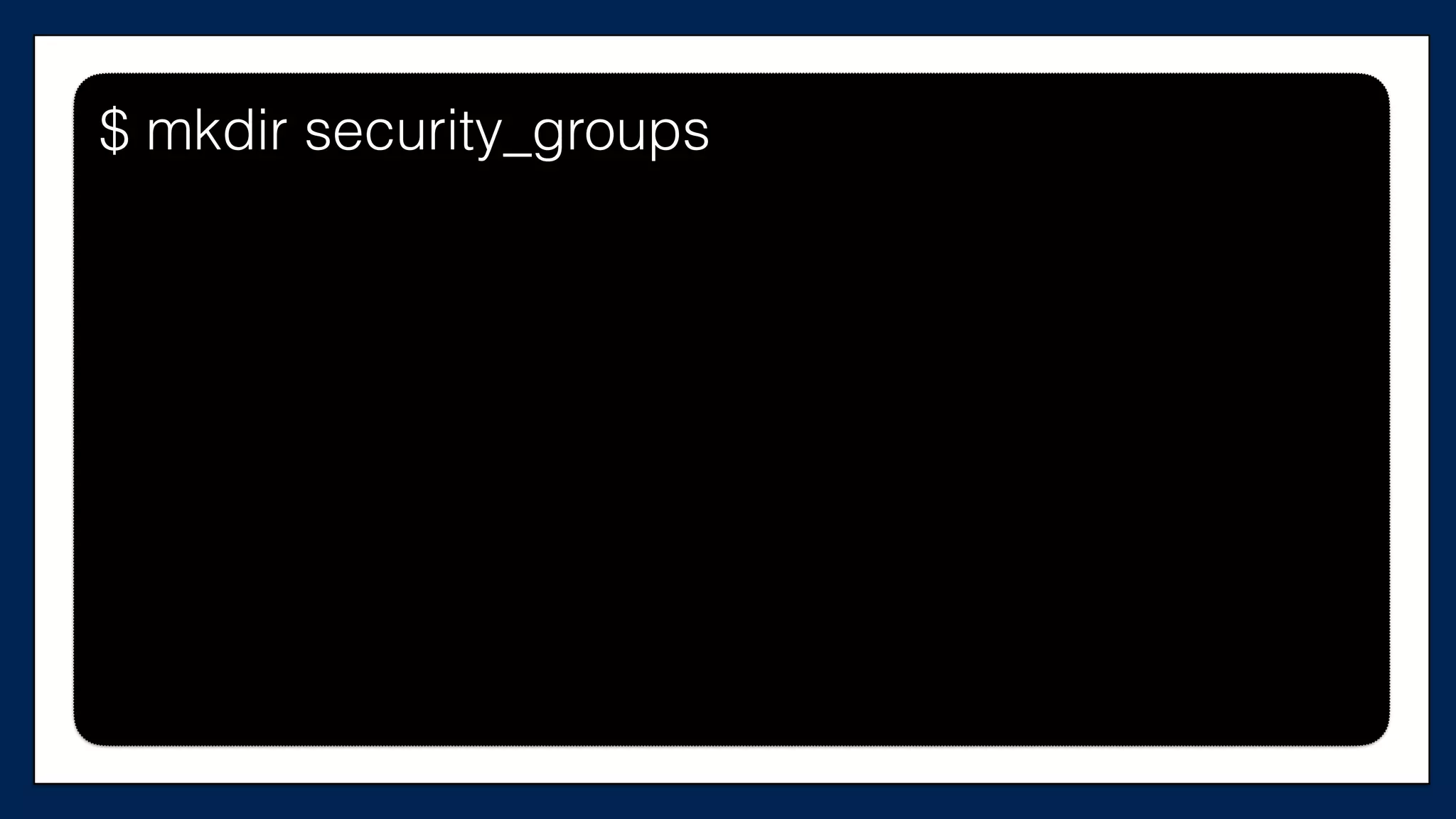
$ mkdir security_groups
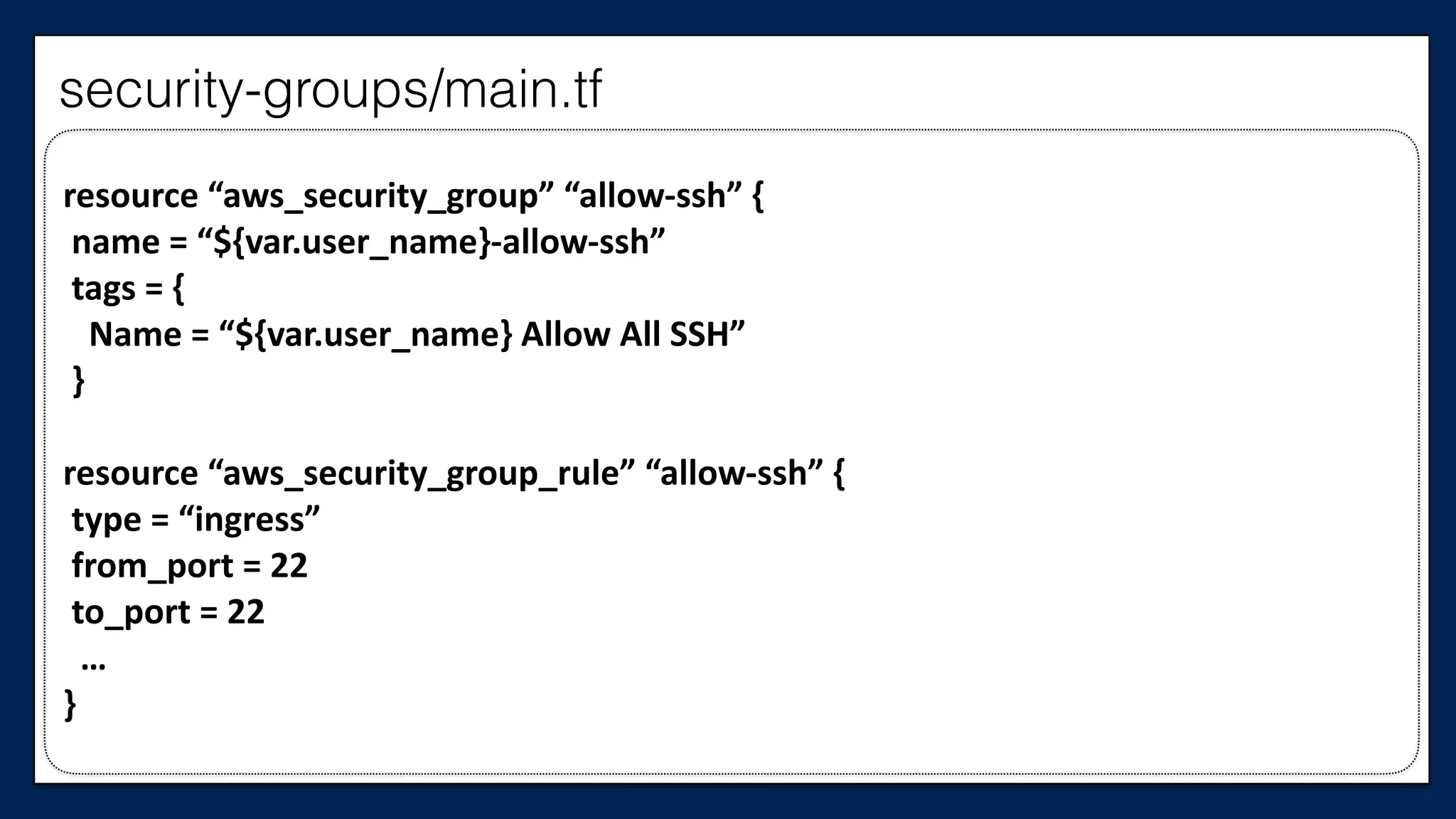
security-groups/main.tf
resource	
  “aws_security_group”	
  “allow-­‐ssh”	
  {	
  
	
  name	
  =	
  “${var.user_name}-­‐allow-­‐ssh”	
  
	
  tags	
  =	
  {	


  Name	
  =	
  “${var.user_name}	
  Allow	
  All	
  SSH”	
  
	
  }	
  
resource	
  “aws_security_group_rule”	
  “allow-­‐ssh”	
  {	
  
	
  type	
  =	
  “ingress”	
  
	
  from_port	
  =	
  22	
  
	
  to_port	
  =	
  22	


  …	
  
}
security-groups/main.tf
Now we need to
connect to the module
from main config
First, we need to
know what variables
the module needs
passed to it
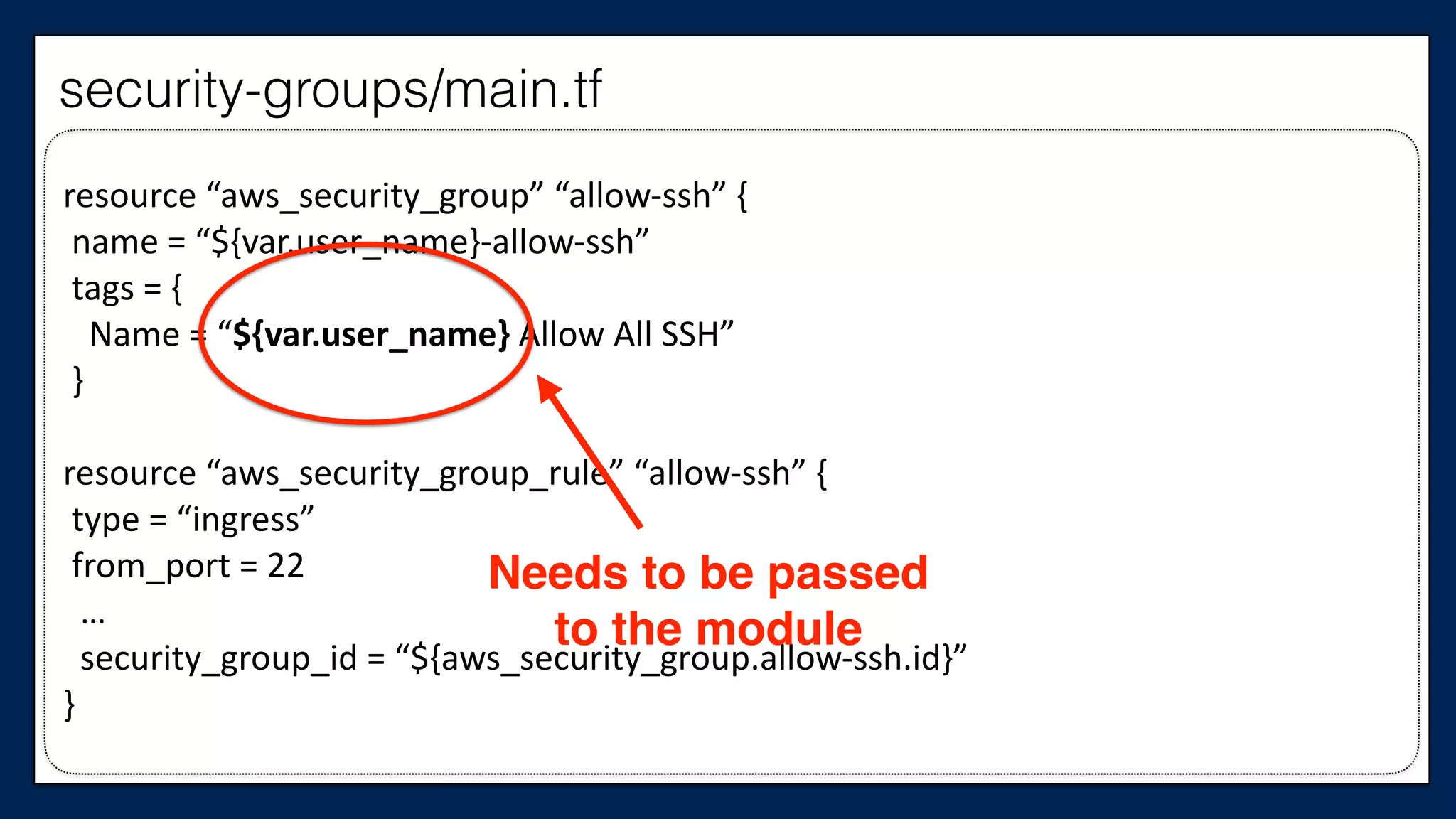
resource	
  “aws_security_group”	
  “allow-­‐ssh”	
  {	
  
	
  name	
  =	
  “${var.user_name}-­‐allow-­‐ssh”	
  
	
  tags	
  =	
  {	


  Name	
  =	
  “${var.user_name}	
  Allow	
  All	
  SSH”	
  
	
  }	
  
resource	
  “aws_security_group_rule”	
  “allow-­‐ssh”	
  {	
  
	
  type	
  =	
  “ingress”	
  
	
  from_port	
  =	
  22	


  …	


  security_group_id	
  =	
  “${aws_security_group.allow-­‐ssh.id}”	
  
}
Needs to be passed
to the module
security-groups/main.tf
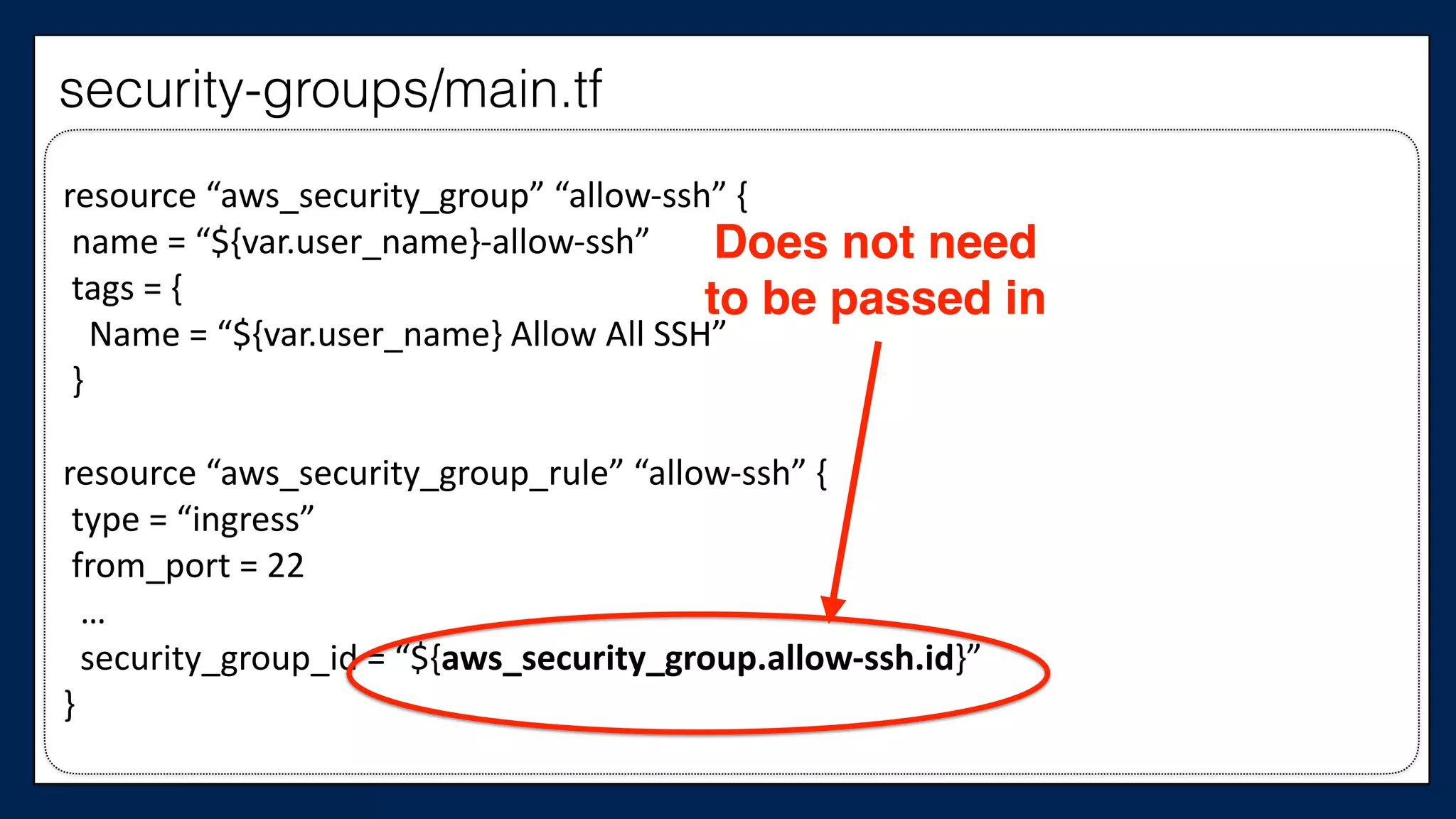
resource	
  “aws_security_group”	
  “allow-­‐ssh”	
  {	
  
	
  name	
  =	
  “${var.user_name}-­‐allow-­‐ssh”	
  
	
  tags	
  =	
  {	


  Name	
  =	
  “${var.user_name}	
  Allow	
  All	
  SSH”	
  
	
  }	
  
resource	
  “aws_security_group_rule”	
  “allow-­‐ssh”	
  {	
  
	
  type	
  =	
  “ingress”	
  
	
  from_port	
  =	
  22	


  …	


  security_group_id	
  =	
  “${aws_security_group.allow-­‐ssh.id}”	
  
}
Does not need
to be passed in
security-groups/main.tf
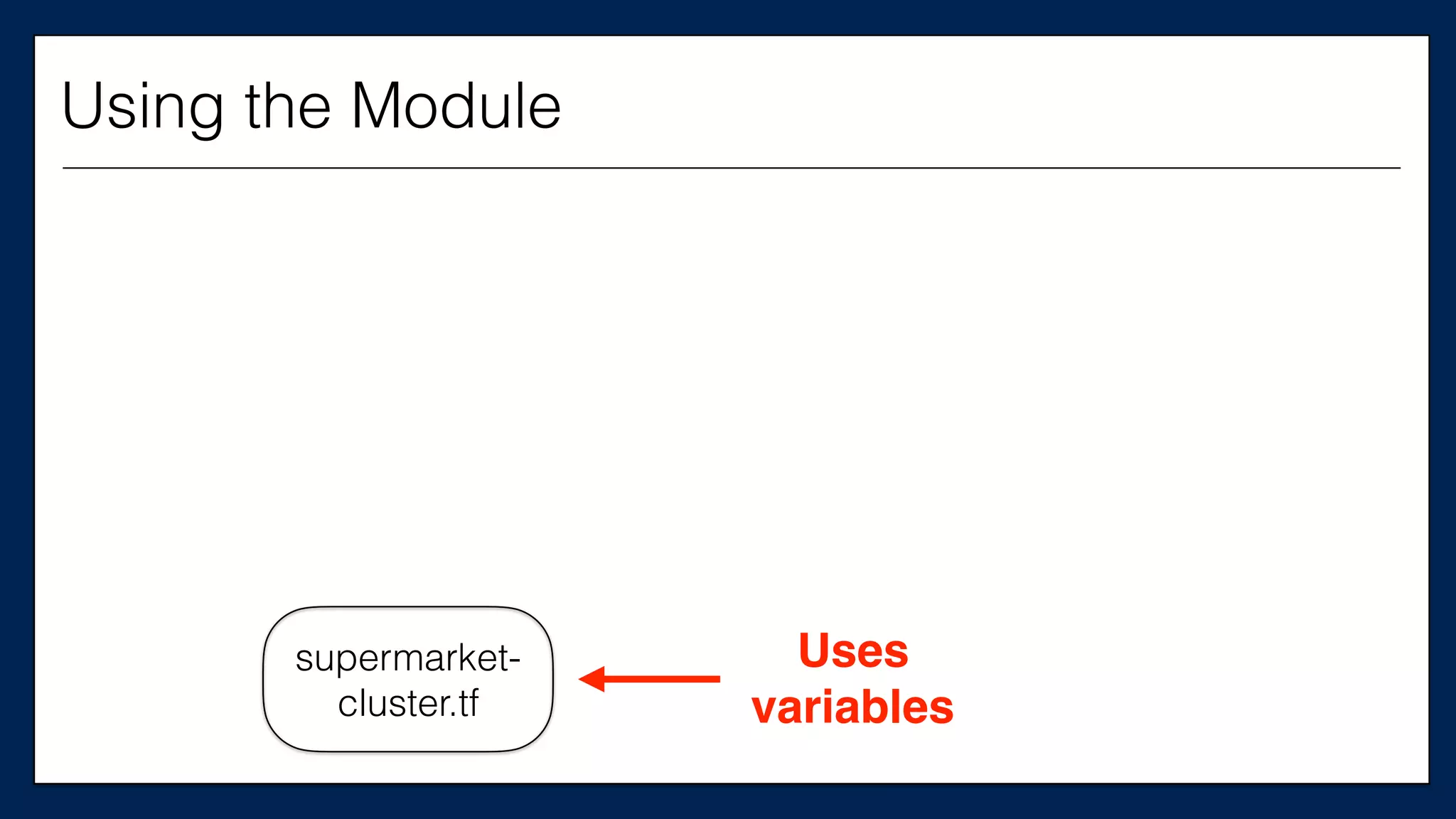
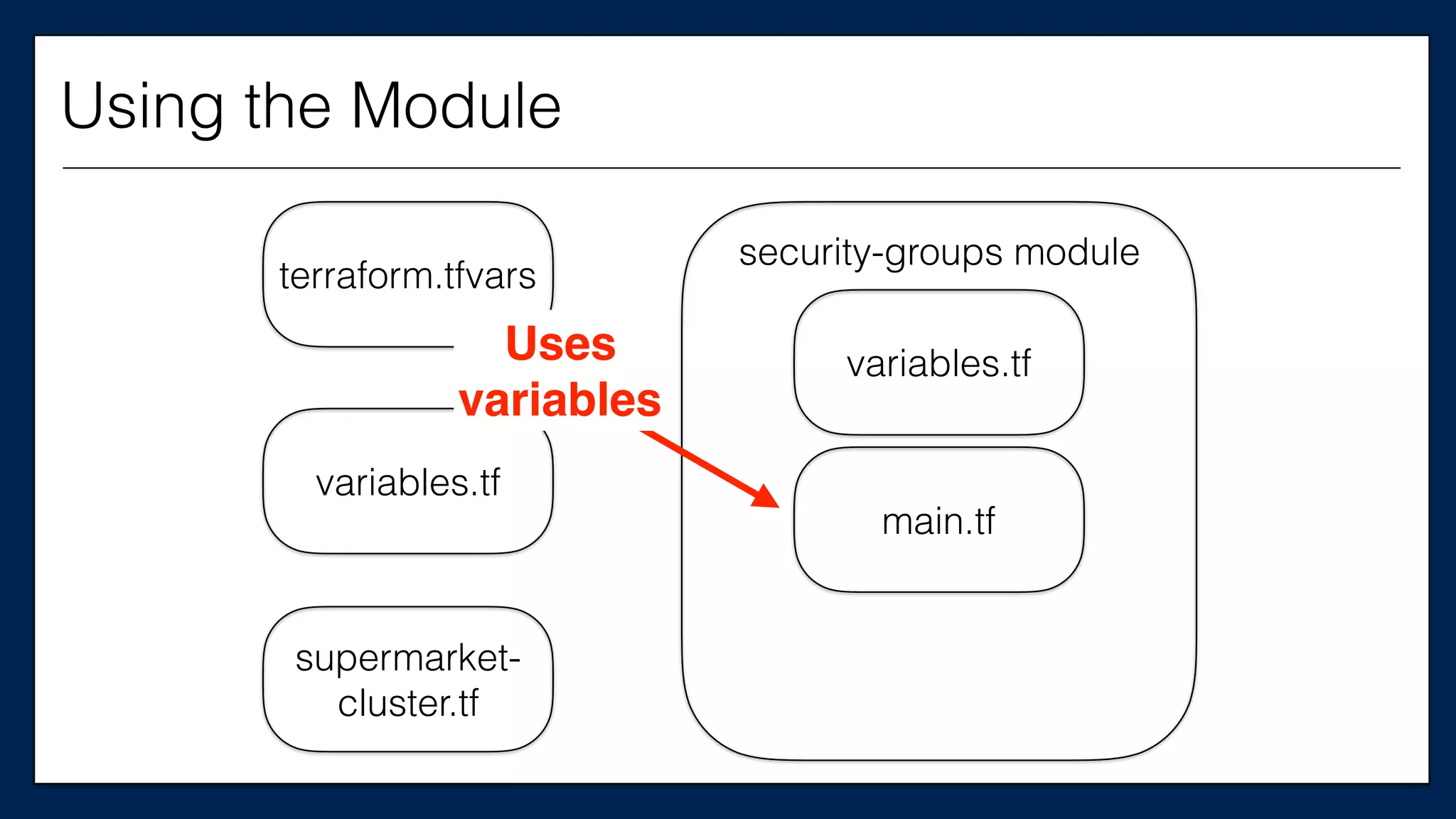
Uses
variables
supermarket-
cluster.tf
Using the Module
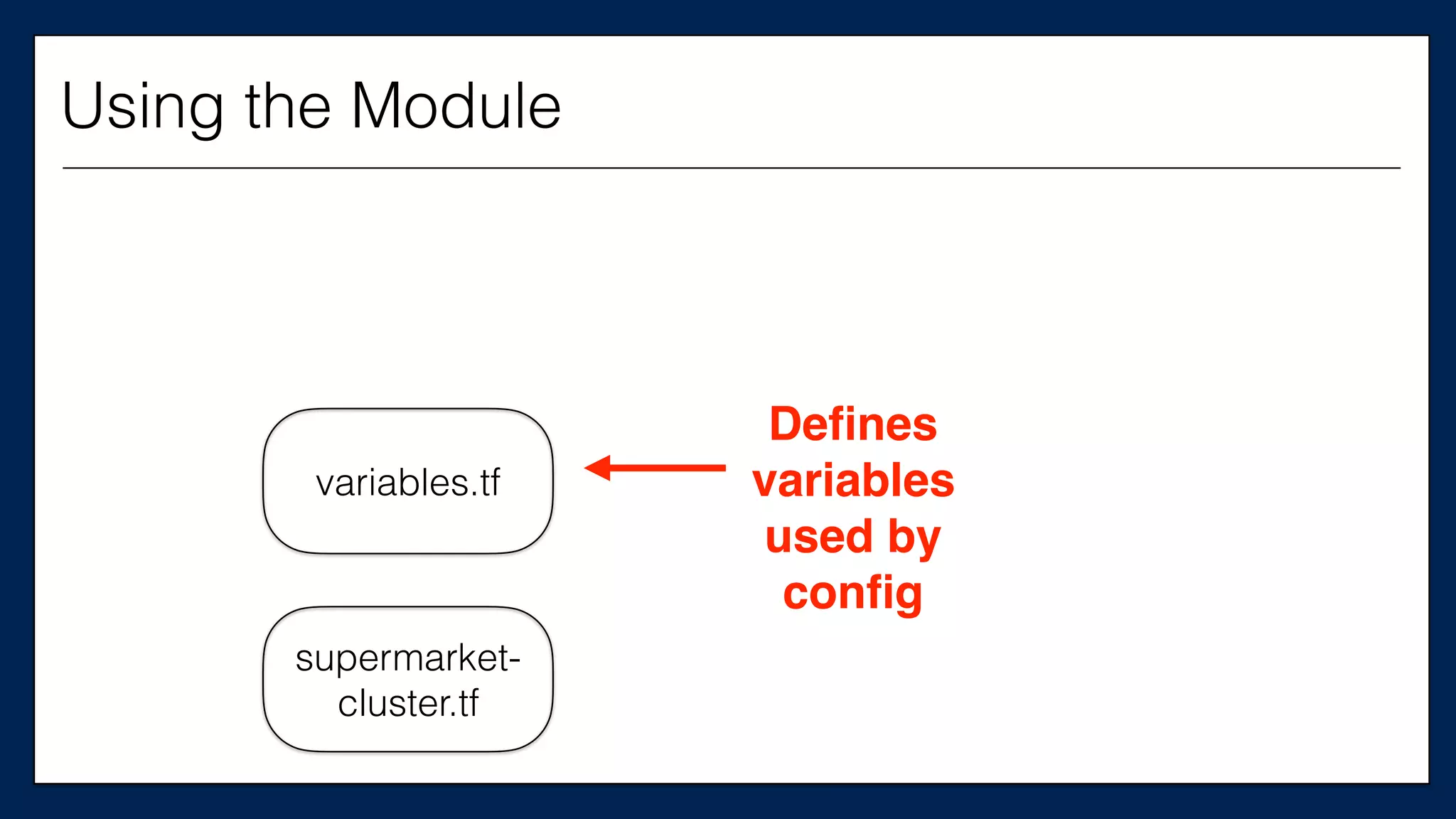
variables.tf
supermarket-
cluster.tf
Defines
variables
used by
config
Using the Module
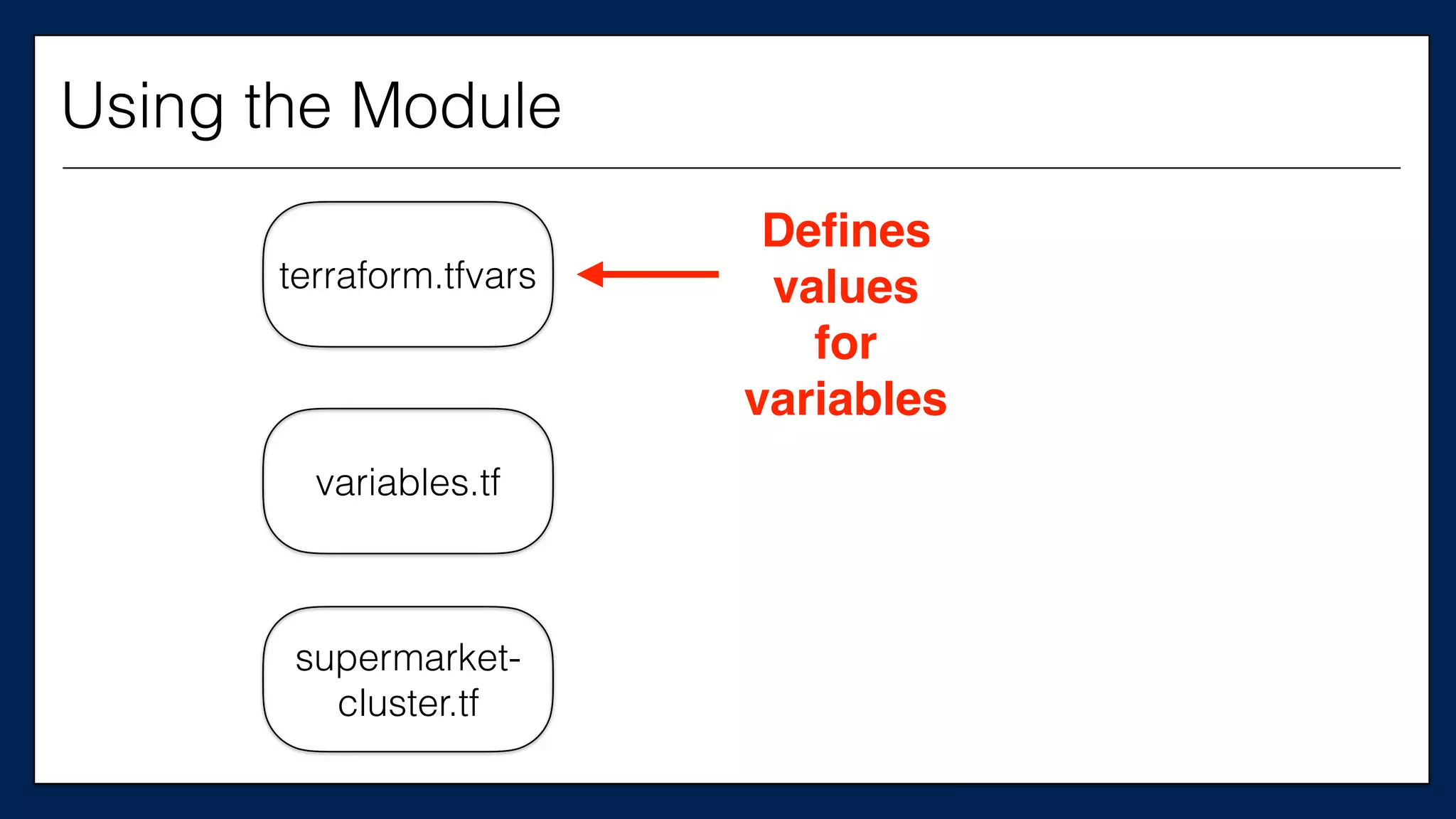
terraform.tfvars
variables.tf
supermarket-
cluster.tf
Defines
values
for
variables
Using the Module
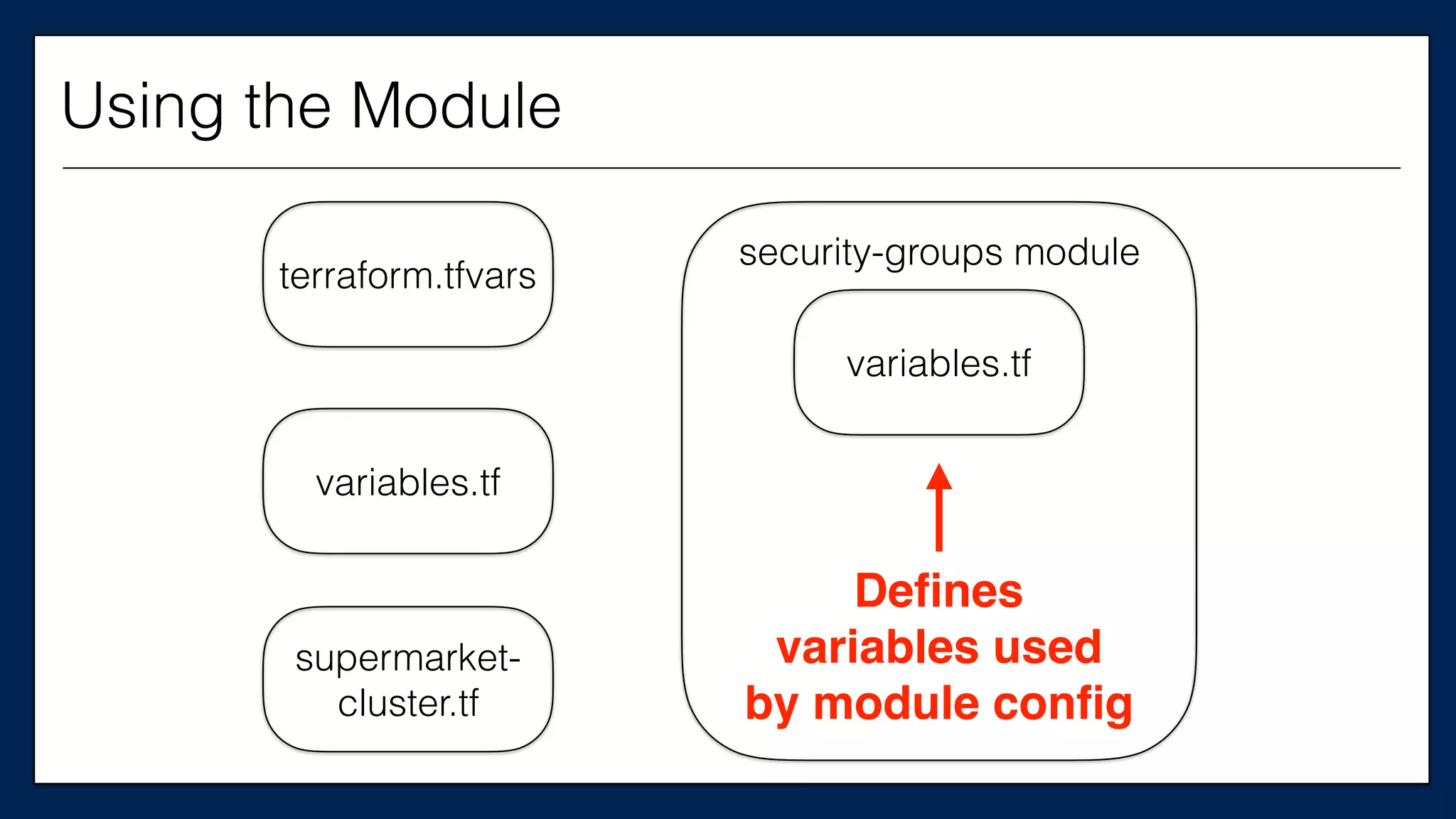
terraform.tfvars
variables.tf
supermarket-
cluster.tf
security-groups module
Defines
variables used
by module config
variables.tf
Using the Module
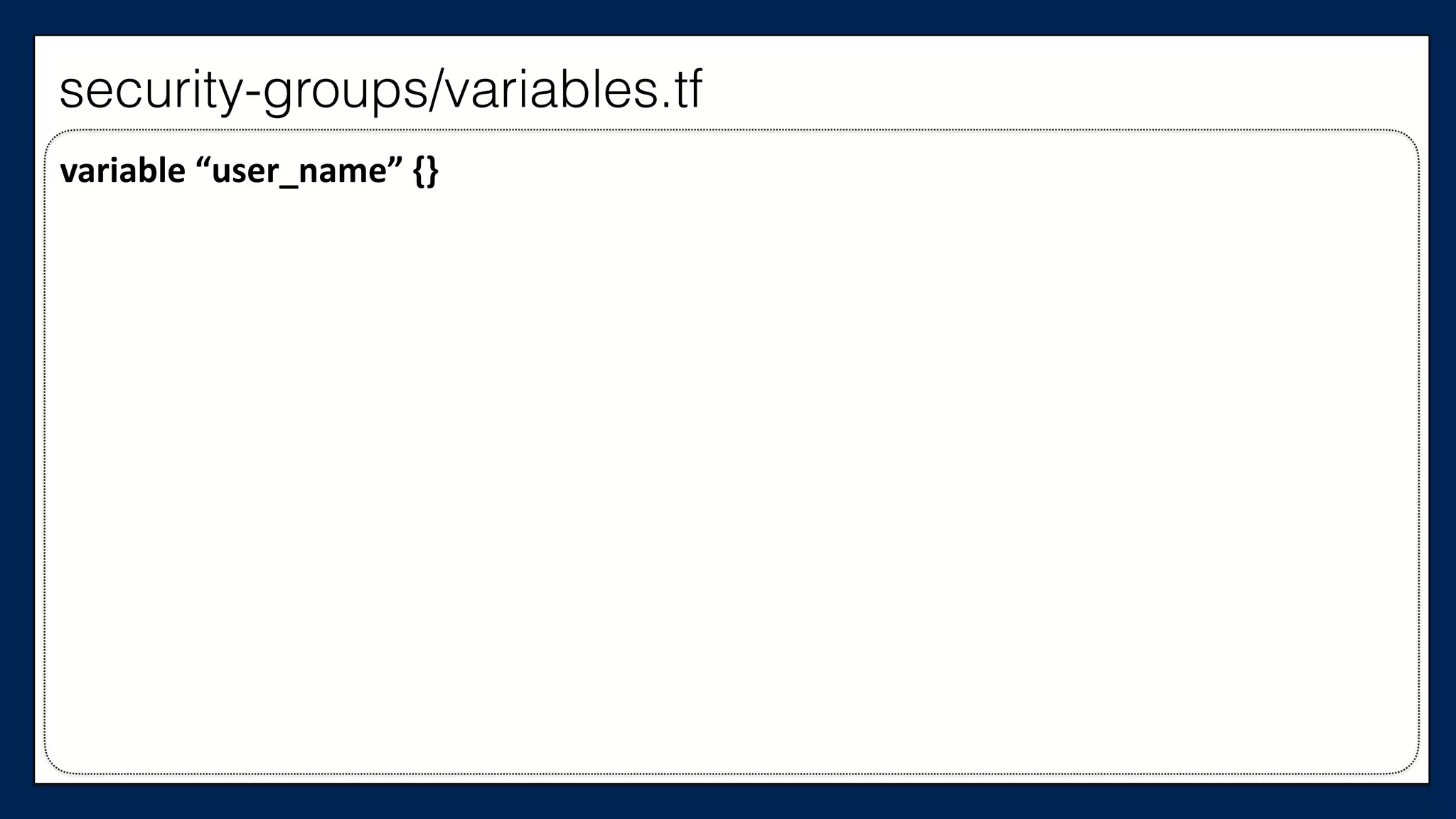
variable	
  “user_name”	
  {}
security-groups/variables.tf
terraform.tfvars
variables.tf
supermarket-
cluster.tf
security-groups module
Uses
variables
variables.tf
main.tf
Using the Module
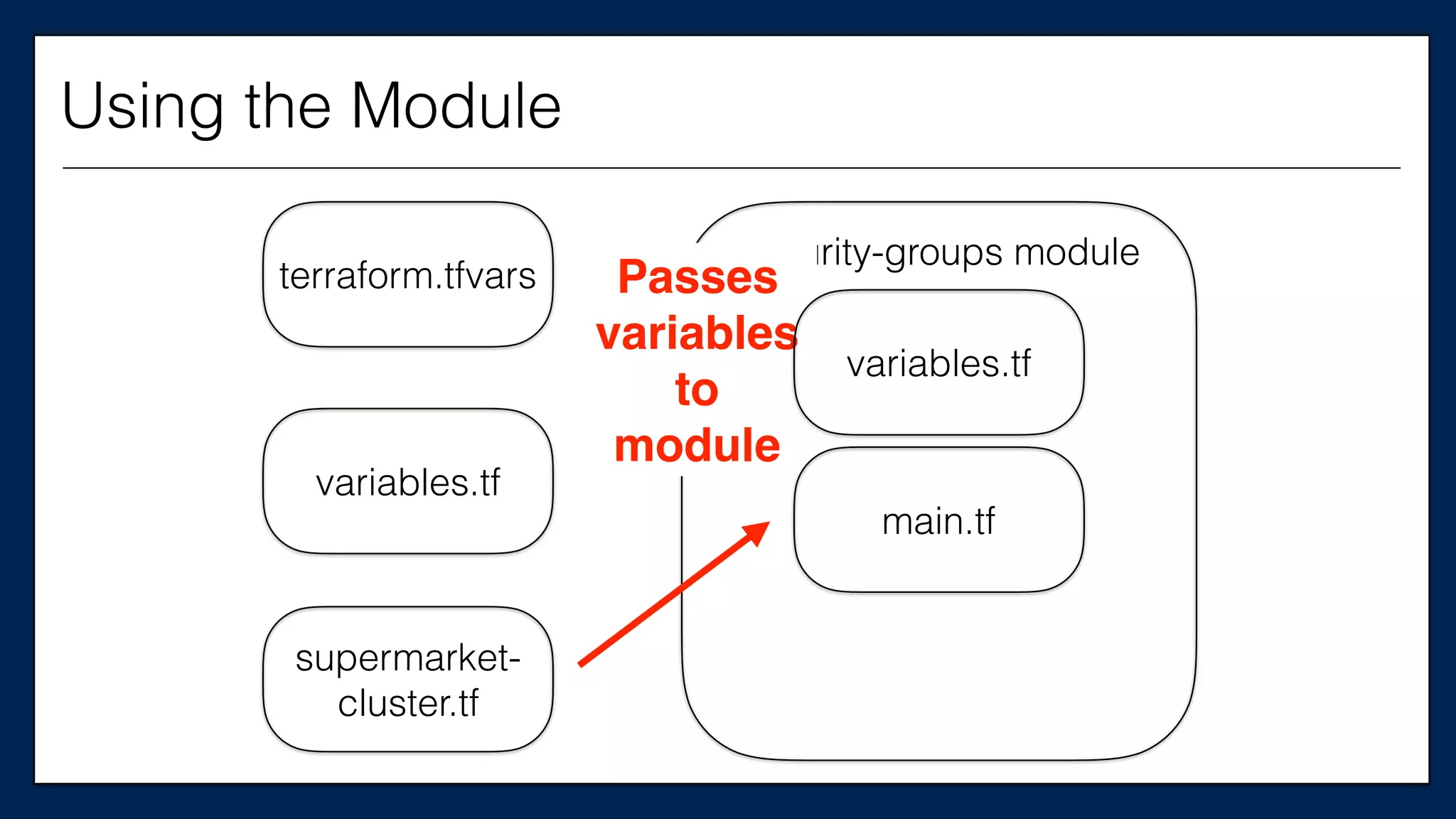
terraform.tfvars
variables.tf
supermarket-
cluster.tf
security-groups module
Passes
variables
to
module
variables.tf
main.tf
Using the Module
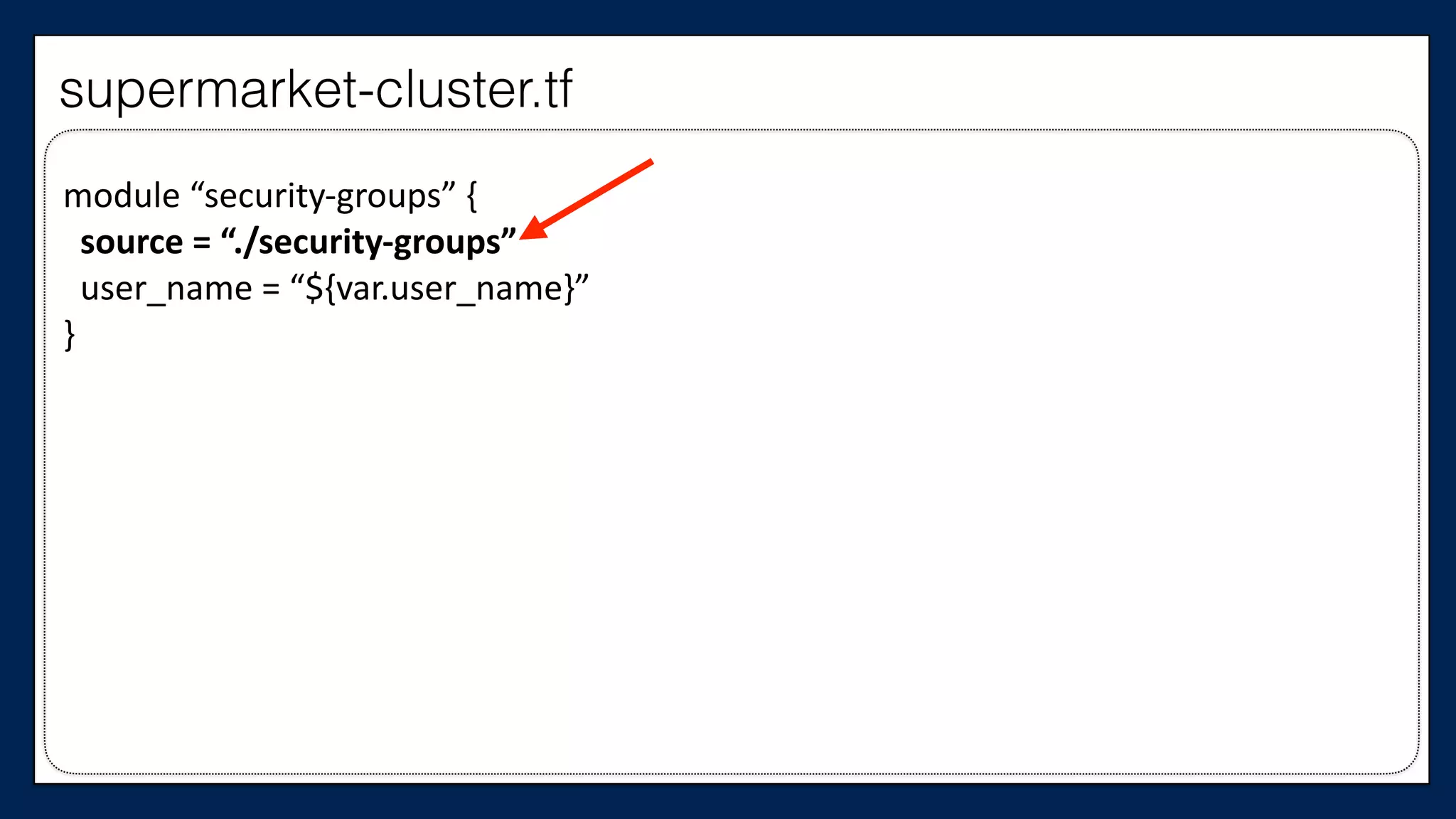
module	
  “security-­‐groups”	
  {	


  source	
  =	
  “./security-­‐groups”	


  user_name	
  =	
  “${var.user_name}”	
  
}
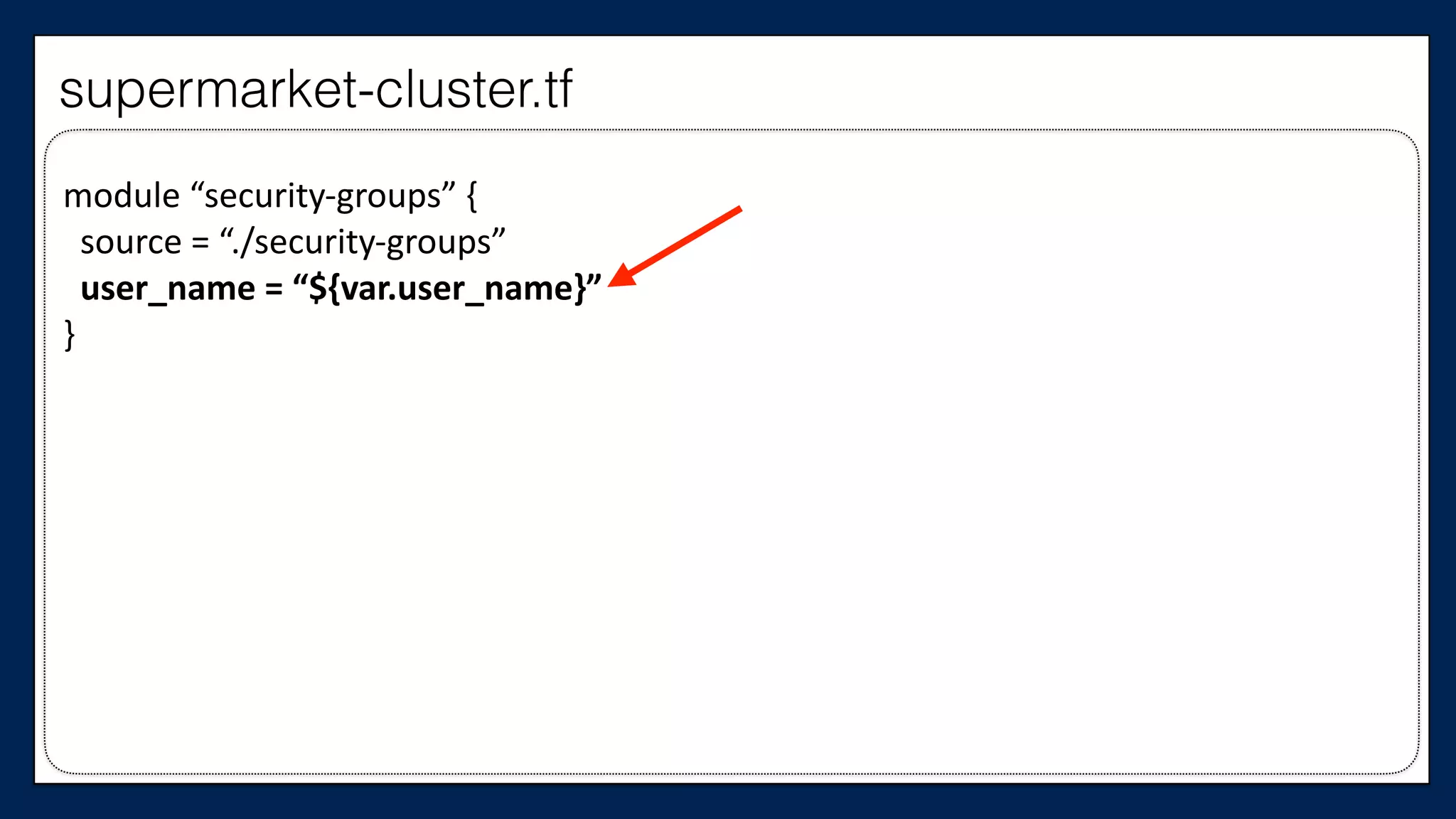
supermarket-cluster.tf
module	
  “security-­‐groups”	
  {	


  source	
  =	
  “./security-­‐groups”	


  user_name	
  =	
  “${var.user_name}”	
  
}
supermarket-cluster.tf
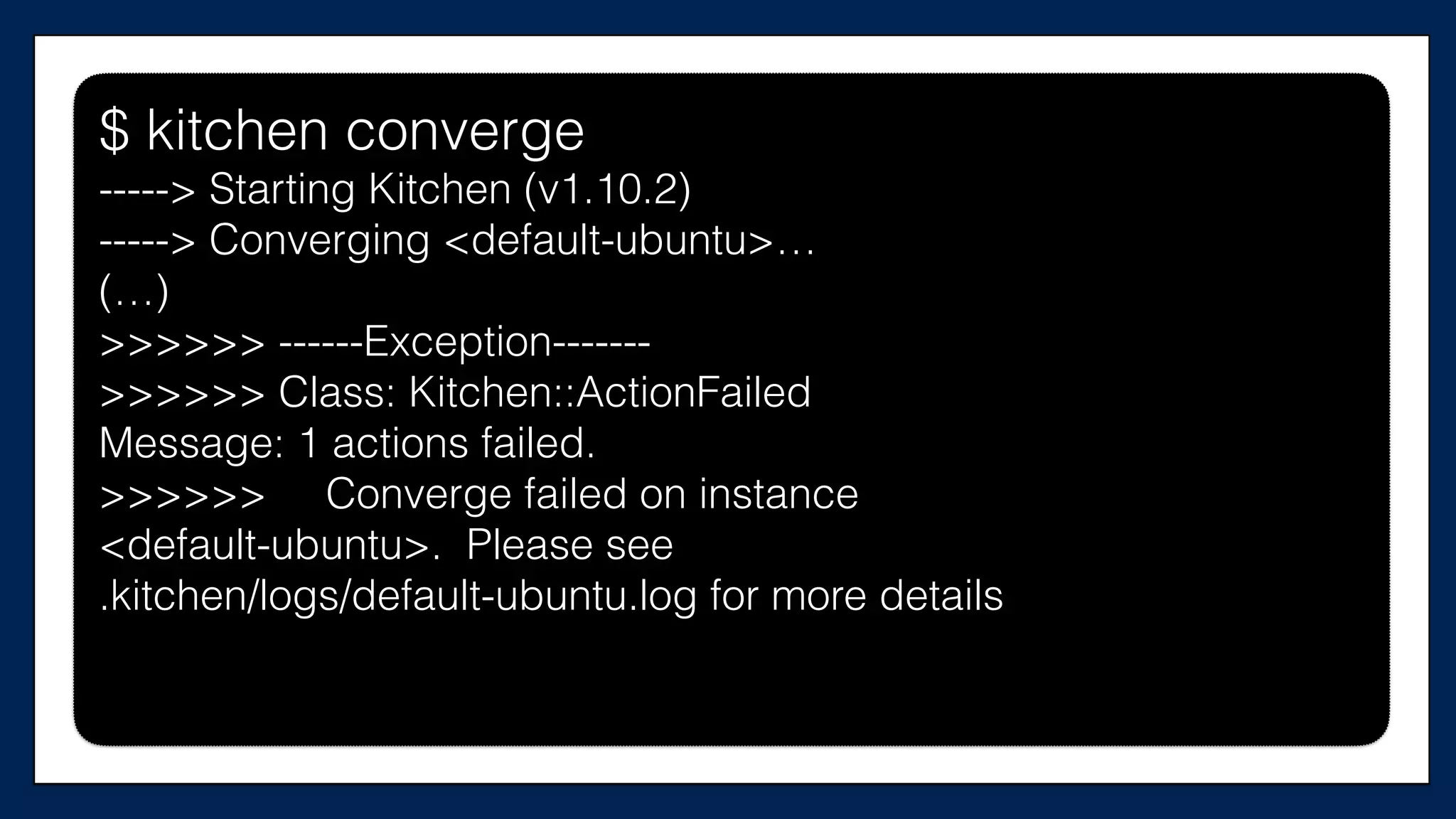
$ kitchen converge
$ kitchen converge
-----> Starting Kitchen (v1.10.2)
-----> Converging <default-ubuntu>…
(…)
>>>>>> ------Exception-------
>>>>>> Class: Kitchen::ActionFailed
Message: 1 actions failed.
>>>>>> Converge failed on instance
<default-ubuntu>. Please see
.kitchen/logs/default-ubuntu.log for more details
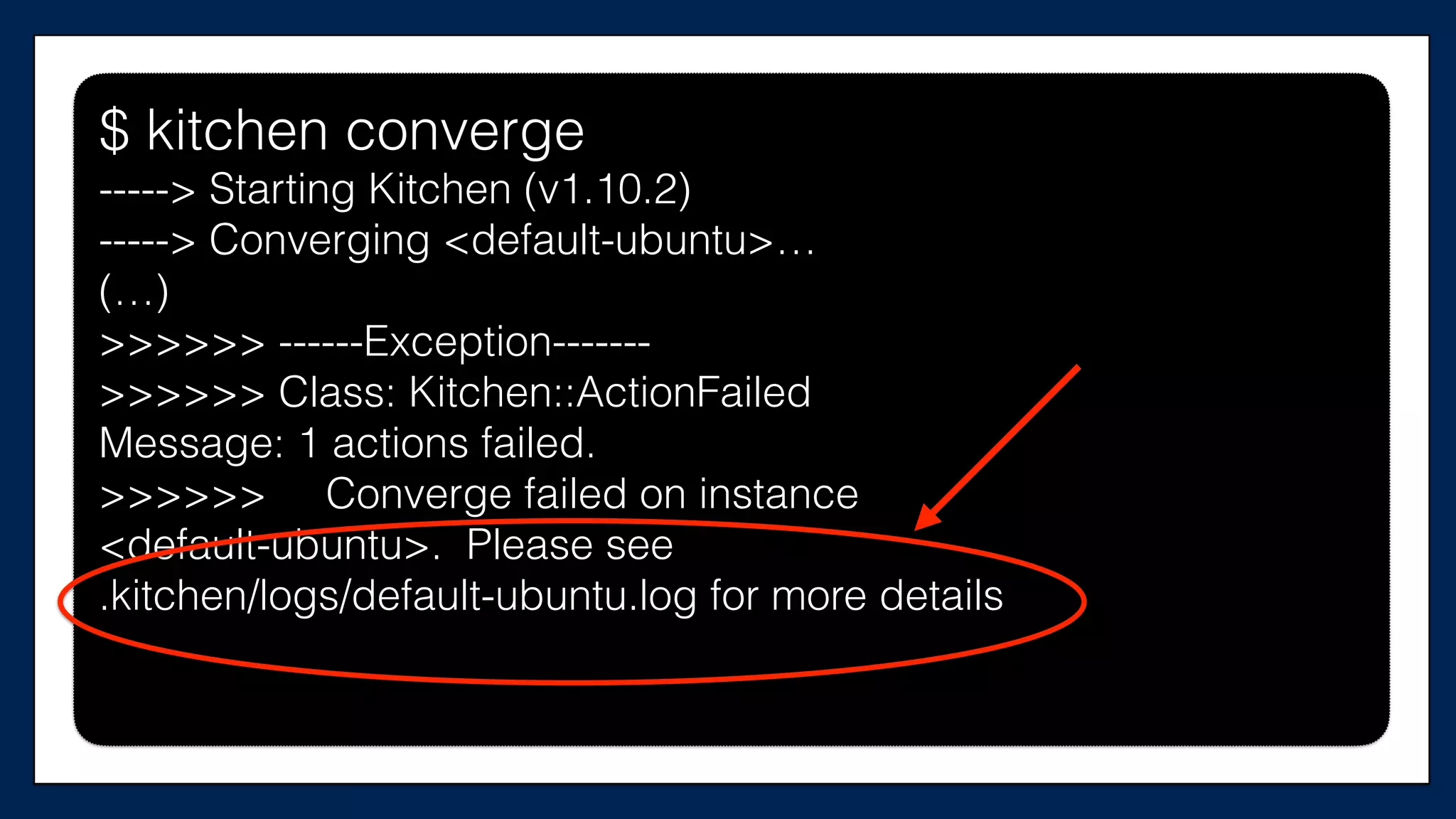
$ kitchen converge
-----> Starting Kitchen (v1.10.2)
-----> Converging <default-ubuntu>…
(…)
>>>>>> ------Exception-------
>>>>>> Class: Kitchen::ActionFailed
Message: 1 actions failed.
>>>>>> Converge failed on instance
<default-ubuntu>. Please see
.kitchen/logs/default-ubuntu.log for more details
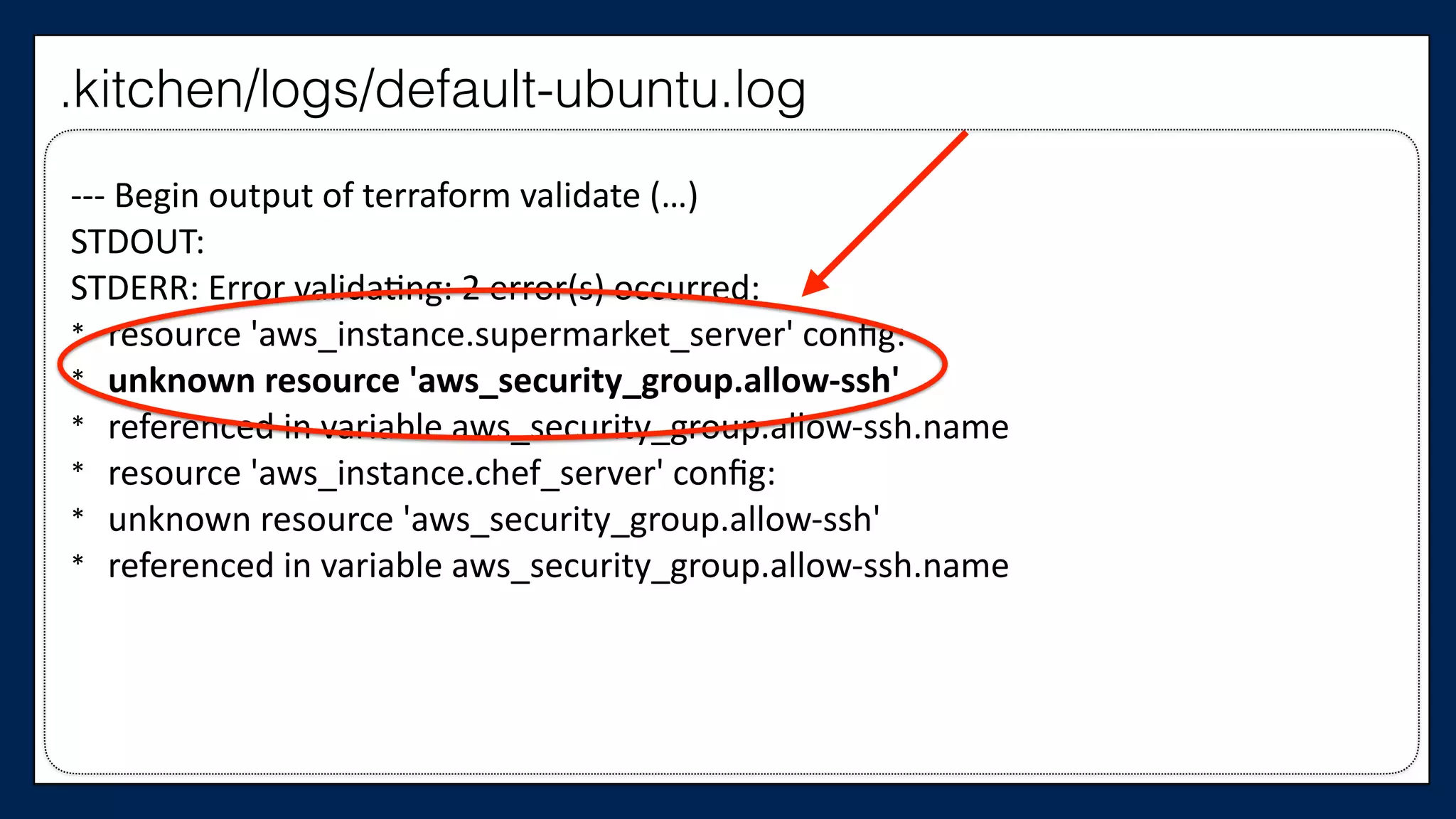
-­‐-­‐-­‐	
  Begin	
  output	
  of	
  terraform	
  validate	
  (…)	
  
STDOUT:	
  
STDERR:	
  Error	
  validaWng:	
  2	
  error(s)	
  occurred:	
  
* resource	
  'aws_instance.supermarket_server'	
  config:	
  	
  
* unknown	
  resource	
  'aws_security_group.allow-­‐ssh'	
  	
  
* referenced	
  in	
  variable	
  aws_security_group.allow-­‐ssh.name	
  
* resource	
  'aws_instance.chef_server'	
  config:	
  	
  
* unknown	
  resource	
  'aws_security_group.allow-­‐ssh'	
  	
  
* referenced	
  in	
  variable	
  aws_security_group.allow-­‐ssh.name
.kitchen/logs/default-ubuntu.log
terraform.tfvars
variables.tf
supermarket-
cluster.tf
security-groups module
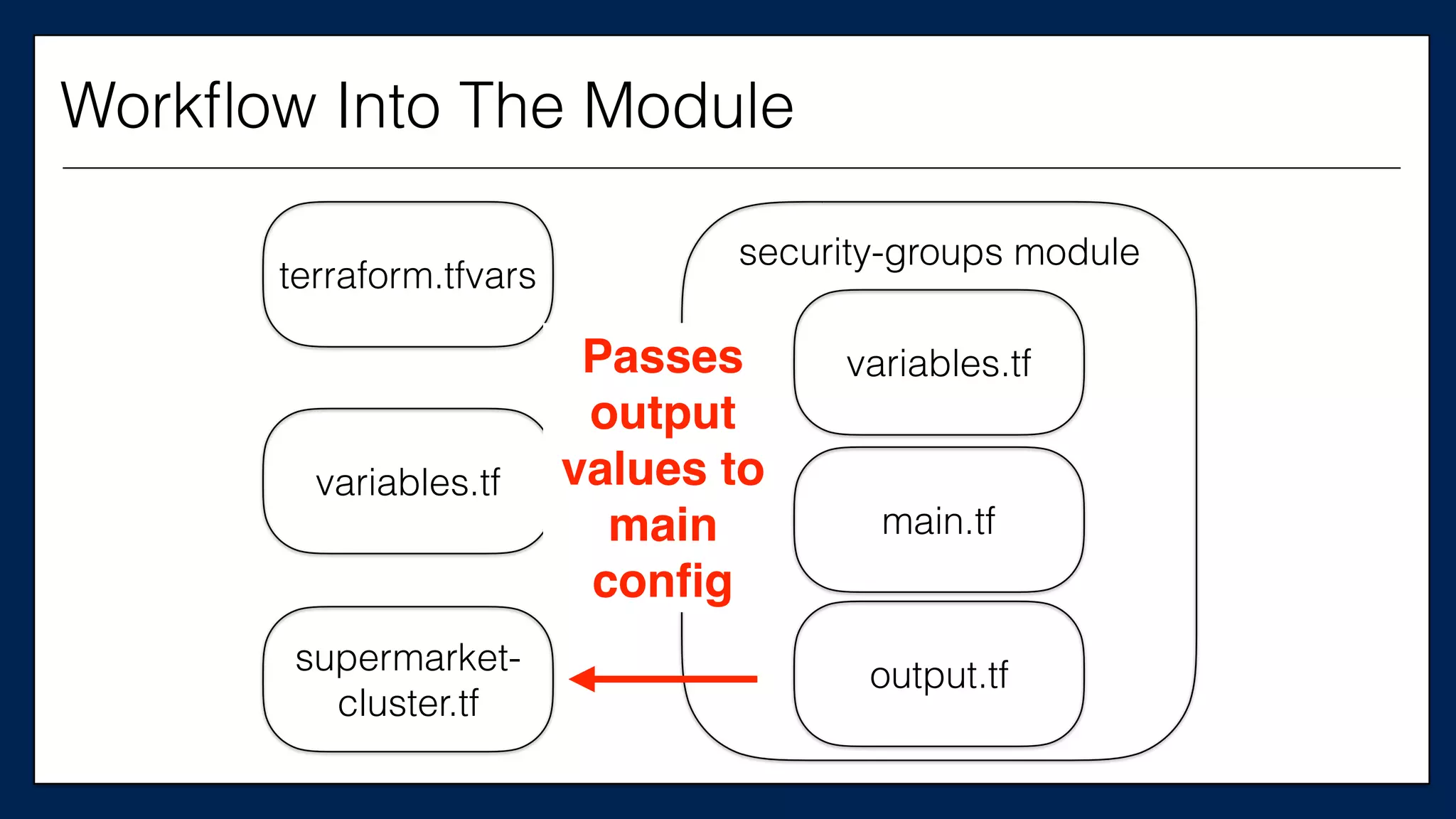
variables.tf
main.tf
output.tf
Passes
output
values to
main
config
Workflow Into The Module
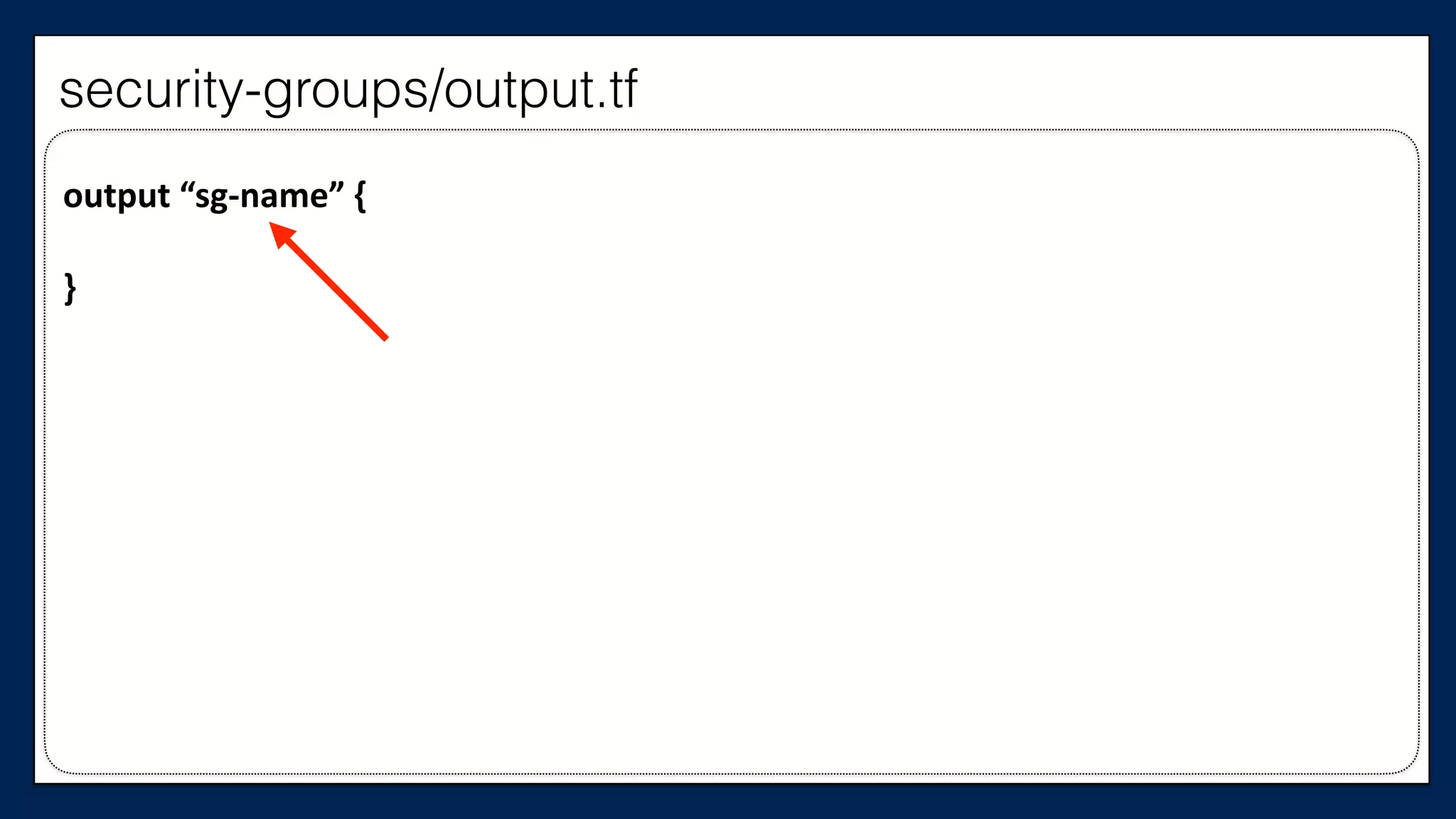
output	
  “sg-­‐name”	
  {	


}
security-groups/output.tf
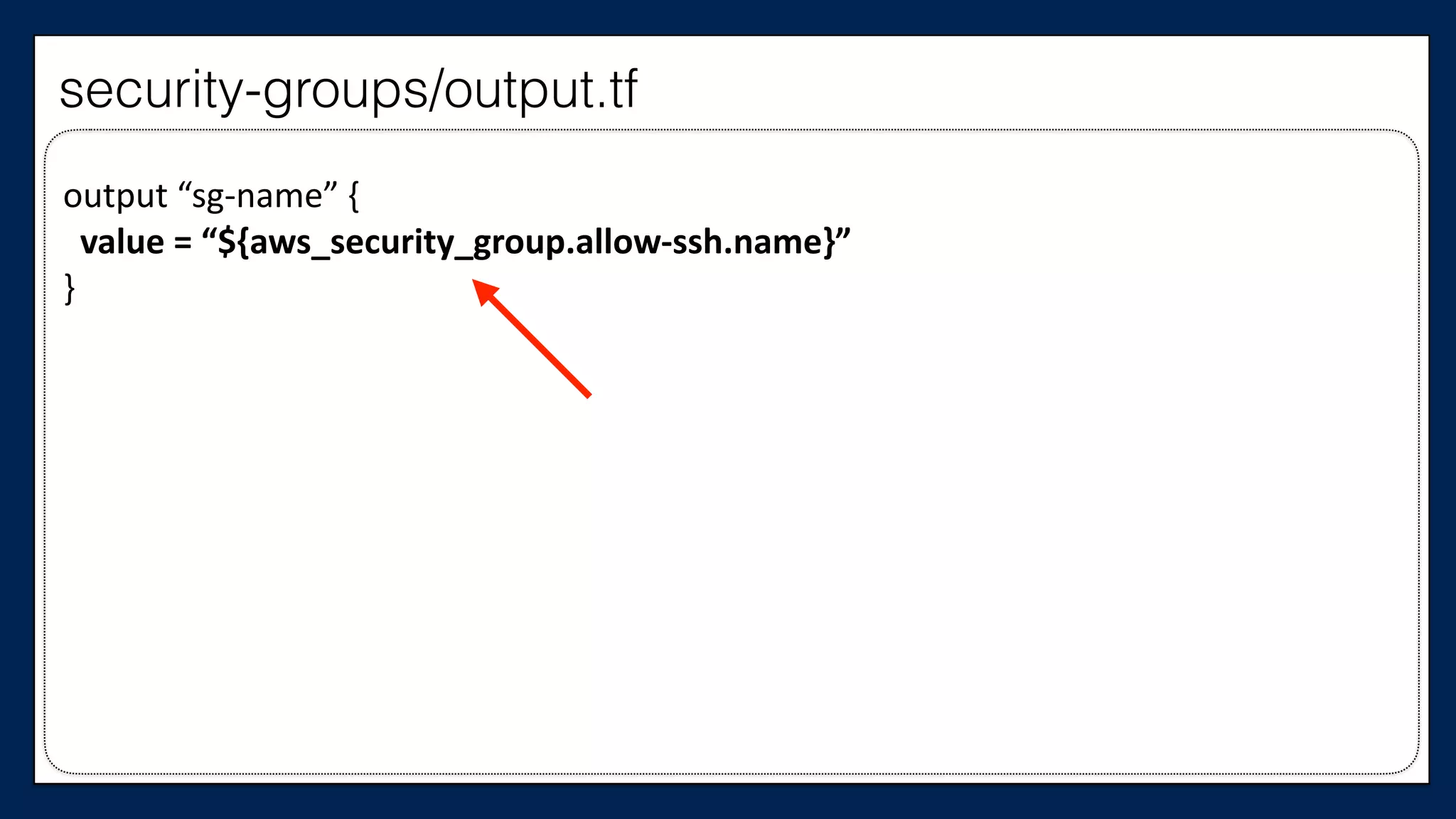
output	
  “sg-­‐name”	
  {	


  value	
  =	
  “${aws_security_group.allow-­‐ssh.name}”	
  
}
security-groups/output.tf
Now, we need to use
this output in our
supermarket-cluster
config
…	
  
resource	
  “aws_instance”	
  “chef_server”	
  {	


  ami	
  =	
  “${var.ami}”	


  instance_type	
  =	
  “${var.instance_type}”	


  key_name	
  =	
  “${var.key_name}”	


  tags	
  {	


  Name	
  =	
  “dev-­‐chef-­‐server”	


  }	


  security_groups	
  =	
  [“${aws_security_group.allow-­‐ssh.name}”]	


  (…)	
  
}	
  
…
This is the
Chef Server
supermarket-cluster.tf
…	
  
resource	
  “aws_instance”	
  “chef_server”	
  {	


  ami	
  =	
  “${var.ami}”	


  instance_type	
  =	
  “${var.instance_type}”	


  key_name	
  =	
  “${var.key_name}”	


  tags	
  {	


  Name	
  =	
  “dev-­‐chef-­‐server”	


  }	


  security_groups	
  =	
  [“${module.security-­‐groups.sg-­‐name}”]	


  (…)	
  
}	
  
…
This is the
Chef Server
supermarket-cluster.tf
…	
  
resource	
  “aws_instance”	
  “supermarket_server”	
  {	


  ami	
  =	
  “${var.ami}”	


  instance_type	
  =	
  “${var.instance_type}”	


  key_name	
  =	
  “${var.key_name}”	


  tags	
  {	


  Name	
  =	
  “dev-­‐supermarket-­‐server”	


  }	


  security_groups	
  =	
  [“${aws_security_group.allow-­‐ssh-­‐name}”]	


  (…)	
  
}	
  
…
This is the
Supermarket
Server
supermarket-cluster.tf
…	
  
resource	
  “aws_instance”	
  “supermarket_server”	
  {	


  ami	
  =	
  “${var.ami}”	


  instance_type	
  =	
  “${var.instance_type}”	


  key_name	
  =	
  “${var.key_name}”	


  tags	
  {	


  Name	
  =	
  “dev-­‐supermarket-­‐server”	


  }	


  security_groups	
  =	
  [“${module.security-­‐groups.sg-­‐name}”]	


  (…)	
  
}	
  
…
This is the
Supermarket
Server
supermarket-cluster.tf
$ kitchen converge
$ kitchen converge
$ kitchen verify
$ kitchen verify$ kitchen verify$ kitchen verify
Command ping -c 1 google.com
stdout
should match /1 packets transmitted,
1 received/
1 example, 0 failures
So we have improved our
resource usage
And the code’s
organization and
design
With minimal risk
Infrastructure code
must be maintained
and refactored just like
application code
Even more so
because infrastructure
code involves so many
moving pieces
When refactoring,
always cover with tests
And refactor one small
piece at a time
Thank you
Who Am I?
• Software Engineer at Chef
• @nellshamrell
• nshamrell@chef.io
• Former O’Fallon, IL resident (Southern IL ftw!)
Nell Shamrell-Harrington
Who Am I?
Any Questions?
• Software Engineer at Chef
• @nellshamrell
• nshamrell@chef.io
• Former O’Fallon, IL resident (Southern IL ftw!)
Nell Shamrell-Harrington

Refactoring Infrastructure Code

  • 1.
    Untangling Infrastructure Code ThroughRefactoring DevOpsDays Chicago @nellshamrell
  • 2.
    Who Am I? NellShamrell-Harrington • Software Engineer at Chef • @nellshamrell • nshamrell@chef.io • Former O’Fallon, IL resident (Southern IL ftw!)
  • 3.
    Why should Irefactor my infrastructure code?
  • 4.
  • 5.
    • Add afeature • Fix a bug Why Refactor?
  • 6.
    • Add afeature • Fix a bug • Improve the design Why Refactor?
  • 7.
    • Add afeature • Fix a bug • Improve the design • Optimize resource usage Why Refactor?
  • 8.
  • 9.
  • 10.
    Today, we willrefactor supermarket-terraform http://github.com/nellshamrell/supermarket-terraform supermarket-terraform
  • 11.
    supermarket-cluster.tf provider  “aws”  {      access_key  =  “${var.access_key}”      secret_key  =  “${var.secret_key}”   } supermarket-terraform
  • 12.
    supermarket-cluster.tf provider  “aws”  {      access_key  =  “${var.access_key}”      secret_key  =  “${var.secret_key}”   } supermarket-terraform
  • 13.
    supermarket-cluster.tf variables.tf provider  “aws”  {      access_key  =  “${var.access_key}”      secret_key  =  “${var.secret_key}”   } variable  “access_key”  =  {}     variable  “secret_key”  =  {} supermarket-terraform
  • 14.
    supermarket-cluster.tf variables.tf terraform.tfvars provider  “aws”  {      access_key  =  “${var.access_key}”      secret_key  =  “${var.secret_key}”   } variable  “access_key”  =  {}     variable  “secret_key”  =  {} access_key  =  “xxxxx”     secret_key  =  “xxxxx” supermarket-terraform
  • 15.
    Wait…should you use acredentials file?
  • 16.
    You can…but forthe sake of the example, let’s supply them inline
  • 17.
    supermarket-cluster.tf provider  “aws”  {      access_key  =  “${var.access_key}”      secret_key  =  “${var.secret_key}”   } supermarket-terraform
  • 18.
  • 19.
  • 20.
    Security Group Allow SSH $ terraformapply supermarket-cluster.tf
  • 21.
  • 22.
    Security Group Security Group Allow SSH AllowOut $ terraform apply supermarket-cluster.tf
  • 23.
    Security Group Security Group EC2 Allow SSH AllowOut $ terraform apply supermarket-cluster.tf
  • 24.
    Security Group Security Group EC2 Chef Server Allow SSHAllow Out $ terraform apply supermarket-cluster.tf
  • 25.
    EC2 Security Group Security Group EC2 Chef Server Allow OutAllowSSH $ terraform apply supermarket-cluster.tf
  • 26.
    EC2 Security Group Security Group EC2 Chef Server Supermarket AllowOutAllow SSH $ terraform apply supermarket-cluster.tf
  • 27.
    EC2 Security Group Security Group EC2 Chef Server Supermarket AllowOutAllow SSH $ terraform apply supermarket-cluster.tf
  • 28.
    EC2 Security Group Security Group EC2 Chef Server Supermarket AllowOutAllow SSH $ terraform apply supermarket-cluster.tf
  • 29.
    EC2 Security Group Security Group EC2 Chef Server Supermarket AllowOutAllow SSH $ terraform apply supermarket-cluster.tf
  • 30.
    EC2 Security Group Security Group EC2 Chef Server Supermarket AllowOutAllow SSH $ terraform apply supermarket-cluster.tf
  • 31.
    Hypothetical: We are usingtoo many AWS Security Groups Why Refactor?
  • 32.
    We need thisconfig to create only one security group Why Refactor?
  • 33.
    Source: Working Effectivelywith Legacy Code How to Refactor? Two Approaches
  • 34.
    Source: Working Effectivelywith Legacy Code How to Refactor? • Edit and Pray Two Approaches
  • 35.
    • Edit andPray • Cover and Modify Two Approaches Source: Working Effectively with Legacy Code How to Refactor?
  • 36.
    Confidence in code withouttests is false confidence
  • 37.
    What code isintended to do is much less important than what it actually does
  • 38.
    Do I haveto add tests for the entire thing?
  • 39.
  • 40.
    The point ofadding tests is to not make things worse
  • 41.
    And to startmaking the code better here and now
  • 42.
    How can wetest Terraform?
  • 43.
    How Can WeTest Terraform? • Test Kitchen (http://kitchen.ci)
  • 44.
    How Can WeTest Terraform? • Test Kitchen (http://kitchen.ci) • Kitchen Terraform (http://github.com/newcontext/ kitchen-terraform)
  • 45.
    driver:      name:  terraform   provisioner:      name:  terraform      variable_files:  terraform.@vars   transport:        name:  ssh      ssh_key:  ~/path/to/your/aws/key   pla@orms:      -­‐  name:  ubuntu   suites      -­‐  name:  default   .kitchen.yml
  • 46.
    driver:      name:  terraform   provisioner:      name:  terraform      variable_files:  terraform.@vars   transport:        name:  ssh      ssh_key:  ~/path/to/your/aws/key   pla@orms:      -­‐  name:  ubuntu   suites      -­‐  name:  default   .kitchen.yml
  • 47.
    driver:      name:  terraform   provisioner:      name:  terraform      variable_files:  terraform.5vars   transport:        name:  ssh      ssh_key:  ~/path/to/your/aws/key   pla@orms:      -­‐  name:  ubuntu   suites      -­‐  name:  default   .kitchen.yml
  • 48.
    driver:      name:  terraform   provisioner:      name:  terraform      variable_files:  terraform.5vars   transport:        name:  ssh      ssh_key:  ~/path/to/your/aws/key   pla@orms:      -­‐  name:  ubuntu   suites      -­‐  name:  default   .kitchen.yml
  • 49.
    driver:      name:  terraform   provisioner:      name:  terraform      variable_files:  terraform.@vars   transport:        name:  ssh      ssh_key:  ~/path/to/your/aws/key   pla@orms:      -­‐  name:  ubuntu   suites      -­‐  name:  default   .kitchen.yml
  • 50.
    .kitchen.yml driver:      name:  terraform   provisioner:      name:  terraform      variable_files:  terraform.@vars   transport:        name:  ssh      ssh_key:  ~/path/to/your/aws/key   pla5orms:      -­‐  name:  ubuntu   suites      -­‐  name:  default   Test Kitchen Boilerplate
  • 51.
    • Test Kitchen(http://kitchen.ci) • Kitchen Terraform (http://github.com/newcontext/ kitchen-terraform) • Inspec (http://chef.io/inspec) How Can We Test Terraform?
  • 52.
    Now that wehave our tools…
  • 53.
  • 54.
    #provider  “aws”  {   #    access_key  =  “${var.access_key}”   #    secret_key  =  “${var.secret_key}”   #    region  =  “${var.region}”   #}   #resource  “aws_security_group”  “allow-­‐ssh”  {   #    name  =  “${var.user_name}-­‐allow-­‐ssh”   #    tags  =  {   #        Name  =  “${var.user_name}  Allow  All  SSH”   #    }   … supermarket-cluster.tf
  • 55.
  • 56.
    $ terraform apply Nothinghappens! supermarket-cluster.tf
  • 57.
    First, we needthe provider
  • 58.
    provider  “aws”  {      access_key  =  “${var.access_key}”      secret_key  =  “${var.secret_key}”      region  =  “${var.region}”   }   #resource  “aws_security_group”  “allow-­‐ssh”  {   #    name  =  “${var.user_name}-­‐allow-­‐ssh”   #    tags  =  {   #        Name  =  “${var.user_name}  Allow  All  SSH”   #    }   … supermarket-cluster.tf
  • 59.
    We also needactual AWS instances
  • 60.
  • 61.
    …   #resource  “aws_instance”  “chef_server”  {   #    ami  =  “${var.ami}”   #    instance_type  =  “${var.instance_type}”   #    key_name  =  “${var.key_name}”   #    tags  {   #        Name  =  “dev-­‐chef-­‐server”   #    }   #    security_groups  =  [“${aws_security_group.allow-­‐ssh.name}”,   #                                                                        “${aws_security_group.allow-­‐out.name}”]   #    (…)   #}   … This is the Chef Server supermarket-cluster.tf
  • 62.
    …   resource  “aws_instance”  “chef_server”  {      ami  =  “${var.ami}”      instance_type  =  “${var.instance_type}”      key_name  =  “${var.key_name}”      tags  {          Name  =  “dev-­‐chef-­‐server”      }      security_groups  =  [“${aws_security_group.allow-­‐ssh.name}”,                                                                          “${aws_security_group.allow-­‐out.name}”]      (…)   }   … This is the Chef Server supermarket-cluster.tf
  • 63.
  • 64.
    EC2 Chef Server $terraform apply supermarket-cluster.tf
  • 65.
  • 66.
    …   #resource  “aws_instance”  “supermarket_server”  {   #    ami  =  “${var.ami}”   #    instance_type  =  “${var.instance_type}”   #    key_name  =  “${var.key_name}”   #    tags  {   #        Name  =  “dev-­‐supermarket-­‐server”   #    }   #    security_groups  =  [“${aws_security_group.allow-­‐ssh.name}”,   #                                                                        “${aws_security_group.allow-­‐out.name}”]   #    (…)   #}   … This is the Supermarket Server supermarket-cluster.tf
  • 67.
    …   resource  “aws_instance”  “supermarket_server”  {      ami  =  “${var.ami}”      instance_type  =  “${var.instance_type}”      key_name  =  “${var.key_name}”      tags  {          Name  =  “dev-­‐supermarket-­‐server”      }      security_groups  =  [“${aws_security_group.allow-­‐ssh.name}”,                                                                          “${aws_security_group.allow-­‐out.name}”]      (…)   }   … This is the Supermarket Server supermarket-cluster.tf
  • 68.
    EC2 Chef Server $terraform apply EC2 Supermarket supermarket-cluster.tf
  • 69.
    We also needat least one security group
  • 70.
    #resource  “aws_security_group”  “allow-­‐ssh”  {   #    name  =  “${var.user_name}-­‐allow-­‐ssh”   #    tags  =  {   #        Name  =  “${var.user_name}  Allow  all  ssh”   #    }   #}   #resource  “aws_security_group_rule”  “allow-­‐ssh”  {   #    type  =  “ingress”   #    from_port  =  22   #    to_port  =  22      …   #} supermarket-cluster.tf
  • 71.
    resource  “aws_security_group”  “allow-­‐ssh”  {      name  =  “${var.user_name}-­‐allow-­‐ssh”      tags  =  {          Name  =  “${var.user_name}  Allow  all  ssh”      }   }   #resource  “aws_security_group_rule”  “allow-­‐ssh”  {   #    type  =  “ingress”   #    from_port  =  22   #    to_port  =  22      …   #} supermarket-cluster.tf
  • 72.
    EC2 Chef Server supermarket-cluster.tf $ terraformapply EC2 Supermarket Security Group
  • 73.
    kitchen-terraform needs to beable to ssh into our instances
  • 74.
    We need asecurity group rule
  • 75.
    resource  “aws_security_group”  “allow-­‐ssh”  {      name  =  “${var.user_name}-­‐allow-­‐ssh”      tags  =  {          Name  =  “${var.user_name}  Allow  all  ssh”      }   }   #resource  “aws_security_group_rule”  “allow-­‐ssh”  {   #  type  =  “ingress”   #  from_port  =  22   #  to_port  =  22      …   #} supermarket-cluster.tf
  • 76.
    resource  “aws_security_group”  “allow-­‐ssh”  {      name  =  “${var.user_name}-­‐allow-­‐ssh”      tags  =  {          Name  =  “${var.user_name}  Allow  all  ssh”      }   }   resource  “aws_security_group_rule”  “allow-­‐ssh”  {    type  =  “ingress”    from_port  =  22    to_port  =  22      …   } supermarket-cluster.tf
  • 77.
    EC2 Chef Server $terraform apply EC2 Supermarket Security Group Allow SSH supermarket-cluster.tf
  • 78.
  • 79.
  • 80.
    Like running terraformapply $ kitchen converge
  • 81.
    $ kitchen converge (…) >>>>>>------Exception------- >>>>>> Class: Kitchen::ActionFailed >>>>>> Message: 1 actions failed. >>>>>> Converge failed on instance <default-ubuntu>. >>>>>> Please see .kitchen/logs/kitchen.log for more details
  • 82.
    -­‐-­‐-­‐-­‐  Begin  output  of  terraform  validate    /root/supermarket-­‐terraform-­‐2  -­‐-­‐-­‐-­‐   STDOUT:   STDERR:  ^[[31mError  validaWng:  2  error(s)  occurred:   * resource  'aws_instance.chef_server'  config:  unknown  resource     * 'aws_security_group.allow-­‐egress'  referenced  in     * variable  aws_security_group.allow-­‐egress.name   * resource  'aws_instance.supermarket_server'  config:     * unknown  resource  'aws_security_group.allow-­‐egress'     * referenced  in  variable  aws_security_group.allow-­‐egress.   * name .kitchen/logs/default-ubuntu.log
  • 83.
    We need ourEC2 resources to reference only one security group
  • 84.
    Let’s look atthe Chef Server
  • 85.
    …   resource  “aws_instance”  “chef_server”  {      ami  =  “${var.ami}”      instance_type  =  “${var.instance_type}”      key_name  =  “${var.key_name}”      tags  {          Name  =  “dev-­‐chef-­‐server”      }      security_groups  =  [“${aws_security_group.allow-­‐ssh.name}”,                                                                          “${aws_security_group.allow-­‐out.name}”]      (…)   }   … This is the Chef Server supermarket-cluster.tf
  • 86.
    …   resource  “aws_instance”  “chef_server”  {      ami  =  “${var.ami}”      instance_type  =  “${var.instance_type}”      key_name  =  “${var.key_name}”      tags  {          Name  =  “dev-­‐chef-­‐server”      }        security_groups  =  [“${aws_security_group.allow-­‐ssh.name}”]      (…)   }   … This is the Chef Server supermarket-cluster.tf
  • 87.
  • 88.
    …   resource  “aws_instance”  “supermarket_server”  {      ami  =  “${var.ami}”      instance_type  =  “${var.instance_type}”      key_name  =  “${var.key_name}”      tags  {          Name  =  “dev-­‐supermarket-­‐server”      }      security_groups  =  [“${aws_security_group.allow-­‐ssh.name}”,                                                                          “${aws_security_group.allow-­‐out.name}”]      (…)   }   … This is the Supermarket Server supermarket-cluster.tf
  • 89.
    …   resource  “aws_instance”  “supermarket_server”  {      ami  =  “${var.ami}”      instance_type  =  “${var.instance_type}”      key_name  =  “${var.key_name}”      tags  {          Name  =  “dev-­‐supermarket-­‐server”      }      security_groups  =  [“${aws_security_group.allow-­‐ssh.name}”          (…)   }   … This is the Supermarket Server supermarket-cluster.tf
  • 90.
    $ kitchen converge$kitchen converge
  • 91.
    $ kitchen converge Applycomplete! Resources: 2 added, 0 changed, 0 destroyed. (…) Finished converging <default-ubuntu> (0m7.10s).
  • 92.
  • 93.
  • 94.
  • 95.
    driver:      name:  terraform      (…)   verifier:      name:  terraform      format:  doc      groups:      -­‐  name:  default          tests:                -­‐  security_groups          hostnames:  aws_hostnames          username:  ubuntu .kitchen.yml
  • 96.
    driver:      name:  terraform      (…)   verifier:      name:  terraform      format:  doc      groups:      -­‐  name:  default          tests:                -­‐  security_groups          hostnames:  aws_hostnames          username:  ubuntu .kitchen.yml
  • 97.
    driver:      name:  terraform      (…)   verifier:      name:  terraform      format:  doc      groups:      -­‐  name:  default          tests:                -­‐  security_groups          hostnames:  aws_hostnames          username:  ubuntu .kitchen.yml
  • 98.
    driver:      name:  terraform      (…)   verifier:      name:  terraform      format:  doc      groups:      -­‐  name:  default          tests:                -­‐  security_groups          hostnames:  aws_hostnames          username:  ubuntu .kitchen.yml
  • 99.
    Output variable driver:      name:  terraform      (…)   verifier:      name:  terraform      format:  doc      groups:      -­‐  name:  default          tests:                -­‐  security_groups          hostnames:  aws_hostnames          username:  ubuntu .kitchen.yml
  • 100.
    We need tocreate that output variable
  • 101.
  • 102.
    output  “aws_hostnames”  {      value  =  “${aws_instance.chef_server.public_dns},                                      ${aws_instance.supermarket_server.public_dns}”   } outputs.tf
  • 103.
    output  “aws_hostnames”  {      value  =  “${aws_instance.chef_server.public_dns},                                      ${aws_instance.supermarket_server.public_dns}”   } outputs.tf
  • 104.
  • 105.
    Spins up AWS resources Capturespublic_dns of EC2 instances in aws_hostnames Using Outputs
  • 106.
    Spins up AWS resources Passesto kitchen-terraform Captures public_dns of EC2 instances in aws_hostnames Using Outputs
  • 107.
    Spins up AWS resources Capturespublic_dns of EC2 instances in aws_hostnames Passes to kitchen-terraform kitchen-terraform uses aws_hostnames to ssh into the instances Using Outputs
  • 108.
    Spins up AWS resources Runs Tests kitchen-terraform usesaws_hostnames to ssh into the instances Captures public_dns of EC2 instances in aws_hostnames Passes to kitchen-terraform Using Outputs
  • 109.
    $ kitchen destroy$kitchen destroy
  • 110.
    $ kitchen destroy $kitchen converge $ kitchen destroy $ kitchen converge
  • 111.
    #resource  “aws_security_group”  “allow-­‐egress”  {   #    name  =  “${var.user_name}-­‐allow-­‐egress”   #    tags  =  {   #        Name  =  “${var.user_name}  Allow  connecLons  out”   #    }   #}   #resource  “aws_security_group_rule”  “allow-­‐out”  {   #  type  =  “egress”   #  from_port  =  0   #  to_port  =  65535   #  cidr_blocks  =  ["0.0.0.0/0"]      … supermarket-cluster.tf
  • 112.
  • 113.
    describe  command(‘ping  -­‐c  1  google.com’)  do       end security_groups_spec.rb
  • 114.
    describe  command(‘ping  -­‐c  1  google.com’)  do      its(‘stdout’)  {  should  match  /1  packets  transmiSed,  1  received/  }   end security_groups_spec.rb
  • 115.
    $ kitchen verify$kitchen verify
  • 116.
    $ kitchen verify Failure/Error: expected"PING google.com (216.58.218.238) 56(84) bytes of data.nn--- google.com ping statistics —n 1 packets transmitted, 0 received, to match /1 packets transmitted, 1 received/ Diff: @@ -1,2 +1,5 @@ -/1 packets transmitted, 1 received/
  • 117.
    Good! We havea failure!
  • 118.
  • 119.
    #resource  “aws_security_group”  “allow-­‐egress”  {   #    name  =  “${var.user_name}-­‐allow-­‐egress”   #    tags  =  {   #        Name  =  “${var.user_name}  Allow  connecLons  out”   #    }   #}   #resource  “aws_security_group_rule”  “allow-­‐out”  {   #  type  =  “egress”   #  from_port  =  0   #  to_port  =  65535   #  cidr_blocks  =  ["0.0.0.0/0"]      … supermarket-cluster.tf
  • 120.
    resource  “aws_security_group”  “allow-­‐egress”  {      name  =  “${var.user_name}-­‐allow-­‐egress”      tags  =  {          Name  =  “${var.user_name}  Allow  connecTons  out”      }   }   resource  “aws_security_group_rule”  “allow-­‐out”  {    type  =  “egress”    from_port  =  0    to_port  =  65535    cidr_blocks  =  ["0.0.0.0/0"]      …   supermarket-cluster.tf
  • 121.
    EC2 Chef Server $terraform apply EC2 Supermarket Security Group Allow SSH Security Group Allow Out supermarket-cluster.tf
  • 122.
    Now let’s callthis security group from our Chef Server
  • 123.
    …   resource  “aws_instance”  “chef_server”  {      ami  =  “${var.ami}”      instance_type  =  “${var.instance_type}”      key_name  =  “${var.key_name}”      tags  {          Name  =  “dev-­‐chef-­‐server”      }          security_groups  =  [“${aws_security_group.allow-­‐ssh.name}”]      (…)   }   … This is the Chef Server supermarket-cluster.tf
  • 124.
    …   resource  “aws_instance”  “chef_server”  {      ami  =  “${var.ami}”      instance_type  =  “${var.instance_type}”      key_name  =  “${var.key_name}”      tags  {          Name  =  “dev-­‐chef-­‐server”      }          security_groups  =  [“${aws_security_group.allow-­‐ssh.name}”,                                                                          “${aws_security_group.allow-­‐out.name}”]      (…)   }   … This is the Chef Server supermarket-cluster.tf
  • 125.
  • 126.
    …   resource  “aws_instance”  “supermarket_server”  {      ami  =  “${var.ami}”      instance_type  =  “${var.instance_type}”      key_name  =  “${var.key_name}”      tags  {          Name  =  “dev-­‐supermarket-­‐server”      }      security_groups  =  [“${aws_security_group.allow-­‐ssh.name}”          (…)   }   … This is the Supermarket Server supermarket-cluster.tf
  • 127.
    …   resource  “aws_instance”  “supermarket_server”  {      ami  =  “${var.ami}”      instance_type  =  “${var.instance_type}”      key_name  =  “${var.key_name}”      tags  {          Name  =  “dev-­‐supermarket-­‐server”      }      security_groups  =  [“${aws_security_group.allow-­‐ssh.name}”,                                                                          “${aws_security_group.allow-­‐out.name}”]      (…)   }   … This is the Supermarket Server supermarket-cluster.tf
  • 128.
    $ kitchen destroy $kitchen converge $ kitchen destroy $ kitchen converge
  • 129.
    $ kitchen destroy $kitchen converge $ kitchen verify
  • 130.
    $ kitchen verify$kitchen verify$ kitchen verify Command ping -c 1 google.com stdout should match /1 packets transmitted, 1 received/ 1 example, 0 failures
  • 131.
  • 132.
    Let’s condense the twosecurity groups into one security group
  • 133.
    resource  “aws_security_group”  “allow-­‐egress”  {      name  =  “${var.user_name}-­‐allow-­‐egress”      tags  =  {          Name  =  “${var.user_name}  Allow  connecWons  out”      }   }   resource  “aws_security_group_rule”  “allow-­‐out”  {    type  =  “egress”    from_port  =  0    to_port  =  65535    cidr_blocks  =  ["0.0.0.0/0"]      …   supermarket-cluster.tf
  • 134.
    resource  “aws_security_group_rule”  “allow-­‐out”  {    type  =  “egress”    from_port  =  0    to_port  =  65535    cidr_blocks  =  ["0.0.0.0/0"]    security_group_id  “${aws_security_group.allow-­‐egress.id}”   } supermarket-cluster.tf
  • 135.
    resource  “aws_security_group_rule”  “allow-­‐out”  {    type  =  “egress”    from_port  =  0    to_port  =  65535    cidr_blocks  =  ["0.0.0.0/0"]    security_group_id  “${aws_security_group.allow-­‐ssh.id}”   } supermarket-cluster.tf
  • 136.
    Now our instances shouldonly use the one security group
  • 137.
    …   resource  “aws_instance”  “chef_server”  {      ami  =  “${var.ami}”      instance_type  =  “${var.instance_type}”      key_name  =  “${var.key_name}”      tags  {          Name  =  “dev-­‐chef-­‐server”      }      security_groups  =  [“${aws_security_group.allow-­‐ssh.name}”,                                                                          “${aws_security_group.allow-­‐out.name}”]      (…)   }   … This is the Chef Server supermarket-cluster.tf
  • 138.
    …   resource  “aws_instance”  “chef_server”  {      ami  =  “${var.ami}”      instance_type  =  “${var.instance_type}”      key_name  =  “${var.key_name}”      tags  {          Name  =  “dev-­‐chef-­‐server”      }      security_groups  =  [“${aws_security_group.allow-­‐ssh.name}”]                                                                          (…)   }   … This is the Chef Server supermarket-cluster.tf
  • 139.
    …   resource  “aws_instance”  “supermarket_server”  {      ami  =  “${var.ami}”      instance_type  =  “${var.instance_type}”      key_name  =  “${var.key_name}”      tags  {          Name  =  “dev-­‐supermarket-­‐server”      }      security_groups  =  [“${aws_security_group.allow-­‐ssh.name}”,                                                                          “${aws_security_group.allow-­‐out.name}”]        (…)   }   … This is the Supermarket Server supermarket-cluster.tf
  • 140.
    …   resource  “aws_instance”  “supermarket_server”  {      ami  =  “${var.ami}”      instance_type  =  “${var.instance_type}”      key_name  =  “${var.key_name}”      tags  {          Name  =  “dev-­‐supermarket-­‐server”      }      security_groups  =  [“${aws_security_group.allow-­‐ssh.name}”]      (…)   }   … This is the Supermarket Server supermarket-cluster.tf
  • 141.
    EC2 Chef Server $ terraformapply EC2 Supermarket Security Group Allow SSH Allow Out supermarket-cluster.tf
  • 142.
    $ kitchen destroy $kitchen converge
  • 143.
    $ kitchen destroy $kitchen converge $ kitchen verify
  • 144.
    $ kitchen verify$kitchen verify Command ping -c 1 google.com stdout should match /1 packets transmitted, 1 received/ 1 example, 0 failures
  • 145.
  • 146.
    By moving thesecurity group code into a module
  • 147.
    Source: Terraform Docs WhyMove into a Module? • Self-contained package
  • 148.
    Source: Terraform Docs WhyMove into a Module? • Self-contained package • Reusable component
  • 149.
    • Self-contained package •Reusable component • Improve organization Source: Terraform Docs Why Move into a Module?
  • 150.
  • 151.
  • 152.
  • 153.
    resource  “aws_security_group”  “allow-­‐ssh”  {    name  =  “${var.user_name}-­‐allow-­‐ssh”    tags  =  {        Name  =  “${var.user_name}  Allow  All  SSH”    }   resource  “aws_security_group_rule”  “allow-­‐ssh”  {    type  =  “ingress”    from_port  =  22    to_port  =  22      …   } security-groups/main.tf
  • 154.
    Now we needto connect to the module from main config
  • 155.
    First, we needto know what variables the module needs passed to it
  • 156.
    resource  “aws_security_group”  “allow-­‐ssh”  {    name  =  “${var.user_name}-­‐allow-­‐ssh”    tags  =  {        Name  =  “${var.user_name}  Allow  All  SSH”    }   resource  “aws_security_group_rule”  “allow-­‐ssh”  {    type  =  “ingress”    from_port  =  22      …      security_group_id  =  “${aws_security_group.allow-­‐ssh.id}”   } Needs to be passed to the module security-groups/main.tf
  • 157.
    resource  “aws_security_group”  “allow-­‐ssh”  {    name  =  “${var.user_name}-­‐allow-­‐ssh”    tags  =  {        Name  =  “${var.user_name}  Allow  All  SSH”    }   resource  “aws_security_group_rule”  “allow-­‐ssh”  {    type  =  “ingress”    from_port  =  22      …      security_group_id  =  “${aws_security_group.allow-­‐ssh.id}”   } Does not need to be passed in security-groups/main.tf
  • 158.
  • 159.
  • 160.
  • 161.
  • 162.
  • 163.
  • 164.
  • 165.
    module  “security-­‐groups”  {      source  =  “./security-­‐groups”      user_name  =  “${var.user_name}”   } supermarket-cluster.tf
  • 166.
    module  “security-­‐groups”  {      source  =  “./security-­‐groups”      user_name  =  “${var.user_name}”   } supermarket-cluster.tf
  • 167.
  • 168.
    $ kitchen converge ----->Starting Kitchen (v1.10.2) -----> Converging <default-ubuntu>… (…) >>>>>> ------Exception------- >>>>>> Class: Kitchen::ActionFailed Message: 1 actions failed. >>>>>> Converge failed on instance <default-ubuntu>. Please see .kitchen/logs/default-ubuntu.log for more details
  • 169.
    $ kitchen converge ----->Starting Kitchen (v1.10.2) -----> Converging <default-ubuntu>… (…) >>>>>> ------Exception------- >>>>>> Class: Kitchen::ActionFailed Message: 1 actions failed. >>>>>> Converge failed on instance <default-ubuntu>. Please see .kitchen/logs/default-ubuntu.log for more details
  • 170.
    -­‐-­‐-­‐  Begin  output  of  terraform  validate  (…)   STDOUT:   STDERR:  Error  validaWng:  2  error(s)  occurred:   * resource  'aws_instance.supermarket_server'  config:     * unknown  resource  'aws_security_group.allow-­‐ssh'     * referenced  in  variable  aws_security_group.allow-­‐ssh.name   * resource  'aws_instance.chef_server'  config:     * unknown  resource  'aws_security_group.allow-­‐ssh'     * referenced  in  variable  aws_security_group.allow-­‐ssh.name .kitchen/logs/default-ubuntu.log
  • 171.
  • 172.
    output  “sg-­‐name”  {       } security-groups/output.tf
  • 173.
    output  “sg-­‐name”  {      value  =  “${aws_security_group.allow-­‐ssh.name}”   } security-groups/output.tf
  • 174.
    Now, we needto use this output in our supermarket-cluster config
  • 175.
    …   resource  “aws_instance”  “chef_server”  {      ami  =  “${var.ami}”      instance_type  =  “${var.instance_type}”      key_name  =  “${var.key_name}”      tags  {          Name  =  “dev-­‐chef-­‐server”      }      security_groups  =  [“${aws_security_group.allow-­‐ssh.name}”]                                                                          (…)   }   … This is the Chef Server supermarket-cluster.tf
  • 176.
    …   resource  “aws_instance”  “chef_server”  {      ami  =  “${var.ami}”      instance_type  =  “${var.instance_type}”      key_name  =  “${var.key_name}”      tags  {          Name  =  “dev-­‐chef-­‐server”      }      security_groups  =  [“${module.security-­‐groups.sg-­‐name}”]            (…)   }   … This is the Chef Server supermarket-cluster.tf
  • 177.
    …   resource  “aws_instance”  “supermarket_server”  {      ami  =  “${var.ami}”      instance_type  =  “${var.instance_type}”      key_name  =  “${var.key_name}”      tags  {          Name  =  “dev-­‐supermarket-­‐server”      }      security_groups  =  [“${aws_security_group.allow-­‐ssh-­‐name}”]        (…)   }   … This is the Supermarket Server supermarket-cluster.tf
  • 178.
    …   resource  “aws_instance”  “supermarket_server”  {      ami  =  “${var.ami}”      instance_type  =  “${var.instance_type}”      key_name  =  “${var.key_name}”      tags  {          Name  =  “dev-­‐supermarket-­‐server”      }      security_groups  =  [“${module.security-­‐groups.sg-­‐name}”]          (…)   }   … This is the Supermarket Server supermarket-cluster.tf
  • 179.
  • 180.
    $ kitchen converge $kitchen verify
  • 181.
    $ kitchen verify$kitchen verify$ kitchen verify Command ping -c 1 google.com stdout should match /1 packets transmitted, 1 received/ 1 example, 0 failures
  • 182.
    So we haveimproved our resource usage
  • 183.
  • 184.
  • 185.
    Infrastructure code must bemaintained and refactored just like application code
  • 186.
    Even more so becauseinfrastructure code involves so many moving pieces
  • 187.
  • 188.
    And refactor onesmall piece at a time
  • 189.
  • 190.
    Who Am I? •Software Engineer at Chef • @nellshamrell • nshamrell@chef.io • Former O’Fallon, IL resident (Southern IL ftw!) Nell Shamrell-Harrington
  • 191.
    Who Am I? AnyQuestions? • Software Engineer at Chef • @nellshamrell • nshamrell@chef.io • Former O’Fallon, IL resident (Southern IL ftw!) Nell Shamrell-Harrington