Terraform
NYCHashiDays
MAY 15 | @CONVENE | NYC, NEW YORK
LONDONHashiDays
JUNE 12 | @THE BREWERY | LONDON, UK
@mitchellh
MITCHELL HASHIMOTO
Terraform
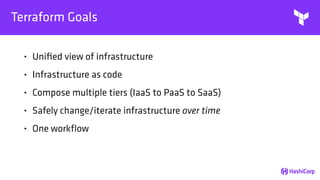
Terraform Goals
• Unified view of infrastructure
• Infrastructure as code
• Compose multiple tiers (IaaS to PaaS to SaaS)
• Safely change/iterate infrastructure over time
• One workflow
Terraform Features
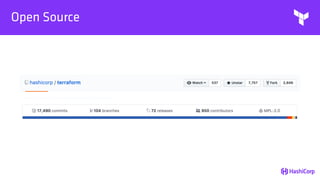
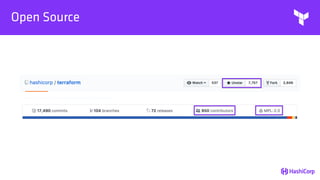
• Open Source
• Infrastructure as Code
• Resource Providers
• Plan and Apply
• Collaboration, History [Enterprise]
Open Source
Open Source
File
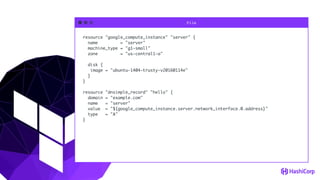
resource "google_compute_instance" "server" {
name = "server"
machine_type = "g1-small"
zone = "us-central1-a"
disk {
image = "ubuntu-1404-trusty-v20160114e"
}
}
resource "dnsimple_record" "hello" {
domain = "example.com"
name = "server"
value = "${google_compute_instance.server.network_interface.0.address}"
type = "A"
}
Terminal
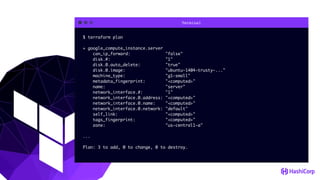
$ terraform plan
+ google_compute_instance.server
can_ip_forward: "false"
disk.#: "1"
disk.0.auto_delete: "true"
disk.0.image: "ubuntu-1404-trusty-..."
machine_type: "g1-small"
metadata_fingerprint: "<computed>"
name: "server"
network_interface.#: "1"
network_interface.0.address: "<computed>"
network_interface.0.name: "<computed>"
network_interface.0.network: "default"
self_link: "<computed>"
tags_fingerprint: "<computed>"
zone: "us-central1-a"
...
Plan: 3 to add, 0 to change, 0 to destroy.
Plan
• Plan shows you what will happen
• Plans can be saved to guarantee what will happen
• Plans show reasons for certain actions (such as re-create)
• Not equivalent to "noop" due to the ability to save a plan
Terminal
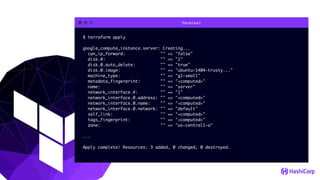
$ terraform apply
google_compute_instance.server: Creating...
can_ip_forward: "" => "false"
disk.#: "" => "1"
disk.0.auto_delete: "" => "true"
disk.0.image: "" => "ubuntu-1404-trusty..."
machine_type: "" => "g1-small"
metadata_fingerprint: "" => "<computed>"
name: "" => "server"
network_interface.#: "" => "1"
network_interface.0.address: "" => "<computed>"
network_interface.0.name: "" => "<computed>"
network_interface.0.network: "" => "default"
self_link: "" => "<computed>"
tags_fingerprint: "" => "<computed>"
zone: "" => "us-central1-a"
...
Apply complete! Resources: 3 added, 0 changed, 0 destroyed.
Apply
• Executes changes in order based on dependencies
• Parallelizes changes when possible
• Handles and recovers transient errors
Apply for Changes
• Not only creation, but changes over time
• Plan will show you what will happen
• The `-target` flag can be used for fine-grained change
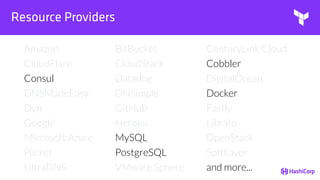
Resource Providers
Amazon BitBucket CenturyLink Cloud
CloudFlare CloudStack Cobbler
Consul Datadog DigitalOcean
DNSMadeEasy DNSimple Docker
Dyn GitHub Fastly
Google Heroku Librato
Microsoft Azure MySQL OpenStack
Packet PostgreSQL SoftLayer
UltraDNS VMware Sphere and more...
Resource Providers
Amazon BitBucket CenturyLink Cloud
CloudFlare CloudStack Cobbler
Consul Datadog DigitalOcean
DNSMadeEasy DNSimple Docker
Dyn GitHub Fastly
Google Heroku Librato
Microsoft Azure MySQL OpenStack
Packet PostgreSQL SoftLayer
UltraDNS VMware Sphere and more...
Resource Providers
Amazon BitBucket CenturyLink Cloud
CloudFlare CloudStack Cobbler
Consul Datadog DigitalOcean
DNSMadeEasy DNSimple Docker
Dyn GitHub Fastly
Google Heroku Librato
Microsoft Azure MySQL OpenStack
Packet PostgreSQL SoftLayer
UltraDNS VMware Sphere and more...
Resource Providers
Amazon BitBucket CenturyLink Cloud
CloudFlare CloudStack Cobbler
Consul Datadog DigitalOcean
DNSMadeEasy DNSimple Docker
Dyn GitHub Fastly
Google Heroku Librato
Microsoft Azure MySQL OpenStack
Packet PostgreSQL SoftLayer
UltraDNS VMware Sphere and more...
Resource Providers
Amazon BitBucket CenturyLink Cloud
CloudFlare CloudStack Cobbler
Consul Datadog DigitalOcean
DNSMadeEasy DNSimple Docker
Dyn GitHub Fastly
Google Heroku Librato
Microsoft Azure MySQL OpenStack
Packet PostgreSQL SoftLayer
UltraDNS VMware Sphere and more...
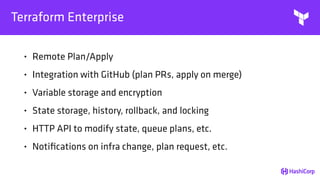
Terraform Enterprise
• Remote Plan/Apply
• Integration with GitHub (plan PRs, apply on merge)
• Variable storage and encryption
• State storage, history, rollback, and locking
• HTTP API to modify state, queue plans, etc.
• Notifications on infra change, plan request, etc.
Terraform 0.8 (December 13, 2016)
• "terraform console"
• Conditional values
• Terraform version requirement in config
• Nomad and Vault provider
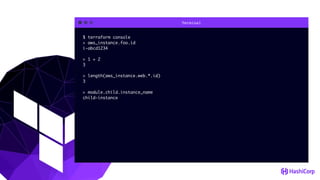
"terraform console"
Terminal
$ terraform console
> aws_instance.foo.id
i-abcd1234
> 1 + 2
3
> length(aws_instance.web.*.id)
3
> module.child.instance_name
child-instance
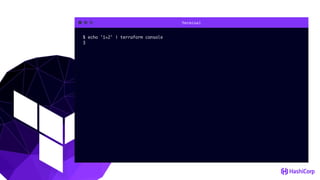
Terminal
$ echo '1+2' | terraform console
3
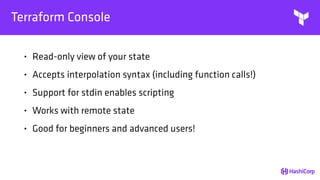
Terraform Console
• Read-only view of your state
• Accepts interpolation syntax (including function calls!)
• Support for stdin enables scripting
• Works with remote state
• Good for beginners and advanced users!
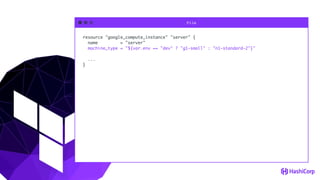
Conditional Values
File
resource "google_compute_instance" "server" {
name = "server"
machine_type = "${var.env == "dev" ? "g1-small" : "n1-standard-2"}"
...
}
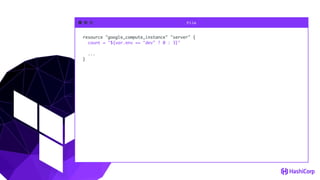
File
resource "google_compute_instance" "server" {
count = "${var.env == "dev" ? 0 : 3}"
...
}
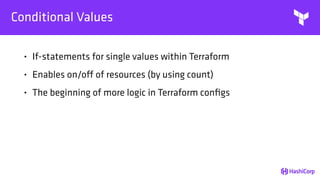
Conditional Values
• If-statements for single values within Terraform
• Enables on/off of resources (by using count)
• The beginning of more logic in Terraform configs
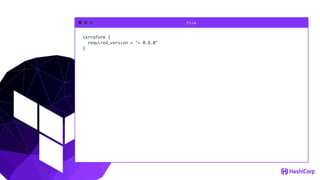
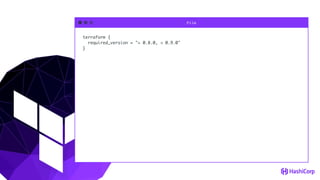
TF Version Requirement
File
terraform {
required_version = "> 0.8.0"
}
File
terraform {
required_version = "> 0.8.0, < 0.9.0"
}
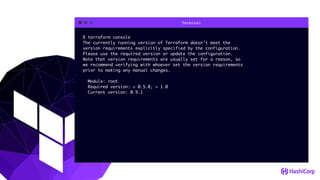
Terminal
$ terraform console
The currently running version of Terraform doesn't meet the
version requirements explicitly specified by the configuration.
Please use the required version or update the configuration.
Note that version requirements are usually set for a reason, so
we recommend verifying with whoever set the version requirements
prior to making any manual changes.
Module: root
Required version: < 0.5.0, > 1.0
Current version: 0.9.1
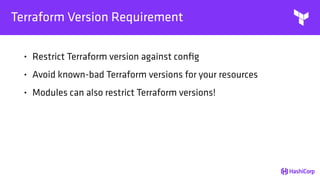
Terraform Version Requirement
• Restrict Terraform version against config
• Avoid known-bad Terraform versions for your resources
• Modules can also restrict Terraform versions!
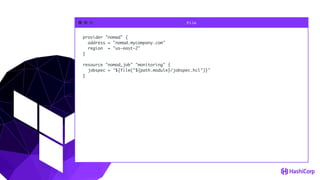
Nomad Provider
File
provider "nomad" {
address = "nomad.mycompany.com"
region = "us-east-2"
}
resource "nomad_job" "monitoring" {
jobspec = "${file("${path.module}/jobspec.hcl")}"
}
Nomad Provider
• Setup system level jobs that are required
• Configure Nomad after setting up Nomad cluster
• Not expected to replace "nomad run"
Vault Provider
File
data "vault_generic_secret" "rundeck_auth" {
path = "secret/rundeck_auth"
}
provider "rundeck" {
url = "http://rundeck.example.com/"
auth_token = "${data.vault_generic_secret.rundeck_auth.data["auth_token"]}"
}
File
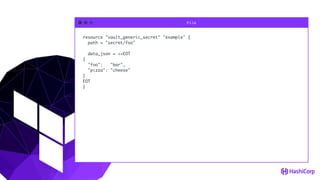
resource "vault_generic_secret" "example" {
path = "secret/foo"
data_json = <<EOT
{
"foo": "bar",
"pizza": "cheese"
}
EOT
}
File
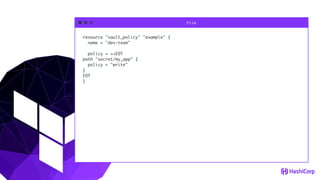
resource "vault_policy" "example" {
name = "dev-team"
policy = <<EOT
path "secret/my_app" {
policy = "write"
}
EOT
}
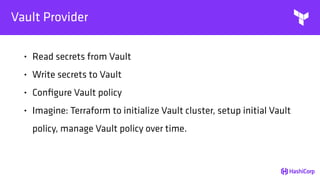
Vault Provider
• Read secrets from Vault
• Write secrets to Vault
• Configure Vault policy
• Imagine: Terraform to initialize Vault cluster, setup initial Vault
policy, manage Vault policy over time.
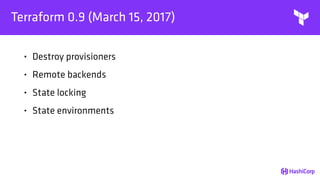
Terraform 0.9 (March 15, 2017)
• Destroy provisioners
• Remote backends
• State locking
• State environments
Destroy Provisioners
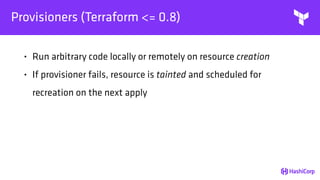
Provisioners (Terraform <= 0.8)
• Run arbitrary code locally or remotely on resource creation
• If provisioner fails, resource is tainted and scheduled for
recreation on the next apply
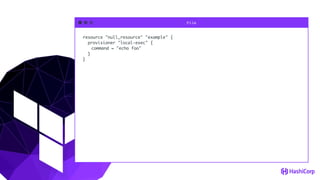
File
resource "null_resource" "example" {
provisioner "local-exec" {
command = "echo foo"
}
}
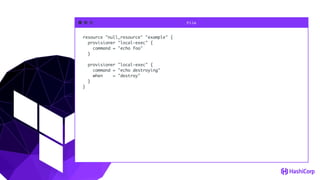
File
resource "null_resource" "example" {
provisioner "local-exec" {
command = "echo foo"
}
provisioner "local-exec" {
command = "echo destroying"
when = "destroy"
}
}
Terminal
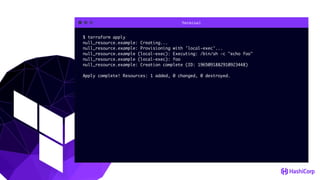
$ terraform apply
null_resource.example: Creating...
null_resource.example: Provisioning with 'local-exec'...
null_resource.example (local-exec): Executing: /bin/sh -c "echo foo"
null_resource.example (local-exec): foo
null_resource.example: Creation complete (ID: 1965091882910923448)
Apply complete! Resources: 1 added, 0 changed, 0 destroyed.
Terminal
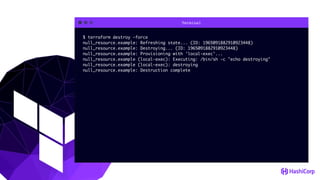
$ terraform destroy -force
null_resource.example: Refreshing state... (ID: 1965091882910923448)
null_resource.example: Destroying... (ID: 1965091882910923448)
null_resource.example: Provisioning with 'local-exec'...
null_resource.example (local-exec): Executing: /bin/sh -c "echo destroying"
null_resource.example (local-exec): destroying
null_resource.example: Destruction complete
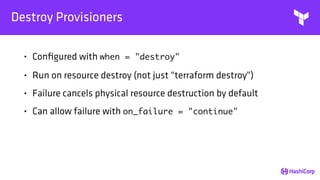
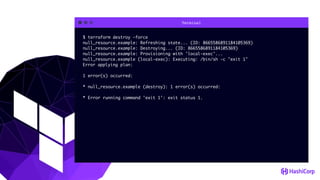
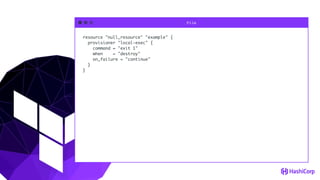
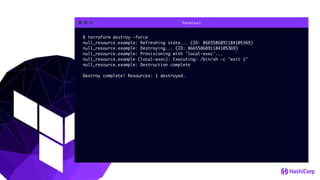
Destroy Provisioners
• Configured with when = "destroy"
• Run on resource destroy (not just "terraform destroy")
• Failure cancels physical resource destruction by default
• Can allow failure with on_failure = "continue"
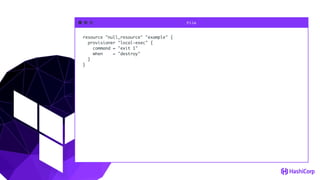
File
resource "null_resource" "example" {
provisioner "local-exec" {
command = "exit 1"
when = "destroy"
}
}
Terminal
$ terraform destroy -force
null_resource.example: Refreshing state... (ID: 8665586891184105369)
null_resource.example: Destroying... (ID: 8665586891184105369)
null_resource.example: Provisioning with 'local-exec'...
null_resource.example (local-exec): Executing: /bin/sh -c "exit 1"
Error applying plan:
1 error(s) occurred:
* null_resource.example (destroy): 1 error(s) occurred:
* Error running command 'exit 1': exit status 1.
File
resource "null_resource" "example" {
provisioner "local-exec" {
command = "exit 1"
when = "destroy"
on_failure = "continue"
}
}
Terminal
$ terraform destroy -force
null_resource.example: Refreshing state... (ID: 8665586891184105369)
null_resource.example: Destroying... (ID: 8665586891184105369)
null_resource.example: Provisioning with 'local-exec'...
null_resource.example (local-exec): Executing: /bin/sh -c "exit 1"
null_resource.example: Destruction complete
Destroy complete! Resources: 1 destroyed.
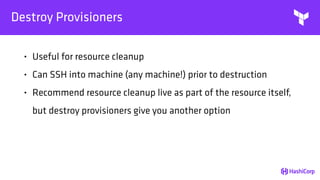
Destroy Provisioners
• Useful for resource cleanup
• Can SSH into machine (any machine!) prior to destruction
• Recommend resource cleanup live as part of the resource itself,
but destroy provisioners give you another option
Remote Backends
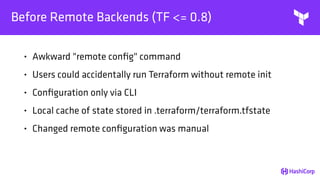
Before Remote Backends (TF <= 0.8)
• Awkward "remote config" command
• Users could accidentally run Terraform without remote init
• Configuration only via CLI
• Local cache of state stored in .terraform/terraform.tfstate
• Changed remote configuration was manual
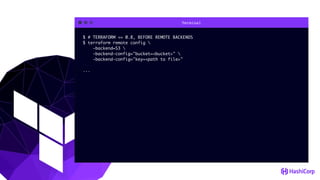
Terminal
$ # TERRAFORM <= 0.8, BEFORE REMOTE BACKENDS
$ terraform remote config 
-backend=S3 
-backend-config="bucket=<bucket>" 
-backend-config="key=<path to file>"
...
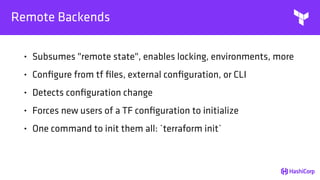
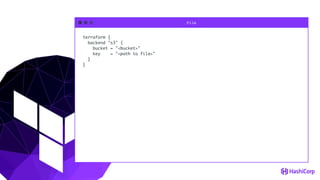
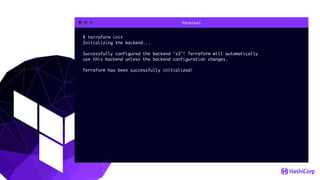
Remote Backends
• Subsumes "remote state", enables locking, environments, more
• Configure from tf files, external configuration, or CLI
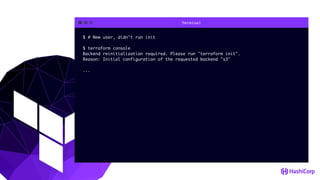
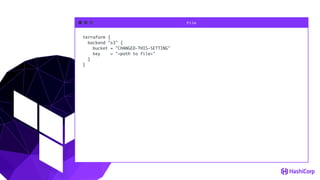
• Detects configuration change
• Forces new users of a TF configuration to initialize
• One command to init them all: `terraform init`
File
terraform {
backend "s3" {
bucket = "<bucket>"
key = "<path to file>"
}
}
Terminal
$ terraform init
Initializing the backend...
Successfully configured the backend "s3"! Terraform will automatically
use this backend unless the backend configuration changes.
Terraform has been successfully initialized!
Terminal
$ # New user, didn't run init
$ terraform console
Backend reinitialization required. Please run "terraform init".
Reason: Initial configuration of the requested backend "s3"
...
File
terraform {
backend "s3" {
bucket = "CHANGED-THIS-SETTING"
key = "<path to file>"
}
}
Terminal
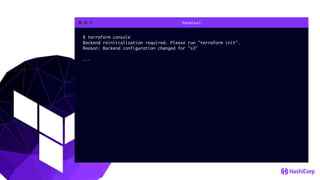
$ terraform console
Backend reinitialization required. Please run "terraform init".
Reason: Backend configuration changed for "s3"
...
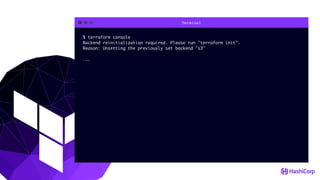
Terminal
$ terraform console
Backend reinitialization required. Please run "terraform init".
Reason: Unsetting the previously set backend "s3"
...
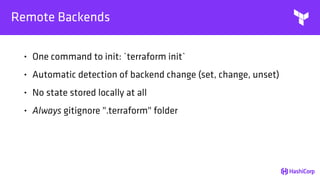
Remote Backends
• One command to init: `terraform init`
• Automatic detection of backend change (set, change, unset)
• No state stored locally at all
• Always gitignore ".terraform" folder
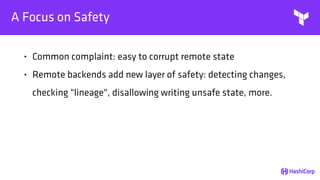
A Focus on Safety
• Common complaint: easy to corrupt remote state
• Remote backends add new layer of safety: detecting changes,
checking "lineage", disallowing writing unsafe state, more.
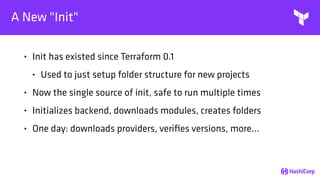
A New "Init"
• Init has existed since Terraform 0.1
• Used to just setup folder structure for new projects
• Now the single source of init, safe to run multiple times
• Initializes backend, downloads modules, creates folders
• One day: downloads providers, verifies versions, more...
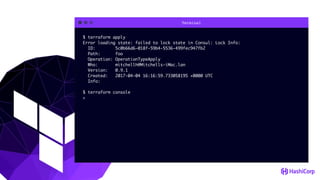
State Locking
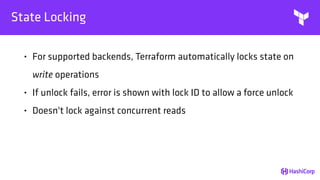
State Locking
• For supported backends, Terraform automatically locks state on
write operations
• If unlock fails, error is shown with lock ID to allow a force unlock
• Doesn't lock against concurrent reads
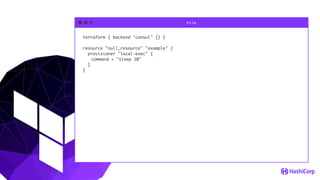
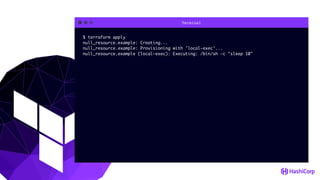
File
terraform { backend "consul" {} }
resource "null_resource" "example" {
provisioner "local-exec" {
command = "sleep 10"
}
}
Terminal
$ terraform apply
null_resource.example: Creating...
null_resource.example: Provisioning with 'local-exec'...
null_resource.example (local-exec): Executing: /bin/sh -c "sleep 10"
Terminal
$ terraform apply
Error loading state: failed to lock state in Consul: Lock Info:
ID: 5c0b66d6-018f-59b4-5536-499fec947fb2
Path: foo
Operation: OperationTypeApply
Who: mitchellh@Mitchells-iMac.lan
Version: 0.9.1
Created: 2017-04-04 16:16:59.733058195 +0000 UTC
Info:
$ terraform console
>
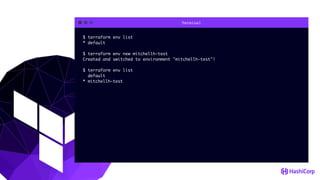
State Environments
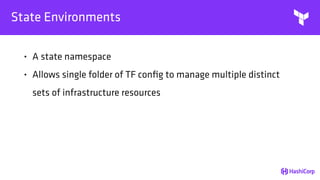
State Environments
• A state namespace
• Allows single folder of TF config to manage multiple distinct
sets of infrastructure resources
Terminal
$ terraform env list
* default
$ terraform env new mitchellh-test
Created and switched to environment "mitchellh-test"!
$ terraform env list
default
* mitchellh-test
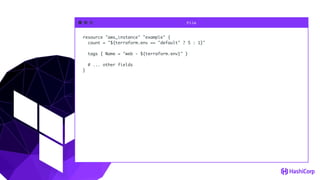
File
resource "aws_instance" "example" {
count = "${terraform.env == "default" ? 5 : 1}"
tags { Name = "web - ${terraform.env}" }
# ... other fields
}
Terraform
THANKS!
Q/A
HTTPS://WWW.TERRAFORM.IO

London HUG 12/4

  • 1.
  • 2.
    NYCHashiDays MAY 15 |@CONVENE | NYC, NEW YORK
  • 3.
    LONDONHashiDays JUNE 12 |@THE BREWERY | LONDON, UK
  • 4.
  • 5.
  • 6.
    Terraform Goals • Unifiedview of infrastructure • Infrastructure as code • Compose multiple tiers (IaaS to PaaS to SaaS) • Safely change/iterate infrastructure over time • One workflow
  • 7.
    Terraform Features • OpenSource • Infrastructure as Code • Resource Providers • Plan and Apply • Collaboration, History [Enterprise]
  • 8.
  • 9.
  • 10.
    File resource "google_compute_instance" "server"{ name = "server" machine_type = "g1-small" zone = "us-central1-a" disk { image = "ubuntu-1404-trusty-v20160114e" } } resource "dnsimple_record" "hello" { domain = "example.com" name = "server" value = "${google_compute_instance.server.network_interface.0.address}" type = "A" }
  • 11.
    Terminal $ terraform plan +google_compute_instance.server can_ip_forward: "false" disk.#: "1" disk.0.auto_delete: "true" disk.0.image: "ubuntu-1404-trusty-..." machine_type: "g1-small" metadata_fingerprint: "<computed>" name: "server" network_interface.#: "1" network_interface.0.address: "<computed>" network_interface.0.name: "<computed>" network_interface.0.network: "default" self_link: "<computed>" tags_fingerprint: "<computed>" zone: "us-central1-a" ... Plan: 3 to add, 0 to change, 0 to destroy.
  • 12.
    Plan • Plan showsyou what will happen • Plans can be saved to guarantee what will happen • Plans show reasons for certain actions (such as re-create) • Not equivalent to "noop" due to the ability to save a plan
  • 13.
    Terminal $ terraform apply google_compute_instance.server:Creating... can_ip_forward: "" => "false" disk.#: "" => "1" disk.0.auto_delete: "" => "true" disk.0.image: "" => "ubuntu-1404-trusty..." machine_type: "" => "g1-small" metadata_fingerprint: "" => "<computed>" name: "" => "server" network_interface.#: "" => "1" network_interface.0.address: "" => "<computed>" network_interface.0.name: "" => "<computed>" network_interface.0.network: "" => "default" self_link: "" => "<computed>" tags_fingerprint: "" => "<computed>" zone: "" => "us-central1-a" ... Apply complete! Resources: 3 added, 0 changed, 0 destroyed.
  • 14.
    Apply • Executes changesin order based on dependencies • Parallelizes changes when possible • Handles and recovers transient errors
  • 15.
    Apply for Changes •Not only creation, but changes over time • Plan will show you what will happen • The `-target` flag can be used for fine-grained change
  • 16.
    Resource Providers Amazon BitBucketCenturyLink Cloud CloudFlare CloudStack Cobbler Consul Datadog DigitalOcean DNSMadeEasy DNSimple Docker Dyn GitHub Fastly Google Heroku Librato Microsoft Azure MySQL OpenStack Packet PostgreSQL SoftLayer UltraDNS VMware Sphere and more...
  • 17.
    Resource Providers Amazon BitBucketCenturyLink Cloud CloudFlare CloudStack Cobbler Consul Datadog DigitalOcean DNSMadeEasy DNSimple Docker Dyn GitHub Fastly Google Heroku Librato Microsoft Azure MySQL OpenStack Packet PostgreSQL SoftLayer UltraDNS VMware Sphere and more...
  • 18.
    Resource Providers Amazon BitBucketCenturyLink Cloud CloudFlare CloudStack Cobbler Consul Datadog DigitalOcean DNSMadeEasy DNSimple Docker Dyn GitHub Fastly Google Heroku Librato Microsoft Azure MySQL OpenStack Packet PostgreSQL SoftLayer UltraDNS VMware Sphere and more...
  • 19.
    Resource Providers Amazon BitBucketCenturyLink Cloud CloudFlare CloudStack Cobbler Consul Datadog DigitalOcean DNSMadeEasy DNSimple Docker Dyn GitHub Fastly Google Heroku Librato Microsoft Azure MySQL OpenStack Packet PostgreSQL SoftLayer UltraDNS VMware Sphere and more...
  • 20.
    Resource Providers Amazon BitBucketCenturyLink Cloud CloudFlare CloudStack Cobbler Consul Datadog DigitalOcean DNSMadeEasy DNSimple Docker Dyn GitHub Fastly Google Heroku Librato Microsoft Azure MySQL OpenStack Packet PostgreSQL SoftLayer UltraDNS VMware Sphere and more...
  • 21.
    Terraform Enterprise • RemotePlan/Apply • Integration with GitHub (plan PRs, apply on merge) • Variable storage and encryption • State storage, history, rollback, and locking • HTTP API to modify state, queue plans, etc. • Notifications on infra change, plan request, etc.
  • 22.
    Terraform 0.8 (December13, 2016) • "terraform console" • Conditional values • Terraform version requirement in config • Nomad and Vault provider
  • 23.
  • 24.
    Terminal $ terraform console >aws_instance.foo.id i-abcd1234 > 1 + 2 3 > length(aws_instance.web.*.id) 3 > module.child.instance_name child-instance
  • 25.
    Terminal $ echo '1+2'| terraform console 3
  • 26.
    Terraform Console • Read-onlyview of your state • Accepts interpolation syntax (including function calls!) • Support for stdin enables scripting • Works with remote state • Good for beginners and advanced users!
  • 27.
  • 28.
    File resource "google_compute_instance" "server"{ name = "server" machine_type = "${var.env == "dev" ? "g1-small" : "n1-standard-2"}" ... }
  • 29.
    File resource "google_compute_instance" "server"{ count = "${var.env == "dev" ? 0 : 3}" ... }
  • 30.
    Conditional Values • If-statementsfor single values within Terraform • Enables on/off of resources (by using count) • The beginning of more logic in Terraform configs
  • 31.
  • 32.
  • 33.
  • 34.
    Terminal $ terraform console Thecurrently running version of Terraform doesn't meet the version requirements explicitly specified by the configuration. Please use the required version or update the configuration. Note that version requirements are usually set for a reason, so we recommend verifying with whoever set the version requirements prior to making any manual changes. Module: root Required version: < 0.5.0, > 1.0 Current version: 0.9.1
  • 35.
    Terraform Version Requirement •Restrict Terraform version against config • Avoid known-bad Terraform versions for your resources • Modules can also restrict Terraform versions!
  • 36.
  • 37.
    File provider "nomad" { address= "nomad.mycompany.com" region = "us-east-2" } resource "nomad_job" "monitoring" { jobspec = "${file("${path.module}/jobspec.hcl")}" }
  • 38.
    Nomad Provider • Setupsystem level jobs that are required • Configure Nomad after setting up Nomad cluster • Not expected to replace "nomad run"
  • 39.
  • 40.
    File data "vault_generic_secret" "rundeck_auth"{ path = "secret/rundeck_auth" } provider "rundeck" { url = "http://rundeck.example.com/" auth_token = "${data.vault_generic_secret.rundeck_auth.data["auth_token"]}" }
  • 41.
    File resource "vault_generic_secret" "example"{ path = "secret/foo" data_json = <<EOT { "foo": "bar", "pizza": "cheese" } EOT }
  • 42.
    File resource "vault_policy" "example"{ name = "dev-team" policy = <<EOT path "secret/my_app" { policy = "write" } EOT }
  • 43.
    Vault Provider • Readsecrets from Vault • Write secrets to Vault • Configure Vault policy • Imagine: Terraform to initialize Vault cluster, setup initial Vault policy, manage Vault policy over time.
  • 44.
    Terraform 0.9 (March15, 2017) • Destroy provisioners • Remote backends • State locking • State environments
  • 45.
  • 46.
    Provisioners (Terraform <=0.8) • Run arbitrary code locally or remotely on resource creation • If provisioner fails, resource is tainted and scheduled for recreation on the next apply
  • 47.
    File resource "null_resource" "example"{ provisioner "local-exec" { command = "echo foo" } }
  • 48.
    File resource "null_resource" "example"{ provisioner "local-exec" { command = "echo foo" } provisioner "local-exec" { command = "echo destroying" when = "destroy" } }
  • 49.
    Terminal $ terraform apply null_resource.example:Creating... null_resource.example: Provisioning with 'local-exec'... null_resource.example (local-exec): Executing: /bin/sh -c "echo foo" null_resource.example (local-exec): foo null_resource.example: Creation complete (ID: 1965091882910923448) Apply complete! Resources: 1 added, 0 changed, 0 destroyed.
  • 50.
    Terminal $ terraform destroy-force null_resource.example: Refreshing state... (ID: 1965091882910923448) null_resource.example: Destroying... (ID: 1965091882910923448) null_resource.example: Provisioning with 'local-exec'... null_resource.example (local-exec): Executing: /bin/sh -c "echo destroying" null_resource.example (local-exec): destroying null_resource.example: Destruction complete
  • 51.
    Destroy Provisioners • Configuredwith when = "destroy" • Run on resource destroy (not just "terraform destroy") • Failure cancels physical resource destruction by default • Can allow failure with on_failure = "continue"
  • 52.
    File resource "null_resource" "example"{ provisioner "local-exec" { command = "exit 1" when = "destroy" } }
  • 53.
    Terminal $ terraform destroy-force null_resource.example: Refreshing state... (ID: 8665586891184105369) null_resource.example: Destroying... (ID: 8665586891184105369) null_resource.example: Provisioning with 'local-exec'... null_resource.example (local-exec): Executing: /bin/sh -c "exit 1" Error applying plan: 1 error(s) occurred: * null_resource.example (destroy): 1 error(s) occurred: * Error running command 'exit 1': exit status 1.
  • 54.
    File resource "null_resource" "example"{ provisioner "local-exec" { command = "exit 1" when = "destroy" on_failure = "continue" } }
  • 55.
    Terminal $ terraform destroy-force null_resource.example: Refreshing state... (ID: 8665586891184105369) null_resource.example: Destroying... (ID: 8665586891184105369) null_resource.example: Provisioning with 'local-exec'... null_resource.example (local-exec): Executing: /bin/sh -c "exit 1" null_resource.example: Destruction complete Destroy complete! Resources: 1 destroyed.
  • 56.
    Destroy Provisioners • Usefulfor resource cleanup • Can SSH into machine (any machine!) prior to destruction • Recommend resource cleanup live as part of the resource itself, but destroy provisioners give you another option
  • 57.
  • 58.
    Before Remote Backends(TF <= 0.8) • Awkward "remote config" command • Users could accidentally run Terraform without remote init • Configuration only via CLI • Local cache of state stored in .terraform/terraform.tfstate • Changed remote configuration was manual
  • 59.
    Terminal $ # TERRAFORM<= 0.8, BEFORE REMOTE BACKENDS $ terraform remote config -backend=S3 -backend-config="bucket=<bucket>" -backend-config="key=<path to file>" ...
  • 60.
    Remote Backends • Subsumes"remote state", enables locking, environments, more • Configure from tf files, external configuration, or CLI • Detects configuration change • Forces new users of a TF configuration to initialize • One command to init them all: `terraform init`
  • 61.
    File terraform { backend "s3"{ bucket = "<bucket>" key = "<path to file>" } }
  • 62.
    Terminal $ terraform init Initializingthe backend... Successfully configured the backend "s3"! Terraform will automatically use this backend unless the backend configuration changes. Terraform has been successfully initialized!
  • 63.
    Terminal $ # Newuser, didn't run init $ terraform console Backend reinitialization required. Please run "terraform init". Reason: Initial configuration of the requested backend "s3" ...
  • 64.
    File terraform { backend "s3"{ bucket = "CHANGED-THIS-SETTING" key = "<path to file>" } }
  • 65.
    Terminal $ terraform console Backendreinitialization required. Please run "terraform init". Reason: Backend configuration changed for "s3" ...
  • 66.
    Terminal $ terraform console Backendreinitialization required. Please run "terraform init". Reason: Unsetting the previously set backend "s3" ...
  • 67.
    Remote Backends • Onecommand to init: `terraform init` • Automatic detection of backend change (set, change, unset) • No state stored locally at all • Always gitignore ".terraform" folder
  • 68.
    A Focus onSafety • Common complaint: easy to corrupt remote state • Remote backends add new layer of safety: detecting changes, checking "lineage", disallowing writing unsafe state, more.
  • 69.
    A New "Init" •Init has existed since Terraform 0.1 • Used to just setup folder structure for new projects • Now the single source of init, safe to run multiple times • Initializes backend, downloads modules, creates folders • One day: downloads providers, verifies versions, more...
  • 70.
  • 71.
    State Locking • Forsupported backends, Terraform automatically locks state on write operations • If unlock fails, error is shown with lock ID to allow a force unlock • Doesn't lock against concurrent reads
  • 72.
    File terraform { backend"consul" {} } resource "null_resource" "example" { provisioner "local-exec" { command = "sleep 10" } }
  • 73.
    Terminal $ terraform apply null_resource.example:Creating... null_resource.example: Provisioning with 'local-exec'... null_resource.example (local-exec): Executing: /bin/sh -c "sleep 10"
  • 74.
    Terminal $ terraform apply Errorloading state: failed to lock state in Consul: Lock Info: ID: 5c0b66d6-018f-59b4-5536-499fec947fb2 Path: foo Operation: OperationTypeApply Who: mitchellh@Mitchells-iMac.lan Version: 0.9.1 Created: 2017-04-04 16:16:59.733058195 +0000 UTC Info: $ terraform console >
  • 75.
  • 76.
    State Environments • Astate namespace • Allows single folder of TF config to manage multiple distinct sets of infrastructure resources
  • 77.
    Terminal $ terraform envlist * default $ terraform env new mitchellh-test Created and switched to environment "mitchellh-test"! $ terraform env list default * mitchellh-test
  • 78.
    File resource "aws_instance" "example"{ count = "${terraform.env == "default" ? 5 : 1}" tags { Name = "web - ${terraform.env}" } # ... other fields }
  • 79.
  • 80.